CloudTalk is the best call tracking software for small to medium sales the teams with syncing to HubSpot, Pipedrive, Salesforce or 100+ integrations. Call notes and tags go into your CRM automatically and as for the outbound part, the multiline AI Sales Dialer increases productivity and leads. For ad and keyword attribution, you may want to try CallRail or Nimbata.
- CloudTalk: best for high-volume sales calling, with power and parallel dialers, local numbers in 160+ countries and every call logged to the CRM
- CallRail: best for inbound call attribution
- CTM (formerly CallTrackingMetrics): best for attribution plus a sales softphone
- WhatConverts: best for low-cost lead tracking
- Nimbata: best for per-call attribution pricing
- Aircall: best for a large integration marketplace
- Salestrail: best for reps calling from their own SIM or WhatsApp
- HubSpot Sales Hub: best for teams on HubSpot CRM
- Salesloft: best for outbound cadence teams
- Agentforce Sales (formerly Salesforce Sales Cloud): best for large Salesforce organizations
Best Call Tracking Software for Sales Teams: Comparison Table
| Provider | Type | Key Features | Best For | Starting Price | G2 Rating |
|---|---|---|---|---|---|
| CloudTalk | Sales calling platform | Local numbers in 160+ countries, IVR and routing, call recording, two-way CRM sync, power and parallel dialers, AI call summaries (add-on) | Sales calling with CRM logging | $25/user/mo, billed annually | 4.4/5 (1936+ reviews) |
| CallRail | Attribution | Tracking numbers and DNI, recording and transcription, form tracking, conversation intelligence on higher plans | Inbound call attribution for marketers | $50/mo + usage | 0/5 (0+ reviews) |
| CTM | Attribution | Call and text attribution, IVR routing, softphone and Smart Dialer on Sales Engage, unlimited users | Attribution plus a sales softphone | $65/mo + usage | 4.5/5 (750+ reviews) |
| WhatConverts | Attribution | DNI, call recording, forms and chat tracking, keyword reporting from Plus | Low-cost lead tracking | $30/mo + usage | 4.9/5 (320+ reviews) |
| Nimbata | Attribution | Billing per answered call, DNI, AI summaries and scoring, CRM sync from Marketing | Per-call attribution pricing | $0 + usage; paid plans from $35/mo | 4.7/5 (30 reviews) |
| Aircall | Sales calling platform | Softphone and mobile apps, recordings and AI transcripts, 250+ integrations, Power Dialer on Professional | Large integration marketplace | $30/license/mo (3-license minimum) | 4.4/5 (1570+ reviews) |
| Salestrail | Mobile call tracking | Auto-logs SIM and WhatsApp calls, analytics dashboard, CRM and recording add-ons | Reps calling from their own phones | $5.60/user/mo, billed annually | 4.8/5 (2 reviews) |
| HubSpot Sales Hub | CRM or engagement | Calling from Starter, native call logging, conversation intelligence on Professional | Teams already on HubSpot CRM | Free; Starter from $7/seat/mo (annual, at the time of writing) | 4.4/5 (14,300+ reviews) |
| Salesloft | CRM or engagement | Sales Dialer with voicemail drop, CRM call logging, conversation intelligence, call reporting | Outbound cadence teams | Quote only | 4.5/5 (9,850+ reviews) |
| Agentforce Sales | CRM or engagement | Native Sales Dialer, calls on the customer record, call summaries available for purchase | Large Salesforce-based sales orgs | $25/user/mo | 4.4/5 (27,500+ reviews) |
Call tracking software for sales teams logs every call a rep makes or takes to the CRM, with the recording, notes and outcome, so reps don't log calls by hand. Salesforce's 2026 State of Sales report1 found reps spend 60% of their week on non-selling work such as data entry, and call tracking is an easy way to cut down on this busy work.
Below, we compare 10 tools on CRM logging, dialers, recording and AI, attribution and pricing, with monthly costs for teams of 5, 10 and 20 reps.

See every sales call land in your CRM

Our Methodology: How We Chose the Best Call Tracking Software for Sales Teams
We read the six top-ranking "best call tracking" lists for 2026; CallRail, CTM and WhatConverts appeared on five, Nimbata on four. We checked each vendor's pricing page and product docs, read recent G2 reviews for all 10, checked Trustpilot ratings and read Reddit threads from sales and marketing teams using them. We scored the tools on five criteria:
- 01Call logging: automatic, and to which native CRMs?
- 02Calling and dialing: in-tool calling, plus a power or parallel dialer?
- 03Recording and AI: recording, transcripts and summaries?
- 04Attribution: calls tied to an ad, keyword or landing page?
- 05Pricing transparency: published prices and usage fees, checked on every vendor's pricing page.
We excluded pay-per-call platforms (Ringba, Phonexa), quote-only enterprise attribution tools (Invoca, Infinity) and Twilio, a developer platform.
Why Trust Our Software Reviews?
For nearly a decade, we've helped over 30,000 professionals find and implement smarter business communication tools. We've reviewed 200+ software tools across industries, analyzed 5,500+ verified customer reviews from platforms like G2, Capterra, and Trustpilot, and drawn insights from real user discussions on Reddit and Quora.
In the past year alone, we published 1,000+ articles, each one written by humans for humans. Learn how we keep our content integrity and our software review methodology.
What Is the Best Call Tracking Software for Sales Teams in 2026?
1. CloudTalk: Best for All-in-One Sales Calling and CRM Logging
What Is CloudTalk?
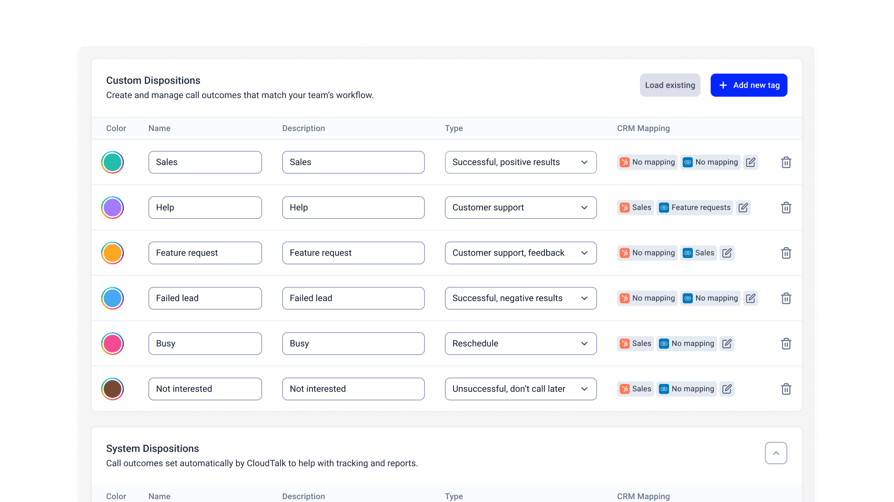
CloudTalk is a cloud business phone system for sales and support teams. Reps call from a browser, the desktop app or the CloudTalk Go mobile app; calls log to the CRM with recording, notes and tags.
Key Features of CloudTalk
- CRM integrations: HubSpot, Pipedrive, Zoho and 100+ more integrations from Essential; Salesforce on Expert.
- Outbound dialing: Smart Dialer, Preview and Power Dialer on Expert (Power Dialer is also an add-on on lower plans); Parallel Dialer (up to 10 lines, voicemail detection) as an add-on.
- Inbound routing: Call queues and queue callback on Starter; IVR with skill and condition-based routing from Essential.
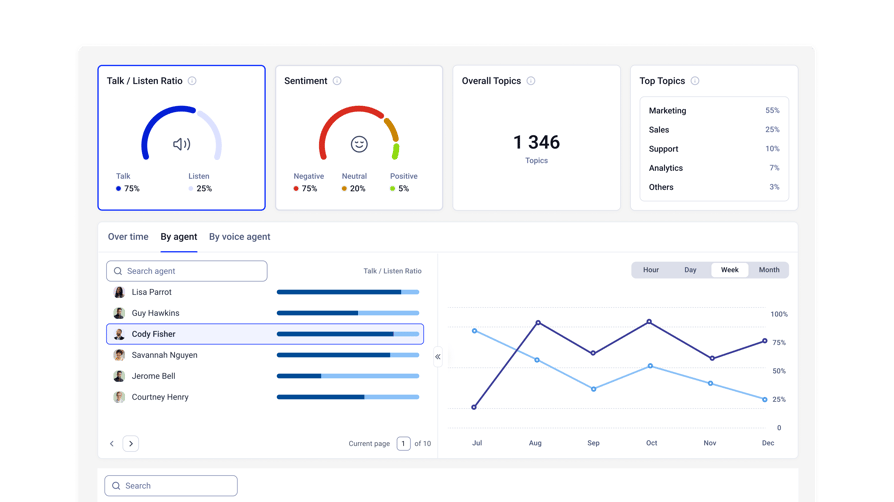
- Coaching data: The AI Conversation Intelligence add-on: transcripts, AI call summaries, topics, sentiment, talk/listen ratio and AI call scoring, exported to HubSpot, Salesforce and Pipedrive.
- International numbers: Local numbers in 160+ countries on every plan.
What Are the Pros and Cons of CloudTalk?
| ClouTalk Pros | CloudTalk Cons (if you can call them that) |
|---|---|
| Calling, recording, routing and CRM logging in one platform | CRM integrations start on Essential, not Starter |
| Call queues and queue callback included on the entry plan | Transcripts and AI summaries need the AI Conversation Intelligence add-on |
| Local numbers in 160+ countries on every plan | Doesn't track calls reps make from personal SIM numbers |
When Should You Use CloudTalk?
Use CloudTalk when every rep's call has to reach HubSpot, Pipedrive or Salesforce without manual logging:
- Outbound teams: Power Dialer on Expert (add-on on lower plans), Parallel Dialer add-on for up to 10 lines per rep.
- Inbound sales: call queues and callback from Starter, IVR and skill-based routing from Essential.
- Teams calling abroad: local numbers in 160+ countries on every plan.
For keyword attribution, add CallRail or Nimbata; for reps who call from personal SIMs, use Salestrail.
What Is the Pricing of CloudTalk?
- Starter: $25/user/month
- Essential: $29/user/month
- Expert: $49/user/month (minimum of 3 users)
- Custom: Contact Sales
Billed annually. Add-ons: Power Dialer $15/user/month (included on Expert), Parallel Dialer $39/user/month, AI Conversation Intelligence $9/user/month, AI Receptionist from $99/month for 200 minutes (First 50 minutes free!), and AI Specialists from $349/month for 1000 minutes. 14-day free trial. CloudTalk pricing checked Autumn 2026.
What Do Customers Say About CloudTalk?
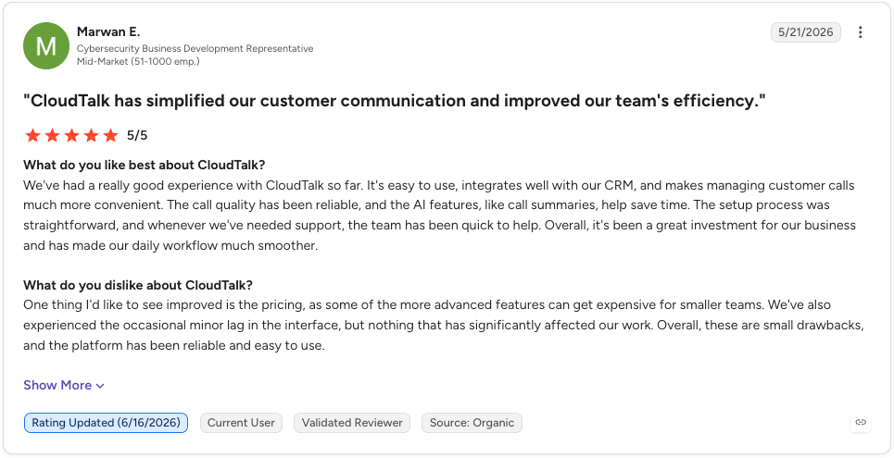
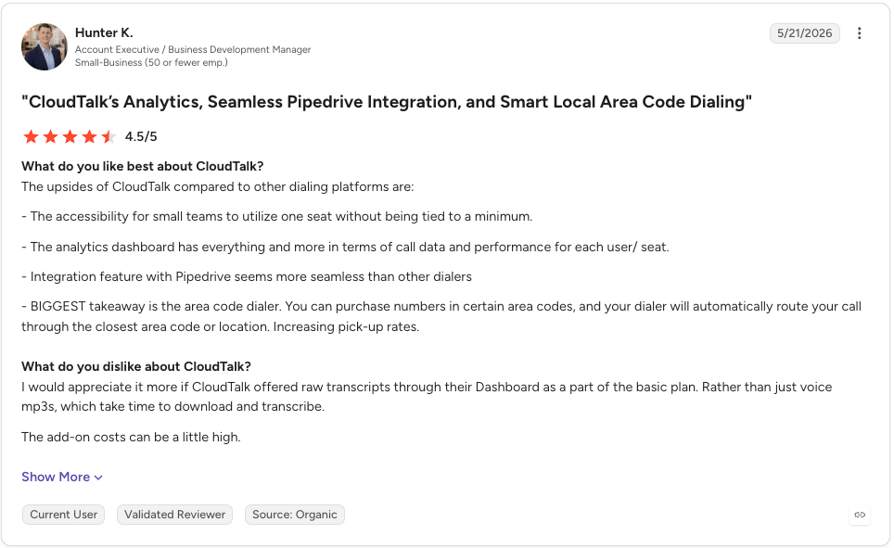
G2 reviewers call CloudTalk "easy to use," say it "integrates well with our CRM" (G2 review) and praise its "accessibility for small teams" (G2 review). Downsides: no "raw transcripts" on the basic plan (transcription is in the AI Conversation Intelligence add-on).
G2 rating: 4.4/5 (1936+ reviews), checked September 29, 2026. Read CloudTalk reviews on G2
2. CallRail: Best for Inbound Call Attribution
What Is CallRail?
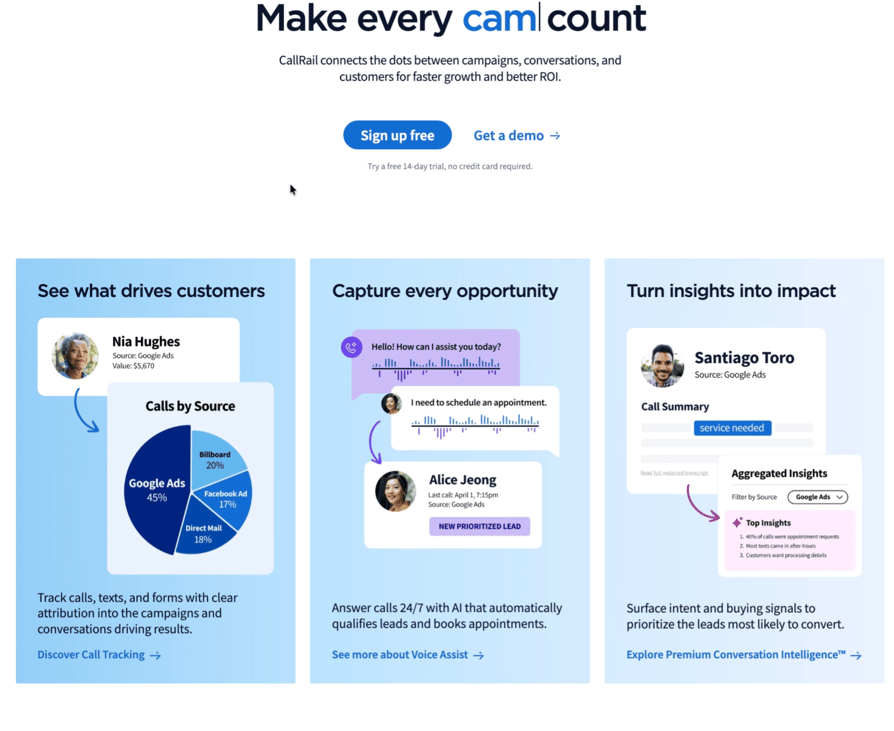
CallRail is an attribution tool that "connects the dots between campaigns, conversations, and customers," built for marketing teams and agencies.
Key Features of CallRail
- Call and text attribution: Every plan, with 5 local numbers, 250 local minutes and transcription.
- HubSpot integration: Creates leads and logs the recording, source, PPC keyword, landing page and summary on the contact.
- Form tracking: Complete plans, with multi-touch cost-per-lead reporting.
- Conversation intelligence: Summaries, sentiment and coaching tools on the Lead Conversion plans.
What Are the Pros and Cons of CallRail?
| CallRail Pros | CallRail Cons |
|---|---|
| Numbers, minutes and transcription included in every plan | Base-plus-usage billing grows with call minutes |
| Attribution data lands on the HubSpot record | Not a calling platform for outbound reps |
| Usage rates are published | Conversation intelligence starts on the $150 plan |
When Should You Use CallRail?
Use CallRail to prove which campaigns drive inbound calls, or to report calls to agency clients. It has no dialer; pair it with CloudTalk or Aircall. CallRail is available in the US, Canada, UK and Australia only.
What Is the Pricing of CallRail?
- Lead Tracking: $50/month plus usage
- Lead Tracking Complete: $95/month plus usage
- Lead Conversion: $150/month plus usage
- Lead Conversion Complete: $195/month plus usage
Billed yearly (up to 10% off). Usage: local number $3/month, local minute $0.06, toll-free number $5, toll-free minute $0.08, rounded up per call. 14-day free trial. CallRail pricing checked September 29, 2026.
What Do Customers Say About CallRail?
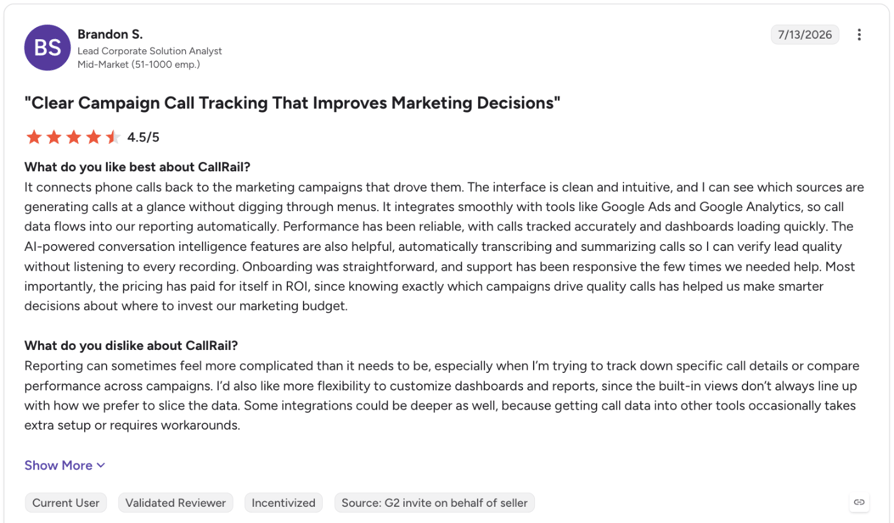
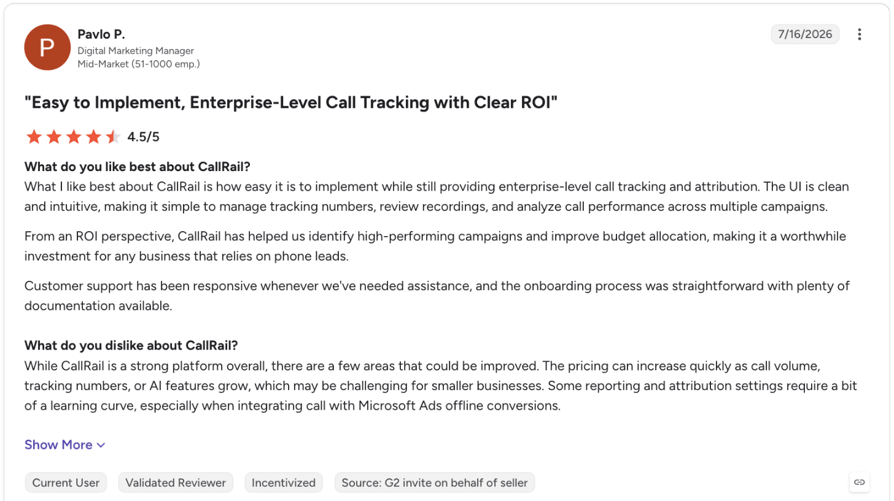
G2 reviewers praise how CallRail "connects phone calls back to the marketing campaigns that drove them" (G2 review) and its responsive support. Several flag a learning curve in setup and reporting, and one warns that "pricing can increase quickly as call volume, tracking numbers, or AI features grow" (G2 review).
On Trustpilot, CallRail holds 4.0/5 from 450+ reviews (August 2026).
G2 rating: 0/5 (0+ reviews), checked September 29, 2026. Read CallRail reviews on G2
3. CTM (formerly CallTrackingMetrics): Best for Attribution Plus a Sales Softphone
What Is CTM?
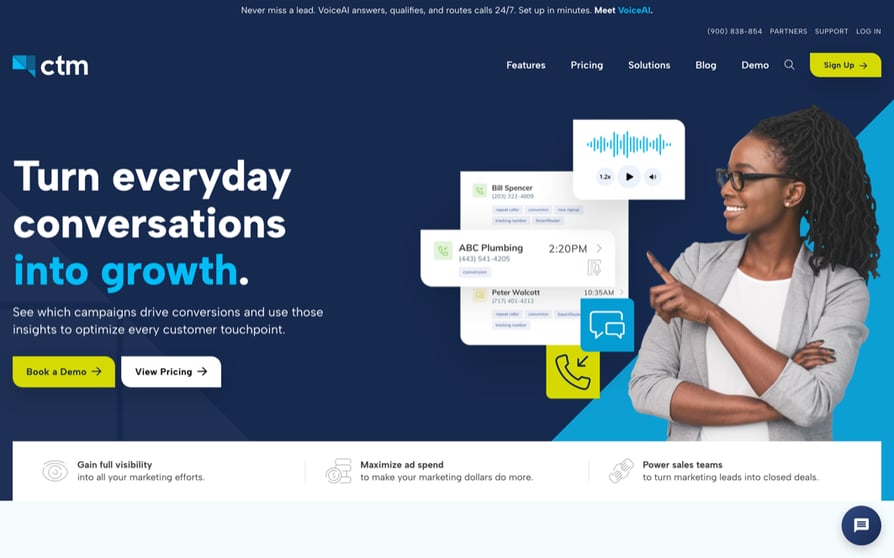
CTM (formerly CallTrackingMetrics) is an attribution platform to "see which campaigns drive conversions." Sales Engage adds a softphone and dialer.
Key Features of CTM
- Marketing Lite: Call and text attribution, recording, forwarding, IVR routing, and Google Ads, GA4 and Microsoft Ads integrations.
- Marketing Pro: Form tracking, 3,000 transcribed minutes, AskAI call analysis and HubSpot.
- Sales Engage: VoIP softphone, Smart Dialer, skills-based routing, live coaching, real-time dashboards and Salesforce.
What Are the Pros and Cons of CTM?
| CTM Pros | CTM Cons |
|---|---|
| Unlimited users on every plan | Softphone, dialer and coaching start at $274/month |
| Attribution and a sales softphone from one vendor | Usage billing sits on top of every plan |
| HubSpot and Salesforce integrations | Salesforce integration needs Sales Engage |
When Should You Use CTM?
Use CTM when marketing owns attribution, reps share the platform, and per-seat pricing would cost more. Outbound-heavy teams get power and parallel dialers with CRM logging from CloudTalk.
What Is the Pricing of CTM?
- Marketing Lite: $65/month plus usage
- Marketing Pro: $149/month plus usage
- Sales Engage: $274/month plus usage
- Enterprise: $1,999/month billed monthly, plus usage
Billed yearly unless noted; agent bundles from $99/agent/month. Checked September 29, 2026.
What Do Customers Say About CTM?
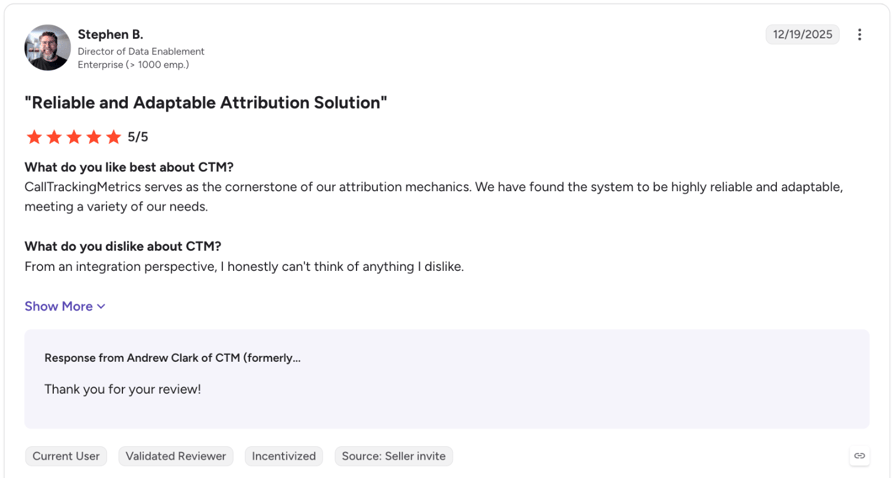
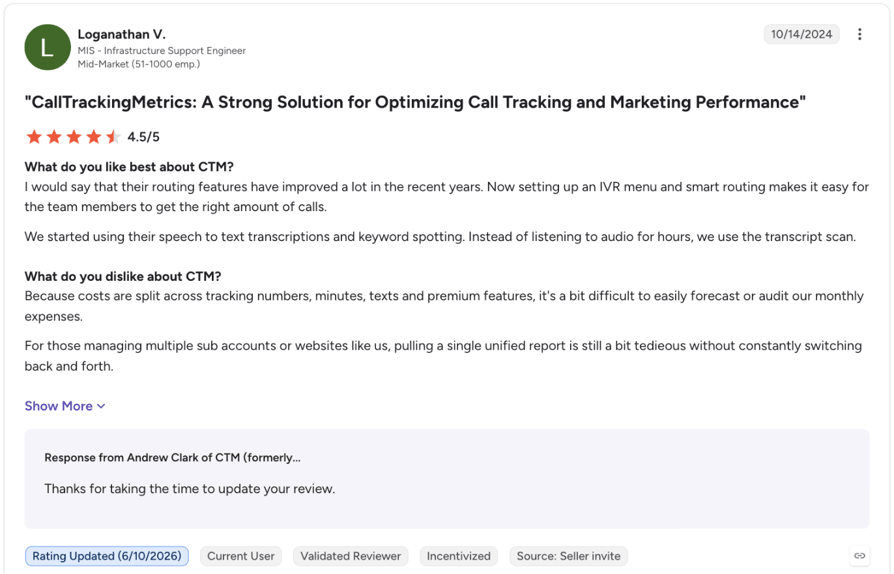
G2 reviewers praise CTM's attribution and support; one calls it the "cornerstone of our attribution mechanics" (G2 review). Two flag a steep learning curve, and one finds usage-based costs "a bit difficult to easily forecast or audit" (G2 review).
An August 2026 r/AskMarketing reply recommended CTM-style automated follow-up for after-hours leads.
G2 rating: 4.5/5 (750+ reviews), checked September 29, 2026. Read CTM reviews on G2
4. WhatConverts: Best for Low-Cost Lead Tracking
What Is WhatConverts?
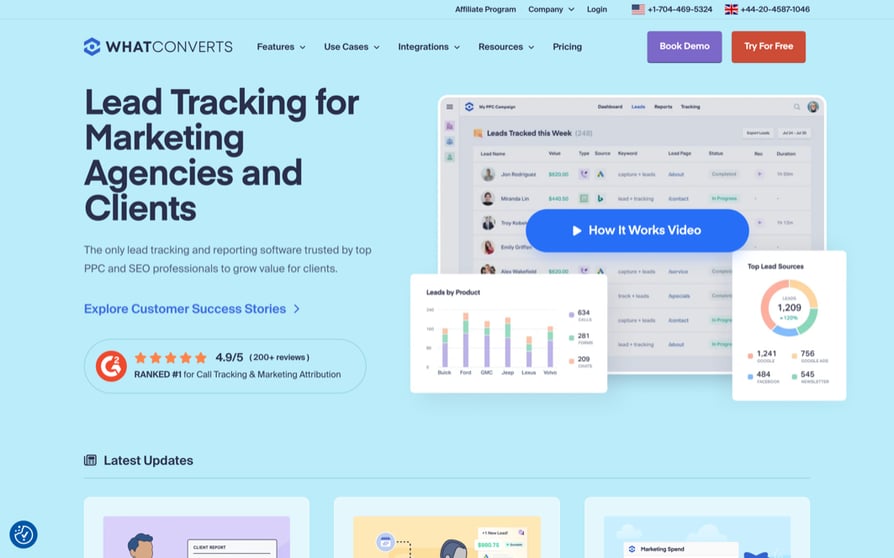
WhatConverts is a lead tracking tool for "marketing agencies and clients" that logs calls, forms and chats with PPC and SEO keyword reporting.
Key Features of WhatConverts
- Call Tracking plan ($30): Tracking numbers, DNI and call recording.
- Plus: Form and chat tracking, keyword reporting, and Google Ads, Bing and Analytics integrations.
- Pro: Call flows, report builder, scheduled reports and HIPAA support for HIPAA-compliant call tracking.
- CRM integrations: HubSpot, Salesforce, Pipedrive, Zoho and Zapier.
What Are the Pros and Cons of WhatConverts?
| WhatConverts Pros | WhatConverts Cons |
|---|---|
| Lowest published entry price among the attribution tools here | Built for marketers, with no rep calling or dialer |
| DNI on the entry plan | Tracked-lead caps on each plan |
| Forms and chat tracked alongside calls from Plus | Keyword reporting starts on Plus |
When Should You Use WhatConverts?
Use WhatConverts as a low-cost call tracking service for phone, form and chat leads. It has no softphone or dialer; pair it with CloudTalk or Aircall.
What Is the Pricing of WhatConverts?
- Call Tracking: $30/month
- Plus: $60/month
- Pro: $100/month
- Elite: $160/month
Each plan includes a $30 usage credit and up to 148 tracked phone leads. Usage: local number $2.50, local minute 4.5 cents, toll-free number $3.50, toll-free minute 6.5 cents. 14-day free trial. Checked September 29, 2026.
What Do Customers Say About WhatConverts?
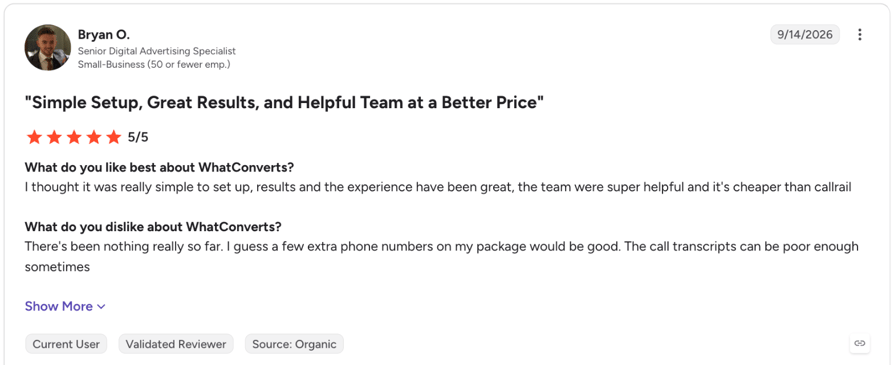
G2 reviewers single out WhatConverts' support. One found it "really simple to set up" and "cheaper than callrail" (G2 review); the same reviewer says the "call transcripts can be poor enough sometimes."
G2 rating: 4.9/5 (320+ reviews), checked September 29, 2026. Read WhatConverts reviews on G2
5. Nimbata: Best for Per-Call Attribution Pricing
What Is Nimbata?
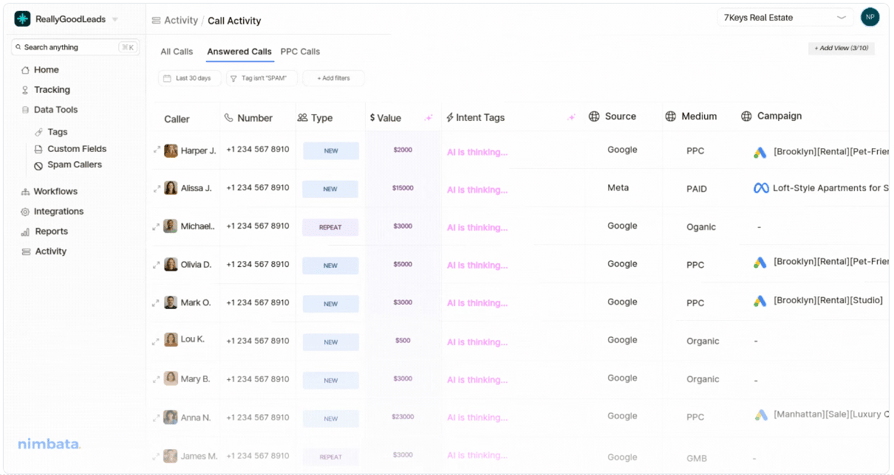
Nimbata is a call attribution tool ("finally know which marketing drives calls that actually convert") that bills per answered call, not per minute.
Key Features of Nimbata
- Per-call billing: Call length doesn't change the price.
- Pro: Unlimited call flows, DNI, AI tagging and scoring, and Google Ads and GA4 integrations.
- AI included: Per Nimbata, every call gets AI call summaries, sentiment analysis, custom AI notes and call and agent ratings.
- CRM sync: HubSpot, Zoho CRM and Pipedrive from Marketing; Salesforce, API and webhooks on Agency.
What Are the Pros and Cons of Nimbata?
| Nimbata Pros | Nimbata Cons |
|---|---|
| Per-answered-call billing is predictable for long calls | DNI and recordings aren't on the free tier |
| Free entry tier | CRM sync starts on Marketing; Salesforce only on Agency |
| AI summaries and scoring aren't sold as a separate add-on | Not a calling platform for reps |
When Should You Use Nimbata?
Use Nimbata when calls run long enough that per-minute billing would cost more. It has no dialer; pair it with CloudTalk, both writing to HubSpot.
What Is the Pricing of Nimbata?
- Entry: $0 plus usage (1 seat)
- Pro: $35/month billed annually, $39 monthly, plus usage (4 seats)
- Marketing: $80/month billed annually, $89 monthly, plus usage (25 seats)
- Agency: $120/month billed annually, $149 monthly, plus usage (unlimited seats)
Local numbers $7.00, $4.90, $3.50 or $2.40 a month; answered local calls $0.27, $0.15, $0.10 or $0.07 (Entry to Agency). Transcription $0.02/minute. 14-day trial on every plan. Checked September 29, 2026.
What Do Customers Say About Nimbata?
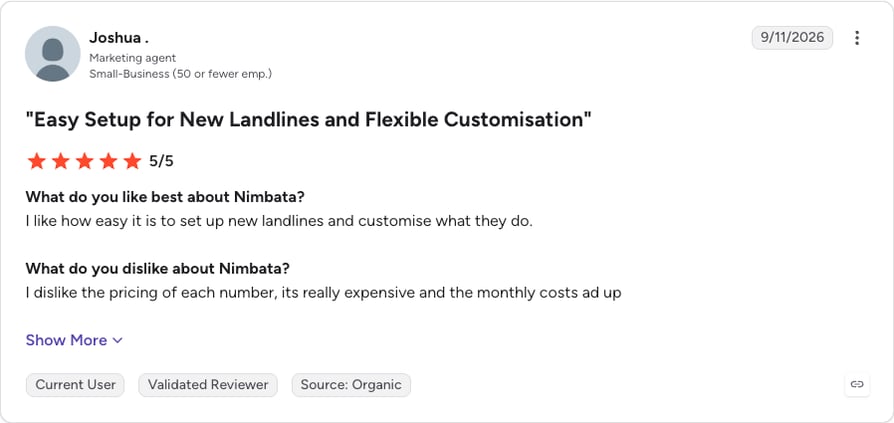
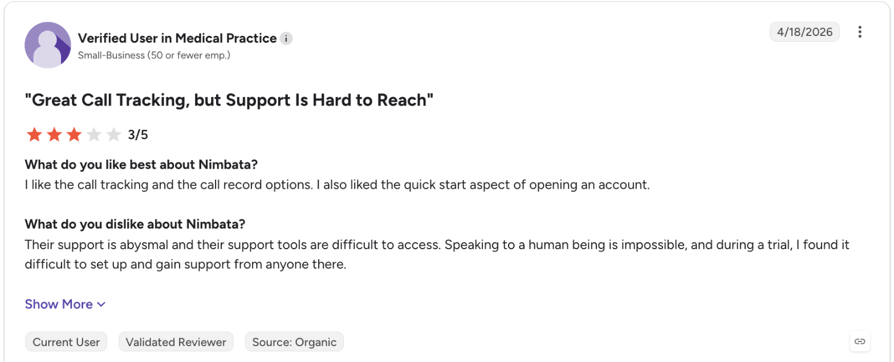
G2 reviewers call Nimbata easy to set up, and one likes its pay-as-you-go option. Two flag cost, one calling per-number pricing "really expensive" (G2 review), and one 3-star review calls support "abysmal" (G2 review).
In a January 2026 r/salestechniques thread, replies recommended Nimbata and CallRail for campaign-level call tracking.
G2 rating: 4.7/5 (30 reviews), checked September 29, 2026. Read Nimbata reviews on G2
6. Aircall: Best for Teams That Want a Large Integration Marketplace
What Is Aircall?
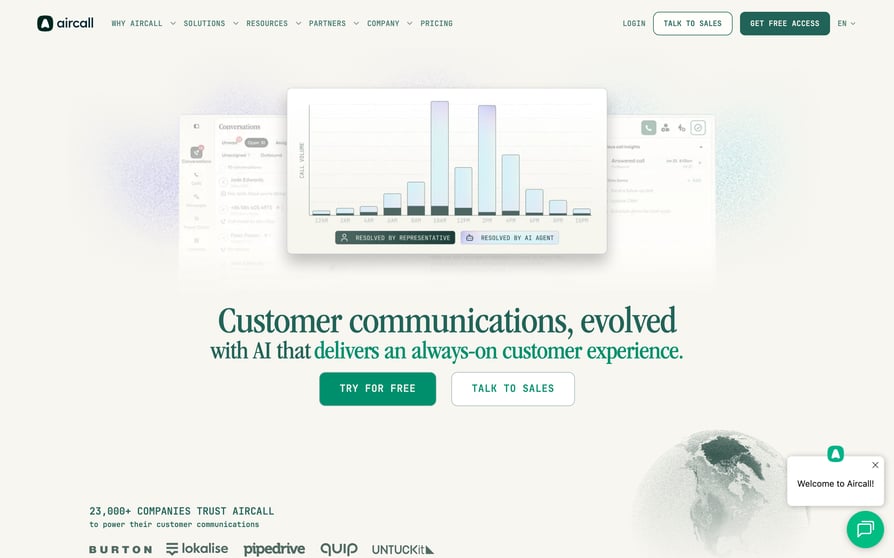
Aircall is a cloud phone system for sales and support ("one platform for all your customer conversations") with a three-license minimum and 250+ integrations.
Key Features of Aircall
- Apps: Desktop, Android and iOS softphone; CTI, IVR, call queues and routing on Essentials.
- Essentials: Call recordings, AI transcripts, a shared inbox and SMS.
- Professional: Power Dialer, outbound campaigns, smart routing and queue callback.
- Live coaching: Whisper, barge, live monitoring and user-level analytics on Professional.
What Are the Pros and Cons of Aircall?
| Aircall Pros | Aircall Cons |
|---|---|
| 250+ integrations | 3-license minimum |
| Recordings and AI transcripts from the entry plan | Power Dialer, AI summaries and live monitoring need Professional |
| Live monitoring with whisper and barge on Professional | Essentials caps outbound at 1,000 domestic minutes per user |
When Should You Use Aircall?
Use Aircall for three or more reps who rely on a niche marketplace tool. Smaller teams still pay for three licenses.
What Is the Pricing of Aircall?
- Essentials: $30/license/month (minimum 3 licenses, 1,000 domestic outbound minutes per user)
- Professional: $50/license/month (minimum 3 licenses, unlimited domestic outbound)
- Enterprise: custom pricing (minimum 25 licenses)
US list prices, billed annually (25% off). Extra numbers $6/month. Aircall pricing checked September 29, 2026.
What Do Customers Say About Aircall?
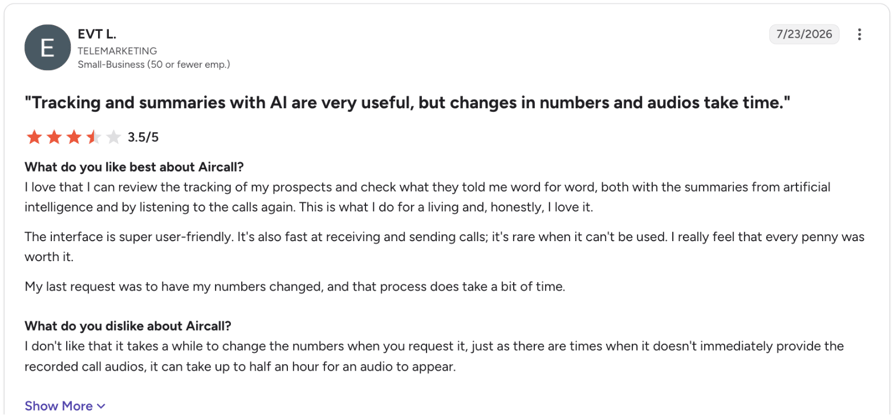
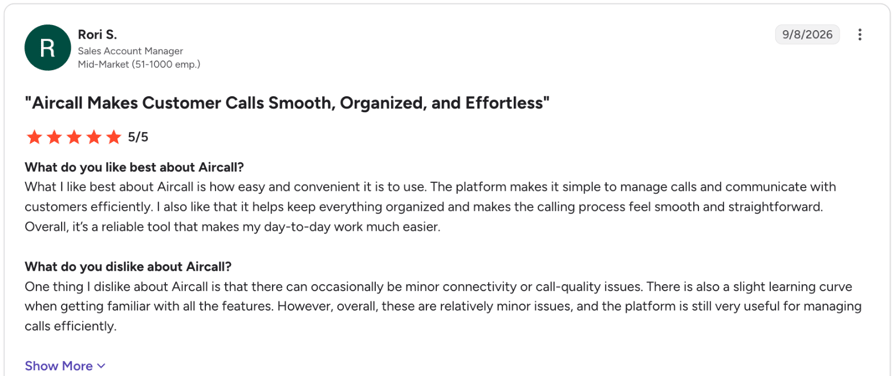
G2 reviewers call Aircall easy to use and value its recordings and AI transcripts; one can "review the tracking of my prospects" (G2 review). Two report slow number changes and slow-loading recordings, one waiting "up to half an hour" for audio, and two mention occasional call-quality issues (G2 review). On Trustpilot, Aircall holds 3.0/5 from 1,000+ reviews (August 2026).
G2 rating: 4.4/5 (1570+ reviews), checked September 29, 2026. Read Aircall reviews on G2
7. Salestrail: Best for Reps Who Call From Their Own Phones
What Is Salestrail?
Salestrail is an iOS and Android app that logs reps' SIM and WhatsApp calls to the CRM, so reps keep their own phones and numbers.
Key Features of Salestrail
- No new phone system: Auto-logs SIM, WhatsApp and WhatsApp Business calls (WhatsApp on Android only).
- Manager dashboard: Call counts, duration, custom reports and CSV export.
- CRM add-on: Salesforce, HubSpot, Microsoft Dynamics, LeadSquared and a Push/Pull API; speech-to-text call notes for three of those CRMs.
- Recording add-on: SIM and WhatsApp calls, Android only.
What Are the Pros and Cons of Salestrail?
| Salestrail Pros | Salestrail Cons |
|---|---|
| Reps keep their own numbers and phone dialer | Recording works on Android only |
| Lowest per-user price on this list | CRM sync is a paid add-on |
| Logs WhatsApp calls too | No dialer, routing or IVR |
When Should You Use Salestrail?
Use Salestrail when mobile reps call from their own numbers. For IVR, queues or a power dialer, use CloudTalk and its mobile app, CloudTalk Go.
What Is the Pricing of Salestrail?
- Standard: $8/user/month monthly, or $5.60 billed annually
- Call Recording add-on: $3/user/month monthly, or $2.10 annually
- CRM Integration add-on: $7/user/month monthly, or $4.90 annually
- Custom: quote, with a 30-license minimum
What Do Customers Say About Salestrail?
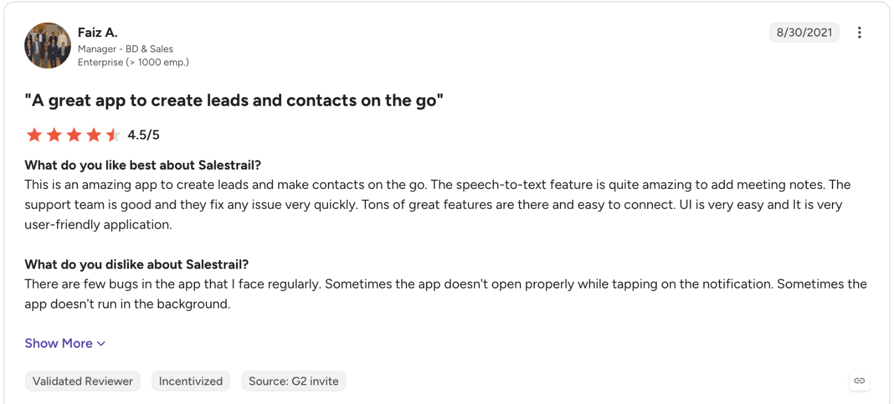
Salestrail has only two G2 reviews, from 2020 and 2021. Both call the mobile app easy to use; the 2021 reviewer praises its "speech-to-text feature" but reports recurring bugs, such as the app not running in the background (G2 review).
G2 rating: 4.8/5 (2 reviews), checked September 29, 2026. Read Salestrail reviews on G2
8. HubSpot Sales Hub: Best for Teams Already on HubSpot CRM
What Is HubSpot Sales Hub?
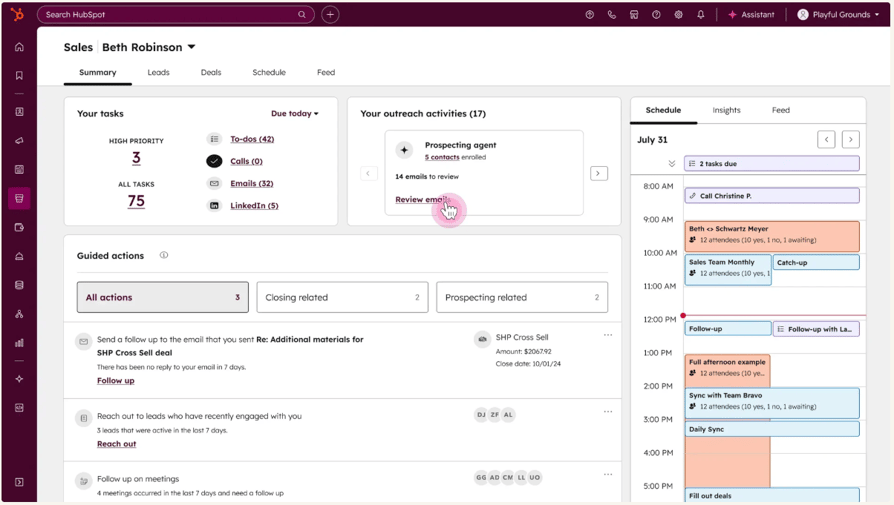
HubSpot Sales Hub is the sales product in HubSpot's CRM ("More selling. Less everything else."), with calling from Starter logged to the contact record.
Key Features of HubSpot Sales Hub
- Starter: Calling, task queues and Notetaker.
- Free: CRM tools for up to 2 users.
- Professional: Conversation intelligence, sequences, forecasting and deal progression.
- Enterprise: Deal splits, deal journey analytics and lead form routing.
What Are the Pros and Cons of HubSpot Sales Hub?
| HubSpot Sales Hub Pros | HubSpot Sales Hub Cons |
|---|---|
| Calls log natively to the CRM record | Conversation intelligence needs Professional |
| Low entry price | Professional adds a required $1,500 onboarding fee |
| Conversation intelligence without a separate vendor on Professional | Calling-minute limits and number coverage aren't shown on the pricing page |
When Should You Use HubSpot Sales Hub?
Use it when your team works in HubSpot and call volume is modest. For IVR, queues or local numbers in many countries, add CloudTalk (two-way HubSpot sync on Essential or Expert).
What Is the Pricing of HubSpot Sales Hub?
- Free: $0 for up to 2 users
- Starter: from $7 per seat per month on annual billing, at the time of writing ($10 monthly)
- Professional: $90/seat/month billed annually ($100 monthly), plus a required one-time $1,500 onboarding fee
- Enterprise: $150/seat/month, plus a required one-time $3,500 onboarding fee
HubSpot Sales Hub pricing checked September 29, 2026, in US dollars.
What Do Customers Say About HubSpot Sales Hub?
What Do Customers Say About HubSpot Sales Hub?
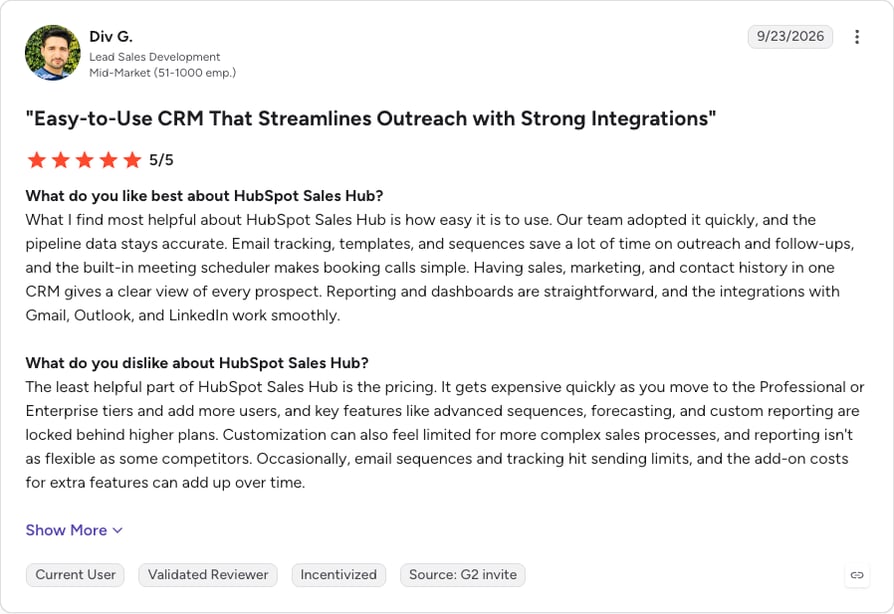
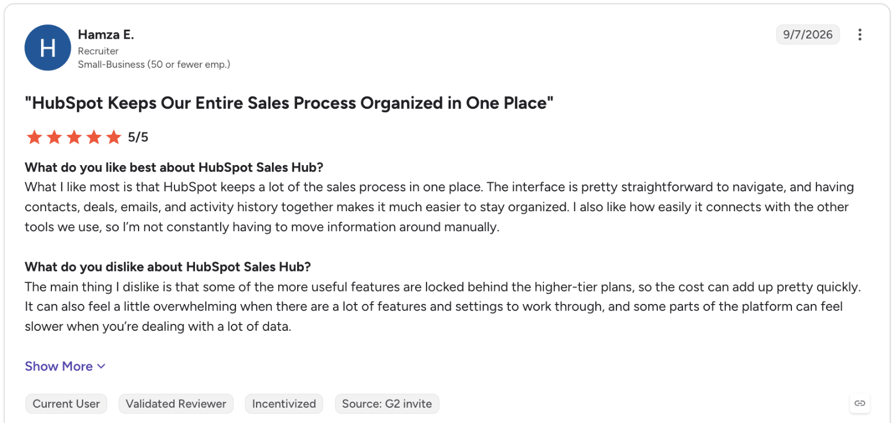
G2 reviewers praise HubSpot Sales Hub's ease of use; one says their "team adopted it quickly" (G2 review). Three flag cost as tiers rise, one noting "some of the more useful features are locked behind the higher-tier plans" (G2 review).
G2 rating: 4.4/5 (14,300+ reviews), checked September 29, 2026. Read HubSpot Sales Hub reviews on G2
9. Salesloft: Best for Outbound Cadence Teams
What Is Salesloft?
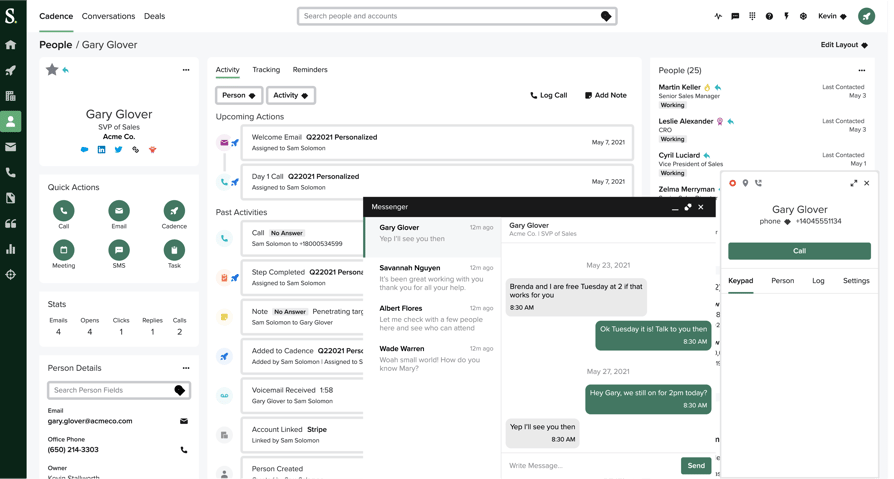
Salesloft is a sales engagement platform ("the predictive revenue system").
Key Features of Salesloft
- CRM logging: Syncs HubSpot or Salesforce contacts; logs dispositions and sentiment back.
- Voicemail drop: The Sales Dialer drops pre-recorded voicemails for calls and texts.
- Conversation Intelligence: Call and meeting recording, transcripts, keyword insights, coaching notes and clips.
- Call reporting: Duration, connect percentage, best time of day and cadence-level ROI.
What Are the Pros and Cons of Salesloft?
| Salesloft Pros | Salesloft Cons |
|---|---|
| Calling, logging and conversation intelligence in the tool reps use for cadences | No public pricing |
| HubSpot and Salesforce sync | Built around outbound cadences rather than inbound routing |
| Connect-rate and best-time-of-day reporting | Not a standalone phone system |
When Should You Use Salesloft?
Use Salesloft for SDR email and call cadences. For inbound routing and queues, add CloudTalk, which integrates with Salesloft.
What Is the Pricing of Salesloft?
No published prices; the pricing page redirects to a demo request. Salesloft pricing checked September 29, 2026.
What Do Customers Say About Salesloft?
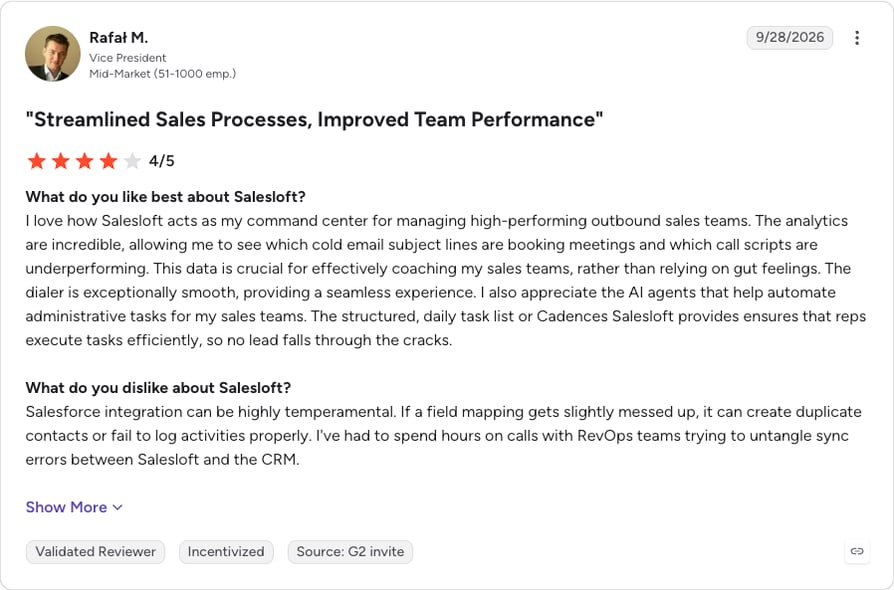
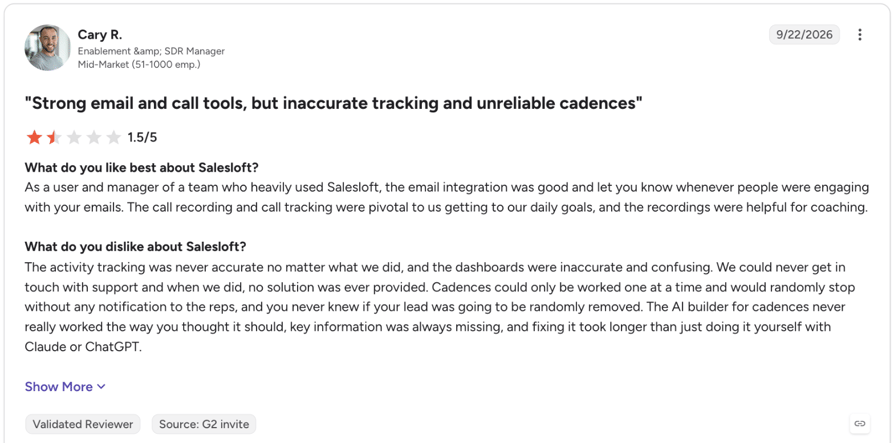
G2 reviewers credit Salesloft's cadences with better follow-through, and one calls the dialer "exceptionally smooth" but its Salesforce integration "highly temperamental" (G2 review). A 1.5-star review says activity tracking "was never accurate" (G2 review).
G2 rating: 4.5/5 (9,850+ reviews), checked September 29, 2026. Read Salesloft reviews on G2
10. Agentforce Sales (formerly Salesforce Sales Cloud): Best for Large Salesforce-Based Sales Orgs
What Is Agentforce Sales?
Agentforce Sales is Salesforce's sales CRM, renamed from Sales Cloud. Its native Sales Dialer ties inbound and outbound calls to the customer history.
Key Features of Agentforce Sales
- Sales Dialer: Links each call to the lead, account and opportunity.
- Starter Suite: Sales flows, lead routing, and AI email and event sync.
- Pro Suite: Quoting and forecasting.
- AI add-ons: Call Summaries and Conversation Intelligence, available for purchase.
What Are the Pros and Cons of Agentforce Sales?
| Agentforce Sales Pros | Agentforce Sales Cons |
|---|---|
| Call activity sits on the same record as the deal history | Call summaries and conversation intelligence cost extra on lower tiers |
| Scales to very large teams | Dialer pricing isn't published |
| AI and analytics bundled in higher editions | Editions with most AI features start at $195/user/month |
When Should You Use Agentforce Sales?
Use it if your company runs on Salesforce, not for call tracking alone. CloudTalk integrates with Salesforce on Expert.
What Is the Pricing of Agentforce Sales?
- Starter Suite: $25/user/month (billed monthly or annually)
- Pro Suite: $100/user/month (billed annually)
- Core: $195/user/month (billed annually)
- Advanced: $395/user/month (billed annually)
- Max: $550/user/month (billed annually)
Dialer and conversation intelligence prices aren't listed. Agentforce Sales pricing checked September 29, 2026.
What Do Customers Say About Agentforce Sales?
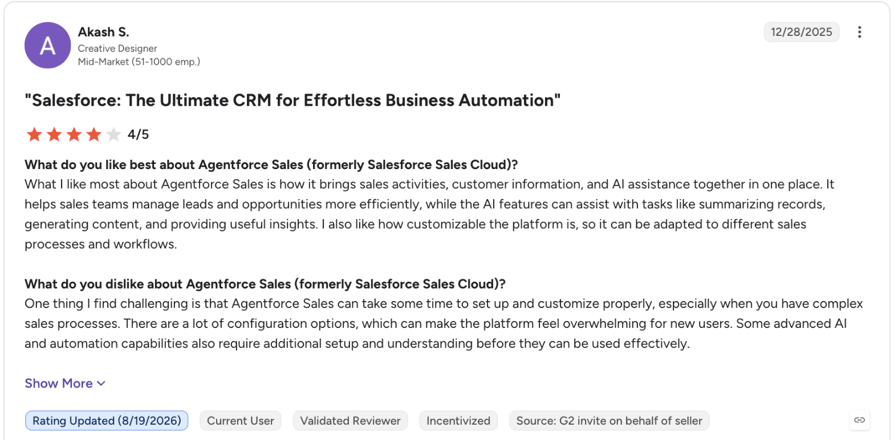
G2 reviewers value how Agentforce Sales keeps customer data in one place and how far it can be customized. Three of the five recent reviews we read say its customization options make it complex to run, especially for new users, and two flag add-on and edition costs (G2 review).
G2 rating: 4.4/5 (27,500+ reviews), checked September 29, 2026. Read Agentforce Sales reviews on G2
Test call tracking on your own calls
Marketing Call Tracking vs. Sales Call Tracking: Which Do You Need?
You need marketing attribution call tracking if ads drive your calls, and sales call tracking if reps make and take calls.
- Attribution call tracking (marketing call tracking) gives each campaign, keyword or page its own number; dynamic number insertion (DNI) swaps the website number per visitor to identify the ad behind each call. It also covers click-to-call tracking.
- Sales call tracking is software to track phone calls for reps: it logs, records and transcribes every call to the CRM and reports on rep activity.
How to Choose: Attribution call tracking vs Sales call tracking
| Question it answers | Typical tools | Who owns it |
|---|---|---|
| Which ad, keyword or page made the phone ring? | CallRail, CTM, WhatConverts, Nimbata | Marketing |
| Did every call reach the CRM record automatically? | CloudTalk, Aircall, HubSpot Sales Hub, Salestrail | Sales or RevOps |
| How many calls did each rep make, and what happened? | CloudTalk, Aircall, Salesloft, Agentforce Sales | Sales managers |
| What did the rep say, and how can we coach it? | CloudTalk (AI add-on), Aircall Professional, Salesloft | Sales managers and enablement |
| Which campaigns produce calls that close? | An attribution tool plus a sales calling platform, joined in the CRM | Marketing and RevOps together |
Running Both: How the Data Flows
CloudTalk has no direct CallRail or Nimbata integration, and doesn't need one. Forward CallRail, CTM or Nimbata tracking numbers to your CloudTalk numbers and calls ring in the rep's app.
Both tools write to one CRM record, keeping marketing and sales aligned: CallRail adds source, keyword and recording to the HubSpot contact; CloudTalk adds the call, notes, recording and tags.
Hot Tip:
Stop at two tools: Salesforce's 2026 State of Sales report found that 42% of reps feel overwhelmed by the number of tools they use.
A Three-Question Self-Check
- 01Do ads drive your calls? You need attribution: CallRail, CTM, WhatConverts or Nimbata.
- 02Do reps make outbound calls? You need a calling platform with a sales dialer (CloudTalk, Aircall) or an engagement platform (Salesloft).
- 03Do managers coach from recordings? You need recording, transcripts and summaries.
Yes to question 1 and to 2 or 3: run both.
Call Tracking Features Compared for Sales Teams
The green checkmark means the vendor lists the feature on at least one plan or as an add-on; plan details are in each tool's review above. Live monitoring means listening, whispering or barging into live calls, the core of call monitoring software.
| Tool | DNI and keyword attribution | Built-in calling | Power or parallel dialer | Automatic CRM logging | Recording and transcription | AI summaries | Live monitoring | Tracks reps' own mobile or SIM | Rep activity reporting |
|---|---|---|---|---|---|---|---|---|---|
| CloudTalk | No | Yes | Yes | Yes | Yes | Yes | Yes | No | Yes |
| CallRail | Yes | No | No | Yes | Yes | Yes | No | No | Yes |
| CTM | Yes | Yes | Yes | Yes | Yes | Yes | Yes | No | Yes |
| WhatConverts | Yes | No | No | Yes | Yes | No | No | No | No |
| Nimbata | Yes | Yes | No | Yes | Yes | Yes | No | No | Yes |
| Aircall | No | Yes | Yes | Yes | Yes | Yes | Yes | No | Yes |
| Salestrail | No | No | No | Yes | Yes | No | No | Yes | Yes |
| HubSpot Sales Hub | No | Yes | No | Yes | Yes | Yes | No | No | Yes |
| Salesloft | No | Yes | Yes | Yes | Yes | Yes | No | No | Yes |
| Agentforce Sales | No | Yes | Yes | Yes | Yes | Yes | No | No | Yes |
How Much Does Call Tracking Software Cost for a Sales Team?
Calling platforms cost about $25 to $50 per rep a month; attribution tools charge a base fee plus usage. Call tracking pricing follows three models:
- Per user: CloudTalk, Aircall, Salestrail and HubSpot Sales Hub.
- Base fee plus usage: CallRail, WhatConverts, Nimbata and CTM (unlimited users).
- Custom contracts: Salesloft quotes every deal; Salesforce doesn't publish dialer or conversation intelligence prices.
Worked Scenarios: What Call Tracking Costs at Three Team Sizes
Estimates from list prices checked September 29, 2026.
| Scenario | Assumptions | Estimated monthly cost |
|---|---|---|
| A. 5-rep SMB, mostly inbound | 5 reps, 1 main number, about 1,000 inbound minutes or 300 answered calls a month | CloudTalk Starter: 5 x $25, about $125 (Essential for CRM sync: 5 x $29, about $145). Aircall Essentials: about $150. CallRail Lead Tracking: $50 base + 750 extra minutes at $0.06, about $95, and reps still need a phone system. Nimbata Pro: $35 + 5 numbers + 300 answered calls, about $105. Salestrail Standard + CRM add-on, annual: about $52.50 |
| B. 20-rep team, outbound plus inbound | 20 reps, power dialing, CRM sync, managers coaching from recordings | CloudTalk Expert: 20 x $49, about $980, Power Dialer included; with AI Conversation Intelligence, about $1,160. Aircall Professional: about $1,000. HubSpot Sales Hub Professional: about $1,800, plus $1,500 onboarding once. CTM Sales Engage: $274 plus usage, unlimited users |
| C. Attribution plus a calling platform, 10 reps | 10 reps on a calling platform, marketing tracking ad-driven calls | CloudTalk Essential (10 x $29, about $290) + CallRail Lead Conversion ($150): about $440 before usage. Or CloudTalk Essential (about $290) + Nimbata Marketing ($80): about $370 before usage |
Scenario B on CloudTalk Essential plus the Power Dialer add-on costs about $880, without Expert's Salesforce integration and live monitoring.
Hidden Costs to Check Before You Sign
- Tracking numbers: $2.40 to $7 per local number a month on attribution tools; $6 per extra Aircall number.
- Usage fees: CallRail $0.06 and WhatConverts 4.5 cents per minute; Nimbata per answered call.
- AI add-ons: CloudTalk AI Conversation Intelligence $9/user/month, Nimbata transcription $0.02/minute, CallRail analysis minutes $0.05.
- Plan minimums: 3 licenses on Aircall, 3 users on CloudTalk Expert, 30 licenses on Salestrail Custom.
- Onboarding fees: HubSpot $1,500 on Professional, $3,500 on Enterprise.
- API overage: CallRail $80 or $200 a month above 1,500 calls.
- Annual discounts: CallRail up to 10%, Nimbata up to 20%, Aircall 25%, Salestrail 30%, CloudTalk 30%.
An entry plan covers call tracking for small business until reps log calls by hand daily; then switch to a per-user calling plan.
Price CloudTalk for your team size
How to Choose the Right Call Tracking Software for Your Sales Team
CRM Integration and Automatic Logging
Choose native two-way sync; Zapier-style connections break when a field changes. Check that duration, outcome, recording, transcript and disposition sync with ten test calls on the trial.
“CloudTalk gives us the tools to track customer interactions and coach with real conversations.“
Account Management Lead, Pipedrive

Recording, Transcription and AI Call Insights
Coaching needs four AI outputs: summary, topics, sentiment and talk/listen ratio. Test each vendor's AI on your own recordings. CloudTalk, Aircall and CallRail put AI summaries on an add-on or higher tier; in a CloudTalk demo, ask for a summary of a real sales call.
CloudTalk's AI conversation intelligence drastically improved our efficiency. We've cut call quality analysis time from 2 hours to 20 minutes a day and reduced wrongly targeted leads by 24%, enabling us to focus on strategic growth while maintaining consistency across markets.
Sales Ops Manager, Capitalo

Dialing and Routing for Your Sales Motion
Outbound teams need phone call tracking software with a power or parallel dialer, local numbers and voicemail drop. Local caller ID matters: Hiya's 2026 State of the Call report3 found that 86% of consumers won't pick up a call from a number they don't recognize. Inbound teams need routing, queues and missed-call callbacks; see the best inbound call tracking software.
I love the sentiment data, It tells me if our reps are following the 80/20 rule, letting the customer talk more. I can see talk time, call quality, sentiment… it makes my job in QA so much easier.
Head of Outbound Demand Generation, Integrity360

Call Recording Consent and Data Compliance
US federal law requires one party's consent to record a call. According to the Reporters Committee for Freedom of the Press4, 11 states primarily require all-party consent, including California, Florida, Illinois, Pennsylvania and Washington; Connecticut and Nevada also require it for phone calls.
GDPR covers recordings of EU callers. Play an automatic consent announcement on every recorded call. This isn't legal advice; check the law in every state and country your reps call. See whether call recording is legal for other countries and call tracking for lawyers for law firms.
With CloudTalk, you get SOC 2 Type 2, ISO/IEC 27001 compliance, GDPR, CCPA, HIPAA, PCI-DSS, and work with EU-US Data Privacy Framework.
Call Tracking for Small Business: Scale and Total Cost
Per-seat pricing grows with hires, usage pricing with call volume. Check plan minimums, annual terms and number fees, then test your figures in the sales ROI calculator.
Flexible Pricing Plans to Scale with You
Compare our plans
Quick Answers: What People Ask Most About Call Tracking Software for Sales Teams
What Is the Best Software for Tracking Sales Calls?
CloudTalk is the best software for tracking sales calls: it logs every inbound and outbound call to the CRM with its recording, notes and disposition. Aircall suits teams of three or more; Salestrail tracks reps' own mobile numbers.
What Software Do Sales Teams Use?
Sales teams use a CRM (HubSpot, Salesforce or Pipedrive), a calling platform or dialer, and often Salesloft for cadences. Salesforce's 2026 State of Sales report found that only 34% of sales teams run on a single platform; 45% pair a platform with standalone tools, and 20% use many standalone tools.
What Is the Best Call Tracking Software?
For sales teams, CloudTalk: calling, recording, CRM logging and AI summaries (add-on) in one platform. For marketing attribution, CallRail, CTM and WhatConverts each appear on five of the six top-ranking lists we checked, and Nimbata on four.
What Is the Best Software for Tracking Sales Staff Call Activity?
Use call reporting software that shows calls made, talk time, connect rate and outcomes per rep, such as CloudTalk, Aircall, Salesloft or Salestrail. Use the data for coaching and capacity planning, and tell reps what's measured.
What Sales Teams Say on Reddit About Call Tracking Software
Three threads from people running inbound call tracking for ad campaigns:
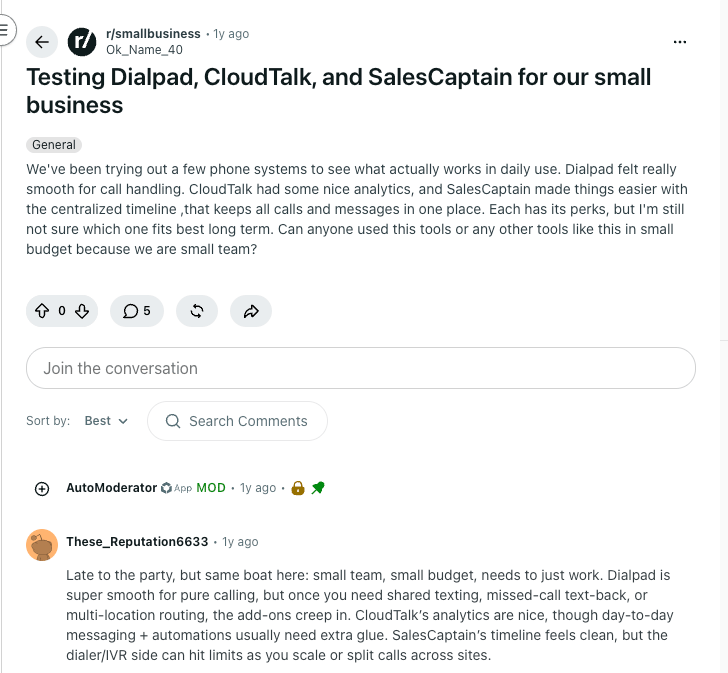
- A tracker doesn't show who became a customer. In r/salestechniques (January 2026), a reply warned a local service business that it still needs a process to confirm which callers became customers (thread).
- Volume decides whether it's worth it. In r/AskMarketing (August 2026), replies told an HVAC owner on Google Ads that trades paying high cost-per-click should track calls and use recordings for quality control (thread).
- Numbers disagree across tools. In r/PPC (May 2026), Google Ads reported eight calls and CallRail two; call-extension calls route through Google's forwarding numbers unless the tracker is set up for them (thread).
Which Call Tracking Software Should Your Sales Team Choose?
Pick call tracking services by job (attribution or sales calling), then by team size.
Small Teams (1 to 10 Reps)
Inbound teams running ads: WhatConverts or Nimbata, forwarding to your phones. Teams that also make calls: CloudTalk Starter (queues, callback, recording) from $25 per user, or Essential for IVR and CRM sync. Reps on personal numbers: Salestrail.
Growing Teams (10 to 50 Reps)
CloudTalk Expert includes the Power Dialer and live monitoring; the Parallel Dialer and AI Conversation Intelligence are add-ons. Aircall Professional is similar if you need its marketplace. Add CallRail or CTM for campaign attribution.
Larger Sales Organizations (50+ Reps)
HubSpot teams: Sales Hub calling. Salesforce teams: the Agentforce Sales dialer, or Salesloft for cadences. Add CloudTalk for IVR, queues and local numbers in 160+ countries.
Pick your setup with a CloudTalk specialist
Sources
- 01Salesforce
- 02Hiya
- 03Reporters Committee for Freedom of the Press
Frequently Asked Questions About Call Tracking Software for Sales Teams
Yes. CloudTalk and Aircall track inbound and outbound calls and log each to the CRM. Attribution tools such as CallRail mostly track inbound ad calls.
Yes. CloudTalk's VoIP CRM integration writes the recording, notes and tags to HubSpot from Essential. Some tools log only that a call happened, so test with your own CRM.
Yes, though transcription often costs extra. CloudTalk records from Starter and transcribes through its AI Conversation Intelligence add-on; Nimbata bills $0.02 a minute. Test any call transcription software on your own calls.
Join call data to deal outcomes in the CRM. Track call tracking metrics such as connect rate, cost per call and call-to-close rate, and add an attribution tool for each call's campaign.
Sales call tracking logs, records and reports on every call reps make and take. Marketing call tracking uses tracking numbers and DNI to show which ad or keyword drove the call.
Calling platforms cost about $25 to $50 per rep a month; CloudTalk starts at $25 per user, billed annually. Attribution tools charge a $0 to $65 base fee plus usage. See sales dialer pricing for dialer add-ons.
Yes, for SMB teams that make and take calls. Queues and recording start on Starter, IVR and CRM sync on Essential; Expert needs three users. Compare other phone systems for small businesses.