TL;DR: Best Call Transcription Software
Call transcription software turns recorded calls into searchable, text-based records, then layers on AI summaries, sentiment, and topic tracking so teams can coach and analyze without replaying audio.
The best option depends on what you already run: pick a platform that pairs calling and transcription in one workflow (CloudTalk, Dialpad), a dedicated transcription or revenue-intelligence tool (Otter, Fireflies, Gong, Avoma), or a contact-center suite (Talkdesk, Genesys, Five9). Here's every tool we compared, one line each:
- CloudTalk — best for growing sales and support teams that want AI call transcription, conversation intelligence, and CRM integrations inside one phone system. From $25/user/month.
- Gong — best for enterprise revenue teams that need deep conversation and deal intelligence at scale.
- Dialpad — best for teams wanting built-in AI transcription and real-time analytics in a unified VoIP platform.
- Otter.ai — best for simple, low-cost meeting transcription and AI notes.
- Fireflies.ai — best for automated meeting transcription with broad CRM sync.
- Nextiva — best for an all-in-one business phone with call recording and transcription.
- RingCentral — best for distributed teams needing transcription in a unified UCaaS.
- Avoma — best for mid-market teams wanting transcription plus conversation intelligence.
- Aircall — best for support and sales teams needing transcription with deep CRM integrations.
- 8×8 — best for global enterprises needing transcription and analytics.
- JustCall — best for SMB sales teams using AI transcription and call summaries.
- Talkdesk — best for large contact centers using AI transcription for QA and coaching.
- Genesys Cloud CX — best for enterprises using AI transcription for CX analytics.
- Five9 — best for compliance-heavy contact centers needing searchable transcripts.
- Ringover — best for growing teams wanting conversation intelligence and transcription.
- Twilio — best for developers building custom transcription workflows via API.
- Zendesk Talk — best for support teams needing transcription for ticket context.
- Google Voice — best for Google Workspace users needing basic call transcription.
- OpenPhone (Quo) — best for small teams wanting simple transcription in a lightweight phone system.
We compared these 19 call transcription tools on accuracy, AI insights, CRM integrations, pricing, and real G2 reviews. Read on for the full comparison table and how to choose the best call transcription software for your team.


What Is Call Transcription Software and How Does It Work?
Call transcription software converts spoken audio from business calls into accurate, searchable text. The best tools do more than store a transcript: they add automatic call summaries, sentiment analysis, and topic extraction so sales and support teams can review conversations in seconds instead of replaying recordings.
A good AI call transcription tool sits on top of your calls and quietly does the documentation work. That matters because Salesforce reports that sales reps spend less than 30% of their time actually selling, with the rest lost to admin, manual data entry, and internal meetings.
Under the hood, phone call transcription software works in three phases. First, call recording captures the conversation. Second, speech-to-text and natural-language-processing models convert the audio to text, separate speakers, and filter noise. Third, the platform enriches that text with summaries, tags, and analytics you can search across thousands of calls.
If you only need the mechanics of capturing a call, our guide on how to transcribe phone calls walks through the setup. This guide focuses on choosing the right software to do it automatically at scale.
Real-Time vs Post-Call Transcription: What's the Difference?
Not all call transcription happens at the same moment, and that timing changes what a tool is good for. Two models cover almost every product on this list.
Real-time transcription converts speech to text while the call is still happening, so the text appears on screen as both sides talk. Teams use it for live coaching (a supervisor reads the transcript and sends a whisper note before the rep even hangs up), live sentiment alerts, and keyword flags that catch a competitor mention or compliance risk word the moment it's said. Any call center transcription software built around live supervisor coaching needs this mode — without it, managers are stuck reviewing calls after the fact.
Post-call transcription runs after the recording ends. The engine processes the full audio in one pass, which is usually why it comes out more accurate than a live feed trying to keep up with crosstalk and interruptions. This is the model most QA reviews, compliance audits, and CRM logging workflows are built around: nobody needs the transcript mid-call, they need it complete and searchable afterward.
| Speed | Accuracy | Best for | CloudTalk support | |
|---|---|---|---|---|
| Real-time transcription | Text appears live, during the call | Lower (the engine is still processing as people talk) | Live coaching, sentiment alerts, keyword flags | Not currently available |
| Post-call transcription | Ready shortly after the call ends | Higher (full audio processed in one pass) | QA review, compliance audits, CRM logging | Yes, through AI Call Transcription |
If your team needs live coaching during calls, real-time transcription is the feature to prioritize. For compliance or QA workflows, post-call is usually sufficient, and it's typically the more accurate of the two. CloudTalk's call recording captures the conversation first, then its AI Conversation Intelligence add-on generates the post-call transcript, summary, and sentiment score once the call wraps. Keep that distinction in mind as you compare the 19 tools below.
Best Call Transcription Software: Comparison Table
Here is a side-by-side look at all 19 call transcription tools, with the entry-level price (billed annually where applicable), the team each one fits best, and its current G2 rating. Competitor prices and ratings were verified against live sources at the time of writing; confirm them before publishing, since vendors change pricing often.
| Transcription platform | Best for | Starting price (annual billing) | G2 rating |
|---|---|---|---|
| CloudTalk | Growing sales & support teams wanting AI transcription, conversation insights & CRM integrations | $25/user/mo | 4.4/5 |
| Gong | Enterprise revenue teams needing deep conversation & deal intelligence | Custom (quote-based) | 4.7/5 |
| Dialpad | Built-in AI transcription & real-time analytics in a unified VoIP | $15/user/mo | 4.4/5 |
| Otter.ai | Simple meeting transcription & AI notes | $8.33/user/mo | 4.3/5 |
| Fireflies.ai | Automated meeting transcription with broad CRM sync | $10/user/mo | 4.7/5 |
| Nextiva | All-in-one business phone with call recording & transcription | $15/user/mo | 4.5/5 |
| RingCentral | Distributed teams needing transcription in a unified UCaaS | $20/user/mo | 4.0/5 |
| Avoma | Mid-market teams wanting transcription + conversation intelligence | $19/user/mo | 4.6/5 |
| Aircall | Support & sales teams needing transcription with CRM integrations | $30/license/mo | 4.4/5 |
| 8×8 | Global enterprises needing transcription & analytics | From $24/user/mo | 4.1/5 |
| JustCall | SMB sales teams using AI transcription & call summaries | $19/user/mo | 4.3/5 |
| Talkdesk | Large contact centers using AI transcription for QA & coaching | $85/user/mo | 4.4/5 |
| Genesys Cloud CX | Enterprises using AI transcription for CX analytics | From $75/user/mo | 4.4/5 |
| Five9 | Compliance-heavy contact centers needing searchable transcripts | From $119/user/mo | 4.1/5 |
| Ringover | Growing teams wanting conversation intelligence & transcription | $24/user/mo | 4.6/5 |
| Twilio | Developers building custom transcription workflows via API | Pay as you go | 4.2/5 |
| Zendesk Talk | Support teams needing transcription for ticket context | From $55/agent/mo | 4.3/5 |
| Google Voice | Google Workspace users needing basic call transcription | $10/user/mo | 4.0/5 |
| OpenPhone (Quo) | Small teams wanting simple transcription in a lightweight phone system | $15/user/mo | 4.7/5 |
Caught between two profiles? Scroll back to the comparison table, or start a free CloudTalk trial and let your own calls settle it.
How We Chose the Best Call Transcription Software
We reviewed leading call transcription tools and weighed each on the factors that decide whether a transcript actually gets used: transcription accuracy and language support, AI insights (summaries, sentiment, topic extraction), CRM and helpdesk integrations, ease of adoption, and total cost.
We also separated tools that bundle calling and transcription in one workflow from dedicated transcription and meeting-intelligence apps, because the right pick depends on whether you need a phone system too. Ratings come from verified G2 reviews; pricing reflects published entry-level plans on annual billing. Learn more about our software review methodology and content integrity standards.
The 19 Best Call Transcription Software Tools, Reviewed
Below is the full breakdown of every call transcription software tool on our list, with what it does well, where it falls short, pricing, and real user feedback.
1. CloudTalk — Best Call Transcription Software for Sales and Support Teams
What Is CloudTalk?
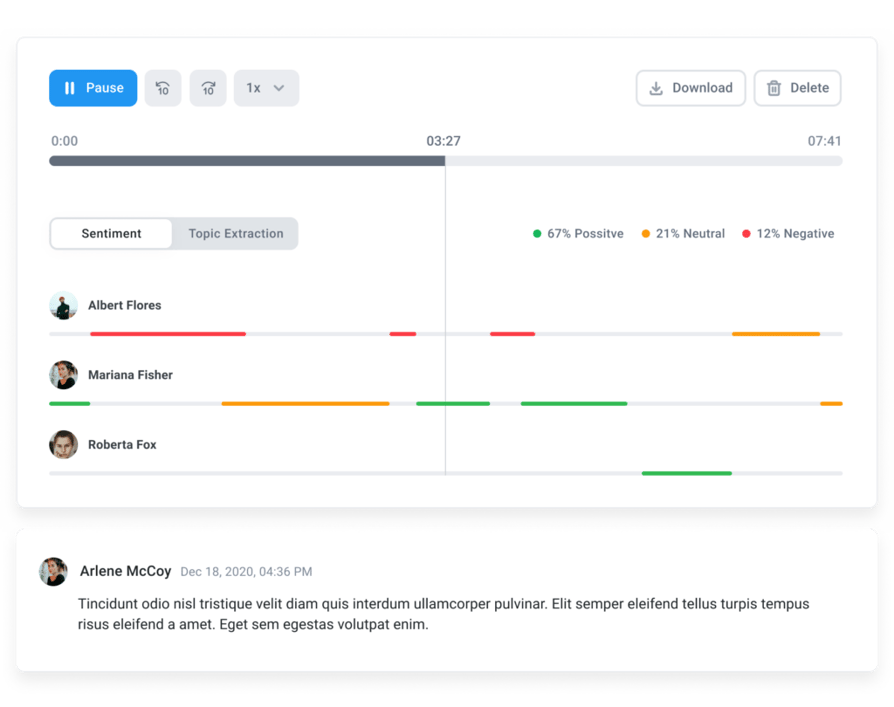
CloudTalk is an AI-powered business phone system & AI voice agent that pairs calling, recording, and call transcription with conversation intelligence in one platform. Instead of leaving transcripts in a silo, CloudTalk automatically converts calls into searchable text and AI summaries, then syncs them to your CRM, so managers can coach faster and reps stop logging notes by hand. It is built for growing SMB and mid-market sales and support teams that want transcription and a full phone system together.
Key Features of CloudTalk
- AI Call Transcription — automatically converts conversations into accurate, searchable transcripts.
- Conversation intelligence — analyze talk/listen ratios, sentiment, and call outcomes to improve performance.
- AI notes & summaries — auto-generated call takeaways sent straight to your CRM.
- CRM integrations — sync calls, transcripts, and notes with HubSpot, Salesforce, Pipedrive, and more.
- Global coverage — local numbers in 160+ countries with high call quality.
What Is CloudTalk's Pricing?
CloudTalk plans start at $25/user/month billed annually, and its AI Conversation Intelligence add-on, which includes searchable transcripts, AI notes, and sentiment analysis, starts at $9/user/month. See full CloudTalk pricing for plan details.
CloudTalk G2 Reviews
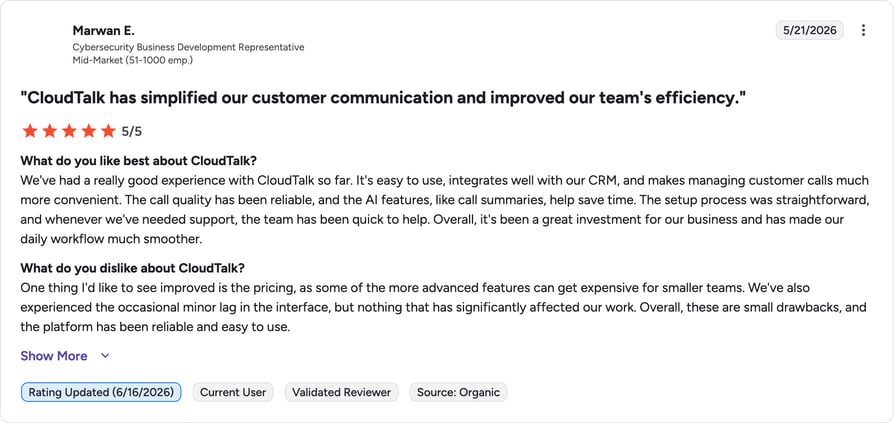
G2 reviewers give CloudTalk 4.4/5. Reviewers highlight automatic call transcription, sentiment analysis, and clean CRM logging as standout strengths.
| Pros | Cons |
|---|---|
| Transcription + phone system in one — no separate tool to manage. | Best for SMB to mid-market — very large enterprises may need a dedicated CCaaS. |
| Clean CRM sync — transcripts and notes log automatically. | AI intelligence is an add-on — sits on top of the base plan. |
| Transparent pricing — published per-user plans, no surprise quotes. | Power Dialer costs extra outside Expert — included only on the Expert plan; Starter and Essential customers pay for it separately. |
Stop taking notes. Start automating.
2. Gong — Best for Enterprise Revenue Intelligence
What Is Gong?
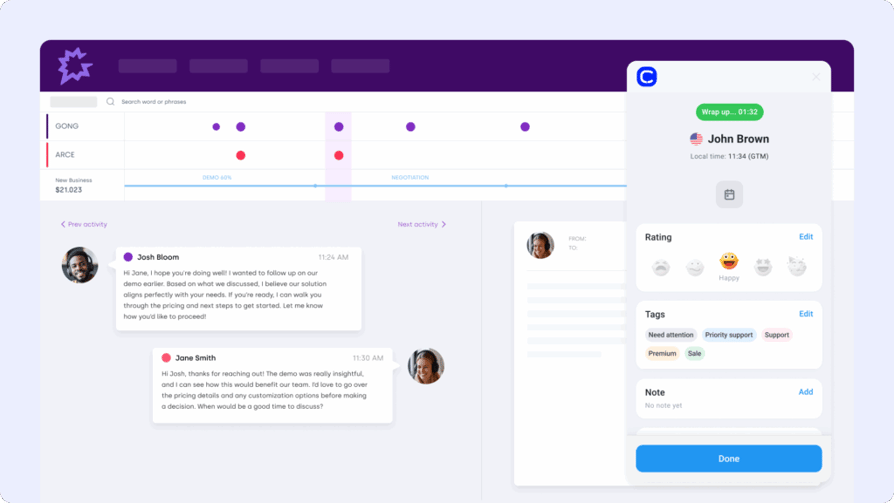
Gong is a revenue intelligence platform that records and transcribes customer conversations, then uses AI to surface patterns across deals. It is the enterprise gold standard for conversation analytics, with smart trackers, deal risk signals, and a data lake built for large sales orgs rather than simple transcription needs.
Key Features of Gong
- Conversation analytics — analyzes calls at scale to flag what moves deals.
- Deal & pipeline intelligence — surfaces risk and forecasting signals.
- Smart Trackers — tracks competitor mentions and keywords across conversations.
- 250+ integrations — connects to most CRM and sales stacks.
What Is Gong's Pricing?
Gong does not publish prices. Third-party reports put per-user licenses around $1,400 to $1,600/user/year plus a mandatory platform fee of roughly $5,000 to $50,000/year and an implementation charge. For a full breakdown, see our Gong pricing guide.
Gong G2 Reviews
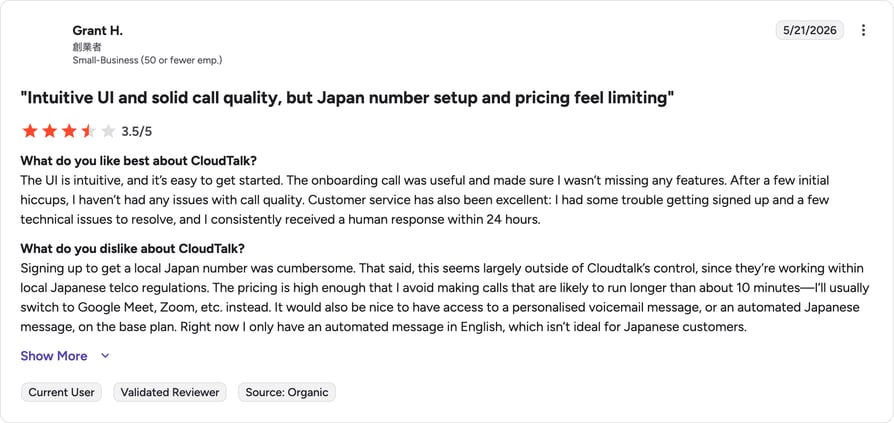
G2 reviewers give Gong 4.7/5 across thousands of reviews, praising its coaching depth and analytics while flagging cost and contract terms.
| Pros | Cons |
|---|---|
| Deepest analytics — best-in-class for revenue intelligence. | Expensive — platform fees and implementation push first-year cost high. |
| Huge integration library — 250+ connectors. | No public pricing — every deal goes through sales. |
| Enterprise scale — built for large sales orgs. | Overkill for SMBs — no phone system included. |
3. Dialpad — Best for Built-In AI Transcription and Real-Time Analytics
What Is Dialpad?
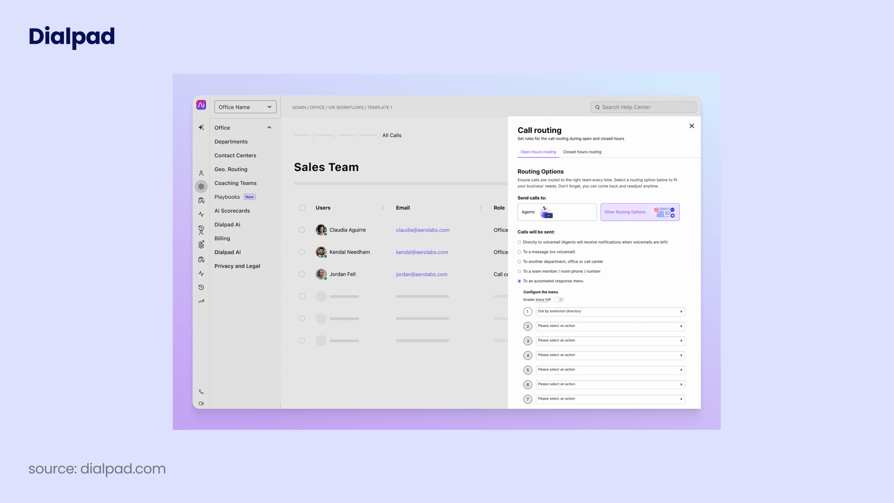
Dialpad is a unified communications platform that treats AI as a core feature. Its proprietary voice intelligence delivers real-time transcription and sentiment, making it a strong pick for teams that want AI call transcription native to their phone system rather than bolted on.
Key Features of Dialpad
- Real-time transcription — live text and sentiment during calls.
- AI summaries — automatic recaps and action items after each call.
- Searchable history — find objections or competitor mentions across calls.
- CRM sync — strongest with Salesforce and Google Workspace.
What Is Dialpad's Pricing?
Dialpad Connect starts at $15/user/month billed annually (Standard), with Pro at $25/user/month. Contact center and sales products are priced separately and higher. See our Dialpad pricing guide for the full structure.
Dialpad G2 Reviews
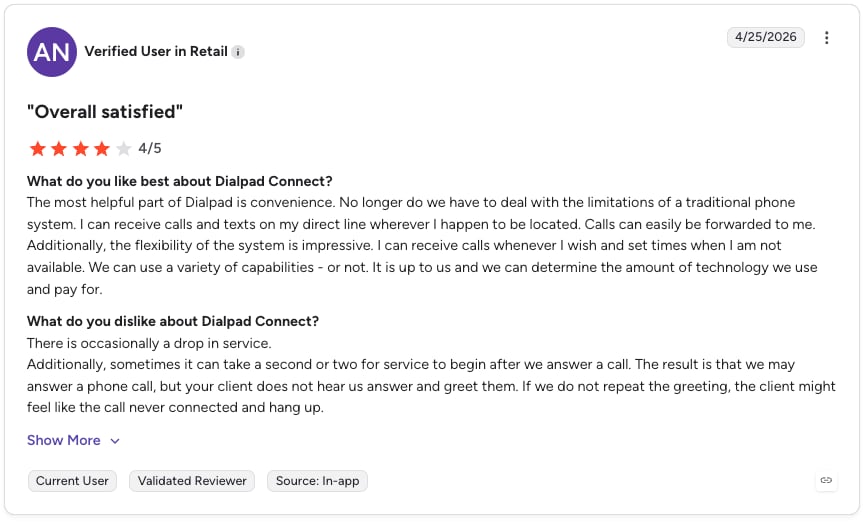
G2 reviewers give Dialpad 4.4/5. Users love the real-time AI and clean interface, though some report transcription lag on slower connections.
| Pros | Cons |
|---|---|
| AI-native — transcription built into the platform. | No true predictive dialer — limited for high-velocity outbound. |
| Real-time sentiment — useful for live coaching. | Power dialer tied to Salesforce — limits other CRMs. |
| Clean UI — easy to adopt. | SMS limits outside North America — restricted messaging. |
4. Otter.ai — Best for Simple Meeting Transcription and AI Notes
What Is Otter.ai?
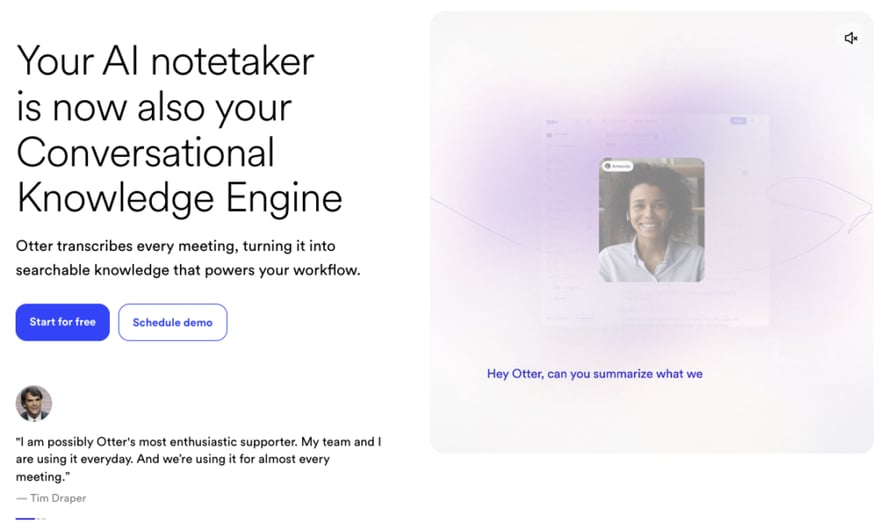
Otter.ai is one of the most widely used AI transcription tools for meetings and conversations. It converts speech to text in real time and generates searchable transcripts, summaries, and action items, joining Zoom, Google Meet, and Microsoft Teams automatically. It is a dedicated transcription app rather than a phone system.
Key Features of Otter.ai
- Real-time transcription — live captions during meetings.
- AI summaries & action items — auto-generated after each call.
- Meeting assistant — joins Zoom, Meet, and Teams to record automatically.
- Search & export — find keywords across past transcripts.
What Is Otter.ai's Pricing?
Otter offers a free Basic plan (300 minutes/month). Paid Otter pricing starts at $8.33/user/month for Pro (billed annually, $16.99 monthly), with Business at $19.99/user/month annually. Enterprise is custom.
Otter.ai G2 Reviews
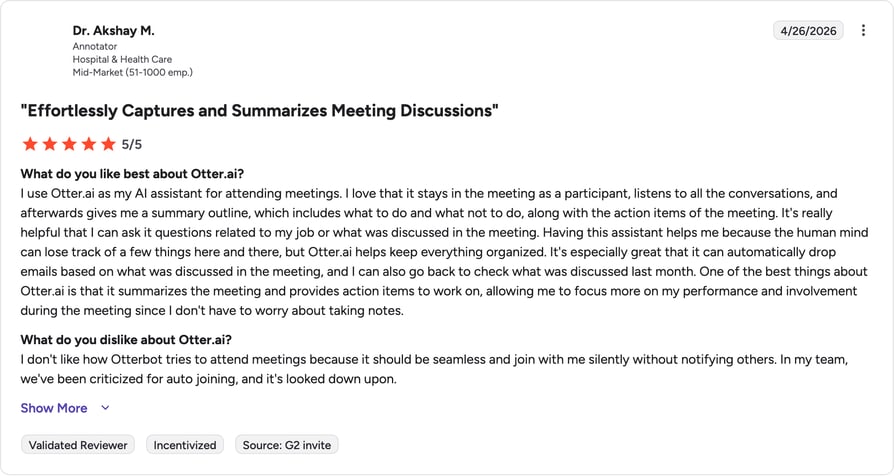
G2 reviewers give Otter.ai 4.3/5. Users praise the intuitive interface and accurate transcripts, but note accuracy drops with strong accents and that minute caps arrive fast.
| Pros | Cons |
|---|---|
| Easy to use — fast to adopt with a free tier. | No phone system — meeting-focused, not for live calls. |
| Great live captions — strong real-time display. | Minute caps — Pro limits add up for heavy users. |
| Low entry price — cheapest paid tier on this list. | Limited languages — English, French, Spanish only. |
5. Fireflies.ai — Best for Automated Meeting Transcription with CRM Sync
What Is Fireflies.ai?
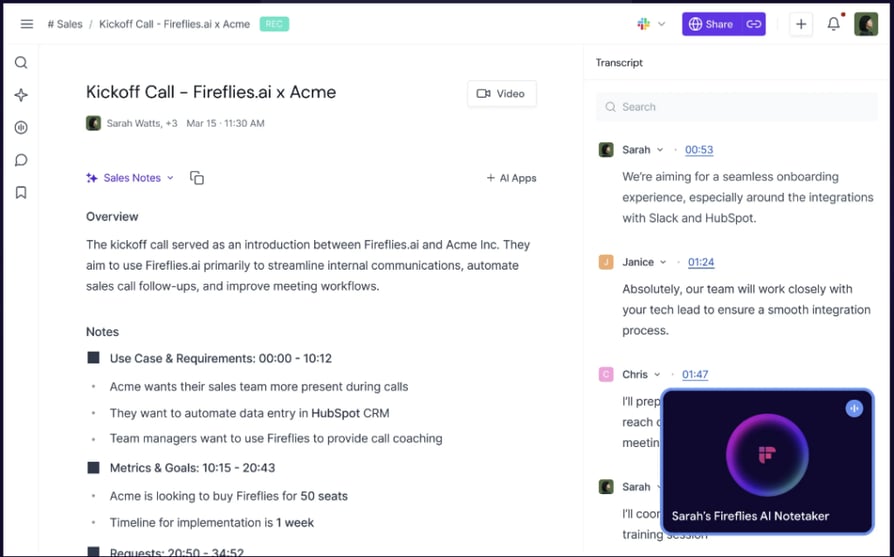
Fireflies.ai is an AI meeting assistant that records calls, produces searchable transcripts, and analyzes conversations for patterns. Its AskFred copilot lets you query past meetings in plain language, and it leans hard on CRM sync, which makes it popular with sales and customer success teams.
Key Features of Fireflies.ai
- Automated transcription — joins meetings and captures notes hands-free.
- AskFred copilot — query past conversations in natural language.
- Conversation intelligence — sentiment and talk-ratio analytics on Business.
- CRM integrations — native sync with Salesforce, HubSpot, and Pipedrive.
What Is Fireflies.ai's Pricing?
Fireflies has a free plan. Paid Fireflies pricing starts at $10/user/month for Pro (billed annually, $18 monthly), Business at $19/user/month annually, and Enterprise at $39/user/month. Note that AI features draw on a monthly credit pool.
Fireflies.ai G2 Reviews
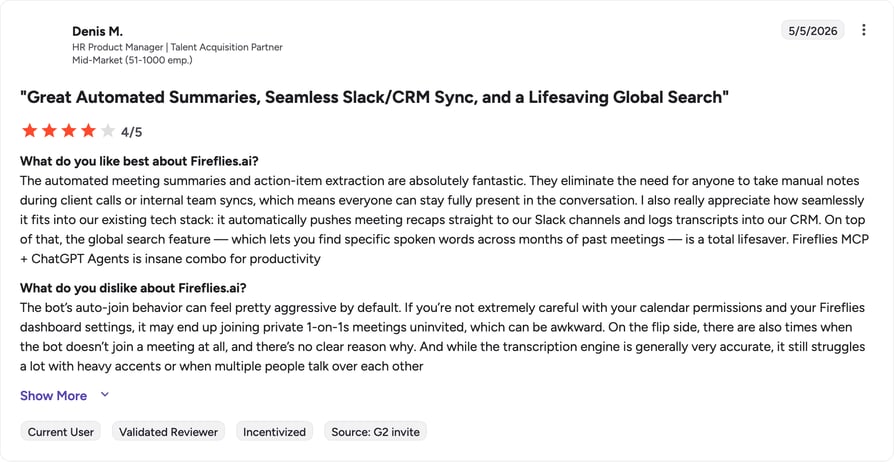
G2 reviewers give Fireflies.ai 4.7/5. Reviewers highlight automated note-taking and CRM sync; the most common gripe is the AI credit system.
| Pros | Cons |
|---|---|
| Strong CRM sync — built for sales workflows. | AI credit caps — heavy users hit limits. |
| AskFred copilot — natural-language search of past calls. | No phone system — meeting capture only. |
| Affordable entry — $10/user/month on annual. | File-import limits — uploaded audio can cost extra. |
6. Nextiva — Best All-in-One Business Phone with Recording and Transcription
What Is Nextiva?
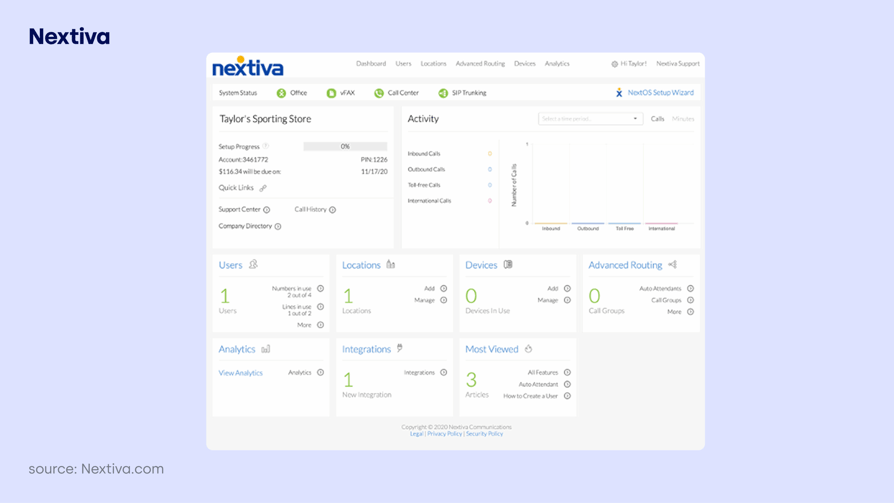
Nextiva is a long-standing VoIP provider serving over 100,000 businesses, known for reliability and easy setup. Its transcription capabilities, including voicemail-to-text and AI call summaries on higher tiers, are a solid secondary benefit for teams that want a stable, consolidated phone system.
Key Features of Nextiva
- Voicemail & call transcription — reliable text records for distributed teams.
- Omnichannel inbox — voice, SMS, chat, and social in one place.
- AI summaries on higher tiers — transcription and recaps for contact centers.
- CRM integrations — Salesforce, HubSpot, Zendesk, and more.
What Is Nextiva's Pricing?
After a recent restructure, Nextiva's Core plan starts at $15/user/month billed annually, with Engage and Power Suite CX tiers above it; advanced AI features are a separate add-on. See our Nextiva pricing guide for details.
Nextiva G2 Reviews
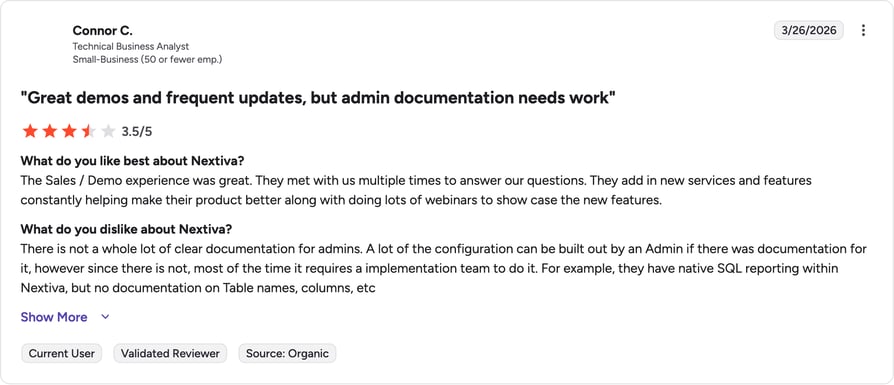
G2 reviewers give Nextiva 4.5/5. Reviewers praise call quality and support; the most common complaints involve contracts and billing.
| Pros | Cons |
|---|---|
| Reliable & stable — strong call quality and uptime. | AI costs extra — transcription AI sits behind add-ons. |
| Omnichannel inbox — unifies voice and messaging. | Contract friction — reviewers flag billing and cancellation issues. |
| Easy onboarding — quick to deploy. | Dated feel in places — advanced automation needs higher tiers. |
7. RingCentral — Best for Distributed Teams in a Unified UCaaS
What Is RingCentral?
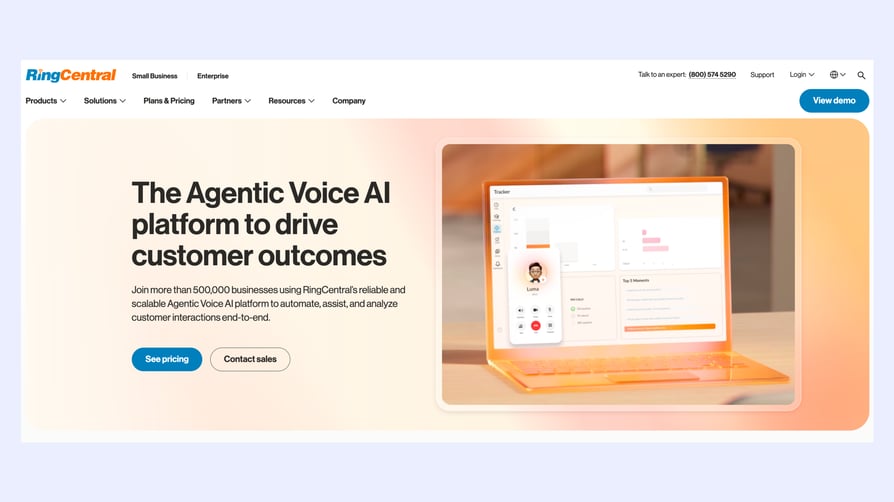
RingCentral is an enterprise unified-communications platform spanning voice, video, and messaging. It serves as reliable phone call transcription software for organizations that need everything in one dashboard, though its deepest AI features (like RingSense speech-to-text) live in higher tiers and the contact center product.
Key Features of RingCentral
- Omnichannel comms — voice, video, SMS, and chat in one app.
- RingSense AI — speech-to-text and conversation insights on higher tiers.
- Call recording — backbone for compliance-ready transcription.
- CRM integrations — HubSpot, Salesforce, and Zendesk on Advanced and up.
What Is RingCentral's Pricing?
RingCentral's RingEX plans start at $20/user/month (Core, annual), with Advanced at $25 and Ultra at $35. AI transcription depth scales with tier, and the contact center is priced separately. See our RingCentral pricing guide.
RingCentral G2 Reviews
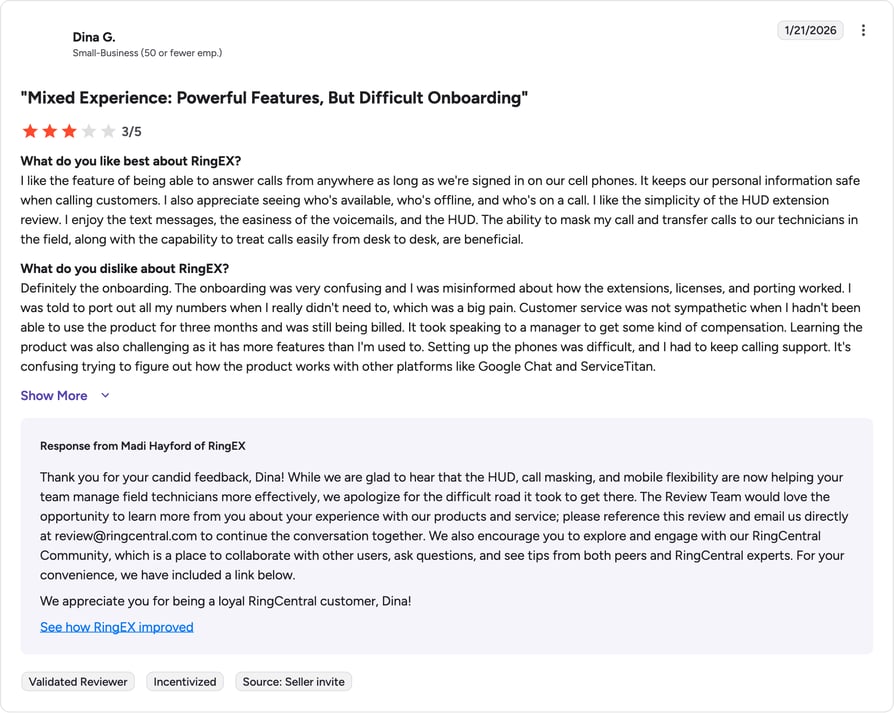
G2 reviewers give RingCentral around 4.0/5. Reviewers value the all-in-one suite but flag cost and pricing transparency as pain points.
| Pros | Cons |
|---|---|
| All-in-one suite — voice, video, and messaging together. | AI behind higher tiers — speech-to-text not in entry plans. |
| Enterprise-ready — scales to large orgs. | Expensive — among the pricier options with add-ons. |
| Compliance-friendly — strong recording and retention. | Long implementation — setup can take weeks. |
8. Avoma — Best for Transcription Plus Conversation Intelligence
What Is Avoma?
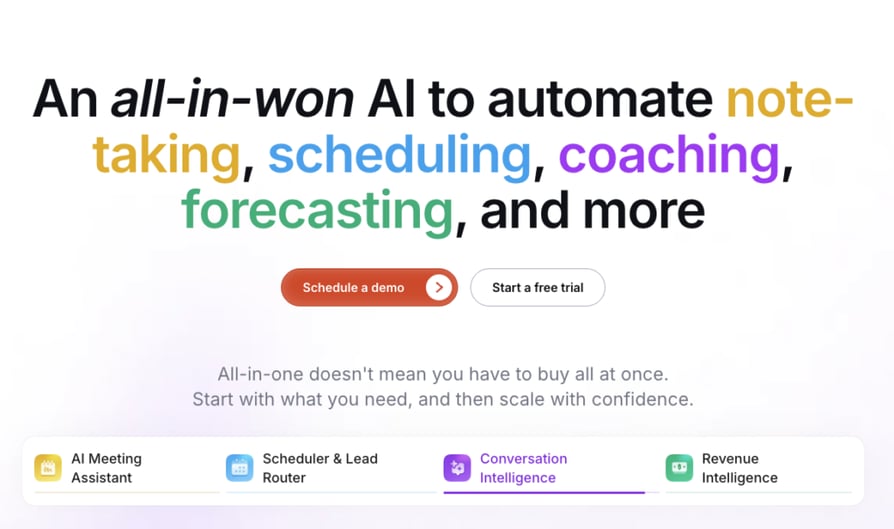
Avoma combines meeting transcription with AI-powered conversation analysis and collaboration tools. It records and transcribes meetings, then surfaces key moments, decisions, and action items, making it popular with mid-market sales and customer success teams that want structured insight without enterprise pricing.
Key Features of Avoma
- Transcription & AI notes — unlimited transcription with summaries.
- Conversation intelligence — scorecards and coaching as an add-on.
- Recorder-seat model — viewers and collaborators are free.
- CRM sync — HubSpot and Salesforce integrations.
What Is Avoma's Pricing?
Avoma pricing starts at $19/user/month for the Startup plan (billed annually, $29 monthly). Conversation and revenue intelligence are add-ons that raise the effective per-seat cost, with Enterprise at $39/user/month.
Avoma G2 Reviews
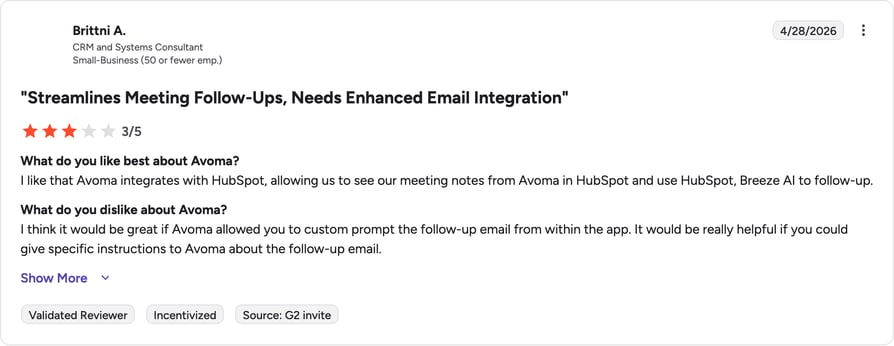
G2 reviewers give Avoma 4.6/5. Reviewers consistently call it strong value versus Gong and Chorus, while flagging occasional recording-bot reliability issues.
| Pros | Cons |
|---|---|
| Strong value — CI at a fraction of enterprise pricing. | Add-ons add up — full feature set raises per-seat cost. |
| Free viewer seats — only recorders pay. | Bot reliability — some users report recording hiccups. |
| Full workflow — scheduling to post-call insights. | No phone system — meeting-centric, not live calling. |
9. Aircall — Best for Transcription with Deep CRM Integrations
What Is Aircall?
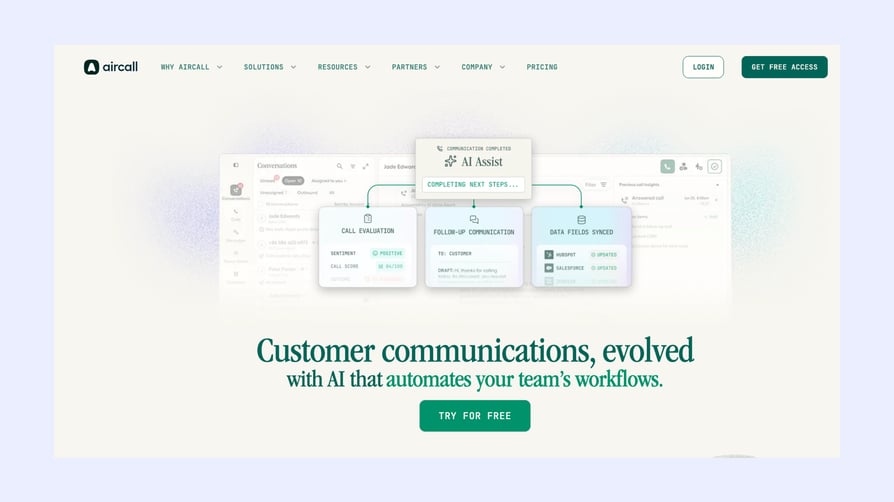
Aircall is a cloud phone system favored by small and mid-sized teams for its clean interface and integrations. Its transcription tools are designed to slot into an automated workflow, which is why it often appears on shortlists for teams using HubSpot or Pipedrive.
Key Features of Aircall
- Call transcription & recording — quick access to call history.
- Deep CRM integrations — HubSpot, Salesforce, Pipedrive, Intercom, Zapier.
- Power Dialer — outbound calling on the Professional tier.
- Call monitoring — live monitoring, whisper, and queue callback.
What Is Aircall's Pricing?
Aircall pricing starts at $30/license/month for Essentials (billed annually, 3-license minimum), with Professional at $50/license/month. See our Aircall pricing guide for the full breakdown.
Aircall G2 Reviews
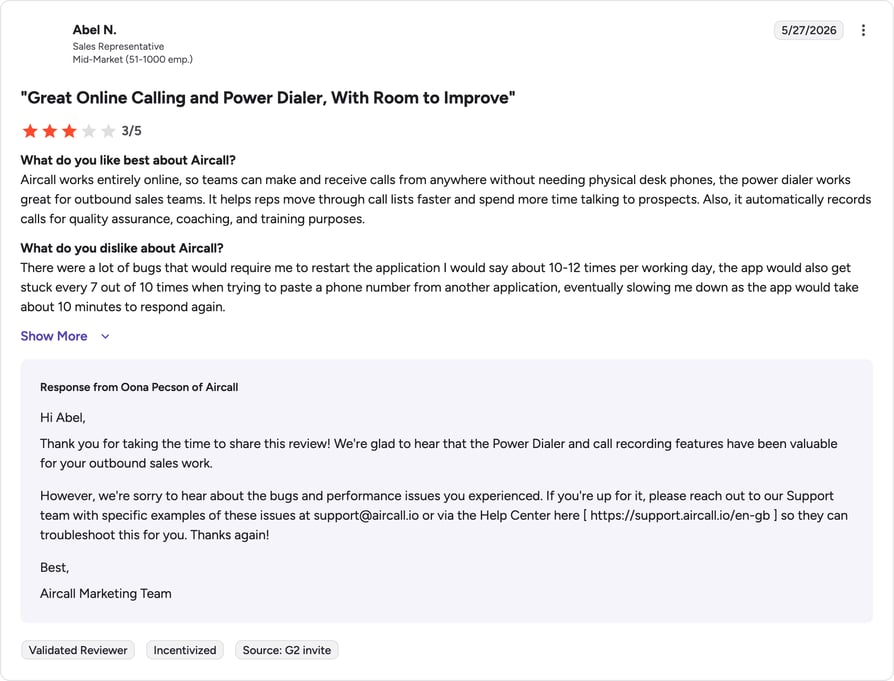
G2 reviewers give Aircall 4.4/5. Reviewers praise the interface and CRM integrations; the most common critique is price for small teams given the license minimum.
| Pros | Cons |
|---|---|
| Excellent integrations — best-in-class CRM connectors. | License minimum — 3 licenses required to start. |
| Easy to use — fast to deploy. | Shallow reporting — limited deep analytics. |
| Good for SMBs — built for sales and support teams. | Premium pricing — sits above market average. |
10. 8×8 — Best for Global Enterprises Needing Transcription and Analytics
What Is 8×8?
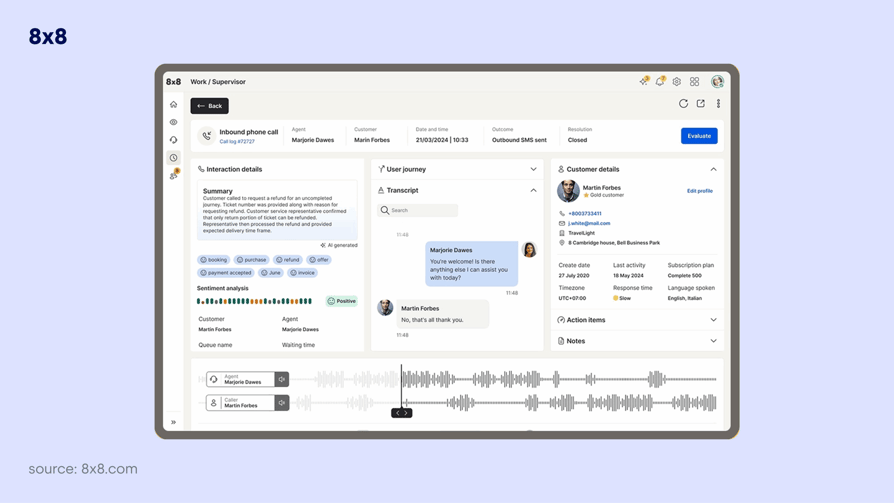
8×8 is an established telephony platform focused on integrations and analytics, well-suited to global enterprises. It pairs centralized reporting with call recording and transcription, though its automation features are gated behind higher tiers.
Key Features of 8×8
- Transcription & recording — archived and searchable interactions.
- Speech analytics — centralized reporting across processes.
- Global calling — unlimited calling to 40+ countries.
- Omnichannel routing — voice and digital in one platform.
What Is 8×8's Pricing?
8×8 no longer lists prices publicly. Based on user reports, plans start around $24/user/month (billed annually) and scale to $44+ for full-featured tiers. See our 8×8 pricing guide for benchmarks.
8×8 G2 Reviews
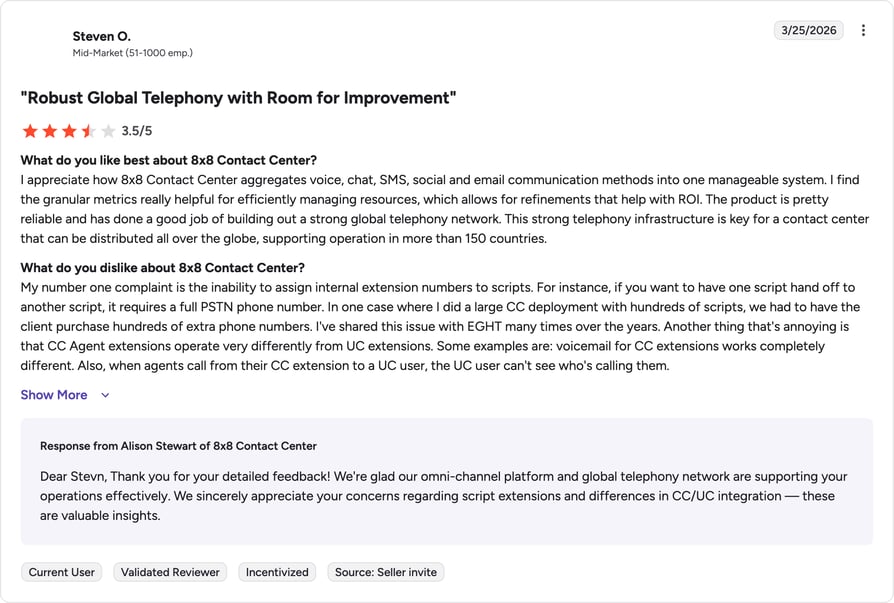
G2 reviewers give 8×8 4.1/5. Reviewers value the global reach and reporting but flag a complex setup process.
| Pros | Cons |
|---|---|
| Global reach — unlimited calling to many countries. | Complex setup — steep for small teams. |
| Centralized analytics — strong reporting. | Gated automation — best features in higher tiers. |
| Enterprise-grade — built for scale. | Opaque pricing — quote-based, not transparent. |
11. JustCall — Best for SMB Sales Teams Using AI Transcription
What Is JustCall?
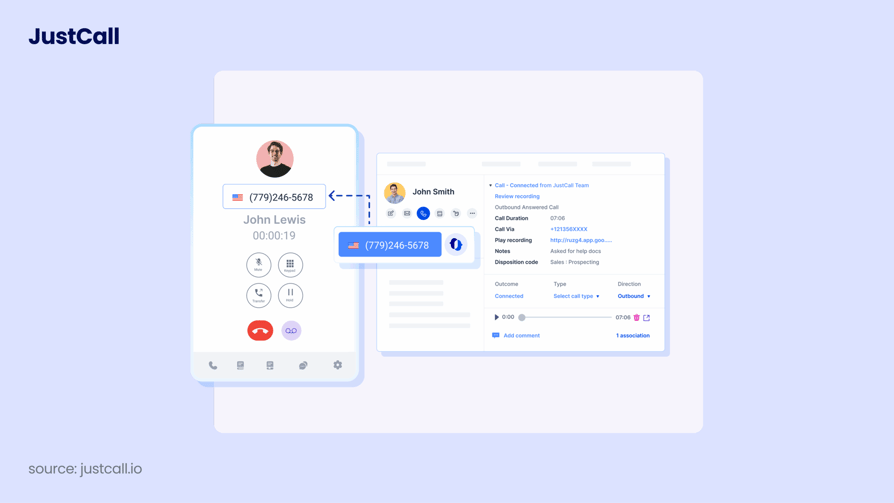
JustCall is a cloud phone system built for SMBs, with native CRM integration as its strongest point. It provides the foundational phone call transcription, recording, and call-summary features most sales and support teams need, plus AI coaching on higher tiers.
Key Features of JustCall
- AI transcription & summaries — call notes synced to CRM.
- CRM integrations — HubSpot, Zendesk, Freshdesk, and more.
- International numbers — local numbers in 95+ countries.
- Real-time analytics — track team performance and call outcomes.
What Is JustCall's Pricing?
JustCall pricing starts at $19/user/month for the Essentials plan (billed annually), with higher tiers adding AI coaching and call scoring. See our JustCall pricing guide for details.
JustCall G2 Reviews
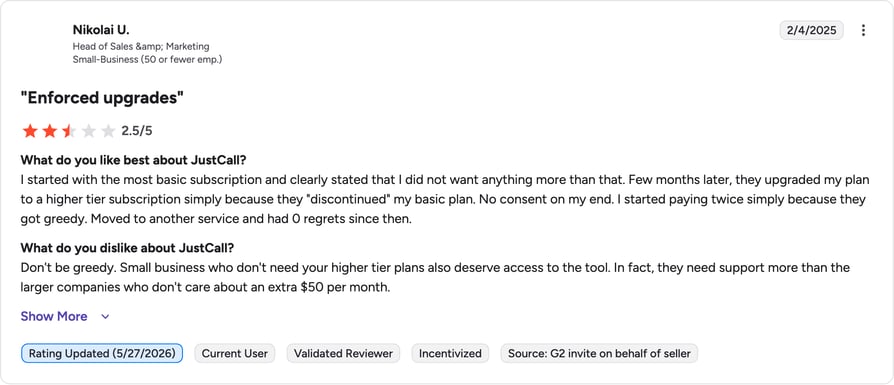
G2 reviewers give JustCall 4.3/5. Reviewers like the CRM integrations and value; some flag usage caps and add-on fees for AI features.
| Pros | Cons |
|---|---|
| Strong CRM sync — built for HubSpot and Freshdesk users. | AI costs extra — coaching tools are add-ons. |
| Affordable entry — low starting price. | Usage caps — fair-usage limits on transcription. |
| Global numbers — coverage in 95+ countries. | Fewer advanced features — lighter than enterprise tools. |
12. Talkdesk — Best for Large Contact Centers Using AI Transcription for QA
What Is Talkdesk?
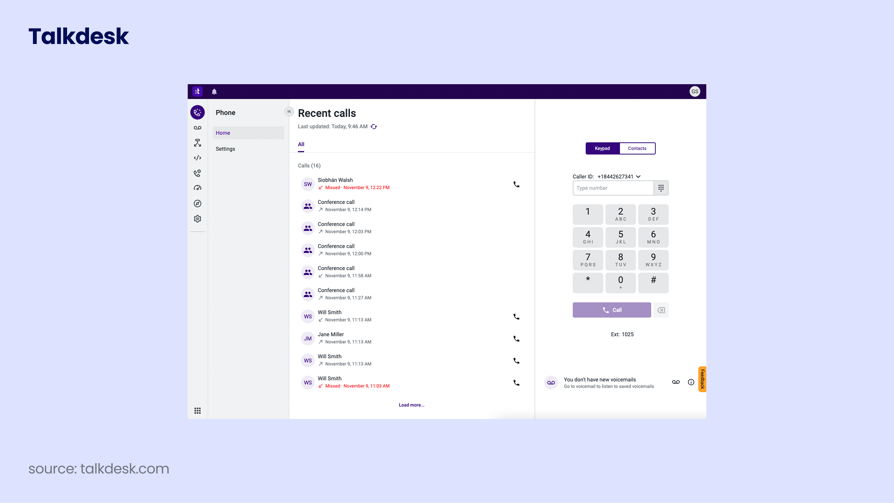
Talkdesk is a cloud contact center platform that uses AI to improve service quality. Its Talkdesk IQ layer analyzes every interaction, making it one of the stronger options for managing QA and coaching at scale, with transcription feeding directly into quality workflows.
Key Features of Talkdesk
- Transcription for QA — feeds quality scoring and coaching.
- Talkdesk IQ AI — analyzes interactions and predicts intent.
- Workforce management — scheduling against predicted volume.
- Voice & screen recording — full QA capture.
What Is Talkdesk's Pricing?
Talkdesk pricing starts at $85/user/month (CX Cloud Essentials, billed annually), with Elevate and Elite tiers above it and a minimum multi-year commitment. See our Talkdesk pricing guide.
Talkdesk G2 Reviews
G2 reviewers give Talkdesk 4.4/5. Reviewers praise the AI and reliability; cost and multi-month implementation are the main drawbacks for smaller teams.

| Pros | Cons |
|---|---|
| Strong QA tooling — transcription drives quality scoring. | Expensive — among the highest entry prices here. |
| Advanced AI — Talkdesk IQ predicts intent. | Long implementation — can be a multi-month project. |
| Enterprise scale — built for large contact centers. | Multi-year contracts — minimum commitment required. |
13. Genesys Cloud CX — Best for Enterprise CX Analytics
What Is Genesys Cloud CX?
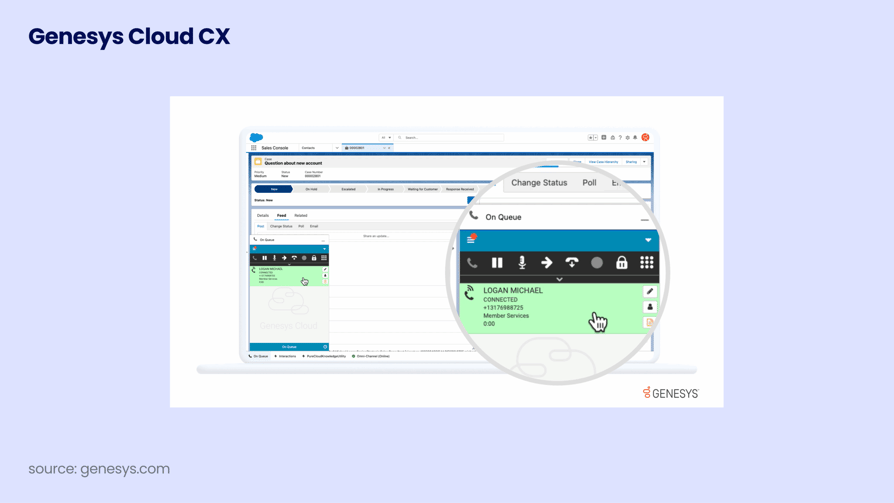
Genesys is an enterprise contact center platform that uses sophisticated AI to match interactions and generate high-level analytics. It is a high-tier option for transcription and conversation intelligence in large, complex environments, with depth that comes at enterprise complexity and price.
Key Features of Genesys Cloud CX
- Speech & text analytics — transcription feeds CX insights.
- Predictive routing — AI matches customers to the right agent.
- Workforce engagement — forecasting and quality management.
- Omnichannel — voice and digital in one platform.
What Is Genesys's Pricing?
Genesys Cloud CX starts at $75/user/month (CX 1, billed annually), scaling to $240 for CX 4, with a roughly $2,000/month platform minimum and separate telecom charges. See our Genesys pricing guide.
Genesys G2 Reviews
G2 reviewers give Genesys Cloud CX 4.4/5. Reviewers call it a gold standard for enterprises while consistently flagging cost and setup complexity.

| Pros | Cons |
|---|---|
| Deep analytics — enterprise-grade CX insights. | Complex & costly — high TCO and platform minimum. |
| Predictive routing — strong AI matching. | Separate telecom fees — usage billed on top. |
| Scales to large orgs — built for complexity. | Overkill for SMBs — too much for small teams. |
14. Five9 — Best for Compliance-Heavy Contact Centers
What Is Five9?
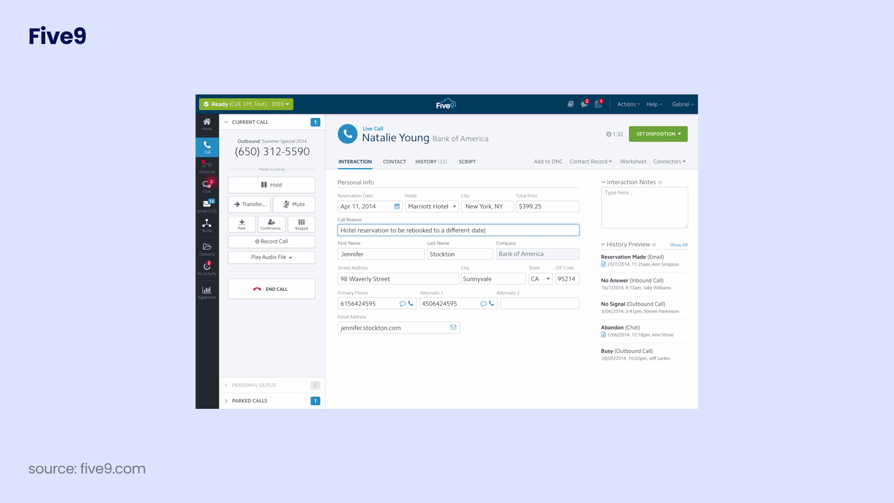
Five9 is a cloud contact center built for large, regulated operations. It offers enterprise-scale AI, deep analytics, and searchable transcripts that help compliance-heavy teams in finance, insurance, and healthcare maintain auditable records.
Key Features of Five9
- Searchable transcripts — audit-ready records for compliance.
- Omnichannel support — voice and digital channels.
- Workforce optimization — forecasting and quality tools.
- Robust reporting — granular performance analytics.
What Is Five9's Pricing?
Five9 pricing starts at $119/user/month for the Digital plan and $159 for Core (voice), with higher tiers quote-based and a 50-seat minimum. See our Five9 pricing guide.
Five9 G2 Reviews
G2 reviewers give Five9 4.1/5. Reviewers consider it strong for large operations while noting high cost and long-term lock-ins.

| Pros | Cons |
|---|---|
| Compliance-ready — searchable, auditable transcripts. | 50-seat minimum — not for small teams. |
| Enterprise AI — deep analytics and WFO. | High cost — premium entry pricing. |
| Reliable at scale — proven for big operations. | Contract lock-ins — hard to scale down. |
Recommended Reads
15. Ringover — Best for Growing Teams Wanting Conversation Intelligence
What Is Ringover?
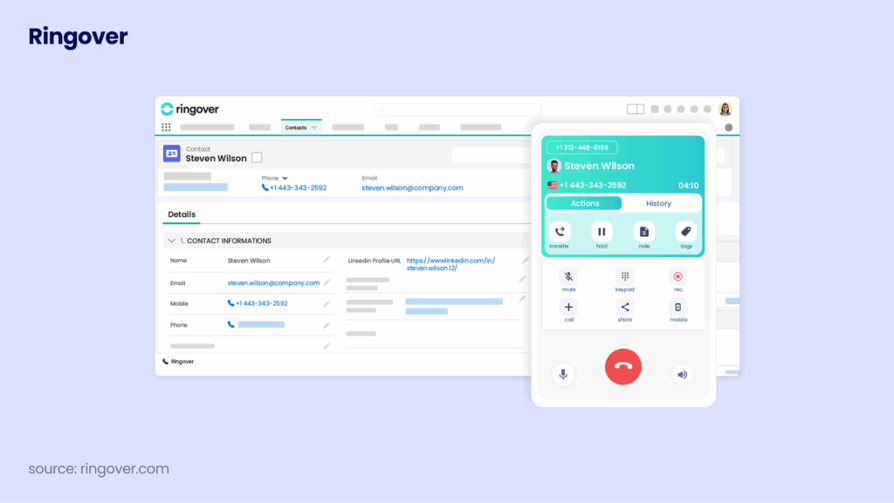
Ringover is a cloud phone system with call recording, IVR, and analytics across voice, chat, and video. It pairs transcription with advanced reporting, giving growing teams conversation intelligence without an enterprise contract.
Key Features of Ringover
- Call transcription & recording — stored for review and coaching.
- Conversation analytics — reporting on call volume and performance.
- Multichannel — voice, chat, and video.
- Third-party integrations — connects to common CRMs.
What Is Ringover's Pricing?
Ringover pricing starts at $24/user/month for the Smart plan (billed annually), with Business and Advanced tiers above it. See our Ringover pricing guide.
Ringover G2 Reviews
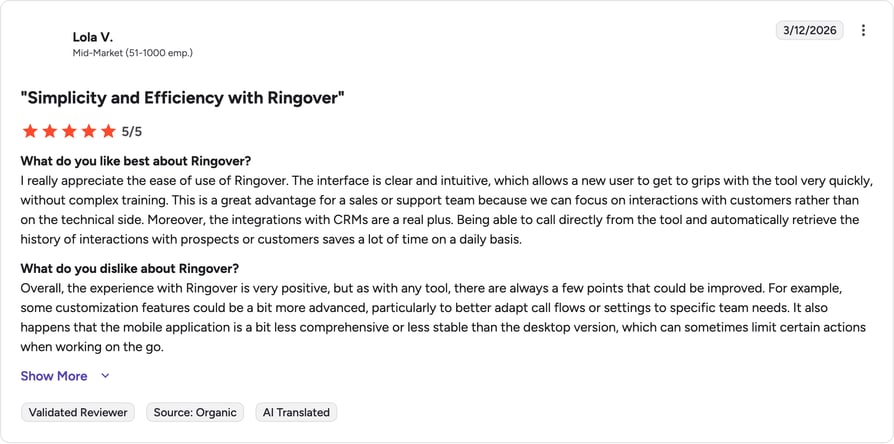
G2 reviewers give Ringover 4.6/5. Reviewers praise the analytics and ease of use; a few note pricing can scale quickly and call quality can vary.
| Pros | Cons |
|---|---|
| Strong analytics — solid reporting for the price. | Pricing scales fast — costs climb on higher tiers. |
| Easy setup — quick to deploy. | Variable call quality — some reliability reports. |
| Multichannel — voice, chat, and video. | Support speed — some users report slow responses. |
16. Twilio — Best for Developers Building Custom Transcription Workflows
What Is Twilio?
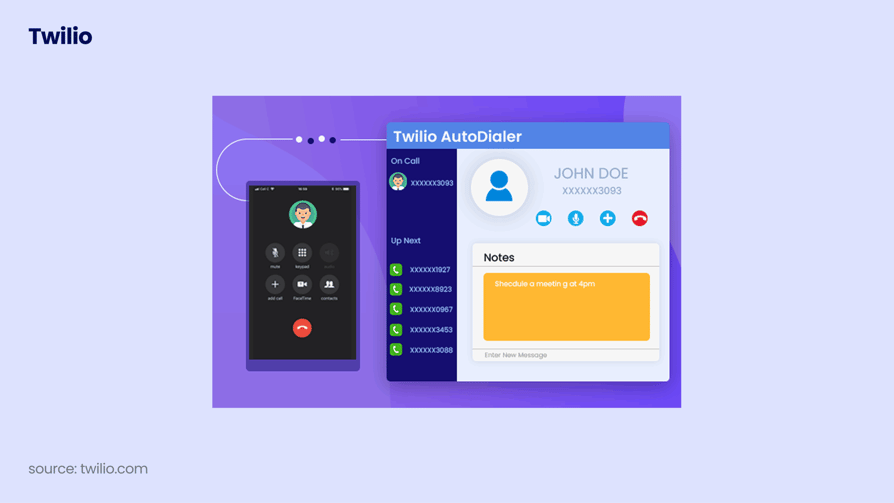
Twilio is an API-first cloud communications platform that lets developers build any transcription workflow they need. It is the most flexible option here, but it is a toolkit, not a finished product, so it requires engineering resources to deliver a usable transcription experience.
Key Features of Twilio
- Programmable Voice — build custom call and transcription logic.
- API-first — full control over how transcripts are processed.
- Twilio Flex — programmable contact center platform.
- Scales massively — handles high call volumes.
What Is Twilio's Pricing?
Twilio is pay-as-you-go: outbound voice runs about $0.014/minute and inbound about $0.0085/minute, with Flex at $1/active user hour or $150/named user/month. See our Twilio Flex pricing guide.
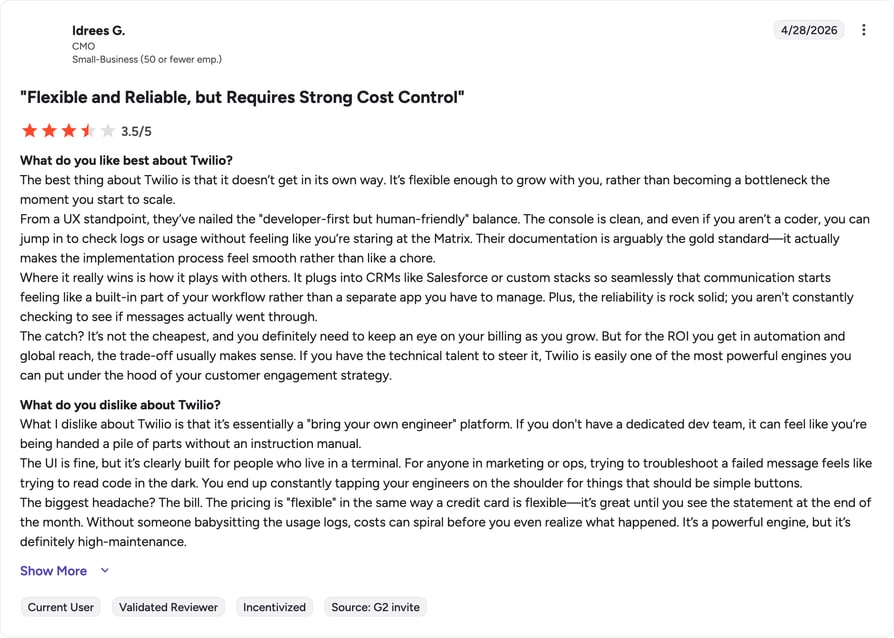
Twilio G2 Reviews
G2 reviewers give Twilio 4.2/5. Reviewers praise flexibility and scale; non-developers find it complex and per-API-call pricing hard to predict.
| Pros | Cons |
|---|---|
| Fully customizable — build any workflow. | Not plug-and-play — needs developers. |
| Scales massively — handles huge volumes. | Unpredictable cost — per-usage billing adds up. |
| Strong docs — extensive developer resources. | Hard for non-devs — steep learning curve. |
17. Zendesk Talk — Best for Transcription Inside Support Tickets
What Is Zendesk Talk?
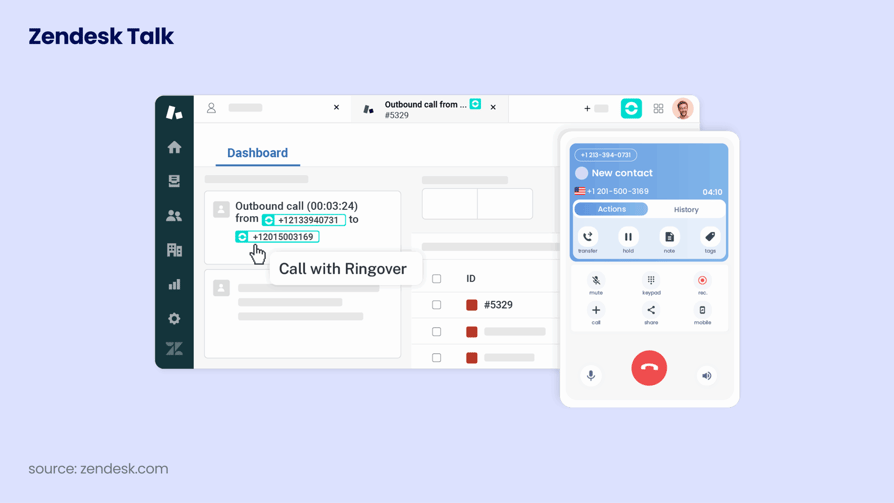
Zendesk Talk is the voice channel built into the Zendesk support suite. It is excellent for teams that want every call linked to a support ticket, with AI summarization that helps agents resolve issues faster inside the same workspace they use for email and chat.
Key Features of Zendesk Talk
- Call-to-ticket transcription — links calls to support context.
- AI summarization — faster issue resolution.
- Unified workspace — voice alongside email and chat.
- Analytics — performance tracking inside Zendesk.
What Is Zendesk Talk's Pricing?
Zendesk Talk requires a Zendesk Suite subscription, which starts at $55/agent/month (billed annually); call minutes, numbers, and usage are billed on top. See our Zendesk Talk pricing guide.
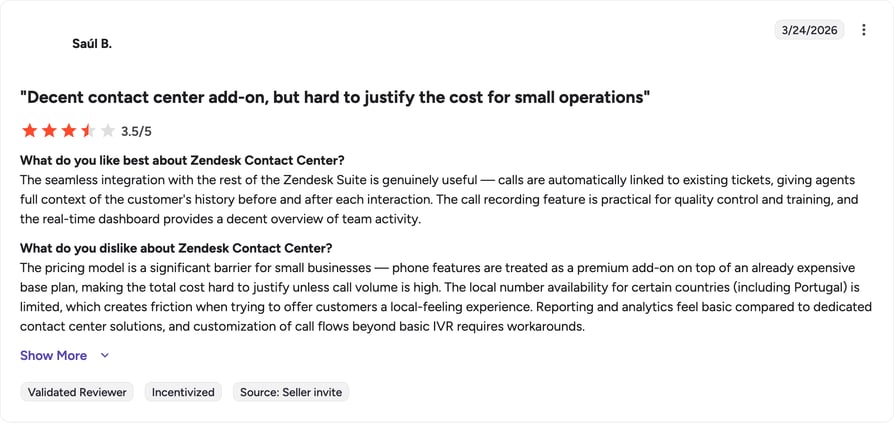
Zendesk Talk G2 Reviews
G2 reviewers give Zendesk Talk 4.3/5. Reviewers value the ticket integration; usage-based billing and limited advanced telephony are common critiques.
| Pros | Cons |
|---|---|
| Ticket context — calls link to support tickets. | Requires Zendesk Suite — not standalone. |
| Unified workspace — voice with email and chat. | Usage fees — minutes and numbers cost extra. |
| Support-first — great for service teams. | Limited for sales — fewer outbound features. |
18. Google Voice — Best for Basic Transcription in Google Workspace
What Is Google Voice?
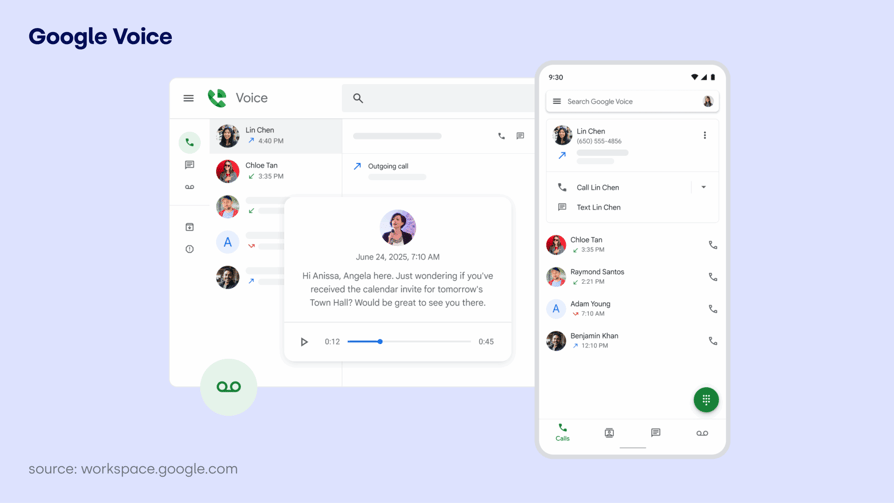
Google Voice is Google's cloud telephony product, built to integrate with Google Workspace for business calling, texting, and voicemail. It offers straightforward voicemail-to-text, making it the most accessible basic transcription option for teams already living in Google's ecosystem.
Key Features of Google Voice
- Voicemail transcription — basic speech-to-text for messages.
- Workspace integration — works with Gmail, Calendar, and Meet.
- Virtual numbers — one number across devices.
- Simple setup — familiar UI for Google users.
What Is Google Voice's Pricing?
Google Voice for business starts at $10/user/month (Starter), with Standard at $20 and Premier at $30; a Google Workspace subscription is required. See our Google Voice pricing guide.
Google Voice G2 Reviews
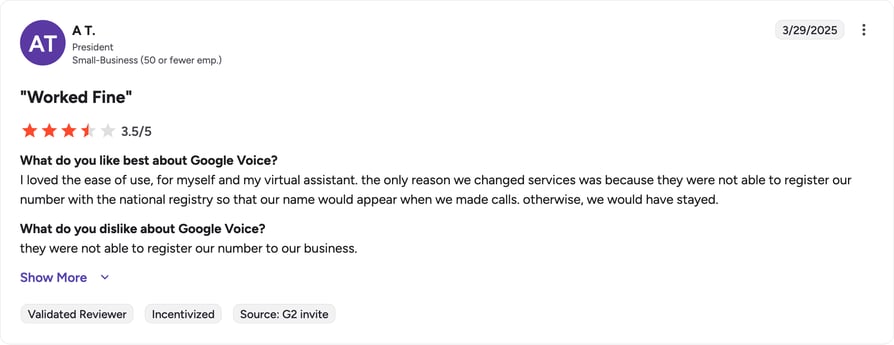
G2 reviewers give Google Voice around 4.0/5. Reviewers like the simplicity and price; the trade-off is limited features and integrations outside Google.
| Pros | Cons |
|---|---|
| Low cost — cheapest entry on the list. | Basic transcription — voicemail-to-text only. |
| Workspace-native — easy for Google users. | No AI insights — no sentiment or coaching. |
| Simple setup — familiar interface. | Limited integrations — mostly Google-only. |
Recommended Reads
19. OpenPhone (Quo) — Best for Simple Transcription in a Lightweight Phone System
What Is OpenPhone (Quo)?
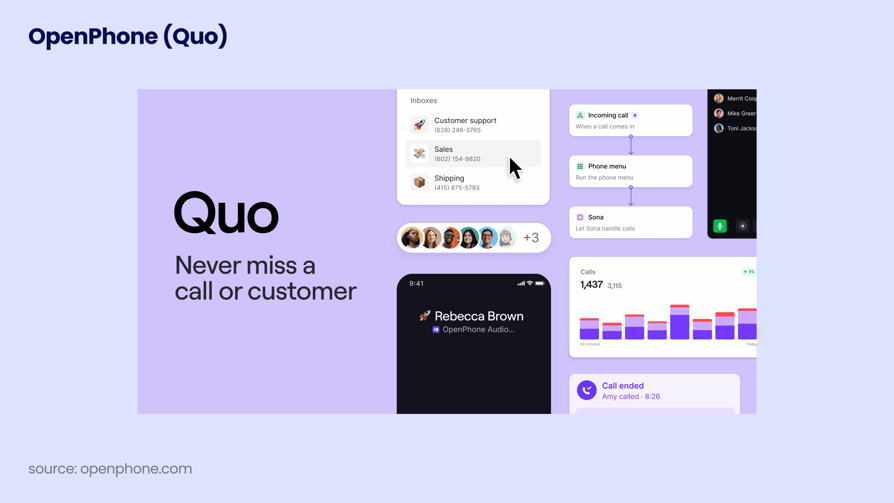
OpenPhone, now rebranded as Quo, is a lightweight, intuitive phone app for small teams. Its transcription features are straightforward, including voicemail-to-text and AI-suggested replies, making it a good fit for solo founders and micro-teams that want simple call documentation.
Key Features of OpenPhone (Quo)
- Voicemail transcription — automatic text of messages.
- Shared inbox — team visibility into conversation threads.
- Sona AI agent — answers calls and drafts replies.
- Easy onboarding — fast setup for small teams.
What Is OpenPhone's Pricing?
OpenPhone (Quo) pricing starts at $15/user/month for Starter (billed annually, $19 monthly), with Business at $23 and Scale at $35. See our OpenPhone pricing guide.
OpenPhone (Quo) G2 Reviews
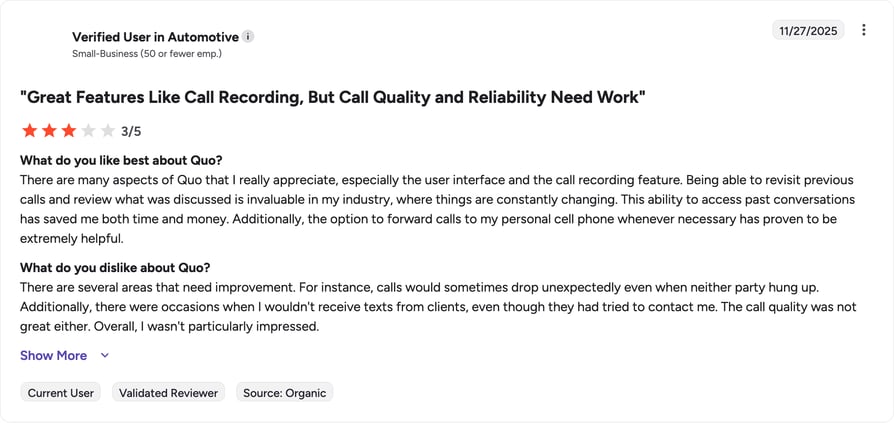
G2 reviewers give OpenPhone (Quo) 4.7/5. Reviewers love the clean interface and value; power users note they hit feature ceilings as teams grow.
| Pros | Cons |
|---|---|
| Very easy to use — clean, modern app. | Basic transcription — no advanced sentiment or coaching. |
| Affordable — low starting price. | Feature ceiling — limits show as teams scale. |
| Shared inbox — good team visibility. | Light integrations — fewer than enterprise tools. |
AI Transcription vs Human Transcription: Which Is Right for Your Team?
Once you know whether you need real-time or post-call transcription, the next decision is who — or what — does the actual transcribing. Three options exist, and they land in very different price and accuracy brackets.
Fully automated AI. What almost every tool in this guide runs on. It turns a call into text in seconds, costs a fraction of the alternative, and reaches roughly 90 to 95% accuracy on clear English audio. For most B2B sales and support teams, that's enough: the transcript is accurate enough to search, summarize, and log to the CRM without a human reading it first.
Human-reviewed. Slower, with turnaround in hours rather than seconds, and considerably more expensive at $0.80 to $1.50 per minute, but it pushes accuracy above 99%. Legal depositions, medical dictation, and other transcripts that need to hold up as an official record still lean on human reviewers for that reason.
Hybrid. Splits the difference: an AI engine produces the first pass, then a human corrects errors before the transcript ships. Vendors like Rev and GoTranscript sell this as a middle-ground service, useful when you need better-than-AI accuracy without paying full human rates on every file.
| Turnaround | Accuracy | Cost | Best for | |
|---|---|---|---|---|
| AI transcription | Seconds to minutes | ~90–95% on clear English audio | Included in most software subscriptions | Sales and support teams, day-to-day call logging |
| Human transcription | Hours | 99%+ | $0.80–$1.50/minute | Legal, medical, and compliance records |
| Hybrid (AI + human) | Same day, typically | Between AI and human | Mid-range, per-minute | Teams that need higher accuracy without full human cost |
For most B2B sales and support teams, AI transcription is the right call. It's fast enough to use right away, and accurate enough to trust for coaching and CRM logging. CloudTalk uses AI transcription, and it's a reasonable default unless your calls carry the kind of legal or clinical weight that demands a human check on every line. If you want to see how that plays out on your own calls, CloudTalk's free trial covers the setup in minutes.
How to Choose the Best Call Transcription Software
The right tool depends on your team's workflow, not on which vendor has the longest feature list. Before you commit, weigh accuracy and language support, CRM integration, AI intelligence, compliance and security, total cost, and whether you need a full phone system alongside transcription.
What Small and Growing Teams Need
Small and growing teams need three things: easy setup with no dedicated IT project, transparent per-user pricing, and native CRM integrations (HubSpot, Pipedrive, Freshdesk, Zendesk) so call data lands where reps already work instead of sitting in a separate app.
That combination is also what the best VoIP solutions with AI call transcription for global teams need to deliver: one login, one bill, and transcripts that show up in the CRM automatically no matter which city or time zone the rep is calling from. CloudTalk, JustCall, and Aircall all fit this profile. Each pairs calling and transcription in a single subscription rather than making you stitch a dialer to a standalone transcription tool.
What Enterprise Contact Centers Need
Enterprise contact centers are optimizing for a different set of constraints:
- Scalability across hundreds or thousands of seats
- SSO and SAML for identity management
- Role-based access control
- Compliance-ready recording (GDPR, HIPAA, or PCI, depending on the industry)
- QA scorecard workflows built around the transcript
- Deep Salesforce or ServiceNow integration and contractual SLA guarantees
These requirements are where call center quality assurance software becomes essential, and where dedicated contact-center suites like Talkdesk, Genesys Cloud CX, and Five9 tend to out-muscle phone-system-plus-transcription tools built primarily for SMB and mid-market teams. If your organization is scaling toward that size but isn't there yet, CloudTalk's Expert plan covers much of the same compliance and CRM ground without the enterprise contract minimums.
Does It Integrate With Your CRM Automatically?
Not all "CRM integration" means the same thing. Native integrations sync calls, transcripts, and AI summaries to the contact or deal record the moment a call ends, with no rep action required. Zapier-based integrations get you there too, but they need to be configured first and can lag behind a live call by minutes rather than seconds.
For sales and support teams, that gap is the difference between reps trusting the CRM as their system of record and reps quietly keeping their own notes because the sync feels unreliable. Look for a tool that logs the recording link, transcript, AI summary, and call outcome automatically across HubSpot, Salesforce, and Pipedrive. CloudTalk's CRM integrations work this way: transcripts and AI notes sync to the contact record without a rep touching Zapier.
How Accurate Is Call Transcription Software?
Most vendors land in the same range: roughly 90 to 95% accuracy on clear English audio in typical office conditions. That number drops fast with strong accents, background noise, multiple people talking over each other, or dense industry jargon the model hasn't seen before.
The most accurate call transcription software for your team is whichever one performs best on your actual calls, not whichever one advertises the highest number. Test any shortlist on your own recordings before you sign a contract. CloudTalk's AI transcription is trained on business call audio, covers 50+ languages overall (English, French, German, Portuguese, and Spanish fully tested for accuracy), and includes noise filtering built to hold up in ordinary office and remote-work conditions.
Does It Support Compliance and Call Recording Laws?
Compliance-heavy teams need two things from a transcription tool: certifications (GDPR, HIPAA, SOC 2, PCI, depending on your industry) and a way to handle consent before every call, since consent law varies by where you and your customer are located.
The US runs on a mix of one-party consent in most states and two-party consent in eleven states including California. The EU's GDPR requires explicit consent or a documented legitimate business interest before you can record and transcribe a call. Compliance-ready call recording usually means the software can play a recording announcement automatically and adjust it by region, rather than leaving that to the agent to remember. CloudTalk is GDPR, SOC 2, and HIPAA compliant, and includes configurable recording announcements and consent tooling, though you should always confirm the specifics with legal counsel for the regions where you operate.
Call Transcription Software for Sales Teams: What to Look For
Sales call transcription software has to do more than produce a text file. Reps need the transcript to shortcut admin work, and the coaching signal needs to surface without anyone digging for it.
CRM auto-sync. Transcripts, AI summaries, and call outcomes should land on the contact or deal record automatically, the moment the call ends, whether you run HubSpot, Salesforce, or Pipedrive. If a rep has to copy anything by hand, the tool is adding work instead of removing it.
AI coaching features. These turn a transcript into something a manager can act on:
- Talk/listen ratio per rep
- Keyword tracking for objections and competitor mentions
- Topic analysis across a whole pipeline, not just one call
This is what separates AI coaching software from a plain speech-to-text tool.
Real-time whisper coaching. A supervisor can guide a rep mid-call, live, without the prospect hearing it. It's most valuable during onboarding, when a new rep needs a save on an objection they haven't handled before, and it depends on the platform supporting live call monitoring, not just post-call review.
Deal intelligence. Platforms like Gong and Chorus surface risk signals and forecasting patterns across an entire pipeline. That's a real advantage for large revenue teams managing hundreds of reps, and overkill for a ten-person team that just needs clean transcripts and CRM logging.
CloudTalk suits SMB and mid-market teams that want calling, transcription, and CRM sync in one subscription. Gong suits enterprise revenue teams that need deal-level intelligence at scale. Fireflies and Avoma work well for meeting-heavy sales motions that live inside the CRM rather than the phone. CloudTalk's AI Conversation Intelligence add-on covers most of this ground for teams already on the platform — it layers AI Smart Notes and sentiment analysis on every recorded call, and pairs with the Power Dialer for high-volume outbound.
Why CloudTalk Is a Top Choice for Call Transcription
Most tools on this list do one job well: dedicated apps transcribe meetings, contact-center suites handle scale, and developer platforms offer flexibility. CloudTalk's advantage is that it combines a full business phone system with AI call transcription, conversation intelligence, and clean CRM logging in one place, so your reps make calls, get searchable transcripts and AI summaries, and have everything synced to the CRM without a second subscription. For growing sales and support teams that want transcription and calling together, with transparent pricing and integrations in 160+ countries, that consolidation is the difference between a transcript that sits in a silo and one that actually drives coaching and revenue.
Sources
- Salesforce, State of Sales — sales reps spend less than 30% of their time actively selling.
- Competitor pricing and G2 ratings were verified against each vendor's official pricing page and G2 product profile at the time of writing. Figures change frequently, so confirm before publishing.
FAQs: Call Transcription Software
Real-time transcription shows text live as the call happens, useful for coaching and sentiment alerts. Post-call transcription processes the recording afterward and is usually more accurate. CloudTalk supports post-call transcription today, not live.
It depends on your workflow. CloudTalk is best for teams wanting transcription inside a full phone system; Gong leads enterprise revenue intelligence; Otter and Fireflies suit simple meeting transcription. Match the tool to whether you need calling, coaching, or just searchable text.
CloudTalk, Gong, Fireflies.ai, and Dialpad all offer native Salesforce integrations. Native sync updates records instantly; Zapier-based sync needs setup and can lag behind the call.
AI call transcription records a call, then uses speech-to-text and natural-language-processing models to convert audio into text, separate speakers, and filter noise. The best tools then add summaries, sentiment, and topic tags so the transcript becomes searchable and usable, not just a wall of text.
Yes. Otter and Fireflies both offer free plans with monthly transcription limits, and several phone systems include free trials. Free tiers work for light, occasional use, but minute caps and missing AI features usually push regular business users toward a paid plan.
Leading tools reach roughly 90 to 95% accuracy on clear English audio. Accuracy drops with strong accents, background noise, crosstalk, or industry jargon. If your calls are multilingual or technical, test the tool on your own recordings before committing rather than trusting marketing claims.
For sales call transcription software, look for CRM sync, coaching insights, and a dialer in one tool. CloudTalk fits teams that want calling plus transcription; Gong suits large revenue orgs; Fireflies and Avoma are strong for meeting-heavy sales workflows that live in the CRM.
Most do. Tools like CloudTalk, Dialpad, Fireflies, and Aircall sync transcripts and AI notes directly into HubSpot, Salesforce, and Pipedrive. Native integration matters: it means call records log automatically instead of forcing reps to copy notes by hand after every call.
It depends on jurisdiction. Many regions require one-party or all-party consent before recording. Most call recording transcription software includes consent prompts and disclosures to help you comply. Always check the laws where you and your customers are based, and consult legal counsel for your specific situation.
Dedicated transcription apps start around $8 to $19 per user monthly. Phone systems with built-in transcription run roughly $15 to $30 per user, while enterprise contact centers start at $75 or more. Watch for add-ons, AI credits, and platform fees that raise the real cost.
Call transcription converts audio to text. Conversation intelligence goes further, adding sentiment, topic, and deal-risk analysis on top. Gong and CloudTalk's AI add-on both work this way — transcription first, insights next.
Yes. Most phone systems transcribe outbound calls the same way as inbound, with no extra setup. For outbound teams, prioritize live whisper coaching, AI call summaries, and dialer integration.