TL;DR: CloudTalk is the best call center voice analytics software for small and mid-sized sales and support teams that want contact center speech analytics after every call (transcripts, summaries, sentiment and call scores) inside their phone system and CRM.
I compared 8 tools using each vendor's own pricing and product pages, G2 reviews and the questions buyers ask our sales team about transcripts, summaries and sentiment:
- 01CloudTalk: best for small and mid-sized teams wanting post-call insights inside their phone system
- 02CallMiner: best for large enterprises and regulated industries
- 03Verint: best for enterprises needing compliance and risk analysis
- 04NiCE CXone: best for enterprise contact centers wanting omnichannel analytics
- 05Genesys Cloud CX: best for large, customizable customer experience stacks
- 06Observe.AI: best for contact center QA and agent coaching
- 07Dialpad: best for real-time AI transcription and coaching in a unified platform
- 08Talkdesk: best for enterprise AI-powered QA and workflow automation
Dialpad suits teams that want real-time transcription and live coaching in one platform, and Observe.AI suits QA teams that want every interaction scored automatically. CallMiner, Verint, NiCE CXone, Genesys Cloud CX and Talkdesk fit large contact centers that need enterprise QA, compliance and omnichannel analytics.
CloudTalk analyzes calls only after they end: it has no real-time transcription, live agent assist or live compliance alerts. For those, look at Dialpad, Observe.AI, CallMiner or Verint.
You're looking for voice analytics for your call center that turns every call into a transcript, a summary and a score, so managers have full visibility, at a price that finance will approve.
Listen, you and I, we don't know each other personally, but at CloudTalk we have many customers like you, and the questions they ask are often: Does it work during the call or only after it? How accurate is it on our accents? What does it cost per seat once the add-on is in? Will the summary land in our CRM?
Our customers want transcription, call summaries or sentiment scoring, with AI. They want call summaries on the CRM record without anyone typing them, and QA scores they can trust.
I chose the 8 tools below because they cover both ends of the market, from post-call analytics a team can switch on this week to enterprise platforms that analyze calls while they happen:
Best Call Center Voice Analytics Software: Comparison Table
| Tool | Best for | Real-time or post-call | Entry price with voice analytics | Team size fit | G2 rating (reviews) |
|---|---|---|---|---|---|
| CloudTalk | Small and mid-sized teams wanting post-call insights inside their phone system | After the call only | $25 Starter plan + $9 CI Basic per user | Small and mid-sized sales and support teams | 4.4/5 (1961+ reviews) |
| CallMiner | Large enterprises and regulated industries | Both (RealTime module plus post-call Analyze) | Quote-based | Enterprise | 4.5/5 (200+ reviews), CallMiner Eureka |
| Verint | Enterprises needing compliance and risk analysis | Both (real-time transcription and agent assist) | Quote-based | Enterprise | 4.4/5 (89 reviews), Verint Speech and Text Analytics |
| NiCE CXone | Enterprise contact centers wanting omnichannel analytics | Both (real-time guidance through Copilot for Agents) | $209 per agent (Complete Suite); from $110 without analytics | Enterprise contact centers | 4.3/5 (1730+ reviews) |
| Genesys Cloud CX | Large, customizable customer experience stacks | Both | $155 per user (CX 3), plus AI tokens beyond the monthly allowance; from $75 without analytics | Large contact centers on an annual commitment | 4.4/5 (1584+ reviews) |
| Observe.AI | Contact center QA and agent coaching | Both | Quote-based | Contact centers with a QA team | 4.5/5 (300+ reviews) |
| Dialpad | Real-time AI transcription and coaching | Both | $89 per user (Support Essentials); Live Coach and scorecards from $119 | No seat minimum stated | 4.4/5 (4266+ reviews), Dialpad Connect |
| Talkdesk | Enterprise AI-powered QA and workflow automation | Real-time Copilot and post-call analytics, both add-ons | $105 per user (Voice Essentials) plus a quote-based analytics add-on | Enterprise contact centers | 4.4/5 (2609+ reviews) |


What Is Call Center Voice Analytics?
Call center voice analytics, also called speech analytics, is software that records calls, transcribes them and analyzes the conversation. With AI, analytics can also use the sound of the voice, to show sentiment, topics, compliance risks and coaching opportunities for every call your team handles.
Vendors also sell it as conversation intelligence. Instead of a manager sampling a handful of recordings each week, the software reads all of them and tells you which ones need a human.
A call recording only stores the audio. Voice analytics reads it for you: which customers sounded unhappy, which topics kept coming up, whether the agent asked the questions on your scorecard, and what should go into the CRM.
Don't feel like reading the next 7,000 words? I don't blame you, even though there are some real gems hidden throughout. Anyways, you can watch this video for a quick summary of AI call center analytics.
How Does Speech Analytics Work?
Most tools follow the same four steps to analyze voice call data with contact center voice analytics:
- Transcribe: speech recognition turns the call audio into text.
- Understand: language models read the transcript for topics, intent and moments such as a cancellation request or a price objection.
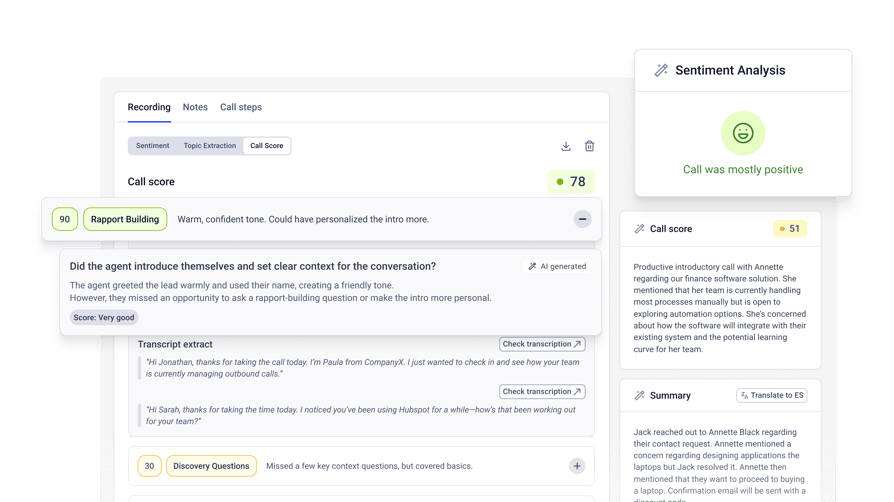
- Score: the software rates sentiment and checks the call against a scorecard, for example whether the agent confirmed the customer's identity or offered a follow-up.
- Report and push: results land in dashboards and, in most tools, on the contact's record in your CRM or helpdesk.
Accuracy drops with poor audio, strong accents and languages the speech engine handles less well (it's not xenophobia, and don't worry, the dev world is working on it). Before you buy, run a sample of your own calls through a trial and compare the transcripts with what was said.
Voice Analytics vs. Speech Analytics: What's the Difference?
"Voice analytics" and "speech analytics" are thrown around to mean the same thing, however, speech analytics looks at what is said (the words), while voice analytics looks at how it's said: tone, emotion and pace.
In practice, every tool here analyzes the words, and only some vendors say they analyze the audio itself (Genesys, for example, lists acoustic analysis). So when a vendor promises emotion detection, ask whether it reads sentiment from the transcript or from the sound of the voice.
Voice Analytics vs. Speech Analytics
| Aspect | Speech analytics | Voice analytics |
|---|---|---|
| What it looks at | The words spoken: what is said | How it's said: tone, emotion and pace (in some tools) |
| Typical outputs | Transcripts, keywords, topics, summaries | Sentiment, emotion or stress signals, talk patterns |
| Main technology | Speech recognition and natural language processing | Sentiment analysis; acoustic analysis in some tools |
| Practical example | "The customer asked for a refund." | "The customer sounds frustrated with the offer." |
| In practice | Most vendors offer both and use the terms interchangeably | Check what is analyzed: the transcript, the audio or both |
Post-Call vs. Real-Time Speech Analytics: Which Do You Need?
Real-time voice analytics works while the call is still live. It transcribes as people talk, prompts the agent with the next step and alerts a supervisor when a call goes off script. You need it when a missed disclosure or a lost deal costs more than the extra license fee.
Post-call analytics runs after the call ends. It's the better fit for QA, coaching, call quality scores and trend reports, because you're reviewing patterns across hundreds of calls, not rescuing one.
Seven of the eight tools here sell a real-time option: CallMiner (RealTime), Verint (real-time transcription and agent assist), NiCE CXone (Copilot for Agents), Genesys Cloud CX (Agent Copilot), Observe.AI (Companion Agent), Dialpad (Live Coach) and Talkdesk (Copilot). CloudTalk's Conversation Intelligence analyzes calls after they end.
8 Best Call Center Voice Analytics Software Tools in 2026
I reviewed each tool on the same points: real-time or post-call analysis, transcription languages, sentiment and scoring, CRM push and price. CloudTalk and Dialpad are phone systems with analytics built in. CallMiner, Verint and Observe.AI are analytics specialists that sit on top of your contact center, and NiCE CXone, Genesys Cloud CX and Talkdesk are full contact center suites.
1. CloudTalk: Best Voice Analytics for Small and Mid-Sized Teams Wanting Post-Call Insights Inside Their Phone System
What Is CloudTalk?
CloudTalk is a cloud business phone system with Conversation Intelligence built on top: calls are recorded, then transcribed, summarized, tagged, scored and analyzed after they end, and the results go to your CRM. 7,500+ businesses use CloudTalk.
What Are the Key Voice Analytics Features of CloudTalk?
- Transcripts in 19 languages:call transcription detects the language of each call and transcribes it, in 19 languages including English, Spanish, German, French, Arabic and Hindi (CI Basic).
- Summaries, notes and tags:an automatic call summary, Smart Notes and auto-tagging after every call (CI Basic).
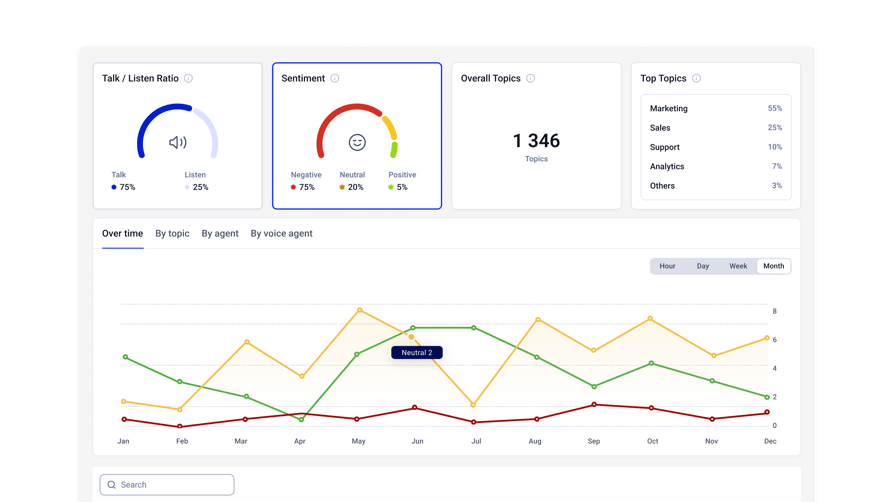
- Sentiment, topics and talk/listen ratio:sentiment analysis rates each call Negative, Neutral or Positive from the transcribed conversation, scoring agent and contact segment by segment. Topics are generated on every call, and CI Plus adds up to 20 custom topics per account.
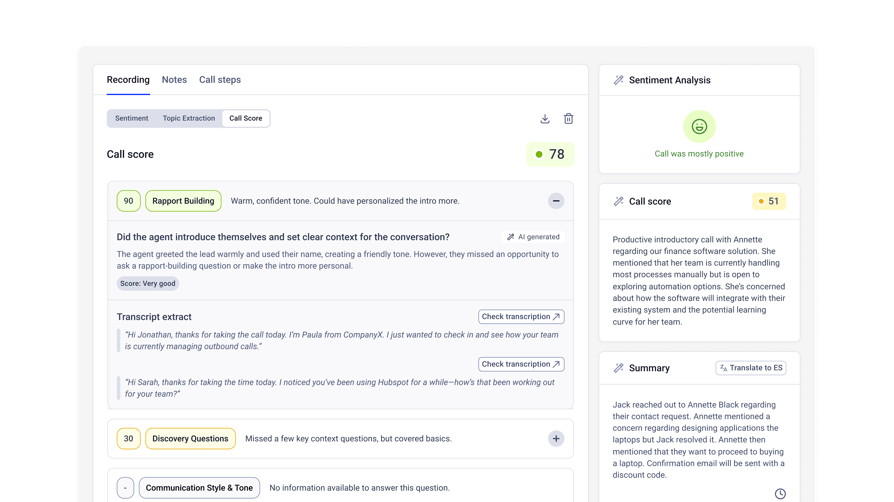
- Call scoring:call scoring checks each transcript against your own scorecards, up to 10 templates per account, on a 5-point scale with a justification for every question (CI Basic).
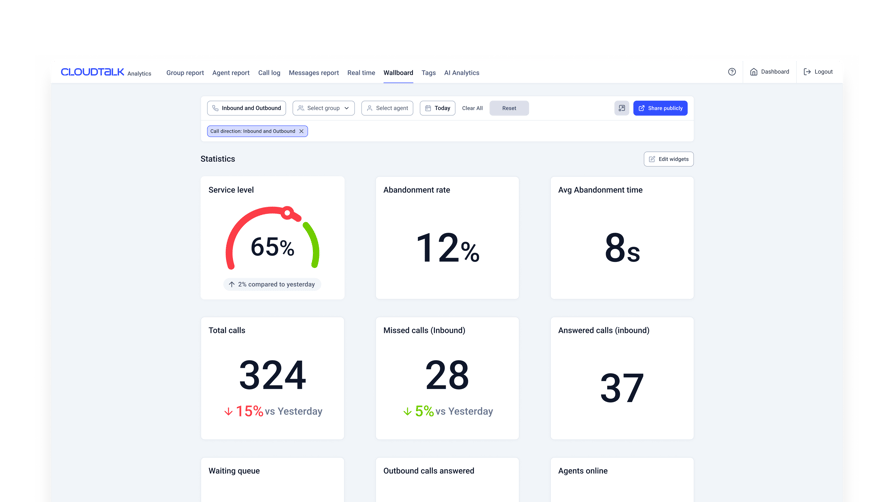
- Reports and CRM push:the AI Analytics report filters calls by score and sentiment, with exact-match transcript search and CSV export. The summary, sentiment and topics export to HubSpot, Pipedrive, Salesforce, Zoho, Zendesk and other CRMs.
Calls handled by CloudTalk's AI Voice Agents get the full set, including the CI Plus features, as part of AI Voice Agents, with no CI plan needed.
What Is CloudTalk Missing?
CloudTalk's analysis starts after the call ends. There's no real-time transcription, live agent assist or live compliance alert, so a supervisor can't get a prompt while the agent is still on the line. Scores appear once the transcript is ready.
Conversation Intelligence is a paid add-on on top of the phone plan, and transcription covers 19 languages. Sentiment scores comes from the words in the transcript, not voice tone.
What Is CloudTalk Best For?
CloudTalk fits small and mid-sized sales and support teams that want transcripts, summaries, sentiment and scorecards inside their phone system and CRM, and that review calls after the fact rather than coaching live.
It's a weaker fit for a contact center that needs live agent assist or analytics across chat and email; the conversation intelligence software tools roundup covers more of those.
CloudTalk's AI conversation intelligence drastically improved our efficiency. We've cut call quality analysis time from 2 hours to 20 minutes a day and reduced wrongly targeted leads by 24%, enabling us to focus on strategic growth while maintaining consistency across markets.
Sales Ops Manager, Capitalo

How Much Does CloudTalk's Voice Analytics Cost?
CloudTalk pricing for voice analytics works as a per-user add-on: Conversation Intelligence costs $9 per user per month for CI Basic or $19 for CI Plus, on top of a phone plan from $25 per user per month billed annually. CI Plus replaces CI Basic on a seat, so you pay $19, not both.
The lowest-cost seat with voice analytics is Starter plus CI Basic. Starter keeps recordings for 1 month; Essential ($29) and Expert ($49) keep them with no time limit, which matters if you search old calls for disputes. Each CI plan comes with a 30-day free trial, and nothing is charged during it.
CloudTalk Conversation Intelligence Pricing
| Plan | Price per user/month | Seat or platform minimum | What's included |
|---|---|---|---|
| CI Basic | $9, on top of the phone plan | Follows the phone plan | Transcripts, summary and Smart Notes, auto-tagging, topics, sentiment, talk/listen ratio, call scoring (up to 10 templates per account), AI Analytics report with CSV export |
| CI Plus | $19, replaces CI Basic | Follows the phone plan | CI Basic plus custom summary templates (up to 10), custom topics (up to 20), scorecard auto-assignment by group, AI email follow-ups |
| Starter, Essential or Expert phone plan | $25, $29 or $49 | 1 license on Starter and Essential; 3 on Expert | Calls, numbers and recording; integrations from Essential; Salesforce and live call monitoring on Expert |
Flexible Pricing Plans to Scale with You
Compare our plans
What Do Customers Say About CloudTalk on G2?
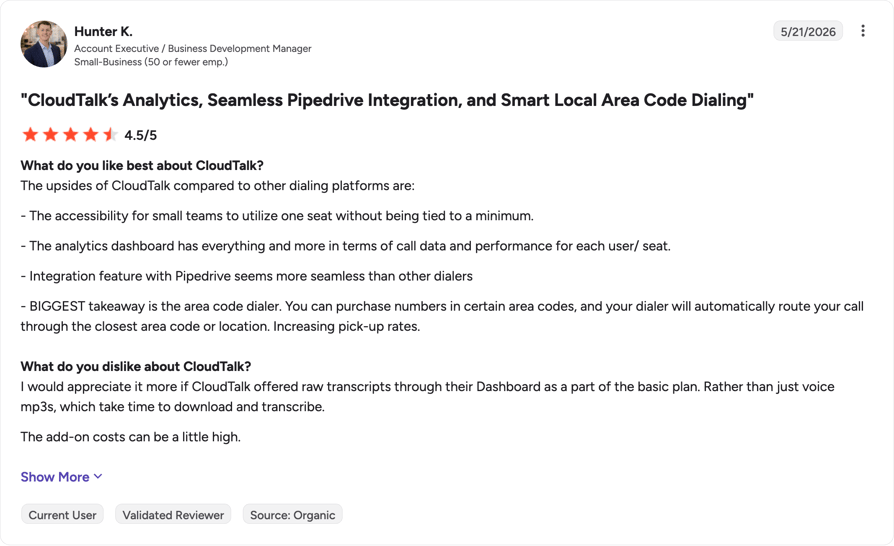
G2 reviewers mention ease of use (328 mentions) and reliability (170) most often as CloudTalk pros, and call issues (159) and connection issues (81) most often as cons. The pros and cons below come from reviews that discuss Conversation Intelligence.
What Is CloudTalk's Rating on G2?
CloudTalk is currently rated 4.4/5 on G2 based on 1961+ reviews (checked October 2026).
Pros and Cons of CloudTalk Based on G2 Reviews
| Pros | Cons |
|---|---|
| Conversation Intelligence works like a built-in sales coach | AI transcription accuracy could be better |
| AI transcripts with calls logged in HubSpot automatically | Call transcripts can be hard to find |
| Sentiment analysis helps read call outcomes and suggests follow-ups | Missing translations and a somewhat disorganized interface |
2. CallMiner: Best for Large Enterprises and Regulated Industries
What Is CallMiner?
CallMiner Eureka is a specialist conversation intelligence platform, not a phone system. It captures and analyzes calls, chats, emails and other interactions from the contact center tools you already run, and suits large contact centers in regulated industries that want deep analytics and automated QA.
What Are the Key Voice Analytics Features of CallMiner?
- Post-call and real-time:the Analyze module handles post-contact analysis, and the RealTime module alerts agents or supervisors while a call is in progress and suggests the next best action.
- Transcription:CallMiner says its recognizer transcribes "hundreds of languages", or you can bring your own transcription.
- Sentiment and emotion:sentiment analysis of voice and text, with transcripts tagged for sentiment and emotion.
- Scoring and coaching:automated scorecards in the Coach module, including auto-scored agent empathy.
- Redaction and CRM sync:automatic redaction of PCI data and custom entities, also in real time, and analytics synced to Salesforce, BI and CX tools through connectors and an open API.
Each capability is a separate Eureka module, priced by quote.
What Is CallMiner Missing?
CallMiner publishes no prices, so you can't estimate a cost per seat before a sales call. It also needs a separate phone or contact center platform to capture the calls.
On G2, an enterprise retail reviewer wrote that using the tool "often demands considerable time and resources", and G2's con themes for the listing start with steep learning curve (3 mentions). A mid-market reviewer found connecting some telephony and CRM providers "challenging to resolve".
What Is CallMiner Best For?
CallMiner fits large contact centers, often in regulated industries, that have analysts to run the platform and want post-call and real-time analytics across voice and digital channels.
How Much Does CallMiner Cost?
CallMiner pricing isn't published. Its pricing page redirects to the Eureka product page, and every module is sold through sales.
CallMiner Pricing Plans
| Plan | Price | Seat or platform minimum | What's included |
|---|---|---|---|
| CallMiner Eureka | Quote-based | Not stated | Modules chosen with sales: Analyze, Coach, RealTime, Redact, Visualize, Record and others |
What Do Customers Say About CallMiner on G2?
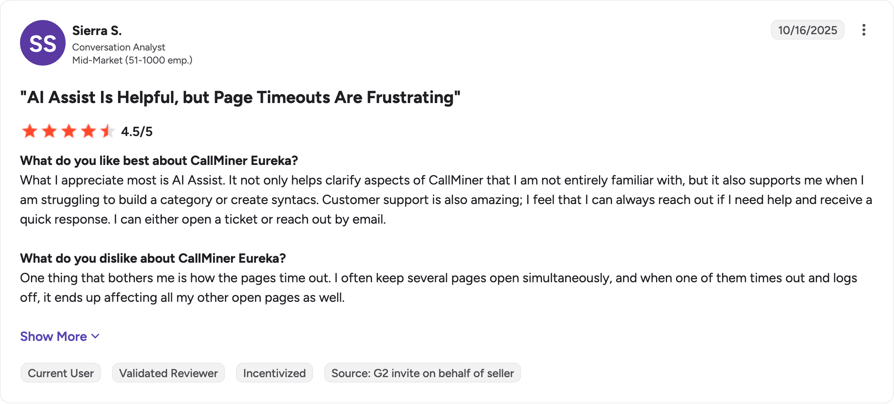
Reviewers praise the depth of CallMiner's data and QA at scale, and flag the learning curve and accuracy.
What Is CallMiner's Rating on G2?
CallMiner Eureka is currently rated 4.5/5 on G2 based on 200+ reviews.
Pros and Cons of CallMiner Based on G2 Reviews
| Pros | Cons |
|---|---|
| Deep, high-quality conversation data | Steep learning curve that needs dedicated time and resources |
| QA at scale surfaces trends a team wouldn't notice otherwise | Transcription quality needs improvement |
| Automated scorecards help improve agent performance | Connecting some telephony and CRM providers can be hard |
CallMiner Eureka analyzes calls, chats and emails from the contact center tools you already run, with live alerts in its RealTime module, automatic PCI redaction and automated scorecards. One G2 reviewer says assessing quality at scale helps their team spot trends it wouldn't have noticed before.
CloudTalk fits teams that want call analysis inside the phone system they call from, without a separate analytics platform. Transcripts, summaries, sentiment and scorecards come with Conversation Intelligence at $9 per user per month on top of the phone plan, and the summary, sentiment and topics export to CRMs such as HubSpot, Pipedrive and Salesforce. CallMiner prices every module by quote.
3. Verint: Best for Enterprises Needing Compliance and Risk Analysis
What Is Verint?
Verint Speech Analytics is part of Verint CX Analytics, inside Verint's enterprise customer engagement suite. It suits large enterprises that need compliance monitoring, risk analysis and automated QA across a large contact center.
What Are the Key Voice Analytics Features of Verint?
- Real-time and post-call:real-time speech-to-text transcription for contact centers and real-time agent assist through Verint's copilots.
- Sentiment and scoring:sentiment analysis and a score on every interaction, with automated KPI calculations.
- Themes and root causes:AI-driven themes and root-cause analysis across calls.
- Summaries:a generative AI summary during call playback.
- Redaction:PII redaction, including real-time redaction for PCI, which Verint says needs no additional product subscription.
Verint's pages don't state the transcription languages or which CRMs receive the results.
What Is Verint Missing?
Verint publishes no prices and quotes "custom pricing based on business needs". On G2, one enterprise reviewer wrote that "for the entire suite to work we must use the Verint call center platform", and another reported transcripts taking 2 to 4 hours to arrive.
Accuracy issues (11 mentions) and inaccuracy (10) are the two most frequent con themes on the listing, followed by accent recognition (5).
What Is Verint Best For?
Verint fits large enterprises that already run Verint's contact center and workforce engagement tools and need compliance and risk analysis on every call.
How Much Does Verint Cost?
Verint pricing isn't published: the company provides custom pricing based on business needs, and there's no public pricing page.
What Do Customers Say About Verint on G2?
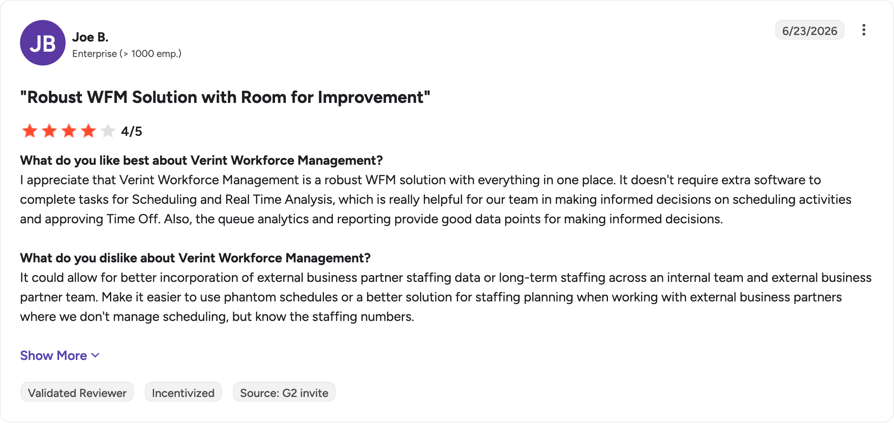
Reviewers like how fast Verint surfaces trends and root causes, and how many more calls a QA team can review. The cons focus on transcription accuracy and speed.
What Is Verint's Rating on G2?
Verint Speech and Text Analytics is currently rated 4.4/5 on G2 based on 89 reviews (checked October 2026).
Pros and Cons of Verint Based on G2 Reviews
| Pros | Cons |
|---|---|
| Quick insight into customer behavior and root causes | Transcription accuracy needs a lot of tuning |
| QA teams can listen to more of their agents' calls | The full suite only works on Verint's own call center platform |
| Call trends show up fast, so teams can react quickly | Transcripts can take 2 to 4 hours to arrive |
Verint covers real-time transcription, agent assist through its copilots and PII redaction, including real-time PCI redaction, across a large contact center. G2 reviewers value how quickly it surfaces call trends and root causes.
CloudTalk fits teams that review calls after they end and want the results in their CRM, not in a separate enterprise suite. Conversation Intelligence has a published price, $9 per user per month on top of the phone plan, while Verint quotes custom pricing and one G2 reviewer says the full suite needs Verint's own call center platform.
4. NiCE CXone: Best for Enterprise Contact Centers Wanting Omnichannel Analytics
What Is NiCE CXone?
NiCE CXone is an all-in-one cloud contact center suite, sold as CXone Mpower packages, that covers routing, voice and digital channels, workforce engagement, analytics and AI. Its speech analytics module is called Interaction Analytics.
What Are the Key Voice Analytics Features of NiCE CXone?
- Interaction Analytics:AI insights from 100% of interactions, included from the Complete Suite and an add-on on the Omnichannel, Essential and Core suites.
- Quality Management:QM and screen recording included from the Essential Suite.
- Real-time guidance:Copilot for Agents, Supervisors and Leaders, plus Automated Summary, included in the Ultimate Suite and sold as add-ons below it.
- Omnichannel:voice and digital channels in every suite, so analytics can cover more than calls.
- Languages:non-English language models can be configured, but NiCE's help docs say routing categories and intents are only available in English.
What Is NiCE CXone Missing?
Analytics sits high in the price list. Interaction Analytics is included from the Complete Suite at $209 per agent, while the $110 Omnichannel Suite needs it as an add-on, and the Ultimate Suite adds $0.25 per session on top of $249 per agent.
On G2, a systems administrator called reporting "hard to understand", a call center director found custom reports difficult to configure, and another reviewer said NiCE's acquired tools "can sometimes feel disconnected".
What Is NiCE CXone Best For?
NiCE CXone fits enterprise contact centers that want voice and digital channels, QA, workforce management and speech analytics from one vendor, and have the admin capacity to configure them.
How Much Does NiCE CXone Cost?
NiCE CXone pricing starts at $110 per agent per month for the Omnichannel Suite, billed monthly in arrears with no prepay. Voice analytics is included from the Complete Suite at $209 per agent, and the Ultimate Suite costs $249 per agent plus $0.25 per session.
NiCE CXone Pricing Plans
| Plan | Price per agent/month | Seat or platform minimum | What's included |
|---|---|---|---|
| Omnichannel Suite | $110 | Not stated | Omnichannel routing; Interaction Analytics as an add-on |
| Essential Suite | $135 | Not stated | Adds Quality Management and screen recording |
| Core Suite | $169 | Not stated | Higher tier; Interaction Analytics still an add-on |
| Complete Suite | $209 | Not stated | Interaction Analytics included |
| Ultimate Suite | $249 plus $0.25 per session | Not stated | Adds Automated Summary and Copilot for Agents, Supervisors and Leaders |
What Do Customers Say About NiCE CXone on G2?
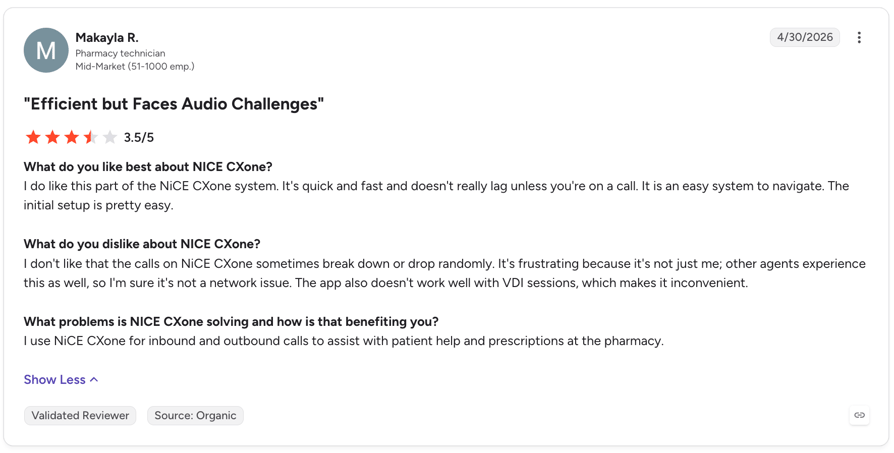
Reviewers value Interaction Analytics for mining call data and the unified suite, and flag reporting and the learning curve. The listing also holds older LiveVox and inContact reviews.
What Is NiCE CXone's Rating on G2?
NiCE CXone is currently rated 4.3/5 on G2 based on 1730+ reviews (checked October 2026).
Pros and Cons of NiCE CXone Based on G2 Reviews
| Pros | Cons |
|---|---|
| Interaction Analytics is useful for mining call data | Reporting is hard to understand |
| QA teams can pull calls from reports efficiently | Custom reports and IVR scripting take effort to learn |
| One suite with workforce management and omnichannel | Acquired tools can feel disconnected |
NiCE CXone puts voice and digital channels, quality management, workforce management and Interaction Analytics in one suite, with real-time guidance through Copilot for Agents in the Ultimate Suite. One G2 reviewer spends a fair amount of time in Interaction Analytics mining call data for insights.
CloudTalk fits sales and support teams that mainly need post-call transcripts, summaries, sentiment and scores on their calls. A Starter seat with CI Basic costs $25 plus $9 per user per month, billed annually, while NiCE includes Interaction Analytics from the Complete Suite at $209 per agent.
5. Genesys Cloud CX: Best for Large, Customizable Customer Experience Stacks
What Is Genesys Cloud CX?
Genesys Cloud CX is a cloud contact center suite with speech and text analytics built into its higher plans. It suits large contact centers that want to configure their own customer experience stack, from routing to AI.
What Are the Key Voice Analytics Features of Genesys Cloud CX?
- Speech and text analytics:interaction transcription, topic detection, topic miner and content search, included from CX 3 and an add-on on CX 1 and CX 2.
- Sentiment:customer sentiment and acoustic analysis, plus agent empathy analysis.
- Real-time:real-time monitoring for quality and compliance, and Agent Copilot for live guidance (included in CX 4, token-based on lower plans).
- Post-call AI:AI summaries after the interaction and AI scoring through Virtual Supervisor.
- CRM:a prebuilt Salesforce integration (CX Cloud from Genesys and Salesforce) on all plans; other CRM and case management integration is an add-on.
What Is Genesys Cloud CX Missing?
The speech analytics features on CX 3 and CX 4 consume Genesys Cloud AI Experience tokens. Each org gets 250 named or 350 concurrent tokens a month, and more cost extra, so the monthly bill moves with usage.
On G2, one reviewer wrote that "the transcription needs more work", and another found that settings for features such as transcription sit in different places. The supported transcription languages weren't on the pages I checked.
What Is Genesys Cloud CX Best For?
Genesys Cloud CX fits large contact centers with admins who can configure a platform and want analytics, routing, quality management and AI in one suite on an annual contract.
How Much Does Genesys Cloud CX Cost?
Genesys Cloud CX pricing starts at $75 per user per month billed annually (CX 1), but speech and text analytics is included only from CX 3 at $155. Prices assume an annual commitment, and usage-based pricing may apply on top.
Genesys Cloud CX Pricing Plans
| Plan | Price per user/month, billed annually | Seat or platform minimum | What's included |
|---|---|---|---|
| Genesys Cloud CX 1 | $75 | Annual commitment | Voice; speech and text analytics as an add-on |
| Genesys Cloud CX 2 | $115 | Annual commitment | Higher tier; speech and text analytics as an add-on |
| Genesys Cloud CX 3 | $155 | Annual commitment | Speech and text analytics included (AI tokens apply) |
| Genesys Cloud CX 4 | $240 | Annual commitment | Adds Agent Copilot and 30 AI Experience tokens per named agent |
What Do Customers Say About Genesys Cloud CX on G2?
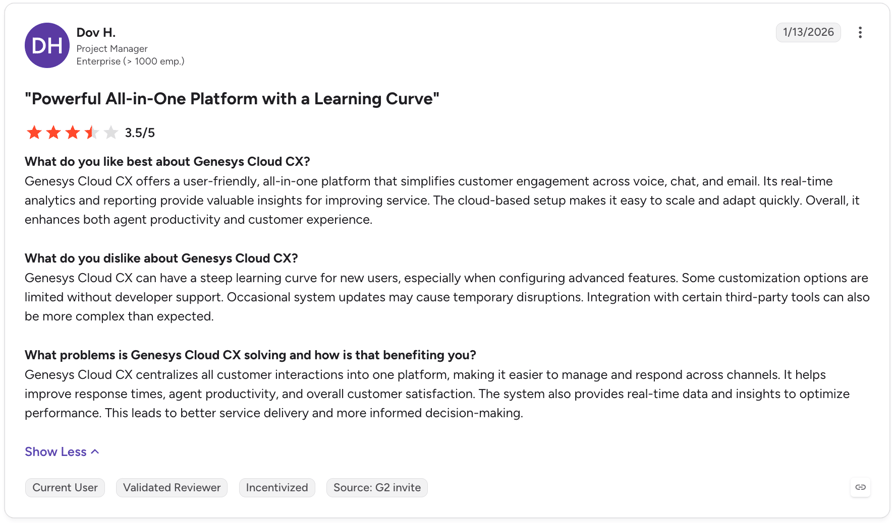
Reviewers like having speech analytics, QA and transcripts in the same suite, and flag transcription accuracy and reporting limits.
What Is Genesys Cloud CX's Rating on G2?
Genesys Cloud CX is currently rated 4.4/5 on G2 based on 1584+ reviews (checked October 2026).
Pros and Cons of Genesys Cloud CX Based on G2 Reviews
| Pros | Cons |
|---|---|
| Speech analytics and QA come in the same suite as routing and WFM | Transcription accuracy needs work |
| Transcripts and sentiment scores help with evaluations | Settings such as transcription are spread across different places |
| QM teams get recordings and transcripts in one place | Reporting is limited for detailed or custom analytics |
Genesys Cloud CX lists acoustic analysis alongside customer sentiment, plus real-time monitoring, Agent Copilot and a prebuilt Salesforce integration on all plans. One G2 reviewer lists speech analytics, quality assurance, workforce management and routing as all included.
CloudTalk fits teams that want a fixed per-user price for analytics. CI Basic costs $9 per user per month on top of the phone plan, while Genesys includes speech and text analytics from CX 3 at $155 and charges for AI Experience tokens beyond the monthly allowance.
6. Observe.AI: Best for Contact Center QA and Agent Coaching
![Observe AI Call Center Analytics]](https://media.cloudtalk.io/cdn-cgi/image/format=auto,quality=85,width=894,fit=scale-down/2026/08/observe-ai-analytics.png)
What Is Observe.AI?
Observe.AI is a contact center AI platform, not a phone system. It sells "AI Agents" for live calls (Companion Agent), after-call QA (Auto QA and Performance Agent) and insights, and suits contact centers that want to automate QA and coaching on top of their existing telephony.
What Are the Key Voice Analytics Features of Observe.AI?
- Real-time:Companion Agent recommends the next best action during the call and enforces compliance in real time.
- Auto QA:automatic assessment of 100% of customer interactions, plus a manual QA form builder with calibration.
- Coaching:coaching workflows and performance management built on the QA results.
- CRM push:summaries, sentiment scores and reports sync to CRM, BI and data lake tools through 250+ pre-built connectors.
- Security:redaction of PII, PCI and PHI in audio and transcripts; Observe.AI lists SOC 2 Type 2, ISO 27001 and PCI DSS.
Observe.AI's pages don't state the transcription languages.
What Is Observe.AI Missing?
Observe.AI publishes no prices, and you need a separate phone or contact center platform. Accuracy is the top con theme on its G2 listing (16 mentions): one reviewer said noisy audio "can occasionally trigger false positives in QA scorecards".
Another reviewer said scorecard setup "takes upfront time", and a mid-market product manager found the pricing "high for beginners" and didn't buy after the trial.
What Is Observe.AI Best For?
Observe.AI fits contact centers with a QA team that wants to score every call and turn the results into coaching, on top of a phone platform they already run.
How Much Does Observe.AI Cost?
Observe.AI pricing isn't published: there's no public pricing page, and every product page leads to a demo request.
Observe.AI Pricing Plans
| Plan | Price | Seat or platform minimum | What's included |
|---|---|---|---|
| Observe.AI platform | Quote-based | Not stated | AI Agents chosen with sales: Companion Agent, Auto QA, Performance Agent, Insights Agents, Voice AI |
What Do Customers Say About Observe.AI on G2?
Reviewers praise automated grading of nearly every call and the coaching insights, and flag accuracy on noisy audio, setup time and price.
What Is Observe.AI's Rating on G2?
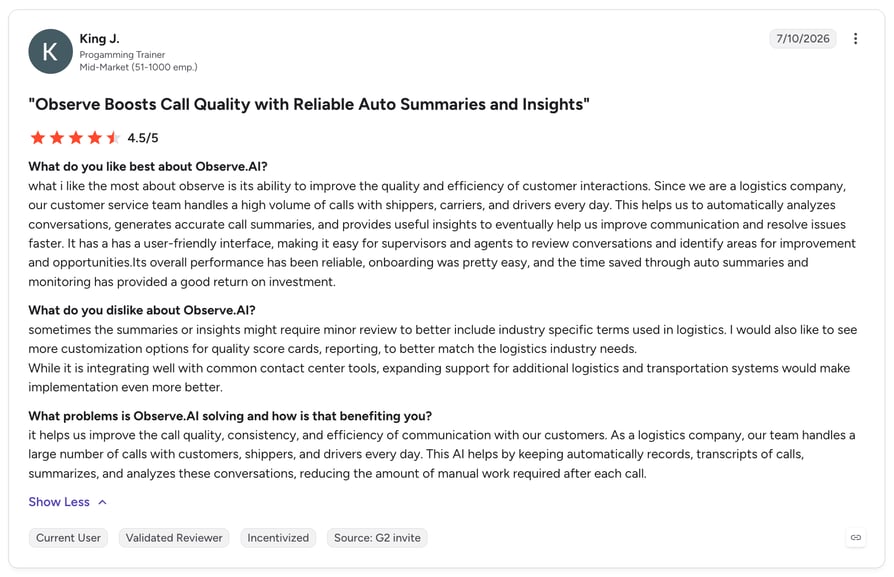
Observe.AI is currently rated 4.5/5 on G2 based on 300+ reviews (checked October 2026).
Pros and Cons of Observe.AI Based on G2 Reviews
| Pros | Cons |
|---|---|
| Transcribes and grades nearly all customer calls automatically | Noisy audio can trigger false positives in QA scorecards |
| Turns customer conversations into coaching insights | Setting up scorecards and workflows takes upfront time |
| Maps structured call summaries into custom CRM fields | Pricing feels high for smaller buyers |
Observe.AI scores 100% of interactions with Auto QA, guides agents live with Companion Agent and syncs summaries to CRM, BI and data lake tools through 250+ pre-built connectors. One G2 reviewer says it turns customer conversations into coaching insights.
CloudTalk fits teams that want the phone system and the analysis from one vendor: calls are recorded, transcribed, summarized and scored against up to 10 scorecard templates in the same platform, at a published per-user price. Observe.AI runs on top of a separate phone or contact center platform and is priced by quote.
7. Dialpad: Best for Real-Time AI Transcription and Coaching in a Unified Platform
What Is Dialpad?
Dialpad is a cloud communications platform with AI built into its phone system (Dialpad Connect), contact center (Dialpad Support) and sales product (Dialpad Sell). It suits teams that want real-time transcription and live coaching in the same app they call from.
What Are the Key Voice Analytics Features of Dialpad?
- Real-time transcripts:real-time call transcription and instant call summaries from Connect Standard.
- Contact center analytics:Support Essentials adds AI transcripts, recaps, PII redaction, sentiment and contact center analytics.
- Live Coach:Real-time Assist, AI Assistant and Custom Moments, from Support Advanced.
- Quality Management:AI CSAT that scores 100% of calls, scorecards, playbooks and a coaching hub, from Support Advanced.
- CRM sync:call data and insights sync with CRMs such as Salesforce, HubSpot and Zoho.
What Is Dialpad Missing?
Live coaching and scorecards start on Support Advanced at $119 per user, and the contact center plans are priced separately from Dialpad's phone plans. The transcription languages weren't on the pages I checked.
On G2, an enterprise sales manager noted that "many AI features fail to work if call recording is disabled", and another asks for more accurate AI transcription in noisy environments and for different accents.
What Is Dialpad Best For?
Dialpad fits teams that want real-time AI transcription, live coaching and QA scorecards in one platform, and are ready to pay for the Advanced tier to get the coaching tools.
How Much Does Dialpad Cost?
Dialpad pricing starts at $15 per user per month billed annually for Connect Standard, which includes real-time transcripts and call summaries. Contact center analytics start at $89 (Support Essentials), and Live Coach with QM scorecards at $119 (Support Advanced).
Dialpad Pricing Plans
| Plan | Price per user/month, billed annually | Seat or platform minimum | What's included |
|---|---|---|---|
| Connect Standard | $15 | Not stated | Real-time transcripts and instant call summaries |
| Connect Pro | $25 | Not stated | Higher phone system tier |
| Support Essentials | $89 | Not stated | AI transcripts, recaps, PII redaction, sentiment, contact center analytics |
| Support Advanced | $119 | Not stated | Adds Live Coach and Quality Management (AI CSAT, scorecards, playbooks, coaching hub) |
| Support Premium | $149 | Not stated, annual only | Adds workforce management |
What Do Customers Say About Dialpad on G2?
Reviewers like the AI recaps, transcripts and sentiment, and flag accuracy and the dependence on call recording. These reviews are from the Dialpad Connect listing; the Dialpad Support listing (4.4/5, 700+ reviews) is mostly about Dialpad's own customer support.
What Is Dialpad's Rating on G2?
Dialpad Connect is currently rated 4.4/5 on G2 based on 4266+ reviews (checked October 2026).
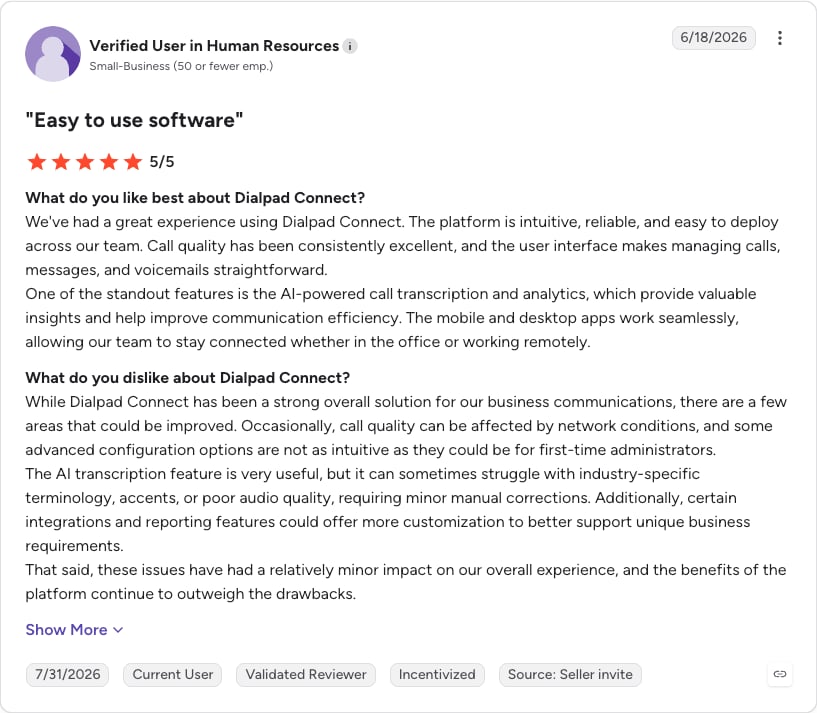
Pros and Cons of Dialpad Based on G2 Reviews
| Pros | Cons |
|---|---|
| AI recaps with full transcripts for inbound and outbound calls | AI features aren't always fully accurate |
| Real-time transcripts and sentiment analysis | Many AI features stop working if call recording is off |
| Every call shows its transcript and a summary | Accuracy drops with background noise and accents |
Not sold on Dialpad? The following video shows why Pactum decided to switch to CloudTalk from Dialpad:
Dialpad includes real-time transcripts and call summaries from its $15 Connect Standard plan, and Support Advanced at $119 adds Live Coach and AI CSAT that scores 100% of calls. Teams that need prompts during the call get them here; CloudTalk doesn't offer real-time transcription.
CloudTalk fits teams that review calls after they end and want scorecards without moving to a contact center tier. Call scoring with up to 10 scorecard templates is part of CI Basic at $9 per user per month, added to any CloudTalk phone plan, while Dialpad's scorecards start on Support Advanced.
8. Talkdesk: Best for Enterprise AI-Powered QA and Workflow Automation
What Is Talkdesk?
Talkdesk is a cloud contact center (Talkdesk CX Cloud) with an AI layer it calls Customer Experience Automation. It suits enterprise contact centers that want AI-powered QA, agent assist and workflow automation from one vendor.
What Are the Key Voice Analytics Features of Talkdesk?
- Interaction & Quality Analytics:transcribes and analyzes 100% of customer interactions to identify topics, intent and sentiment (an add-on, priced by sales).
- Talkdesk Copilot:real-time assist that listens to and guides agents during calls, plus wrap-up summaries (an add-on, priced by sales).
- Voice Essentials:voice engagement, speech recognition and voicemail transcription.
- Elite:custom reporting, screen recording, performance management and workforce management.
Talkdesk keeps its transcription languages in a separate "AI Supported Languages" list, which I didn't check.
What Is Talkdesk Missing?
Voice analytics isn't in any listed plan: Interaction & Quality Analytics and Copilot are add-ons sold through sales. The $85 Digital Essentials plan has no voice, so the voice entry point is $105 per user before analytics.
On G2, one reviewer says the AI and transcription sometimes don't work properly, another that reporting dashboards "lack flexibility", and a third that the auto summary doesn't always pick the right disposition.
What Is Talkdesk Best For?
Talkdesk fits enterprise contact centers that want QA, AI assist and workflow automation on one platform and are prepared to negotiate the AI add-ons.
How Much Does Talkdesk Cost?
Talkdesk pricing starts at $85 per user per month for Digital Essentials, which has no voice. Voice starts at $105 (Voice Essentials), and voice analytics is a quote-based add-on. The pricing page doesn't state the billing term.
Talkdesk Pricing Plans
| Plan | Price per user/month | Seat or platform minimum | What's included |
|---|---|---|---|
| Digital Essentials | $85 | Not stated | Email, chat, SMS and social; no voice |
| Voice Essentials | $105 | Not stated | Voice engagement, speech recognition, voicemail transcription |
| Elite | $165 | Not stated | Adds custom reporting, screen recording, performance management, WFM |
| Industry Experience Clouds | $225 | Not stated | Industry-specific packages |
| Talkdesk Express (US and Canada, under 50 employees) | Not stated | Includes 25 licenses and $100 in free credit | No commitment or contract required |
| Interaction & Quality Analytics, Copilot | Contact sales | Not stated | Voice analytics and real-time assist add-ons |
What Do Customers Say About Talkdesk on G2?
Reviewers like live transcription, automatic call selection for QA and AI summaries, and flag transcription glitches and reporting flexibility.
What Is Talkdesk's Rating on G2?
Talkdesk is currently rated 4.4/5 on G2 based on 2609+ reviews (checked October 2026).
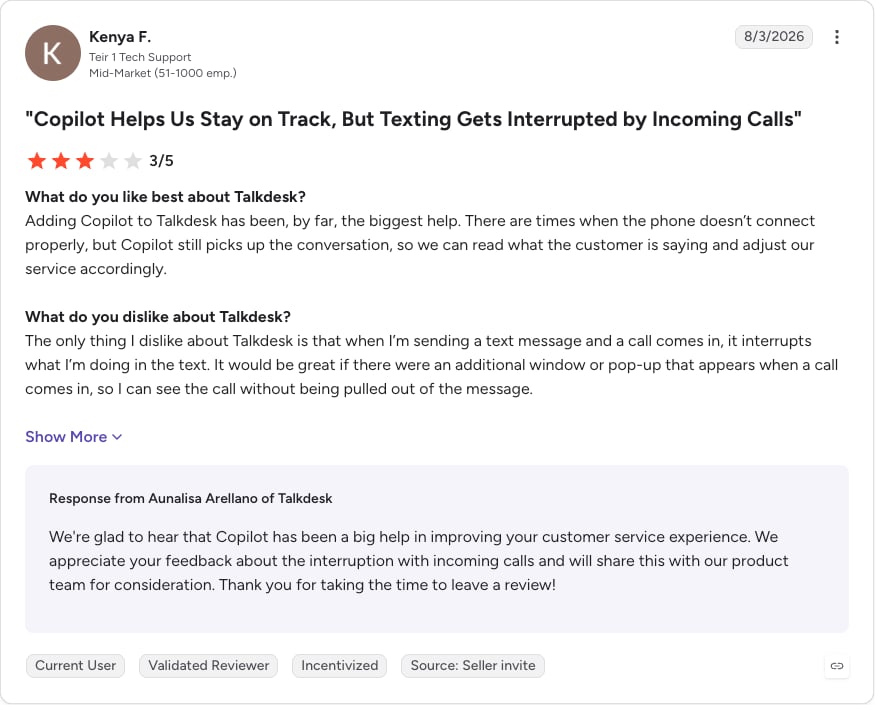
Pros and Cons of Talkdesk Based on G2 Reviews
| Pros | Cons |
|---|---|
| Transcription helps catch details missed on the call | Transcription and AI sometimes don't work properly |
| Quality Management selects calls for review automatically | Reporting dashboards lack flexibility |
| AI summaries cut after-call documentation | The auto summary doesn't always pick the right disposition |
Talkdesk analyzes 100% of interactions for topics, intent and sentiment with Interaction & Quality Analytics, and Copilot guides agents during calls; both are add-ons priced by sales. One G2 reviewer likes that Quality Management picks calls for review automatically.
CloudTalk fits teams that want analytics at a published price: CI Basic costs $9 per user per month on top of a phone plan from $25, while Talkdesk's voice plans start at $105 before the quote-based analytics add-on.
How I Chose the Best Voice Analytics Software for Call Centers
I judged each tool on six criteria, taken from the questions call center buyers ask before they commit to voice analytics:
- Real-time or post-call: when the analysis happens, and which plan includes live features
- Accuracy and languages: what the vendor states, and what G2 reviewers report on accents and noise
- Depth of analysis: sentiment, topics, summaries and scorecards
- CRM and helpdesk push: where summaries and scores end up
- Privacy and compliance: redaction, certifications and how call data is processed
- Total cost per seat: phone or contact center plan plus the analytics add-on, tokens or session fees
Benefits and Use Cases of Call Center Voice Analytics
The main benefits of speech analytics are coverage and time. In a Gartner survey of 265 customer service and support leaders published in October 2025, AI in analytics, knowledge content generation and quality assurance ranked among the most valuable AI use cases, and 75% of leaders reported bigger AI budgets than the year before.
Our own buyers put it more plainly: they want to stop typing call notes and to find the calls that went wrong without listening to all of them.
Better Customer Experience
Sentiment analysis flags calls where the customer ended unhappy, even when the agent didn't notice. Instead of waiting for a bad review, you open the negative calls first and fix the cause. Our guide to call center sentiment analysis covers how to read those scores.
CloudTalk rates every call's sentiment after it ends and shows a timeline with the agent and the contact on separate tracks, so you can see where the conversation turned.
Hypothetical example: a support lead filters last week's calls by negative sentiment and finds the same billing question behind most of them. The team rewrites the help article and the agent script, then checks the following week's sentiment on that topic.
Agent Coaching and QA
Manual QA can't keep up with call volume. A 2022 McKinsey analysis2 found that manual call-sampling methods capture less than 2 percent of all interactions. Voice analytics for call quality assessment scores every call against the same scorecard, and topics show where agents struggle.
CloudTalk's call scoring checks each transcript against up to 10 scorecard templates, and the AI Analytics report lets a team lead filter by score. More options are in our list of call center QA software.
Hypothetical example: a team lead sees that a new agent keeps scoring low on the discovery questions. They listen to two of those calls together, rehearse the questions, and check the agent's scores again the following week.
Efficiency and Productivity
After-call admin eats into talk time. AI call summaries and notes replace typing, and the CRM gets a consistent record of every call instead of whatever the agent remembered to write.
CloudTalk writes a summary and Smart Notes after each call and exports the summary, sentiment and topics to CRMs such as HubSpot, Pipedrive and Salesforce.
Hypothetical example: an outbound rep finishes a discovery call and moves straight to the next one. The summary and next steps are already on the contact in the CRM when the account executive picks up the deal.
Compliance Monitoring
Speech analytics for call center compliance works in two ways. Post-call, you search transcripts for required disclosures and review every call that failed a compliance question. Real-time tools such as CallMiner, Verint and Observe.AI can also flag or redact sensitive data while the call is live.
CloudTalk works after the call: you can search transcripts and score calls against a compliance scorecard, but it doesn't flag agents mid-call. CloudTalk's pricing page lists SOC 2, GDPR and HIPAA on all plans. If you work in healthcare, check our guide to HIPAA call center requirements before you set anything up.
Hypothetical example: a compliance lead adds "Did the agent read the recording disclosure?" to a scorecard, then reviews every call that scored no and retrains the agents involved.
Strategy and Product Insight
Topics show what customers ask about, complain about and request, in their own words. Product and marketing teams get evidence from real calls for customer behavior analytics instead of anecdotes from the last meeting.
CloudTalk generates topics on every call, shows trending topics from the past 24 hours in the AI Analytics report, and lets CI Plus users track up to 20 custom topics.
Hypothetical example: after a release, a product manager checks trending topics and sees requests for a missing integration climbing. They pull a handful of transcripts into the roadmap review as evidence.
What Are the Drawbacks of Voice Analytics?
Voice analytics adds work before it saves any. These are the drawbacks to plan for:
- Implementation complexity:you need clean call data, integrations and scorecards that match how your team works.
- Privacy risk:call recordings and transcripts hold personal data. Mistakes in consent, storage or retention under rules such as GDPR or CCPA can lead to legal trouble.
- False positives:sentiment and intent detection get things wrong, and a misread call can lead to the wrong coaching conversation.
- Accuracy by accent and language:transcription quality drops with background noise, strong accents and less common languages, and accuracy issues are among the top G2 con themes for Verint and Observe.AI.
- Add-on cost:most vendors charge for analytics on top of the phone or contact center plan, through a separate add-on, a higher tier or usage tokens.
- Change management:agents may read analytics as surveillance or as a step toward replacing them. In a Gartner survey1 published in December 2025, only 20% of customer service leaders had reduced agent staffing because of AI.
Tell agents early that scores are for coaching, and let them see their own results before their manager does.
Features to Look For in Speech Analytics Software
Call center voice analysis software differs most in when it analyzes calls, how it scores them and where the results go. Use these six features as your checklist.
Accurate Transcription and Languages
Every other feature runs on the transcript. A wrong word changes the topic, the sentiment and the score. Ask for the list of supported languages and whether the tool detects the language on each call, then run your own recordings through a trial. Our roundup of call transcription software compares transcription-first tools.
Post-Call Insights, Sentiment and Scoring
Look for summaries, sentiment, topics and scorecards you can build around your own rubric. Check how many scorecard templates and custom topics you get, whether a score comes with a justification you can show the agent, and whether the results feed your call analytics reports.
Real-Time Monitoring and Coaching
Live listening and live alerts are different things. Call monitoring lets a supervisor listen, whisper or barge into a call; it isn't speech analytics. Real-time speech analytics reads the conversation as it happens and prompts the agent. If you need prompts during the call, confirm which plan includes them.
CRM and Helpdesk Integrations
The summary and score should land on the contact record without anyone copying them. Ask which integrations receive analytics data (not just call logs), whether you need a higher plan for them, and whether custom fields are supported.
Privacy and Compliance
Check how the vendor handles consent to record, where recordings and transcripts are stored, how long they're kept and who can access them. For regulated data, confirm that every part of the pipeline, including the transcription provider, is covered by the vendor's compliance commitments. CloudTalk publishes its approach on its security page.
What Does Voice Analytics Software Cost?
Vendors price voice analytics per seat, per seat plus usage, or by quote. CloudTalk, Dialpad, NiCE CXone and Genesys Cloud CX publish prices; CallMiner, Verint and Observe.AI don't, and Talkdesk sells its analytics add-on through sales. Genesys adds AI tokens and NiCE's Ultimate Suite adds a per-session fee.
On CloudTalk, a support team on Essential with CI Basic pays $29 plus $9 per agent per month, billed annually. Switching to CI Plus for custom summaries and topics makes it $29 plus $19. Start your 14-day free trial, no credit card required.
How Do You Implement Speech Analytics in Your Call Center?
Start small. One team for one week tells you more about accuracy and adoption than a long vendor demo:
- Define your goals: pick one or two outcomes, such as fewer typed CRM notes or QA coverage of every call.
- Choose the platform: decide whether you need real-time features, then compare accuracy, languages, CRM push and total cost per seat.
- Integrate with your CRM: connect the CRM first, so every summary and score lands on the right contact from day one.
- Set up scorecards, topics and searches: turn your QA rubric into a scorecard, add the topics you care about and save searches for key phrases.
- Train the team: show agents what's analyzed and how scores feed coaching, not discipline.
- Review and adjust: after the first week, compare the AI scores with your own review of the same calls, then fix the scorecard and roll it out to the next team.
What Are the Future Trends in Speech and Voice Analytics?
Pressure to adopt AI in customer service is rising. In a Gartner survey of 321 service leaders1 published in February 2026, 91% reported pressure from executive leadership to implement AI. These are the five trends to watch:
- Real-time analysis:more vendors move transcription, alerts and scoring into the live call.
- Multimodal analytics:calls analyzed alongside chat, email and screen recordings for a single view of the customer.
- Emotion and intent detection:models that read buying signals and frustration beyond keywords.
- Agent assist:AI call center technology that suggests answers during the call and writes the CRM update after it.
- Privacy-first design:redaction, consent controls and data residency built in as rules tighten.
Availability varies by vendor. CloudTalk's Conversation Intelligence works after the call, while several enterprise suites here already sell real-time assist.
Ready to See What Your Calls Are Telling You? Start With One Team
Pick one goal, such as QA coverage or CRM notes without typing, and shortlist two tools from the comparison table that match it. Run a trial with one team for a week.
Check that the summaries land on the right contacts in your CRM, and compare the AI scorecard results with your own review of the same calls. CloudTalk's Conversation Intelligence comes with a 30-day free trial for new accounts, so you can run the pilot before you pay for analytics.
Sources:
- Gartner
- McKinsey & Company
FAQs About Call Center Voice Analytics
Answers on voice analytics features, accuracy, real-time vs post-call, cost and compliance for call center teams.
Call center voice analytics is software that transcribes calls and analyzes them for sentiment, topics, compliance risks and coaching opportunities. It's also called speech analytics, or call centre speech analytics in the UK, and is one part of wider call center analytics. Managers see results from every call instead of a sample and open only the calls that need attention.
Speech analytics looks at the words spoken, while voice analytics also looks at how they're said: tone, emotion and pace. Most vendors use the two terms for the same product, so check what a tool analyzes. Some read sentiment from the transcript, others from the audio itself.
Speech analytics works in four steps. It transcribes the call, reads the transcript for topics and intent, scores sentiment and scorecard questions, then reports the results and pushes them to your CRM. Accuracy drops with poor audio and strong accents, so test it on your own calls first.
Both exist. Real-time tools such as Dialpad, Observe.AI, CallMiner and Verint analyze the call while it's live and prompt agents with AI coaching. Post-call tools analyze the recording after it ends, which suits QA and trend reports. CloudTalk's Conversation Intelligence is post-call only and has no live agent assist.
Voice analytics accuracy varies with accents, background noise and language, because every score starts from a speech-to-text transcript. On G2, accuracy issues are among the top cons for Verint and Observe.AI. Run a trial on your own calls and compare the transcripts and sentiment scores with a manager's review before you trust them for coaching.
Voice analytics lets you review every call instead of a small sample. It scores calls for quality management, writes summaries and notes into the CRM, flags unhappy customers through sentiment and gives product teams evidence from real conversations. Teams that coach from scores instead of memory get the most value.
CloudTalk is the best call center voice analytics software for small and mid-sized teams that want post-call insights inside their phone system and CRM. Dialpad suits real-time transcription and coaching, Observe.AI suits automated quality monitoring, and CallMiner, Verint, NiCE CXone, Genesys Cloud CX and Talkdesk suit large enterprise contact centers.
Most vendors use a per-seat call center pricing model, with analytics on top of the phone or contact center plan. Published entry prices that include analytics run from $25 plus $9 per user on CloudTalk (Starter with CI Basic) to $209 per agent on NiCE CXone's Complete Suite. CallMiner, Verint and Observe.AI quote prices on request.
Yes. Searchable transcripts and compliance scorecards show which calls missed a required disclosure, and some tools such as CallMiner and Verint can redact sensitive data in real time. Check consent to record, storage location and who can access recordings. CloudTalk's pricing page lists SOC 2, GDPR and HIPAA on all plans.
Yes. A small sales or support team on small business call center software with an analytics add-on gets summaries in the CRM, sentiment on every call and scorecards for coaching without hiring a QA analyst. Phone systems with analytics built in, such as CloudTalk or Dialpad, publish their prices and skip the separate platform and quote that enterprise tools need.
The main call center trends in voice analytics are real-time analysis during live calls, multimodal analytics across calls, chat and email, emotion and intent detection, AI agent assist that writes CRM updates, and privacy-first design with built-in redaction. Availability varies by vendor, so check which features are live on the plan you'd buy.
Call transcription turns audio into text. Voice analytics reads that text and adds sentiment, topics, summaries, scorecard results and reports, so you get AI call analysis across all your calls instead of reading transcripts one by one. Some tools also analyze tone and pace from the audio.