TL;DR Comparison Table: Best Call Center Quality Assurance Software Recognized by G2
| Software | Best For | Key QA Features | Starting Price | G2 Rating |
|---|---|---|---|---|
| CloudTalk | SMB and mid-market sales/support (single platform) | AI Call Scoring, Real-Time Call Monitoring, Transcript Search, Call Recording | $25/user/mo | 4.4/5 |
| Scorebuddy | Mid-market dedicated QA (50–500 agents) | Configurable scorecards, Auto QA, Coaching workflows | ~$165/mo flat | 4.5/5 |
| Playvox QM | Salesforce/Zendesk-stack omnichannel teams | Automated QA, Calibration, Coaching, Salesforce/Zendesk native | ~$25–$45/user/mo | 4.8/5 |
| EvaluAgent | Mid-market blended AI + human QA | AutoQM, Conversation Intelligence, Scorecard builder | From $35/user/mo | 4.5/5 |
| Talkdesk | Regulated industries (healthcare, insurance) | Speech analytics, Screen recording, Whisper coaching | From $85/user/mo | 4.4/5 |
| Dialpad | AI-native voice with built-in coaching | Real-time transcription, AI CSAT, Coaching insights | From $15/user/mo | 4.4/5 |
| Genesys Cloud CX | Enterprise omnichannel quality management | AI scoring, WFM, Screen recording, Omnichannel QA | From $75/user/mo | 4.4/5 |
| Zendesk QA (Klaus) | Zendesk-native support teams | AI conversation review, Automated scoring, Agent coaching | From $50/user/mo | 4.6/5 |
| Balto AI | Real-time agent guidance | Live call guidance, Real-time QA alerts, Coaching | Contact sales | 4.8/5 |
| Gong | Revenue/sales teams conversation intelligence | Deal intelligence, Call coaching, AI transcription | Contact sales | 4.7/5 |
| Convin.ai | Omnichannel contact centers (voice + chat + email) | 100% interaction audit, Last-mile coaching, Real-time assist | Free plan; Enterprise quote | 4.7/5 |
| NICE CXone | Large enterprise (500+ agents) | 100% interaction recording, AI quality scoring, WFM integration | From $110/user/mo | 4.3/5 |
Skip the reading. See it live.
Introduction
According to McKinsey’s 2024 “AI mastery in customer care” report, generative AI has the potential to yield more than 50% savings in quality assurance costs, alongside a 25-30% increase in agent efficiency and a 5-10% improvement in customer satisfaction.¹
Most teams feel the problem before they can quantify it. Supervisors spend their afternoons listening to recordings, sampling two or three calls per agent per week. McKinsey’s analysis also shows that manual QA (Quality Assurance) typically evaluates only 1-5% of customer interactions, while a largely automated QA process can achieve more than 90% accuracy, compared to 70-80% for manual scoring.
That gap between a two-call weekly sample and near-total coverage without losing accuracy is exactly what the 12 tools below are built to close, so here's a closer look at which ones actually deliver on it.
How We Evaluated the Best Call Center QA Tools in 2026
To build this list, we reviewed pricing pages, technical documentation, and thousands of unfiltered user reviews across G2, Trustpilot, Reddit, and Quora. Our focus was on the SMB-to-mid-market segment: teams of 5 to 500 agents looking for a QA tool that can cover more than the 1-5% of calls most contact centers still review manually.
We evaluated every platform against five key criteria:
- G2 presence and ratingevery tool must have a verified G2 profile with meaningful review volume. The G2 modifier in this query tells us buyers are already using G2 as their trust layer, so we surface that data prominently.
- QA-specific feature depthwe assessed call recording, scoring, coaching workflows, AI automation, and analytics maturity for each tool, paying close attention to call quality assurance metrics like scorecard completion rates, interaction coverage, and coaching follow-through, including whether AI-powered scoring automates evaluation or simply assists manual review.
- Pricing transparencywe show verified plan ranges or flag “contact sales” clearly, with no estimated figures presented as confirmed.
- Fit across team sizesthe list covers SMB, mid-market, and enterprise options so readers at different stages find relevant picks.
- Integration breadthQA tools that don’t connect to your existing CRM, helpdesk, or phone system create process debt. We evaluated native integration depth for each.
On top of that, for each tool, we also include a Sentiment Score: an editorial assessment across five fixed dimensions (Ease of Use, Feature Set, Value for Money, Customer Support, and Integration Depth). Each dimension is scored 1-10 based on recurring themes across G2 reviews. The same five dimensions apply to every tool so scores are directly comparable.
What Is the Best G2-Backed Call Center Quality Assurance Software in 2026?
CloudTalk is our top G2 recognized call center QA software for teams that want a single platform combining cloud calling infrastructure with native AI quality assurance. Unlike standalone QA tools that require a separate phone system, CloudTalk runs both layers together, so every recorded call is available for AI scoring, transcript search, and supervisor review without exporting data between systems.
This is not just our opinion, though. CloudTalk was officially named a 2026 G2 High Performer in Contact Center Quality Assurance, earning recognition in both the Small Business Leader and Momentum Leader categories. With 4.4/5 on G2 from 1,800+ reviews, CloudTalk holds one of the strongest satisfaction scores among tools that combine telephony with quality management in one subscription.
However, one size doesn't fit all. That's why the section below thoroughly covers all 12 quality assurance call center platforms that made it to our list, so you can compare features, pricing, and G2 ratings side by side.
12 Best Call Center Quality Assurance Software: Top 12 G2 Picks
1. CloudTalk: Best G2-Trusted Call Center QA Software for SMB and Mid-Market Sales and Support Teams
What Is CloudTalk?
CloudTalk is an AI-powered call center software, and the only tool in this list that ships both the phone system and the AI quality assurance layer in one subscription. For SMB and mid-market sales and support teams, that means no second vendor contract, no call data sitting in a separate platform, and QA findings landing directly in the CRM (Customer Relationship Management) records your reps already work from. With CloudTalk, call center coaching happens in the same interface supervisors already have open, and the gap between a failed evaluation and a follow-up session shrinks from days to hours.
What Are CloudTalk's Key Features?
- Instant AI-powered scores on every call, evaluating agent performance across skills, playbook alignment, and compliance criteria, or any criteria you define.
- Listen, Whisper, and Barge controls so supervisors can coach agents live during a call without the customer hearing. This is the foundation of effective call monitoring within a QA workflow.
- Automatic recordings paired with post-call transcripts and AI summaries for QA review without listening to full audio.
- Exact-match keyword search across the full transcript corpus, useful for compliance audits, coaching examples, and finding mentions of specific topics or competitors.
- Besides AI call scoring, CloudTalk's AI suite offers automatic transcription, AI call summaries, sentiment analysis, topic detection, and talk/listen ratio across every recorded interaction. And it costs just $9/user/mo, with no additional costs, no matter how often you use it.
What Are CloudTalk's Pros and Cons?
| Pros | Cons |
|---|---|
| Call center infrastructure and AI QA under one roof, no separate vendor required | AI Conversation Intelligence is a paid add-on ($9/user/mo) |
| G2 reviewers consistently cite faster deployment than enterprise QA alternatives | Reporting dashboard lacks some advanced filters found in dedicated WFM platforms |
| 100+ native integrations (HubSpot, Salesforce, Pipedrive, Zendesk) sync call scores and AI summaries directly into your CRM | Not a specialized Q&A platform. |
Who Is CloudTalk Best For?
Growing SMB support and sales teams that want a cloud phone system with native AI QA, without adding a second vendor, will get the most from CloudTalk. It’s well-suited to SMB and mid-market sales or support operations where deployment speed matters. Teams already running a full enterprise WFM (Workforce Management) suite may prefer a standalone QA specialist.
Customer Story: Allycom
Allycom (Financial Services) uses CloudTalk to capture every call across 100 countries. That recording footprint is what made post-call QA review scalable without manual gaps.
How Much Does CloudTalk Cost?
CloudTalk pricing starts at $25 (billed annually), with the following plans:
CloudTalk Pricing Plans
| Plan | Pricing (Annual) | Main Features |
|---|---|---|
| Starter | $25/user/mo | Call recording, call queues, unlimited outbound calling, basic call flow designer, business hours, ring groups, unlimited history & basic dashboard |
| Essential | $29/user/mo | Everything in Starter + IVR, unlimited call recording storage, call monitoring, SMS/MMS, skill-based routing, API & webhooks, workflow automation, 95+ CRM/helpdesk integrations (excl. Salesforce) |
| Expert | $49/user/mo | Everything in Essential + Salesforce integration, Power Dialer, Smart Dialer, Preview Dialer, real-time analytics, wallboard, unlimited concurrent calls, single sign-on; 3-seat minimum |
| Custom | Contact Sales | Custom SLA, dedicated support, custom onboarding, bespoke integrations |
| Lite (LATAM only) | $19/user/mo | Unlimited inbound & intracompany calls, click-to-call, voicemail, call notes & tags, mobile app. Latin America only. |
| AI Conversation Intelligence | $9/user/mo | Call transcriptions, call scoring, sentiment analysis, talk/listen ratio, automatic tags & summaries, topics extraction, and more |
Cheaper than Starter:
As the table shows, CloudTalk also offers a Lite plan, but it's available in Latin America only. Teams in North America and other regions should start with the Starter plan.
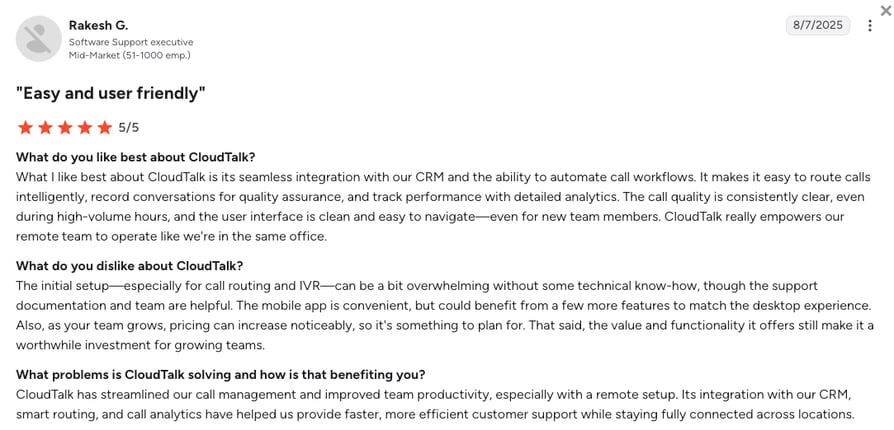
What Are Real Users Saying About CloudTalk?
CloudTalk's setup speed is the reason most G2 reviewers say they switched from larger enterprise platforms, and the coaching workflow is what keeps them. Call monitoring, recordings, and AI summaries appearing together in one interface shows up in multiple five-star reviews as the specific change that altered how supervisors interact with their teams.
Four-star reviews converge on one concern: the AI Conversation Intelligence add-on cost, which surprises buyers who assumed it was part of the base subscription.
What Is CloudTalk's G2 Rating and Review Count?
CloudTalk's current G2 rating is 4.4/5, out of 1,702+ verified user reviews. CloudTalk was also named a G2 High Performer in Contact Center Quality Assurance in 2026, earning the Small Business Leader and Momentum Leader badges.
AI Voice Agents and AI Receptionist Calls Are Scored Too
CloudTalk’s AI quality scoring doesn’t stop at human agents. Every call handled by an AI Voice Agent or AI Receptionist is scored the same way: same criteria, same transcript, same feedback loop.
How Do We Rate CloudTalk?
CloudTalk rates highest among tools that bundle telephony with QA. The high ease-of-use and value scores reflect a consistent G2 theme: CloudTalk deploys fast and QA data flows into HubSpot (Essential plan) or Salesforce (Expert plan) without a manual export step. The main friction point is the AI Conversation Intelligence add-on. Buyers who expected it bundled push back on the extra line item, and some reviewers coming from dedicated WFM platforms find the reporting filters less granular than what they left behind.
CloudTalk Sentiment Score
| Category | Score (1–10) |
|---|---|
| Ease of Use | 9 |
| Feature Set | 8 |
| Value for Money | 9 |
| Customer Support | 8 |
| Integration Depth | 9 |
| Overall | 8.6 |
2. ScorebuddyCX: Best for Mid-Market Dedicated QA (50–500 Agents)
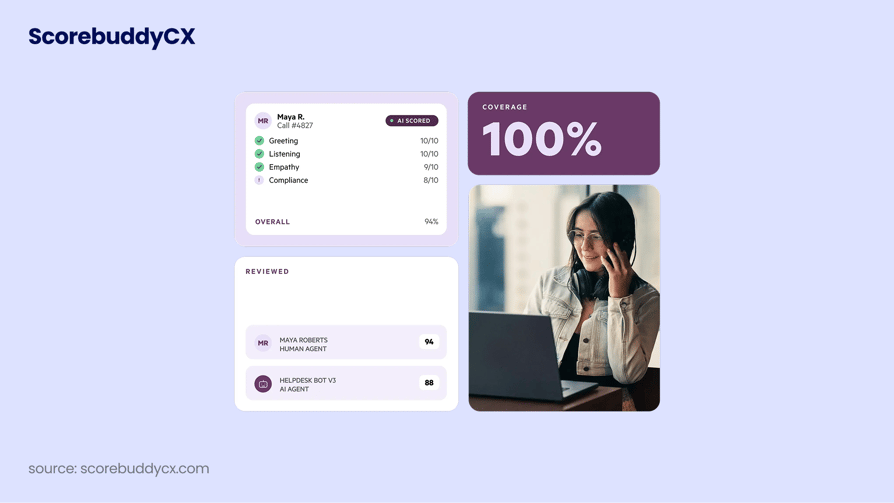
What Is Scorebuddy?
ScorebuddyCX has held a G2 Leader badge in the Contact Center Quality Assurance category for 14 consecutive quarters, longer than most of the tools in this list have existed as standalone products. That consistency matters for enterprise buyers using G2 as a stability signal, not just a satisfaction metric.
What Are Scorebuddy's Key Features?
- Customizable QA scorecardsBuild and deploy scorecards by channel (voice, chat, email) with weighted scoring criteria, no technical resources required.
- Auto QAAI-powered automated scoring across 100% of interactions, reducing the manual sampling bottleneck.
- Coaching workflowsBuilt-in coaching sessions linked directly from failed QA evaluations so feedback reaches agents in context.
- Analytics and performance dashboardsAgent and team-level QA score trends, calibration reporting, and performance tracking over time.
- CRM and helpdesk integrationsConnects with Salesforce, Zendesk, and Freshdesk; API available for custom workflows.
What Are Scorebuddy's Pros and Cons?
| Pros | Cons |
|---|---|
| G2 Leader in Contact Center QA for 14+ consecutive quarters, a consistent market-confidence signal | Does not include call recording or telephony; requires integration with an existing phone platform |
| Highly configurable scorecards without needing technical resources, faster initial setup than WFM-bundled QA | Flat-fee pricing (monthly tiers rather than per-seat) can become expensive at scale |
| Strong EMEA presence and regional G2 Leader recognition | Feature roadmap pace is a common G2 complaint; requests accumulate faster than releases |
Who Is Scorebuddy Best For?
Where Scorebuddy really earns its place is in mid-market contact centers with 50 to 500 agents that want a dedicated, configurable QA platform without a full workforce management suite attached. It works best when you already have a phone system and want to add a standalone QA layer on top.
No Built-In Telephony
Scorebuddy does not include its own telephony or call recording. You must integrate it with your existing call center platform to score interactions.
How Much Does Scorebuddy Cost?
Scorebuddy doesn't publish public pricing. The figures below are estimates from third-party sources and should be verified before budgeting.
Scorebuddy Pricing Plans
| Plan | Pricing (Annual) | Main Features |
|---|---|---|
| Starter | ~$165/mo flat | Core QA scorecards, basic reporting; covers small teams |
| Pro | ~$380/mo flat | Advanced scorecards, Auto QA, coaching workflows |
| Pro Plus | ~$640/mo flat | Full analytics suite, calibration reporting, priority support |
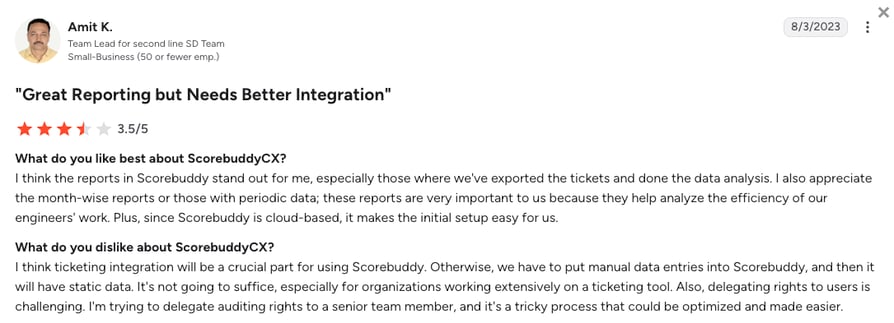
What Are Real Users Saying About Scorebuddy?
QA managers most often praise the scorecard builder’s self-service setup, specifically the ability to configure weighted scoring criteria and channel-specific forms without involving IT or a developer. Calibration reporting is the second consistent positive: teams that historically struggled with inconsistent scoring between evaluators point to Scorebuddy’s calibration sessions as the fix that made their QA program auditable.
Where sentiment shifts is around roadmap pace, reviewers describe a backlog of feature requests that don’t surface in release notes, with particular frustration around digital channel parity and reporting customization.
What Is Scorebuddy's G2 Rating and Review Count?
On G2, Scorebuddy holds a 4.5/5 rating across 800+ verified reviews, alongside its 14+ consecutive quarters as a category Leader.
How Do We Rate Scorebuddy?
Scorebuddy earns its marks on scorecard configurability and a sustained G2 track record. The flat-fee model works well at lower agent counts; the value score reflects the math mid-sized teams run when per-seat alternatives start looking cheaper at their scale.
Scorebuddy Sentiment Score
| Category | Score (1–10) |
|---|---|
| Ease of Use | 9 |
| Feature Set | 7 |
| Value for Money | 7 |
| Customer Support | 8 |
| Integration Depth | 7 |
| Overall | 7.6 |
Scorebuddy vs. CloudTalk
Scorebuddy is a strong QA tool, but it is exactly that: a scorecard layer you add on top of an existing phone system. At its flat-fee starting price (~$165/month), you are still paying a separate bill for your phone platform and managing the data connection between them.
If you already have a phone system you are keeping, Scorebuddy’s 14-quarter G2 track record and scorecard configurability make it the QA specialist to beat. CloudTalk makes more sense when you want to eliminate that second contract: phone system, call recording, and AI scoring in one subscription, with QA findings landing directly in your CRM.
3. Playvox QM: Best for Salesforce and Zendesk-Stack Omnichannel Teams
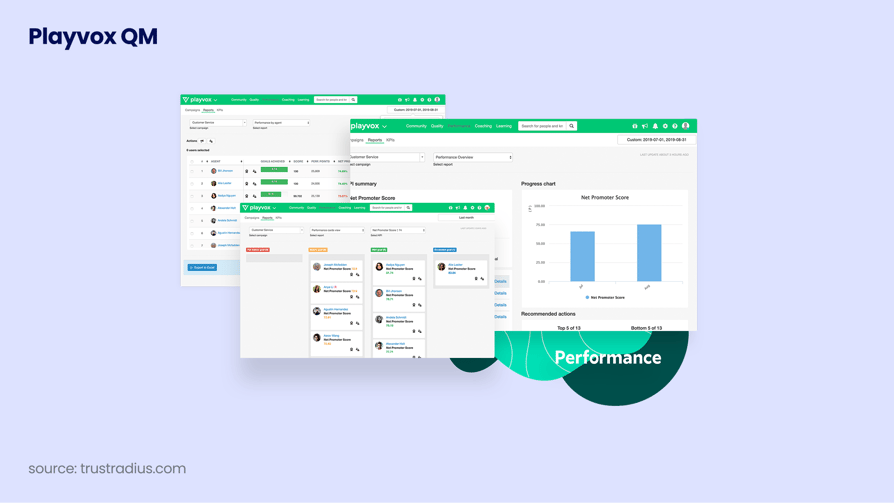
What Is Playvox QM?
If your team already runs on Salesforce Service Cloud or Zendesk, Playvox QM is probably already on your shortlist. It holds the highest G2 satisfaction rating among the QA specialists in this list at 4.8/5, and G2 recognizes it as the easiest to use in the contact center QA category. The native CRM integrations aren’t just functional, QA findings land directly inside the record your agents and managers already have open.
What Are Playvox QM's Key Features?
- Automated QA scoringAI scores 100% of digital and voice interactions against custom evaluation criteria.
- Calibration toolsSide-by-side evaluator calibration to reduce scoring inconsistency across reviewers.
- Coaching and performance managementEvaluation-triggered coaching sessions with completion tracking.
- Real-time QA dashboardsAgent and team-level performance views with drill-down by channel, team, and time period.
- Salesforce and Zendesk native integrationsQA data embedded directly into the CRM or helpdesk record.
What Are Playvox QM's Pros and Cons?
| Pros | Cons |
|---|---|
| Highest G2 satisfaction rating in this list at 4.8/5, sourced from multiple independent review aggregators | Interface outside the core QA workflows is cited as clunky by G2 reviewers |
| G2-recognized as easiest to use in the contact center QA category | Session timeout issues cause loss of unsaved work, noted in multiple G2 reviews |
| Deep Salesforce and Zendesk native integrations push QA data directly into existing CRM/helpdesk records | Most enterprise configurations require contacting sales for pricing |
Who Is Playvox QM Best For?
Playvox QM is the strongest fit for contact centers already on Salesforce Service Cloud or Zendesk, particularly teams with heavy digital channel volume (chat, email) looking for automated QA that feeds directly into their existing CRM records.
How Much Does Playvox QM Cost?
Playvox doesn't publish full public pricing. The figures below are from third-party aggregators and may not reflect current rates.
Playvox QM Pricing Plans
| Plan | Pricing (Annual) | Main Features |
|---|---|---|
| Quality Management | ~$25–$45/agent/mo | Automated QA scoring, calibration tools, coaching workflows, Salesforce/Zendesk native integrations |
| Full Platform (WFM + QM) | Contact sales | Full workforce management bundled with QM; volume discounts common |
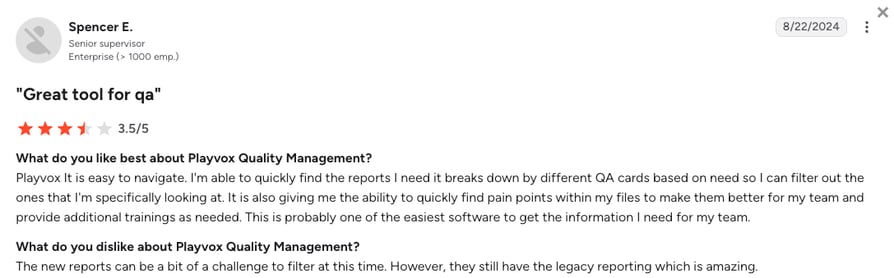
What Are Real Users Saying About Playvox QM?
What Playvox QM reviewers praise most is how the Salesforce and Zendesk integrations work in practice: QA evaluations, coaching sessions, and score trends appear inside the same workspace where agents handle tickets and calls, removing the context-switching that slows feedback loops.
Automated scoring across 100% of digital interactions is a recurring five-star theme, with teams noting that human reviewers can focus on edge cases and calibration rather than routine sampling.
What they push back on is navigation and session stability: finding specific data points takes more clicks than it should, and session timeouts that discard unsaved scorecards appear in enough reviews to suggest it’s a recurring frustration rather than an isolated one.
What Is Playvox QM's G2 Rating and Review Count?
Playvox QM has 1,100+ G2 reviews and a 4.8/5 rating, one of the larger review bases among dedicated QA tools in this category.
How Do We Rate Playvox QM?
Playvox QM’s top marks on ease of use and integration depth reflect its real advantage: QA findings embedded directly in Salesforce or Zendesk records. The value score drops because most enterprise configurations require a sales conversation before you see a number.
Playvox QM Sentiment Score
| Category | Score (1–10) |
|---|---|
| Ease of Use | 9 |
| Feature Set | 8 |
| Value for Money | 7 |
| Customer Support | 8 |
| Integration Depth | 9 |
| Overall | 8.2 |
Playvox QM vs. CloudTalk
Playvox’s integration case is compelling only inside one ecosystem: if your team runs on Salesforce Service Cloud or Zendesk, QA findings embedded directly in those records is a real operational win. Outside those two platforms, the value drops and you are still managing a separate phone system underneath the QA layer.
CloudTalk is the better fit when you need the phone system itself, or when your stack does not center on Salesforce or Zendesk and you want AI scoring, call recording, and CRM sync without two vendor contracts.
By the way, if you want to use Playvox for QA, and CloudTalk for your call center workflows, you now can thanks to a deep, two-way Playvox x CloudTalk integration.
4. EvaluAgent: Best for Mid-Market Blended AI and Human QA
What Is EvaluAgent?
EvaluAgent does something uncommon in its own category: it publishes pricing. For mid-market QA buyers who have spent time trying to get numbers out of enterprise sales teams, that transparency alone puts it on a shortlist. Beyond pricing, it’s built for teams that want a blended QA workflow, AI scoring for coverage at scale, with human review layered in for nuance and coaching.
What Are EvaluAgent's Key Features?
- AutoQM (automated scoring)AI evaluates 100% of voice and digital interactions against custom scorecards, closing the manual sampling gap.
- Conversation IntelligenceTranscription, topic detection, and sentiment analysis for deeper call-level analysis.
- Integrated coachingEvaluation-triggered coaching sessions with agent acknowledgment and follow-up tracking built into the workflow.
- Scorecard builderCited by G2 reviewers as the fastest scorecard-builder UX in the QA category, with 117 ease-of-use mentions in review themes.
- AI agent QAConversation-based pricing for evaluating AI agent interactions alongside human agent calls.
What Are EvaluAgent's Pros and Cons?
| Pros | Cons |
|---|---|
| Ease of use dominates G2 reviews, with 117 mentions as the top positive theme | Missing features are cited most frequently in G2 complaints, with 22 mentions of slow roadmap progress |
| Fastest scorecard builder UX per G2 reviewer consensus | Not a full contact center platform; requires existing telephony |
| Transparent, publicly listed pricing, unusual in the enterprise QA space | Smaller review base (425+) than Scorebuddy or Talkdesk, less G2 social proof for enterprise buyers |
Who Is EvaluAgent Best For?
If you’re a mid-market QA buyer who wants clear pricing, fast scorecard setup, and a workflow that mixes AI scoring with structured human review, EvaluAgent is worth a close look. Teams with 50 to 500 agents sit squarely in its target range. Teams that need telephony bundled with QA should look at CloudTalk or Talkdesk instead.
How Much Does EvaluAgent Cost?
EvaluAgent pricing starts at $35/agent/month (annual billing), with the following plans available:
EvaluAgent Pricing Plans
| Plan | Pricing (Annual) | Main Features |
|---|---|---|
| AutoQM + Improvement | From $35/agent/mo | Automated QA scoring, scorecard builder, integrated coaching, performance dashboards |
| AutoQM + Conversation Intelligence | From $65/agent/mo | Everything in AutoQM + transcription, topic detection, sentiment analysis |
| AI Agent Evaluation (AutoQM) | From $0.05/conversation | Per-conversation pricing for AI agent interaction scoring |
| AI Agent Evaluation (Full Bundle) | From $0.13/conversation | Full conversation intelligence applied to AI agent interactions |
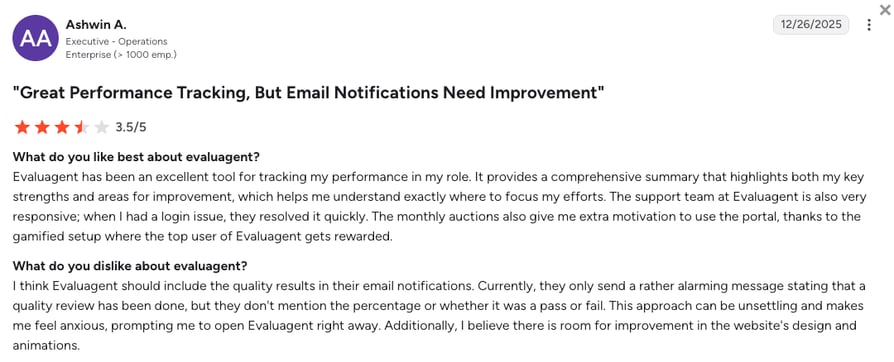
What Are Real Users Saying About EvaluAgent?
The scorecard builder’s speed is what five-star reviewers mention first: scorecards that used to take days to configure now take hours, with drag-and-drop logic and preview functionality getting specific credit. The coaching loop reinforces that positive theme, agents receive automated notifications tied directly to the evaluation, cutting the lag between a failed QA score and the follow-up session that addresses it.
Where sentiment turns critical, reviewers point to feature gaps in analytics filtering, API coverage, and reporting exports that competitors have shipped but EvaluAgent has not.
What Is EvaluAgent's G2 Rating and Review Count?
EvaluAgent holds a 4.5/5 rating across 400+ G2 reviews.
How Do We Rate EvaluAgent?
EvaluAgent scores highest on ease of use and value. The scorecard builder speed and publicly listed pricing are the differentiators. The feature set score reflects the gap between what’s live today and what reviewers are still waiting for on the roadmap.
EvaluAgent Sentiment Score
| Category | Score (1–10) |
|---|---|
| Ease of Use | 9 |
| Feature Set | 7 |
| Value for Money | 8 |
| Customer Support | 8 |
| Integration Depth | 7 |
| Overall | 7.8 |
EvaluAgent vs. CloudTalk
EvaluAgent earns its place on the shortlist for two things most QA tools do not offer: published pricing and the fastest scorecard builder on G2. If you already have a phone platform and want to add a QA layer without a sales conversation, it is a strong choice.
CloudTalk is the better pick when you want to replace both the phone system and the QA tool in one move, or when Salesforce and HubSpot integration depth matters more than scorecard configurability. EvaluAgent’s integration coverage is narrower on that front.
5. Talkdesk: Best for Regulated Industries (Healthcare, Insurance)
What Is Talkdesk?
Talkdesk positions itself most clearly for regulated industries: healthcare, insurance, financial services. Pre-built compliance QA templates reduce setup time and audit risk. It’s an AI-powered cloud contact center platform with built-in quality management and speech analytics, and it carries a Gartner Magic Quadrant validation that matters to enterprise procurement teams.
What Are Talkdesk's Key Features?
- Interaction scoringAI-assisted and manual scorecard-based evaluation of voice and digital interactions.
- Speech analyticsKeyword detection, sentiment analysis, and topic identification across recorded calls.
- Screen recordingAgent screen capture alongside call recording for a fuller QA picture of each interaction.
- Whisper coachingReal-time supervisor coaching during live calls without the customer hearing.
- Pre-built compliance workflowsIndustry-specific QA templates for healthcare (Medicare) and financial services.
What Are Talkdesk's Pros and Cons?
| Pros | Cons |
|---|---|
| Full platform with contact center and QM in one contract, no separate QA tool needed | Baseline $85/user/mo often rises to $200–$300/user/mo with add-ons per analyst estimates |
| Pre-built compliance workflow templates for healthcare and financial services reduce QA setup time | Trustpilot rating (1.7/5) is significantly lower than G2 (4.4/5); reviewer sentiment differs sharply across platforms |
| Recognized in G2's 2026 Best Software Awards for Best Agentic AI | Complexity and minimum seat expectations make it a poor fit for small teams |
Who Is Talkdesk Best For?
Talkdesk suits mid-to-large contact centers (50+ agents) in regulated industries where compliance workflows, speech analytics, and built-in QA need to live in a single vendor contract. Smaller teams typically find the pricing and complexity disproportionate.
How Much Does Talkdesk Cost?
Talkdesk pricing starts at $85/user/month, with the following plans available:
Talkdesk Pricing Plans
| Plan | Pricing (Annual) | Main Features |
|---|---|---|
| Digital Essentials | $85/user/mo | Digital channel contact center, QM tools included |
| Voice Essentials | $105/user/mo | Full voice contact center with QM, speech analytics |
| Elite | $165/user/mo | Advanced AI, workforce management, full QM suite |
| Industry Experience Clouds | $225/user/mo | Pre-built compliance workflows for regulated verticals (healthcare, financial services) |
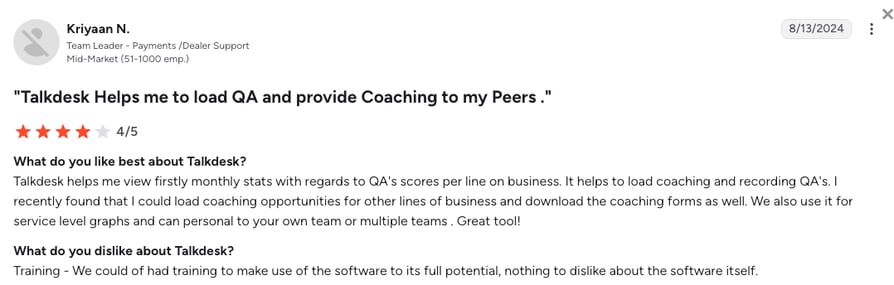
What Are Real Users Saying About Talkdesk?
Reviewers in healthcare and financial services most frequently point to compliance workflow templates as the reason they chose Talkdesk: the Medicare and financial services-specific evaluation forms that arrive pre-configured save significant setup time compared to building from scratch. That benefit carries through to speech analytics and real-time sentiment, both of which are praised in regulated-industry deployments where closing an audit gap matters more than adding features.
The dominant complaint is sticker shock: WFM and advanced QM add-ons layered onto the base seat fee leave some buyers with a final invoice that looks significantly different from the initial quote they used for budget approval.
What Is Talkdesk's G2 Rating and Review Count?
Talkdesk has 2,500+ G2 reviews and a 4.4/5 rating, one of the larger review bases among full contact center platforms in this list.
How Do We Rate Talkdesk?
Talkdesk’s feature score (9) and value score (6) reflect the same trade-off: maximum capability for regulated industries, but an all-in cost that consistently runs higher than the initial quote once WFM and advanced QM add-ons stack up.
Talkdesk Sentiment Score
| Category | Score (1–10) |
|---|---|
| Ease of Use | 7 |
| Feature Set | 9 |
| Value for Money | 6 |
| Customer Support | 7 |
| Integration Depth | 8 |
| Overall | 7.4 |
Talkdesk vs. CloudTalk
Talkdesk’s compliance templates are genuinely differentiated for regulated industries: pre-configured evaluation forms for healthcare and financial services save real setup time, and bundled QM means no separate QA tool contract.
The trade-off is cost transparency: the $85/user/mo base routinely reaches $200–300/user/mo once WFM and advanced QM add-ons stack, and the final number still requires a sales conversation. For SMB and mid-market teams that want AI QA at a published, predictable price without enterprise procurement overhead, CloudTalk deploys faster and costs less in practice.
6. Dialpad: Best for AI-Native Voice With Built-In Coaching
What Is Dialpad?
Dialpad built its QA capability into the calling platform rather than alongside it. Real-time transcription is always on, AI CSAT (Customer Satisfaction) prediction runs without post-call surveys, and coaching signals surface during the call, not in a separate review queue three days later. For teams where QA is something that happens during the day’s work rather than after it, that architecture makes a practical difference.
What Are Dialpad's Key Features?
- Real-time AI transcriptionLive transcription during calls, not only post-call, giving supervisors an immediate view of active conversations.
- AI CSATPredicts customer satisfaction scores from call transcripts without requiring post-call surveys.
- Coaching playlistsSupervisors can bookmark call moments and assign them to agents as coaching examples.
- Speech analyticsTopic and sentiment tracking across recorded calls for trend analysis.
- Real-time agent assistLive suggestions and scripts surface to agents during calls based on conversation context.
What Are Dialpad's Pros and Cons?
| Pros | Cons |
|---|---|
| Real-time transcription is always on without an add-on fee, unlike competitors that charge extra for live transcription | QA feature depth is thinner than dedicated QA specialists like Scorebuddy or EvaluAgent |
| AI CSAT prediction removes the need for manual survey collection on most calls | Enterprise features and Salesforce integration are held to higher plan tiers |
| 4,690+ G2 reviews provide high social proof for buyers using G2 as a validation layer | Trustpilot rating (4.1/5) is more moderate than G2 (4.4/5); some post-sale experience friction reported |
Who Is Dialpad Best For?
Teams that will get the most from Dialpad are mid-market sales and support teams on a consolidated platform budget where real-time transcription and CSAT prediction matter more than deep manual scorecard workflows. If configurable scorecards, calibration sessions, or compliance audit trails are a priority, a dedicated QA specialist is a better fit.
How Much Does Dialpad Cost?
Dialpad pricing starts at $15/user/month for the entry-level Connect tier (annual billing). The table below shows the general business communication plans. Dedicated AI Contact Center plans, which include configurable scorecards, calibration workflows, compliance reporting, and full coaching tools, are priced separately.
Dialpad Pricing Plans
| Plan | Pricing (Annual) | Main Features |
|---|---|---|
| Connect | From $15/user/mo | Business calling, messaging, AI transcription, basic AI CSAT |
| Standard | From $27/user/mo | Everything in Connect + coaching playlists, speech analytics, real-time agent assist |
| Pro | From $35/user/mo | Everything in Standard + multi-site support, CRM integrations, advanced analytics |
| Enterprise | Contact sales | Full platform with enterprise SSO, custom integrations, dedicated support |
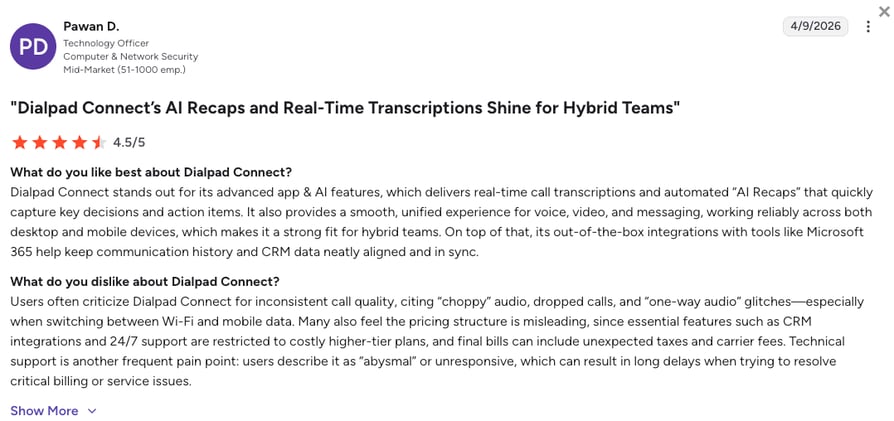
What Are Real Users Saying About Dialpad?
Real-time transcription is the feature G2 reviewers mention most, and they describe a concrete change in how supervisors work: reading along with active conversations rather than reviewing recordings after the fact. AI CSAT prediction appears frequently in support team reviews, particularly from managers who previously relied on post-call survey response rates that rarely exceeded 15–20%.
Where reviewers lose enthusiasm is around Salesforce integration depth: teams that came from dedicated contact center platforms describe Dialpad’s Salesforce connector as less capable for complex workflow automations and two-way data sync.
What Is Dialpad's G2 Rating and Review Count?
G2 users give Dialpad a 4.4/5 across 4,000+ reviews, one of the largest review bases in this entire list, though that volume spans broader use cases than QA alone.
How Do We Rate Dialpad?
Dialpad scores consistently across categories because it handles a wide range of use cases well. The ceiling is QA depth: configurable scorecards, calibration workflows, and compliance audit trails aren’t its primary focus, and teams that need those will feel the limit.
Dialpad Sentiment Score
| Category | Score (1–10) |
|---|---|
| Ease of Use | 8 |
| Feature Set | 8 |
| Value for Money | 8 |
| Customer Support | 7 |
| Integration Depth | 7 |
| Overall | 7.6 |
Dialpad vs. CloudTalk
Dialpad’s real-time transcription and CSAT prediction are built into the calling platform at no add-on cost. If live transcription is the main QA requirement and configurable scorecards are not a priority, that is a real advantage.
The ceiling is QA depth: Dialpad was built for unified communications first, and buyers who need custom scoring criteria, calibration sessions, or compliance audit trails hit that limit quickly. CloudTalk is the sharper pick when structured AI scoring, a deeper Salesforce integration, and explicit scoring criteria matter more than always-on live transcription.
Six tools in, and AI scoring costs are still unclear for half of them.
7. Genesys Cloud CX: Best for Enterprise Omnichannel Quality Management
What Is Genesys Cloud CX?
Genesys Cloud CX is one of the few platforms in this list that covers voice, digital channels, WFM, AI analytics, and quality management without requiring any third-party QA overlay. Gartner has consistently placed Genesys as a Leader in the CCaaS (Cloud Contact Center as a Service) Magic Quadrant, a designation that carries weight in enterprise procurement processes where analyst validation matters as much as peer reviews.
What Are Genesys Cloud CX's Key Features?
- Omnichannel quality managementAI-assisted scoring across voice, chat, email, and social interactions in a unified workflow.
- AI-powered evaluationAutomated scoring against custom scorecards, with human review options for escalated calls.
- Workforce managementScheduling, forecasting, and adherence tracking tied directly to QA performance data.
- Screen recordingFull agent desktop capture alongside call recording.
- Speech and text analyticsKeyword spotting, sentiment analysis, and topic detection across all interaction types.
What Are Genesys Cloud CX's Pros and Cons?
| Pros | Cons |
|---|---|
| Omnichannel QM, WFM, and AI analytics in one vendor contract reduce vendor sprawl for enterprise buyers | Enterprise pricing and implementation complexity make it unsuitable for SMB or mid-market teams |
| Gartner Magic Quadrant Leader in CCaaS provides strong analyst validation for procurement teams | Configuration depth requires dedicated implementation resources and extended onboarding timelines |
| True omnichannel QA across voice, digital, and social channels, rare at this breadth | Most QM and AI features require higher-tier plans or add-ons |
Who Is Genesys Cloud CX Best For?
Genesys Cloud CX targets large enterprise contact centers (200+ agents) that need omnichannel QM, WFM, and analytics under one vendor. Smaller teams will find it over-engineered and expensive for their needs.
How Much Does Genesys Cloud CX Cost?
Genesys Cloud CX pricing starts at $75/user/month, with the following plans available:
Genesys Cloud CX Pricing Plans
| Plan | Pricing (Annual) | Main Features |
|---|---|---|
| Cloud 1 | From $75/user/mo | Voice contact center, call recording, basic QM |
| Cloud 2 | From $95/user/mo | Voice + digital channels, omnichannel routing, digital QM |
| Cloud 3 | From $135/user/mo | All channels + WFM + full QM suite, AI-assisted scoring, screen recording |
What Are Real Users Saying About Genesys Cloud CX?
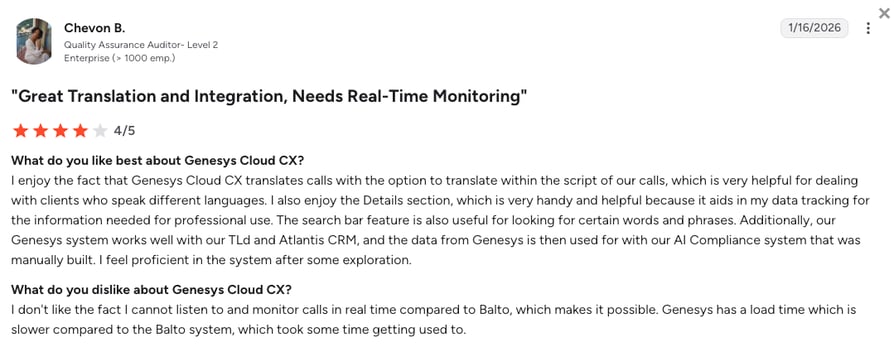
Enterprise reviewers praise the breadth more than any single feature: QM, WFM, and analytics living in one platform with channel coverage across voice, chat, email, and social is cited as the procurement rationale over assembling point solutions.
The scheduling and adherence module’s connection to QA score data draws specific credit, since supervisors can see whether agents scoring below threshold also show schedule adherence gaps, a connection that requires three separate tools on most other platforms.
Configuration complexity is the consistent counterweight: QA administrators setting up scoring rules for the first time describe a steeper learning curve than anticipated, and some teams report relying on Genesys professional services for initial deployment.
What Is Genesys Cloud CX's G2 Rating and Review Count?
Genesys Cloud CX holds a 4.4/5 rating from 1,500+ G2 reviews.
How Do We Rate Genesys Cloud CX?
Genesys delivers the broadest omnichannel QA coverage in this list, which drives the feature score. The low ease-of-use and value scores aren’t a contradiction. This platform assumes a dedicated implementation team and a multi-step pricing process by design.
Genesys Cloud CX Sentiment Score
| Category | Score (1–10) |
|---|---|
| Ease of Use | 6 |
| Feature Set | 9 |
| Value for Money | 6 |
| Customer Support | 7 |
| Integration Depth | 8 |
| Overall | 7.2 |
Genesys Cloud CX vs. CloudTalk
Genesys is the right platform when you need the most comprehensive enterprise QM suite available: omnichannel coverage, WFM scheduling tied to QA scores, and Gartner Magic Quadrant validation that matters in enterprise procurement.
The entry cost is the full package: dedicated implementation resources, professional services for initial setup, and a pricing process that matches the platform’s enterprise scope. For teams that need AI call scoring operational in days rather than months, at a cost they can calculate without a multi-step quote process, CloudTalk is the right fit.
8. Zendesk QA (Klaus): Best for Zendesk-Native Support Teams
What Is Zendesk QA?
Acquired by Zendesk in 2024, formerly Klaus, Zendesk QA does one thing particularly well: it removes the need to decide which conversations to review. The AI scans every support interaction automatically and surfaces the ones that need human attention, replacing random sampling with risk-based review. If your team already runs Zendesk tickets, adding this layer requires almost no change to existing workflows.
What Are Zendesk QA's Key Features?
- AI-powered conversation reviewAutomated scanning of every support interaction to flag quality risks without manual selection.
- Automated scoringAI evaluates conversations against custom quality criteria and surfaces outliers.
- Agent coaching workflowsStructured feedback sessions tied directly to reviewed conversations.
- Root-cause analysisConnects QA findings to customer satisfaction metrics to identify what’s driving CSAT changes.
- Native Zendesk integrationQA data sits inside the Zendesk workspace with no export step required.
What Are Zendesk QA's Pros and Cons?
| Pros | Cons |
|---|---|
| Native Zendesk integration makes it the lowest-friction QA add-on for teams already on Zendesk | G2 review volume is relatively small, offering less peer validation than mature standalone QA tools |
| AI-powered 100% coverage review means every conversation is checked, not a random sample | Functionality outside the Zendesk ecosystem is narrower, making it less compelling for teams on other platforms |
| Root-cause analysis linking QA scores to CSAT is an analytical step above most QA tools | Pricing is not publicly listed for all configurations; requires sales engagement for larger teams |
Who Is Zendesk QA Best For?
Zendesk QA is the most obvious choice for support teams already running Zendesk who want automated conversation QA without leaving the platform. Teams on other helpdesks or phone systems will find its value proposition considerably weaker.
How Much Does Zendesk QA Cost?
While Zendesk Talk's pricing is available, the QA suite's plans aren't fully transparent. The figures below are estimates from third-party sources and should be verified directly with Zendesk.
Zendesk QA Pricing Plans
| Plan | Pricing (Annual) | Main Features |
|---|---|---|
| Workforce Engagement Bundle | From $50/agent/mo | AI conversation review, automated scoring, agent coaching, root-cause analysis, native Zendesk integration |
| Larger configurations | Contact sales | Enterprise pricing; full WFM and QA bundle pricing requires sales engagement |
What Are Real Users Saying About Zendesk QA?
The elimination of conversation selection is the feature reviewers lead with: QA managers describe spending their time on coaching and analysis rather than deciding which calls to listen to.
From there, reviewers point to the AI’s ability to surface outliers as the specific mechanism that changed their workflow, since conversations with unusually negative sentiment, policy violations, or low resolution rates are flagged automatically rather than discovered by chance.
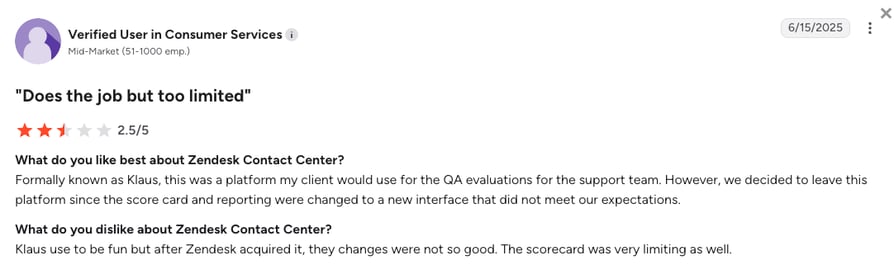
Where sentiment turns critical is configurability: compared to dedicated QA specialists like Scorebuddy or EvaluAgent, scoring criteria feel less flexible and reporting export options are narrower.
What Is Zendesk QA's G2 Rating and Review Count?
On G2, Zendesk's Contact Center (which the QA suite belongs to) carries a 4.6/5 rating from 300+ reviews.
How Do We Rate Zendesk QA?
Zendesk QA’s scores reflect a tool tightly optimized for one environment. Inside the Zendesk ecosystem, the AI-powered review workflow earns strong ease-of-use marks; outside it, the integration score captures a real constraint that narrows the value proposition significantly.
Zendesk QA Sentiment Score
| Category | Score (1–10) |
|---|---|
| Ease of Use | 8 |
| Feature Set | 7 |
| Value for Money | 7 |
| Customer Support | 8 |
| Integration Depth | 6 |
| Overall | 7.2 |
Zendesk QA vs. CloudTalk
Zendesk QA’s case is strongest when you are already on Zendesk: AI conversation review without leaving the platform, at no additional vendor relationship, is a genuine operational advantage. Outside that ecosystem, the value drops sharply. It does not include a phone system, and its integrations outside Zendesk are narrow.
CloudTalk is the better fit for teams that need voice QA alongside a phone system, or for teams on non-Zendesk stacks where 100+ native integrations cover more of their existing tools and QA data needs to stay in sync with CRM records.
9. Balto AI: Best for Real-Time Agent Guidance
What Is Balto AI?
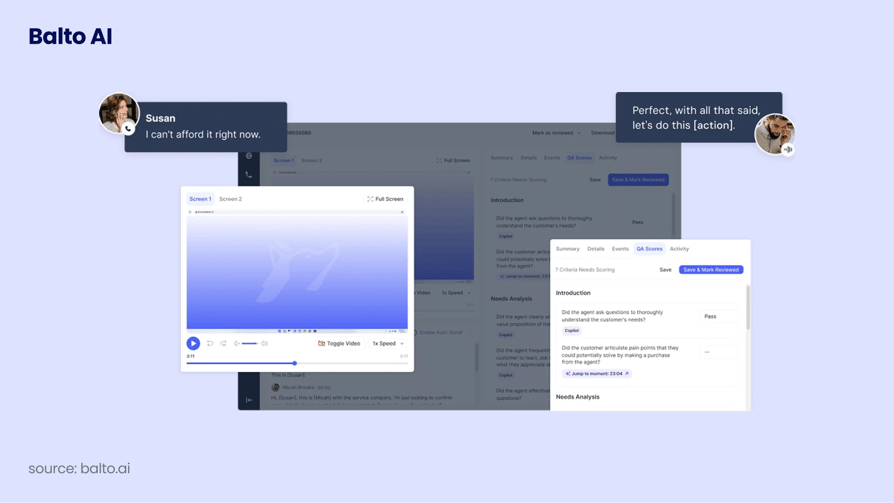
Most QA tools work on recordings after a call ends. Balto operates during the call itself. It surfaces real-time guidance to agents as conversations unfold: suggested responses, compliance alerts, and dynamic checklists that adapt based on what the customer is saying. For contact centers where a missed disclosure creates regulatory risk, that distinction matters more than any post-call scoring feature.
What Are Balto AI's Key Features?
- Real-time agent guidanceLive suggestions, scripts, and next-best-action prompts appear on the agent's screen during the call.
- Compliance alertsAutomatic flagging when agents say something non-compliant or miss a required disclosure.
- Dynamic checklistsCall checklists that adapt as the conversation progresses, ensuring agents cover required points.
- QA and coaching insightsPost-call data on which guidance was followed and which was ignored, for coaching prioritization.
- Real-time supervisor monitoringSupervisors see live agent guidance data and can intervene when needed.
What Are Balto AI's Pros and Cons?
| Pros | Cons |
|---|---|
| Real-time guidance during live calls prevents errors before they happen, rather than catching them in post-call review | Balto is not a QA scorecard platform; teams needing structured post-call evaluation workflows will need another tool |
| Real-time disclosure alerts address a compliance gap that post-call QA tools cannot fill | Pricing is not publicly listed; requires sales engagement for all configurations |
| 4.8/5 G2 rating signals strong early-adopter satisfaction | Lower G2 review volume means less social proof for enterprise buyers comparing multiple platforms |
Who Is Balto AI Best For?
Balto fits contact centers where compliance adherence during live calls is the primary QA concern, including insurance, financial services, healthcare, and collections environments where a missed disclosure creates regulatory risk. It complements traditional post-call QA tools rather than replacing them.
Balto Complements, Doesn't Replace, Post-Call QA
Mind that Balto is a real-time guidance platform, not a full post-call QA suite. Teams that need structured scorecard-based evaluation after calls will typically need Balto alongside a tool like Scorebuddy or EvaluAgent.
How Much Does Balto AI Cost?
Like some other specialized tools on our list, Balto doesn't publish public pricing. The figures below are user-reported estimates from review platforms and should be verified directly with Balto’s sales team.
Balto AI Pricing Plans
| Plan | Pricing (Annual) | Main Features |
|---|---|---|
| Per-seat annual | Contact sales | Real-time agent guidance, compliance alerts, dynamic checklists, coaching insights, supervisor monitoring |
What Are Real Users Saying About Balto AI?
The pattern in Balto’s G2 reviews is distinct from every other tool in this list: reviewers don’t praise features in the abstract, they describe incidents. Teams in regulated industries recount specific situations where real-time alerts prevented a missed disclosure, and the compliance-specific alert logic that fires on prohibited language or missing required statements gets detailed credit from financial services reviewers.
What connects those anecdotes is a single claim that appears across most of the top reviews: Balto catches errors during the call, not three days later in a review queue. The limitation they flag is equally direct: Balto handles the live call; it doesn’t replace the scorecard review that happens after.
What Is Balto AI's G2 Rating and Review Count?
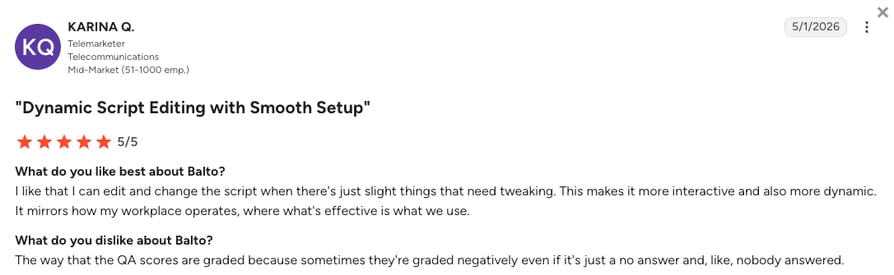
Balto AI holds a 4.8/5 G2 rating from 550+ reviews, one of the higher satisfaction scores in this list, from an early-adopter review base.
How Do We Rate Balto AI?
Balto’s feature set score is a scope measurement, not a quality judgment: the rubric measures against full-stack QA platforms, and Balto doesn’t claim to be one. Within its actual focus, real-time compliance guidance during live calls, reviewer satisfaction is consistently strong.
Balto AI Sentiment Score
| Category | Score (1–10) |
|---|---|
| Ease of Use | 8 |
| Feature Set | 7 |
| Value for Money | 7 |
| Customer Support | 8 |
| Integration Depth | 7 |
| Overall | 7.4 |
Balto AI vs. CloudTalk
Balto and CloudTalk solve different problems. Balto prevents errors during a live call rather than after. For regulated environments where a missed disclosure creates real liability, no post-call QA tool replaces that in-call window, and Balto is the right pick for that specific use case.
CloudTalk is the stronger fit when the goal is QA coverage across every recorded call: AI scoring, transcript search, structured scorecard workflows, and supervisor monitoring all inside the phone system, with no separate platform needed.
10. Gong: Best for Revenue and Sales Team Conversation Intelligence
What Is Gong?
Gong built its reputation as one of the best sales intelligence solutions, and contact center QA teams use it for the same reason: every conversation gets recorded, transcribed, and analyzed automatically. With nearly 7k reviews, Gong also has the most peer-validated G2 presence in this entire list. The important qualification: Gong is built for revenue teams, and its QA fit depends entirely on whether your goal is improving deal outcomes or managing support quality.
What Are Gong's Key Features?
- AI conversation analysistranscribes and analyzes every sales call and customer interaction for deal signals and coaching opportunities.
- Deal intelligenceidentifies deal risks and next steps based on conversation patterns across the pipeline.
- Coaching playlistsmanagers build coaching libraries from real call moments and assign them to specific reps.
- Market intelligencesurfaces recurring topics, competitor mentions, and objection patterns across the team's calls.
- CRM integrationpushes call summaries, transcripts, and next steps into Salesforce, HubSpot, and other CRMs automatically.
What Are Gong's Pros and Cons?
| Pros | Cons |
|---|---|
| 6,471+ G2 reviews at 4.7/5, the highest peer-validated confidence among all 12 tools | Built for sales revenue intelligence, not designed for support QA, compliance monitoring, or manual scorecard workflows |
| Deal intelligence links conversation behavior to pipeline outcomes, a capability no other tool in this list offers | Pricing is not publicly listed; enterprise sales process required for all configurations |
| Coaching playlists and market intelligence create a feedback loop across the whole revenue team | Trustpilot presence is minimal (7 reviews, 2.3/5), so post-sale experience data comes almost entirely from G2 |
Who Is Gong Best For?
Gong is the right choice for B2B sales organizations where the primary QA concern is improving deal outcomes: conversion rates, objection handling, and rep coaching. Support teams, regulated-industry contact centers, and teams requiring formal scorecard-based QA should evaluate dedicated QA tools instead. For teams considering Gong in the context of a broader competitive landscape, our overview of Gong competitors covers how Gong compares to conversation intelligence alternatives.
How Much Does Gong Cost?
Gong doesn't publish public pricing. The figures below are user-reported estimates from third-party sources (Vendr, G2 pricing estimates) and should be verified directly with Gong’s sales team.
Gong Pricing Plans
| Plan | Pricing (Annual) | Main Features |
|---|---|---|
| Enterprise (estimated) | ~$100–$200/seat/year (unconfirmed) | Full conversation intelligence, deal intelligence, coaching playlists, market intelligence, CRM integrations |
What Are Real Users Saying About Gong?
Sales managers praise Gong for deal coaching more than any other capability: call moments replace abstract performance discussions in team huddles, and rep coaching ties to exact conversation timestamps rather than general impressions.
Market intelligence is the second consistent positive, with revenue leaders using objection pattern data to update talk tracks and sales playbooks in ways that previously required manual synthesis.
Pricing opacity is the dominant complaint, and reviewers flag it with specifics: evaluating cost requires a full sales conversation, which adds friction to budget planning and makes mid-year contract renewals harder to benchmark against alternatives.
What Is Gong's G2 Rating and Review Count?
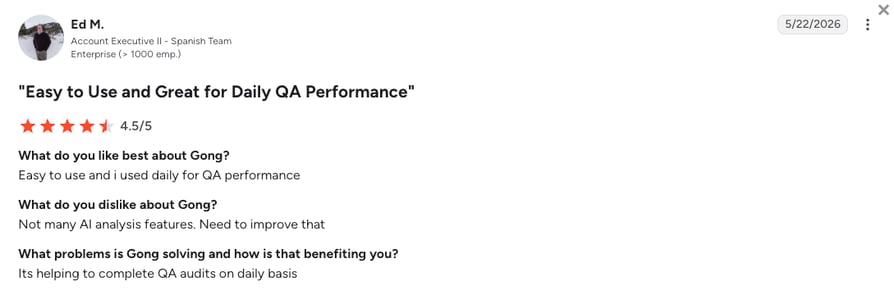
Gong has 6,600+ G2 reviews and a 4.7/5 rating, the highest review count in this list by a wide margin.
How Do We Rate Gong?
Gong scores high on feature depth and integration within its defined scope: revenue intelligence. The value score reflects a genuine friction point: evaluating cost requires a full sales engagement, which makes budget planning and mid-year benchmarking harder than it needs to be.
Gong Sentiment Score
| Category | Score (1–10) |
|---|---|
| Ease of Use | 8 |
| Feature Set | 9 |
| Value for Money | 6 |
| Customer Support | 8 |
| Integration Depth | 8 |
| Overall | 7.8 |
Gong vs. CloudTalk
Gong is the right call if your QA goal is revenue intelligence: surfacing deal risks, tracking objection patterns across the pipeline, and coaching reps on specific conversation moments is what it was built for.
The limitation is scope: Gong does not cover support QA, compliance scoring, or contact center operations, and pricing requires a full sales engagement for any configuration. CloudTalk fits better for contact centers and mixed teams that need QA across all call types, a phone system included, and pricing they can evaluate before a sales conversation.
11. Convin AI: Best for Omnichannel Contact Centers (Voice, Chat, and Email)
What Is Convin AI?
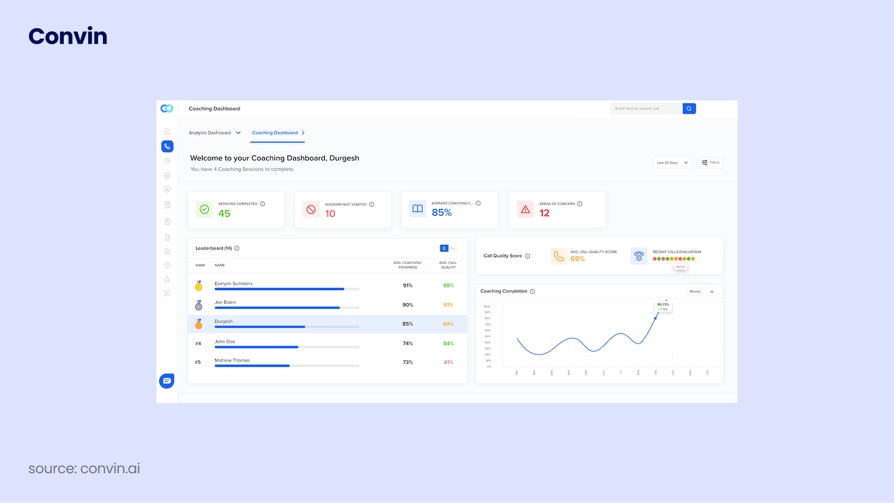
Convin takes a different angle on coaching: rather than surfacing a score and leaving managers to figure out what to do with it, the platform analyzes behavioral patterns from QA findings and generates personalized coaching sessions automatically. Its “last-mile coaching” approach is the most distinctive capability in this list, and it applies across voice, chat, and email interactions in a single omnichannel audit.
What Are Convin.ai's Key Features?
- 100% omnichannel conversation auditAI scores every voice, chat, and email interaction using customizable QA criteria.
- Last-mile agent coachingBehavior analysis from QA findings generates personalized coaching sessions automatically.
- Winning behavior analysisIdentifies what high-performing agents do differently and replicates those behaviors across the team.
- Real-time agent assistIn-call guidance helps agents follow scripts and handle objections as conversations happen.
- Compliance monitoringAutomatic flagging of regulatory and policy violations across all interaction types.
What Are Convin.ai's Pros and Cons?
| Pros | Cons |
|---|---|
| 4.7/5 G2 rating, among the highest in the QA category for a purpose-built AI platform | Enterprise pricing is not transparent; requires sales engagement to budget accurately |
| Free plan available, lowering the barrier for smaller teams to trial the product before committing | Occasional lag issues cited in G2 reviews during high-volume periods |
| Comprehensive omnichannel coverage across voice, chat, and email in one platform | Stronger brand recognition in APAC than in US and EU markets; US-based buyers may find fewer peer references |
Who Is Convin.ai Best For?
Omnichannel contact centers with meaningful digital channel volume will get the most from Convin.ai, particularly teams that want AI-automated QA across all interaction types and a coaching workflow that connects directly to behavioral outcomes rather than just score summaries. Teams with heavy APAC operations will find stronger peer references than US-focused buyers.
How Much Does Convin.ai Cost?
Convin.ai doesn't let you in on its per-agent pricing for its enterprise plan. The table below reflects the available tiers:
Convin.ai Pricing Plans
| Plan | Pricing (Annual) | Main Features |
|---|---|---|
| Free | $0 | Limited features; designed for small teams trialing the platform |
| Enterprise | Contact sales | 100% omnichannel conversation audit, last-mile coaching, winning behavior analysis, real-time agent assist, compliance monitoring |
What Are Real Users Saying About Convin.ai?
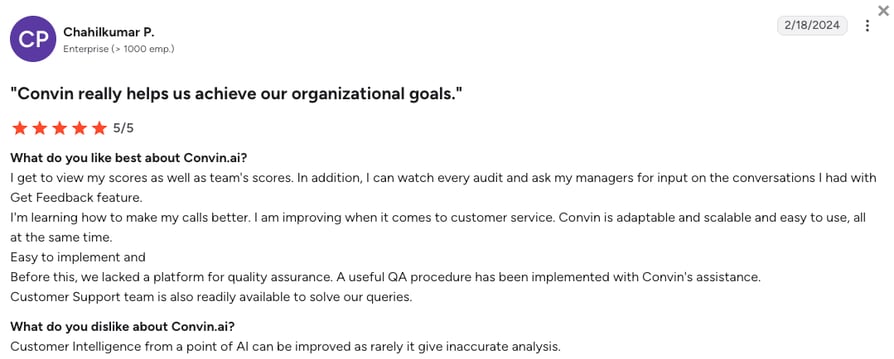
Omnichannel coverage is what G2 reviewers mention first, specifically that voice, chat, and email are analyzed together rather than in separate tools, removing the blind spots that channel-specific QA creates.
The last-mile coaching workflow deepens that positive theme: team leads describe receiving structured coaching modules built from their own agents’ failure patterns, rather than a score with a link to a recording.
On the negative side, lag during high-volume periods (when processing large batches of digital channel interactions simultaneously) and the opacity of enterprise pricing are the most consistent complaints.
What Is Convin.ai's G2 Rating and Review Count?
Convin.ai holds a 4.7/5 G2 rating from 500+ reviews.
How Do We Rate Convin.ai?
Convin.ai’s scores reflect genuine omnichannel depth and a free entry tier that lowers the evaluation barrier. The value score sits mid-range because enterprise pricing opacity makes it hard for mid-market buyers to benchmark cost before committing to a sales conversation.
Convin.ai Sentiment Score
| Category | Score (1–10) |
|---|---|
| Ease of Use | 8 |
| Feature Set | 8 |
| Value for Money | 7 |
| Customer Support | 8 |
| Integration Depth | 7 |
| Overall | 7.6 |
Convin.ai vs. CloudTalk
Convin.ai’s last-mile coaching is the most distinctive capability in this list: rather than surfacing a score, it analyzes behavioral patterns from QA findings and builds personalized coaching sessions automatically. For omnichannel contact centers with heavy chat and email volume, that depth earns its place.
CloudTalk fits better for voice-first teams that want the phone system and AI call scoring in one subscription with pricing published before you talk to sales. Convin.ai’s enterprise pricing requires a sales conversation and its brand recognition outside APAC markets is still developing.
12. NICE CXone: Best for Large Enterprise Contact Centers (500+ Agents)
What Is NICE CXone?
NICE CXone is about as comprehensive as enterprise contact center software gets. It covers 100% interaction recording, AI quality scoring, screen recording, WFM, and omnichannel analytics in one vendor contract, and it holds a Gartner CCaaS Magic Quadrant Leader position alongside one of the largest G2 review bases among enterprise contact center platforms. For large contact centers that need WFM, QM, analytics, and AI without assembling point solutions, it’s one of very few platforms that can credibly deliver all of it.
What Are NICE CXone's Key Features?
- 100% interaction recordingAll voice and digital channel interactions captured and stored for QA review at scale.
- AI quality scoringAutomated evaluation of every interaction against custom scorecards, without manual sampling gaps.
- Screen recordingFull agent desktop capture alongside call recording for a complete QA picture.
- WFM integrationScheduling, forecasting, and adherence tracking tied directly to QA findings and coaching outcomes.
- Pre-built analytics packagesIndustry-specific dashboards and compliance reporting for highly regulated verticals.
What Are NICE CXone's Pros and Cons?
| Pros | Cons |
|---|---|
| WFM, QM, AI, and omnichannel in one vendor contract, the most comprehensive enterprise suite in this list | Enterprise-only positioning, pricing complexity, and seat minimums exclude SMB and mid-market buyers |
| One of the largest G2 review bases for a QM-capable contact center platform in this list | Pricing requires a multi-step sales engagement; no public listing |
| Gartner Magic Quadrant Leader in CCaaS | Implementation timelines are significantly longer than mid-market QA specialists, measured in months rather than days |
Who Is NICE CXone Best For?
NICE CXone targets large enterprise contact centers (500+ agents) in regulated verticals including telecom, government, financial services, and healthcare, where end-to-end WFM, QM, and AI must come from one vendor with enterprise-grade SLAs.
How Much Does NICE CXone Cost?
NICE CXone pricing starts at $110/user/month for the Omnichannel Suite. Quality Management isn’t included at that entry tier: it’s bundled in from the Essential Suite ($135/agent/month) upward. Industry-specific bundles and custom enterprise deals still require a quote.
NICE CXone Pricing Plans
| Plan | Pricing (Monthly) | Main Features |
|---|---|---|
| Omnichannel Suite | $110/agent/mo | Voice and digital channels, omnichannel routing, recording and compliance, AI routing. No Quality Management at this tier. |
| Essential Suite | $135/agent/mo | Everything in Omnichannel Suite, plus screen recording and Quality Management |
| Core Suite | $169/agent/mo | Everything in Essential Suite, plus Workforce Management and Performance Management |
| Complete Suite | $209/agent/mo | Everything in Core Suite, plus Voice of the Customer and Interaction Analytics |
| Ultimate Suite | $249/agent/mo + $0.25/session | Everything in Complete Suite, plus Automated Summary and AI Copilot for agents, supervisors, and leaders |
| Industry-specific / custom enterprise | Contact sales | Banking, insurance, healthcare, retail, and government bundles with vertical-specific AI features and compliance tooling |
What Are Real Users Saying About NICE CXone?
The sheer depth of NICE CXone’s feature set is what enterprise reviewers lead with: 100% interaction recording, AI quality scoring, WFM scheduling, and workforce analytics in a single platform, with nothing requiring a third-party overlay.
The specific praise that shows up most frequently is the connection between QA scores and workforce data: supervisors can see whether a dip in an agent’s scorecard correlates with a change in scheduling or adherence, a cross-functional insight that requires stitching three separate tools together on every competing platform.
The consistent criticism is the implementation timeline: reviewers note that reaching full feature utilization took longer than projected, and that extracting the platform’s full value required dedicated internal resources they hadn’t initially budgeted for.
What Is NICE CXone's G2 Rating and Review Count?
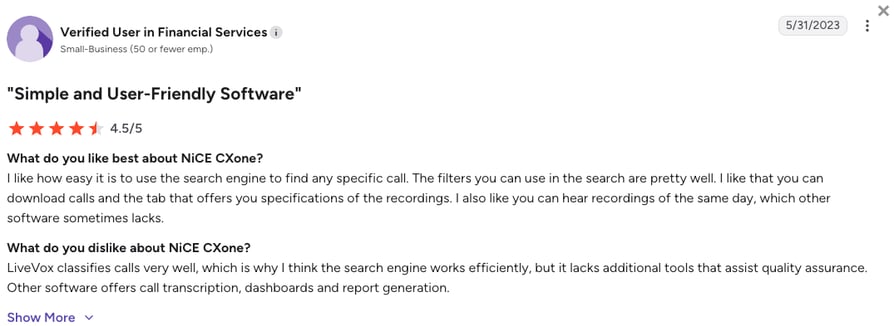
NICE CXone holds a 4.3/5 G2 rating from 1,700+ review.
How Do We Rate NICE CXone?
The widest gap between feature score and value score in this list. NICE CXone delivers the most complete enterprise QA suite available, but realizing that full value requires significant implementation investment and a pricing process that matches the platform’s enterprise scope.
NICE CXone Sentiment Score
| Category | Score (1–10) |
|---|---|
| Ease of Use | 6 |
| Feature Set | 10 |
| Value for Money | 5 |
| Customer Support | 7 |
| Integration Depth | 8 |
| Overall | 7.2 |
NICE CXone vs. CloudTalk
NICE CXone has the most complete enterprise QM feature set in this list: 100% interaction recording, AI scoring, WFM scheduling, screen recording, and Gartner Magic Quadrant validation in one platform.
The trade-off is size and complexity: enterprise implementations are measured in months, not days, and the platform is built for 500+ agent operations where those capabilities are needed at scale. SMB and mid-market teams that want AI call scoring running in days at a cost they can calculate upfront will find NICE over-engineered for their needs and CloudTalk the more practical fit.
How to Choose the Right Call Center Quality Assurance Software for Your Team?
Choosing the right QA tool depends on your team’s size, your existing tech stack, and what you want to improve. A few focused questions narrow the field faster than any feature checklist. For teams that are still building out their QA process from scratch, our guide to call center operations covers the operational foundations that make any QA tool more effective.
What Is Your Primary QA Goal, Compliance, Coaching, or Coverage?
These are not the same problem, and different tools solve each better.
- Compliance-first teams in healthcare, financial services, insurance, and collections need tools that flag non-compliant language in real time or across 100% of recorded interactions. Balto AI and Talkdesk address real-time compliance; NICE CXone and Genesys Cloud CX address 100% coverage at enterprise scale.
- Coaching-first teams want QA findings to reach agents quickly and in context. EvaluAgent, Convin.ai, and Gong all have strong coaching workflow loops. CloudTalk combines AI call scoring with real-time monitoring so coaching can happen during the call and immediately after. The call quality score methodology you use determines what coaching signals you can extract. Teams that define scoring criteria clearly get more actionable coaching data from any tool in this list.
- Coverage-first teams need AI-automated scoring across every interaction, not a random 2-5% sample. Playvox, Scorebuddy, Convin.ai, and NICE CXone all offer 100% interaction scoring.
Does Your Team Need Telephony Bundled With QA, or Do You Already Have a Phone System?
Most tools in this list require an existing phone platform to operate. Scorebuddy, EvaluAgent, Playvox, Zendesk, Balto, Gong, and Convin.ai all sit on top of a CCaaS layer you already own. If you need both, CloudTalk and Talkdesk are the most natural single-vendor options.
How Important Is G2 Social Proof to Your Procurement Process?
For teams using G2 as a primary validation layer, review volume matters. Gong (6,600+ reviews), Talkdesk (2,500+ reviews), and Dialpad (4,400+ reviews) carry the most G2 weight overall, though Dialpad and Talkdesk are full contact center platforms rather than QA specialists. Among dedicated QA tools, Playvox (1,100+), Scorebuddy (800+), and EvaluAgent (400+) lead on QA-category reviews.
Choose wisely...and objectively:
Even the most verified G2 reviews carry some subjectivity, so weigh them alongside G2's yearly award badges, not instead of them. On that front, CloudTalk stands out: it's earned recognition as one of the best-rated call center QA tools on G2, ahead of several QA-specialized platforms on this list.
What Is Your Team Size and Budget Range?
Size matters, especially when it comes to software:
- Small teams under 50 agents will find the most value from CloudTalk, EvaluAgent, Scorebuddy, Dialpad, and Convin.ai, each of which has pricing models or free tiers accessible at that scale.
- Mid-market teams (50 to 500 agents) are the target segment for Scorebuddy, Playvox QM, EvaluAgent, Talkdesk, and CloudTalk. These tools balance feature depth with manageable total cost.
- Enterprise teams (500+ agents) will look at Genesys Cloud CX, NICE CXone, Talkdesk’s higher tiers, and potentially Gong for revenue teams. All require a sales engagement process and extended implementation.
Do You Want AI Scoring Built In, or Manual Scorecard-Driven QA?
This is the most important product selection question in 2026. According to McKinsey’s stats from the intro, automated QA can achieve more than 90% accuracy and cover every interaction, compared to 70-80% accuracy and only 1-5% coverage with manual sampling.
If your team is still manually sampling calls to score, the question isn’t which manual scorecard tool to buy. Instead, you should be asking whether to move to AI-automated scoring entirely. Call center optimization across most contact centers begins with this shift, from sampling to coverage.
Tools with AI-automated scoring: CloudTalk (via AI add-on), Scorebuddy Auto QA, Playvox QM, EvaluAgent AutoQM, Talkdesk, Dialpad, Genesys, NICE CXone, Convin.ai, and Gong (for sales calls).
How Deep Does Your CRM Integration Need to Be?
QA findings are most useful when they live where your team already works. The right call center monitoring approach for your CRM creates a closed loop between call performance and pipeline visibility.
CloudTalk pushes AI call summaries, tags, and scores directly into HubSpot, Salesforce, and Pipedrive via native integrations. Talkdesk and Genesys have broad CRM integration at the enterprise level. Gong integrates tightly with Salesforce for revenue teams. Zendesk QA is the natural choice when Zendesk is your primary helpdesk.
Case study - Revolut
When global fintech Revolut expanded its outbound sales team, their previous VoIP provider lacked the agent oversight and deep CRM syncing they needed to grow. This is exactly where systems with limited global footprints or rigid routing fall short, and why scaling teams often choose CloudTalk over competitors like Talkdesk or specialized QA platforms like Scorebuddy.
Revolut required a flawless HubSpot connection to prevent duplicate contacts and sync data in real time. By rolling out CloudTalk's Smart Dialer alongside local numbers in 193+ markets (well beyond any other VoIP platform), Revolut fully automated their call logging. This eliminated manual data entry, saved their sales operations team over 40 hours every single month, and allowed them to successfully onboard 500+ sales reps.
Why G2 Ratings Actually Matter When Choosing Call Center Quality Assurance Software
The G2 modifier in this article’s keyword tells you something about how buyers validate software purchases. It’s not just an SEO signal.
G2 requires that every reviewer verify their identity and confirm they use the product they’re reviewing. That verification process, combined with G2’s review authenticity checks, makes its ratings meaningfully different from self-reported vendor claims or analyst reports that buyers can’t independently verify. When buyers search for the best call center quality assurance software G2 rated, they’re trusting that verification layer, and rightly so.
According to a March 2025 Gartner press release, agentic AI will autonomously resolve 80% of common customer service issues without human intervention by 2029, driving a 30% reduction in operational costs.² As AI agents handle more customer interactions, QA software will need to evaluate AI agents alongside human agents. Convin.ai, EvaluAgent, and NICE CXone already have AI agent QA capabilities, which positions them better for that shift.
Two things worth noting when reading G2 ratings:
- A high rating on a small review base (under 50 reviews) tells you less than the same rating on hundreds of reviews. And G2 ratings and Trustpilot ratings for the same vendor sometimes diverge sharply: Talkdesk’s 4.4/5 on G2 sits alongside a 1.7/5 on Trustpilot, which reflects differences in who is reviewing and at what point in the customer lifecycle. Looking at both platforms gives a more complete picture.
- For call center QA software specifically, look for tools with dedicated G2 category presence in “Contact Center Quality Assurance” (like CloudTalk) rather than a generic contact center listing. That category weighting tells you the product has meaningful review volume from QA-specific buyers, not only general call center users. Understanding what call quality management means for your specific operation, whether compliance coverage, coaching cadence, or scoring accuracy, is what determines which G2 category ratings to weight most heavily.
Ready to Choose the Best G2-Rated Call Center QA Software?
The 12 tools in this guide each have a clear context where they win. Scorebuddy and EvaluAgent are purpose-built QA scorecard platforms. NICE CXone and Genesys Cloud CX are enterprise WFM suites with QM built in. Balto operates entirely in real time. Gong is built for revenue teams. The right choice depends on where your operation sits: what you already have, what you’re trying to improve, and what percentage of calls you actually need reviewed.
For teams that want a single platform combining call center infrastructure with AI-powered quality assurance, CloudTalk is built for exactly that. Here’s what that means in practice for B2B operations:
- 100% call coverage, no sampling gapsAI Call Scoring runs on every recorded call automatically. No manual spot-checks, no blind spots between supervisor sessions.
- One vendor for phone system and QACall center infrastructure and quality assurance in a single subscription. No separate QA overlay, no data export between platforms, no sync lag.
- CRM-native QA dataCall scores and AI summaries sync into HubSpot, Salesforce, Pipedrive, or Zendesk after every call, inside the records your reps and managers already use.
- Transparent, self-serve pricingAll plan costs and add-on pricing are published without a sales call. You can run the numbers before talking to anyone.
- Fast deploymentG2 reviewers consistently cite CloudTalk as faster to configure than enterprise QA alternatives. The coaching workflow is live in days, not months.
- Free trial to test it outRun AI scoring against your real call volume before committing. No setup fee, no credit card required.
Final words:
Manual sampling of 1-5% of calls is no longer a defensible QA strategy when AI-automated scoring can cover 100% of interactions at higher accuracy. The tools that win in the next two years will be those that help teams make that transition without rebuilding their entire tech stack...and that's exactly what CloudTalk is for, a sentiment shared both by verified G2 reviewers and G2 itself.
See what 100% call scoring looks like on your actual call volume.
Sources:
- McKinsey
- Gartner
Frequently Asked Questions About Call Center QA Software
Find answers to the most common questions businesses have about quality assurance software for call centers.
Call center quality assurance software records, reviews, and evaluates customer service calls against defined performance standards, replacing manual spot-checking with structured, often AI-automated scoring.
CloudTalk is a good example: it combines the phone system and AI call scoring in one platform, so every recorded call is automatically evaluated against your defined criteria without needing a separate QA tool layered on top. For teams moving from a 2-5% manual sample to 100% interaction coverage, that kind of automation is what makes the difference between a QA program and a QA process.
Call center QA evaluates interactions against scorecards and produces a score. Quality management wraps that evaluation in coaching, calibration sessions, and structured improvement loops; it’s the system that acts on what QA finds. Call monitoring is narrower still: observing calls to gather raw material, which call scoring then converts into structured data.
In practice, mature contact centers run all three together: monitoring surfaces calls worth reviewing, QA scores them consistently, and quality management turns those scores into repeatable coaching that changes agent behavior.
Call center quality assurance software costs range from around $25-35/user/month for platforms with bundled QA (like CloudTalk), to $85-200/user/month for enterprise WFM suites that include quality management as one component (like Talkdesk).
Yes, call center QA software integrates with CRM and helpdesk systems, but the integration model varies significantly by tool. Standalone QA platforms like Scorebuddy or EvaluAgent require an existing phone system and connect via API. Platform tools like CloudTalk, Talkdesk, and Genesys include telephony and sync AI call scores and summaries directly into your CRM after each call. For QA specifically, what matters is whether scores and coaching notes land inside the CRM record where reps and managers already work, rather than in a separate dashboard that requires a separate login.
Choosing the right call center quality assurance tool starts with three questions: do you need telephony bundled or do you have a phone system already, is your primary goal compliance automation, coaching, or full interaction coverage, and how deep does CRM integration need to be. Small teams starting their first structured QA program tend to do well with EvaluAgent, Scorebuddy, or CloudTalk. Mid-market teams with omnichannel volume lean toward Playvox QM or CloudTalk. Enterprise operations needing WFM alongside QM look at NICE CXone or Genesys. If the answer to “what percentage of calls do you need scored?” is close to 100%, AI-automated scoring is non-negotiable. Align on call center KPIs before shortlisting tools.
When scanning call center quality assurance tool reviews and ratings across G2 and Capterra, 50+ reviews is the minimum threshold for taking a score seriously. For a specialized QA category, 200+ is a more credible floor, and 500+ reviews with a rating above 4.4 is a strong combined signal for a niche platform. CloudTalk clears that bar. It holds a G2 rating of 4.4/5 out of 1,800+ reviews and was even named a High Performer in Contact Center Quality Assurance in 2026.
Call center QA software compliance depends on both the platform’s certifications and how you configure it. CloudTalk is GDPR, SOC 2, and HIPAA compliant as of Q1 2025. Talkdesk, NICE CXone, and Genesys carry enterprise-grade compliance certifications for regulated industries.
The key caveat: certifications cover the platform, not your specific setup. Call recording consent workflows, data retention periods, and regional data residency settings all determine whether your actual usage meets the standard. Verify these specifics with the vendor before signing.