10 Best Outbound Dialers in 2026: Tested and Compared
The right outbound dialer depends on your lists: power dialing for warm leads, parallel dialing for cold lists with low pickup, and predictive dialing for large contact centers. I picked the 10 best by reviewing buyer conversations, G2 reviews, Reddit threads and community forums, and CloudTalk came out as the best outbound dialer for most sales teams.
Top outbound dialers:
- CloudTalk: best for power and parallel dialing inside your phone system
- Aircall: best for small teams already using Aircall for inbound
- RingCentral: best for companies standardized on a UCaaS suite
- Dialpad: best for AI features across calls and meetings
- JustCall: best for SMB sales teams that want live AI coaching
- Kixie: best for HubSpot-centric SMB sales teams
- PhoneBurner: best for solo reps and small teams focused on power dialing
- Orum: best for SDR teams running high-volume parallel dialing
- Five9: best for large contact centers that need predictive dialing
- Convoso: best for high-volume B2C outbound and lead generation
Most teams shopping for outbound dialer software are leaving no dialer at all: reps typing numbers from a spreadsheet or clicking through the CRM one contact at a time. The rest have a dialer bolted onto their phone system at an extra cost per line.
The pains match: hours lost between calls, numbers nobody picks up, the same contact dialed twice and outcomes typed into the CRM by hand. So does the worry: will a new dialer add dead air after "hello," or cost more per seat than it saves? I checked every tool below against both.
Outbound Dialer Comparison Table
Here's how all 10 compare at a glance. Prices are per user per month (billed annually where offered) for the cheapest plan that includes a dialer. For AI-first tools, see our roundup of the best AI sales dialer software.
| Provider | Best for | Dialing modes | Lines per rep | Dialer from |
|---|---|---|---|---|
| CloudTalk | Power and parallel in one phone system | Power, parallel | Up to 5 | $25 + $15 add-on |
| Aircall | Teams already on Aircall | Power | 1 | $50 (3-user min.) |
| RingCentral | Companies on its UCaaS suite | Predictive + 2 more | Paced | $65 (RingCX) |
| Dialpad | AI across calls and meetings | Power | 1 | $89 (Support plan) |
| JustCall | Live AI coaching | Power, multi-line | Up to 10 (SalesPro) | $49 (Pro) |
| Kixie | HubSpot-centric SMB teams | Power, multi-line | Up to 4 | Quote |
| PhoneBurner | Solo reps and small teams | Power | 1 | $140 |
| Orum | High-volume SDR teams | Power, parallel | Up to 5 | Quote (9-seat min.) |
| Five9 | Large contact centers | Predictive + 3 more | Paced | Quote |
| Convoso | B2C lead generation | Predictive + 4 more | Paced | Quote |
What Is an Outbound Dialer?
An outbound dialer is software that calls numbers from a contact list for your reps, so they spend their time talking instead of dialing. It connects a rep only when someone answers, handles voicemail and logs every outcome.
In the UK it's often spelled "outbound dialler." It covers every kind of outbound call, not just cold calls: follow-ups, renewals, reminders and collections too.
How Does an Outbound Dialer Work?
Every outbound call dialer runs the same six-step loop:
- 01Audience inload a CSV or pull a list straight from your CRM.
- 02Call ordercallbacks, retries and fresh leads get ranked.
- 03Linesone number at a time, or several at once.
- 04Voicemaildetected and dropped automatically, or with one click.
- 05Connectiona live answer reaches the rep with the record on screen.
- 06Outcomethe disposition, notes and recording land in the CRM.
An automated outbound dialer earns its price on that loop: the next contact is ready when the rep hangs up, and nobody rebuilds the call log by hand.
What Are the Types of Outbound Dialers?
There are five main types of outbound dialer. Here they are at a glance:
| Type | How it dials | Best for |
|---|---|---|
| Power | One number at a time; the next call starts when the rep is free | Warm lists and follow-ups |
| Progressive or preview | One at a time, once the rep is ready or has reviewed the record | B2B and high-value prospects |
| Predictive | Ahead of agent availability, paced across a whole team | Large contact centers with consumer lists |
| Parallel | A fixed number of lines per rep; the first answer connects | Cold lists with low pickup |
| Smart (CloudTalk) | A click-to-call queue with no campaign setup | Small teams and account managers |
What Is a Power Dialer?
A power dialer calls one number at a time from your list and starts the next call as soon as the rep finishes, so nobody dials by hand.
What Is a Progressive or Preview Dialer?
A progressive dialer works one contact at a time but waits until the rep is ready. A preview dialer also shows the contact record first, so the rep can prep or skip.
What Is a Predictive Dialer?
A predictive dialer predicts when agents will be free and dials ahead, so a live answer is usually waiting. When more people answer than there are free agents, calls drop, and US telemarketing rules cap how many you can drop.
What Is a Parallel Dialer?
A parallel dialer rings several numbers at once for one rep and connects the first person who answers. You set the line count; it doesn't guess at agent availability.
Parallel vs. predictive
Buyers often mix these up. A parallel dialer dials a fixed number of lines per rep that you choose. A predictive dialer uses an algorithm to pace calls across a whole floor. CloudTalk offers power and parallel dialing, not predictive.
What Is a Smart Dialer?
At CloudTalk, the Smart Dialer is a click-to-call queue: reps work an ordered list and start each call with a click, with no campaign setup. It pairs with click-to-call in the browser and starts on the Essential plan.
How I Chose the Best Outbound Dialers
I analyzed recorded sales demos, trials and feedback sessions with teams buying a dialer, our deal notes, G2 reviews and Reddit threads. Then I scored every tool on the six questions those buyers kept asking:
- Dialing modes: one line for warm lists, several for cold ones?
- Connect rate: local caller ID, spam-flag handling and silence after "hello."
- Two-way CRM sync: lists in, outcomes and recordings out.
- Compliance support: what the tool handles and what it leaves to you.
- Real price per seat: plan, dialer, numbers and calling costs together.
- Inbound and outbound together: no second tool for callbacks.
Read more in our software review methodology and content integrity statement.
Top 10 Outbound Dialers in 2026
Every outbound dialer below follows the same structure: what it is, key features, gaps, best fit, pricing and reviews.
1. CloudTalk: Best Outbound Dialer for Teams That Want Power and Parallel Dialing Inside Their Phone System
What Is CloudTalk?
CloudTalk is a cloud phone system with a built-in campaign dialer, the AI Sales Dialer, so outbound runs on the same numbers, analytics and CRM sync as inbound calls and AI voice agents. 5,500+ companies in 100+ countries use it.
What Are CloudTalk's Key Outbound Dialer Features?
- Power and Parallel modes: one contact at a time, or 2 to 5 lines with the first answer connected.
- Smart call order: callbacks, retries and fresh leads in priority tiers, reranked mid-campaign.
- Caller ID that gets answered: match a local number, rotate across your numbers or keep one fixed.
- Voicemail drop: automatic in Parallel on 2+ lines, one click in Power.
- CRM in and out: lists from HubSpot, Salesforce, Pipedrive and Zoho; dispositions sync to HubSpot and Pipedrive.
- The platform underneath: local numbers in 160+ countries, 99.999% uptime and STIR/SHAKEN compliant calling.
What Is CloudTalk Missing?
- No predictive dialer for pacing calls across a large floor.
- Voicemail automation needs Parallel at two or more lines, with a short detection pause (standard in the category).
- No inbound calls during a campaign, and no supervisor listen-in on dialer calls.
Who Is CloudTalk Best For?
Outbound sales teams of about 3 to 50 reps that want campaign dialing, local numbers and CRM logging on the same system as their inbound calls, especially across several countries.
How Much Does CloudTalk Cost?
Plans start at $25 per user per month billed annually ($34 monthly). The Power add-on costs $15 per user per month (included in Expert), and Parallel costs $39 and includes Power. Both come with a 14-day trial; see CloudTalk pricing.
| Plan | Price per user/month (annual / monthly) | Dialer included or add-on | Key inclusions |
|---|---|---|---|
| Starter | $25 / $34 | Power and Parallel as add-ons | IVR, call routing, queues |
| Essential | $29 / $39 | Add-ons; Smart Dialer included | CRM integrations, API |
| Expert | $49 / $69 | Power included; Parallel as add-on | Salesforce, real-time analytics |
| Custom | Contact sales | Custom | Larger teams |
What Do Customers Say About CloudTalk on G2 and Reddit?
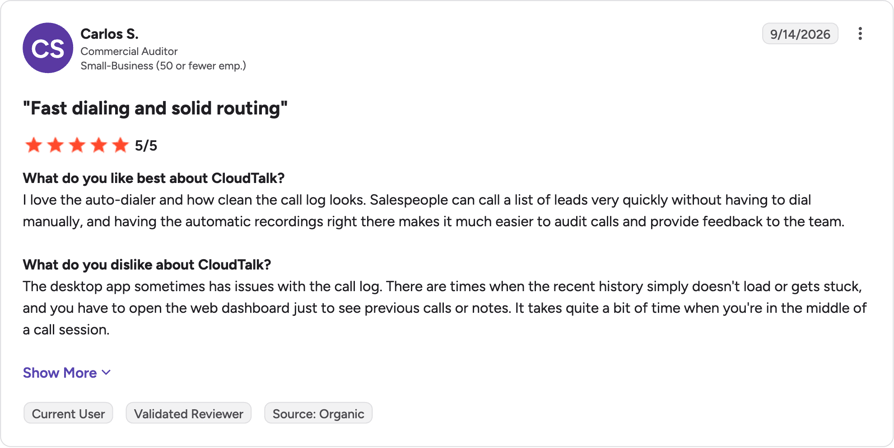
On Reddit, CloudTalk often comes up as a better fit after leaving Aircall, with users crediting steadier call quality, a cleaner interface and lower starting costs.
What Is CloudTalk's G2 Rating?
CloudTalk is rated 4.4/5 on G2 based on 1941+ reviews.
CloudTalk Pros and Cons From G2 and Reddit
| Pros | Cons |
|---|---|
| Power and Parallel modes in one dialer, with 2 to 5 lines in Parallel | No predictive dialer for large contact center floors |
| Clean, intuitive interface that new reps learn quickly | Reps can't take inbound calls while working a campaign |
| Local numbers and CRM logging run on the same phone system | Voicemail auto-detection only works on Parallel at two or more lines |
2. Aircall: Best for Small Teams Already Using Aircall for Inbound
What Is Aircall?
Aircall is a cloud phone system for small and mid-sized sales and support teams, with its power dialer on the Professional plan. Our guide to Aircall alternatives lists other options.
What Are Aircall's Key Outbound Dialer Features?
- Power Dialer: import up to 1,000 numbers and dial them in order.
- Agent campaigns: managers push call lists to reps on Professional.
- Voicemail drop: reps leave a recorded message on Professional.
- Inbound alongside: IVR, smart routing and queue callbacks, plus 250+ integrations.
What Is Aircall Missing?
- No parallel dialing: Aircall's own blog explains why it chose not to build one.
- Dialer features need Professional, and every plan has a three-user minimum.
- What switchers told us: buyers who left cited price and call quality; teams that stayed liked its simplicity.
Who Is Aircall Best For?
Small teams already running inbound on Aircall that want light outbound calling. Teams with big cold lists will miss a parallel mode.
How Much Does Aircall Cost?
Aircall pricing starts at $30 per license per month billed annually, with a three-user minimum (Aircall pricing page). The power dialer starts on Professional at $50.
| Plan | Price per license/month (annual) | Dialer included or add-on | Key inclusions |
|---|---|---|---|
| Essentials | $30 (3-user minimum) | No agent power dialer | Calling, IVR, routing |
| Professional | $50 (3-user minimum) | Power Dialer included | Voicemail drop, agent campaigns |
| Enterprise | Custom (25-user minimum) | Included | Custom terms |
What Do Customers Say About Aircall on G2 and Reddit?
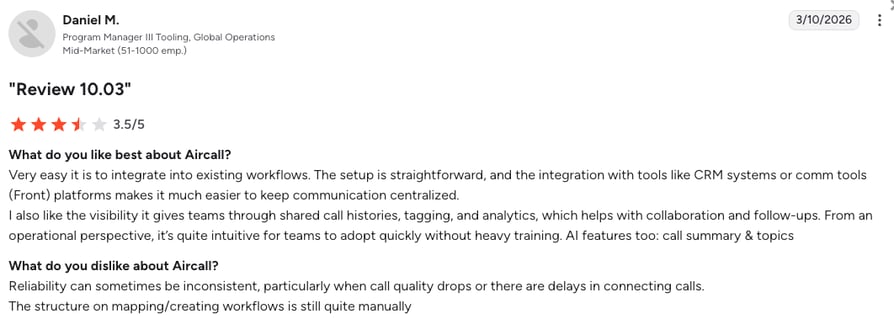
Reddit users like how easy Aircall is to set up and use. The common complaints are choppy audio and useful features locked behind higher plans.
What Is Aircall's G2 Rating?
Aircall is rated 4.4/5 on G2 based on 1677+ reviews. Read the Aircall reviews on G2.
Aircall Pros and Cons From G2 and Reddit
| Pros | Cons |
|---|---|
| Simple interface that new reps pick up quickly | No parallel dialing for low-pickup cold lists |
| Reliable click-to-dial from HubSpot and Salesforce | Power dialer and voicemail drop require the Professional plan |
| Inbound routing and outbound calling live in the same app | Users report dropped calls and choppy audio at busy times |
3. RingCentral: Best for Companies Standardized on a UCaaS Suite
What Is RingCentral?
RingCentral's RingEX plans bundle phone, team chat and video, while its outbound dialer lives in RingCX, a separate contact center product. Teams that want both in one place often compare RingCentral alternatives.
What Are RingCentral's Key Outbound Dialer Features?
- Four dialing modes in RingCX: manual, preview, progressive and predictive.
- Voicemail detection: RingCX detects answering machines and plays an automated message.
- Blended operation: agents switch to outbound when inbound is quiet.
- Unlimited minutes and 50+ integrations, both included in RingCX.
What Is RingCentral Missing?
- The dialer is a second product: RingEX customers add RingCX for campaign dialing, with its own price and setup.
- No parallel mode listed: RingCX paces calls predictively instead.
- What switchers told us: buyers cited missing dialer features, hard-to-follow billing and call quality, but credited its team chat and video.
Who Is RingCentral Best For?
Companies already standardized on RingCentral, with budget for a contact center product on top. A team that only needs a sales dialer may find two products heavier than necessary.
How Much Does RingCentral Cost?
RingCentral pricing for the dialer starts with RingCX at "monthly pricing starting at just $65 per user" with unlimited minutes (RingCX page). RingEX starts at $20 per user per month billed annually ($30 monthly), without campaign dialing (RingCentral blog).
| Plan | Price per user/month | Dialer included or add-on | Key inclusions |
|---|---|---|---|
| RingCX | From $65 | Included (preview, progressive, predictive) | Unlimited minutes, blended calling |
| RingEX Core / Advanced / Ultra | $20 / $25 / $35 annual ($30 / $35 / $45 monthly) | Not included (needs RingCX) | Phone, team chat, video |
What Do Customers Say About RingCentral on G2 and Reddit?
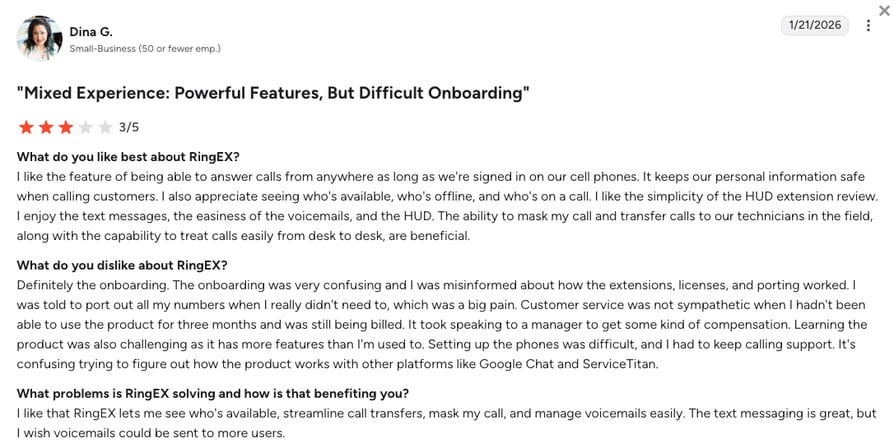
On Reddit, users mention being passed between support agents and question whether the bundled suite is worth the cost for teams that mainly need a sales dialer.
What Is RingCentral's G2 Rating?
RingCentral is rated 0/5 on G2 based on 0+ reviews.
RingCentral Pros and Cons From G2 and Reddit
| Pros | Cons |
|---|---|
| Team chat, video and phone in one suite | Campaign dialing needs RingCX, a separate product with its own price |
| RingCX offers preview, progressive and predictive dialing modes | Billing and stacked add-on fees are hard to follow |
| Blended inbound and outbound with unlimited minutes in RingCX | Support is described as slow and hard to escalate |
4. Dialpad: Best for Teams That Want AI Features Across Calls and Meetings
What Is Dialpad?
Dialpad is an AI-first platform for calls, meetings and contact center work. Its Power Dialer comes with the Support (contact center) plans, while Dialpad Sell adds AI coaching, local presence and voicemail drop. See our list of Dialpad alternatives.
What Are Dialpad's Key Outbound Dialer Features?
- Power Dialer (Support plans): automatic list dialing with voicemail drop, plus a dedicated Salesforce power dialer.
- Reach Booster: local presence and voicemail drop, included from Sell Advanced.
- Live Coach: real-time prompts during calls on Sell Advanced.
- AI transcripts, recaps and sentiment on every call and meeting.
What Is Dialpad Missing?
- No parallel dialing listed: the pages I checked show only a power dialer.
- Power Dialer is Support-only: Dialpad's feature comparison lists it only on Support tiers, so a sales team that wants it pays contact center pricing.
- What switchers told us: teams that left wanted more dialer capability, though they credited its AI.
Who Is Dialpad Best For?
Teams that care most about AI across calls and meetings and need a solid power dialer, not high-volume multi-line dialing.
How Much Does Dialpad Cost?
Dialpad pricing for the Power Dialer starts on Support Essentials at $89 per user per month billed annually, or $109 monthly. Sell plans start at $39 but don't include the Power Dialer (Dialpad pricing page).
| Plan | Price per user/month (annual / monthly) | Dialer included or add-on | Key inclusions |
|---|---|---|---|
| Sell Essentials | $39 / $49 | No Power Dialer; Reach Booster as add-on | AI transcripts and recaps |
| Sell Advanced | $59 / $70 | No Power Dialer; Reach Booster included | Live Coach |
| Sell Premium | $79 / $95 | No Power Dialer; Reach Booster included | Quality management |
| Support Essentials | $89 / $109 | Power Dialer included | Contact center features |
What Do Customers Say About Dialpad on G2 and Reddit?
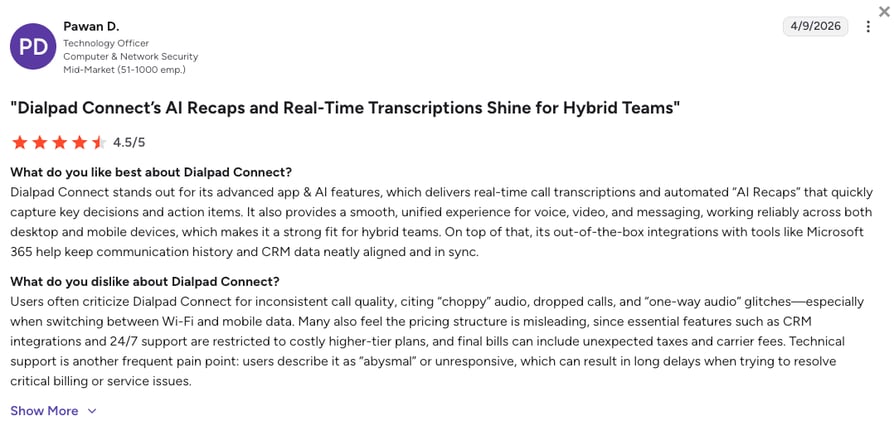
On Reddit, support is the recurring Dialpad complaint, described as hard to reach and mostly chatbot-based.
What Is Dialpad's G2 Rating?
Dialpad is rated 4.4/5 on G2 based on 4216+ reviews. Read the Dialpad reviews on G2.
Dialpad Pros and Cons From G2 and Reddit
| Pros | Cons |
|---|---|
| AI transcripts, recaps and sentiment on every call | Only a power dialer, with no parallel dialing listed |
| Live Coach gives reps real-time prompts during calls | Power Dialer only on Support plans, not the Sell tiers |
| Modern interface that small and mid-size teams onboard quickly | Users report CRM sync gaps and numbers flagged as spam |
5. JustCall: Best for SMB Sales Teams That Want Live AI Coaching
What Is JustCall?
JustCall is a cloud phone and SMS platform for SMB sales and support teams. It stands out for AI coaching, and its top sales tier adds a multi-line dialer. Our guide to JustCall alternatives compares similar tools.
What Are JustCall's Key Outbound Dialer Features?
- Power dialer from the Pro plan, so reps stop hand-dialing.
- Multi-line dialing on SalesPro: JustCall lists a "Predictive dialer (up to 10 lines)" plus power and dynamic dialers.
- Live AI coaching: real-time agent assist, objection handling and script compliance.
- Sales stack integrations: Salesforce, HubSpot, Apollo, Outreach and Salesloft, with numbers in 70+ countries.
What Is JustCall Missing?
- Multi-line dialing sits on a quote-based tier, so published plans get one line.
- Two-license minimum on every plan.
- 70+ countries: check that every country you call is covered.
Who Is JustCall Best For?
SMB sales teams that want reps coached live during calls. In our deal notes, live AI coaching is why a buyer chose JustCall over us, so if that matters most, trial it.
How Much Does JustCall Cost?
JustCall pricing starts at $29 per user per month billed annually, or $39 monthly, with a two-license minimum (JustCall pricing page). The power dialer starts on Pro.
| Plan | Price per user/month (annual / monthly) | Dialer included or add-on | Key inclusions |
|---|---|---|---|
| Team | $29 / $39 | Not included | Calling and SMS |
| Pro | $49 / $69 | Power dialer | Sales workflows |
| Pro Plus | $89 / $109 | Power dialer | AI coaching |
| SalesPro | Custom | Multi-line (up to 10 lines), power and dynamic | Voicemail automation, agent assist |
What Do Customers Say About JustCall on G2 and Reddit?
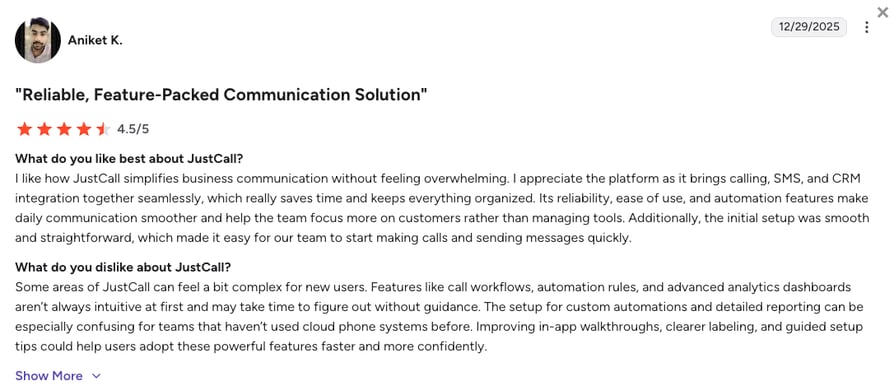
Reddit discussion of JustCall for outbound mostly covers reliability and onboarding: dropped calls at busy times, a strict verification step at signup and inconsistent support. Its CRM connectors and SMS get a better reception.
What Is JustCall's G2 Rating?
JustCall is rated 4.3/5 on G2 based on 2395+ reviews. Read the JustCall reviews on G2.
JustCall Pros and Cons From G2 and Reddit
| Pros | Cons |
|---|---|
| Live AI coaching and agent assist guide reps during calls | Dropped calls and audio lag are the most common complaints |
| Quick to set up, so new reps get dialing on day one | Multi-line dialing needs the quote-based SalesPro tier |
| Calls and texts log automatically to HubSpot and Salesforce | Strict account verification and uneven support slow some teams down |
6. Kixie: Best for HubSpot-Centric SMB Sales Teams
What Is Kixie?
Kixie is a calling and SMS platform for sales teams that live in their CRM, built around single-line and multi-line power dialing. Our roundup of Kixie alternatives covers other CRM-first dialers.
What Are Kixie's Key Outbound Dialer Features?
- Multi-line power dialing: up to 4 lines at once for colder lists.
- Voicemail drop and live coaching on every plan.
- Inbound on every plan: IVR, ring groups, call queues and routing.
- Two-way CRM sync with HubSpot, Salesforce, Pipedrive, Zoho, HighLevel and ActiveCampaign.
What Is Kixie Missing?
- No published prices, so you'll need a sales conversation.
- A 4-line ceiling, and AI human voice detection costs extra.
- What a switcher told us: one team left over reliability and CRM routing issues. That's one data point, not a pattern.
Who Is Kixie Best For?
SMB sales teams that run their pipeline in a CRM, often HubSpot, and want power dialing, texting and inbound from one vendor. Test your CRM's integration depth during the 7-day free trial.
How Much Does Kixie Cost?
Kixie pricing isn't published, so you'll need to request a quote (Kixie pricing page).
| Plan | Price | Dialer included or add-on | Key inclusions |
|---|---|---|---|
| Professional | Not published | Not a power dialer plan | Calling, SMS, voicemail drop, inbound |
| Single-Line PowerDialer | Not published | Single-line power dialer | Everything in Professional |
| Multi-Line PowerDialer | Not published | Up to 4 lines | AI voice detection as an add-on |
What Do Customers Say About Kixie on G2 and Reddit?
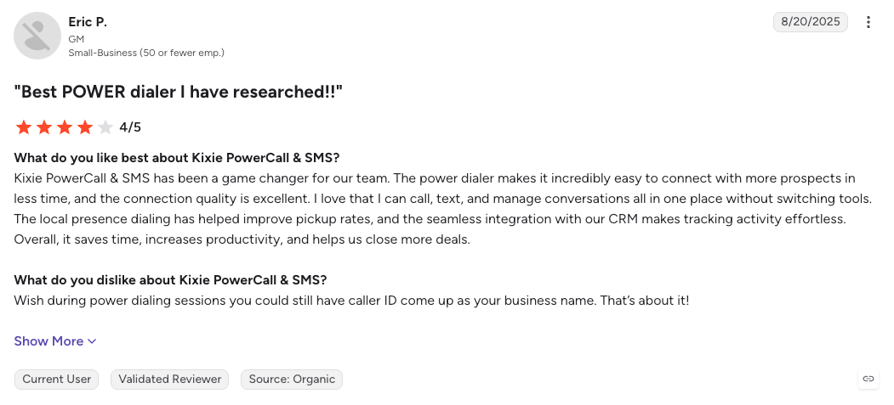
On Reddit, Kixie comes up as a quick, HubSpot-friendly dialer with useful local presence, though many of the same posts mention glitchy extensions or mobile apps and extra fees once add-ons are quoted.
What Is Kixie's G2 Rating?
Kixie is rated 4.8/5 on G2 based on 866+ reviews. Read the Kixie reviews on G2.
Kixie Pros and Cons From G2 and Reddit
| Pros | Cons |
|---|---|
| Multi-line power dialer calls up to 4 lines at once | No published prices, and add-ons raise the real per-seat cost |
| Two-way CRM sync works especially well for HubSpot teams | Some users report freezes and dropped calls while dialing out |
| Voicemail drop, IVR and call queues come on every plan | Annual or quarterly terms with strict auto-renewal frustrate some teams |
7. PhoneBurner: Best for Solo Reps and Small Teams Focused on Power Dialing
What Is PhoneBurner?
PhoneBurner is a standalone power dialer with a built-in lightweight CRM, made for reps who spend most of the day on the phone. If you need more than one line, see our PhoneBurner alternatives.
What Are PhoneBurner's Key Outbound Dialer Features?
- Unlimited power dialing on every plan, with what PhoneBurner calls "delay-free connections."
- One-click voicemails and custom dispositions.
- Built-in CRM and email for reps without a CRM.
- Integrations: Salesforce, HubSpot, Zoho and 100+ more, plus ARMOR spam monitoring as an add-on.
What Is PhoneBurner Missing?
- One line only, so cold lists with low pickup take longer.
- High price per seat: from $140 per user per month.
- Limited inbound: custom inbound routing needs Premium.
Who Is PhoneBurner Best For?
Solo reps, insurance and real estate agents, and small teams that want a dedicated power dialer with a built-in CRM rather than a full phone system.
How Much Does PhoneBurner Cost?
PhoneBurner pricing starts at $140 per user per month billed annually, or $165 monthly (PhoneBurner pricing page). Every plan includes the power dialer.
| Plan | Price per user/month (annual / monthly) | Dialer included or add-on | Key inclusions |
|---|---|---|---|
| Standard | $140 / $165 | Power dialer included | One-click voicemails, built-in CRM |
| Professional | $165 / $195 | Power dialer included | Open API |
| Premium | $183 / $215 | Power dialer included | Custom inbound routing |
What Do Customers Say About PhoneBurner on G2 and Reddit?
Reddit users see PhoneBurner as a strong single-line dialer for brokers, loan officers and solo reps. They say the price stings, and that teams move to multi-line or predictive dialers as volume grows.
What Is PhoneBurner's G2 Rating?
PhoneBurner is rated 4.8/5 on G2 based on 294+ reviews. Read the PhoneBurner reviews on G2.
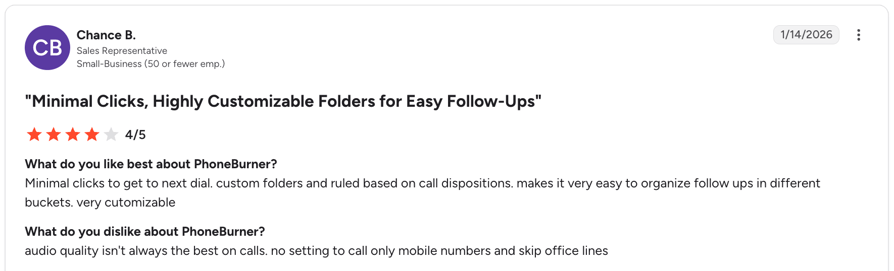
PhoneBurner Pros and Cons From G2 and Reddit
| Pros | Cons |
|---|---|
| No pause after a prospect answers, so conversations start cleanly | Single line only, so high-volume floors outgrow it |
| One-click voicemail drop saves reps time on missed calls | High per-seat price, which even happy users feel |
| Onboarding and support get consistent praise from users | Custom inbound routing needs the Premium plan |
8. Orum: Best for SDR Teams Running High-Volume Parallel Dialing
What Is Orum?
Orum is a parallel dialer for B2B SDR teams that cold call all day. It sits on top of your sales stack instead of replacing your phone system. Smaller teams often look at Orum alternatives because of its seat minimum.
What Are Orum's Key Outbound Dialer Features?
- Parallel and power dialing: Orum says you can "run up to 5 lines at once with parallel dialing."
- Voicemail and screener detection, with an automatic voicemail drop.
- Connect-rate tools: Boost Connect, number temperature and smart lists.
- Integrations: Salesforce, HubSpot, Outreach, Salesloft, Apollo and Gong, with calls to the US, Canada and 160+ other countries and regions.
What Is Orum Missing?
- A 9-seat minimum, and the free trial stops at 500 dials.
- No published pricing.
- Limited inbound: callbacks trigger an SMS to the rep, and I didn't find inbound routing or IVR.
Who Is Orum Best For?
SDR teams of 9 or more reps who cold call all day on Salesforce or HubSpot and handle inbound elsewhere.
How Much Does Orum Cost?
Orum pricing isn't published; you request a quote, with a minimum of 9 seats (Orum pricing page).
| Plan | Price | Dialer included or add-on | Key inclusions |
|---|---|---|---|
| Orum (quote-based) | Not published (9-seat minimum) | Parallel and power included | Voicemail drop, AI summaries, live listen |
| AI Coaching | Not published | Add-on | Coaching features |
What Do Customers Say About Orum on G2 and Reddit?
Reddit users say Orum works well for high-volume B2B cold calling, but smaller teams struggle to justify the cost and some flag the pause after a prospect answers.
What Is Orum's G2 Rating?
Orum is rated 4.6/5 on G2 based on 1099+ reviews.
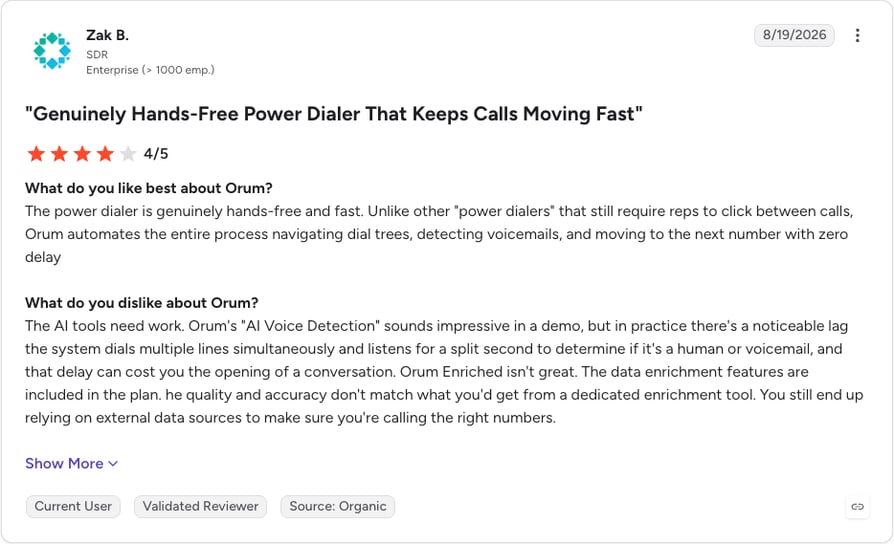
Orum Pros and Cons From G2 and Reddit
| Pros | Cons |
|---|---|
| Parallel dialing on up to 5 lines, plus a power mode for warmer lists | 9-seat minimum and a 500-dial trial make small pilots hard |
| Detects voicemail and call screeners, then drops a voicemail automatically | A short pause after a prospect answers can make openers feel awkward |
| Connects to Salesforce, HubSpot, Outreach, Salesloft, Apollo and Gong | Built for outbound, with no marketed inbound routing or IVR |
9. Five9: Best for Large Contact Centers That Need Predictive Dialing
What Is Five9?
Five9 is a cloud contact center platform for large customer service and outbound operations, and an established choice for true predictive dialing. Smaller teams can compare Five9 alternatives.
What Are Five9's Key Outbound Dialer Features?
- Four dialing modes: predictive, progressive, power and preview.
- Answering machine detection and automatic voicemail.
- DNC list management in one place.
- CRM screen pop through CTI when the call connects.
What Is Five9 Missing?
- No published pricing: expect a sales process and a custom quote.
- Built for scale: more platform than a 10-person sales team needs.
- Abandoned-call risk: predictive pacing is the mode most likely to drop live answers.
Who Is Five9 Best For?
Contact centers with dozens or hundreds of agents that run consumer outbound alongside inbound and digital channels.
How Much Does Five9 Cost?
Five9 pricing is quote-based, and Five9 doesn't publish prices on its site (Five9 dialer page).
| Plan | Price | Dialer included or add-on | Key inclusions |
|---|---|---|---|
| Five9 contact center | Quote-based | Predictive, progressive, power and preview | Answering machine detection, DNC management |
What Do Customers Say About Five9 on G2 and Reddit?
In contact center communities on Reddit, users describe Five9 as strong at raw outbound volume, with complaints about system lag, complex interfaces and contract terms that don't suit smaller teams.
What Is Five9's G2 Rating?
Five9 is rated 4.1/5 on G2 based on 625+ reviews. Read the Five9 reviews on G2.
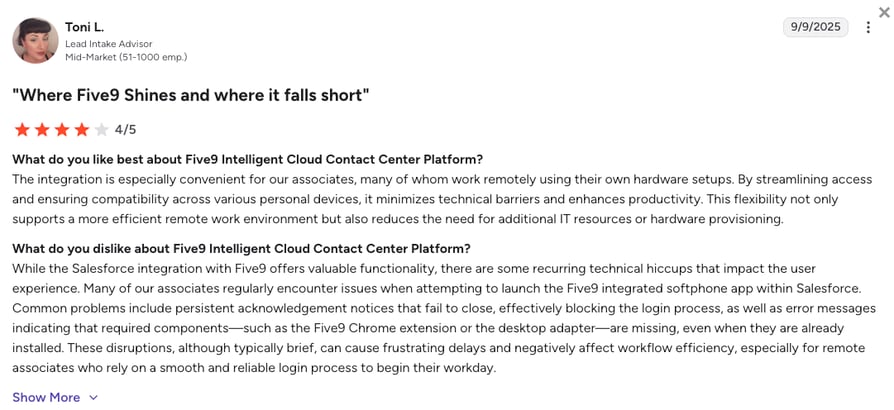
Five9 Pros and Cons From G2 and Reddit
| Pros | Cons |
|---|---|
| Predictive, progressive, power and preview dialing in one platform | Quote-based pricing means a full sales process before you see numbers |
| Answering machine detection keeps agents on live answers only | Agent interface and reporting can feel dated and complex |
| Built to run outbound volume for very large agent teams | Some users report lag and dropped calls, especially with CRM integrations |
10. Convoso: Best for High-Volume B2C Outbound and Lead Generation
What Is Convoso?
Convoso is a contact center platform built for high-volume B2C outbound and lead generation, and a common pick for outbound telemarketing dialer software where compliance matters. Our Convoso review goes deeper.
What Are Convoso's Key Outbound Dialer Features?
- Every main dialing mode: predictive, power, progressive, preview and manual.
- Voicemail detection and call classification, so agents spend time on live answers.
- Compliance tooling: DNC scrubbing, reassigned-number checks and state dialing rules.
- Salesforce and an open API for custom setups.
What Is Convoso Missing?
- No free trial, so you'll judge it from a demo.
- Annual plans and separate carrier fees make the true monthly cost harder to work out.
- Inbound is secondary: simple IVR and queues handle callbacks, but the platform is built for outbound (Convoso IVR).
Who Is Convoso Best For?
B2C outbound teams, lead generation agencies and insurance or home services call centers that dial large consumer lists every day.
How Much Does Convoso Cost?
Convoso pricing isn't published; you request a quote through a form (Convoso pricing page).
| Plan | Price | Dialer included or add-on | Key inclusions |
|---|---|---|---|
| Convoso (quote-based) | Not published | All five dialing modes included | Voicemail detection, compliance tools |
What Do Customers Say About Convoso on G2 and Reddit?
Convoso's G2 score and review themes are below.
What Is Convoso's G2 Rating?
Convoso is rated 4.5/5 on G2 based on 254+ reviews. Read the Convoso reviews on G2.
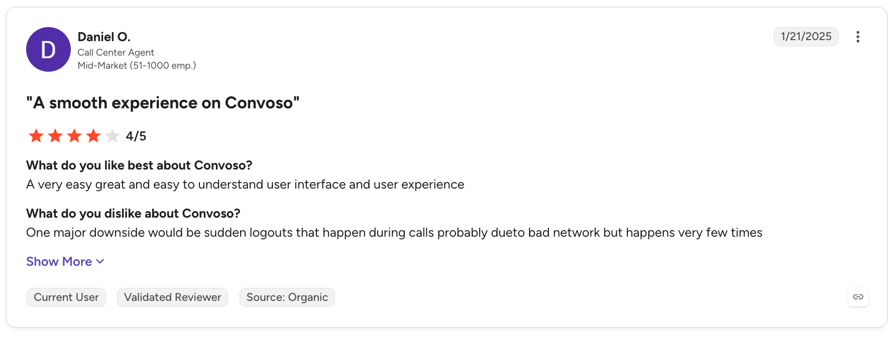
Convoso Pros and Cons From G2 and Reddit
| Pros | Cons |
|---|---|
| Predictive, power, progressive, preview and manual dialing in one dialer | No free trial, so you judge it from a demo |
| Built-in DNC scrubbing, reassigned-number checks and state dialing rules | Annual plans plus separate carrier fees make true cost hard to estimate |
| Voicemail detection and call classification keep agents on live answers | Some users report dropped calls and lag during busy periods |
Why Do Teams Switch to an Outbound Dialer?
Whether they run a five-person sales team or need an outbound call center dialer, buyers describe the same before and after:
Real-Life Example
After moving off manual dialing, My Mortgage Finder went from 15 to 100+ calls per agent per day with CloudTalk's dialer.
In our own deals, buyers chose CloudTalk most often for dialing inside their CRM and for local numbers in the countries they call.
How Do You Choose the Right Outbound Dialer Software?
Feature lists look alike; the real differences show up in week two. Ask every vendor these six questions before you sign.
Which Dialing Mode Fits Your Lists?
Warm lists, follow-ups and callbacks suit power or preview dialing. Cold lists with low pickup suit parallel dialing, and predictive belongs in very large contact centers. For parallel, start at about three lines per rep and adjust once you see your answer rates.
Will It Lift Your Connect Rate?
Check the caller ID options (local, rotating or fixed), international numbers in every country you call, spam-flag handling and STIR/SHAKEN support. Then test the silence after "hello" during a trial: a short voicemail-detection pause is normal, a long one loses the call.
Does It Sync With Your CRM?
Lists should come in from your CRM and outcomes go back without typing. Check native support for your CRM, including industry CRMs in insurance, real estate or staffing, through the vendor's CRM integrations for tools like HubSpot or Salesforce. A clean rollout takes five steps:
- 01Planpick the fields and dispositions you need, and clean your data.
- 02Connectlink the dialer to your CRM.
- 03Mapmake each disposition trigger the right CRM update.
- 04Trainwalk reps through the new workflow.
- 05Reviewcheck the first campaigns and fix what's missing.
Real-Life Example
Pipedrive's own sales team logs 100% of call activity in Pipedrive automatically with CloudTalk's dialer, while its top SDRs make 270+ calls a month.
Does It Help You Stay Compliant?
Some dialers help with DNC lists or state calling rules, but consent, DNC scrubbing and time zones mostly stay with your process. CloudTalk calls are STIR/SHAKEN compliant. None of this is legal advice, and B2B and non-US calls follow different rules.
The 3% abandoned-call rule
Under the Federal Trade Commission's Telemarketing Sales Rule, US telemarketers must keep abandoned calls at or below 3% of calls answered by a person, per campaign over each 30-day period. Lower line counts make it easier to stay under.
What Will It Really Cost per Seat?
Add the dialer (included or add-on), phone numbers, calls outside your plan's region and any AI features to the plan price. Then check the terms: seat minimums, annual-only contracts and separate carrier fees change the math for a small team.
Will It Scale With Your Team?
The common challenge when scaling outbound calling with dialer software is that a tool built for three reps breaks at thirty. Pick one that adds reps, countries and campaigns without switching platforms, and watch connect and abandoned-call rates as you add lines.
How Much Does an Outbound Dialer Cost?
Outbound dialer pricing follows four models:
| Pricing model | How it works | Examples from this list |
|---|---|---|
| Dialer included in a plan | A higher tier includes the dialer | Aircall Professional, JustCall Pro |
| Dialer add-on per seat | Phone system first, then the dialer on the seats that need it | CloudTalk |
| Standalone dialer | A dedicated dialer priced on its own, often with seat minimums | PhoneBurner, Orum |
| Contact center pricing | Custom quotes, seat minimums and annual contracts | Five9, Convoso |
The bill also depends on the dialing mode, seats, where you call, how many numbers you rent and contract length. Our guides to auto dialer pricing, power dialer pricing and smart dialer pricing break it down further.
Among the tools above that publish prices, the cheapest plan with a dialer is JustCall Pro at $49 per user per month billed annually; PhoneBurner starts at $140. CloudTalk plans start at $25, with the Power add-on at $15 (included in Expert) and Parallel at $39, Power included.
Which Outbound Dialer Setup Fits Your Team?
Your lists and team size shape the right setup more than your industry does. These five situations come up most often on our calls.
SDR and B2B Sales Teams
Outbound sales teams run warm and cold lists side by side: power or preview for the first, parallel for the second, with outcomes syncing back to the CRM. CloudTalk's Power and Parallel modes cover both from one dialer.
High-Volume Call Centers and Telemarketing
Outbound telemarketing dialer software has to balance volume and compliance. Parallel dialing works up to moderate team sizes, while large floors often need predictive pacing. Compare whole platforms in our list of the best cloud call center software.
Real-Life Example
Dentakay scaled from 120 to nearly 165 sales agents on CloudTalk, and 90% of them adopted Power dialing.
Collections, Reminders and Renewals
Use retry rules, callbacks at the agreed time and consistent scripts. For the most repetitive calls, such as logistics delivery updates, an AI voice agent can take the first pass; compare the best AI voice agents.
Recruiting and Staffing
Recruiters use parallel dialing for first contact and power mode for shortlisted candidates, with every call logged to the ATS or CRM. Hiredly reached 100% lead follow-up after moving its calling onto CloudTalk's dialer.
Small Teams With Big Lists
A few reps against thousands of contacts need parallel dialing and a smart call order: fresh leads first, callbacks on time, retries spaced out. Pick monthly terms and a low seat minimum. With CloudTalk, you add the dialer only to the seats that need it.
Common Outbound Dialer Mistakes and How to Avoid Them
A dialer speeds up whatever process you already run, good or bad. These outbound dialer best practices come from the mistakes we see most often:
The right tools make these habits stick: call recording and call monitoring for coaching, analytics for call center KPIs like average handle time, and segment-specific cold calling scripts that respect business hours.
Start Your Next Campaign With the Right Dialer
Pick the mode that fits your lists: power for warm leads, parallel for cold ones. Check CRM sync and local numbers in the countries you call, then run a real campaign during a trial. A week of live calls tells you more than any demo.

Run your next campaign on CloudTalk's AI Sales Dialer

Frequently Asked Questions
Everything you need to know about outbound dialers
An outbound dialer is software that calls numbers from a contact list for your reps, so they spend their time talking instead of dialing. It connects a rep only when someone answers, handles voicemail and logs every outcome: the core tool for automated outbound calling.
There are five: power (one number at a time), progressive or preview (the rep is ready or sees the record first), predictive (paced on agent availability), parallel (a set number of lines per rep) and smart (a click-to-call queue). See the difference between power and predictive dialers.
CloudTalk is the best outbound dialer for most sales teams, with power and parallel dialing inside a phone system. Aircall suits small teams already on Aircall for inbound, and RingCentral fits companies on its UCaaS suite. Large contact centers that need predictive dialer software should look at Five9 or Convoso.
A predictive dialer paces calls across a whole team, dialing ahead of agent availability, which suits large contact centers. A parallel dialer rings a fixed number of lines per rep that you choose. Both can drop live answers, so watch the US 3% abandoned-call limit. Our parallel vs predictive dialer guide goes deeper.
Contact center dialers such as Five9 and Convoso list the most compliance tooling, including DNC management and state calling rules. Look for calling-hour controls, abandoned-call tracking and STIR/SHAKEN call signing, and keep consent and DNC scrubbing in your own process. Our TCPA compliant dialer page has a checklist. This isn't legal advice.
Add reps, local numbers and campaigns on the same platform instead of adding tools. Buy numbers in each country you call, split lists into separate campaigns, and add parallel lines only when answer rates are low. Track connect and abandonment rates, and use spam protection so new numbers keep getting answered.
AI mostly works around the call: voicemail detection, transcripts, summaries and sentiment, and queues that rank who to call next. Some platforms add live coaching, and AI voice agents can take repetitive calls such as reminders. Conversation intelligence turns recorded calls into notes managers can coach from.
Yes. Lists come in from the CRM, and outcomes, notes and recordings go back to the contact. CloudTalk pulls lists from HubSpot, Salesforce (on Expert), Pipedrive and Zoho, and syncs dispositions to HubSpot and Pipedrive, for example through its power dialer for Pipedrive. Check industry CRMs before you buy.
A cloud outbound dialer runs in a browser or desktop app and connects over the internet, with no on-site hardware or phone lines to maintain. Reps dial from anywhere, and admins add seats and numbers from a web dashboard. Most modern dialers, including those built into a cloud phone system, work this way.
On cold lists, a parallel dialer, because it rings several numbers at once and connects the rep to the first person who answers. On warm lists, a power dialer with auto-dial on starts the next call as soon as the rep wraps up. Automatic voicemail drop saves time on both.