Top 10 Business Phone Systems for Real Estate in 2026
TL;DR: The Best Business Phone Systems for Real Estate
- 01CloudTalk — Best overall for high-velocity teams needing AI automation and deep CRM integration.
- 02RingCentral — Best for established agencies requiring unified video, chat, and voice.
- 03Nextiva — Best for reliability and large teams needing 99.999% uptime.
- 04Dialpad — Best for AI-driven coaching and real-time call transcriptions.
- 05Voiso — Best for high-volume outbound campaigns with predictive dialing.
- 06Grasshopper — Best for solo agents needing a simple second business line.
- 07ZIWO — Best for global real estate firms with a focus on the GCC/MENA region.
- 08Aircall — Best for teams prioritizing ease of use and rapid setup.
- 09MightyCall — Best for small teams on a budget needing basic call monitoring.
- 10JustCall — Best for SMS-heavy follow-up and multi-channel prospecting.
Stop Letting Hot Listings Slip Through the Cracks
Every minute your agents spend manually dialing is a minute your competitors are using to sign contracts. Ready to accelerate your outbound results and stop letting hot listings slip through the cracks?
In 2026 , the real estate market moves at the speed of light. Data shows that 78% of buyers work with the first agent who responds to their inquiry, and responding within just 5 minutes makes you 21x more likely to convert that lead.² On the outbound side, real estate services maintain a solid 2.2% cold calling conversion rate—but only if you have the volume and persistence to make those 45 calls per sale.³
Let’s be frank. There’s no such thing as a "one-size-fits-all" phone system for real estate. Why? Because a solo agent needs a simple second line, while a scaling brokerage needs high-velocity parallel dialing and automated CRM logging.
In this guide, we’ll evaluate the leading platforms, highlight their strengths, and help you choose the best business phone system for real estate that truly fits your unique workflow.
How We Chose the Best Cold Calling Dialers
To bring you this guide, we compared over 30 leading dialer platforms, drawing on real feedback from 2,000+ sales professionals across user experience platforms like G2, Capterra, or TrustRadius.
The 20 best dialers for cold calling were selected based on outbound features, ease of use, CRM integration, and compliance; plus how well they performed in real sales workflows. We also reference recent research and industry stats from trusted sources like GrowthList or Cognism, to ensure our recommendations are data-backed.
What you’ll find here:
Only dialers that deliver real results, with clear notes on which teams and campaigns each one fits best.
Why Trust Our Software Reviews?
For nearly a decade, we’ve helped over 30,000 professionals choose and implement better communication tools. We’ve reviewed 200+ products, analyzed 5,500+ verified reviews from G2 and Capterra, and drawn insights from real user discussions on platforms like Reddit or Quora.
In the past year alone, we’ve published 1,000+ articles, all written and reviewed by humans, for humans, to provide reliable, data-backed insights you can trust.
Learn how we keep our content integrity and our software review methodology.
With so many phone systems on the market, it can be difficult to quickly see how they differ. The table below provides a straightforward comparison of the most relevant options for real estate teams in 2026.
Top 10 Business Phone Systems for Real Estate Teams (2026 Guide)
If you’re comparing real estate phone systems, this shortlist highlights the platforms most high-growth brokerages and agents consider in 2026.
Side-by-Side Comparison of the Best Real Estate Phone Systems
The table below compares:
- Best-fit use cases for different real estate team structures, from solo agents to enterprise brokerages.
- Starting prices to help you align your tech stack with your operational budget.
- G2 ratings from verified sales and real estate professionals.
Comparison Table: Best Phone Systems for Real Estate
| Platform | Best for | Starting Price (annual billing) | G2 Rating |
|---|---|---|---|
| CloudTalk | Scaling real estate teams needing AI automation & deep CRM integration | $25/user/month | 4.4/5 |
| RingCentral | Established agencies needing unified video, chat & voice | $20/user/month | 4.3/5 |
| Nextiva | Teams prioritizing reliability & 99.999% uptime | $15/user/month | 4.5/5 |
| Dialpad | AI-driven coaching & real-time transcription | $15/user/month | 4.5/5 |
| Voiso | High-volume outbound & predictive dialing | $21/user/month | 4.8/5 |
| Grasshopper | Solo agents needing a simple second business line | $14/month | 3.9/5 |
| ZIWO | Global/MENA-focused real estate firms | $30/user/month | 4.9/5 |
| Aircall | Teams wanting easy setup & strong integrations | $30/user/month | 4.4/5 |
| MightyCall | Small offices on a budget | $15/user/month | 4.4/5 |
| JustCall | SMS-heavy follow-ups & multi-channel prospecting | $19/user/month | 4.3/5 |
Each platform offers a different mix of pricing, features, and target use cases. Reviewing these differences side by side can help you narrow down the options that best match your team’s size, workflow, and communication needs.
1. CloudTalk
CloudTalk is the best cold-calling dialer for growing real teams who want to connect with more leads andand close deals faster, whether you’re in sales, support, recruitment, or any SMB and mid-market teams aiming to scale.
Whether you’re managing property listings or supporting potential buyers, CloudTalk helps you scale without the busywork.
With CloudTalk, you get automated dialing modes that help your reps spend less time clicking numbers and more time actually talking to prospects. You can build a local presence in 160+ countries, track performance with real-time analytics, and plug seamlessly into 100+ popular CRM tools like HubSpot and Salesforce.
Key Features of CloudTalk
- High-Quality Calls: Guaranteed latency and minimal jitter for professional client conversations.
- AI-Powered Conversation Intelligence (transcription, summary, sentiment analysis)
- Advanced Dialers (power, preview, and parallel dialing modes)
- Smart Call Routing & IVR (skill-based, preferred-agent, visual designer)
- Global Voice Coverage (local, mobile, and toll-free numbers in 160+ countries)
- Live Call Monitoring & Coaching (listen-in, whisper, barge)
- CRM & Helpdesk Integrations (Salesforce, HubSpot, Zendesk, and more)
- Call Recording & Transcripts
- Real-Time & Historical Analytics
- 24/7 AI receptionist: Answers inbound calls, qualifies inquiries, routes patients to the right department, and reduces missed calls outside business hours
What type of business is CloudTalk best for?
CloudTalk is the perfect phone system for mid-sized real estate companies looking to grow. It is ideal for outbound sales teams reaching out to new listings and customer service teams managing inbound property inquiries.
What is CloudTalk missing?
We heard the feedback from users who wanted a refresh of CloudTalk Analytics to provide deeper data insights. Our response was the launch ofAnalytics 2.0. This powerful new framework delivers in-depth reports on daily operations, helping users to quickly identify and resolve problem areas.
Pricing of Cloud Talk
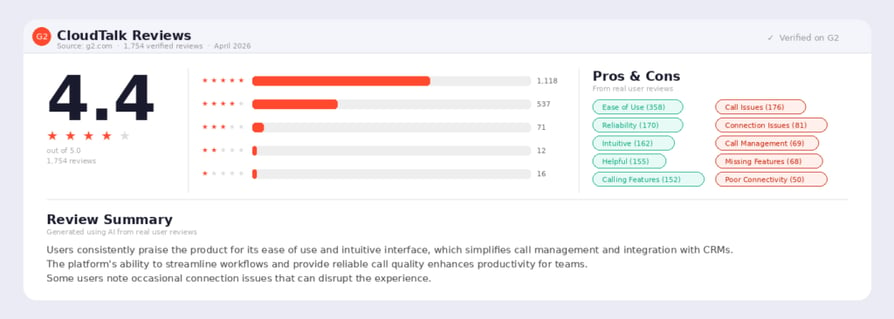
CloudTalk's pricing starts from $25/user/month.
Real use case of CloudTalk for Real estate
PlanRadar, a digital construction and real estate platform serving over 120,000 users in 65+ countries, was constrained by a VoIP system that offered only fixed phone numbers, limited international coverage, and unreliable call quality. As the team opened new markets, they needed flexible local presence and stronger support for inbound and outbound conversations with property managers and construction clients. After switching to CloudTalk with International Numbers, number porting, voicemail, and toll-free routing, the company unlocked the regional coverage it needed. The result was a 20% increase in agent efficiency, a 70% rise in call handling efficiency, and a 3% drop in missed calls.
G2 Rating of CloudTalk:

Sync Every Caller With Your Real Estate CRM

2. RingCentral

RingCentral is an excellent choice for enterprises, offering a comprehensive set of features and delivering HD-quality voice and video. Its single-software solution provides an omnichannel experience along with essential tools for lead qualification, management, collaboration, and performance monitoring.
Key Features of RingCentral
- Omnichannel Support: Manage voice, email, and social media from one app.
- AI Receptionist: Automated routing and virtual assistants for 24/7 coverage.
- Workforce Management: Tools for agent scheduling and performance monitoring.
- CRM Integration: Works natively with Salesforce and Microsoft Dynamics.
- 99.99% Uptime: High reliability for consistent connectivity.
What type of business is RingCentral best for?
Best for larger, established real estate firms that need a "one-stop-shop" for all internal and external communication needs, including video conferencing.
What is RingCentral missing?
RingCentral, despite its strengths, falls short in providing many essential features needed by modern businesses.
Several key tools, such as native sentiment analytics, speech-to-text transcription, smart dialers, and skill-based routing are exclusively available within their Contact Centre Solution. This limitation also applies to certain agent management functionalities, like monitoring.
The Call Recording tool and Toll-free numbers are available only as optional add-ons, incurring an extra charge.
Pricing of RingCentral
RingCentral pricing starts from $20/user/month.
Real use case of Ringcentral for Real estate
Scenic Sotheby's International Realty, a top luxury real estate firm in Northwest Florida with more than 100 full-time agents, was managing separate platforms for phone, chat, and video while their For Sale sign QR codes dropped leads straight onto a website without capturing any contact details. Agents were losing warm prospects to a cold handoff. After consolidating onto RingEX and using its Workflow Builder to automate a text-based follow-up after each QR scan, the team turned passive scans into qualified conversations. The result was a 100% increase in lead generation, 33% of scans converting to warm leads, and a 2x rise in response rates.
G2 rating of RingCentral:
4.3/5
Recommended Reads
3. Nextiva
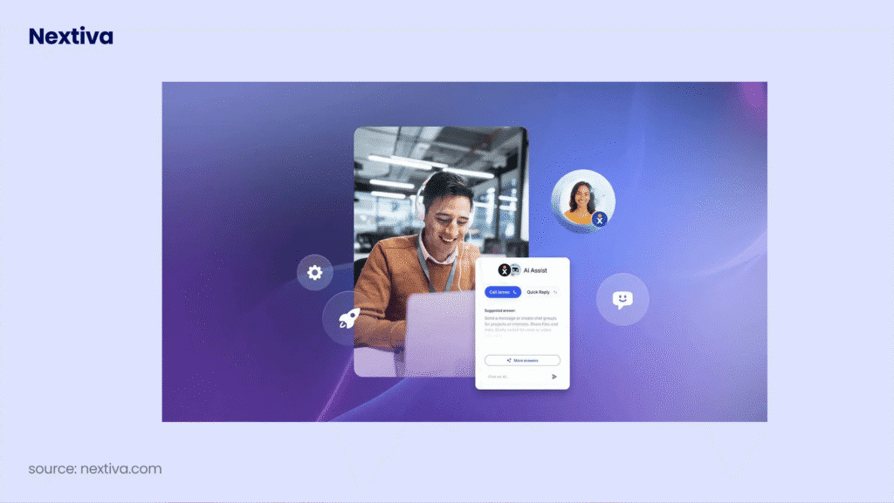
Nextiva is ideal for healthcare, offering HIPAA-compliant virtual faxing for secure data sharing. Beyond medical use, it provides advanced features like conference calling, voicemail transcription, and multi-level attendant functionality. Nextiva integrates with popular solutions such as Zendesk, ConnectWise, and MS Teams, and offers continuous 24/7 support.
Key Features of Nextiva
- Omnichannel Platform: Consolidates voice, text, and social into a single inbox.
- AI Call Summarization: Automatically creates notes from conversations.
- 99.999% Uptime: Industry-leading reliability for mission-critical operations.
- Scalable Apps: User-friendly desktop and mobile apps for agents on the go.
- Salesforce & HubSpot Integration: Deep syncing for lead management.
What type of business is Nextiva best for?
Best for medium-to-large real estate teams that prioritize system uptime and want a single view of the entire customer journey.
What is Nextiva missing?
Some users have reported issues with customer support responsiveness, and some advanced features are locked behind high-tier plans.
Nextiva lacks key integrations, such as Slack and Zapier. Zapier, in particular, allows users to connect their VoIP telephony system to thousands of non-native platforms.
Pricing of Nextiva
Nextiva pricing starts from $15/user/month.
Real use case of Nextiva for Real estate
Franklin Street, a 325-person commercial real estate firm headquartered in Tampa with six offices across the Southeast, was running on a legacy on-prem PBX that limited agent mobility, lacked cell phone integration, and could not survive a hurricane-zone disruption. Cold calling drives the firm's topline revenue, so reliability and mobility were non-negotiable. After moving to Nextiva with the NextivaONE mobile app, analytics, and gamification dashboards, agents could call and text clients from any device while supervisors broadcast performance leaderboards across teams. The result was 30% annual revenue growth, 1,500 calls handled per day, and 99.999% uptime since 2018.
G2 Rating of Nextiva:
4.5/5
4. Dialpad
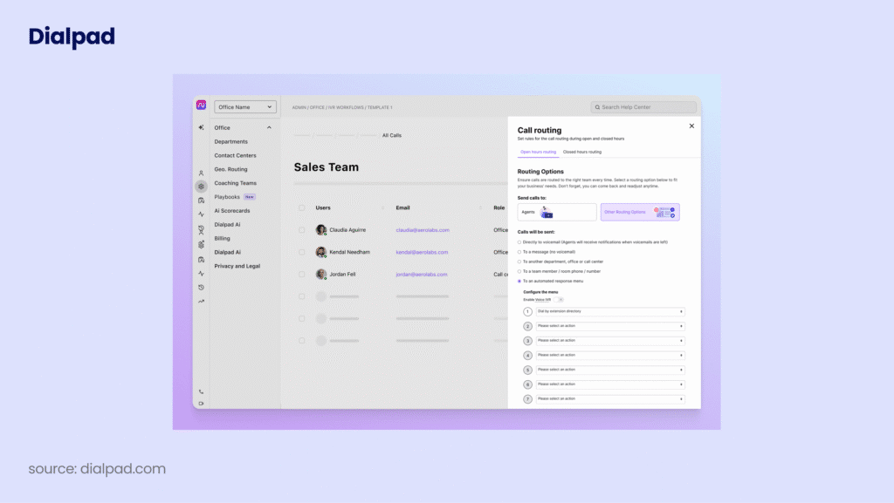
Dialpad is a well-known, unified solution in the VoIP telephony market, offering reliable service with integrated AI and sophisticated analytics. Featuring a live chat, phone hotline, and knowledge base, it's an excellent choice for customer support teams.
Key Features of Dialpad
- Real-Time AI Transcription: Accurate, live text logs of every call.
- Live AI Coaching: Provides agents with talking points based on the conversation.
- Seamless Device Switching: Move a call from your desk to your mobile without interruption.
- Unlimited Call Recording: Available on most plans for quality assurance.
- G Suite & Office 365 Sync: Integrated directly into your existing workflow.
What type of business is Dialpad it best for?
Best for tech-forward real estate teams that want to use AI to improve agent performance and automate data entry.
What is Dialpad missing?
Dialpad's dialing is limited to a Power dialer for Salesforce only, missing Smart and Predictive dialers. Unlike CloudTalk, manual dialing is required. The Preferred agent feature is API-only.
The Call flow designer lacks a visual editor. A major limitation is the inability to send SMS outside the US and Canada (UK availability is planned).
Pricing of Dialpad
Dialpad pricing starts from $15/user/month.
Real use case of Dialpad for Real estate
CF Real Estate Services, a full-service real estate company managing over 90 communities and 25,000 residents, was running on an outdated cloud-hosted PBX that lacked a corporate directory, mobile apps, and audit tools. Adding new users routinely took more than 20 minutes, and changes to a phone tree could take hours. After switching to Dialpad Connect with the Google Workspace integration, corporate directory, business caller IDs, and SMS messaging, the team consolidated 250 legacy phone lines into 103 active users and gave agents mobile access to call and text from any device. Configuration changes that previously took hours now happen in minutes.
G2 Rating of Dioalpad:
4.5/5
5. Grasshopper
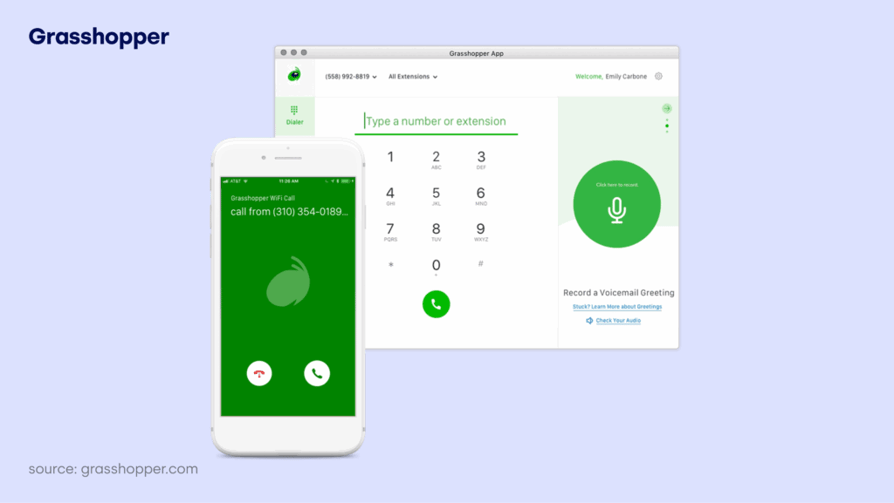
Grasshopper is virtual phone system designed for solopreneurs and small teams. It provides a professional business line without the need for physical hardware, offering features such as business numbers, extensions, call-forwarding, voicemail transcription, and mobile/desktop application access.
Key Features of Grasshopper
- Professional Greetings: Custom IVR menus for a "big company" feel.
- Voicemail Transcription: Sends text versions of voicemails to your email.
- Business Texting: SMS capabilities using your business number.
- Call Forwarding: Routes business calls directly to your existing mobile.
- Vanity Numbers: Easy access to "1-800" or custom local numbers.
What type of business is Grasshopper best for?
Best for solo real estate agents or small partnerships that just need to separate their work and personal calls on one device.
What is Grasshopper missing?
The current system hinders enterprise sales scaling due to a lack of advanced automation , deep native CRM integrations, and robust built-in analytics. This results in fragmented customer data, manual synchronization, and prevents large teams from accessing essential sophisticated dashboards, predictive forecasting, and granular metrics necessary for data-driven decision-making and ROI measurement.
Pricing of Grasshopper
Grasshopper's pricing starts from $14/month.
Real use case of Grasshopper for Real estate
Solo real estate agents and small brokerages typically operate from showings, open houses, and the road rather than a desk, which means missed calls translate directly into lost listings and buyer leads. Without a dedicated business line, agents either share personal numbers with clients or risk inconsistent caller experiences across a team. Grasshopper addresses this with a business phone number that runs entirely on existing mobile devices, alongside extensions for each agent, custom greetings, business texting, and an optional Ruby virtual receptionist add-on. Real estate teams use these features to keep personal and business calls separated, route inquiries to the right agent, and capture leads while showing properties.
G2 Rating of Grasshopper:
g2_grasshopper_rating
Recommended Reads
6. Voiso
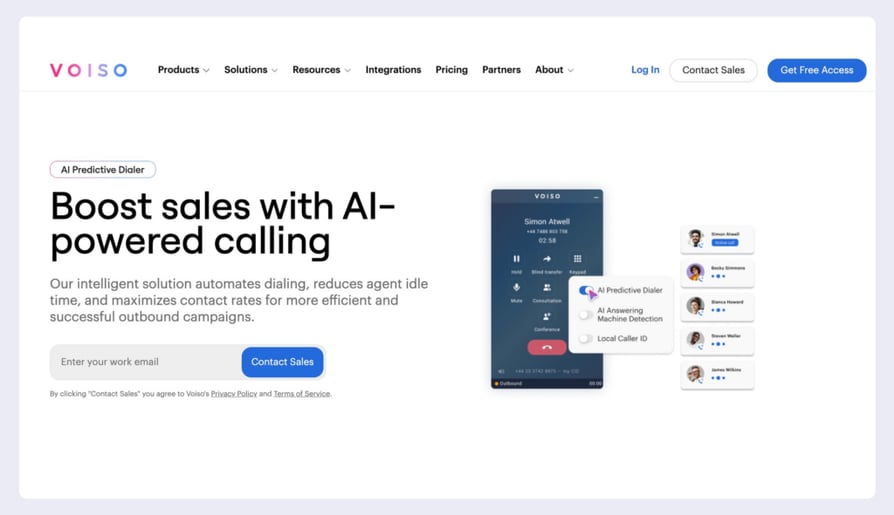
Voiso is an AI-driven contact center platform designed to transform outbound communication. It maximizes agent productivity and optimizes outreach campaigns using advanced dialing technologies. The platform integrates sophisticated AI to automate tasks, provide real-time insights, and ensure compliance, transforming outbound calling into a data-informed, highly efficient revenue-generation engine.
Key Features of Voiso
- Predictive AI Dialer: Connects agents only to live prospects, skipping busy signals.
- AI Speech Analytics: Analyzes sentiment and compliance across all calls.
- No-Code Flow Builder: Easily design complex call routing logic.
- Global Presence: Local caller IDs in 120+ countries to increase pick-up rates.
- Omnichannel Inbox: Voice, SMS, WhatsApp, and Web Chat in one place.
What type of business is Voiso best for?
Best for large real estate agencies running massive outbound lead generation or cold-calling campaigns.
What is Voiso missing?
According to some users, Voiso lacks the native workforce management and scheduling tools required for enterprise-scale operations, as well as deep integrations with platforms like Microsoft Teams and ServiceNow. Additionally, the integrated calling app can be restrictive for some users, occasionally offering only single-line support and limited functionality compared to the desktop dashboard.
Pricing of Voiso
Voiso's pricing starts from $21/user/month.
Real use case of Voiso for Real estate
Realtree Properties, a Dubai-based real estate brokerage with 55 employees selling off-plan and ready-to-move properties to investors across the UAE, GCC, UK, and Europe, was running its inside sales team on outdated VoIP tools with manual dialing, minimal oversight, and no real-time analytics. Agent productivity was inconsistent and leads were slipping. After switching to Voiso's AI Predictive Dialer, Real-Time Dashboards, and native CRM integration, agents stopped dialing voicemails and supervisors coached calls live. The result was 1.5x more calls handled, a 40% reduction in idle time, a 22% increase in lead-to-booking conversions, and an 18% drop in tech stack costs.
G2 Rating of Voiso:
4.8/5
3x Your Outbound Call Volume
7. ZIWO
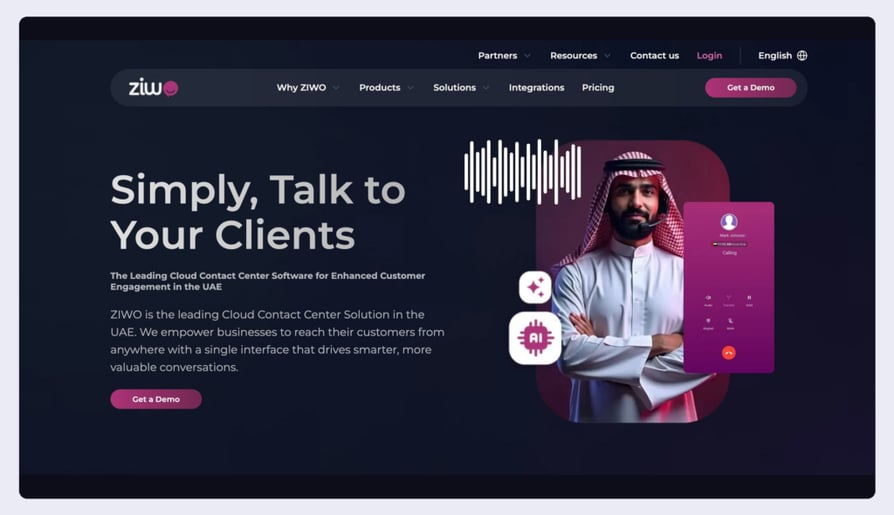
ZIWO is a cloud-native, omnichannel contact center platform specifically designed to streamline communication through voice, WhatsApp, and SMS within a single interface. It is particularly well-regarded for its strong presence in the MENA region, offering specialized AI that supports various Arabic dialects alongside English and French. The system excels at regional connectivity and compliance, making it a top choice for businesses looking to scale their customer engagement across the Middle East and globally.
Key Features of Ziwo
- WhatsApp Integration: Unified management of voice and WhatsApp messages.
- Extensive API Library: Over 500 APIs for deep custom integrations.
- Multilingual Interface: Full support for English, Arabic, and French.
- Real-Time Dashboards: Live monitoring of agent activity and KPIs.
- Local Telecom Connectivity: High-quality voice in 145+ countries.
What type of business is Ziwo best for?
Best for global real estate firms or those operating primarily in the Middle East that require local expertise and WhatsApp support.
What is ZIWO missing?
According to some users, ZIWO’s interface can be complex for beginners, and certain advanced features are still in development. The platform has also faced feedback regarding connection stability and inconsistent dialer performance during high-volume periods.
Pricing of Ziwo
Ziwo's pricing starts from $30/user/month.
G2 Rating of Ziwo: g2_ziwo_rating
Recommended Reads
8. Aircall
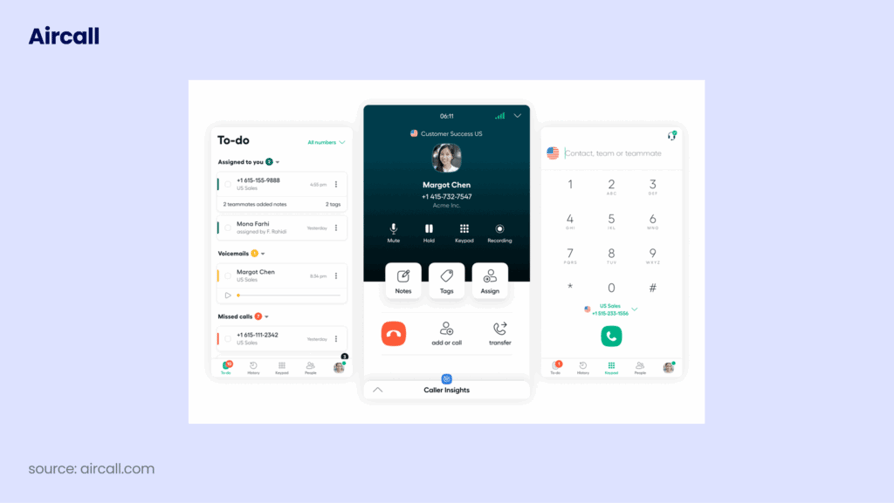
Aircall is used by over 15,000 clients, this is an advanced calling solution built to accelerate sales, improve communication with prospects, and ultimately close more deals. Key features include the ability to automatically dial multiple contacts in a back-to-back queue and display essential contact details right on the phone interface.
Key Features of Aircall
- Power Dialer: Helps sales teams dial through lead lists with one click.
- Shared Inbox: Teams can collaborate on follow-ups and missed calls.
- 100+ Integrations: One-click setup for HubSpot, Zendesk, and Slack.
- Call Whispering: Real-time coaching for agents during active calls.
- Queue Callback: Reduces customer frustration by offering a callback option.
What type of business is Aircall best for?
Aircall is calling software aimed mainly at small businesses that rely on the phone for daily sales and support. However, it's not the ideal fit for everyone. If smart dialers are a crucial part of your team's everyday workflow, you might need to explore other options.
What is Aircall missing?
Aircall has significant limitations when it comes to essential video-calling features. Users may become frustrated due to the platform's severely restricted capabilities for webinar hosting and screen-sharing.
Pricing of Aircall
Aircall's pricing starts from $30/user/month
Real use case of Aircall for Real estate
Home Bay, a fast-growth real estate startup rapidly expanding its sales teams across multiple US states, was losing inbound inquiries because its phone setup could not keep pace with lead volume and offered no visibility into who was missing calls. With Salesforce already at the center of operations, the company needed a phone system that would slot in alongside it without slowing reps down. After implementing Aircall with the Teams feature, the Salesforce integration, and local numbers across multiple states, the company restructured how agents handled the phone channel. The result was a 24% drop in missed call rates within a few short weeks.
G2 Rating of Aircall:
4.4/5
9. MightyCall

With MightyCall, you can set up a professional business line in minutes, complete with multi-level voice menus and call recording. The platform is particularly helpful for teams working remotely, as it allows agents to keep their personal numbers private while handling business through intuitive mobile and desktop apps.
Key Features of MightyCall
- Activity Dashboard: Missed calls and voicemails act as a to-do list for reps.
- Multi-Level IVR: Professional call menus to direct clients to the right department.
- Call Flow Designer: Visual tool to customize how calls ring across the team.
- Supervisor Workspace: Tools for monitoring and training agents in real-time.
- Unlimited US/Canada Calling: Included on most plans.
What type of business is it best for?
An affordable solution ideal for small real estate offices needing a simple system to manage and track lead follow-ups without the complexity of advanced software. This system provides a clear overview of the sales pipeline, ensuring no lead is overlooked.
What is MightyCall missing?
MightyCall lacks advanced AI-powered tools like live call transcription and conversation intelligence, and it enforces a strict three-user minimum that can be a hurdle for solo agents. The platform also faces criticism for limited international texting capabilities and a mobile app that some find glitchy or prone to connection lag. Furthermore, essential features like live call monitoring and real-time analytics are often restricted to the most expensive pricing tiers, limiting the value for smaller teams on entry-level plans.
Pricing of MightyCall
Mightycall's pricing starts from $15/user/month
Real use case of Mightycall for Real estate
Paradise Luxury Group, a Southwest Florida residential real estate team led by Director of Operations Hunter D. Habib, needed a single business phone number that could appear on every advertisement, yard sign, and web page, then route inbound calls to the right agent regardless of who was at their desk. Juggling personal mobile numbers for incoming lead calls was costing them deals. After implementing MightyCall with its call flow feature, the team set up one shared local number that rings all agents' cell phones at once, ensuring every prospect reaches someone live. The setup costs a fraction of competitor systems that priced hundreds of dollars more per month.
G2 Rating of MightyCall:
4.4/5
Recommended Reads
10. JustCall
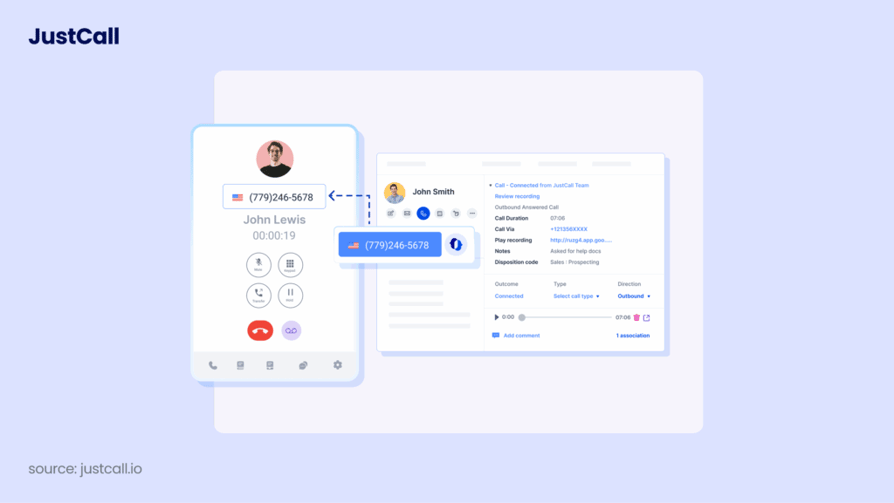
This cloud phone system offers businesses a seamless VoIP solution for managing customer communications. It provides advanced features and tools and currently serves over 6,000 customers worldwide. Its platform is designed to boost agent productivity and improve the overall customer experience with reliable call quality and easy integration with popular CRM systems. This focus on performance and connectivity makes it a vital asset for modern customer service teams.
Key Features of Justcall
- SMS Automation: Send follow-up texts automatically based on call outcomes.
- Sales Dialer Suite: Includes auto, predictive, and power dialers for outreach.
- AI SMS Copilot: Helps agents draft better text messages to prospects.
- Sentiment Analysis: Automatically tracks the "mood" of your client calls.
- Bulk SMS Campaigns: Send property updates to hundreds of leads at once.
What type of business is Justcall best for?
Best for real estate teams that rely heavily on texting (SMS) for lead nurturing and follow-ups alongside traditional calling.
What is JustCall missing?
Justcall is missing some advanced functionalities, such as skill-based routing, call tagging, and an auto-attendant. Furthermore, while it does integrate with a few popular CRM platforms, its range of integrations is not as extensive as its competitors.
Pricing of Justcall
Justcall's pricing starts from $19/user/month
Real use case of Justcall for Real estate
CrowdStreet, the largest online real estate investment platform in the United States with over $2.8 billion invested in commercial real estate deals, was running its investor care team on a phone system with inconsistent call quality, no welcome message directing callers to the right department, and weak CRM integration. Response times to investor questions could stretch to several business days. After moving to JustCall with the HubSpot integration, the team initiated calls directly from contact records, auto-logged every interaction with call recording and SMS records, and routed callers through a structured welcome message. Within twelve months, response times dropped from a couple of days down to one day.
G2 Rating of Justcall:
4.3/5
Recommended Reads
Put Your Closers in Front of Buyers, Not Callers
Why Should You Use a Phone System for Real Estate?
After teasing the topic in the previous section, it’s only right that we dedicate some time to fully exploring the benefits of using a dedicated phone system for real estate. Here’s what you can look forward to after onboarding a modern solution into your operations.
Faster Lead Response (Speed to Lead)
In real estate, the first agent to call usually wins the client. A professional phone system uses smart routing and instant callbacks to make sure you’re talking to new leads within seconds, not hours. This immediate response can make you 21x more likely to qualify a lead compared to waiting just 30 minutes.
Better Work-Life Balance
Using your personal cell for everything makes it impossible to "switch off." A dedicated system lets you use professional business lines with features like Call Masking, so you can keep your private number private. You can also set business hours so calls go to a professional voicemail or a teammate when you’re officially off the clock.
Automatic Record Keeping
Forget trying to remember every detail from a call while you're driving to a showing. These systems automatically sync call recordings and notes directly to your CRM (like HubSpot or Salesforce). This ensures you have a full history of every client’s budget, must-haves, and deal-breakers exactly when you need them.
Your Agents Should Be Showing Homes, Not Typing Notes
Increased Trust with Local Numbers
People are much more likely to answer a call when they see a local area code on their screen. Cloud-based systems allow you to instantly use local numbers for the specific neighborhoods or cities you’re targeting. This small change can significantly boost your answer rates and help you build an immediate "local" connection.
Massive Productivity Gains
Manually dialing through a list of a hundred potential sellers is a chore that eats up your afternoon. With a Power Dialer, you can fly through follow-up lists automatically. When you hit a voicemail, you can leave a pre-recorded, professional message with one click and move straight to the next live person, allowing you to reach up to 3x more prospects every day.
How to Pick the Right Phone System (Without the Tech Headache)
As should be clearly evident, each phone system is a little different. To find the one that fits your day-to-day life as an agent, you don’t need to be a tech expert, you just need to look at these 6 simple things:
1. Think About Your Daily Goals Before you sign up for anything, ask yourself: What is my main goal? Are you a solo agent who just wants to stop giving out your personal cell number? Or are you running a team that needs to call 50 new leads every morning?
- Solo Agents: Look for something simple that works on your existing phone.
- Teams: Look for a system that can handle lots of calls at once and keep everyone organized.
2. Check Your Call Volume How much time do you actually spend on the phone?
- If you’re only making a few calls a day, you don't need a high-speed "autodialer." A simple Click-to-Call feature (where you click a name in your contacts and it dials) is plenty.
- If your team is "smiling and dialing" for hours, you’ll want a Power Dialer that does the heavy lifting so you don't get "finger fatigue" from manual dialing.
3. Make a "Must-Have" List Don’t get distracted by flashy features you’ll never use. Write down the 3 or 4 things you actually need to do your job. For most agents, this is:
- A Mobile App (so you can work from your car).
- Call Recording (so you can double-check details like "granite countertops" vs. "quartz").
- Texting from your business number. Once you have your list, make sure those features aren't hidden behind a "Pro" or "Enterprise" price tag.
4. Make Sure It "Talks" to Your CRM Your phone system should work perfectly with the tools you already use, like HubSpot, Salesforce, or Follow Up Boss. CloudTalk, for example, connects to over 100 different apps. This means when a client calls, their info pops up on your screen instantly. It also means you never have to manually log a call again—the system does it for you.
5. Don’t Forget About the Rules (Compliance) There are strict laws about who you can call and when (like the Do Not Call list). You don’t want to end up with a massive fine because you called the wrong person. Pick a system that has DNC Scrubbing built-in. This feature automatically "cleans" your lists so you only call people who are actually allowed to be contacted.
6. Watch Out for Hidden Costs When looking at the price, remember that most companies charge per person, per month.
- The Trap: Some systems look cheap ($15/month) but require you to pay for at least 3 people.
- The Tip: Look at the "Total Cost." Does it include your phone numbers? Is it cheaper if you pay for a full year upfront? Do you have to pay extra for every text message? Knowing these answers now will save you from "bill shock" later.
Recommended Articles
Ready to Make the Call? (Our Final Thoughts)
Choosing the right phone system isn't just about picking a piece of software; it’s about choosing how you want to run your business in 2026.
If you’re a solo agent just starting out, a simple tool focused on a professional appearance without a huge bill is a great starting point. If you’re a large call center doing massive outbound prospecting, certain heavy-duty platforms offer the power you need for those specific regions.
However, for scaling real estate teams that need a balance of high-velocity dialing, crystal-clear quality, and deep CRM automation, a platform built to grow with you is essential. This ensures that as your lead list gets longer, your "speed to lead" only gets faster, positioning it as the top choice for growth-focused businesses.