SUMMARY:
The best AI virtual receptionist for appointment scheduling captures high-intent leads, syncs data with your CRM, and books appointments 24/7 — eliminating the 'Later Tax' that costs businesses revenue every day.
If you want the best appointment scheduling software with an AI receptionist, or virtual receptionist appointment booking that doesn't hand the caller another link, this is the shortlist. We reviewed 20+ platforms across dental, healthcare, legal, home services, real estate, and recruiting.
Top 10 AI virtual receptionist appointment scheduling by use case:
- CloudTalk: Best AI virtual receptionist for scaling SMBs needing CRM-native calendar booking and 24/7 multilingual coverage, plus 60+ language support.
- Smith.ai: Best hybrid receptionist for law firms wanting live-transfer booking with a human backup.
- Vocca: Best dental and healthcare receptionist for HIPAA-compliant scheduling inside a PMS or EHR.
- My AI Front Desk: Best front-office bundle for solo operators wanting voice, chat, SMS, and CRM in one plan.
- ServiceAgent: Best free starting point for home services, with booking and calendar sync on the $0 tier.
- Luma Health: Best enterprise health-system platform for patient access, reminders, and recall scheduling.
- Botphonic AI: Best low-cost option for agencies running a booking assistant per client.
- Rosie AI: Best after-hours answering for HVAC, plumbing, and trades, with booking from Scale up.
- Upfirst: Best budget receptionist for micro-businesses needing real Google Calendar and Calendly booking.
- Vapi AI: Best developer infrastructure for teams building a bespoke booking voice agent.
The Verdict: CloudTalk is the strongest pick for scaling teams that need every booking in the CRM the moment the call ends. Smith.ai fits firms where a human safety net on the same line is part of the brand promise.
Missing a call during a Friday rush is a direct loss of revenue. Forcing your staff to choose between a ringing phone and the guest in front of them is a loss of hospitality.
Every unanswered ring at your business is a potential client calling your competitor instead. Research from LeanData confirms that 78% of customers buy from the first business to respond, making speed the primary deciding factor in modern sales.¹
This is known as "Later Tax". In 2026, patience is dead. When a customer calls, their intent is at its peak. Most teams try to solve high volume by hiring more people or adding complex IVR menus, but these solutions create friction exactly when you need flow.
Your business has a capacity problem. An AI voice agent for inbound appointment booking is the solution. It acts as a 24/7 digital front desk that never sleeps, never misses a call, and ensures every lead is acknowledged the second they raise their hand.
In this guide, we reviewed the 10 best options for a virtual receptionist with appointment scheduling. You will learn how to kill admin chores and capture more revenue without adding a single person to your payroll.
Best AI Virtual Receptionist for Appointment Scheduling: Comparison Table
Prices below are monthly-billing figures unless noted, because that's what most buyers pay in month one. Several vendors advertise their annual per-month rate in large type, which is why these differ from figures elsewhere. Our breakdown of how much a virtual receptionist costs goes deeper than a starting-price column can.
| Provider | Key Features | Best For | Starting Price | G2 Rating |
|---|---|---|---|---|
| CloudTalk | AI Receptionist (CeTe), autonomous Google Calendar and Outlook booking, bi-directional HubSpot/Salesforce/Pipedrive sync, 60+ languages, unlimited concurrent calls | Scaling SMBs needing CRM-native booking plus a full phone system | AI Receptionist from $99/mo (200 min, first 50 free) + Starter platform $25/user/mo | 4.4/5 (1,702+ reviews) |
| Smith.ai | AI-first or human-first answering, AI Scheduling with Calendly, lead qualification, call routing, Quality Studio testing | Law firms and professional services wanting a human fallback | AI free tier $0/mo (25 calls), AI Pro $150/mo, human service from $300/mo | 4.9/5 (73+ reviews) |
| Vocca | Vertical healthcare agents (dental, imaging, primary care), voice and text, inbound plus outbound reminders, HIPAA/GDPR/SOC 2 | Clinics and dental groups booking into an existing PMS or EHR | Quote-based (no published pricing) | N/A |
| My AI Front Desk | Voice, chatbot, SMS and email in one plan, AI-native CRM, sequence automations, 20+ languages, credit-based overage | Solo operators wanting a whole front office in one subscription | $99/mo monthly for 200 voice minutes ($79/mo annual); the $20 tier has no voice minutes | N/A |
| ServiceAgent | Unified CRM, booking widget and calendar sync on the free tier, 24/7 AI receptionist at 15 credits per voice minute, multi-location tiers | Home-services SMBs that want booking inside a wider CRM stack | Launch $0/mo (pay-as-you-go credits), Core $49/mo | N/A |
| Luma Health | Patient scheduling, waitlist, reminders and recalls, intake, payments, Conversational Agent, 8 named EHR integrations | Enterprise health systems automating the whole patient journey | Quote-based (no published pricing) | 4.8/5 (80+ reviews) |
| Botphonic AI | Unlimited AI assistants on every plan, concurrency tiers to 200+, bring-your-own LLM and voice, batch campaigns | Agencies running many client assistants on a small budget | $22/mo monthly for 50 minutes ($20/mo yearly) | 5.0/5 (2 reviews) |
| Rosie AI | 24/7 answering, spam screening, calendar appointment booking from Scale, warm and live transfers, waterfall transfers | HVAC, plumbing, and trades needing after-hours cover | Professional $49/mo (250 min, no booking); appointment booking starts at Scale $149/mo | N/A |
| Upfirst | Booking into Google Calendar, Outlook, Cal.com and Calendly, 35+ languages, returning-caller memory, spam blocking | Micro-businesses that need genuine calendar booking cheaply | Starter $24.95/mo monthly ($20/mo annual, 30 calls) | N/A |
| Vapi AI | Swappable LLM, voice and transcriber, mid-call webhooks, 10 included concurrent lines, enterprise SOC 2/HIPAA/PCI tier | Engineering teams building a custom voice agent | $0.05/min platform fee plus model-provider costs, +$10 per extra line/mo | N/A |
What Is an AI Virtual Receptionist for Appointment Scheduling? (And How Does It Work)
An AI virtual receptionist for appointment scheduling is an intelligent voice assistant that manages your inbound calls and books meetings directly into your calendar without a human staff member ever touching a handset.
Unlike a basic IVR system that forces callers through frustrating "press 1" menus, an AI receptionist uses Natural Language Processing (NLP) to understand exactly what a caller wants and executes the task in real-time. This ensures your "digital front desk" is always open, effectively killing the "Later Tax" by capturing every lead at their peak moment of intent.
What matters when you compare tools is where the booking happens. A scheduling bot hands the caller a link and hopes. A real AI receptionist queries your calendar mid-conversation, offers genuine openings, and writes back the one the caller picks. Essentially it looks like this: Intent Identification → Concurrency → Calendar Navigation → Instant Confirmation → CRM Update).
How Does an AI Virtual Receptionist Schedule Appointments and Book Meetings?
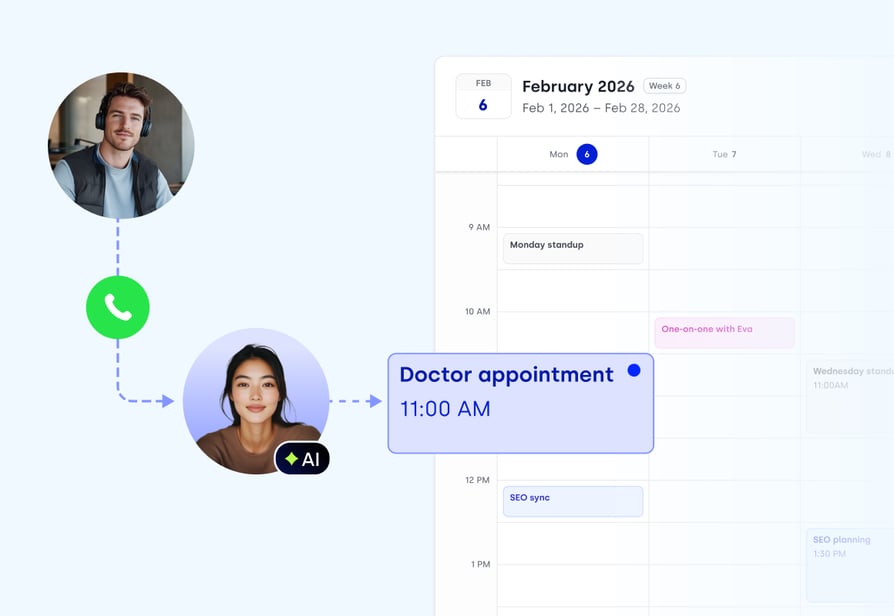
An AI virtual receptionist moves a lead from dial tone to confirmed appointment in five steps:
- Intent identification: the agent works out whether the caller wants a new booking, a reschedule, or an answer.
- Infinite concurrency: the agent takes thousands of simultaneous calls, so nobody hears a busy tone or lands in voicemail.
- Calendar navigation: the agent checks live Google Calendar or Outlook availability and locks the open slot.
- Instant confirmation: an SMS or email fires the second the call ends.
- CRM update: the call transcript and stated preferences sync before the meeting starts.
How Does an AI Receptionist Handle Demo Questions, Booking, and Call Routing?
An AI receptionist handles demo questions, booking, and call routing through three separate mechanisms that one agent stitches together. This is the most-asked question on this page.
- Demo questions come from a knowledge base. You upload your pricing page, service list, hours, and FAQ, and the agent answers from that instead of guessing.
- The booking comes from a calendar API. The agent checks live availability during the call, offers real slots, and writes the appointment back to Google Calendar or Outlook. No link, no drop-off.
- The routing comes from rules you define. You set what makes a caller worth interrupting a human for, and everything else gets booked autonomously. CloudTalk's AI Receptionist is the reference implementation: knowledge-base grounding, calendar write-back, and context-aware transfer on one telephony layer, so a call that starts with the AI and ends with a rep is a single record.
How We Evaluated the Best AI Virtual Receptionists for Appointment Scheduling
We evaluated 20+ platforms on one question: how reliably does this turn a raw inbound call into a confirmed calendar entry? Seven criteria decided the ranking.
Does It Integrate Natively With Your VoIP System and CRM?
The agent needs to book in Google Calendar and log the call in Salesforce or HubSpot through a server-to-server sync, not a browser plugin. Plugin-based tools break when someone closes a tab, and they can't check availability when nobody's logged in. Native integration is what makes 2 am bookings possible.
How Much Does Response Latency Affect Booking Rates?
A caller who hears a one-second gap after every sentence assumes they're talking to a machine and hangs up. Sub-800ms is roughly where a conversation starts feeling like one. No vendor here publishes an independently audited benchmark, so we scored published figures and reviewer reports rather than treating any number as verified.
What Does Bi-Directional Sync Actually Do After the Call?
One-way sync tells your CRM that a call happened. Bi-directional sync pushes the transcript, summary, booked slot, and the caller's stated preference into the record, then reads back what the CRM already knows about that contact. That's the difference between an audit trail and a working sales system.
Why Does Concurrency Decide How Many Bookings You Capture?
Concurrency is the quiet killer. A tool handling one call at a time is fine until you run an ad, and then twelve people call in ten minutes and eleven hear a busy tone. We scored how many simultaneous booking calls each platform takes, and what extra lines cost.
How Important Is Multilingual Coverage for Appointment Booking?
Booking is a high-precision conversation. Names, addresses, and times have to be captured exactly, which is harder in a second language than answering a general question. We looked at how many languages each platform publishes and whether the agent switches automatically or needs configuring per number.
How Reliable Is the Calendar Sync?
New for this edition, because it's where most tools quietly fail. We checked which calendar systems are supported by name, whether availability is checked in real time, and whether the platform gates appointment booking behind a higher tier. At least one popular budget tool does exactly that.
Who's Leading in AI Virtual Receptionist Live Transfers?
Also new. A live transfer in scheduling means the AI recognizes a high-value caller mid-booking and hands them to a person without making them repeat themselves. A transfer is only as good as the call routing behind it, so we scored whether transfers exist, whether the human gets briefed, and which tier unlocks them.
How the 10 AI Virtual Receptionists Score on Appointment Scheduling
To score each platform we read its live documentation and pricing page, tested the scheduling claims against what the vendor publishes, and cross-referenced verified G2 and Capterra review themes. Each criterion is scored out of 5. Where a vendor publishes nothing the cell reads N/A rather than 0, and totals are shown out of the points actually available.
| Tool | Calendar Sync | CRM Integration | Multilingual | Latency | Live Transfer | Pricing Clarity | Industry Fit | Total |
|---|---|---|---|---|---|---|---|---|
| CloudTalk | 5 | 5 | 5 | 4 | 5 | 4 | 4 | 32/35 |
| Upfirst | 5 | 4 | 4 | N/A | N/A | 4 | 3 | 20/25 |
| Rosie AI | 3 | 1 | N/A | N/A | 4 | 5 | 4 | 17/25 |
| Botphonic AI | 2 | 2 | 3 | N/A | N/A | 5 | 3 | 15/25 |
| Smith.ai | 3 | 3 | 2 | N/A | 5 | 5 | 4 | 22/30 |
| Luma Health | 4 | 4 | N/A | N/A | N/A | 1 | 5 | 14/20 |
| ServiceAgent | 4 | 2 | N/A | N/A | N/A | 3 | 4 | 13/20 |
| My AI Front Desk | N/A | 3 | 4 | N/A | N/A | 3 | 3 | 13/20 |
| Vocca | 3 | 2 | N/A | N/A | N/A | 1 | 5 | 11/20 |
| Vapi AI | 1 | 2 | N/A | 2 | N/A | 2 | 2 | 9/25 |
CloudTalk does not score 35/35, and shouldn't. Upfirst, Botphonic, and Smith.ai publish a single all-in monthly number, while CloudTalk's AI Receptionist is a usage-based add-on on a per-seat plan. Vocca and Luma Health beat us inside a clinic, because they connect to the systems clinical scheduling runs on. And nobody here has an audited latency benchmark, so CloudTalk's published sub-800ms figure gets a 4.
Rosie's calendar score is capped at 3 because its cheapest plan cannot book at all. Booking starts on the $149/month Scale tier. Vapi's low total isn't a criticism. It's infrastructure, and scoring it on out-of-the-box calendar sync is like scoring lumber on how comfortable it is to sit on.
To model these trade-offs against your own numbers, the AI voice agent ROI calculator does the arithmetic on missed calls, booking value, and minute cost.
Quick Answers: What Businesses Ask About AI Virtual Receptionists for Appointment Scheduling
How Do I Find a System That Answers Demo Questions, Books Appointments, and Routes Calls?
This is the single most-asked question on this page, and only a handful of platforms do all three in one call. Look for a tool that grounds answers in a knowledge base you upload, writes to your calendar through an API during the conversation, and applies your own routing rules. CloudTalk's AI Receptionist does all three on one telephony layer, so the demo answer, the booked slot, and the transfer to sales share a single caller record. Smith.ai gets there by handing complex calls to a live agent.
What Is the Best AI Virtual Receptionist for Appointment Scheduling?
For most growing businesses in 2026 it's CloudTalk, because it books into Google Calendar or Outlook, syncs bi-directionally with HubSpot, Salesforce, and Pipedrive, and runs in 60+ languages on top of a real phone system. Choose Smith.ai instead if a human backup on the same line is non-negotiable. Choose Upfirst if your budget is under $30 a month and you still want genuine Google Calendar, Outlook, Cal.com, and Calendly booking.
What Are the Best Virtual Receptionist Platforms That Integrate With Appointment Scheduling and CRM Systems?
CloudTalk is the strongest fit when the CRM is the point: native HubSpot, Salesforce, and Pipedrive sync with no Zapier hop, though the integrations catalogue starts on the Essential plan. Upfirst covers surprising ground for its price, with HubSpot, Salesforce, Pipedrive, and GoHighLevel natively plus 195+ more CRMs through Zapier. In healthcare, Vocca and Luma Health integrate with the EHR or PMS instead, the right system of record for patient scheduling.
Which AI Virtual Receptionist Handles Appointment Booking and Sends Automated Follow-Up Messages?
CloudTalk chains all three steps: the AI Receptionist books the slot through your calendar, SMS Automation inside its scheduling workflow automation designer fires the confirmation off the call data, and the transcript plus AI summary land on the CRM record before your team opens their laptops. Rosie texts callers mid-call from the Scale tier, and Upfirst sends a call summary on every plan.
The 10 Best AI Virtual Receptionists for Appointment Scheduling in 2026
The market for virtual receptionist appointment scheduling splits three ways: all-in-one platforms that book into your CRM, specialist bots built for one vertical, and raw developer infrastructure. Every profile below follows the same structure so you can compare like for like.
| Provider | Key Features | Best For | Starting Price | G2 Rating |
|---|---|---|---|---|
| CloudTalk | AI Receptionist (CeTe), autonomous Google Calendar and Outlook booking, bi-directional HubSpot/Salesforce/Pipedrive sync, 60+ languages, unlimited concurrent calls | Scaling SMBs needing CRM-native booking plus a full phone system | AI Receptionist from $99/mo (200 min, first 50 free) + Starter platform $25/user/mo | 4.4/5 (1,702+ reviews) |
| Smith.ai | AI-first or human-first answering, AI Scheduling with Calendly, lead qualification, call routing, Quality Studio testing | Law firms and professional services wanting a human fallback | AI free tier $0/mo (25 calls), AI Pro $150/mo, human service from $300/mo | 4.9/5 (73+ reviews) |
| Vocca | Vertical healthcare agents (dental, imaging, primary care), voice and text, inbound plus outbound reminders, HIPAA/GDPR/SOC 2 | Clinics and dental groups booking into an existing PMS or EHR | Quote-based (no published pricing) | N/A |
| My AI Front Desk | Voice, chatbot, SMS and email in one plan, AI-native CRM, sequence automations, 20+ languages, credit-based overage | Solo operators wanting a whole front office in one subscription | $99/mo monthly for 200 voice minutes ($79/mo annual); the $20 tier has no voice minutes | N/A |
| ServiceAgent | Unified CRM, booking widget and calendar sync on the free tier, 24/7 AI receptionist at 15 credits per voice minute, multi-location tiers | Home-services SMBs that want booking inside a wider CRM stack | Launch $0/mo (pay-as-you-go credits), Core $49/mo | N/A |
| Luma Health | Patient scheduling, waitlist, reminders and recalls, intake, payments, Conversational Agent, 8 named EHR integrations | Enterprise health systems automating the whole patient journey | Quote-based (no published pricing) | 4.8/5 (80+ reviews) |
| Botphonic AI | Unlimited AI assistants on every plan, concurrency tiers to 200+, bring-your-own LLM and voice, batch campaigns | Agencies running many client assistants on a small budget | $22/mo monthly for 50 minutes ($20/mo yearly) | 5.0/5 (2 reviews) |
| Rosie AI | 24/7 answering, spam screening, calendar appointment booking from Scale, warm and live transfers, waterfall transfers | HVAC, plumbing, and trades needing after-hours cover | Professional $49/mo (250 min, no booking); appointment booking starts at Scale $149/mo | N/A |
| Upfirst | Booking into Google Calendar, Outlook, Cal.com and Calendly, 35+ languages, returning-caller memory, spam blocking | Micro-businesses that need genuine calendar booking cheaply | Starter $24.95/mo monthly ($20/mo annual, 30 calls) | N/A |
| Vapi AI | Swappable LLM, voice and transcriber, mid-call webhooks, 10 included concurrent lines, enterprise SOC 2/HIPAA/PCI tier | Engineering teams building a custom voice agent | $0.05/min platform fee plus model-provider costs, +$10 per extra line/mo | N/A |
Which AI Virtual Receptionists Are Best for Budget-Conscious and Solo Businesses?
If you want an affordable 24/7 AI virtual receptionist that genuinely books appointments, the honest shortlist is short, because two of the usual budget picks can't book at their advertised price.
- Botphonic AI, $22/month monthly ($20 yearly) is the cheapest entry point: 50 minutes, 5 concurrent calls.
- Upfirst, $24.95/month monthly ($20 annually) is the best value for scheduling specifically. Thirty calls, booking into Google Calendar, Outlook, Cal.com, and Calendly, 35+ languages.
- ServiceAgent's Launch plan is $0/month and includes the booking widget and calendar sync.
- Smith.ai's AI tier is free for 25 calls a month, the cheapest way to test a hybrid setup.
- Rosie AI's $49/month plan cannot book appointments. Booking starts at $149/month on Scale.
- My AI Front Desk's $20 plan includes zero voice minutes. Voice starts at $99/month monthly, so the quoted "$79" is the annual rate.
CloudTalk sits deliberately above this bracket, at $99/month for 200 AI Receptionist minutes plus $25/user/month for Starter, first 50 minutes free. You pay more for bi-directional CRM sync, 60+ languages, unlimited concurrency, and a real phone system underneath. Under roughly 40 calls a month a budget tool is the rational choice, and our answering service pricing guide shows where the crossover sits.
1. CloudTalk: Best Overall AI Virtual Receptionist for Appointment Scheduling at Scaling SMBs
What Is CloudTalk?
CloudTalk is an AI-powered business calling platform: a full business phone system with the AI Voice Agent (CeTe) built into the telephony layer rather than bolted on top. Configured as an AI Receptionist, it answers, checks availability, locks the slot in, and syncs to your CRM. It suits scaling SMBs wanting an AI voice agent for appointment scheduling and telephony from one vendor.
How Does CloudTalk Score on Appointment Scheduling?
| Criterion | Score |
|---|---|
| Calendar Sync | 5/5 |
| CRM Integration | 5/5 |
| Multilingual | 5/5 |
| Latency | 4/5 |
| Live Transfer | 5/5 |
| Pricing Clarity | 4/5 |
| Industry Fit | 4/5 |
| Total | 32/35 |
What Are CloudTalk's Key AI Receptionist Features?
- Autonomous calendar navigation: real-time Google Calendar and Outlook checks.
- Intelligent call transfers: hot-lead rules you define trigger a context-aware handoff.
- Multilingual 24/7 booking: 60+ languages and accents, day or night.
- Low-latency engine: sub-800ms responses, CloudTalk's published figure.
- Bi-directional CRM sync: bookings land in HubSpot, Salesforce, or Pipedrive.
- Unlimited concurrency: unlimited concurrent calls, so nobody waits through a peak.
Autonomous Calendar Navigation: How Does CloudTalk Actually Book the Slot?
The agent queries your live Google Calendar or Outlook availability mid-conversation, offers the openings that exist, and writes the confirmed appointment straight back. Because the check runs server-side in real time rather than through a browser plugin, two callers asking for Tuesday at 10 am cannot both get it. An SMS confirmation follows off the same call data, with nothing left for your team to review.
Bi-Directional CRM Sync: What Lands in HubSpot or Salesforce After the Call?
The transcript, AI call summary, and booking details land on the contact record the moment the call ends, natively through the HubSpot CRM integration, the Salesforce integration, and Pipedrive, with no browser plugin in the chain. Your rep opens the deal and sees what the caller said and booked. Before you budget: the integrations catalogue starts on Essential, and the Salesforce Ecosystem integration sits on Expert.
Multilingual 24/7 Scheduling: How Many Languages Can the Agent Book In?
CeTe supports 60+ languages and accents with neural voices, so a caller books in their own language at 11 pm without your team learning a word of it. Paired with virtual numbers in 160+ countries, a five-person team can hold a local presence in a dozen markets and still keep one calendar and one CRM record per customer.
What Are CloudTalk's Tech and Performance Numbers?
| Metric | CloudTalk |
|---|---|
| Response latency | Sub-800ms (CloudTalk's published figure, not an audited benchmark) |
| Concurrency | Unlimited concurrent calls |
| Languages | 60+ languages and accents |
| Calendars | Google Calendar, Outlook |
| CRM | Native HubSpot, Salesforce, Pipedrive, plus 100+ native integrations, public API, webhooks, Zapier |
| Coverage | Virtual numbers in 160+ countries |
Which Scheduling Use Cases Does CloudTalk Fit?
Scaling SMBs and mid-market teams taking 20+ inbound calls a day: studios booking trials, trades capturing after-hours jobs, law firms qualifying consultations, recruiters scheduling screens, and sales teams booking demos.
What Does CloudTalk Integrate With?
| Layer | Coverage |
|---|---|
| Calendar | Google Calendar, Outlook (native) |
| CRM | Native two-way HubSpot, Salesforce, Pipedrive; plus Zoho, Dynamics 365 Sales, Close, Copper from the 100+ catalogue |
| Helpdesk | Zendesk, Freshdesk, Intercom, Help Scout, Front, Gorgias |
| Messaging | SMS, WhatsApp |
| Anything else | Public API, webhooks, Zapier |
Where Does CloudTalk Fall Short for Appointment Scheduling?
CloudTalk gates deep calendar integration and two-way CRM sync behind Essential or higher, and automated summaries need the Conversation Intelligence add-on, always a separate purchase. There's no native EHR or dental PMS connector, so a clinic wanting writes straight into Denticon or Epic needs the API.
What Are CloudTalk's Pros and Cons?
| Pros | Cons |
|---|---|
| Intuitive interface and easy to roll out, a recurring theme in G2 reviews | Some reviewers report intermittent connection issues or dropped calls |
| Dialer and analytics cut manual work and give clear visibility into pickup rates and agent performance | Password management in the new dashboard is described as more cumbersome than the previous panel |
| CRM call logging works as advertised: recordings land on the HubSpot contact record | AI Receptionist is a usage-based add-on on top of a per-seat plan, so it's two line items to budget |
What Is the Pricing of CloudTalk?
| Plan or add-on | Price (USD) | Notes |
|---|---|---|
| AI Receptionist / AI Voice Agents | From $99/month for 200 minutes, usage-based | Always a paid add-on, never included in a plan. First 50 minutes free in month one |
| Starter | $25/user/month | Baseline platform plan in every region; includes IVR and call routing |
| Essential | $29/user/month | Where the integrations catalogue, API, and data sync start |
| Expert | $49/user/month | Includes Power Dialer and the Salesforce Ecosystem integration |
| Custom | Contact Sales | N/A |
| AI Conversation Intelligence | $9 per user/month (billed annually) | Always an add-on |
Our breakdown of how much voice AI costs compares these usage models across the market.
What Do Customers Say About CloudTalk?
CloudTalk reviewers praise how quickly a non-technical team gets productive and how much manual work the dialer and analytics remove. HubSpot call logging comes up often. A minority report connection drops, and several flag password management in the redesigned dashboard.
Two verified reviewers on Capterra, where CloudTalk holds 4.4/5 from 260+ reviews, put it plainly:
"The most incredible feature about CloudTalk is the function to autorecord convesations and to integrate them into our current CRM (we are using HubSpot)."
"Having a product that allowed for very quick, simple and 'IT free' integration has been fantastic."
G2 rating: CloudTalk on G2: 4.4/5 (1,702+ reviews)
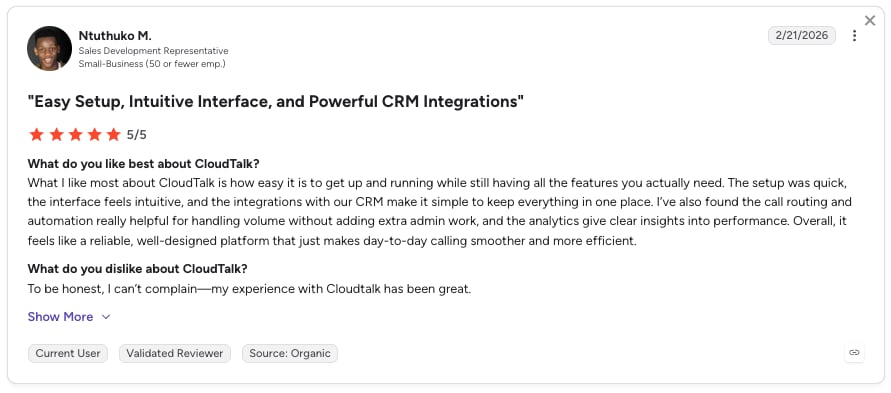
Circle Gym is proof this works in the field. The gym dropped static booking links for CloudTalk's conversational scheduler, and trial bookings rose 150%. That's the Later Tax reversed inside one conversation.
When Should You Use CloudTalk?
- You handle 20+ inbound calls a day and lose revenue whenever one goes to voicemail.
- You need AI booking and CRM logging in one native platform, not a chatbot on a separate VoIP system.
- You serve multilingual customers: 60+ languages, local numbers in 160+ countries.
- You want inbound scheduling and outbound follow-up from one platform.
- You want to test first. The first 50 minutes are free, on your real number.
What's the Bottom Line on CloudTalk?
CloudTalk is the strongest pick if your goal is to automate the calendar and stop leaking revenue to unanswered calls. The honest trade-off: a platform plus an add-on, not one cheap subscription. Test it with a 14-day free trial.
2. Smith.ai: Best Hybrid AI Receptionist for Professional Services Booking
What Is Smith.ai?
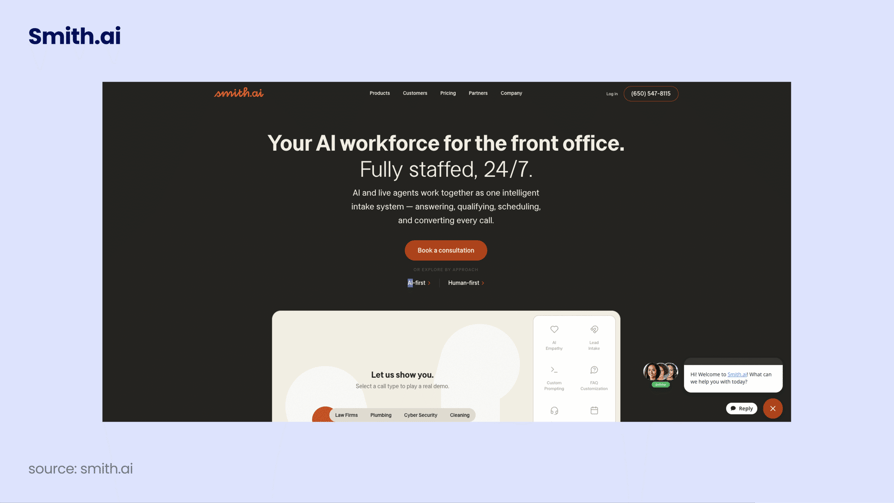
Smith.ai sells two products on one pricing page: an AI-first receptionist and a human-first service staffed by live North America-based agents. Both answer, qualify, route, and book. The Clio integration is why it lands with law firms shortlisting the best virtual receptionist for law firms.
How Does Smith.ai Score on Appointment Scheduling?
| Criterion | Score |
|---|---|
| Calendar Sync | 3/5 |
| CRM Integration | 3/5 |
| Multilingual | 2/5 |
| Latency | N/A |
| Live Transfer | 5/5 |
| Pricing Clarity | 5/5 |
| Industry Fit | 4/5 |
| Total | 22/30 scored |
What Are Smith.ai's Key Receptionist Features?
- Human safety net on the same line when a request stops being routine.
- AI Scheduling through Calendly and other calendar tools.
- Quality Studio to test the agent before launch.
- Lead qualification and routing with recording and transcription.
- Bilingual answering, narrow next to a bilingual virtual receptionist.
What Are Smith.ai's Tech and Performance Numbers?
| Metric | Smith.ai |
|---|---|
| Latency | N/A, not published |
| Concurrency | N/A, not published; plans are metered by calls, not lines |
| Languages | English and Spanish (human service) |
| Calendars | Calendly and others via AI Scheduling |
| Named integrations | Clio, Zapier |
| Call allowances | 25 calls (AI Free), 75 (AI Pro), 30 (human Starter) |
Which Scheduling Use Cases Does Smith.ai Fit?
Law firms booking paid consultations, plus accounting and advisory practices whose average booking makes a $3.00 per-call cost irrelevant.
What Does Smith.ai Integrate With?
| Layer | Coverage |
|---|---|
| Calendar | Calendly and others via AI Scheduling; booking on the human service is a $1.50/call add-on |
| CRM | Clio natively for legal matter intake; no published bi-directional CRM sync |
| Anything else | Zapier |
Where Does Smith.ai Fall Short for Appointment Scheduling?
Smith.ai bills everything per call, so cost climbs with volume, and human Starter overage runs $11.50 a call. The multilingual story is thin: two languages, and no published list for the AI.
What Are Smith.ai's Pros and Cons?
| Pros | Cons |
|---|---|
| Human fallback sits on the same phone line as the AI, so no caller hits a dead end | Per-call pricing means a busy month costs materially more, with $11.50 per-call overage on human Starter |
| A genuinely free AI tier (25 calls a month) makes it testable at zero cost | Appointment booking on the human service is a $1.50-per-call add-on, not bundled |
| Real legal-vertical depth through the Clio integration and case intake fields | Small independent review sample (73+ G2 reviews) against a claimed 5,000+ business customers |
What Is the Pricing of Smith.ai?
| Plan | Price | Includes |
|---|---|---|
| AI Receptionist Free | $0/month | 25 calls, then $3.00 per call |
| AI Receptionist Pro | $150/month | 75 calls ($270 for 150, $500 for 300) |
| AI Receptionist Enterprise | $500/month | 300 calls ($800 for 500, custom above 1,000) |
| Human Virtual Front Desk Starter | $300/month | 30 calls, $11.50 per-call overage |
| Human Basic / Pro / Enterprise | $810 / $2,100 / custom | 90 calls / 300 calls / custom |
| Add-ons | $1.50 per booked call · $15.00/month extra transfer destination · $10.00/month outbound caller ID | 10% off on 12-month terms, 30-day money-back guarantee |
The $95 and $285 figures in comparison articles aren't on Smith.ai's pricing page. Our Smith.ai pricing breakdown does the per-call maths.
What Do Customers Say About Smith.ai?
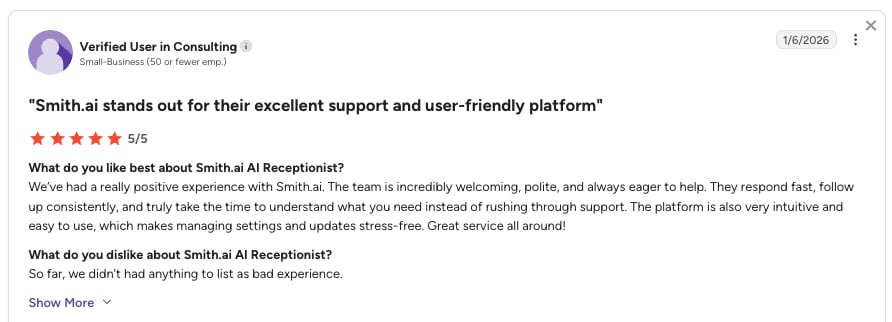
Smith.ai reviewers describe relief: callers reach a competent voice, and the AI-to-human handoff doesn't feel like one. Legal users cite Clio intake accuracy. The common criticism is cost predictability.
G2 rating: Smith.ai on G2: 4.9/5 (73+ reviews), from the main virtual receptionist listing rather than the separate AI-product listing.
CloudTalk vs Smith.ai: Which Books More Appointments?
| Dimension | CloudTalk | Smith.ai |
|---|---|---|
| Calendar integration | Native Google Calendar and Outlook, real-time availability check | AI Scheduling via Calendly and other tools; booking on the human service is a $1.50/call add-on |
| CRM sync | Native two-way HubSpot, Salesforce, Pipedrive (Essential plan and up) | Clio and Zapier; no published bi-directional CRM sync |
| Multilingual | 60+ languages and accents | English and Spanish (human service) |
| Live transfer | Context-aware transfer on rules you define | Live human agent can take the call over on the same line |
| Pricing model | $99/month for 200 minutes plus $25/user/month platform | Per call: $0 free tier, $150/month AI Pro, $300/month human Starter |
| Best for | Scaling SMBs that need AI, telephony, CRM, and calendar in one platform | Professional services that want a human backstop on every call |
When Should You Use Smith.ai?
- Your average booking is worth hundreds, so per-call pricing is noise.
- You're a law firm wanting Clio-native intake.
- A caller reaching a real person is a brand requirement.
When Should You Not Use Smith.ai?
- You take high volume, where $11.50 overages compound.
- You need bi-directional CRM sync as the core workflow.
- You book in more than two languages.
What's the Bottom Line on Smith.ai?
Smith.ai suits established firms with high-value clients who can't risk a robotic moment, as long as volume stays low enough that per-call pricing works for you.
Recommended Reads
3. Vocca: Best Dental and Healthcare AI Receptionist for Patient Scheduling
What Is Vocca?
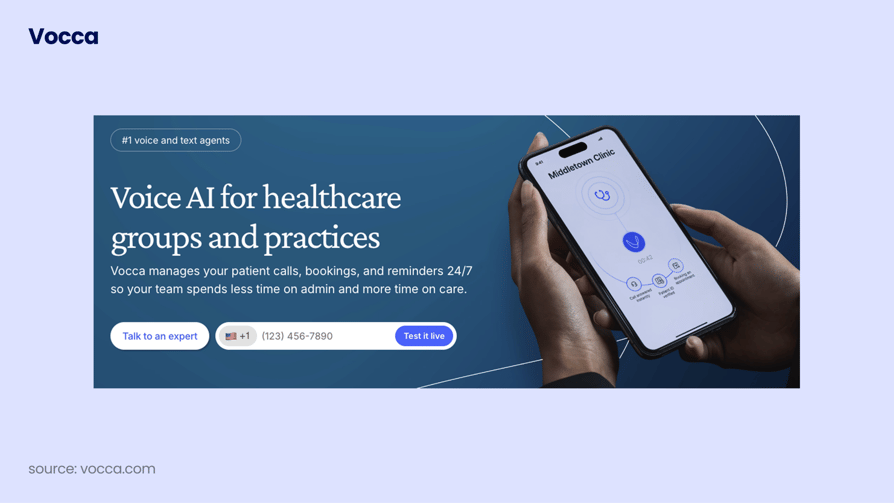
Vocca is voice AI for healthcare groups, handling patient calls, bookings, and reminders with vertical agents for dental, imaging, primary care, and a dozen more specialties. It's the closest thing here to a purpose-built AI receptionist for healthcare. The reason to consider it is compliance posture, not price.
How Does Vocca Score on Appointment Scheduling?
| Criterion | Score |
|---|---|
| Calendar Sync | 3/5 |
| CRM Integration | 2/5 |
| Multilingual | N/A |
| Latency | N/A |
| Live Transfer | N/A |
| Pricing Clarity | 1/5 |
| Industry Fit | 5/5 |
| Total | 11/20 scored |
What Are Vocca's Key Receptionist Features?
- Specialty-specific agents: 15+ specialties, including a dental agent.
- Inbound and outbound calling: booking, rescheduling, reminders, recalls.
- Voice and text agents, so bot-averse patients can confirm by message.
- EHR and PMS connectivity, stated by the vendor.
- HIPAA-grade compliance: HIPAA, GDPR, and SOC 2 with end-to-end encryption.
What Are Vocca's Tech and Performance Numbers?
| Metric | Vocca |
|---|---|
| Latency | N/A, not published |
| Concurrency | N/A, not published |
| Languages | N/A. The site is bilingual (English and French), but the product's supported language count isn't published |
| Calendars | Books into the practice's own EHR or PMS schedule; no named calendar systems published |
| Compliance | HIPAA, GDPR, SOC 2, end-to-end encryption |
| Specialties | 15+ claimed on site |
Which Scheduling Use Cases Does Vocca Fit?
Dental practices and DSOs, imaging centres, and multi-site groups needing patient booking, recall campaigns, and reminders without more front-desk staff.
What Does Vocca Integrate With?
| Layer | Coverage |
|---|---|
| Clinical systems | States integration with leading EHR and PMS platforms; vendor names not published, so treat it as a demo question |
| Calendar | The clinic's own EHR or PMS schedule |
| CRM | None published |
We are not repeating the claim that Vocca integrates with Epic or Cerner, because it doesn't appear anywhere on Vocca's site.
Where Does Vocca Fall Short for Appointment Scheduling?
Vocca publishes no pricing at all, so you can't budget without a sales call. There's no G2 or Trustpilot profile we could verify either, which leaves you evaluating Vocca on its own materials.
What Are Vocca's Pros and Cons?
| Pros | Cons |
|---|---|
| Healthcare-native compliance posture: HIPAA, GDPR, and SOC 2 all stated | No published pricing whatsoever; the pricing page returns a 404 |
| Genuine breadth of medical specialties supported out of the box | No verifiable third-party reviews, so no independent social proof |
| Handles outbound reminder and recall calls, not just inbound booking | Healthcare-only, and the specific EHR and PMS integrations are undisclosed |
What Is the Pricing of Vocca?
Quote-based. Vocca publishes no pricing, its pricing page returns a 404, and every call to action is "book a demo."
What Do Customers Say About Vocca?
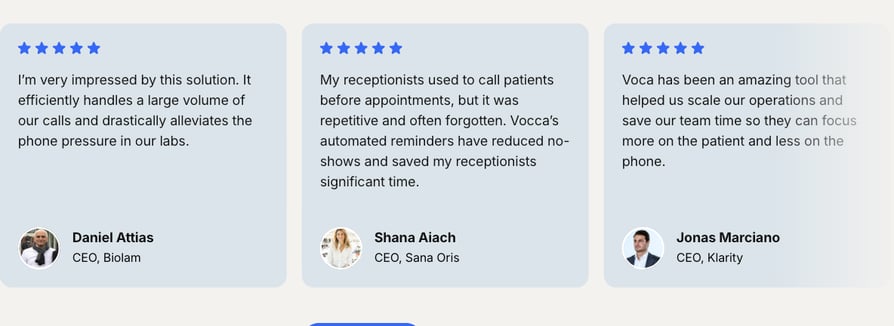
Vocca has nothing verifiable, and that's the finding: no G2 listing and no Trustpilot profile. Vocca's own site has customer reviews - so take them with a grain of salt.
CloudTalk vs Vocca: Which Fits a Clinic Better?
| Dimension | CloudTalk | Vocca |
|---|---|---|
| Clinical system integration | No native EHR or PMS connector; integrates via public API, webhooks, and Zapier | States integration with leading EHR and PMS; named systems not published |
| Calendar integration | Native Google Calendar and Outlook with real-time availability | Books into the practice's EHR or PMS schedule |
| Compliance | SOC 2 and GDPR, with HIPAA-aligned controls and BAA support available | HIPAA, GDPR, and SOC 2 stated, with end-to-end encryption |
| Multilingual | 60+ languages and accents | N/A, language count not published |
| Pricing transparency | Published: $99/month for 200 minutes plus $25/user/month | Quote-based only, no published figures |
| Best for | Clinics that also need a full phone system, CRM sync, and multilingual coverage | Clinics whose scheduling lives entirely inside an EHR or PMS |
When Should You Use Vocca?
- Your scheduling logic lives inside an EHR or PMS and stays there.
- You need a HIPAA, GDPR, and SOC 2 conversation on day one.
- You want outbound recall campaigns as well as inbound booking.
When Should You Not Use Vocca?
- You need to compare prices before talking to a salesperson.
- You want independent reviews before buying.
- You operate outside healthcare, where the vertical depth is dead weight.
What's the Bottom Line on Vocca?
Vocca is credible for practices wanting patient intake automated by a vendor that speaks clinical language, the job CloudTalk's AI voice agent for patient booking does outside a PMS. Expect a demo and a contract, not a public price.
4. My AI Front Desk: Best Front-Office Bundle for Solo Operators
What Is My AI Front Desk?
My AI Front Desk sells a whole front office rather than a phone agent: 24/7 voice, chat, SMS, and email, plus an AI-native CRM in one plan. It targets solo operators who'd otherwise shop for an AI virtual receptionist for small business and stitch four tools around it. The catch is how few voice minutes come with it.
How Does My AI Front Desk Score on Appointment Scheduling?
| Criterion | Score |
|---|---|
| Calendar Sync | N/A |
| CRM Integration | 3/5 |
| Multilingual | 4/5 |
| Latency | N/A |
| Live Transfer | N/A |
| Pricing Clarity | 3/5 |
| Industry Fit | 3/5 |
| Total | 13/20 scored |
What Are My AI Front Desk's Key Receptionist Features?
- Four channels in one plan: voice, chatbot, SMS, email.
- AI-native CRM and sequence automations at every tier.
- 20+ languages, published on the pricing page.
- Five-minute setup, the vendor's own claim.
- Credit-based overage: voice runs 25 credits a minute; $10 buys 1,000 credits.
What Are My AI Front Desk's Tech and Performance Numbers?
| Metric | My AI Front Desk |
|---|---|
| Latency | N/A, not published |
| Concurrency | N/A, not published |
| Languages | 20+ |
| Calendars | N/A. Re-verified on the live pricing page: no external calendar integration is named anywhere. The "Booking & Appointments" module replaces Calendly, Acuity, and Square rather than connecting to them, so bookings live in My AI Front Desk's own system |
| Voice minutes | 0 on Basic, 200/month on Business-in-a-Box |
| Overage | 25 credits (about $0.25) per voice minute |
| Free trial | 7 days, no contracts |
Which Scheduling Use Cases Does My AI Front Desk Fit?
Solo consultants and very small teams with low call volume and a wide channel mix. Above roughly 200 voice minutes a month it stops being cheap.
What Does My AI Front Desk Integrate With?
| Layer | Coverage |
|---|---|
| Calendar | None named; its own booking module is the system of record, which contradicts roundups crediting it with Google Calendar sync |
| CRM | Its own AI-native CRM; no named third-party CRM sync |
| Anything else | Zapier, plus a verified outbound number on the Business plan |
Where Does My AI Front Desk Fall Short for Appointment Scheduling?
The $20 Basic plan includes zero voice minutes, so it isn't a usable receptionist tier, and voice starts at $99/month monthly. That plan includes only 200 minutes, after which you pay roughly $0.25 a minute from a credit pool.
What Are My AI Front Desk's Pros and Cons?
| Pros | Cons |
|---|---|
| Bundles voice, chat, SMS, and a CRM at one price instead of four subscriptions | The $20 entry plan includes no voice minutes at all; voice starts at $99/month monthly |
| 20+ languages at a genuine SMB price point | Only 200 voice minutes on the mainstream plan, then roughly $0.25 per minute in credits |
| Predictable credit pool with a $10 auto-reload, so overage can't silently spike | No confirmable third-party rating, and no published calendar integrations |
What Is the Pricing of My AI Front Desk?
| Plan | Price | Includes |
|---|---|---|
| Basic | $20/month monthly ($16 annual) | 10 chatbot conversations, 40 SMS, 0 voice minutes |
| Business-in-a-Box | $99/month monthly ($79 annual) | 200 voice minutes, 100 chatbot conversations, 400 SMS, 1,000 overage credits |
| Partner / Enterprise | Custom | N/A |
The "$79/month" in most roundups is the annual rate. Monthly, the voice-capable plan is $99.
What Do Customers Say About My AI Front Desk?
My AI Front Desk has a G2 listing but no readable score we could verify, and no Trustpilot profile, so there are no independent themes to summarize. Treat the five-minute-setup claim as unverified until you've run the 7-day trial.
G2 rating: My AI Front Desk on G2: has 4.8/5 stars on G2.
CloudTalk vs My AI Front Desk: Which Handles Booking Better?
| Dimension | CloudTalk | My AI Front Desk |
|---|---|---|
| Calendar integration | Native Google Calendar and Outlook, real-time availability | N/A, named calendar integrations not published |
| CRM sync | Native two-way HubSpot, Salesforce, Pipedrive (Essential and up) | Built-in AI-native CRM plus Zapier; no named third-party CRM sync |
| Multilingual | 60+ languages and accents | 20+ languages |
| Included voice minutes | 200 minutes at $99/month, first 50 free | 0 on the $20 plan, 200 on the $99 plan |
| Pricing model | Usage-based AI add-on plus $25/user/month platform | Flat monthly bundle plus a credit pool at roughly $0.25/voice minute |
| Best for | Teams that need bookings inside their CRM and phone system | Solo operators wanting voice, chat, SMS, and CRM in one cheap bundle |
When Should You Use My AI Front Desk?
- You're a one-person business and want one bill for four channels.
- Your monthly call volume is comfortably under 200 minutes.
- You want a fixed credit pool so overage can't surprise you.
When Should You Not Use My AI Front Desk?
- Calendar booking into Google Calendar or Outlook is the core requirement.
- You need bi-directional sync with a CRM you already run.
- You expect real volume, where 25 credits a minute adds up.
What's the Bottom Line on My AI Front Desk?
A sensible bundle for independent owners who can live inside 200 voice minutes. Price it on the monthly rate, and confirm calendar booking in the trial.
5. ServiceAgent: Best Free Starting Point for Home-Services Booking
What Is ServiceAgent?
ServiceAgent sells on a simple promise: "start free, only pay for agent work." It's an SMB operations platform with a CRM, booking, invoicing, and marketing tools, and the 24/7 AI receptionist is one module inside it, paid in credits rather than a seat fee. It fits local businesses wanting the phone answered inside the system that sends the invoice, the job a cloud phone system for professional services does at the telephony layer.
How Does ServiceAgent Score on Appointment Scheduling?
| Criterion | Score |
|---|---|
| Calendar Sync | 4/5 |
| CRM Integration | 2/5 |
| Multilingual | N/A |
| Latency | N/A |
| Live Transfer | N/A |
| Pricing Clarity | 3/5 |
| Industry Fit | 4/5 |
| Total | 13/20 scored |
What Are ServiceAgent's Key Receptionist Features?
- Booking widget and calendar sync on the free tier, plus a CRM with unlimited contacts.
- 24/7 AI receptionist at 15 credits per voice minute.
- SMS and email automations, plus Google review requests and AI replies.
- Ad Launcher for Google and Meta campaigns.
- Multi-location tiers: Growth covers one site, Franchise covers three.
What Are ServiceAgent's Tech and Performance Numbers?
| Metric | ServiceAgent |
|---|---|
| Latency | N/A, not published |
| Concurrency | N/A, not published |
| Languages | N/A, not published |
| Calendars | Calendar sync and a booking widget from the free tier; specific vendors not named |
| Credit cost | 15 credits per AI voice minute, roughly $0.30 to $0.60 per minute outside an allowance |
| Monthly credit allowances | 0 (Launch), 2,000 (Core), 6,000 (Growth), 20,000 (Franchise) |
| API and webhooks | Franchise tier only |
Which Scheduling Use Cases Does ServiceAgent Fit?
HVAC, plumbing, electrical, cleaning, and landscaping firms wanting one system for the call, the booking, and the invoice, plus small franchise groups.
What Does ServiceAgent Integrate With?
| Layer | Coverage |
|---|---|
| Calendar | Booking widget plus calendar sync from the free tier; vendors not named |
| CRM | Its own unified CRM is the hub |
| Anything else | API access and webhooks, gated to the $349/month Franchise tier |
Where Does ServiceAgent Fall Short for Appointment Scheduling?
ServiceAgent meters voice minutes in credits rather than flat-rate, so a busy month is a bigger bill you forecast by arithmetic, and API access appears only on the top tier. ServiceAgent's centre of gravity has moved toward CRM and ads, making the receptionist a feature rather than the product.
What Are ServiceAgent's Pros and Cons?
| Pros | Cons |
|---|---|
| Genuinely free entry tier that already includes the booking widget and calendar sync | Credit model meters every AI voice minute, so busy months cost more and are harder to forecast |
| Credits are itemised per action, so cost per booking is calculable up front | API access and webhooks are locked to the $349/month Franchise tier |
| Multi-location and franchise tiering is explicit, with per-location pricing published | The receptionist is one module in a CRM and marketing suite, not the core product |
What Is the Pricing of ServiceAgent?
| Plan | Price | Includes |
|---|---|---|
| Launch | $0/month | One user, no monthly credits, pay-as-you-go, manual workflows only |
| Core | $49/month monthly ($39 annual) | 2,000 credits/month |
| Growth | $119/month monthly ($95 annual) | 6,000 credits/month, unlimited users, +$119/month per extra location |
| Franchise | $349/month monthly ($279 annual) | 20,000 credits/month, three locations, +$99/month per extra location |
One voice minute costs 15 credits, roughly $0.30 to $0.60. The old "$0.20 per minute plus a $20 starting credit" model is gone from the pricing page.
CloudTalk vs ServiceAgent: Which Suits a Home-Services Team?
| Dimension | CloudTalk | ServiceAgent |
|---|---|---|
| Calendar integration | Native Google Calendar and Outlook, real-time availability | Booking widget and calendar sync from the free tier; vendors not named |
| CRM sync | Native two-way HubSpot, Salesforce, Pipedrive (Essential and up) | Built-in CRM; external API and webhooks only on Franchise |
| Multilingual | 60+ languages and accents | N/A, not published |
| Concurrency | Unlimited concurrent calls | N/A, not published |
| Pricing model | $99/month for 200 minutes plus $25/user/month platform | Free to $349/month plus 15 credits per AI voice minute |
| Best for | Trades that want a real phone system and CRM sync behind the AI | Trades that want booking, invoicing, and marketing in one cheap suite |
When Should You Use ServiceAgent?
- You want to start at zero dollars and still get calendar sync.
- You'd rather run one suite for CRM, booking, and invoicing.
- You operate two or three locations and want per-location pricing.
- Your volume is low enough that metered minutes stay cheap.
When Should You Not Use ServiceAgent?
- You already run HubSpot, Salesforce, or Pipedrive and need two-way sync.
- You need API access without paying $349/month.
- You want flat-rate voice costs during a spike.
What's the Bottom Line on ServiceAgent?
The easiest zero-cost way for a local trade to get calls answered and jobs booked, if you're happy living inside its CRM. Model the credit burn at your real volume first.
6. Luma Health: Best Enterprise Platform for Patient Access and Recall Scheduling
What Is Luma Health?
Luma Health, now branded simply as Luma, calls its product "operational AI for healthcare," covering patient access, scheduling, reminders, intake, payments, and referrals across the whole journey. It's built for enterprise health systems and large specialty groups, and its Conversational Agent handles patient calls as one part of a much wider platform.
How Does Luma Health Score on Appointment Scheduling?
| Criterion | Score |
|---|---|
| Calendar Sync | 4/5 |
| CRM Integration | 4/5 |
| Multilingual | N/A |
| Latency | N/A |
| Live Transfer | N/A |
| Pricing Clarity | 1/5 |
| Industry Fit | 5/5 |
| Total | 14/20 scored |
What Are Luma Health's Key Receptionist Features?
- Scheduling, waitlist, reminders, and recalls as first-class modules.
- Conversational Agent for patient calls and messages.
- Registration, intake, and forms, with eligibility checks and payments.
- Eight named EHR integrations, verified on Luma's own site.
- Spark, a no-code AI workflow builder, plus analytics.
What Are Luma Health's Tech and Performance Numbers?
| Metric | Luma Health |
|---|---|
| Latency | N/A, not published |
| Concurrency | N/A, not published |
| Languages | N/A, not published |
| EHR integrations | Epic, Oracle Health (formerly Cerner), MEDITECH, NextGen, Nextech, eClinicalWorks, Athenahealth, Greenway |
| Segments served | Enterprise health systems, specialty groups, regional and rural care, primary care |
Which Scheduling Use Cases Does Luma Health Fit?
Multi-site health systems and large specialty groups automating patient access end to end: booking, waitlist backfill, recalls, reminders, intake, and pre-visit payments.
What Does Luma Health Integrate With?
| Layer | Coverage |
|---|---|
| Clinical systems | Bi-directional with Epic, Oracle Health, MEDITECH, NextGen, Nextech, eClinicalWorks, Athenahealth, Greenway (named on Luma's own site) |
| Calendar | Scheduling, waitlist, and recall inside the EHR schedule |
| CRM | None; the EHR is the system of record, which is right for clinical scheduling and no help to a sales team |
Where Does Luma Health Fall Short for Appointment Scheduling?
Luma Health's cost and implementation complexity put it out of reach for small clinics, and you'll need a dedicated team for the EHR work. With no published pricing, evaluation runs through an enterprise sales cycle, and reviewers report message-delivery and integration issues.
What Are Luma Health's Pros and Cons?
| Pros | Cons |
|---|---|
| Reviewers cite genuine ease of use and a real drop in inbound phone volume | Occasional message-delivery and system-integration issues come up in reviews |
| Bi-directional integration with all major EHRs, verified on Luma's own site | No published pricing, so evaluation means an enterprise sales cycle |
| Covers the whole patient journey, not just call answering | Not viable for a solo practitioner or a small single-site clinic |
What Is the Pricing of Luma Health?
Quote-based. Luma publishes no pricing, its pricing page returns a 404, and every call to action is "get a demo." Expect a procurement timeline measured in months.
What Do Customers Say About Luma Health?
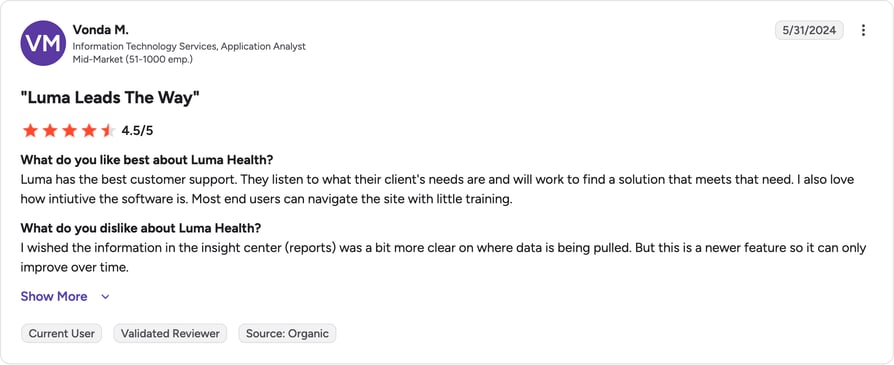
Luma Health reviewers praise how much inbound call volume the platform removes once it's live. One reported close to a 40% month-over-month drop in no-shows, one organization's result rather than a benchmark. The recurring criticism is reliability at the edges.
Two verified Capterra reviewers, on a listing holding 4.6/5 from 82 reviews, describe the scheduling effect:
"Luma cut our no show rate in half the first month we started using the software."
"Texting patient appointment reminders...filling patient cancellations has saved our receptionists a lot of time."
G2 rating: Luma Health on G2: 4.8/5 (80+ reviews). Capterra shows a lower 4.6/5 across a similar sample.
CloudTalk vs Luma Health: Which Scales Patient Booking?
| Dimension | CloudTalk | Luma Health |
|---|---|---|
| Clinical system integration | No native EHR connector; public API, webhooks, and Zapier | Bi-directional with Epic, Oracle Health, MEDITECH, NextGen, and four more |
| Calendar integration | Native Google Calendar and Outlook, real-time availability | Scheduling, waitlist, and recall inside the EHR schedule |
| Scope | Phone system plus AI receptionist plus CRM sync | Whole patient journey: access, intake, payments, referrals |
| Multilingual | 60+ languages and accents | N/A, not published |
| Pricing transparency | Published plan and add-on prices | Quote-based only |
| Best for | Clinics and groups that need telephony and booking without an enterprise project | Health systems automating patient access at scale |
When Should You Use Luma Health?
- You run a health system or large specialty group with an EHR at the centre.
- You need waitlist, recall, and reminder automation, not just answering.
- You have an implementation team to own the integration work.
When Should You Not Use Luma Health?
- You're a single-site clinic or solo practitioner.
- You need a price before a sales cycle.
- Your bookings are commercial rather than clinical.
What's the Bottom Line on Luma Health?
The right platform for large health systems automating patient communication across the whole journey. It's an operational programme, not a weekend switch-on.
7. Botphonic AI: Best Low-Cost Option for Agencies Running Many Assistants
What Is Botphonic AI?
Botphonic sells an "AI call assistant," and its distinguishing feature is unlimited assistants on every plan, which suits agencies running a separate booking agent per client. A parallel cold-email product line makes it double as an outreach tool for AI-powered lead generation.
How Does Botphonic AI Score on Appointment Scheduling?
| Criterion | Score |
|---|---|
| Calendar Sync | 2/5 |
| CRM Integration | 2/5 |
| Multilingual | 3/5 |
| Latency | N/A |
| Live Transfer | N/A |
| Pricing Clarity | 5/5 |
| Industry Fit | 3/5 |
| Total | 15/25 scored |
What Are Botphonic AI's Key Receptionist Features?
- Unlimited assistants on every plan, including the $22 tier.
- Bring your own Voice API, LLM, or transcriber, unusual at this price.
- Concurrency tiers from 5 to 25 to 200+ simultaneous calls.
- Custom workflows and batch campaigns from Pro up.
- A separate cold-email product line with sequences and a unified inbox.
What Are Botphonic AI's Tech and Performance Numbers?
| Metric | Botphonic AI |
|---|---|
| Latency | N/A, not published |
| Concurrency | 5 (Starter), 25 (Pro), 200+ (Enterprise) |
| Languages | Multilingual support stated; no published language count |
| Calendars | N/A. Reviewers describe scheduling automation, but no calendar vendors are named |
| Minutes | 50/month (Starter), 120/month (Pro), custom (Enterprise) |
| Free trial | 14 days with 20 free minutes, plus a $1 card-verification charge refunded within 48 hours |
Which Scheduling Use Cases Does Botphonic AI Fit?
Marketing and lead-gen agencies needing one assistant per client, plus small teams testing voice AI cheaply. Vertical depth is generic rather than specialised.
What Does Botphonic AI Integrate With?
| Layer | Coverage |
|---|---|
| Calendar | None named, the single biggest gap for a scheduling buyer; assume you wire it yourself |
| CRM | None named |
| Model providers | Bring your own voice, LLM, or transcription provider |
| Anything else | API access and generic integrations on all plans |
Where Does Botphonic AI Fall Short for Appointment Scheduling?
Botphonic AI's minute allowances are tiny: 50 on Starter, 120 on Pro. It's cheap because it's small. Reviewers describe a steep learning curve and setup that needed vendor help, and the 5.0/5 rating comes from two reviews.
What Are Botphonic AI's Pros and Cons?
| Pros | Cons |
|---|---|
| Unlimited AI assistants even on the $22 tier, which suits multi-client agencies | Minute allowances are very small: 50 minutes on Starter, 120 on Pro |
| Reviewers describe natural, human-like call handling with no missed calls | Reviewers report a steep learning curve and setup that needed vendor help |
| Automates scheduling, follow-ups, and reminders, plus email outreach from the same account | The 5.0/5 score comes from only two reviews, so treat it as anecdotal |
What Is the Pricing of Botphonic AI?
| Plan | Price | Includes |
|---|---|---|
| Starter | $22/month monthly ($20 yearly) | 50 minutes, 5 concurrent calls |
| Pro | $60/month monthly ($55 yearly) | 120 minutes, 25 concurrent calls, 5 custom workflows, batch campaigns |
| Enterprise | Custom | Custom minutes, 200+ concurrent calls |
The commonly quoted "$20/month" is the yearly rate; monthly is $22.
What Do Customers Say About Botphonic AI?
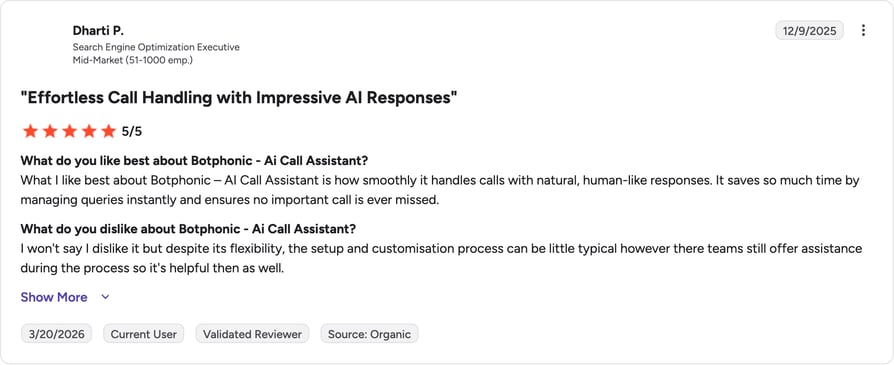
Botphonic AI has two published G2 reviews, both positive: natural-sounding calls, nothing missed, useful scheduling automation. Both describe a learning curve steep enough that the vendor helped with setup. With a sample of two, budget setup time.
G2 rating: Botphonic AI Call Assistant on G2: 5.0/5 (2 reviews)
CloudTalk vs Botphonic AI: Which Books More Reliably?
| Dimension | CloudTalk | Botphonic AI |
|---|---|---|
| Calendar integration | Native Google Calendar and Outlook, real-time availability | N/A, no named calendar integrations published |
| CRM sync | Native two-way HubSpot, Salesforce, Pipedrive (Essential and up) | API and generic integrations; no named CRM list |
| Multilingual | 60+ languages and accents | Multilingual support stated, count not published |
| Concurrency | Unlimited concurrent calls | 5, 25, or 200+ depending on tier |
| Included minutes | 200/month at $99, first 50 free | 50/month at $22, 120/month at $60 |
| Best for | Teams that need booking wired into a CRM and phone system | Agencies running many assistants on a small budget |
When Should You Use Botphonic AI?
- You're an agency needing one assistant per client without per-assistant fees.
- You want to bring your own LLM, voice, or transcriber.
- Your total volume fits inside 50 or 120 minutes a month.
When Should You Not Use Botphonic AI?
- Calendar booking must work out of the box.
- You have real volume, where 50 minutes disappears in a week.
- You want a meaningful review base before committing.
What's the Bottom Line on Botphonic AI?
A legitimate way for an agency to run many booking assistants cheaply, if you treat configuration as a project. For a single business needing reliable calendar booking today, the minute caps make it a hard sell.
8. Rosie AI: Best After-Hours Booking for HVAC, Plumbing, and Trades
What Is Rosie AI?
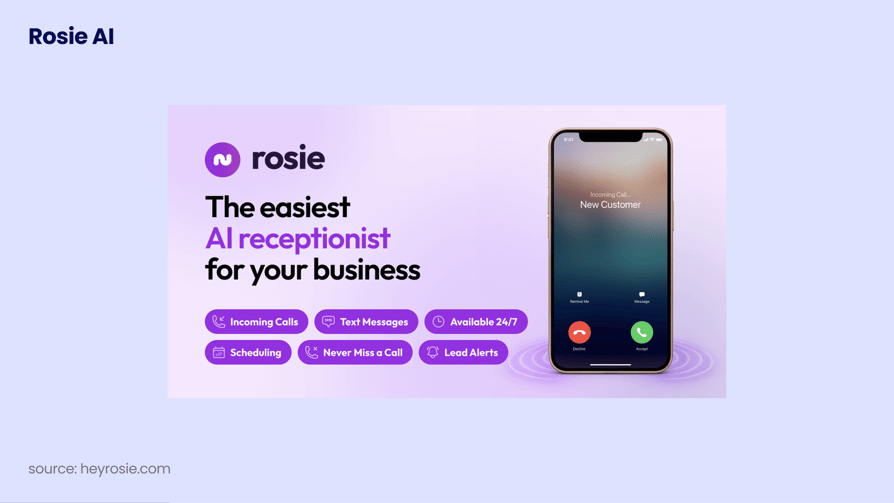
Rosie is a 24/7 AI answering service that learns your business, answers calls, books appointments, and captures leads. It's aimed at local field-service operators: HVAC, plumbing, and other trades who lose calls while they're under a sink. Its trust marker is 2,000+ small businesses, and it's a known name in the AI phone answering service category for contractors.
How Does Rosie AI Score on Appointment Scheduling?
| Criterion | Score |
|---|---|
| Calendar Sync | 3/5 |
| CRM Integration | 1/5 |
| Multilingual | N/A |
| Latency | N/A |
| Live Transfer | 4/5 |
| Pricing Clarity | 5/5 |
| Industry Fit | 4/5 |
| Total | 17/25 scored |
What Are Rosie AI's Key Receptionist Features?
- 24/7 AI answering with custom message-taking scenarios per tier.
- Calendar appointment booking, from the Scale tier up.
- Warm transfers that brief your team before connecting the caller.
- Automatic spam detection and a chat widget on every plan.
- Waterfall transfers plus custom agent training, on Growth.
What Are Rosie AI's Tech and Performance Numbers?
| Metric | Rosie AI |
|---|---|
| Latency | N/A, not published |
| Concurrency | N/A, not published |
| Languages | N/A, not published |
| Calendars | Calendar appointment booking from the $149/month Scale tier; specific vendors not named |
| Minutes | 250/month (Professional), 1,000 (Scale), 2,000 (Growth) |
| Transfers | Warm and live from Scale, waterfall from Growth |
| Free trial | 7 days |
Which Scheduling Use Cases Does Rosie AI Fit?
Owner-operators and small crews in HVAC, plumbing, and electrical needing after-hours cover with almost no setup. It's a night-shift service, not a system of record.
What Does Rosie AI Integrate With?
| Layer | Coverage |
|---|---|
| Calendar | Calendar appointment booking from Scale; vendors not named |
| CRM | No published bi-directional CRM sync, so plan for manual entry |
| Anything else | Website chat widget on every plan |
Where Does Rosie AI Fall Short for Appointment Scheduling?
The important one here: the entry plan cannot book appointments. Professional at $49/month covers message taking, spam screening, and a chat widget; booking starts at $149/month on Scale. Minute allowances are hard caps, and there's no verifiable third-party rating.
What Are Rosie AI's Pros and Cons?
| Pros | Cons |
|---|---|
| Simple, fast setup aimed at owner-operators rather than admins | Appointment booking is not in the entry plan; it starts at $149/month |
| Spam and robocall screening included on every plan | Minute allowances are hard caps: 250, 1,000, or 2,000 per tier |
| Warm transfer with a spoken briefing before connecting the caller (Scale and up) | No published bi-directional CRM sync, and no verifiable third-party rating |
What Is the Pricing of Rosie AI?
| Plan | Price | Includes |
|---|---|---|
| Professional | $49/month | 250 minutes, 2 message-taking scenarios, spam detection, chat widget. No calendar booking, no transfers |
| Scale | $149/month | 1,000 minutes, 5 scenarios, calendar appointment booking, warm and live transfers, texts during the call |
| Growth | $299/month | 2,000 minutes, unlimited scenarios, waterfall transfers, custom agent training |
Annual billing is advertised as two months free. The "$41/month" in most roundups is gone from Rosie's page, and $49 does not buy booking.
What Do Customers Say About Rosie AI?
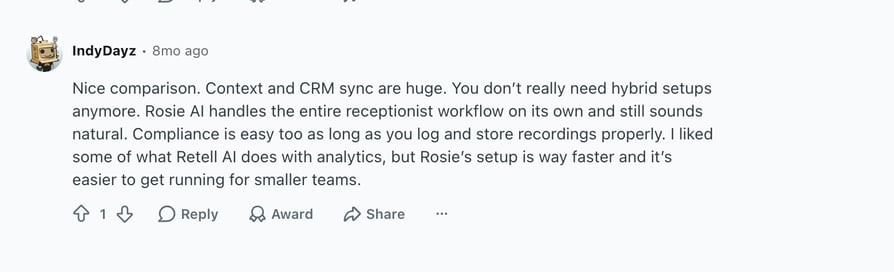
Rosie AI has no verifiable G2 score, but Redditors review it positively.
G2 rating: N/A (no verifiable listing or score, so no G2 screenshot exists for this entry). The Capterra listing carries 0 reviews.
CloudTalk vs Rosie AI: Point Solution or Platform?
| Dimension | CloudTalk | Rosie AI |
|---|---|---|
| Calendar integration | Native Google Calendar and Outlook from day one | Calendar booking starts on the $149/month Scale tier |
| CRM sync | Native two-way HubSpot, Salesforce, Pipedrive (Essential and up) | No published bi-directional CRM sync |
| Live transfer | Context-aware transfer on rules you define | Warm transfer with a spoken briefing, plus live transfer (Scale and up) |
| Multilingual | 60+ languages and accents | N/A, not published |
| Pricing model | $99/month for 200 minutes plus $25/user/month platform | $49, $149, or $299/month with hard minute caps |
| Best for | Trades that want bookings in the CRM and a phone system underneath | Owner-operators who want the phone answered tonight |
When Should You Use Rosie AI?
- You're an owner-operator and want calls answered by this evening.
- Spam screening on every inbound call is worth money to you.
- You'll pay $149/month and need only booking plus transfers.
When Should You Not Use Rosie AI?
- Your budget is $49/month and you need appointment booking.
- You need bookings and call data syncing into an existing CRM.
- Your volume can exceed the tier's minute cap.
What's the Bottom Line on Rosie AI?
A strong, simple after-hours answer service for contractors, with a well-designed warm transfer. Price it at $149/month rather than $49, because that's where booking begins.
9. Upfirst: Best Budget AI Receptionist With Real Calendar Booking
What Is Upfirst?
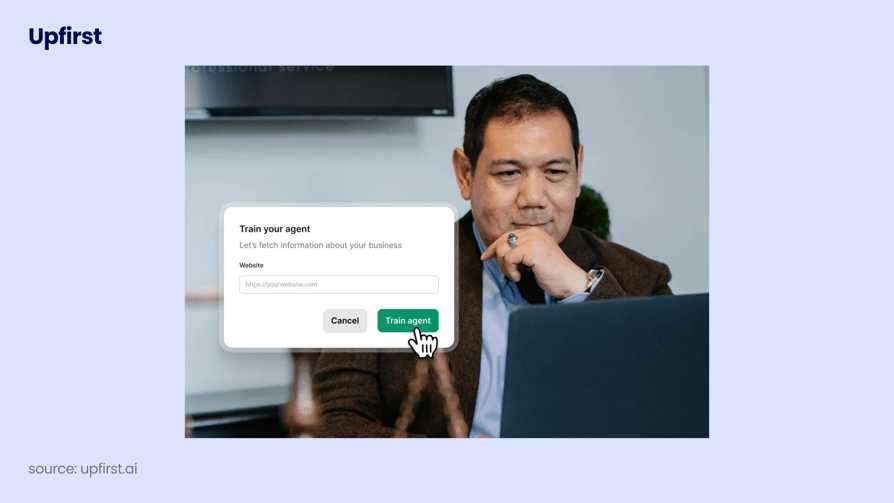
Upfirst is an AI receptionist for small businesses, sold on the promise that every plan includes round-the-clock answering. It's the surprise of this list: for $24.95 a month it books into Google Calendar, Outlook, Cal.com, and Calendly, handles 35+ languages, and connects to four major CRMs. It's built for micro-businesses that keep missing after-hours calls.
How Does Upfirst Score on Appointment Scheduling?
| Criterion | Score |
|---|---|
| Calendar Sync | 5/5 |
| CRM Integration | 4/5 |
| Multilingual | 4/5 |
| Latency | N/A |
| Live Transfer | N/A |
| Pricing Clarity | 4/5 |
| Industry Fit | 3/5 |
| Total | 20/25 scored |
What Are Upfirst's Key Receptionist Features?
- Booking into Google Calendar, Outlook, Cal.com, and Calendly, the widest verified coverage of any budget tool here.
- 35+ languages, switched automatically, with the transcript translated.
- Memory that recognises returning callers and past conversations.
- Configurable answering: every call, overflow only, or after hours only.
- Instant summaries, recording, screening, and spam blocking.
What Are Upfirst's Tech and Performance Numbers?
| Metric | Upfirst |
|---|---|
| Latency | N/A, not published |
| Concurrency | N/A, not published |
| Languages | 35+, switched automatically, with transcript translation |
| Calendars | Google Calendar, Outlook, Cal.com, Calendly |
| CRM | HubSpot, Salesforce, Pipedrive, GoHighLevel, plus 195+ others natively or via Zapier |
| Call allowances | 30 (Starter), 90 (Premium), 300 (Pro), 600 (Scale) |
| Free trial | 14 days; vendor claims live in under 15 minutes |
Which Scheduling Use Cases Does Upfirst Fit?
Solo practitioners, single-location salons, clinics, and repair shops with modest volume and a real need for calendar accuracy, especially with non-English-speaking customers.
What Does Upfirst Integrate With?
| Layer | Coverage |
|---|---|
| Calendar | Google Calendar, Outlook, Cal.com, Calendly |
| CRM | HubSpot, Salesforce, Pipedrive, GoHighLevel natively, though a connector is not documented bi-directional sync |
| Anything else | 195+ more through Zapier |
Where Does Upfirst Fall Short for Appointment Scheduling?
Upfirst bills by call count, not minutes, so a few long conversations burn the allowance and tip you into $0.75 to $1.50 per-call overage. The entry tier is 30 calls a month, roughly one a day, and there's no verifiable review score anywhere.
What Are Upfirst's Pros and Cons?
| Pros | Cons |
|---|---|
| Best verified calendar coverage of any budget tool: Google Calendar, Outlook, Cal.com, and Calendly | Billed by call count, not minutes, so long calls burn the allowance quickly |
| 35+ languages with automatic switching plus transcript translation | Entry tier is 30 calls a month, roughly one call a day |
| Real CRM breadth for the price: HubSpot, Salesforce, Pipedrive, GoHighLevel, plus 195+ via Zapier | No verifiable third-party review score on G2, Capterra, or Trustpilot |
What Is the Pricing of Upfirst?
| Plan | Price | Includes |
|---|---|---|
| Starter | $24.95/month monthly ($20 annual) | 30 calls, $1.50 per additional call |
| Premium | $59.95/month monthly ($48 annual) | 90 calls, $1.00 per additional call |
| Pro | $159.95/month monthly ($128 annual) | 300 calls, $0.75 per additional call |
| Scale | $299/month monthly ($240 annual) | 600 calls |
| Custom | Volume pricing | Above 600 calls |
A 14-day trial is included. The "$20/month" quoted elsewhere is the annual rate; monthly entry is $24.95.
What Do Customers Say About Upfirst?
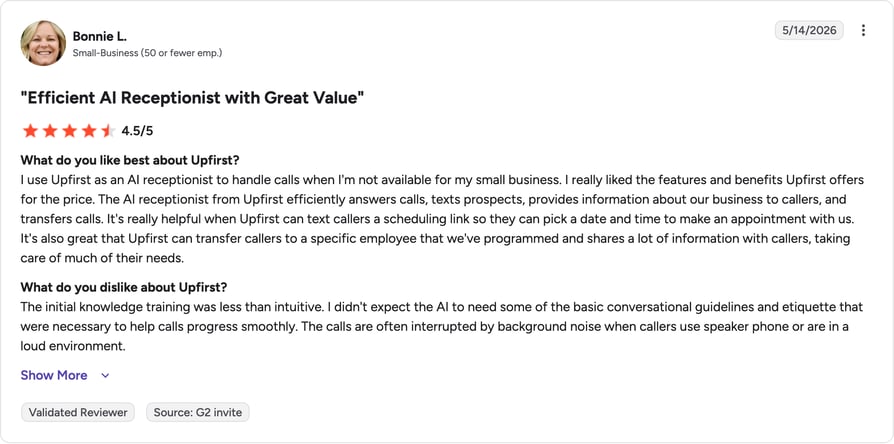
G2 rating: Upfirst has a 4.9/5 rating on G2 out of 26 reviews.
CloudTalk vs Upfirst: Which Budget Setup Books Better?
| Dimension | CloudTalk | Upfirst |
|---|---|---|
| Calendar integration | Native Google Calendar and Outlook, real-time availability | Google Calendar, Outlook, Cal.com, and Calendly |
| CRM sync | Native two-way HubSpot, Salesforce, Pipedrive (Essential and up) | HubSpot, Salesforce, Pipedrive, GoHighLevel, plus 195+ via Zapier |
| Multilingual | 60+ languages and accents | 35+ languages with automatic switching |
| Concurrency | Unlimited concurrent calls | N/A, not published |
| Pricing model | $99/month for 200 minutes plus $25/user/month platform | $24.95 to $159.95/month by call count, with per-call overage |
| Best for | Teams whose bookings must live in the CRM alongside a phone system | Micro-businesses that need cheap, accurate calendar booking |
When Should You Use Upfirst?
- Your budget is under $30 a month and you need genuine calendar booking.
- You use Cal.com or Calendly and want the AI booking into it.
- Your volume is roughly one to three calls a day.
When Should You Not Use Upfirst?
- Your calls run long, since billing is per call, not per minute.
- You take more than a few calls a day and don't want overage.
- You need documented bi-directional CRM sync, not a connector.
What's the Bottom Line on Upfirst?
The best value here for a micro-business that needs appointments booked into a real calendar. Watch the call-count billing, because that's where the cheap plan stops being cheap.
10. Vapi AI: Best Developer Infrastructure for a Custom Booking Agent
What Is Vapi AI?
Vapi is infrastructure for building voice AI agents, not a finished receptionist product. You get call minutes, concurrency, and control over which LLM, voice, and transcription provider the agent uses, and you write the rest. Without developers, a DIY voice agent costs more in engineering time than a subscription would.
How Does Vapi AI Score on Appointment Scheduling?
| Criterion | Score |
|---|---|
| Calendar Sync | 1/5 |
| CRM Integration | 2/5 |
| Multilingual | N/A |
| Latency | 2/5 |
| Live Transfer | N/A |
| Pricing Clarity | 2/5 |
| Industry Fit | 2/5 |
| Total | 9/25 scored |
What Are Vapi AI's Key Receptionist Features?
- Swappable LLM, voice, and transcriber providers, with model costs passed through.
- Mid-conversation webhooks, so the agent queries your database while the caller waits.
- 10 concurrent lines included, then $10 per line per month.
- 60+ minutes included to start building.
- Enterprise tier with SOC 2, HIPAA, PCI, SSO, and an SLA.
What Are Vapi AI's Tech and Performance Numbers?
| Metric | Vapi AI |
|---|---|
| Latency | Reviewers report roughly 800 to 1,000ms typically, with occasional spikes of 4 to 5 seconds |
| Concurrency | 10 lines included, then $10 per line/month |
| Languages | N/A, depends on the providers you plug in |
| Calendars | None out of the box; you build the integration |
| Platform fee | $0.05 per minute for calls and $0.005 per message, excluding model-provider costs |
| Compliance add-ons | HIPAA +$2,000/month, Zero Data Retention +$1,000/month |
Which Scheduling Use Cases Does Vapi AI Fit?
Product teams embedding voice booking in their own application, agencies building white-labelled agents, and companies whose booking logic is genuinely unusual.
What Does Vapi AI Integrate With?
| Layer | Coverage |
|---|---|
| Calendar | Whatever you build |
| CRM | Whatever you build |
| Anything else | Custom webhooks and API hooks. That's the trade: complete flexibility, zero out-of-the-box scheduling |
Where Does Vapi AI Fall Short for Appointment Scheduling?
Vapi AI is infrastructure, so there's no dashboard for a non-technical admin and no calendar integration to switch on. Reviewers flag unpredictable latency, with multi-second pauses that would end a booking call, and the headline $0.05 per minute excludes model-provider costs. HIPAA is $2,000 a month on top.
What Are Vapi AI's Pros and Cons?
| Pros | Cons |
|---|---|
| Easy to get started with and quick for a developer to learn, per G2 reviewers | Reviewers report unpredictable latency, typically 800 to 1,000ms but sometimes 4 to 5 seconds |
| Among the cheapest ways to run a voice AI bot, consistent with the $0.05/min platform fee | Limited out-of-the-box functionality; it's infrastructure, not a product |
| Complete control over model, voice, and transcriber | Model-provider costs sit on top of the platform fee, and HIPAA compliance adds $2,000/month |
What Is the Pricing of Vapi AI?
| Plan | Price | Includes |
|---|---|---|
| Build | Usage-based, self-serve | $0.05/minute platform fee, $0.005/message, excluding model-provider costs billed on to you |
| Concurrency | $10 per extra line/month | 10 lines included |
| Compliance add-ons | HIPAA +$2,000/month · Zero Data Retention +$1,000/month | N/A |
| Scale | Annual contract, contact sales | Fixed platform fee plus committed volume at volume-based per-minute pricing |
Because model costs are variable and separate, the total is hard to forecast from the headline rate. Our Vapi AI pricing breakdown works through a real deployment.
What Do Customers Say About Vapi AI?
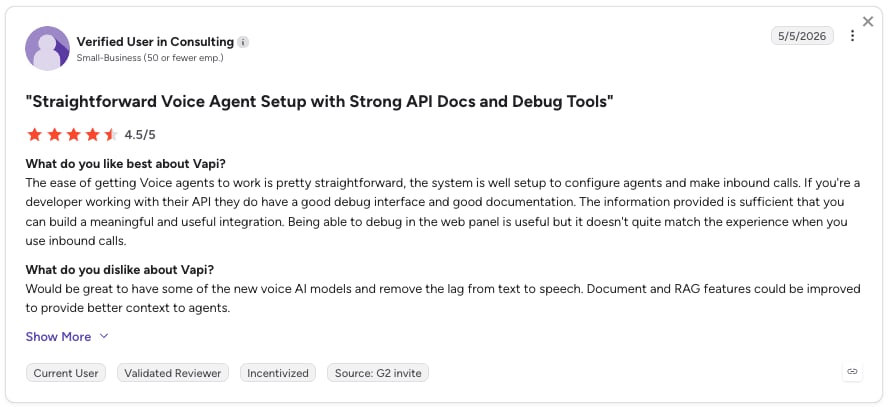
Vapi AI reviewers find it quick to start with and among the cheapest ways to run a voice bot. The consistent criticism is latency variance, and that Vapi does little out of the box, which developers treat as the point.
G2 rating: Vapi AI on G2: N/A. Two conflicting listings exist and G2 returns HTTP 403 to automated verification. We deliberately aren't repeating the 4.5/5 figure from other roundups, because we couldn't confirm which listing it belongs to.
CloudTalk vs Vapi AI: Build or Deploy?
| Dimension | CloudTalk | Vapi AI |
|---|---|---|
| Calendar integration | Native Google Calendar and Outlook, working on day one | None out of the box; you build it |
| CRM sync | Native two-way HubSpot, Salesforce, Pipedrive (Essential and up) | Custom webhooks and API hooks you implement |
| Latency | Sub-800ms, CloudTalk's published figure | Reviewers report 800 to 1,000ms typical, occasionally 4 to 5 seconds |
| Setup | No-code agent build in about 10 minutes | Engineering project with ongoing maintenance |
| Pricing model | $99/month for 200 minutes plus $25/user/month platform | $0.05/min platform fee plus model costs, plus $10/extra line, plus $2,000/month for HIPAA |
| Best for | Teams that want a working AI receptionist this week | Engineering teams building something truly custom |
When Should You Use Vapi AI?
- You have engineers and want control over model, voice, and call logic.
- Your booking rules are unusual enough that no off-the-shelf tool expresses them.
- You're embedding voice booking inside your own product.
When Should You Not Use Vapi AI?
- Nobody on your team writes code. A no-code Vapi AI alternative gets you a working booking agent faster.
- You need calendar booking and CRM sync without a build.
- You need HIPAA without a $2,000-a-month line item.
What's the Bottom Line on Vapi AI?
The right foundation for a technical team building a custom booking agent. For everyone else, total cost of ownership lands well above the tools here that already do the job.
Recommended Reads
Voicify Alternatives: Best AI Receptionists for Dental Practices in 2026
Dental practices have needs a general AI receptionist doesn't cover: HIPAA handling, a practice-management system rather than a CRM, recall and hygiene reminders, cancellation backfill, and insurance verification calls. Voicify is one of the better-known dental options, which is why practices searching for dental AI receptionist competitors start there.
| Dimension | CloudTalk | Voicify | Orbit | Resonate AI (on Denticon) |
|---|---|---|---|---|
| HIPAA compliance | SOC 2 and GDPR, with HIPAA-aligned controls and BAA support available on Custom | HIPAA-compliant cloud-based encryption, stated on its dental page | Not stated on any page we could read. Orbit's site is JavaScript-rendered and blocks automated verification, so treat HIPAA and BAA availability as demo questions | Vendor states TLS 1.2+ in transit, AES-256 at rest, signed BAAs, role-based access controls, audit logging, and North American data storage |
| EHR / PMS integration | No native PMS connector; integrates via public API, webhooks, and Zapier | "Integrates with your existing practice management software and telephony system"; named systems not published | No named PMS integrations published. Sold as a general AI receptionist with a dental landing page rather than a dental product | Denticon, through Planet DDS's RESTful API with OAuth 2.0. Vendor states real-time bi-directional sync |
| Dental-specific logic | Custom knowledge-base upload plus healthcare intake and appointment-scheduling agent templates | Yes: dedicated dental product with reminder, recall, and rescheduling workflows | A dental landing page sits on top of an industry-agnostic agent, so dental logic is whatever you configure | Yes: dental-trained, with urgency triage, insurance questions, and recall outreach as named use cases |
| Calendar sync | Native Google Calendar and Outlook, real-time availability | Creates, reschedules, and manages appointments by voice; named calendar systems N/A | Not published beyond the claim that the agent books appointments | Writes into the Denticon schedule. Vendor states live availability is checked before any slot is confirmed |
| Multilingual support | 60+ languages and accents | N/A, not stated on the dental page | N/A, not published | English and Spanish, switched automatically |
| Starting price | $99/month for 200 AI Receptionist minutes plus $25/user/month Starter platform | Quote-based, no published pricing | Self-serve plans from $89/month across three tiers, plus custom builds quoted after a discovery call. Bills actual talk time only, so hold time, silence, and processing are not charged | No published pricing. "No setup fees, cancel anytime" is the only public commitment |
Two of those four publish a price, and only one publishes it per minute of talk time. Orbit's billing model is the genuine surprise here: most vendors in this category meter the whole call, so a patient left on hold costs you money. Whether that saving matters depends entirely on how much of your call volume is hold time, which your current phone bill already knows.
The reason this matters is money that's already leaving. A 2026 quality-improvement study in the Journal of Doctoral Nursing Practice put the national outpatient no-show average at 18%, and cut one clinic's 29% rate to 21% purely by strengthening reminders, saving about $5,200 across 653 visits in twelve days. Reminder calls are the least glamorous thing an AI receptionist does, and probably the highest-ROI.
Which Is the Best Dental AI Receptionist for Your Practice?
- Pick CloudTalk if the phone system is also the problem. A practice needing a full dental phone system, multilingual patient calls, routing across sites, and booking into Google Calendar or Outlook gets all of it from one vendor, with published pricing and 50 free test minutes. The honest limitation: no native connector into Denticon, Dentrix, or Eaglesoft, so PMS write-back means API work.
- Pick Vocca if the schedule lives in the PMS and has to stay there. It's healthcare-native, covers dental among 15+ specialties, and states HIPAA, GDPR, and SOC 2 compliance. You'll evaluate it on a demo, since nothing is priced publicly.
- Consider DentalOS AI Agents if you already run Denticon or Cloud 9. Nothing else on this page writes back into a dental PMS natively, because nothing else is the PMS. Outcome-based pricing is genuinely interesting for a front desk, though only relevant if you're already on Planet DDS.
- On Voicify itself, one caution. Its dental product page reads as legitimate product copy, but the main site's footer carries injected spam links and a copyright line dated 2024, which suggests the site is compromised or unmaintained. We're naming Voicify and deliberately not linking to it. Ask about support status before you sign anything.
Top AI Virtual Receptionists by G2 Reviews and Ratings
Based on verified G2 reviews, CloudTalk is the highest-reviewed platform on this list by volume, with 1,702+ reviews and a 4.4/5 rating.
Read the review counts before the scores. A 5.0 from two reviewers tells you far less than a 4.4/5 built on 1,702+ reviews, and five of these ten platforms have no verifiable third-party rating at all. In a young category that's expected, but it means the documentation and a free trial do the work reviews usually do. Our roundup of the best AI voice agents covers several of these vendors from a different angle.
| Platform | G2 Reviews | G2 Rating | Full Review Link | Notes |
|---|---|---|---|---|
| CloudTalk | 1,702+ | 4.4/5 | CloudTalk on G2 | Largest verified review base on this list; 4.4/5 from 260+ reviews on Capterra |
| Smith.ai | 73+ | 4.9/5 | Smith.ai on G2 | A second G2 listing exists for the AI product |
| Luma Health | 80+ | 4.8/5 | Luma Health on G2 | Reviews skew heavily to 5 stars; Capterra shows 4.6/5 from 82 reviews |
| Botphonic AI | 2 | 5.0/5 | Botphonic on G2 | 100% 5-star from a two-review sample |
| My AI Front Desk | N/A | N/A | My AI Front Desk on G2 | Listing exists, no readable score; G2 blocks automated verification |
| Vapi AI | N/A | N/A | Vapi AI on G2 | Two conflicting listings, neither verifiable |
| Vocca | N/A | N/A | N/A | No G2 listing found |
| ServiceAgent | N/A | N/A | N/A | No verifiable listing or score |
| Rosie AI | N/A | N/A | N/A | Capterra listing exists with 0 reviews |
| Upfirst | N/A | N/A | N/A | G2 and Capterra listings exist, no readable score |
AI Virtual Receptionist Pricing for Appointment Scheduling: Full 2026 Comparison
AI virtual receptionists for appointment scheduling run from about $22/month for basic intake to $500+/month for enterprise CRM sync, multilingual coverage, and unlimited concurrency. Matching your budget to your booking volume matters more than the lowest sticker price, because the cheapest plans are cheap precisely because they cap something you'll need.
Four pricing models are in play, and they behave very differently in a busy month:
- Flat-rate with bundled minutes (CloudTalk, Botphonic, Rosie). Predictable until you hit the cap, then metered.
- Per-minute or credit-based usage (ServiceAgent, Vapi). Cheapest at low volume, likeliest to surprise you during a campaign.
- Per-call billing (Smith.ai, Upfirst). Great when calls are short and valuable, punishing when they're long.
- Enterprise quote-based (Vocca, Luma Health, Planet DDS's outcome-based dental agents). No self-serve option, no way to budget without a sales conversation.
What Does Each Price Tier Actually Buy You?
| Tier | Price range | Typical tools | Best for |
|---|---|---|---|
| Free | $0/mo | Smith.ai AI Free (25 calls), ServiceAgent Launch (pay-as-you-go credits) | Testing a real agent on real calls before spending anything |
| Entry | $22–$49/mo | Botphonic ($22, 50 min), Upfirst ($24.95, 30 calls), ServiceAgent Core ($49), Rosie Professional ($49, no booking) | Micro-businesses and solo contractors doing basic intake |
| SMB | $99–$150/mo | CloudTalk AI Receptionist ($99, 200 min) plus platform, My AI Front Desk Business-in-a-Box ($99), Rosie Scale ($149, booking starts here), Smith.ai AI Pro ($150) | Small teams that need calendar booking plus real CRM sync |
| Professional | $150–$350/mo | Smith.ai AI Enterprise, Rosie Growth ($299), Smith.ai human Starter ($300), ServiceAgent Franchise ($349) | Professional services, multi-location, higher volume |
| Enterprise | $350+/mo or custom | Smith.ai human Basic and Pro ($810–$2,100), Luma Health, Vocca, Vapi Scale | Health systems and high-volume multi-site deployments |
Three pricing traps are worth naming, because all three appear in most comparison articles as facts:
- Rosie's $49 plan cannot book appointments. Booking starts at $149/month.
- My AI Front Desk's $20 plan includes no voice minutes, and the widely quoted $79 is the annual rate.
- Vapi's $0.05/minute excludes model-provider costs, and HIPAA compliance is a $2,000/month add-on, so a healthcare deployment is a five-figure annual line item before you count minutes.
How Does CloudTalk's Pricing Work for Appointment Scheduling?
CloudTalk splits into a platform seat and a usage-based AI add-on, which is two line items instead of one:
| Plan or add-on | Price (USD) | What it covers |
|---|---|---|
| AI Receptionist / AI Voice Agents | From $99/month for 200 minutes, usage-based | Always an add-on, never included in a plan. First 50 minutes free in month one |
| Starter | $25/user/month | Baseline platform plan in every region, including IVR and call routing |
| Essential | $29/user/month | Integrations catalogue, API, and data sync; the tier you need for two-way CRM sync |
| Expert | $49/user/month | Adds Power Dialer and the Salesforce Ecosystem integration |
| Custom | Contact Sales | N/A |
| AI Conversation Intelligence | $9 per user/month | Always an add-on |
Those 50 free minutes are the most useful thing here. Most SMB-tier competitors offer a time-boxed trial or nothing, and free minutes on your real business number tell you in an afternoon whether an AI receptionist can hold a booking conversation with your customers. The AI voice agent pricing page breaks the bundles down tier by tier, and you can see all plans side by side.
Where AI Virtual Receptionists Deliver the Most Impact for Appointment Scheduling
The return isn't evenly distributed. It's largest where calls arrive outside office hours, where the caller has an alternative one search away, and where a booking is worth real money. In Salesforce's 2026 State of Service research, the metric that improved most after AI agents went live was customer satisfaction, ahead of rep productivity and handle time.
How Do You Match the Tool to Your Business Capacity?
Your choice should scale with call volume and intake complexity.
- Solo and micro-businesses: Upfirst or Rosie capture intent cheaply while you're on a job site. Check which tier includes booking.
- Scaling SMBs and mid-market: if staff are missing peak-hour calls, you need a unified platform like CloudTalk, pairing VoIP infrastructure with unlimited concurrency.
- Global enterprises: at millions of minutes, look at Luma Health for clinical journeys or Vapi where a bespoke build is justified.
Which AI Receptionist Works Best for Law Firms?
Speed decides who gets hired in legal intake: clients call three firms and retain whichever answers. An AI law firm receptionist vets and books consultations 24/7 and can collect the fee on the same call. A distressed caller sometimes needs a person, which is why the hybrid model earns its premium here.
Best tool for this use case: Smith.ai. Clio-native intake with live human fallback.
Which AI Receptionist Works Best for Healthcare Clinics?
HIPAA handling and integration with the clinical system of record are non-negotiable, and patient scheduling is more than booking: recalls, reminders, eligibility, and the call that has to reach a nurse. Specialist healthcare receptionists keep records where they belong while taking routine calls off the front desk.
Best tool for this use case: Luma Health for health systems, Vocca for single clinics.
Which AI Receptionist Works Best for Dental Practices and Clinics?
Dental scheduling is a recall business. Hygiene appointments run on six-month cycles, cancellations need same-day backfill, and every unconfirmed appointment is a chair sitting empty at a fixed hourly cost. That's why dental tools lead with confirmation and recall rather than answering, and why the Journal of Doctoral Nursing Practice finding matters: stronger reminders alone took one clinic from 29% no-shows to 21%. Practices on Denticon or Cloud 9 should look at DentalOS AI Agents, which writes into the PMS natively. Practices needing multilingual calls across sites want a full platform.
Best tool for this use case: Vocca for PMS-native scheduling, CloudTalk for multi-site telephony plus booking.
Which AI Receptionist Works Best for Home Services Like HVAC, Plumbing, and Contractors?
A missed call in home services is usually a job lost within the hour, because an emergency caller works down the search results until someone answers. Your technicians can't answer with their hands in a wall. The right setup answers on the first ring at 11 pm, captures the address and the fault, books the visit into tomorrow's route, and texts a confirmation before the caller finds the next number. Rosie is simplest for an owner-operator, on the $149 Scale tier where booking lives. ServiceAgent suits crews wanting the invoice in the same system. CloudTalk fits crews already running a CRM, with AI voice agents for plumbers covering the night shift.
Best tool for this use case: CloudTalk. CRM-synced booking with unlimited concurrency after hours.
Which AI Receptionist Works Best for Real Estate and Property Management?
Showings and tenant calls arrive in bursts, and a viewing request that waits four hours is usually a viewing someone else ran. An AI voice agent for real estate screens the caller, checks the agent's calendar, and books the showing, so agents spend the day at properties instead of coordinating.
MadRent (Real Estate & Property Management) put an AI voice agent on lead qualification and freed its team for sales work. Read the MadRent story
Best tool for this use case: CloudTalk. Calendar booking plus qualification on the same call.
Which AI Receptionist Works Best for Gyms and Fitness Studios?
Trial sign-ups die in the gap between interest and effort. A "book now" link asks an excited caller to do paperwork later, the Later Tax in its purest form. Conversational AI locks in the commitment while the lead is keen, which is why Circle Gym's trial bookings rose 150% after it swapped links for a conversational agent.
Best tool for this use case: CloudTalk. Proven trial-booking lift at Circle Gym.
Which AI Receptionist Works Best for Recruitment and HR?
High-volume roles generate candidate calls at exactly the hours recruiters are in interviews. An AI voice agent for recruitment screens applicants and books interviews the moment they apply, so your best candidates aren't hired elsewhere.
Convergence (Healthcare & Wellness recruiting) scaled candidate calling across 150 nursing homes with CloudTalk. Read the Convergence story
Best tool for this use case: CloudTalk. 24/7 screening plus interview booking from one agent.
Which AI Receptionist Works Best for Multi-Location Businesses and Franchises?
Multi-location scheduling breaks in a specific way: each site has its own hours, calendar, and staff, but customers dial whichever number they find first. Without shared routing logic you get a caller booked at the wrong branch, or a franchisee fielding questions about a site 40 miles away. You need one agent configuration across every location, local numbers per site, and routing rules pointing at the right calendar. CloudTalk does this with local numbers in 160+ countries plus consistent IVR and routing on the Starter plan. ServiceAgent publishes per-location pricing instead.
A high-volume services provider deflected nearly 40% of its inbound calls with an AI voice agent, across sites, without adding staff. Read the story
Best tool for this use case: CloudTalk. Local numbers plus one routing logic across every site.
Which AI Receptionist Works Best for Booking Demo Calls and Routing Prospects?
Inbound demo requests are the highest-intent calls a B2B team gets, and the likeliest to hit voicemail because they arrive between meetings. The pattern that works: the agent answers product questions from an uploaded knowledge base, books the demo into the rep's calendar, and transfers when the caller matches your hot-lead criteria. Everything else gets booked without interrupting anyone.
Kourse (Education & EdTech) doubled pickup rates and booked more meetings after handing first-touch calling to an AI agent. Read the Kourse story
Best tool for this use case: CloudTalk. Knowledge-base answers, calendar booking, and rules-based transfer in one call.
How to Choose the Right AI Virtual Receptionist for Your Appointment Scheduling Workflows
Match your bottleneck to a platform's core strength. The best tool is the one that plugs into the stack you already run and captures high-intent leads without a handoff. Four questions separate the shortlist from the noise.
Which AI Virtual Receptionists Handle Calendar Sync and Diary Management Most Reliably?
Ask three things before you believe any calendar claim. Which systems by name? Google Calendar and Outlook are table stakes; Cal.com and Calendly matter if that's where availability lives; a dental or medical PMS is a different integration. Is availability checked server-side in real time, or polled by a browser extension that only works when someone's logged in? And which plan unlocks booking?
On verified documentation, Upfirst has the widest named calendar coverage of any budget tool. CloudTalk covers Google Calendar and Outlook with real-time availability checks and writes the booking back to the CRM in the same motion, through native CRM and calendar integrations rather than a Zapier hop. Rosie gates booking behind the $149/month Scale tier. Vocca, Luma Health, and DentalOS book into a clinical schedule. Botphonic and My AI Front Desk publish no named calendar integrations at all, which for a scheduling tool is the answer to your question.
AI Virtual Receptionist Live Transfer: Which Platforms Do It Best?
A live transfer in scheduling means the AI recognises a high-value caller mid-conversation and hands them to a person without making them start over. Done badly, the caller repeats themselves to a confused rep. Done well, the rep picks up already knowing who's on the line.
Smith.ai has the most complete version: a live North America-based agent takes over the same call when the AI hits something complex. CloudTalk does context-aware transfer on criteria you define, so a caller matching your hot-lead rules reaches the right team with the conversation attached. Rosie offers warm transfers briefed by voice, plus waterfall transfers across several numbers, both on paid tiers. Everyone else either doesn't publish a transfer capability or expects you to build one.
Appointment Scheduling Software vs AI Receptionist: What's the Difference?
Scheduling software like Calendly or Acuity gives the customer a link and waits. It's excellent when the customer already wants to book and is sitting at a computer. An AI receptionist books during a live call, so it also works for the caller who won't fill in a form, the one driving, and the one with a question to settle first.
The practical difference is drop-off. Circle Gym's experience illustrates it: about 5% followed through on a booking link, and conversion moved into double digits once the AI asked what time worked. Most teams run both, the link for warm inbound and the agent for anyone who picks up the phone.
How Do You Test an AI Virtual Receptionist Before Full Deployment?
Call it as a customer, not as a buyer. Say "I'd like to book a consultation for next week" and see whether it checks the calendar and offers genuine slots or deflects to a form. Then push: change your mind mid-booking, ask a pricing question it should know, interrupt it mid-sentence, and if you serve non-English speakers, call in that language. Afterwards, verify the appointment appears in the calendar and the record reached your CRM. That step catches the failures nobody notices until a customer shows up on the wrong day.
Give the pilot a real window, but not an open-ended one. Salesforce found that 70% of service organizations deploying AI agents see measurable value within 60 days, a reasonable bar for yours. CloudTalk's first 50 AI Receptionist minutes are free on your real business number, roughly 25 booking calls.
Why CloudTalk Is the Leading Virtual Receptionist for High-Volume Appointment Scheduling
CloudTalk builds AI into the telephony layer rather than bolting a voice bot onto a phone system it doesn't own. The practical consequence: calendar booking, CRM sync, and call routing read and write the same data, so a call that starts with the AI and ends with a rep is one continuous record. It's the only platform here combining an existing VoIP phone system with native CRM sync and no separate integration layer, which is why the same agent doubles as an AI voice agent for high call volume when a campaign lands.
How Does CloudTalk Transform Your Booking Workflow?
Instead of just answering phones, CloudTalk handles the lead-management work that lands on someone's afternoon.
- Plugs the "silent leak" in your funnel: captures 2:00 am leads and weekend inquiries without a graveyard shift.
- Guarantees zero busy signals: the AI handles hundreds of simultaneous calls, so you can scale ad spend.
- Filters for high-value opportunities: books routine appointments autonomously, warm-transfers the high-ticket prospects.
- Automates post-call admin: pushes every preference and transcript to the CRM, so reps inherit a record instead of writing one.
- Works as a Voicify alternative for growing practices: covers the full call lifecycle when a dental-only tool runs out of room.
- Runs the home-services night shift: an HVAC tech finishing at 11 pm gets an agent that captures the emergency booking and logs the lead before morning.
Bonus: How to Build an AI Receptionist for Your Business in 10 Minutes
Deploying a 24/7 digital front desk no longer needs a development team. Watch the walkthrough on how to implement an AI voice agent that handles FAQs, books meetings, and captures leads with no code.
No time to watch? The four-step version:
- Define identity: pick your agent's name and primary language from 60+ options.
- Assign skills: add capabilities like "Take a Message" or "Transfer to Human."
- Upload knowledge: drop in your FAQ document so the agent resolves roughly 60% of routine inquiries instantly.
- Set guardrails: switch on rules like the "Robocall Shield" to block spam before it reaches your staff.
Recommended Articles
Limitations and Challenges of AI Virtual Receptionists for Appointment Scheduling
No AI receptionist is free of trade-offs. These are the failure modes we see most often. Read them before you sign.
- Calendar conflicts still happen when the sync isn't real-time. Verify that your platform uses a server-to-server calendar API rather than browser-extension polling, or two callers will eventually book the same slot.
- AI cannot negotiate a complicated reschedule. When a client has hard constraints and wants to talk them through, you need a configured escalation rule that sends them to a person.
- Accuracy is capped by your knowledge base. If your FAQ, service list, or pricing is out of date, the agent will confidently tell callers something untrue, and it will do it at scale.
- Per-minute and credit models scale unpredictably during marketing spikes. Budget for two to three times normal volume during campaigns. Vapi is the clearest illustration: the $0.05/minute fee sits on top of model-provider costs you also pay, and HIPAA is an extra $2,000/month.
- Multilingual accuracy isn't equal across languages. A platform advertising 35 or 60 languages performs better in some than others. Test booking accuracy in your top three customer languages first, since names, addresses, and times are where a second-language model slips.
One more, on compliance: if you handle patient data, confirm what each vendor does about GDPR-compliant data handling, where recordings are stored, and whether a BAA is available. "HIPAA compliant" on a marketing page is a claim, not a contract.
Final Advice: Start Scaling Your Bookings With the Best AI Virtual Receptionist
The best AI virtual receptionist closes the silent leak in your funnel so your team spends its time on revenue instead of coordination. Two sentences summarize the guide:
The best AI virtual receptionist for appointment scheduling in 2026 is the one that captures the first ring, qualifies the intent, locks in the slot, and syncs the data before the caller can dial a competitor. CloudTalk leads that category with native CRM sync, calendar integration, and 60+ language support in a single platform.
Manual scheduling is a quiet tax on the people you can least afford to waste. HubSpot's sales statistics find reps spend only about two hours a day actually selling, and lose another hour to admin. Hand the intake and the data entry to an agent, and that hour goes back to the people closing deals.
CloudTalk's appointment scheduling call center solution is the front-desk horsepower growing businesses need: unlimited concurrency, bi-directional CRM sync, and 60+ languages, turning your phone system into a booking engine.

Sources:
- Salesforce, State of Service: AI Agents Edition (2026; 3,075 service professionals)
- CloudTalk customer story: Circle Gym (linked in the CloudTalk profile above)
- CloudTalk reviews on Capterra and Luma Health reviews on Capterra, for the verbatim reviewer quotes
FAQs: Best AI Virtual Receptionist for Appointment Scheduling
Everything you need to know about booking meetings with an AI virtual receptionist.
We scored all ten platforms against seven booking-specific criteria, and three pulled away. CloudTalk finished top at 32 out of 35, carried by calendar sync, native CRM depth, 60+ languages, and rules-based live transfer. Upfirst took 20 of the 25 points we could verify, remarkable at $24.95 a month. Smith.ai reached 22 of 30 on the strength of its human fallback. Nobody scored a perfect 35, including us. What the top three share is that they book during the call instead of sending a link, which separates a conversational virtual receptionist from a scheduling bot.
If you want scheduling and answering in one product rather than two, CloudTalk is the strongest fit: the AI Receptionist checks live Google Calendar or Outlook availability during the call, books the slot, and writes it back to HubSpot, Salesforce, or Pipedrive. Upfirst is the cheapest option with genuine calendar booking, covering Google Calendar, Outlook, Cal.com, and Calendly. Clinics are the exception, because their schedule lives in an EHR or PMS. CloudTalk's call center appointment scheduling software handles the phone side at team scale.
Three, depending on where your schedule lives. Vocca is the closest like-for-like: healthcare-native, dental among 15+ specialties, HIPAA, GDPR, and SOC 2 all stated, priced by quote. DentalOS AI Agents by Planet DDS is the only option that writes back into a dental PMS natively, because it runs inside Denticon and Cloud 9. CloudTalk fits practices whose phone system is the real bottleneck, with multilingual patient calls, routing across sites, and published pricing. A virtual receptionist for dentists has to handle recall and confirmation calls, not just answer them.
For an owner-operator who wants calls answered tonight, Rosie is simplest, but budget the $149/month Scale tier, because the $49 plan cannot book appointments. ServiceAgent suits crews that want the booking, the invoice, and the review request in one suite. CloudTalk is the pick once job data has to land in a CRM automatically, with unlimited concurrent calls for the after-hours rush. That's the shape of AI customer service for contractors that turns an 11 pm emergency call into a booked visit.
Smith.ai has the most complete version, because a live North America-based agent can take over the same call when the AI hits something complex. CloudTalk does context-aware transfer on criteria you define, so a caller matching your hot-lead rules reaches the right team with the conversation attached. Rosie briefs your team by voice before connecting, from the Scale tier up. All three depend on skill-based routing underneath, since a transfer with no routing logic is just a redial.
In healthcare, Luma Health for enterprise health systems (bi-directional with Epic, Oracle Health, MEDITECH, and five more) and Vocca for single clinics and dental groups. In professional services, Smith.ai for law firms wanting Clio-native intake with a human backstop. CloudTalk spans both when telephony, routing, and multilingual booking matter more than an EHR write-back. A healthcare AI receptionist has to handle reminders and recalls, not only new bookings.
Yes. CloudTalk's AI Receptionist detects the caller's language from the first sentence, runs the whole booking conversation in 60+ languages, then pushes the transcript, AI summary, and booked slot into HubSpot natively, with no Zapier hop. Upfirst covers 35+ languages and connects to HubSpot too, though it publishes a connector rather than documented bi-directional sync. Note the plan detail: on CloudTalk the integrations catalogue starts on Essential. Getting multilingual customer support right is mostly about capturing names and times accurately.
Yes, but check what the cheap tier actually books. Upfirst at $24.95/month is the best value with real calendar booking, 30 calls included. Botphonic at $22/month is cheaper but publishes no named calendar integration and includes only 50 minutes. ServiceAgent's free Launch plan already includes a booking widget and calendar sync. Don't assume the headline price includes booking: Rosie's $49 plan does not. Our roundup of the best phone answering service for small business options compares the same tiers on answering rather than booking.
CloudTalk, because multi-location booking is a routing problem before it's an AI problem. You get local numbers in 160+ countries, one agent configuration applied consistently across every site, and IVR plus routing on the Starter plan. ServiceAgent is the budget alternative, with explicit per-location pricing: Growth covers one site, Franchise covers three. Whichever you choose, the deciding feature is call routing software that sends each caller to the right branch calendar.
Luma Health for health systems that need waitlist backfill, recall outreach, reminders, and intake automated end to end against the EHR. Vocca for single clinics and dental groups that want a healthcare-native agent and can evaluate on a demo, since neither vendor publishes pricing. CloudTalk when the practice also needs a phone system, multilingual patient calls, and published pricing. A virtual receptionist for doctors is judged on rescheduling and reminders, which is where most no-show cost hides.
On verified documentation, Upfirst has the widest named coverage of any budget tool: Google Calendar, Outlook, Cal.com, and Calendly. CloudTalk covers Google Calendar and Outlook with server-side real-time availability checks and writes the booking to the CRM in the same motion. Ask any vendor whether availability is checked server-to-server or polled by a browser extension, because that's the difference between reliable booking and eventual double-bookings. Dedicated call scheduling software is worth comparing if the phone isn't your main booking channel.