7 Best After-Hours AI Virtual Receptionists for 24/7 Support in 2026
TL;DR:
The best after hours virtual receptionist for most businesses is CloudTalk. Its AI voice agent picks up the moment your office closes, answers the question, books the appointment, and writes the lead into your CRM before anyone opens a laptop.
We reviewed 20+ platforms and ranked the 7 best after hours AI receptionists for 24/7 support in 2026. The test was after-hours call handling with an AI receptionist: who answers at 11 p.m., what happens when a caller needs a human, and what your team finds in the morning.
- 01CloudTalk: Best overall after-hours AI receptionist. 24/7 AI voice agent, no-code setup, automatic CRM logging, from $99/month for 200 minutes.
- 02Smith.ai: Best AI-plus-human hybrid for after-hours intake. The AI qualifies, live agents take the complex calls, from $300/month for 30 calls.
- 03Abby: Best human-first cover for professional services. A dedicated receptionist team with a switchable AI option, from $165/month for 50 minutes.
- 04Ruby: Best all-human answering for solo practices. US-based receptionists round the clock plus AI auditing tools, from $250/month for 50 minutes.
- 05Dialpad AI: Best after-hours cover inside a phone system you already run. Auto-attendant, time-of-day routing and AI recaps in one place.
- 06Synthflow: Best enterprise-scale voice AI for after-hours automation. Custom AI voice agents on contracts from $30,000 a year, not a self-serve SMB option.
- 07Slang.ai: Best after-hours AI receptionist for restaurants. A reservation-first phone concierge, from $399 per location per month.
Stop losing the 11 p.m. call
After Hours Virtual Receptionist Comparison Table: All 7 Services at a Glance
Comparison Table: Best 24/7 answering service in 2026
| Provider | Key Features | Best For | Starting Price | G2 Rating |
|---|---|---|---|---|
| CloudTalk | AI voice agent, IVR and skills-based routing, automatic CRM logging, numbers in 160+ countries | SMBs that want fully automated 24/7 cover on the phone system their day team already uses | AI Receptionist from $99/mo for 200 min; platform plans from $25/user/mo | 4.4/5 (1938+ reviews) |
| Smith.ai | AI receptionist plus North America-based live agents, intake and qualification, CRM and Zapier delivery | Small firms that want a human safety net on complex after-hours calls | $300/mo for 30 calls | 4.9/5 (82 reviews) |
| Abby | Dedicated human receptionist team with a switchable AI option, minute-based plans | Law, accounting and other professional offices that want a human-first feel | $165/mo for 50 minutes | 4.5/5 (12 reviews) |
| Ruby | 24/7 live answering by US-based receptionists, scheduling, lead intake | Solo practitioners who want every after-hours caller to reach a person | $250/mo for 50 minutes | 3.8/5 (12 reviews) |
| Dialpad AI | Auto-attendant with time-of-day routing, call transcription, automatic AI recaps | Teams that already run Dialpad and want after-hours cover inside it | Published per user/month; see pricing section | 4.4/5 (4,650+ reviews) |
| Synthflow | Enterprise AI voice agents, custom concurrency, SIP and telephony integration | Enterprise voice-AI programmes with a dedicated budget and an implementation team | Enterprise contracts from $30,000/year | 4.5/5 (1,000+ reviews) |
| Slang.ai | Reservation-first AI phone concierge, guest FAQs, priority routing to staff | Restaurants and multi-location hospitality groups | $399 per location/mo (Core) | 4.4/5 (57 reviews) |
Headline prices are the wrong comparison: these seven tools bill on four different units, per user, per minute, per call, and per location. Work out your cost per handled call instead, then check what happens when you exceed the bundle. A $250 plan for 50 minutes is not cheaper than a $300 plan for 30 calls until you know how long your calls run. Our breakdown of answering service pricing compares the four billing units.
How We Evaluated the Best After-Hours Virtual Receptionists for 24/7 Support
We did not build this list from product pages alone. We put each platform against real after-hours scenarios: what happens to a call when nobody is in the office, how fast the caller gets qualified, and how cleanly the result reaches your CRM and calendar. Pricing, plan structure and feature claims were checked against each vendor’s published documentation on 2 September 2026. Review scores come from review data we hold in-house, not a fresh crawl, and where a vendor publishes no figure we say so instead of estimating one.
The eight criteria we used:
- 24/7 availability and responsiveness. Does it answer on the first ring, at any hour, every night of the year?
- Call handling intelligence. Can it understand intent rather than take a message, and does it know where to stop? An AI that improvises a price or promises a callback nobody scheduled is worse than voicemail.
- CRM and calendar integrations. Does call data flow into your stack through native CRM integrations, or does someone retype it in the morning?
- Setup complexity. How fast can a non-technical person go live, and change things afterwards?
- Pricing transparency. Are the costs predictable, or does the bill move with usage in ways you cannot forecast?
- Industry fit. Does it understand the calls your vertical actually gets?
- Live transfer and human escalation. Can the AI hand an urgent call to an on-call human immediately? What triggers the handoff, what context travels with it, and what happens when nobody picks up?
- After-hours workflow switching. Does the tool flip between business-hours, after-hours, weekend and holiday call flows on a schedule, or does someone toggle it every evening?
Why Trust Our Software Reviews?
For nearly a decade, we’ve helped 30,000+ professionals find and implement smarter business communication tools. We’ve reviewed 200+ software tools across industries, analyzed 5,500+ verified customer reviews from platforms like G2, Capterra, and Trustpilot, and drawn insights from real user discussions on Reddit and Quora.
In the past year alone we published 1,000+ articles, each one written by humans for humans. You can read our software review methodology and our content integrity statement in full. We don’t rank tools on ad spend; we rank them on documented performance.
After-Hours AI Receptionist Scoring Table: How the 7 Tools Compare
Seven of those eight criteria can be scored numerically, so we rated each platform out of 5 on each, using the vendor’s published product and pricing documentation (checked 2 September 2026) plus CloudTalk’s in-house records. We did not re-crawl G2, Capterra or Trustpilot, so any criterion those sources cannot support reads [Rev] rather than an invented number.
| Tool | 24/7 Uptime | Live Transfer | CRM Sync | Call Summaries | Script Custom | Setup Ease | Pricing Clarity | Total |
|---|---|---|---|---|---|---|---|---|
| CloudTalk | 5 | 4 | 5 | 5 | 5 | 5 | 5 | 34/35 |
| Smith.ai | 5 | 5 | 4 | 3 | [Rev] | [Rev] | 4 | [Rev] |
| Abby | [Rev] | [Rev] | [Rev] | [Rev] | [Rev] | [Rev] | 5 | [Rev] |
| Ruby | 5 | 5 | 3 | [Rev] | [Rev] | [Rev] | 5 | [Rev] |
| Dialpad AI | [Rev] | [Rev] | 4 | 5 | [Rev] | [Rev] | [Rev] | [Rev] |
| Synthflow | [Rev] | 5 | 4 | [Rev] | 5 | [Rev] | 2 | [Rev] |
| Slang.ai | [Rev] | [Rev] | [Rev] | [Rev] | [Rev] | [Rev] | 3 | [Rev] |
CloudTalk loses its live-transfer point for an honest reason: transfer to an external third-party number is not a direct AI Voice Agent skill, it needs the separate Call Flow Designer mechanism after the AI step ends, so the score covers internal escalation only. Abby and Synthflow sit at opposite ends of pricing clarity: Abby publishes every minute tier, Synthflow only a $30,000 annual floor. When you are working out how much a virtual receptionist costs, that gap matters more than the headline.
Quick Answers: What Businesses Ask About After-Hours AI Receptionists
What Is the Best After-Hours AI Receptionist?
CloudTalk is the best after-hours AI receptionist in 2026 for most businesses. Its AI voice agent answers the moment your business hours end, converses in 60+ languages, books into your calendar and logs the lead in your CRM, from $99/month for 200 minutes as an add-on. Smith.ai is the better pick if you want live North America-based agents behind the AI for complex intake, from $300/month for 30 calls. Abby suits professional-services offices wanting a human team with an AI option, from $165/month.
What Is the Best 24/7 AI Receptionist for Constant Coverage?
For no-voicemail, always-answered coverage, CloudTalk is strongest: the AI voice agent runs 24/7 with no rota, no night-shift hire, and no gap between the last human shift and the first. Abby offers a dedicated receptionist team with a switchable AI layer if you want a person on some calls. Ruby puts a live US-based receptionist on every call at any hour, which costs more per minute but never routes anyone to a machine — the same human-first model that makes a virtual receptionist for law firms compelling in sensitive practice areas like family law or criminal defense, where caller distress is a real intake variable.
How Do I Find a System That Answers Demo Questions, Books Appointments, and Routes Calls?
This is a systems question, not a product question. Four things have to work together. First, an AI voice agent that understands intent instead of taking a message. Second, a native calendar integration so bookings are confirmed on the call. Third, VoIP CRM integration so the lead is logged without retyping. Fourth, configurable routing so the phone rings your team first and falls through to the AI only outside defined hours. CloudTalk does all four on one platform, so the handoff does not break.
What Are the Best AI Receptionists with Live Transfer Capability?
CloudTalk escalates urgent after-hours calls to an on-call human using skills-based and condition-based routing, with the call, its recording and the AI’s notes on one record. Smith.ai transfers to a live agent, with a set number of destinations per tier. Abby routes to its dedicated receptionist team. One caveat to push every vendor on: transfer to an external third-party number is not universally supported and often needs extra configuration, so verify the scope before committing.
Best AI Receptionist with Live Transfer: Inbound to Human Handoff
Live transfer is the most-asked-about feature when businesses evaluate after-hours AI receptionists. When a caller’s need outgrows the AI’s scope, the call has to reach a human immediately, and with context.
| Platform | Transfer Type | Context Handoff | External Third-Party Transfer | Trigger Logic |
|---|---|---|---|---|
| CloudTalk | AI transfers to internal agents using skills-based and condition-based routing | Call, recording and the AI's notes stay on one continuous record in the CRM | Not a direct AI Voice Agent skill; routed through the Call Flow Designer instead | Caller intent classification and condition-based rules set in the call flow |
| Smith.ai | AI transfers to a North America-based live agent | Agent picks up with the AI's intake details | Transfer destinations included per tier, capped by plan | Complexity of the request |
| Abby | AI transfers to the dedicated receptionist team | Briefing note passed to the human team | Not independently confirmed | Time of day and caller type |
| Ruby | Not applicable; every call is answered by a US-based receptionist | Handled by the person on the call | Supported | Always human |
| Dialpad AI | Auto-attendant routes to internal extensions | Transcript and AI recap generated on the call | Internal routing on standard tiers | IVR and keyword routing |
| Synthflow | Configurable escalation paths and handoffs defined during implementation | Configured per flow | Scoped in the enterprise contract | User-defined logic |
| Slang.ai | Priority routing to restaurant staff | Reservation context and caller ID | Restaurant-specific staff transfer | Complex or high-priority requests |
What separates a good transfer from a bad one is the fallback. Ask every vendor directly: when the escalation target does not pick up, does the AI return to the caller and keep the conversation going, does it park them, or does it drop them into the voicemail you were trying to escape? On CloudTalk you define that yourself. The Call Flow Designer supports failover actions and branching logic, and skills-based routing sends the urgent overnight call to the right on-call person rather than whoever sits first in the ring group.
The 7 Best After-Hours AI Virtual Receptionists in 2026
The best after hours AI virtual receptionists are CloudTalk, Smith.ai, Abby, Ruby, Dialpad AI, Synthflow, and Slang.ai. Some are a true conversational virtual receptionist; others are human answering services with AI attached. Every entry follows the same structure: what the tool is, how it scored, what it does, how it transfers, what it costs, and when to walk away.
1. CloudTalk: Best Overall After-Hours AI Virtual Receptionist
What Is CloudTalk?
CloudTalk is an AI-powered business calling platform whose AI voice agent, CeTe, answers, qualifies, books and routes calls autonomously, 24/7. It suits small and mid-sized businesses (SMBs) that want their after-hours receptionist on the same phone system, CRM sync and analytics their day team already uses. Unlike a voicebot reading an IVR tree, CeTe holds a two-way conversation: it understands intent, asks follow-ups, answers from a knowledge base you upload, and escalates only when needed.
How Does CloudTalk Score on Our After-Hours Criteria?
| Criterion | 24/7 Uptime | Live Transfer | CRM Sync | Call Summaries | Script Custom | Setup Ease | Pricing Clarity |
|---|---|---|---|---|---|---|---|
| Score (1-5) | 5 | 4 | 5 | 5 | 5 | 5 | 5 |
Key Features of CloudTalk for After-Hours Call Handling
- AI voice agent for fully automated after-hours calls in 60+ languages, with sub-800ms response latency
- Smart call routing and IVR for after-hours call handling, included from the Starter plan
- AI voice agent for appointment scheduling with live calendar integration
- Conversation intelligence with call summaries, transcription, topic detection and sentiment analysis, as a paid add-on
- Voicemail with automatic transcription and email delivery, plus workflow automation to trigger the follow-up
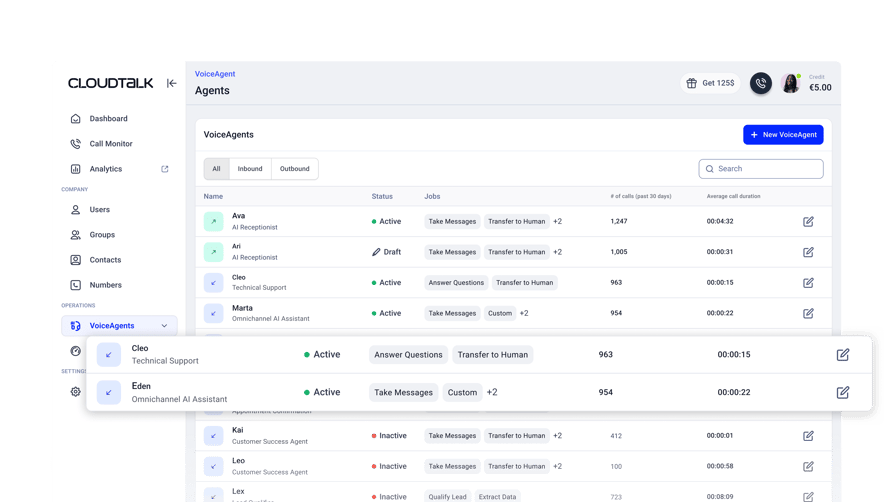
How Does CloudTalk's Automatic After-Hours Call Switching Work?
Most buyers do not want an AI intercepting every call; they want the phone to ring their team first and hand over when the office is shut. CloudTalk’s business hours call switching does that. Set company-wide or per-number hours, country-specific holidays and exceptions, and the AI takes over the moment your team clocks off, then hands back at opening without anyone touching a toggle.
What Do CloudTalk's AI Call Summaries and Smart Notes Capture?
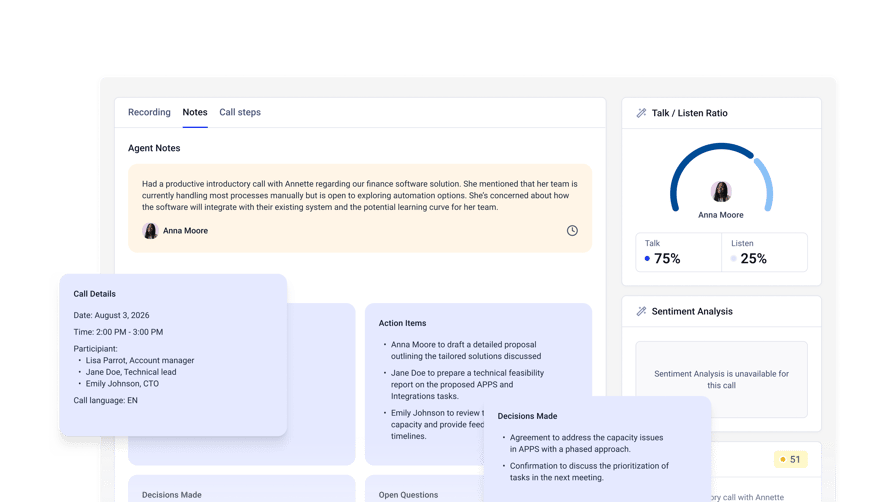
Your team should start the day with a briefing, not a voicemail queue. AI Smart Notes pull structured detail out of every overnight call: action items, decisions, open questions, dates and deadlines, and any risk the caller flagged. AI Call Summary adds a copyable recap, automatic call summary tags categorise the call, and Data Export pushes all of it onto the contact or deal record in HubSpot, Salesforce or Pipedrive. This sits in the AI Conversation Intelligence add-on, not in a plan.
How Does CloudTalk's Configurable After-Hours Call Routing Work?
Not every overnight call deserves the same treatment. Condition-based and caller-based routing escalate specific call types to an on-call human while the AI handles routine ones and logs them to your CRM. A burst pipe reaches a person; a question about opening times does not wake anyone up.
How Does CloudTalk Handle After-Hours Transfers?
The AI escalates to an internal agent or ring group picked by skills-based or condition-based routing. Because it runs on your own numbers and analytics, recording, transcript and AI notes land on one CRM entry. Failover actions in the Call Flow Designer cover the case where the on-call group does not answer.
What Does CloudTalk Integrate With?
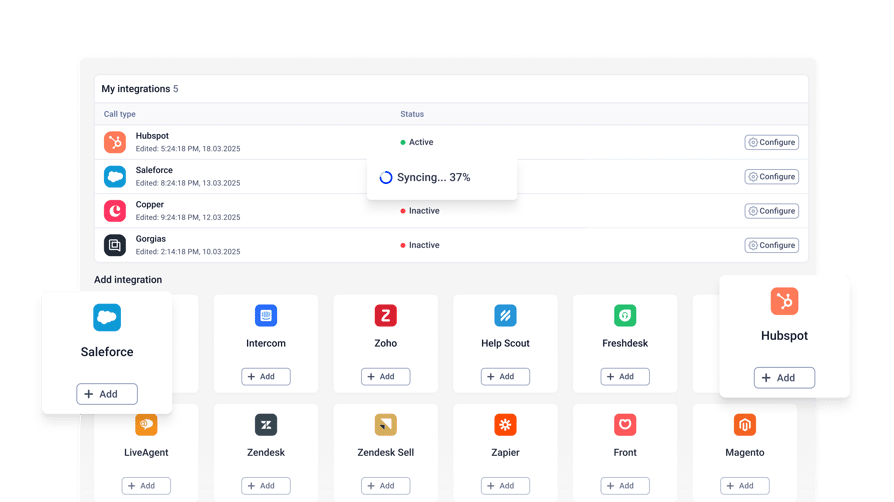
95+ standard CRM, helpdesk and ATS integrations from the Essential plan, including Salesforce, HubSpot, Pipedrive, Zoho CRM, Zendesk, Intercom and Microsoft Teams. Salesforce Ecosystem sits on Expert; a public API, webhooks and Zapier cover the rest.
What Is the Pricing of CloudTalk?
CloudTalk’s AI Receptionist is part of the AI Voice Agents add-on, from $99/month for 200 minutes, with your first 50 minutes free in the first month. It is usage-based and sits on top of a subscription plan, not inside one.
- Starter: $25/user/month billed annually ($34/user/month monthly). Includes IVR plus skill and condition-based routing.
- Essential: $29/user/month billed annually. Adds the 95+ integrations, API and data sync, and Smart Dialer.
- Expert: $49/user/month billed annually. Includes Power Dialer.
- Custom: Contact Sales.
- Add-ons: AI Voice Agents from $99/month for 200 minutes; AI Conversation Intelligence at $9/user/month billed annually. Both are always paid add-ons, never bundled into a plan.
Pros and Cons of CloudTalk
| Pros | Cons |
|---|---|
| Fully automated 24/7 AI call handling with no night-shift hire | The AI receptionist is a usage-based add-on, so it is a separate line item on top of your plan |
| The AI runs on the same numbers, routing and analytics as your day team, so escalated calls stay on one record | Minute bundles mean long overnight calls need forecasting |
| Conversation intelligence turns every overnight call into structured CRM data | Complex routing workflows take some onboarding time to design |
What Do Customers Say About CloudTalk?
G2 Rating: 4.4/5 (1938+ reviews)
Calls are very clear, no delays, stable connection both on Wi-Fi and mobile internet. Also, platform actively develop modern features, e.g. AI agents that help a lot with processing routine operations and requests. Easy to integrate with other solutions due to well-documented API.


“Originally, we sent a link for them to book online. Maybe 5% followed through. Now the AI just says: ‘What time works for you?’ It’s so simple, but it works. People reply, the AI locks it in, and we’re done.”
Owner of Circle Gym

Try the AI receptionist with the interactive tour below:
Signature Capability
See CloudTalk’s AI Voice Agent in Action!
CeTe is an AI that talks like a human: no breaks, no training, no time off. It makes and answers calls, updates CRMs, books meetings, and loops in a human only when needed.
Press play to hear it. Want a wow moment? Get a free test call and try it live.

See CloudTalk's AI Voice Agent in Action
CeTe answers and makes calls, updates your CRM and books meetings, and loops in a human when the call needs one. Press play to hear it, or book a free test call and try it on your own line.
When to Use CloudTalk
- You miss a meaningful share of after-hours calls and want them automated without a night shift.
- You want call handling and CRM logging on one platform, so overnight leads reach HubSpot, Salesforce or Pipedrive by morning.
- You get routine overnight calls and occasional urgent ones, and need routing that tells them apart.
- You want to test on your real number: the first 50 minutes are free in the first month.
Most AI demos are theater, so test CloudTalk against your own overnight call volume with a 14-day free trial.
Never Miss Another Call Again. Ever.
2. Smith.ai: Best AI-Plus-Human Hybrid for After-Hours Intake
What Is Smith.ai?
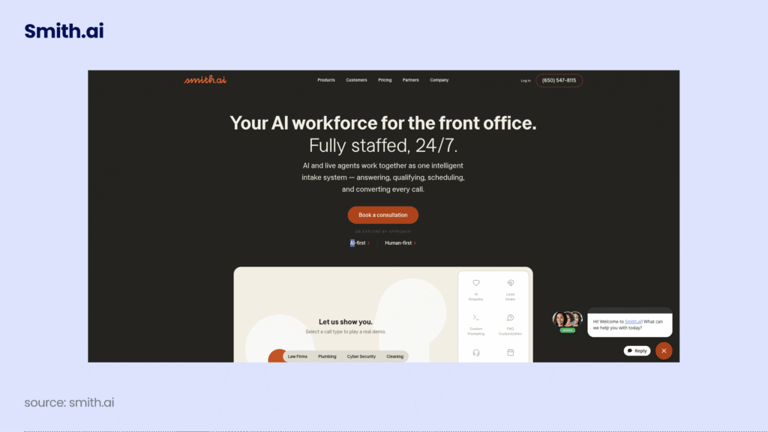
Smith.ai is a virtual answering service pairing an AI receptionist with North America-based live agents on the same line. It suits small firms that want AI efficiency on routine overnight calls and a person for detailed intake, and it is a practical middle ground if you are not ready to go fully automated. Smith.ai states that a 2 a.m. call costs the same as a 2 p.m. one, so there is no after-hours surcharge.
How Does Smith.ai Score on Our After-Hours Criteria?
| Criterion | 24/7 Uptime | Live Transfer | CRM Sync | Call Summaries | Script Custom | Setup Ease | Pricing Clarity |
|---|---|---|---|---|---|---|---|
| Score (1-5) | 5 | 5 | 4 | 3 | [Rev] | [Rev] | 4 |
Key Features of Smith.ai
- AI receptionist plus North America-based live agents on the same line
- Lead qualification and new-client intake against criteria you define
- Appointment booking into Calendly, Acuity and similar calendars, billed per call
- CRM and Zapier delivery to HubSpot, Salesforce, Clio and others
- Call recording, transcription and a dedicated Spanish line, each billed per call
How Does Smith.ai Handle After-Hours Transfers?
The AI transfers to a live Smith.ai agent when the request goes beyond what it can complete. Each tier includes a fixed number of free transfer destinations, one on Starter up to ten on Pro, so where a call can go is a plan decision, not a configuration.
What Does Smith.ai Integrate With?
Clio, HubSpot, Salesforce, MyCase, Housecall Pro, ServiceTitan, LawPay, Calendly and thousands more through Zapier. Extra CRM connections are billed per call.
What Is the Pricing of Smith.ai?
Smith.ai prices per call rather than per minute.
- Starter: $300/month for 30 calls, $11.50 per call over 30, 1 free transfer destination
- Basic: $810/month for 90 calls, $10.50 per call over 90, 2 free transfer destinations
- Pro: $2,100/month for 300 calls, $8.50 per call over 300, 10 free transfer destinations
- Enterprise: quote-based
- Per-call add-ons: booking $1.50, SMS or Slack notification $0.50, text or email follow-up $0.50, conflict checks $0.50, recording and transcription $0.25, Spanish line $1.00, extra CRM $0.50
Our breakdown of Smith.ai pricing works through what they do to a monthly bill.
Pros and Cons of Smith.ai
| Pros | Cons |
|---|---|
| Hybrid AI and human model gives you a fallback the AI cannot provide alone | Per-call pricing climbs quickly once you pass your bundled calls |
| No after-hours surcharge; a 2 a.m. call costs the same as a 2 p.m. one | Booking, transcription, notifications, extra CRMs and the Spanish line are all billed per call on top of the plan |
| Strong lead qualification and intake for professional services | Transfer destinations are capped by tier |
What Do Customers Say About Smith.ai?
G2 Rating: 4.9/5 (82 reviews on G2)
Reviewers praise how well Smith.ai’s live agents represent the business: callers often assume they have reached an in-house front desk. The friction reviewers report is scheduling across multiple time zones. What we can verify without a review platform is the economics: transfer destinations are capped per tier, and booking, transcription and on-call notifications each carry a per-call charge on top of the plan.
CloudTalk vs Smith.ai: Which Handles After Hours Better?
| Dimension | CloudTalk | Smith.ai |
|---|---|---|
| Model | AI-first, no live agents | AI plus North America-based live agents |
| Billing unit | Per user, plus a usage-based AI minute bundle | Per call, with per-call add-ons |
| Live transfer | Skills-based routing to your own on-call team | Transfer to a Smith.ai agent, destinations capped by tier |
| Languages | 60+ on the AI voice agent | English and Spanish, Spanish billed per call |
| Starting price | $99/month for 200 AI minutes, plus $25/user/month | $300/month for 30 calls |
When to Use Smith.ai
- Your after-hours calls are high-value intake where a person verifies details.
- You are in law, accounting or another field where a mishandled first call costs a client.
- Your overnight volume is low and predictable, so a 30-call bundle covers it.
When Not to Use Smith.ai
- Your overnight volume is high or spiky, the pattern per-call pricing punishes.
- You need more than a handful of escalation destinations without paying for a higher tier.
- You want the night line on the same phone system and analytics as your day team.
Recommended Reads
3. Abby: Best Human-First After-Hours Cover for Professional Services
What Is Abby?
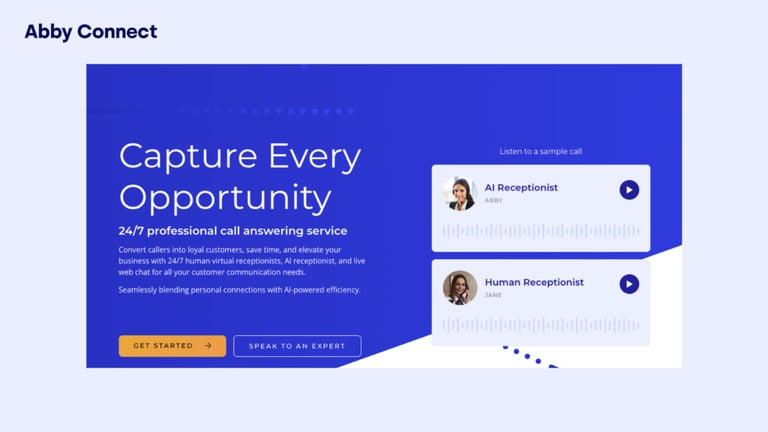
Abby, formerly Abby Connect, is a US-based virtual live receptionist service combining twenty years of human reception with an AI answering option you can switch on or off. It targets small law, accounting and professional-services offices catching overflow and after-hours calls. Rather than a shared outsourced pool, Abby assigns each client a dedicated receptionist team, and the AI option doubles your plan minutes.
How Does Abby Score on Our After-Hours Criteria?
| Criterion | 24/7 Uptime | Live Transfer | CRM Sync | Call Summaries | Script Custom | Setup Ease | Pricing Clarity |
|---|---|---|---|---|---|---|---|
| Score (1-5) | [Rev] | [Rev] | [Rev] | [Rev] | [Rev] | [Rev] | 5 |
Key Features of Abby
- A human and AI receptionist mix you can switch at any time
- A dedicated receptionist team rather than a shared pool
- Minute-based plans ("Abby Minutes"), doubled when the AI option is on
- Call screening, custom call routing, and a free trial on every listed tier
- AI-generated call summaries with a sentiment rating based on caller tone, on calls handled by the AI option
- HIPAA-compliant receptionists
How Does Abby Handle After-Hours Transfers?
Abby routes the caller to its dedicated receptionist team with a briefing note, so the person picking up is not starting cold. abby.com confirms the receptionist briefs the receiving person before connecting the call, but does not state whether that person can be outside your own organization; confirm what Abby forwards after hours during your trial.
What Does Abby Integrate With?
Clio, HubSpot, Lawmatics, Google, Microsoft Outlook and Zapier: a narrower list than a full telephony platform’s, which matters if your intake data has to land somewhere specific.
What Is the Pricing of Abby?
Abby prices per minute, with every tier published.
- Starter: $165/month for 50 Abby Minutes, aimed at small offices catching overflow or after-hours calls
- Essential: $329/month for 100 Abby Minutes
- Professional: $599/month for 200 Abby Minutes
- Growth: $1,380/month for 500 Abby Minutes
- Enterprise: quote-based
- Minutes double when the AI option is selected
Pros and Cons of Abby
| Pros | Cons |
|---|---|
| A dedicated team gives callers a consistent, personal experience | Among the pricier live receptionist options per minute |
| Every minute tier is published, so the bill is easy to forecast | A narrower integration list than full telephony platforms |
| The AI option doubles your included minutes without changing tier | Fewer analytics and reporting features than AI-first platforms |
What Do Customers Say About Abby?
G2 Rating: 4.5/5 (12 reviews on G2)
Reviewers point to the dedicated account manager as the standout, one names her by name, and the way Abby’s team schedules appointments across multiple calendars. The recurring complaint is cost once you add extra team members, plus occasional AI transcription errors on client names.
CloudTalk vs Abby: Which Handles After Hours Better?
| Dimension | CloudTalk | Abby |
|---|---|---|
| Model | AI-first, running on your own phone system | Human-first with a switchable AI layer |
| Billing unit | Per user, plus a usage-based AI minute bundle | Per receptionist minute |
| Live transfer | Skills-based routing to your own on-call team | Handoff to Abby's dedicated receptionist team |
| Integrations | 95+ CRM, helpdesk and ATS integrations from Essential | Clio, HubSpot, Lawmatics, Google, Outlook, Zapier |
| Starting price | $99/month for 200 AI minutes, plus $25/user/month | $165/month for 50 minutes |
When to Use Abby
- Your callers expect a person, and a warm voice is part of the service.
- Your overnight volume is low, so 50 to 100 minutes covers a month.
- You want to trial an AI layer without giving up the human team behind it.
When Not to Use Abby
- Your overnight volume is high, since minute-based pricing at this rate gets expensive fast.
- You need CRM, helpdesk or analytics integration beyond the six listed connectors.
- You want one platform for your daytime phone system and your overnight cover.
4. Ruby: Best All-Human After-Hours Answering for Solo Practices
What Is Ruby?
Ruby provides live virtual receptionists and chat specialists for small businesses, and turns up most often on shortlists for a virtual receptionist for law firms or a solo practice that wants every caller to reach a person. Its US-based receptionists answer around the clock, handle scheduling and lead intake, and work from your business number. Every plan has the same features; tiers differ only in minutes.
How Does Ruby Score on Our After-Hours Criteria?
| Criterion | 24/7 Uptime | Live Transfer | CRM Sync | Call Summaries | Script Custom | Setup Ease | Pricing Clarity |
|---|---|---|---|---|---|---|---|
| Score (1-5) | 5 | 5 | 3 | [Rev] | [Rev] | [Rev] | 5 |
Key Features of Ruby
- 24/7 live answering by US-based receptionists
- Appointment scheduling and lead intake on the call
- Live chat as a separate or bundled plan
- Call and text from your business number, with robocall filtering
- The same feature set on every tier, so nothing is paywalled
- HIPAA-compliant receptionists, with payment processing available on the call
- 24/7 English and Spanish service, and AI enhancements included at no extra cost on every plan
How Does Ruby Handle After-Hours Transfers?
There is no AI-to-human handoff to evaluate, because a person answers in the first place. That removes a category of failure and removes automated resolution too: if the caller wants something a receptionist cannot do, the only path is a message and a callback. Confirm what Ruby will escalate before relying on it overnight.
What Does Ruby Integrate With?
Clio, Salesforce, Calendly, Grasshopper and Zapier. That covers professional-services intake well, though it is thinner than a telephony platform if you want call data flowing into a wider stack.
What Is the Pricing of Ruby?
Ruby prices per receptionist minute, every tier published.
- $250/month for 50 receptionist minutes
- $395/month for 100 minutes
- $720/month for 200 minutes
- $1,725/month for 500 minutes
- Live chat: $143/month for 10 chats, $335/month for 30, $520/month for 50
- Bundled with a receptionist plan: 10 chats $115, 30 chats $268, 50 chats $416, a stated 20% saving
Pros and Cons of Ruby
| Pros | Cons |
|---|---|
| Every tier includes the same features, so nothing is locked behind a higher plan | The most expensive per-minute entry point of any provider on this list |
| A real person on every call, at any hour | No fully automated option for businesses that want zero human involvement |
| Transparent published pricing with no setup or onboarding fees | Overage charges add up quickly at high overnight volume |
What Do Customers Say About Ruby?
G2 Rating: 3.8/5 (12 reviews on G2)
Long-time customers value that Ruby answers every call and filters out solicitation calls. Recent reviews tell a different story: declining message accuracy, misdirected calls, and rising prices. One reviewer cancelled after service quality dropped over roughly ten months.
At $250 for 50 minutes, Ruby sells the human voice rather than the minute. Buyers are protecting a first impression, not shrinking a bill.
CloudTalk vs Ruby: Which Handles After Hours Better?
| Dimension | CloudTalk | Ruby |
|---|---|---|
| Model | AI-first, fully automated | 100% US-based live receptionists |
| Billing unit | Per user, plus a usage-based AI minute bundle | Per receptionist minute |
| Live transfer | Skills-based routing to your own on-call team | Always human; message and callback for anything they cannot do |
| Call summaries | AI Smart Notes and Conversation Intelligence, as a paid add-on | Handled in the receptionist's message |
| Starting price | $99/month for 200 AI minutes, plus $25/user/month | $250/month for 50 minutes |
When to Use Ruby
- Your callers are high-value and a human voice at 11 p.m. is worth paying for.
- Your volume is a handful of calls a week, not a night.
- You want no configuration work and are happy to hand the line over.
When Not to Use Ruby
- You need automated resolution rather than message-taking on routine overnight calls.
- Your volume makes per-minute pricing unsustainable.
- You want overnight call data structured and pushed into your CRM automatically.
5. Dialpad AI: Best After-Hours Receptionist Inside a Phone System You Already Run
What Is Dialpad AI?
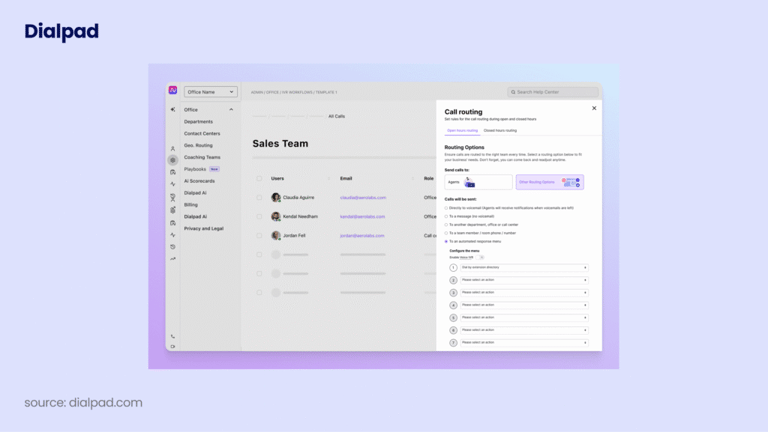
Dialpad is an AI-powered communications platform bundling a business phone system, contact centre and AI agents, so after-hours coverage is a platform feature rather than a standalone receptionist service. Its virtual receptionist handles inbound routing, custom greetings and time-of-day call management, and the AI layer adds transcription, recaps and sentiment analysis. It suits teams already on Dialpad who want overnight cover without adding a vendor.
How Does Dialpad AI Score on Our After-Hours Criteria?
| Criterion | 24/7 Uptime | Live Transfer | CRM Sync | Call Summaries | Script Custom | Setup Ease | Pricing Clarity |
|---|---|---|---|---|---|---|---|
| Score (1-5) | [Rev] | [Rev] | 4 | 5 | [Rev] | [Rev] | [Rev] |
Key Features of Dialpad AI
- Virtual receptionist and auto-attendant with custom greetings and time-of-day routing
- Call transcription and automatic AI call recaps and summaries
- Sentiment analysis and AI coaching
- IVR and keyword-based intelligent routing
- An agentic AI platform for autonomous voice agents
- HIPAA-compliant, SOC 2-certified handling of call data, with immutable audit logs
How Does Dialpad AI Handle After-Hours Transfers?
The auto-attendant routes callers to internal extensions on IVR and keyword logic, and the transcript and AI recap are generated on the call, so whoever picks up next has context. Standard tiers keep routing internal, which matters if your on-call rota runs on personal mobiles.
What Does Dialpad AI Integrate With?
Salesforce, HubSpot, Google Workspace, Microsoft 365, Zendesk and more. CRM integrations need Pro or above, so check your tier before assuming overnight calls reach your pipeline.
What Is the Pricing of Dialpad AI?
Dialpad Connect, the business-phone product this guide compares, publishes three tiers: Standard at $15/user/month, Pro at $25/user/month (adds the CRM integrations and 24/7 support), and Enterprise at custom pricing (adds SSO and unlimited office locations). Some AI features cost extra on lower tiers.
Our guide to Dialpad pricing tracks the tiers and what each one unlocks.
Pros and Cons of Dialpad AI
| Pros | Cons |
|---|---|
| Transcription and AI recaps are part of the platform, not a separate purchase | Not a dedicated receptionist service; it works best if Dialpad is already your phone system |
| Time-of-day routing and auto-attendant are native to the phone system | CRM integrations are locked to Pro and above |
| Autonomous voice agents available through the agentic AI platform | Add-on pricing makes the true monthly cost hard to predict |
What Do Customers Say About Dialpad AI?
G2 Rating: 4.4/5, from 4,650+ reviews on G2
Dialpad also holds 4.1/5 on Trustpilot from 2,900+ reviews, a figure confirmed live on 2026-09-11.
G2 review: Dialpad Connect (Verified User in Non-Profit Organization Management)

“Dialpad is a simple-to-use VOIP client with great AI tools for recapping and summarizing meetings... It also offers flexibility in choosing which device you receive calls or texts on.” The same reviewer flags that setting up the IVR “was not intuitive at all.” Read this review on G2
CloudTalk vs Dialpad AI: Which Handles After Hours Better?
| Dimension | CloudTalk | Dialpad AI |
|---|---|---|
| Model | AI voice agent that holds a two-way conversation | Auto-attendant plus an agentic AI platform |
| After-hours switching | Business hours schedule with holidays and exceptions, from Starter | Time-of-day routing on the auto-attendant |
| CRM sync | 95+ integrations from Essential | CRM integrations from Pro and above |
| Call summaries | AI Smart Notes and Conversation Intelligence, as a paid add-on | AI recaps included in the platform |
| Pricing transparency | Plan and add-on prices published | Per-user tiers published; AI add-on costs vary |
When to Use Dialpad AI
- Dialpad is already your phone system and you want overnight cover without a second vendor.
- You want transcription and recaps on every call, day and night, by default.
- Your escalation targets are internal extensions rather than external mobile numbers.
When Not to Use Dialpad AI
- You want an AI receptionist that resolves calls, not an auto-attendant that routes them.
- You are on a lower tier and need CRM sync for overnight leads.
- You need a predictable monthly figure before you commit.
6. Synthflow: Best Enterprise-Scale Voice AI for After-Hours Automation
What Is Synthflow?
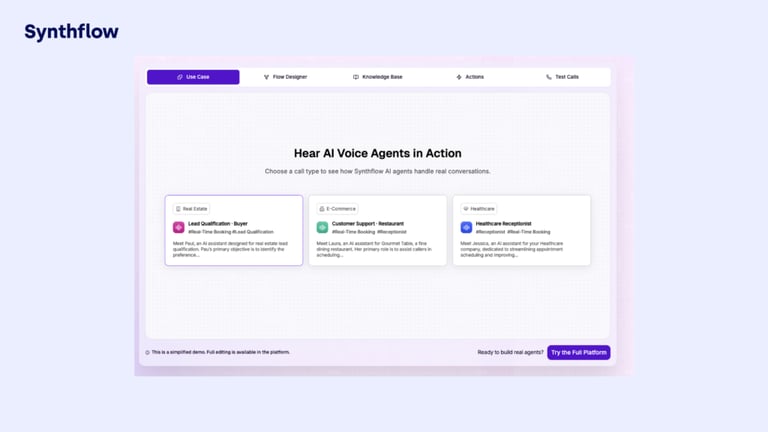
Synthflow describes itself as "the leading AI Voice Platform for enterprises", building AI voice agents that automate phone conversations at scale. That positioning is new and it matters: Synthflow used to be a self-serve, no-code builder popular with agencies, and it is not that any more. It is now scoped around call volume, concurrency, telephony integration and security review, delivered with implementation support. If you want a receptionist you can set up this afternoon, this is not your tool.
How Does Synthflow Score on Our After-Hours Criteria?
| Criterion | 24/7 Uptime | Live Transfer | CRM Sync | Call Summaries | Script Custom | Setup Ease | Pricing Clarity |
|---|---|---|---|---|---|---|---|
| Score (1-5) | [Rev] | 5 | 4 | [Rev] | 5 | [Rev] | 2 |
Key Features of Synthflow
- Enterprise AI voice agents with custom concurrency planning
- Routing, escalation paths, handoffs and fallback logic designed per deployment
- Native telephony, SIP trunking, or approved enterprise telephony
- MSA and DPA support, data-handling review, workspace controls and enterprise security review
- Implementation, onboarding, testing, training and launch support
How Does Synthflow Handle After-Hours Transfers?
Escalation paths, handoffs and fallback logic are configured per deployment during implementation rather than in a settings page. That gives more control over an overnight escalation than most tools here, and makes the behaviour only as good as your scoping conversation.
What Does Synthflow Integrate With?
CRMs, calendars, contact-centre stacks, knowledge sources, webhooks and its API, all scoped into the enterprise contract rather than picked from a self-serve catalogue.
What Is the Pricing of Synthflow?
Synthflow no longer publishes a self-serve, pay-as-you-go or per-minute tier. On 2 September 2026 its pricing page listed enterprise contracts starting at $30,000 annually, scoped around call volume, concurrency, telephony setup, integrations, security requirements and launch support. Everything above that floor is quote-based.
Our Synthflow pricing page tracks how that floor has moved.
Pros and Cons of Synthflow
| Pros | Cons |
|---|---|
| Escalation, fallback and concurrency are designed for your deployment rather than templated | A $30,000 annual contract floor rules it out for the SMB audience this guide serves |
| Enterprise security review, MSA and DPA support are part of the engagement | No self-serve or trial path is published, so you cannot evaluate it without sales |
| Native telephony and SIP options suit complex existing stacks | Implementation-led setup means weeks, not an afternoon |
What Do Customers Say About Synthflow?
G2 Rating: 4.5/5, from 1,000+ reviews on G2
Synthflow displays the same 4.5/5 rating on its own pricing page.
CloudTalk vs Synthflow: Which Handles After Hours Better?
| Dimension | CloudTalk | Synthflow |
|---|---|---|
| Buyer | SMB and mid-market, self-serve | Enterprise, contracted |
| Setup | Configure an agent in the dashboard | Scoped implementation with onboarding and launch support |
| Live transfer | Skills-based routing to your on-call team | Escalation paths designed per deployment |
| Entry cost | $99/month for 200 AI minutes | $30,000 per year |
| Trial | First 50 minutes free in the first month | No self-serve trial published |
When to Use Synthflow
- You are running an enterprise voice-AI programme with a budget and an implementation team.
- Your telephony needs SIP trunking or a custom carrier setup.
- Procurement requires an MSA, a DPA and a security review before anything goes live.
When Not to Use Synthflow
- You are a small or mid-sized business, and the entry contract is $30,000 a year.
- You want to test an after-hours line this week without talking to sales.
- You expected the old pay-as-you-go or no-code agency offering, which is no longer published.
7. Slang.ai: Best After-Hours AI Receptionist for Restaurants and Hospitality
What Is Slang.ai?
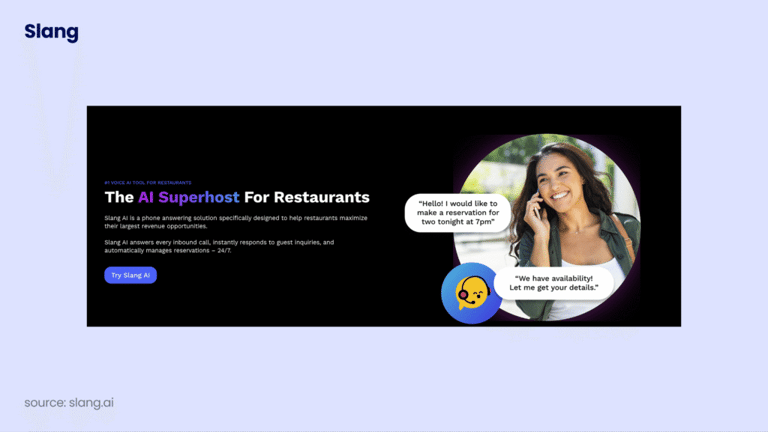
Slang.ai is an AI phone concierge built for restaurants and hospitality, the niche CloudTalk covers with its restaurant AI receptionist template. Where every other tool here serves general business use cases, Slang.ai goes deep on one: answering calls, converting them into reservations, and handling guest questions. For a restaurant, after hours means overnight and the middle of a dinner rush, and Slang.ai covers both.
How Does Slang.ai Score on Our After-Hours Criteria?
| Criterion | 24/7 Uptime | Live Transfer | CRM Sync | Call Summaries | Script Custom | Setup Ease | Pricing Clarity |
|---|---|---|---|---|---|---|---|
| Score (1-5) | [Rev] | [Rev] | [Rev] | [Rev] | [Rev] | [Rev] | 3 |
Key Features of Slang.ai
- AI answering that converts inbound calls into reservations
- End-to-end reservation management
- Missed-call capture and smarter routing
- Priority support and custom branding of the concierge experience on the higher tier
- Official integrations with OpenTable, SevenRooms, Tripleseat and Yelp
- Custom call routing that sends VIP callers directly to staff, plus direct CSAT measurement on calls
- Setup in as little as 30 minutes
How Does Slang.ai Handle After-Hours Transfers?
Slang.ai routes priority calls to restaurant staff with reservation context and caller ID. The model is hospitality-shaped: it assumes a host stand or a manager to reach, not an on-call rota.
What Does Slang.ai Integrate With?
Reservation platforms plus SMS guest communication workflows. Confirm the current list directly, since hospitality connectors change more often than a general CRM list.
What Is the Pricing of Slang.ai?
Slang.ai prices per location, the detail most comparisons miss: a three-site group pays three times the headline figure.
- Core: from $399 per location per month ($379 per location on the alternate billing toggle)
- Premium: from $599 per location per month ($539 per location on the alternate billing toggle)
- Enterprise and multi-location: quote-based
Pros and Cons of Slang.ai
| Pros | Cons |
|---|---|
| Built for restaurants, so reservation handling works without generic setup | Not suitable for businesses outside hospitality |
| Two clearly published tiers with a simple feature split | Priced per location, so cost scales with footprint rather than call volume |
| Reservation context and caller ID travel with a transferred call | Higher price point than general-purpose AI receptionists for a single site |
What Do Customers Say About Slang.ai?
G2 Rating: 4.4/5 (57 reviews on G2)
Reviewers describe the voice quality as natural rather than robotic and praise how well it handles high call volume without added staff, with initial setup needing some fine-tuning to get conversation flows exactly right.
CloudTalk vs Slang.ai: Which Handles After Hours Better?
| Dimension | CloudTalk | Slang.ai |
|---|---|---|
| Scope | Any industry, general-purpose AI receptionist | Restaurants and hospitality only |
| Billing unit | Per user plus AI minutes | Per location |
| Languages | 60+ on the AI voice agent | Primarily English |
| CRM sync | 95+ integrations from Essential | Reservation platforms and SMS workflows |
| Starting price | $99/month for 200 AI minutes, plus $25/user/month | $399 per location per month |
When to Use Slang.ai
- You run a restaurant and most inbound calls are reservations or menu questions.
- You need the phone answered during service as well as overnight.
- You operate one or two locations, so per-location pricing stays reasonable.
When Not to Use Slang.ai
- You are outside hospitality, since the product assumes a reservation workflow.
- You run many locations, so per-location pricing multiplies faster than your call volume.
- You need multilingual coverage or CRM integration beyond reservation platforms.
After-Hours AI Receptionist Use Cases by Industry
The right tool depends less on company size than on what your overnight calls actually are. Two verticals show why.
Best After-Hours AI Receptionist for Home Services (HVAC, Plumbing, Contractors)
A burst pipe at 11 p.m. is not a lead you follow up on Tuesday. The caller has a flooded kitchen and a phone, and works down the search results until somebody answers. Home services needs two behaviours from one line: urgent escalation and routine booking. CloudTalk splits them, with condition-based routing sending emergencies to the on-call technician while the AI books non-urgent jobs and logs them to your CRM. Smith.ai is the alternative if you want a person verifying urgency on high-value jobs. The same split fits any trade with an emergency line, down to a virtual receptionist for pest control.
Best After-Hours AI Receptionist for Enterprise: Order Capture, POS, and Seasonal Peaks
Enterprise volume is a different problem. Somebody is usually there; seasonal peaks and time-zone spread just make demand spike faster than staffing can follow. An AI voice agent takes concurrent calls without a rota, captures orders, and routes to the right regional team when a person is needed.
Two things separate a serious enterprise shortlist from a cheap one. First, the data: in regulated and healthcare-adjacent contexts, data-handling commitments and live-transfer capability routinely outrank a lower per-minute rate. Second, per-minute pricing stops deciding anything once capability gaps cost more than the minutes. Slang.ai is the pick where the enterprise is hospitality — it sits alongside dedicated AI phone answering systems for restaurants that handle reservation sync and guest FAQs natively, without routing logic built for a generic front desk — while Synthflow suits procurement-led deployments that require a scoped contract and a security review.
Oxford Royale Academy (education) replaced its seasonal hiring dependency with multilingual AI calls on CloudTalk. Read the customer story
AI Receptionist Call Summaries: The After-Hours Intelligence Layer
An after-hours AI receptionist that only takes messages is doing half the job. The other half is the morning briefing: every caller’s intent, urgency and follow-up, waiting before anyone opens a laptop.
What buyers want is fields, not prose: who called, how to reach them, what they wanted, which account it relates to, and a task assigned so the follow-up happens. A summary in an inbox beats voicemail; a summary on the CRM record with a task attached is what changes Monday morning.
| Feature | CloudTalk | Smith.ai | Abby | Dialpad AI | Synthflow |
|---|---|---|---|---|---|
| Auto-transcription | Yes, AI add-on | Yes, per call | Yes, on AI-handled calls | Yes | [Rev] |
| AI call summaries | Yes, AI Call Summary and Smart Notes, AI add-on | Yes | Yes | Yes, AI recaps | Configurable |
| Sentiment analysis | Yes, AI add-on | [Rev] | Yes, on AI-handled calls | Yes | [Rev] |
| Searchable transcript archive | Yes, Transcript Search, AI add-on | [Rev] | [Rev] | Yes | [Rev] |
| CRM auto-log | Yes, 95+ integrations from Essential | Yes, CRM and Zapier | Clio, HubSpot, Lawmatics | Pro and above | Scoped per contract |
CloudTalk’s AI Conversation Intelligence add-on covers transcription, AI Call Summary, AI Smart Notes, sentiment scoring, topic detection and transcript search, and Data Export pushes summary, tags and topics onto the contact or deal record in HubSpot, Salesforce or Pipedrive. Pair it with workflow automation and the overnight call gets acted on rather than filed. It is a paid add-on at $9/user/month billed annually, never part of a plan.
How to Choose an After-Hours AI Receptionist for Your Business
The shortlist for a two-partner office is not the shortlist for a 40-seat contact centre; at the smaller end, our guide to the best after-hours phone answering service for small business narrows it further. Six features separate a useful after-hours receptionist from one that takes messages.
- Real-Time Calendar Integration. The best AI virtual receptionists for appointment scheduling reach your live calendar and confirm a slot on the call, so an 11 p.m. enquiry is a meeting by morning.
- Direct CRM Data Entry. Overnight leads should be in your pipeline with nobody retyping anything. CloudTalk logs every after-hours interaction across 95+ CRM, helpdesk and ATS integrations, from the Essential plan.
- Lead Qualification and Intake. Good out-of-hours call handling performs triage: it asks your qualifying questions, captures budget, location and urgency, and flags priority leads.
- Intelligent Call Routing. Skills-based routing and escalation logic keep routine enquiries with the AI while urgent ones reach the right on-call person immediately.
- Bilingual Support. Leads do not arrive in one language. Your bilingual virtual receptionist has to handle Spanish, or whatever your market speaks, without degrading.
- Voicemail Transcription and Call Summaries. Some callers still leave a message. Voicemail transcription turns those into searchable text rather than audio somebody sits through.
AI Receptionist Script Customization: What to Look For in 2026
After-hours scripts are not business-hours scripts with the greeting changed. Urgency language, escalation triggers and callback promises need configuring separately, because a caller’s expectation at midnight is different. The discipline behind good IVR scripting applies: write for the caller’s state of mind, not your org chart.
The harder question is where the AI stops. What worries buyers is not a clumsy sentence, it is an AI quoting a price or committing to a timeline nobody agreed to. A good platform grounds the agent in a knowledge base you control and lets you set the boundary where it admits it does not know and routes onward.
Three things to test before you buy: can you change a script without IT support, can you set different scripts for different times of day, and can you upload a knowledge source the AI must answer from? CloudTalk’s self-service configuration covers all three; Synthflow goes deeper, with an implementation project attached.
AI Receptionist with Human Backup: Hybrid Model Comparison
A hybrid setup is often the sensible first move rather than a hedge. One pattern that works: put the AI on the after-hours line only, leave daytime reception alone, and expand once you have a month of transcripts showing what AI call answering actually handled.
Smith.ai is the closest packaged hybrid, with the AI taking routine overnight calls and live agents handling complex ones. Abby gives you a dedicated human team with a switchable AI layer, and Ruby sits at the far end with no AI as primary handler. CloudTalk is AI-first, but skills-based routing escalates urgent calls to your own on-call people: human backup of a different kind, yours rather than the vendor’s.
Whichever way you go, have the AI introduce itself and say what it can do. Callers forgive a machine that is honest about being one.
Best Grasshopper Alternatives with AI Virtual Receptionist Features
Grasshopper is a virtual phone number service: a business line and extensions, not an AI receptionist, call summaries or CRM integration. Businesses outgrowing it want an AI phone answering service with automatic lead logging and calendar integration, not another number. CloudTalk is the closest replacement, covering the telephony Grasshopper provided plus the AI layer, with published pricing and no-code setup. Dialpad AI works if you want unified communications with a built-in auto-attendant, and Smith.ai if what you missed was a person answering.
CloudTalk vs Smith.ai vs Ruby: After-Hours Receptionist Comparison
The most common after-hours comparison is CloudTalk against Smith.ai against Ruby. Each targets a different buyer, which is why the question keeps coming up among firms weighing a virtual receptionist for law firms or an accountancy practice.
| Dimension | CloudTalk | Smith.ai | Ruby |
|---|---|---|---|
| Model | AI-first, no live agents | AI plus live agent hybrid | 100% US-based live receptionists |
| 24/7 coverage | Fully automated | AI with human backup | Live agents around the clock |
| Languages | 60+ on the AI voice agent | English and Spanish, Spanish billed per call | English and Spanish |
| CRM integration | 95+ native integrations from Essential | CRM and Zapier delivery, extra CRMs per call | Clio, Salesforce, Calendly, Zapier |
| Live transfer | Skills-based routing to your own team | Transfer to a Smith.ai agent, destinations capped by tier | Always human |
| Call summaries | AI Smart Notes and Conversation Intelligence, paid add-on | Transcription billed per call | Handled in the receptionist's message |
| Script customization | No-code configuration with your own knowledge base | Configured by the Smith.ai team | Configured by the Ruby team |
| Starting price | $99/month for 200 AI minutes | $300/month for 30 calls | $250/month for 50 minutes |
| Cost basis | Per AI minute, plus per user for the platform | Per call, plus per-call add-ons | Per receptionist minute |
CloudTalk wins on scale and automation, Smith.ai on hybrid flexibility, Ruby on the premium human experience. Run your real overnight volume through all three cost bases before deciding; that is where they diverge most.
Benefits of an After-Hours AI Virtual Receptionist for Your Business
If you still send after-hours callers to voicemail, you lose more than the calls nobody answers. You also lose the messages that do get left and never surface: buried in an inbox, played back two days late, or sitting in a mailbox nobody owns. A 24/7 answering service changes six things.
- Never Miss a Lead. Every call on nights, weekends and holidays gets answered, with details captured and appointments booked. Nothing slips because the office is closed — which is the core argument behind 24/7 customer service as a business model, not just a feature list.
- Cost-Efficient Coverage. A night-shift receptionist means salary, benefits and training most businesses cannot justify for the volume. Price that against each platform’s monthly fee and you have the honest comparison.
- Instant Professionalism. Every caller, at 2 p.m. or 2 a.m., hears the same polished greeting. Custom voicemail greetings build trust from the first interaction.
- Smarter Scheduling and Call Routing. The best tools book appointments straight into your calendar and use intelligent after-hours call routing to screen, transfer or escalate on urgency.
- Reduced Call Abandonment. When callers hit voicemail, most hang up and dial someone else. Picking up on the first ring removes that drop-off.
- Revenue Without Headcount. More answered calls means more booked jobs without adding to payroll. Our voice AI savings calculator models it against your own call volume.
Yanolja (travel and hospitality) cut missed calls by 30 to 40% after switching to CloudTalk. Read the customer story
Why CloudTalk Is the Top Choice for Reliable After-Hours Call Handling
Most after-hours solutions ask you to choose between automation and quality. CloudTalk’s AI voice agent does the whole night shift: greeting, answering, booking, and writing the record.
The overlooked part is time-of-day scheduling. Business hours settings hand the line to the AI at close of business and back to your team at opening, on a schedule that already knows your holidays and time zones, so nothing drops into the transition window.
Every overnight interaction reaches your CRM record before the next shift starts, with summaries, intent tags and priority flags attached, so the first hour of the day goes on follow-up rather than reconstruction. Conversation Intelligence, which produces those summaries and tags, is a paid add-on at $9/user/month billed annually.
When an urgent call needs a person, inbound call routing, IVR and skills-based routing get it to the right one. CloudTalk scales from solo operators to enterprise teams, integrates with 95+ CRM, helpdesk and ATS tools from the Essential plan, and is trusted by 5,500+ businesses worldwide.
CloudTalk pricing starts at $25/user/month, with the AI Receptionist add-on from $99/month for 200 minutes. See all plans.

from 1,800+ reviews

Conclusion: Your 24/7 Answering Service Is a Phone Call Away
An unanswered after-hours call is a missed customer, booked by a competitor who picked up. This guide covered the 7 best after hours AI virtual receptionists for 24/7 support in 2026, a narrower field than the best AI voice agents generally. CloudTalk and Synthflow cover full automation, Smith.ai the hybrid, Ruby and Abby human service, Dialpad AI teams already on it, and Slang.ai restaurants.
Your choice comes down to call volume, industry, and how much you want automated. Gartner’s March 2025 agentic AI press release predicts agentic AI will autonomously resolve 80% of common customer service issues without human intervention by 20292, so the question is less whether to automate the night line than which calls to keep for a person.
If you want AI on the phone system your day team already uses, with CRM sync, conversation intelligence and routing that knows an emergency from an enquiry, CloudTalk covers it in one platform. The AI Receptionist starts at $99/month for 200 minutes, with your first 50 minutes free in the first month.
7 reviewed. 1 stands out.
After-Hours AI Virtual Receptionist FAQs
Four components, in this order. An AI voice agent that understands intent rather than reading a menu. Appointment scheduling software wired to it, so a slot is confirmed on the call rather than promised. CRM sync, so the lead and summary land on a record automatically. Then routing rules defining who the AI escalates to, on what trigger, and what happens if nobody answers. On CloudTalk you set business hours, upload a knowledge base, connect calendar and CRM, then set escalation conditions. Most teams go live in an afternoon.
CloudTalk, for most businesses. As an AI call answering service it answers the moment your business hours end, converses in 60+ languages, books appointments, escalates urgent calls through skills-based routing, and logs everything to your CRM. The AI Receptionist is an add-on from $99/month for 200 minutes, with the first 50 minutes free in the first month. Where after-hours calls need a person rather than a machine, Smith.ai and Abby are stronger picks.
For a small business the deciding factors are setup time, predictable cost, and whether leads reach your pipeline without retyping. CloudTalk fits: you configure the AI virtual receptionist for small business yourself, pricing is published, and overnight calls sync to your CRM automatically. Smith.ai works if your volume is low and you want a person on complex intake. Skip enterprise-contract platforms like Synthflow at this size; the entry point is $30,000 a year.
CloudTalk is the strongest self-serve option: define the agent’s identity, language and AI virtual receptionist voice, upload the knowledge source it must answer from, and set routing rules, all without a developer. Synthflow goes deeper, with conditional logic for complex flows, but arrives as an enterprise implementation rather than a settings page. The test that matters is whether you can define where the AI stops, not only what it says.
CloudTalk, because home services needs two behaviours from one line: emergency escalation and routine booking. Condition-based routing sends a burst-pipe call to the on-call technician while the AI handles lead qualification, books non-urgent jobs and logs them to your CRM. Smith.ai is the alternative if you want a live agent verifying urgency first, though per-call pricing gets expensive at high volume.
The AI call summary features worth paying for produce structured data rather than prose: named fields for the caller and their intent, action items and deadlines extracted automatically, sentiment scoring, a searchable transcript archive, and an automatic push onto the CRM record. CloudTalk’s AI Conversation Intelligence add-on covers all of those, including AI Smart Notes and Data Export to HubSpot, Salesforce and Pipedrive. Dialpad generates AI recaps in-platform.
They differ on model and billing unit. Smith.ai is a hybrid: an AI receptionist answers and North America-based live agents take the complex calls, priced per call from $300/month for 30 calls, with per-call charges for booking, transcription and a Spanish line. Ruby is 100% human, priced per receptionist minute from $250/month for 50 minutes, with the same features on every tier. Pick Smith.ai for AI efficiency with a human safety net, Ruby if a person on every call is the point, and neither if you would rather run the night line on cloud phone systems for professional services you already own.
Smith.ai is the packaged answer: the AI handles routine overnight calls and live agents step in for complex ones. Abby gives you a dedicated human team with a switchable AI layer. CloudTalk is AI-first, but skills-based routing escalates urgent calls to your own on-call people, so the backup is your team rather than the vendor’s. Which you want depends on whether somebody is reachable at night and on which use cases for AI voice agents you are automating.
For hospitality, Slang.ai is the specialist among AI phone answering systems for restaurants: it handles reservations and guest questions natively, from $399 per location per month. For general enterprise order capture, CloudTalk takes concurrent overnight calls without a rota and routes to the right regional team. Synthflow is the option when procurement requires a scoped contract, an MSA and a DPA, from $30,000 a year.
Grasshopper provides a business number and extensions, not an AI receptionist, call summaries or CRM integration. CloudTalk is the closest replacement, covering the cloud phone system Grasshopper gave you plus an AI receptionist, published pricing and no-code setup. Dialpad AI suits unified-communications buyers who want a built-in auto-attendant; Smith.ai suits anyone who wanted a person answering.
CloudTalk escalates urgent calls to an on-call human using skills-based and condition-based routing, and because it runs on the same phone system as your team, a VoIP virtual receptionist keeps the call, recording and AI notes on one record. Smith.ai transfers to a live agent, destinations capped per tier. The question to push with any vendor is the fallback: what happens when the escalation target does not pick up. On CloudTalk you define that yourself with failover actions in the Call Flow Designer.
Yes. Most virtual answering services, CloudTalk included, support number porting, so you can move your business number without callers noticing. The process usually takes a few business days with no downtime. Keep your old service active until the port completes, which avoids a gap in coverage.
Compliance varies by provider, so verify it rather than assume it. CloudTalk is GDPR-compliant and offers call masking and encrypted call recording. For healthcare, run any shortlist through a HIPAA-compliant virtual receptionist checklist: does the provider sign a Business Associate Agreement, does it state HIPAA compliance outright, and what happens to transcripts and recordings after a call? That last one is where most gaps appear.