Top 10 Computer Telephony Integration Software in 2026
SUMMARY:
The 10 Best Computer Telephony Integration Software for 2026
- 01CloudTalk — Best overall CTI for growing sales and support teams
- 02Aircall — Best for HubSpot- and Salesforce-first SMBs
- 03Talkdesk — Best CCaaS-grade CTI for mid-market support
- 04Dialpad — Best AI-native conversational CTI
- 05Five9 — Best for high-volume outbound contact centers
- 06Genesys Cloud CX — Best enterprise omnichannel CTI
- 07NICE CXone — Best for workforce optimization at scale
- 08RingCentral — Best for consolidating UCaaS and CCaaS in one stack
- 09JustCall — Best budget CTI for outbound sales teams
- 10Twilio Flex — Best for developer-built custom CTI flows
What Is Computer Telephony Integration Software, Really?
A customer calls in. Before the second ring, your agent's screen shows their name, last three tickets, and yesterday's order. "Can I get your account number?" becomes "Hi Alex, is this about the shipment update?"
That's computer telephony integration software at work, the connective tissue between your phones, CRM, and agents' screens that lets a call know who's calling and where to route them before anyone says hello.
Click-to-dial in HubSpot, auto-logged calls with tags, recordings, and outcomes, that's a CTI phone earning its keep. Below: the 10 best computer telephony integration systems for 2026 and the telephony software features that should drive your pick.
How We Evaluated the Best Computer Telephony Integration Software for 2026
To build this list, we analyzed more than 30 CTI platforms and handpicked the 10 that solve the actual headaches sales and support leaders face: not just answering the phone, but stitching every call into the CRM with full context, so agents stop playing detective on every interaction.
Here's what we put under the microscope:
- CRM-integration depth: Native, two-way sync with the CRMs your team actually uses, Salesforce, HubSpot, Pipedrive, Zendesk, Intercom, not one-way Zapier triggers held together with duct tape.
- Screen-pop speed and accuracy: Whether the caller's record actually appears on screen before the agent says hello, with the right context attached.
- Click-to-call and auto-logging: One-click dial from inside the CRM, plus automatic call recording, notes, and tags written back to the right record without an agent lifting a finger.
- Smart routing and AI: Skill-based routing, VIP queues, and AI features, transcription, sentiment, summaries, that actually move the needle on resolution time.
- No-code call flow builders: Visual designers that let ops teams change menus or holiday hours in minutes, not tickets.
- Reliability and global reach: Crystal-clear voice quality across continents, high uptime guarantees, and granular security permissions.
- True cost of ownership: Transparent per-user pricing, no surprise AI metering or hidden fees for essentials like analytics.
Why Trust Our Software Reviews
Over the last decade, we've helped over 30,000 professionals find and roll out smarter telephony tools. We don't just skim feature pages: we test platforms, analyze thousands of verified user reviews on G2 and Capterra, and dig into the unfiltered conversations happening on Reddit and Quora, where buyers tell each other what the sales decks left out.
In the past year alone, we've published hundreds of articles on call center CTI, CRM, and AI, all written and vetted by real humans.
10 Best Computer Telephony Integration Software in 2026
10 Best CTI Solutions Comparison
| Solution | Best For | Key Features | Starting Price | G2 Rating |
|---|---|---|---|---|
| CloudTalk | Sales & support teams with CRM stacks | Call Flow Designer, AI Voice Agent, Skill-Based Routing | $19/user/mo | 4.4 / 5 |
| Aircall | HubSpot- and Salesforce-first SMBs | One-click CRM CTI, App Marketplace, Smart Queuing | $30/user/mo | 4.4 / 5 |
| Talkdesk | Mid-market support orgs | Salesforce AppExchange CTI, Talkdesk Copilot AI | $85/user/mo | 4.4 / 5 |
| Dialpad | AI-native conversational CTI | Real-time transcription, Ai Recap, native CRM CTI | $80/user/mo | 4.3 / 5 |
| Five9 | High-volume outbound contact centers | Service Cloud Voice CTI, Predictive Dialer | $119/user/mo | 4.1 / 5 |
| Genesys Cloud CX | Enterprise omnichannel | AI-powered routing, Journey Orchestration | $75/user/mo | 4.4 / 5 |
| NICE CXone | Enterprise WFO + analytics | Enlighten AI, ESS Salesforce Agent | $71/agent/mo | 4.3 / 5 |
| RingCentral | UCaaS + CCaaS consolidation | 500+ integrations, RingSense AI | $65/user/mo | 4.2 / 5 |
| JustCall | Budget CTI for sales teams | 100+ native CRMs, AI voice agents, SMS-first | $29/user/mo | 4.3 / 5 |
| Twilio Flex | Developer-built custom CTI | Programmable Voice + Twilio Studio | $150/user/mo or $1/hr | 4.1 / 5 |
#1 CloudTalk — Best Overall Computer Telephony Integration Software
What Is CloudTalk?
CloudTalk is the cloud-based CTI software built for sales and support teams that have outgrown legacy phone trees and want every call to live inside the CRM by default. Over 5,500 businesses, including Pipedrive, Glovo, and Revolut, use CloudTalk to connect every inbound call to the right agent the first time, with full CRM context already on the screen.
What Are CloudTalk's Pros and Cons?
Pros:
- Transparent per-user pricing, no surprise AI metering, no hidden fees on analytics
- Setting up call flows, adding agents, or porting numbers takes minutes, not weeks
- Native integrations with the CRMs and helpdesks your team already uses, Salesforce, HubSpot, Pipedrive, Zendesk, Intercom
Cons:
- Voice-first focus, no native website chatbot (integrates with chat tools instead)
- No native video meetings (integrates with Microsoft Teams for that)
What Are CloudTalk's Key Features?
- Drag-and-drop Call Flow Designer with multi-level IVR
- AI Voice Agents for inbound qualification, booking, and hot transfers to humans
- Skill-Based Routing and Caller-Based Routing (VIPs skip the menu)
- Click-to-Call from any CRM record
- Workflow Automation — SMS after a missed call, auto-ticketing, CRM logging on every interaction
- Power Dialer for outbound campaigns with built-in voicemail drop
CloudTalk's Pricing
CloudTalk's pricing includes four plans:
- Lite — $19/user/month
- Starter — $25/user/month
- Essential — $29/user/month
- Expert — $49/user/month
What Do Users Say About CloudTalk in G2?
CloudTalk holds a 4.4 / 5 across 1,702+ verified reviews. Users praise the speed of setup, the clarity of the call analytics dashboards, and how rarely they need to involve IT to change routing or add a new number.
Bottom Line
CloudTalk is the clearest fit for sales-focused SMBs and mid-market teams that want enterprise-grade CTI features without enterprise-grade pricing or 90-day rollouts.
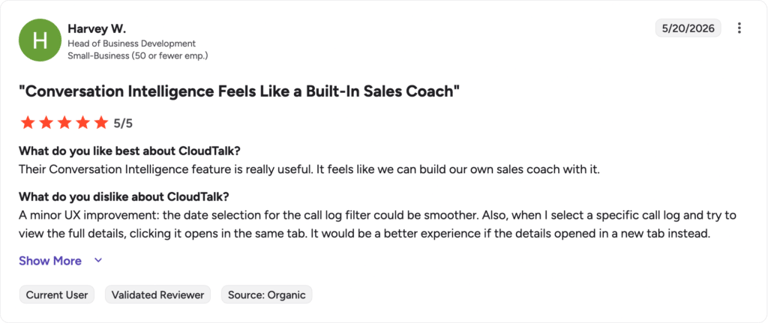
Real CloudTalk Customer Review
#2 Aircall — Best for HubSpot- and Salesforce-First SMBs
What Is Aircall?
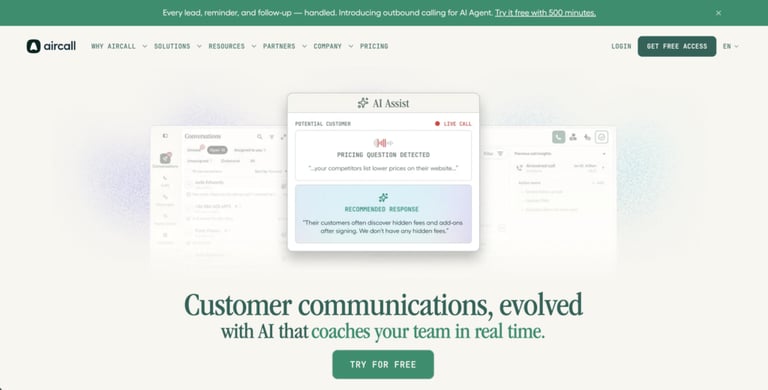
Aircall is a CTI call center software popular with SMBs that built their stack around HubSpot or Salesforce. Its biggest strength is the App Marketplace — clean, one-click installs of CRM connectors that screen-pop caller data and auto-log everything that happens on the call.
What Are Aircall's Pros and Cons?
Pros:
- Easy, fast setup with minimal IT involvement
- Strong HubSpot and Salesforce connectors out of the box
- Simple, modern agent interface
Cons:
- Costs climb fast with add-ons — analytics, AI, and transcription are each priced separately
- Reviewers report occasional sync and voice-quality issues during high-volume periods
What Are Aircall's Key Features?
- Multi-level IVR menus and Smart Queuing
- Tags and folders linked to CRM contacts
- App Marketplace with 100+ integrations
- Power Dialer for outbound teams
Aircall's Pricing
Aircall's pricing includes three tiers:
- Essentials — $30/user/month (3-user minimum)
- Professional — $50/user/month
- Custom — quote-based
What Do Users Say About Aircall in G2?
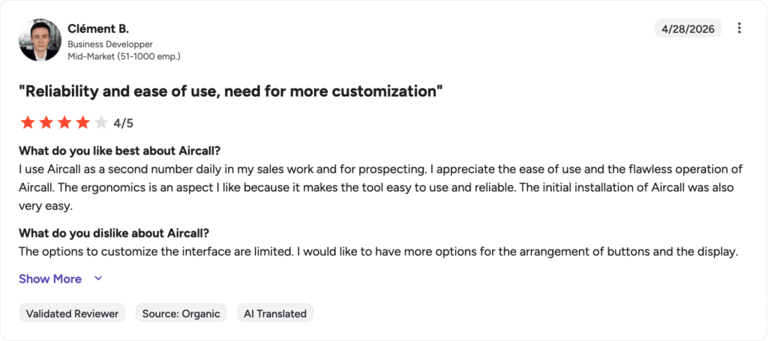
Aircall holds a 4.4 / 5 across 1,500+ verified reviews. Users love the ease of CRM integration but note occasional call-reliability issues and a somewhat manual workflow setup as volume scales.
Bottom Line
A solid CTI pick for CRM-heavy SMBs with predictable volume. If you expect heavy outbound or high concurrent calls, test the pricing carefully, the per-add-on model can quietly double your bill.
#3 Talkdesk — Best CCaaS-Grade CTI for Mid-Market Support

What Is Talkdesk?
Talkdesk is a cloud contact center platform with one of the deepest Salesforce-side CTI stories on the market. Its AppExchange-listed Salesforce integration handles screen-pops, call logging, omnichannel routing, and AI-assisted agent handoffs, making it a fixture in mid-market support orgs that live inside Service Cloud.
What Are Talkdesk's Pros and Cons?
Pros:
- Mature Salesforce CTI — purpose-built for Service Cloud Voice deployments
- Talkdesk Copilot adds real-time AI agent assist on every call
- Strong AppConnect marketplace for niche integrations
Cons:
- Real total cost often lands at $200–300/user/month once add-ons stack up
- Three-year contracts are the norm — flexibility costs extra
- Reporting can feel cluttered for smaller teams
What Are Talkdesk's Key Features?
- Native Salesforce, Zendesk, and Microsoft Dynamics CTI
- Talkdesk Copilot AI for live agent coaching and summaries
- Studio low-code flow builder
- Workforce Engagement Management suite
Talkdesk's Pricing
Talkdesk's pricing is tiered, custom-quoted, and starts steep:
- CX Cloud Digital Essentials — from $85/user/month
- CX Cloud Essentials — $115/user/month
- CX Cloud Elevate — $145/user/month
- CX Cloud Elite — $165/user/month
What Do Users Say About Talkdesk in G2?
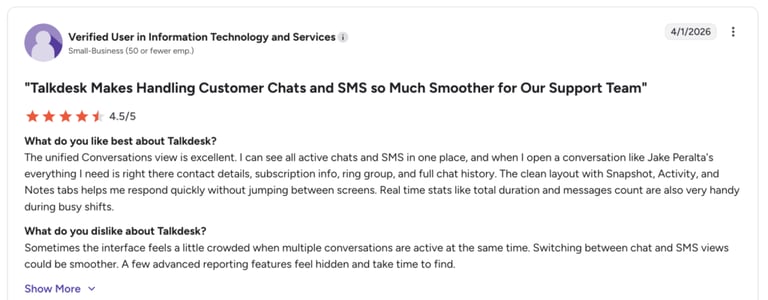
Talkdesk holds a 4.4 / 5 across 2,500+ verified reviews. Users praise the Salesforce integration and routing flexibility, but flag long implementation cycles and pricing surprises.
Bottom Line
Talkdesk fits enterprise support orgs that already standardized on Salesforce and have budget to match. Smaller teams will find lighter alternatives, including Talkdesk competitors, easier to deploy and run.
#4 Dialpad — Best AI-Native Conversational CTI
What Is Dialpad?
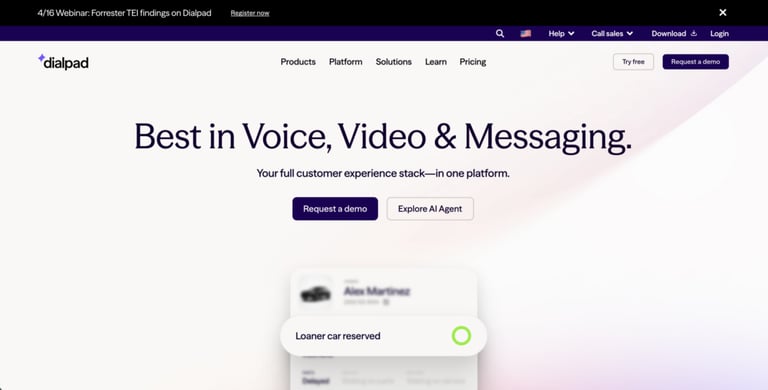
Dialpad positions itself as "first in AI, best in agentic." Its CTI lets callers explain what they need in plain English, the system understands intent, looks up the caller in your CRM, and routes them by skill or priority before an agent picks up.
What Are Dialpad's Pros and Cons?
Pros:
- AI-first by design — real-time transcription and AI Recap on every call
- All-in-one platform for calls, messages, and meetings
- Easy to configure with no-code call flows
Cons:
- Users report inconsistent call quality on Wi-Fi handoffs
- Salesforce sync can occasionally create duplicate records
- CTI features gated behind higher tiers
What Are Dialpad's Key Features?
- Conversational IVR — no keypad required
- Real-time AI transcription, coaching, and post-call recap
- Native HubSpot, Salesforce, and Zendesk CTI
- Multilingual support across 70+ languages
Dialpad's Pricing
Dialpad's pricing includes three plans:
- Standard — $15/user/month
- Pro — $25/user/month
- Enterprise — Custom quote
For the contact center product, expect $80–150/user/month.
What Do Users Say About Dialpad in G2?
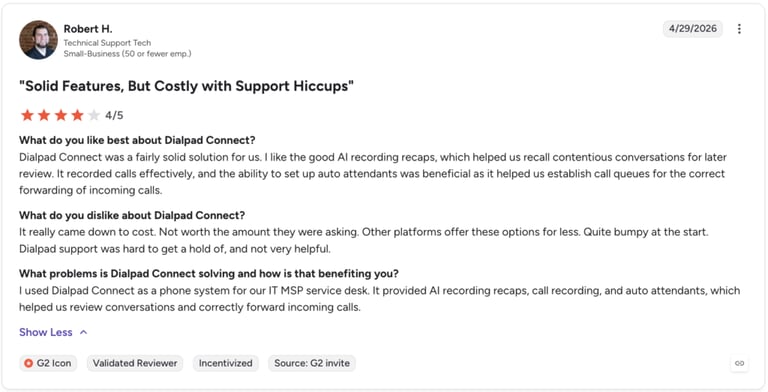
Dialpad holds a 4.3 / 5 across 4,700+ verified reviews. Reviewers highlight the AI features and ease of use, but call out a steeper learning curve on advanced reporting and configuration.
Bottom Line
Dialpad is a strong pick for contact centers that want AI agent assist baked in alongside CTI. If you'd rather not commit to Dialpad's full stack, compare alternatives before signing the contract.
#5 Five9 — Best for High-Volume Outbound Contact Centers
What Is Five9?
Five9 powers 3,000+ global contact center CTI deployments, with deep Salesforce Service Cloud Voice integration and a mature outbound dialer suite. It's the go-to choice for high-volume outbound teams running predictive dialing into Salesforce.
What Are Five9's Pros and Cons?
Pros:
- Industry-grade predictive and progressive dialers
- Salesforce Service Cloud Voice integration is among the deepest available
- Digital-first Intelligent Virtual Agents (IVAs) resolve full conversations without an agent
Cons:
- Per-seat pricing starts at $119/month — steep for SMBs
- Long implementation timelines flagged by 60% of recent reviewers
- Users report occasional freezing, call drops, and audio quality issues
What Are Five9's Key Features?
- Digital-first IVAs with omnichannel routing
- Predictive, progressive, and preview dialers
- Real-time analytics and supervisor dashboards
- Visual IVR on mobile with callback and texting options
Five9's Pricing
Five9's pricing includes five plans:
- Digital — from $119/seat/month
- Core — $159/seat/month
- Plus / Pro / Enterprise — Quote-based, typically $175–250/seat/month
What Do Users Say About Five9 in G2?
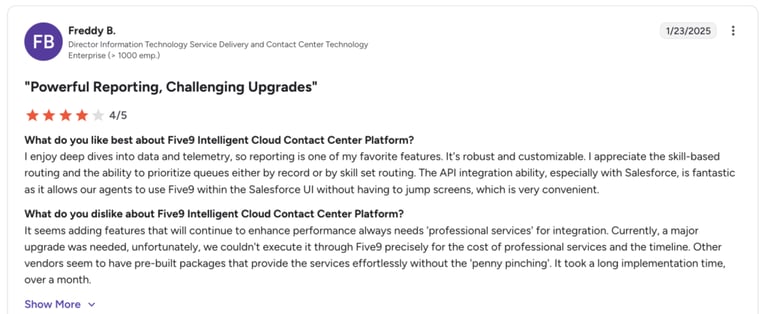
Five9 holds a 4.1 / 5 across 590+ verified reviews. Users praise the dialer and flexibility, but flag implementation length and aging UI.
Bottom Line
Five9 is built for enterprise outbound and high-volume support, especially Salesforce-native operations. Smaller teams should look at lighter, faster-to-deploy Five9 alternatives.
#6 Genesys Cloud CX — Best Enterprise Omnichannel CTI
What Is Genesys Cloud CX?
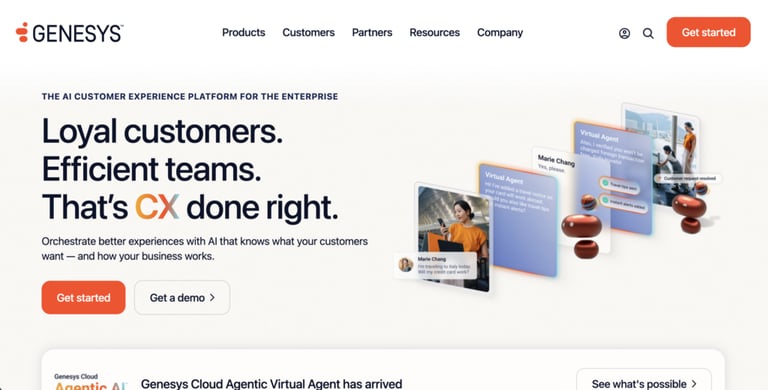
Genesys Cloud CX is an enterprise-grade contact center platform whose tiers scale from voice-only deployments to full omnichannel journey orchestration. Its AI-powered routing learns from past interactions to understand caller intent and route customers more accurately.
What Are Genesys Cloud CX's Pros and Cons?
Pros:
- Enterprise-grade reliability built for high call volumes
- Unifies customer interactions across voice, digital, and workforce engagement
- Proven at global enterprise scale
Cons:
- Steep learning curve, often requires dedicated specialists
- Admin interface described as overwhelming by mid-market users
- Reporting customization is fragmented across modules
What Are Genesys Cloud CX's Key Features?
- AI-powered conversational IVR
- Architect — visual routing and journey builder
- Workforce Engagement Management, QM, and predictive analytics
- Native Salesforce and Microsoft Dynamics CTI
Genesys Cloud CX's Pricing
Genesys Cloud CX pricing includes four tiers:
- Cloud CX 1 — from $75/user/month
- Cloud CX 2 — $115/user/month
- Cloud CX 3 — $155/user/month
- Cloud CX 4 (full AI) — $240/user/month
What Do Users Say About Genesys Cloud CX in G2?
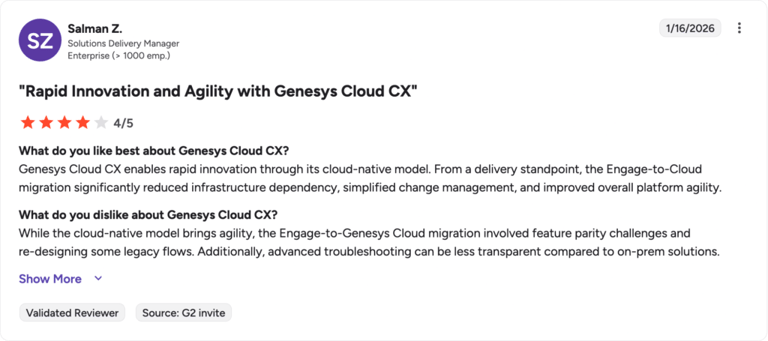
Genesys Cloud CX holds a 4.4 / 5. Users praise reliability and call quality, but note that the UI feels complex and that reporting isn't always intuitive.
Bottom Line
Best for large global companies running omnichannel CX programs across continents. Smaller teams will find it heavy, Genesys alternatives deliver most of the value at a fraction of the implementation pain.
#7 NICE CXone — Best for Workforce Optimization at Scale
What Is NICE CXone?
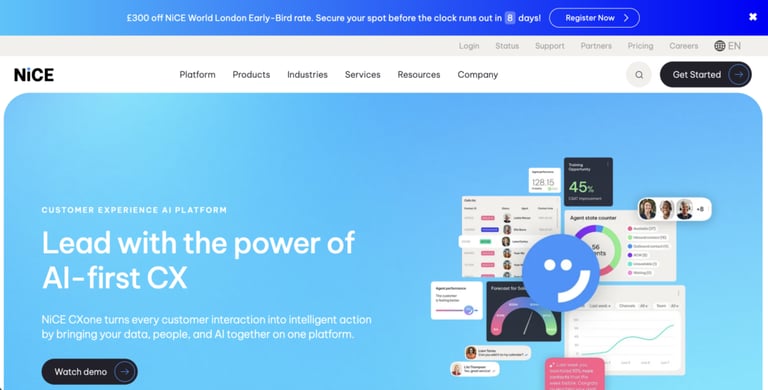
NICE CXone is a leading enterprise contact center platform chosen when workforce optimization, analytics, and quality management are top-three priorities. Its CTI uses speech recognition to understand caller intent and lands the call in front of the right specialist with full Salesforce context attached.
What Are NICE CXone's Pros and Cons?
Pros:
- Industry-leading workforce management and quality management
- Enlighten AI offers strong analytics and monitoring depth
- Enhanced Strategic Salesforce Agent (ESS) is one of the most polished Salesforce CTI integrations available
Cons:
- Steep learning curve for admins
- Users report dropped calls and audio disconnects under load
- UI complexity slows down day-to-day ops work
What Are NICE CXone's Key Features?
- Advanced WFM and quality management
- Omnichannel routing across voice, email, chat, and digital
- Visual Studio tool for no-code scripting
- Proactive callbacks with full agent-handoff context
NICE CXone's Pricing
NICE CXone's pricing is usage-based, with five main suites:
- Digital Suite — $71/agent/month
- Voice Suite — $94/agent/month
- Omnichannel Suite — $110/agent/month
- Essential Suite — $135/agent/month
- Ultimate Suite — $249 + $0.25/session
What Do Users Say About NICE CXone in G2?
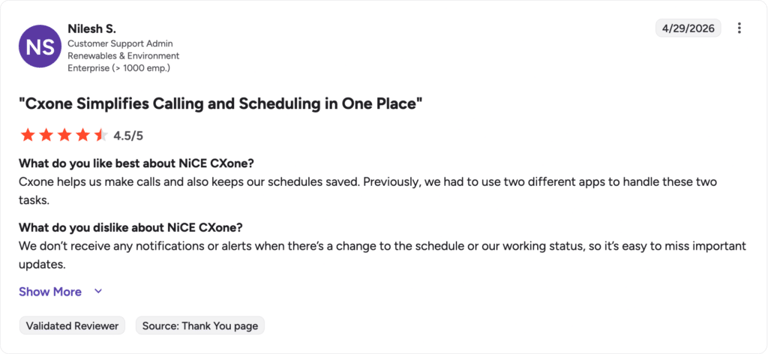
NICE CXone holds a 4.3 / 5 across 1,700+ verified reviews. Users praise the depth of analytics but point out reliability issues and a steep onboarding curve.
Bottom Line
Built for large contact centers where WFM and analytics are top-three priorities. Mid-market and SMB teams will find NICE CXone alternatives easier to deploy and significantly cheaper.
#8 RingCentral — Best for Consolidating UCaaS and CCaaS
What Is RingCentral?
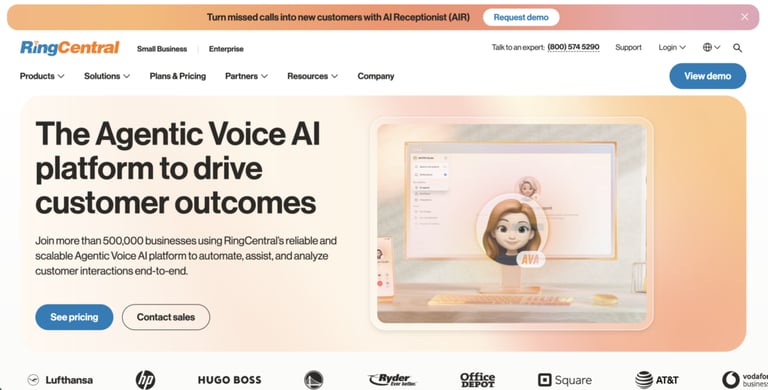
RingCentral RingEX and RingCX together form one of the most mature unified telephony platforms — voice, video, SMS, and contact center under one roof. For organizations replacing legacy PBX and a separate contact center vendor in the same project, RingCentral is the consolidation play.
What Are RingCentral's Pros and Cons?
Pros:
- Mature UCaaS platform across voice, video, SMS, and fax
- 500+ app integrations including Salesforce, HubSpot, Zendesk
- Global PSTN coverage with strong reliability
Cons:
- CRM integrations often gated above the base Core tier
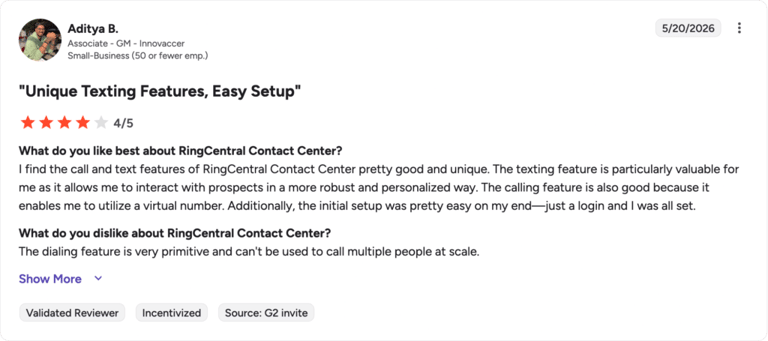
- Reviewers report inconsistent call quality and a cluttered UI
- Contract cancellation friction is a recurring complaint
What Are RingCentral's Key Features?
- IVR Editor with multi-level menu builder
- RingSense AI for call summaries and coaching
- Voice, video, SMS, fax, and team messaging in one app
- Agentic Voice AI for 24/7 inbound coverage
RingCentral's Pricing
RingCentral's pricing includes three RingEX plans:
- Core — $20/user/month
- Advanced — $25/user/month
- Ultra — $35/user/month
- RingCX (contact center) — $65/user/month
- Customer Engagement Bundle — Quote-based
What Do Users Say About RingCentral in G2?
RingEX holds a 4.2 / 5 across 1,350+ verified reviews. Users praise the breadth of features but note CRM integrations sometimes require reinstalls or fallback to the web app.
Bottom Line
RingCentral is the right call for enterprises consolidating legacy PBX with cloud UCaaS. Small teams looking for plug-and-play CTI without configuration will find RingCentral alternatives easier to live with.
#9 JustCall — Best Budget CTI for Outbound Sales Teams
What Is JustCall?
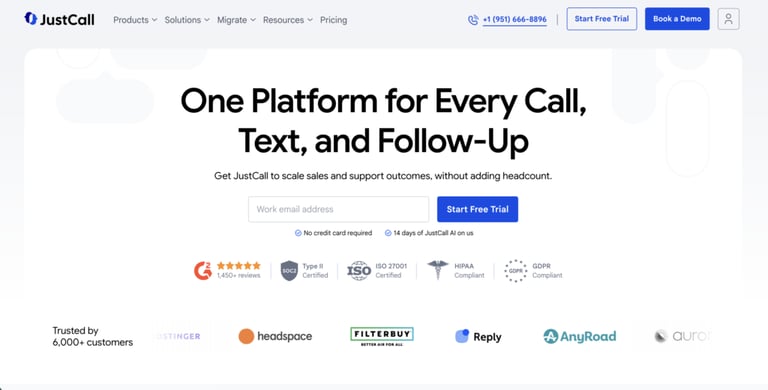
JustCall is a budget-friendly CTI built around aggressive CRM-integration coverage, over 100 native integrations, including every major sales CRM. It's a favorite among outbound sales teams that want click-to-dial, SMS automation, and AI coaching in one place without enterprise pricing.
What Are JustCall's Pros and Cons?
Pros:
- 100+ native CRM and helpdesk integrations
- AI Voice Agents and real-time coaching included on higher tiers
- Strong SMS-first workflows
Cons:
- Click-to-dial from CRM occasionally inconsistent
- Call and SMS logging sometimes drops records
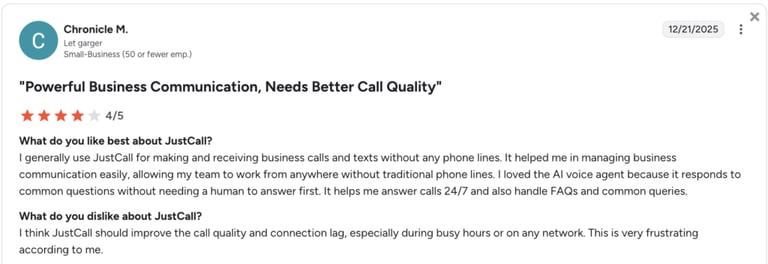
- International call quality can lag
What Are JustCall's Key Features?
- 100+ native CRM CTI connectors (HubSpot, Salesforce, Pipedrive, Zoho)
- Auto Dialer, Predictive Dialer, and SMS broadcasting
- AI Voice Agent and call scoring
- WhatsApp and SMS automation
JustCall's Pricing
JustCall's pricing includes three plans:
- Team — $29/user/month (2-user minimum)
- Pro — $49/user/month
- Pro Plus — $89/user/month
What Do Users Say About JustCall in G2?
JustCall holds a 4.3 / 5 across 2,300+ verified reviews. Users praise the value and CRM coverage, but note occasional logging gaps and audio quality issues on long international calls.
Bottom Line
JustCall is a strong value pick for outbound-heavy SMB sales teams. Teams that need rock-solid call quality at scale should compare against JustCall alternatives before committing.
#10 Twilio Flex — Best for Developer-Built Custom CTI
What Is Twilio Flex?
Twilio Flex isn't a ready-made CTI, it's the building block your engineers use to build one. With Programmable Voice, Twilio Studio, and AI Assistants, product and engineering teams can spin up custom call flows, agent desktops, and AI voice agents tailored to their exact CRM, ticketing, and workflow needs.
What Are Twilio Flex's Pros and Cons?
Pros:
- Total control — code or low-code via Studio drag-and-drop
- Excellent API documentation and SDKs
- Scales SMS, voice, WhatsApp, and omnichannel workflows on one billing platform
Cons:
- Requires real developer effort to deploy and maintain
- Costs can scale unpredictably at 24/7 volume
- Out-of-the-box UI and reporting are thin compared to turnkey platforms
What Are Twilio Flex's Key Features?
- Twilio Studio low-code flow builder
- Twilio AI Assistants for conversational CTI
- Programmable Voice + SMS + WhatsApp on one platform
- Call recording and transcription via Voice Intelligence
Twilio Flex's Pricing
Twilio Flex pricing is hybrid:
- Twilio Flex — $150/named user/month or $1/active user hour
- Programmable Voice — from $0.0085/minute, pay-as-you-go
What Do Users Say About Twilio Flex in G2?
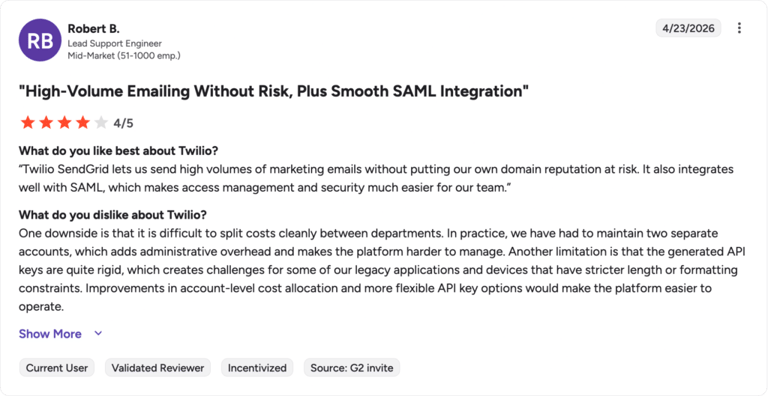
Twilio Flex holds a 4.1 / 5 across a smaller verified-review sample (~35 reviews). Users like the flexibility but note that pricing predictability and admin overhead are recurring pain points.
Bottom Line
Twilio Flex is the right call if your product or engineering team wants voice and CTI as code, deeply embedded in your own app. Ops teams that need to be live next quarter will move faster with a Twilio alternative that ships with the agent desktop already built.
How to Choose the Right CTI Software for Your Team
When picking a CTI, the goal is to find a system that fits your stack without adding new complexity. The right one should improve customer experience, simplify operations, and grow alongside the business.
Here's what to focus on:
- Ease of setup and use: Pick a system you can configure and manage without IT bottlenecks. Test it in the trial.
- CRM-integration depth: Native two-way sync wins. Ask whether it pushes call data back into your CRM or just one-way triggers.
- Customization: Make sure you can tailor voice prompts, menus, and call flows to match your brand and customer journey.
- Scalability: Will it still feel fast at 100 agents across five time zones? Pick one that handles growing volume across teams, geographies, and languages.
- Cost efficiency: Transparent per-user pricing beats custom quotes. Watch for hidden costs on AI, analytics, and integrations.
- Reliability: Look for at least 99.99% uptime, distributed infrastructure, and global PSTN coverage if your customers are international.


What Is a CTI?
A CTI is the technology layer that connects your phone system to your computer applications. In practice, it's what makes a call dialed from a CRM dial through your business phone, what makes a caller's record pop on your agent's screen before they say hello, and what writes the call back into the CRM when it ends. What is CTI in one sentence? It's the reason your phone and your software act like one system instead of two.
CTI is also the foundation underneath every modern contact center CTI workflow — skill-based routing, click-to-call, screen-pops, automatic logging, and conversational AI all run on top of CTI plumbing.
What Does CTI Stand For?
CTI stands for Computer Telephony Integration. In a call center context, it refers specifically to the software layer that bridges incoming and outgoing voice calls with your computer-based business systems, CRMs, helpdesks, ticketing tools, and analytics dashboards. CTI applications turn a raw phone call into a context-rich interaction the agent can act on in seconds.
What Is CTI Integration?
CTI integration is the specific connection between a telephony platform and one or more business applications, usually a CRM. A real CTI integration does five things at minimum: it identifies the caller, screen-pops their record, enables click-to-call from inside the CRM, logs the call automatically, and writes call outcomes (tags, dispositions, recordings) back to the right record. Anything less than that is just two systems pretending to talk.
The best telephony integration with CRM is native and two-way, not glued together with Zapier or held up by a fragile webhook.
How Does Computer Telephony Integration Software Work?
A CTI sits between two layers that used to live in completely different worlds: voice transport (the phone network) and your business software (the CRM, the helpdesk, the dashboards your agents stare at all day). The CTI's job is to translate between them in real time.
There are three components doing the heavy lifting:
- The voice layer: This is where the call actually travels, usually over VoIP integration infrastructure instead of legacy copper. The CTI doesn't replace this layer; it sits on top of it.
- The integration layer: APIs and webhooks that connect the phone system to your CRM, helpdesk, and analytics tools. This is where caller lookup, click-to-call, and automatic logging actually happen.
- The agent layer: The interface your team sees, softphone, screen-pops, in-CRM dialers, and post-call summaries. Modern CTI applications increasingly bring AI to this layer with real-time transcription, sentiment scoring, and next-best-action suggestions.
Explanation of a Typical CTI Interaction
Here's what happens when a customer calls in to a contact center running a modern CTI:
- 01Call arrives. The voice layer answers. The CTI grabs the inbound number and runs it against the CRM.
- 02Caller identified. The CRM returns a match: name, company, last three tickets, lifetime value. If it's a VIP, routing rules skip the menu entirely.
- 03Screen-pop fires. Before the agent says hello, the caller's record is already open on their screen — full context, no typing.
- 04Call logged in real time. Audio is recorded, transcribed, and tagged. AI extracts topics and sentiment as the conversation unfolds.
- 05Outcome written back. When the call ends, the CTI updates the CRM with disposition, duration, recording link, and AI-generated summary notes, no agent typing required.
The whole sequence takes milliseconds. The customer doesn't see it. That's the point.
Key Features of Computer Telephony Integration Software
These are the non-negotiables when you compare CTI platforms:
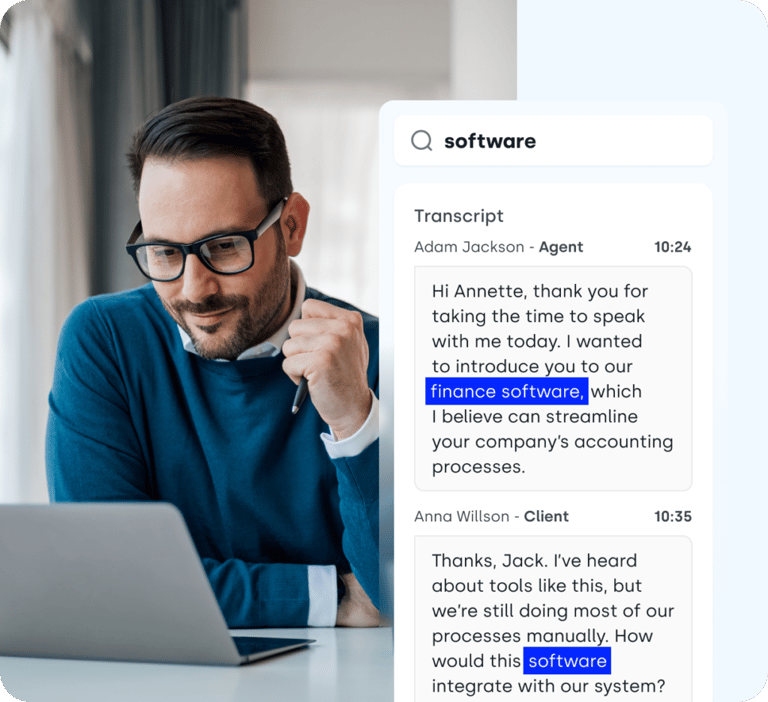
- Screen-pop and caller identification: The inbound call triggers an instant CRM lookup; the caller's record appears before the agent picks up. Bonus points if the screen-pop includes the AI-suggested call reason.
- Click-to-call: One-click dial from inside any CRM record, web page, or browser extension. No copy-pasting phone numbers, no swapping windows.
- Automatic call logging: Every inbound and outbound call writes back to the right CRM record with recording, transcript, duration, and disposition, no manual data entry, no missed activity.
- Intelligent call routing: Calls go to the right agent based on caller identity, skill match, language, or VIP status, using rules you build in a no-code flow designer.
- CTI phone controls: Real-time call controls, call transfers, 3-way calling, hold, mute, record, integrated into the agent's CRM view, not in a separate app.
- AI-powered post-call workflows: Auto-summarized notes, sentiment scoring, call transcription, and topic tagging, written back to the CRM the second the call ends.
Main Benefits of Computer Telephony Integration Software
In a busy sales or support operation, every second between call answered and issue resolved directly shapes the customer's impression of your business. A modern CTI compresses that timeline, and the payoff shows up across customer experience, agent productivity, and the bottom line.
Here are the biggest benefits businesses gain from a strong CRM CTI integration:
- Enhanced customer experience. Callers get the right agent with the right context on the first try. No repeating their account number to three people. That alone can move CSAT scores by double-digit percentage points.
- Increased agent efficiency. Click-to-call, auto-logging, and screen-pops eliminate the busywork that eats 20–30% of an average agent's day.
- Higher productivity. Agents handle more conversations because they spend less time hunting through tabs. Sales teams using CTI dialers often see outbound call volume climb 200–300%.
- Better call management. Skill-based routing, VIP queues, and callback options keep wait times short and abandonment rates low.
- Cost-effectiveness. Automating routine call work, logging, routing, basic qualification, reduces cost per interaction without hiring more agents.
- Scalability. Cloud-based CTI scales with you. Add a new agent, a new country, or a new business hours rule in minutes.
- Seamless remote work. Distributed teams use the same CTI from home, the office, or a hotel. All calls log to the same CRM regardless of location.
- Data-driven insights. Every call generates clean data: duration, outcome, sentiment, topics. Managers see what's working and what's not, in real time.
- Enhanced collaboration. Calls, notes, recordings, and tickets all live in shared CRM records, handoffs stop losing context.
- Future-ready communication. Modern CTI gives you a foundation for AI agents, omnichannel customer journeys, and conversational analytics, without ripping out your phone system every two years.
- Stronger compliance. Centralized call recording, STIR/SHAKEN compliance, and granular permissions keep regulated industries audit-ready by default.
Where CTI Is Heading Next: Future Trends to Look For in 2026
CTI software has spent most of the last decade quietly evolving from "phone-meets-CRM" plumbing into the connective tissue underneath conversational AI, omnichannel CX, and revenue intelligence. The next few years are about which CTI platforms put those capabilities into your agents' hands without forcing a six-month migration.
Here are the trends and features to demand in your next CTI:
- AI-powered agent assist: Real-time transcription, sentiment scoring, and next-best-action suggestions on the screen as the call unfolds, not a post-call summary.
- Conversational AI voice agents: AI Voice Agents that handle Tier-1 inbound calls end-to-end, qualification, booking, basic support, and pass warm context to humans only when needed.
- Omnichannel integration: Voice that lives in the same thread as chat, SMS, WhatsApp, and email, so the customer's story doesn't restart every channel.
- Cloud-native architecture: Modern telephony platforms scale globally without on-prem hardware, with sub-second failover between regions.
- Advanced analytics: Sentiment analysis, topic extraction, talk-listen ratio, and call scoring built in, not bolted on through third-party tools.
- Stronger security and compliance: SSO, end-to-end encryption, role-based permissions, and audit-ready logs as defaults, not premium upgrades.
- Self-service depth: Modern CTI lets customers solve more inside the voice channel, order status, appointment booking, payment, without abandoning to chat.
- Customizable, no-code workflows: Drag-and-drop call flow designers, workflow automations, and trigger-based actions that ops teams can change without filing a ticket.
- Integration with emerging tech: Native hooks into agentic AI platforms, revenue intelligence tools, and customer data platforms, so CTI data flows into the rest of the stack.
- Scalability and flexibility: Per-user pricing that lets you scale up for peak season and back down, no annual commits punishing you for getting smaller.
- Sustainability and transparent pricing: Cloud-native platforms running on green infrastructure, with no hidden AI metering surprises in the monthly bill.
Why CloudTalk Is the Leading Solution for Computer Telephony Integration
Most CTI vendors started as something else, UCaaS, a dialer, a contact center suite, and bolted CRM integration on later.
CloudTalk was built the other way around: as a CTI-first telephony platform for sales and support teams who needed every call to live inside the CRM by default.
That difference shows up in how fast new customers go live, days, not quarters, how natural the integrations feel, and how few add-ons it takes to match enterprise platforms costing three times as much.
Here's what makes CloudTalk's CTI distinctive:
Native Two-Way CRM Sync That Actually Works
CloudTalk's Salesforce, HubSpot, Pipedrive, and Zendesk integrations are built and maintained in-house, not by a marketplace partner. Calls log automatically with recordings, transcripts, tags, and AI-generated summaries written back to the right record in real time.
AI Built In, Not Bolted On
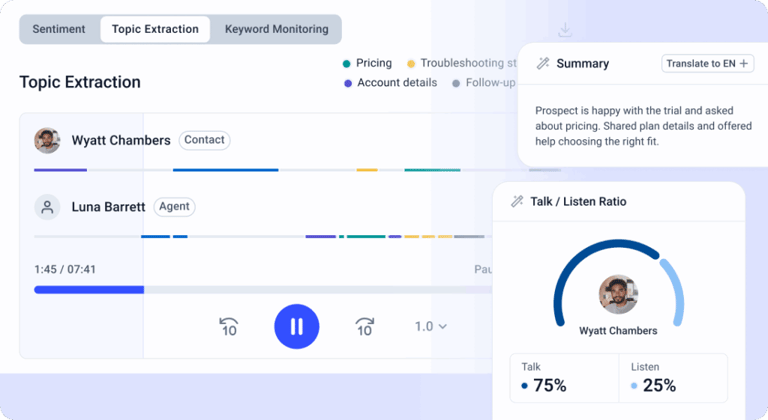
CloudTalk's AI suite, Smart Notes, transcript search, topic extraction, and AI Voice Agents, runs natively, with no per-minute AI tax. Agents get post-call summaries the second the call ends; managers get topic and sentiment dashboards updated continuously.
A No-Code Flow Designer Anyone Can Use
Update IVR menus, holiday hours, or routing rules in a drag-and-drop interface. Most CloudTalk customers ship their first production call flow on day one, without help from IT.
Outbound Power Without the Add-On Surcharge
The Power Dialer, Smart Dialer, and Parallel Dialer come bundled, not gated behind separate sales-team SKUs. Sales teams using CloudTalk routinely 3x their daily call volume in the first month.
Pricing You Can Actually Forecast
Per-user pricing, no surprise charges on AI minutes, no contract minimums beyond a single agent. You can scale up for hiring sprints and back down without renegotiating.
The Right CTI Is the One That Disappears
Think about the last time you called a company for help. Did the agent know who you were, or did you spend three minutes reciting account numbers and card digits? That's the gap between a customer who comes back and one who doesn't.
A modern computer telephony integration software platform closes that gap, auto-gathering context, screen-popping every detail before the agent speaks, and giving ops teams the tools to update ring groups or roll out AI features without a six-month project.
The right CTI software keeps workflows tight and your competitive edge sharp. A scalable, user-friendly platform like CloudTalk grows with your company without sacrificing integrations or reliable support, make sure yours is ready to deliver on every call.
Frequently asked questions
Computer telephony integration (CTI) is the technology that connects a business's phone system to its computer applications — usually a CRM. CTI enables screen-pops, click-to-call, automatic call logging, and skill-based routing, turning phone calls into context-rich, fully logged interactions instead of standalone events.
CTI is used to make phone calls part of the same workflow as the rest of a sales or support team's tools. Common use cases include screen-popping caller data into a CRM, dialing directly from CRM records, auto-logging calls and outcomes, routing callers by skill or VIP status, and feeding call transcripts and sentiment into analytics dashboards.
IVR (Interactive Voice Response) is the menu a caller hears — "Press 1 for sales, 2 for support." CTI is the broader layer underneath that connects the call to your business software. IVR routes the call; CTI gives your agent context, logs the call, and writes outcomes back to the CRM. Most modern platforms include both.
The most widely used internet telephony platforms in 2026 include CloudTalk, Aircall, RingCentral, Dialpad, Talkdesk, and Five9. Popularity varies by segment — CloudTalk and Aircall lead among SMB and mid-market sales teams, while Talkdesk, Five9, NICE CXone, and Genesys dominate enterprise contact centers.
Any team that handles inbound or outbound calls at meaningful volume: sales SDRs, account executives, customer success managers, support teams, healthcare front desks, financial services agents, and travel/hospitality reservations. The unifying trait is that the team also relies on a CRM or helpdesk — without that, CTI's biggest wins (screen-pop, auto-logging, click-to-call) don't apply.
Yes — modern CTI is overwhelmingly cloud-native. The best CTI software is designed to integrate with cloud CRMs (Salesforce, HubSpot, Pipedrive, Zendesk), cloud helpdesks, cloud analytics platforms, and cloud-based VoIP infrastructure. Legacy on-prem CTI exists, but it's increasingly rare for new deployments.
Start with your CRM. The best CTI for your team is the one with a native, two-way integration into the system your reps already live in. From there, evaluate screen-pop speed, click-to-call reliability, no-code flow design, AI features, and pricing transparency. Trial at least two options with your actual team — most CTI platforms offer 14-day free trials. Then check the best computer telephony integration CTI software shortlist (this one) against your specific stack before committing.