Top 35 AI Tools for Small Businesses: Tips and Best Practices

SUMMARY:
We reviewed and tested 50+ AI solutions for small businesses and selected the 35 best AI tools for small businesses in 2026, based on ease of use, automation depth, integration capability, pricing transparency, and proven impact on productivity.
20 best AI tools for small businesses by category (out of the 35 that made our list):
- 01CloudTalk – best AI receptionist for small business; automates inbound calls and CRM logging with AI Sentiment Analysis
- 02HubSpot – best AI marketing tools for small business; AI-powered content creation and predictive lead scoring
- 03Salesforce Einstein – best for AI-driven sales forecasting and lead routing at scale
- 04AI Paragraph Rewriter – best AI automation for small business content refinement
- 05AI Summarizer – best for condensing research, reports, and long-form content instantly
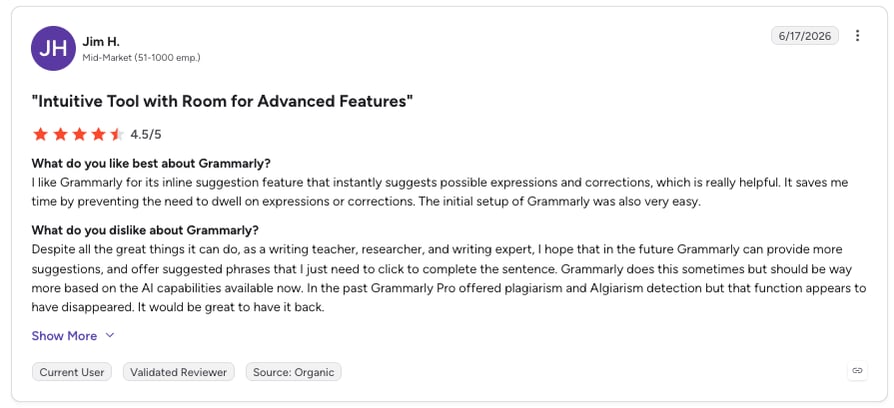
- 06Grammarly – best AI software for small business marketing and sales copy consistency
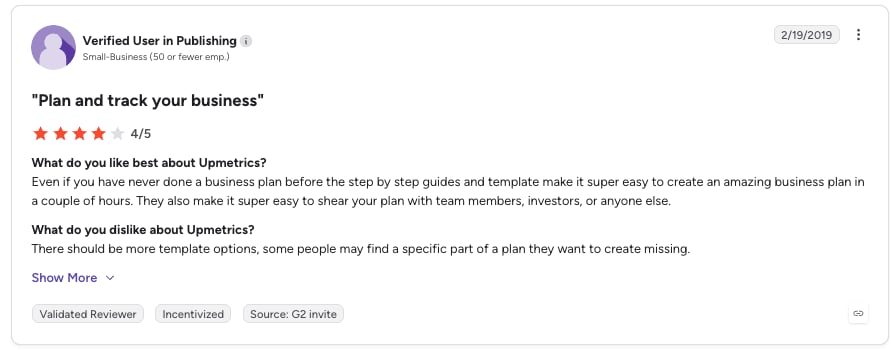
- 07UPMETRICS – best for AI-powered business planning and financial forecasting
- 08Zoom AI Companion – best AI tools for small business meetings; automatic transcription and summaries
- 09Rocket.new – best AI app builder for non-technical teams launching MVPs
- 10QuickBooks Online with AI – best AI solutions for small business accounting automation
- 11Canva with AI – best AI marketing tools for visual content creation without design skills
- 12Mailchimp with AI – best AI automation for small business email marketing
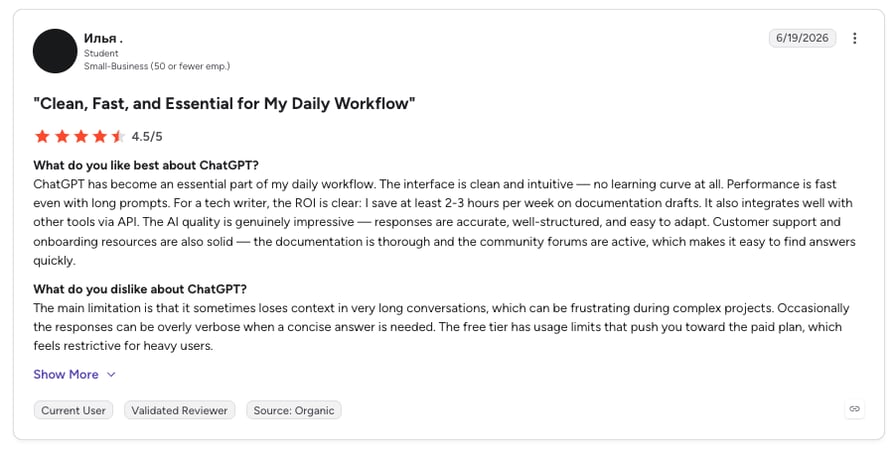
- 13ChatGPT – best versatile AI tool for content, coding, and customer support assistance
- 14Dorik AI – best AI for small business websites with integrated blogging and monetization
- 15DreamHost AI Business Advisor – best AI software for strategic business guidance on a budget
- 16Hostinger Landing Page Builder – best AI tools for small business conversion optimization
- 17Surfer AI Humanizer – best for making AI content pass detection checks
- 18Zoviz – best all-in-one AI solution for branding, websites, and marketing
- 19BrandCrowd – best AI tools for small business branding with 380,000+ logo templates
- 20Design.com – best comprehensive AI branding platform for complete brand identity
AI is transforming how small businesses operate, helping them improve efficiency and automate time-consuming tasks. In supply chain management, AI-driven forecasting can reduce errors by up to 50% and cut lost sales and product shortages by up to 65%. In e-commerce, 69% of businesses using AI report improved efficiency, thanks to capabilities like automated customer service and data-driven insights.
This guide explores the best AI tools for small businesses and how they can help streamline operations and drive growth.


How We Chose the Best AI Tools for Small Business
To create this comprehensive guide to AI solutions for small business, we evaluated 50+ leading platforms using verified user reviews, product documentation, feature comparisons, and real-world deployment data from SME adoption reports.
Our evaluation criteria included: automation depth, ease of deployment (implementation time), affordability and transparent pricing, CRM and third-party integrations, customer support responsiveness, scalability for growing teams, user satisfaction on G2 and Capterra, and measurable ROI for core business functions.
This research included insights from G2, Capterra, TrustRadius, Reddit discussions in r/smallbusiness and r/startups, and direct feedback from small business owners and operators who've implemented these AI tools for business automation in production environments.
Why Trust Our AI Tools Reviews
For nearly a decade, CloudTalk has helped over 30,000 professionals choose and implement better communication and automation tools. We've reviewed 200+ software products, analyzed 5,500+ verified reviews from G2 and Capterra, and drawn insights from real user discussions on platforms like Reddit, Quora, and industry forums.
In the past year alone, we've published 1,000+ articles on AI tools for business automation, sales technology, and customer support—all written and reviewed by humans, for humans, to provide reliable, data-backed insights you can trust.
Learn how we keep our content integrity and our software review methodology transparent and accountable.
Quick Comparison Table of the Best AI Tools for Small Businesses in 2026
| AI Tool | Best For | Key Capability | G2 Rating | Starting Price |
|---|---|---|---|---|
| CloudTalk | AI receptionist for small business | AI call automation, sentiment analysis, 100+ CRM integrations | 4.4/5 | $25/user/month |
| HubSpot | AI marketing tools for small business | AI content creation, predictive lead scoring, automation | 4.4/5 | Free / From $7/seat/month |
| Salesforce Einstein | Enterprise AI forecasting | AI-driven sales forecasting, lead scoring | 4.4/5 | From $50/user/month |
| AI Paragraph Rewriter | AI tools for business content refinement | AI-powered content restructuring and enhancement | NA | From $4.99/week |
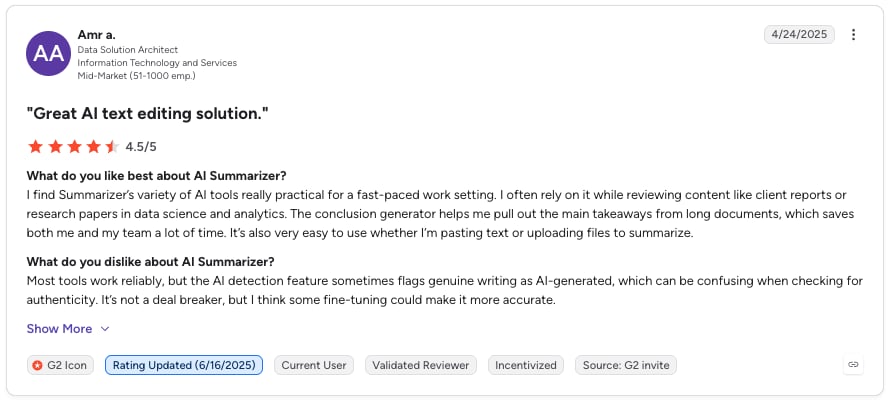
| AI Summarizer | Research and document condensing | Automatic text summarization, multilingual support | 4.6/5 | Free / From $5.6/month |
| Grammarly | AI software for team communication | Real-time writing assistance, brand tone consistency | 4.7/5 | From $12/member/month |
| UPMETRICS | Business planning and forecasting | AI business plan generation, financial modeling | NA | From $14/month |
| Zoom AI Companion (ZoomMate) | Meeting automation | Automatic transcription, AI summaries, translation | 4.6/5 | Free / $16.67/user/month |
| Rocket.new | AI app and MVP building | Prompt-based app generation, code export | NA | Free / From $25/month |
| QuickBooks Online | AI accounting automation | Automated expense categorization, cash flow prediction | 4/5 | From $19/month |
| Canva with AI | AI marketing tools for design | AI design suggestions, text-to-image generation | 4.7/5 | Free / $110/year |
| Mailchimp with AI | AI marketing automation | Subject line optimization, send-time optimization | 4.4/5 | Free / From $297.5/month |
| ChatGPT | Versatile AI assistant | Content generation, coding, problem-solving | 4.6/5 | Free / $8/month |
| Dorik AI | AI website builder | AI website generation, blogging, monetization | 4.6/5 | Free trial / From $20.75/month |
| DreamHost AI Advisor | Business strategy guidance | Personalized business advice, market insights | 4/5 | $2.89/month |
| Hostinger Landing Page Builder | AI conversion pages | AI-powered page building, performance optimization | 4.4/5 | From $2.99/month |
| Surfer AI Humanizer | AI content authenticity | AI text humanization, detection bypass | 4.8/5 | From $99/month |
| Zoviz | Complete AI branding suite | Logo generation, website builder, marketing automation | 4.7/5 | From $29/month |
| BrandCrowd | AI branding with templates | AI logo generation, 350,000+ templates, brand kit | NA | Free |
| Design.com | All-in-one AI branding | AI logo + website generation, design suite | NA | Free |
| Magic Hour | AI video and image creation | 100+ creative tools, face swap, text-to-video | 4.9/5 | Free credits / $8.67/month |
Top 21 Best AI Tools and Solutions for Small Businesses in 2026
Now that you know what AI can do for your business, let's explore the best AI tools for small business. Many of the solutions listed below offer robust 'forever-free' tiers that allow small teams and startups to automate core functions before committing to paid subscriptions. We've picked a comprehensive mix—from AI writing companions and receptionists to design and financial planning tools.
1. CloudTalk: Best AI Receptionist for Small Business
What Is CloudTalk?
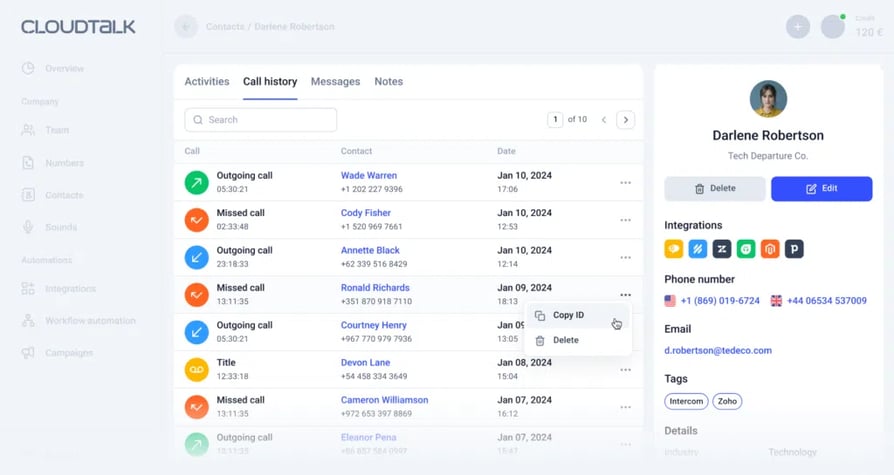
CloudTalk is an AI-powered cloud phone system and an AI voice agent solution that helps small businesses improve customer communication, sales, and support. With AI, small businesses can handle more customer interactions without adding staff, making it easier to scale and grow.
What Are CloudTalk's Key Features?
- AI Receptionist: Answers instantly, handles the easy questions, and routes every caller by intent, 24/7, at any volume.
- AI Smart Notes: Automatically generates call summaries, saving time on manual note-taking.
- AI Sentiment Analysis: Identifies customer mood and sentiment shifts during calls for better coaching and training.
- Trending Topics: Identifies recurring themes in customer conversations, enabling proactive problem-solving.
- Transcript Search: Quickly locate specific information within call transcripts for efficient follow-ups.
- HubSpot Integration: Ensures seamless syncing of customer data between CloudTalk and HubSpot CRM for a smooth workflow.
- Salesforce Integration: Improves the Salesforce experience with AI-powered calling features and improved customer insights.
What Is CloudTalk Best For?
CloudTalk is an ideal AI tool for small businesses looking to optimize customer interactions, improve team productivity, and integrate AI-driven insights into their workflow.
What Are CloudTalk's Plans & Pricing?
CloudTalk offers flexible pricing starting at $25 per user/month. Custom pricing options are available for larger teams with specific needs.
What Are CloudTalk's Pros & Cons?
| Pros | Cons |
|---|---|
| Saves time by automating repetitive tasks | AI features may require some initial setup to maximize benefits |
| Provides data-driven insights to improve customer interactions | Advanced tools are available only in higher-tier plans |
| Integrates easily with popular CRMs | Internet-dependent, like any cloud-based system |
2. HubSpot: Best AI Marketing Tools for Small Business
What Is HubSpot?
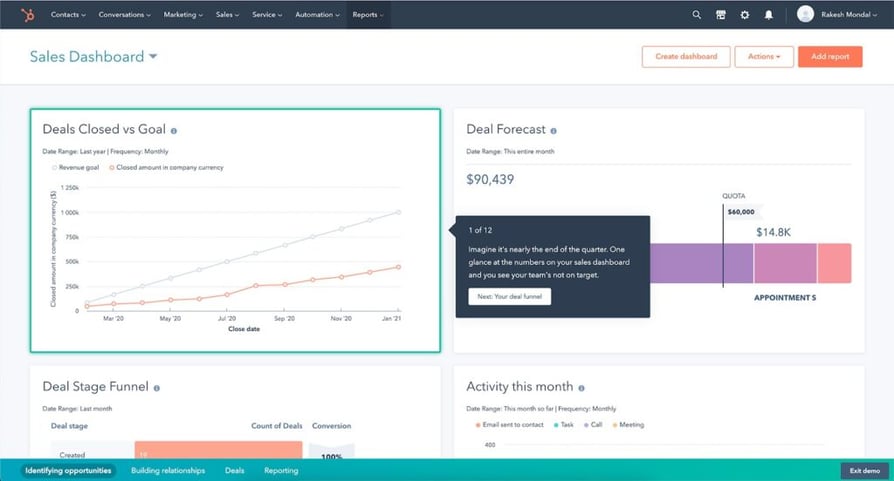
HubSpot offers excellent features with AI for small business marketing. Besides marketing, it is an all-in-one CRM platform for sales, operations, and customer service. It provides a comprehensive toolset designed to help businesses manage customer relationships more efficiently.
What Are HubSpot's Key Features?
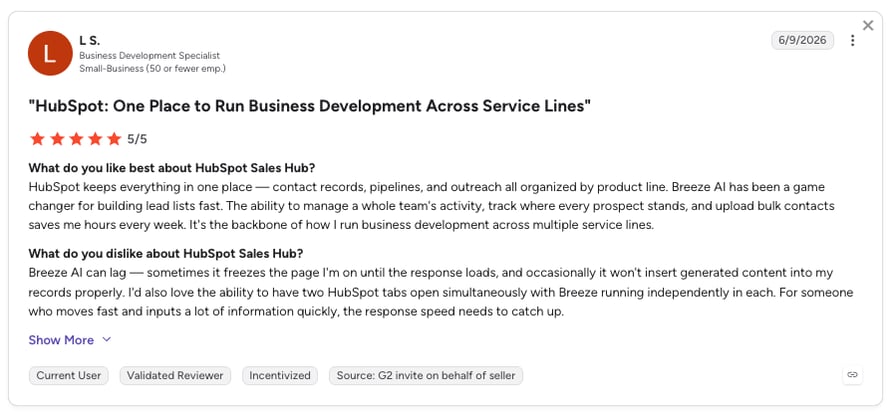
- AI-Powered Content Creation: Generates marketing content to enhance engagement and streamline workflows.
- Predictive Lead Scoring: Uses AI to rank leads based on their likelihood to convert, helping sales teams prioritize effectively.
- Automated Data Entry and Enrichment: Reduces manual work by automatically updating and enriching customer data.
What Is HubSpot Best For?
Small businesses looking to streamline their customer relationship management, automate marketing efforts, and improve sales efficiency.
What Are HubSpot's Plans & Pricing?
HubSpot pricing offers a free plan with essential features. Paid plans come in different bundles to match your business needs and team size. Most start at $20 per month, providing more advanced tools for marketing, sales, and automation.
What Are HubSpot's Pros & Cons?
| Pros | Cons |
|---|---|
| Provides an all-in-one solution for CRM, marketing, and sales | Advanced AI features are only available in higher-tier plans |
| AI-driven automation improves efficiency and decision-making | Can have a learning curve for new users |
| Free plan available for businesses just getting started | Costs can increase as business needs grow |
3. Salesforce Einstein: Best AI-Driven Sales Forecasting
What Is Salesforce Einstein?
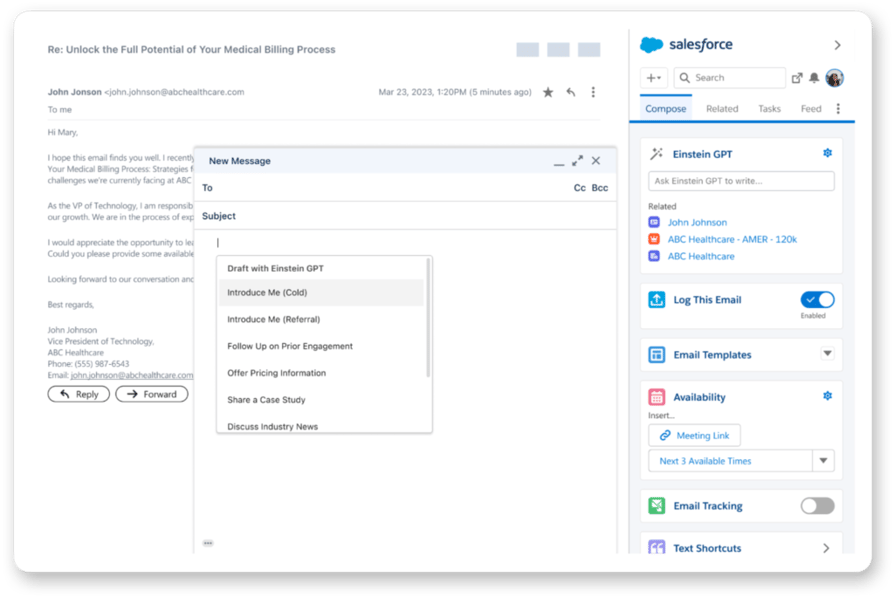
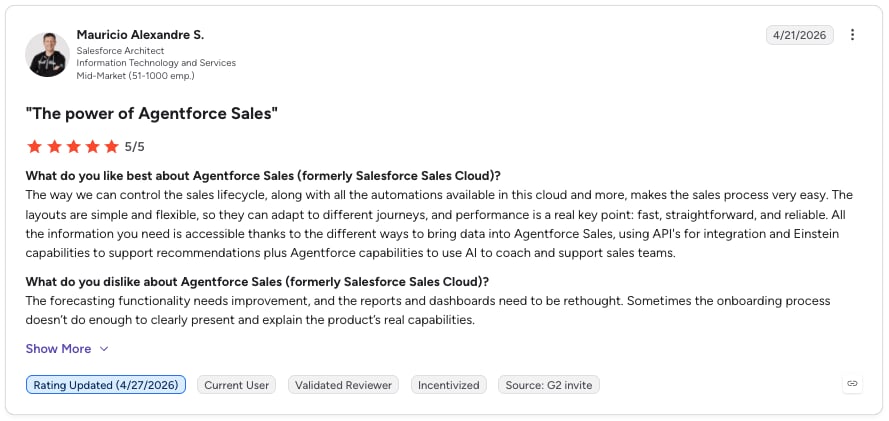
Salesforce Einstein is an AI layer that enhances Salesforce CRM with predictive analytics and automation. Its AI-powered sales forecasting helps businesses make data-driven decisions, optimizing resource allocation and growth planning.
What Are Salesforce Einstein's Key Features?
- AI-Powered Sales Forecasting: Predicts revenue trends and sales outcomes to support strategic planning.
- Automated Lead Scoring and Routing: Prioritizes and directs leads to the right sales reps for higher conversion rates.
- Intelligent Customer Service Recommendations: Uses AI to suggest the best responses and actions for customer inquiries.
What Is Salesforce Einstein Best For?
Small businesses already using or considering Salesforce as their CRM solution, looking to enhance sales forecasting, lead management, and customer service with AI-powered automation.
What Are Salesforce Einstein's Plans & Pricing?
Salesforce Einstein is included in various Salesforce plans, with pricing starting at $50 per user per month.
What Are Salesforce Einstein's Pros & Cons?
| Pros | Cons |
|---|---|
| Provides advanced analytics to improve sales and customer service strategies | Best suited for businesses already using or considering Salesforce |
| Automates lead management for increased efficiency | Advanced AI features require customization for maximum benefit |
| Seamlessly integrates with Salesforce's ecosystem | Can be complex for smaller teams without dedicated CRM specialists |
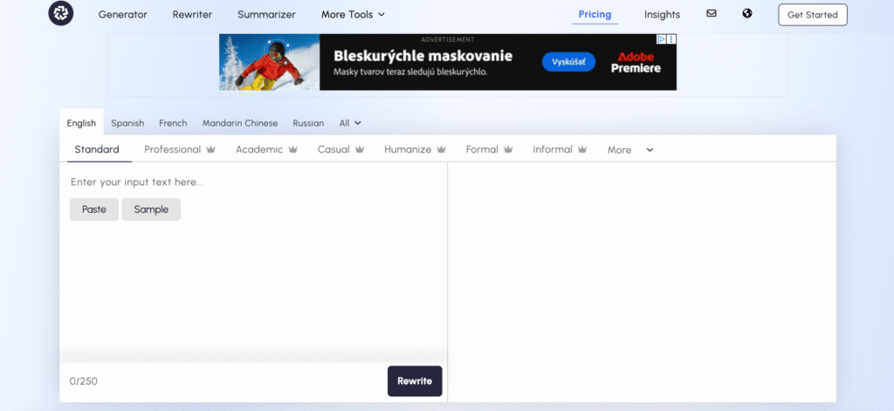
4. AI Paragraph Rewriter: Best AI Automation for Small Business Content
What Is AI Paragraph Rewriter?
AI Rewriter is a content refinement tool designed to help small businesses transform and improve their existing written content efficiently. It uses advanced AI to restructure and enhance paragraphs while preserving the original meaning, making it an essential solution for teams looking to refresh marketing materials, blog posts, and website content.
What Are AI Paragraph Rewriter's Key Features?
- Intelligent Content Restructuring: Rewrites existing paragraphs to improve clarity and flow while maintaining the core message.
- Multiple Rewriting Styles: Adapts content tone to match different business needs, from formal corporate language to engaging conversational styles.
- Content Enhancement: Elevates the quality of existing text by improving word choice, sentence structure, and overall readability.
- Plagiarism-Free Output: Generates unique versions of your content that avoid duplication issues.
What Is AI Paragraph Rewriter Best For?
Small businesses, content marketers, and writers who need to refresh existing content, repurpose materials for different platforms, or improve the quality of their written communications without starting from scratch.
What Are AI Paragraph Rewriter's Plans & Pricing?
AI Paragraph Rewriter offers a free plan, with premium plans starting at $4.99 per week, $8.97 per month, or $79.57 per year for full access and unlimited usage.
What Are AI Paragraph Rewriter's Pros & Cons?
| Pros | Cons |
|---|---|
| Saves time by quickly refreshing and improving existing content | May require manual review to ensure brand voice alignment |
| Helps repurpose content for different channels and audiences | Works best with well-written source material |
| Maintains original intent while enhancing clarity and engagement | Output effectiveness depends on the quality of the original content |
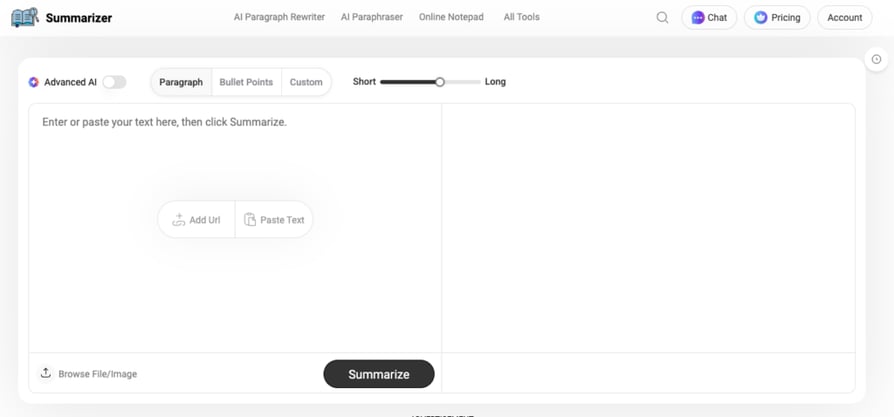
5. AI Summarizer: Best for Condensing Research and Reports
What Is AI Summarizer?
AI Summarizer is a user-friendly tool designed to condense lengthy text into precise and concise summaries. It helps small businesses quickly extract key points from extensive content, allowing teams to save time and focus on strategic tasks.
What Are AI Summarizer's Key Features?
- AI-Based Text Summarization: Automatically generates clear and concise summaries from long-form content.
- Content Enhancement: Improves word choice and readability for higher-quality summaries.
- Multilingual Support: Works in several languages, making it a versatile tool for global businesses.
What Is AI Summarizer Best For?
Small businesses that need to distill key points from detailed content quickly, improving efficiency in research, reporting, and communication.
What Are AI Summarizer's Plans & Pricing?
AI Summarizer offers a free plan, with premium plans starting at $5.6 per month for additional features and enhanced accuracy.
What Are AI Summarizer's Pros & Cons?
| Pros | Cons |
|---|---|
| Saves time by quickly summarizing lengthy documents | Accuracy may vary depending on the complexity of the text |
| Enhances content quality for better communication | Premium features are only available in the paid plan |
| Supports multiple languages for wider usability | Works best for text-based content, with limited support for other formats |
6. Grammarly: Best AI Software for Small Business Communication
What Is Grammarly?
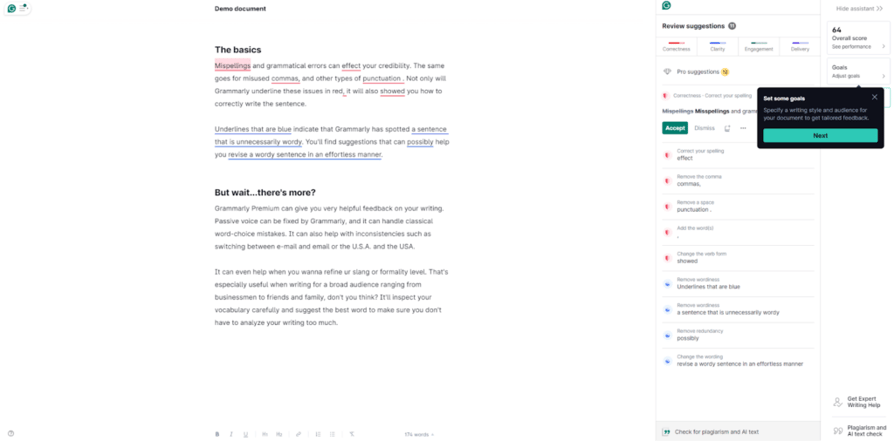
Grammarly started as a writing assistant but has evolved into an AI-powered communication tool that helps teams write more effectively. With a focus on brand tone consistency, it ensures businesses maintain a professional and cohesive voice across all communications.
What Are Grammarly's Key Features?
- Real-Time Writing Suggestions: Instantly improves grammar, clarity, and engagement in emails, documents, and messages.
- Brand Tone Consistency: Helps teams align their writing style to maintain a unified brand voice.
- Team Performance Analytics: Provides insights into writing trends and areas for improvement.
What Is Grammarly Best For?
Small businesses looking to improve their written communication, maintain brand consistency, and enhance professionalism across all channels.
What Are Grammarly's Plans & Pricing?
Grammarly's business plans start at $12 per member per month, offering advanced AI-powered writing assistance and team collaboration features.
What Are Grammarly's Pros & Cons?
| Pros | Cons |
|---|---|
| Enhances clarity and professionalism in business communication | Advanced features require a paid subscription |
| Ensures brand voice consistency across different channels | Customization options may be limited for highly specialized brand voices |
| Offers team analytics to track and improve writing effectiveness | Works best in text-based communication, with limited integration for creative content formats |
7. UPMETRICS: Best AI-Powered Business Planning
What Is UPMETRICS?
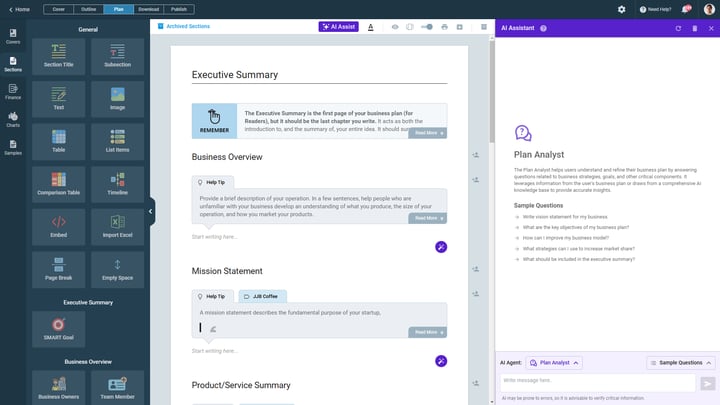
Upmetrics is a modern business plan software that simplifies the planning process with its AI-powered business plan generator. It helps entrepreneurs, startups, and small business owners create business plans, forecast finances, and prepare investor pitches with ease.
What Are UPMETRICS' Key Features?
- AI-Assisted Business Plan Creation: Generates actionable business plans tailored to your goals.
- Guided Plan Builder: Drag-and-drop features make business planning intuitive and efficient.
- Realistic Financial Forecasting: Projects financials up to seven years to support strategic decision-making.
- Collaboration and Sharing: Enables easy team collaboration and investor sharing.
- Multilingual Support: Translates business plans into over 90 languages for a broader investor reach.
What Is UPMETRICS Best For?
Startups and small businesses looking to create professional, investor-ready business plans without prior experience.
What Are UPMETRICS' Plans & Pricing?
Upmetrics pricing starts at $14 per month, and the Professional Plan starts at $37 per month.
What Are UPMETRICS' Pros & Cons?
| Pros | Cons |
|---|---|
| Streamlines business planning for entrepreneurs and small business owners | Advanced features available only in higher-tier plans |
| Provides accurate financial forecasting to support long-term planning | Requires some financial input for accurate forecasting |
| Supports multiple languages, expanding investor and market reach | Works best with internet access for real-time collaboration |
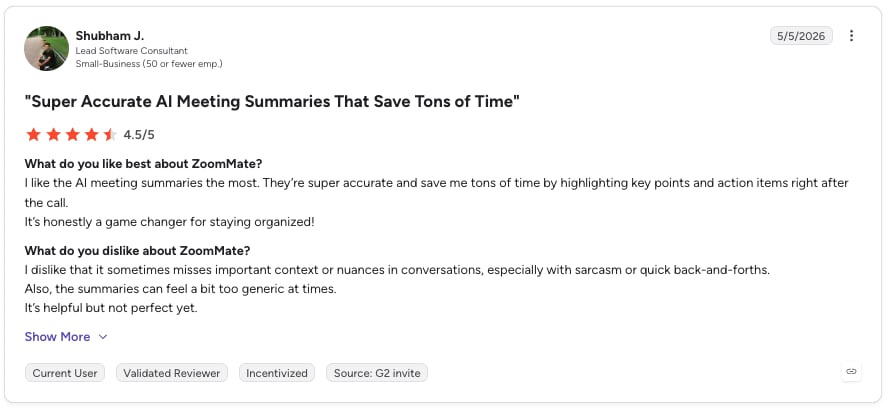
8. Zoom AI Companion (ZoomMate): Best AI Tools for Small Business Meetings
What Is Zoom AI Companion?
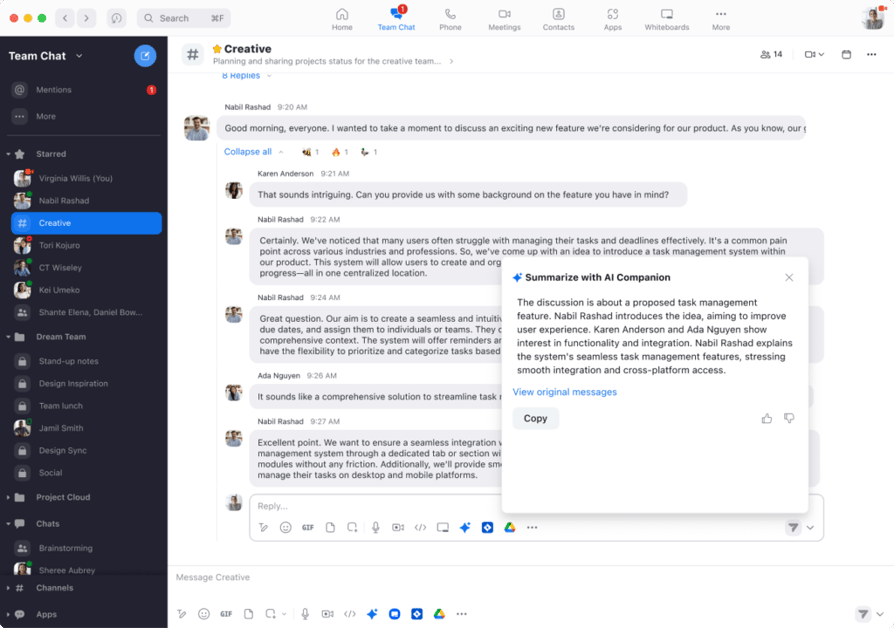
Zoom AI Companion enhances Zoom meetings with AI-powered features like real-time transcription and meeting summaries. Its automatic summary generation is a standout tool, helping small businesses boost productivity by reducing the need for manual note-taking.
What Are Zoom AI Companion's Key Features?
- Automatic Meeting Transcripts: Captures and records discussions in real time for easy reference.
- AI-Generated Meeting Summaries: Provides concise summaries of meetings, saving time on manual documentation.
- Real-Time Language Translation: Breaks language barriers by translating conversations instantly.
What Is Zoom AI Companion Best For?
Small businesses looking to enhance meeting productivity, improve communication, and streamline note-taking with AI-powered automation.
What Are Zoom AI Companion's Plans & Pricing?
Zoom AI Companion is included in Zoom One plans, starting at $149.90 per year per license.
What Are Zoom AI Companion's Pros & Cons?
| Pros | Cons |
|---|---|
| Saves time by automatically generating transcripts and summaries | Only available within Zoom One plans |
| Improves collaboration by ensuring key points are documented | Requires an internet connection for AI features to function |
| Supports multilingual teams with real-time translations | Accuracy may vary depending on audio quality and accents |
9. Rocket.new: Best AI App Builder for Non-Technical Teams
What Is Rocket.new?
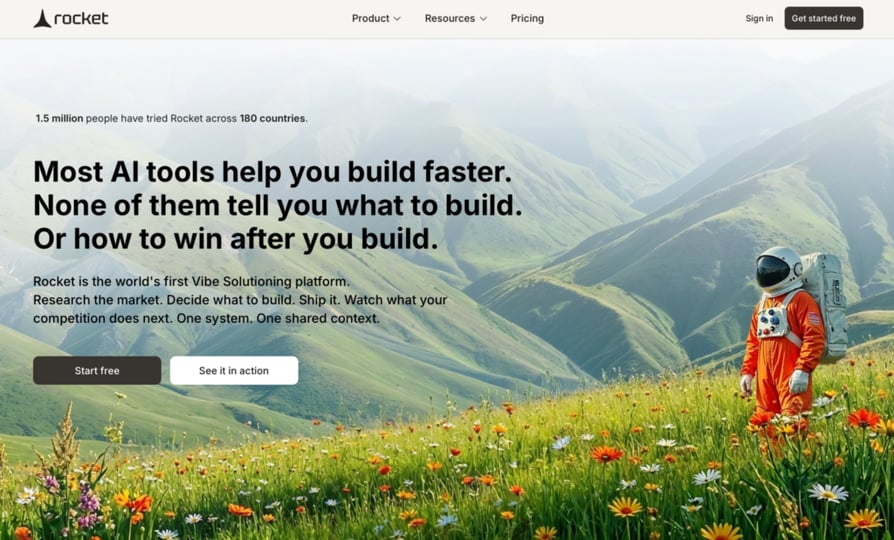
Rocket.new is an AI app builder that helps small businesses turn prompts into apps, web apps, websites, dashboards, and SaaS-style products without starting from code. It is useful for teams that want to quickly test an idea, build an internal tool, or create a working product draft before investing in full custom development.
What Are Rocket.new's Key Features?
- Prompt-Based App Building: Generates app structures, screens, and workflows from natural language prompts.
- Website and Web App Creation: Helps create websites, landing pages, dashboards, and app-like experiences.
- Live Preview: Lets users review and refine the build as it takes shape.
- Code Export: Gives teams more flexibility when they want to customize or extend the project later.
What Is Rocket.new Best For?
Small businesses, founders, and lean teams that want to build apps, websites, dashboards, or MVPs faster using AI without hiring a full development team at the first stage.
What Are Rocket.new's Plans & Pricing?
Rocket.new offers a free plan. Build plan starts at $25/month, Solve + Build at $250/month, Solve + Build + Intelligence at $350/month.
What Are Rocket.new's Pros & Cons?
| Pros | Cons |
|---|---|
| Helps small teams move from idea to working prototype faster | Final output may still need testing and cleanup before production |
| Useful for apps, dashboards, websites, and SaaS MVPs | May be more advanced than needed for very simple websites |
| Reduces the need to start every build from scratch | Gives more flexibility than basic website-only AI builders |
10. QuickBooks Online with AI: Best AI Solutions for Small Business Accounting
What Is QuickBooks Online with AI?
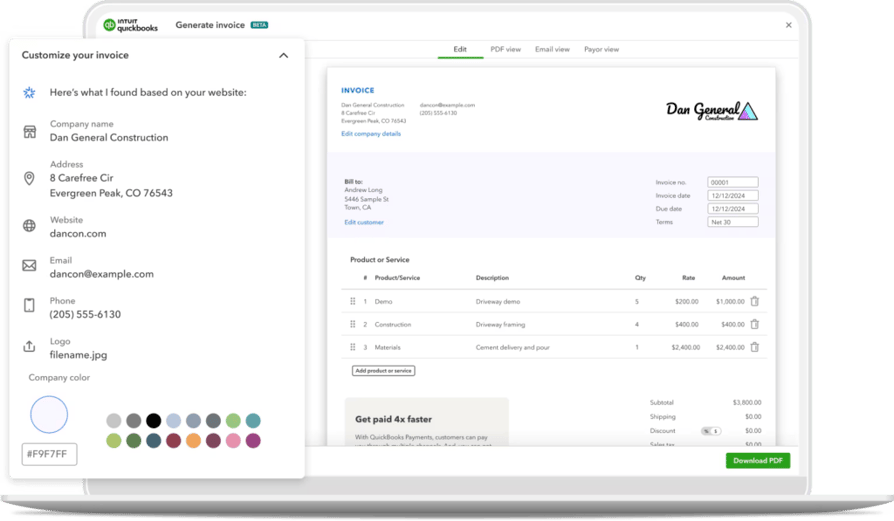
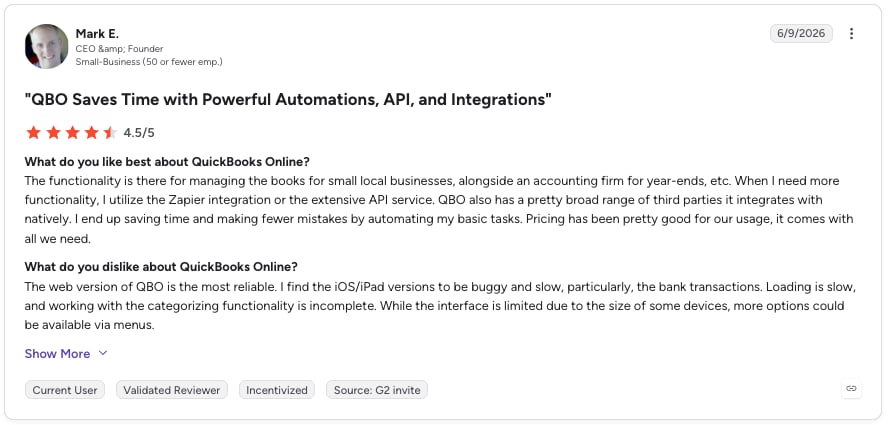
QuickBooks Online now incorporates AI to automate bookkeeping tasks and provide real-time financial insights. Its AI-powered cash flow predictions help small businesses manage finances more accurately, ensuring sustainable growth.
What Are QuickBooks Online with AI's Key Features?
- Automated Expense Categorization: AI sorts expenses automatically, reducing manual data entry.
- AI-Powered Cash Flow Predictions: Provides forecasts to help businesses plan and manage cash flow effectively.
- Intelligent Invoice Matching: Matches payments with invoices for streamlined reconciliation.
What Is QuickBooks Online with AI Best For?
Small businesses looking to streamline their accounting processes, automate bookkeeping, and gain AI-driven financial insights.
What Are QuickBooks Online with AI's Plans & Pricing?
QuickBooks Online plans start at $19 per month, with scalable options for businesses of all sizes.
What Are QuickBooks Online with AI's Pros & Cons?
| Pros | Cons |
|---|---|
| Automates bookkeeping, saving time on manual financial tasks | Advanced features are only available in higher-tier plans |
| Provides accurate cash flow insights for better financial planning | Can have a learning curve for first-time users |
| Simplifies invoice tracking and payment management | Requires integration with bank accounts for real-time tracking |
11. Canva with AI: Best AI Marketing Tools for Visual Content
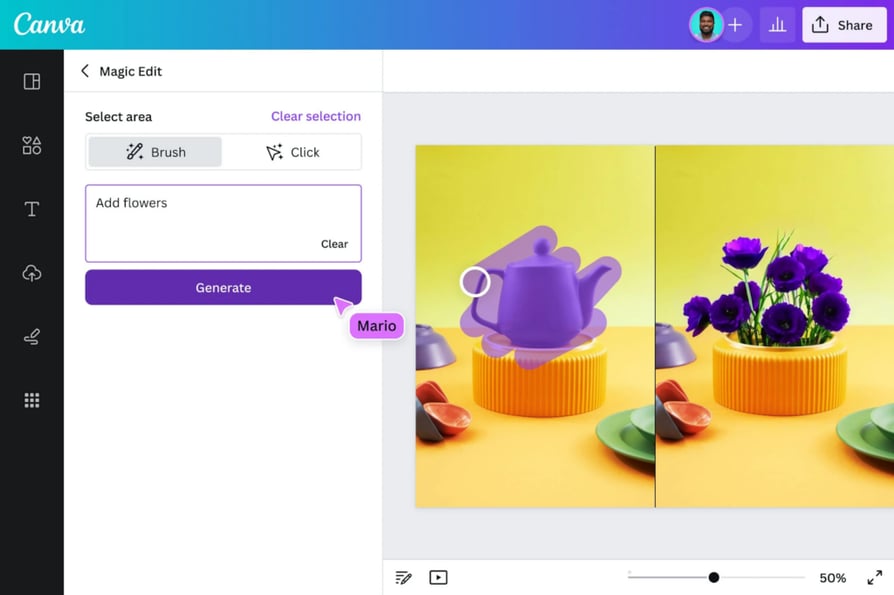
What Is Canva with AI?
Canva's AI tools make design creation fast and effortless, helping small businesses produce professional-quality visuals without the need for a dedicated design team. Its AI-powered design suggestions streamline content creation, enhancing marketing efforts and brand image.
What Are Canva with AI's Key Features?
- AI-Powered Design Suggestions: Instantly recommends layouts, colors, and elements for polished designs.
- Magic Edit: Enables easy photo editing and modifications with AI-driven tools.
- Text-to-Image Generation: Converts text prompts into unique AI-generated images.
What Is Canva with AI Best For?
Small businesses needing to create professional-looking visual content quickly and efficiently without a dedicated design team.
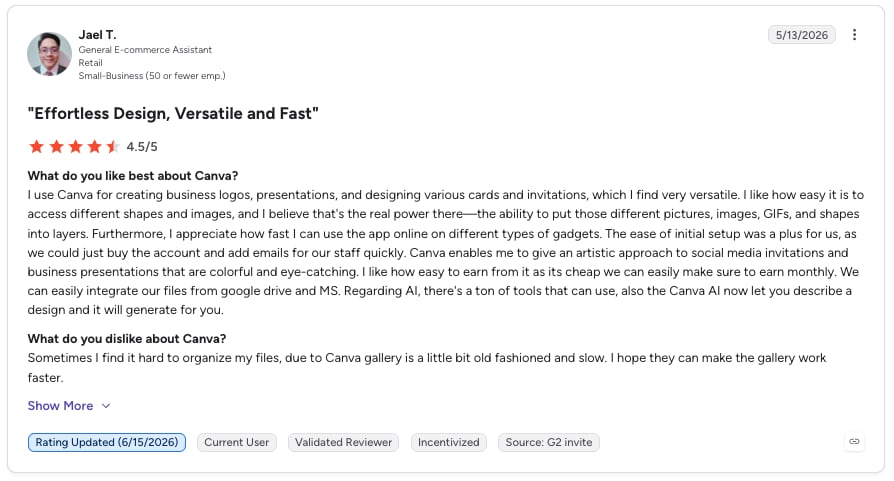
What Are Canva with AI's Plans & Pricing?
Canva offers a free plan with essential features, while the Pro plan costs $110 per year for up to five users.
What Are Canva with AI's Pros & Cons?
| Pros | Cons |
|---|---|
| Simplifies graphic design for non-designers | Advanced design features are only available in the Pro plan |
| AI-powered tools speed up content creation | Limited customization compared to professional design software |
| Offers a vast library of templates and assets | AI-generated images may require fine-tuning for best results |
12. Mailchimp with AI: Best AI Automation for Small Business Email Marketing
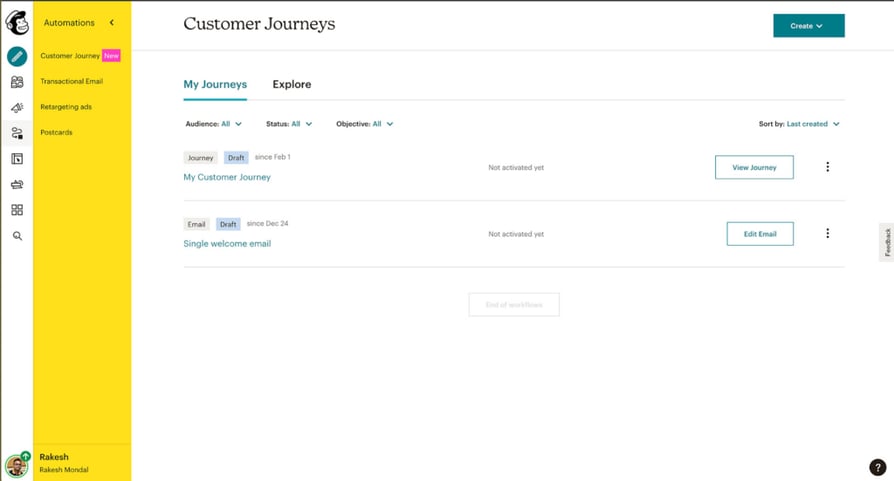
What Is Mailchimp with AI?
Mailchimp's AI features enhance email marketing campaigns by leveraging predictive analytics and content optimization. Its send time optimization ensures emails reach audiences at the most effective times, helping small businesses maximize engagement with minimal effort.
What Are Mailchimp with AI's Key Features?
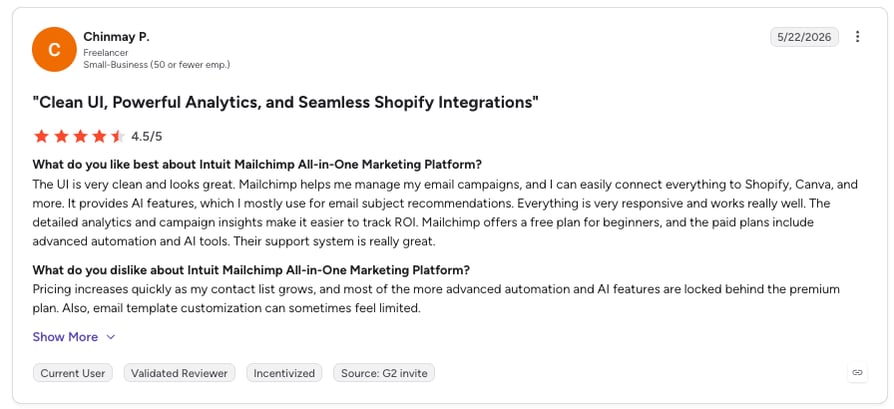
- AI-Powered Subject Line Optimization: Generates subject line suggestions to increase open rates.
- Send Time Optimization: Predicts the best times to send emails for higher engagement.
- Content Recommendations: Suggests improvements to email content for better performance.
What Is Mailchimp with AI Best For?
Small businesses looking to improve their email marketing effectiveness with AI-driven optimization and automation.
What Are Mailchimp with AI's Plans & Pricing?
Mailchimp offers a free plan with basic features, while paid plans start at $297.5 per month for more advanced AI-powered tools.
What Are Mailchimp with AI's Pros & Cons?
| Pros | Cons |
|---|---|
| Improves email marketing effectiveness with AI-driven insights | Advanced AI tools are only available in paid plans |
| Helps small businesses maximize audience engagement without extra effort | Learning curve for businesses new to email marketing automation |
| Offers automation features to streamline campaigns | Email performance depends on audience quality and list segmentation |
13. ChatGPT: Best Versatile AI Assistant for Small Business

What Is ChatGPT?
ChatGPT is an AI-powered language model that assists with a wide range of tasks, from content creation to problem-solving. Its versatility makes it a valuable tool for small businesses, helping with everything from drafting emails to tackling complex challenges, potentially replacing multiple tools and improving overall productivity.
What Are ChatGPT's Key Features?
- Human-Like Text Generation: Creates high-quality content for emails, blogs, and marketing materials.
- Coding and Technical Assistance: Helps with programming, debugging, and troubleshooting.
- Idea Brainstorming and Problem-Solving: Provides creative input and strategic solutions for various business needs.
What Is ChatGPT Best For?
Small businesses looking for a versatile AI assistant to streamline content creation, research, and customer support while boosting productivity.
What Are ChatGPT's Plans & Pricing?
ChatGPT offers a free version with essential features, while ChatGPT Pro is available for $8 per month, providing advanced capabilities.
What Are ChatGPT's Pros & Cons?
| Pros | Cons |
|---|---|
| Supports a wide range of tasks, reducing the need for multiple tools | Requires clear prompts for the best results |
| Enhances efficiency by automating content creation and research | Free version has limitations on availability and features |
| Offers real-time assistance for business queries and decision-making | AI-generated content may need human review for accuracy and tone |
14. Dorik AI: Best AI for Small Business Websites
What Is Dorik AI?
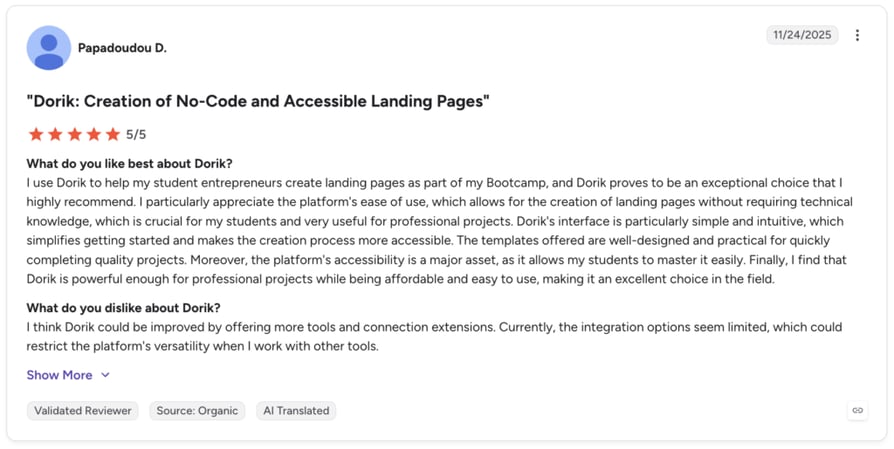
Dorik is an AI-powered website builder that helps small businesses create professional websites in minutes without coding knowledge. With GPT-4 and DALL-E 3 integration, businesses can generate complete websites, compelling copy, and custom images from simple text prompts—making it the fastest way to establish an online presence and start attracting customers.
What Are Dorik AI's Key Features?
- AI Website Generation: Creates complete website layouts with navigation, content sections, and CTAs from text prompts in seconds.
- AI Copywriter: Generates headlines, service descriptions, and calls-to-action powered by GPT-4, tailored to your business tone.
- AI Image Generator: Produces custom hero images, illustrations, and graphics using DALL-E 3 without stock photo subscriptions.
- Built-in Blogging Platform: Includes SEO optimization, post scheduling, multi-author support, and content import from WordPress, Ghost, Medium, and Substack.
- Membership & Monetization: Stripe integration for recurring subscriptions with 0% platform commission.
What Is Dorik AI Best For?
Small businesses, entrepreneurs, and agencies looking to launch professional websites quickly with AI-powered design and content generation, built-in blogging and SEO tools, and membership monetization features—all without needing technical expertise or hiring developers.
What Are Dorik AI's Plans & Pricing?
Dorik offers a 14-day free trial with full feature access. Paid plans start at $20.75/month for the Personal plan, $ 41.50/month for the Business plan, and $79/month for the Agency plan.
What Are Dorik AI's Pros & Cons?
| Pros | Cons |
|---|---|
| Generates complete websites in minutes, not days or weeks | Limited ecommerce features |
| AI creates both design layouts and written content simultaneously | Template library smaller than established competitors |
| No technical skills required—perfect for non-technical business owners | Built-in monetization features help generate revenue from day one |
15. DreamHost AI Business Advisor: Best AI Software for Strategic Business Guidance
What Is DreamHost AI Business Advisor?
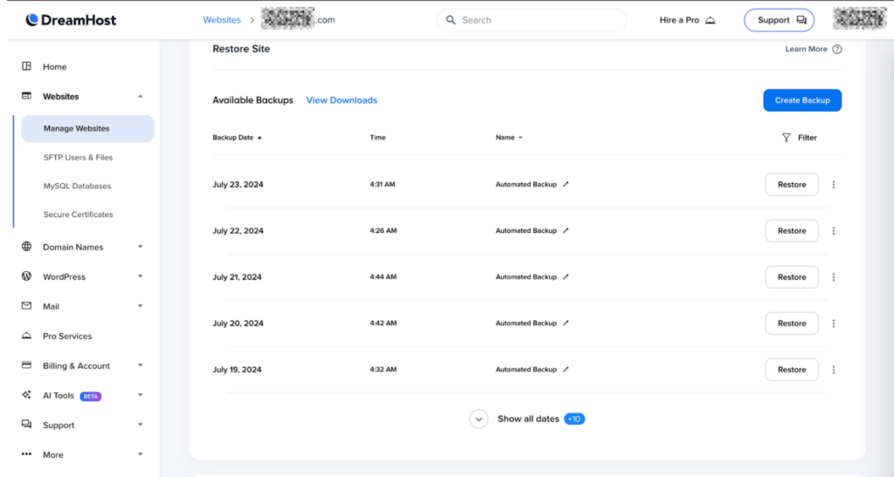
DreamHost AI Business Advisor is an AI-powered tool that provides personalized business advice and strategic recommendations. For small businesses without access to traditional consulting, this tool helps guide crucial decisions that drive growth.
What Are DreamHost AI Business Advisor's Key Features?
- Tailored Business Advice: Delivers customized recommendations based on your specific business needs.
- Market Insights: Analyzes trends and opportunities to help businesses stay competitive.
- Decision-Making Support: Assists with key business aspects, from marketing to financial planning.
What Is DreamHost AI Business Advisor Best For?
Small business owners and entrepreneurs seeking AI-driven guidance on business strategy, market trends, and growth opportunities.
What Are DreamHost AI Business Advisor's Plans & Pricing?
DreamHost AI Business Advisor is included in DreamHost's managed WordPress hosting plans, which start at $10.99 per month.
What Are DreamHost AI Business Advisor's Pros & Cons?
| Pros | Cons |
|---|---|
| Offers personalized insights without the high cost of traditional consulting | Only available as part of DreamHost's managed WordPress hosting plans |
| Helps businesses identify market trends and growth opportunities | AI-generated advice may require validation for complex business scenarios |
| Supports decision-making across various business functions | Works best when combined with human expertise and industry research |
16. Hostinger Landing Page Builder: Best AI Tools for Small Business Conversion Pages
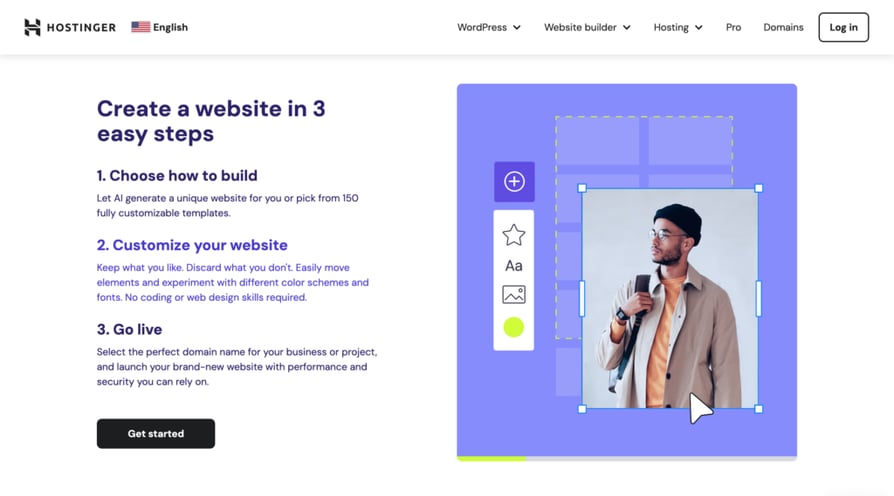
What Is Hostinger Landing Page Builder?
Hostinger Landing Page Builder makes it easy for small businesses to create high-converting landing pages without complexity or time-consuming setup. With AI-powered tools and drag-and-drop functionality, even those with no design experience can build professional, results-driven pages in minutes.
What Are Hostinger Landing Page Builder's Key Features?
- Ease of Use: No coding or design skills needed—just drag and drop to customize your page.
- AI Assistance: Provides tailored design suggestions and content ideas to enhance engagement.
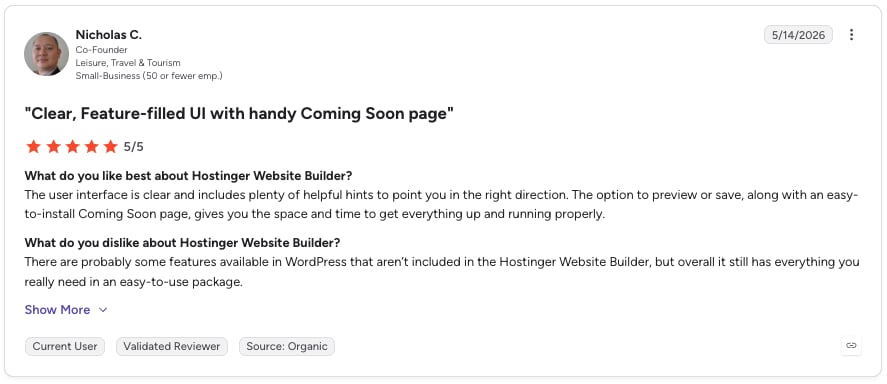
- Performance-Driven: Built on fast, secure hosting to ensure smooth user experience and quick load times.
What Is Hostinger Landing Page Builder Best For?
Small businesses looking for an easy, effective way to create landing pages without technical expertise, whether for product launches, lead generation, or event promotions.
What Are Hostinger Landing Page Builder's Plans & Pricing?
Hostinger Landing Page Builder offers affordable plans starting at $2.99 per month, making it a budget-friendly option for small businesses.
What Are Hostinger Landing Page Builder's Pros & Cons?
| Pros | Cons |
|---|---|
| Simple and intuitive for beginners | Limited customization compared to advanced website builders |
| AI-powered design suggestions improve content and layout | Best suited for landing pages rather than full websites |
| Reliable hosting with fast loading speeds for better user experience | AI-generated content may require slight adjustments for branding consistency |
17. Surfer AI Humanizer: Best for Making AI Content Pass Detection Checks
What Is Surfer AI Humanizer?
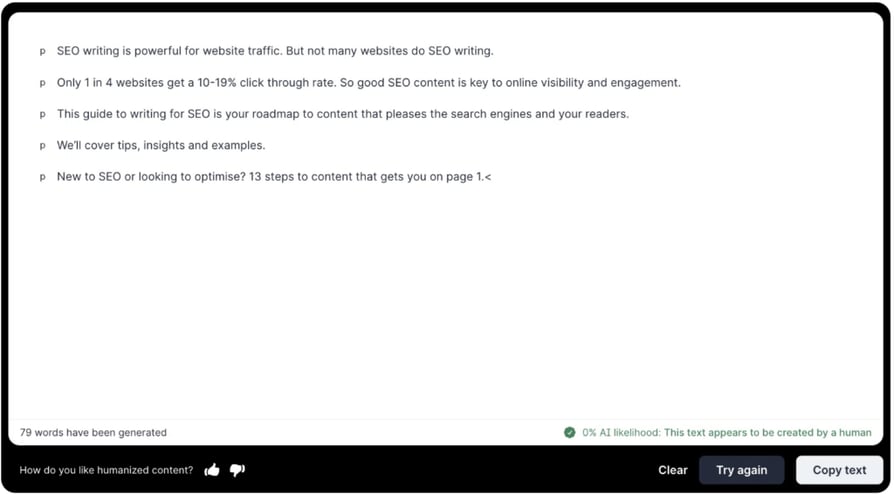
Surfer's AI Content Humanizer transforms AI-generated text into natural, human-like writing while preserving the original meaning. This tool helps businesses streamline content creation by allowing them to generate AI-powered text and refine it to pass AI content detector tools, ensuring authenticity and brand consistency.
What Are Surfer AI Humanizer's Key Features?
- Human-Like Writing: Adjusts AI-generated content to make it more natural and engaging.
- AI Content Detection Avoidance: Modifies text to reduce AI detection probabilities.
- Brand Tone Consistency: Ensures messaging aligns with your brand's unique voice.
What Is Surfer AI Humanizer Best For?
Small business marketers looking for an AI tool to humanize AI-generated content for blogs, social media, and web content while maintaining authenticity and brand voice.
What Are Surfer AI Humanizer's Plans & Pricing?
Surfer's AI Content Humanizer is included in various Surfer plans, with pricing starting at $99 per month.
What Are Surfer AI Humanizer's Pros & Cons?
| Pros | Cons |
|---|---|
| Helps AI-generated content sound more natural and engaging | Available only within Surfer's higher-tier plans |
| Increases chances of passing AI content detection tools | Requires manual review to ensure quality and coherence |
| Maintains brand tone while optimizing workflow efficiency | May need additional editing for highly specialized content |
18. SuperHumanizer: Best AI Text Humanizer for Content Teams
What Is SuperHumanizer?
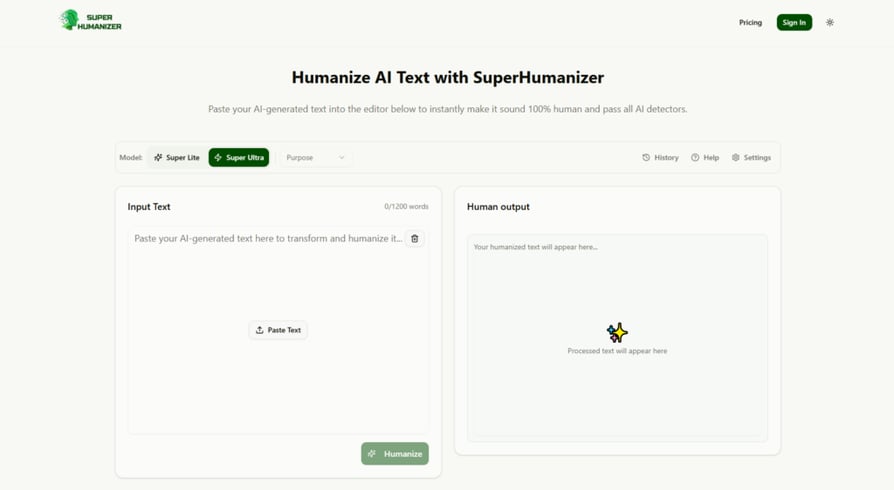
SuperHumanizer is a modern technology-driven AI text humanizer tool that helps in turning AI-generated content to sound more natural and human. It rewrites text to improve readability, remove robotic patterns, and keep the original meaning clear.
What Are SuperHumanizer's Key Features?
- AI Text Humanization: Changes AI-written text into content that sounds more natural and easier to read.
- Two Humanizing Modes: Offers Super Lite and Super Ultra options based on how much content change is needed.
- Readability Improvement: Improves sentence flow and removes awkward wording.
- Long-Form Content Support: Works well with articles, blogs, and other longer pieces of content.
- AI Detection Reduction: Helps reduce common AI patterns that may trigger AI detection tools.
What Is SuperHumanizer Best For?
Small businesses, content creators, marketers, and writers who want to make AI-generated content sound more natural without spending hours rewriting it manually.
What Are SuperHumanizer's Plans & Pricing?
SuperHumanizer offers a free plan for users who want to test the tool. Paid plans start at around $12 per month.
What Are SuperHumanizer's Pros & Cons?
| Pros | Cons |
|---|---|
| Creates natural and human-like content | Some type of content may still need manual editing |
| Improves readability and sentence structure | Free plan comes with usage limits |
| Works well for blogs, websites, and marketing content | Easy to use for beginners and professionals |
19. Zoviz: Best All-in-One AI Solution for Branding and Marketing
What Is Zoviz?
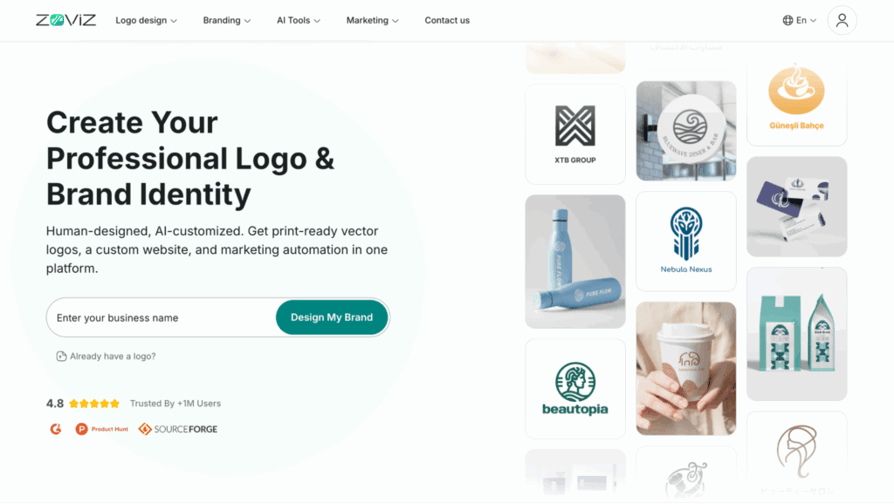
Zoviz is an all-in-one AI platform that helps small businesses create their logo and brand identity, build a professional AI-powered website, and run AI-driven marketing campaigns from a single dashboard.
What Are Zoviz's Key Features?
- AI Logo & Brand Identity Creation: Automatically generates logos, brand colors, and typography tailored to your business niche.
- AI Website Builder: Creates fully branded, mobile-optimized websites with AI-written content, layouts, and visuals.
- Built-in Marketing Automation: Auto-generates ads, social media posts, YouTube thumbnails, and promotional visuals.
- Brand Kit Management: Keeps logos, fonts, colors, and assets consistent across all materials.
- Web Presence Tools: Includes link-in-bio pages, digital business cards, and custom domain support.
What Is Zoviz Best For?
Small businesses, startups, solopreneurs, and creators who want to build a professional brand, launch a website, and run marketing campaigns using AI—without juggling multiple tools.
What Are Zoviz's Plans & Pricing?
Zoviz offers three plans: Starter at $29/month, Pro at $49/month, and Business at $99/month.
What Are Zoviz's Pros & Cons?
| Pros | Cons |
|---|---|
| True all-in-one AI solution for small businesses | Limited customization in free plan |
| Eliminates the need for separate logo, website, and marketing tools | Extremely fast setup with no technical skills required |
| Strong brand consistency across all assets | Cost-effective compared to hiring designers or agencies |
20. BrandCrowd: Best AI Tools for Small Business Branding
What Is BrandCrowd?
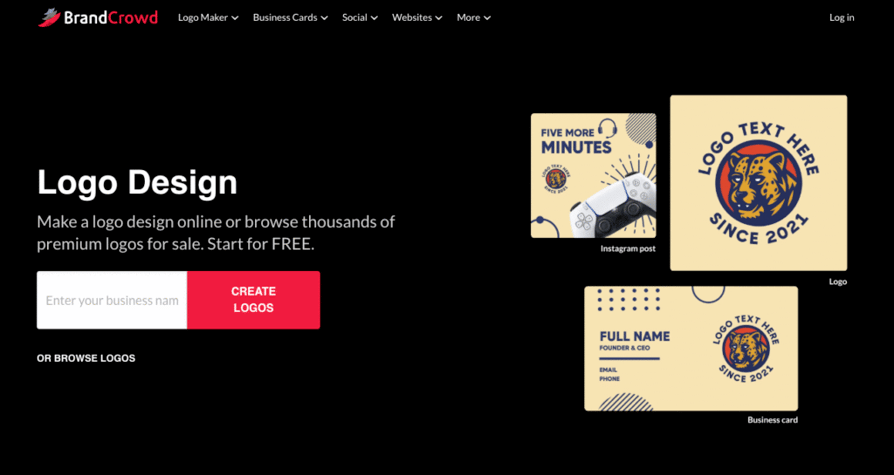
BrandCrowd is the industry's highest-rated AI logo and branding platform for small business, combining AI-powered design generation with over 350,000 exclusive, professionally created templates to deliver complete brand identities in minutes.
What Are BrandCrowd's Key Features?
- AI Logo Generator: Instantly generates thousands of professional logo concepts from your business name.
- Advanced AI Logo Editing: Edit your logo via a simple chat interface with copyright-safe modifications.
- AI Business Name Generator: Creates creative, memorable business name ideas aligned with your brand.
- AI Background Remover: Automatically removes image backgrounds for clean, professional branding assets.
- Automatic Brand Synchronization: All 50+ design tools automatically inherit your logo colors for seamless branding.
What Is BrandCrowd Best For?
Small businesses, startups, entrepreneurs, and solopreneurs who want the industry's most trusted AI logo and branding platform.
What Are BrandCrowd's Plans & Pricing?
BrandCrowd offers a Free Plan ($0), but paid plans are not publicly available.
What Are BrandCrowd's Pros & Cons?
| Pros | Cons |
|---|---|
| Highest customer satisfaction rating in the industry (4.8 stars from 9,000+ reviews) | Optimized for beginners—advanced designers may find the simplicity limiting |
| Combines AI generation with 350,000+ professionally designed exclusive templates | Collaboration features are straightforward rather than enterprise-level |
| Advanced AI logo editing with chat interface for easy customization | True all-in-one solution with 50+ integrated branding and marketing tools |
Bit.ai: Best AI-Powered Tool for Documentation &
Knowledge Management
What Is Bit.ai?
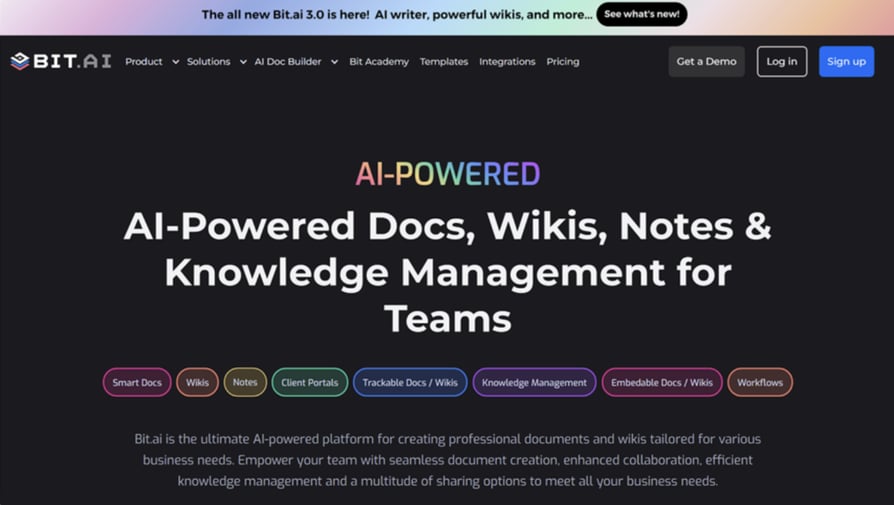
Bit.ai is a document collaboration and knowledge management platform that brings your team's
documents, wikis, and notes into one shared workspace. It includes AI-powered writing tools, real-
time collaboration, rich media embeds, and workspaces, making it easier to create documents,
manage knowledge, and collaborate without juggling multiple apps
What Are Bit.ai’s Key Features?
- AI Genius Writer: Create, rewrite, summarize, translate, and improve content with built-in AI
- writing assistance.
- Real-Time Collaboration: Collaborate with teammates using live editing, comments, mentions,
- and shared workspaces.
- Bit.ai: Best AI-Powered Tool for Documentation &
- Knowledge Management
- Smart Document Sharing: Share documents securely with links, doc tracking, password
- protection, and link expiration.
- Knowledge Management: Organize documents, wikis, and knowledge in centralized
- workspaces with folders and smart search.
What Is Bit.ai Best For?
Bit.ai is ideal for creating business documents, managing internal knowledge, collaborating on
projects, building company wikis, and sharing information across teams.
What Are Bit.ai’s Plans & Pricing?
Bit.ai offers a free plan for getting started. Pro plans start at $8 per user/month, while Business plans
start at $15 per user/month.
What Are Bit.ai’s Pros & Cons?
| Pros | Cons |
|---|---|
| AI-powered writing and document creation | Some advanced features are limited to paid plans |
| Real-time collaboration with interactive documents | AI usage depends on your plan |
| Secure document sharing and knowledge management | Cloud-based, so internet is required |
21. KaneAI by LambdaTest: Best AI-Powered Testing for Small Dev Teams
What Is KaneAI by LambdaTest?
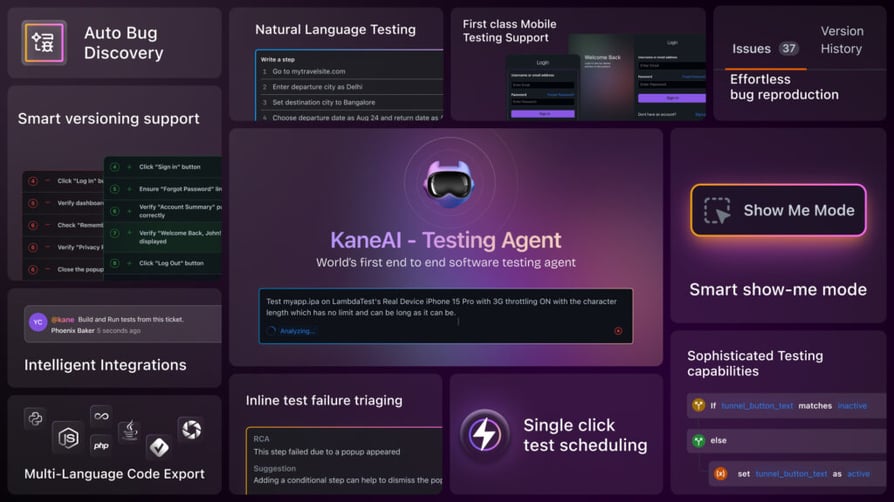
KaneAI is a first-of-its-kind AI-powered testing assistant designed for high-speed Quality Engineering teams. It simplifies test automation by allowing users to create, manage, and debug complex test cases using natural language.
What Are KaneAI by LambdaTest's Key Features?
- Intelligent Test Generation: Uses NLP-based instructions to create and evolve test cases effortlessly.
- Auto Bug Detection and Healing: Identifies and fixes issues automatically during test execution.
- Multi-Language Code Export: Converts automated tests across major programming languages and frameworks.
- Integrated Collaboration: Enables test automation directly from Slack, JIRA, or GitHub.
What Is KaneAI by LambdaTest Best For?
Small businesses looking to streamline their testing processes, reduce QA overhead, and improve product quality with minimal setup time.
What Are KaneAI by LambdaTest's Plans & Pricing?
KaneAI's pricing is tailored based on business needs. Contact LambdaTest for custom plans.
What Are KaneAI by LambdaTest's Pros & Cons?
| Pros | Cons |
|---|---|
| Speeds up test automation with natural language commands | Requires integration with existing development workflows |
| Reduces QA overhead by automating bug detection and fixes | Pricing is customized, which may not suit businesses looking for fixed-cost solutions |
| Enhances team collaboration with direct integrations into key platforms | AI-generated test cases may need adjustments for highly complex scenarios |
22. Woorise: Best AI Marketing Platform for Lead Generation
What Is Woorise?
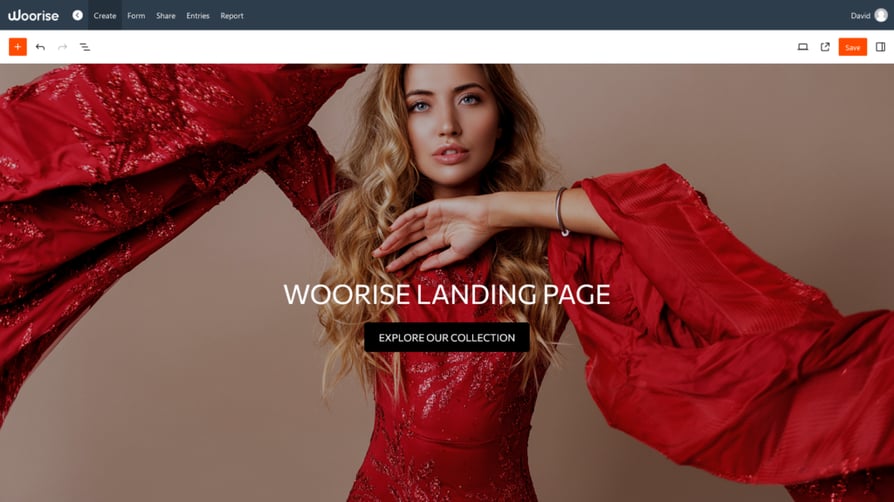
Woorise is an all-in-one marketing platform that simplifies the creation of engaging landing pages, forms, surveys, quizzes, and viral giveaways. With AI-powered personalization and automation, businesses can optimize engagement and maximize lead generation.
What Are Woorise's Key Features?
- Interactive Engagement Tools: Create forms, quizzes, and giveaways to attract and retain customers.
- Seamless Integrations: Connect with Mailchimp, HubSpot, ActiveCampaign, Stripe, PayPal, and more.
- Drag-and-Drop Builder: Design landing pages and campaigns quickly with 100+ templates.
- Real-Time Analytics: Track performance and optimize campaigns with instant insights.
- Automated Email Notifications: Keep leads engaged with automated follow-ups and updates.
What Is Woorise Best For?
Businesses, marketers, and creators looking to generate leads, boost engagement, and automate campaigns using AI apps for their business.
What Are Woorise's Plans & Pricing?
Woorise offers a 14-day free trial, with paid plans starting at $23 per month.
What Are Woorise's Pros & Cons?
| Pros | Cons |
|---|---|
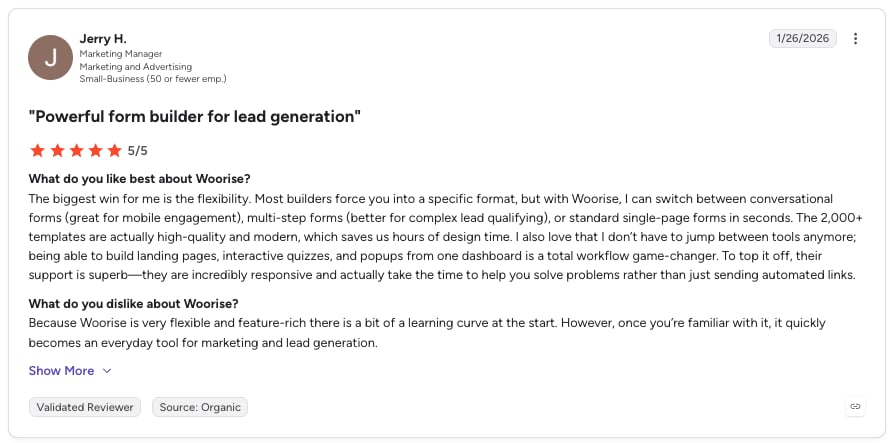
| Easy-to-use platform with AI-powered campaign optimization | Advanced customization options may require additional setup |
| Wide range of integrations with popular marketing and payment tools | Higher-tier plans needed for access to premium features |
| Built-in analytics for data-driven marketing strategies | Best suited for businesses focused on digital marketing and lead generation |
23. Venngage: Best AI Infographic Generator for Small Business
What Is Venngage?
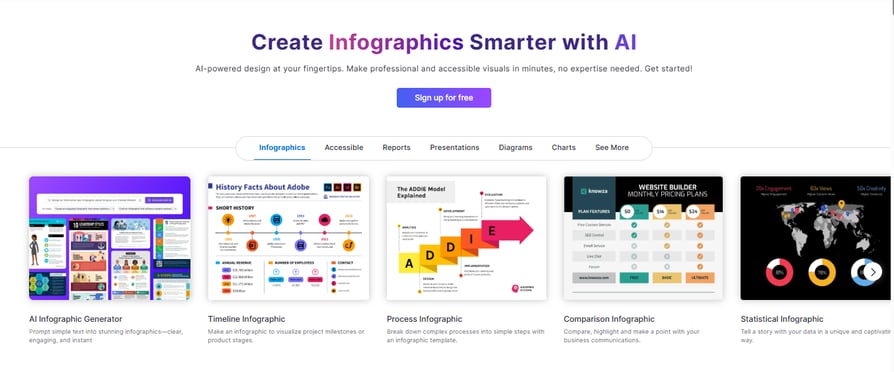
Venngage is an AI-powered design platform that helps individuals and teams create professional visuals without needing graphic design experience. It's built for creating infographics, reports, presentations, social media graphics, and other business content, making it easy to turn ideas or data into polished designs in minutes.
What Are Venngage's Key Features?
- AI Design Generator: Creates editable infographics, reports, brochures, flyers, business proposals, presentations, and other professional visuals from a simple text prompt.
- Extensive Template Library: Access thousands of customizable templates for marketing, HR, reports, and internal communications.
- Brand Kit & Auto Branding: Automatically applies your logo, brand colors, and fonts to keep every design consistent with your brand identity.
- AI Writing & Visual Tools: Generate copy, images, and icons directly within your designs to speed up content creation.
- Accessibility Features: Improve readability with AI-generated alt text, color contrast checking, and accessibility focused design tools.
- Drag and Drop Editor: Customize templates, layouts, charts, icons, and graphics with an intuitive editor that requires no design experience.
What Is Venngage Best For?
Businesses looking to create professional marketing materials, business documents, and branded visuals quickly with AI, without requiring design expertise
What Are Venngage's Plans & Pricing?
Venngage offers a free plan for individuals getting started. Paid plans begin at $10 per month for Premium, while the Business plan starts at $24 per user per month and includes collaboration and branding features. Enterprise pricing is available on request for larger organizations.
What Are Venngage's Pros & Cons?
| Pros | Cons |
|---|---|
| Easy to use, even for non designers | Some advanced collaboration features require Business or Enterprise plans |
| AI tools speed up visual content creation | Free plan has limited features and exports |
| Extensive template library for business and marketing content | Advanced branding features are only available on paid plans |
24. Freepik AI Suite: Best Creative AI Platform for Visual Content
What Is Freepik AI Suite?
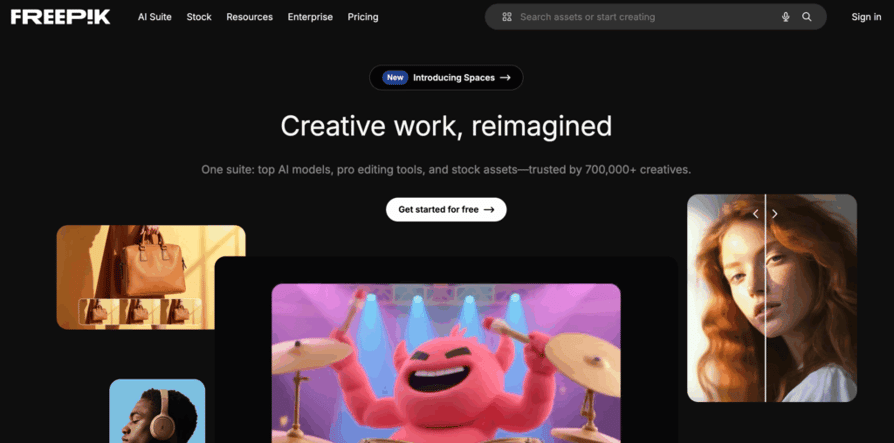
The Freepik AI Suite is a creative platform that helps small business teams produce high-quality visual and video content using built-in AI tools and a large asset library.
What Are Freepik AI Suite's Key Features?
- AI Image Generator: Create new visuals based on text prompts and references.
- Image Editor: Refine and retouch AI outputs or upload assets for professional edits.
- AI Video Generator: Produce short video pieces using state-of-the-art AI models.
- Video Project Editor: Arrange clips, adjust timing, and finalize video content.
- AI Spaces: Share and collaborate on assets and feedback with your team.
What Is Freepik AI Suite Best For?
Small business teams needing unified image, video, and creative asset production in one platform.
What Are Freepik AI Suite's Plans & Pricing?
Freepik offers a free account. Paid plans: Essential ($9/month), Premium ($20/month), Premium+ ($39/month), Pro ($250/month).
What Are Freepik AI Suite's Pros & Cons?
| Pros | Cons |
|---|---|
| Unified platform for images, video, and other creative assets | AI tools use credits that may require careful planning for heavy use |
| Commercial-ready license included in paid plans | Full stock access and advanced features require a paid subscription |
| Built-in asset library and AI credits to support ongoing content needs |
25. Cloudways AI Copilot: Best AI-Powered Server Monitoring for WordPress
What Is Cloudways AI Copilot?
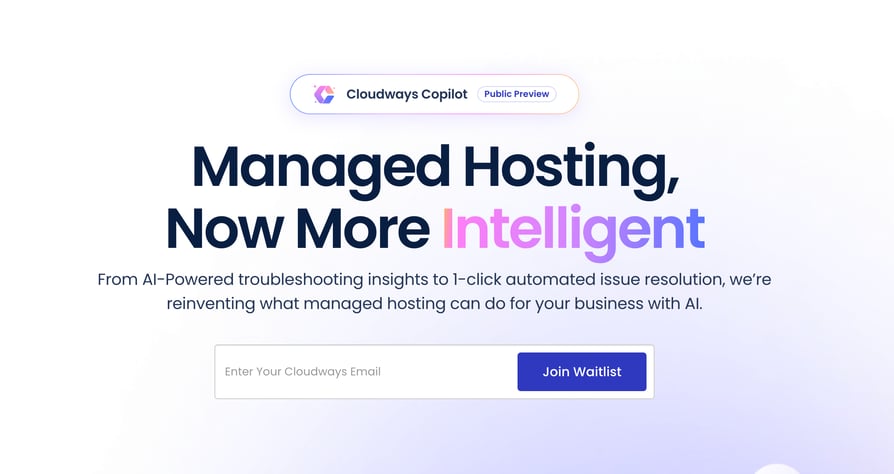
Cloudways has always been proud to target small businesses with its 1-click solutions and Pay-As-You-Go pricing for WordPress websites. Now you can also enjoy AI-powered insights and server monitoring with Copilot by Cloudways.
What Are Cloudways AI Copilot's Key Features?
- Automated Workflows: Boost developer productivity with automated workflows.
- Common Task Execution: Execute tasks like purging the cache and managing backups.
- Server Monitoring: Constant server monitoring to detect issues beforehand.
What Is Cloudways AI Copilot Best For?
Small businesses using WordPress that need AI-powered server monitoring and maintenance automation.
What Are Cloudways AI Copilot's Plans & Pricing?
Contact Sales for pricing details.
What Are Cloudways AI Copilot's Pros & Cons?
| Pros | Cons |
|---|---|
| Eliminates resources spent on common repetitive tasks like backups | Currently gives recommendations only, does not make changes on its own |
| Very easy to activate from the dashboard | Insights are accurate in most cases but occasional inaccuracies are possible |
| Uses advanced AI to analyze and determine root cause of detected issues | Pricing model will be finalized after free beta period ends |
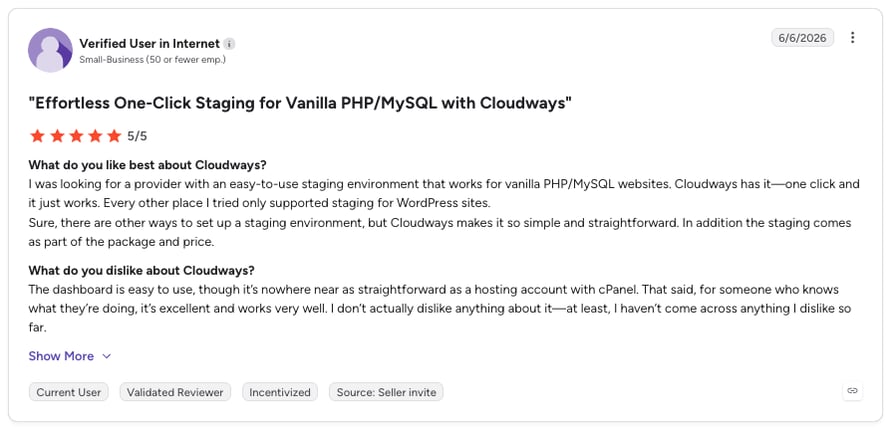
26. RewriterPro: Best AI Rewriter and Humanizer Tool
What Is RewriterPro?
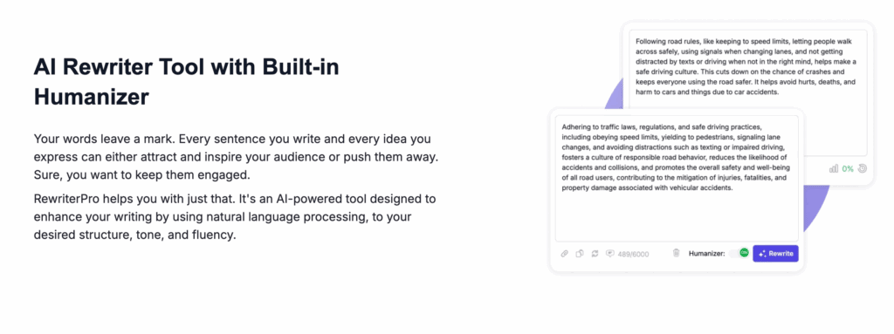
RewriterPro is an advanced AI Rewriter and humanizer tool that helps small businesses transform their content into clear, engaging, and human-like text.
What Are RewriterPro's Key Features?
- Custom Tone Settings: Tailor content by adjusting fluency, tone, audience, emotion, length, and language.
- Plagiarism-Free Output: Generates unique content by removing plagiarism and rephrasing text.
- Multilingual Support: Supports English, Spanish, French, German, and more.
What Is RewriterPro Best For?
Small businesses and content creators needing to refresh and humanize AI-generated content across multiple languages.
What Are RewriterPro's Plans & Pricing?
RewriterPro offers flexible plans. Contact for specific pricing details.
What Are RewriterPro's Pros & Cons?
| Pros | Cons |
|---|---|
| Customizable tone and style settings for different content needs | May require some fine-tuning for highly technical content |
| Plagiarism-free output ensures content originality | Advanced features may require paid plans |
| Multilingual support for global teams |
27. Walter Writes AI: Best AI Humanizer for Bulk Content Teams
What Is Walter Writes AI?
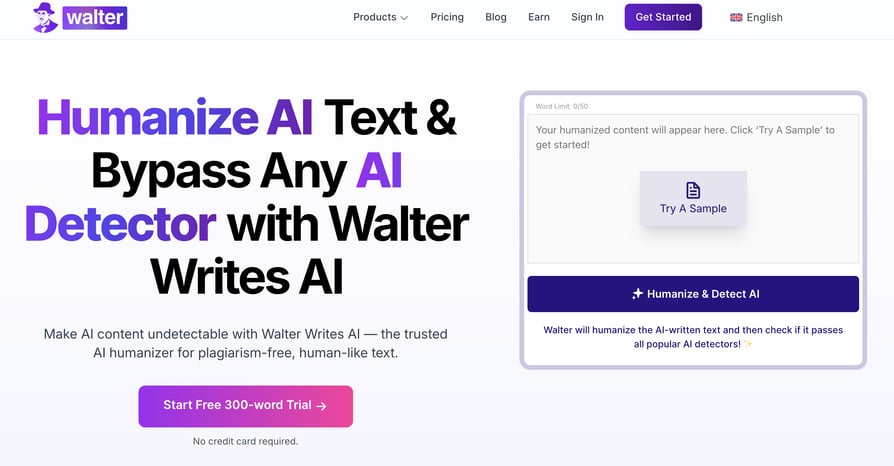
Walter Writes AI is built for small businesses that use AI to create content but want it to sound like it came from a real person. If your marketing copy, social posts, or emails feel a little too robotic, Walter helps clean things up.
What Are Walter Writes AI's Key Features?
- AI Humanization: Takes flat or robotic AI text and rewrites it to sound more conversational and human.
- Built-In AI Detector: Lets you check if your content might be flagged as AI-generated before publishing.
- Tone Customization: Adjusts how your content sounds—professional, casual, friendly, or anything in between.
- Multilingual Support: Covers over 80 languages.
- Bypass Levels: Choose from different rewrite strengths depending on how human you want the output to be.
What Is Walter Writes AI Best For?
Small businesses and content teams who produce content in bulk and want it to read naturally and authentically.
What Are Walter Writes AI's Plans & Pricing?
Walter Writes AI offers a free trial with up to 300 words. Paid plans start at $10/month for 10,000 words, $19/month for 55,000 words, and $56/month for unlimited words.
What Are Walter Writes AI's Pros & Cons?
| Pros | Cons |
|---|---|
| Helps your content sound more natural and on-brand | Doesn't generate content from scratch |
| Flags AI-detectable content before it's published | Not ideal for brainstorming or content ideation |
| Simple interface, no learning curve | Works well for teams that produce content in bulk |
28. Appy Pie: Best AI Website Builder for Non-Technical Teams
What Is Appy Pie?
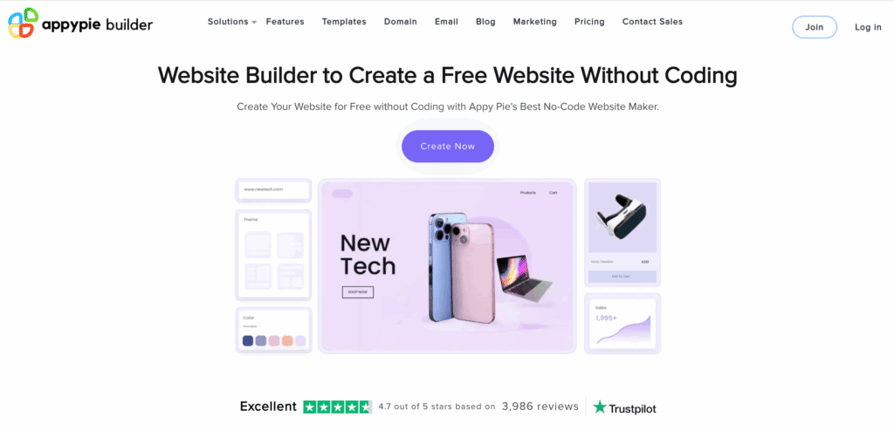
Appy Pie's Website Builder makes it a breeze for small businesses to create stunning, professional websites without any coding skills. Its AI-driven platform simplifies the design process, helping you craft a custom, mobile-friendly site in no time.
What Are Appy Pie's Key Features?
- AI-Powered Website Creation: Instantly generates tailored website layouts and designs based on your preferences.
- Drag-and-Drop Interface: Customize your site with an intuitive, user-friendly interface—no coding knowledge needed.
- E-Commerce Integration: Build an online store with AI-driven product recommendations and seamless payment gateway support.
What Is Appy Pie Best For?
Small businesses that want to quickly build and manage a professional, mobile-friendly website with AI-powered design help and e-commerce features.
What Are Appy Pie's Plans & Pricing?
Appy Pie offers a free plan with basic features. Paid plans begin at $18 per month.
What Are Appy Pie's Pros & Cons?
| Pros | Cons |
|---|---|
| Super easy for non-techies to create a professional website | Advanced customization might feel limited compared to pro-level tools |
| AI design suggestions save time and make your site look polished | Some AI features are only available in higher-tier plans |
| Affordable plans with built-in e-commerce features | Templates can feel restrictive for highly unique designs |
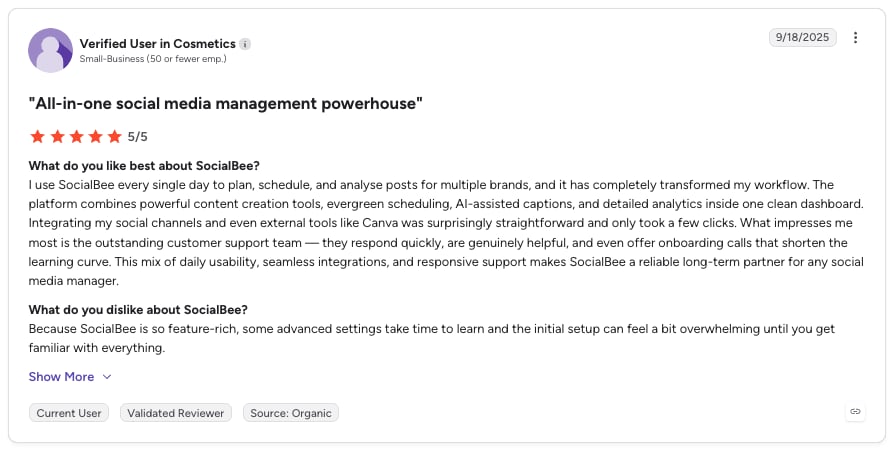
29. SocialBee: Best AI Social Media Management Tool
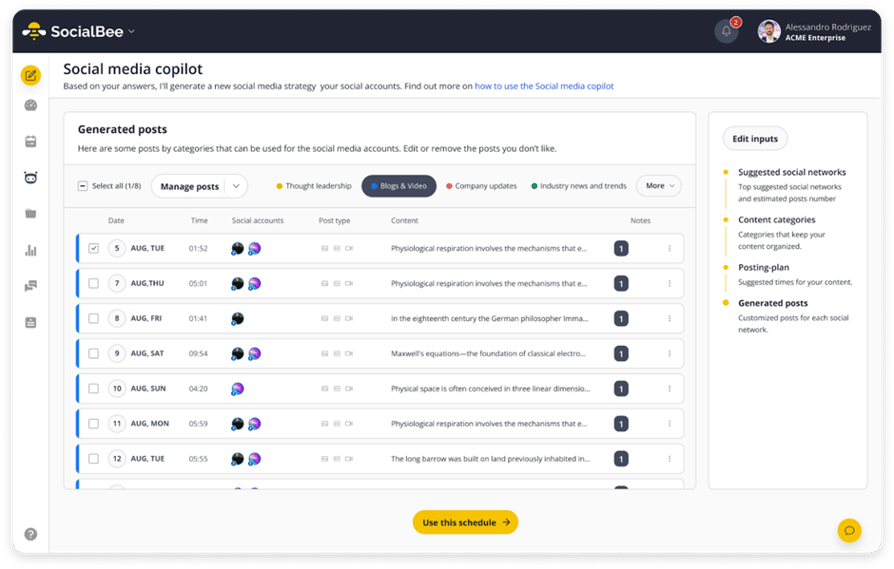
What Is SocialBee?
SocialBee is an AI-driven social media management tool designed for businesses and creators who want to save time and increase engagement. It simplifies content management and helps brands connect with their audience more effectively across multiple platforms.
What Are SocialBee's Key Features?
- Unified Inbox (Engage Module): Centralizes all comments, messages, and mentions.
- In-Depth Analytics: Tracks post performance and audience growth with actionable insights.
- AI-Generated Content: Creates engaging, brand-aligned content to help craft posts quickly.
What Is SocialBee Best For?
Businesses and creators who want to save time with AI-powered content creation, optimize scheduling, and boost engagement.
What Are SocialBee's Plans & Pricing?
SocialBee offers a free 14-day trial. Paid plans start at $29/month.
What Are SocialBee's Pros & Cons?
| Pros | Cons |
|---|---|
| Combines content creation, scheduling, engagement, and analytics in one tool | No free plan |
| Intuitive design accessible even for beginners | The mobile app's content creation features are still being developed |
| Manages team collaboration with multiple user roles |
30. Design.com: Best Comprehensive AI Branding Platform
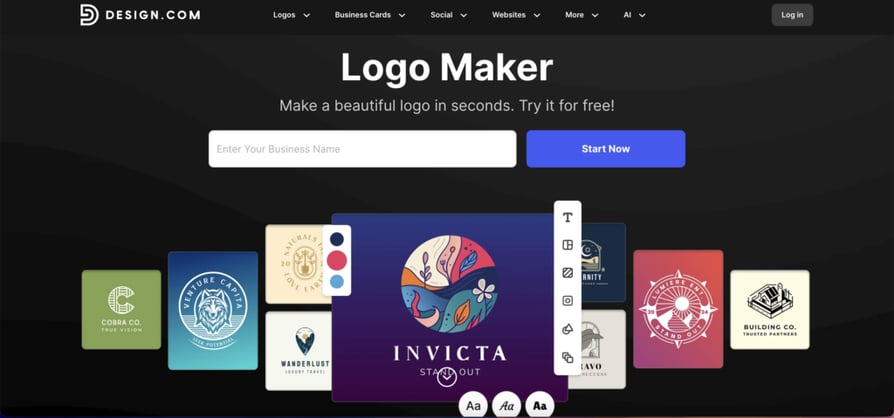
What Is Design.com?
Design.com is a comprehensive AI branding platform for small business that generates complete brand identities, websites, and marketing materials instantly from simple prompts. As the #1 logo company in the world with over 380,000 exclusive logo templates and 1 million total design templates.
What Are Design.com's Key Features?
- AI Logo Generator: Instantly creates thousands of professional logo concepts from your business name.
- Advanced AI Logo Editing: Edit your logo using a simple chat interface with copyright-safe modifications.
- AI Website Generator: Produces complete, ready-to-edit websites with no coding required.
- AI Marketing Design Suite: Generates business cards, flyers, posters, presentations, and link-in-bio pages.
What Is Design.com Best For?
Small businesses, startups, and solopreneurs who want to build a complete professional brand identity using AI-powered automation.
What Are Design.com's Plans & Pricing?
Design.com offers a Free Plan ($0), but paid pricing plans are not publicly available.
What Are Design.com's Pros & Cons?
| Pros | Cons |
|---|---|
| World's largest logo library (380,000+ templates) combined with advanced AI generation | No native desktop or mobile app—browser-based platform |
| AI-powered logo editing with chat interface for easy customization | Designed for simplicity rather than advanced developer features |
| True all-in-one AI branding solution with 50+ integrated design tools | Comprehensive AI suite including logo, website, business card, and presentation generators |
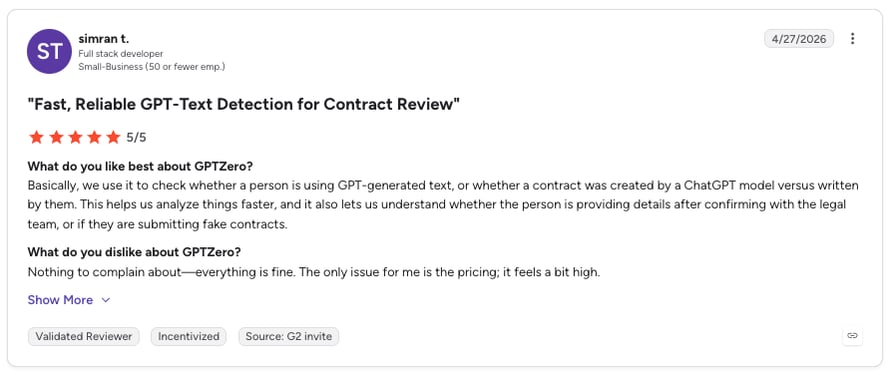
31. GPTZero: Best AI Content Detection for Small Business
What Is GPTZero?
GPTZero makes it easy for small businesses, educators, and content creators to detect AI-generated text and ensure content authenticity. Its AI-driven platform works as a reliable AI detector, analyzing text in real time.
What Are GPTZero's Key Features?
- Real-Time AI Detection: Quickly identifies AI-generated text with probability scoring.
- Detailed Analysis Reports: Provides insights on text patterns and likelihood of AI generation.
- Easy Integration: Seamlessly fits into content workflows for efficient verification.
What Is GPTZero Best For?
Small businesses, writers, and educators who want to verify content authenticity and maintain trust.
What Are GPTZero's Plans & Pricing?
GPTZero offers a free plan for limited usage and paid plans for higher volume content analysis.
What Are GPTZero's Pros & Cons?
| Pros | Cons |
|---|---|
| Fast and accurate AI detection for content verification | Focused primarily on text-based content |
| Helps maintain originality and brand credibility | Advanced features may require a paid subscription |
| User-friendly interface suitable for non-technical users | Best results may need clear, structured input |
32. Brizy: Best AI Website Builder for WordPress Users
What Is Brizy?
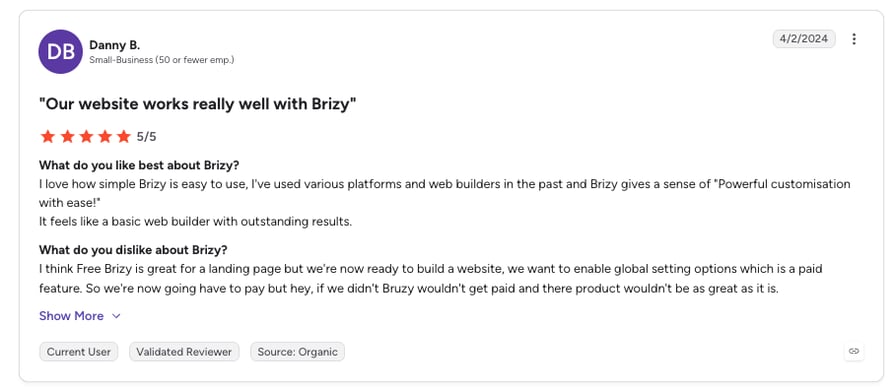
Brizy is an AI-powered website builder that helps small businesses create professional websites, landing pages, and online stores without coding.
What Are Brizy's Key Features?
- AI Website Builder: Generates complete websites based on prompts.
- Drag-and-Drop Editor: Intuitive interface for customizing layouts, text, and visuals.
- Pre-Made Templates & Blocks: Hundreds of ready-to-use design elements.
- Responsive Design: Ensures websites look great on all devices.
- Integrations: Works with CRM, email marketing, and eCommerce platforms.
What Is Brizy Best For?
Small businesses, startups, and agencies that want to build professional websites quickly with AI.
What Are Brizy's Plans & Pricing?
Brizy offers a free plan. Paid plans start at $13 per month. Lifetime deals are also available.
What Are Brizy's Pros & Cons?
| Pros | Cons |
|---|---|
| Extremely user-friendly with no coding required | Some advanced features are limited to Pro plans |
| AI speeds up website creation with smart design suggestions | Fewer third-party integrations compared to larger platforms |
| Flexible options for WordPress users (plugin) or hosted websites | AI-generated designs may require manual fine-tuning |
33. 10Web: Best AI-Native WordPress Platform for Agencies
What Is 10Web?
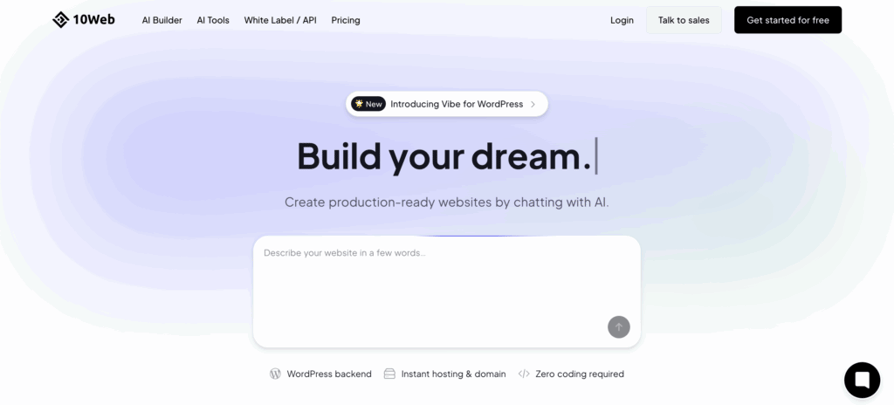
10Web is an AI-native, white-label WordPress platform built for hosts, SaaS platforms, telcos, and agencies that want to deliver production-ready websites in seconds. It generates fully functional, hosted WordPress sites directly from a short business prompt.
What Are 10Web's Key Features?
- AI Website & Store Generation: Instantly build multi-page WordPress or WooCommerce sites from a description.
- Vibe Coding Editor: AI-native editing that blends visual control with developer precision.
- Full WordPress Foundation: 100% portable, open-source, and SEO-native.
- White-Label Dashboard: Brand the entire user experience under your name.
What Is 10Web Best For?
10Web is best for hosting providers, SaaS platforms, and digital agencies that want to offer real, revenue-ready WordPress websites under their own brand.
What Are 10Web's Plans & Pricing?
API Partner Plans: Starter $800/month, Premium $3,500/month, Ultimate $6,000/month. White-Label Dashboard: Launch Tier $450/month.
What Are 10Web's Pros & Cons?
| Pros | Cons |
|---|---|
| Instant, production-ready WordPress and WooCommerce sites | Deep API integrations may require more initial setup time |
| Code-safe AI editing with rollback and versioning | AI Co-Pilot (chat-based editing) still rolling out in phases |
| White-label everything with no 10Web branding | Some advanced features limited to upper tiers |
34. HumanizeAI.net: Best Free AI Text Humanizer
What Is HumanizeAI.net?
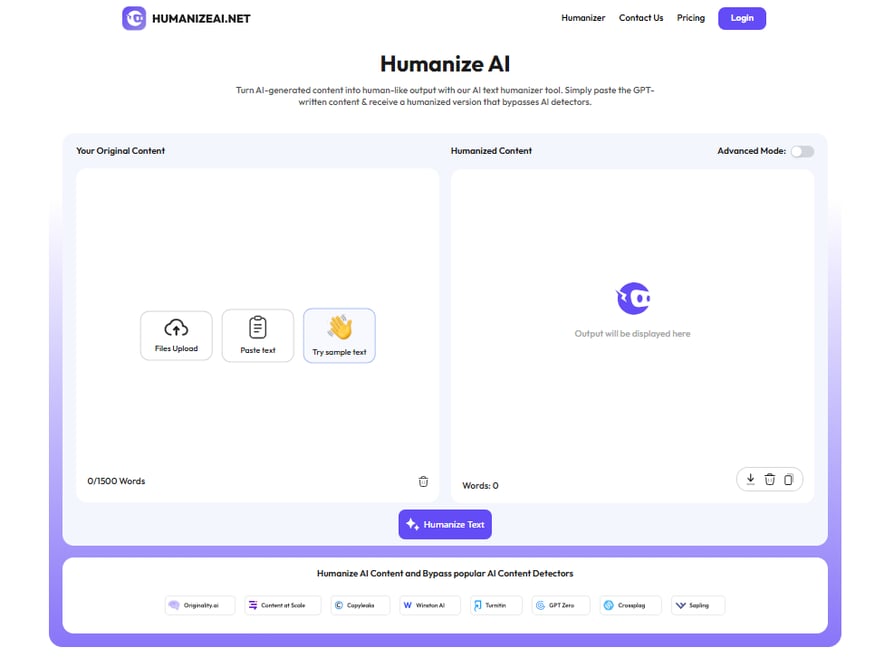
HumanizeAI.net is an AI-powered text humanizer that helps users rewrite AI-generated content into natural, human-like writing. Small businesses, marketers, and professionals can improve readability, remove robotic tone, and create content that feels authentic.
What Are HumanizeAI.net's Key Features?
- AI Humanization: Converts AI-written text into smooth, natural language.
- Tone Improvement: Enhances flow, clarity, and sentence variety.
- Context Preservation: Keeps the original message intact while changing robotic wording.
- Bypass AI Detection: Makes content appear less AI-generated.
- Quick Results: Delivers humanized output in seconds.
What Is HumanizeAI.net Best For?
Small businesses and individuals who want to transform AI-generated content and produce high-quality writing that feels genuinely natural.
What Are HumanizeAI.net's Plans & Pricing?
HumanizeAI.net offers free access for basic usage and premium plans ranging between $4.95 to $49.95.
What Are HumanizeAI.net's Pros & Cons?
| Pros | Cons |
|---|---|
| Makes AI content sound more natural and understandable | Some outputs might require light manual editing |
| Saves time by instantly improving tone and readability | The free version comes with word limitations |
| Free version available for users on a tight budget | Over-humanizing can slightly change style |
35. Magic Hour: Best AI Tools for SME Marketing Video Creation
What Is Magic Hour?
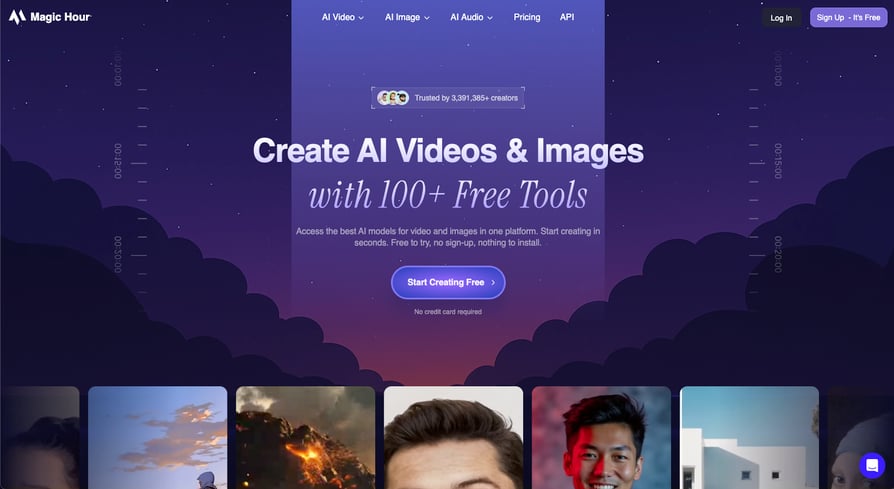
Face swap is just the start with Magic Hour, a creative AI platform that gives small businesses access to over 100 AI-powered video and image tools in one place. With 5 million+ users and a free daily credit system, small businesses can explore every tool before spending a dime.
What Are Magic Hour's Key Features?
- AI Face Swap: Replaces faces in videos, photos, and GIFs with frame-by-frame precision.
- Text-to-Video & Image-to-Video: Converts prompts or static images into dynamic video clips.
- AI Lip Sync: Accurately syncs audio to on-screen faces for localized content.
- 100+ Creative Tools: A single dashboard covers AI image editing, background removal, style transfer, and more.
- 4K Watermark-Free Exports: Paid plans deliver high-resolution, publish-ready downloads.
What Is Magic Hour Best For?
Small businesses and solo marketers who want to create eye-catching video and image content for social media, ad campaigns, and product showcases.
What Are Magic Hour's Plans & Pricing?
Magic Hour offers a free plan with daily credits. Paid plans with higher credit limits start at $8.67/month.
What Are Magic Hour's Pros & Cons?
| Pros | Cons |
|---|---|
| Free daily credits let you test every tool before committing | Advanced resolution and watermark removal require a paid subscription |
| One platform replaces multiple standalone creative tools | Best suited for marketing and content use cases, not operational tasks |
| No technical expertise needed—intuitive interface | Longer videos can take extra processing time in the cloud |
36. Clever AI Detector: Best for Verifying Content Authenticity Before Publishing
What Is Clever AI Detector?
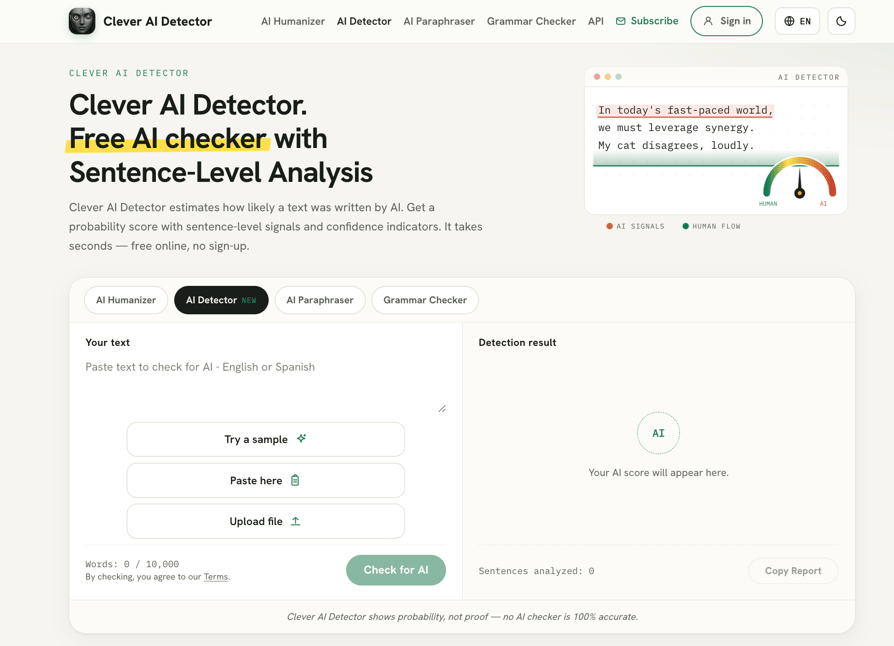
Clever AI Detector is a content verification tool that helps small businesses check whether their written material reads as human-authored or AI-generated. It's especially useful for teams relying on AI-assisted writing who need to confirm originality before publishing.
What Are Clever AI Detector's Key Features?
- AI Content Detection: Scans text to flag AI-generated patterns with a clear authenticity score.
- Fast, Simple Interface: Paste content and get instant results without technical setup.
- Useful Alongside Humanizer Tools: Pairs well with AI rewriting/humanizing tools to double-check final output before it goes live.
What Is Clever AI Detector Best For?
Small businesses and content teams that use AI tools for writing and want a quick way to verify authenticity before publishing on their website, blog, or Amazon As
Benefits of AI Software for Small Businesses
How can small businesses use AI effectively? AI is transforming operations by making advanced technology more accessible and impactful. From automating tasks to improving decision-making, AI helps make your business more efficient and cost-effective while improving your overall customer experience.
Here are some of the key benefits AI tools for small businesses provide:
- Increased Efficiency & Productivity: AI automates repetitive tasks, allowing small teams to focus on higher-value work.
- Better Decision-Making: AI analyzes data to uncover trends and insights, helping businesses make smarter choices.
- Cost-Effective Scaling: AI-powered tools handle growing customer demands without significantly increasing expenses.
- Enhanced Customer Experience: AI chatbots, virtual assistants, and personalized recommendations improve engagement.
- Stronger Financial Management: AI-powered forecasting helps businesses maintain better cash flow and budget planning.
- Improved Marketing & Sales: AI optimizes ad targeting, lead scoring, and customer segmentation for higher conversions.
- Meeting Efficiency & Knowledge Sharing: AI meeting notetakers automatically capture discussions and create searchable notes, helping everyone stay aligned.
How to Choose the Right AI Tools for Your Small Business
Identifying the best AI for small business requires looking at your specific bottlenecks—whether it's CRM data hygiene, outbound sales volume, or content creation—and choosing a tool that scales without increasing your monthly overhead. Here are key aspects to consider when choosing an AI tool:
- Identify Your Business Needs: Start by pinpointing specific challenges, whether it's improving customer service, automating marketing, or streamlining accounting. The best AI automation for small business addresses your biggest pain points first.
- Ensure Seamless Integration: AI tools for business automation should work smoothly with your existing software, like your CRM or accounting system. Poor integration can create more problems than it solves.
- Consider Scalability: Choose an AI solution for small business that can grow with your company. Look for flexible pricing and upgrade options.
- Evaluate Ease of Use: The best AI tools for small business are the ones your team will actually use. Prioritize user-friendly interfaces and clear onboarding processes.
- Analyze ROI Potential: AI should deliver measurable benefits, whether through time savings, increased productivity, or better decision-making.
AI Won't Take Your Job; Someone Using AI Will
The key takeaway? AI is no longer just for tech giants. It's transforming businesses of all sizes by enhancing human capabilities and enabling growth. AI helps you compete more effectively, streamline operations, and improve customer experiences—all without a massive budget. Even small AI implementations can deliver significant results.
Ready to see how the best AI tools for small business can transform your operations? Try CloudTalk's AI-powered tools, designed to scale with your needs and boost your sales and customer service efficiency in 2026.
Sources:
Frequently asked questions
AI tools for small businesses can automate tasks, improve customer service, optimize marketing, and enhance decision-making for better efficiency and growth.
The best AI tools for small businesses depend on your needs: ChatGPT for content, HubSpot for marketing, QuickBooks for finance, and CloudTalk for customer service and sales automation.
Yes, several AI apps for business offer free plans, including ChatGPT, Canva, and Mailchimp. Free versions provide essential AI-powered features with paid upgrades for advanced capabilities.
Popular AI applications for small business include ChatGPT for writing, Midjourney for images, and Jasper for AI-driven marketing content creation.
Challenges include integration with AI platforms for business, initial setup costs, data security concerns, and ensuring AI aligns with business goals and workflows.
The best AI for small businesses depends on your specific needs. CloudTalk leads for call-based automation and customer service, HubSpot excels for marketing, and ChatGPT works well for general content and problem-solving. The best approach is to identify your biggest bottleneck and choose an AI solution that solves it first.
The best AI tools for small businesses include CloudTalk (customer service automation), HubSpot (marketing and CRM), ChatGPT (content and ideation), Canva (design), Mailchimp (email marketing), and QuickBooks (accounting). Your ideal mix depends on which business functions need AI support most urgently.
Small businesses can use AI to automate repetitive tasks (call routing, email follow-ups, data entry), enhance decision-making through predictive analytics, improve customer experience with chatbots and personalization, and scale operations without proportional cost increases. Start with one high-impact use case and expand from there.
In 2026, the best AI tools for small businesses combine ease of use, measurable ROI, and affordability. CloudTalk, HubSpot, ChatGPT, Canva, and Mailchimp continue to lead. New entrants like Design.com and Zoviz offer all-in-one branding solutions. The key trend: increasingly affordable, purpose-built AI for specific business functions.
For sales and support, CloudTalk leads with AI call routing, sentiment analysis, and CRM automation. HubSpot adds lead scoring and nurturing. For outbound, Mailchimp automates email sequences. Together, these AI tools for business automation create a cohesive sales and support ecosystem that requires minimal manual work.
CloudTalk is the best AI receptionist for small businesses, combining intelligent call routing, voicemail automation, sentiment analysis, and seamless CRM integration. It reduces the need for dedicated reception staff while ensuring every call is handled professionally.
HubSpot's AI content creation and lead scoring, combined with Mailchimp's send-time optimization and Canva's design automation, deliver measurable ROI for SME marketing. The strongest ROI comes from tools that automate high-volume, repetitive marketing tasks.
CloudTalk is the best AI software for small businesses to scale customer support, enabling teams to handle higher call volume, automatically log interactions, analyze sentiment, and route calls intelligently—all without hiring proportional support staff.
CloudTalk's AI-powered call routing and sentiment analysis create a seamless, personalized candidate experience during phone screenings. For text-based recruiting conversations, HubSpot's chatbot and automation workflows help engage candidates across email and chat without delays or manual follow-up.
For high-volume hiring, CloudTalk helps recruiting teams handle large call volumes with AI Smart Notes, automated call routing, and CRM integration—so recruiters spend less time on admin and more time talking to top candidates. Salesforce Einstein adds predictive lead scoring that can be adapted for candidate prioritization at scale.
CloudTalk integrates with major CRMs and ATS platforms like HubSpot and Salesforce, automatically logging call data and candidate interactions. HubSpot's native CRM doubles as a lightweight ATS with AI-powered lead scoring that works equally well for recruitment pipelines.
For SMBs, CloudTalk combined with HubSpot offers the best AI hiring stack—CloudTalk handles phone screenings with AI call summaries and sentiment tracking, while HubSpot manages candidate pipelines and automated email follow-ups. Both are affordable, quick to deploy, and scale without enterprise-level complexity.