Conversation Intelligence for Sales: How It Works, What It Costs and the 7 Best Tools (2026)
TL;DR:
Conversation intelligence for sales is software that records, transcribes and analyzes your sales calls and meetings with AI. It turns what buyers and reps actually said into coaching points, deal signals and CRM notes, so a manager can see every call without listening to every call.
Here are the best conversation intelligence tools for sales, with what each is best for:
- CloudTalk: Phone-led teams that want every call reviewed without a separate recorder
- Gong: Enterprise revenue intelligence and forecasting
- Salesloft: Teams that want cadences, calls, deals and forecasts in one platform
- Jiminny: Coaching-focused mid-market teams
- Chorus by ZoomInfo: Teams already in the ZoomInfo stack
- Avoma: Small and growing teams that want meeting notes plus CI
- HubSpot Sales Hub: Teams whose CRM is already HubSpot
Every deal that moves or stalls has a reason, and that reason was said out loud on a call. As a sales manager, you hear a handful of those calls each week. Your reps summarize the rest in CRM notes, written from memory between back-to-back meetings. Conversation intelligence for sales closes that gap by capturing every call and putting what the buyer said in front of you.
AI is already saving your reps time. Gartner found that AI tools save sellers an average of 4.8 hours a week, yet 72% of sales organizations report low reinvestment of that time into high-value selling1. Conversation intelligence for sales teams is one of the clearest places to reinvest it. Capitalo, a financial education provider, cut daily call analysis from two hours to 20 minutes and reduced wrongly targeted leads by 24% after switching it on.
Quick Answers: Conversation Intelligence for Sales
| Question | Quick Answer |
|---|---|
| How can conversational AI be used in sales? | Voice agents and chatbots can qualify leads, book meetings and answer routine questions. Conversation intelligence works alongside them, analyzing calls after they happen, whether a person or an AI held them. |
| Which AI is best for salespeople? | It depends on the job. Phone-led teams fit CloudTalk, forecasting-heavy teams fit Gong or Salesloft, coaching-led teams fit Jiminny, and small video-first teams fit Avoma. |
| What are effective sales conversation skills? | Asking open discovery questions, listening more than talking, handling objections directly, setting a clear next step and keeping a steady tone. Each one shows up as a signal CI can track. |
| What is the role of intelligence in sales? | Sales intelligence finds who to call (company and contact data). Conversation intelligence shows what happened on the call. Revenue intelligence rolls both into deal and forecast views. |
| Is call analysis the same as conversation intelligence? | Call analysis usually means call volume and duration reports. Conversation intelligence reads what was said inside the call. |
What Is Conversation Intelligence for Sales?
Conversation intelligence for sales is software that records, transcribes and analyzes sales calls and meetings with AI, then turns what was said (topics, sentiment, objections, next steps and talk ratio) into insights for coaching, deal reviews and CRM updates.
Picture one discovery call. The rep spends 30 minutes with a prospect who mentions a competitor twice, pushes back on price and agrees to a demo next Tuesday. Afterwards, the manager sees a summary, the two competitor mentions, a dip in sentiment at the pricing question and the agreed next step, without opening the recording.
That matters in sales because budget, competitors and objections come up on calls, and only searchable transcripts make them visible beyond the rep who took the call. If you've wondered what is conversation intelligence for sales beyond the definition, that's the core of it: the call stops being private to one rep. Vendors use "conversation intelligence" and "conversational intelligence" for the same category. For the general definition and benefits outside sales, see our guide to conversation intelligence software.
How Does Conversation Intelligence Work?
Under the hood, conversation intelligence technology for sales runs every call through the same four steps:
- Capture the call: The tool records the call or meeting, either inside the phone system that placed it or through a bot that joins your video meetings.
- Transcribe it and label who spoke: Speech becomes text, split by speaker. If the tool mixes up the rep and the buyer, every metric built on top is wrong, so this step matters more than it looks.
- Analyze it: AI reads the transcript for topics, sentiment, questions, objections and next steps, and scores the call against your criteria.
- Deliver the results: Summaries and notes land in the CRM, dashboards and alerts go to managers, and the call is searchable later.
What most explanations skip is where capture happens. There are two models:
- Telephony-native: The phone system that places the call also analyzes it. Every call is captured by default, so coverage gaps are rare. Analytics tend to focus on the call itself.
- Recorder-first: A separate tool joins meetings or connects to your dialer. You get deeper deal and forecast analytics, but coverage depends on the bot joining and the connector staying up.
Then there's timing. Most conversation intelligence reviews a call after it ends. Live prompts during the call, like a battlecard that pops up when a competitor is mentioned, are a different feature. Ask every vendor which one they mean when they say "real time".
What Does Conversation Intelligence Measure in a Sales Call?
Every platform tracks a slightly different list, but these eight signals cover what a sales manager actually uses.
| Signal | What It Shows | What a Manager Does With It |
|---|---|---|
| Talk-to-listen ratio | How much the rep talked versus the buyer | Coaches reps who pitch instead of asking |
| Questions asked | How many open questions the rep asked, and when | Spots shallow discovery before it costs the deal |
| Topics and keywords | Mentions of pricing, budget, competitors or features | Sees which competitors come up and on which deals |
| Sentiment | Where the buyer's tone rose or dropped | Opens the moment the call turned, not the whole recording |
| Objections and responses | What the buyer pushed back on and how the rep answered | Builds objection handling from what top reps actually say |
| Next steps agreed | Whether a date, owner and action were set | Flags calls that ended without a next step |
| Call outcome tags | Demo booked, not interested, follow-up, and so on | Tracks conversion by rep and by stage |
| Required phrases | Disclosures, recording consent, pricing terms | Confirms reps say what they must, on every call |
You'll see vendors quote an "ideal" talk ratio. Treat any benchmark like that with caution unless the study is named, dated and has a sample size you can check. Your own top performers are a better benchmark than someone else's average.
Sales Conversation Skills Conversation Intelligence Helps You Coach
Five sales conversation skills map directly to signals you can track. For practical ideas, see how to improve sales calls with AI tools.
- Discovery questions: Shown by question count and when questions happen in the call.
- Listening: Shown by talk-to-listen ratio and the length of the rep's longest monologue.
- Handling objections: Shown by objection topics and what the rep said right after.
- Setting a next step: Shown by the next step captured in the summary.
- Tone: Shown by sentiment shifts across the call.
Conversation Intelligence vs Call Recording, Call Tracking, Conversational AI and Your CRM
These terms get used interchangeably, and they shouldn't be. Here's the short version of each:
- Call recording: Stores the audio of the call. It's the raw material for conversation intelligence, but on its own, nobody reads it.
- Call tracking: A marketing tool that shows which ad or campaign made the phone ring. It measures call tracking metrics like source and volume, not what was said.
- Conversational AI: A bot or voice agent that holds the conversation with the customer. Conversation intelligence analyzes conversations; conversational AI takes part in them.
- Revenue intelligence: A deal and forecast layer that pulls in call data, emails and CRM activity. Many revenue intelligence suites include conversation intelligence.
- CRM: Your system of record for contacts, deals and activities.
| Tool Type | What It Does | What It Doesn't Do |
|---|---|---|
| Conversation intelligence | Transcribes and analyzes calls for topics, sentiment, objections and next steps | Hold the conversation or forecast revenue on its own |
| Call recording | Stores call audio for playback | Transcribe, summarize or flag anything |
| Call tracking | Attributes inbound calls to marketing sources | Analyze what was said on the call |
| Conversational AI | Talks to customers through a voice agent or chatbot | Review your reps' calls or coach them |
| Revenue intelligence | Combines call, email and CRM data into deal and forecast views | Come cheap or quick to set up |
| CRM | Stores contacts, deals and what reps type in | Capture what was actually said on the call |
So, CRM vs conversation intelligence for sales teams: the CRM stores what reps remember to type, while conversation intelligence captures what was said and can write it back into the CRM. Most teams need both, and the real question is how well they connect. HubSpot and Salesforce both now sell conversation intelligence inside their own platforms, which is one more reason to check what your CRM already includes before buying a separate tool.
Benefits of Conversation Intelligence for Sales Teams
The benefits of conversation intelligence for sales show up in numbers you already track. Here are six, with the metric that proves each one:
- Faster rep ramp: New reps learn from real calls by top performers instead of shadowing. Measure time to first closed deal.
- Coaching without listening to every call: Managers go straight to the calls and moments that need attention. Measure manager review time per call.
- Cleaner CRM data: Summaries and next steps land in the CRM automatically. Measure the share of calls with completed notes and fields.
- Early deal-risk signals: Competitor mentions, pricing pushback and missing next steps show up before the deal slips. Measure stage-to-stage conversion.
- Consistent messaging: You can copy what top reps say about pricing or a competitor, word for word. Measure win rate by rep.
- Voice of the customer: Product and marketing hear the buyer's own words, not a rep's paraphrase. Measure how often call themes feed roadmap or messaging decisions.
There's a quieter benefit, too: deal context survives people changing seats. When a rep leaves or hands a deal to a colleague, the history usually leaves with them. With every call transcribed and summarized, the next owner can read what the buyer said about budget, timing and the competition, and pick up where the conversation stopped.
Conversation Intelligence Use Cases Across the Sales Funnel
In conversation intelligence for B2B sales, each stage of the funnel has its own signals worth watching:
- Lead qualification and SDR calls: Look for budget, authority and timing signals. Topic tracking and outcome tags show which leads are worth an AE's time.
- Discovery: Look at question depth and talk ratio. Summaries capture pain points so the demo can address them.
- Demo: Look at which features prompt questions and which prompt silence. Sentiment and topic markers show where interest peaked.
- Negotiation and deal risk: Look for pricing objections, new stakeholders and competitor mentions. Alerts on stalled deals (no next step, no call in two weeks) let a manager step in while the deal can still be saved.
- Forecasting: Look at what buyers committed to on calls, not what reps hope. Revenue intelligence tools feed this into forecast views.
- Renewal and expansion: Look for churn signals and expansion hints on check-in calls. Catching at-risk revenue early beats a surprise at renewal.
Coaching With Conversation Intelligence
The best conversation intelligence for sales coaching turns random call reviews into a repeatable routine. Build a call library of good examples by stage. Score calls against a shared scorecard so feedback means the same thing for every rep. Share short clips instead of 40-minute recordings. And keep it to one coaching point per call, because reps act on one thing and ignore five.
Outbound Sales Calls
For conversation intelligence for outbound sales, SDR managers check four things: the first 30 seconds of the opener, how objections like "send me an email" get handled, the call-to-demo rate by rep, and whether voicemails and follow-ups actually happen after the call.
Who Uses Conversation Intelligence: Reps, Managers, RevOps and Leaders
SDRs vs Account Executives
SDRs need feedback on openers, objection handling and call-to-demo rate, with alerts when a lead mentions budget or timing. AEs need discovery depth, multi-threading (how many stakeholders join), clear next steps and demo-to-close rate. Give SDRs a short scorecard focused on the first two minutes, and give AEs one focused on discovery and next steps.
Sales Managers and RevOps
Managers use conversation intelligence to coach at scale without listening to every call: they review flagged moments and scorecards instead. RevOps uses it for CRM field accuracy, for enablement content built from real calls, and for proof of which messaging works across the team.
Sales Leadership
Conversation intelligence for sales leadership is about confidence. Leaders use it for deal inspection before forecast calls, for patterns across teams (which objections are rising, which competitor shows up most), and for a check on whether new messaging actually reaches buyers.
By Team Size
- Founder-led sales: You need transcripts and summaries so nothing a buyer said gets lost. Skip scorecards and dashboards.
- 2 to 5 reps: Add AI summaries into the CRM and a shared folder of good calls. A per-seat add-on is usually enough.
- 5 to 30 reps: Add scorecards, topic tracking and a weekly coaching routine. This is where a manager runs out of hours to listen.
- Enterprise: Add deal intelligence, forecasting, permissions and governance. This is where platform fees and revenue intelligence suites start to make sense.
Key Features to Look For in a Conversation Intelligence Platform
A good conversation intelligence platform for sales earns its seat price through the features below. For a team under 50 reps, here's what's a must-have and what can wait:
| Feature | Outcome | Under 50 Reps |
|---|---|---|
| Transcription with correct speaker labels | Every metric built on top is accurate | Must-have |
| AI summaries and action items | Notes write themselves; follow-ups don't slip | Must-have |
| CRM sync (summary, next steps, recording link) | The CRM reflects what was said, not what was remembered | Must-have |
| Topic and keyword tracking | Competitor and pricing mentions show up without searching | Must-have |
| Call scoring or scorecards | Coaching feedback is consistent across reps | Must-have |
| Sentiment | Managers know which moment of a call to open | Nice-to-have |
| Searchable call library and clips | Reps learn from real examples by stage | Nice-to-have |
| Dashboards by rep and team | Trends are visible without exporting data | Nice-to-have |
| Permissions and security controls | Sensitive calls stay with the right people | Must-have |
| Real-time assist during calls | Reps get prompts while the buyer is still on the line | Nice-to-have |
Whatever the feature list says, ask every vendor to run 10 to 20 of your own recorded calls through the tool. Demo data is clean. Your calls have accents, crosstalk, product names and bad lines.
The Role of AI in Conversation Intelligence for Sales
The role of AI in conversation intelligence for sales is to do the listening, sorting and note-taking no manager has hours for, so people can spend their time on judgment and coaching.
What AI Does Well Today
AI conversation intelligence for sales is reliable at five jobs: transcribing calls, writing summaries and action items, tagging topics, scoring calls against a scorecard and drafting follow-up emails.
As for conversational AI in sales more broadly, voice agents and chatbots can qualify inbound leads, book meetings and answer routine questions around the clock, then hand warm leads to a rep. Conversation intelligence can then analyze those AI-handled calls the same way it analyzes your reps' calls.
Where Humans Still Lead
The coaching conversation itself, deal judgment and context still belong to people. AI also gets things wrong: heavy accents, crosstalk and industry jargon trip up transcription, and a summary can miss what the buyer meant. Automation finds the call worth reviewing. The manager still has to listen, decide what matters and coach the rep.
Can ChatGPT or Claude Replace a Conversation Intelligence Tool?
A general AI assistant can summarize a transcript you paste into it, and do it well. What it doesn't do on its own is capture your calls, label speakers, log results to the CRM, apply your recording-consent rules or control who can see which call. For a one-off call, an assistant is fine. For every call your team makes, you need a system that captures and stores them.
What Is Changing
Two shifts are already shipping. First, AI agents: Gong lists AI agents for revenue teams such as a deal monitor and a briefer, and HubSpot's Smart Deal Progression (in beta) uses meeting transcripts to suggest deal updates. Second, MCP (Model Context Protocol) connections, which let AI assistants like Claude read call data directly. Salesloft launched an MCP server in July 2026 that exposes call, cadence and forecast data, and Gong, Jiminny, Avoma and HubSpot all publish MCP servers too. The direction is clear: call insights are moving out of the CI dashboard and into whatever tool your team already works in.
Comparison Table: 7 Best Conversation Intelligence Tools for Sales at a Glance
Here are the top conversation intelligence platforms for sales, side by side. Prices and ratings were checked on October 30, 2026.
7 Best Conversation Intelligence Tools for Sales Compared
| Tool | Type | Best For | Pricing Model | Starting Price | G2 Rating |
|---|---|---|---|---|---|
| CloudTalk | Telephony-native | Phone-led teams that want every call reviewed without a separate recorder | Per-user add-on to a CloudTalk phone plan | $9/user/month, on a plan from $25/user/month | 4.4/5 |
| Gong | Revenue intelligence | Enterprise revenue intelligence and forecasting | Per user plus platform fee | Contact sales | 4.7/5 (6,679 reviews) |
| Salesloft | Sales engagement | Teams that want cadences, calls, deals and forecasts in one platform | Per user, tiered plans | Contact sales | 4.5/5 |
| Jiminny | Revenue intelligence | Coaching-focused mid-market teams | Per seat type, 12-month minimum | Contact sales | 4.6/5 (1,014 reviews) |
| Chorus by ZoomInfo | Revenue intelligence | Teams already in the ZoomInfo stack | Custom, often bundled with ZoomInfo | Contact sales | No standalone G2 listing |
| Avoma | Meeting assistant | Small and growing teams that want meeting notes plus CI | Per recorder seat plus CI add-on | $19/seat/month plus $29 CI add-on (annual) | 4.6/5 (1,365 reviews) |
| HubSpot Sales Hub | CRM-native | Teams whose CRM is already HubSpot | Per seat, CI on Enterprise tier | $150/seat/month plus $3,500 onboarding | 4.4/5 (14,364 reviews) |
The 7 Best Conversation Intelligence Tools for Sales Reviewed
We picked these seven because they appear most often on the lists sales leaders read, plus HubSpot as the CRM-native option. Here's how we approach the best tools for sales conversation intelligence: every entry follows the same order, with pricing and G2 ratings checked on October 30, 2026, and cons drawn from recurring themes in user reviews.
CloudTalk
What is CloudTalk?
CloudTalk is a cloud phone system for sales and support teams, with conversation intelligence built into every call it places or receives. Most teams buy CloudTalk for calling; CI is the layer that makes every one of those calls reviewable.
What Are Some Key Features?
- Transcripts with correctly labelled speakers in 19 languages, so you can review calls in markets your managers don't speak
- AI summaries with action items, decisions and open questions, so notes write themselves
- Auto-detected topics and exact keyword search, so competitor and pricing mentions are easy to find
- Sentiment and talk-to-listen ratio per call and per rep, so you know which calls to open first
- AI call scoring for consistent coaching feedback
- Notes pushed to HubSpot, Pipedrive and Zoho, so the CRM reflects what was said
CloudTalk Pros and Cons
| Pros | Cons |
|---|---|
| Every call is captured inside the phone system, with no bot or connector to break | Analysis happens after the call, with no live prompts during it-on |
| Low per-user price makes it realistic to cover the whole team | No deal intelligence or forecasting |
| Pairs with the Power Dialer and AI voice agents on the same platform | Doesn't capture Zoom, Teams or Meet meetings, and CI notes don't push to Salesforce today |
When to use CloudTalk: Use CloudTalk when your sales or support team lives on the phone and you want every call transcribed, summarized and scored inside the phone system, with notes pushed to your CRM. It's strongest for teams of 5 to 100 reps who want full coverage without buying a separate recorder.
When not to use CloudTalk: Skip it if you need prompts during the call, deep deal and forecast analytics, or most of your selling happens on video meetings. Gong or Salesloft fit those teams better.
How much does CloudTalk cost?
Conversation Intelligence is an add-on at $9 per user a month on top of a CloudTalk plan, which starts at $25 per user a month. A 30-day trial of the add-on is available. See CloudTalk pricing.
Flexible Pricing Plans to Scale with You
Compare our plans
What Are Users Rating CloudTalk on G2?
G2 rating: 4.4/5, checked October 30, 2026.
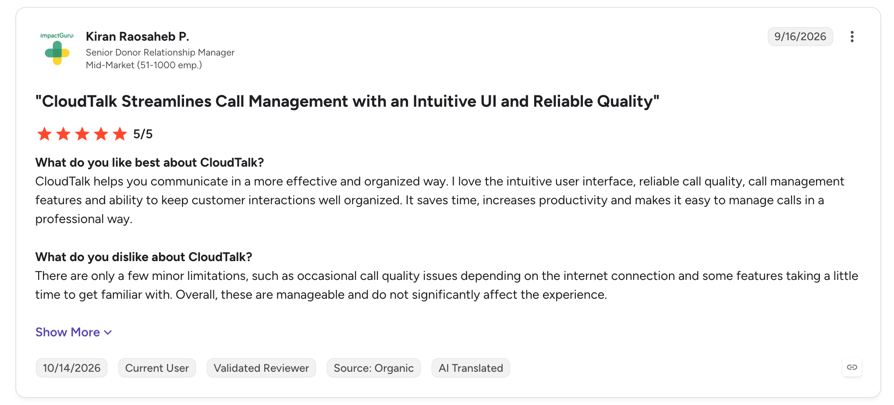
Review snapshot: Reviewers mostly praise call quality and ease of setup, and Conversation Intelligence users highlight the time saved on call reviews.
"CloudTalk's AI conversation intelligence drastically improved our efficiency."
Sales Ops Manager, Capitalo

Gong
What is Gong?
Gong is a revenue intelligence platform that records and analyzes calls, meetings and emails, then adds forecasting, engagement and enablement modules on top.
Key Features For Sales Teams
- AI trackers for topics like competitors and pricing, so trends show up across deals
- Scorecards for consistent call reviews
- Gong Forecast for deal risk and pipeline views
- A dialer through Gong Engage
- AI agents and an MCP server that push insights into other tools
- Transcription in 70+ languages
Gong Pros and Cons
| Pros | Cons |
|---|---|
| The deepest deal and forecast analytics in this list | Premium pricing, with a platform fee on top of seats |
| Strong AI summaries and search across calls | Long onboarding for larger rollouts |
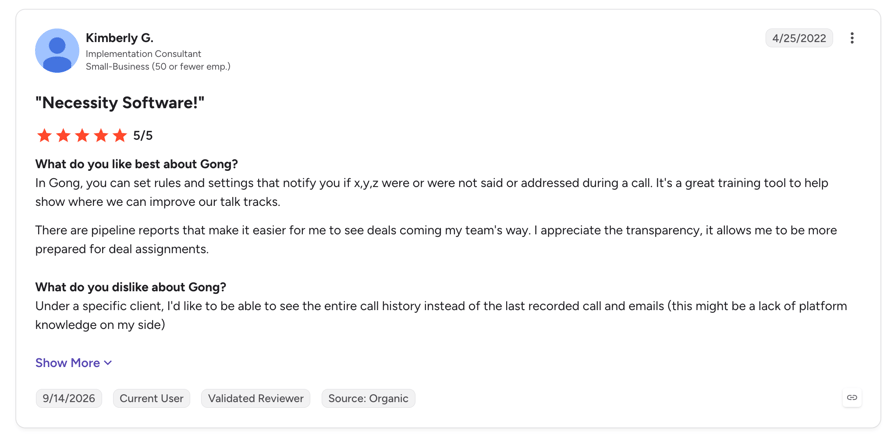
| Easy for reps to use day to day | Reviewers note occasional recording reliability issues and no real-time coaching |
When to use Gong: Use Gong when you run a large B2B sales org and want calls, deals and forecasts in one place, with leadership inspecting deals every week.
When not to use Gong: Skip it if you're a small team on a tight budget or most of your calls run through a phone system. CloudTalk or Avoma will cost far less for call review alone.
How Much Does Gong Cost?
Gong doesn't publish pricing. Its pricing page describes a per-user price plus a platform fee that scales with users, with a quote through sales. Checked October 30, 2026.
What Are G2 Users Rating Gong?
G2 rating: 4.7/5 from 6,679 reviews, checked October 30, 2026.
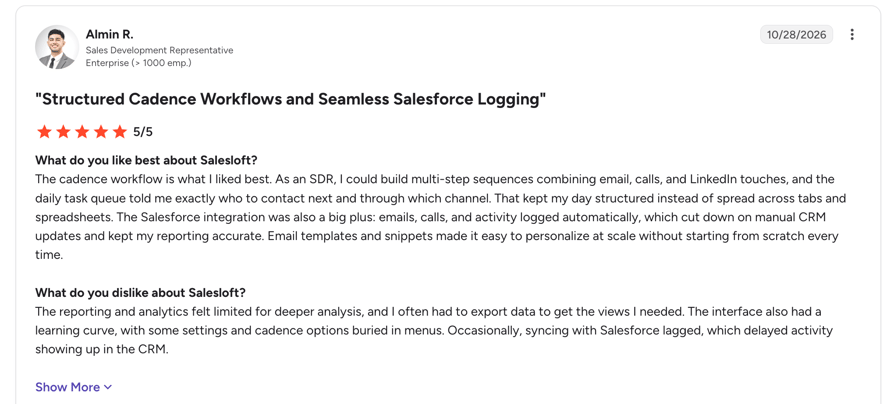
Salesloft
What Is Salesloft?
Salesloft is a sales engagement platform (cadences and dialer) with conversation intelligence and forecasting built in. After merging with Clari, its call product now runs as Salesloft Conversation Intelligence, alongside Clari Forecast.
Key Features For Sales Teams
- Records, transcribes and summarizes every call, with follow-up email drafts
- Live coaching cards and battlecards during calls
- Objection tracking and smart chapters
- Clari Forecast for pipeline and deal review
- Native sync with Salesforce, HubSpot and Microsoft Dynamics 365
- An MCP server that exposes call, cadence and forecast data
Salesloft Pros and Cons
| Pros | Cons |
|---|---|
| Cadences, calls and forecasts in one platform | Pricing isn't published and usually needs an annual contract |
| Real-time prompts during calls | A learning curve for admins |
| Strong integrations and automation | Reviewers mention the notetaker sometimes failing to join and transcription errors with names |
When to use Salesloft: Use Salesloft when your SDRs and AEs already run cadences and you want calls, deals and forecasting in the same platform.
When not to use Salesloft: Skip it if you only need call review, or your team doesn't use sales cadences. CloudTalk or Jiminny will be simpler.
How Much Does Salesloft Cost?
Salesloft doesn't publish pricing; its pricing page is a contact form. Expect tiered per-user plans on an annual contract. Checked October 30, 2026.
What Are G2 Users Rating Salesloft?
G2 rating: 4.5/5 for the Salesloft platform, checked October 30, 2026. G2 pages show different review counts for the same listing.
Jiminny
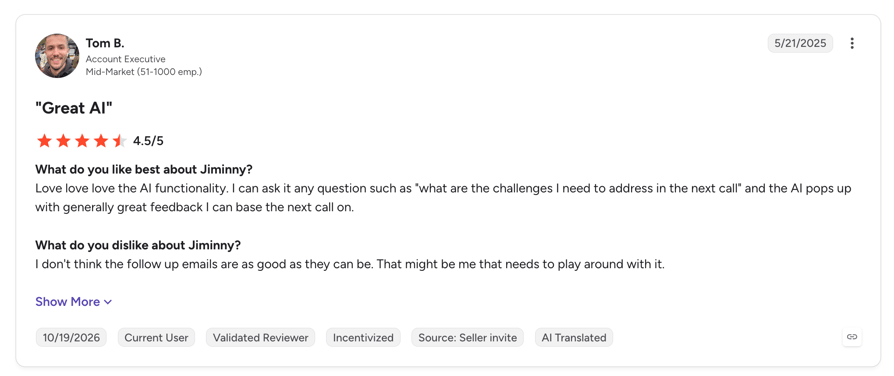
What Is Jiminny?
Jiminny is a conversation and revenue intelligence platform that records and analyzes calls, video meetings and emails, with a strong focus on coaching.
Key Features For Sales Teams
- AI notes and searchable transcripts in 60+ languages
- Scorecards, AI feedback and playlists of top calls for coaching
- Automatic CRM logging and AI-filled CRM fields
- Deal risk alerts and pipeline reviews
- Jiminny Voice softphone plus integrations with 25+ dialers
- Live coaching, where a manager joins a call and messages the rep privately
Jiminny Pros and Cons
| Pros | Cons |
|---|---|
| Built around coaching workflows | 12-month minimum contract and a one-time setup fee |
| Easy for reps to adopt | Reviewers mention connection and call issues |
| Good HubSpot and Salesforce sync | Some transcription and AI accuracy complaints |
When to use Jiminny: Use Jiminny when coaching is your main goal and you're a mid-market team that wants call libraries, scorecards and playlists in one place.
When not to use Jiminny: Skip it if you need deep forecasting (Gong fits better) or want monthly terms with no commitment (CloudTalk or Avoma).
How Much Does Jiminny Cost?
Jiminny doesn't publish pricing. It prices by seat type (recording, insights and listener seats) with a 12-month minimum and a one-time setup fee, and offers a 14-day trial. Checked October 30, 2026.
What Are G2 Users Rating Jiminny?
G2 rating: 4.6/5 from 1,014 reviews, checked October 30, 2026.
Chorus by ZoomInfo
What Is Chorus By ZoomInfo?
Chorus is ZoomInfo's conversation intelligence product for sales. It records and analyzes calls, meetings and emails, and adds ZoomInfo's company and contact data.
Key Features For Sales Teams
- Call and meeting recording with transcripts
- Coaching tools to spot winning behaviors
- Deal intelligence with automatic CRM capture
- Win-loss and competitor insights
- ZoomInfo contact and company data on every call
Chorus by ZoomInfo Pros and Cons
| Pros | Cons |
|---|---|
| Pairs call data with ZoomInfo's B2B data | Pricing is opaque and often bundled with ZoomInfo |
| Easy to use for reviewing calls | Reviewers mention missed recordings and slow processing |
| Helpful AI summaries | Navigation can feel clunky |
When to use Chorus by ZoomInfo: Use Chorus when you already pay for ZoomInfo and want conversation intelligence from the same vendor and contract.
When not to use Chorus by ZoomInfo: Skip it if you don't use ZoomInfo. Gong or Jiminny give you more for a standalone purchase.
How Much Does Chorus By ZoomInfo Cost?
ZoomInfo doesn't publish Chorus pricing. It's still listed as its own product, but it's commonly sold in a bundle with ZoomInfo. Checked October 30, 2026.
What Are G2 Users Rating Chorus by ZoomInfo?
G2 rating: Chorus no longer has a standalone G2 listing; it appears under ZoomInfo's GTM listing. Checked October 30, 2026.
Avoma
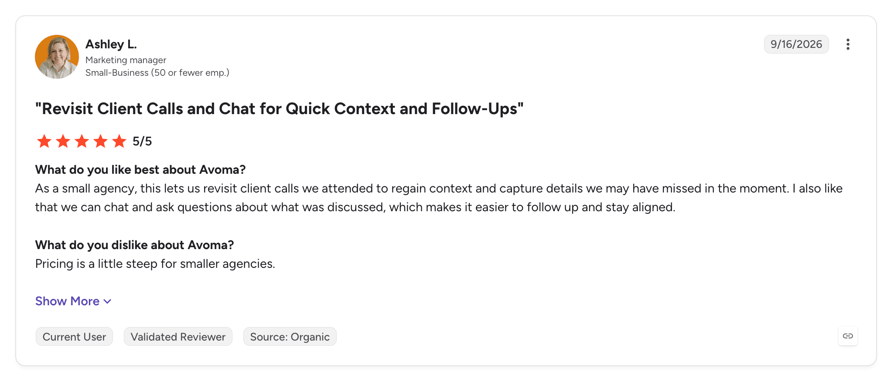
What Is Avoma?
Avoma is an AI meeting assistant with paid add-ons for conversation intelligence and revenue intelligence.
Key Features For Sales Teams
- Unlimited AI notes, follow-up emails and CRM notes
- Live cues during calls for frameworks like MEDDIC and BANT
- Call scoring against your own scorecards
- Forecasting and pipeline health with the revenue intelligence add-on
- Meeting capture for Zoom, Teams, Meet and Webex
- Transcription in 70+ languages
Avoma Pros and Cons
| Pros | Cons |
|---|---|
| Published, affordable pricing | Conversation intelligence costs extra on top of the base plan |
| Strong meeting notes for video-first teams | No built-in phone system; it integrates with dialers instead |
| Viewers and collaborators are free | Reviewers mention recording issues and weaker handling of company-specific terms |
When to use Avoma: Use Avoma when you're a small or growing team whose sales happen mostly on video calls and you want notes plus CI at a published price.
When not to use Avoma: Skip it if most of your selling happens on the phone (CloudTalk captures those calls natively) or you need enterprise forecasting (Gong).
How Much Does Avoma Cost?
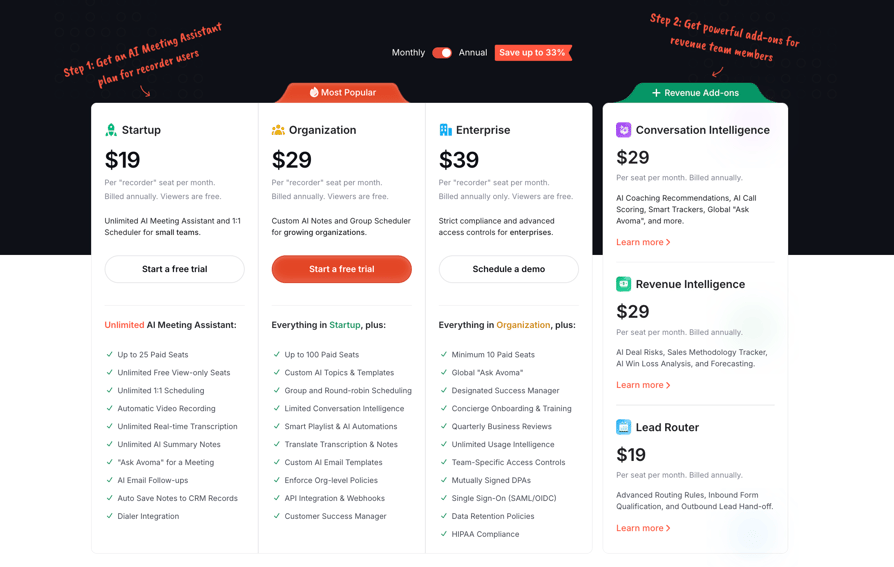
Avoma's Startup plan is $19 per seat a month on annual billing ($29 monthly) for up to 25 seats. The Conversation Intelligence add-on is $29 per seat a month annually ($35 monthly). Optional onboarding is $1,000, and there's a 14-day trial. Checked October 30, 2026.
What Are G2 Users Rating Avoma?
G2 rating: 4.6/5 from 1,365 reviews, checked October 30, 2026.
HubSpot Sales Hub
What Is HubSpot Sales Hub?
HubSpot Sales Hub is a CRM with conversation intelligence built in. It transcribes and analyzes calls and meetings and stores the results on the contact and deal records.
Key Features For Sales Teams
- Automatic call transcription and AI summaries with next steps
- Tracked terms that feed reports and workflows (Enterprise)
- Coaching playlists and comments on transcripts
- Notetaker for Zoom, Meet and Teams meetings
- Built-in calling
- Transcription in 100 languages
| Pros | Cons |
|---|---|
| No sync to set up, since the CRM is the tool | Full conversation intelligence sits on the Enterprise tier only |
| Easy to use for teams already on HubSpot | No scorecards found in the conversation intelligence documentation |
| Strong reporting across HubSpot's other hubs | Reviewers say costs climb steeply as features move up tiers |
When to use HubSpot Sales Hub: Use HubSpot when your CRM is already HubSpot and you're on, or ready for, Sales Hub Enterprise.
When not to use HubSpot Sales Hub: Skip it if you're on a lower HubSpot tier and only need call review. A per-seat add-on like CloudTalk, which pushes notes into HubSpot, costs far less.
How Much Does HubSpot Sales Hub Cost?
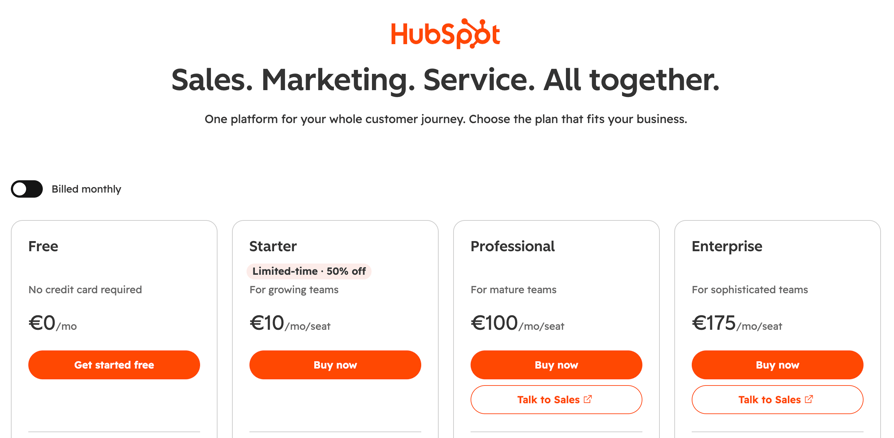
Conversation intelligence with tracked terms is on Sales Hub Enterprise at $175 per seat a month. Professional includes call transcription and AI summaries but not tracked terms. Checked October 30, 2026.
What Are G2 Users Rating Hubspot Sales Hub?
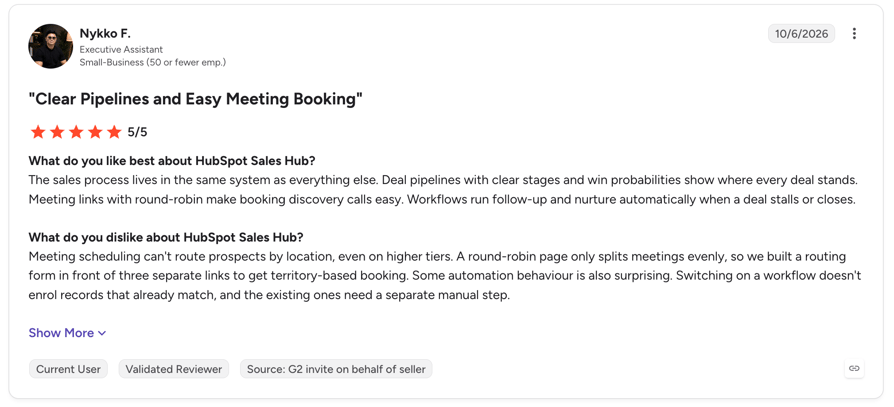
G2 rating: 4.4/5 from 14,364 reviews, checked October 30, 2026.
Conversation Intelligence Features Compared for Sales Teams
The table above shows who each tool is for. This one shows what each tool actually does, based on vendor documentation checked on October 30, 2026. "Partial" means the feature needs an add-on or higher tier, or only part of it exists; "Not confirmed" means we couldn't verify it on the vendor's own pages.
| Feature | CloudTalk | Gong | Salesloft | Jiminny | Chorus | Avoma | HubSpot |
|---|---|---|---|---|---|---|---|
| Recording and transcription | Yes | Yes | Yes | Yes | Yes | Yes | Yes (Professional and up) |
| Speaker labels | Yes | Not confirmed | Not confirmed | Yes | Not confirmed | Not confirmed | Partial (manual matching) |
| AI summaries and action items | Yes | Yes | Yes | Yes | Partial (action items not confirmed) | Yes | Yes |
| Call scoring or scorecards | Yes | Yes | Partial (automatic scoring, no scorecard builder named) | Yes | Not confirmed | Yes | Not found |
| Topic and keyword tracking | Partial (auto topics and exact search, no custom topics) | Yes | Yes | Yes | Partial | Yes | Partial (Enterprise only) |
| Sentiment | Yes | Yes | Yes | Yes | Not confirmed | Yes | Partial (inside the summary) |
| Real-time prompts during the call | No | Partial | Yes | Partial (manager whisper chat) | Not confirmed | Yes | No |
| Deal intelligence and forecasting | No | Yes | Yes | Partial (deal risk, lighter forecasting) | Partial (no forecasting found) | Partial (paid add-on) | Partial (beta) |
| Meeting capture (Zoom, Teams, Meet) | No | Yes | Yes | Yes | Partial (Zoom, Webex, GoTo) | Yes | Yes |
| Built-in phone system or dialer | Yes | Partial (with Gong Engage) | Yes | Yes (softphone) | No | No | Yes |
| Native CRM sync | HubSpot, Pipedrive, Zoho | Salesforce, HubSpot, Dynamics 365 | Salesforce, HubSpot, Dynamics 365 | Salesforce, HubSpot | Salesforce, HubSpot | HubSpot, Salesforce, Pipedrive, Copper | Native (it's the CRM) |
| Transcription languages | 19 | 70+ | Not published | 60+ | Not published | 70+ | 100 |
| Free plan or trial | 30-day CI trial | No published trial | No published trial | 14-day trial | Free trial listed | 14-day trial | Free CRM, CI not included |
How Much Does Conversation Intelligence Software Cost?
Pricing for AI sales conversation intelligence comes in three shapes:
- Per-seat add-on: You pay a monthly price per user on top of a phone system or CRM you already use. It's the cheapest way in, and you can add or remove seats as the team changes.
- Platform fee plus seats: Revenue intelligence suites charge a fixed platform fee and a price per user, usually on annual contracts. You pay for the depth of deal and forecast analytics.
- Custom enterprise contracts: Quote-based pricing with minimum seats, annual or multi-year terms and implementation fees.
| Tool | Assumptions | 10 Reps | 30 Reps | 100 Reps |
|---|---|---|---|---|
| CloudTalk | CI add-on per user, on top of a CloudTalk phone plan | 10 × $9 | 30 × $9 | 100 × $9 |
| Avoma | Startup ($19) up to 25 seats, then Organization ($29), plus $29 CI add-on, annual | About $480 | About $1,740 | About $5,800 |
| HubSpot Sales Hub | Enterprise at $150 per seat, CI included | About $1,500 | About $4,500 | About $15,000 |
| Gong, Salesloft, Jiminny, Chorus | Quote-based | Contact sales | Contact sales | Contact sales |
Watch for the costs that don't show up on a pricing page:
- Minimum seats: Some contracts set a floor, so a 6-rep team pays for 10.
- Implementation and onboarding: One-time fees from $1,000 to several thousand dollars.
- Annual-only billing: A discount that locks you in for a year or more.
- AI add-ons: Forecasting, revenue intelligence or extra AI credits sold separately.
- The phone system itself: If the CI tool doesn't include calling, you still pay for a dialer or phone system.
Conversation Intelligence on a Small-Team Budget
If you manage a team of around 10 reps, a per-seat add-on or an entry plan is usually enough. You need transcripts, summaries in the CRM and basic scoring. Skip forecasting, deal intelligence and enterprise governance until the team or the deal sizes grow. A tool that costs less than one hour of a manager's time per rep each month is easy to justify.
How to Measure the ROI of Conversation Intelligence
Split your KPIs into two groups. Leading indicators move in weeks; lagging indicators take a quarter or more.
- Leading: Share of calls reviewed, manager review time per call, CRM fields completed after calls, rep ramp time and call-to-demo rate.
- Lagging: Win rate, sales cycle length, average deal size and quota attainment.
To measure it fairly, set a baseline over 30 to 60 days, pilot with one team, and compare against a similar team without the tool. Don't credit conversation intelligence for everything that improves in the same quarter; a new comp plan or a strong month of leads moves the same numbers.
Then run a simple payback check with your own figures:
Treat vendor-reported results, including CloudTalk's own claim of up to 80% less call review time, as vendor-reported. Your own pilot numbers are the ones that count. Call reporting software gives you the call volume and conversion figures for the baseline.
How to Choose the Right Conversation Intelligence Platform for Your Sales Team
Where Your Calls Happen: Phone, Video or Both
Start with your call mix. If most of your selling happens on the phone, a telephony-native tool captures every call with no bot to join and no connector to break. If most of it happens on Zoom, Teams or Meet, you need meeting capture. If it's both, check that one tool covers both, or you'll end up with two partial views of the same deal.
CRM Integration and Data Flow
Native two-way sync beats a connector that someone has to maintain. Check which fields actually sync: the summary, sentiment, topics, notes and a link to the recording. Then test it with your own CRM during the trial, on real deals, because a field listed on a sync chart doesn't always show up on the record.
Transcription Accuracy, Languages and AI Output
Ask for output on your real calls, with accents, crosstalk and bad lines. Check that speakers are labelled correctly and that every language your buyers speak is supported. Then ask whether insights arrive after the call or live during it, and be honest about which one your team will use. Live prompts sound great in a demo and get ignored on a busy day.
Security, Call Recording Consent and Data Compliance
Recording laws differ by location. US federal law and most states allow recording with one party's consent, but a group of states (California, Florida, Illinois, Maryland, Massachusetts, Pennsylvania and Washington among them) require every party to agree, and public lists disagree on the exact count. In the EU and UK, the GDPR applies.
The simplest fix is an automatic recording announcement on every call. For enterprise buyers, also check SSO, role-based permissions, data residency and configurable retention.
Total Cost and Contract Terms
Look past the headline seat price. Check seat minimums, annual-only terms and which features become add-ons as the team grows. The pricing section above walks through worked scenarios and hidden costs.
How to Implement Conversation Intelligence and Get Reps On Board
For a 10-person team, a 30-day pilot is enough to know whether it works:
- Week 0, baseline: Record your current numbers for three to five KPIs, such as share of calls reviewed, review hours and call-to-demo rate.
- Week 1, setup: Turn on the recording announcement, connect the CRM and build one scorecard for one call type.
- Weeks 2 and 3, routine: Hold a fixed weekly review, same time each week, with one coaching point per rep.
- Week 4, compare: Put the numbers next to the baseline and decide whether to expand, adjust or stop.
The barriers are predictable, and so are the fixes:
- Rep distrust: Position conversation intelligence as the rep's advocate. Share wins first, like a great call clip, before any criticism.
- Privacy and consent: Set up the recording announcement before the first call and tell reps exactly who can see what.
- Poor audio and accents: Fix headsets and lines before blaming the AI, and check transcripts on your own calls during the trial.
- No owner: Name one person who owns the scorecard, the review routine and the results.
- Too many metrics: Track three to five, not twenty.
A few habits separate teams that get value from teams that just collect recordings: one named owner, tracking revenue signals (next steps, competitor mentions) rather than only keywords, and a habit of asking "why did this call go this way?" instead of hunting for mistakes.
The Bottom Line on Conversation Intelligence for Sales
Conversation intelligence records, transcribes and analyzes your sales calls so you can see what buyers said on every call, not just the few you had time to hear. It measures talk ratio, questions, topics, sentiment, objections and next steps, and it pays off in faster ramp, better coaching, cleaner CRM data and earlier deal-risk signals. Pricing ranges from a per-seat add-on to five-figure contracts, so start with where your calls happen, test transcripts on your own calls and pilot for 30 days against a baseline.
Up to 10 Reps
Keep it simple: transcripts, summaries in the CRM and basic scoring. CloudTalk fits if your team sells on the phone, and Avoma fits if it sells on video.
10 to 50 Reps
Add scorecards and a coaching routine. CloudTalk fits phone-led teams that want every call reviewed at a low per-user price, while Jiminny fits teams that put coaching first across calls and video.
Enterprise
Add deal intelligence, forecasting and governance. Gong and Salesloft are built for this, and HubSpot Enterprise makes sense if HubSpot is already your CRM.
Sources:
- Gartner, survey of 210 chief sales officers and senior sales leaders, fielded January to February 2026, published May 19, 2026
Frequently Asked Questions About Conversation Intelligence for Sales
Direct answers to the questions sales managers and RevOps leads ask most.
Yes. It analyzes any recorded call, whichever side dialed. Outbound teams use it for openers and call-to-demo rates, while inbound teams use it to qualify leads and spot buying signals faster.
Recording is legal in most places with the right consent, but the rules vary. Some US states require every party to agree, and the GDPR applies to EU callers, so an automatic recording announcement on every call is the safest default. Check with your counsel, as this isn't legal advice.
It depends on the vendor. Ask about encryption, role-based permissions, retention settings, data residency and certifications such as SOC 2 or ISO 27001, and get the answers in writing before you roll it out.
It supports them. Conversation intelligence takes over note-taking and call review, so reps spend more time selling and managers coach on real calls. Buyers still want a person to talk to on complex purchases.
Yes. Support teams use the same transcripts, summaries and sentiment to review quality, spot recurring issues and coach agents. A telephony-native tool covers both teams on one platform.
Free tools work for occasional meeting notes but rarely cover every call, CRM sync, permissions or consent controls. For a team that relies on calls for revenue, a paid tool with full capture is the safer choice.
Leading indicators like review time and CRM completeness usually move within the first month. Lagging ones like win rate and cycle length take a quarter or more, so compare against a baseline before you judge.
It's a strong fit for phone-led sales teams that want every call transcribed, summarized and scored inside the phone system, with notes pushed to HubSpot, Pipedrive or Zoho. It isn't the right pick if you need live prompts during calls or deep forecasting, where Gong or Salesloft fit better.