10 Best CallTools Alternatives & Competitors in 2026
TL;DR: 10 Best CallTools Alternatives and Competitors
| # | Platform | Best for | Starting Price (annual billing) | G2 Rating |
|---|---|---|---|---|
| 1 | CloudTalk | SMB sales and support teams that want published pricing, single-seat plans, local numbers, and AI in one place | $25/user/month | 4.4/5 |
| 2 | Convoso | High-volume outbound lead-gen teams that need a predictive dialer and an AI voice agent | Quote-based | 4.5/5 |
| 3 | Five9 | Enterprise contact centers with 50+ agents and strict compliance needs | $119/user/month | 4.1/5 |
| 4 | PhoneBurner | Solo reps and small outbound teams that want a simple power dialer | $140/user/month | 4.8/5 |
| 5 | Kixie | HubSpot and Salesforce sales teams that call and text from one dialer | Quote-based | 4.8/5 |
| 6 | Readymode | Outbound call centers that want a CallTools-style predictive dialer with a built-in CRM | $199/license/month | 4.6/5 |
| 7 | JustCall | SMS-heavy sales teams that also want predictive dialing on a higher tier | $29/user/month | 4.3/5 |
| 8 | Dialpad | Teams ramping new reps with live AI transcripts and coaching | $15/user/month | 4.4/5 |
| 9 | Aircall | Small teams that want an easy business phone with 250+ integrations | $30/user/month | 4.4/5 |
| 10 | RingCentral RingCX | Contact centers that blend voice with 20+ digital channels | $65/user/month | 4.4/5 |
You picked CallTools for its predictive dialer. Six months in, your managers are still learning how to build campaigns, your agents are sitting through a gap after every call, and nobody can tell you what the next seat will cost without booking another sales call. If your reps want to take a callback from their phone, they can’t: reviewers say there’s no mobile app.
That’s why so many sales leaders start comparing CallTools alternatives. We looked at 10 of them across pricing, dialer modes, AI features, CRM sync, and real user reviews. CloudTalk came out on top for most SMB sales and support teams, but it isn’t the right CallTools alternative for everyone. A 200-seat collections floor that lives on predictive dialing should read the Convoso, Five9, and Readymode sections first.
Not sure CallTools is the right fit anymore?
Why Teams Are Searching for a CallTools Alternative: What Real Users Say
CallTools is a cloud call center platform from Irvine, California, built around a multi-mode dialer with a built-in CRM. Its official website lists predictive, power, preview, progressive, and parallel dialing, plus SMS, email templates, and about 50 integrations, including Salesforce and HubSpot. Users rate it well: 4.8/5 on G2 and 4.8/5 on Capterra.
So how does CallTools combine inbound and outbound dialing on a single cloud platform? Inbound queues sit inside the same campaigns as outbound lists. When an inbound call reaches an agent who is dialing, outbound activity pauses automatically and the call connects. It works well for blended teams. The friction shows up elsewhere, and it’s why buyers keep comparing alternatives to CallTools even with those high ratings.
The Cons of CallTools (Based on Real User Reviews)
5 Main Cons of CallTools: Based on Real User Reviews
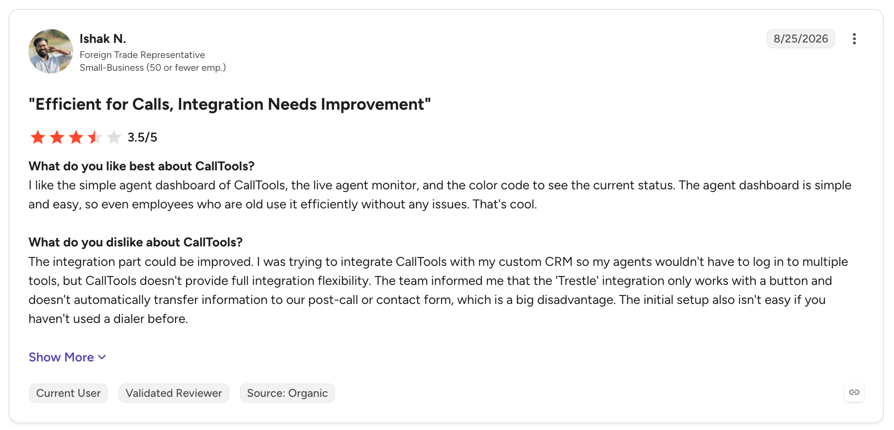
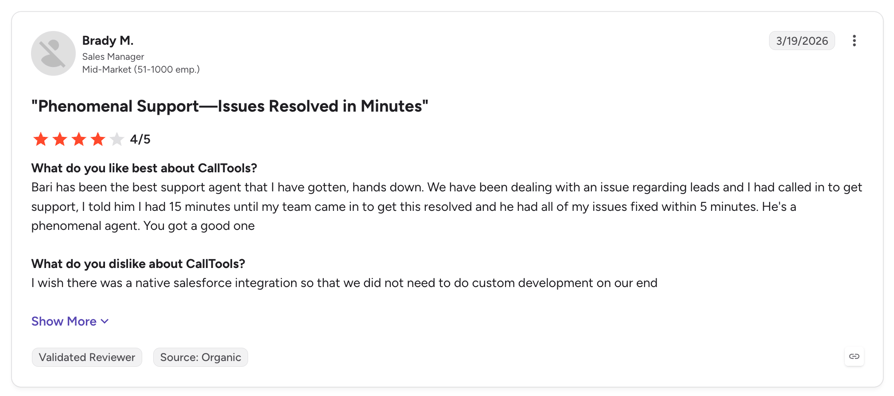
- A Steep Learning Curve for AdminsAgents pick up the dialer fast, but managers struggle with campaign setup and backend settings. One VP in financial services wrote that “this software comes with a massive learning curve.” Impact: weeks of manager time go into configuration instead of coaching.
- Pricing You Can’t See Before a Sales CallCallTools doesn’t publish prices, and there’s no free trial, only a demo. A G2 reviewer summed it up: “Just the Cost Reasons Otherwise its the best.” Impact: you can’t budget a new team or compare vendors without a sales cycle.
- Limited Reporting and a Complex APIA telecom CRO on Capterra wrote that “reporting is somewhat limited” and the “API is a little complex.” Impact: RevOps ends up exporting data or paying for custom development to get the dashboards they need.
- Audio Glitches and Gaps Between CallsA real estate owner said it “had sound issues, saving issues and it was clunky.” Another G2 reviewer flagged the gap before the next call after someone hangs up. Impact: on a high-volume floor, a few seconds of dead air per call adds up to hours a week.
- No Mobile AppReviewers on Capterra report there’s no mobile app, and CallTools says agents need “a computer, a headset, and an internet connection.” Impact: field reps and managers can’t take or return calls away from a desk.
What Is the Best Alternative to CallTools?
CloudTalk is the best CallTools alternative for SMB sales and support teams. Unlike CallTools, it publishes its prices (from $25/user/month, single seat, 14-day free trial), sells local numbers in 160+ countries, runs on desktop and mobile apps, and adds AI call summaries, sentiment analysis, and AI voice agents when your team needs them.
If predictive dialing is the one feature you can’t live without, CloudTalk isn’t a like-for-like swap: it doesn’t pace calls with a predictive algorithm. Its Parallel Dialer calls several numbers per rep at once and connects only when someone picks up, which covers the same goal for most outbound teams. Teams that need true predictive dialing should look at Convoso, Five9, or Readymode below.
Here’s Why Users Consider CloudTalk the Best CallTools Alternative
5 Main Pros of CloudTalk: Based on Real User Reviews
- Know Your Bill Before You BuyEvery plan and add-on is on the pricing page, starting at $25/user/month with no minimum on Starter and Essential. No quote form, no sales call to find out the price.
- Try It With Your Own Team FirstYou get 14 days free, no credit card, so your reps make real calls before you sign anything. CallTools offers a demo only.
- Call Customers in Their Own CountryLocal numbers in 160+ countries raise pick-up rates outside the US, where CallTools doesn’t publish international number coverage.
- Stop Typing Call NotesAI Conversation Intelligence writes call summaries, scores sentiment, and pushes everything into HubSpot, Salesforce, or Pipedrive.
- Get Help at 2 a.m.Live chat and email support run 24/7 on every plan, with phone support on Expert.
Test the pros above on your own calls.
Our Selection Methodology: How We Picked These CallTools Alternatives
CallTools is mainly a dialer for outbound and blended call centers, so we compared it with other dialer-first platforms and with business phone systems that sales teams often switch to. Every tool on this list had to replace CallTools’ core job: getting reps into more live conversations.
Our Selection Criteria and Testing Methodology
- Core calling and routing: which dialer modes each platform supports (predictive, power, preview, parallel) and how it handles inbound queues next to outbound campaigns.
- Pricing transparency: the advertised price compared with the real cost once you add seat minimums, dialer add-ons, and AI.
- Review analysis: G2, Capterra, and Trustpilot ratings, plus the most common complaints in recent reviews. Every tool on the list has at least 100 G2 reviews, except CallTools itself.
- Global coverage: how many countries each platform sells local numbers in, and whether SMS works outside the US.
- AI and automation: what’s included (transcripts, summaries, coaching, AI voice agents) and what costs extra.
- CRM integration depth: native sync with HubSpot, Salesforce, and Pipedrive, not just a Zapier connector.
- Support and migration: support hours, onboarding help, and how easily you can port numbers away from CallTools.
Quick Comparison: Top CallTools Alternatives at a Glance in 2026 (Tested & Reviewed)
Here’s how the best CallTools alternatives compare on entry price, rating, trial, and the one thing each does best.
CallTools Alternatives Compared
| Tool | Starting Price | G2 Rating | Best For | Free Trial | Key Differentiator |
|---|---|---|---|---|---|
| CloudTalk | $25/user/month | 4.4/5 | SMB sales and support | 14 days | Published pricing + numbers in 160+ countries |
| Convoso | Quote-based | 4.5/5 | Outbound lead gen | Demo only | Predictive dialer + Voice AI Agent |
| Five9 | $119/user/month (50-seat min) | 4.1/5 | Enterprise contact centers | Demo only | 5 dialer modes + workforce tools |
| PhoneBurner | $140/user/month | 4.8/5 | Solo and SMB power dialing | Free to start | ARMOR spam-flag protection |
| Kixie | Quote-based | 4.8/5 | HubSpot sales teams | 7 days | Up to 4-line power dialer + SMS |
| Readymode | $199/license/month | 4.6/5 | SMB outbound call centers | Demo only | Predictive dialer + built-in CRM |
| JustCall | $29/user/month (2-seat min) | 4.3/5 | SMS-heavy sales | 14 days | SMS + predictive on SalesPro |
| Dialpad | $15/user/month | 4.4/5 | AI coaching | 14 days | Live transcripts on the base plan |
| Aircall | $30/user/month (3-seat min) | 4.4/5 | Simple SMB phone | 7 days | 250+ native integrations |
| RingCentral RingCX | $65/user/month | 4.4/5 | Omnichannel contact centers | Demo only | Voice + 20+ digital channels |
| CallTools (for reference) | Quote-based | 4.8/5 | Blended call centers | Demo only | Built-in CRM + 5 dialer modes |
A note on ratings:
CallTools has a 4.8/5 G2 score from 77 reviews. CloudTalk’s 4.4/5 comes from 1,702+ reviews, so it reflects far more teams and use cases. Look at what reviewers complain about, not only the star average.
See how CloudTalk fits your call floor.
1. CloudTalk: The Best CallTools Alternative for SMB Sales and Support Teams
What Is CloudTalk?
CloudTalk is a cloud phone system for sales and support teams. It combines inbound routing, sales dialers, SMS, and AI call analysis in one app for desktop and mobile. More than 5,500 businesses use it. What sets it apart from CallTools is reach and transparency: published per-seat pricing, local numbers in 160+ countries, and native sync with 100+ CRMs and helpdesks.
Why CloudTalk Is a Strong CallTools Alternative
- Published pricing: plans start at $25/user/month, versus a quote form at CallTools.
- A real free trial: 14 days with no credit card, versus demo-only at CallTools.
- Global numbers: local numbers in 160+ countries, where CallTools advertises nationwide US calling.
- Mobile apps: iOS and Android apps, so reps can take queue calls away from a desk.
- AI that writes your notes: summaries, sentiment, and call scoring push straight into your CRM.
- 99.999% uptime SLA on a global carrier network. See the full CallTools vs CloudTalk comparison below.
What Are the Key Features of CloudTalk?
- Parallel Dialer: dials several numbers per rep at once and connects only when a person answers.
- Power Dialer: moves through call lists automatically, with no manual dialing between calls.
- Call Flow Designer: drag-and-drop IVR, business hours, and routing rules, built without IT help.
- AI Conversation Intelligence: transcripts, summaries, call scoring, and sentiment analysis.
- AI Voice Agents: AI Receptionist and AI Specialist answer, qualify, and route calls around the clock.
- Real-time dashboard: live wallboards for queues, agent status, and missed calls.
- Call recording: automatic recording on every plan, synced to the CRM contact.
- CRM integrations: 100+ native integrations, including HubSpot, Salesforce, Pipedrive, and Zendesk.
What Are the Pros & Cons of CloudTalk?
| Pros | Cons |
|---|---|
| Transparent pricing: every plan and add-on is public. | No predictive dialer: the Parallel Dialer covers most outbound needs, but compliance-heavy predictive campaigns fit Convoso or Five9 better. |
| Global coverage: local numbers in 160+ countries. | Dialers are add-ons on Starter and Essential (Power is included in Expert). |
| Single-seat plans: no minimum on Starter and Essential. | No built-in CRM: CloudTalk syncs with your CRM instead of replacing it. |
| Parallel and Power dialers: more live conversations per rep, per day. | Expert starts at 3 seats, so the top tier isn’t for solo users. |
| Deep CRM sync: calls, recordings, and AI summaries logged automatically. | |
| Mobile apps: full calling from iOS and Android. | |
| 24/7 live chat and email support on every plan. |
What Are CloudTalk’s Plans & Pricing?
CloudTalk pricing starts at $25/user/month on annual billing. Here’s what each plan includes:
CloudTalk Plans and Pricing
| Plan | Price (annual billing) | Key Features |
|---|---|---|
| Starter | $25/user/month | Unlimited inbound and internal calls, outbound minutes bundle, call queues, transfers, click-to-call, call recording |
| Essential | $29/user/month | Everything in Starter + IVR and smart routing, 100+ CRM and helpdesk integrations, workflow automation, Smart Dialer |
| Expert | $49/user/month | Everything in Essential + Power Dialer, Salesforce integration, 24/7 phone support (3-seat minimum) |
| Custom | Quote-based | Everything in Expert + custom onboarding, enterprise security and SLA, built for 25+ seats |
| AI Conversation Intelligence (add-on) | $9/user/month | AI transcripts, call summaries, call scoring, sentiment analysis, coaching insights |
| AI Receptionist (add-on) | From $99/month (200 min) | Inbound AI call answering, routing, and logging |
| AI Specialist (add-on) | From $349/month (1,000 min) | Custom AI voice agents for inbound and outbound workflows |
What Are CloudTalk Customers Saying?
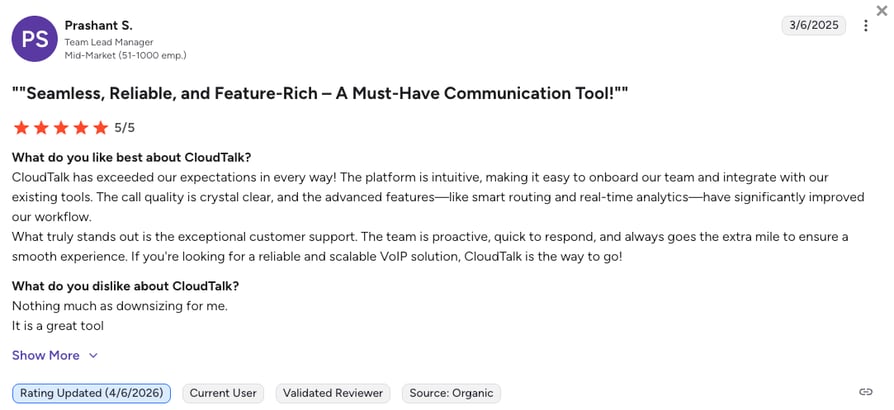
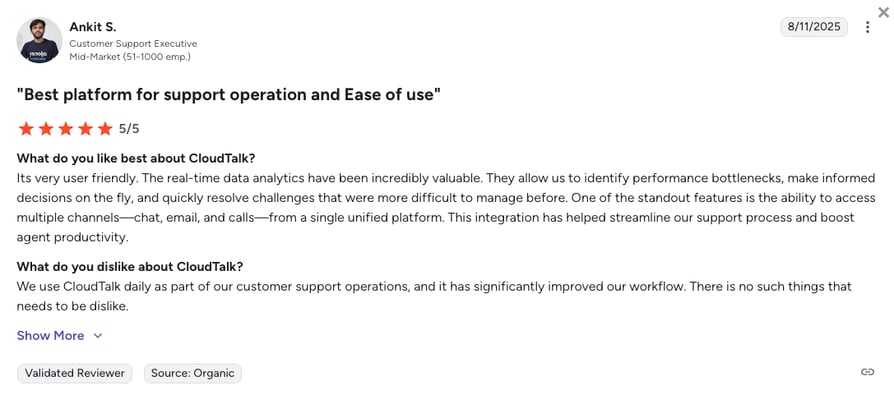
CloudTalk holds a 4.4/5 rating on G2 from 1,702+ verified reviews. The most common praise is clear call quality, quick setup, and CRM logging that removes manual note-taking.
CloudTalk vs. CallTools: Which Is Better for AI Calling?
| Category | CloudTalk | CallTools |
|---|---|---|
| Pricing | Published, from $25/user/month | Quote-based |
| AI features | AI summaries, sentiment, scoring, AI voice agents | Dynamic scripting; Dial Flux “Power Dialer AI” |
| Dialer modes | Power, Preview, Parallel, Smart | Predictive, Power, Preview, Progressive, Parallel |
| Number coverage | 160+ countries | Nationwide US calling |
| Mobile app | iOS and Android | None reported by reviewers |
Skip the quote form. Start with one seat.
9 More CallTools Alternatives Worth Considering in 2026: Our Hands-On Take
CloudTalk isn’t the right fit for every team. These nine CallTools competitors each win at something specific, from strict predictive dialing to SMS or enterprise-scale contact centers.
2. Convoso: Best for High-Volume Outbound Lead Generation
What Is Convoso?
Convoso is an AI-powered outbound contact center built for lead-gen and sales floors in industries like insurance, solar, and home services. It’s the closest match for teams that chose CallTools for predictive dialing and now need more volume, stricter compliance tooling, or AI that can qualify leads before a rep picks up.
Why Is Convoso a Strong CallTools Alternative?
Among platforms like CallTools, Convoso is the one most focused on outbound scale:
- Keeps predictive dialing, so campaign pacing works the way it did on CallTools.
- Voice AI Agent qualifies outbound leads and hands warm calls to human reps.
- DNC scrubbing against national, state, and internal lists, plus litigator filtering.
- Native “Convoso for Salesforce” app on Salesforce AgentExchange.
What Are the Key Features of Convoso?
- Predictive and power dialing: paced campaigns for large outbound lists.
- Voice AI Agent: AI calls that qualify leads and transfer them to reps.
- Caller ID reputation management: monitors numbers to cut spam flags.
- Dynamic scripting: on-screen scripts with an AI script generator.
- Omnichannel add-on: SMS and email alongside voice.
What Are the Pros & Cons of Convoso?
| Pros | Cons |
|---|---|
| Easy for agents to learn | Pricing isn’t published |
| Smart outbound dialing raises efficiency | Reviewers report sudden logouts and call issues |
| Responsive customer support | Expensive for small businesses |
What Are Convoso’s Plans & Pricing?
Convoso pricing is quote-based. Convoso doesn’t publish plan prices; it says annual plans are currently 20% off, and carrier fees are billed separately.
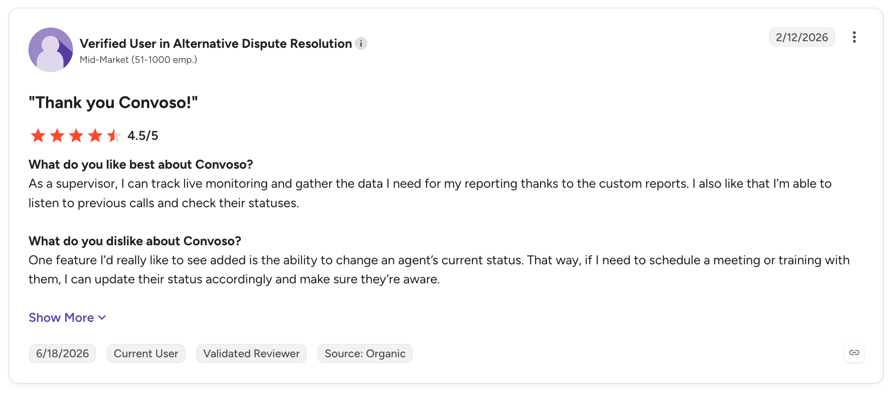
How Do G2 Users Rate Convoso?
Convoso’s current G2 rating is 4.5/5, from 250+ verified user reviews.
Convoso vs. CallTools: Key Differences
| Category | Convoso | CallTools |
|---|---|---|
| Pricing | Quote-based | Quote-based |
| Dialer modes | Predictive, Power | Predictive, Power, Preview, Progressive, Parallel |
| AI | Voice AI Agent for lead qualification | Dial Flux “Power Dialer AI” |
| Compliance | DNC scrubbing, litigator filtering, caller ID reputation | DNC flags, suppression rules, number reputation |
| Free trial | Demo only | Demo only |
3. Five9: Best for Enterprise Contact Centers
What Is Five9?
Five9 is an enterprise cloud contact center for inbound, outbound, and digital channels. It serves over 4,000 organizations and suits operations with 50 or more agents that need workforce management, quality scoring, and deep AI on one platform.
Why Is Five9 a Strong CallTools Alternative?
- Five dialer modes, including a Manual Touch mode built for TCPA compliance.
- AI agent assist with real-time transcription, summaries, and next-step guidance.
- GenAI quality scoring across 100% of interactions, not a sample.
- Native Salesforce, ServiceNow, and Microsoft Dynamics 365 integrations.
What Are the Key Features of Five9?
- Dialer system: predictive, progressive, power, preview, and Manual Touch.
- Omnichannel routing: voice, SMS, email, chat, WhatsApp, and video.
- AI agents: self-service bots for routine customer requests.
- Workforce engagement: forecasting, scheduling, and quality management.
- Global voice network: 40+ carriers with STIR/SHAKEN caller certification.
What Are the Pros & Cons of Five9?
| Pros | Cons |
|---|---|
| Built for thousands of concurrent agents | 50-seat minimum rules out small teams |
| Very deep AI and quality tools | Reviewers mention call drops and a dated UI |
| Strong enterprise CRM integrations | Long setup that needs trained admins |
What Are Five9’s Plans & Pricing?
Five9 pricing starts at $119/user/month, with a 50-concurrent-seat minimum. Bundled seats include 3,000 AI minutes each:
- Digital - $119/user/month (digital channels)
- Core - $159/user/month (voice with essential AI)
- Plus, Pro, Enterprise - Quote-based
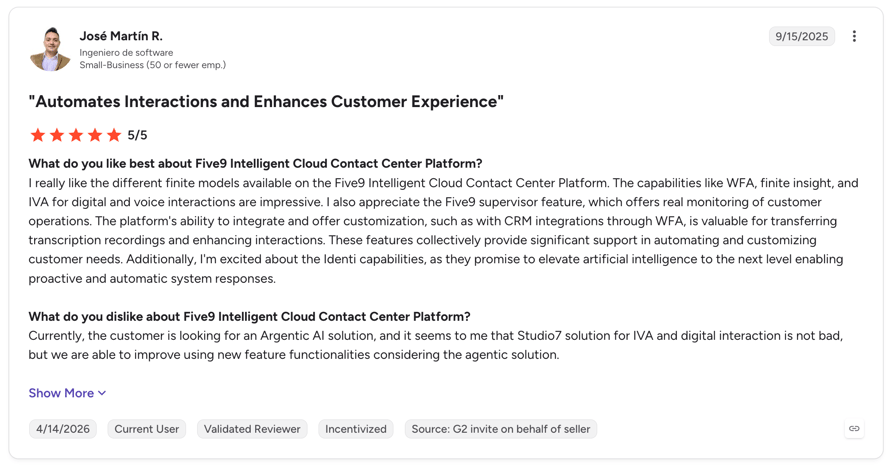
How Do G2 Users Rate Five9?
Five9’s current G2 rating is 4.1/5, from 600+ verified user reviews.
Five9 vs. CallTools: Key Differences
| Category | Five9 | CallTools |
|---|---|---|
| Starting price | $119/user/month | Quote-based |
| Seat minimum | 50 concurrent seats | None stated |
| Channels | Voice, SMS, email, chat, WhatsApp, video | Voice, SMS/MMS, email |
| AI | Agent assist, AI agents, GenAI QA | Limited |
| Best fit | Enterprise | SMB and mid-market call centers |
4. PhoneBurner: Best for Solo Reps and Small Power-Dialing Teams
What Is PhoneBurner?
PhoneBurner is a single-line power dialer and sales engagement tool for outbound-heavy SMB teams in mortgage, insurance, and real estate. It trades CallTools’ multi-mode dialing for a simpler setup that one rep can run without an admin.
Why Is PhoneBurner a Strong CallTools Alternative?
Of all the tools like CallTools, PhoneBurner is the easiest to start:
- Published prices and no seat minimum.
- Power dialing a new rep can learn in an afternoon.
- ARMOR spam-flag protection keeps your caller IDs clean.
- Native Salesforce, HubSpot, Zoho, and GoHighLevel integrations.
What Are the Key Features of PhoneBurner?
- Power dialer: one call at a time, with automatic voicemail drop.
- ARMOR: spam-flag protection and number health monitoring.
- Email follow-up: send templates right after a call.
- AI note-taker: transcription and summaries on Premium.
- Krisp noise cancellation: on Professional and above.
What Are the Pros & Cons of PhoneBurner?
| Pros | Cons |
|---|---|
| Large time savings per rep | No predictive or multi-line dialing |
| Very easy to use | SMS and inbound routing only on Premium |
| Good call quality | Expensive per seat for a single-line dialer |
What Are PhoneBurner’s Plans & Pricing?
PhoneBurner pricing starts at $140/user/month on annual billing:
- Standard - $140/user/month ($165 monthly)
- Professional - $165/user/month ($195 monthly)
- Premium - $183/user/month ($215 monthly)
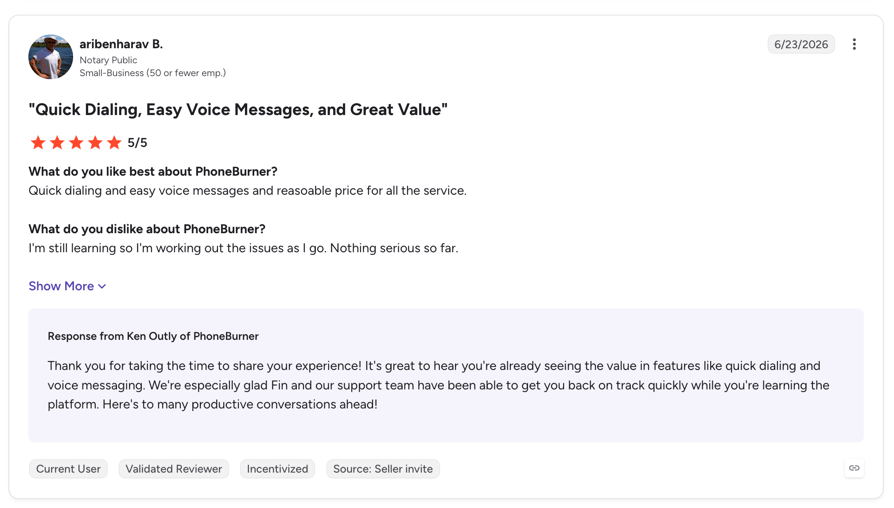
How Do G2 Users Rate PhoneBurner?
PhoneBurner’s current G2 rating is 4.8/5, from 290+ verified user reviews.
PhoneBurner vs. CallTools: Key Differences
| Category | PhoneBurner | CallTools |
|---|---|---|
| Pricing | Published, from $140/user/month | Quote-based |
| Dialer modes | Power only | Predictive, Power, Preview, Progressive, Parallel |
| Inbound | Basic (routing on Premium) | Full blended inbound queues |
| SMS | Premium only | Included (SMS/MMS) |
| Free trial | Free to start with free minutes | Demo only |
5. Kixie: Best for HubSpot Teams That Call and Text
What Is Kixie?
Kixie is a calling and texting platform for SMB and mid-market sales teams that live in their CRM. Its PowerDialer can run up to four lines at once, and every call and text syncs both ways with HubSpot or Salesforce.
Why Is Kixie a Strong CallTools Alternative?
If you want software like CallTools but with stronger CRM automation, Kixie is a good fit:
- Multi-line power dialing on up to four lines.
- Two-way native HubSpot and Salesforce sync.
- SMS included on every plan.
- Numbers in 65+ countries.
What Are the Key Features of Kixie?
- Multi-Line PowerDialer: calls up to four numbers per rep at once.
- AI Human Voice Detection: skips voicemails and connects live people (add-on).
- Local presence: AI picks a local caller ID for each prospect.
- Conversation intelligence: transcripts and live call coaching (add-on).
- Automated SMS: texts triggered by CRM workflows.
What Are the Pros & Cons of Kixie?
| Pros | Cons |
|---|---|
| Easy to use | Prices aren’t published |
| Helpful support | Reviewers mention call and number issues |
| Strong CRM automation | Best AI features are paid add-ons |
What Are Kixie’s Plans & Pricing?
Kixie pricing isn’t published. Plans are Professional, Single-Line PowerDialer, and Multi-Line PowerDialer, and third-party estimates start at around $95/user/month. There’s a 7-day free trial with no credit card.
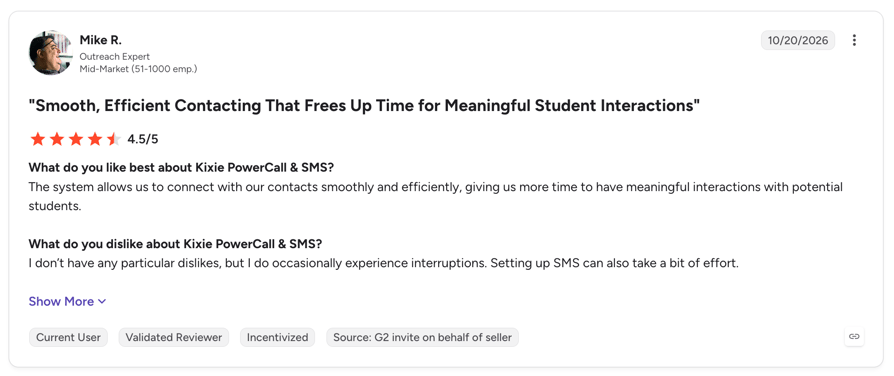
How Do G2 Users Rate Kixie?
Kixie’s current G2 rating is 4.8/5, from 850+ verified user reviews.
Kixie vs. CallTools: Key Differences
| Category | Kixie | CallTools |
|---|---|---|
| Pricing | Quote-based | Quote-based |
| Dialer modes | Power, up to 4 lines | Predictive, Power, Preview, Progressive, Parallel |
| CRM | Two-way HubSpot and Salesforce sync | Built-in CRM + Salesforce, HubSpot |
| Global numbers | 65+ countries | Nationwide US calling |
| Free trial | 7 days | Demo only |
6. Readymode: Best Like-for-Like Predictive Dialer With a Built-In CRM
What Is Readymode?
Readymode (formerly XenCALL) is a cloud predictive dialer with a built-in CRM for SMB and mid-size outbound call centers. Of every tool on this list, it works the most like CallTools, so it’s the easiest switch for teams that want the same model with published prices.
Why Is Readymode a Strong CallTools Alternative?
- Predictive and progressive dialing with blended inbound queues.
- Published per-license prices with one free admin license.
- Outbound minutes included under a fair-use policy.
- Caller ID reputation monitoring and spam-flag remediation on iQ.
What Are the Key Features of Readymode?
- Predictive dialer: paces calls to agent availability.
- Built-in CRM: lead lists, dispositions, and callbacks in one place.
- Call cadencing: multi-touch call schedules on the iQ plan.
- Compliance tools: DNC lists and built-in state calling restrictions.
- Integrations: about 18, including HubSpot and Pipedrive.
What Are the Pros & Cons of Readymode?
| Pros | Cons |
|---|---|
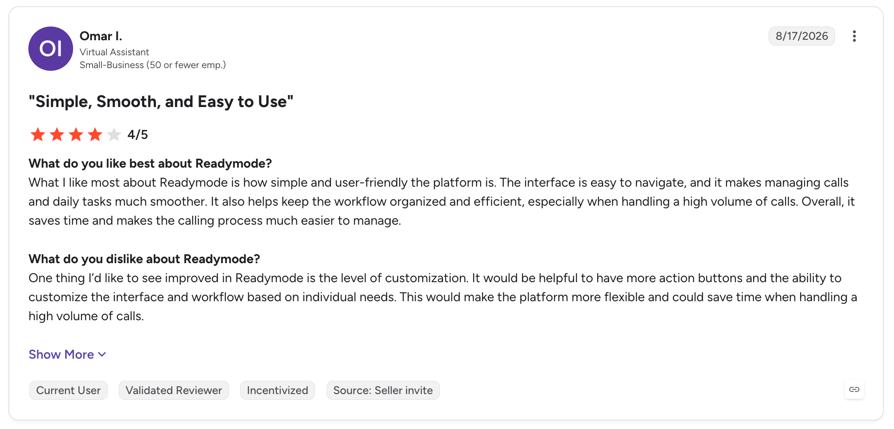
| Very efficient for outbound volume | Steep learning curve |
| Granular control over multi-touch campaigns | Reviewers report slow loading |
| Saves agents time between calls | No free trial |
What Are Readymode’s Plans & Pricing?
Readymode pricing starts at $199/license/month on annual billing. Inbound calls cost $0.02/min:
- Starter - $199/license/month ($239 monthly), 1+ licenses
- iQ - $249/license/month ($299 monthly), 5+ licenses
- Custom - Quote-based, 20+ licenses
How Do G2 Users Rate Readymode?
Readymode’s current G2 rating is 4.6/5, from 260+ verified user reviews.
Readymode vs. CallTools: Key Differences
| Category | Readymode | CallTools |
|---|---|---|
| Pricing | Published, from $199/license/month | Quote-based |
| Dialer modes | Predictive, Progressive | Predictive, Power, Preview, Progressive, Parallel |
| Built-in CRM | Yes | Yes |
| Integrations | About 18 | About 50 |
| Free trial | Demo only | Demo only |
7. JustCall: Best for SMS-Heavy Sales Teams
What Is JustCall?
JustCall is a cloud phone, SMS, and AI agent platform for sales and support teams. It’s strongest for teams that text as much as they call, and its SalesPro tier adds predictive dialing for CallTools users who don’t want to give it up.
Why Is JustCall a Strong CallTools Alternative?
- Predictive dialing on up to 10 lines on the SalesPro tier.
- Bulk SMS campaigns with 500 to 1,000 segments per user included.
- Numbers in 70+ countries.
- 14-day free trial with no credit card.
What Are the Key Features of JustCall?
- Dialers: Power from Pro; Predictive, Power, and Dynamic on SalesPro.
- SMS campaigns: bulk and automated texting synced to the CRM.
- AI Voice Agent: add-on in 14 languages.
- AI notetaker and real-time assist: summaries and live guidance.
- Integrations: 100+, including Salesforce, HubSpot, and Pipedrive.
What Are the Pros & Cons of JustCall?
| Pros | Cons |
|---|---|
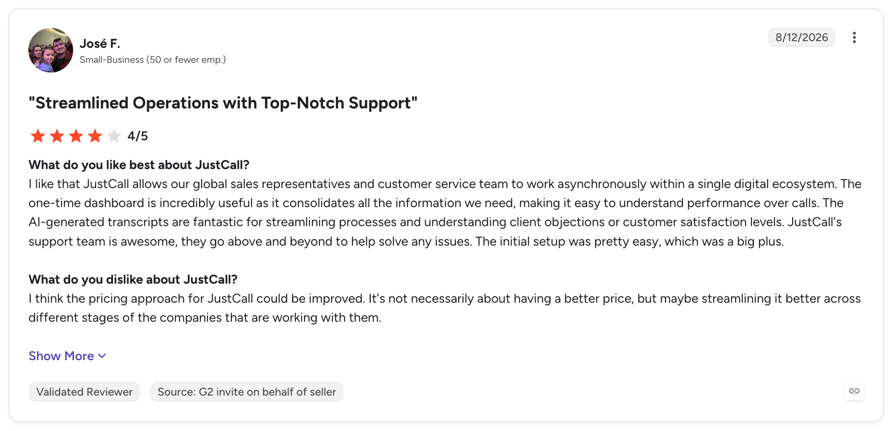
| Very easy to use | Reviewers report missed calls and calls not showing in the app |
| Wide feature set | 2-seat minimum |
| Strong SMS tools | Predictive dialing only on the quote-based tier |
What Are JustCall’s Plans & Pricing?
JustCall pricing starts at $29/user/month on annual billing, with a 2-seat minimum:
- Team - $29/user/month
- Pro - $49/user/month
- Pro Plus - $89/user/month
- Business and SalesPro - Quote-based
How Do G2 Users Rate JustCall?
JustCall’s current G2 rating is 4.3/5, from 2,300+ verified user reviews.
JustCall vs. CallTools: Key Differences
| Category | JustCall | CallTools |
|---|---|---|
| Starting price | $29/user/month | Quote-based |
| Predictive dialer | SalesPro tier only | Included |
| Global numbers | 70+ countries | Nationwide US calling |
| AI voice agents | Add-on | Not offered |
| Free trial | 14 days | Demo only |
8. Dialpad: Best for Live AI Coaching
What Is Dialpad?
Dialpad is an AI-native communications platform with separate products for business calling (Connect), sales (Sell), and contact centers (Support). Live transcription and on-screen coaching come built in, which helps managers ramp new reps faster.
Why Is Dialpad a Strong CallTools Alternative?
- Live transcripts and AI recaps from the $15 base plan.
- Live Coach shows reps tips during the call.
- Low entry price for single users.
- 14-day free trial on Connect.
What Are the Key Features of Dialpad?
- Real-time transcription: searchable call text as the call happens.
- Live Coach: on-screen cards when key topics come up.
- AI recaps and scorecards: summaries and automated QA.
- Power Dialer: in the Support and Sell products.
- AI agents (Resolve): automated customer self-service.
What Are the Pros & Cons of Dialpad?
| Pros | Cons |
|---|---|
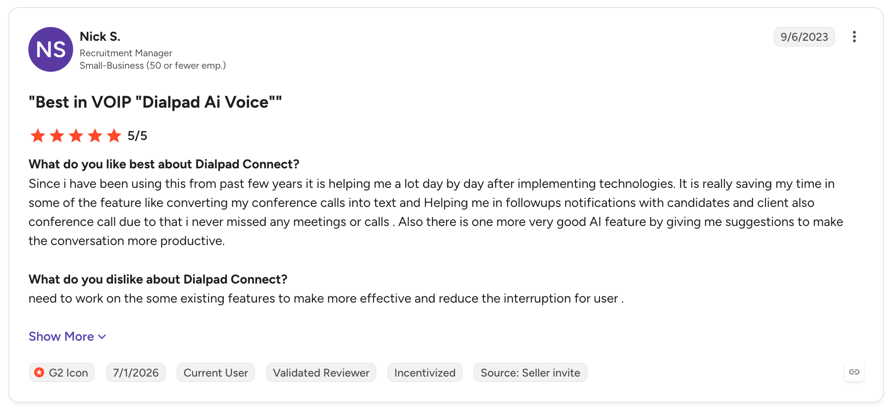
| Leading live AI transcription | Reviewers report call quality and connection issues |
| Clean, easy interface | No predictive dialer |
| Affordable entry price | Sales dialing needs the pricier Sell plans |
What Are Dialpad’s Plans & Pricing?
Dialpad pricing starts at $15/user/month:
- Connect - $15, $25, or custom per user/month
- Sell - $39, $59, or $79 per user/month
- Support - $89, $119, or $149 per user/month
How Do G2 Users Rate Dialpad?
Dialpad’s current G2 rating is 4.4/5, from 4,200+ verified user reviews.
Dialpad vs. CallTools: Key Differences
| Category | Dialpad | CallTools |
|---|---|---|
| Starting price | $15/user/month | Quote-based |
| Dialer modes | Power | Predictive, Power, Preview, Progressive, Parallel |
| Live AI coaching | Included | Not offered |
| Mobile app | Yes | None reported |
| Free trial | 14 days | Demo only |
9. Aircall: Best for Simple Small-Team Phone Systems
What Is Aircall?
Aircall is a cloud business phone for small and mid-size teams that want an easy setup and a large integration catalog. It suits teams leaving CallTools because they don’t need heavy outbound dialing anymore.
Why Is Aircall a Strong CallTools Alternative?
- 250+ native integrations, including Salesforce, HubSpot, and Pipedrive.
- Clean, quick-to-learn interface.
- Published per-license prices.
- Mobile and desktop apps.
What Are the Key Features of Aircall?
- Power Dialer: on Professional and above.
- Smartflows: visual call routing builder.
- AI Assist Pro: transcripts and summaries ($49/seat add-on).
- AI Voice Agents: from $100/month.
- SMS: domestic texting in 14 countries.
What Are the Pros & Cons of Aircall?
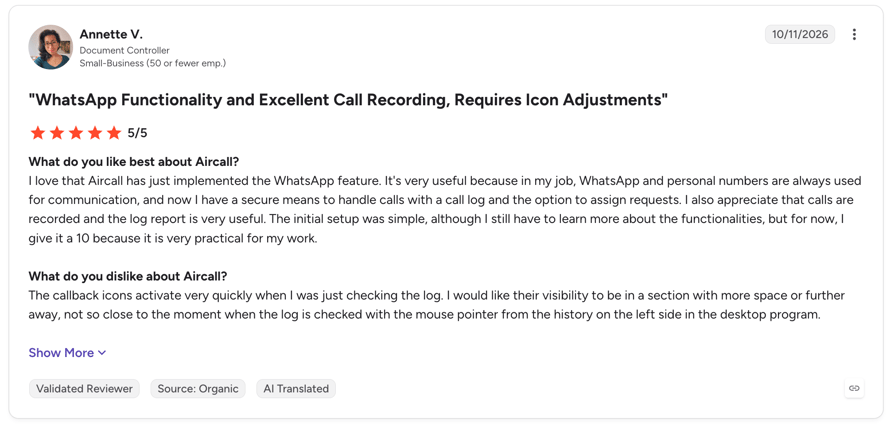
| Pros | Cons |
|---|---|
| Easy to use | 3-license minimum ($90/month to start) |
| Huge integration catalog | No predictive or parallel dialer |
| Reliable for small teams | AI and analytics are paid add-ons |
What Are Aircall’s Plans & Pricing?
Aircall pricing starts at $30/license/month on annual billing, with a 3-license minimum:
- Essentials - $30/license/month
- Professional - $50/license/month
- Enterprise - Custom (25-license minimum)
How Do G2 Users Rate Aircall?
Aircall’s current G2 rating is 4.4/5, from 1,650+ verified user reviews.
Aircall vs. CallTools: Key Differences
| Category | Aircall | CallTools |
|---|---|---|
| Starting price | $30/license/month (3 minimum) | Quote-based |
| Dialer modes | Power | Predictive, Power, Preview, Progressive, Parallel |
| Integrations | 250+ | About 50 |
| Mobile app | Yes | None reported |
| Free trial | 7 days (capped minutes) | Demo only |
10. RingCentral RingCX: Best for Omnichannel Contact Centers
What Is RingCentral RingCX?
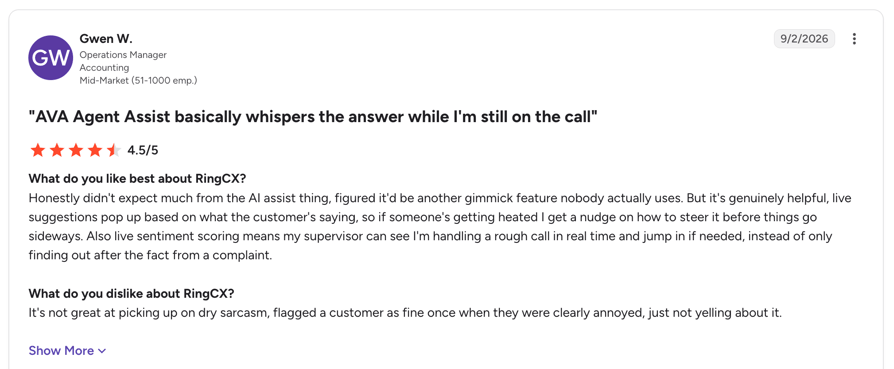
RingCX is RingCentral’s AI-first contact center. One license covers voice plus more than 20 digital channels, and it includes predictive dialing and call blending, so it can replace CallTools for teams that also handle chat, email, and social messages.
Why Is RingCentral RingCX a Strong CallTools Alternative?
- Predictive, progressive, preview, and manual dialing with call blending.
- TCPA and DNC tools built in.
- 20+ digital channels on one license.
- AI summaries, live agent assist, and interaction analytics.
What Are the Key Features of RingCentral RingCX?
- Outbound dialer: predictive, progressive, preview, and manual modes.
- Omnichannel inbox: voice, chat, email, SMS, and social.
- AI agent assist: live guidance and automatic summaries.
- AI scorecards and coaching: quality checks on every call.
- Integrations: HubSpot, Salesforce, Zendesk, and Oracle.
What Are the Pros & Cons of RingCentral RingCX?
| Pros | Cons |
|---|---|
| Easy for agents to use | Limited flexibility for advanced call flows and reporting |
| Versatile channel coverage | Reviewers mention slow urgent support |
| Smooth setup | No free trial |
What Are RingCentral RingCX’s Plans & Pricing?
RingCentral lists RingCX from $65/user/month. Higher tiers aren’t published on its site, so ask for a quote. See our RingCentral pricing guide for the full breakdown.
How Do G2 Users Rate RingCentral RingCX?
RingCentral RingCX’s current G2 rating is 4.4/5, from 120+ verified user reviews.
RingCentral RingCX vs. CallTools: Key Differences
| Category | RingCentral RingCX | CallTools |
|---|---|---|
| Starting price | $65/user/month | Quote-based |
| Dialer modes | Predictive, Progressive, Preview, Manual | Predictive, Power, Preview, Progressive, Parallel |
| Channels | Voice + 20+ digital channels | Voice, SMS/MMS, email |
| AI | Agent assist, summaries, scorecards | Limited |
| Free trial | Demo only | Demo only |
Nine alternatives in. Here’s the short version.
What Real Users Say About CallTools Alternatives on Reddit, Quora, and G2
We read community threads and verified reviews to see why people leave CallTools and what they move to. Here’s what came up most.
What Redditors and Sales Forums Say About CallTools Alternatives
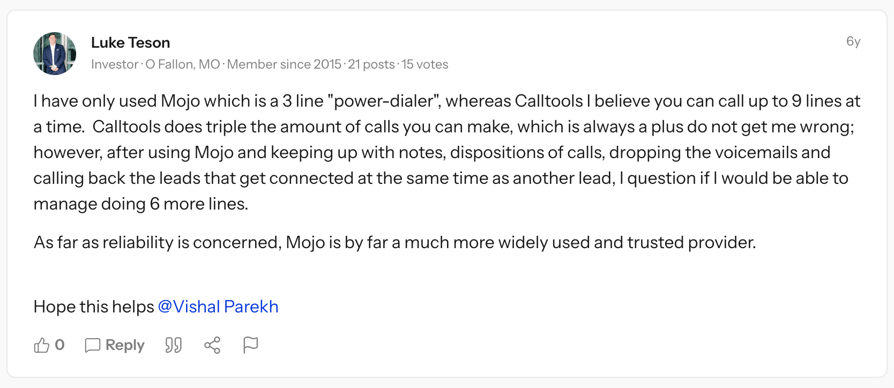
- Line count drives the shortlist: in a BiggerPockets thread, an investor noted CallTools can dial up to 9 lines against Mojo’s 3, but said Mojo was more widely trusted at the time.
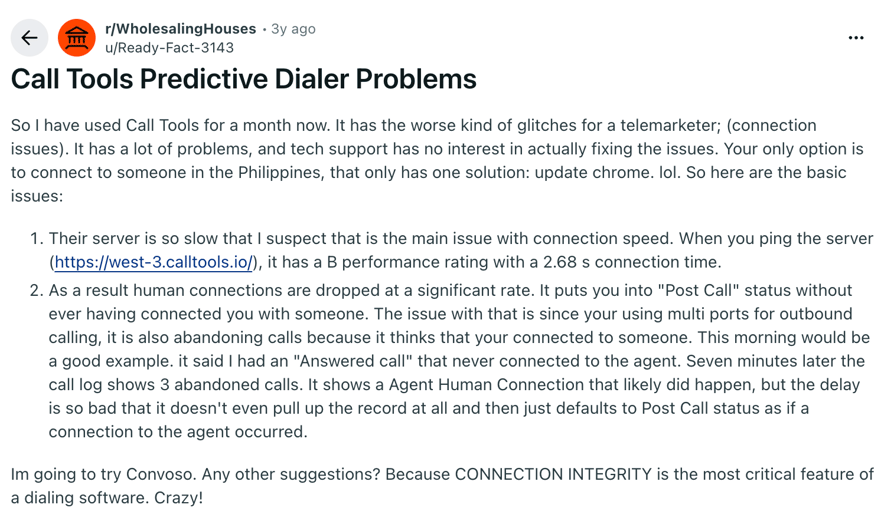
- Price transparency comes up early: buyers comparing dialers ask for a monthly per-seat price before booking demos, which favors tools with public pricing like CloudTalk, PhoneBurner, and Readymode.
- Compliance is non-negotiable: outbound teams in real estate and insurance ask about DNC scrubbing and spam-flag protection before features.
What Quora Users Are Asking About CallTools Alternatives
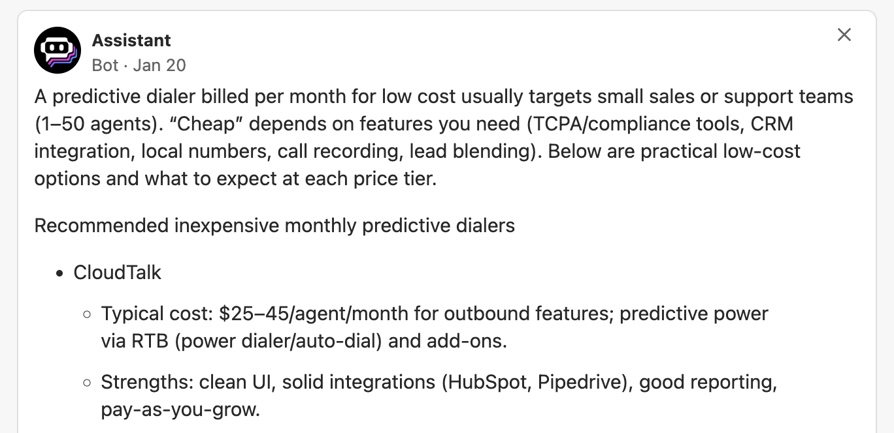
- “What is a cheap per-month predictive dialer?” Small teams want predictive dialing without enterprise contracts, the gap Readymode and CloudTalk’s Parallel Dialer try to fill.
- “What are the best cloud-based auto dialers?” Buyers want browser-based tools with no hardware, plus a mobile app for reps on the move.
- “Which predictive dialer fully integrates with Salesforce?” Native CRM sync is often the deciding factor, so check it before you compare dialer features.
What Verified Reviewers Say About Switching From CallTools
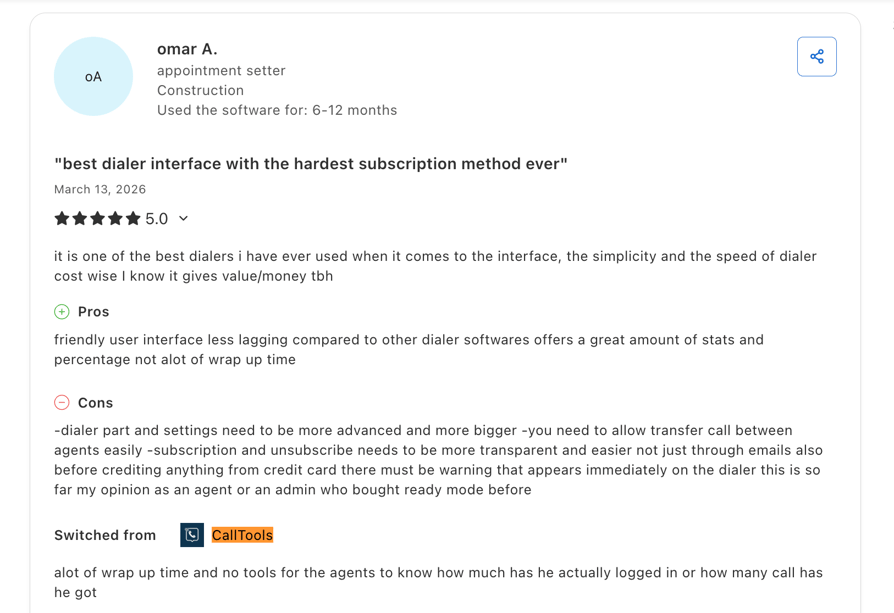
- Readymode: a construction appointment setter who switched from CallTools cited “alot of wrap up time and no tools for the agents to know how much has he actually logged in.”
- Mobile and OS support: an office manager on Capterra left CallTools after the trial because it lacked a mobile app and Linux or ChromeOS support, and looked at Aircall instead.
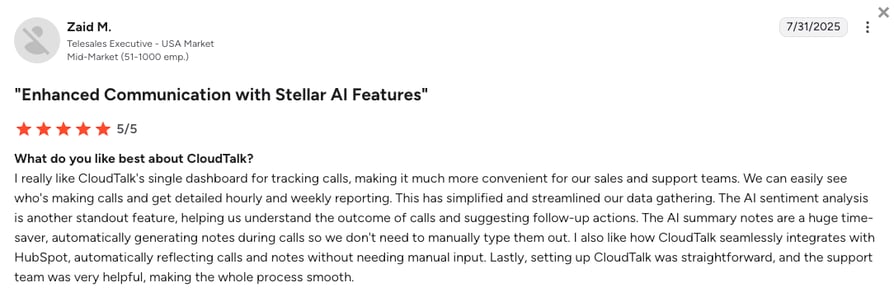
- CloudTalk: reviewers who move to CloudTalk from other dialers most often mention call quality, quick setup, and automatic CRM logging.
CloudTalk Features vs. CallTools Features: Detailed Comparison
CallTools wins on dialer modes, a built-in CRM, and its G2 average. CloudTalk wins on pricing transparency, global reach, AI, and mobile access. Here’s the full side-by-side.
| Category | CloudTalk | CallTools | Winner |
|---|---|---|---|
| Starting Price (annual billing) | $25/user/month, published | Quote-based (third-party data from 2023: $101.99 to $119.99/agent/month) | CloudTalk |
| Minimum Seats | 1 user (Starter & Essential; Expert starts at 3) | None, per CallTools | Tie |
| Call Quality | 99.999% uptime SLA | Uptime not published | CloudTalk |
| Global Coverage | 160+ countries | Nationwide US calling | CloudTalk |
| Dialer Modes | Power, Preview, Parallel, Smart | Predictive, Power, Preview, Progressive, Parallel | CallTools |
| Inbound + Outbound Blending | Queues, IVR, and smart routing next to dialer campaigns | Dialing pauses automatically for inbound calls | Tie |
| Call Flow Designer | Visual drag-and-drop | IVR with time-based and round-robin routing | CloudTalk |
| Conversation Intelligence | Add-on from $9/user/month | Not documented | CloudTalk |
| AI Voice Agents | AI Receptionist from $99/month, AI Specialist from $349/month | Not offered | CloudTalk |
| CRM | 100+ native integrations | Built-in CRM + about 50 integrations | Tie |
| Mobile App | iOS and Android | None reported by reviewers | CloudTalk |
| Scalability | 1 seat to Custom plans for 25+ seats | Quote-based at any size | Tie |
| G2 Rating | 4.4/5 (1,702+ reviews) | 4.8/5 (77 reviews) | CallTools |
| Free Trial | 14 days | Demo only | CloudTalk |
See the table above on your own numbers.
How to Choose the Right CallTools Alternative for Your Team
Start with the bottleneck that made you look, not the longest feature list. These six questions cover the decisions that matter most.
1. Do you need true predictive dialing?
Check whether your campaigns depend on algorithmic pacing and abandonment-rate controls. If they do, stay with a predictive tool: Convoso, Five9, Readymode, or RingCX. If your goal is simply more live conversations per rep, CloudTalk’s Parallel Dialer gets there with less setup.
2. What will it really cost at your seat count?
Compare CallTools alternatives pricing at your real team size, including seat minimums and add-ons. Aircall starts at 3 licenses, JustCall at 2, and Five9 at 50. CloudTalk and PhoneBurner let you start with one seat, which makes them the best fit for small businesses under 10 seats.
3. Do you call or text outside the US?
Count the countries you sell to and check local number availability in each. CloudTalk covers the most, with numbers in 160+ countries. JustCall (70+) and Kixie (65+) follow.
4. How deep does your CRM sync need to go?
Ask whether calls, recordings, and summaries log to the contact automatically, or only through Zapier. CloudTalk, Kixie, and Convoso offer native Salesforce sync; CloudTalk and Kixie also sync HubSpot both ways. If you want the CRM inside the dialer, like CallTools, pick Readymode. Our guide to Capterra-rated call center software for CRM integration goes deeper.
5. How fast do non-technical reps need to be productive?
Ask for a trial, not just a demo, and time how long a new rep takes to make their first call. PhoneBurner, Aircall, and CloudTalk are the quickest to learn. Five9 and Readymode need trained admins.
6. Do you need AI calling and voice analytics?
Separate AI that helps reps (transcripts, coaching) from AI that makes calls (voice agents). For live coaching, Dialpad leads. For AI voice agents plus call summaries in one platform, CloudTalk and Convoso are the strongest CallTools alternatives 2026 offers.
| Team Profile | Best Fit | Why |
|---|---|---|
| SMB sales or support team, under 50 seats | CloudTalk | Published pricing, single seats, AI, 160+ countries |
| High-volume outbound lead gen | Convoso | Predictive dialing, Voice AI Agent, compliance tooling |
| Enterprise contact center, 50+ agents | Five9 | Five dialer modes, WFM, GenAI quality scoring |
| Solo rep or tiny outbound team | PhoneBurner | Simple power dialer, no seat minimum |
| HubSpot-first sales team | Kixie | Two-way sync, multi-line dialing, SMS |
| Want the CallTools model with public prices | Readymode | Predictive dialer + built-in CRM |
| SMS-heavy sales team | JustCall | Bulk SMS, predictive on SalesPro |
| Ramping many new reps | Dialpad | Live transcripts and coaching |
| Small team, simple phone needs | Aircall | Easy setup, 250+ integrations |
| Voice plus chat, email, and social | RingCentral RingCX | 20+ digital channels on one license |
Ready to Try the Best Alternative to CallTools?
If quote-only pricing, a steep admin learning curve, and a desk-only setup are slowing your team down, CloudTalk fixes all three. You see the price up front, start with one seat, call customers in 160+ countries, and let AI write the call notes. Switching is simple too: our CallTools replacement process ports your existing numbers while your old line stays live.
Try the CallTools alternative that over 5,500 businesses already use, free for 14 days.
Let our team plan your move from CallTools.
Frequently Asked Questions
About CallTools Alternatives & Competitors
Answers to the most common questions teams ask when comparing CallTools with other dialers.
CloudTalk is the best CallTools alternative for most SMB outbound sales teams. It combines Power and Parallel dialers, published pricing from $25/user/month, and local numbers in 160+ countries. For very high-volume, predictive-only floors, Convoso and Readymode are closer matches.
Convoso, Five9, Readymode, RingCentral RingCX, and JustCall (SalesPro tier) offer predictive dialing. Kixie dials up to 4 lines at once, and CloudTalk’s Parallel Dialer calls several numbers per rep and connects only when someone answers. CloudTalk doesn’t offer a predictive dialer.
CloudTalk, Kixie, JustCall, Aircall, and PhoneBurner integrate natively with both Salesforce and HubSpot. Convoso and Five9 focus on Salesforce. CallTools itself also lists both, alongside its built-in CRM.
Yes. CloudTalk, PhoneBurner, Readymode, JustCall, Dialpad, and Aircall all publish per-seat prices. CallTools, Convoso, and Kixie only share prices after a sales conversation.
CloudTalk backs its network with a 99.999% uptime SLA and is consistently praised on G2 for clear audio. PhoneBurner reviewers also rate its call quality well. Always test call quality during a free trial on your own internet connection before you switch.
Yes. You can keep your numbers through number porting, and your CRM data stays in your CRM. Export call logs and recordings from CallTools before you cancel, and keep your CallTools account active until the port completes.
Yes. CloudTalk offers AI Conversation Intelligence, AI Receptionist, and AI Specialist voice agents, plus local numbers in 160+ countries. CallTools focuses on US calling and doesn’t document comparable AI features.