
TL;DR: The Best AI Calling Software at a Glance
This guide ranks 14 platforms on Software Advice ratings, sub-ratings, review themes, FrontRunners placements, AI capability and pricing transparency.
- 01CloudTalk: Best for global sales and support teams that need local numbers plus AI on a real phone system
- 02Ringover: Best for fast implementation and hands-on support
- 03Nextiva: Best for small businesses handling high call volumes
- 04CallHippo: Best for mobile-first teams on a tight budget
- 05Wildix: Best for partner-led unified communications buyers
- 06CallTools: Best for high-volume outbound teams
- 07Convoso: Best for predictive dialing at scale
- 08Aircall: Best for teams that live inside a CRM
- 09JustCall: Best for SMBs that need voice plus messaging
- 10Dialpad: Best for AI across calls, meetings and coaching
- 11Kixie PowerCall: Best for local-presence outbound dialing
- 12Talkdesk: Best for mid-market and enterprise support
- 13Five9: Best for regulated, high-volume contact centers
- 14Genesys Cloud CX: Best for enterprise omnichannel
Best AI Calling Software: Comparison Table
| Software | Best For | Key AI Features | Starting Price | Software Advice Rating |
|---|---|---|---|---|
| CloudTalk | Global sales and support teams | AI Voice Agents, AI Conversation Intelligence (both add-ons), AI dialer modes | $25/user/mo | 4.4/5 (269) |
| Ringover | Fast implementation | Call transcription, recording | $29/licence/mo | 4.7/5 (884) |
| Nextiva | High volumes, low entry price | Voicemail transcription | $25/mo (per Software Advice) | 4.6/5 (919) |
| CallHippo | Mobile-first, budget-conscious teams | AI voicemail transcription, AI reports, AI Global Connect | Free, then $25/user/mo (per Software Advice) | 4.4/5 (688) |
| Wildix | Partner-led UC deployments | Software Advice "Best for AI powered" | Not publicly listed | 4.7/5 (209) |
| CallTools | High-volume outbound | Predictive dialing, answering machine detection | Not publicly listed | 4.8/5 (156) |
| Convoso | Outbound contact centers | Predictive dialing, answering machine detection | $90/user/mo (per Software Advice) | 4.5/5 (395) |
| Aircall | CRM-centric sales and support | AI virtual assistants, voice agents, transcription | $30/licence/mo (3-licence min.) | 4.2/5 (464) |
| JustCall | SMB voice plus SMS and WhatsApp | Call transcription, Notetaker AI package | $29/user/mo | 4.1/5 (225) |
| Dialpad | AI across calls and meetings | Real-time transcription, AI summaries, AI agents | $27/user/mo (per Software Advice) | 4.2/5 (569) |
| Kixie PowerCall | Local-presence outbound dialing | AI sentiment analysis, key phrase detection | Not publicly listed | 4.6/5 (295) |
| Talkdesk | Mid-market and enterprise support | Copilot, Autopilot, Navigator, interaction analytics | $85/user/mo (per Software Advice) | 4.5/5 (733) |
| Five9 | Regulated, high-volume outbound | AI Copilot, predictive dialing | $119/user/mo | 4.2/5 (484) |
| Genesys Cloud CX | Enterprise omnichannel | Predictive routing, sentiment analysis, Copilot | $75/user/mo | 4.3/5 (265) |
For wider context on what teams actually pay across this category, see our breakdown of how much call center software costs.
Why AI Calling Software Is Harder to Buy Than It Looks
According to a March 2025 forecast from Gartner, agentic AI will autonomously resolve 80% of common customer service issues by 2029, cutting operational costs by 30% along the way.
That number reads differently when you're the person watching the queue. Every call nobody picks up is a demo that doesn't get booked or a customer who hangs up and dials a competitor. Reps burn their mornings on manual dialing and after-call notes, and by the time a manager finds the call worth coaching, the deal has closed or died.
The usual fixes don't hold. Teams hire more reps, bolt on another IVR layer, or buy a point solution for transcription, and the friction just moves somewhere else. Deloitte's 2025 contact center research found AI adoption in contact centers rose 15% between 2023 and 2025, while customer and employee experience ratings fell by an average of half a point over the same period. Buying AI and getting a better outcome are not the same thing.
AI calling software earns its keep when it takes work off people rather than adding a layer on top of them. In this guide we ranked the 14 best AI calling software platforms using Software Advice ratings, sub-ratings and aggregated reviewer themes. You'll learn which tools reviewers rate highest, what each costs, and where the AI is included versus sold as an add-on. If you are still working out what an AI phone system should do in the first place, our guide to the best AI phone system for businesses covers that ground. This page is the reviews-ranked shortlist.

See AI calling software running on a real phone system

Why Software Advice Reviews Are Worth a Closer Look When Comparing AI Calling Software
Most "best AI calling software" lists quote a star rating and move on, without saying where the number came from or when it was read. That is the gap this ranking closes.
Software Advice's own About page says the company, founded in Austin in 2005, has helped over 1 million businesses and hosts more than 2.5 million verified software reviews. Every rating here comes from a live product profile, with four sub-ratings most listicles ignore: ease of use, value for money, customer support and functionality. That is where the disagreements surface. A product can hold a 4.7 overall and still carry a 4.2 for value for money, and those four numbers are exactly what any serious call center software buyer's guide weighs before the headline star.
Software Advice does not run its own separate review pool. Its community guidelines state that reviews "may be published publicly on affiliated websites, including www.Capterra.com, www.SoftwareAdvice.com or www.GetApp.com." Reviewer profile images are even served from Capterra's content delivery network. So when you read Software Advice AI calling software reviews, you're reading the same feedback you'd find on Capterra, through a different scoring lens. Search for Software Advice AI calling software rankings and you land on FrontRunners, which is the part worth understanding.
Three Different Products Are All Called "AI Calling Software"
Search results for this term mix three product types that solve different problems:
- 01AI-augmented business phone systems.A real phone system (numbers, routing, recording) with AI on top for transcription, summaries, sentiment and dialing. This is what most buyers mean by AI voice calling software. CloudTalk, Ringover, Aircall, Dialpad and Nextiva sit here.
- 02Software that holds the conversation itself, answers inbound calls, qualifies leads and escalates when needed. This is what people usually mean by top AI calling agent software.
- 03Developer voice-AI infrastructure.APIs and SDKs for building your own voice bot. Powerful, but you're buying a construction kit, not a phone system.
This guide covers the first two, because that's what a sales, support or RevOps team can deploy this quarter.
Our Approach: How We Evaluated the Best AI Calling Software on Software Advice
Based on Software Advice ratings, review counts, and reviews read on 27 July 2026. Last updated July 2026.
Six inputs went into our ranking of the best AI calling software.
- 01Star rating and review count, read from each live Software Advice profile on 27 July 2026.
- 02All four sub-ratings (ease of use, value for money, customer support, functionality), plus the star distribution.
- 03Recurring themes from Software Advice's aggregated review summaries and published pros and cons, weighted toward the last 12 to 18 months where the profile surfaces them.
- 04FrontRunners 2026 placement in the Call Center report (research conducted October 2025) and the VoIP report (research conducted June 2026).
- 05AI capability, verified against each product's Software Advice feature listing or the vendor's own live pages.
- 06Pricing transparency, with every figure labeled by where it came from.
Three disclosures, because a ranking that hides its weak spots isn't worth reading.
CloudTalk's Software Advice reviews skew old. Of the first 25 reviews on the profile, only one is from 2025. That's a real limitation of using Software Advice as the lens for our own product, and it's why the CloudTalk entry leans on sub-ratings and themes rather than claiming recency it doesn't have.
Prices come with a source label. Software Advice's pricing lags in places: its Aircall listing still shows $40 when Aircall's own page shows $30, and its CloudTalk listing still shows a discontinued plan. Where a vendor publishes a current price, we use it. Where only Software Advice publishes one, we say so. Where neither does, we call it quote-based rather than guessing.
Why Trust Our Software Reviews?
For nearly a decade, we've helped 30,000+ professionals find and implement smarter business communication tools. We've reviewed 200+ software tools across industries, analyzed 5,500+ verified customer reviews from platforms like G2, Capterra, Trustpilot and TrustRadius, and drawn insights from real user discussions on Reddit and Quora.
In the past year alone, we published 1,000+ articles, each one written by humans for humans. Learn how we keep our content integrity and our software review methodology.
The 14 Best AI Calling Software Platforms, Ranked by Software Advice
1. CloudTalk: Best AI Calling Software for Sales Teams Going Global
What Is CloudTalk?
CloudTalk is an AI-powered, cloud-based call center solution designed for modern sales and customer support teams. It replaces on-premise private branch exchange (PBX) hardware with a cloud phone system running in a browser, a desktop app or a mobile app, with voice, SMS, MMS and WhatsApp in one workspace. The AI layer sits on top of that phone system rather than beside it, so transcripts, summaries and sentiment attach to the same call record your CRM already sees.
What Are CloudTalk's Key Features?
- Autonomous inbound and outbound agents that understand intent, pull answers from a knowledge base, act in connected systems and escalate to a human only when needed. 60+ languages and accents. Always a paid add-on.
- Transcription with speaker separation, AI summaries, smart notes, sentiment, topic detection, AI tags, talk/listen ratio and transcript search. Always a paid add-on.
- DialersSmart Dialer from Essential, Power Dialer included in Expert (a paid add-on on Starter and Essential), and Parallel Dialer for up to 10 lines per agent, an add-on on any plan.
- Global numbers and routingLocal numbers in 160+ countries, number porting, anti-spam registration and STIR/SHAKEN signing, plus IVR and skill-based routing from Starter.
- Integrations100+ native CRM, helpdesk and e-commerce integrations with two-way sync, plus a Workflow Automation Designer and public API, from Essential (Salesforce sits on Expert).
What Are CloudTalk's Pros and Cons?
| Pros | Cons |
|---|---|
| Feature breadth for the price, the most repeated theme in high-star reviews | Requires Internet connection |
| Automation through CRM integrations and the API | Support responsiveness dominates the low-star reviews |
| Highest sub-rating is ease of use at 4.5 | No videoconferencing options |
Who Is CloudTalk Best For?
CloudTalk fits global sales and support teams that need local numbers across many countries, with call quality to match. Distributed teams get the same outbound footprint as a company with local offices, and the AI runs on the same call record rather than in a second tool.
How Much Does CloudTalk Cost?
Flexible Pricing Plans to Scale with You
Compare our plans
- Starter: $25/user/month, billed annually. The baseline plan in every region.
- Essential: $29/user/month, billed annually.
- Expert: $49/user/month, billed annually. Includes Power Dialer.
- Custom: contact sales.
- Add-ons: AI Conversation Intelligence at $9/user/month (annual), AI Voice Agents from $99/month for 200 minutes, Power Dialer at $15/user/month on Starter and Essential, Parallel Dialer at $39/user/month, Branded Caller ID from $0.07 per call.
- Free trial: 14 days.
What Is CloudTalk's Software Advice Rating?
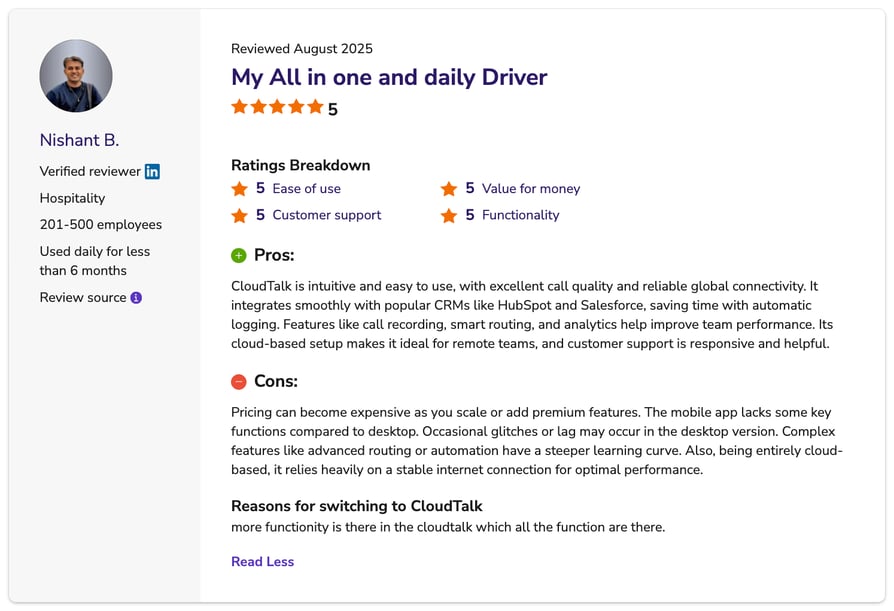
4.4/5 (269 reviews). Sub-ratings: ease of use 4.5, functionality 4.3, customer support 4.3, value for money 4.2. Distribution: 68/20/3/3/6% across five to one star. CloudTalk does not appear in Software Advice's 2026 Call Center or VoIP FrontRunners reports. For cross-reference, it holds 4.4/5 from 1941 reviews on G2.
Profile: CloudTalk on Software Advice
What Do Reviewers Say About CloudTalk?
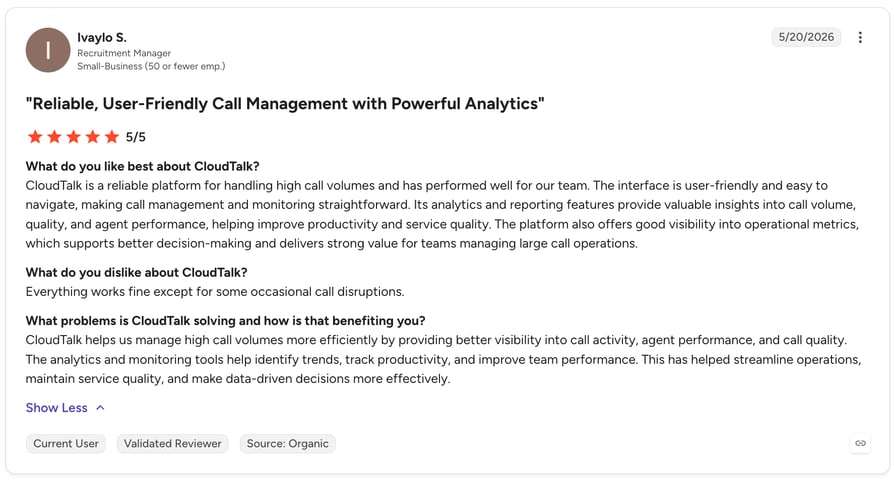
Here are some additional reviews from verified users on trusted sites such as Trustpilot and G2:
"Great pricing, considering it does everything it's competitors do, and everything I need for outbound sales calls. My sales rep was very helpful and the one click integrations mean my calls activities and recording are syncing to my CRM with no hassle."
"The features and integrations are strong and cover what our sales team needs day to day. Customer support has also been responsive and helpful whenever we've had questions. The one downside is that it's not very easy to subscribe or pick a plan/package on your own, we needed help from the sales team to figure out the right setup."
2. Ringover: Best for Fast Implementation and Support
What Is Ringover?
Ringover calls itself "the no.1 business phone system that gives you unlimited calls to 110 countries" on its Software Advice profile. It's the only product here to top both of Software Advice's 2026 FrontRunners tables.
What Are Ringover's Key Features?
- Cloud telephony to 110 countries, plus video and SMS
- Call recording, whispering, monitoring, automatic call distribution (ACD)
- Call transcription, a core reason for adoption in reviews
- Native CRM integrations: Salesforce, HubSpot, Pipedrive, Bullhorn
What Are Ringover's Pros and Cons?
| Pros | Cons |
|---|---|
| Support is accessible, knowledgeable and fast | International rates vary with no flat tariff |
| CRM integration and clear call quality under load | Number provisioning can take days |
| Recording and transcripts useful for prospecting | Mobile app limited to one device |
Who Should Choose Ringover, and Who Shouldn't?
Ringover suits teams that want to be live quickly with CRM-synced calling and support that answers; recruitment firms show up often, usually alongside Bullhorn. Skip it if you need predictable per-destination international rates, which an August 2025 five-star reviewer wanted as "a fix tariff for every country."
How Much Does Ringover Cost?
Smart is $29/licence/month, vendor-verified and matching Software Advice. Higher tiers disagree: Ringover lists $39 and $59 per licence, Software Advice lists Power at $54 and Advanced at $64. Confirm the tier price in writing, and check our Ringover pricing breakdown alongside it.
What Is Ringover's Software Advice Rating?
4.7/5 (884 reviews). Sub-ratings: ease of use 4.8, functionality 4.7, customer support 4.6, value for money 4.5. FrontRunners 2026: #1 in Call Center at 92/100 ("Best for Quick Implementation") and #1 in VoIP at 87/100 ("Best for Customer Satisfaction"). On G2 it holds 4.6/5 from 500 reviews.
Profile: Ringover on Software Advice
What Do Reviewers Say About Ringover?
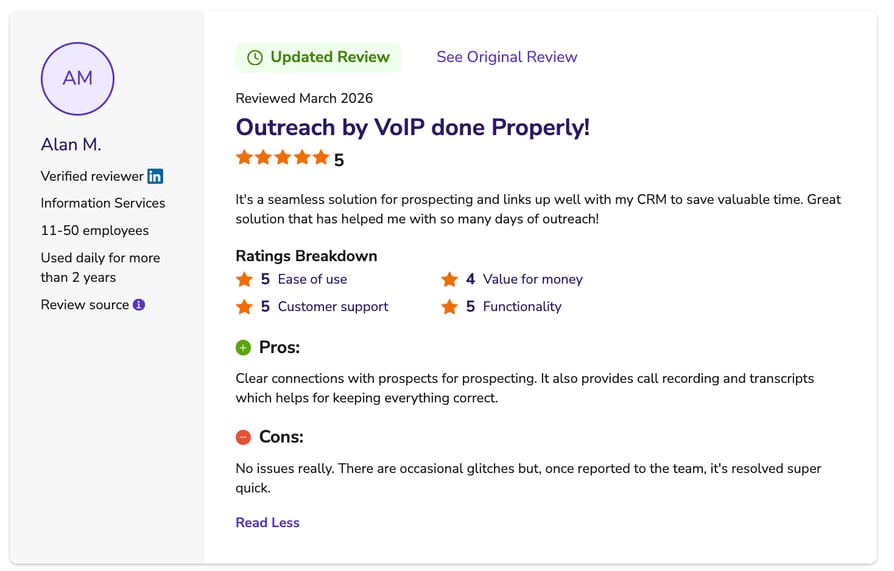
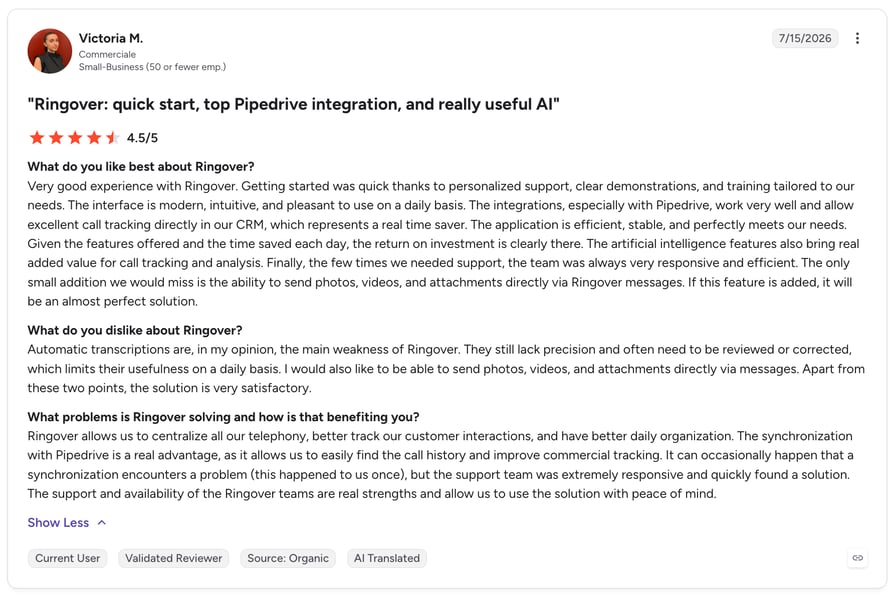
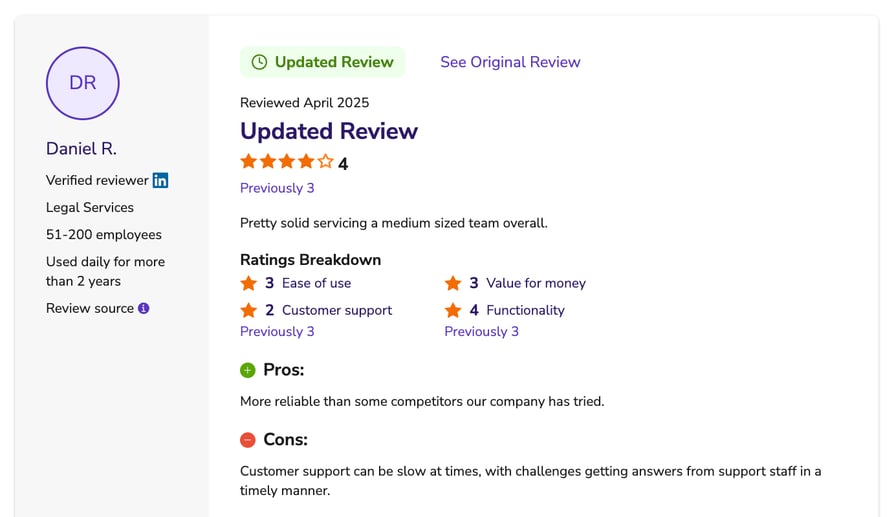
Software Advice reports users "consistently highlight Ringover's customer support for being accessible, knowledgeable, and quick to respond," and a July 2025 reviewer cites clear calls "even during peak usage times." Negative feedback is narrower: international rates, waits for new numbers, and one October 2025 review describing an account blocked without explanation.
Recommended articles
3. Nextiva: Best for High Call Volumes at a Low Entry Price
What Is Nextiva?
Software Advice describes Nextiva as a cloud-based VoIP platform bundling "business phone numbers, texting, call center operations, call tracking, and audio conferencing," and calls it "ideal for handling high volumes of calls at a cost-efficient price for small businesses."
What Are Nextiva's Key Features?
- Business phone numbers, texting, audio conferencing
- Call center operations and call tracking
- Voicemail transcription and voicemail-to-email
- Call routing, queues, forwarding, analytics
What Are Nextiva's Pros and Cons?
| Pros | Cons |
|---|---|
| Call routing and a user-friendly interface (Software Advice's published pros) | Mobile app reliability (Software Advice's published con) |
| Knowledgeable support and effective onboarding | SMS delays and difficulty initiating texts |
| Call management across multiple devices | Transcription accuracy; occasional dropped calls |
Who Should Choose Nextiva, and Who Shouldn't?
Nextiva fits small businesses that take a lot of calls and want an all-in-one system without an enterprise price tag. Skip it if your team works primarily from phones: mobile app reliability is one of the two cons Software Advice publishes.
How Much Does Nextiva Cost?
From $25/month, as listed on Software Advice. We could not confirm that figure or the plan names against Nextiva's own pricing page, so treat it as Software Advice's listing rather than a current vendor quote. Our Nextiva pricing guide has the plan-level detail.
What Is Nextiva's Software Advice Rating?
4.6/5 (919 reviews). Sub-ratings: ease of use 4.5, value for money 4.5, customer support 4.5, functionality 4.5. FrontRunners 2026: #3 in VoIP at 85/100, "Most Used by Accounting."
Profile: Nextiva on Software Advice
What Do Reviewers Say About Nextiva?
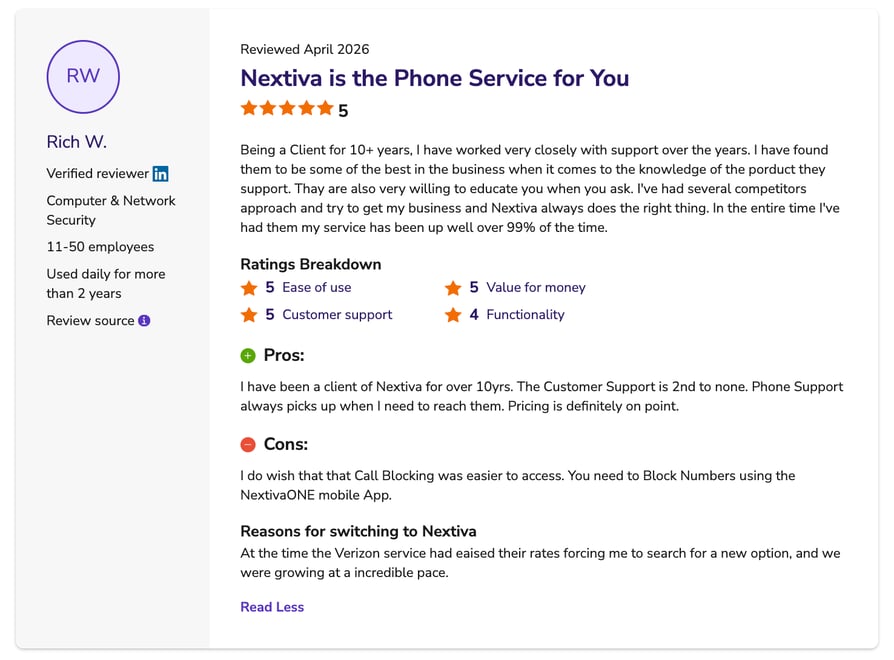
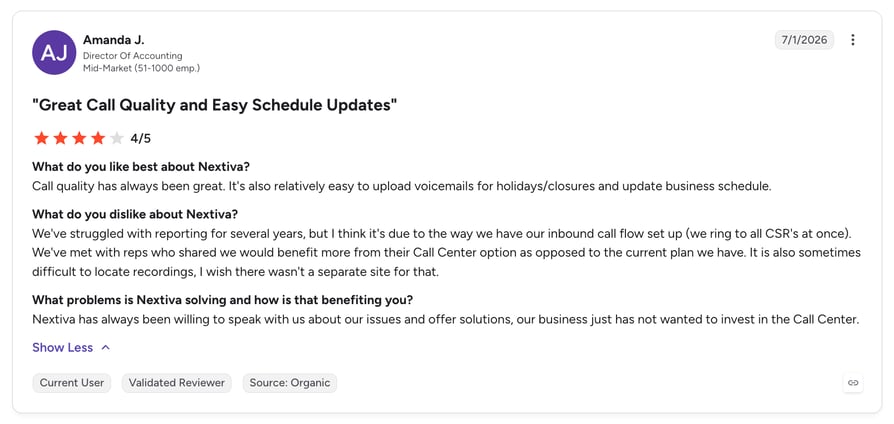
Software Advice reports users "love the call routing, voicemail, and mobile accessibility of Nextiva and find the platform easy to use and set up." On the other side they "encounter issues with text functionality, including delays, difficulty initiating SMS messages, and a lack of real-time updates," alongside transcription accuracy problems.
Recommended articles
4. CallHippo: Best for Mobile-First Teams on a Budget
What Is CallHippo?
CallHippo describes itself on Software Advice as "a cloud-based call center solution that helps mid to large size businesses with workflow automation and virtual telephony." It ranked #2 in the 2026 Call Center FrontRunners report.
What Are CallHippo's Key Features?
- Unlimited minutes on paid tiers, plus WhatsApp Business API and SMS/MMS
- Power Dialer, Parallel Dialer, Auto Rotate, Smart DID Routing
- AI Voicemail Transcription, AI Reports and AI Global Connect, per its plan inclusions
- Multilingual and multilevel IVR, cascading distribution, CRM-based VIP routing
What Are CallHippo's Pros and Cons?
| Pros | Cons |
|---|---|
| Easy to navigate, wide customization and integrations | Pricing described as unclear and unexpectedly expensive |
| Highest sub-rating is customer support at 4.6 | Problems cancelling services or obtaining refunds |
| Free tier available for testing | Value for money is the weakest sub-rating at 4.2 |
The gap between the support score (4.6) and the value score (4.2) says it: reviewers rate the team highly and the billing badly.
Who Should Choose CallHippo, and Who Shouldn't?
CallHippo works for mobile-first, budget-conscious teams that want a free tier to test with. Skip it if you need predictable billing or a clean exit: Software Advice's reviews name "fast-draining credits, hidden charges, costly add-ons, and misleading advertised rates," plus "auto-renewals, delayed or denied refunds" and charges after account closure.
How Much Does CallHippo Cost?
As listed on Software Advice: Basic $0, Starter $25, Professional $39, Ultimate $55, per user per month. CallHippo publishes no plan prices of its own, so confirm the total including add-ons and credits in writing. Our CallHippo pricing guide sets out the tiers.
What Is CallHippo's Software Advice Rating?
4.4/5 (688 reviews). Sub-ratings: customer support 4.6, ease of use 4.4, functionality 4.3, value for money 4.2. FrontRunners 2026: #2 in Call Center at 89/100, "Highly Rated for Mobile app." On G2 it holds 4.4/5 from 416 reviews.
Profile: CallHippo on Software Advice
What Do Reviewers Say About CallHippo?
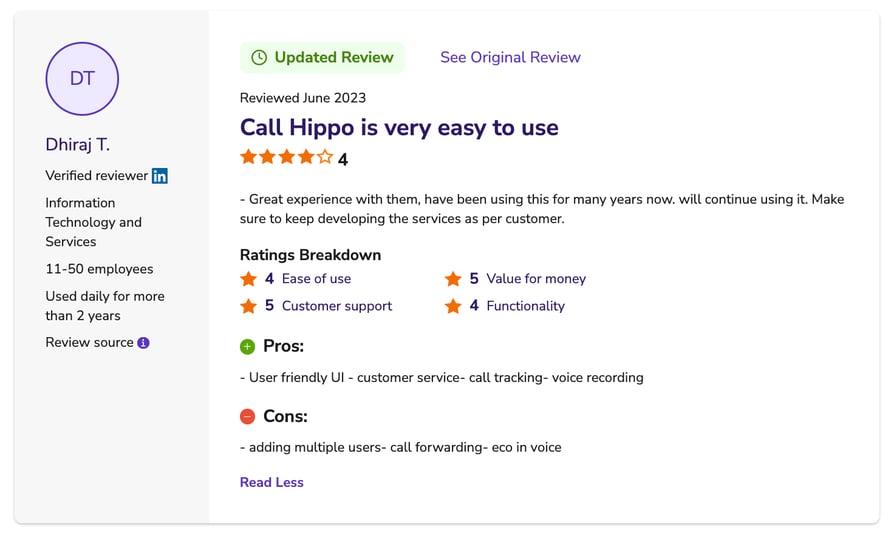
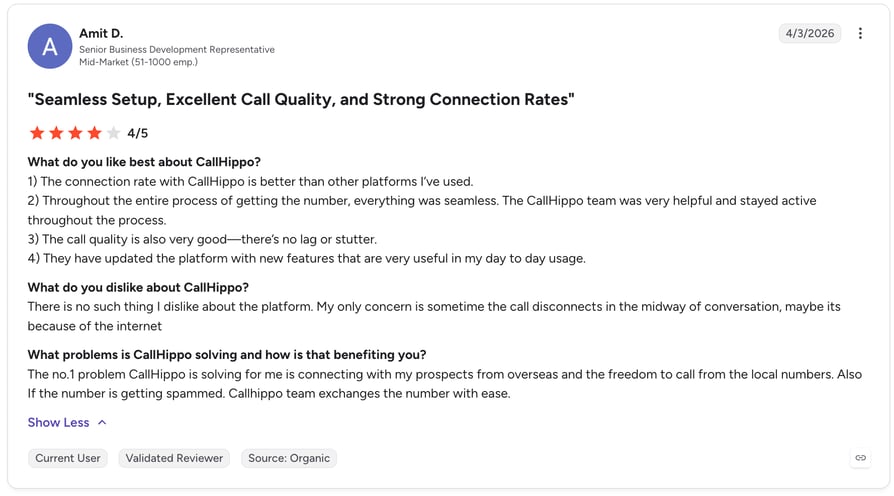
CallHippo reviewers describe a clear layout and straightforward controls that suit technical and non-technical users alike, and support draws repeated praise: "The app itself is great, but the support team really makes it worth." Then they turn negative on billing, where unclear pricing and difficulty cancelling are the two themes Software Advice calls out.
Recommended articles
5. Wildix: Best for Partner-Led Unified Communications
What Is Wildix?
Wildix positions itself on Software Advice as "a sales-oriented unified communications platform for businesses needing to serve customers faster across multiple channels." It carries the only "Best for AI powered" distinction in Software Advice's 2026 VoIP FrontRunners report.
What Are Wildix's Key Features?
- Browser-based unified communications (UC) across desktop and mobile
- Security-first architecture, called out in the vendor description and the reviews
- Partner and reseller-led delivery with tiered partner status
Software Advice publishes no AI feature list on the Wildix profile, so we won't describe specific Wildix AI capabilities. What's accurate is that Software Advice awarded it "Best for AI powered," a distinction derived from FrontRunners scoring rather than a feature audit.
What Are Wildix's Pros and Cons?
| Pros | Cons |
|---|---|
| Support described as quick and professional | Ticket-only support, no phone channel |
| Low learning curve for a full UC platform | Partner-tier terms tie pricing to quarterly targets |
| Reliable across desktop and mobile | Documentation is mostly English-first |
Who Should Choose Wildix, and Who Shouldn't?
Wildix suits buyers who want AI in a browser-based UC platform and are comfortable buying through a partner. Weigh it against the other AI communication tools on this list before you sign a reseller contract. Skip it if you want to buy direct with a published price, or if ticket-only support is a problem: a November 2025 three-star reviewer said it can mean being bounced between departments.
How Much Does Wildix Cost?
Wildix pricing is not publicly listed. Software Advice shows "connect with an advisor for pricing," and Wildix publishes none of its own. Expect a partner-led quote.
What Is Wildix's Software Advice Rating?
4.7/5 (209 reviews). Sub-ratings: ease of use 4.6, customer support 4.6, functionality 4.6, value for money 4.2. Distribution: 75/20/4/0/0%, the cleanest here with no two- or one-star reviews. FrontRunners 2026: #6 in VoIP at 82/100, "Best for AI powered."
Profile: Wildix on Software Advice
What Do Reviewers Say About Wildix?
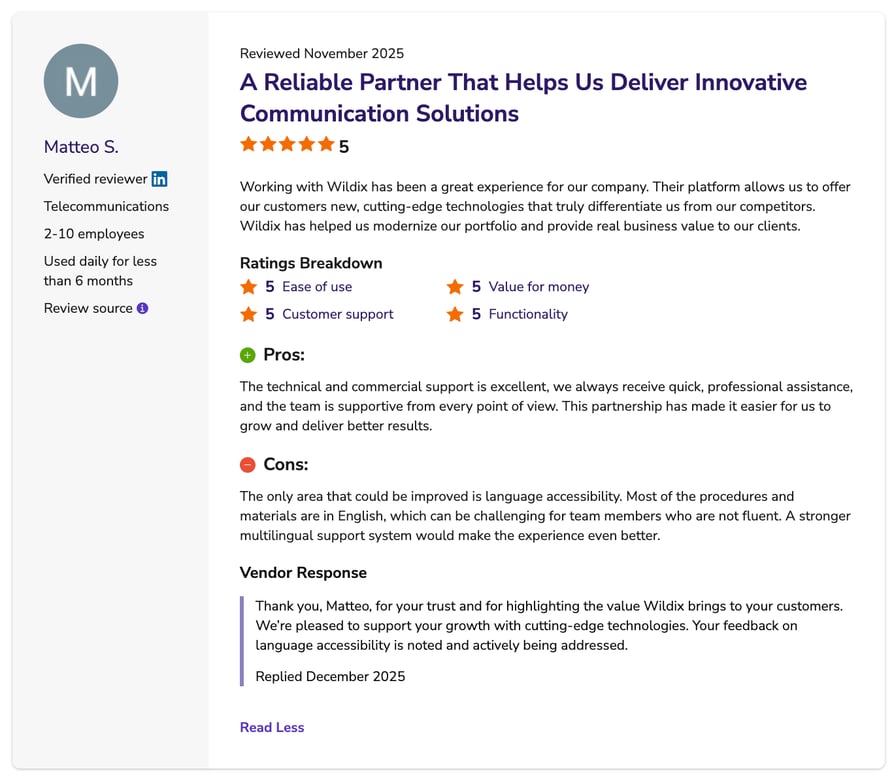
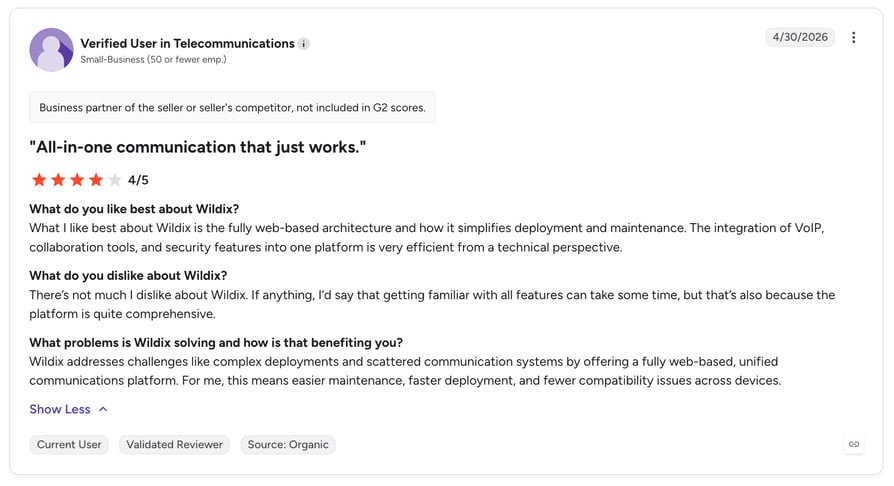
Wildix reviewers describe one of the most complete UC platforms they've used, with a learning curve one November 2025 five-star reviewer called "surprisingly low." An October 2025 reviewer called the desktop and mobile experience "by far the most reliable we have used." The complaints are structural rather than technical: ticket-only support, English-first documentation, and partner-tier terms tied to quarterly targets.
6. CallTools: Best AI Outbound Calling Software for High Volume
What Is CallTools?
CallTools describes itself on Software Advice as "an advanced predictive dialer and inbound call center management solution." At 4.83 it holds the highest Software Advice rating in this set and appears in both 2026 FrontRunners tables.
What Are CallTools' Key Features?
- Predictive, preview and power dialing modes
- List scrubbing, recycling and export from one location
- Skill-based inbound routing, answering machine detection
- Live filters for redial rules and targeting, the standout feature in reviews
What Are CallTools' Pros and Cons?
| Pros | Cons |
|---|---|
| Support quality is the most repeated theme in reviews | Interface described as dated, with a learning curve |
| Live filters give granular control over redial rules | Phone numbers need a warm-up period |
| Value for money sub-rating of 4.8 | Smallest review base in this set at 156 |
That 4.83 comes from 156 reviews against 884 for Ringover and 919 for Nextiva. A smaller sample moves further on fewer opinions, which is why FrontRunners normalizes for review volume.
Who Should Choose CallTools, and Who Shouldn't?
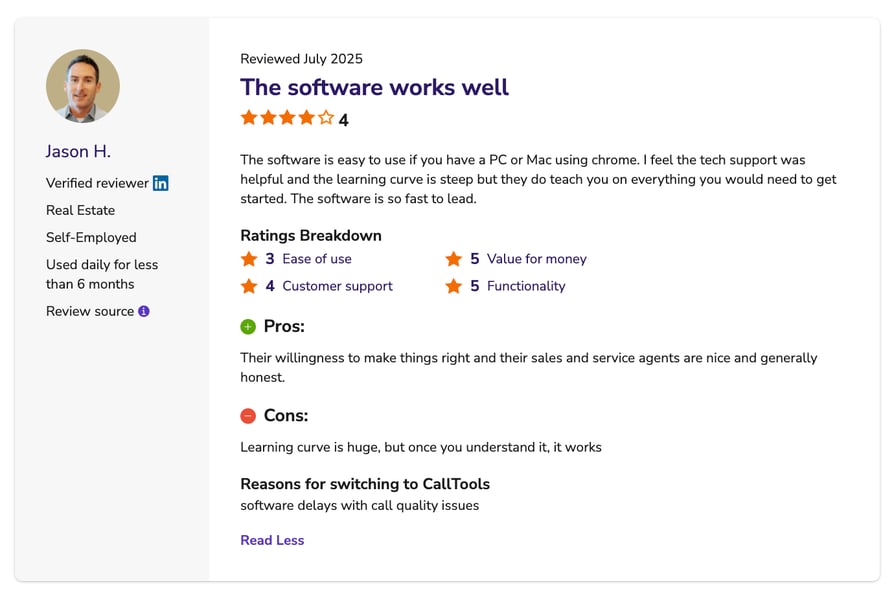
CallTools is built for high-volume outbound teams that care more about dialing throughput and list control than interface polish. Skip it if you want a modern interface or a published price: a January 2026 three-star reviewer called the platform "not the most intuitive system out of the gate."
How Much Does CallTools Cost?
CallTools pricing is quote-based. Software Advice shows "connect with an advisor for pricing," and CallTools' own page is a calculator with no published figures.
What Is CallTools' Software Advice Rating?
4.8/5 (156 reviews). Sub-ratings: value for money 4.8, customer support 4.8, functionality 4.8, ease of use 4.7. FrontRunners 2026: #4 in Call Center at 87/100 ("Best for Customer Satisfaction") and #10 in VoIP at 79/100 ("Most Used by Real Estate").
Profile: CallTools on Software Advice
What Do Reviewers Say About CallTools?
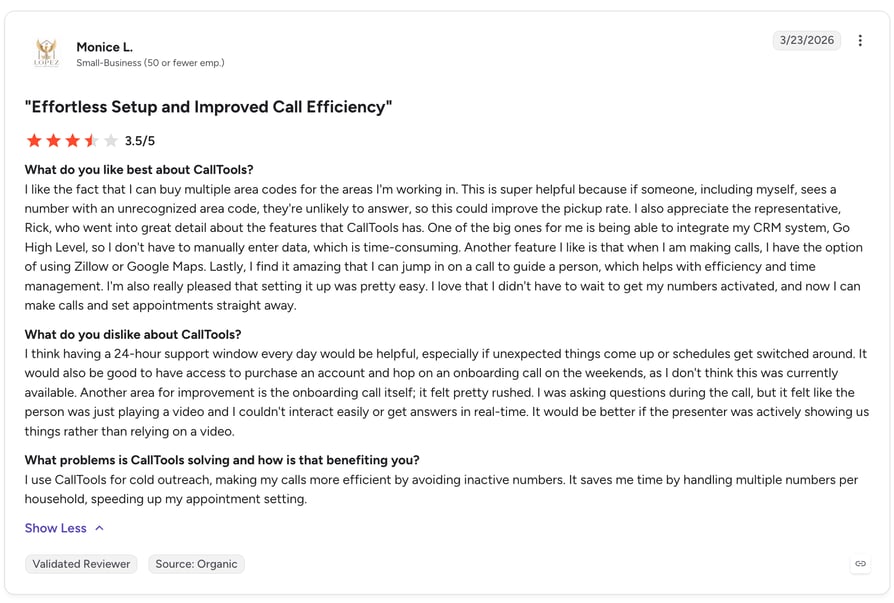
Support appears in almost every positive CallTools review, often with the named rep credited. A June 2025 five-star reviewer called the live filters the biggest change to their operation: "No other software offers something like this where we can be so specific with the redial rules and targeting." Value comes second, with pricing called "far superior to any other software like Mojo, Five9, GHL, or ready mode." The criticism is narrow: a dated interface and a warm-up period on new numbers.
Recommended articles
7. Convoso: Best for Predictive Dialing at Scale
What Is Convoso?
Convoso describes itself on Software Advice as "an outbound sales platform built for high-performance revenue teams and contact centers." Software Advice placed it #8 in the 2026 VoIP FrontRunners report.
What Are Convoso's Key Features?
- Predictive, power and automated dialing modes
- Real-time campaign reporting and analytics dashboards
- Answering machine detection, automatic call distribution, IVR
- Admin interface for dialing and SMS strategy; CRM integration
What Are Convoso's Pros and Cons?
| Pros | Cons |
|---|---|
| Dialer reliability and real-time data lift contact rates | Dropped calls, connection delays, system outages |
| Reporting described as a step change for lead generation | Support response times can be slow |
| Fast setup, matching its "Quick Implementation" distinction | Bulk user uploads allow creation but not configuration |
Who Should Choose Convoso, and Who Shouldn't?
Convoso fits outbound-heavy contact centers running predictive dialing at volume. If you're evaluating AI cold calling software for a team of dialers rather than a support desk, this is the shape of product you want. Skip it if you're inbound-first, or if occasional platform instability would be unacceptable.
How Much Does Convoso Cost?
Basic: $90/user/month, as listed on Software Advice. Convoso publishes no pricing of its own, so treat this as Software Advice's figure rather than a current vendor quote. See our Convoso pricing guide for what sits behind that number.
What Is Convoso's Software Advice Rating?
4.5/5 (395 reviews). Sub-ratings: ease of use 4.6, value for money 4.5, customer support 4.5, functionality 4.5. FrontRunners 2026: #8 in VoIP at 81/100, "Best for Quick Implementation."
Profile: Convoso on Software Advice
What Do Reviewers Say About Convoso?
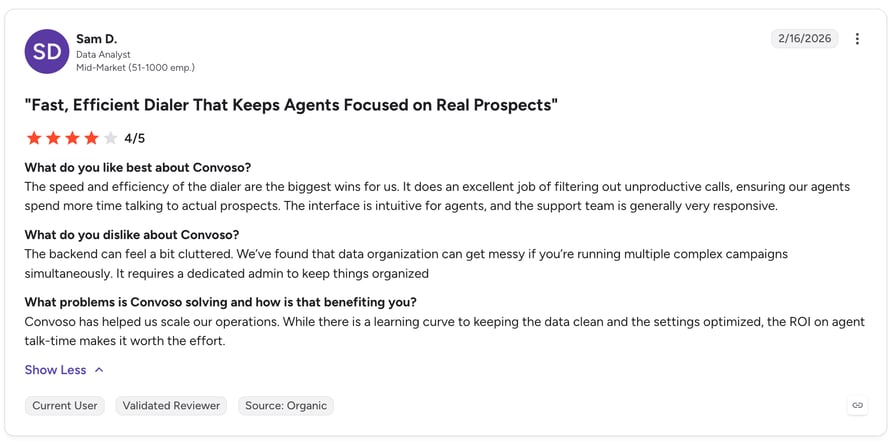
Convoso's dialer carries the positive reviews. A June 2026 five-star reviewer wrote that "the auto-dialer keeps our agents consistently connected with prospects, drastically reducing idle time." Stability is the counterweight: Software Advice reports "dropped calls, connection delays, audio problems, and system outages that disrupt workflow," and an April 2025 reviewer noted slow answers from support.
Recommended articles
8. Aircall: Best for Teams That Live Inside a CRM
What Is Aircall?
Software Advice describes Aircall as "a cloud-based business phone and call center platform that unifies communications across phone, email, chat, and SMS." Its 2026 FrontRunners distinction is "Best for Integrations," and 61% of its reviews come from midsize businesses with 11 to 200 employees.
What Are Aircall's Key Features?
- Call recording and transcriptions
- Power dialer, transfers, queuing, automatic call distribution
- AI virtual assistants and voice agents
- Real-time analytics; local and international number purchasing
- Marketing and CRM integrations with an accessible API
What Are Aircall's Pros and Cons?
| Pros | Cons |
|---|---|
| Integrations with Pipedrive, HubSpot and other CRMs, plus an API | Call quality issues (Software Advice's published con) |
| Setup is fast and needs minimal configuration | Poor customer service (Software Advice's published con) |
| Works well for remote teams and virtual offices | Value for money is 3.9, the lowest sub-rating in this set |
That 3.9 is worth pausing on. Across all 14 products here, no other value-for-money score falls below 4.0.
Who Should Choose Aircall, and Who Shouldn't?
Aircall fits mid-size sales and support teams whose work happens inside a CRM and who want the phone system to disappear into it. Skip it if call quality is non-negotiable or you're price-sensitive: Software Advice reports "static, lag, or dropped calls," and the three-licence minimum puts the real entry cost at $90/month.
How Much Does Aircall Cost?
- Essentials: $30/licence/month, billed annually, three-licence minimum ($90/month). Vendor-verified.
- Professional: $50/licence/month, billed annually, same minimum ($150/month). Vendor-verified.
- Software Advice still lists Aircall at $40/month. The vendor's own page shows $30, which is the figure we've used. Our Aircall pricing guide works through the licence-minimum math.
What Is Aircall's Software Advice Rating?
4.2/5 (464 reviews). Sub-ratings: ease of use 4.4, functionality 4.1, customer support 4.0, value for money 3.9. FrontRunners 2026: #7 in Call Center at 82/100, "Best for Integrations." On G2 it holds 4.4/5 from 1677 reviews.
Profile: Aircall on Software Advice
What Do Reviewers Say About Aircall?
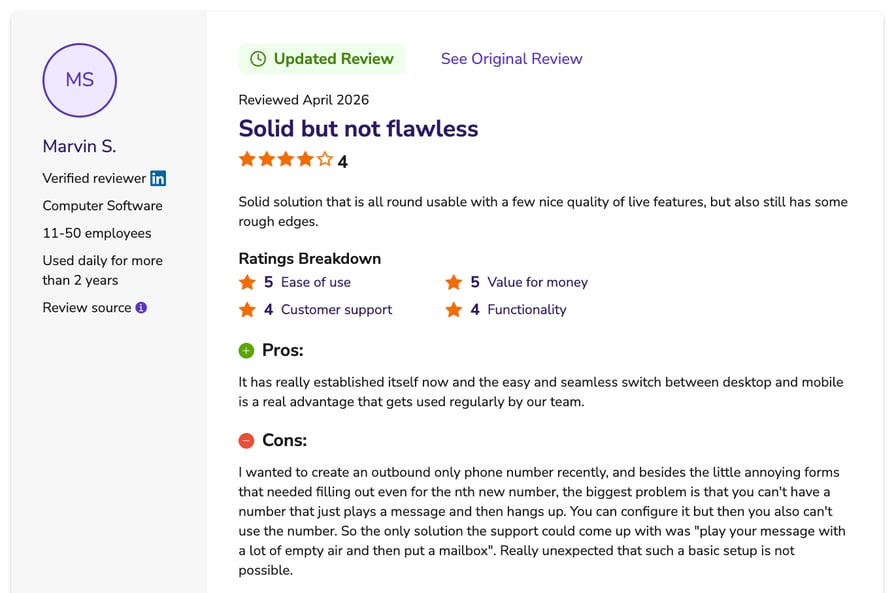
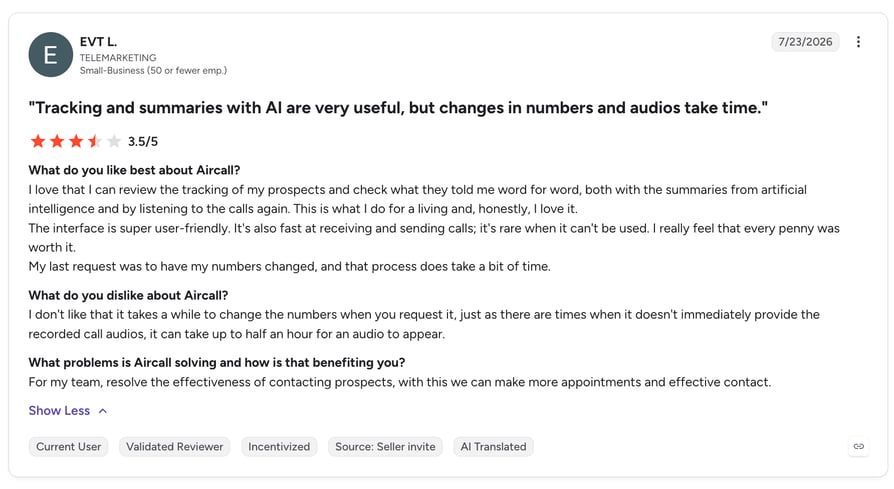
Integrations are the headline in Aircall's reviews. Software Advice reports reviewers find its connections to Pipedrive, HubSpot and other CRMs "seamless and highly beneficial," and value the API for further automation. The negatives are equally consistent: intermittent static, lag and dropped calls, a mobile app some users consider overpriced, and occasional call logging glitches.
Recommended articles
9. JustCall: Best for SMB Voice Plus Messaging
What Is JustCall?
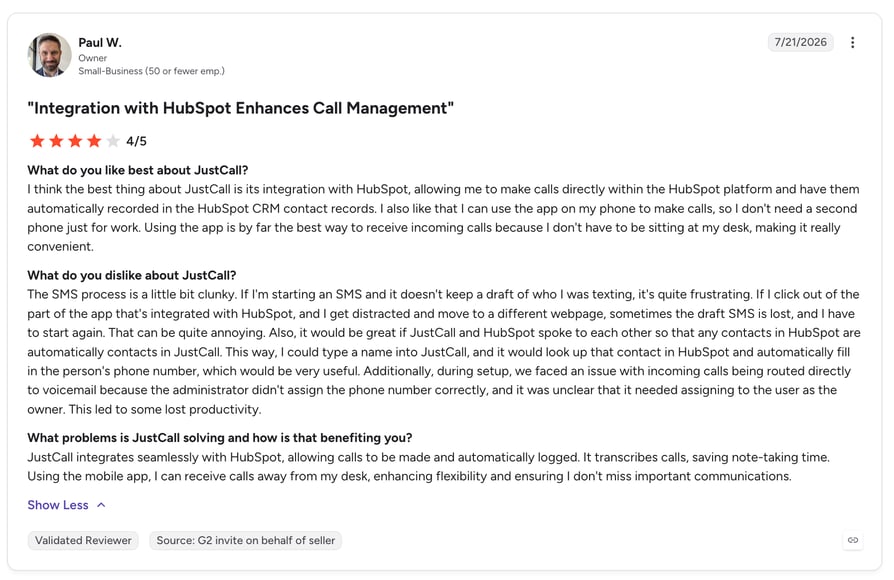
JustCall describes itself on Software Advice as "an AI-powered customer communication platform built for sales and support teams" spanning "voice, SMS, email, and WhatsApp." Its 2026 FrontRunners distinction is "Most Rated for SMBs."
What Are JustCall's Key Features?
- Voice, SMS, email and WhatsApp in one workspace
- Call transcription, recording, tagging, ACD and IVR
- Answering machine detection, computer telephony integration (CTI), event-triggered actions
- A "Notetaker AI package," a top-tier plan inclusion
- CRM integrations: HubSpot, Salesforce, Pipedrive, Copper
What Are JustCall's Pros and Cons?
| Pros | Cons |
|---|---|
| Reliable CRM integration with automatic call and text logging | Dropped calls, lag and poor audio quality |
| SMS automation described as transformative by reviewers | Onboarding and compliance can run over a month |
| Day-to-day usability across mobile and web | Reporting dashboard is rigid and hard to rearrange |
At 4.1, JustCall carries the lowest rating here despite holding a FrontRunners placement, a reminder that FrontRunners scores usability, satisfaction and digital presence together, not stars alone.
Who Should Choose JustCall, and Who Shouldn't?
JustCall fits SMB sales teams that need voice alongside SMS and WhatsApp, with calls and texts logging themselves into the CRM. Skip it if you need to be live next week: an April 2026 one-star reviewer described a compliance process "taking over a month without resulting in service activation," with the subscription payable up front regardless.
How Much Does JustCall Cost?
Vendor-verified, and matching Software Advice exactly: Team $29/user/month, Pro $49/user/month, Pro Plus $89/user/month, all billed annually, with a custom-priced Business tier. Our JustCall pricing guide compares the tiers feature by feature.
What Is JustCall's Software Advice Rating?
4.1/5 (225 reviews). Sub-ratings: ease of use 4.3, value for money 4.1, customer support 4.1, functionality 4.1. FrontRunners 2026: #8 in Call Center at 82/100, "Most Rated for SMBs."
Profile: JustCall on Software Advice
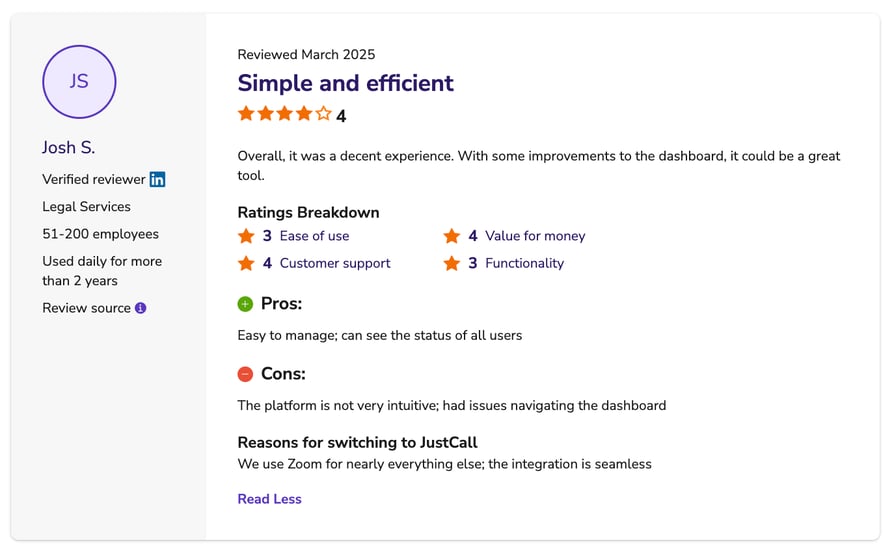
What Do Reviewers Say About JustCall?
Software Advice reports reliable integration with HubSpot, Salesforce, Pipedrive and Copper, with automatic logging, and a December 2025 five-star reviewer called it "still one of the best dialers in terms of its convenience and user-friendliness." Call reliability is the biggest drag: dropped calls, lag, unreliable transfers, no call queue, slow syncing and app crashes.
Recommended articles
10. Dialpad: Best for AI Across Calls, Meetings and Coaching
What Is Dialpad?
Software Advice describes Dialpad as "a cloud-based communications platform that includes video calls, voice calls, transcriptions, meeting summaries" and "artificial intelligence (AI) agents." It's the reference point most buyers use for AI-augmented phone systems, though it doesn't appear in either 2026 FrontRunners report.
What Are Dialpad's Key Features?
- Real-time transcription and AI meeting summaries
- AI agents, live coaching, call insights and sales playbooks
- Voice, video and SMS on one platform
- Enterprise-grade security: HIPAA support, AES 256-bit encryption, role-based access
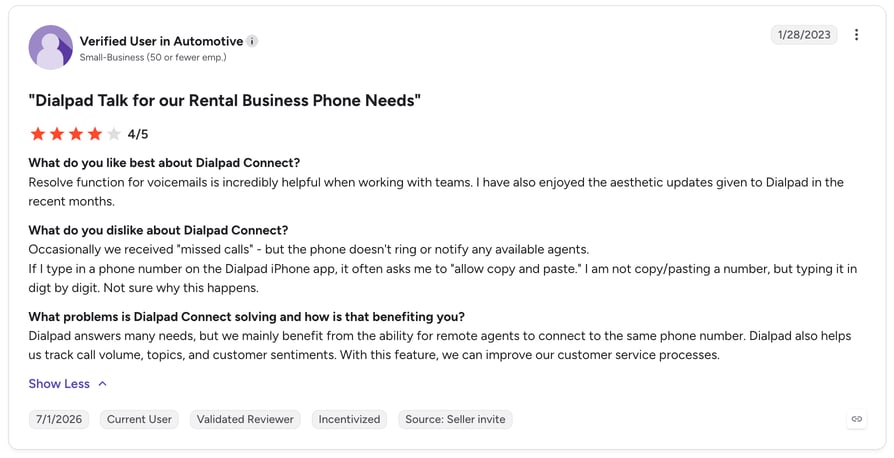
What Are Dialpad's Pros and Cons?
| Pros | Cons |
|---|---|
| Works across computers, mobiles and desk phones with easy transfers | Dropped calls when switching Wi-Fi to cellular |
| Comprehensive call recording, playback and logs for training | Slow and inconsistent customer support |
| Virtual numbers separate business and personal calls | Call routing and caller ID accuracy problems |
Who Should Choose Dialpad, and Who Shouldn't?
Dialpad suits larger organizations that want AI running through calls, meetings and coaching; Software Advice notes strength in retail, insurance, real estate technology and professional services. Skip it if your reps move constantly between Wi-Fi and cellular, or if Bluetooth headsets are standard issue. Both are named failure modes in the reviews.
How Much Does Dialpad Cost?
From $27/user/month, as listed on Software Advice. We could not confirm current plan prices on Dialpad's own site, so treat this as Software Advice's listing. Our Dialpad pricing guide tracks the published plans.
What Is Dialpad's Software Advice Rating?
4.2/5 (569 reviews). Sub-ratings: ease of use 4.3, functionality 4.2, value for money 4.1, customer support 4.0. FrontRunners 2026: not placed in the Call Center or VoIP reports.
Profile: Dialpad on Software Advice
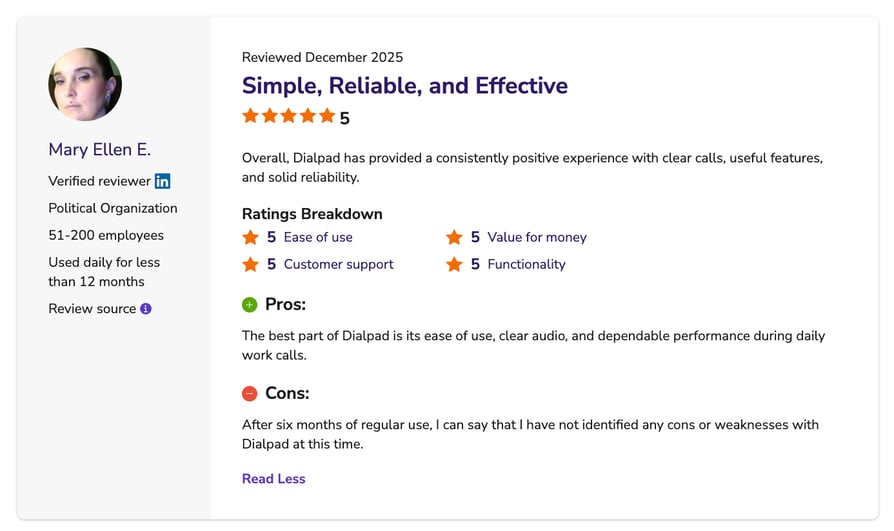
What Do Reviewers Say About Dialpad?
Device flexibility leads, with users running Dialpad across computers, mobiles and desk phones and transferring between them mid-call. Call recording depth comes next, used for training and quality work. Call quality on network handoff is the strongest negative theme, followed by support inconsistency.
Recommended articles
11. Kixie PowerCall: Best for Local-Presence Outbound Dialing
What Is Kixie PowerCall?
Kixie positions itself on Software Advice as "AI-Powered Revenue Communication for High-Performing Teams." In practice it's an outbound sales dialer built to sit on a CRM, and it scores well across all four sub-ratings.
What Are Kixie PowerCall's Key Features?
- Power dialer with local presence and automatic number rotation
- CRM-synced call transcriptions
- AI sentiment analysis, key phrase detection, reporting
- An active do-not-call (DNC) algorithm to help prevent Telephone Consumer Protection Act (TCPA) violations
- Predictive and auto dialing, answering machine detection, call monitoring
What Are Kixie PowerCall's Pros and Cons?
| Pros | Cons |
|---|---|
| Local presence with unlimited numbers and automatic switching | Difficulty exiting contracts in low-star reviews |
| Measurable lift in connection rates and daily call volume | Number porting on cancellation described as botched |
| Tight HubSpot integration | Mobile app and setup complexity both flagged |
Who Should Choose Kixie PowerCall, and Who Shouldn't?
Kixie fits outbound sales teams on HubSpot or a similar CRM that need local-presence dialing at volume. Skip it if you want month-to-month flexibility: contract exit and number porting on cancellation are the standout complaints.
How Much Does Kixie PowerCall Cost?
Kixie PowerCall pricing is not publicly listed. Software Advice shows "connect with an advisor for pricing," and Kixie publishes none of its own. Our Kixie pricing guide is the closest public picture.
What Is Kixie PowerCall's Software Advice Rating?
4.6/5 (295 reviews). Sub-ratings: ease of use 4.7, customer support 4.7, value for money 4.6, functionality 4.6. FrontRunners 2026: not placed in the Call Center or VoIP reports.
Profile: Kixie PowerCall on Software Advice
What Do Reviewers Say About Kixie PowerCall?
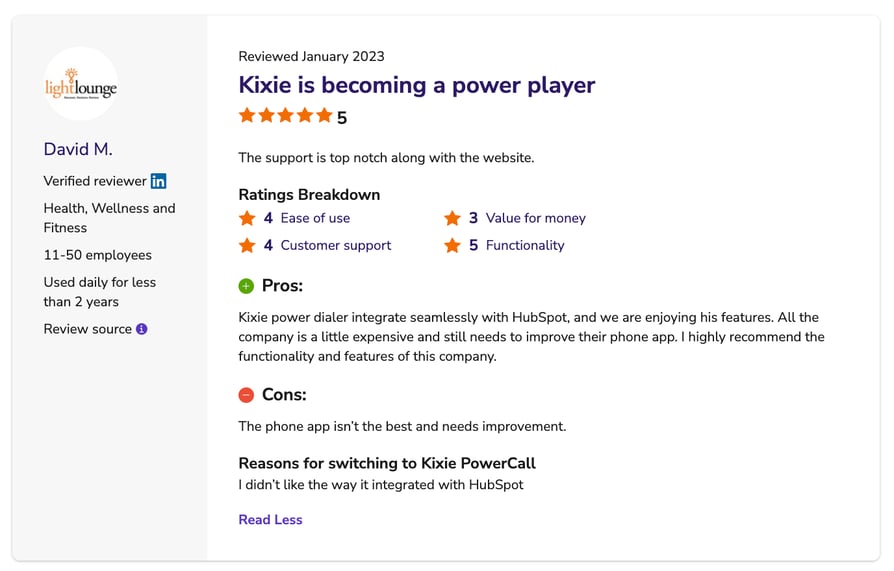
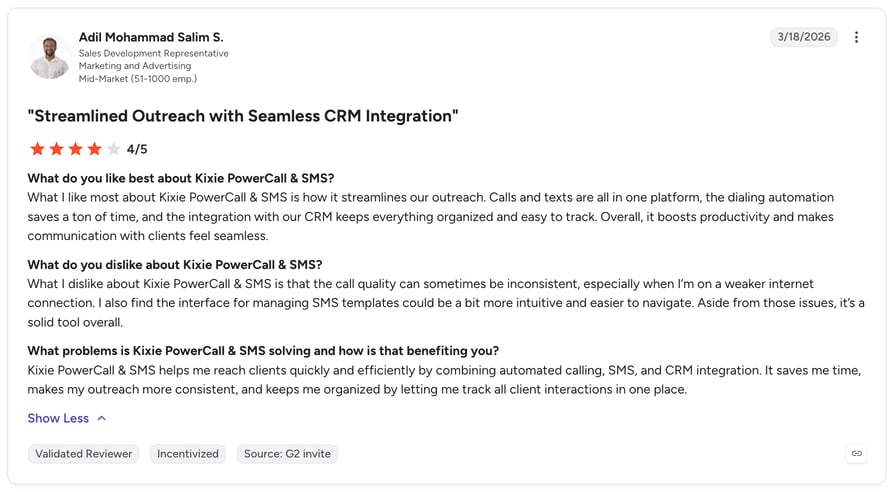
Local presence dominates Kixie PowerCall's reviews. A November 2022 five-star reviewer explained it: "You dont have to buy all the area codes then switch between them. With Kixie, they have unlimited numbers and the system automatically switches between them." A January 2025 reviewer reported a matching lift in connection rates. The negatives concentrate at the end of the relationship: an October 2024 one-star reviewer wrote that Kixie "refused to let me out of my contract."
Recommended articles
12. Talkdesk: Best for Mid-Market and Enterprise Support
What Is Talkdesk?
Talkdesk describes itself on Software Advice as "a cloud-based call center solution that helps businesses improve customer satisfaction while simultaneously reducing customer support costs." It has the most complete agentic AI stack in this list, sold as named modules rather than bundled features.
What Are Talkdesk's Key Features?
- Copilot: real-time agent assist with next-best-action recommendations and automatic wrap-up summaries
- Autopilot: an agentic AI virtual assistant for voice and digital that resolves issues autonomously and triggers workflows
- Navigator: an AI router using natural conversation and real-time context
- Interaction and Quality Analytics: transcribes and analyzes 100% of interactions for topic, intent and sentiment
- Talkdesk Identity: voice biometrics for caller authentication, plus IVR, ACD and skills-based routing
What Are Talkdesk's Pros and Cons?
| Pros | Cons |
|---|---|
| Clean layout and easy navigation; ease of use scores 4.7 | Background noise, robotic audio, headset compatibility |
| Salesforce integration described as complete by reviewers | Connectivity problems on weak Wi-Fi or VPNs |
| Low-maintenance reliability for admins and new hires | Reporting hard to navigate; data needs exporting |
A 4.7 ease-of-use score is the joint highest here, rare for a platform this deep.
Who Should Choose Talkdesk, and Who Shouldn't?
Talkdesk fits mid-market and enterprise support teams that want an agentic AI layer over a full contact center, Salesforce shops above all. An August 2020 five-star reviewer called the Salesforce integration "100% integrated." Skip it if your agents work over weak Wi-Fi or VPNs, or if you need a published price to build a business case.
How Much Does Talkdesk Cost?
- From $85/user/month, as listed on Software Advice: Digital Essentials $85, Voice Essentials $105, Elite $165, Industry Experience Clouds $225, all per user per month.
- Talkdesk no longer publishes plan prices itself; its page lists modules plus a "Talkdesk Express" offer of 25 licences and $100 in free credit for US and Canadian businesses under 50 employees. Treat the tier prices as Software Advice's listing, and read them next to our Talkdesk pricing guide.
What Is Talkdesk's Software Advice Rating?
4.5/5 (733 reviews). Sub-ratings: ease of use 4.7, customer support 4.6, value for money 4.5, functionality 4.4. FrontRunners 2026: not placed in the Call Center or VoIP reports.
Profile: Talkdesk on Software Advice
What Do Reviewers Say About Talkdesk?
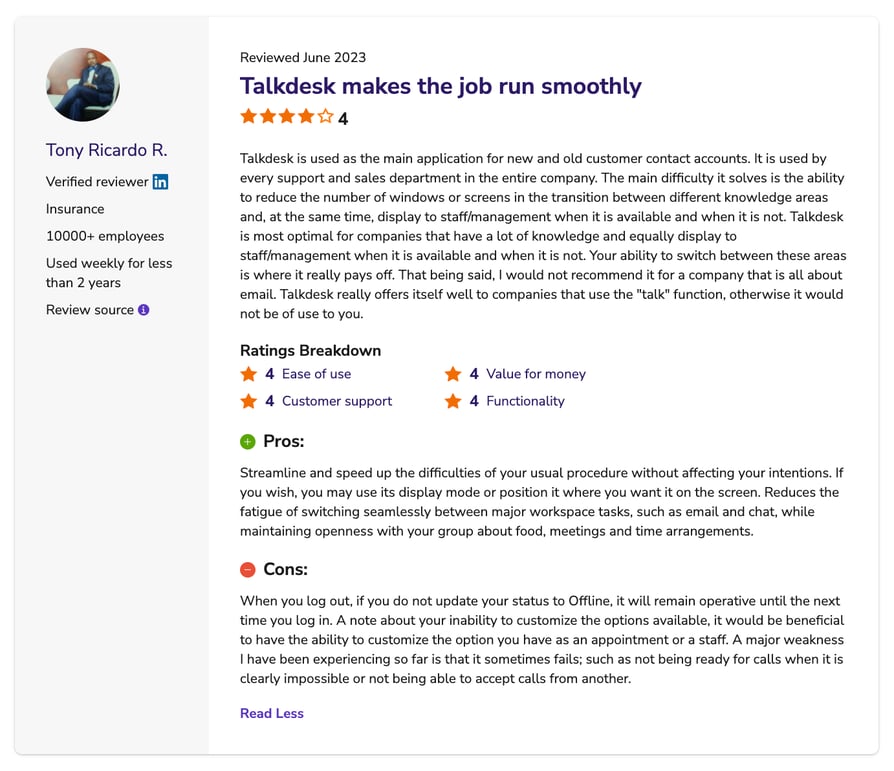
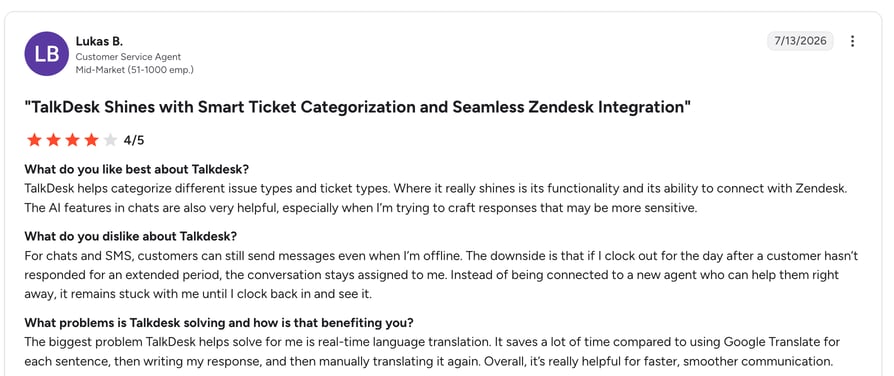
Usability leads Talkdesk's reviews. Software Advice reports a "clean layout and practical tools that make daily tasks straightforward," and an August 2019 four-star reviewer wrote that "Talkdesk isn't part of things I worry about breaking, it just works." Audio quality is the recurring problem, alongside connectivity on constrained networks and reporting that still means exporting to a spreadsheet.
Recommended articles
13. Five9: Best for Regulated, High-Volume Contact Centers
What Is Five9?
Five9 describes itself on Software Advice as "an all-in-one cloud contact center solution for inbound, outbound, blended and omnichannel contact centers world-wide." It's the enterprise outbound answer in this list, and its compliance posture is what reviewers name first.
What Are Five9's Key Features?
- Four adjustable dialing modes, including auto and predictive
- AI Copilot and machine-learning features, per its Software Advice profile
- Intelligent routing and IVR across inbound, outbound and blended
- HIPAA and PCI-DSS compliance, cited by reviewers
What Are Five9's Pros and Cons?
| Pros | Cons |
|---|---|
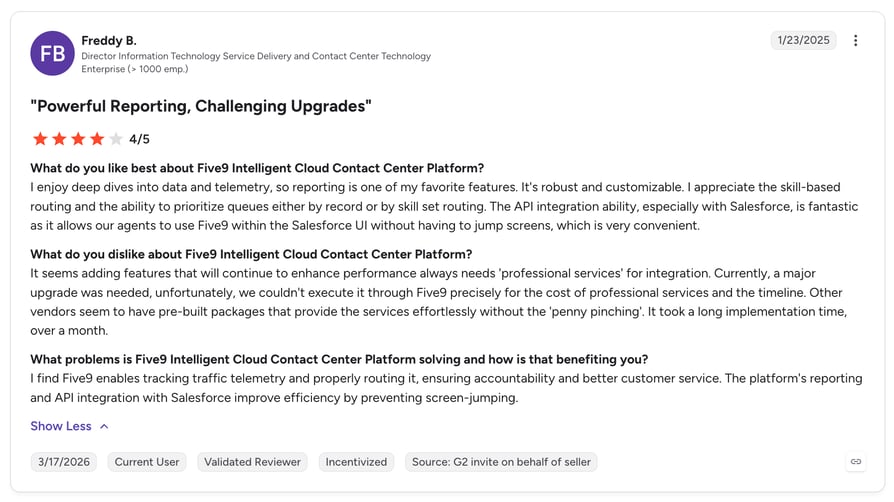
| Deep IVR and routing logic with service-level agreement (SLA) rules built in | Interface feels dated next to newer platforms |
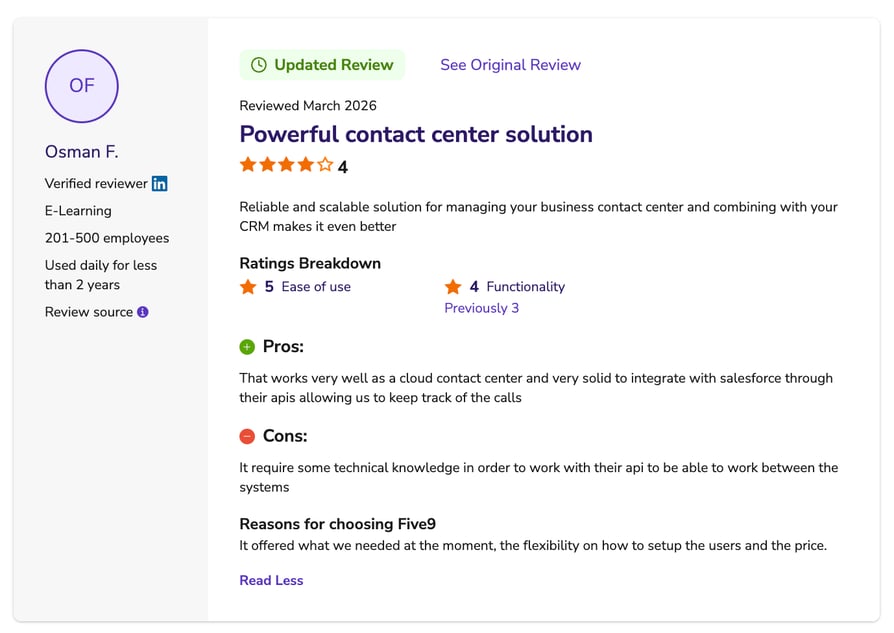
| Handles high-volume outbound with organized call management | Crashes, login issues, occasionally inaccurate reporting |
| HIPAA and PCI-DSS compliant infrastructure | API work needs a developer; features vary by region |
A 4.0 value-for-money sub-rating is the second lowest here, tracking with a $119 entry price. You're paying for routing depth and compliance, not interface polish.
Who Should Choose Five9, and Who Shouldn't?
Five9 fits high-volume outbound and blended contact centers in regulated industries; a June 2026 four-star reviewer described building "logic, rules, and SLAs" into inbound routing to manage volume tightly. Skip it if you're a small team, since the entry price is the highest of any vendor here.
How Much Does Five9 Cost?
$119 and $159 per user/month, vendor-verified from Five9's own pricing page. Software Advice lists the same $119 entry price. Our Five9 pricing guide covers what sits behind each tier.
What Is Five9's Software Advice Rating?
4.2/5 (484 reviews). Sub-ratings: customer support 4.3, ease of use 4.2, functionality 4.1, value for money 4.0. FrontRunners 2026: not placed in the Call Center or VoIP reports. On G2 it holds 4.1/5 from 625 reviews.
Profile: Five9 on Software Advice
What Do Reviewers Say About Five9?
Routing depth and outbound throughput lead the positive reviews, with an August 2025 four-star reviewer noting "compliance to major standards like HIPAA & PCI-DSS." The complaints are consistent across star ratings: a dated interface, a learning curve on reporting and admin, occasional crashes, and API work that needs a developer. One reviewer flagged that "some enhancements are not available in all Geos."
Recommended articles
14. Genesys Cloud CX: Best for Enterprise Omnichannel
What Is Genesys Cloud CX?
Genesys describes Cloud CX on Software Advice as software that "connects data across teams, tools, interactions so users have actionable insights." It's the enterprise ceiling of this list, in capability and in total cost.
What Are Genesys Cloud CX's Key Features?
- Omnichannel across voice, chat, email and social in one platform
- AI and machine-learning predictive routing plus sentiment analysis
- Genesys Copilot for agent assist, cited by an April 2026 reviewer
- Voice transcription, workforce and quality management, on a monthly release cadence
What Are Genesys Cloud CX's Pros and Cons?
| Pros | Cons |
|---|---|
| Copilot speeds up call wrap-up | Total cost of ownership (TCO) higher than comparable feature sets |
| True omnichannel with AI routing and monthly updates | Troubleshooting depends on support; reports take too many steps |
| Voice transcription useful for coaching | Non-English AI accuracy drops |
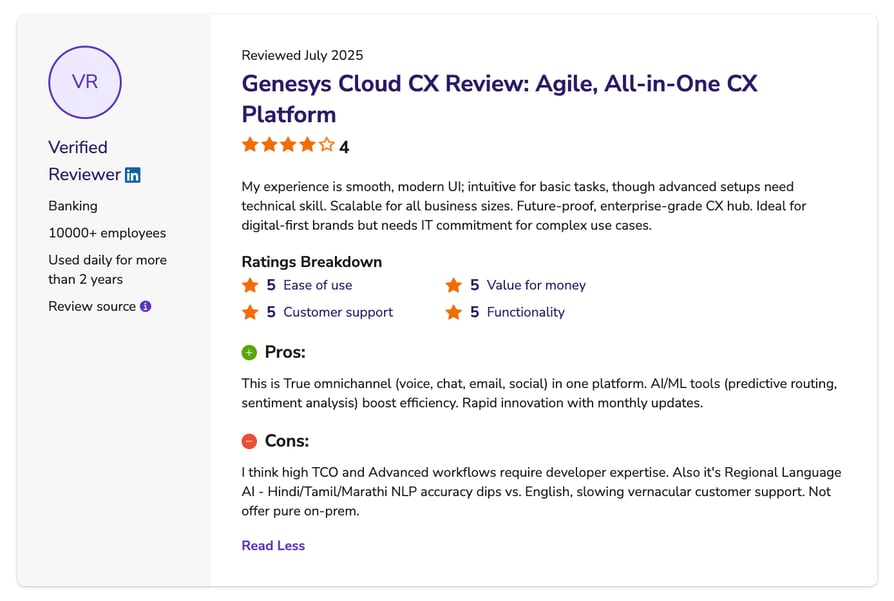
Cost is the most repeated theme, and it comes from otherwise positive reviewers: "high TCO and Advanced workflows require developer expertise."
Who Should Choose Genesys Cloud CX, and Who Shouldn't?
Genesys fits enterprises that need genuine omnichannel plus predictive routing and have developer capacity for the advanced workflows. Skip it if you're an SMB or cost-sensitive: support is Genesys' lowest sub-rating at 4.0, and an April 2026 reviewer said "troubleshooting issues often requires waiting for support rather than fixing things yourself."
How Much Does Genesys Cloud CX Cost?
Vendor-verified from Genesys' own pricing page, matching Software Advice exactly: CX 1 at $75, CX 2 at $115, CX 3 at $155 and CX 4 at $240, all per user per month. Our Genesys pricing guide breaks the four tiers down.
What Is Genesys Cloud CX's Software Advice Rating?
4.3/5 (265 reviews). Sub-ratings: ease of use 4.4, functionality 4.2, value for money 4.1, customer support 4.0. FrontRunners 2026: not placed in the Call Center or VoIP reports.
Profile: Genesys Cloud CX on Software Advice
What Do Reviewers Say About Genesys Cloud CX?
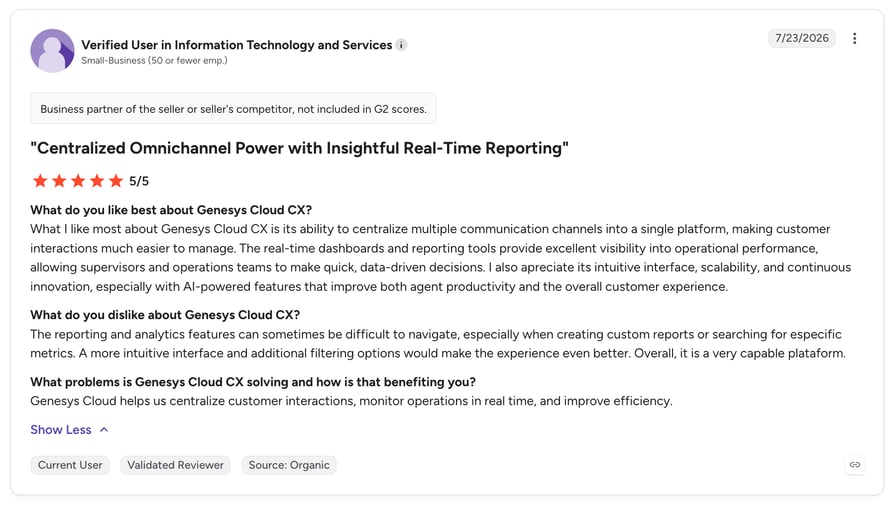
Copilot draws the most enthusiasm among recent reviewers, specifically for call wrap-up, and a July 2025 four-star reviewer described "true omnichannel (voice, chat, email, social) in one platform." Cost is the persistent counterweight, followed by support dependency and reporting friction. One reviewer flagged that natural-language processing accuracy for Hindi, Tamil and Marathi drops against English.
Recommended articles
Fourteen ratings compared. One call volume that decides it: yours.
Software Advice, Capterra and GetApp Share One Review Pool: What FrontRunners Actually Measures
Two things about Software Advice have changed recently, and most articles citing it haven't caught up.
The ownership changed in 2026. Software Advice, Capterra and GetApp were Gartner Digital Markets properties until 29 January 2026, when G2 announced it would acquire all three from Gartner. The deal closed in Q1 2026. Software Advice's community guidelines now name the operator as "G2 Digital Markets," while archived versions of the FrontRunners methodology still carry Gartner naming. Both appear on the site right now, so if you see "Gartner Digital Markets" quoted as current, it's out of date. G2's acquisition announcement put the combined review pool at roughly 6 million verified reviews reaching more than 200 million software buyers a year.
The scoring model changed too. FrontRunners used to plot products on a two-axis quadrant of usability against customer satisfaction. That was Version 3 of Software Advice's FrontRunners methodology, retired in April 2020. The live model is Version 5 (January 2026 to present), and it works differently.
| Dimension | What goes into it |
|---|---|
| Usability | Functionality (50%) and ease of use (50%) |
| Customer Satisfaction | Customer support (50%), value for money (25%), likelihood to recommend (25%) |
| Digital Presence | Search visibility (50%), review count and recency (50%) |
Software Advice builds a FrontRunners score in three steps:
- 01Score each dimensionUsability, Customer Satisfaction and Digital Presence are scored from review data using the weightings above.
- 02Normalize and rescaleEach score is normalized for review recency and volume, then converted from a 5-point to a 100-point scale.
- 03Sum and rankThe three scores are added into one total, and between 5 and 25 products make each list on that total.
The output is a ranked table with an average score, not a quadrant graphic.
Two more rules worth knowing:
- 01The review floorTo qualify, "the product has at least 20 unique reviews published on Software Advice within 24 months of the start of the research process for a given report." That's 20 on Software Advice specifically; the older Version 3 rule counted 20 across all three sites, so don't blend them.
- 02The money questionSoftware Advice states that "sponsorship or client status has no influence on the selection of products in the lists, but it may impact the order in which products appear." Both halves matter. You can't buy your way onto the list, and sponsorship can affect display order.
Software Advice FrontRunners 2026: Call Center Software
Research conducted October 2025, read 27 July 2026.
| # | Product | Rating (reviews) | Score | Distinction |
|---|---|---|---|---|
| 1 | Ringover | 4.71 (884) | 92/100 | Best for Quick Implementation |
| 2 | CallHippo | 4.39 (688) | 89/100 | Highly Rated for Mobile app |
| 3 | LiveAgent | 4.67 (1,787) | 88/100 | Highly Rated for Automation |
| 4 | CallTools | 4.83 (156) | 87/100 | Best for Customer Satisfaction |
| 5 | CallHub | 4.41 (249) | 84/100 | Highly Rated for User Interface |
| 6 | 3CX | 4.39 (467) | 84/100 | Most Used By Information Technology and Services |
| 7 | Aircall | 4.22 (464) | 82/100 | Best for Integrations |
| 8 | JustCall | 4.10 (225) | 82/100 | Most Rated for SMBs |
| 9 | Phonexa | 4.99 (75) | 82/100 | Best for Quick Adoption |
| 10 | DialedIn CCaaS | 4.81 (325) | 79/100 | Best for Usability |
Software Advice FrontRunners 2026: VoIP Software
Research conducted June 2026, read 27 July 2026.
| # | Product | Rating (reviews) | Score | Distinction |
|---|---|---|---|---|
| 1 | Ringover | 4.71 (884) | 87/100 | Best for Customer Satisfaction |
| 2 | Google Voice | 4.54 (725) | 87/100 | Best for Usability |
| 3 | Nextiva | 4.60 (919) | 85/100 | Most Used by Accounting |
| 4 | Weave | 4.33 (672) | 85/100 | Best for Quick Adoption |
| 5 | 800.com | 4.71 (350) | 83/100 | Best for Automation |
| 6 | Wildix | 4.69 (209) | 82/100 | Best for AI powered |
| 7 | Zoom Phone | 4.52 (244) | 82/100 | Best for Mobile app |
| 8 | Convoso | 4.51 (395) | 81/100 | Best for Quick Implementation |
| 9 | Emitrr | 4.84 (149) | 80/100 | Best for SMBs |
| 10 | CallTools | 4.83 (156) | 79/100 | Most Used by Real Estate |
If you've been searching for the best call center software Software Advice ranks, that first table is the answer, and CloudTalk isn't on it.
What Software Advice Ratings Don't Tell You
Recency isn't visible in the headline number. A 4.4 built mostly from 2019 to 2022 reviews describes a product that may no longer exist in that form. CloudTalk's own profile is the example. Check the dates on the reviews, not just the average.
Category placement changes the peer set. The same product can sit in the Call Center category, the VoIP category, or both, each with a different competitor field. Ringover tops both. CallTools ranks #4 in one and #10 in the other on identical review data.
Four of these 14 products publish no price at all, on Software Advice or on their own site. The "starting price" column can't be compared like for like, and you'll need a sales conversation before you can put a real business phone system cost in a budget.
Not sure how a FrontRunners score maps onto your setup?
How to Choose the Best AI Calling Software in 2026
A star rating narrows the field. It won't pick the best AI calling software for your team, so work through these six questions before you book demos.
Which Calling Tasks Do You Actually Want to Automate?
Start from the work, not the feature list. If reps lose hours to manual dialing, you need a sales dialer with multiple modes and answering machine detection. If managers can't review enough calls, you need transcription and scoring. If nobody's covering the after-hours line, you need an autonomous voice agent. Write down the three tasks costing you the most hours this month and ignore the rest of the datasheet.
Which AI Features Are Included in Each Pricing Tier?
This is where budgets break. Published seat prices rarely include the AI, and vendors vary a lot in how honest they are about it up front.
| Provider | What's confirmed about AI packaging |
|---|---|
| CloudTalk | AI Conversation Intelligence ($9/user/month) and AI Voice Agents (from $99/month for 200 minutes) are always paid add-ons, never included in a plan |
| CallHippo | AI Voicemail Transcription, AI Reports and AI Global Connect appear in the plan inclusions on its Software Advice profile |
| JustCall | A "Notetaker AI package" is listed as a top-tier plan inclusion |
| Talkdesk | Copilot, Autopilot and Navigator are sold as product modules; Talkdesk no longer publishes plan prices |
| Wildix | Holds the "Best for AI powered" distinction, but publishes neither an AI feature list nor pricing |
| Others in this list | Not publicly disclosed. Ask on the demo call |
Ask one question on every demo: what's the total per-seat cost with the AI features I just watched you demonstrate? Get the answer in writing. CloudTalk publishes its half of that answer up front, including AI Voice Agent pricing.
How Accurate Is the Transcription and Conversation Analysis?
Accuracy varies by language, accent and audio conditions, and vendors quote their best case. CloudTalk tests AI call transcription fully in five languages (English, French, German, Portuguese and Spanish) and covers 50+ with varying accuracy, which is the kind of specificity worth asking for. Run 20 of your own recordings through a trial and read the transcripts against the audio. Genesys reviewers hit this exact problem with Hindi, Tamil and Marathi.
How Well Does It Fit Your CRM and Existing Tools?
An AI summary that never reaches the CRM is a summary nobody reads. Check whether the integration is native or middleware, whether the sync runs both ways, and whether AI outputs push to the contact or deal record. Aircall earned its "Best for Integrations" distinction on this dimension. CloudTalk offers 100+ native integrations from Essential, with two-way sync and Conversation Intelligence exports for HubSpot, Salesforce and Pipedrive.
Will Call Quality Hold Up Where Your Team Actually Works?
Call quality is the most common complaint against every product in this list. Read the negative reviews for the failure mode rather than the volume: Dialpad's cluster around Wi-Fi to cellular handoff, Talkdesk's around VPNs and headsets, Convoso's around outages during campaigns. Ask where the vendor's infrastructure sits relative to your teams. CloudTalk runs a decentralized SIP architecture with multiple backup carriers, putting servers closer to customers, alongside local numbers in 160+ countries. It also publishes how it load-tests global call quality with SIPfront.
What Do Your Compliance and Data Requirements Rule Out?
Security decides more of these deals than vendors admit. In Salesforce's 2025 State of Service survey, 51% of service leaders said security concerns had delayed or limited their AI initiatives. Get specific before the shortlist: which certifications do you need on paper, where is call audio stored and for how long, and can agents pause recording mid-call for card details? Five9 reviewers name HIPAA and PCI-DSS as the reason they chose it. CloudTalk holds SOC 2 Type 1 and Type 2, is GDPR compliant, and has been HIPAA compliant since Q1 2025, with pause and resume recording on all packages.
Conclusion: Which AI Calling Software Should You Shortlist?
Judged purely on Software Advice's own data, the best AI calling software on this list is Ringover. It tops both 2026 FrontRunners tables, scores 4.7 across 884 reviews, and its reviewers are consistent about support and implementation speed. CallHippo and CallTools follow on the Call Center table, with CallTools posting the highest rating here from the smallest review base. Nextiva and Wildix lead the VoIP side, and Wildix holds the only "Best for AI powered" distinction awarded this year.
Match the tool to the job. For pure outbound at volume, CallTools, Convoso and Kixie are the specialists. For CRM-centric sales and support teams, Aircall and JustCall. For AI across calls, meetings and coaching in a larger organization, Dialpad. For mid-market and enterprise support with an agentic layer, Talkdesk. For regulated, high-volume operations, Five9. For full enterprise omnichannel, Genesys Cloud CX.
CloudTalk is our pick for global sales teams, and we've been straight about why: it isn't a 2026 FrontRunner, it holds 4.4 from 269 Software Advice reviews, and its reviews on that platform skew older than we'd like. What it does offer is local numbers in 160+ countries, IVR and skill-based call routing from $25/user/month, 100+ native integrations, and AI priced openly as add-ons rather than buried in a tier.
Whichever way you go, do the same two things before you sign. Open the reviews and check when they were written, then make the vendor put the fully loaded per-seat price on paper. Every product here demos well. Your shortlist is whichever ones survive contact with your real call volume and your reps' actual network.
Enough talking, let's put CloudTalk into practice.
Frequently Asked Questions About AI Calling Software
Frequently asked questions
AI calling software is a business phone system that adds machine learning to voice calls. Most products cover dialing, transcription, call summaries and sentiment scoring. The most advanced ones answer and run the call without a human.
Ringover, on Software Advice's own data. It holds 4.7/5 from 884 reviews and tops both 2026 FrontRunners tables, scoring 92/100 in Call Center and 87/100 in VoIP. Whether it fits your team is a separate question — our guide to choosing a phone system for a small business covers the checks a rating can't make.
Call transcription, AI summaries, sentiment analysis, dialer modes, IVR and routing, and native CRM sync. Whatever is missing from that set of call center features turns into manual work later.
AI calling software strips out the manual steps around the call. Dialers place numbers automatically, AI writes the notes and tags the outcome, and AI outbound calling agents can run the first conversation alone.
Largely, yes. Software Advice's community guidelines confirm that reviews may publish across Capterra, Software Advice and GetApp, so all three draw on one pool. What differs is the scoring lens, not the reviews. G2 runs a separate marketplace — see how the same vendors rank on G2 reviews and ratings.
FrontRunners is a ranked score out of 100, not an average of stars. It blends Usability, Customer Satisfaction and Digital Presence, normalized for review recency and volume. The star rating is the raw user average. Treat both as inputs when shortlisting AI call center software, not as the decision itself.
Entry prices in this list run from free to $119 per user per month, with most vendors between $25 and $50. AI features are usually priced separately, so the seat price is rarely the total — evaluate VoIP pricing on the fully loaded per-seat cost.
AI packaging depends on the vendor. CloudTalk prices AI Conversation Intelligence and AI Voice Agents as add-ons on any plan, so conversation intelligence is not gated behind a tier. JustCall lists its Notetaker AI package as a top-tier inclusion.