AI Voice Agent for SaaS: 8 Ways B2B Software Teams Qualify, Route and Follow Up Without Hiring
One SaaS company told us they had 7,000 to 9,000 account-management calls to make in a quarter and no intention of hiring the SDRs to make them. Another had 500 awareness calls a week to place and three people to handle the meetings that came out of them. If you are looking at an AI voice agent for SaaS because the call volume already exists and the headcount does not, this page is written for you.
It covers eight use cases B2B SaaS sales, support and revenue operations teams actually asked for, what each one costs per month, and how long each takes to stand up. Pricing and setup times are in this article, not behind a form – full tier prices, included minutes, overage rates, minimum terms and honest time-to-live for each.
TL;DR: The Eight Use Cases
Enter your summary content here...
- Qualifying inbound trials and demo requests – for teams whose trial signups go cold before an SDR calls. AI Specialist, live in 1–2 weeks.
- Routing support calls so engineers are not interrupted – for teams who fear a phone number turns support into a call centre. AI Receptionist, live in minutes.
- Booking demos straight into the AE's calendar – for teams where a hot signup goes cold in hours. AI Receptionist, live in minutes once the calendar is connected.
- Knowing which campaign a call came from before anyone answers – for multi-brand or multi-domain lead-gen operations. AI Specialist, live in 1–2 weeks.
- Running high-volume outbound campaigns you can actually follow up – for teams whose dial capacity already exceeds their meeting capacity. AI Specialist (outbound), live in 1–2 weeks.
- Local presence and global coverage for a distributed BDR team – for teams seeing 1–3% pickup rates on mobile numbers. Either tier, live in days.
- Logging every call, tag and outcome into your CRM – for teams manually exporting between systems. Either tier, live in minutes on a native CRM.
- Automating payment reminders and renewal follow-up – for revenue teams making collections calls by hand. AI Specialist (outbound), live in 1–2 weeks.
Quick Answers — What SaaS Teams Ask About AI Voice Agents
What does an AI voice agent actually do for a SaaS company?
It answers or places phone calls autonomously, in natural conversation, on your existing business line. For a SaaS company that usually means three jobs: qualifying inbound trial signups and demo requests, filtering support calls so only the genuinely urgent ones reach an engineer, and running outbound follow-up – renewals, payment reminders, re-engagement – that a human team does not have the hours for. It writes what it learns back into your CRM.
Can it qualify a trial signup and book the demo without an SDR?
Yes for the qualifying, and yes for booking – with a caveat worth knowing before you buy. The agent calls the signup within seconds, asks your qualification questions, and writes the answers to the CRM. Meeting booking into a connected calendar is live on the AI Receptionist, but it is configuration, not a switch you flip: you connect the calendar and define the rules. One buyer assumed it worked out of the box and was disappointed. Budget an afternoon.
How much does it cost, and what does the first month cost?
AI Receptionist runs €99 to €699 a month for 200 to 2,500 included minutes, on a one-month minimum. AI Specialist runs €349 to €1,249 for 1,000 to 5,000 minutes, on a three-month minimum (six for the largest tier). Every account gets 50 free minutes first, self-serve. Month one on the Receptionist is a working month, not a setup month – you are live the same day. On the Specialist, expect week one to be build and week two onward to be live.
How long until it is live?
AI Receptionist: minutes. You upload your company information or a PDF, connect a number, and it answers. AI Specialist: one to two weeks, because it involves API mapping and call-flow design with a solutions consultant. If you are inside a quarter that has to close, start with the Receptionist on one call type – that is genuinely a same-day deployment – and scope the Specialist alongside it.
Try It on a Real Line Before You Talk to Anyone
What Is an AI Voice Agent for a SaaS Company?
An AI voice agent – sometimes sold as an AI voice call agent – is software that holds a real phone conversation – understanding what the caller says, answering from your knowledge base, taking actions in your systems, and transferring to a person when it should.
The distinction that matters to a technical SaaS buyer is not model quality. It is whether the agent sits inside a telephony layer or expects you to build one. An AI voice API gives you the conversation and leaves you to assemble numbers, routing, call quality, global coverage, transfer logic and CRM sync yourself. An agent built inside a calling platform ships with those already solved. Both are legitimate; they are different purchases.
There are two tiers, and the numbers separate them cleanly. An AI receptionist handles 30 to 120-second calls – capture intent, answer an FAQ, route, book a meeting – and sets up self-serve in minutes. An AI Specialist owns a defined workflow end to end across 2 to 10+ minute calls, takes one to two weeks to build with a solutions consultant, and carries a three-month minimum.
On build versus buy, honestly: if you want full control of the model and the orchestration, and you have engineers to own it, an API-first vendor is the better fit and we name three of them below. If you want the calling layer solved too, that is the trade this page is about.
How We Built This List
These eight use cases are not a brainstorm. They are drawn from nine recorded discovery calls with B2B SaaS and software companies that found CloudTalk through organic search and evaluated a Voice Agent between April and July 2026. Every use case below is ordered by how many of those nine asked for it, and every number to watch is a metric one of them named.
The mix matters for how you should read this. Two of the nine bought, six did not, and one is still open – a 22% win rate. We are publishing that because the losses shaped this page more than the wins did. Five of the nine named cost or pricing as a deal breaker, and one lost specifically on how long implementation would take during a quarter they had to close. That is why pricing and setup time are near the top of this article rather than buried at the bottom, and why there is a full section on what the product will not do.
Every company is anonymised. Competitor scores in the round-up come from verified customer reviews, not vendor marketing. You can read how we work in our content integrity statement and our software review methodology.
Which Use Case Applies to You?
Find Your Situation, Then Read That Section
| If This Sounds Like You | Use Case to Read | Tier | Time to Live | Rough Monthly Cost |
|---|---|---|---|---|
| "Trial signups go cold before anyone calls them" | 1. Qualifying inbound trials | AI Specialist | 1–2 weeks | €349–€749 |
| "We have no phone line and support is drowning in email" | 2. Routing support calls | AI Receptionist | Minutes | €99–€299 |
| "A hot signup goes cold in hours and our AEs are in meetings" | 3. Booking demos into the calendar | AI Receptionist | Minutes, plus calendar setup | €99–€199 |
| "We run many brands or domains and can't tell which one is calling" | 4. Campaign context before answering | AI Specialist | 1–2 weeks | €349–€749 |
| "We can dial more than we can follow up on" | 5. High-volume outbound campaigns | AI Specialist (outbound) | 1–2 weeks | €749–€1,249 + outbound minutes |
| "Our BDRs dial from mobiles and get 1–3% pickup" | 6. Local presence and global coverage | Either | Days | Plan + numbers from $6 each |
| "We're exporting contacts between systems by hand" | 7. Logging calls into the CRM | Either | Minutes on a native CRM | Included in the plan |
| "Our revenue team is chasing invoices by phone" | 8. Payment reminders and renewals | AI Specialist (outbound) | 1–2 weeks | €349–€749 + outbound minutes |
8 Ways B2B SaaS Teams Use AI Voice Agents
1. Qualifying Inbound Trials and Demo Requests Without Hiring an SDR
A CRM platform for service-trades businesses told us it was manually chasing leads at a high cost per lead, and wanted immediate outreach to book demos rather than pay for an SDR. That is the defining ask of this segment: not "help our SDRs", but "do not make us hire the next one". This is the clearest case for an AI voice agent for sales in a SaaS business – the work is defined, repetitive and currently uncovered.
- Calls the trial signup within seconds of the form hitting your CRM, triggered by API from HubSpot, Zapier, Make or your own system
- Runs your qualification criteria as a conversation – team size, use case, timeline, budget authority – not a form
- Writes the answers back as structured fields on the contact record via webhook, so the AE opens a qualified record, not a transcript
- Transfers to a human with full context when the lead is hot enough to warrant it
How to set it up: AI Specialist tier. You supply the qualification criteria your AEs already use, the pricing tiers and plan limits the agent may discuss, and API access to your CRM. A solutions consultant maps the flow. Realistically one to two weeks, most of which is your side deciding what "qualified" means.
What it costs: €349–€749/month (AI Specialist Build at 1,000 minutes, or Scale at 2,500), plus €0.50 or €0.35 per minute over the bundle.
The number to watch: cost per qualified conversation, benchmarked against a loaded SDR cost. Target under €2.
What this looked like for a real SaaS team
A field-service software vendor put the economics plainly on a recorded evaluation call: inbound demo and trial requests are “the hottest leads we get… and I need those converted because of my cost to lead.” By their own numbers, once a lead reaches the demo stage conversion moves from roughly 10% to 40–50%. The entire business case is closing the gap between form submission and booked demo. Separately, a retail platform whose human team could reach about 5% of its database at peak covered the whole list once qualification was automated – roughly 20× more customers per campaign.
2. Routing Support Calls So Your Engineers Are Not Interrupted
A CRM vendor we spoke to had no phone system at all – email-only support, 79 cases a week – and was explicitly worried that adding a number would turn support into a call centre. They did not want call answering. They wanted urgent filtered from non-urgent so engineers could stay on complex cases. If you are evaluating an AI voice agent for customer support, this is the deployment to test first – and it sits alongside your existing SaaS customer support software rather than replacing it.
- Answers every inbound call instantly, 24/7, and auto-detects the caller's language
- Resolves the routine tier-one questions from your uploaded documentation – plan limits, known issues, how-to
- Classifies urgency in natural language rather than an IVR menu, then routes by intent through the Call Flow Designer
- Transfers only genuinely urgent calls to an engineer, with the conversation context attached
How to set it up: AI Receptionist tier, self-serve – this is the use case most buyers mean when they search for AI receptionist software. Upload your help documentation or a PDF, define what counts as urgent, connect a number. Live in minutes. This is the lowest-risk first deployment for a SaaS support team, and the one to start with if you have never had a phone line.
What it costs: €99–€299/month for 200 to 1,000 included minutes. At 79 cases a week and short triage calls, the €199 tier at 500 minutes is the realistic starting point.
The number to watch: percentage of calls resolved without reaching an engineer. Expect 40–60% of call volume handled automatically once the knowledge base is tuned.
What this looked like for a real SaaS team
A legal-tech SaaS company ran six agents across three teams and two languages and deflected around 30% of live support calls – without adding a single headcount as contact volume grew.
3. Booking Demos Straight Into the AE's Calendar
A trial signup that is not called the same day goes cold. Speed matters more than volume here – and one buyer in this dataset was "under the impression" that pre-built appointment booking already existed and would need no configuration. It exists, but it needs setting up. Read the next paragraph before you scope this.
- Calls the inbound lead at the moment of intent, including outside working hours
- Confirms fit against your criteria before it offers a slot, so AEs are not handed unqualified meetings
- Books the meeting straight into the connected calendar and sends an SMS confirmation as follow-up
- Writes the booking and its context to the CRM record so the AE has the conversation before the call
How to set it up: AI Receptionist tier. Meeting booking is live, but it is configuration rather than a default – you connect the calendar, define availability rules and set the qualification gate. Budget an afternoon, not a fortnight, and do not assume it works before you have tested it on a real line with the free minutes.
What it costs: €99–€199/month for 200 to 500 minutes. Booking calls are short, so this use case consumes far fewer minutes than teams expect.
The number to watch: time from signup to booked demo. Target under five minutes, measured from form submission.
What this looked like for a real SaaS team
A B2C subscription business went from 4 trial bookings a day to 10 – a 150% increase – not by hiring, but by having every lead answered the moment it arrived, at any hour. They also recovered more than 20 hours a week of manual follow-up.
4. Knowing Which Campaign a Call Came From Before Anyone Answers
A lead-generation network running roughly 70 domains could not tell which campaign an inbound call belonged to before picking up – which changed how the conversation should open. They also needed a group of numbers assigned per campaign for local presence. Almost nothing in this category solves it properly.
- Assigns a distinct number or number group to each campaign, brand or domain
- Identifies the campaign from the number dialled and loads the matching script, offer and qualification path before the first word
- Branches the whole call flow by campaign in the Call Flow Designer – different routing, different escalation, different owner
- Tags the call with its campaign in the CRM so attribution survives to the reporting layer
How to set it up: AI Specialist tier, because the branching logic and per-campaign context need mapping. One to two weeks. The number provisioning itself is fast; the work is deciding what each campaign's agent should say and where each one escalates.
What it costs: €349–€749/month plus the per-number cost for each campaign line, from $6 per number per month.
The number to watch: first-line relevance and conversion by campaign. If attribution is working, per-campaign conversion should separate visibly within a month.
What this looked like for a real SaaS team
An outsourced reception provider handling inbound calls for dozens of client sites hit exactly this wall in production. Their home-built routing worked until two calls arrived at once – at which point, in their words, it “doesn't know how to differentiate” which client each caller was trying to reach, because both were carrying the same identifier. The fix was a distinct number per client plus a unique call ID per concurrent call, sized for up to 10 concurrent inbound calls. If you run more than one brand, domain or client through one phone team, solve identification before you solve the script.
5. Running High-Volume Outbound Campaigns You Can Actually Follow Up
A European prevention business needed 500 awareness calls a week but had only three people to handle the appointments booked. The constraint was not dial capacity. It was that dialling faster would have produced meetings nobody could take. The agent's job here is to cadence volume to capacity and keep calls short.
- Triggered per contact via API from your CRM or automation layer, personalised with live record data
- Handles unlimited simultaneous calls – no busy signal, no queue – so you throttle to booking capacity by campaign design, not by how many lines you have
- Keeps each call to its job: set the appointment, handle a simple "I'm not interested", end politely
- Writes the outcome to the CRM so the follow-up queue reflects reality
How to set it up: AI Specialist (outbound) tier, one to two weeks. Note the distinction that matters technically: this is API-triggered outbound with unlimited concurrency, not a power, parallel or predictive dialler working a shared list. If a dialler is what you want for your human reps, that is a separate CloudTalk product – see the power dialer, AI sales dialer software and dialers for cold calling. Teams evaluating automated prospecting more broadly should also read our guide to AI cold calling software and our outbound call center software.
What it costs: €749–€1,249/month for 2,500 to 5,000 included minutes, plus outbound call minutes, which are billed separately from the bundle by default.
The number to watch: appointments booked per 100 calls, capped at follow-up capacity. If the cap is not in the metric, you are measuring the wrong thing.
What this looked like for a real SaaS team
A vehicle-rental platform runs 60,000+ outbound minutes a month, calling every lead within seconds of arrival, day or night. Their cost per fresh-lead conversion came in at R31 – inside their existing human benchmark of R20–40.
6. Local Presence and Global Coverage for a Distributed BDR Team
A CRM vendor saw pickup rates of 1–3% with BDRs operating off SIM cards and no measurement – a setup they described as a black box. Another team told us it was "tough to make the true case to adopt a solution that only half your globe can use", and named coverage as their deal breaker outright.
- Places calls from a local number in the prospect's country rather than a foreign mobile
- Provisions international phone numbers across 160+ countries on carrier-grade infrastructure
- Keeps every call – AI or human – inside the same routing system and the same call analytics, which is what ends the black box
- Reports connect rate by region so you can see which markets the numbers are actually working in
How to set it up: either tier – this is a numbers-and-routing job more than an AI one. Provisioning is days, not weeks. Check your specific target countries against the published coverage list before you commit; do not take "global" as an answer from any vendor, including this one.
What it costs: the plan price plus numbers from $6 per number per month. A ten-market BDR footprint is roughly $60/month of numbers on top of the agent.
The number to watch: connect rate by region. Moving from a foreign mobile to a local number is the single largest lever on this metric.
What this looked like for a real SaaS team
An education provider runs AI as the primary response layer across 176 countries and 5 languages, 24/7, with the agent auto-detecting the caller's language. One enrolled customer told them: "You called me first, so I enrolled with you."
7. Logging Every Call, Tag and Outcome Into Your CRM
One buyer in this dataset was manually exporting contacts from one platform and importing them into another because no native integration existed between them. Another walked away specifically over the agent's ability to auto-tag call answers correctly. Both are worth being precise about.
- Two-way sync with HubSpot, Salesforce, Pipedrive and Zoho, plus 100+ further CRM integrations
- Extracts structured fields from the conversation – not just a transcript – and posts them to the record via webhook
- Outputs post-call variables you can drive downstream automation from
- Puts AI and human calls in one shared analytics report rather than two systems
How to set it up: minutes on a native CRM – it is an OAuth connection. Anything outside the native list goes through the public API, which means developer time on your side. Say that out loud in your evaluation rather than discovering it in week three. Auto-tagging is configurable and needs tuning; see the limitations section before you rely on it.
What it costs: included in the plan. There is no separate integration fee on either tier. Non-native connections cost engineering hours, not licence fees.
The number to watch: percentage of calls with a complete, correctly tagged CRM record. Measure it in week one and again after tuning.
What this looked like for a real SaaS team
A retail platform cut returning-customer calls to under 30 seconds from about three minutes, because the agent arrived at the call already holding the CRM context a human would have spent the first two minutes collecting.
8. Automating Payment Reminders and Renewal Follow-Up
A SaaS platform was making manual calls because customers forgot to pay, spending revenue-team time on collections. They also wanted to choose the agent's voice for this use case specifically – a collections call and a sales call should not sound the same. This is the most under-served use case on the list and one of the most directly measurable.
- Triggered by a business event – overdue invoice, upcoming renewal, failed payment – rather than a list
- Calls with the live account context loaded: amount, due date, plan, last payment
- Handles the routine outcomes end to end and escalates disputes or at-risk accounts to a human with context
- Writes the outcome and next action back to the CRM or billing system automatically
How to set it up: AI Specialist (outbound), one to two weeks, and the integration into your billing system is the long pole rather than the conversation design. Voice selection is available, so brief the tone deliberately for collections.
What it costs: €349–€749/month plus outbound minutes. Reminder calls are short, so this use case is unusually cheap relative to the cash it recovers.
The number to watch: days sales outstanding, and collections calls avoided. DSO is the metric your CFO already tracks, which makes this the easiest use case to get budget for.
What this looked like for a real SaaS team
A field-service software vendor framed collections the way a CFO would, on the record: “we have to call remind them. I don't need to waste my team's efforts on that – I could put them doing other productive means and generating revenue instead of recapture revenue.” Their intended design was a daily upload of unpaid accounts and a separate agent voice for collections, so it did not sound like the sales agent. This use case appeared in two of the nine deals and neither closed – both on price rather than capability. Work out what an hour of your revenue team's time costs before you dismiss the €349 tier.
AI Voice Agent for SaaS Customer Support: Which Deployment to Run First
Three of the eight above are support-side rather than revenue-side, and they are not equally good places to start. If you are evaluating an AI voice agent for SaaS customer support specifically, the sequence that works is: use case 2 first – urgent-versus-non-urgent filtering on the AI Receptionist, live the same day, lowest risk, and the one that proves the concept to a sceptical support lead. Then use case 7, so call data stops living outside the CRM. Then use case 3 or 8 depending on whether your bottleneck is pipeline or cash.
The teams in this dataset who tried to start with a full outbound Specialist build inside a quarter they needed to close are the ones who ran out of runway. Start with the deployment that goes live in minutes.
Test the Lowest-Risk Deployment on Your Own Line
Top 5 AI Voice Agent Software for B2B SaaS Companies
This round-up sits after the use cases deliberately: you cannot evaluate AI voice agent companies – or AI receptionist software more broadly – until you have named the job. It also includes the API-first options honestly, because a B2B SaaS team is more likely than any other segment to build this themselves – and for some of you that is the right answer.
Scored on Six Criteria SaaS Buyers Actually Evaluate
| Platform | Telephony Depth | CRM / API | Human Handoff | Deploy Speed | Pricing Clarity | Global Coverage | Total |
|---|---|---|---|---|---|---|---|
| CloudTalk | 5 | 5 | 4 | 5 | 5 | 5 | 29/30 |
| Retell AI | 3 | 3 | 2 | 4 | 3 | 3 | 18/30 |
| Vapi | 2 | 3 | 2 | 2 | 2 | 2 | 13/30 |
| Synthflow | 2 | 3 | 2 | 4 | 2 | 2 | 15/30 |
| ElevenLabs Agents | 2 | 2 | 2 | 3 | 4 | 2 | 15/30 |
1. CloudTalk — Best When You Want the AI and the Phone System Solved Together
What Is CloudTalk?
A calling platform with AI built inside the telephony layer rather than on top of it. The agent that answers is the same system that routes, transfers, holds call quality and provisions numbers. The other four platforms on this list solve the conversation and leave the calling layer to you.
CloudTalk Category Scores
Telephony depth 5 · CRM/API 5 · Human handoff 4 · Deploy speed 5 · Pricing clarity 5 · Global coverage 5. Total 29/30.
CloudTalk Key Features
Two tiers – the self-serve AI Receptionist and the built-for-you AI Specialist – with unlimited simultaneous calls and no queue, multi-language auto-detection, and agent skills for extracting information, answering questions, transferring to a human and sending webhooks. AI and human calls run inside one Call Flow Designer and surface in one analytics report, and local numbers are available across 160 countries.
CloudTalk SaaS Fit
Strongest where the calling layer is part of the problem – distributed BDR teams with poor pickup rates, multi-campaign lead-gen, support teams with no phone system at all. Weakest fit if you specifically want to own the orchestration in your own codebase.
CloudTalk Integrations
Native two-way sync with HubSpot, Salesforce, Pipedrive and Zoho, plus 100+ more integrations; a public API and webhooks for everything else.
CloudTalk Pros and Cons
Owns the full telephony stack and publishes its prices; Specialist tier carries a three-month minimum and needs a solutions consultant, and mid-call human jump-in is not available – escalation is a context-rich transfer, which is why the handoff score is a 4.
CloudTalk Pricing and Rating
Receptionist €99–€699/month, Specialist €349–€1,249/month, 50 free minutes to start. Full breakdown in the next section.
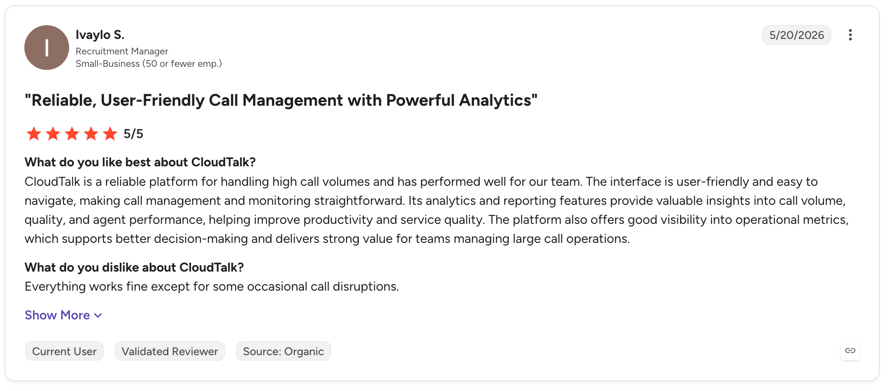
What Are G2 Users Rating Cloudtalk?
Cloudtalk is rated 4.4/5 from 1,702+ reviews.
When to Use CloudTalk
When you need numbers, routing, global coverage and CRM sync solved alongside the agent, and you would rather not own a multi-vendor stack.
2. Retell AI — Best for Engineering Teams Who Want API-Level Control
What Is Retell AI?
A developer-oriented voice agent platform that sells its own numbers in a handful of countries and supports SIP and number import from Twilio or Vonage. The most complete of the API-first options on telephony.
Retell AI Category Scores
Telephony 3 · CRM/API 3 · Handoff 2 · Deploy 4 · Pricing clarity 3 · Global 3. Total 18/30.
Retell AI Key Features
Pay-as-you-go from $0 with $10 free credits, own numbers plus SIP, granular per-component pricing, add-ons for PII removal and denoising.
Retell AI SaaS Fit
Good if you have engineers and are US, UK, Canada or Australia-centric. A reviewer flagged limitations for the Italian market "especially in the complete management of numbering", and another hit a hard country whitelist block dialling Turkey.
Retell AI Integrations
n8n, GoHighLevel, Twilio, Telnyx. Reviewers specifically note missing native CRM integrations – expect to build them.
Retell AI Pros and Cons
Genuinely fast to a working bot – one Trustpilot reviewer had one live in ten minutes – and honest component-level pricing. Against that: "the pricing can also become expensive when scaling or doing many test calls during development."
Retell AI Pricing and Rating
Roughly $0.07–$0.31/minute all-in, numbers $2/month, concurrency beyond 20 lines at $8/line/month.
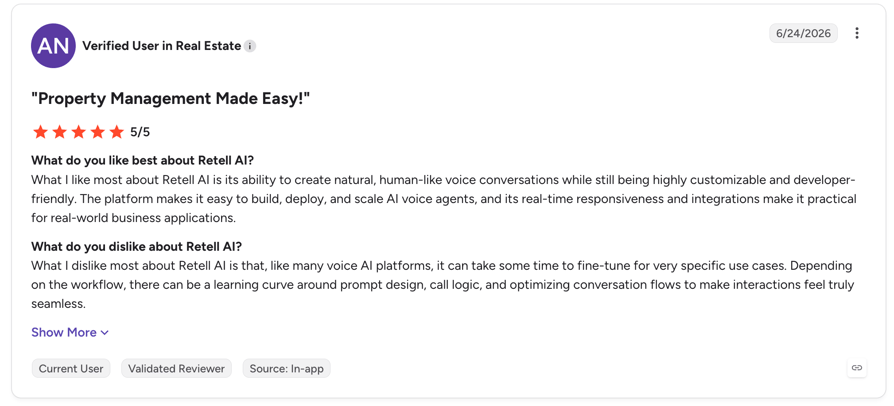
What Are G2 Users Rating Retell?
Retell is rated 4.8/5 on G2; 4.9/5 on Trustpilot from 814 reviews.
CloudTalk vs Retell AI
| Dimension | CloudTalk | Retell AI |
|---|---|---|
| Telephony | Owns the layer; 160+ countries | Own numbers in a few markets, SIP elsewhere; country whitelisting reported |
| Native CRM sync | HubSpot, Salesforce, Pipedrive, Zoho + 100 more | Reviewers report native CRM integrations missing |
| Cost model | Fixed monthly bundle with published overage | Per-minute, stacked components; rises during testing |
| Who it suits | Teams who want the calling system solved | Teams with engineers who want control |
When to Use Retell AI
You have engineering capacity, your markets are English-speaking, and you want to own the agent logic. When not to: you need native CRM sync out of the box or you dial outside its number footprint.
3. Vapi — Best for Developer-Led Deployments With Custom Orchestration
What Is Vapi?
Voice AI primitives with strong developer tooling. You supply the telephony thinking.
Vapi Category Scores
Telephony 2 · CRM/API 3 · Handoff 2 · Deploy 2 · Pricing clarity 2 · Global 2. Total 13/30.
Vapi Key Features
$0.05/minute platform fee with model and telephony providers passed through at cost, 10 concurrent lines included, good debug interface and documentation.
Vapi SaaS Fit
A genuine fit for engineering-led teams who want calling logic in their own backend, and a poor one for anybody else. One reviewer's praise is the clearest summary: "developer-friendly API that let us integrate calling logic directly into our backend."
Vapi Integrations
API-first. No native CRM integration evidenced in reviews.
Vapi Pros and Cons
Excellent docs and debug tooling. Against that, cost predictability is the recurring complaint – "the pricing they have on their platform is misleading, it's just for platform; if you add LLMs it will cost high" – and support responsiveness comes up repeatedly.
Vapi Pricing and Rating
$0.05/min plus pass-through; HIPAA $2,000/month; 14-day call-history retention on the base plan.
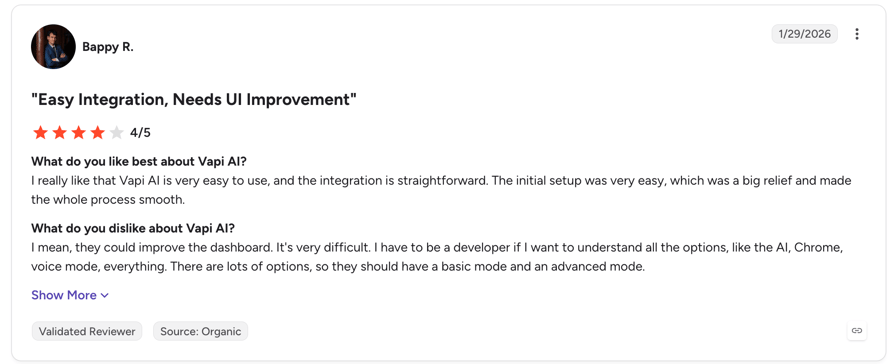
What Are G2 Users Rating Vapi?
Vapi is rated 4.5/5 on G2 but from only 2 reviews, and 2.5/5 on Trustpilot from 12 – both samples too small to draw conclusions from, in either direction.
CloudTalk vs Vapi
| Dimension | CloudTalk | Vapi |
|---|---|---|
| Phone numbers | Provisioned in 160+ countries | Free numbers are US-only; international requires your own Twilio or SIP |
| Who can deploy it | Receptionist is no-code and self-serve | Engineering-led by design |
| Cost forecasting | Fixed bundle, published overage | Platform fee plus pass-through model costs |
| Review base | 1,702+ on G2 | 2 on G2, 12 on Trustpilot |
When to Use Vapi
You are building a voice product, not buying one. When not to: you need a business user to change the script, or you dial outside the US.
4. Synthflow — Best for a No-Code Deployment This Week
What Is Synthflow?
A no-code agent builder aimed at teams without engineering time to spare, with broad automation-tool connectors.
Synthflow Category Scores
Telephony 2 · CRM/API 3 · Handoff 2 · Deploy 4 · Pricing clarity 2 · Global 2. Total 15/30.
Synthflow Key Features
Genuinely fast no-code build – "implementation is simple and ready to start debugging and testing within an hour" – plus Make, Zapier, n8n, HubSpot and GoHighLevel connectors and natural-sounding voices.
Synthflow SaaS Fit
Good for a fast pilot, harder to justify at contract time. Its own pricing page now states enterprise contracts start at $30,000 annually, and a reviewer noted "Enterprise level needed to sync your business phone number if you have with a current carrier."
Synthflow Integrations
Broad on automation tools. CRM depth is the weak point – one reviewer reported "the calls couldn't be transferred into the CRM properly, and the data wasn't transferred correctly."
Synthflow Pros and Cons
The fastest no-code path on this list. Against it: essentials behind the enterprise tier – "the tools you actually need are locked behind their absurdly overpriced enterprise plan" – plus support latency and native numbers in only three countries.
Synthflow Pricing and Rating
Quote-based, from $30,000/year per its own site; numbers $1.50/month. Third-party sites still list retired self-serve tiers – ignore them.
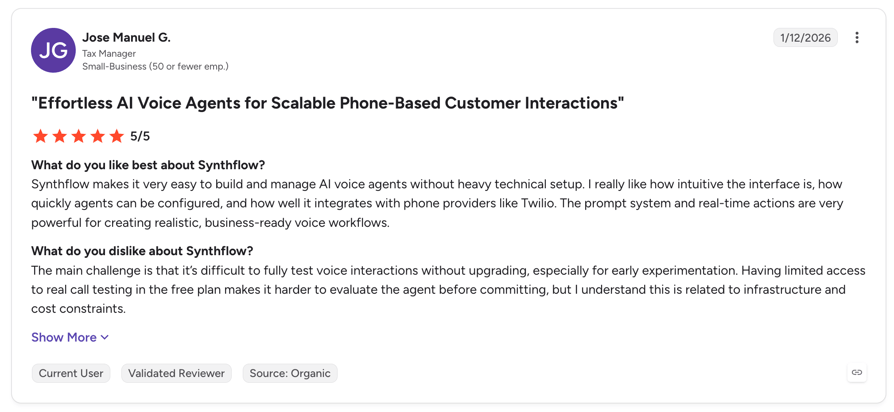
What Are G2 Users Rating Synthflow?
Syntflow is rated 4.5/5 on G2 and 4.5/5 on Trustpilot from 211 reviews.
CloudTalk vs Synthflow
| Dimension | CloudTalk | Synthflow |
|---|---|---|
| Entry point | 50 free minutes, then €99/month self-serve | Quote-based, from $30,000/year |
| Native numbers | 160+ countries | US, Canada, Australia; elsewhere bring Twilio or SIP |
| Carrier sync | Included; number porting on every plan | Custom SIP import requires an Enterprise account |
| Speed to first agent | Minutes on the Receptionist | About an hour – genuinely fast |
When to Use Synthflow
You want a no-code pilot running this week and budget is not the constraint. When not to: you need European or Asian numbers, or you need to know your price before a sales call.
5. ElevenLabs Agents — Best When Voice Realism Is the Deciding Factor
What Is ElevenLabs Agents?
Conversational agents from the strongest voice-synthesis vendor in the category. Best-in-class audio, no phone system.
ElevenLabs Agents Category Scores
Telephony 2 · CRM/API 2 · Handoff 2 · Deploy 3 · Pricing clarity 4 · Global 2. Total 15/30.
ElevenLabs Agents Key Features
The most natural voice output of the five, and the clearest published pricing table – free 15 minutes a month, then $6 to $990 per month by tier with $0.08/minute overage.
ElevenLabs Agents SaaS Fit
A component, not a platform. ElevenLabs does not sell phone numbers at all – you bring a SIP trunk or a Twilio, Vonage, Telnyx, Plivo, Bandwidth, Genesys or Five9 account. For a SaaS team that already owns its telephony and only wants a better voice, that is a feature.
ElevenLabs Agents Integrations
SIP and major carriers. No CRM review evidence exists.
ElevenLabs Agents Pros and Cons
Unmatched voice quality and latency. Against it: credit forecasting is the consistent complaint – "unused credits don't always roll over depending on your plan, so you effectively lose the value you paid for."
ElevenLabs Agents Pricing and Rating
Free 15 min/month; Pro $99 for 1,238 minutes; Business $990 for 12,375; overage $0.08/min.
What Are G2 Users Rating ElevenLabs?
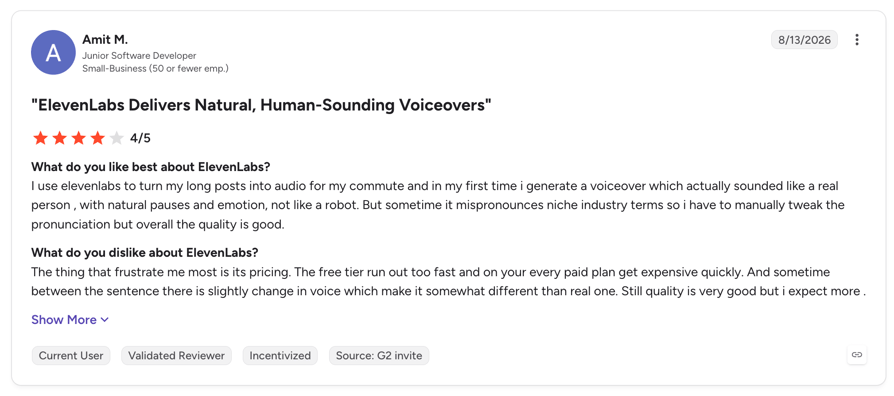
ElevenLabs is rated 4.5/5 on G2 from roughly 1,174 reviews – but that listing covers all of ElevenLabs, mostly text-to-speech. There is no Agents-specific review evidence anywhere, which is why four of its six scores are 2 or 3.
CloudTalk vs ElevenLabs Agents
| Dimension | CloudTalk | ElevenLabs Agents |
|---|---|---|
| Phone layer | Owns it end to end | Sells no numbers; bring your own carrier |
| Voice quality | Strong; multiple model providers included | Best on this list – its core competency |
| Routing and transfer | Native, inside the Call Flow Designer | Depends entirely on the carrier you bring |
| Cost model | Monthly bundle in minutes | Credit-based; rollover complaints are common |
When to Use ElevenLabs Agents
You already own your telephony and voice realism is the thing you are optimising. When not to: you need the phone system as part of the purchase.
What an AI Voice Agent Costs for a SaaS Team
Five of the nine SaaS companies in this dataset named cost as a deal factor and two lost on it outright. So here is the whole thing – every tier, every included minute, every overage rate and every minimum term. Full AI voice agent pricing is published, not gated.
AI Voice Agent Pricing in Full
| Plan | Price/month | Minutes Included | Overage/min | Minimum Term |
|---|---|---|---|---|
| AI Receptionist – free | €0 | 50 free | €0.50 | None – self-serve |
| AI Receptionist | €99 | 200 | €0.50 | 1 month |
| AI Receptionist | €199 | 500 | €0.50 | 1 month |
| AI Receptionist | €299 | 1,000 | €0.50 | 1 month |
| AI Receptionist | €699 | 2,500 | €0.35 | 1 month |
| AI Specialist Build | €349 | 1,000 | €0.50 | 3 months |
| AI Specialist Scale | €749 | 2,500 | €0.35 | 3 months |
| AI Specialist Scale Plus | €1,249 | 5,000 | €0.30 | 6 months |
| Enterprise | Custom | 10,000+ | Down to €0.10 | Negotiated |
Two things the table does not show. Unused minutes do not roll over into the following month, and the tiers step in fixed jumps – a buyer who measured their real inbound volume at around 700 minutes a month asked us directly whether there was anything between the 500 and 1,000 tiers. There is not. Size against your busiest realistic month, not your average, and treat the overage rate as the thing that protects you rather than the tier you hope to stay under.
What the first month actually costs. One deal in this set was lost because the buyer objected to paying full price for a month that was mostly setup. He put it bluntly on the call: “One month of payment is going to the build of my platform instead of the execution of it… I'm paying for three months to get two months access.” It is a fair objection and worth raising in your own negotiation. On the AI Receptionist that objection does not apply – you are live the same day, so month one is a working month. On the AI Specialist it partly does: expect roughly the first week to be build, which means month one delivers about three weeks of production use for a full month's fee. Start the 50 free minutes before the paid clock starts and you recover most of that.
On commitment length, plainly. Every AI Receptionist tier is a one-month minimum – genuinely month to month. The AI Specialist is three months on Build and Scale, and six on Scale Plus, because a solutions consultant builds it. If month-to-month is a hard requirement, the Receptionist is the tier that meets it; one of the two deals that closed in this dataset required exactly that.
The four costs that surprise people
1. Minute overage – €0.30–€0.50 a minute above your bundle. Model your volume against the tier, not against the price.
2. Premium models – GPT-4o, GPT-4.1, Anthropic and Google Gemini are included. GPT-5 is charged extra.
3. Outbound minutes – charged separately from the included bundle by default. If your use case is outbound, budget this as its own line.
4. Conversation Intelligence – additional charges may apply above 2,000 minutes a month. Per-destination call rates also vary by country.
Worked Comparison Against a Loaded SDR
Change the assumptions to your own numbers – they are visible on purpose.
Cost Per Qualified Conversation: Agent vs SDR
| Line | One SDR | AI Specialist Scale |
|---|---|---|
| Monthly cost | $6,250 (loaded) | €749 |
| Qualified conversations per month | 200 | 625 (2,500 min ÷ 4 min) |
| Cost per qualified conversation | $31.25 | €1.20 |
| Available hours | Working hours, one timezone | 24/7, unlimited concurrency |
| What the SDR still does better | Nuance, objection handling, the close | — |
The honest reading of that table is not "fire the SDR". It is that the agent removes the reason to hire the next one, and frees the SDR you have for the conversations where judgment changes the outcome.
How Long Until It Is Live?
AI Receptionist: minutes. Upload your company information or a PDF, connect a number, test it, publish. This is a same-afternoon deployment and it is self-serve – there is no 1:1 onboarding at this tier, by design.
AI Specialist: one to two weeks, with a solutions consultant and a three-month minimum term. Here is what those two weeks actually contain:
- Week one – buildFlow design, API mapping to your CRM or billing system, prompt and script work, voice selection, escalation rules. You will be in workshops; this is not a hands-off week.
- Week two – test and tuneLive calls on a real line, transcript review, edge-case prompt refinement, tagging tuning. Most teams go to production partway through this week and keep tuning after.
- What you need to supplyThe script or qualification criteria, a knowledge base the agent can answer from, API access to the systems it must read and write, and a named person who can make decisions. Delays are usually on the customer side, and almost always one of these four.
If you are inside a quarter you have to close, do not scope a Specialist build as your first deployment. Put the Receptionist on one call type this week, prove the concept, and let the Specialist land next quarter. One deal in this dataset was lost precisely because implementation length collided with what the buyer called an imperative sales quarter.
Integrations — CRM, Helpdesk and Custom Systems
Short and accurate beats long and vague for this reader, so here is the split.
Native, connected with OAuth in minutes: HubSpot, Salesforce, Pipedrive and Zoho on the CRM side, plus Zendesk, Freshdesk, Intercom, Help Scout and Front on the helpdesk side – part of 100+ CRM integrations in total. Native means two-way: contacts and context flow in, call records, extracted fields and tags flow back out.
Everything else goes through the public API or a middleware layer. That is the honest answer to the question one buyer in this dataset ran into the hard way – they were manually exporting contacts from one platform and importing them into another because no native connector existed. If your CRM is not on the native list, budget developer time, or route it through Zapier, Make or n8n if the volume allows. The public API documentation is open – read it during evaluation rather than after.
Outbound agents can be triggered from HubSpot, Zapier, Make or your own systems via API, with system-prompt variables populated per contact. Inbound agents extract structured data and push it back by webhook, and post-call output variables can drive downstream automation. If you are still selecting the CRM itself, our guide to the best CRM software covers the options that integrate cleanly.
What an AI Voice Agent Will Not Do For You
Two of the six deals we lost in this segment were lost because a capability expectation was set wrongly during the sales process, not because the product failed. Writing the limits down publicly costs one click and saves a technical validation call.
Five things to know before you buy
- A human cannot seamlessly jump into a live agent call mid-conversationEscalation works by the agent transferring the call to a person with full context attached – not by a human silently joining an in-progress conversation. Our own solutions engineer put it to a buyer directly in July 2026: join, whisper and barge are available on human calls, “not so much voice agent yet.” Safe transfer – where an unanswered handoff returns to the agent instead of dropping to voicemail – did ship over the summer. Silent mid-call jump-in has not. If that is your requirement, validate it before anything else.
- Automatic call tagging needs tuning and will not be perfect on day oneInside the voice agent you can define the fields you want captured. What you cannot do is reshape the AI call summary on ordinary human calls into your own qualification schema – a lead-generation buyer asked for exactly that in April 2026 and was told plainly that it could not be done, and that the route was to pull the transcript over the API and run it through their own model. Nor will the platform flag a mismatch between what a rep logged and what the recording actually says. If structured extraction is central to your QA, budget for that integration.
- Meeting booking is live but is not zero-configurationYou connect the calendar and define the rules. Until late July 2026 there was no pre-built booking function at all – you built it as a custom tool pointed at a calendar API, and Outlook needed middleware to carry the authentication. The pre-built version removes that build step; it does not remove the configuration. Calendly in particular behaves better when the agent is pointed at the underlying Google or Outlook calendar rather than the Calendly API. Budget an afternoon, not a click.
- The outbound agent is not a parallel or predictive diallerIt is API-triggered outbound with unlimited concurrency, which is a different thing. If you specifically want a dialler that works a shared list and routes live connects to free agents, that is a separate product line – confirm which dialling modes you need before you buy the agent.
- Output quality depends on the knowledge base and script you supplyThe agent is as good as the material behind it. A thin knowledge base produces a thin agent, and no model choice fixes that. Budget real time for the content, not just the configuration.
On data handling, call recording and consent, see how we approach GDPR-compliant call handling before you put customer conversations through any voice agent, ours included.
Implementation Best Practices
- Start with one call typeInbound trial qualification or urgent-call filtering are the two lowest-risk first deployments for a SaaS team. Both are bounded, both are measurable, and both go live fast.
- Load the real context, not marketing copyPricing tiers, plan limits, the questions support actually gets, the qualification criteria your AEs actually use. This is the single biggest determinant of output quality.
- Define escalation rules before go-liveDecide what the agent must never handle alone, and where each escalation lands. Do this before the first call, not after the first complaint.
- Run it on a real line with the 50 free minutes and review recordings within 72 hoursListening to the first fifty calls is worth more than any amount of prompt theorising. Review while the context is fresh.
- Review weekly for a month, then add the second call typeResist adding use cases until the first one is stable. Teams that stack three workflows in week one are the teams that abandon in week six.
The Short Version
Which use case fits: if your support team has no phone line or is drowning in tier-one questions, start with urgent-call filtering. If trial signups go cold before anyone calls, start with inbound qualification. If your revenue team is chasing invoices by hand, start with payment reminders – it is the cheapest use case here and the easiest to get budget for.
Which tier: AI Receptionist for anything bounded and inbound, live in minutes, month to month. AI Specialist for anything that has to read and write to your systems, one to two weeks, three-month minimum.
What it costs: €99–€699 a month on the Receptionist, €349–€1,249 on the Specialist, with published overage rates and outbound minutes billed separately. No figure on this page is behind a form, because five of the nine SaaS buyers we built it from told us that is exactly where these evaluations die.
Start With 50 Free Minutes. No Sales Call Required.
AI Voice Agents for SaaS: Frequently Asked Questions
The ten questions B2B SaaS buyers asked most across nine discovery calls.
Not the SDR you have – the one you were about to hire. The agent handles the repetitive front half of the job: calling every inbound signup within seconds, running qualification criteria, booking the meeting, logging it all to the CRM. It does not handle objections that require judgment, read a room, or close. On the arithmetic, a loaded SDR at $6,250 a month running 200 qualified conversations costs roughly $31 each; an AI Specialist Scale plan at €749 covering 625 four-minute conversations costs about €1.20. Two of the nine SaaS companies we spoke to said explicitly that they did not want to pay for an SDR.
AI Receptionist: €99, €199, €299 or €699 a month for 200, 500, 1,000 or 2,500 included minutes, with €0.50 per minute overage (€0.35 on the top tier) and a one-month minimum on every tier. AI Specialist: €349, €749 or €1,249 for 1,000, 2,500 or 5,000 minutes, with €0.50, €0.35 and €0.30 overage respectively. The Specialist minimum term is three months on Build and Scale, six months on Scale Plus, because a solutions consultant builds it. Enterprise starts at 10,000 minutes with overage down to €0.10, negotiated. Outbound minutes are billed separately from the bundle by default.
Yes on the AI Receptionist – every tier is a one-month minimum, genuinely month to month, and one of the two deals that closed in this dataset required exactly that. No on the AI Specialist, which carries a three-month minimum (six on Scale Plus). If you want adjustable minute packages month by month, say so during evaluation rather than after signing: one buyer wanted that flexibility, did not confirm it early, and went cold when pricing came up late.
AI Receptionist: minutes. Upload company information or a PDF, connect a number, test, publish – a same-afternoon deployment, self-serve, with no 1:1 onboarding at that tier. AI Specialist: one to two weeks. Week one is flow design, API mapping, prompt work and escalation rules. Week two is live testing and tuning, with most teams reaching production partway through. Delays are usually on the customer side: the script, the knowledge base, API access, or a decision-maker who is unavailable. If your quarter has to close, deploy the Receptionist now and scope the Specialist alongside it.
The agent transfers the call to a person with the full conversation context attached. What it does not do is let a human silently join a live conversation already in progress and take the wheel – those are different things and the distinction matters. Join, whisper and barge all exist on the platform – on human calls, where a supervisor is inside the live conversation within a second or two and the customer hears nothing. Our own solutions engineer told a buyer in July 2026 that the same controls are “not so much voice agent yet” and are coming. Safe transfer, where an unanswered handoff returns to the agent rather than dropping into voicemail, did ship over the summer. Silent jump-in on a live agent call has not. That is why we score ourselves 4 rather than 5 on human handoff in the round-up above. If seamless jump-in is your requirement, validate it before you evaluate anything else.
Through the public API, yes – but it is developer work, not a checkbox. Native two-way sync covers HubSpot, Salesforce, Pipedrive, Zoho and 100+ others, and those connect with OAuth in minutes. Anything outside that list goes through the API or a middleware layer like Zapier, Make or n8n. One buyer in this dataset was manually exporting contacts from one platform and importing them into ours because no native connector existed – real friction, and worth checking against your specific stack during evaluation rather than in week three of the build.
Yes, and it needs tuning – both halves of that sentence are true. The agent extracts structured fields from the conversation and writes them to the CRM record automatically. Where it struggles is distinguishing adjacent answer ranges within a fine-grained taxonomy. There is also a harder boundary worth knowing: the AI summary on an ordinary human call is not reshapeable into your own qualification schema. A lead-generation buyer asked for precisely that in April 2026 – a summary structured as their qualification questions and answers, plus a warning when a rep's logged outcome contradicted the recording – and was told directly that the analytics layer could not do it, and that the route was to pull the transcript over the API and run it through their own model. Treat tagging as configurable rather than automatic: define your categories tightly, review transcripts weekly for the first month, refine the prompts on the edge cases, and budget an integration if structured extraction is central to your QA.
Local numbers are available in 160+ countries, from $6 per number per month, and per-destination call rates vary by country. Rather than take "global" as an answer from us or anyone else, check your specific target markets against the published coverage list before you commit. Coverage was the outright deal breaker for one team in this dataset, who told us it is "tough to make the true case to adopt a solution that only half your globe can use" – about a previous vendor.
Yes, and you should think about it per use case rather than picking one for the company. A SaaS platform in this dataset specifically wanted to select a different voice for collections calls than for sales calls – a reasonable instinct, since a payment reminder and a demo booking are very different conversations. The agent also auto-detects and responds in the caller's language, so multilingual coverage does not require a separate agent per market.
On speed, here is the real number rather than an adjective. A full conversational turn – the caller stops speaking, the agent starts speaking – currently completes in about 1.5 to 1.6 seconds end to end. That splits roughly into 100 ms of speech-to-text, 350 ms to one second for the model to produce its first token, and 150 ms of text-to-speech. For comparison, a natural pause between two humans on a phone call sits somewhere around 200–500 ms, so the agent is noticeably slower than a person but not awkwardly so. Anyone quoting you sub-second end-to-end latency today is usually quoting one component of that pipeline, not the whole of it. Test it on your own line during the free minutes and judge for yourself.
No. Every account gets 50 free AI Receptionist minutes, self-serve, with no sales call and no card. Set the agent up, point it at a real line, and listen to the recordings. Note that the self-serve Receptionist tier has no 1:1 support by design – you are expected to configure it yourself, which most teams do in an afternoon. The AI Specialist is sales-led because it involves a solutions consultant building against your systems, but you do not need to talk to anyone to test the Receptionist first.