11 Best Patient Scheduling Software (Ranked & Reviewed 2026)
TL;DR:
There is no single winner: the right tool depends on your practice type and on where patients book today.
- CloudTalk: AI phone schedulingBest for practices that miss calls and want AI to book by phone
- Luma Health: Patient engagement and access platformBest for health systems that want self-scheduling on top of their EHR
- Phreesia: Patient intake and access platformBest for multi-location practices that want intake and scheduling in one place
- Tebra: EHR and practice management suiteBest for independent practices that want EHR, billing, and booking in one tool
- SimplePractice: EHR and practice management suiteBest for therapists and behavioral health practices
- NextGen Healthcare: EHR-integrated schedulingBest for practices already running NextGen Enterprise or NextGen Office
- Acuity Scheduling: Standalone schedulerBest for solo and small cash-pay practices that need a HIPAA-ready booking page
- Setmore: Standalone schedulerBest for tight budgets that need a free plan
- Cal.com: Standalone schedulerBest for telehealth and virtual-first teams that want a flexible booking page with a BAA
- WaitWell: Queue and walk-in managementBest for walk-in clinics that need one queue for walk-ins and booked visits
- Zocdoc: Marketplace-connected schedulingBest for practices that want to fill empty slots with new patients
Patient scheduling software should take bookings off your front desk. In most practices, it doesn't yet: patients still call, the phones ring hardest when the waiting room is full, and every no-show leaves a gap nobody refills.
The market doesn't make the choice easy. Medical scheduling software ranges from free booking pages to EHR modules, patient engagement platforms, marketplaces, and AI receptionists, and most comparison lists rank the author's own product first without showing how.
This guide is for practice managers, clinic owners, and operations leads choosing the best patient scheduling software for their practice. You'll get:
- A ranked list of 11 tools, each with a clear "best for" label
- A weighted method you can check, and our disclosure
- Verified prices, HIPAA and BAA terms, and a feature matrix
- A checklist and vendor questions to use before you sign


What Is the Best Patient Scheduling Software? Our Pick for Each Practice Type
The best patient scheduling software for healthcare depends on how your patients book and what you already run. A solo therapist, a five-provider clinic, and a health system on Epic need different tools. Here is our pick for each situation:
| Practice type or need | Our pick | Why |
|---|---|---|
| Practice that loses calls | CloudTalk | An AI receptionist answers every call and books into your calendar |
| Health system or large group | Luma Health | Writes back to Epic, Oracle Health, MEDITECH, and other EHRs, with automatic waitlist offers |
| Multi-location practice with heavy intake | Phreesia | Intake, payments, waitlist, and AI phone answering on top of 16+ PM/EHR systems |
| Independent practice wanting EHR and billing together | Tebra | EHR, billing, online booking, and an AI voice assistant from one vendor |
| Therapy or behavioral health | SimplePractice | A BAA and telehealth on every plan |
| Practice already on NextGen | NextGen Healthcare | Self-scheduling and waitlist add-ons write straight into the NextGen appointment book |
| Solo practitioner, cash pay | Acuity Scheduling | A BAA, intake forms, and payments from $55/month |
| Tight budget | Setmore | A free plan for up to 4 users, and a BAA from $5/user/month |
| Telehealth or virtual-first team | Cal.com | Flexible booking pages and routing, with a BAA on paid plans |
| Urgent care or walk-in clinic | WaitWell | One queue for walk-ins and booked visits across locations |
| Practice that needs new patients | Zocdoc | Patients find you on the marketplace, and joining is free |
If you need an EHR, a patient portal, or an online booking page, choose one of the other tools, and add AI phone answering later if calls still go unanswered.
How We Ranked the Best Patient Scheduling Software: Methodology and Disclosure
We reviewed each healthcare scheduling software tool from public, checkable sources. We didn't run paid trials of every tool, so we say "reviewed", not "tested". Our sources:
- Vendor documentation:Product pages, help centers, and feature-by-plan tables, read in November 2026.
- Pricing pages:Public prices on the same day, or "custom pricing" where the vendor hides them.
- HIPAA and BAA pages:Each vendor's own security, trust, and BAA wording, including which plan includes the BAA.
- G2:Ratings, review counts, and recurring review themes, with the date checked.
Each tool was scored on 8 weighted criteria:
| Criterion | Weight | What we checked | Why it carries this weight |
|---|---|---|---|
| HIPAA readiness and BAA | 20% | HIPAA statement, BAA availability, and the plan that includes it | Patient data is involved, so a missing BAA rules a tool out |
| Scheduling flexibility | 20% | Self-scheduling, multi-provider booking, rescheduling, and waitlists | It's the core job of the software |
| EHR and practice management integration | 15% | Named EHRs and whether bookings write back | It avoids double entry and booking conflicts |
| Patient communication | 15% | Reminders, two-way messaging, and languages | Reminders are the main lever against no-shows |
| Channel coverage | 10% | Booking by web, phone, and text | Patients book where it's easiest for them |
| Price transparency and total cost | 10% | Public prices, add-ons, and per-provider fees | Budget decides many purchases |
| Reporting | 5% | Booking, no-show, and call reports | You need numbers to prove results |
| Setup effort and support | 5% | Self-serve setup, implementation time, and onboarding | It decides how fast you see value |
CloudTalk is our product and is listed first. The other 10 tools are grouped by type, so you can jump to the kind of tool you need, and ordered within each group by how many independent ranking lists include them. Big brands don't get the top slots by default.
Every CloudTalk review follows the same published process.
Read our software review methodology to see how we choose, check, and update tools.
Types of Patient Scheduling Software: Standalone, EHR-Integrated, Engagement and AI Phone Tools
A patient scheduling system is any tool that manages who sees which provider, when, and how the patient is reminded.
Every patient scheduling solution falls into one of six types:
| Type | What it does | Best for | Watch out for | Examples |
|---|---|---|---|---|
| Standalone schedulers | A booking page with reminders, intake forms, and payments | Solo and small cash-pay practices | No EHR write-back; HIPAA often only on higher plans | Acuity, Setmore, Cal.com |
| Marketplace-connected schedulers | Lists your free slots where new patients search | Practices that need new patients | Fees per new-patient booking | Zocdoc |
| EHR-integrated schedulers and practice management suites | Scheduling inside the system that holds charts and billing | Practices that want one system of record | Switching is hard, and patient-facing modules may cost extra | Tebra, SimplePractice, NextGen |
| Patient engagement and access platforms | Self-scheduling, reminders, waitlists, and intake on top of the EHR | Groups and health systems | Custom pricing and longer implementation | Luma Health, Phreesia |
| Queue and walk-in tools | One queue for walk-ins and appointments | Urgent care, labs, and walk-in clinics | Limited EHR connectors | WaitWell |
| AI phone schedulers | An AI receptionist answers calls and books into a calendar | Practices where patients book by phone | Check which calendars and EHRs it books into | CloudTalk |
Hospitals and large health systems mostly schedule inside the module of their EHR, such as Epic or Oracle Health. They add access and engagement platforms on top for self-scheduling, reminders, and waitlists, and central call centers for phone bookings.
Which Type Fits You? Three Questions
- 1. How many providers and staff need access?One or two point to a standalone scheduler. A growing group points to a practice management suite or an engagement platform.
- 2. Do you need HIPAA and a signed BAA?If patient details pass through the tool, yes. That rules out most free plans and some lower tiers.
- 3. Do you want to fill empty slots with new patients, or manage existing ones?New patients point to a marketplace. Existing patients point to self-scheduling, reminders, and AI phone answering.
Comparison Table: 11 Best Patient Scheduling Software at a Glance
Here's how the 11 medical patient scheduling software tools compare on the points that decide most purchases, from online patient scheduling software to EHR suites:
| Tool | Type | Patient self-scheduling | HIPAA and BAA | EHR integration | Starting price | G2 rating |
|---|---|---|---|---|---|---|
| CloudTalk | AI phone scheduling | By phone, booked by AI | HIPAA controls; BAA available | None; books into Google Calendar, Outlook, Calendly, Cal.com | AI Receptionist: first 50 min free, then from $99/mo | 4.4/5 (1,800+ reviews) |
| Luma Health | Engagement and access | Yes: web, text, Google | BAA in the contract | Epic, Oracle Health, MEDITECH, eClinicalWorks, athenahealth | Custom pricing | 4.8/5 (80+ reviews) |
| Phreesia | Intake and access | Yes, with select PM/EHRs | BAA in the contract | 16+ PM/EHRs, incl. athenahealth and NextGen | Free through spring 2027, then custom | 3.9/5 (40+ reviews) |
| Tebra | EHR and PM suite | Yes, on 2 plans | BAA in the terms of service | Native Tebra EHR | Custom pricing, per provider | 4.1/5 (240+ reviews) |
| SimplePractice | EHR and PM suite | Appointment requests | BAA on every plan | Built-in EHR | $49/mo | 4.1/5 (120+ reviews) |
| NextGen Healthcare | EHR-integrated | Yes, as an add-on | Not stated publicly | Native NextGen PM/EHR | Custom pricing | 3.7/5 (170+ reviews) |
| Acuity Scheduling | Standalone | Yes | Premium plan only | None | $16/mo billed annually | 4.6/5 (400+ reviews) |
| Setmore | Standalone | Yes | Pro plan, via Setmore Health | None | Free; Pro $5/user/mo billed annually | 4.5/5 (260+ reviews) |
| Cal.com | Standalone | Yes | $300/mo add-on; included on top tiers | None named | Free; Teams $12/user/mo | 4.6/5 (150+ reviews) |
| WaitWell | Queue and walk-in | Yes | HIPAA stated; BAA via sales | Open API, no prebuilt connector | From $29/location/mo | 4.7/5 (100+ reviews) |
| Zocdoc | Marketplace | Yes: marketplace and your website | HIPAA stated; ask for BAA terms | 175+ EHR/PM systems claimed | Free to join; fee per new-patient booking | No verified G2 reviews |
The 11 Best Patient Scheduling Software Platforms, Ranked and Reviewed
Each review follows the same order: what the tool is, its key features, pros and cons, when to use it, cost, HIPAA and BAA terms, and what G2 reviewers say.
1. CloudTalk
What Is CloudTalk?
CloudTalk is a cloud phone system with an AI receptionist that handles automated patient scheduling by phone. It answers calls, understands the request, checks your calendar, and books, reschedules, or cancels the appointment while the caller is still on the line.
Patients don't need a link or a login: they call, and the AI books them in.
Key Features for Practices
- 24/7 call answering:No patient hears a busy signal or voicemail at peak times.
- Booking during the call:The AI offers open slots and books into Google Calendar, Outlook, Calendly, or Cal.com.
- Reschedules and cancellations:The AI frees the old slot, so another patient can take it.
- Handoff to staff:Calls go to your team with the caller's details and request, following the routing rules you set.
- 70+ languages:Patients can book in the language they speak.
Listen to how CloudTalk's AI voice agent handles a real call:
See how AI voice agents can handle your calls















Pros and Cons
| Pros | Cons |
|---|---|
| Answers and books calls 24/7, in 70+ languages | No EHR integration, so bookings go into a calendar tool |
| Self-serve setup, with the first 50 AI minutes free | Booking happens by phone only; SMS booking links are coming soon |
| AI and the full phone system come from one vendor | No patient portal, intake forms, or payments |
When to Use CloudTalk and When Not To
Use it when:
- Most bookings still come by phone, calls go unanswered at lunch or after hours, and you want an AI receptionist that books into your calendar and hands off to staff on the same phone system.
Skip it when:
- You need an EHR, a patient portal, an online booking page, or an intake and payments tool. Look at Luma Health or the scheduler in your EHR instead.
How Much Does CloudTalk Cost?
- The AI Receptionist is priced by minutes, not by provider.
- The first 50 minutes are free, then plans start at $99/month for 200 minutes, with $199 for 500 and $299 for 1,000 minutes, or $0.50 per minute pay-as-you-go
- There's no minimum term, and the 14-day trial needs no card. Checked November 2026.
Flexible Pricing Plans to Scale with You
Compare our plans
HIPAA and BAA
- CloudTalk's security controls and policies comply with HIPAA, and CloudTalk can sign a BAA.
- Before patient details go through the AI receptionist, confirm with CloudTalk which features your BAA covers.
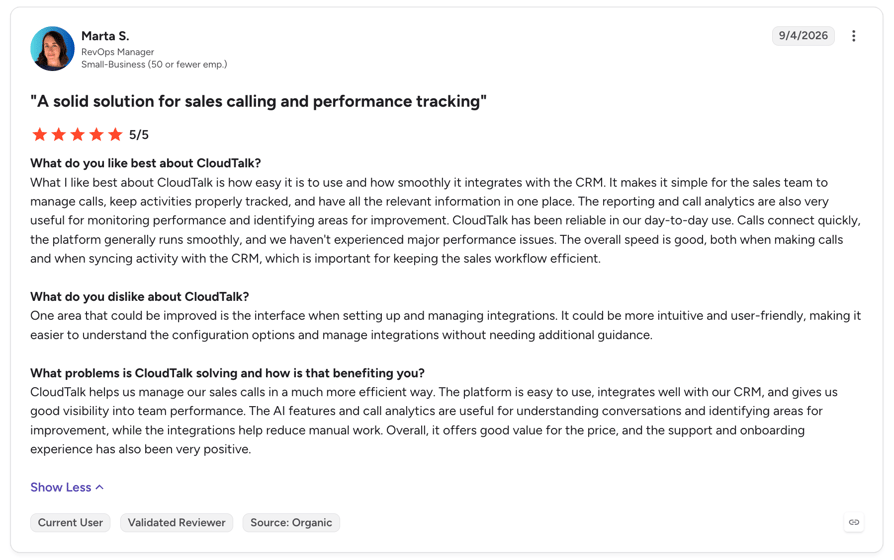
What G2 Reviewers Say About CloudTalk
2. Luma Health
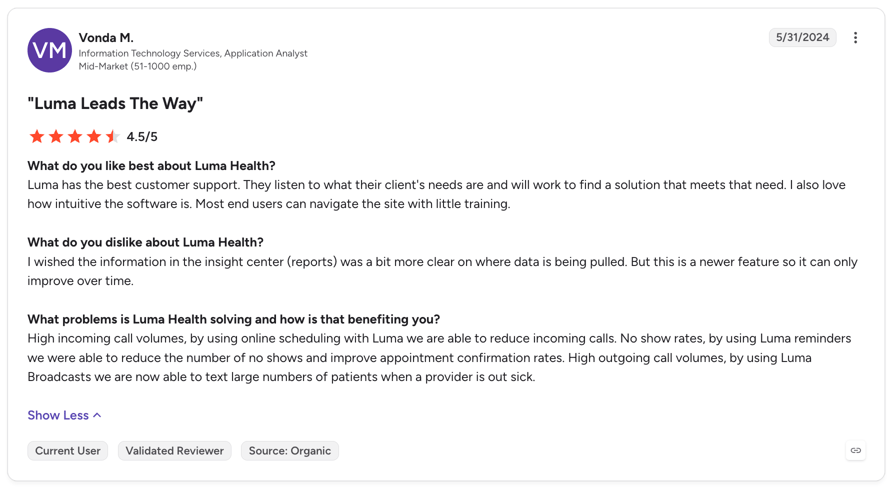
What Is Luma Health?
Luma Health is a patient engagement and access platform that sits on top of a health system's EHR. As patient self-scheduling software, it lets patients book, reschedule, and cancel by text, on the web, or from Google, and writes every change back to the EHR.
Key Features for Practices
- Rules-based self-scheduling:Patients are matched to the right provider, visit type, and length, so staff fix fewer bookings.
- Waitlist backfill:When a patient cancels, the slot is offered by text to a waitlisted patient, who accepts by reply.
- Two-way reminders:Patients confirm, reschedule, or cancel from the reminder, in 30+ languages.
- Navigator AI:An AI voice concierge handles inbound calls, and since September 2026 also rebooks cancellations by outbound call and text.
- Intake and payments:Forms, eligibility checks, and payments before the visit.
Pros and Cons
| Pros | Cons |
|---|---|
| Writes back to Epic, Oracle Health, MEDITECH, eClinicalWorks, and athenahealth | No public pricing or free trial |
| Automatic waitlist offers fill cancelled slots | Needs an EHR underneath; it isn't a standalone calendar |
| Covers scheduling, reminders, intake, and AI calls in one platform | Telehealth appears only in older support docs |
When to Use Luma Health and When Not To
Use it when:
- You run a health system or a multi-site group on a major EHR and want self-scheduling, waitlist backfill, and AI outreach without replacing it.
How Much Does Luma Health Cost?
Luma Health doesn't publish prices. You get a quote after a demo.
HIPAA and BAA
- Luma says its platform is HIPAA-compliant, SOC 2 Type II attested, and HITRUST certified.
- It signs a BAA with customers as part of the contract, and publishes its BAA template.
3. Phreesia
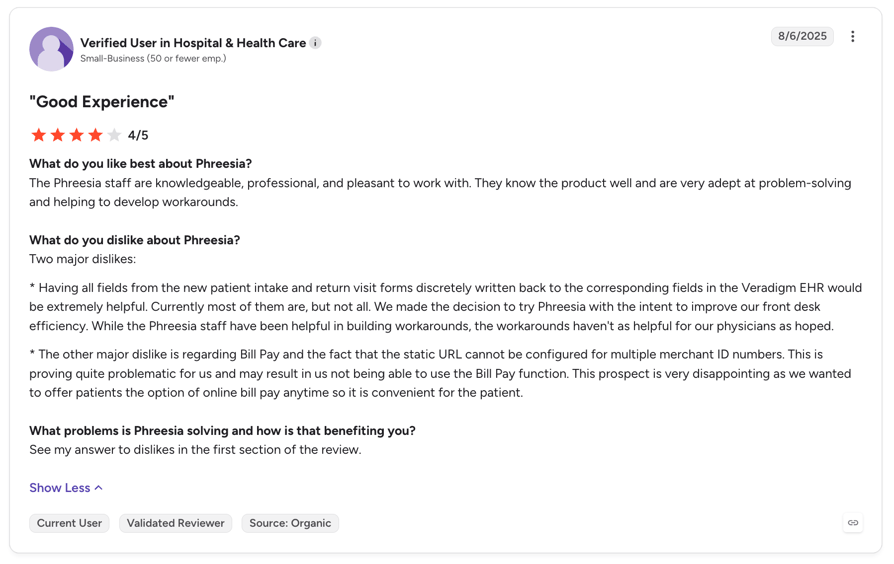
What Is Phreesia?
Phreesia is a patient intake and access platform with an appointments module. It sits on top of your practice management system and EHR, and handles self-scheduling, reminders, waitlists, intake, and payments.
Key Features for Practices
- Self-scheduling:Patients book online by provider, location, and visit type. Phreesia says over half of self-scheduled visits are booked after hours.
- Smart waitlist:Appointment Accelerator offers cancelled slots to waiting patients.
- VoiceAI:An AI agent answers calls 24/7, schedules, and writes back to the chart.
- Reminders:Text, email, and voice reminders with confirm, cancel, and reschedule options.
- Intake and payments:Patients check in, fill in forms, and pay copays before the visit.
Pros and Cons
| Pros | Cons |
|---|---|
| Intake, scheduling, payments, and AI calls in one platform | Self-scheduling works only with select PM/EHR systems |
| Native connections to 16+ PM/EHR systems | Implementation takes about six weeks |
| Free access to the intake platform through spring 2027 | No published pricing once the free period ends |
When to Use Phreesia and When Not To
Use it when:
- You run several providers or locations, intake and copays slow your front desk, and your PM/EHR is on Phreesia's integration list.
Skip it when:
- You're a solo practitioner who wants something live today, or your EHR isn't supported. A standalone tool such as Acuity is faster to start.
How Much Does Phreesia Cost?
- Phreesia currently offers full access to its intake platform at no cost through spring 2027.
- Its pricing page gives both May 1 and May 31, 2027 as the end date.
- After that, pricing is customized to your size and products, with no per-message charges.
HIPAA and BAA
- Phreesia describes itself as a HIPAA-compliant vendor with HITRUST, SOC 2 Type 2, and PCI Level 1 certifications.
- Its privacy notice confirms it acts as a business associate.
- The BAA is part of the client contract.
4. Tebra
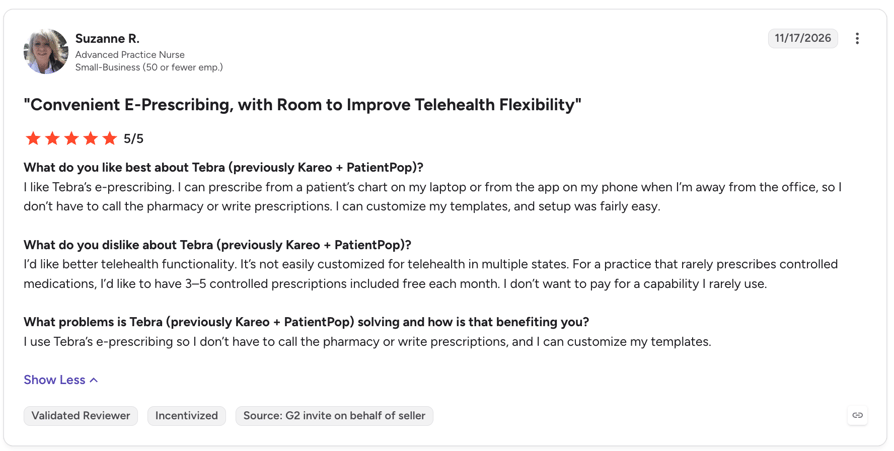
What Is Tebra?
Tebra, formed from Kareo and PatientPop, is a cloud EHR, billing, and patient experience suite for independent practices. Patients book from your website, Google, or Tebra's directory, and the calendar syncs with the Tebra EHR.
Key Features for Practices
- Online booking:Real-time availability from the EHR calendar, with booking hours per location.
- Reminders:Text, email, or phone reminders, plus two-way secure messaging.
- AI Voice Assistant:Books, reschedules, and cancels calls in English and Spanish, after hours or as overflow.
- Digital intake:Forms and e-signatures before the visit sync to the EHR.
- Payments:Online pay, card on file, and automated statements.
Pros and Cons
| Pros | Cons |
|---|---|
| EHR, billing, and scheduling from one vendor | No public pricing or free trial |
| AI phone booking in English and Spanish | Online scheduling only on the All in One and Patient Experience plans |
| Unlimited non-clinical staff, priced per provider | No waitlist or cancellation backfill stated |
When to Use Tebra and When Not To
Use it when:
- You're an independent practice replacing several tools and want charts, billing, and booking in one system.
Skip it when:
- You need automatic waitlist backfill or a public price. Luma Health handles backfill, and Acuity publishes its prices.
How Much Does Tebra Cost?
Tebra quotes per prescribing provider, with unlimited non-clinical staff and a lower tier for providers who bill 100 claims or fewer a month. AI Voice Assistant pricing isn't published. Online booking comes with the All in One and Patient Experience + Marketing plans.
HIPAA and BAA
- Tebra commits to HIPAA safeguards through its BAA.
- The BAA is part of its terms of service for every customer.
5. SimplePractice
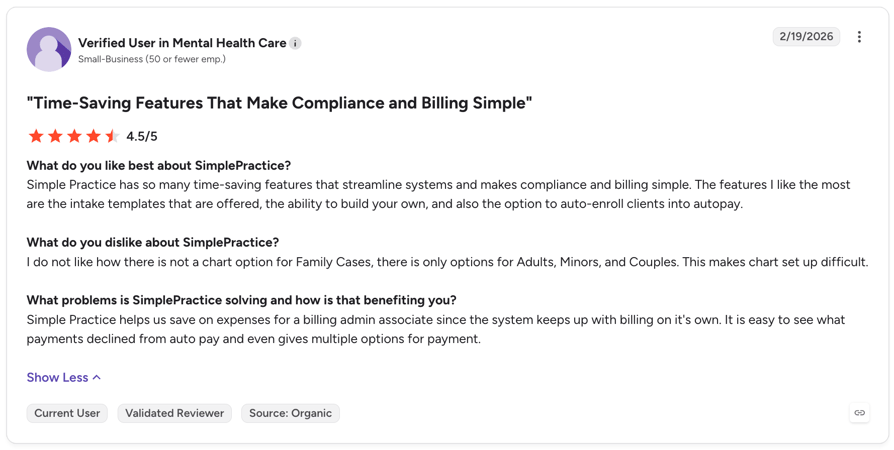
What Is SimplePractice?
SimplePractice is an EHR and practice management system for therapists and other private practices. Scheduling sits next to notes, telehealth, billing, and insurance claims.
Key Features for Practices
- Online appointment requests:Clients request a time online, and you accept or decline it.
- Two-way text reminders:Clients confirm or cancel by text, and the calendar updates.
- Telehealth:Included on every plan, with no limits on session length.
- Paperless intake and payments:Clients sign forms and pay online before the session.
Pros and Cons
| Pros | Cons |
|---|---|
| A BAA on every plan, including the trial | Online booking is a request that you approve |
| Telehealth included on every plan | Its waitlist tracks new clients and doesn't refill cancelled slots |
| Notes, billing, and claims in the same system | Extra clinicians only on Plus, from $74/month each |
When to Use SimplePractice and When Not To
Use it when:
- You run a therapy or behavioral health practice and want scheduling, telehealth, and billing in one system.
Skip it when:
- You run a multi-specialty medical group or need automatic waitlist backfill. An engagement platform such as Phreesia fits better.
How Much Does SimplePractice Cost?
- Starter costs $49/month, Essential $79/month, and Plus $99/month for one clinician.
- On Plus, each additional clinician costs $74/month, and practices with 6 or more clinicians get custom pricing.
- Text reminders for in-person visits start on Essential.
- There's a 30-day free trial and no free plan.
HIPAA and BAA
- SimplePractice says it is HIPAA compliant and HITRUST certified.
- You accept its BAA with a checkbox when you create your account, and it covers every plan.
6. NextGen Healthcare
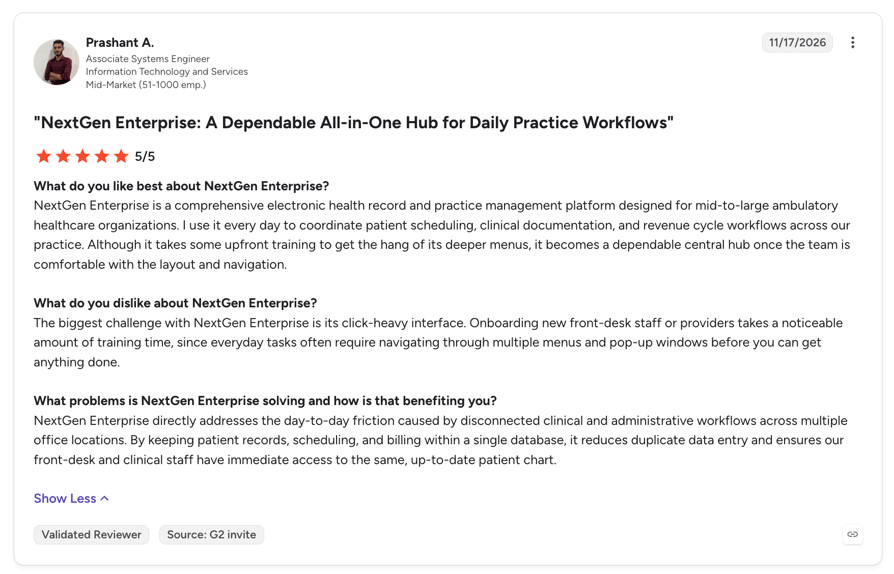
What Is NextGen Healthcare?
NextGen Healthcare runs scheduling inside its practice management system: NextGen Enterprise PM, or NextGen Office for practices with fewer than 10 providers. Patient-facing self-scheduling, reminders, and waitlists are add-on modules powered by Luma.
Key Features for Practices
- Self-scheduling:Patients book by text or web without a login, straight into the Enterprise PM appointment book.
- Automated waitlist:Patients are told when an earlier slot opens.
- Reminders:Patients confirm, cancel, or reschedule, and get a new slot offer if they can't make it.
- Intake and eligibility:Intake data fills the EHR, and the PM checks benefits in batches.
- Navigator AI:Handles reschedules, confirmations, and cancellations by call and text.
Pros and Cons
| Pros | Cons |
|---|---|
| Writes directly into the NextGen appointment book | No public pricing |
| Waitlist, intake, and payments as add-ons | Patient-facing tools are add-ons from a partner (Luma) |
| Multi-resource views and group scheduling for staff | Navigator doesn't list new-appointment booking by phone |
When to Use NextGen Healthcare and When Not To
Use it when:
- Your practice already runs NextGen and you want patient self-scheduling without another system of record.
Skip it when:
- You're not on NextGen. A standalone tool or an engagement platform such as Phreesia works with more systems.
How Much Does NextGen Healthcare Cost?
NextGen quotes every product after a demo. Self-scheduling, reminders, and the waitlist are priced as add-ons.
HIPAA and BAA
- NextGen's trust page says it meets or exceeds HIPAA requirements, with SOC 2 Type II and HITRUST.
- It doesn't publish its BAA terms, so ask for them during the sales process.
7. Acuity Scheduling
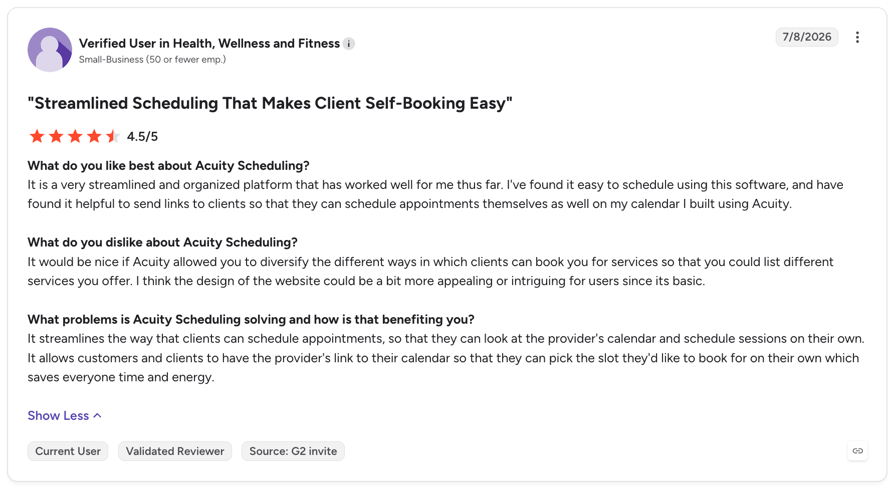
What Is Acuity Scheduling?
Acuity Scheduling, owned by Squarespace, is a standalone patient appointment scheduler: a booking page with intake forms, payments, and reminders, used by small health and wellness practices.
Key Features for Practices
- 24/7 booking page:Patients book themselves from a link or QR code.
- Intake forms and payments:Collect forms and payment through Stripe, Square, or PayPal at booking.
- Waitlist:Waitlisted clients get a text when a slot opens, from the Standard plan.
- Multiple calendars:Up to 6 staff or location calendars on Standard, 36 on Premium.
Pros and Cons
| Pros | Cons |
|---|---|
| Intake forms and payments on every plan | HIPAA and the BAA only on Premium |
| Public prices and a self-serve setup | Text reminders are one-way: one text per appointment, and replies don't reach you |
| Waitlist texts for last-minute cancellations | No EHR integration; HIPAA mode turns off Outlook and iCloud sync |
When to Use Acuity Scheduling and When Not To
Use it when:
- You're a small cash-pay practice that needs a simple, HIPAA-ready booking page with intake and payments.
How Much Does Acuity Scheduling Cost?
- Starter costs $16/month, Standard $27/month, and Premium $55/month, billed annually ($20, $34, and $69 billed monthly).
- Text reminders start on Standard.
- There's a 7-day free trial, without texts.
HIPAA and BAA
- You can make your account HIPAA-enabled on Premium by signing a BAA in the scheduling page settings.
- HIPAA mode turns off Outlook, Exchange, and iCloud calendar sync, invoices, and Reserve with Google.
8. Setmore
What Is Setmore?
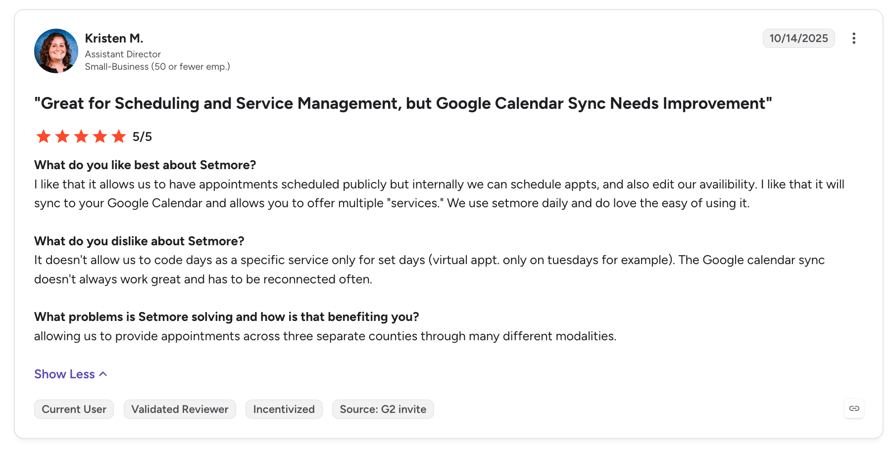
Setmore is a standalone online scheduler with a free plan and a HIPAA version, Setmore Health, for practices. It works as a simple patient booking system: every user gets a booking page, and patients book themselves.
Key Features for Practices
- Booking page:Patients book online on every plan, including Free.
- Text reminders:500 SMS credits per month for Pro users, depending on the country.
- Payments:Square, Stripe, or PayPal on every plan, and deposits on Pro.
- Team calendar:Up to 4 users on Free and unlimited users on Pro.
Pros and Cons
| Pros | Cons |
|---|---|
| A free plan with unlimited appointments for up to 4 users | Setmore Health can only be chosen when you create an account |
| A BAA from $5/user/month on Pro | HIPAA accounts lose multi-location, cancel and reschedule links, and full reminders |
| Payments on every plan | No EHR integration and one-way text reminders |
When to Use Setmore and When Not To
Use it when:
- You're a small, single-location practice that wants the cheapest booking page with a signed BAA.
Skip it when:
- You run several locations under HIPAA or need EHR write-back. Look at Phreesia or your EHR's scheduler.
How Much Does Setmore Cost?
- Free costs nothing for up to 4 users.
- Pro costs $5/user/month billed annually, or $12 billed monthly.
- A human Live Receptionist add-on costs $99/month, for US businesses only.
HIPAA and BAA
- Setmore Health comes with a signed BAA on Pro.
- You must choose it when you create the account, and the choice is permanent, so an existing Setmore account can't switch to HIPAA mode.
9. Cal.com
What Is Cal.com?
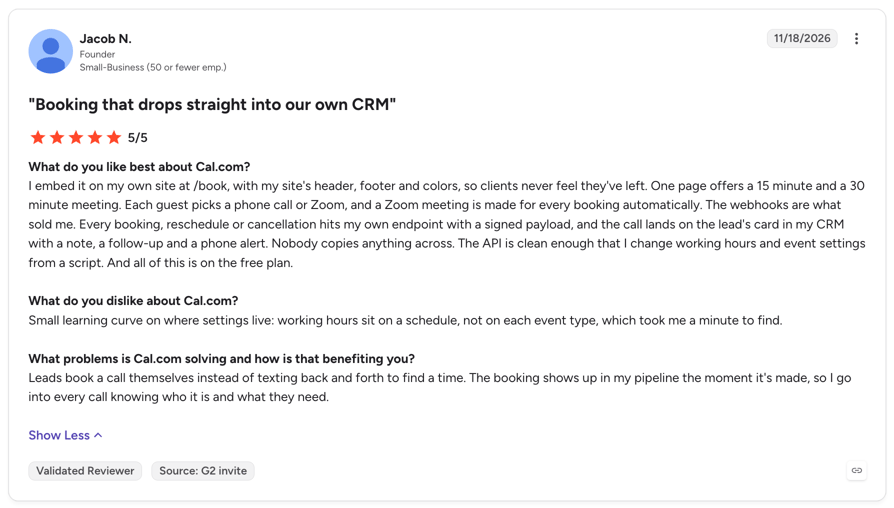
Cal.com is a hosted scheduling platform with booking pages, team scheduling, routing forms, and automated workflows. Healthcare teams use it for patient booking and telehealth once they sign a BAA.
Cal.com moved its product to closed source in April 2026. Its open-source edition is now Cal.diy, a self-hosted fork under the MIT license.
Key Features for Practices
- Booking pages:Unlimited links and calendars, even on the free plan.
- Team scheduling and routing:Shared availability and routing forms send patients to the right provider (Teams and up).
- Workflows:Automated email and SMS reminders, with SMS paid for by credits.
- Cal.ai:A voice agent that can call patients to book, reschedule, or cancel, billed per minute.
Pros and Cons
| Pros | Cons |
|---|---|
| Flexible booking pages, routing, and workflows | The BAA costs $300/month on Teams and on Organizations under 15 users |
| A BAA on paid plans, with SOC 2 Type II and ISO 27001 | No EHR named, and no waitlist backfill stated |
| A free plan for one user | The open-source Cal.diy has no workflows, teams, or BAA |
When to Use Cal.com and When Not To
Use it when:
- You run a virtual-first or therapy team that books mostly online and wants routing and workflows with a BAA.
Skip it when:
- You need EHR-synced scheduling or automatic waitlist backfill. An engagement platform such as Luma Health fits better.
How Much Does Cal.com Cost?
- Free costs nothing for one user.
- Teams is listed at $12/user/month and Organizations at $28/user/month, with 25% off yearly billing.
- SMS and Cal.ai calls use paid credits; Cal.ai costs $0.29/minute plus $5/month per US number.
HIPAA and BAA
- A BAA is included on Enterprise and on Organizations with 15 or more users.
- On Teams, or Organizations under 15 users, it costs $300/month.
- You sign it through sales before patient data enters Cal.com.
- The free plan has no BAA.
10. WaitWell
What Is WaitWell?
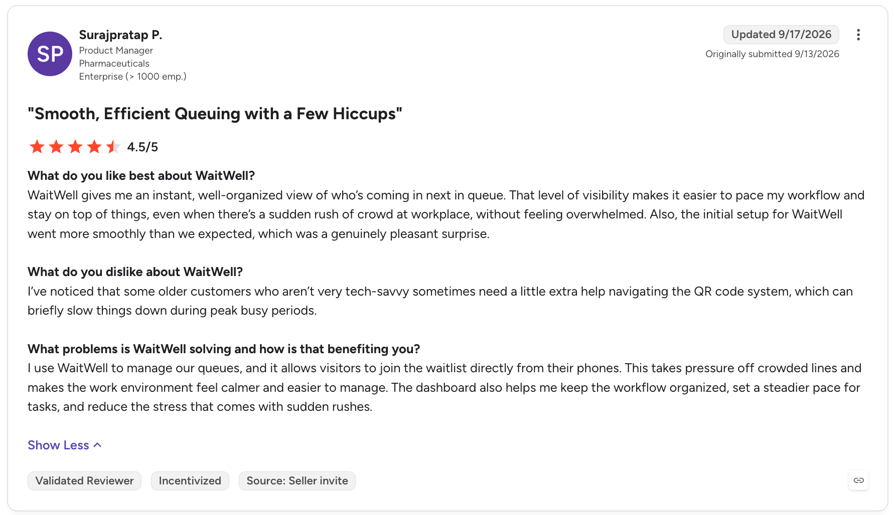
WaitWell is a queue management and appointment platform that puts walk-ins, booked visits, and virtual visits in one queue. It serves healthcare as well as government, banking, and retail.
Key Features for Practices
- One queue:Walk-ins and booked patients share one line, with AI wait-time estimates.
- Online booking:Patients book, change, or cancel online, with links per service or staff member.
- Two-way texting:Patients check in by replying to a text and get updates while they wait.
- Multi-location dashboard:Monitor one location or fifty from one screen, with 50+ reports.
- Intake and payments:Forms before the visit and payment at booking.
Pros and Cons
| Pros | Cons |
|---|---|
| Handles walk-ins and appointments together | No prebuilt EHR connector; EHR links need its API or custom work |
| Two-way texting built into every product | BAA terms are handled by sales |
| 50+ built-in reports | The price currency isn't stated, and there's no free trial |
When to Use WaitWell and When Not To
Use it when:
- Walk-ins make up a big share of your visits and you need one queue across several locations.
Skip it when:
- You need a ready Epic or Cerner integration or a confirmed BAA on a self-serve plan. Luma Health integrates with major EHRs.
How Much Does WaitWell Cost?
- Products start at $29 per location per month, and modules from $5 per location per month, quoted to your setup.
- WaitWell is a Canadian company and doesn't state the currency.
HIPAA and BAA
- WaitWell says it is built with HIPAA and PIPEDA compliance and SOC 2 Type II.
- For a BAA, it asks you to talk to sales about agreement documents for your deployment.
11. Zocdoc
What Is Zocdoc?
Zocdoc is a healthcare marketplace where patients find providers and book online. It also sells practice software: a booking flow for your own website, Zo (an AI phone assistant), patient communications, and intake.
Key Features for Practices
- Marketplace listing:Your open slots appear where new patients search, including partner sites such as Google and Healthgrades.
- Website Scheduling:A branded booking flow on your own site.
- Zo:An AI phone assistant that answers calls 24/7 and books into your EHR.
- Intake and insurance:Patients fill in forms and coverage is checked before the visit.
Pros and Cons
| Pros | Cons |
|---|---|
| Brings new patients, not just bookings | Fees per new-patient booking aren't published and vary by specialty and location |
| Free to join, and bookings from patients who search for you by name are free | The fee is charged at booking, whether or not the patient shows up |
| Claims 175+ EHR and PM integrations | Software products are priced only after a demo |
When to Use Zocdoc and When Not To
Use it when:
- Your calendar has empty slots and your main goal is new patients.
How Much Does Zocdoc Cost?
Joining Zocdoc is free. It charges a one-time fee only for discovery bookings, when a new patient finds your practice through Zocdoc; the amount varies by specialty and location and isn't published. Zocdoc may waive it in good faith if the patient cancels within 24 hours.
HIPAA and BAA
- Zocdoc describes Zo as HIPAA-compliant and SOC 2 certified.
- Ask Zocdoc for its BAA terms before you sign.
What G2 reviewers say about Zocdoc?
Zocdoc has no verified G2 reviews.
Patient Scheduling Software Features Compared
The comparison table shows the basics. This matrix shows what each tool can actually do, including which ones work as HIPAA-compliant scheduling software on which plan:
| Tool | Self-scheduling page | AI phone booking | Two-way texts | Waitlist backfill | EHR link | Intake forms | Payments | Telehealth | BAA | Free plan |
|---|---|---|---|---|---|---|---|---|---|---|
| CloudTalk | Phone only | Yes | No | Not stated | No | No | No | No | Yes | 50 free minutes |
| Luma Health | Yes | Yes | Yes | Yes | Yes | Yes | Yes | Partial | Yes | No |
| Phreesia | Select PM/EHRs | Yes | Partial | Yes | Yes | Yes | Yes | Partial | Yes | Until spring 2027 |
| Tebra | 2 plans | Yes | Partial | Not stated | Yes | Yes | Yes | Yes | Yes | No |
| SimplePractice | Requests | No | Yes | Partial | Yes | Yes | Yes | Yes | Yes | No |
| NextGen | Add-on | Partial | Partial | Add-on | Yes | Yes | Yes | Yes | Not stated | No |
| Acuity | Yes | No | No | Yes | No | Yes | Yes | Partial | Premium | No |
| Setmore | Yes | No | No | Not stated | No | Pro | Yes | Pro | Pro | Yes |
| Cal.com | Yes | Partial | Partial | Not stated | Partial | Partial | Yes | Partial | Paid plans | Yes |
| WaitWell | Yes | No | Yes | Partial | Partial | Yes | Yes | Yes | Not stated | No |
| Zocdoc | Yes | Yes | Partial | Not stated | Yes | Yes | Not stated | Yes | Not stated | Partial |
Patient Scheduling Software Pricing: Costs, Free Options and Hidden Fees
Vendors price scheduling in six ways, and the model often matters more than the headline price:
- Per user or per provider:Setmore, Cal.com, and SimplePractice charge per user or clinician, so the cost grows with your team.
- Per location:WaitWell prices each location, which suits multi-site clinics with many staff.
- Flat plans:Acuity charges per account, with a cap on the number of calendars.
- Bundled with an EHR or PM suite:Tebra and NextGen price scheduling as part of a larger system, often per provider.
- Usage-based:AI phone tools charge per minute, and SMS often costs credits.
- Custom contracts:Luma Health, Phreesia, and Zocdoc's software quote after a demo.
What Practices Pay: Three Scenarios
| Scenario | Example setup | Estimated monthly cost |
|---|---|---|
| Solo practitioner | Acuity Premium, BAA included | $55 billed annually ($69 monthly) |
| Solo practitioner | Setmore Pro with Setmore Health | $5 billed annually ($12 monthly) |
| Solo therapist | SimplePractice Essential | $79 |
| Five-provider clinic | SimplePractice Plus with 5 clinicians | $395 ($99 + 4 × $74) |
| Five-provider clinic | Cal.com Teams for 5 users, plus the BAA add-on | About $360 ($60 + $300) |
| Five-provider clinic | CloudTalk AI Receptionist, 500 minutes | $199, priced by minutes, not providers |
| Multi-location group | Cal.com Organizations, 15 users, BAA included | About $420 |
| Multi-location group | Luma Health, Phreesia, NextGen, Tebra, or WaitWell | Custom pricing |
Hidden Costs to Check
- SMS and voice fees:Cal.com bills texts and AI calls in credits, and Setmore caps SMS credits.
- Per-provider growth:Each new clinician on SimplePractice Plus adds $74/month.
- Implementation and integration:Engagement platforms take weeks to connect, and NextGen sells patient-facing tools as add-ons.
- The HIPAA plan:The BAA may push you to a higher tier or an add-on.
- Contract length:Quote-based tools often come with annual contracts, so ask before you sign.
Free Options and What They Can't Do
Patient scheduling software free plans exist, but none of them comes with a BAA:
- Setmore Free:Up to 4 users and unlimited appointments, with no SMS and no BAA.
- Cal.com Free:One user and unlimited booking links, with no BAA.
- Free trials:SimplePractice offers 30 days, Acuity 7 days, and CloudTalk 14 days with 50 AI minutes.
- Phreesia:Its intake platform is free until spring 2027, then moves to custom pricing.
How to Choose Patient Scheduling Software: What to Check Before You Sign
Before you compare patient appointment scheduling software demos, check each of these:
- HIPAA and a signed BAA:Ask for the BAA and security documents, not marketing claims.
- EHR and PM integration:Ask for your exact EHR, whether bookings write back, and how long the connection takes.
- Channels:Check which ones patients can book through: web, phone, text, or Google.
- Reminders and no-show tools:Look for two-way reminders and a waitlist that refills cancelled slots.
- Multi-provider rules:Check provider, location, and visit-type rules, and whether they hold under HIPAA mode.
- Reporting:Make sure you can track no-shows, self-scheduled bookings, and missed calls.
- Support and implementation:Ask who sets it up, how long it takes, and what support costs.
- Total cost:Add per-provider fees, SMS, the HIPAA plan, and setup.
See how CloudTalk's AI Receptionist can handle your customers:
Questions to Ask Every Vendor
- 01Will you sign a BAA, and on which plan? Can we see your security documents?
- 02Which version of our EHR do you integrate with, and do bookings write back in real time?
- 03How do you refill canceled appointments?
- 04What do texts, calls, and reminders cost beyond the plan?
- 05Can patients book, reschedule, and cancel without calling us?
- 06How long is the contract, and what does it cost to leave?
- 07What support do we get after go-live?
Patient Scheduling Software for Psychologists and Therapists
Patient scheduling software for psychologists has different priorities: confidential notes, telehealth, recurring weekly sessions, and insurance billing.
- SimplePractice covers all four, with a BAA on every plan.
- Cal.com suits virtual-first teams.
HIPAA in Short
- The vendor must sign a BAA before patient data enters the tool.
- HIPAA has no product certification, so treat "HIPAA certified" as a marketing claim.
- Keep patient details out of standard text messages unless the vendor confirms its texting is covered.
Benefits of Patient Scheduling Software and the Metrics That Prove It
Measure each benefit before you switch, then again after 60 to 90 days:
| Benefit | Metric to track | What the evidence says |
|---|---|---|
| Fewer no-shows | No-show rate | Across 105 studies, the average no-show rate was about 23% (Health Policy, 2018). In a Cochrane review, attendance rose from 67.8% with no reminder to 78.6% with a text reminder. |
| A fuller schedule | Fill rate and days to the next open slot | The same review found long lead times are among the strongest predictors of no-shows, so faster booking helps. |
| Better patient access | Share of self-scheduled and after-hours bookings | 80% of patients want to book anytime from home or their phone (Experian Health, 2025), yet 71% of medical groups see fewer than 1 in 4 patients book digitally (MGMA, 2025). |
| Fewer scheduling calls | Call volume, missed calls, and abandoned calls | Practice leaders ranked phone access among their top patient-access goals for 2026, at 22% (MGMA, 2025). |
| Faster front desk work | Staff hours spent on scheduling | Compare hours before and after, per week. |
ROI Calculator
Your Results
Choose by How Your Patients Book
- Medical appointment scheduling software comes in six types: standalone schedulers, marketplaces, EHR suites, engagement platforms, queue tools, and AI phone schedulers.
- We weighted HIPAA readiness and scheduling flexibility highest, and checked every price and BAA on the vendor's own site.
- Start from where your patients book today: online, by phone, as walk-ins, or through a marketplace.
- Before you sign, get the BAA, confirm the EHR write-back, and add up per-provider, SMS, and setup costs.
Fix it first. An online booking page doesn't help the patients who still call and get no answer.
Frequently Asked Questions
In US hospitals, it's the scheduling module of the EHR. According to KLAS Research, Epic ran 43.7% of US acute care hospitals in 2025 and Oracle Health 21.9%. Smaller practices use a wider mix: practice management suites, standalone booking pages, and engagement platforms. Larger groups often add a central scheduling team, run on healthcare call center software.
Yes. An AI receptionist answers the call, checks open slots, and books the appointment during the conversation, then hands complex calls to staff. CloudTalk, Phreesia, Tebra, Luma Health, and Zocdoc all offer AI phone booking in some form. Compare the options in our list of the best AI voice agents for appointment scheduling.
A standalone booking page can go live the same day. AI phone booking takes minutes to hours once your calendar is connected; Phreesia says its VoiceAI goes live in about 5 days. Engagement platforms that connect to an EHR take weeks: Phreesia says most practices go live in about six weeks. For a quick start on the phone side, see CloudTalk's virtual receptionist for doctors.
Yes, as long as every tool reads and writes the same calendar in real time. Many practices combine an EHR scheduler, a marketplace, and AI phone booking. The risk is double bookings when one tool syncs late, so ask each vendor how it handles conflicts. Our roundup of AI virtual receptionists for appointment scheduling shows which calendars each one connects to.
No. CloudTalk doesn't document an integration with Epic, Oracle Health, or any other EHR. Its AI receptionist books into Google Calendar, Outlook, Calendly, or Cal.com, and CloudTalk connects to CRMs such as HubSpot and Salesforce. Check the full list on the integrations page. If your schedule must live in the EHR, use the EHR's scheduler or an engagement platform for online booking.