A lot of teams trying to grow their pipeline run into the same problem: there are too many manual steps between finding a lead and closing a deal. AI lead generation tools can help by handling tasks like writing outreach messages, making calls, or letting your reps focus on high-stakes deals.
We asked people about which tools really help grow their business pipelines. Founders, marketers, and outreach specialists from each platform shared details about their products, including features, G2 ratings, pros, cons, and a real example from their lead generation process. Here’s what they told us.
Summary
The best AI lead generation tools in 2026 do not do the same job. Each one removes a specific manual step in the pipeline (autonomous voice calls, international dialing, email nurturing, parallel dialing, AI content and prospecting, sales enablement) rather than promising to replace the rep entirely. Teams that grow pipeline consistently pick the tool for the stage that is actually slowing them down, not the platform with the widest feature list.
Here is a shortlist of eight platforms, each targeting a genuinely different job:
- 01CloudTalk - Best for small and growing SMBs running sales and support motion
- 02KrispCall - Best for growing teams needing affordable international calling in 100+ countries
- 03GetResponse - Best for marketing teams running the full email nurturing journey
- 04Skipcall - Best for SDR teams measuring their day in live conversations per hour
- 05RevGeni - Best for founders and small revenue teams needing an all-in-one AI agent
- 06Flodesk - Best for solopreneurs and creators wanting beautiful email design
- 07Artisan - Best for B2B teams scaling outbound without adding SDR headcount
- 08Portant - Best for HubSpot-first teams automating proposals and contracts
- 09GTM.ai - Best for sales and RevOps teams incorporating AI agents into targeted B2B prospecting workflows
- 101mind - Best for enterprise B2B revenue teams deploying AI agents for lead qualification and automated demos
Each tool below is described by the team that built it, in a standard format: what it is, who it is best for, key features, pros, cons, G2 rating, and one real use case.
What is an AI Lead Generation Tool?
AI lead generation tools use artificial intelligence to find, contact, qualify, or nurture potential customers with less manual work than traditional methods. Some examples are AI-written email sequences, chat-based lead capture, autonomous outbound agents, and predictive lead scoring.
The main goal is to bring more qualified leads into your pipeline faster, while spending less time on repetitive admin work.
Why is AI Lead Generation Important in 2026?
AI lead generation is important for business growth in 2026, mainly because it helps you:
- The right tool can protect sales capacity: Automating research, personalization, and data entry lets reps spend more of their day talking to prospects.
- AI tools help cover more of the pipeline: They can qualify and reach more prospects at once than a team working manually.
- Automated workflows improve consistency: By using the same qualification and follow-up steps every time. This way, good leads aren’t missed if a rep is busy.
- These tools can shorten the sales funnel: By removing friction at key handoff points, like moving from lead to call, call to proposal, or proposal to signature, they help speed up the sales cycle.
- Automating more of the pipeline makes forecasting more reliable: Leaders get clearer data on where deals stall when steps are trackable and automated.
What Are the Main Types of AI Lead Generation Tools?
AI lead generation has evolved past the "one tool for everything" pitch. What used to be a single sales enablement suite is now five distinct product categories, each built around a different job in the pipeline. Voice agents run calls autonomously. Email platforms nurture subscribers into leads. AI SDR platforms handle prospecting and outreach. Dialers speed up the phone work reps still do. Document tools close the deal at the end. Here is what each category actually covers.
#1 AI voice agents and outbound calling automation
Autonomous voice platforms that handle inbound and outbound calls without a human on the line, running qualification, follow-up, and appointment booking against contact lists at a scale no rep team can match.
#2 AI-powered email marketing and lead capture
These tools use AI to write campaign content, build landing pages and signup forms, and automate the nurture sequence that turns a new subscriber into a sales-ready lead.
#3 AI sales agents and outbound automation
Autonomous or semi-autonomous platforms that research accounts, write personalized outreach, and in some cases book meetings with minimal human input.
#4 Parallel dialers and calling software
Tools built around the phone call itself: dialing multiple numbers at once, connecting reps only when a real person answers, and syncing call outcomes back into the CRM automatically.
#5 Sales enablement and document automation
Tools that pick up once an opportunity already exists, generating and tracking the proposals, quotes, and contracts that turn a qualified lead into a signed deal.
Stop Reading. See CloudTalk Live.
How AI Lead Generation Tools Help Your Business Grow
#1 Product-market fit
When you have a steady flow of qualified leads responding to your outreach, it means your message fits your audience. AI tools help you test different approaches faster and reach more prospects.
#2 Marketing and sales alignment
Marketing and sales teams begin to look at the same numbers, such as which sequences convert, which calls connect, and which documents get signed. This works much better than having each team use separate spreadsheets.
#3 A critical revenue metric
Pipeline growth is a clear sign of future revenue. By tracking it closely and knowing which tools help, you can make better budget decisions for the next quarter.
Three Ways AI Lead Generation Compounds Into Growth
- Cost Per Lead (CPL): CPL is the total spend on a lead gen channel or tool divided by the number of leads it produces. It's the fastest way to tell whether a new tool is cheaper than the process it replaced.
- Lead-to-Opportunity Conversion Rate: This measures what percentage of raw leads become qualified opportunities. If a tool generates lots of leads but few qualified opportunities, it’s just adding volume, not real pipeline.
- Sales Cycle Length: This is the average time from first contact to a closed deal. Tools that remove friction at key points, like a dialer that cuts dead time or a document tool that speeds up proposals, should make a difference here first.
How We Chose the Best AI Tools
We didn’t rank these tools ourselves. Instead, we asked the founders, marketers, and outreach specialists behind each platform to describe their own product in a standard format: three key features, a G2 rating with a real review quote, three pros, three limitations, and one specific use case from their lead generation process.
Every tool on this list had to meet three criteria:
- Currently in production with real customers. Each tool has active users, public G2 or Capterra presence (or verifiable production deployments where G2 profiles are pending), and at least one specific customer outcome the vendor is comfortable citing on the record.
- Removes a defined manual task. Every tool on this list automates a specific, repetitive step in the pipeline (email nurturing, prospect research, outbound dialing, document generation, autonomous voice conversations) rather than promising a general "AI improvement" without a concrete workflow.
- Fits a real segment. The list covers different pipeline stages and buyer profiles, instead of eight tools competing for the same job. SMBs, mid-market sales teams, marketing operators, and RevOps buyers should each find at least one tool that fits how they work.
List of 10 Best AI Lead Generation Tools to Grow Your Pipeline in 2026
Each entry below follows the same format. The information comes straight from the company and has been edited for length.
1. CloudTalk - Best for small and growing SMBs running sales and support motion
What is CloudTalk?
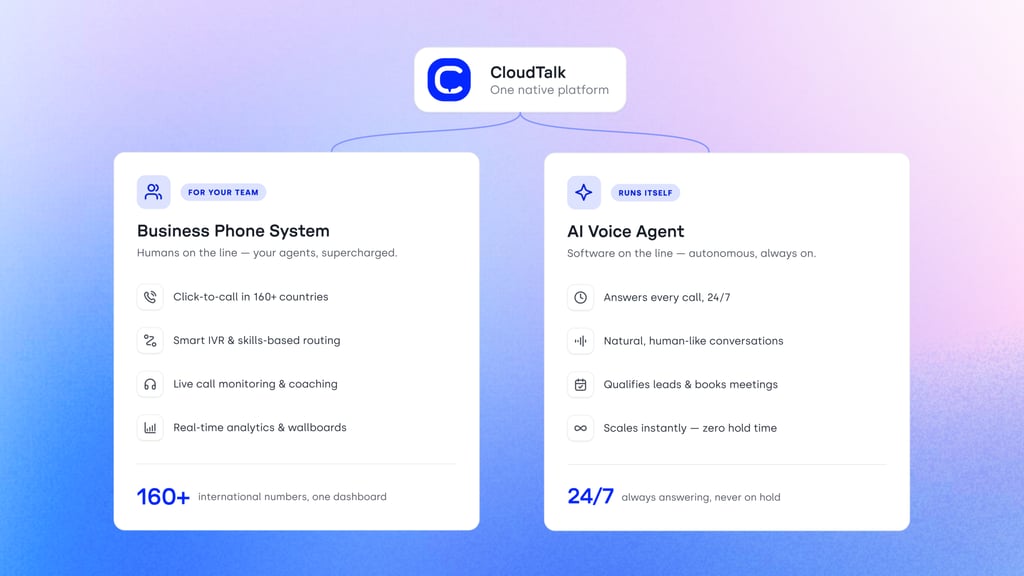
CloudTalk is a cloud-based AI voice agent and calling platform for small and growing SMBs running both sales and support. It combines two products: autonomous AI voice agents (AI Receptionist for inbound, AI Specialist for outbound end-to-end automation) and a full cloud calling platform with three outbound dialer modes for human reps. Run them as one integrated stack, or use either on its own.
Who is CloudTalk best for?
Small and growing SMBs (5 to 50 reps) in SaaS, e-commerce, professional services, healthcare, and financial services that want an AI voice agent on the phone next to human reps, backed by a full cloud calling platform. Setup takes under 10 minutes for a non-technical user, and CRM sync runs both ways automatically, which makes CloudTalk the natural fit for teams moving fast without an engineering team behind them.
Key features of CloudTalk
- AI Voice Agent: autonomous inbound and outbound calls in 60+ languages with human-sounding neural voices and sub-800ms response latency for natural back-and-forth conversation.
- Three outbound dialer modes for human reps: Smart Dialer (one-click from any web page or CRM), Power Dialer (queue-based sequential dialing), Parallel Dialer (up to 10 simultaneous calls, connecting the rep only when a human answers).
- Native telephony infrastructure and CRM sync: 160+ country virtual numbers with local-presence dialing, 99.99% uptime, and native bidirectional integrations with HubSpot, Salesforce, Pipedrive, Zendesk, and Intercom that log every call, transcript, and outcome automatically.
Pros and Cons of CloudTalk
| Pros | Cons |
|---|---|
| An AI voice agent and a full cloud calling platform under one roof, deployable together or standalone. | Not built for enterprise contact center deployments with deep workforce management needs. |
| Native bidirectional CRM sync logs every human and AI conversation automatically, without engineering setup. | CloudTalk prices AI voice agent minutes separately from calling-platform seats, so teams that want both see two line items. |
| Turnkey configuration lets a non-technical user launch a voice agent in under 10 minutes. | Advanced features (Parallel Dialer, workflow automation) are available on higher-tier plans. |
Pricing Plans of CloudTalk
- Cloud calling platform starts at $25/user/month (Starter, billed annually; $34/user/month billed monthly)
- Essential: $29/user/month annual, $39/user/month monthly (adds Smart Dialer, IVR, workflow automation, real-time analytics, 95+ CRM/helpdesk integrations)
- Expert: $49/user/month annual, $69/user/month monthly, 3-seat minimum (adds Power Dialer, Parallel Dialer, live call monitoring, Salesforce integration)
- Custom: Contact sales for larger deployments and dedicated infrastructure
CloudTalk's AI Voice Agent pricing:
- AI Voice Agent starts at $99/month for AI Receptionist (200 minutes), scaling to $699/month for 2,500 minutes
- AI Specialist starts at $349/month for 1,000 minutes, scaling to $1,249/month for 5,000 minutes
- Free trial: 14 days, 50 AI voice agent minutes included, no credit card required
Real use case of CloudTalk
The power dialer has been a game-changer for managing our call volume. Since we implemented the feature, about 90% of our agents are using it to automate dialing, saving time. The power dialer makes handling both new and old leads easier. It’s been crucial for our growth — our call volume has seen a 2.5X increase in just 8 months.
G2 rating of CloudTalk
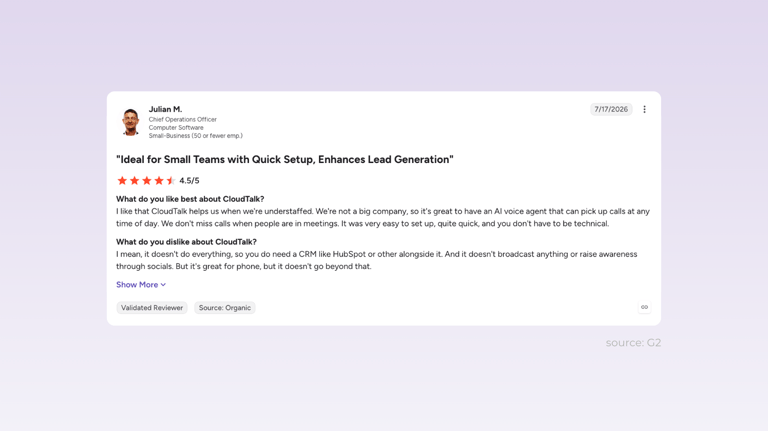
- 4.4/5 based on 1,850+ reviews
source: G2
CloudTalk customer review
2. KrispCall - Best for growing teams needing affordable international calling
What is KrispCall?
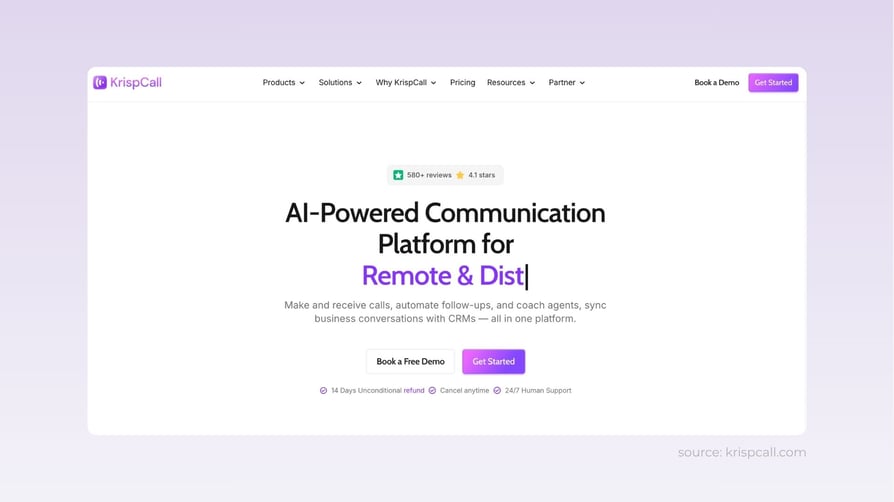
KrispCall is a cloud phone system built around global virtual numbers, a power dialer, and bulk SMS in one callbox. It's built for growing teams that need affordable international calling, with light outbound capability layered on top.
Who is KrispCall best for?
Growing teams with international customers or remote staff (especially people dialing US or European numbers from overseas) that want a professional phone presence in 100+ countries at a low per-minute cost. Not a fit for teams that need advanced routing, workflow automation, or deep call analytics.
Key features of KrispCall
- Global virtual numbers in 100+ countries.
- Power dialer and bulk SMS for outreach.
- CRM integrations with a unified callbox.
Pros and Cons of KrispCall
| Pros | Cons |
|---|---|
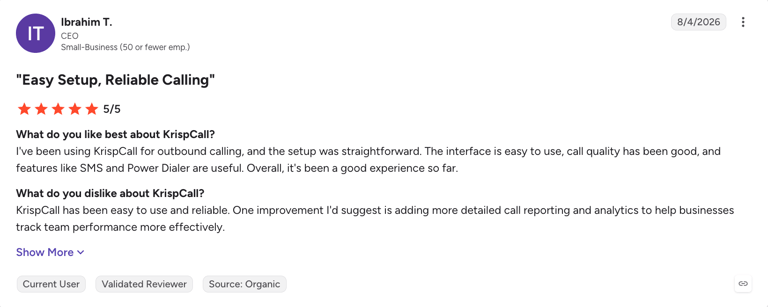
| Easy setup and use. | Limited call analytics history. |
| Affordable, flexible pricing for growing teams. | Weaker mobile app functionality. |
| Responsive customer support. | Fewer advanced routing and workflow features than enterprise phone systems. |
Pricing Plans of KrispCall
- Starts at $15/user/month (Essential, billed monthly; $12/user/month billed annually) for unlimited calling to 100+ countries and one free local number per user
- Standard: $40/user/month (adds Power Dialer, call recording, Bulk SMS, AI Call Summaries, deep CRM integrations with HubSpot, Salesforce, Pipedrive, and 100+ others)
- Enterprise: Custom pricing (adds SSO, dedicated account manager, custom SLAs, volume pricing)
- No free trial; 14-day money-back guarantee on paid plans
Real use case of KrispCall
A remote worker in the Philippines uses KrispCall to call US numbers, government offices, and private clients. The tool keeps the work light: it's easy to use, reliable for connecting overseas, and cheap, with multiple hours of calling costing around $10 in credits.
G2 rating of KrispCall
- 4.5/5 based on 374+ reviews
source: G2
KrispCall customer review
3. GetResponse - Best for marketing teams running the full email nurture sequence
What is GetResponse?
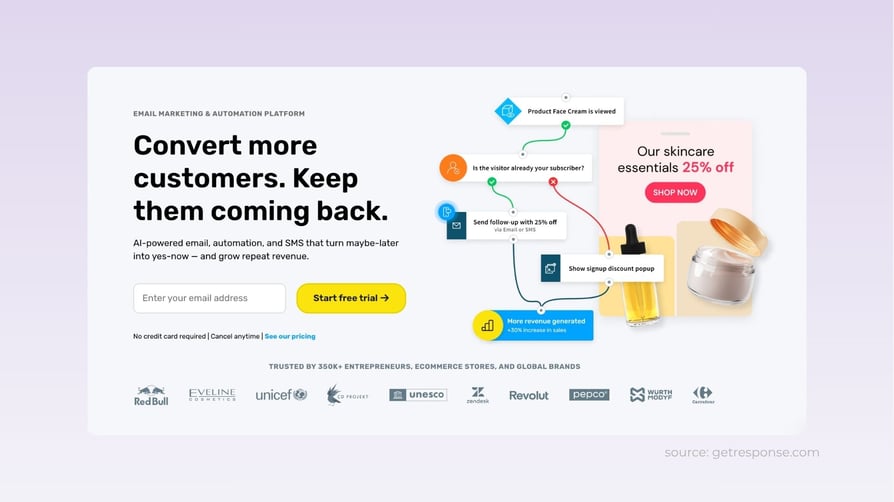
GetResponse is an AI-powered email marketing and lead capture platform that combines newsletters, landing pages, popups, signup forms, and marketing automation in one workspace. It's built for marketing teams that want to run the whole lead-nurturing process, from first signup to sales-ready engagement, inside a single tool.
Who is GetResponse best for?
Marketing teams that want email, landing pages, popups, and automation under one roof, plus ecommerce teams that need cart recovery and revenue reporting. Best for teams willing to spend setup time on behavior-based workflows and scoring. Overkill for teams that only need basic newsletters.
Key features of GetResponse
- AI-powered email marketing: create newsletters, autoresponders, subject lines, and campaign content with a visual editor and built-in AI content tools.
- Lead capture tools: build landing pages, signup forms, and popups that convert website visitors into subscribers.
- Marketing automation: a visual automation builder for welcome sequences, lead nurturing, abandoned cart reminders, scoring, and tagging.
Pros and Cons of GetResponse
| Pros | Cons |
|---|---|
| Combines email, landing pages, popups, and automation in one platform. | Advaned automation and ecommerce features sit on higher-tier plans. |
| Automates lead nurturing with behavior-based workflows and scoring. | Teams that only need basic newsletters won't touch most of the feature set. |
| Supports ecommerce growth with cart recovery and revenue reporting. | Complex workflows and segmentation take setup time. |
Pricing Plans of GetResponse
- Starts at $19/month (Starter, 1,000 contacts) with unlimited emails, autoresponders, landing pages, and 24/7 chat support
- Marketer: $59/month (adds unlimited automation workflows, event-based automation, advanced segmentation, web push notifications)
- Creator: $69/month (adds course creation and paid newsletter monetization)
- Enterprise: Custom pricing (dedicated IP, transactional email, custom DKIM, dedicated account manager)
- Free plan for up to 500 contacts
- Annual billing saves 18%; pricing scales with contact count
Real use case of GetResponse
A typical GetResponse flow starts with a landing page, signup form, or popup that collects a new contact. The contact enters an automated welcome series, gets tagged or scored on engagement, and moves into more targeted campaigns from there. Marketing teams cut manual follow-up and get a consistent path from first signup to sales-ready lead.
G2 rating of GetResponse
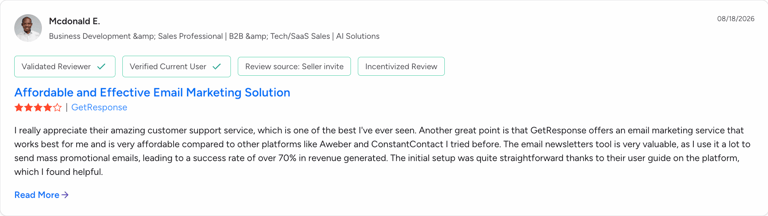
- 4.3/5 based on 1,141 reviews
source: G2
GetResponse customer review
4. Skipcall - Best for SDR teams measuring their day in live conversations per hour
What is Skipcall?
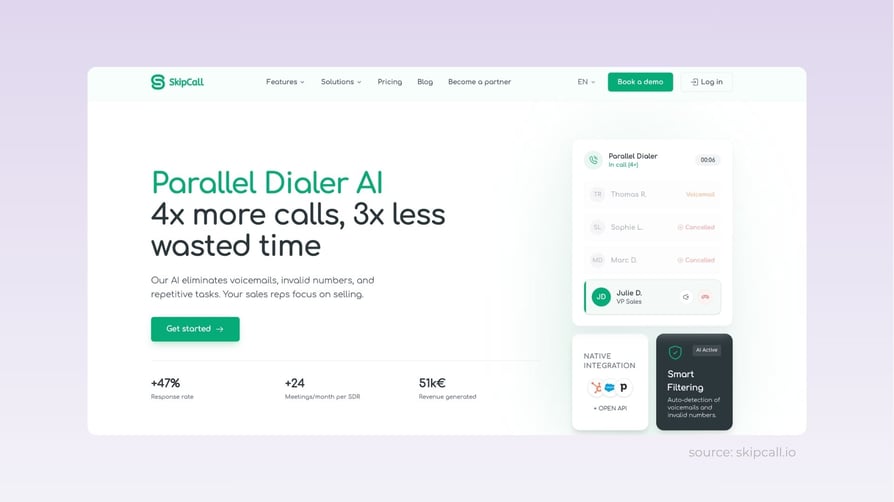
Skipcall is a parallel dialer built for high-volume outbound SDR teams. It dials multiple numbers at once, connects the rep only when a real prospect picks up, and syncs the call outcome back to the CRM in one click, for teams that measure their day in live conversations per hour.
Who is Skipcall best for?
High-volume outbound SDR teams (typically 5+ reps) that want to squeeze more live conversations out of every hour and log every outcome straight to HubSpot, Pipedrive, Salesforce, or Attio. Not the right fit for inbound-heavy support teams or low-call operations, where a parallel dialer's speed advantage goes to waste.
Key features of Skipcall
- Parallel dialing: dials multiple numbers at once and only connects the rep when a real prospect picks up, cutting out ringing, voicemails, and invalid numbers.
- Native, two-way CRM integrations with HubSpot, Pipedrive, Salesforce, and Attio.
- Team analytics and reporting on connect rate, talk time, and call volume per rep.
Pros and Cons of Skipcall
| Pros | Cons |
|---|---|
| More live conversations per hour by removing dead time. | Built for high-volume outbound, so low-call or mostly inbound teams see less benefit. |
| One-click qualification with automatic two-way CRM sync. | Performance depends on data quality, since a parallel dialer cannot fix a bad contact list. |
| Records and transcribes every call for coaching. | A dialer gives reps more conversations, but skill-building still comes from reviewing calls and transcripts. |
Pricing Plans of Skipcall
- Starts at €75/month per seat (Starter, 4-line parallel dialer + AI transcription + SMS sequences + native HubSpot and Pipedrive integrations)
- 1 seat minimum, no commitment
- Annual billing saves up to 25% (equivalent to 3 months free)
- Open REST API included on all plans for connecting to any CRM (Attio, Close, Zoho, etc.)
Real use case of Skipcall
SDRs start their calling sessions each morning straight from sequences synced with the CRM. They move from one conversation to the next without dialing a single number by hand, qualify in one click after each call, and watch the disposition sync straight into HubSpot. By the end of the shift, the Head of Sales checks the dashboard, compares connect rate and conversion rate per SDR, and adjusts scripts or calling slots from there.
G2 rating of Skipcall
- Not yet listed (no G2 profile at this stage)
5. RevGeni - Best for founders and small revenue teams needing an all-in-one AI agent
What is RevGeni?
RevGeni is an AI agent platform that combines content generation, lead discovery, and sales enablement in one workspace. It's built for founders and small revenue teams that want one AI handling brand awareness, prospecting, meeting prep, and follow-up, instead of hiring a specialist for each job.
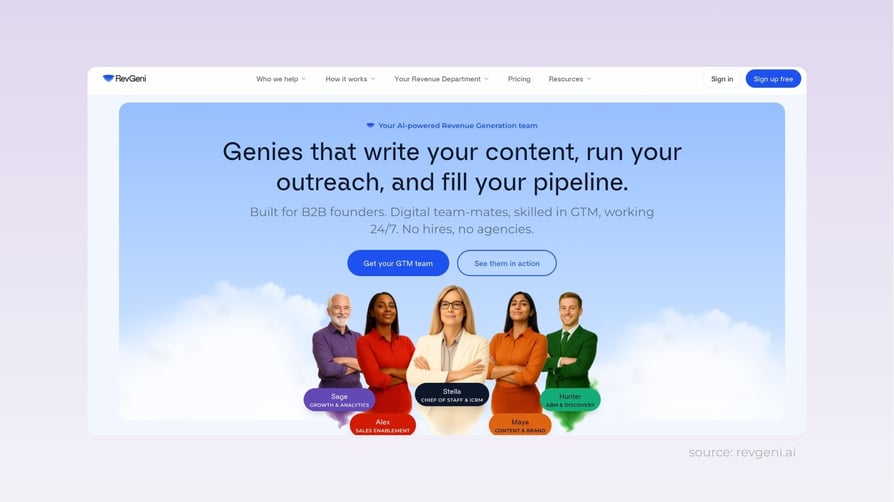
Who is RevGeni best for?
Founders and small revenue teams (1 to 10 people) that need one AI agent handling content generation, lead discovery, and sales prep across LinkedIn, Facebook, and Instagram. Best for teams comfortable using RevGeni's chat-based CRM as the pipeline management layer. Not a fit for teams already running mature CRMs with complex integrations.
Key features of RevGeni
- Digital content generation for brand awareness.
- Lead discovery and account intelligence to grow pipeline.
- Sales enablement: meeting preparation, deal scoring, and follow-up.
Pros and Cons of RevGeni
| Pros | Cons |
|---|---|
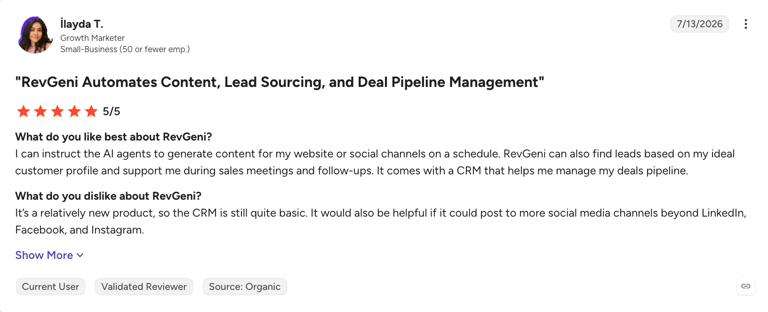
| Saves time by creating and publishing social posts on a pre-approved schedule. | The built-in CRM is still basic, which also keeps it simple. |
| Finds new leads that closely fit your ideal customer profile. | Social channels are limited to LinkedIn, Facebook, and Instagram for now. |
| Manages outreach and prospect meetings. | Generates SEO-optimized blog posts, but doesn't publish them directly to your website yet. |
Pricing Plans of RevGeni
- Credit-based pricing across three plans: Starter (best for small startups with founder-led sales), Growth (best for small marketing and sales teams focused on warm go-to-market), Scale (best for teams combining warm and cold outreach)
- 1 credit = 15 minutes of real work completed by RevGeni's AI Genies (Stella, CRM, and specialist agents), based on interviews with 2,500+ founders and sales leaders
- Interactive calculator on revgeni.ai/pricing lets teams size credit volume to their monthly workload
- Annual billing required, with monthly payment options available; VAT excluded
- Free demo available on request
Real use case of RevGeni
Small revenue teams manage pipeline stages through RevGeni's chat-based CRM. To top up the funnel, they search for leads by ideal customer profile and buyer persona, adjusting for new signals as they come in, while RevGeni runs ongoing awareness campaigns in the background, built to their brand style guide.
G2 rating of RevGeni
- 4.3/5 based on 1,141 reviews
source: G2
RevGeni customer review
6. Flodesk - Best for solopreneurs and creators wanting beautiful email design
What is Flodesk?
Flodesk is an email marketing and lead capture platform focused on beautiful email design and simple automation. It's built for solopreneurs, creators, and small marketing teams that want polished campaigns without an enterprise learning curve.
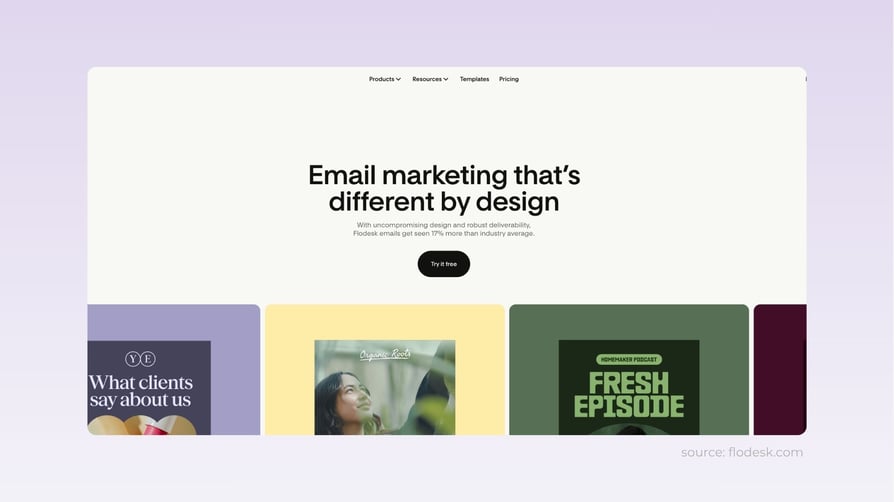
Who is Flodesk best for?
Solopreneurs, creators, coaches, and small marketing teams (1 to 5 people) that value email design polish over advanced automation depth. Best for teams sending high-volume newsletters to consumer or creative audiences. Underpowered for enterprise B2B marketing operations with complex segmentation needs.
Key features of Flodesk
- Beautiful email builder: a drag-and-drop editor with ready-to-use templates.
- Email automation: automated workflows to welcome subscribers, nurture leads, and engage customers.
- Landing pages and forms: capture leads and grow an email list without additional tools.
Pros and Cons of Flodesk
| Pros | Cons |
|---|---|
| Easy-to-use drag-and-drop builder with beautiful templates. | Automation is solid but not as advanced as enterprise platforms. |
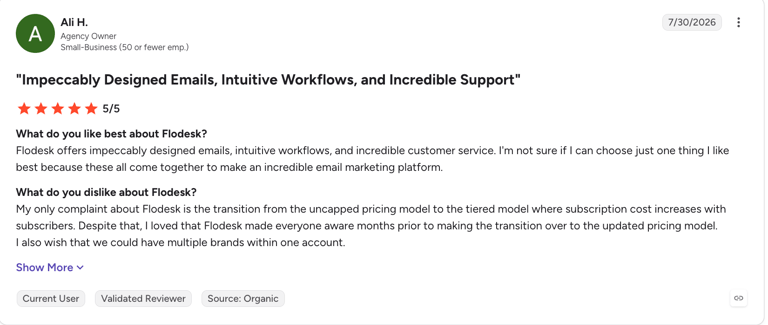
| Affordable pricing with unlimited emails and subscribers. | Reporting covers the essentials but not deep insights. |
| Built-in automation, landing pages, and signup forms in one platform. | Fewer native third-party integrations than larger competitors. |
Pricing Plans of Flodesk
- Starts at $25/month (Pro tier, up to 1,000 subscribers) under the new subscriber-based scaling model launched December 2025
- Pro tier scales to $72/month for 10,000 subscribers, capped at 25,000 subscribers
- Everything tier: $54-$99/month for 1,000-10,000 subscribers, capped at 255,000 subscribers (adds e-commerce features)
- Free plan with 1 automation workflow
- Pricing scales with active subscriber count
Real use case of Flodesk
Marketing teams use Flodesk to capture leads through signup forms and landing pages embedded across their website and content campaigns. New subscribers drop straight into targeted email workflows: welcome emails, educational content, and follow-up sequences based on their clicks. Teams consistently nurture prospects and convert more subscribers into qualified leads without manual outreach.
G2 rating of Flodesk
Marketing teams use Flodesk to capture leads through signup forms and landing pages embedded across their website and content campaigns. New subscribers drop straight into targeted email workflows: welcome emails, educational content, and follow-up sequences based on their clicks. Teams consistently nurture prospects and convert more subscribers into qualified leads without manual outreach.
- 4.8/5 based on 300+ reviews
source: G2
Flodesk customer review
7. Artisan - Best for B2B teams scaling outbound without adding SDR headcount
What is Artisan?
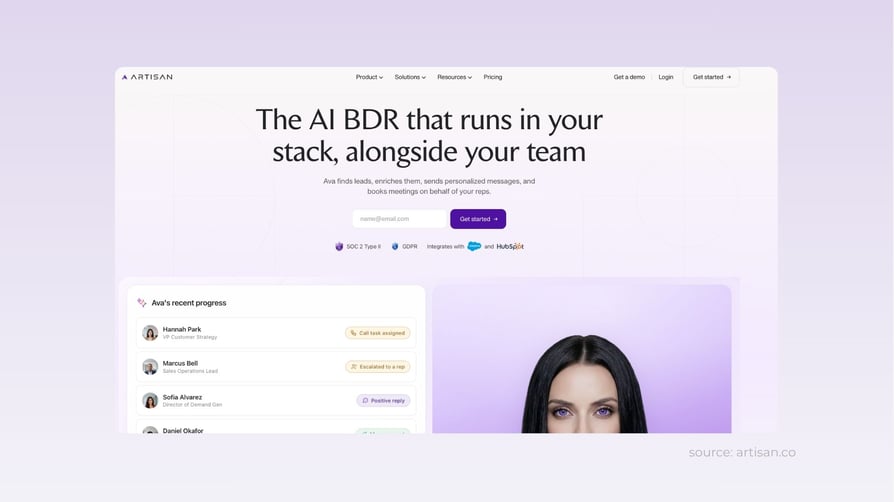
Artisan is an autonomous AI sales agent platform built around Ava, an AI SDR that finds prospects, researches accounts, writes personalized outreach, and books meetings with minimal human input. It's aimed at B2B sales teams running high-volume outbound that want to scale prospecting without adding SDR headcount.
Who is Artisan best for?
B2B sales teams (typically 10+ AEs) already investing heavily in outbound that want to scale personalized outreach to thousands of prospects without hiring more SDRs. Best for teams with dedicated RevOps to tune ICP, messaging, and targeting. Not a fit for teams that want a plug-and-play outbound tool they can leave alone.
Key features of Artisan
- Autonomous AI sales agent (Ava): works as an AI SDR who finds prospects, researches accounts, writes personalized outreach messages, and books meetings with minimal human input.
- AI lead generation: accesses a large B2B contact database and prioritizes prospects matching your ideal customer profile.
- AI outreach: creates personalized, multi-step email campaigns at scale.
Pros of and Cons Artisan
| Pros | Cons |
|---|---|
| Automates repetitive outbound tasks so SDRs can focus on conversations. | Needs regular tuning of ICP, messaging, and targeting. |
| Scales personalized outreach to thousands of prospects. | Some workflows and campaign management take getting used to. |
| Combines lead generation and outreach on a single platform. | Priced for teams already investing heavily in outbound, not a starter budget. |
Pricing Plans of Artisan
- Starts at approximately $280/month per third-party review sources; Artisan does not publish pricing on their website
- Annual contracts are standard practice
- No self-serve trial; pricing requires a sales conversation and demo
- Enterprise tier available for high-volume outbound teams with custom pricing
Real use case of Artisan
US-based virtual assistant company Zirtual used Artisan to automate prospecting and outbound outreach. Replacing much of the manual SDR workflow with Ava enabled the team to launch campaigns faster and reach more qualified prospects with personalized messaging. Jenn Kussrow, Head of Growth at Zirtual, reports a positive reply rate roughly three times higher than what they saw with Apollo, with campaigns launching faster and less manual work along the way.
G2 rating of Artisan
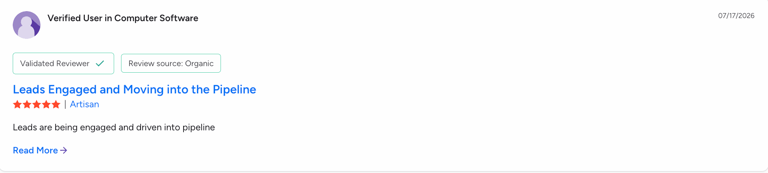
- 4.7/5
source: G2
Artisan customer review
8. Portant - Best for HubSpot-first teams automating proposals and contracts
What is Portant?
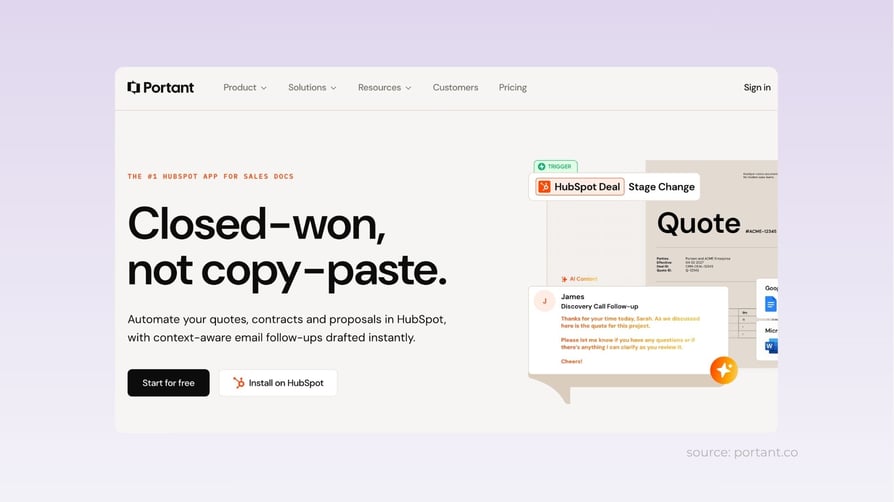
Portant is a document automation tool that generates quotes, proposals, and contracts directly from HubSpot deal data, using a team's own Google Docs, Slides, Sheets, Word, PowerPoint, or PDF templates. This is not strictly a lead generation tool. It picks up at the other end of the funnel, where deals lose speed between qualification and signature.
Who is Portant best for?
HubSpot-first sales teams (typically 5+ AEs on HubSpot with Google Workspace or Microsoft Office) losing time to manual proposal, quote, and contract generation. Best for teams that already have polished document templates and want to automate the copy-and-paste work between the CRM and the templates. Not a fit for teams without HubSpot as their CRM or without existing document templates to preserve.
Key features of Portant
- Workflow-triggered generation from HubSpot data: a quote, proposal, or contract builds itself when a deal hits a chosen stage, pulling deal, contact, and company details straight from the record.
- Fills a team's own Google Docs, Slides, Sheets, Word, PowerPoint, or PDF templates, so brand and formatting survive without rebuilding a document library.
- Built-in eSignature, with the signed document written back to the CRM as its own record.
Pros and Cons of Portant
| Pros | Cons |
|---|---|
| No rebuilding: teams keep their existing templates and brand. | Not a CRM or lead generation tool, so it only starts once an opportunity exists. |
| HubSpot-native install with no developer setup. | Plan tiers meter the monthly document allowance. |
| No per-signature fees, since eSignature is included in the plan. | The value depends on your stack, and is deepest for teams already on HubSpot with Google Workspace or Microsoft Office. |
Pricing Plans of Portant
- Free plan with 30 credits per month (works with HubSpot free CRM)
- Starts at $49/month (Pro, 1 user, no per-user fees, includes eSignature at no extra cost)
- Teams: $149/month (5 users, includes team features and priority support)
- Enterprise: Custom pricing
- No per-signature fees on any paid plan
Real use case of Portant
Before automating it, a rep finishing a discovery call would open the last proposal they sent, copy it, and retype the company name, line items, pricing, and dates from the CRM. That was roughly thirty minutes of careful copying, and exactly the kind of work where a wrong number survives to the customer. Now hitting the proposal stage triggers the document by itself: line items and totals pull straight off the deal, and the signature fields are already in place. The rep reviews it, sends it, and moves on. Total human time: under two minutes.
G2 rating of Portant
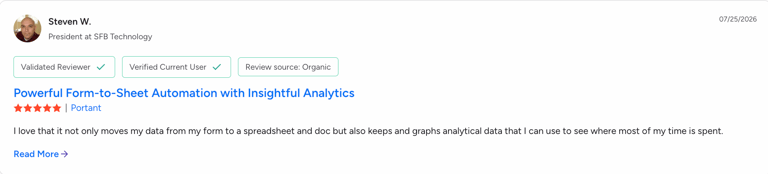
4.9/5 4.3/5 based on 71+ reviews
source: G2
Portant customer review
9. GTM.ai - Best for AI-powered B2B prospecting
What is GTM.ai?
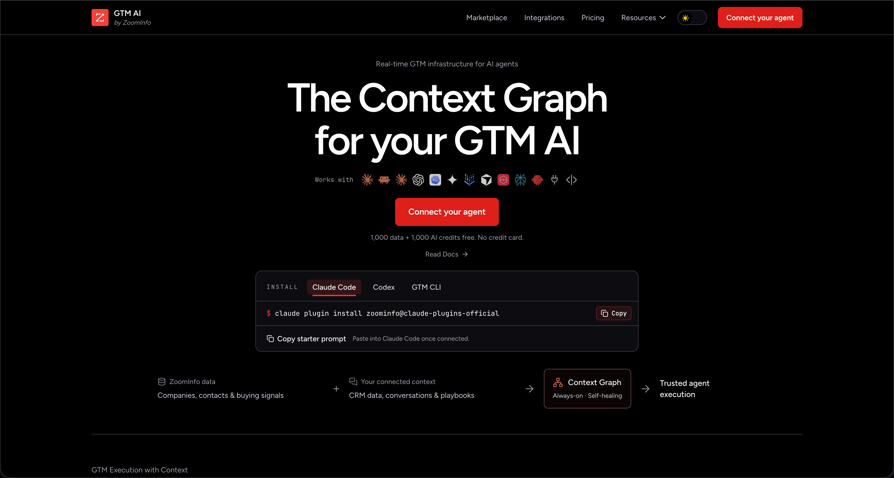
GTM.ai is an AI-native go-to-market platform built on ZoomInfo’s B2B data. It connects AI agents to company and contact intelligence, buying signals, enrichment, and CRM context through MCP, API, or CLI. You can use it to find prospects, research accounts, identify buying signals, and build targeted lists using natural-language prompts.
Who is GTM.ai best for?
GTM.ai is best for sales and RevOps teams that want to incorporate AI agents into their prospecting workflows. It’s particularly useful for teams that need to build targeted prospect lists, research accounts, identify relevant decision-makers, and prioritize prospects based on intent and other buying signals.
Key features of GTM.ai
- Natural-language B2B prospecting: uses conversational prompts to query ZoomInfo data, research target accounts, and build targeted prospect lists.
- Real-time buying signals: monitors news, funding events, hiring activity, and leadership changes to help reps prioritize high-intent accounts.
- AI workflow integrations: offers MCP, API, and CLI access to feed B2B contact intelligence and enrichment data directly into custom AI agents.
Pros and Cons of GTM.ai
| Pros | Cons |
|---|---|
| Access to Link to the folder with images and contact data. | More technical than traditional lead generation platforms because it is designed around AI agents, APIs, MCP, and CLI. |
| AI-powered prospecting through natural-language prompts. | Pricing is credit-based, which can make costs harder to predict for intensive workflows. |
| Real-time buying signals, news, hiring, funding, and leadership-change data. | Some advanced capabilities, such as unlimited MCP/API/CLI access and GTM Studio waterfall enrichment, are reserved for Enterprise customers. |
Pricing Plans of GTM.ai
- Free plan with 1,000 data credits
- Pay-as-you-go starts at $20 and allows you to purchase additional data and AI credits as needed, with no contract or seat fees
- Teams: $149/month (5 users, includes team features and priority support)
- Enterprise: with custom pricing
Real use case of GTM.ai
A sales rep can ask an AI agent to find companies matching their ICP, identify the right decision-makers, check for buying signals, and prepare personalized outreach without manually jumping between multiple sales-intelligence tools.
G2 rating of GTM.ai
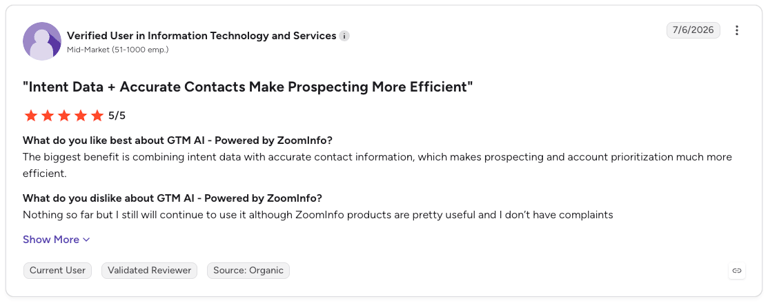
5/5 based on 1+ reviews. The tool was recently added to G2.
source: G2
GTM.ai customer review
10. 1mind - Best for B2B revenue teams needing AI sales agents
What is 1mind?
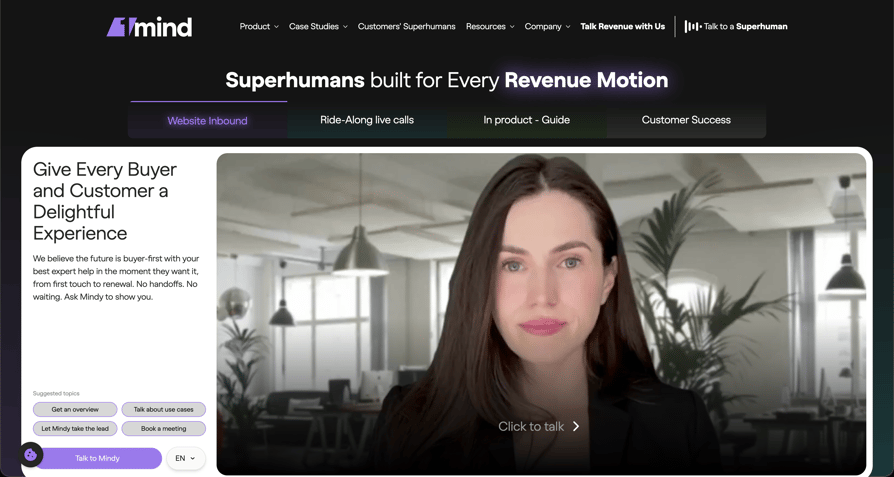
1mind is an AI sales agent platform designed for B2B revenue teams. Its AI “Superhumans” can engage with prospects, qualify leads, answer product questions, run demos, handle objections, and help move buyers through the sales process. Unlike a traditional chatbot, 1mind's agents are designed to participate in more natural, real-time conversations and can work across websites, live sales calls, in-product experiences, and customer success.
Who is 1mind best for?
1mind is best suited to enterprise B2B companies with complex products, high-value sales, and significant inbound or customer-facing volumes. It can be particularly useful for SaaS and technology companies that need to provide immediate product expertise, qualification, demos, or support without expanding their human teams proportionally.
Key features of 1mind
- Autonomous AI sales agents ("Superhumans"): engages prospects, qualifies inbound leads, answers complex product queries, and handles objections in real time.
- Live sales call participation: joins customer interactions across websites, product experiences, or live calls as an AI sales engineer.
- Interactive demo & meeting scheduling: replaces static lead forms with conversational interactions that automatically qualify buyers and book sales meetings.
Pros and Cons of 1mind
| Pros | Cons |
|---|---|
| AI agents can qualify leads, answer complex questions, run demos, and handle objections. | Pricing is not publicly disclosed, making it difficult for smaller companies to estimate costs before speaking with sales. |
| Supports multiple stages of the customer journey, from inbound qualification to customer success. | The platform is primarily designed for enterprise-level deployments rather than individual users or small teams. |
| Can participate in live sales calls as an AI sales engineer. | Implementing and training an AI agent around a company's products, positioning, and sales process can require significant setup. |
Pricing Plans of 1mind
- Pricing is only available upon request.
Real use case of 1mind
A great example of a use case comes from 1mind’s client, Experity, which deployed a 1mind Superhuman named Perry on its website to replace a static demo-request form.Perry engages visitors in real conversations, qualifies them, and books meetings and demos. According to Experity's published case study, an A/B test showed 5× more revenue in half the time, a 50% vs. 26% win rate, and a reduction in sales cycle length from 28 to 15 days.
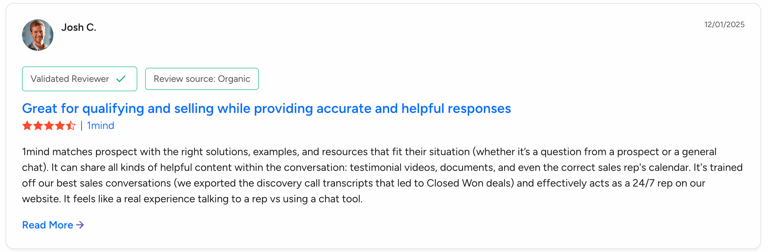
G2 rating of 1mind
4.9/5 based on 7+ reviews.
source: G2
1mind customer review
Test It for 14 Days. No Contract Needed.
The Bottom Line
Each of these eight tools plays a specific role in sales and marketing. CloudTalk uses an AI voice agent for after-hours calls and leads that reps often miss. KrispCall helps global teams keep a professional phone presence in over 100 countries at a low cost. GetResponse and Flodesk both help generate leads through email and landing pages. GetResponse is for full-funnel nurturing, while Flodesk is for solopreneurs who care about design. Skipcall helps SDR teams have more phone conversations each hour. Artisan and RevGeni both use AI agents for research and outreach: Artisan is a fully autonomous AI SDR for B2B teams, and RevGeni is an all-in-one agent for founders and small teams. Portant cuts proposal work from thirty minutes to under two.
What these tools have in common is that they automate repetitive tasks and reduce manual work in the pipeline. Teams that grow their pipeline consistently choose the tool that solves their real bottleneck, not just the one with the most features. Match each tool to the metric it improves, like cost per lead, connect rate, or sales cycle length. Try outbound tools for 60 to 90 days before deciding if they work, and give AI SDRs three to six months. Review your tools every quarter. Unused tools usually get cut from next year’s budget.
Frequently Asked Questions
AI lead generation tools are software platforms that use AI to find, contact, qualify, or nurture potential customers with less manual effort than a fully human process, spanning email automation, AI-written outreach, autonomous voice agents, calling software, and more.
AI lead generation tools remove manual, repetitive work at specific points in the funnel, such as personalizing outreach, dialing numbers, taking inbound calls after hours, or generating documents, which frees reps to sell and shortens the time it takes a lead to become a customer.
It depends on where your pipeline is stuck. Teams struggling to fill the top of the funnel usually start with email or outbound tools. Teams losing conversations to unanswered calls or long dead-lead lists get the most from an AI voice agent or dialer. Teams losing time to paperwork are better served by document automation.
Lead generation tools focus on finding and qualifying new prospects. Sales enablement tools, like document automation, pick up after an opportunity has already been created and help close it faster. The two work together more often than they compete.