Best AI Tools To Eliminate Repetitive Tasks For SMB Remote Teams in 2026
The best tools to eliminate repetitive tasks for SMB remote teams in 2026 share a common pattern. They take a category of work that used to require a human in the loop and absorb the repetition automatically.
That includes answering routine support calls, logging CRM activity, scheduling follow-ups, compiling reports, and chasing signatures. For distributed SMB teams, that absorbed time is the difference between scaling on existing headcount and hiring ahead of revenue.
This guide compares eight tools that SMB remote teams actually use day-to-day, with verbatim quotes from each vendor's own customers and operators.
TL;DR:
The best AI tools to eliminate repetitive tasks for SMB remote teams in 2026 absorb a specific category of manual work (calling admin, meeting notes, recurring reports, signature chasing, content production) so distributed teams can scale on existing headcount instead of hiring ahead of revenue. Here are the 10 platforms SMB remote teams actually run day-to-day:
- 01CloudTalk - Best for AI-powered SMB calling with AIVA voice agent and deep CRM sync
- 02Ringly.io - Best for Shopify brands automating WISMO, returns, and product calls
- 03Skipcall - Best for parallel outbound dialing that puts SDRs back-to-back in live calls
- 04Ajelix - Best for SMB teams automating spreadsheets, reporting, presentations, and business workflows
- 05KrispCall - Best for distributed teams that want global calling in one unified inbox
- 06MeetGeek - Best for meeting summaries that auto-route action items into Slack, Notion, and HubSpot
- 07Coupler.io - Best for no-code reporting automation across 400+ data sources
- 08Helix by 5app - Best for passive skills measurement and AI coaching from real day-to-day work
- 09Simplified - Best for consolidated AI content creation across copy, design, video, and social
- 10Artisan - Best for SMB sales teams, startups, and remote revenue teams looking to automate repetitive cold email workflows while maintaining personalized outreach
Your SDRs are dialing voicemails for two hours every morning. Your CSMs are typing the same meeting recap into Slack, Notion, and HubSpot for the third time today.
Your ops lead is rebuilding the same multi-source dashboard nobody read last week. Somewhere in there, a Shopify support call is going to voicemail and a renewal reminder is sitting in a Gmail draft folder.
None of that is the work you hired them for. It is the friction layer between your team and the outcomes your business actually needs from them, and it is silently costing you 15 to 25 hours per rep per week.
We reviewed 40+ AI platforms and narrowed them down to the 10 best options for for SMB remote teams based on CRM integration depth, automatic logging capability, AI features, call recording quality, analytics, and pricing clarity.


How We Chose the Best AI Tools to Eliminate Repetitive Tasks for SMB Remote Teams
To build this list, we reviewed 40+ platforms used by sales, support, operations, marketing, and L&D teams across SMB and mid-market segments. We narrowed them down based on these criteria:
- Repetition removed vs. work created: Does the tool actually absorb manual hours, or does it add a new layer of setup, prompting, and supervision on top of the work it claims to automate?
- Native integration depth: Does it truly sync bidirectionally with HubSpot, Salesforce, Slack, Notion, Google Workspace, and Microsoft 365 in real time, or is it a one-way export through Zapier?
- AI capabilities: Autonomous voice agents, transcription, post-call and post-meeting summaries, sentiment analysis, intelligent routing, and workflow triggers across calls, meetings, documents, and content
- Remote-team fit: Browser-based access, native mobile apps, async-friendly workflows, and consistent UX across distributed time zones
- Time-to-value: How fast a remote team can go from signup to live workflow (target: under one hour for self-serve tools, under one day for integrated platforms)
- Pricing clarity: Transparent per-user, per-minute, or per-workflow pricing without hidden meters, per-unique-caller surprises, or aggressive feature gating
- G2 and Capterra ratings: Real user feedback from sales, support, operations, marketing, and L&D professionals
We also factored in real-world proof points from teams currently using these tools, vendor-submitted use case quotes reproduced verbatim with full attribution; not just feature lists from marketing pages.
Why Trust Our Reviews?
For nearly a decade, we've helped over 30,000 professionals choose and implement better communication and productivity tools. We've reviewed 200+ products, analyzed 5,500+ verified reviews from G2 and Capterra, and drawn insights from real user discussions on platforms like Reddit or Quora.
In the past year alone, we've published 1,000+ articles, all written and reviewed by humans, for humans, to provide reliable, data-backed insights you can trust.
Learn how we keep our content integrity and our software review methodology.
What Are AI Tools to Eliminate Repetitive Tasks?
AI tools to eliminate repetitive tasks are software platforms that automatically absorb a category of manual work that used to require a human in the loop, such as answering routine customer calls, dialing through prospect lists, logging CRM activity, transcribing meetings, building recurring reports, chasing signatures, and producing repeated content variants, and then sync the output to the systems remote teams already work in.
Unlike traditional automation tools that require the user to define every rule by hand, AI tools for repetitive work decide what to do based on context. An AI voice agent reads caller intent and routes accordingly. An AI meeting assistant identifies the meeting type and applies the right summary template. The reps don't run the tool; the tool runs the repetitive layer of their day.
It's worth clarifying what these tools are not:
- General-purpose AI chatbots (like ChatGPT) answer prompts on demand, but they don't run your dialer, sit in your meetings, or sync to your reporting stack.
- Workflow automation tools (like Zapier) move data between apps based on predefined triggers, but they don't generate the work itself.
The best AI tools to eliminate repetitive tasks generate the output, route the result into the systems your team already uses, and learn from the work itself so the repetition gets absorbed more cleanly over time.
Best AI Tools To Eliminate Repetitive Tasks For SMB Remote Teams In 2026
CloudTalk
What is CloudTalk
CloudTalk is an AI-powered cloud phone system and AI voice agent platform purpose-built for growing SMB remote teams running B2B and B2C calling workflows. It absorbs the repetitive call admin (manual dialing, CRM logging, post-call summaries, FAQ deflection, queue management) that drains hours from sales and support teams every week.
AIVA, CloudTalk's native AI Voice Agent, answers inbound calls 24/7 in 60+ languages, qualifies leads, and books appointments. Smart Dialer and Power Dialer run outbound prospecting at 3x manual speed by skipping voicemails and ringtones, while Parallel Dialer pushes that further by calling up to 10 numbers at once and routing the first live pickup to the rep. Conversation Intelligence transcribes every call in real time, generates structured notes, and flags objections, eliminating the post-call write-up entirely. Native CRM integrations with HubSpot, Salesforce, Pipedrive, Zendesk, and Intercom log every call automatically, and 160+ country numbers with local presence dialing lift connect rates without anyone provisioning numbers manually.
Over 5,5004,000 SMBs across 160160+ countries run CloudTalk, including Glovo, DiscoverCars, and Revolut. In a recent CloudTalk experiment, AIVA reached 6,531 long-tail leads and delivered €12,800 in qualified pipeline (a 17× ROI) without any human rep dialing.
Key features of CloudTalk
- AIVA AI Voice Agent: autonomous inbound and outbound calls in 60+ languages, deployed without code
- AI Sales Dialer: for high-volume outbound campaigns alongside the AI agent
- Native CRM integrations with HubSpot, Salesforce, Pipedrive, Zendesk, and Intercom that log every call automatically
- AI Call Summary and conversation intelligence applied across human and AI conversations
- 160+ country numbers (local, toll-free, mobile) with IVR, ACD, and skills-based routing
Who CloudTalk is best for
Growing SMBs running B2B sales or B2C support that want to eliminate repetitive call admin (manual dialing, manual CRM entry, manual call routing) and absorb high-volume routine calling flows (qualification, FAQ deflection, after-hours triage) with an AI voice agent integrated into a working call center.
Pros of CloudTalk
- AI agent operates inside the same stack as the human team, with shared CRM logging and analytics
- Predictable per-user platform pricing on top of AI bundles, no per-unique-caller surprises
Cons of CloudTalk
- Built around voice, so email, live chat, and video conferencing live in dedicated tools rather than one omnichannel suite
- Best value comes from connecting it to an existing tech stack (CRM, helpdesk), so it shines most for teams already running those tools
Pricing of CloudTalk
CloudTalk Pricing:
- Lite: $19/user/month (billed annually)
- Starter: $25/user/month (billed annually)
- Essential: $29/user/month (billed annually)
- Expert: $49/user/month (billed annually)
- Custom: Contact sales for enterprise pricing
G2 Rating of CloudTalk
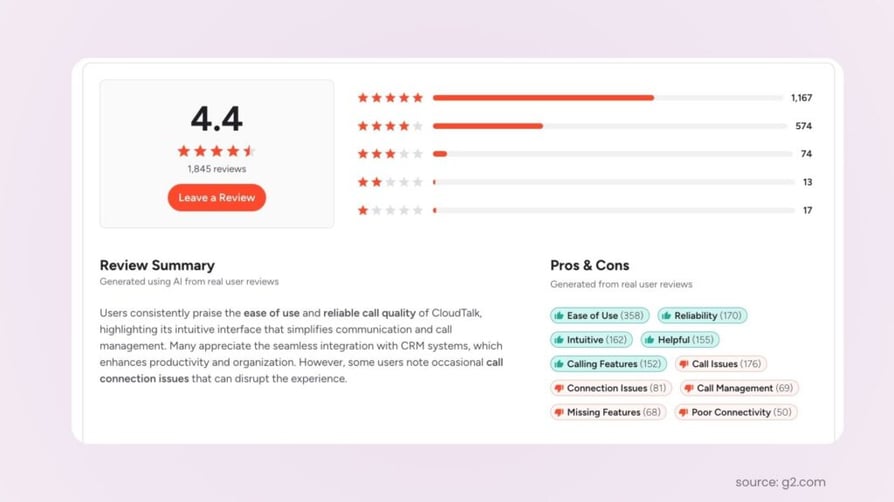
How CloudTalk eliminates repetitive work
In a CloudTalk field experiment, AIVA reached 6,531 previously dismissed long-tail leads, held 997 full conversations, and delivered €12,800 in sales-qualified pipeline (a 17x ROI) without any human rep involvement. In a separate inbound experiment, AIVA answered 100% of incoming calls and resolved 96% of conversations autonomously. SMB sales and support teams use the same patterns to free human reps from repetitive qualification and FAQ work, redirecting them to high-value conversations only AIVA cannot handle.
Stop Dialing by Hand—Start Closing Like Dentakay
Ringly.io
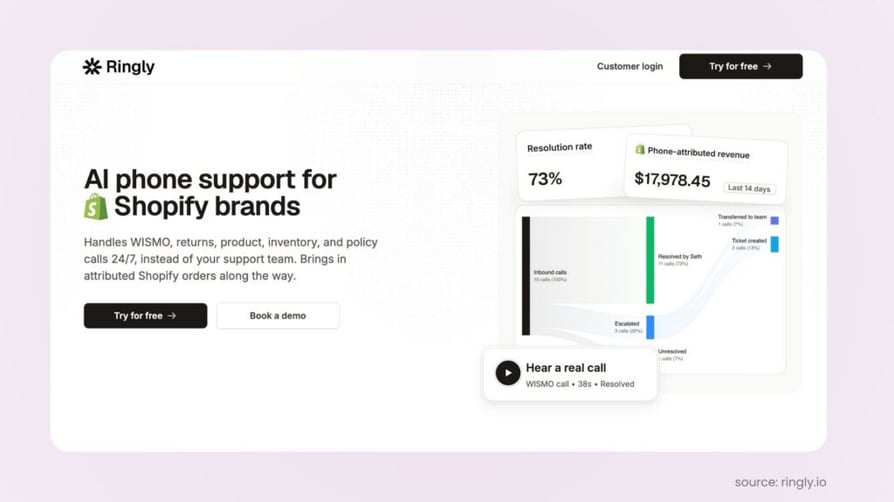
What is Ringly.io
Ringly.io is an AI phone agent built specifically for Shopify brands. Its agent, Seth, answers inbound customer calls 24/7, looks up orders in real time through Shopify, processes returns, and answers product questions. Over 2,100 Shopify stores use Ringly, with a 73% autonomous call resolution rate at roughly $0.42 per resolved call.
Key features of Ringly.io
- Automated WISMO call handling: resolves "where's my order" calls instantly off live Shopify order and tracking data, deflecting 60-80% of inbound volume
- Revenue capture on every inbound call: answers product, sizing, and pre-purchase questions 24/7 and can place or recover orders on the call
- Cost-per-resolution that scales with order volume, not headcount: handles peak and seasonal spikes without adding agents
Who Ringly.io is best for
Shopify brands ($1M to $100M revenue) where inbound phone volume is a real revenue channel and the team is spending agent hours answering the same routine order-status, return, and product questions over and over.
Pros of Ringly.io
- Native Shopify integration with live order, tracking, and inventory data
- Self-serve setup live in under an hour, 14-day free trial
- Resolution guarantee: refund of subscription fees if Ringly resolves under 65% of calls in 90 days
Cons of Ringly.io
- Complex or emotional calls still route to a human; built to resolve high-volume repeatable contacts and escalate the rest, not to replace a full CX team
- Shopify-first by design: ROI comes from acting on live order data, so non-Shopify or low-phone-volume stores see less lift
- Voice-only: it's a phone agent, not an all-in-one helpdesk, so email and chat tooling still runs alongside it
Pricing of Ringly.io
Ringly.io starts at $349 per month on the Grow plan and $799-$1,099+ on Scale, with $10M+ Shopify brands typically priced at around 20% of current CS spend. A 14-day free trial is available.
How teams use Ringly.io day-to-day
"Seth handles WISMO, returns, product, inventory, and policy calls 24/7, instead of your support team. Brings in attributed Shopify orders along the way."
Ruben Boonzaaijer, Co-Founder, Ringly.io
Skipcall
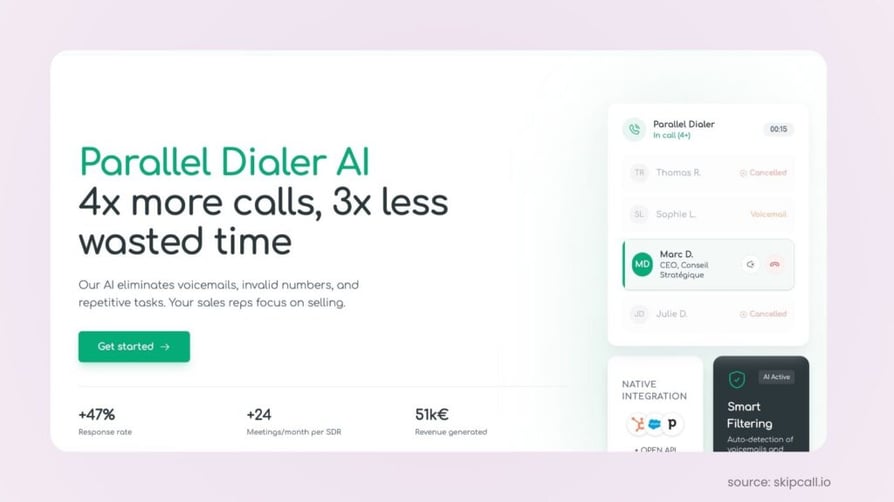
What is Skipcall
Skipcall is a parallel AI dialer purpose-built for outbound prospecting. It dials up to four numbers at once and instantly drops the other lines the second a prospect picks up, letting a single rep work 4x the list with no dead air between calls. It is built for SMB sales teams that live on outbound.
Key features of Skipcall
- Parallel AI dialer: dials up to 4 numbers at once and drops the others the moment a prospect picks up, so one rep works 4x the list with no dead air
- Real-time campaign dashboard: performance broken down by list and message so reps and managers can test, compare, and refine targeting and pitch on the fly
- Two-way CRM sync with HubSpot and Pipedrive (Salesforce on roadmap) plus multichannel sequences: every call, outcome, and note writes back automatically and call plus SMS follow-ups run on autopilot
Who Skipcall is best for
Small remote sales teams running outbound prospecting at volume, where the bottleneck is dead air between dials and manual CRM logging. A two-person SDR team using Skipcall can book the kind of meeting volume that used to take five.
Pros of Skipcall
- Eliminates ringing-tone and voicemail dead time, putting reps back-to-back in live conversations
- Removes manual CRM logging and follow-up tracking
- Native HubSpot and Pipedrive integration with REST API for everything else
Cons of Skipcall
- Outbound-calling-first: built to make phone prospecting efficient, not to replace a full helpdesk or email-marketing suite, so it complements those rather than swallowing them
- ROI curve rewards volume: if a team only makes a handful of calls a week, a parallel dialer is more horsepower than they need
- Native integration catalogue is still growing: HubSpot and Pipedrive are native today, Salesforce is on the roadmap, and anything else currently connects through the open REST API
Pricing of Skipcall
Skipcall starts at €75 per seat per month with no commitment, with 10% off on quarterly billing and 25% off on annual billing (equivalent to roughly €56 per seat per month annually).
How teams use Skipcall day-to-day
"Our SDRs load their list in the morning, launch a sequence and let the AI handle the dialing. Instead of burning two hours a day on ringing tones and voicemails, they're in back-to-back live conversations. Because every call syncs to the CRM in real time and SMS follow-ups fire automatically, a two-person remote team books the kind of meeting volume that used to take five people, which is exactly what a small, distributed sales team needs."
Hugo Debrabandere, SEO, Skipcall
Ajelix
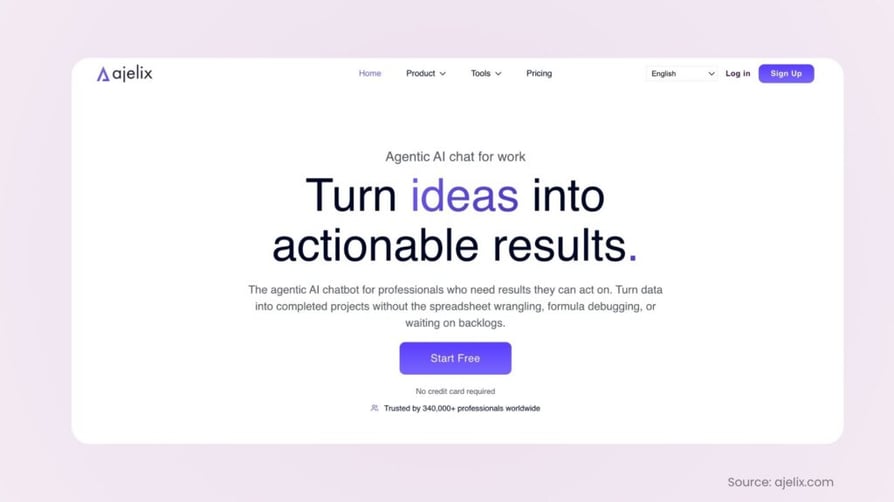
What is Ajelix
Ajelix is an agentic AI workspace designed to eliminate repetitive business tasks for SMBs and remote teams. Instead of acting as a standalone chatbot, Ajelix executes multi-step workflows to generate spreadsheets, dashboards, reports, presentations, documents, and lightweight web apps from a single workspace. By combining AI-powered data analysis, document processing, and business automation, it helps teams spend less time on repetitive manual work and more time making decisions.
More than 340,000 users have used Ajelix to automate spreadsheet workflows, reporting, presentations, and other knowledge work without requiring technical expertise.
Key features of Ajelix
- AI spreadsheet automation: analyzes data, generates formulas, cleans datasets, creates charts, and automates repetitive Excel and Google Sheets tasks.
- Business reporting and presentations: generates dashboards, management reports, PowerPoint presentations, and business documents directly from data.
- Agentic AI workspace: keeps projects, files, and AI conversations in one persistent workspace, allowing users to review, refine, and continue work instead of starting over each session.
- Google Workspace integration: works with Google Sheets, Docs, Slides, and Forms to streamline everyday business workflows.
- Document intelligence: extracts, summarizes, and analyzes information from PDFs and business documents.
Who Ajelix is best for
SMB operations, finance, marketing, HR, and business teams that regularly create reports, analyze spreadsheets, prepare presentations, or process business documents and want to automate repetitive knowledge work without coding.
Pros of Ajelix
- Combines spreadsheet automation, reporting, presentations, and document processing in a single AI workspace.
- Generates complete business deliverables instead of isolated AI responses.
- Easy for non-technical users while remaining powerful enough for analysts and operations teams.
- Supports Google Workspace and business productivity workflows from one platform.
Cons of Ajelix
- Primarily focused on business productivity rather than customer support or telephony workflows.
- Some advanced automation features are most valuable when working with structured business data.
Pricing of Ajelix
Ajelix offers a Free plan for individuals, with paid plans starting at Lite at $39/user/month, Pro at $99/user/month, and Max at $199/user/month, with an Enterprise plan available through custom pricing for organizations requiring dedicated infrastructure and tailored workflows.
How teams use Ajelix day-to-day
“We rely on Ajelix to streamline repetitive operational tasks, from spreadsheet analysis and KPI reporting to presentation creation and document processing. The platform delivers business-ready outputs, allowing our team to dedicate more time to analysis, collaboration, and decision-making."
Agnese Jaunošāne, Co-Founder, Ajelix
KrispCall
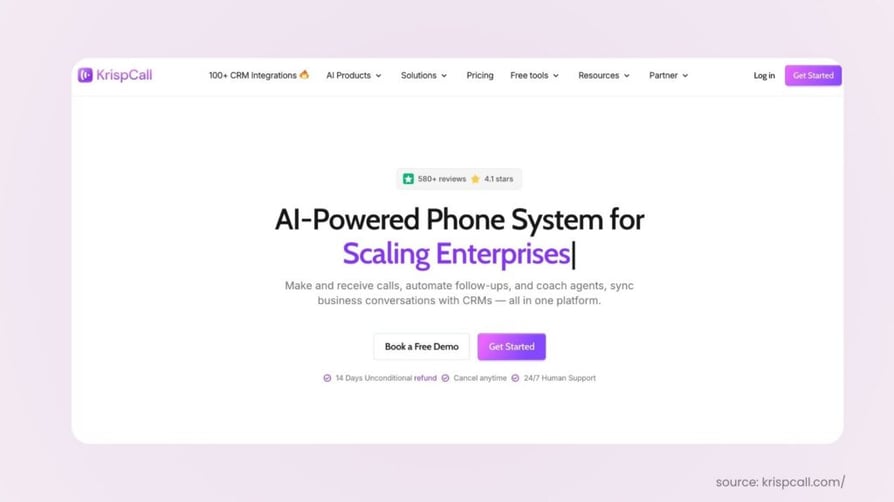
KrispCall is an AI-powered cloud telephony platform that eliminates the repetitive call-management work distributed teams face every day. The Unified Callbox centralizes calls, voicemails, SMS, and contact notes into one workspace, AI-powered routing removes manual queue management, and native CRM integrations remove manual call logging. Virtual numbers in 100+ countries let remote teams establish local presence in minutes.
Key Features of KrispCall:
- Unified Callbox centralizes calls, voicemails, SMS, and notes in one workspace
- Global virtual numbers in 100+ countries (local, toll-free, mobile)
- AI-powered call management including intelligent routing and voice transcription
- Native CRM integrations with HubSpot, Salesforce, and Pipedrive log every call automatically
- Multi-level IVR, call queueing, and custom voicemail greetings
- Cross-platform access (iOS, Android, desktop, web)
- Bulk SMS and AI call coaching on the Standard plan
Who KrispCall is best for:
Distributed SMB sales and support teams that want to remove the repetitive overhead of switching between dialer, SMS, voicemail, and CRM tabs, and need international number coverage across multiple time zones without enterprise procurement.
Pros of KrispCall :
- Unified Callbox removes constant tab-switching for remote agents
- Global virtual numbers in 100+ countries let distributed teams establish local presence in minutes
- Strong cross-platform apps (desktop, iOS, Android, web)
- 4.5/5 G2 rating from 338+ verified reviews
Cons of KrispCall :
- Advanced AI features (call coaching, bulk SMS) not included in the Essential plan
- Some integrations (Slack, WhatsApp) still in beta
- Not ideal for large contact centers (500+ seats)
- Advertised $12 entry price requires annual billing; monthly billing runs 25% higher
Pricing of KrispCall:
KrispCall starts at $15 per user/month on the Essential plan (monthly billing), dropping to $12 per user/month on annual billing. The Standard plan moves to $40 per user/month monthly or $32 per user/month annually. Enterprise pricing is custom.
How teams use KrispCall day-to-day:
A 6-person remote sales team across three time zones uses KrispCall's Unified Callbox as the single workspace for every inbound and outbound customer touch. Local numbers in 12 countries route to the right rep automatically via AI call routing, every call and SMS logs to HubSpot bidirectionally without manual entry, and AI transcription removes post-call note-taking, freeing reps to run the next conversation instead of writing up the last one.
MeetGeek
What is MeetGeek
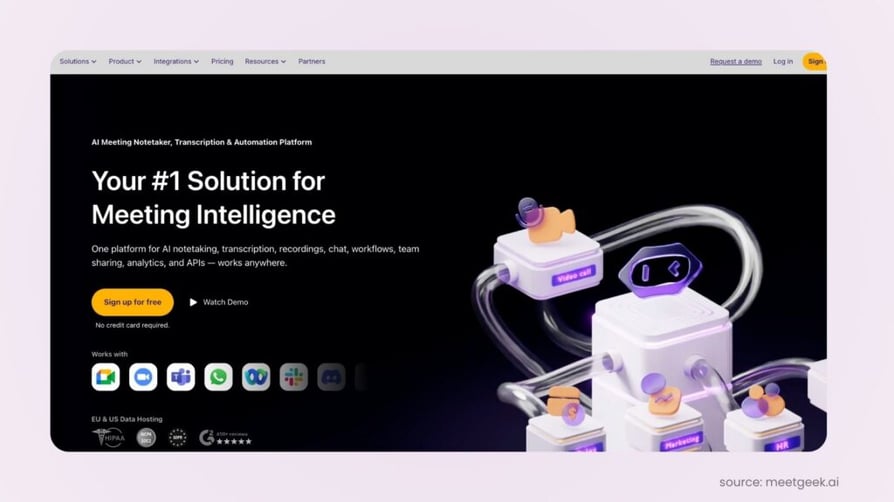
MeetGeek is an AI meeting assistant that records, transcribes, and summarizes meetings across Zoom, Google Meet, and Microsoft Teams. Action items, decisions, and key context flow into Slack, Notion, HubSpot, and ClickUp automatically, so distributed teams stop losing follow-through after every call.
Key features of MeetGeek
- AI meeting summaries: records, transcribes, and summarizes meetings automatically, helping SMB teams save time and stay aligned without manual notes
- Automated follow-ups and workflows: key decisions, action items, and summaries can be sent to tools like Slack, Notion, HubSpot, and ClickUp, so work moves forward faster after meetings
- Searchable meeting knowledge base: past meetings become easy to search, making it simple to find decisions, customer insights, and next steps without digging through scattered notes
Who MeetGeek is best for
Remote SMB teams running 10+ meetings per week (customer calls, internal syncs, interviews, product discussions) where action items routinely get lost between the meeting and the follow-up.
Pros of MeetGeek
- Eliminates manual meeting note-taking and post-meeting recap admin
- Meeting-type auto-detection (sales call, standup, interview) on Pro applies the right summary template
- Searchable knowledge base turns scattered meetings into a queryable team resource
Cons of MeetGeek
- Some features are tier-limited: advanced capabilities such as higher recording limits, deeper integrations, analytics, or team controls may require a paid plan
- Automations require setup: teams need to configure integrations and workflows properly to get consistent value from automated follow-ups
- Value increases with consistent usage: MeetGeek works best when used regularly across meetings; otherwise the meeting knowledge base may feel incomplete
Pricing of MeetGeek
MeetGeek offers a free tier (5 hours per month), Pro at $15 per user per month, Business at $29 per user per month, and custom Enterprise pricing. Annual billing saves up to 40%.
How teams use MeetGeek day-to-day
"Our team uses MeetGeek every day to turn meetings into follow-through. We record internal syncs, customer calls, interviews, and product discussions, then use the AI summaries to quickly review decisions, action items, and key context without rewatching the full meeting. We also push meeting outcomes into the tools where we already work, like Slack, Notion, and our CRM, so next steps do not get lost after the call. Over time, MeetGeek becomes a searchable knowledge base we can use to find past decisions, customer feedback, and project context whenever we need it."
Daniela, Marketing, MeetGeek
Coupler.io
What is Coupler.io
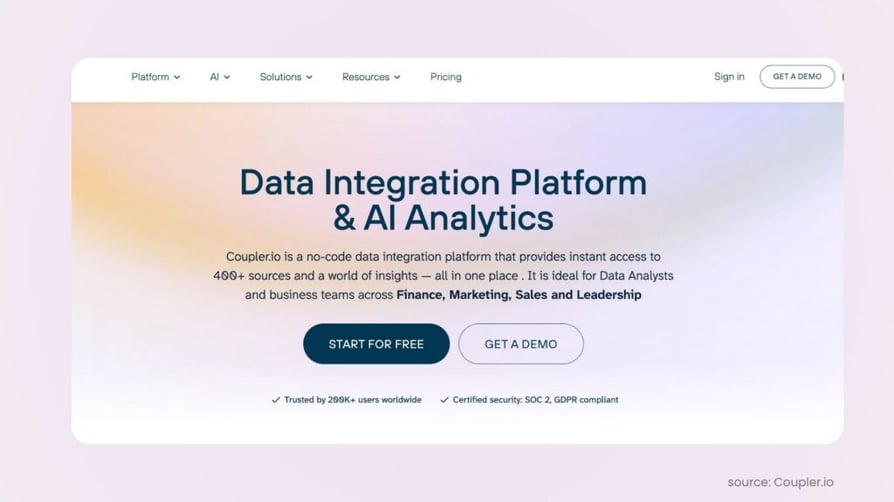
Coupler.io is a no-code data integration platform that automates recurring reporting by pulling data from 400+ sources (HubSpot, QuickBooks, Google Ads, Meta Ads, GA4, Stripe, Search Console, and more) into Google Sheets, Excel, BigQuery, Power BI, Tableau, and AI agents like Claude and ChatGPT.
Key features of Coupler.io
- AI agent: ask questions about your data flows directly in the app
- Prebuilt templates: real-time sync keeps your dashboards and reports up-to-date
- Supports multiple destinations: Google Sheets, Excel, BigQuery, and more
Who Coupler.io is best for
Marketing, finance, and operations teams in SMBs and agencies that need automated multi-source reporting without dedicated data engineering. G2 reviewers report time savings of 5 to 20 hours per week after replacing manual exports with Coupler.io.
Pros of Coupler.io
- Replaces manual CSV exports and copy-paste reporting workflows entirely
- Strong G2 rating (4.5 to 5 out of 5) with frequent praise for value-for-money on SMB and non-profit budgets
- Genuine free tier available for testing single-source pipelines
Cons of Coupler.io
- Limited refresh frequency and row volume on lower-tier plans
- Restrictions on connected accounts and data destinations unless you upgrade
- Less flexibility for highly custom data transformation workflows
Pricing of Coupler.io
Coupler.io offers a Free tier, with paid plans starting at $24 per month (Personal/Starter), $99 per month (Professional/Active), and $199 per month (Team/Pro). Annual billing saves 25%.
How teams use Coupler.io day-to-day
"Coupler.io helps remote teams automate repetitive reporting and data-sync tasks by automatically collecting, combining, and refreshing data from multiple apps in one place."
Stevan, Marketing Specialist, Coupler.io
Helix by 5app
What is Helix
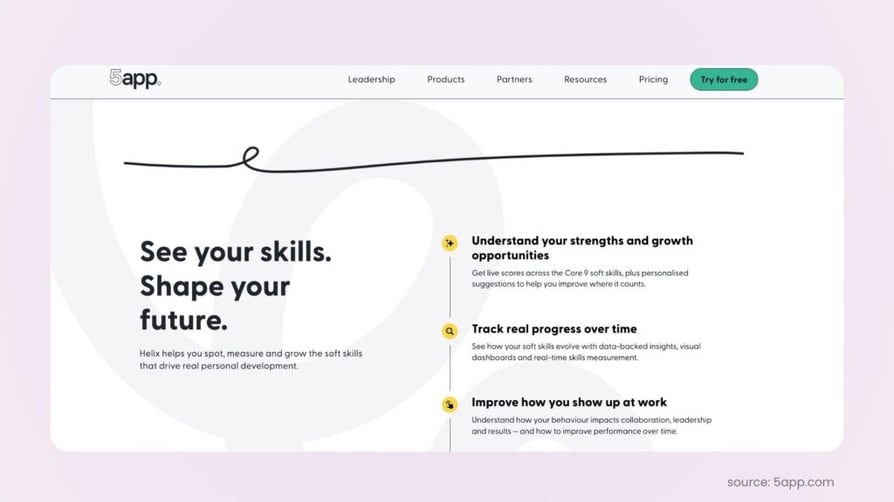
Helix by 5app is an AI-powered skills intelligence platform that measures soft skills (communication, coaching, change management) in normal day-to-day work, removing the need for time-consuming skills assessments. It connects to AI coaching agent VeeCoach for personalized skills development and roleplay scenarios.
Key features of Helix
- AI-powered skills intelligence removes the need for time-consuming skills assessments
- Soft skills are measured in normal day-to-day work to minimise barriers to learning
- Helix connects with AI coaching agent VeeCoach for instant, personalised skills development and roleplay scenarios
Who Helix is best for
SMB and mid-market L&D teams that want to surface skill gaps from real day-to-day work (especially customer-facing calls) without forcing employees through formal assessment cycles, and connect those gaps directly to AI-driven coaching.
Pros of Helix
- Eliminates the administrative overhead of traditional skills assessment programs
- Skills measurement happens passively in real work, not separate from it
- Direct path from skill gap detection to personalized AI coaching through VeeCoach
Cons of Helix
- Currently only connects with Microsoft Teams, Google Meet, and Zoom
Pricing of Helix
Pricing available on 5app's website on request.
How teams use Helix day-to-day
"We use Helix every single day at 5app. Helix joins our calls and measures skills like communication, coaching and change management, before providing us with private, personalised feedback tailored to our actual behaviours and performance."
Kayleigh Tanner, Content Marketing Manager, 5app
Simplified
What is Simplified
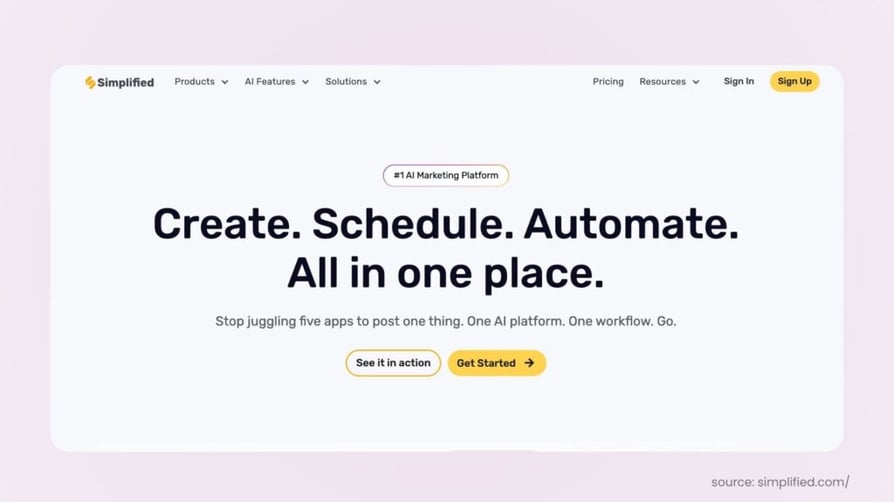
Simplified is an all-in-one AI marketing platform that combines AI writing, graphic design, AI video generation, UGC video creation, presentations, and social media management in a single workspace. It is used by marketing teams that want to reduce tool-switching and consolidate content workflows under one subscription.
Key features of Simplified
- AI workflows for marketing automation: automates repetitive tasks such as content generation, approvals, repurposing, and publishing, helping remote teams reduce manual work and maintain consistent output
- All-in-one content creation suite: combines AI writing, graphic design, AI video generation, UGC video creation, presentations, and social media management in a single platform, reducing the need to switch between multiple tools
- Team collaboration and content management: enables remote teams to collaborate on content, manage feedback, organize assets, and track projects from a shared workspace, improving visibility and coordination across departments
Who Simplified is best for
SMB marketing teams and agencies that want to consolidate content creation (copy, design, video, social) into one platform instead of paying for separate Canva, Jasper, CapCut, and Buffer subscriptions.
Pros of Simplified
- Real Free Forever plan with 5,000 AI words and 3 social accounts at $0, enough to run a small account legitimately
- Consolidates writing, design, video, and social scheduling in one workspace
- AI Workflow Automation links content tasks (write -> caption -> schedule) into a single chain
Cons of Simplified
- Credit-based AI usage on paid tiers; heavy video or image generation depletes credits faster than text
- Breadth over depth: marketing teams focused on advanced SEO or enterprise social media management may need a more specialized tool
- Some users report buggy performance in the video editor and inconsistent customer support response times
Pricing of Simplified
Simplified offers a Free Forever plan, Pro at $29 per month (1 user, $19/month on annual), Business at $79 per month (3 users), and Growth at $199 per month (5 users). Enterprise pricing is custom.
How teams use Simplified day-to-day
"Our team uses Simplified to create content, design graphics, generate UGC and ai videos, schedule social media posts, and automate recurring marketing tasks from a single workspace. This reduces tool switching, keeps projects organized, and helps remote team members collaborate more efficiently."
Swati Singh, Simplified
Artisan
What is Artisan
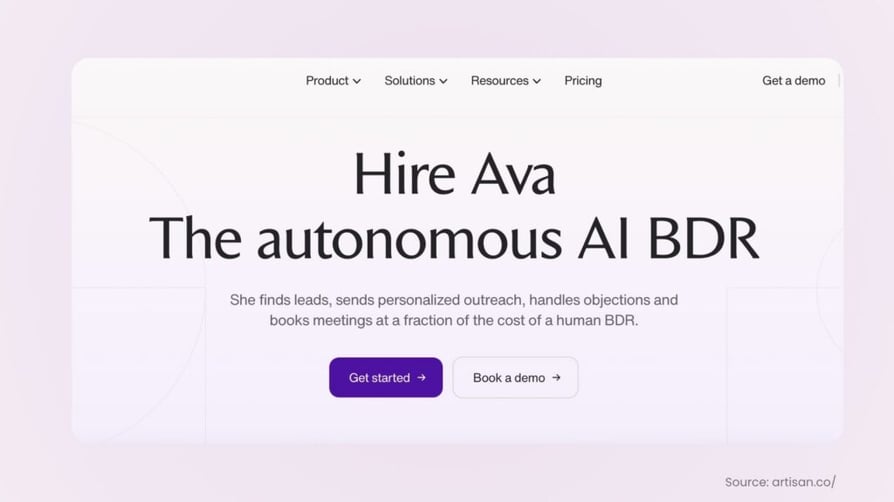
Artisan is an AI-powered outbound sales platform that helps SMB remote teams eliminate the repetitive work behind prospecting and cold outreach. Its AI for cold email capabilities automate prospect research, generate personalized emails, manage follow-up sequences, and optimize campaigns, allowing sales teams to scale outbound efforts without sacrificing personalization. Instead of spending hours researching leads and drafting emails, reps can focus on engaging qualified prospects and closing deals.
Key features of Artisan:
- AI-powered cold email generation with personalized messaging based on each prospect
- Automated prospect research and lead list building
- Intelligent follow-up sequences that keep outreach consistent without manual effort
- AI-driven campaign optimization to improve email performance over time
- Meeting scheduling that detects buying intent in replies and books discovery calls directly onto your team's calendar
Who Artisan is best for
SMB sales teams, startups, and remote revenue teams looking to automate repetitive cold email workflows while maintaining personalized outreach.
Pros of Artisan
- Eliminates repetitive prospect research and email personalization
- Enables outbound campaigns to run continuously with minimal manual effort
- Combines lead sourcing, enrichment, and outreach in one platform
Cons of Artisan
- Best suited for outbound sales workflows rather than general marketing automation
Pricing of Artisan
Artisan offers customized pricing based on your team's size, outbound volume, and business requirements.
How teams use Artisan day-to-day
“At SumUp, we prioritize efficient and scalable growth. Artisan's platform streamlines our outreach and gives us the insights we need to reach the right businesses in meaningful ways.”
Karlo Biuk, Growth Lead at SumUp
Ecosmob
What is Ecosmob
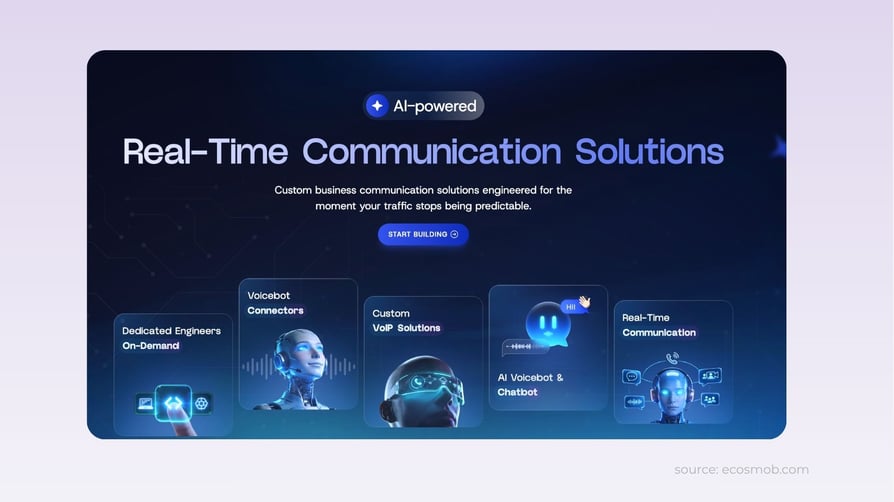
Ecosmob is a real-time communication and software development company that helps businesses build AI-powered voicebot solutions, chatbots, and custom communication platforms. Rather than limiting automation to a ready-made tool, Ecosmob develops solutions around existing telephony infrastructure, business workflows, and integration requirements. Its services include AI voicebot development, voicebot connectors, custom VoIP solutions, and communication platforms designed to support business growth.
For SMBs with repetitive customer calls, support queries, and communication-related administrative work, Ecosmob can help automate routine interactions, qualify leads, route calls intelligently, and connect AI-powered workflows with existing communication systems. Its voicebot connectors are particularly relevant for businesses that want to bring AI into their current telecom stack without rebuilding the entire system.
Key features of Ecosmob
- AI voicebot and chatbot development: Automate routine customer interactions, handle common queries, and qualify leads.
- Voicebot connectors and integrations: Connect AI-powered voicebots with existing telephony systems and business applications.
- Custom communication solutions: Build VoIP and real-time communication platforms around specific workflows and scalability needs.
Who Ecosmob is best for
SMBs and growing businesses that want to automate customer calls, lead qualification, and support queries with AI-powered communication solutions tailored to their workflows and existing systems.
Pros of Ecosmob
- Custom solutions tailored to business workflows and communication requirements.
- Integration with existing telephony infrastructure and business systems.
- Expertise in AI, VoIP, and real-time communication technologies.
Cons of Ecosmob
- Custom development may require more planning than ready-made tools.
- Pricing and implementation timelines depend on customization and project scope.
- May not suit businesses looking for simple, plug-and-play productivity tools.
Pricing of Ecosmob
Ecosmob's pricing depends on the level of customization, project scope, AI capabilities, and integration requirements. Businesses can contact the team for a tailored quote based on their needs.
How teams use Ecosmob day-to-day
Teams usually bring in Ecosmob when repetitive communication work, like routing calls, following up with leads, or answering the same customer questions, has outgrown off-the-shelf automation tools that don’t fit their existing systems. Ecosmob has worked with more than 750 businesses worldwide. It builds custom AI into a team’s current communication setup, so agents spend less time on routine tasks and the workflows they rely on keep running.
How to Choose the Right AI Tool to Eliminate Repetitive Tasks for Your Remote SMB Team
With 10 solid options on the table, the decision comes down to five key questions.
1. Which kind of repetition is costing your team the most hours this quarter?
There is a meaningful difference between tools that absorb 2 hours per rep per week and tools that absorb 15. For SMB teams running 30+ calls per day per rep, manual dialing and CRM logging are the single biggest time sink, and AI voice agents plus auto-logging dialers (CloudTalk, Skipcall, KrispCall) deliver the highest hours-back-per-dollar. For teams running 10+ meetings per week, manual recaps and action item routing dominate, and MeetGeek wins. For operations teams rebuilding the same dashboards every Monday, recurring reporting (Coupler.io) is the priority.
Pick by the bottleneck you actually face, not by the tool that has the broadest feature pitch.
2. Which systems does your team already run, and how deep is the integration?
Not all "integrations" are equal. Some tools offer two-way, real-time sync where every call, summary, action item, or report writes back to the CRM, helpdesk, or workspace tool immediately. Others offer one-way exports or Zapier-dependent workarounds that break the moment something changes. If your team runs HubSpot, Salesforce, Pipedrive, Slack, or Notion as the core stack, prioritize tools with native bidirectional integrations (CloudTalk, Skipcall, KrispCall, MeetGeek) over tools that route through middleware. The integration depth is what turns a useful tool into an absorbed workflow.
3. Are you absorbing standalone repetition, or repetition inside an existing stack?
Some tools run as standalone bots in front of your phone or workflow. Others run inside a complete calling stack and put the AI layer next to your dialer, CRM, IVR, and analytics. If your team has no existing call center or CRM workflow, a standalone tool is faster to deploy. If your team is already running a calling motion or has a CRM as the source of truth, integrated platforms compound time savings across more workflows instead of bolting on a new tool to manage separately.
4. What is your remote team's geographic and operational footprint?
If your team operates across multiple time zones or markets, coverage matters more than headline price. CloudTalk covers 160+ countries with local number provisioning. KrispCall covers 100+ countries with a unified inbox for every distributed touchpoint. Tools designed for single-market use cases (Ringly.io for US Shopify brands, Hey Jodie for US/UK small businesses) deliver less value the further your team spans. Match the tool's geographic and timezone fit to your operating reality, not to your home office.
5. What compliance requirements apply to your team?
AI tools that handle customer conversations, contact data, or signed documents intersect with GDPR (EU), TCPA (US outbound), HIPAA (healthcare), SOC 2 (most B2B SaaS procurement), and two-party consent laws in states like California. Your AI tooling must support compliant recording consent, data residency, and audit trails. CloudTalk holds SOC 2 Type II and is GDPR-compliant. Synthflow covers SOC 2, HIPAA, and GDPR on the base plan. MeetGeek and Coupler.io publish their compliance frameworks publicly. Verify this before committing, particularly if you operate across multiple jurisdictions or in regulated industries.
Recommended Articles
Conclusion
Choosing the right AI tool to eliminate repetitive tasks comes down to which category of manual work is costing your remote team the most hours and how tightly the tool needs to connect with the systems your team already runs every day.
For growing SMBs running B2B sales or B2C support that want every inbound call answered 24/7, every outbound call dialed at 3 to 5x manual speed, every conversation transcribed and summarized automatically, and every interaction synced to HubSpot, Salesforce, or Pipedrive without a single manual note, CloudTalk is the most complete solution in this list. It combines enterprise-grade calling infrastructure, 160+ country coverage, 99.999% uptime, advanced routing, and IVR with a native AI layer (AIVA) that absorbs the repetitive end of calling, from qualification and FAQ deflection to post-call summaries and CRM logging, before it ever reaches a human rep. The other seven tools cover meetings, data, skills, and content; CloudTalk covers the layer that drains the most hours from most SMB remote teams.
Start Your Free 14-Day Trial of CloudTalk
Frequently asked questions
The category leaders in 2026 cover distinct workflows: CloudTalk and Ringly.io for AI phone agents, Skipcall for parallel outbound dialing, MeetGeek for meeting intelligence, Coupler.io for data and reporting, Fill for document workflows, Helix by 5app for skills assessment, and Simplified for content creation. The right starting point depends on which repetitive workflow consumes the most team hours.
Entry pricing in 2026 runs from free tiers (MeetGeek, Coupler.io, Simplified) and $15-$30 per user per month for productivity tools (MeetGeek Pro, Simplified Pro) up to $349+ per month for high-touch AI voice agents (Ringly.io Grow). Full call center platforms with AI voice agents (CloudTalk) start at $19 per user per month for the platform, with AIVA available as an add-on.
Partially, yes. CloudTalk's AIVA resolves 96% of routine inbound calls autonomously in published field experiments; Ringly resolves 73% of Shopify support calls without human involvement; Skipcall reports two-person sales teams booking what five used to. The realistic posture is absorbing repetitive work, not replacing humans entirely; the high-judgment 20-30% of work still routes to your team, but with the dead time stripped out.
Most of the platforms in this comparison integrate with the same core SMB stack: HubSpot, Salesforce, Slack, Notion, Google Workspace, and Microsoft 365. CloudTalk, Skipcall, and MeetGeek all log into HubSpot. Simplified and MeetGeek both push into Slack and Notion. Coupler.io pulls data from CRMs, ad platforms, and finance tools to feed reporting. Confirm each platform's integration list against your current stack during procurement.