12 Best Call Logging Software for Sales Teams in 2026
TL;DR: Best Call Logging Software
Call logging software automatically captures caller details, duration, outcomes, notes, and recordings from every call — and syncs it all to your CRM or helpdesk without a rep touching anything.
We reviewed 30+ platforms and narrowed them down to the 12 best options for sales and support teams. Here's every tool in this guide, one line each:
- CloudTalk — best overall for sales and support teams that need automatic CRM logging, AI summaries, and outbound dialing in one platform. From $25/user/month.
- RingCentral — best for enterprises that want calling, video, and messaging in one UCaaS suite.
- Nextiva — best for US teams that prioritize 99.999% uptime and a unified communication hub.
- Dialpad — best for AI-forward teams wanting real-time transcription during the call.
- JustCall — best for SMB sales teams that need global numbers and SMS outreach at predictable pricing.
- Ringover — best for European and international teams that need unlimited cross-border calling.
- CallHippo — best for early-stage teams that need basic call logging and virtual numbers fast.
- Readymode — best for outbound call centers needing predictive dialing and compliance built in.
- Voiso — best for contact centers managing voice, chat, and messaging from a single interface.
- Grasshopper — best for solo operators who need a second business number with minimal overhead.
- TalkRoute — best for small US/Canada-based teams that want hardware-free call routing and basic logs.
- ZIWO — best for GCC/MENA teams that need localized Arabic-language call logging.
Your reps spend up to 30 minutes per day on manual call notes and CRM updates. That's over 2.5 hours per week per person doing data entry instead of selling. Multiply that across a team of 10, and you've lost more than 25 hours of selling time every single week not to missed calls or bad leads, but to admin.
The fix isn't discipline. It's the right call logging software. When every call is automatically captured, transcribed, summarized by AI, and synced to your CRM in real time, your reps stay focused on the conversation, and your pipeline data stays accurate without anyone touching it.
In this guide, you'll find a side-by-side comparison of the 12 best call logging software tools for 2026, including features, pricing, G2 ratings, and who each tool works best for. Whether you're running an outbound SDR team, a customer support operation, or a small business that just needs to track who called and when, there's a right fit here.

How We Chose the Best Call Logging Software
To build this list, we reviewed 30+ platforms used by sales, support, and operations teams across SMB and mid-market segments. We narrowed them down based on these criteria:
- Automatic vs. manual logging: Does the software capture call data on its own, or does it depend on reps to fill in fields?
- CRM integration depth: Does it truly sync bidirectionally in real time, or is it a one-way export?
- AI capabilities: Transcription, call summaries, sentiment analysis, and call scoring
- Call recording and searchability: Can managers find and review specific calls without listening to hours of audio?
- Analytics and reporting: Agent performance, call outcomes, campaign-level data
- Pricing clarity: Transparent per-user pricing without hidden fees
- G2 and Capterra ratings: Real user feedback from sales and support professionals
We also factored in real-world proof points from teams currently using these tools, not just feature lists from marketing pages.
Why Trust Our Reviews?
For nearly a decade, we’ve helped over 30,000 professionals choose and implement better communication tools. We’ve reviewed 200+ products, analyzed 5,500+ verified reviews from G2 and Capterra, and drawn insights from real user discussions on platforms like Reddit or Quora.
In the past year alone, we’ve published 1,000+ articles, all written and reviewed by humans, for humans, to provide reliable, data-backed insights you can trust.
Learn how we keep our content integrity and our software review methodology.
What Is Call Logging Software?
Call logging software automatically records and stores data from every phone call, including caller details, call duration, call outcome, agent notes, and recordings, and syncs that data to a CRM or helpdesk system.
Unlike a basic call history on your phone, business call logging software is designed to capture structured data that teams can act on: which rep took the call, what was discussed, what the outcome was, and what should happen next. Modern AI-powered platforms go further, transcribing the conversation automatically, generating a summary of key points and next steps, scoring call quality, and flagging calls that need a manager's attention.
It's worth clarifying what call logging software is not:
- Call tracking software (like CallRail) tracks which marketing channel, ad, keyword, or landing page drove an inbound call. That's a marketing attribution tool.
- Call recording software captures the audio of a call for compliance or playback. Logging includes that, but also captures metadata, outcomes, and CRM sync.
The best call logging software does all three: it logs the data, records the audio, and makes sense of both automatically and in real time.
Benefits of Using Call Logging Software
The right call logging software eliminates manual work across the board — before, during, and after every call. Whether you run a sales floor or evaluate call center logging software for a support operation, the payoff shows up in five places:
1. Eliminate post-call admin. Automated logging and AI summaries remove 25–30 minutes of manual CRM updates per rep per day. At a team of 10, that's 250+ minutes of selling time recovered every day without adding headcount.
2. Keep CRM data accurate. Manual logging means incomplete records. CRM call logging software with automatic call logging CRM sync ensures every interaction — call duration, outcome, next steps, recording link — appears in the CRM record immediately after the call ends, without depending on a rep's memory or discipline.
3. Coach faster with better data. Call recordings, AI scorecards, and sentiment analysis give managers specific, evidence-based feedback on individual calls rather than relying on observation or gut instinct. Coaches spend less time finding teachable moments and more time improving them.
4. Improve compliance and auditability. For regulated industries — financial services, healthcare, insurance — automatic call recording with clear audit trails and configurable consent prompts reduces compliance risk and provides an accessible record if a dispute arises. This applies equally to telephone call logging software used on support lines.
5. Turn call data into business intelligence. Aggregate data from phone call logging software reveals which talk tracks work, which objections are most common, and which segments of the customer journey need attention — at scale, across thousands of calls, without any manual review. Teams that automate call logging help desk software workflows get the same visibility on the support side.
Quick Comparison: 12 Best Call Logging Software in 2026
Here's a side-by-side look at all 12 call logging tools, with the team each one fits best, its current G2 rating, and the entry-level price on annual billing. Use it to shortlist two or three candidates, then jump to the full reviews below for the details.
Quick Comparison: 12 Best Call Logging Software in 2026
| Software | Best For | G2 Rating | Starting Price |
|---|---|---|---|
| CloudTalk | Sales & support teams needing auto-logging + AI | 4.4/5 | $25/user/mo |
| RingCentral | Enterprise UCaaS | 4.3/5 | $20/user/mo |
| Nextiva | US teams prioritizing reliability | 4.5/5 | $15/user/mo |
| Dialpad | Real-time AI transcription | 4.4/5 | $15/user/mo |
| JustCall | SMB outbound + SMS | 4.3/5 | $29/user/mo |
| Ringover | International call volume | 4.6/5 | $21/user/mo |
| CallHippo | Startups needing fast setup | 4.5/5 | $16/user/mo |
| Readymode | High-volume outbound call centers | 4.6/5 | $199/license/mo |
| Voiso | Omnichannel contact centers | 4.8/5 | $21/user/mo |
| Grasshopper | Solopreneurs | 3.9/5 | $14/mo |
| TalkRoute | Small remote teams | 4.7/5 | $19/mo |
| ZIWO | MENA region teams | 4.9/5 | $30/user/mo |
Top 12 Call Logging Software: In-Depth Reviews
Not all call logging tools are built the same. Some are full sales acceleration platforms. Others are basic virtual phone systems. The right one depends on your team size, your CRM, and how much of the logging process you want automated. Here's a detailed breakdown of each tool, starting with our top pick.
1. CloudTalk — Best Call Logging Software for Sales & Support Teams
What Is CloudTalk?
CloudTalk is an AI-powered cloud business phone system built specifically for sales and support teams of 5–500 seats. What separates it from generic VoIP tools is that it doesn't just log calls, it understands them. Every conversation is automatically transcribed, summarized by AI, scored for quality, and synced to your CRM without a single rep lifting a finger.
For sales teams running high call volumes, this matters more than most buyers realize. When a rep makes 60 calls a day, the difference between manually typing post-call notes and having an AI-generated summary appear in HubSpot automatically isn't a convenience; it's 25–30 minutes per rep per day that goes into more calls.
It's particularly well-suited for B2B SaaS companies, financial services firms, recruitment agencies, and e-commerce teams — especially SDR/BDR teams running structured outbound campaigns who currently waste rep time on manual CRM updates, and support managers who need real-time visibility into queue performance and agent coaching data.
Key Features of CloudTalk
- Automatic CRM call logging: Every call, recording, AI summary, and outcome syncs to HubSpot, Salesforce, Pipedrive, Zoho, and 100+ other integrations in real time. No manual entry, no Zapier workaround
- AI-powered call summaries and transcripts: Post-call summaries with key topics, objections, next steps, and sentiment are auto-populated in the CRM contact record immediately after the call ends
- AI call scoring: Every call is automatically scored on quality criteria (discovery questions, talk ratio, next-step commitment), surfacing the calls that need coaching before a deal is lost
- Sentiment analysis and topic detection: Track what's being said across all calls at the aggregate level: common objections, competitor mentions, pricing reactions, all without manual call reviews
- Power Dialer and Parallel Dialer: Reps dial from contact lists automatically (Power) or run 3–5 simultaneous outbound lines (Parallel), dramatically increasing calls-per-hour without adding headcount
- Smart Call Routing and IVR: Route inbound calls based on agent skills, preferred agent rules, or custom call flow logic built visually with the drag-and-drop designer
- Live call monitoring and coaching: Listen-in, whisper coaching, and barge features let managers coach in real time without the rep leaving the call
- 160+ country coverage with local presence: Provision local numbers in 160+ countries instantly and rotate numbers to prevent spam flagging, improving answer rates by up to 30-40%
- Real-time analytics dashboard: Live view of queues, agent availability, active calls, and SLA status alongside historical analytics filterable by agent, group, campaign, number, and time period
What Is CloudTalk Missing?
AI Voice Agents (AIVA), the autonomous inbound/outbound call handling feature, are available as a premium add-on starting at $99/month for 200 minutes. The Parallel Dialer requires the Expert plan ($49/user/month), which may be above budget for very small teams just getting started. That said, for teams that need both calling infrastructure and AI-powered logging in one platform, CloudTalk is the most complete option at this price point.
CloudTalk Pricing
- Starter: $25/user/month (billed annually)
- Essential: $29/user/month (billed annually)
- Expert: $49/user/month (billed annually)
- Custom: Contact sales for enterprise pricing
How Do G2 Users Rate CloudTalk?
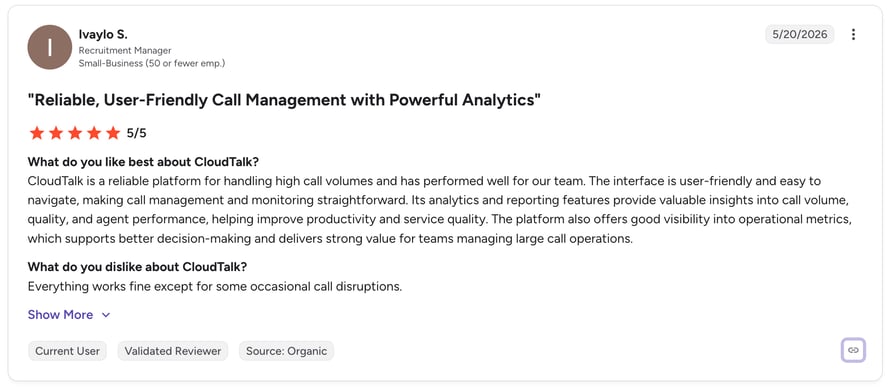
G2 reviewers give CloudTalk 4.4/5, based on 1,702+ verified reviews. Users consistently highlight the HubSpot integration and the time saved on manual logging: "This is exactly what we were missing" is a phrase that appears repeatedly in reviews referencing the HubSpot native integration and the barge/whisper coaching feature. Support teams also call out the real-time dashboard as a game-changer for proactive queue management.
Stop Dialing by Hand—Start Closing Like Dentakay
2. RingCentral — Best for Enterprise Teams Needing Unified Communications
What Is RingCentral?
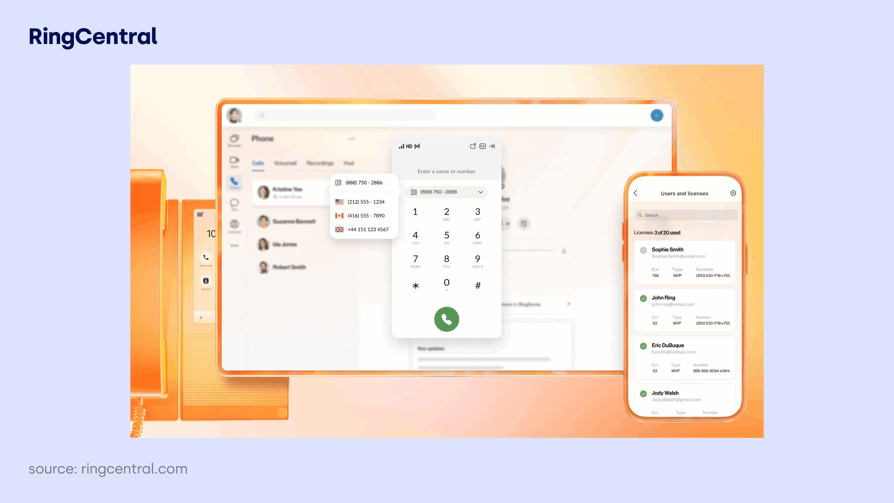
RingCentral is a global UCaaS platform that combines cloud phone, video conferencing, team messaging, and contact center management into a single application. Its call logging is built into a broader communication suite, making it a strong choice for enterprises that want one platform for all internal and external communication, rather than a dedicated sales dialing and logging tool.
Call logging in RingCentral covers call type, duration, date, time, and recording, all accessible through detailed analytics dashboards. It's best for mid-to-large enterprises (200+ seats) running Microsoft or Salesforce ecosystems, and less suited to high-velocity outbound sales teams that need a dedicated power dialer.
Key Features of RingCentral
- Omnichannel support across voice, email, chat, video, and social platforms
- AI-driven intelligent call routing and real-time analytics
- Workforce engagement management, including scheduling and performance monitoring
- Advanced IVR, call recording, and live monitoring
- Integration with Salesforce, Microsoft Dynamics, Google Workspace, and 300+ apps
What Is RingCentral Missing?
Pricing is not publicly available for the contact center product; you'll need to contact sales, which adds friction for SMB buyers comparing options. The platform's depth is also its weakness: small teams often find the feature set overwhelming, and the learning curve is steeper than purpose-built sales tools. Some advanced capabilities are locked behind higher-tier plans.
RingCentral Pricing
- Core: $20/user/month (billed annually)
- Advanced: $25/user/month (billed annually)
- Ultra: $35/user/month (billed annually)
How Do G2 Users Rate RingCentral?
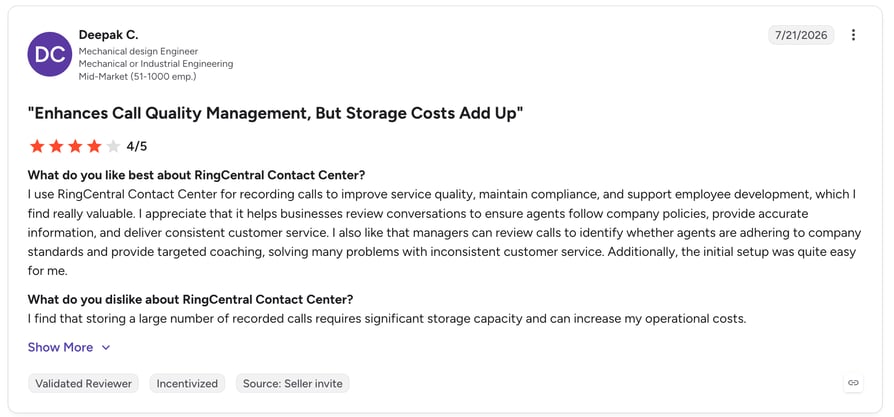
G2 reviewers give RingCentral 4.1/5, based on 175 verified reviews (Contact Center product). Users praise the breadth of the platform and the reliability of the infrastructure. Common criticisms include the complexity of setup for smaller teams and the challenge of navigating customer support for configuration questions. Teams migrating from on-premise PBX systems often report that the transition requires more IT involvement than expected.
Recommended Reads
3. Nextiva — Best for Reliability-Focused Teams
What Is Nextiva?
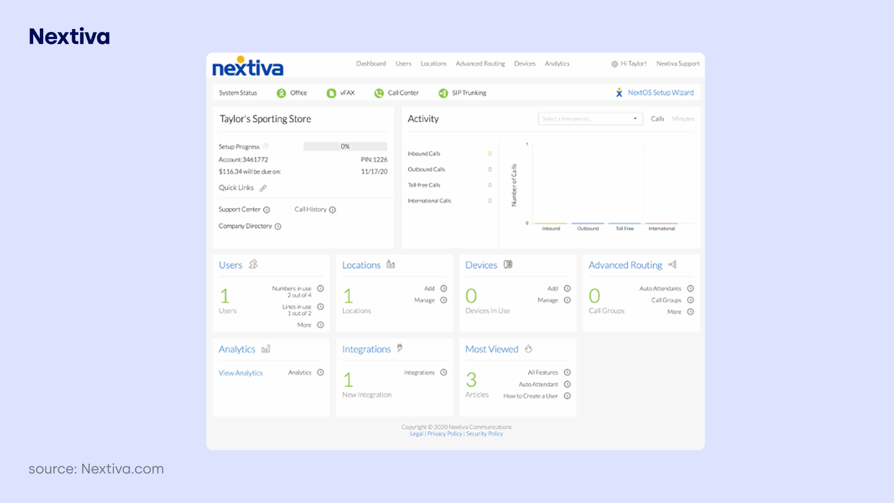
Nextiva is a cloud UCaaS and customer experience management (CXM) platform that centralizes voice, video, chat, SMS, email, and social media into one hub. Its headline credential is a 99.999% uptime SLA, making it a strong choice for teams where dropped calls or outages carry real business cost.
All Nextiva users have access to call logs with historical reporting, covering timestamps, call duration, call parties, and agent notes. It's a good fit for US-centric SMBs and mid-market teams — particularly in healthcare, professional services, and financial services — that value stability over outbound dialing speed and are frustrated by fragmented communication tools.
Key Features of Nextiva
- Unified communications: VoIP, video, chat, SMS, email, and social media in one app
- Omnichannel inbox with complete conversation history across all channels
- AI for voicemail transcription, call summarization, and intelligent routing
- Detailed analytics on call data, agent performance, and customer activity
- User-friendly desktop and mobile apps with 99.999% uptime guarantee
What Is Nextiva Missing?
International calling is limited on lower-tier plans; teams with global operations may find themselves upgrading or using add-ons. Some users report inconsistent customer support response times. Pricing is higher than pure-play call logging tools when all features are considered.
Nextiva Pricing
- Core: $15/user/month (billed annually)
- Engage: $25/user/month (billed annually)
- Power Suite CX: $75/user/month (billed annually)
How Do G2 Users Rate Nextiva?
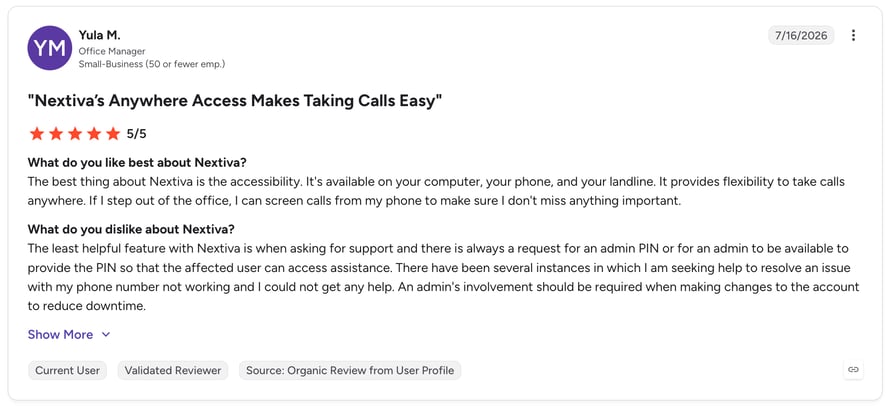
G2 reviewers give Nextiva 4.5/5, based on 3,434 verified reviews. Reviewers consistently highlight the ease of use and the reliability of the platform. The integrated experience, where calls, messages, and customer data are visible in one place, is frequently cited as the main reason teams choose Nextiva. Support ticket response times and the steeper pricing at higher tiers are the most common pain points.
4. Dialpad — Best for Teams That Want Real-Time AI Transcription
What Is Dialpad?
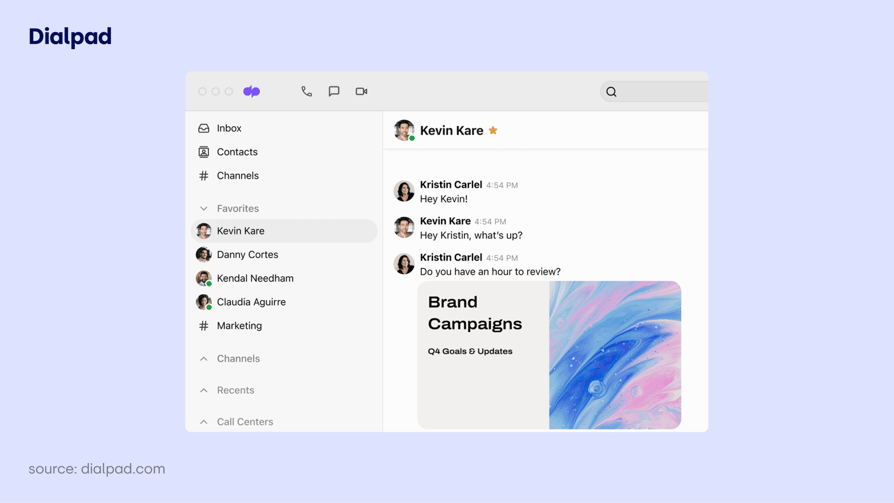
Dialpad is an AI-first unified communications platform that differentiates on one key feature: real-time transcription. While most call logging tools generate a transcript or summary after a call ends, Dialpad's AI transcribes the conversation as it happens and surfaces action items, keywords, and sentiment in a live sidebar view visible to the agent.
For teams where reps need in-call guidance, not just post-call data, this real-time layer is genuinely useful. It's strongest for tech-forward inside sales and customer success teams running Google Workspace or Office 365 that handle complex, multi-topic conversations where in-call coaching prompts add value.
Key Features of Dialpad
- Real-time AI transcription with live sentiment and keyword detection during calls
- Automatic post-call summaries with action items auto-populated
- Seamless integrations with Salesforce, Google Workspace, HubSpot, Zendesk
- HD voice across desktop and mobile with device switching mid-call
- Customizable IVR and smart call routing
- Unlimited call recording (US and Canada)
What Is Dialpad Missing?
Some users report connection and call quality issues under high volume. Advanced features, including the full AI suite, require the Pro plan ($25/user/month) or higher. Initial integration and setup can be complex for less technical administrators. Teams in markets outside the US/Canada may find that recording limits and feature availability differ.
Dialpad Pricing
- Standard: $15/user/month (billed annually)
- Pro: $25/user/month (billed annually)
- Enterprise: Contact sales
How Do G2 Users Rate Dialpad?
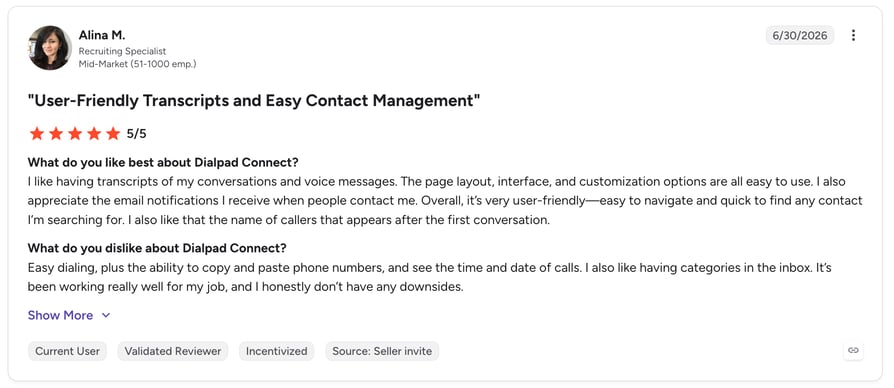
G2 reviewers give Dialpad 4.5/5, based on 3,946 verified reviews. Users frequently highlight the real-time transcription and the modern interface as standout features. On G2, the most common criticism is occasional call quality degradation and the gap in features between the Standard and Pro tiers. Many essential AI features require an upgrade.
5. JustCall — Best for Budget-Conscious Sales Teams
What Is JustCall?
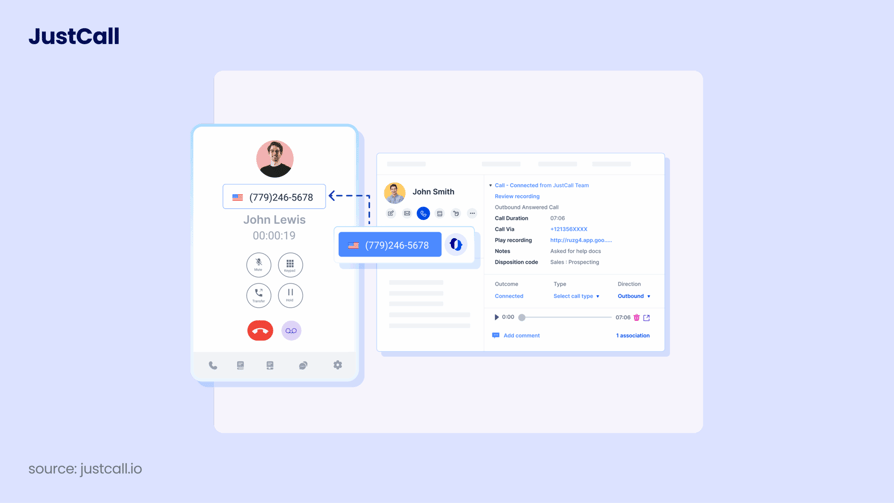
JustCall is a cloud business phone system built for SMB sales and support teams that need multi-channel outreach calls, SMS, and WhatsApp at predictable per-user pricing. It offers virtual local and toll-free numbers in 70+ countries, making it a practical option for teams operating across multiple markets.
Call logging in JustCall covers automatic recording, transcription, and CRM sync (Salesforce, HubSpot, Zoho, and 100+ integrations). It's strongest for sales teams under 50 seats already running HubSpot or Salesforce who want quick integration without a complex implementation.
Key Features of JustCall
- Cloud-based calling with virtual numbers in 70+ countries
- Automatic call recording and transcription
- CRM integration with Salesforce, HubSpot, Zoho, and 100+ others
- Auto, power, and predictive dialers for outbound campaigns
- AI coaching and real-time agent assist
- SMS and MMS messaging alongside voice
What Is JustCall Missing?
No built-in video conferencing teams that need video alongside calling will require a separate tool. Costs can climb quickly at scale, especially with add-ons for transcription and high-volume calling. There's a meaningful learning curve for advanced routing and compliance configurations. Some users flag that feature access varies significantly by plan tier.
JustCall Pricing
- Team: $29/user/month (billed annually)
- Pro: $49/user/month (billed annually)
- Pro Plus: $89/user/month (billed annually)
How Do G2 Users Rate JustCall?
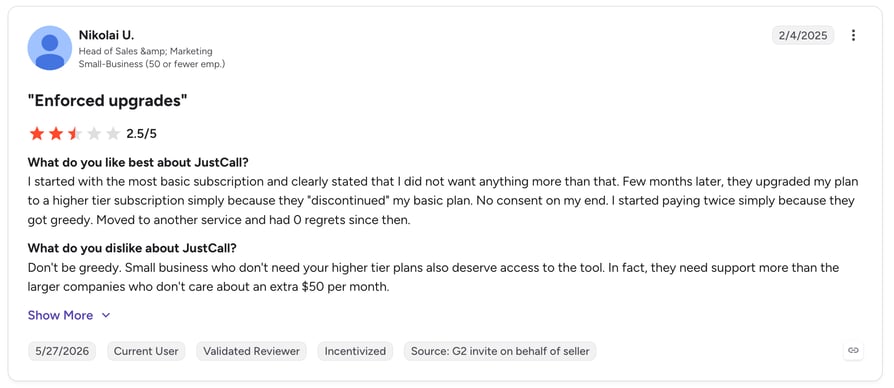
G2 reviewers give JustCall 4.3/5, based on 2,358 verified reviews. Reviewers highlight the straightforward setup and the breadth of CRM integrations as key strengths. The most common complaints are around mobile app stability and the cost of scaling, particularly when adding high-volume transcription or advanced dialer features that push teams into higher pricing tiers.
Recommended Reads
6. Ringover — Best for Teams With Heavy International Call Volume
What Is Ringover?
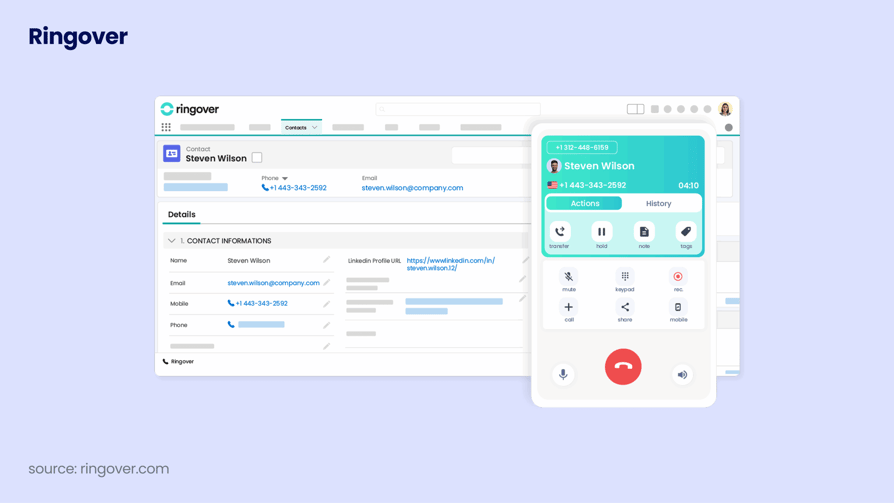
Ringover is a cloud call center platform with a strong foothold in European markets. Its Business plan includes unlimited calls to 100+ countries, making it one of the few tools that make truly unlimited international dialing financially predictable. For teams with significant cross-border call volume, this eliminates the unpredictable per-minute billing that inflates costs on other platforms.
It's particularly relevant for mid-market B2B teams in France, Spain, the UK, and other European markets where Ringover has strong local infrastructure.
Key Features of Ringover
- Unlimited international calls to 100+ countries (Business plan)
- Call recording and monitoring
- Real-time analytics and customizable reporting dashboards
- Coaching tools for call review and team performance management
- Scalable for businesses of all sizes
What Is Ringover Missing?
Advanced features are gated behind higher-tier plans. Setup and integration can require technical support for non-technical administrators. Some users report that the platform's depth requires ongoing optimization to fully leverage.
Ringover Pricing
- Smart: $21/user/month (billed annually)
- Business: $44/user/month (billed annually)
How Do G2 Users Rate Ringover?
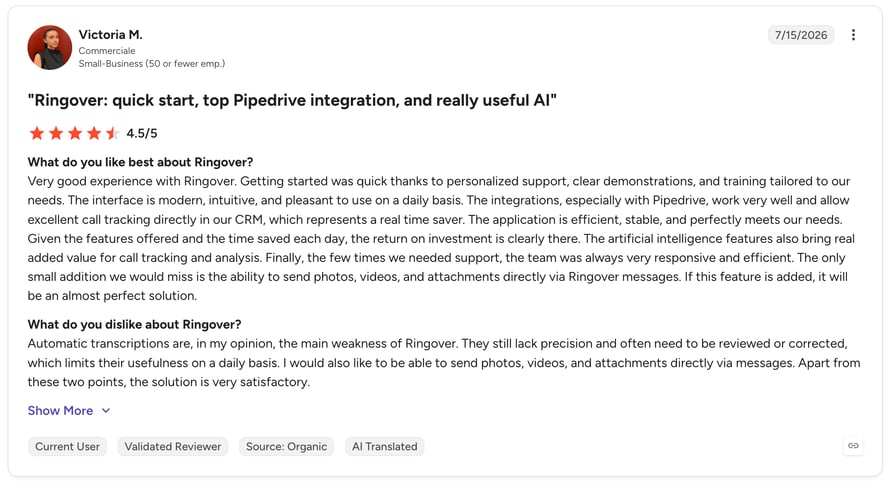
G2 reviewers give Ringover 4.6/5, based on 441 verified reviews. Users praise the call quality and the billing transparency, particularly the unlimited international calling model. Teams that previously dealt with unpredictable per-minute charges cite the Business plan as a meaningful cost reduction. Common feedback includes that the initial setup requires more guidance than expected.
Recommended Reads
7. CallHippo — Best for Startups on a Tight Budget
What Is CallHippo?
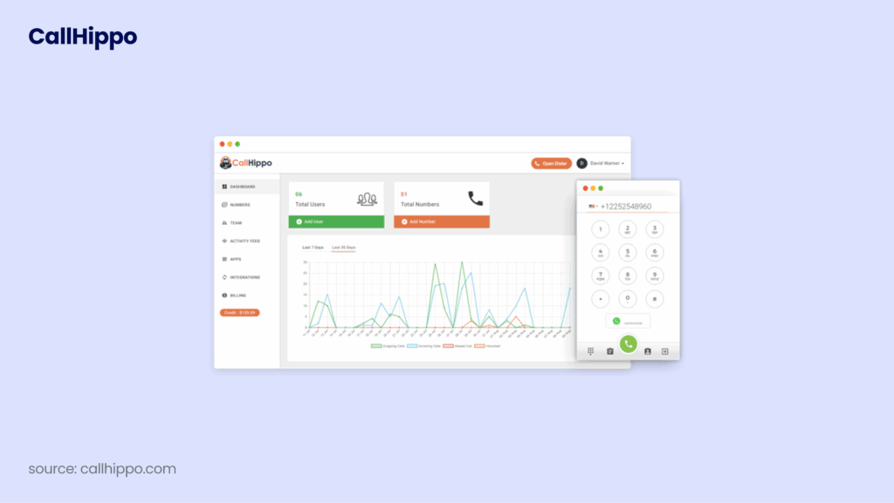
CallHippo is a micro-SMB VoIP and business phone system that can be set up in under three minutes. It targets early-stage companies that need virtual phone numbers, basic call logging, and outbound dialing quickly without a complex implementation or a large upfront commitment.
The platform covers the essential bases for startups and very small teams (under 20 seats) building their first sales or support workflow — without a lengthy evaluation or implementation process.
Key Features of CallHippo
- AI-powered Power Dialer and Predictive Dialer
- Virtual phone numbers in 50+ countries
- Omnichannel inbox for calls, SMS, WhatsApp, and email
- CRM integrations with HubSpot, Salesforce, and Zoho
- Advanced call analytics and agent performance reporting
- Fast setup operational in under 3 minutes
What Is CallHippo Missing?
Advanced AI features and the full dialer suite require higher-tier plans. The platform is designed for small teams and may not scale cleanly for organizations growing past 50 seats. International coverage (50+ countries) is narrower than enterprise alternatives like CloudTalk (160+ countries).
CallHippo Pricing
- Basic: $16/user/month (billed annually)
- Starter: $24/user/month (billed annually)
- Professional: $40/user/month (billed annually)
How Do G2 Users Rate CallHippo?
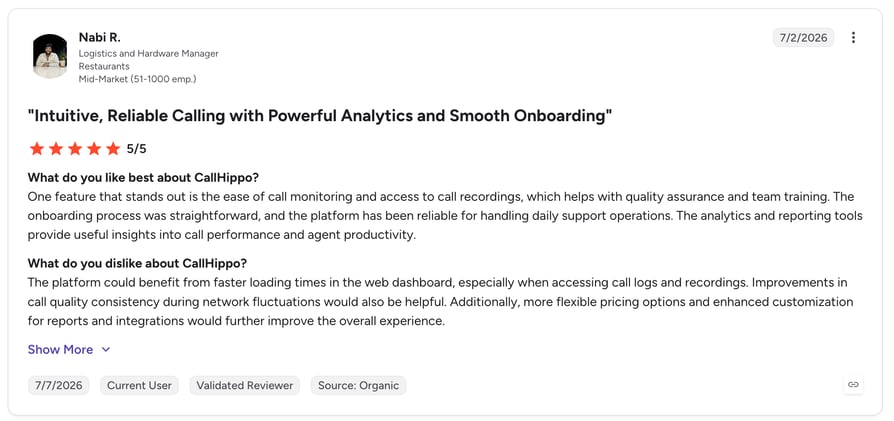
G2 reviewers give CallHippo 4.4/5, based on 950+ verified reviews. Users highlight the speed of setup and the range of virtual number options as key benefits. Common feedback notes that the platform works well for basic call logging and outreach but that teams scaling to larger operations tend to hit limitations, particularly around analytics depth and CRM integration quality at higher volumes.
Recommended Reads
8. Readymode — Best for High-Volume Outbound Call Centers
What Is Readymode?
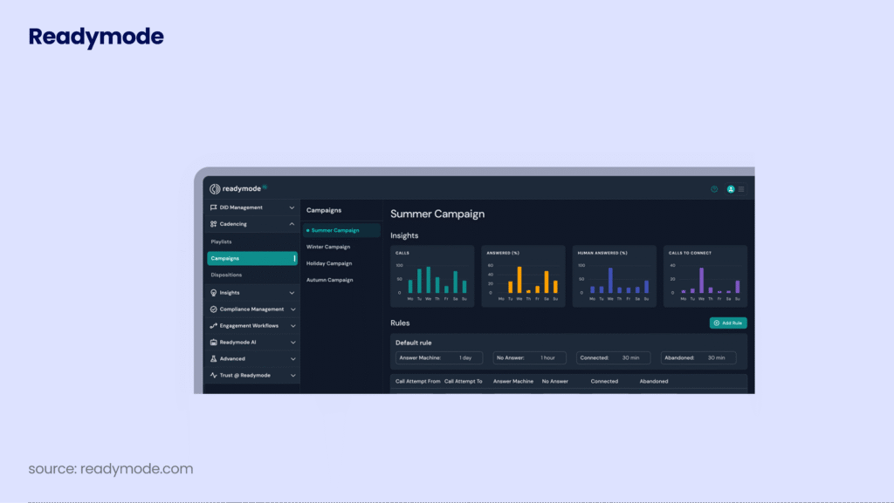
Readymode (formerly Xencall) is an all-in-one outbound calling platform with a built-in CRM and predictive dialer. Unlike most tools on this list, Readymode is not a VoIP phone system that you layer on top of your existing CRM; it's a self-contained outbound calling environment purpose-built for call centers that run thousands of dials per day.
It's built for high-volume outbound call centers in insurance, mortgage, financial services, and lead generation that prioritize predictive dialing speed, compliance, and caller ID reputation management over a general business phone system.
Key Features of Readymode
- Predictive Dialer that automatically optimizes dial speed based on agent availability
- Built-in CRM, no additional software required for contact and lead management
- Autopilot for intelligent number rotation to maximize answer rates and minimize spam flags
- Managed Remediation for carrier-registered number reputation management
- Real-time reporting and analytics on agent performance and campaign results
- DNC compliance tools built into the platform
What Is Readymode Missing?
Pricing is significantly higher than most tools on this list ($199–$249/license/month) and is not publicly transparent beyond the base rates. This makes it unsuitable for teams under 10–15 seats or those outside the high-volume outbound call center use case. It's also that heavily outbound-focused teams with significant inbound call handling needs should evaluate other options.
Readymode Pricing
- Starter: $199/license/month
- iQ: $249/license/month
How Do G2 Users Rate Readymode?
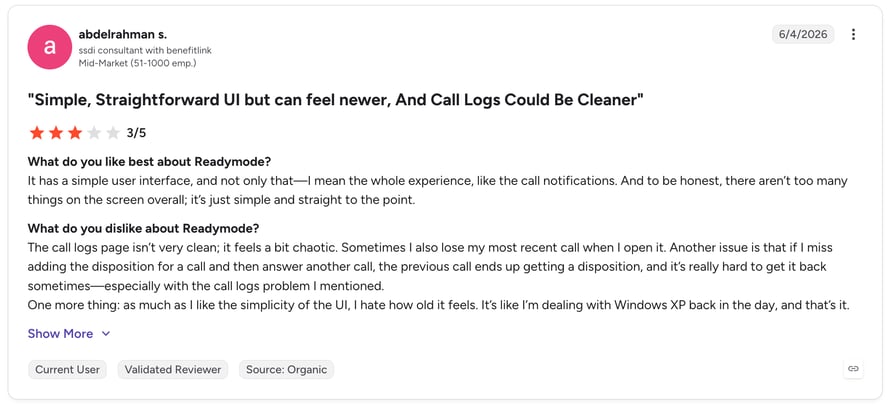
G2 reviewers give Readymode 4.6/5, based on 155 verified reviews. Users in outbound-heavy industries consistently highlight the predictive dialer performance and the built-in compliance tools. Teams managing high call volumes value the Managed Remediation feature for maintaining caller ID reputation. The learning curve for new users and the pricing model are the most common concerns for teams evaluating the platform.
High Call Volume Without the $199/Seat Price Tag
9. Voiso — Best for Omnichannel Contact Centers
What Is Voiso?
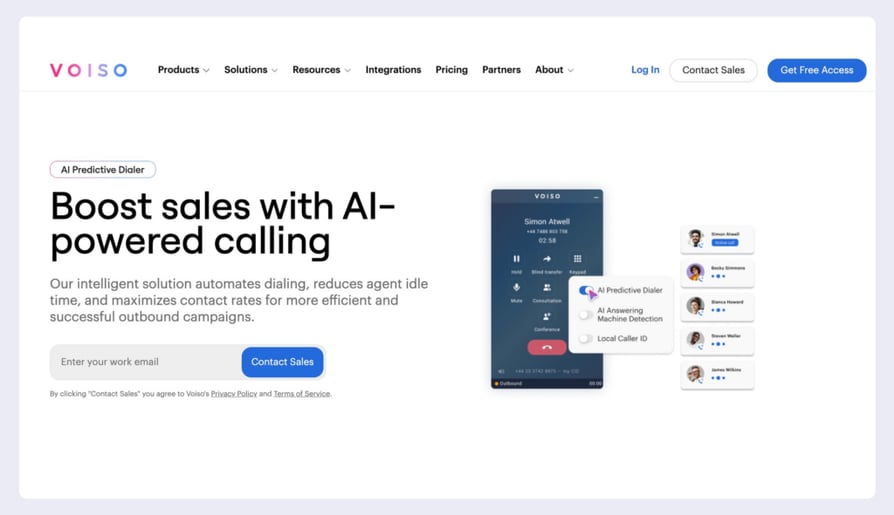
Voiso is an AI-driven cloud contact center platform designed for teams that manage customer interactions across voice, SMS, web chat, and messaging apps (WhatsApp, Facebook Messenger) from a single interface. Its AI Predictive Dialer and AI Speech Analytics are its standout features the speech analytics layer transcribes, scores, and analyzes calls in real time across multiple languages.
It fits mid-market contact centers managing multiple digital channels alongside voice, particularly in international markets where local number coverage and multilingual speech analytics are requirements — and operations teams that want a no-code interface for building call flows.
Key Features of Voiso
- AI Predictive Dialer with real-time optimization
- AI Speech Analytics real-time transcription, sentiment detection, and compliance risk scoring
- No-code Flow Builder for drag-and-drop call routing and IVR design
- Omnichannel unified inbox: voice, SMS, web chat, WhatsApp, Messenger
- Local caller IDs in 120+ countries
- CRM integrations with Salesforce, HubSpot, and Zoho
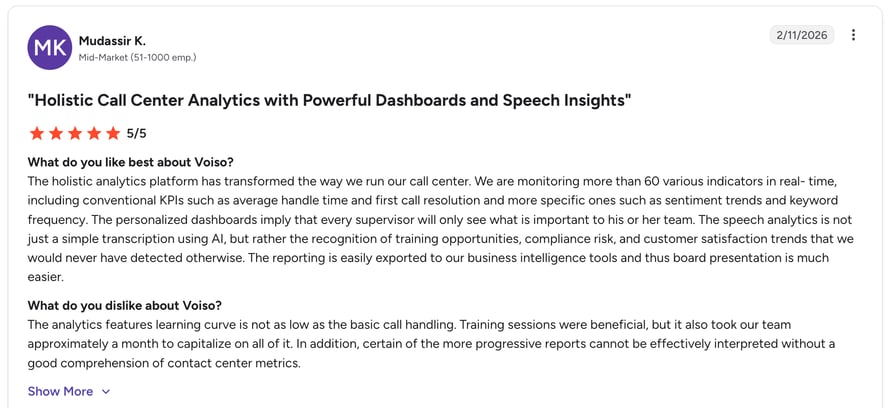
- Real-time dashboards monitoring 60+ KPIs
What Is Voiso Missing?
Advanced AI features have a learning curve that may slow initial adoption for smaller teams. The platform's strength is its breadth, which can feel like complexity for teams with simple call logging needs. Pricing may be higher than basic call logging solutions for teams that don't need omnichannel capability.
Voiso Pricing
- Core: $21/user/month (billed annually)
- Pro: $45/user/month (billed annually)
How Do G2 Users Rate Voiso?
G2 reviewers give Voiso 4.8/5, based on 68 verified reviews. Users praise the speech analytics accuracy and the quality of the predictive dialer. Given the relatively small review base, most positive feedback centers on the customer support team and the onboarding experience.
10. Grasshopper — Best for Solopreneurs Who Need a Basic Call Log
What Is Grasshopper?
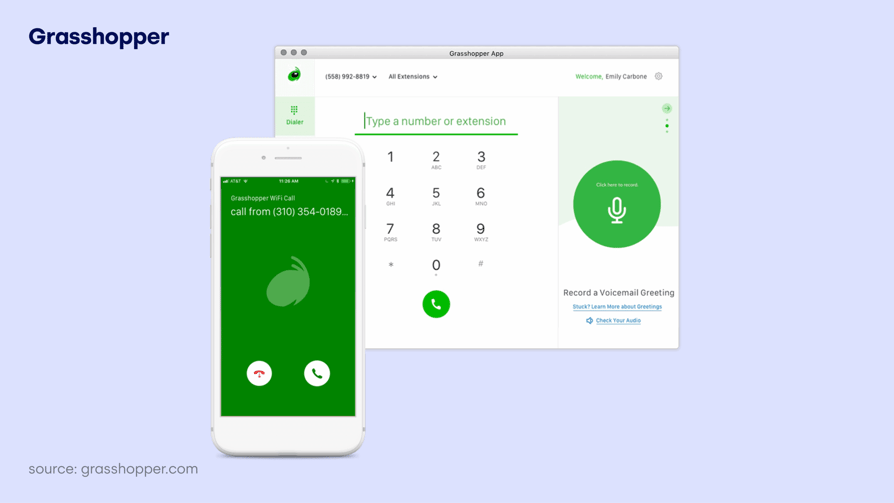
Grasshopper is a virtual phone system for solopreneurs, freelancers, and very small businesses that need a dedicated business number without a full VoIP platform. It's not a call logging system in the B2B sales sense; there's no CRM integration, no call recording, and no analytics. What it does provide is a clear separation between personal and business calls, basic call records (number, duration, date), voicemail transcription, and custom greetings.
For a one-person operation or a micro-business (1–3 people) that just needs to track which calls came in and ensure they don't miss business inquiries, Grasshopper does the job at a low monthly flat rate.
Key Features of Grasshopper
- Virtual phone numbers (local, toll-free, vanity)
- Voicemail transcription delivered to email
- Call forwarding to any device
- Custom greetings for a professional caller experience
- Business texting from a dedicated number
- Mobile and desktop app access
What Is Grasshopper Missing?
Grasshopper lacks CRM integration, call recording, analytics, team management features, and anything resembling AI-powered call logging. It is not suitable for any team larger than 2–3 people or any workflow that requires call data to flow into a CRM or helpdesk. The pricing model is per account rather than per user, which is efficient for solos but limiting for small teams.
Grasshopper Pricing
- True Solo: $14/month (billed annually, 1 user)
- Solo Plus: $25/month (billed annually, 1 user, 3 extensions)
- Small Business: $55/month (billed annually, up to 5 users)
How Do G2 Users Rate Grasshopper?
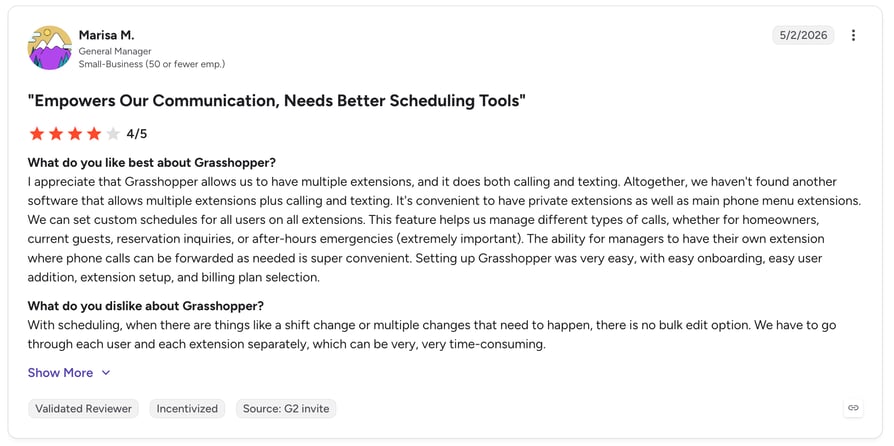
G2 reviewers give Grasshopper 3.9/5, based on 154 verified reviews. Users value the simplicity and the separation of personal and business calls. The most consistent feedback is that Grasshopper works well for exactly what it promises: a second business line with voicemail, but lacks the depth for teams that grow beyond a solo operator.
11. TalkRoute — Best for Simple Remote Teams
What Is TalkRoute?
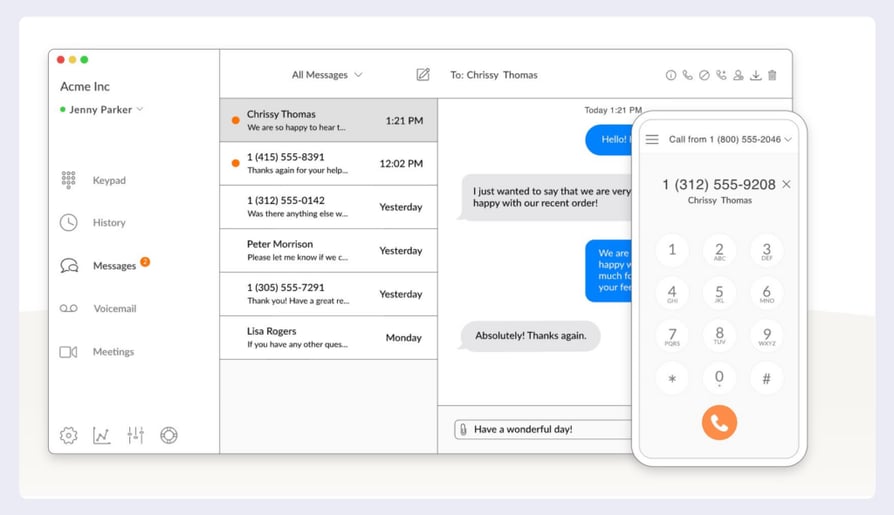
TalkRoute is a cloud-based virtual phone system for small businesses and remote teams that want call routing and basic logging without hardware investment. It works across existing mobile and desktop devices and provides a clean interface for managing call menus, forwarding rules, and voicemails.
TalkRoute's call logging covers the basics: call records, duration, date and time, and direction (inbound vs. outbound). For small US/Canada-based businesses (under 10 people) that need reliable call routing and a record of calls, it covers the fundamentals at a flat monthly rate.
Key Features of TalkRoute
- Dedicated local or toll-free business numbers
- Customizable call menus and submenus for routing
- Call forwarding to multiple devices simultaneously
- Video meetings with screen sharing (Pro plan)
- Business text messaging from a dedicated number
- Transparent flat-rate pricing, no per-minute charges
What Is TalkRoute Missing?
Limited to the US and Canada, calling is not suitable for teams with international operations. No CRM integration (limited to Zapier for custom automations). No AI features. Mobile app lacks some advanced features like MMS and complex menu management. Analytics are minimal.
TalkRoute Pricing
- Basic: $19/month (1 user included)
- Plus: $39/month (3 users included)
- Pro: $59/month (10 users included)
How Do G2 Users Rate TalkRoute?
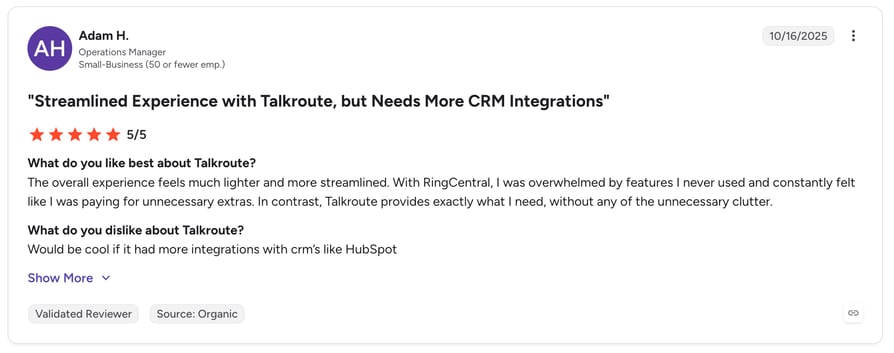
G2 reviewers give TalkRoute 4.7/5, based on 46 verified reviews. The small review base is overwhelmingly positive users highlighting the easy setup, responsive support, and transparent pricing. The core feedback is that TalkRoute does what it promises for small teams without surprises. Teams outgrowing the platform consistently note the need for better analytics and CRM connectivity.
Recommended Reads
12. ZIWO — Best for Businesses Operating in the MENA Region
What Is ZIWO?
ZIWO is a cloud-native CCaaS platform built for the GCC and MENA region. While most Western call logging tools offer Arabic as an afterthought, ZIWO is natively designed for Arabic, English, and French communication with localized telecom connectivity in 145+ countries and specialized support for GCC carriers and regulations.
For businesses operating in the UAE, Saudi Arabia, Qatar, Egypt, and surrounding markets, ZIWO provides a level of regional localization that platforms like CloudTalk, RingCentral, or Dialpad simply don't prioritize.
Key Features of ZIWO
- Unified multichannel platform: voice, WhatsApp, and SMS
- Native multilingual interface (Arabic, English, French)
- CRM integration with 15+ platforms, including Salesforce, Zoho, and Zendesk
- Real-time analytics and live dashboards
- 500+ API library for advanced customization
- Automatic call recording and quality monitoring
- Local telecom connectivity in 145+ countries
What Is ZIWO Missing?
Some users report occasional technical and connection issues. A few advanced features are still in development. Pricing transparency may require direct consultation for complex deployments.
ZIWO Pricing
- Cloud Business Phone System: $30/user/month (billed annually)
- Cloud Contact Center: $82/user/month (billed annually)
How Do G2 Users Rate ZIWO?
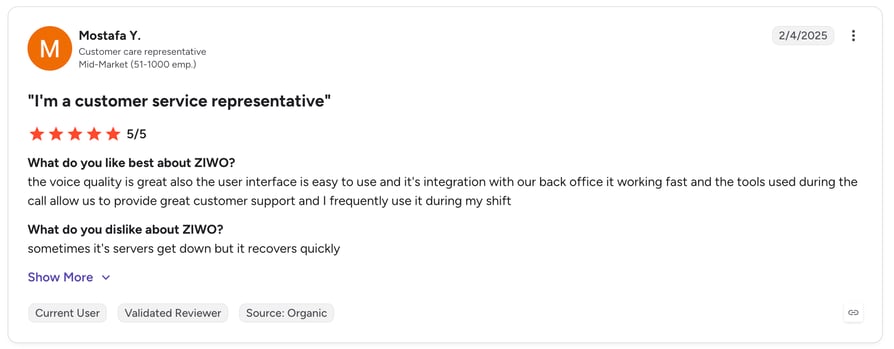
G2 reviewers give ZIWO 4.9/5, based on 79 verified reviews. Users consistently highlight the ease of implementation and the strength of customer support. Arabic-language call logging and the WhatsApp integration are the most cited differentiating features. The small but highly positive review base reflects a specialist tool with a loyal regional user base.
Recommended Reads
12 Reviewed. 1 Stands Out.
Call Logging Software for Support Teams and IT Helpdesks
Call logging software isn't only for outbound sales reps. Customer support teams, IT helpdesks, and field service operations use call logging for different but equally important reasons — and the feature priorities differ accordingly. Web based call logging software has made these workflows accessible to distributed teams without any hardware.
Support Teams
Support call logging software prioritizes first-call resolution tracking, escalation pattern identification, and SLA compliance. Managers need to know which issue types generate repeat calls, which agents resolve issues fastest, and whether interactions are meeting time commitments. Call logging with CRM sync ensures every support interaction is tied to the customer record — so when a customer calls back, the agent sees full context instantly. CloudTalk includes real-time queue dashboards, call outcome tagging, and automatic logging to Zendesk, HubSpot, and Salesforce, purpose-built for support teams.
IT Helpdesks
IT service desks use call logging software for IT helpdesk needs primarily for audit trail and ticket management purposes. When a user calls about an outage or access issue, that interaction needs to be linked to a ticket, timestamped, and retrievable if there's a dispute about resolution time. Call logging software for helpdesk operations that integrates with helpdesk tools (Zendesk, Freshdesk, Jira) eliminates the manual step of creating a call record in the ticket system. CloudTalk's Zendesk and Freshdesk integrations automatically create or update tickets from every call, including the recording and AI summary.
Automated Helpdesk Logging
For teams looking to automate call logging help desk software workflows, CloudTalk's workflow automations can trigger actions after call completion — creating a Zendesk ticket, updating a CRM deal stage, or tagging a call for manager review — all without a rep touching anything post-call.

Every support call ticketed, tagged, and logged automatically—see it live on your stack
How to Choose the Right Call Logging Software for Your Team
With 12 solid options on the table, the decision comes down to five key questions.
1. How much of the logging process do you want automated?
There's a meaningful difference between software that allows you to log calls and software that automatically logs them for you. For teams managing 30+ calls per day per rep, manual logging simply doesn't hold reps, skip it, data is incomplete, and CRM records become unreliable. If your team runs high call volume, prioritize platforms with automatic CRM sync and AI-generated summaries (CloudTalk, Dialpad, JustCall) over basic virtual phone systems (Grasshopper, TalkRoute).
2. Which CRM does your team run, and how deep is the integration?
Not all "CRM integrations" are equal. Some tools offer a two-way, real-time sync where every call, recording, AI summary, and tag appears in the CRM record immediately. Others offer one-way exports or Zapier-dependent workarounds. If your team runs HubSpot or Pipedrive, CloudTalk offers one of the deepest native integrations in this category. Contacts are created or updated automatically, calls are logged, and AI summaries populate without any manual action.
3. Do you need outbound dialing features alongside logging?
Sales teams running outbound campaigns need more than a call log; they need a dialer that increases call volume per rep. If your primary use case is outbound SDR or BDR work, prioritize tools with Power Dialer or Parallel Dialer capabilities (CloudTalk, JustCall, CallHippo, Readymode). If you're primarily managing inbound support volume, focus instead on routing quality and queue management.
4. What's your international footprint?
If your team makes cross-border calls regularly, international coverage and local caller ID matter. CloudTalk covers 160+ countries with local number provisioning. Ringover offers unlimited international calling to 100+ countries. JustCall covers 70+ countries. Basic tools like Grasshopper and TalkRoute are largely US/Canada only.
5. What compliance requirements apply to your business?
Call recording and automatic logging intersect with GDPR (EU), TCPA (US outbound), HIPAA (healthcare), and two-party consent laws in states like California. Your call logging software must support compliant recording consent either through disclosed recording notifications or configurable consent flows. Verify this before committing, particularly if you operate across multiple jurisdictions.
Conclusion
Choosing the right call logging software comes down to how much of the data capture and follow-up process you want to automate and how tightly it needs to connect with your CRM and coaching workflows.
For sales and support teams that want every call automatically logged, summarized by AI, scored for quality, and synced to HubSpot or Pipedrive without a single manual note, CloudTalk is the most complete solution in this list. It combines enterprise-grade calling infrastructure, 160+ country coverage, 99.999% uptime, advanced routing, and IVR with a native AI layer that turns every conversation into structured CRM data automatically.
Start your free 14-day trial of CloudTalk and see how automatic call logging changes how your team manages pipeline, coaches reps, and keeps CRM data accurate at scale.
Reclaim 25+ hours of selling time every week - automate your call logging today

Frequently Asked Questions About Call Logging Software
Call logging software captures caller details, duration, outcome, notes, and a call recording from every call, then syncs it all to your CRM in real time — no manual input from reps or managers.
Yes. CloudTalk's native HubSpot integration logs every call, posts AI summaries to the contact record instantly, and creates or updates contacts automatically — no Zapier relay, no delay.
Yes. Most cloud platforms record every call automatically. CloudTalk adds configurable recording consent notifications so you stay compliant with GDPR, TCPA, and two-party consent laws.
CloudTalk's Starter plan ($25/user/month, see pricing) covers automatic logging, recording, and HubSpot/Pipedrive sync. Grasshopper or TalkRoute suit teams that only need a number and basic records.
Pick a tool with ticket-system sync and audit trails. CloudTalk integrates natively with Zendesk and Freshdesk, creating or updating tickets from every call — recording and AI summary included.
Web-based call logging software runs entirely in a browser — no hardware or desktop installs. Reps call from a web interface and every call logs to the CRM automatically. CloudTalk agents are live minutes after account creation.