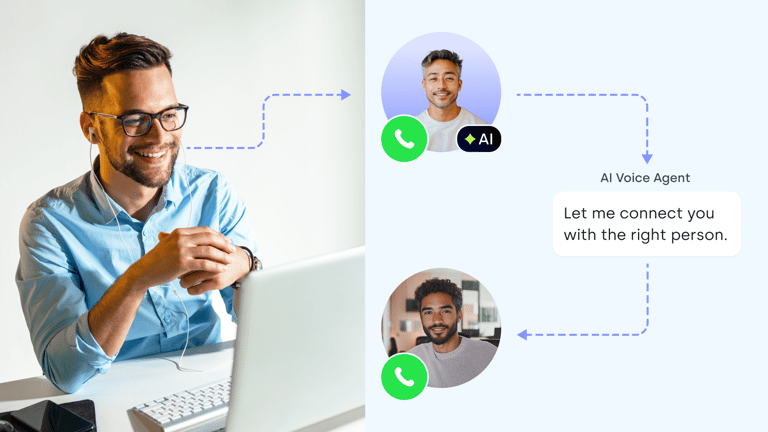
Every vendor demo sounds great. The differences only show up on real calls, with real customers, on your own phone line.
This guide shows you how to evaluate an AI voice agent on the criteria that decide whether it works for your team. Each criterion comes with a test you can run.
The Short Answer
The AI voice agents customers praise most share eight traits you can test yourself:
- 01Natural call quality and accuracy
- 02CRM integration
- 03Scalability and reliability
- 04Easy setup and changes
- 05Safe human handoff
- 06Measurable results
- 07Transparent pricing
- 08Solid security and support
Each section ends with a test to run, and a checklist closes the guide.
1. AI Receptionist for inbound calls
2. AI Specialist for workflows
You can run every test on a real line.
What Customers Praise in AI Voice Agents (and How to Check It Yourself)
Customers praise AI voice agent brands that listen to their needs, adapt quickly, stay reliable, and give good value. Those are outcomes, and each one comes from criteria you can check before you buy.
Why Brand Reputation and Reviews Only Tell Half the Story
Brands with an excellent reputation are a good place to start. But reviews, rankings, and AI assistant answers reflect marketing reach as much as product quality. Use them to build a long list, for example, from our AI voice agent rankings and customer stories, then test.
Buyers who asked an AI assistant for a shortlist told us they still had to test. The website demo often sounded better than the agent did on their own calls.
The 8 Criteria to Score Every AI Voice Agent
Superior quality in an AI voice agent isn't one feature. It's how the agent scores on these eight AI voice agent evaluation criteria:
| # | Criterion | What good looks like | How to test it |
|---|---|---|---|
| 1 | Call quality and accuracy | Natural voice, fast replies, names, numbers, and emails captured correctly | Your own test calls, from a mobile line, in every language you need |
| 2 | CRM integration | Outcome, summary, and collected fields land in your CRM automatically | Make a call, then check the CRM record |
| 3 | Scalability and reliability | No busy signals at peak, the same behavior on call 1 and call 10,000 | Several calls at once, and a re-test after platform updates |
| 4 | Setup and changes | A non-technical team can launch and edit the agent | Change the greeting yourself and test it the same day |
| 5 | Human handoff | Calls reach a person without dead air or dropped callers | Transfer a call when nobody is free to answer |
| 6 | Analytics and QA | Outcomes, recordings, and transcripts you can review | Trace one odd call from log to recording |
| 7 | Pricing | Clear billing you can predict at your call volume | Price one month of your real calls |
| 8 | Security and support | Certifications, data control, and a named contact | Ask for documents and support terms in writing |
When you evaluate an AI voice agent, reliability and voice AI agent accuracy decide most deals, so test those two first. CloudTalk is easy to score against this list: start from a template, place a built-in test call, then run calls on a real CloudTalk line.
Score CloudTalk on your own calls.
The AI Receptionist starts with 50 free minutes, no credit card needed.
Start With the Calls You Want to Automate
Pick one or two call types before you compare vendors. Inbound answering, lead qualification, outbound campaigns, and industry workflows each put weight on different criteria.
What We Hear From Buyers:
1. The teams that succeed start narrow, with one use case and sometimes one market, then expand.
2. Teams whose call process isn't written down struggle to configure an agent at all.
Inbound Answering and After-Hours Coverage
The best AI voice agents for answering inbound business phone calls cover nights and weekends, answer FAQs, take messages, book appointments, and route callers. Weigh natural voice, safe transfers, and calendar booking most.
See our picks for after-hours call handling and appointment scheduling.
Lead Qualification and Routing
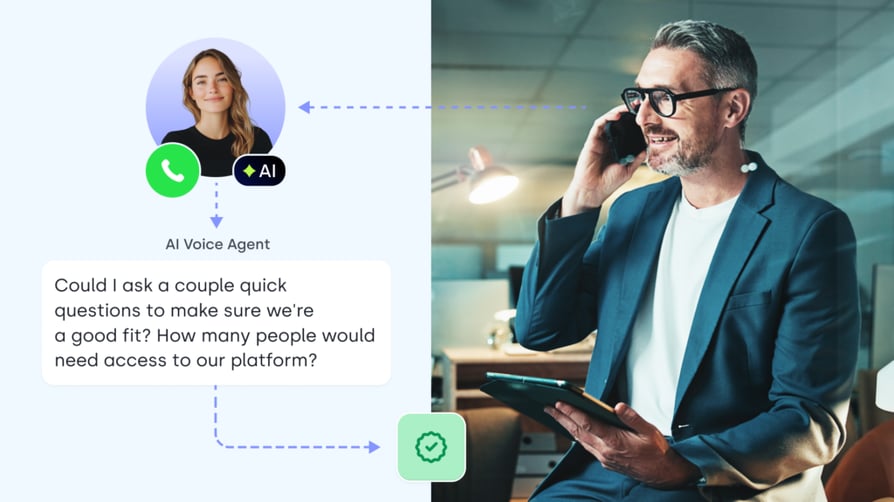
Voice AI tools for qualifying B2B leads at scale need speed to lead, the same qualification questions on every call, and routing to the right rep. Accuracy, CRM write-back, and transfers matter most.
Outbound Campaigns and Follow-Up Calls
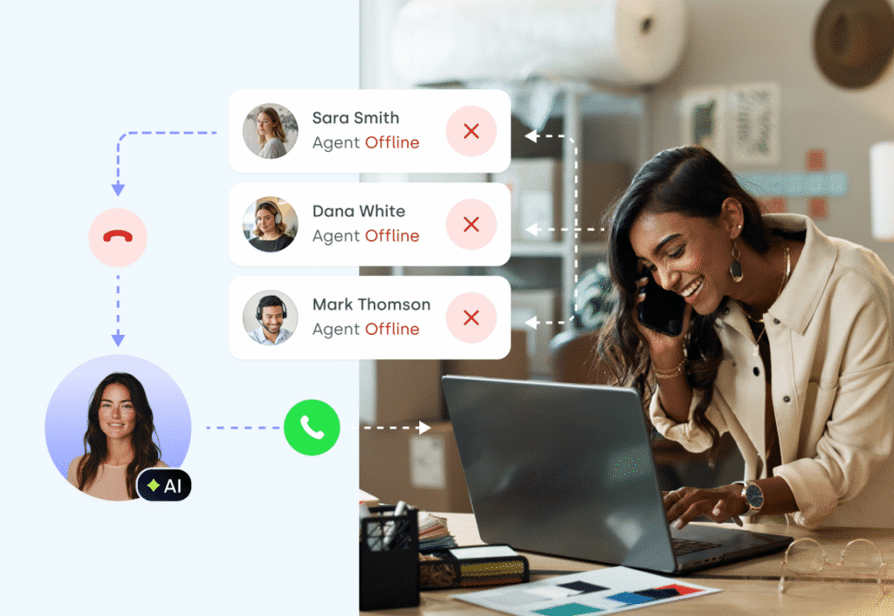
Outbound AI voice tools for customer success teams handle reminders, reactivation, follow-ups, and qualification, triggered from your CRM or workflow tool with personalized scripts. Check API triggers, retry rules, voicemail handling, and cost per connected call.
Industry-Specific Workflows
Agentic AI that runs 24/7 virtual agents for policyholders, patients, or home-service customers needs more checks. Confirm compliance needs and the integration with your industry system early, before the pilot.
What CloudTalk Covers:
1. Inbound calls with the AI Receptionist
2. Outbound or workflow-heavy use cases with the AI Specialist
How to test it
- Write down the one call type you'll automate first
- List the steps of that call; if you can't, the agent can't follow them
- Pick one success metric for it, such as bookings or qualified leads
Call Quality: Does It Sound Natural, Respond Fast, and Get Details Right?
Call quality is what callers notice first, and it's the most common reason buyers walk away. Judge it on your own test calls, never on a demo recording.
What We Hear From Buyers:
1. Latency and a robotic voice are among the most common reasons buyers walk away.
2. In test calls, they flag sudden tone shifts, unnatural greetings, an agent switching to English, and misheard email addresses.
How Natural It Sounds: Voice, Accent, and Pacing
The most human-sounding automated voice calls keep a steady tone and open with a warm greeting. They use an accent that fits your callers and slow down when reading numbers or emails. Test several voices with your own script.
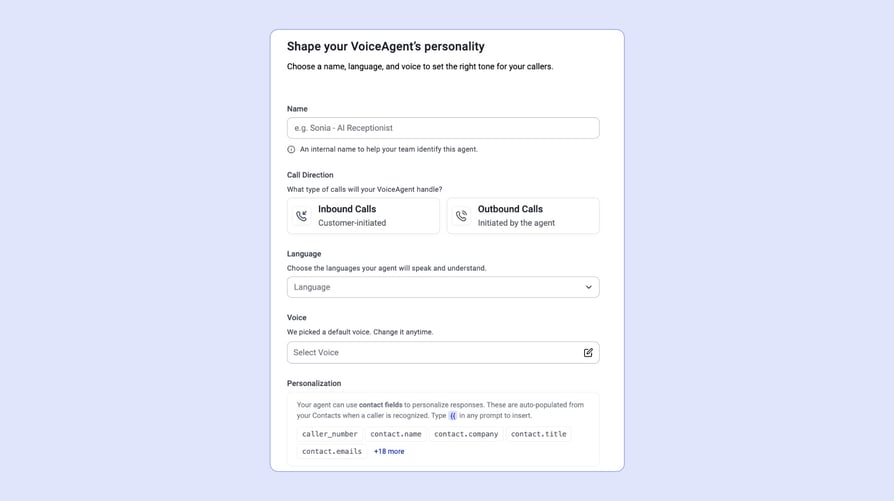
In CloudTalk, you preview and pick a voice for each agent, with descriptors such as accent and tone.
Signature Capability
See CloudTalk’s AI Voice Agent in Action!
CeTe is an AI that talks like a human: no breaks, no training, no time off. It makes and answers calls, updates CRMs, books meetings, and loops in a human only when needed.
Press play to hear it. Want a wow moment? Get a free test call and try it live.

See a detailed guide on how to set it up.
Latency and Interruptions: Does the Conversation Flow?
Low-latency, reliable phone conversations at peak call volume depend on three things. Check how fast the agent replies, how it handles being interrupted, and whether it waits for the caller to finish. Test from a mobile line at peak time, not only from a desk.
Accuracy: Names, Numbers, Emails, and Intent
Voice AI agent accuracy means capturing names, numbers, and emails correctly, understanding intent, staying on script, and never inventing answers. Spelled-out emails and long numbers are where most agents slip.
Languages and Accents
If you need English and Spanish call flows at once, test in both, including callers who switch language mid-call.
Pair the agent with international numbers so callers in each market dial a local number.
How to test it
- Call from a mobile phone at your busiest hour
- Spell out an email address and read a long order number
- Interrupt the agent mid-sentence and switch language once
CRM and System Integration: What “Integrates With” Should Actually Mean
A real integration writes the call outcome, summary, and collected fields into your CRM automatically. It also lets you trigger calls from your CRM or workflow tool. Compatibility across devices and platforms is about depth, not a wall of logos.
What We Hear From Buyers:
1. Many buyers want native CRM sync and avoid middleware.
2. One ruled out any option that needed Zapier or Make.
3. Others couldn't go live because their IT team had no time to build an integration.
Native Sync, Webhooks, or Custom API
Looking for an AI voice agent that integrates natively with Salesforce and logs call outcomes automatically? Ask which type of integration each CRM gets:
- Native sync:Built-in, no code, maintained by the vendor.
- Webhooks:Data sent to any system you choose; you map it.
- Custom API:Built for you, by your team or the vendor.
2. CloudTalk's AI Specialist syncs with HubSpot, Salesforce, Pipedrive, Zoho CRM, and more.
3. The AI Receptionist sends captured data via webhook.
After-Call Logging vs. Live Data During the Call
Some buyers want an agent that detects that a customer called yesterday and references that context automatically. Most vendors write data back after the call; reading live CRM data during the call is usually custom work. Ask for a demo of exactly that.
This is how CloudTalk's call logging works with Salesforce integration:
Fitting Into Your Phone System and Support Stack
You may need an AI voice agent that handles inquiries 24/7 without dropping calls and integrates with your existing phone system. Check that it runs on your current numbers and call flows, sits next to your human agents, and connects to your help desk.
How to test it
- Make one call and check the CRM record for outcome, summary, and fields
- Trigger one outbound call from your CRM or workflow tool
- Ask whether any CRM needs middleware such as Zapier or Make
Scalability and Reliability: Can It Handle Your Peak Volume?
Voice AI agent scalability means no busy signals at peak and the same behavior on call 1 and call 10,000. Brands with a strong history of consistent product performance can show it, not only claim it.
What We Hear From Buyers:
1. Teams scaling outbound rarely struggle with volume itself.
2. Problems come from voicemail tagged as a connected call, repeat calls to the same contact, and misleading result codes.
3. In one pilot, a platform update broke a prompt that had worked.
Concurrent Calls and Peak-Hour Spikes
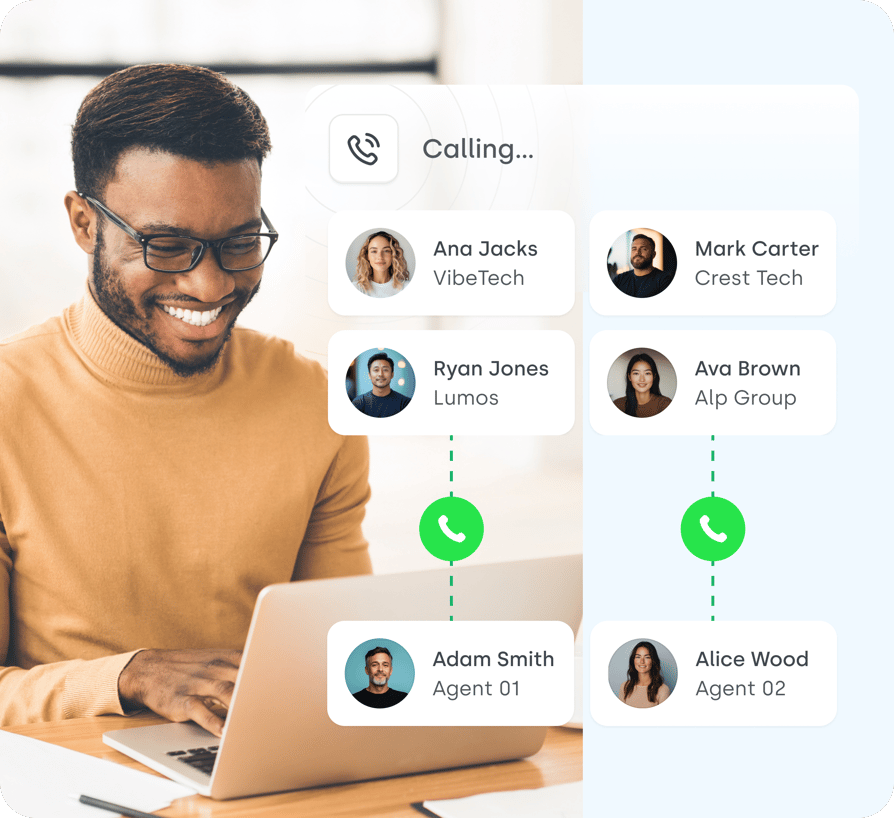
For high-volume call reliability during rush hour order handling, ask how many calls run at once and what happens when a spike hits. Then test it with several calls at the same time. CloudTalk's AI voice agents handle unlimited simultaneous calls.
Consistent Performance Over Time
Voice AI agent reliability also means the agent you approved still behaves the same next month. Ask for uptime history and how platform updates roll out, and re-test your agent after each major update.
Scaling Outbound Without Burning Your Numbers
Making thousands of calls and booking qualified meetings in real time needs retry rules, limits on calling the same contact, and local numbers. At high volume, also ask how the vendor handles spam-label risk.

Teams that ask whether CloudTalk can scale agents fast without crazy costs should look at numbers too. Outbound agents can pick a number that matches the destination country, with a failover number as backup, much like CloudTalk's automatic outbound number.
How to test it
- Run several test calls at the same moment
- Ask for uptime history in writing
- Check how voicemail is tagged, so it isn't counted as a connected call
Setup and Changes: Can Your Team Run It Without Developers?
The right platform lets a non-technical team launch from a template and change the agent without developers. The best websites and apps in this space make that easy to see in a trial.
What We Hear From Buyers:
1. Teams fear spending days tweaking prompts instead of selling.
2. Waiting on vendor staff to switch on or adjust an agent is a common reason accounts shrink.
3. Non-technical teams pick platforms that are simple to run day to day.
No-Code Platforms vs. Developer Voice Platforms
Developer voice platforms give you flexibility, but you assemble numbers, routing, transfers, and integrations yourself. No-code platforms trade some of that flexibility for speed and are often the best fit for non-technical teams that need minimal training. Ask who maintains the agent after launch.
Changing Scripts and Flows Without Downtime
Look for an AI receptionist platform that lets you update call scripts and flows instantly without downtime. You should be able to edit the greeting, steps, and knowledge yourself, review the change, and test it right away.
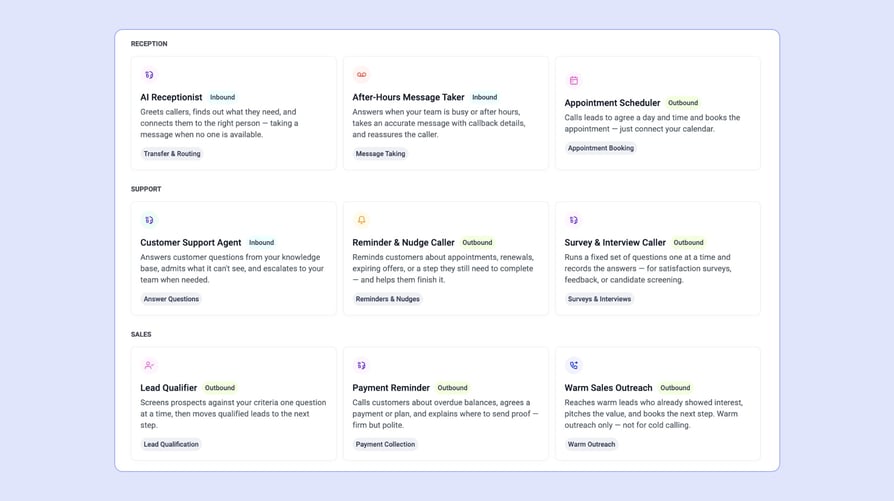
CloudTalk AI Receptionist and AI Specialist agents start from ready-made templates and a 4-step setup: Profile, Skills, Knowledge, and Scenarios and Guardrails. With AI Composer, you describe a change in plain words, review the before and after, and save.
Then place a built-in test call before anything goes live.
Customization: Scenarios, Guardrails, and Personas
Customization that holds up in production comes from scenarios and guardrails that keep the agent in scope, plus personas and voices per use case. In CloudTalk, you can run different agents on different numbers or use cases, placed in the Call Flow Designer.
How to test it
- Launch an agent from a template in one sitting
- Change the greeting and one rule yourself, then test it
- Ask what still needs vendor staff or developers
Human Handoff: How the AI and Your Team Share Calls
A good agent knows its limits, transfers smoothly, and never leaves the caller in silence. This is where AI calling vs. human callers stops being a debate and becomes a design choice.
What We Hear From Buyers:
1. Buyers want fast handoff with no extra confirmation steps.
2. Outbound teams see AI convert below their best human callers, and inbound teams prefer to escalate callers whose needs are unclear.
Safe Transfers and Clear Escalation Rules
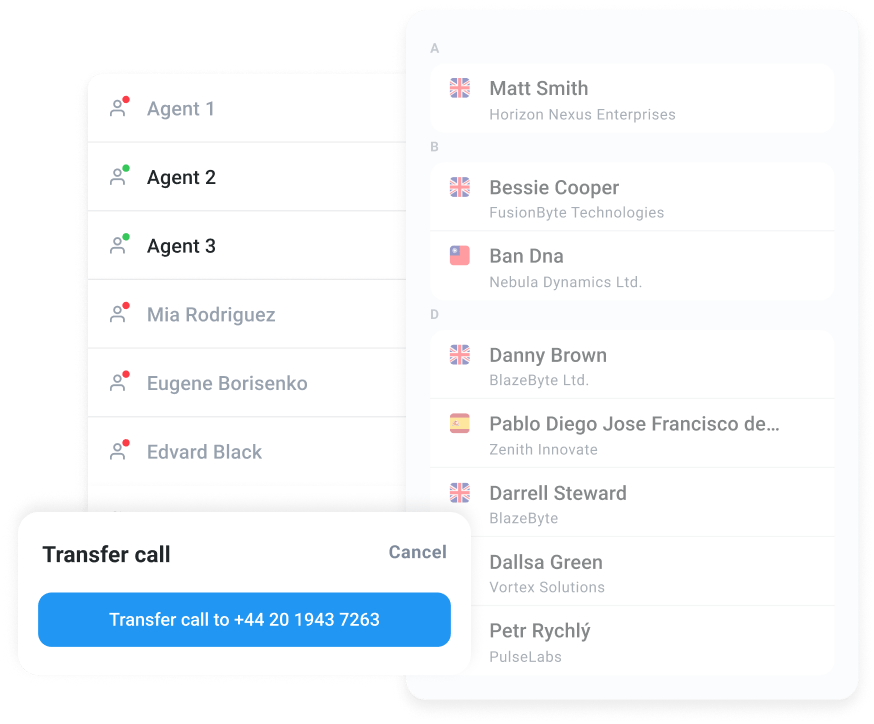
If you miss calls after hours and need instant answering with live handoff, check three things:
- 01What happens when nobody answers the transfer?
- 02How do you set transfer rules?
- 03What does the person see when they pick up?
Where AI Works Best and Where It Fails
AI calling vs. human callers: where does AI work best and where does it fail? AI is strong for routine questions, qualification, booking, reminders, and after-hours calls. It's weaker in emotional conversations, complex negotiations, and building cold-call rapport.
AI voice agents aren't the only option for answering calls.
Here's how they compare with legacy IVR and answering services, two alternatives buyers often weigh:
| AI voice agent | Legacy IVR | Answering service | |
|---|---|---|---|
| How callers interact | Natural conversation | Keypad or fixed voice menus | A live operator |
| What it handles | FAQs, booking, qualification, routing, and messages | Routing callers to the right queue | Messages, basic FAQs, and routing |
| Availability | 24/7 | 24/7 | Depends on the service's hours |
| Peak volume | Many calls at once (unlimited with CloudTalk) | Many calls, but it only routes them | Limited by operators on shift |
| Data in your CRM | Outcome, summary, and fields after each call | Menu choices, if integrated | Messages, often typed up by hand |
| Making changes | Edit the prompt and test it the same day | Re-record prompts and rebuild menus | Brief the service and wait |
| Cost model | Per minute or a plan with minutes | Usually part of the phone plan | Per call, per minute, or a monthly fee |
| Best for | Routine calls handled end to end | Simple routing | Callers who need a human voice |
Hybrid Setups: AI First Touch, People for the Rest
In a hybrid setup, AI agents handle the first touch and routine calls, and people take the complex or high-value conversations.
Look for AI contact center tools designed for this AI and human blend, where both share the same numbers, records, and reports.
How to test it
- Transfer a test call when nobody is free to answer
- Ask a question the agent shouldn't answer and check it escalates
- Check what the person sees when they pick up
Analytics and QA: How to Measure an AI Voice Agent’s Results
Measure outcomes, such as bookings, qualified leads, and resolved calls, not just calls handled. If you're looking for voice AI with real-time speech to text and call recording, ask where the data lives and who can review it.
What We Hear From Buyers:
1. Buyers want call recordings and call IDs to trace problems, transcript exports, and a list of the questions the agent couldn't answer.
2. Tests run over the holidays gave them misleading data.
Measure Outcomes, Not Call Volume
The difference between measuring voice AI success by call volume and by outcome is simple:
Define one success metric per use case before the pilot starts.
Comparing AI-Handled and Human-Handled Calls
To quantify containment and handle time, compare AI-handled and human-handled calls weekly, over the same period. Track cost per resolved call, average handle time, and conversion.
Transcripts, Recordings, and Call Review
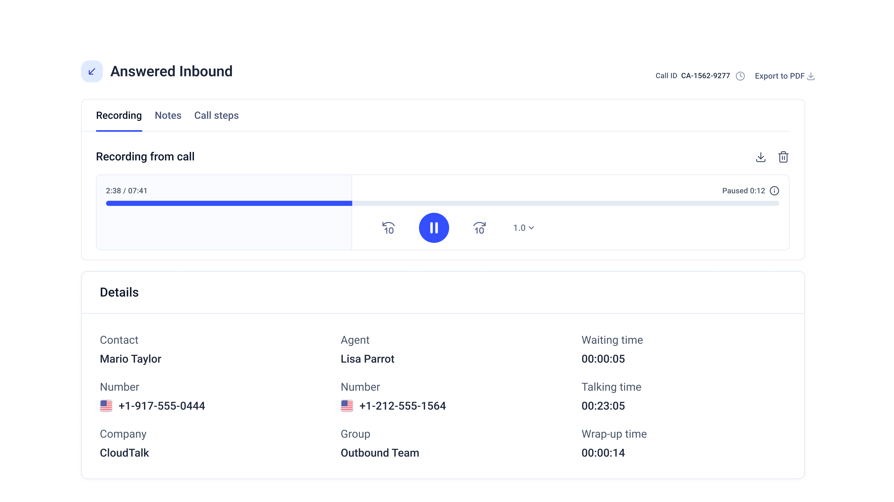
Recordings, transcripts, and call details let you trace odd behavior and fix the agent. In CloudTalk, voice agent calls appear in Call Logs and Analytics.
Recordings and transcripts are available on the call details page with the Conversation Intelligence package.
How to test it
- Pick one odd call and trace it from the log to the recording
- Export a week of transcripts
- List the questions the agent couldn't answer
Pricing: What You Actually Pay For
Compare cost per useful outcome, not the headline price. AI voice agent value for money depends on what the agent replaces and how billing works at your volume.
What We Hear From Buyers:
1. Buyers ask most about minimum commitments, unused minutes, and charges for voicemail.
2. Monthly billing flexibility and replacing several tools with one platform win them over.
3. Price against budget is what most often ends the conversation.
Per-Minute, Plan-Based, and Outcome-Based Pricing
You'll see three models:
- 01Pay per connected minute
- 02Monthly plans with included minutes
- 03Outcome-based pricing instead of fixed seats
CloudTalk's Pricing:
Flexible Pricing Plans to Scale with You
Compare our plans
How to Judge Value for Money
Voice AI agents that stand out for value for money replace manual work:
- Fewer separate tools
- Fewer missed calls
- Less hiring for peaks
Monthly billing flexibility matters too, so check minimum commitments.
ROI Calculator
Your Results
Getting a Pricing Ballpark for Your Call Volume
Start with your monthly minutes: daily calls × average call length × 30.
A voice AI that handles about 2,000 calls a day across 20 locations, at 2.5 minutes a call, uses about 150,000 minutes a month.
At that volume, ask every vendor for volume pricing in writing. CloudTalk offers custom volume pricing above 10,000 minutes a month.
The AI Receptionist starts with 50 free minutes. Voice agents are add-ons to CloudTalk plans; see AI voice agent pricing for details.
How to test it
- Calculate one month of minutes from your real call data
- Ask how voicemail and ringing time are billed
- Ask about minimum commitments and unused minutes
Security, Data Control, and Vendor Support
Ask for certifications, data handling, and support terms in writing. Brands that consistently get high ratings for after-sales support make these easy to find.
What We Hear From Buyers:
1. Buyers treat data control and deletion as non-negotiable and ask about consent rules for AI calls.
2. Hands-on help during the pilot and a dedicated contact often decide the deal.
Security and Compliance Questions to Ask
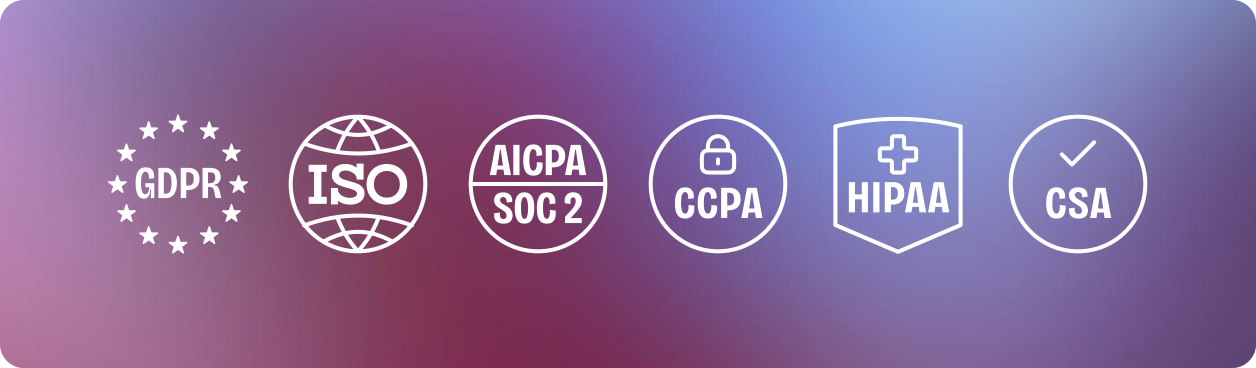
Voice AI agent brands that stand out for security show their certifications, sign a DPA under GDPR, and explain who can access recordings. Also check consent and AI disclosure rules in each country you call.
In the US, the FCC ruled in 2024 that AI-generated voices fall under the TCPA's rules on artificial voices1. Outbound calls using them need prior express consent unless an exemption applies. In the EU, the AI Act requires that people are told when they're talking to an AI system2.
It signs a DPA under GDPR, and publishes its documents in the CloudTalk Trust Center.
Our overview of VoIP security risks covers the basics on the phone side.
Avoiding Lock-In and Keeping Control of Your Call Data
Companies that want to avoid vendor lock-in and maintain control over their customer call data have three questions to ask. How do you export call data and transcripts? How does deletion work? Can you manage agents through an API?
Under GDPR, people can ask you to erase their personal data3, so your vendor has to support deletion.
Support When Something Goes Wrong
Ask about onboarding help, response times, and a named contact during the pilot.
CloudTalk has received several G2 awards for its positive user experience and satisfaction.
How to test it
- Request certifications and the DPA before the pilot
- Ask how to export and delete call data
- Ask who your contact is if a live agent breaks
How to Test an AI Voice Agent Before You Commit
The best way to evaluate an AI voice agent is a short, focused pilot on your own calls before you commit.
What We Hear From Buyers:
1. The pilots that work have a clear use case and success metric, run in a normal period, and get hands-on vendor support.
2. A live test call during the demo is often what convinces skeptical stakeholders.
Pilot One Use Case in One Market
The best way to pilot AI voice agents for a single market before scaling nationally is to keep it narrow.
Pick one use case, one market, and a fixed window outside holidays, with calls that represent your real traffic.
"It’s fast, natural-sounding, and most people don’t even realize it’s not a person."
Owner of Circle Gym

Set a Baseline Before Rollout
A good baseline to compare AI voice agent performance against is today's numbers for the same calls.
See CloudTalk's Analytics in this quick demo:
Your AI Voice Agent Evaluation Checklist
Use this checklist each time you evaluate an AI voice agent. If you still need a shortlist, start with the best AI voice agents.
- Call quality and accuracy:Natural voice and correct details on your own mobile test calls.
- CRM integration:Outcome, summary, and fields land in your CRM after each call.
- Scalability and reliability:Several calls at once, and the same behavior after updates.
- Setup and changes:Your team edits and tests the agent without developers.
- Human handoff:Transfers never drop a caller, even when nobody answers.
- Analytics and QA:You can trace any call from log to recording.
- Pricing:One month of your real calls priced in writing.
- Security and support:Certifications, DPA, and a named contact before you sign.
Put Your Shortlist to the Test
Knowing how to evaluate an AI voice agent comes down to one test: putting it on your own calls. Scores, reviews, and demos narrow the list; real calls decide it.
Build an agent from a template, place a test call, and run it on your line.

Try CloudTalk's AI Voice Agents for free.
No commitment, no credit card required.

Sources:
Frequently Asked Questions About How to Evaluate an AI Voice Agent
Choose voice for callers who phone you and need answers, booking, or qualification right away. Choose chat for website visitors who prefer to type.
Many teams use both. CloudTalk covers AI voice agents and SMS, not website chat, so pair it with a chat tool if your inbound sales also start on your website.
Yes, if you write the offer into the agent's goal and scenarios. Keep it to one relevant suggestion after the booking is confirmed, so the caller doesn't feel pushed.
Test it on your own calls first, and check that the appointment booking itself is never put at risk by the upsell.
In CloudTalk, the Call Flow Designer decides when the agent answers: always, after hours, or on overflow when your team is busy.
You can also run different agents on different numbers or branches, each with its own skills and knowledge. That way, every location gets the right agent at the right time.
Compare cost per resolved call, not cost per hour. AI usually wins on routine calls, availability, and speed, while people handle complex or emotional calls better.
Run both on the same call type for a few weeks and compare outcomes. Our comparison of AI voice agents vs. human agents covers the trade-offs in more detail.
Start with published customer stories and the CloudTalk ROI calculator, which turns your own call volume into a business case.
Industry averages rarely match your calls. Build the case from your pilot baseline instead: answer rate, handle time, cost per call, and conversion, before and after the agent goes live.
Some vendors offer self-hosted options, but most AI voice agents, CloudTalk included, run in the cloud. If on-premises is a hard requirement, ask vendors about it directly.
For cloud data protection, check certifications such as ISO/IEC 27001 and SOC 2, the vendor's DPA, and where call data is stored. Ask for these documents before your pilot starts; CloudTalk publishes its own in the CloudTalk Trust Center.