10 Best AI Calling Platforms for High-Volume Calls in 2026
TL;DR:
CloudTalk is the best AI calling platform for high-volume calls, combining human-led dialers, AI Voice Agents, and CRM integrations on a single platform. Other strong options include: Orum (for SDR teams), Retell AI and Synthflow AI (with autonomous voice agents), and Bland AI and Vapi (for developers needing more control).
We reviewed and tested 30+ leading AI calling platforms for high-volume calls and narrowed them down to the best options for different calling setups—based on dialing capacity, AI capabilities, CRM integrations, pricing, number reputation, and scalability. Here are the 10 platforms we chose and what each one is good at.
- 01CloudTalk — best AI call center software for high-volume sales and support teams that need human-led dialing and AI voice agents on one platform, with CRM sync and number reputation tooling in the same stack.
- 02VoiceSpin — best for outbound call centers that want a predictive dialer with an AI voice bot layer, priced by package rather than per seat.
- 03Synthflow AI — best for enterprise and agency teams that want no-code agents with concurrency scoped in a contract.
- 04Retell AI — best for teams balancing concurrency against conversation quality on transparent usage-based pricing.
- 05Bland AI — best for developer-led teams running heavy outbound volume on one inclusive per-minute rate.
- 06Vapi — best for engineering teams building a custom voice pipeline with their own models.
- 07Convoso — best for high-volume outbound call automation in call centers that need predictive dialing, lead management, and AI-powered automation
- 08JustCall — best for SMB and mid-market teams that want multi-line dialing plus an AI agent priced separately.
- 09Aircall — best for teams standardizing on a well-integrated phone system where AI is an add-on layer.
- 10Five9 (Genius AI) — best enterprise AI calling platform for contact centers needing predictive dialing, workforce management, and compliance controls at seat scale
68% of US adults get scam calls at least weekly, and 31% get them daily. No wonder getting a real person on the line is harder than ever.
That’s why successful high-volume calling doesn't just mean making more dials—but turning more of them into conversations. We reviewed the 10 best high-volume AI calling platforms for 2026, from human-led dialers to autonomous AI agents, to see which ones actually scale, what they cost, and where they fall short.
Best AI Calling Platforms for High-Volume Calls: Comparison Table
Here’s how the 10 platforms compare on the features that matter most for high-volume calling, from dialing and AI capabilities to pricing and customer ratings. Since “high volume” can refer to human-led dialing or autonomous AI calls, we’ve included both options so you can quickly find the best fit for your setup.
| Provider | Key Features | Best For | Starting Price | G2 Rating |
|---|---|---|---|---|
| CloudTalk | Power, Parallel and Smart Dialers plus AI Voice Agents, 100+ integrations, Branded Caller ID | Teams running human and AI calling side by side | $25/user/mo | 4.4/5 (1941+ reviews) |
| VoiceSpin | AI predictive dialer, AI Voice Bot (Enterprise tier), local caller ID, IVR | Outbound call centers on package pricing | $270/mo, 5 seats included | N/A; 4.8 (5+ reviews) in Capterra |
| Synthflow AI | No-code agent builder, native telephony or SIP, contract-scoped concurrency | Enterprise and agency no-code deployments | Quote-based | 4.5/5 (950+ reviews) |
| Retell AI | Autonomous voice agents, 20 concurrent calls included, composable model and voice stack | Balancing concurrency with conversation quality | $0.07 to $0.31/min | 4.8/5 (2,638+ reviews) |
| Bland AI | All-inclusive per-minute rate, published concurrency caps, warm handoff with context | Developer-led heavy outbound volume | $0.14/min, no platform fee | 5/5 (11+ reviews) |
| Vapi | 10 call concurrency, bring-your-own models, custom voices and model access | Custom voice pipelines built in-house | $0.05/min, models extra | 4.5/5 (3+ reviews) |
| Convoso | Predictive dialer, AI-powered automation, lead management, compliance tools | High-volume outbound call centers and sales teams | Not publicly listed | 4.5/5 (5+ reviews) |
| JustCall | Multi-line dialing, separately priced AI Voice Agent, AI call scoring | SMB and mid-market phone system buyers | $29/user/mo, AI agent from $0.99/min | 4.3/5 (2,394+ reviews) |
| Aircall | Power Dialer, Voicemail Drop, AI Assist and Analytics+ add-ons | Integration-heavy phone system deployments | $30/license/month | 4.4/5 (1,645+ reviews) |
| Five9 (Genius AI) | Predictive, progressive and power dialing modes, Five9 AI Agents, full WEM stack | Enterprise contact centers at seat scale | $119/seat/mo (Digital) | 4.1/5 (625+ reviews) |
See a high-volume calling stack before you commit to one
What Is the Best AI Calling Platform for High-Volume Calls in 2026?
CloudTalk is the best overall choice for high-volume calling because it brings human-led and AI calling together in one platform. But the right option still depends on how you handle volume:
- Best overall: CloudTalk — combines AI Voice Agents, Power/Parallel Dialers, and 100+ integrations for teams running both human and AI calling.
- Best for warm inbound and lead follow-up: CloudTalk, Retell AI, or Synthflow AI — autonomous AI agents can handle high call volumes without adding headcount.
- Best for cold outbound with human reps: CloudTalk, VoiceSpin, or Five9 — power, parallel, and predictive dialers help reps turn more dials into live conversations.
- Best for building a custom voice stack: Bland AI or Vapi — flexible infrastructure for teams that want to own the calling experience.
If you need both human and AI calling in one place, CloudTalk is the clear pick.
How Did We Choose the Best AI Calling Platforms for High-Volume Calls?
We built this list from vendor documentation, not marketing roundups. Every price, concurrency figure, and feature claim comes from the vendor’s own pricing or product pages, reviewed in August 2026.
A few rules keep the comparison fair:
- No guessing: If a vendor doesn’t publish pricing, concurrency, or another metric, we mark it “not published” rather than estimate.
- Vendor-claimed metrics: Latency and concurrency figures are labeled vendor-claimed unless backed by independent testing. Published latency figures don’t always reflect the full speech-to-text → model → text-to-speech round trip.
- Apples to apples: We always state the unit when comparing concurrency. 10 lines per rep and 100 concurrent AI calls per account measure different things.
Why Trust Our Software Reviews?
For nearly a decade, we've helped over 30,000+ professionals find and implement smarter business communication tools. We've reviewed 200+ software tools across industries, analyzed 5,500+ verified customer reviews from platforms like G2, Capterra, Trustpilot and TrustRadius, and drawn insights from real user discussions on Reddit and Quora.
In the past year alone, we published 1,000+ articles, each one written by humans for humans.
The 10 Best AI Calling Platforms for High-Volume Calls in 2026
Each platform ends with a scorecard out of 5 covering setup, call capacity, integrations, pricing value, and security. Scores are based on published documentation; where data is missing, we mark it “not published.”
1. CloudTalk: Best for teams running human and AI calling side by side
What Is CloudTalk?
CloudTalk is a business calling platform that covers both sides of high-volume calling: human-led dialing with Power, Parallel, and Smart Dialers, and autonomous calling with its CeTe AI Voice Agent. It’s the only platform on this list covering all three architectures, making it a strong fit for teams whose calling needs may evolve.
What Are CloudTalk's Key Features?
Key Features
- Protects answer rates: Branded Caller ID, Spam Protection, and STIR/SHAKEN help keep calls from being flagged as spam
- Human + AI calling in one platform: Power, Parallel, and Smart Dialers for reps, plus AI Voice Agents for autonomous calling.
- Connects volume to your CRM: 100+ CRM, helpdesk, and ATS integrations, plus API and data sync.
- Coverage without a new vendor per country: numbers in 160+ countries, and AI Voice Agents that speak 60+ languages.
What Are CloudTalk's Pros and Cons?
| Pros | Cons |
|---|---|
| Human and AI calling in one platform, so teams can scale without switching tools | No native video conferencing |
| Quick setup, with basic AI workflows live in minutes | Solo users may not need its collaboration and routing depth |
How Much Does CloudTalk Cost?
- Starter: $25/user/month billed annually. Includes IVR plus skill and smart condition-based routing.
- Essential: $29/user/month billed annually. Adds Smart Dialer, the 100+ integrations, API and data sync.
- Expert: $49/user/month billed annually. Includes Power Dialer.
- Custom: Contact Sales.
- AI Voice Agents: starting at $99/month for 200 minutes/month. Always an add-on, never included in a subscription plan.
- Free trial: 14 days.
Full plan and add-on detail sits on the CloudTalk pricing page.
When Should You Use CloudTalk?
Use it when a human team and an AI agent both need the same numbers, the same CRM records and the same routing rules. That means reps on the dialer during business hours and an agent picking up overflow, missed calls and after-hours intake.
What Do Customers Say About CloudTalk?
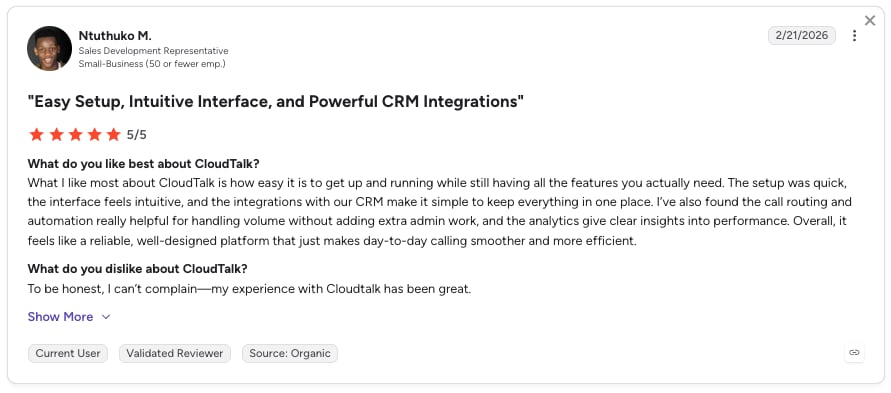
CloudTalk users consistently highlight the ease of use, intuitive interface, and affordability.
G2 rating: 4.4/5 (1941+ reviews)
CloudTalk Score
| Category | Score |
|---|---|
| Ease of setup and use | 5/5 |
| Concurrent call capacity | 5/5 |
| CRM and helpdesk integrations | 5/5 |
| Pricing value at scale | 5/5 |
| Compliance and security | 5/5 |
2. VoiceSpin: Best for outbound call centers on package pricing
What Is VoiceSpin?
VoiceSpin is an AI calling software for scalable campaigns, built around predictive dialing and AI-powered calling. It combines automated dialing with features like AI Voice Bots, local caller ID, and IVR to help teams handle high-volume campaigns. It’s best suited to sales and call center teams that need to scale outbound calling, with a stronger focus on packaged call center workflows than flexible AI infrastructure.
What Are VoiceSpin's Key Features?
Key Features
- Dialing capacity across an agent pool: the AI auto-dialer paces predictive dialing across available agents. It is the classic answer for an AI phone platform running large-scale campaigns.
- Answer-rate optimization without a second vendor: local caller ID means that outbound calls can present a number local to the recipient.
- Inbound coverage in the same license: Interactive Voice Response (IVR), call queues and queue callback mean one package also handles the calls your campaign generates back.
- AI Speech Analyzer: Transcribes calls, generates post-call summaries, spots keywords or compliance phrases, and translates text across multiple languages.
What Are VoiceSpin's Pros and Cons?
| Pros | Cons |
|---|---|
| Publishes real monthly package prices, including a 10% yearly discount | Packages exclude direct inward dial (DID) numbers and call costs, stated plainly on their own pricing page, so the sticker price is not the bill |
| Unifies phone calls, email, live chat, and messaging apps like WhatsApp into one single interface | The AI Voice Bot and API developer support are Enterprise-tier only |
| Syncs smoothly with major CRM and helpdesk systems to streamline everyday workflows | No free trial or self-serve signup published; every tier routes to Contact Sales |
How Much Does VoiceSpin Cost?
- Basic: from $300/month, or $270/month billed yearly.
- Advanced: from $525/month, or $472/month billed yearly.
- Enterprise: from $1,000/month, or $900/month billed yearly.
- Every tier includes five seats, and their page states that packages do not include DIDs or call costs.
When Should You Use VoiceSpin, and When Should You Not?
Use it when you run a small-to-mid outbound floor, want predictive dialing plus local caller ID in one package, and prefer a fixed monthly number to per-seat billing. Skip it if you need published concurrency limits, a self-serve trial before you commit, or an AI voice agent without buying the top tier.
What Do Customers Say About VoiceSpin?
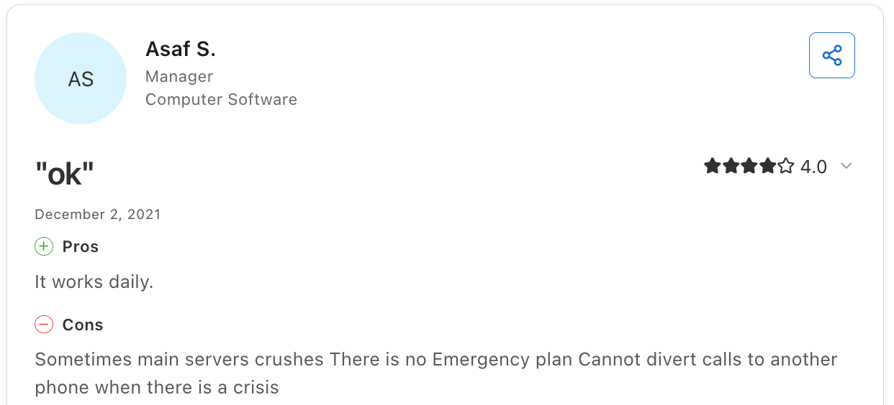
Reviews are strongly positive in Capterra, with 4.8/5 from five reviews, especially praising support, ease of use, and call quality. The main complaints are occasional outages and line issues.
G2 rating: N/A
VoiceSpin Score
| Category | Score |
|---|---|
| Ease of setup and use | 4/5 |
| Concurrent call capacity | Not published |
| CRM and helpdesk integrations | 4/5 |
| Pricing value at scale | 4/5 |
| Compliance and security | Not published |
3. Synthflow AI: Best for enterprise and agency no-code deployments
What Is Synthflow AI?
Synthflow AI is a no-code platform for building autonomous AI voice agents. It mainly targets enterprise and agency teams, with pricing, concurrency, telephony, and escalation features tailored to each deployment. It’s a strong fit for teams that want to launch complex voice workflows without coding.
What Are Synthflow AI's Key Features?
Key Features
- Agent building without engineers: a drag-and-drop builder with templates and analytics, so a revenue team can ship an agent without a development sprint.
- Telephony you choose: SIP trunking or an approved enterprise telephony provider.
- Concurrency planned rather than capped: routing, escalation paths, handoffs and fallback logic are scoped per contract, which suits predictable enterprise load.
- Connected to the systems the agent needs: CRM, calendar, contact center stack, webhook, API and knowledge-source integrations.
What Are Synthflow AI's Pros and Cons?
| Pros | Cons |
|---|---|
| Pre-built templates and an intuitive visual builder | Users report limitations when building complex logic and advanced branching |
| Supports thousands of concurrent calls with 99.99% uptime | Pricing can become expensive as call minutes increase |
| Easily connects with existing CCaaS platforms | Lacks depth of operational dashboards and granular insights |
How Much Does Synthflow AI Cost?
- Enterprise: their pricing page states that "Enterprise contracts start at $30,000 annually", quote-based from there.
- Final pricing gets scoped around call volume, concurrency, telephony setup, integrations, security needs and launch support.
- No self-serve or per-minute tier appears on the current pricing page.
Our guide to Synthflow AI pricing has the longer version.
When Should You Use Synthflow AI, and When Should You Not?
Use it when you have an enterprise budget, a real launch project, and a team that wants to own agent design without writing code. Skip it if you want to pilot on a credit card this week, or if you need a published concurrency number before you sign.
What Do Customers Say About Synthflow AI?
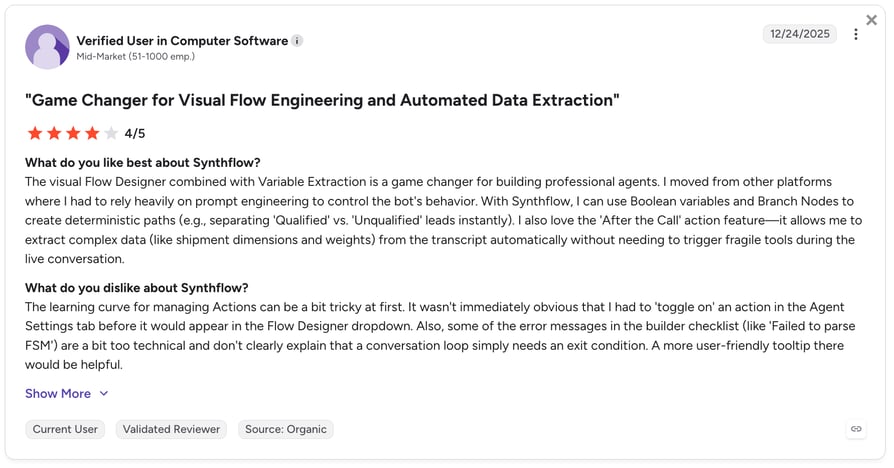
Synthflow customers consistently highlight fast deployment but also point to two key limitations: a learning curve when moving beyond simple setups and a ceiling on advanced customization.
G2 rating: 4.5/5 out of 1,015+ reviews.
| Category | Score |
|---|---|
| Ease of setup and use | 4.5/5 |
| Concurrent call capacity | Not published |
| CRM and helpdesk integrations | 4/5 |
| Pricing value at scale | 2.5/5 |
| Compliance and security | 4.5/5 |
4. Retell AI: Best for balancing concurrency with conversation quality
What Is Retell AI?
Retell AI is an autonomous AI voice agent platform for automating phone calls. It uses usage-based pricing with full platform access and no annual commitment, making it easy to test at real call volumes. It’s particularly suited to teams that need flexible scaling and high call concurrency.
What Are Retell AI's Key Features?
Key Features
- Concurrency you get without asking: AI calling platform with 20 concurrent calls that come with every account, expandable on demand, with a higher cap on Enterprise.
- A model stack you can tune: you choose the large language model (LLM) and the text-to-speech (TTS) voice separately, each priced separately, so you can trade cost against quality per campaign.
- Omnichannel support: Manage voice, text, SMS, and web chat from a single dashboard.
- Optional guardrails: Advanced denoising, safety controls, PII removal, and AI quality assurance are available as add-ons.
What Are Retell AI's Pros and Cons?
| Pros | Cons |
|---|---|
| Fast to deploy, intuitive workflow builder | Limited built-in VoIP infrastructure |
| Enterprise-grade compliance (SOC 2, HIPAA, GDPR) | Fewer native CRM integrations than full phone systems |
| No annual commitment to start, and Enterprise removes the concurrency cap entirely | Steep learning curve for advanced features |
How Much Does Retell AI Cost?
- Pay-as-you-go: $0.07 to $0.31 per minute for AI voice agents, plus $10 in free credits at signup and 20 concurrent calls included.
- Component breakdown: Retell Voice Infra at $0.055/min, TTS from $0.015/min to $0.040/min depending on the voice provider, LLM billed separately per model.
- Enterprise: custom pricing, no cap on concurrent calls.
Our guide to Retell AI pricing goes deeper on the component math.
When Should You Use Retell AI, and When Should You Not?
Use it if you want to test autonomous calling at real concurrency and have someone to fine-tune the agent. Skip it if you need simple, predictable pricing, as costs vary with your model and voice choices.
What Do Customers Say About Retell AI?
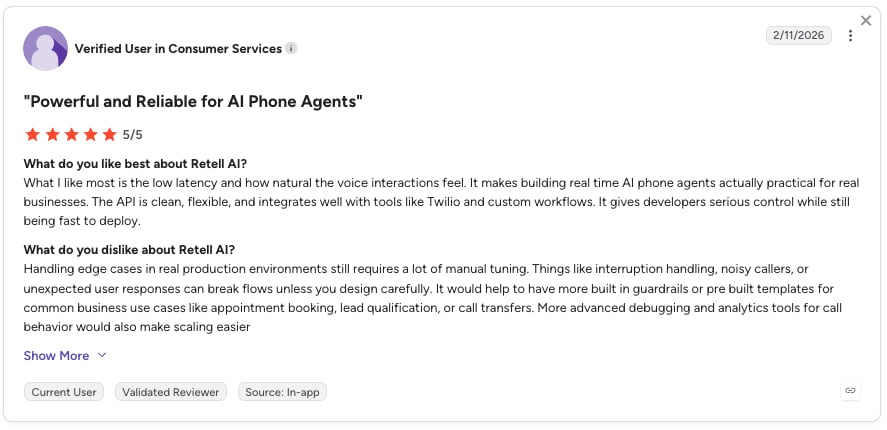
Retell AI customers highlight that they can go from idea to a working voice agent quickly, thanks to an intuitive interface and clear workflow builder, but note the platform struggles with highly complex or dynamic conversational logic compared to more developer-first tools.
G2 rating: 4.8/5, out of 2,638+ verified user reviews.
Retell AI Score
| Category | Score |
|---|---|
| Ease of setup and use | 4/5 |
| Concurrent call capacity | 4.5/5 |
| CRM and helpdesk integrations | 4/5 |
| Pricing value at scale | 4/5 |
| Compliance and security | 4/5 |
5. Bland AI: Best for developer-led heavy outbound volume
What Is Bland AI?
Bland AI is an enterprise voice AI platform for phone agents with its own voice stack and models built for calls. Its per-minute pricing bundles AI, speech-to-text, and text-to-speech into one rate, while telephony costs can vary by setup. It’s built for teams handling large volumes of automated calls.
What Are Bland AI's Key Features?
Key Features
- Full in-house stack: Bland builds and operates its own LLM, TTS, speech-to-text, and real-time orchestration systems on dedicated infrastructure.
- Conversational Pathways: A visual builder for mapping call flows and agent decision logic.
- Human-like voices: Voice cloning from a simple audio upload, powered by Bland Speech.
- Inbound + outbound at scale: Handles both directions with high concurrency, routine tasks, and human handoffs.
What Are Bland AI's Pros and Cons?
| Pros | Cons |
|---|---|
| Runs thousands of daily automated calls with high concurrency. | Lacks the telephony features of a full business phone system |
| High customization, so you can build almost any conversation flow | Requires more setup than a "plug-and-play" solution |
| Supports transfers between specialized agents (e.g., qualification to sales) | Minutes, numbers, and SMS are billed separately, making its cost harder to predict. |
How Much Does Bland AI Cost?
- Start: $0.14/min, no platform fee, $0.05 per transfer minute, 10 concurrent calls, 100 calls/day. Includes 2 credits and an inbound number, no card required.
- Build: $0.12/min plus a $299/month platform fee, $0.04 per transfer minute, 50 concurrent calls, 2,000 calls/day.
- Scale: $0.11/min plus a $499/month platform fee, $0.03 per transfer minute, 100 concurrent calls, 5,000 calls/day.
- Enterprise: custom, with dedicated infrastructure.
See our guide to Bland AI pricing for the per-tier detail.
When Should You Use Bland AI, and When Should You Not?
Use Bland AI for high-volume AI outbound calling if you have developers to handle custom logic and integrations. Skip it if you need no-code setup, multichannel outreach, or a full phone system. It’s best suited to teams that prioritize control and scale over simplicity.
What Do Customers Say About Bland AI?
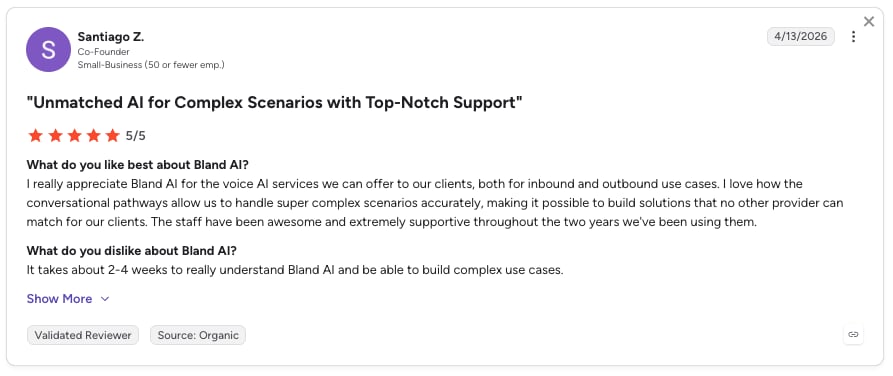
Bland AI customers highlight its ease of use and powerful conversational voice capabilities, but note a learning curve and complexity when moving beyond basic use cases.
G2 rating: 5/5, based on 11+ verified user reviews.
Bland AI Score
| Category | Score |
|---|---|
| Ease of setup and use | 3.5/5 |
| Concurrent call capacity | 4.5/5 |
| CRM and helpdesk integrations | 3.5/5 |
| Pricing value at scale | 4.5/5 |
| Compliance and security | 4/5 |
6. Vapi: Best for custom voice pipelines built in-house
What Is Vapi?
Vapi is built for developers, giving engineering teams full control to build fast, low-latency voice agents from scratch. If speed and technical flexibility top your list, Vapi is the industry benchmark. It’s best suited to teams that want to own the voice stack rather than rely on a ready-made solution.
What Are Vapi's Key Features?
Key Features
- Real-time voice streaming: optimized for high-speed delivery without the awkward pauses common in AI-human interactions.
- Vapi Workflows: drag-and-drop tools for building multi-step call flows, conditional logic, and node-based transitions.
- Full composability: you choose the STT, LLM and TTS components rather than accepting a stack.
- Enterprise controls when you need them: SSO, RBAC and SOC 2 on the paid tier, with data residency and a support SLA on Scale.
What Are Vapi's Pros and Cons?
| Pros | Cons |
|---|---|
| Full API access to control call orchestration, AI logic, and infrastructure behavior | Limited no-code tools and fewer built-in operational dashboards for non-technical teams |
| Flexible integration with multiple LLM providers | Requires external telephony integrations and infrastructure setup |
| Telephony configurations can be customized, giving technical teams full control | Primarily focused on voice with SMS support—no full native omnichannel coverage |
How Much Does Vapi Cost?
- Build: usage-based at $0.05/min for Vapi hosting, excluding model provider costs. 60+ minutes included, 10 call concurrency included, then $10 per line per month.
- Scale: annual contract, quote-based. Fixed platform fee plus committed volume, volume-based per-minute pricing, SOC 2, HIPAA and PCI, SSO, RBAC, data residency and a support SLA.
- Compliance add-ons: HIPAA at $2,000/month and Zero Data Retention at $1,000/month, both published.
See our guide to Vapi pricing for the add-on lines in more depth.
When Should You Use Vapi, and When Should You Not?
Use Vapi if your engineers want full control and already work with model providers. Skip it if you need a simple, low-budget setup or don’t have a team to manage the pipeline.
What Do Customers Say About Vapi?
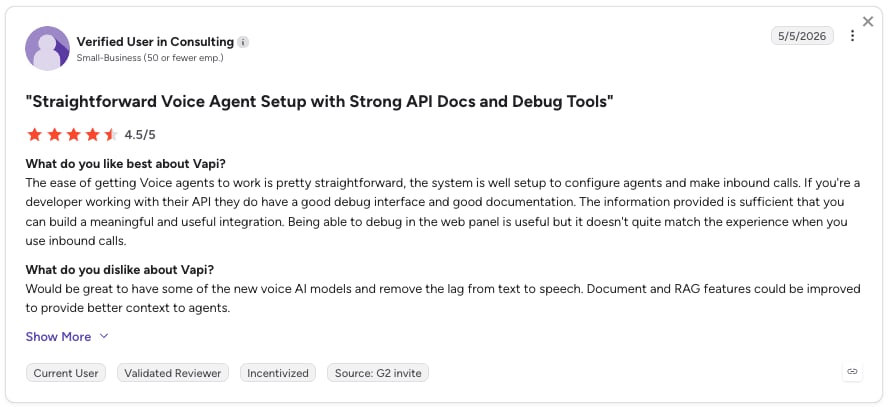
Vapi customers highlight ease of setup and flexibility for building voice AI agents, but report issues with latency, unreliable performance, additional costs, and inconsistent support.
G2 rating: 4.5/5 out of 3+ reviews.
Vapi AI Score
| Category | Score |
|---|---|
| Ease of setup and use | 4/5 |
| Concurrent call capacity | 4/5 |
| CRM and helpdesk integrations | Not published |
| Pricing value at scale | 3.5/5 |
| Compliance and security | 3.5/5 |
7. Convoso: Best for high-volume outbound call centers
What Is Convoso?
Convoso is a cloud-based outbound sales platform built for contact centers that need to manage large lead volumes, maximize agent productivity, and keep campaigns compliant. Its platform combines predictive, power, progressive, and preview dialing with lead management, workflow automation, AI-powered tools, and omnichannel capabilities.
What Are Convoso’s Key Features?
Key Features
- Multiple dialing modes: predictive, power, progressive, and preview dialers let teams choose the right pacing for each campaign.
- AI-powered campaign optimization: Convoso uses AI to optimize dialing, lead prioritization, and caller ID management to improve contact rates and reduce wasted dials.
- Built for massive lead volumes: the platform supports campaigns with thousands or even millions of leads, with workflow automation to keep them moving efficiently.
- Compliance and reputation tools: StateTracker, TCPA controls, DID health scoring, STIR/SHAKEN, and caller ID reputation management help teams scale outbound calling while managing compliance and spam risks.
What Are Convoso’s Pros and Cons?
| Pros | Cons |
|---|---|
| Purpose-built for high-volume outbound sales, with multiple dialing modes and large-scale lead management | Pricing is fully quote-based, making it difficult to compare costs before speaking with sales |
| Strong automation and compliance tooling, including caller ID reputation management and state-level dialing controls | No free trial is offered; buyers need to book a customized demo |
| AI-powered tools can optimize dialing, lead prioritization, and campaign workflows | The platform is primarily designed for outbound contact centers rather than teams looking for a simple business phone system |
How Much Does Convoso Cost?
Convoso's pricing isn't published. Plans are customized based on seats, features, integrations, and services, with pricing also affected by carrier fees and optional add-ons such as omnichannel capabilities. Convoso primarily offers annual plans and currently advertises a 20% discount on annual contracts. There is no free trial, but customized demos are available.
When Should You Use Convoso, and When Should You Not?
Use it if you run a high-volume outbound operation with a large lead database and need predictive dialing, workflow automation, lead management, and compliance tools in one platform. Skip it if you want transparent self-serve pricing, a free trial, or a simpler phone system for a smaller sales team.
What Do Customers Say About Convoso?
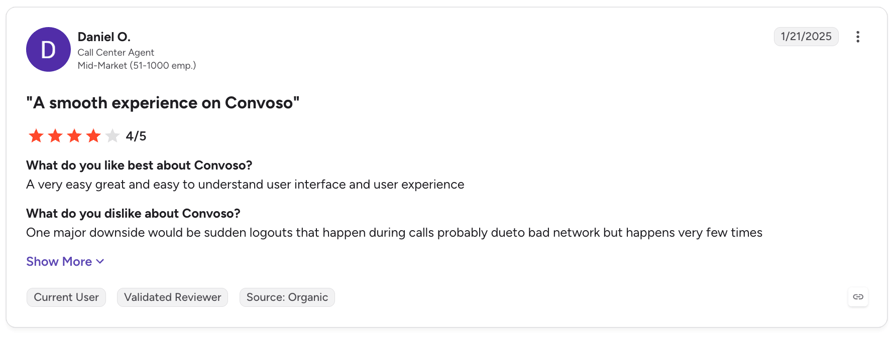
Users praise Convoso for its fast, efficient dialer, intuitive interface, strong reporting, and responsive support. Some mention a learning curve, occasional call/dialer issues, and a relatively high price, especially for smaller teams.
G2 rating: 4.5/5 from 253+ reviews.
Convoso Score
| Category | Score |
|---|---|
| Ease of setup and use | 4/5 |
| Concurrent call capacity | 4.5/5 |
| CRM and helpdesk integrations | 4/5 |
| Pricing value at scale | 3.5/5 |
| Compliance and security | 4.5/5 |
8. JustCall: Best for SMB and mid-market phone system buyers
What Is JustCall?
JustCall is a cloud phone system built for high-volume AI calling for sales and support teams, combining calling, texting, AI tools, and CRM integrations in one platform. It’s designed for teams that want more than a basic business phone system without the complexity of an enterprise contact center.
What Are JustCall's Key Features?
Key Features
- Multi-line dialing: SalesPro supports multi-line dialing to help reps connect with more prospects in less time.
- AI Voice Agent: Automates inbound and outbound calls for lead qualification, follow-ups, and routine conversations.
- AI call scoring: Analyzes calls and scores conversations to help managers track performance and coach reps.
- CRM integrations: Connects with tools like Salesforce, HubSpot, Pipedrive, and Zoho to keep call activity and customer data synced.
What Are JustCall's Pros and Cons?
| Pros | Cons |
|---|---|
| Combines calling, SMS, AI, and CRM integrations in one platform | AI Voice Agent is priced separately from the core phone plan |
| Multi-line dialing helps sales teams increase call volume without adding headcount | Some advanced dialing and AI features require higher-tier plans or add-ons |
| Simple setup compared with enterprise contact center platforms | Less suited to massive contact centers with complex outbound operations |
How Much Does JustCall Cost?
- Phone system seats, billed annually with a 2-license minimum: Team at $29 per user/month, Pro at $49, Pro Plus at $89, Business quote-based with a 10-license minimum, and SalesPro quote-based.
- AI Voice Agent, priced separately: Pay As You Go at $0.99 per minute, Agent Lite at $99/month including 100 minutes then $0.99/minute, Agent Max at $249/month. The AI Voice Agent supports 14 languages on pay-as-you-go, with multilingual support on Agent Max.
See our guide to JustCall pricing for the tier-by-tier view.
When Should You Use JustCall, and When Should You Not?
Use it if you need a straightforward calling platform with multi-line dialing, AI, SMS, and CRM integrations. Skip it if you need enterprise-grade contact center infrastructure or highly customized outbound campaigns at massive scale.
What Do Customers Say About JustCall?
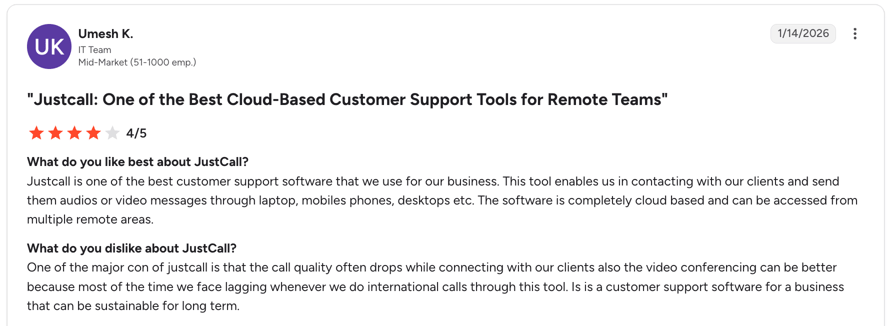
Users generally praise JustCall for its ease of use, feature range, and integrations. Some reviews point to occasional call quality or support issues, particularly as teams scale.
G2 rating: 4.3/5 (2,394+ reviews).
JustCall Score
| Category | Score |
|---|---|
| Ease of setup and use | 4/5 |
| Concurrent call capacity | Not published |
| CRM and helpdesk integrations | 4.5/5 |
| Pricing value at scale | 3/5 |
| Compliance and security | 4.5/5 |
9. Aircall: Best for integration-heavy phone system deployments
What Is Aircall?
Aircall is a cloud phone system built for sales and support teams that want calling, AI, analytics, and CRM integrations in one place. Its focus is ease of use and connecting conversations to the tools teams already use.
What Are Aircall's Key Features?
Key Features
- Human-led outbound on the higher tier: Power Dialer and Voicemail Drop, so reps work a list without redialing by hand.
- AI as a modular layer: AI Assist adds call summaries, topic recognition, action items, sentiment analysis, call scoring, CRM logging and an AI and Transcription API; AI Assist Pro adds custom summaries, playbooks and live transcription.
- Operational visibility as an add-on: Analytics+ brings hourly call heatmaps, live team monitoring, agent activity deep-dives and scheduled exports via API.
- Channels beyond voice: WhatsApp in Aircall covers messaging in 180+ countries.
What Are Aircall's Pros and Cons?
| Pros | Cons |
|---|---|
| Easy to set up and use, with strong CRM integrations | Power Dialer and several advanced features require the Professional plan |
| Combines calling, AI, analytics, and messaging in one platform | Per-user pricing can become expensive as teams grow |
| Strong analytics and monitoring for sales and support teams | Some users report occasional call quality, performance, or support issues |
How Much Does Aircall Cost?
- Aircall starts at $30/user/month on the Essentials plan, billed annually, with a 3-user minimum.
- Professional costs $50/user/month and adds features such as Power Dialer, advanced analytics, Salesforce integration, and live monitoring.
- Custom pricing is available for larger deployments.
See our guide to Aircall pricing for the plan detail.
When Should You Use Aircall, and When Should You Not?
Use it if you want an easy-to-manage business phone system with strong CRM integrations, outbound dialing, and analytics. Skip it if you need the lowest possible per-seat cost or a highly customizable contact center platform.
What Do Customers Say About Aircall?
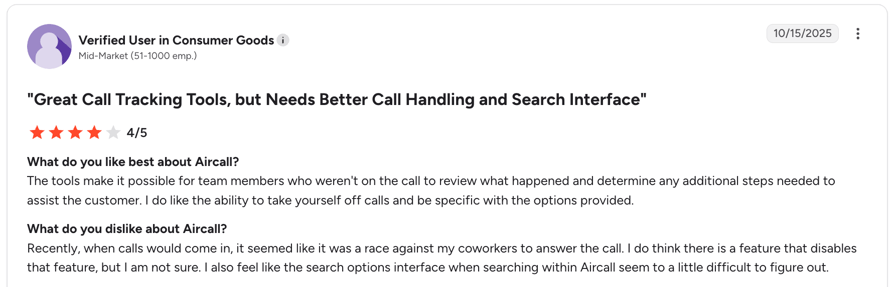
Users commonly praise Aircall's ease of use, CRM integrations, and analytics. Some reviews mention occasional connectivity or performance issues, while pricing and limited customization can be drawbacks for smaller teams.
G2 rating: 4.4/5 (1,645+ reviews)
Aircall Score
| Category | Score |
|---|---|
| Ease of setup and use | 4.5/5 |
| Concurrent call capacity | 4/5 |
| CRM and helpdesk integrations | 4.5/5 |
| Pricing value at scale | 3/5 |
| Compliance and security | 4/5 |
10. Five9 (Genius AI): Best for enterprise contact centers at seat scale
What Is Five9?
Five9 is an enterprise cloud contact center platform built for high-volume inbound and outbound operations. It combines multiple dialing modes, omnichannel engagement, workforce management, analytics, and AI agents in one platform.
What Are Five9's Key Features?
Key Features
- Every dialing mode, one platform: predictive, progressive and power dialing, with full outbound campaign management.
- AI agents on the same stack as human ones: Five9 AI Agents handle informational, actionable and agentic tasks autonomously, launched without heavy coding.
- Assistance for the humans who stay: Genius AI adds AI Summaries, Live Transcription, AI Insights and AI Agent Assist.
- Workforce management: Quality Management, Workforce Management, analytics and workflow automation, plus 24/7 support on all tiers.
What Are Five9's Pros and Cons?
| Pros | Cons |
|---|---|
| Complete enterprise contact center stack with dialing, AI, WFM, analytics, and omnichannel support | More complex than SMB-focused calling platforms and can require a longer implementation |
| Multiple dialers and strong campaign controls for high-volume outbound teams | Some users report call quality issues |
| Strong AI capabilities with both agent-assist and autonomous voice options | The depth of reporting and configuration can require specialist expertise |
How Much Does Five9 Cost?
- Digital, digital channels only: $119 per seat per month.
- Core, all channels with AI essentials: $159 per seat per month.
- Plus, Pro and Enterprise: Contact Sales.
See our guide to Five9 pricing for the quote-based tiers.
When Should You Use Five9, and When Should You Not?
Use it if you run a large contact center and need dialing, routing, workforce management, analytics, and AI under one roof. Skip it if you want simple setup, self-serve pricing, or a lightweight phone system for a smaller sales team.
What Do Customers Say About Five9?
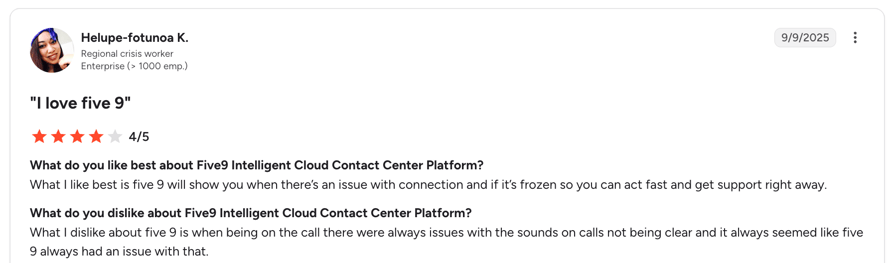
Users praise Five9 for its ease of use, reporting, queue management, and customer support, although some mention call-quality issues and the complexity of advanced reporting.
G2 rating: 4.1/5 (625+ reviews).
Five9 Score
| Category | Score |
|---|---|
| Ease of setup and use | 3.5/5 |
| Concurrent call capacity | Not published |
| CRM and helpdesk integrations | 4.5/5 |
| Pricing value at scale | 3.5/5 |
| Compliance and security | 4.5/5 |


How to Choose the Right AI Calling Platform for High-Volume Calls
Choosing an AI calling platform gets tricky once you add serious call volume. Ask these six questions before you pick a tool.
1. Match the Platform to Your Call Volume
High-volume calling usually works in one of two ways:
- Human-led: capacity depends on the number of lines per rep and total headcount.
- AI-led: capacity depends on concurrent calls allowed by your plan.
These numbers aren’t directly comparable, as they measure different types of capacity. For example, 10 reps with 10 lines each can place up to 100 calls at once, but those calls are still tied to those 10 reps. With 100 AI concurrent calls, the platform can handle up to 100 calls simultaneously without requiring 100 human agents.
What to do:
First, decide whether you need more human conversations per rep or more calls handled by AI at the same time. That determines which capacity metric matters for your use case.
2. Choose the Right Dialer and Pacing
A good demo doesn’t tell you how a platform handles thousands of calls. Look at campaign pacing, retries, callbacks, voicemail detection, and list management.
For high-volume outbound, also check how the platform handles compliance and abandoned calls. Ask how easily you can import and refresh lists, test different scripts, and manage campaigns if a rep or connection drops.
What to do:
Test the platform with a real campaign or sample list. Pay attention to how it handles retries, voicemail, callbacks, and pacing, not just how quickly it can place calls.
3. Test Latency and Call Quality Under Load
Don’t rely on one latency number. What matters is how the call actually sounds.
Test how quickly the agent speaks after someone answers, then test it while it checks a CRM or calendar. Listen for awkward pauses, interruptions, tone, pacing, and accents. Ideally, ask for recordings from a deployment similar to yours—not just a polished demo.
What to do:
Test the agent in a realistic call, including at least one CRM or calendar lookup. A fast response in a demo means little if the agent struggles under load.
4. Protect Your Numbers and Answer Rates
At high volume, number reputation can become a bigger bottleneck than dialing capacity. With over 258 million active numbers on the U.S. Do Not Call Registry as of September 2025, reaching prospects is already difficult.
So look beyond local caller ID and number rotation. Ask whether the provider offers carrier-level registration, STIR/SHAKEN, spam monitoring, or remediation.
What to do:
Ask exactly how the provider protects your numbers from spam labels. Caller ID rotation is useful, but carrier-level registration and spam remediation offer a stronger layer of protection.
5. Check Compliance Before You Scale
High-volume calling brings more than security certifications into the picture. Check how the platform handles abandoned calls, consent, do-not-call lists, AI disclosure, recordings, and transcripts.
For U.S. telemarketing, the FTC and FCC both set a 3% limit on abandoned calls under their respective rules. Your platform should make it easy to control calling rates and keep consent and suppression lists up to date.
Also check where recordings and transcripts are stored and how sensitive data is handled. CloudTalk publishes SOC 2 Type 1 and Type 2, GDPR, and HIPAA compliance, along with consent controls for call recording.
What to do:
Don’t stop at “Is it SOC 2?” Ask how the platform actually manages consent, suppression lists, recordings, AI disclosure, and abandoned-call limits at scale.
6. Calculate the Real Cost per Connected Call
Don’t compare AI calling platforms by their headline per-minute rate. Calculate what you actually pay for a connected conversation.
Include:
- Platform fees
- Per-minute usage
- Telephony
- Transfers
- Concurrency or line fees
- Model and voice costs
- Seat costs
For example, 50,000 monthly dials at a 10% connect rate means 5,000 connected calls. If each conversation lasts two minutes, that adds up to 10,000 billed minutes—a much more useful basis for comparing platforms.
Also consider setup time. A cheaper platform that takes weeks to deploy may cost more than one you can launch in minutes.
What to do:
Calculate your cost per connected conversation, not just your cost per minute or per seat. Then add setup and integration time to get the real cost of switching.
7. Prioritize the Features That Matter at High Volume
Focus on the features that directly improve connect rates, productivity, and cost:
- Warm transfers with context: Let the AI qualify the lead, then transfer the call to the right rep with the conversation summary and key details already attached. This saves the rep from having to repeat questions and keeps the handoff smooth.
- Clear concurrency or line limits: Check how many calls the platform can handle at once and what that limit applies to. A “10-line” limit per rep is very different from 100 concurrent AI calls across an account.
- Voicemail detection: Make sure the platform can tell live answers from voicemail and end unanswered calls quickly. Otherwise, high-volume campaigns waste both call minutes and rep time.
- Number reputation tools: Look beyond caller ID rotation. Carrier-level registration, STIR/SHAKEN, spam remediation, and number monitoring can help keep your calls from being flagged or ignored.
- CRM and helpdesk integrations: Choose integrations that write call outcomes, summaries, recordings, and next steps back to the right contact automatically. At high volume, manual data entry quickly becomes another bottleneck.
What to do:
Prioritize features that improve connections, agent utilization, or cost efficiency. A long feature list means little if it doesn’t improve one of these three.
How Do the Platforms Compare on Concurrency, Latency and Spam Controls?
Here’s a closer look at the technical side, including concurrency, latency, transfers, and number reputation. We’ve marked unpublished figures clearly and labeled vendor claims where relevant.
| Provider | Dialer type | Concurrency | Latency | Human transfer | Number reputation |
|---|---|---|---|---|---|
| CloudTalk | Power, Parallel, Smart plus Preview | Unlimited concurrent AI calls; 10 parallel lines per user | Sub-800 ms | Yes, transfer to human as an agent action | Yes: Branded Caller ID, Spam Protection, STIR/SHAKEN |
| VoiceSpin | Predictive, Power | Not published; depends on plan | <1000 ms | Yes, human agents alongside the bot | Spam detection and number reputation management tool |
| Synthflow AI | AI autonomous | Custom, scoped per contract | < 500 ms | Yes, escalation paths scoped | Not published |
| Retell AI | AI autonomous | 20 included per account, higher cap on Enterprise | ~600ms | Yes, warm transfer | Verified Phone Numbers and Branded Caller ID |
| Bland AI | AI autonomous, infrastructure | 10 / 50 / 100 per account by plan, Enterprise custom | 400 ms | Yes, with full context | Not published |
| Vapi | API infrastructure | 10 lines included, then $10/line/mo | sub-500ms | Warm transfer | Through third-party carrier tools |
| Convoso | Predictive, Power, Progressive, and Preview | No dial level cap | Not published | Warm transfer/live transfer workflow | Convoso Ignite (AI-powered) + Caller ID |
| JustCall | Predictive and Power | Not published | Not published | Cold + warm transfers | Spam protection |
| Aircall | Power Dialer | Unlimited | sub-800ms | Yes, standard transfer | Local Presence, Number Performance Dashboard and Branded Caller ID |
| Five9 (Genius AI) | Predictive, Progressive, and Power | Not published; concurrency is a licensing unit | Not published | Yes, routing to human agents | Number Reputation Management solution |
AI Calling Platform Types: Predictive Dialers, Power Dialers, and Autonomous AI Agents
“AI calling” can mean very different things. Dialers help human reps make more calls, while autonomous AI agents handle the conversations themselves. Each works best for a different type of high-volume calling.
What Is a Predictive Dialer?
A predictive dialer calls multiple numbers ahead of agent availability, using pacing algorithms to keep reps from sitting idle. VoiceSpin’s AI Auto Dialer and Five9’s Predictive Dialer are examples.
The trade-off is abandoned calls: someone may answer before a rep is available. That makes dialing speed a compliance issue—the FTC and the FCC cap abandonment at 3%.
What Is a Power or Parallel Dialer?
A power dialer moves through a list one call at a time for each rep. A parallel dialer calls several numbers at once and connects the rep to the first person who answers.
The big advantage? A human handles every connected call. The downside is simple math: your capacity still depends on the number of reps and lines you have.
What Is an Autonomous AI Voice Agent?
An autonomous AI voice agent handles the conversation itself. It can answer questions, qualify leads, book appointments, take actions in connected systems, and transfer calls to a human when needed. Synthflow AI, Retell AI, and CloudTalk’s AI Voice Agents are examples.
The main difference is capacity. You’re no longer limited by the number of reps available, but by the concurrent calls your plan supports. Compliance still matters, though, including consent, do-not-call rules, and AI disclosure requirements.
Why Do Teams Often Combine Them?
Most teams don’t have to choose just one. Humans can handle high-value conversations while AI handles overflow, after-hours calls, missed-call callbacks, lead follow-up, and reminders.
If your call volume is likely to grow or change, a platform that supports both human and AI calling can save you from having to switch systems later.
See how human and AI calling work together.
Quick Answers: What People Ask About AI Calling Platforms for High-Volume Calls
Which Concurrency Unit Should You Compare, Lines per Rep or Calls per Account?
Check the unit before comparing platforms. AI agents measure concurrent calls per account, while human-led dialers measure lines per rep. Retell AI includes 20 concurrent calls per account, while Bland AI offers 10, 50, or 100 depending on the plan. CloudTalk’s AI Voice Agents handle unlimited concurrent calls. Parallel dialers such as Orum support up to 10 lines per rep, so total capacity still depends on headcount.
Does a Low Average Latency Mean the Agent Will Feel Fast?
Not necessarily. What callers notice is the pause before the first word and any dead air during the conversation. Test both, especially when the agent needs to check a calendar or CRM mid-call. A low average latency means little if the agent still pauses at the wrong moments.
Which Number Reputation Levers Actually Lift Answer Rates?
Think of three levels: caller ID rotation, local presence dialing, and carrier-level registration. The first two can help improve answer rates, while carrier registration gives calls a stronger chance of arriving verified rather than flagged. Handset-level screening is a newer challenge, and no platform here claims to have fully solved it.
What Makes a Good Handoff From an AI Agent to a Rep?
Look for a warm transfer with context. Ideally, the AI asks one or two qualifying questions, then connects the caller immediately with its notes and summary already visible to the rep. A blind transfer leaves the rep without context and can make the handoff feel clunky.
Is High-Volume AI Calling Legal?
Yes, but AI calling still has to follow outbound calling rules. TCPA consent, do-not-call requirements, state laws, and AI disclosure can all apply. Predictive dialers also face FTC and FCC abandonment rules, which cap abandoned calls at 3% of calls answered by a person. Autonomous AI agents avoid that specific abandonment issue, but not the other compliance requirements.
Which AI Calling Platform Should You Choose?
Start with how you actually make calls, then choose the platform that fits. Here’s the simplest way to narrow it down:
If You Run a Human SDR Floor
Go for a parallel dialer that helps reps have more live conversations without hurting your number reputation.
- CloudTalk offers the same parallel dialing approach, plus carrier-level number registration to help protect answer rates.
- Orum is the specialist, with up to 10 lines per rep and millisecond answer arbitration. Pricing isn’t public, though.
The goal here is more conversations per rep-hour, not simply more dials.
If You Need Overflow, Missed-Call Coverage, or Speed-to-Lead
An AI voice agent makes more sense when you need calls handled without adding more reps. CloudTalk’s AI Voice Agents can handle hundreds of concurrent calls, support 60+ languages, and transfer calls to humans when needed.
Retell AI and Synthflow AI are strong alternatives if you only need the AI agent rather than a full phone system.
If You’re Building Your Own Voice Product
Choose voice AI infrastructure rather than a managed phone system.
- Vapi gives developers a highly flexible, composable stack with a low platform fee.
- Bland AI is a better fit if you want a more managed stack with one per-minute rate and published concurrency limits.
Just make sure you compare the total cost and engineering work against a managed platform before deciding.
If You Need Human and AI Calling in One Place
This is where CloudTalk stands out. It combines Power, Parallel, and Smart Dialers for human-led calling with AI Voice Agents for autonomous calls, so both can work from the same phone system and CRM.
That makes it a good fit if your mix of human and AI calling is likely to change over time.
If You Run an Enterprise Contact Center
Five9 is the strongest fit if you need predictive dialing, workforce management, AI Agents, and enterprise governance in one contact center platform.
VoiceSpin offers a similar approach for teams looking for predictive dialing and AI voice capabilities without the same enterprise-scale setup.
Put your own numbers in front of a CloudTalk specialist
FAQs About AI Calling Platforms for High-Volume Calls
Published caps run from 10 to 100 concurrent calls per account on self-serve plans, and enterprise tiers lift the limit. Size yours from peak calls per hour, not the headline number, since a parallel outbound dialer counts lines per rep instead.
Five9 fits best when predictive dialing, workforce management and seat-scale governance have to sit in one AI call center. CloudTalk Custom suits enterprises that want human dialers and AI agents together without a full CCaaS migration.
Expect $0.05 to $0.14 a minute for infrastructure, around $0.99 a minute for premium agent minutes, and $25 to $159 per seat monthly for platforms. Platform fees and AI voice agent pricing sit on top, since agents are an add-on.
Most can. The version worth buying is a warm transfer that passes the AI's notes to the rep as the call lands. Check how transfers are billed, since some vendors charge separate transfer minutes, and whether they inherit your call routing rules.
Register numbers with the carriers, spread dials across a pool instead of one DID, and watch flag rates per number. Rotation alone is cosmetic: branded verification and spam protection are what hold answer rates up.
Your CRM first, then helpdesk, calendar, and a webhook or API for campaign data. CloudTalk's call center integrations start on the Essential plan, which is where dispositions and AI notes write back automatically.