12 Best Sales Management Software for Sales Teams in 2026
TL;DR: The Best Sales Management Software at a Glance
The best sales management software helps teams track pipelines, automate admin work, and close more deals. After reviewing 200+ tools, CloudTalk ranks #1 for AI-powered call intelligence, with Salesflare, Salesforce, and Freshsales close behind for CRM-led teams.
The 10 best sales management tools at a glance:
- 01CloudTalk — Best for AI-powered phone sales (from $25/user/mo)
- 02Salesflare — Best for automated contact & data entry (from $29/user/mo)
- 03Salesforce — Best for enterprise AI automation (from $25/user/mo)
- 04Freshsales — Best for visual pipelines on a budget (free; paid from $9/user/mo)
- 05DocuSign CLM — Best for contract lifecycle management (custom pricing)
- 06Zoho CRM — Best for omnichannel + custom workflows (from $14/user/mo)
- 07Pipedrive — Best for visual deal management (from $14/user/mo)
- 08Salesflow — Best for LinkedIn outreach automation (from $79/user/mo)
- 09Monday Sales CRM — Best for no-code sales workflows (from $12/user/mo)
- 10Zendesk Sell — Best for fast setup & ease of use (from $19/user/mo)
Put your sales calls on autopilot
What Is Sales Management Software?
Sales management software is a digital platform that helps businesses organize, track, and improve every stage of the sales process. It acts as a single source of truth, giving managers visibility into the pipeline and freeing reps from admin work.
In short, it helps teams:
- Track leads, deals, and pipeline stages in one place
- Automate follow-ups, reminders, and data entry
- Report on performance and forecast revenue
- Coach reps and standardize the sales process
It's built for sales managers, team leaders, and reps in businesses of all sizes — especially growing teams managing complex pipelines who need faster, data-driven decisions.
How We Chose the Best Sales Management Software
We evaluated 30+ sales management platforms against the criteria that matter most to working sales teams, then narrowed the list to the 12 below. Our assessment weighed:
- Core features — pipeline management, lead tracking, automation, and reporting
- Ease of use — onboarding speed and day-to-day usability
- Integrations — CRM, email, calendar, and telephony connections
- Pricing — transparency and value across plan tiers
- Support — availability and responsiveness
- Scalability — whether the tool grows with your team
- Customer satisfaction — verified ratings and sentiment
We analyzed verified reviews from G2, Capterra, and TrustRadius, alongside real-world feedback from Reddit and Quora, to ground every pick in genuine user experience.
Why Trust Our Software Reviews?
For over a decade, CloudTalk has helped 30,000+ sales and support professionals choose tools that drive real results. Our team has reviewed 200+ products and analyzed 5,500+ verified reviews from trusted sources, combined with hands-on testing.
Every recommendation is backed by in-depth research and real-world insight — see our content integrity statement and software review methodology.
Sales Management Software Comparison Table
Here's a quick side-by-side of all 12 tools. Pricing reflects entry-level paid plans, verified June 2026; full breakdowns follow below.
| Provider | Best For | Key Features | G2 Rating |
| CloudTalk | SMB sales and support teams | AI Voice Agent, call summaries, sentiment analysis, sales dialer | 4.4/5 |
| Salesflare | Small B2B teams | Automated data entry, visual pipelines, reminders, lead management | 4.8/5 |
| Salesforce | Large sales operations | Einstein AI, Agentforce, CRM customization, automation | 4.4/5 |
| Freshsales | Growing businesses | Lead scoring, contact management, automation, pipelines | 4.5/5 |
| DocuSign CLM | Contract-heavy sales | Agreement generation, contract lifecycle, approvals | 4.3/5 |
| Zoho CRM | Omnichannel scaling | Omnichannel comms, analytics, marketing automation, Blueprint | 4.1/5 |
| Pipedrive | Visual deal management | Visual pipeline, deal management, automation, forecasting | 4.3/5 |
| Salesflow | LinkedIn outreach | LinkedIn automation, campaigns, personalization, AI inbox | 4.3/5 |
| Monday Sales CRM | No-code workflows | Lead management, pipeline, email tracking, no-code automations | 4.6/5 |
| Zendesk Sell | Fast setup & ease of use | Pipeline management, deal tracking, task automation, mobile app | 4.2/5 |
| SanCCS | Telemarketing teams | Lead management, click-to-call dialer, agent-productivity dashboard | - |
| Insightly | SMBs & agencies | Pipeline + project management, lead management, workflow automation | 4.1/5 |
The 12 Best Sales Management Software Solutions in 2026
Below is the detailed breakdown of each platform — what it is, who it's for, key features, pricing (verified June 2026), and verified reviews.
1. CloudTalk: Best for AI-Powered Call Intelligence
What Is CloudTalk?
CloudTalk is an AI-powered business phone system trusted by 5,500+ businesses, built for sales teams that live on the phone. It combines AI voice agents, call intelligence, and a full dialer with CRM integrations, 99.999% uptime, and local numbers in 160+ countries.
Who Is CloudTalk Best For?
SMBs and growing sales teams that want flexible, AI-powered calling to boost outbound productivity, improve call quality, and manage global operations with low upfront costs.
What Are CloudTalk's Key Features?
- AI Voice Agent: qualifies leads, confirms meetings, and gathers feedback 24/7, escalating to humans when needed
- AI call summaries: instant recaps with key points and action items
- Sentiment analysis: reads call tone in real time to help reps adapt
- Real-time monitoring: live dashboards and analytics on team performance
- AI-powered sales dialer: automated outbound dialing with voicemail detection
Best CloudTalk Integrations
HubSpot, Salesforce, Pipedrive, Zoho CRM, and 100+ more.
What Are CloudTalk's Pros and Cons?
| Pros | Cons |
| Easy-to-use platform with quick adoption | Relies on a stable internet connection |
| Scales easily as teams grow | No native video conferencing |
| Cost-effective with advanced features included |
What Is CloudTalk's Pricing?
CloudTalk offers four pricing plans, all with a 14-day free trial:
- Starter: $25/user/month
- Essential: $29/user/month
- Expert: $49/user/month
- Custom: tailored pricing for unique needs
What Are G2 Users Saying About CloudTalk?
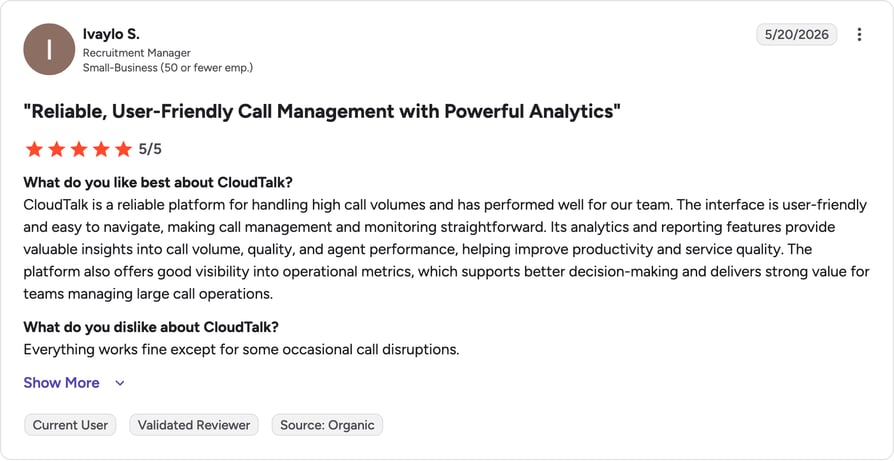
On G2, CloudTalk holds a rating of 4.4/5 across 1,300+ reviews. Reviewers consistently praise CloudTalk's ease of use, reliable call quality, and seamless CRM integrations, with sales teams highlighting time saved on admin work.
2. Salesflare: Best for Automated Contact and Data Entry
What Is Salesflare?
Salesflare is a smart, easy-to-use CRM that automatically fills in contact details and tracks emails, meetings, and calls — keeping your pipeline organized with minimal manual work. Founded in Antwerp, Belgium, it's built for B2B teams that want to sell more with less admin.
Who Is Salesflare Best For?
Small and medium-sized businesses, particularly those engaged in B2B sales.
What Are Salesflare's Key Features?
- Automated data entry from emails, calendars, and social profiles
- Visual, customizable sales pipelines
- Automated reminders and task management
- Lead and opportunity management with scoring
Best Salesflare Integrations
LinkedIn, Google Workspace (Gmail, Sheets, Contacts), and Microsoft 365 (Outlook).
What Is Salesflare's Pricing?
- Growth: $29/user/month annually ($39 monthly)
- Pro: $49/user/month annually ($64 monthly)
- Enterprise: $99/user/month annually ($124 monthly, 5-user minimum)
- All plans include a 30-day free trial.
What Are Salesflare's Pros and Cons?
| Pros | Cons |
| User-friendly, intuitive interface | Slower pace of new feature additions |
| Responsive, knowledgeable support | Advanced features sit on higher tiers |
| Auto-updates contacts from emails and calendars | No built-in dialer for phone calls |
What Are G2 Users Saying About Salesflare?
On G2, Salesflare holds a rating of 4.8/5 across 300+ reviews. Reviewers overwhelmingly call Salesflare strong value, praising its automation and ease of use, with 85% giving five stars.
3. Salesforce: Best for AI-Driven Enterprise Automation
What Is Salesforce?
Salesforce is the world's best-known CRM, combining marketing and AI-assisted sales tools in a single platform. Its Sales Cloud aims to boost productivity and revenue, now with Agentforce AI woven through the workflow.
Who Is Salesforce Best For?
Large, established companies with significant budgets that need a powerful, customizable CRM.
What Are Salesforce's Key Features?
- Einstein AI & generative AI for forecasting and content
- Agentforce autonomous AI agents for sales and service
- Advanced CRM customization and Lightning UI
- Expanded automation for lead qualification and reporting
Best Salesforce Integrations
Slack, Mailchimp, and LinkedIn.
What Is Salesforce's Pricing?
- Starter Suite: $25/user/month
- Pro Suite: $100/user/month
- Enterprise: $175/user/month
- Unlimited: $350/user/month
- Agentforce 1 Sales: $550/user/month. A free Suite covers up to 2 users; annual billing required on most tiers.
What Are Salesforce's Pros and Cons?
| Pros | Cons |
| Deep customization to fit any process | High cost, especially for small businesses |
| Scales from small teams to enterprise | Steep learning curve |
| Vast third-party integration ecosystem | Customization often needs technical expertise |
What Are G2 Users Saying About Salesforce?
On G2, Salesforce holds a rating of 4.4/5 across 23,000+ reviews. Reviewers praise Salesforce's customization, analytics, and ecosystem depth, while flagging cost and complexity as recurring drawbacks.
4. Freshsales: Best for Visual Pipelines and Omnichannel Engagement
What Is Freshsales?
Freshsales, part of the Freshworks suite, helps reps “sell smarter” with AI-powered features that cut tool-switching and lift conversion rates. It's one of the most affordable full CRMs on the market.
Who Is Freshsales Best For?
Companies that communicate via several channels (calls, SMS, messenger) and want visual, at-a-glance data insights.
What Are Freshsales's Key Features?
- AI-based lead scoring to prioritize prospects
- Contact and deal management in one place
- Sales automation for follow-ups and sequences
- Multiple sales pipelines
Best Freshsales Integrations
Google Ads, Google Workspace, and the wider Freshworks suite.
What Is Freshsales's Pricing?
- Free: up to 3 users
- Growth: $9/user/month
- Pro: $39/user/month
- Enterprise: $59/user/month. 21-day free trial on paid plans.
What Are Freshsales's Pros and Cons?
| Pros | Cons |
| User-friendly and quick to set up | Customization less extensive than rivals |
| Affordable, with a genuine free plan | Plan/feature variety can confuse |
| Mobile app for on-the-go CRM access | Doesn't integrate with every platform |
What Are G2 Users Saying About Freshsales?
On G2, Freshsales holds a rating of 4.5/5 across 7,000+ reviews. Reviewers highlight Freshsales as strong value for money, with an easy setup, though some note AI and advanced automation sit on higher tiers.
5. DocuSign CLM: Best for Contract Lifecycle Management
What Is DocuSign CLM?
DocuSign CLM specializes in the sending, signing, and management of contracts and sales documents, helping teams lock in newly converted clients with fast, secure, accurate agreements.
Who Is DocuSign CLM Best For?
Companies that want a lean, secure way to generate and send contracts professionally and quickly.
What Are DocuSign CLM's Key Features?
- Automated agreement generation from templates
- Full contract lifecycle management with a central repository
- Approval workflows that speed up deal closures
- Real-time tracking of contract status and renewals
Best DocuSign CLM Integrations
Salesforce, Microsoft (Dynamics 365, Word, Outlook), and Google Workspace.
What Is DocuSign CLM's Pricing?
- Pricing: custom / quote-only — DocuSign CLM is sold through sales, with cost based on document volume and required modules. (Standard DocuSign eSignature plans start lower; CLM is the enterprise contract tier.)
What Are DocuSign CLM's Pros and Cons?
| Pros | Cons |
| User-friendly and easy to use | No built-in sales automation |
| Sign and manage documents from any device | Advanced features on higher/custom tiers |
| Eliminates paper and manual processes | Agreements can get lost without proper workflows |
What Are G2 Users Saying About DocuSign CLM?
On G2, DocuSign CLM holds a rating of 4.3/5 across 2,000+ reviews. Reviewers value DocuSign CLM's reporting and document automation, while noting it lacks broader sales-automation tooling.
6. Zoho CRM: Best for Omnichannel Communication and Custom Workflows
What Is Zoho CRM?
Zoho CRM helps sales teams build advanced workflows for efficient scaling and automation, with omnichannel engagement and insightful forecasting. It's known for delivering enterprise-grade features at SMB prices.
Who Is Zoho CRM Best For?
Medium-to-large companies expanding across omnichannel customer communications without losing productivity.
What Are Zoho CRM's Key Features?
- Omnichannel communication: email, phone, social, live chat, SMS, and WhatsApp
- Analytics and reporting: dashboards and advanced reports
- Marketing automation with Google Ads integration
- Blueprint and Sales Process Builder for process consistency
Best Zoho CRM Integrations
Google Workspace, Microsoft 365, and WhatsApp for Business.
What Is Zoho CRM's Pricing?
- Standard: $14/user/month
- Professional: $23/user/month
- Enterprise: $40/user/month
- Ultimate: $52/user/month. Free plan for up to 3 users; 15–30-day trial.
What Are Zoho CRM's Pros and Cons?
| Pros | Cons |
| Competitive pricing for the value | Steep learning curve for new users |
| Comprehensive automation and analytics | Occasional lags with large databases |
| Deep customization of fields and modules | No native dialer; needs external tools |
What Are G2 Users Saying About Zoho CRM?
On G2, Zoho CRM holds a rating of 4.1/5 across 2,700+ reviews. Reviewers praise Zoho's value and breadth of features, while noting a steeper learning curve and occasional performance lags.
7. Pipedrive: Best for Visual Deal Management
What Is Pipedrive?
Pipedrive helps teams close more deals with customizable, visual pipelines. Built by salespeople, it focuses on the specific actions reps take so success “becomes inevitable.”
Who Is Pipedrive Best For?
Small businesses (or growing mid-sized ones) that want to focus on informed, successful sales actions.
What Are Pipedrive's Key Features?
- Kanban-style visual sales pipeline
- Contact and deal management with full history
- Sales automation and AI insights
- Reporting and revenue forecasting
Best Pipedrive Integrations
Mailchimp, ActiveCampaign, and PandaDoc.
What Is Pipedrive's Pricing?
- Essential: $14/user/month
- Advanced: $34/user/month
- Professional: $49/user/month
- Power: $64/user/month
- Enterprise: $79–99/user/month. 14-day free trial; no free plan. (Campaigns and Web Visitors are paid add-ons.)
What Are Pipedrive's Pros and Cons?
| Pros | Cons |
| User-friendly, intuitive, clean interface | Costs climb with add-ons and higher tiers |
| Flexible, customizable pipelines | Learning curve for advanced features |
| 400+ third-party integrations | No built-in project management |
What Are G2 Users Saying About Pipedrive?
On G2, Pipedrive holds a rating of 4.3/5 across 2,000+ reviews. Reviewers love Pipedrive's clean, intuitive interface and easy setup, while flagging that advanced features and add-ons raise the real cost.
8. Salesflow: Best for LinkedIn Sales Outreach Automation
What Is Salesflow?
Salesflow is a cloud-based LinkedIn sales engagement and lead generation platform “built for speed.” It schedules and personalizes outreach for more qualified leads and shows live campaign insights.
Who Is Salesflow Best For?
Companies that rely on LinkedIn for leads and want deep insight into messaging-campaign performance.
What Are Salesflow's Key Features?
- LinkedIn automation for connections, follow-ups, and InMails
- Campaign management with advanced filtering
- Message personalization with variables
- AI-driven inbox and lead management
Best Salesflow Integrations
HubSpot, Salesforce, and Pipedrive.
What Is Salesflow's Pricing?
- Single User: $99/user/month monthly, or $79/user/month billed annually
- Teams: custom pricing
- Agency: custom pricing. Requires a paid LinkedIn account.
What Are Salesflow's Pros and Cons?
| Pros | Cons |
| Useful for agencies managing many accounts | Lacks advanced segmentation options |
| Insight into campaign performance | Manual imports can be inefficient |
| Cloud-based; runs without your browser open | Requires paid LinkedIn Premium on top |
What Are G2 Users Saying About Salesflow?
On G2, Salesflow holds a rating of 4.3/5 across 140+ reviews. Reviewers appreciate Salesflow's time savings and intuitive UI, though some report occasional bugs and reliability issues at scale.
9. Monday Sales CRM: Best for No-Code Sales Workflow Customization
What Is Monday Sales CRM?
Monday Sales CRM, from the work-management platform of the same name, is highly customizable, letting teams build sales automations and processes without code. It bundles AI-powered tools to save time and streamline communication.
Who Is Monday Sales CRM Best For?
Companies that want simple, highly customizable software with intuitive automations and AI tools.
What Are Monday Sales CRM's Key Features?
- Lead management with scoring from any source
- Contact and account management with a 360° view
- Visual, drag-and-drop sales pipeline
- Email integration and tracking with AI generation
Best Monday Sales CRM Integrations
HubSpot, Slack, and Google Calendar.
What Is Monday Sales CRM's Pricing?
- Basic: $12/user/month
- Standard: $17/user/month
- Pro: $28/user/month
- Ultimate (Enterprise): custom. 14-day free trial; 3-seat minimum.
What Are Monday Sales CRM's Pros and Cons?
| Pros | Cons |
| Intuitive, visually appealing interface | Advanced automations on pricier plans |
| Highly customizable pipelines and dashboards | Custom reporting is limited |
| No-code automations streamline tasks | Automation actions capped by plan |
What Are G2 Users Saying About Monday Sales CRM?
On G2, Monday Sales CRM holds a rating of 4.6/5 across 900+ reviews. Reviewers praise Monday's intuitive, visual interface and no-code automations, while noting advanced features sit on higher tiers.
10. Zendesk Sell: Best for Fast Setup and Ease of Use
What Is Zendesk Sell?
Zendesk Sell is the sales-focused CRM from Zendesk, designed to streamline the sales process through pipeline visibility and built-in communication tools. It works best paired with Zendesk's support suite.
Who Is Zendesk Sell Best For?
Agile teams that want fast setup, ease of use, and integrations — especially those already using Zendesk for support.
What Are Zendesk Sell's Key Features?
- Sales pipeline management
- Contact and deal management
- Task automation and sequences
- Full-featured mobile CRM app
Best Zendesk Sell Integrations
Zendesk Support/Suite, Mailchimp, and the Zendesk Marketplace.
What Is Zendesk Sell's Pricing?
- Team: $19/user/month
- Growth: $55/user/month
- Professional: $115/user/month
- Enterprise: $169/user/month. Billed annually for best rates; 14-day trial.
What Are Zendesk Sell's Pros and Cons?
| Pros | Cons |
| Clean, well-organized pipeline UI | Some users report recurring bugs |
| Tight integration with Zendesk support | Automation lighter than rivals |
| Strong mobile app for field reps | Best value only when bundled with Suite |
What Are G2 Users Saying About Zendesk Sell?
On G2, Zendesk Sell holds a rating of 4.2/5 across 480+ reviews. Reviewers like Zendesk Sell's clean interface and tight link to Zendesk support, though some report bugs and uneven long-term reliability.
11. SanCCS: Best for Telemarketing and High-Volume Calling Teams
What Is SanCCS?
SanCCS is a call-center and sales CRM focused on telemarketing and high-volume outbound, pairing lead management with a built-in dialer and agent-productivity tooling.
Who Is SanCCS Best For?
B2B and B2C sales teams and telemarketing operations that need calling and lead management in one place.
What Are SanCCS's Key Features?
- Lead management
- Click-to-call dialer
- Agent-productivity dashboard
- Call tracking and reporting
What Is SanCCS's Pricing?
- Pricing: listed around $22/user/month on earlier versions of this page —
- SanCCS does not publish transparent, current pricing on a public pricing page; confirm directly with the vendor before publishing a figure.
What Are SanCCS's Pros and Cons?
| Pros | Cons |
| Built-in dialer for high-volume calling | Limited public reviews and pricing transparency |
| Combines CRM with telephony | Smaller ecosystem and integrations |
| Agent-productivity focus | Less brand recognition than rivals |
What Are G2 Users Saying About SanCCS?
On G2, SanCCS holds a rating of Not widely rated across limited public reviews. SanCCS has a limited public review footprint compared with the other tools here, so treat capability and pricing claims with extra caution and verify with the vendor.
12. Insightly CRM: Best for SMBs That Need CRM + Project Management
What Is Insightly CRM?
Insightly CRM is a cloud-based CRM that blends customer relationship management with project tracking, workflow automation, and integrations — giving teams one place to manage the full customer journey from lead to delivery.
Who Is Insightly CRM Best For?
Small and mid-sized companies, agencies, and service providers that want affordability, ease of use, and strong automation — especially where CRM-to-project continuity matters.
What Are Insightly CRM's Key Features?
- Contact and lead management
- Pipeline and project management side by side
- Workflow automation with alerts and tasks
- AI enhancements: Copilot chat, email summaries, data clean-up
Best Insightly CRM Integrations
Google Workspace, QuickBooks, and Calendly.
What Is Insightly CRM's Pricing?
- Plus: $29/user/month
- Professional: $49/user/month
- Enterprise: $99/user/month. Annual billing; 14-day trial (no permanent free plan).
What Are Insightly CRM's Pros and Cons?
| Pros | Cons |
| Combines CRM + project management | Advanced automation needs higher tiers |
| Intuitive, clean design | Phone/premium support costs extra |
| Large no-code integration library | No email sequencing on any plan |
What Are G2 Users Saying About Insightly CRM?
On G2, Insightly CRM holds a rating of 4.1/5 across 900+ reviews. Reviewers like Insightly's blend of CRM and project management and its clean workflows, though some flag slow support and limited multi-object reporting.
Your sales team deserves tools that work
What Are the Benefits of Sales Management Software?
Sales management tools can lift sales by up to 29%. Beyond raw revenue, here's why investing in one pays off:
- Automate follow-ups and outreach: so reps focus on conversations that close, not busywork
- Boost sales and revenue: through better lead management and high-value targeting
- Streamline collaboration: with centralized data and built-in communication
- Strengthen customer relationships: via a complete view of each lead's history
- Make data-driven decisions: with real-time reports and clear KPIs
- Scale effortlessly: handling more leads and reps without losing control
- Keep teams focused: by cutting low-value tasks
- Plan with confidence: by spotting trends and forecasting revenue
What Features Should Sales Management Software Have?
The “best” tool depends on your needs, but these seven features make the biggest difference:
- Sales process automation — automated follow-ups, reminders, and lead-nurturing workflows
- Lead and opportunity management — centralized data so reps know who to contact and when
- Sales analytics and insights — real-time dashboards on conversion, deal size, and cycle length
- Call and email tracking — recordings, sentiment analysis, and open tracking
- Scalability and customization — handles your volume and adapts to your process
- Integrations and mobile access — APIs, plug-ins, and on-the-go updates
- Security and compliance — encryption, MFA, and GDPR/HIPAA compliance
How Do You Choose the Right Sales Management Software?
Picking the right tool comes down to four steps:
- Get clear on your needs — what to fix (lead follow-up, pipeline tracking, automation), plus team size and budget
- Focus on features that matter — lead management, automation, reporting, and integrations
- Choose software that's simple and scalable — an intuitive UI and room to grow
- Test it in the real world — use demos or free trials with your actual team
Ready to Level Up Your Sales Performance?
Modern sales teams need tools that automate admin, prioritize high-value leads, and surface real-time insights. CloudTalk makes it easy to manage international calls, automate workflows, and integrate with HubSpot, Pipedrive, and Salesforce — so your team doesn't just track deals, they close more of them.
Automate tasks, focus on deals, grow revenue

Frequently Asked Questions
Sales teams, managers, and SMBs that track pipelines and optimize processes daily — often with a sales call center platform.
CRMs, lead trackers, and AI voice agents for calling, automation, and real-time insights.
It automates outbound dialing, improves lead follow-ups, tracks KPIs, and streamlines daily workflows.
Prices range from free to $150+/user/month. See transparent CloudTalk pricing from $25/user/month.
Most tools are cloud-based and quick to launch, with CRM integrations that connect in minutes.
Planning, organizing, staffing, directing, coordinating, reporting, and budgeting — supported by call analytics.