Top 10 OnPipeline Integrations to Boost Sales Ops in 2026
If your CRM isn't connected, your team is constantly playing catch-up.
OnPipeline is a lean, intuitive CRM—but it only reaches its potential when connected to your calling tools, marketing platforms, and helpdesk. Employees lose up to 1.8 hours a day—nearly 20% of their time—just searching for information. That's a full workday every week, gone.
Below: the 10 best OnPipeline integrations in 2026, each chosen to solve a specific bottleneck in your pipeline.
SUMMARY
- CloudTalk — Best for AI-powered calling inside OnPipeline
- Salesforce — Best for enterprise pipeline and reporting alignment
- Zendesk — Best for surfacing support context inside the CRM
- Zapier — Best for connecting OnPipeline to 5,000+ apps without code
- Pipedrive — Best for teams running two CRMs in parallel
- Front — Best for linking shared inbox activity to CRM records
- Zoho CRM — Best for cross-system contact and campaign sync
- Freshdesk — Best for flagging at-risk deals from support data
- ActiveCampaign — Best for triggering email campaigns from deal activity
- Gorgias — Best for ecommerce teams connecting tickets to the CRM


What Is an OnPipeline Integration?
An OnPipeline integration connects your CRM to the rest of your stack—calling tools, marketing platforms, helpdesks, calendars—so data flows automatically without manual entry. Contacts, deals, and communications stay in sync across systems in real time.
Here's what that enables:
- Automate workflows: trigger emails, assign tasks, or update records when someone takes action
- Sync data: make sure contact info, deal status, and activity history stay up to date everywhere
- Trigger actions: set off alerts, create follow-ups, or move pipeline stages based on what happens in other tools
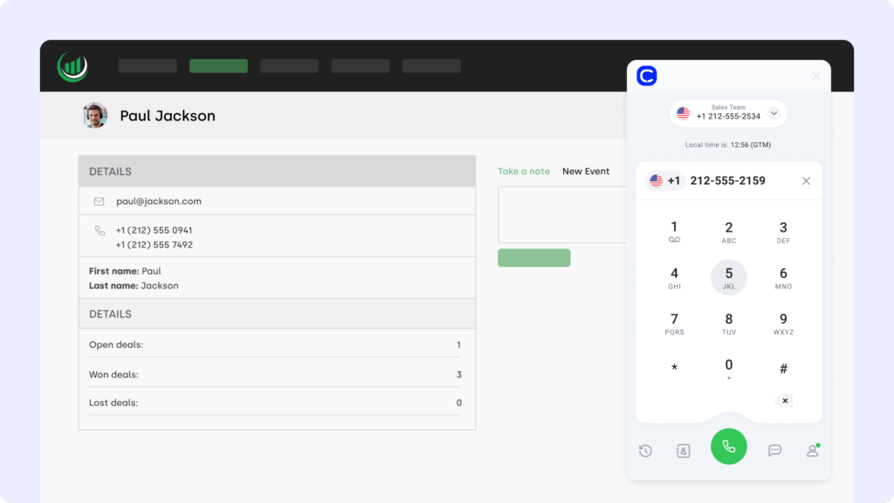
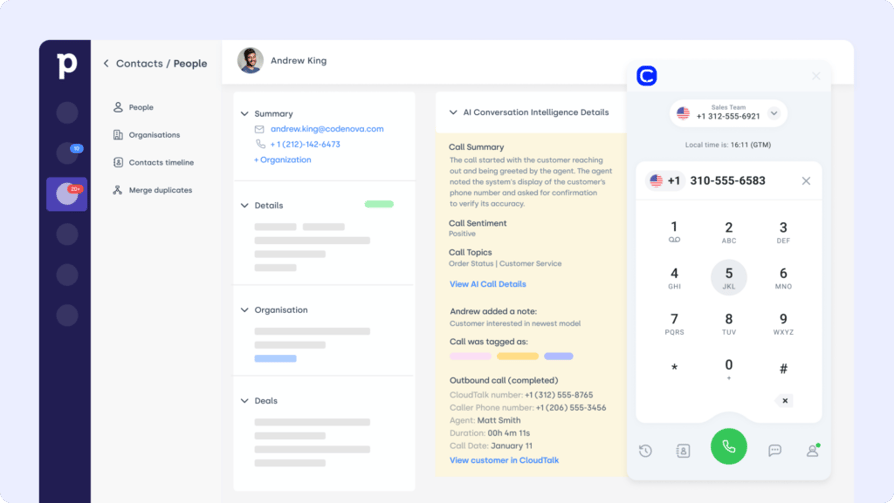
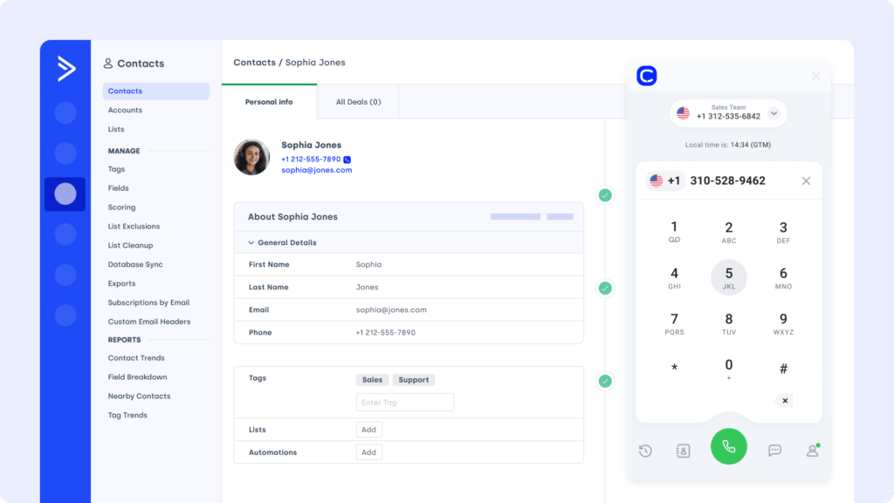
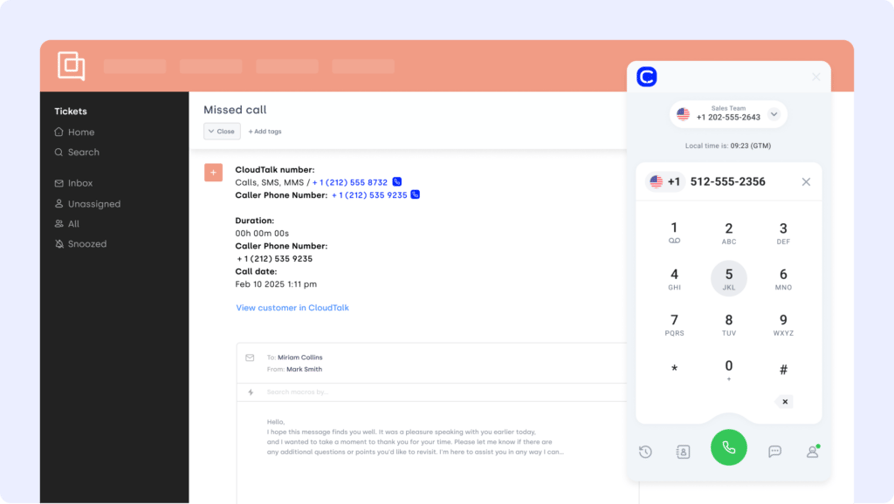
One example? CloudTalk's OnPipeline CRM integration lets teams call leads directly from the CRM, auto-log call notes to deals, and get full caller context in one view—no tab switching.
Most OnPipeline CRM integrations are built via native apps, APIs, or automation platforms like Zapier.
The 10 Best OnPipeline Integrations to Streamline Sales in 2026
The right integrations eliminate manual handoffs, keep customer data current, and automate repetitive tasks across your revenue team. Each pick below solves a specific bottleneck—chosen based on real sales use cases and the tools teams already use.
Integration Summary Table
| Software | Category | Why It's Useful with OnPipeline | Best For |
|---|---|---|---|
| CloudTalk | VoIP/AI | Native calling, conversational AI, AI Voice Agents and call transcripts | AI-powered calling inside OnPipeline |
| Salesforce | CRM | Sync account data across both CRMs for sales and reporting | Enterprise pipeline and reporting alignment |
| Zendesk | Support Platform | See support tickets alongside deals in OnPipeline | Surfacing support context inside the CRM |
| Zapier | Automation | Connect OnPipeline to 5,000+ tools with no-code Zaps | Connecting OnPipeline to apps without native integrations |
| Pipedrive | CRM | Align pipeline activity across both platforms | Teams running two CRMs in parallel |
| Front | Shared Inbox | Merge email, chat, and CRM threads into OnPipeline | Linking shared inbox activity to CRM records |
| Zoho CRM | CRM | Sync contacts, forms, and lead activity into OnPipeline | Cross-system contact and campaign sync |
| Freshdesk | Helpdesk | Log support activity to OnPipeline and flag customer issues | Flagging at-risk deals from support data |
| ActiveCampaign | Marketing Automation | Trigger campaigns from deal activity in OnPipeline | Triggering email campaigns from deal stage changes |
| Gorgias | Ecommerce Support | Connect ticketing and CRM data for better post-sale follow-up | Ecommerce teams connecting tickets to the CRM |
1. CloudTalk
CloudTalk is an AI-powered cloud phone system trusted by companies like Pipedrive, Glovo, and Revolut. Its OnPipeline integration connects AI-powered calling directly with your CRM—so reps get instant caller context, log calls automatically, and trigger follow-ups without leaving OnPipeline.
Benefits:
- Boost rep efficiency with automated call logging
- Give agents full caller context inside OnPipeline
- Deploy AI Voice Agents to handle routine calls and free reps for high-value conversations
Key Features:
- Real-time call monitoring
- AI-Powered Conversation Intelligence
- Call recording and playback
- Sentiment Analysis
Pricing:
- Starter: $25/user/month
- Essential: $29/user/month
- Expert: $49/user/month
- Custom: Pricing available upon request
Bottom line: The strongest pick if calling is central to your sales motion—no other integration puts AI-powered voice and CRM data on the same screen.
2. Salesforce (CRM)
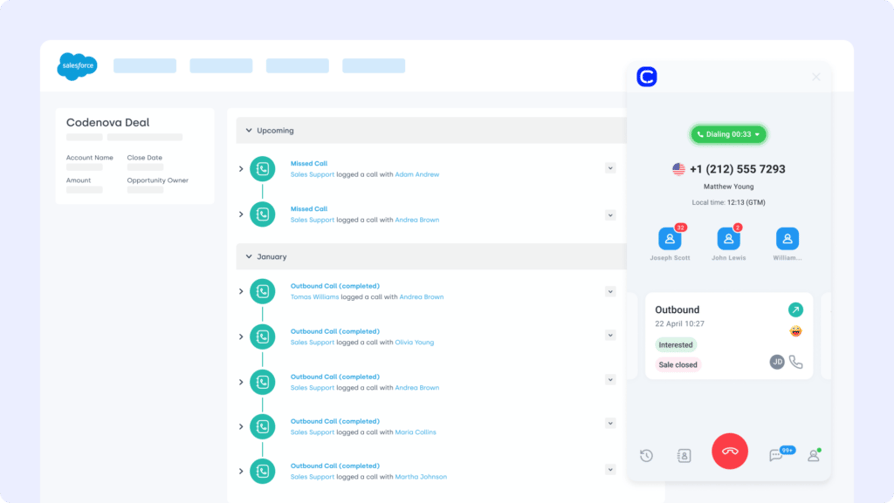
Salesforce is the gold standard for enterprise CRM. The OnPipeline Salesforce integration keeps deal activity, contact history, and lead engagement aligned across both platforms—without duplicating data.
Benefits:
- Eliminate silos between marketing and sales CRMs
- Enable real-time pipeline visibility in both platforms
- Reduce manual data entry and misalignment
Key Features:
- Two-way syncing of contacts and custom fields
- Deal and campaign updates reflected in real time
- Auto-map lifecycle stages across CRMs
Pricing:
- Sales Cloud Essentials: $25/user/month
- Sales Cloud Professional: $75/user/month
- Sales Cloud Enterprise: $150/user/month
- Sales Cloud Unlimited: $300/user/month
Salesforce dialer pricing guide
Bottom line: Essential for teams running both Salesforce and OnPipeline—eliminates the dual-entry problem entirely.
3. Zendesk (Support Platform)
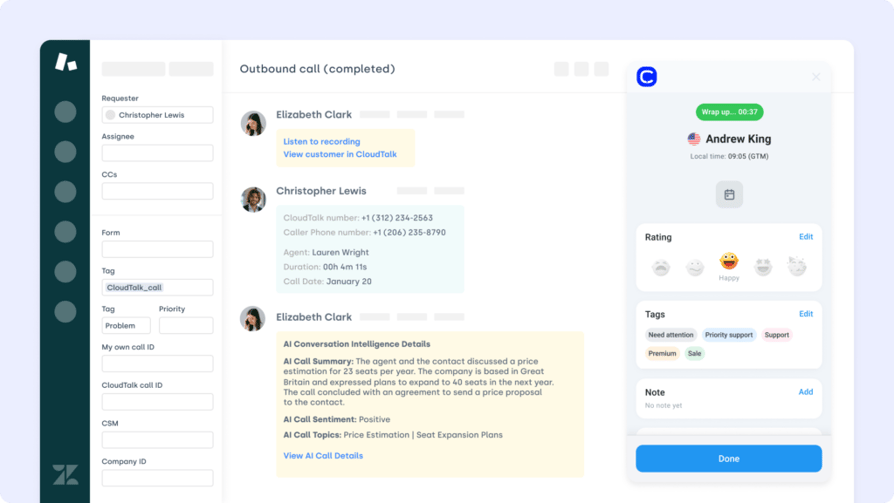
Zendesk is a leading customer service platform known for ticketing and automation. The OnPipeline Zendesk integration connects support data to sales workflows—so reps know about open tickets before they pick up the phone.
Benefits:
- Spot at-risk deals based on support history before outreach
- Align sales and support with shared customer context
- Speed up handoffs and reduce back-and-forth
Key Features:
- Auto-link tickets to contacts and deals in OnPipeline
- Real-time ticket updates inside the CRM
- Trigger follow-ups based on ticket status
Pricing:
- Support Team: $19/agent/month
- Support Professional: $55/agent/month
- Support Enterprise: $115/agent/month
Bottom line: The right call for sales teams that need to know about support issues before they reach out—especially during renewals or upsell conversations.
Recommended Reads
4. Zapier (Automation Platform)
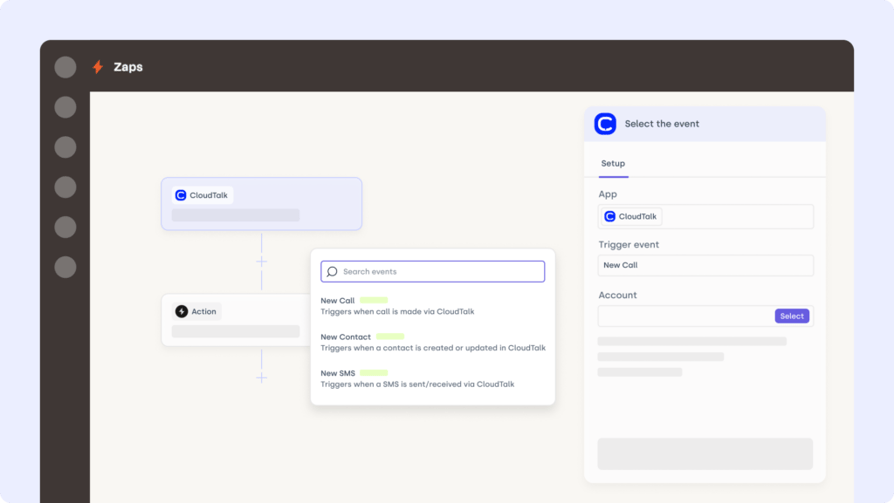
Zapier is a no-code automation platform that connects OnPipeline to thousands of other apps. The OnPipeline Zapier integration lets you build workflows across your stack—without writing a single line of code.
Benefits:
- Automate routine tasks across your entire toolset
- Eliminate copy-paste work with real-time syncs
- Connect OnPipeline to 5,000+ business apps effortlessly
Key Features:
- Build custom workflows with triggers and actions
- Sync contact or deal updates to third-party apps
- Filter, delay, and schedule automations with ease
Pricing:
- Free: $0/month
- Starter: $19.99/month (billed annually)
Bottom line: Best when you need OnPipeline to talk to a tool that doesn't have a native connector—Slack, Trello, Google Sheets, and thousands more.
5. Pipedrive (CRM)
Pipedrive is a visual sales CRM built around deal pipelines and activity tracking. The OnPipeline Pipedrive integration syncs pipeline data and contact records between both platforms—ideal for teams using Pipedrive in parallel or mid-migration.
Benefits:
- Keep pipelines aligned between two CRMs
- Eliminate double data entry and reduce human error
- Share lead context across platforms for better follow-up
Key Features:
- Two-way syncing of contacts, deals, and notes
- Map custom fields between both systems
- Trigger workflows based on pipeline changes
Pricing:
- Essential: $14.90/user/month
- Advanced: $27.90/user/month
- Professional: $49.90/user/month
- Power & Enterprise: Custom pricing
Bottom line: Most useful for teams that haven't fully committed to one CRM yet, or those actively migrating from Pipedrive to OnPipeline.
6. Front (Shared Inbox Platform)
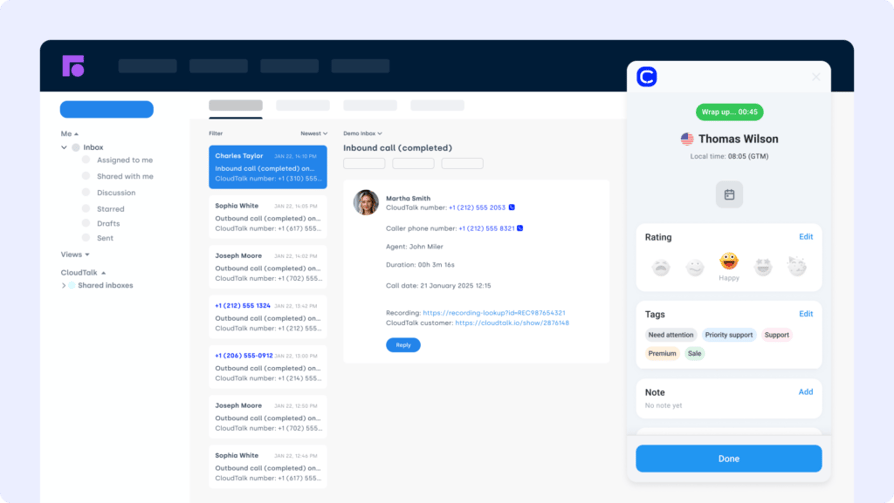
Front is a collaborative inbox that centralizes email, chat, and support conversations. The OnPipeline Front integration brings communication data into the CRM—so reps act on messages with full deal context, right from their inbox.
Benefits:
- Centralize conversations and deal history in one place
- Improve response time with unified communication logs
- Reduce tab-switching between CRM and inbox
Key Features:
- Link Front messages to OnPipeline contact records
- Auto-create tasks in OnPipeline from message triggers
- View message history alongside pipeline activity
Pricing:
- Starter: $19/user/month
- Growth: $59/user/month
- Scale: $99/user/month
Bottom line: Strong for inbox-heavy teams where a lot of deal context lives in email threads rather than CRM notes.
7. Zoho CRM
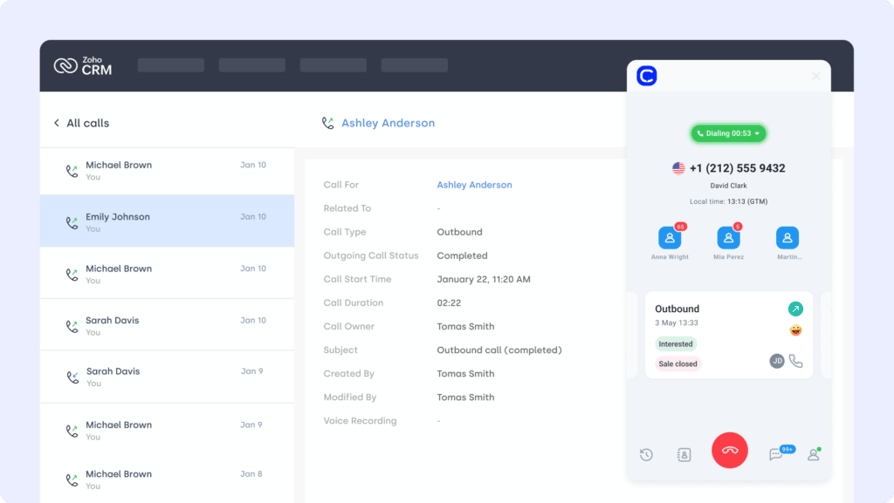
Zoho CRM is a flexible platform used for sales, marketing, and customer management. The OnPipeline Zoho CRM integration keeps data synced between both systems—useful for teams where marketing runs in Zoho and sales runs in OnPipeline.
Benefits:
- Keep contact records and pipeline activity aligned
- Reduce manual updates between CRM systems
- Enable smoother handoffs between marketing and sales
Key Features:
- Two-way syncing of leads and deals
- Auto-import campaign and form data
- Trigger OnPipeline workflows from Zoho updates
Pricing:
- Standard: $14/user/month
- Professional: $23/user/month
- Enterprise: $40/user/month
- Ultimate: $52/user/month
Bottom line: Good fit when marketing lives in Zoho and sales lives in OnPipeline—bridges the gap without forcing either team to switch tools.
8. Freshdesk (Support Platform)
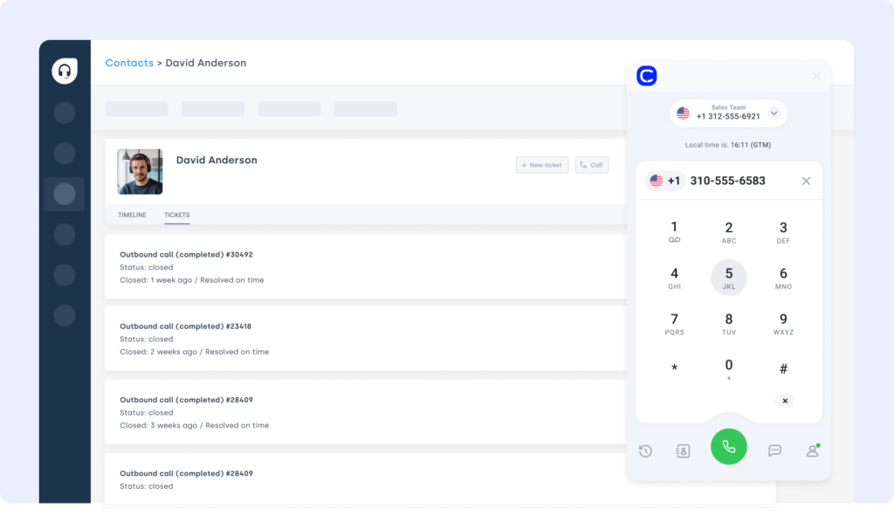
Freshdesk is a popular helpdesk for managing tickets and automating support. The OnPipeline Freshdesk integration surfaces support activity inside the CRM—so reps know what's broken before they call about a renewal.
Benefits:
- Unify support and sales data in one view
- Flag at-risk deals with open ticket alerts
- Streamline internal handoffs between teams
Key Features:
- Auto-sync tickets to OnPipeline contact records
- Trigger tasks based on SLA violations or ticket tags
- Log support history within the sales pipeline
Pricing:
- Growth: $15/agent/month
- Pro: $49/agent/month
- Enterprise: $79/agent/month
Bottom line: Pairs well with OnPipeline for any team where sales and support overlap—renewals, upsells, and at-risk accounts all benefit from shared ticket visibility.
Recommended Reads
9. ActiveCampaign (Marketing Automation Platform)
ActiveCampaign is a marketing automation and email platform built for targeted outreach. The OnPipeline ActiveCampaign integration connects CRM deal activity to email workflows—so the right campaign fires at exactly the right stage.
Benefits:
- Automate follow-ups and lead nurturing directly from OnPipeline
- Sync tags, lists, and campaign data without manual updates
- Give sales teams full visibility into email engagement
Key Features:
- Bi-directional sync between contacts and custom fields
- Trigger automations based on deal or contact changes
- Track email opens, clicks, and sequences in OnPipeline
Pricing:
- Plus: $49/month
- Professional: $149/month
- Enterprise: Custom pricing
Bottom line: The clearest win when you want CRM deal stages to automatically kick off email nurture sequences—no manual handoff between sales and marketing.
10. Gorgias (Ecommerce Helpdesk)
Gorgias is a support platform built for ecommerce brands. The OnPipeline Gorgias integration connects ticket activity to the CRM—so reps can spot patterns and act before a VIP account churns or an upsell window closes.
Benefits:
- Combine order history and support context in the CRM
- Alert reps when key accounts open new issues
- Streamline follow-ups with synced ticket timelines
Key Features:
- Auto-sync support tickets to deals and contacts
- Trigger CRM tasks based on ticket tags or urgency
- View ticket history inside the OnPipeline deal timeline
Pricing:
- Basic: $10/month + usage
- Pro: $60/month + usage
- Advanced: $900/month
Bottom line: Niche but very effective for ecommerce brands where post-sale support context directly drives repeat revenue and upsell timing.
Benefits of OnPipeline Integration
Connecting OnPipeline to your broader tech stack does more than save clicks—it changes what your team can actually do in a day. Here are five distinct wins:
- Fewer Tabs, Faster Deals
Reps call, log notes, and trigger follow-ups without leaving OnPipeline—no context switching, no lost momentum. - Support Context Before Every Call
See open Zendesk or Freshdesk tickets before reaching out—so reps never call about an upsell while a critical issue is still unresolved. - Stronger Sales-Marketing Alignment
Integrations with ActiveCampaign or Zoho CRM ensure every contact gets the right nurture sequence at the right stage—without manual handoffs. - Unified Customer History
Call recordings, campaign engagement, and ticket data all surface in OnPipeline—so reps walk into every conversation with full context. - Scales Without Adding Headcount
Automated logging, syncing, and triggering means your team handles more pipeline without more admin work or more hires.
How to Choose the Right OnPipeline Integration for Your Business
Identify What's Slowing You Down
Start with the friction—not the feature list. Are reps wasting time updating records manually? Are support and sales working in silos? The right integration solves a problem that's already costing you time and revenue.
Choose Integrations That Actually Launch
If it takes dev time and three internal meetings to go live, it's not helping. Prioritize native OnPipeline connectors or no-code options. CloudTalk's OnPipeline integration launches in minutes—no developers needed.
Think Beyond This Quarter's Pipeline
Can this integration scale as your team adds reps or grows into new markets? The tools that flex with your workflow complexity now are the ones you won't have to replace in 18 months.
Prioritize Data Security
Every new connection is a risk surface. Look for integrations with clear policies on data handling, user roles, and access control—especially anything touching call recordings or customer PII. CloudTalk's VoIP supports audit trails and GDPR compliance by default.
Make Sure Support Isn't Just an FAQ Page
When syncing breaks mid-quarter, you need a human—not a chatbot. Pick integrations backed by real support teams with fast resolution times.
How to Connect OnPipeline with the Rest of Your Tech Stack
OnPipeline connects to your existing stack via four main methods—from one-click native apps to full API access:
- Native Integrations via the OnPipeline App Marketplace
Fast, one-click connections with platforms like CloudTalk, Freshdesk, and ActiveCampaign—no dev work needed. - Third-Party Platforms (e.g., Zapier, Make)
Use Zaps to link OnPipeline with 5,000+ apps like Google Sheets, Slack, or Pipedrive—no code required. - Custom API Integrations
For teams with proprietary systems or high-volume pipelines, OnPipeline's REST API offers full control and flexibility. - iPaaS & Middleware Connectors
Platforms like Integrately or Tray.io bridge OnPipeline with complex tools like ERPs, billing software, or customer portals.
Stop Copy-Pasting Your Sales Workflow—Start Integrating OnPipeline
Manual follow-ups, lost tickets, and tab overload aren't just annoying—they're expensive. The right OnPipeline integrations remove that friction, whether you're syncing calls, automating emails, or surfacing support context before a renewal.
Ready to cut busywork and close faster? Try CloudTalk's OnPipeline integration today—it installs in minutes and starts paying off even faster.
Sources:
Frequently asked questions
Yes, OnPipeline offers a full REST API for building custom workflows and syncing external tools. This covers bi-directional data sync, webhook triggers, and integration with third-party platforms. For teams without developer resources, no-code options via Zapier or Make are available as an alternative.
Some OnPipeline integrations are free—particularly native connectors and basic Zapier Zaps on free plans. Others require a paid subscription depending on the third-party provider or the feature depth needed. Check both the OnPipeline marketplace and the provider's own pricing page before committing.
OnPipeline pricing is based on the number of users and features required—plans are available at competitive monthly rates. For the most current pricing, check directly on the OnPipeline website. If you're also evaluating a calling integration, CloudTalk starts from $25/user/month with native OnPipeline support included.
Most native OnPipeline integrations go live in minutes—no developers required. CloudTalk's OnPipeline calling integration, for example, is plug-and-play from day one. Custom API integrations may take longer depending on the complexity of your workflows and the internal resources available.
Yes—OnPipeline is built to run multiple integrations in parallel without conflict. Teams commonly combine CloudTalk for calling, ActiveCampaign for email nurture, Zendesk or Freshdesk for support visibility, and Zapier for cross-app automation, all running simultaneously. This is one of OnPipeline's core strengths as a connected CRM.