8 Best Phone Systems That Integrate With Zendesk (2026)
The best Zendesk VoIP integration for most support teams is CloudTalk: calls, voicemails, recordings and notes land on the right Zendesk ticket on their own, agents call from inside Zendesk, and you set the ticket rules per call type. If you need WhatsApp conversations logged in Zendesk, look at Aircall or Ringover. If you run a large contact center built on predictive dialing, Five9 or Talkdesk will fit better.
We compared 8 phone systems with a Zendesk phone integration using our own conversations with Zendesk teams, each vendor's documentation and pricing page, and G2 ratings. The shortlist:
- CloudTalk: best for support teams that want per-call-type ticket rules and recordings on tickets
- Aircall: best for teams that want call data in Zendesk fields plus WhatsApp logging
- Dialpad: best for teams that want AI call recaps written into a Zendesk field
- RingCentral: best for companies that want voice, video and messaging from one provider
- Talkdesk: best for larger contact centers that automate Zendesk updates with recipes
- Ringover: best for small teams that want granular ticket rules, including missed calls
- Five9: best for large contact centers that rely on predictive dialing
- 8x8: best for organizations running unified communications and a contact center together

See every Zendesk call land on the right ticket

According to a 2025 Gartner survey of 5,801 customers, the phone remains the dominant service channel, and only 35% of customers who last contacted a company by phone are willing to switch to a GenAI assistant. Your customers still call, so the useful question is where each call ends up.
On many Zendesk desks, the answer is nowhere useful: calls happen in one tool, tickets in another, and missed calls sit without an owner.
The usual fixes don't hold. Agents copy notes into tickets until the first busy Monday, or someone turns on "create a ticket for every call" and the queue fills with tickets nobody wants to close.
A good Zendesk phone system integration does the logging for you and follows your rules. Below are the 8 best options, what each writes into Zendesk, and what it costs. If your team also calls from a CRM, we've compared HubSpot phone integrations and Pipedrive phone integrations the same way.
Why Trust Our Zendesk Phone Integration Reviews?
For nearly a decade, we've helped over 30,000 professionals find and implement smarter business communication tools. We've reviewed 200+ software tools across industries, analyzed 5,500+ verified customer reviews from platforms like G2, Capterra, Trustpilot and TrustRadius, and drawn insights from real user discussions on Reddit and Quora.
In the past year alone, we published 1,000+ articles, each one written by humans for humans. Learn how we keep our content integrity and our software review methodology.
Zendesk VoIP Integration Comparison Table: 8 Phone Systems Side by Side
| Provider | Best for | What logs to Zendesk | AI in Zendesk | Zendesk integration from |
|---|---|---|---|---|
| CloudTalk | Ticket rules per call type | Calls, voicemails, recordings, notes, tags, SMS | Summary, sentiment, topics (add-on) | $29 (Essential) |
| Aircall | Call data in fields, WhatsApp | Calls, recordings, SMS, WhatsApp; data in custom fields | Call summary (Professional) | $30 (3-license min.) |
| Dialpad | AI recaps in a field | Calls and voicemails for known contacts | AI Summary field | $25 (Pro) + Talk Partner Edition |
| RingCentral | Voice, video and chat in one | Call logs; tickets for unmatched callers | AI Agent Assist (RingCX) | $25 (RingEX Advanced) |
| Talkdesk | Recipe-driven contact centers | Tickets and updates via recipes | Not listed | Voice from $105, Zendesk on quote |
| Ringover | Granular rules for small teams | Calls, SMS, WhatsApp, missed calls | Empower summary (license) | $49 (3-user min.) |
| Five9 | Predictive dialing at scale | Call data as voice comments | AI Agents and Agent Assist | Quote |
| 8x8 | UC plus contact center | Call details; chats, SMS, WhatsApp | Not listed | Quote (X6+) |
Top 8 Zendesk Phone System Integrations Reviewed
Every tool below follows the same structure: what it is, who its Zendesk integration suits, what it writes into Zendesk, other integrations, cost with Zendesk included and reviews. CloudTalk is our product, so we held it to the same standard and kept its limits in view.
1. CloudTalk
What Is CloudTalk?
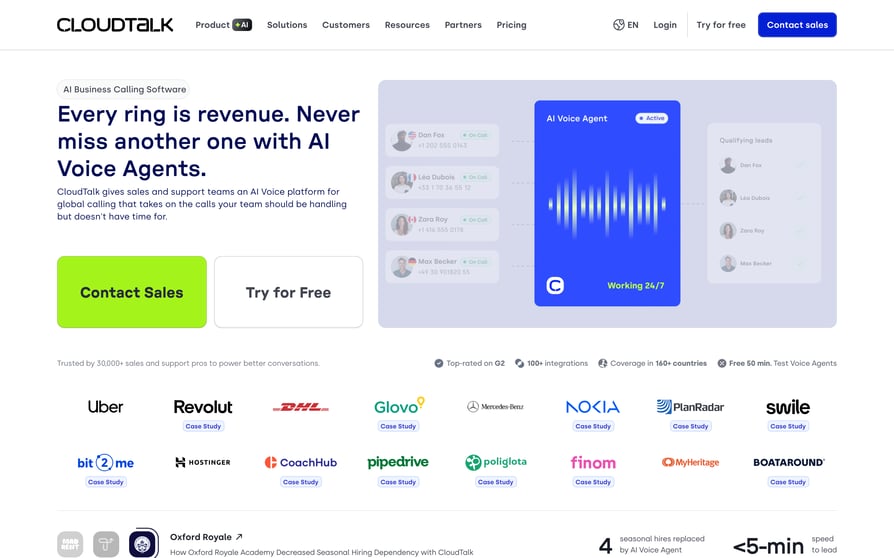
CloudTalk is cloud call center software with local numbers in 160+ countries, 99.999% uptime and AI voice agents, used by 5,500+ companies. It connects to Zendesk Support through a native sync that turns calls into tickets and the "CloudTalk for Support" app in the Zendesk toolbar.
Who Is CloudTalk's Zendesk Integration Best For?
Best for: teams that want every call on the right Zendesk ticket.
It suits desks leaving Zendesk's built-in phone, multi-brand desks that route by number or IVR option, and teams that want AI voice agents leaving tickets.
What Can CloudTalk's Zendesk Integration Do?
- Calling without leaving Zendesk: click any number in the toolbar app to dial.
- Tickets only where needed: for each call type (inbound answered, outbound answered, missed, voicemail), pick a new ticket, an internal note on the customer's last open ticket, or nothing, with per-number overrides.
- The right owner: new tickets get a status, priority and assignee (the matching agent, a user or a group), created at call end or on answer.
- Recordings in the ticket: written as Zendesk's native voice comment, so they play in Zendesk's player, with notes and tags.
- Call data for Explore: Custom Field Mapping writes 9 call attributes (agent, call start, call end, direction, duration, disposition, wait time, recording URL and call ID) into Zendesk fields you create first.
- Contacts and screen pop: end-users sync both ways with every number and email about every 15 minutes, and each agent picks whether a ringing call opens the ticket, the contact or nothing.
- AI with a trail: the Conversation Intelligence add-on adds summary, sentiment and topics to the ticket; voice agent calls log as tickets.
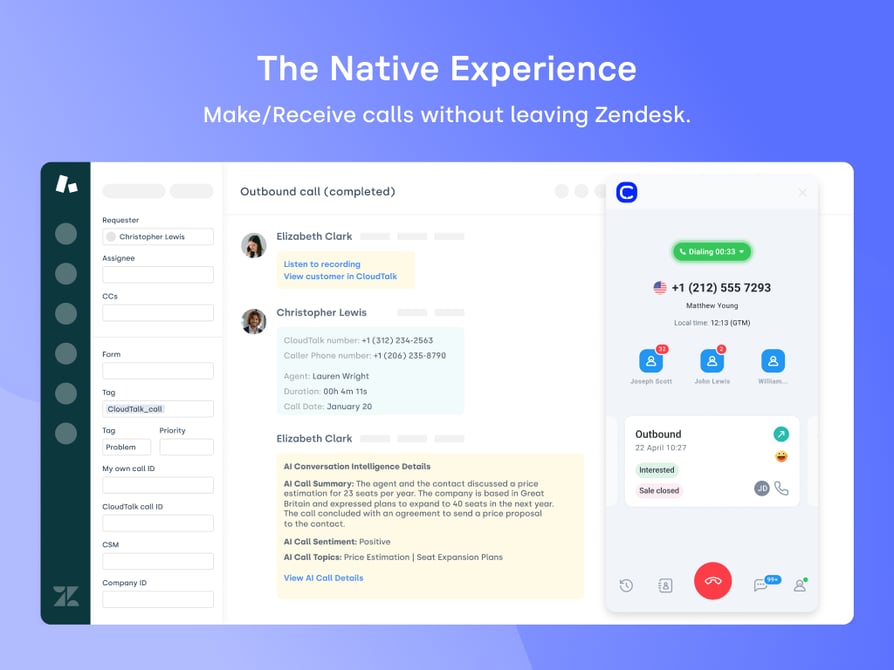
One honest limit: AI output arrives as comment text, not Zendesk fields, so Explore and automations can't use it.
What Other Tools Does CloudTalk Integrate With?
CRMs such as HubSpot, Salesforce, Pipedrive and Zoho CRM, help desks such as Freshdesk, Intercom and Gorgias, and 100+ native CloudTalk integrations in total, plus Zapier, webhooks and a public API.
How Much Does CloudTalk Cost With Zendesk?
CloudTalk pricing: the Zendesk integration starts on Essential.
| Plan | Price (annual / monthly) | What it adds for Zendesk teams |
|---|---|---|
| Starter | $25 / $34 | Core phone system; no Zendesk integration |
| Essential | $29 / $39 | Zendesk and the other native integrations; unlimited domestic calling (fair use) |
| Expert | $49 / $69 | Power Dialer included, Salesforce, real-time call monitoring |
| Custom | Contact Sales | 25+ seats, custom setup |
Add-ons: Conversation Intelligence $9 per user per month, Power Dialer $15, Parallel Dialer $39 and AI Voice Agents from $99 per month for 200 minutes. Out-of-region calls are billed per minute.
What Do Customers Say About CloudTalk on G2 and Reddit?
On Reddit, CloudTalk often comes up as a better fit after leaving Aircall, with users crediting a cleaner interface, smoother onboarding and lower starting costs.
What Is CloudTalk's G2 Rating?
CloudTalk is rated 4.4/5 on G2 from 1941+ reviews. Read CloudTalk reviews on G2.
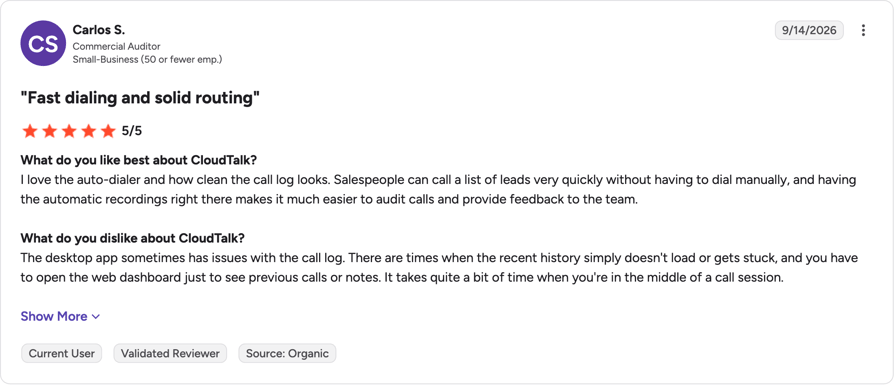
CloudTalk Pros and Cons From G2 and Reddit
| Pros | Cons |
|---|---|
| Ticket rules per call type and per number keep the Zendesk queue clean | AI summaries land as ticket text, not as fields Explore can report on |
| Clear, stable call audio, including on international calls | No WhatsApp logging in Zendesk |
| Users say pairing it with their help desk is fast and straightforward | Some users mention slower support replies during off-peak hours |
2. Aircall
What Is Aircall?
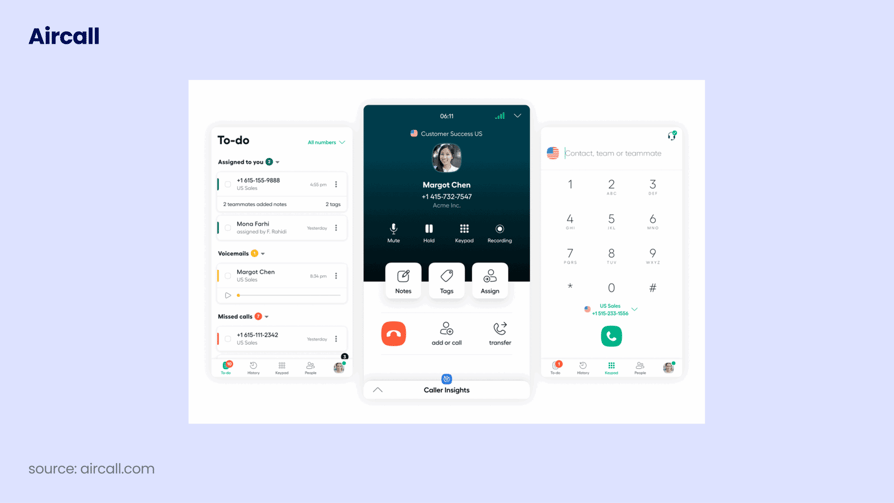
Aircall is a cloud phone system for sales and support teams. Its Zendesk CTI app runs the Aircall phone inside Zendesk, for Zendesk customers at all levels.
Who Is Aircall's Zendesk Integration Best For?
Best for: support teams that want call data in Zendesk fields and WhatsApp logging.
It fits teams that report heavily in Explore or handle WhatsApp next to calls.
What Can Aircall's Zendesk Integration Do?
- A ticket on pickup: Aircall creates and opens a ticket when the agent answers, with custom assignment rules.
- Rules per conversation type: each call, SMS or WhatsApp type logs to a new ticket, a previous ticket or no ticket.
- Call data in fields: numbers, dates, times, recordings and voicemails go into Zendesk custom fields for Explore and triggers.
- Context before hello: Ticket Pop plus insight cards with up to five contact details.
- Agent status sync: agents show as busy during a live call; this and the new ticket view need Talk Partner Edition.
- Messaging and AI calls: SMS, MMS and WhatsApp messages (text and media) are logged, and AI Voice Agent calls log as an internal note or a voice comment.
What Other Tools Does Aircall Integrate With?
Salesforce, HubSpot, Pipedrive, Microsoft Dynamics, Intercom and Shopify, among 250+ integrations, plus API and webhooks on all plans.
How Much Does Aircall Cost With Zendesk?
Aircall pricing includes Zendesk on every plan.
| Plan | Price (billed annually) | Zendesk-relevant features |
|---|---|---|
| Essentials | $30/license, 3-license minimum | Zendesk, recordings, AI transcripts, 50 AI Voice Agent minutes per month |
| Professional | $50/license, 3-license minimum | AI call summary, conversation intelligence, Power Dialer |
| Enterprise | Custom, 25-user minimum | Custom setup |
Annual billing saves 25%. Add-ons include AI Assist Pro ($49 per seat), WhatsApp ($10 per seat) and extra numbers ($6 each); AI Voice Agent minutes cost $0.49 each or less in bundles.
What Do Customers Say About Aircall on G2 and Reddit?
Reddit users like how easy Aircall is to set up and use. The common complaints are choppy audio, useful features locked behind higher plans and slow support when billing or plan changes come up.
What Is Aircall's G2 Rating?
Aircall is rated 4.4/5 on G2 from 1677+ reviews. Read Aircall reviews on G2.
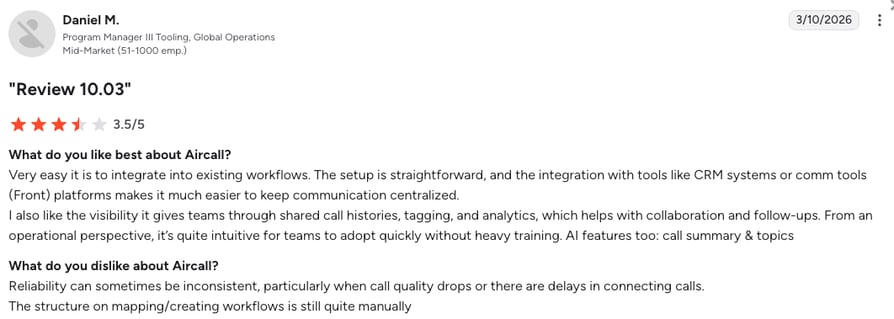
Aircall Pros and Cons From G2 and Reddit
| Pros | Cons |
|---|---|
| Teams connect it to their help desk in a few clicks | 3-license minimum on every plan, and AI call summaries need Professional |
| Call data lands in Zendesk fields that Explore and triggers can use | Users report choppy audio and dropped calls at busy times |
| Simple interface that new agents learn on day one | Agent status sync needs a Zendesk Talk Partner Edition license |
3. Dialpad
What Is Dialpad?
Dialpad calls itself "the AI platform for customer experience." Its Zendesk app lets agents place and receive calls and messages inside Zendesk, with Talk Partner Edition.

Who Is Dialpad's Zendesk Integration Best For?
Best for: teams that want AI call recaps written into a Zendesk field.
It suits teams that want AI notes on every call and mostly hear from callers already in Zendesk.
What Can Dialpad's Zendesk Integration Do?
- Calls and messages from Zendesk: no app switching for agents.
- Tickets for calls and voicemails: calls become tickets with recordings, including voicemails and external transfers.
- Known customers only: tickets are created for existing or matched Zendesk contacts, and agents need permission to create end users.
- AI notes in a field: the AI Recap goes into an "AI Summary" field (255-character cap), with AI action items.
- Customer context: an embedded profile shows the caller's name and open and closed tickets.
What Other Tools Does Dialpad Integrate With?
Salesforce, HubSpot and ServiceNow from the Pro plan, plus Google Workspace, Microsoft Teams, Slack, Zapier and open APIs.
How Much Does Dialpad Cost With Zendesk?
Dialpad pricing: Zendesk starts on Pro.
| Plan | Price (billed annually) | Zendesk-relevant features |
|---|---|---|
| Standard | $15/user ($18 monthly) | No Zendesk integration |
| Pro | $25/user ($30 monthly) | Zendesk and key CRM integrations |
| Enterprise | Contact for pricing | Zendesk integration |
Contact center (Support) plans start at $89 and add the Power Dialer.
What Do Customers Say About Dialpad on G2 and Reddit?
On Reddit, support is the recurring Dialpad complaint, described as hard to reach and mostly automated, along with surprise add-on charges. The mobile app gets good marks.
What Is Dialpad's G2 Rating?
Dialpad is rated 4.4/5 on G2 from 4216+ reviews. Read Dialpad reviews on G2.
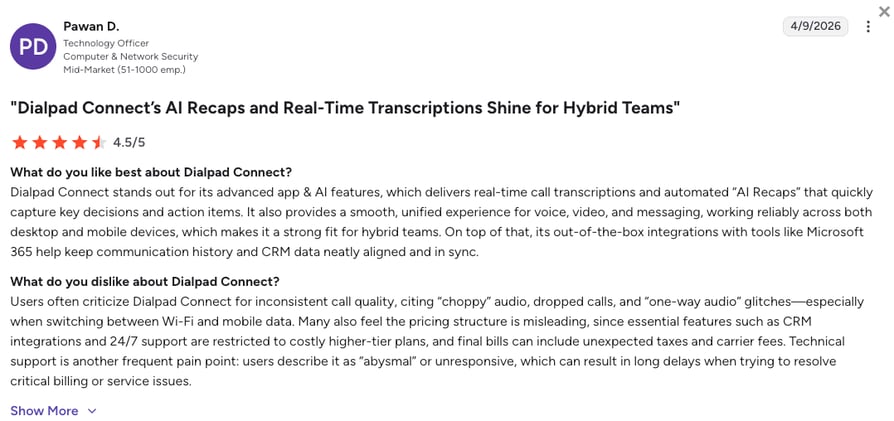
Dialpad Pros and Cons From G2 and Reddit
| Pros | Cons |
|---|---|
| AI transcripts and recaps that reviewers praise for accuracy | Zendesk needs the Pro plan plus Talk Partner Edition for every agent |
| The AI Summary is written into a Zendesk field | Tickets are only created for callers already in Zendesk |
| Mobile and desktop apps work reliably for hybrid teams | Users say round-the-clock support is limited to higher-tier plans |
4. RingCentral
What Is RingCentral?
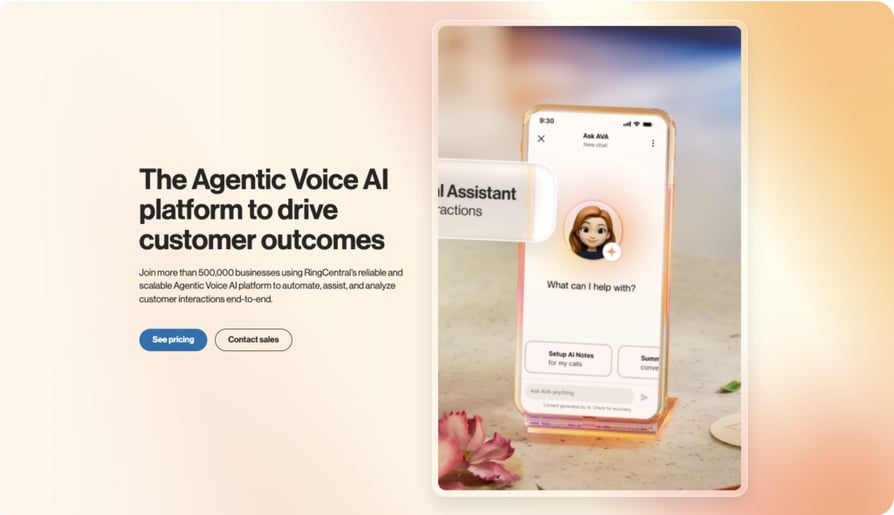
RingCentral sells RingEX for phone, video and messaging, and RingCX for the contact center. RingEX connects to Zendesk through a Marketplace app that needs Talk Partner Edition; RingCX has its own adapter.
Who Is RingCentral's Zendesk Integration Best For?
Best for: companies that want voice, video and messaging from one provider.
It makes sense when the support phone is part of a company-wide calling, meetings and chat decision.
What Can RingCentral's Zendesk Integration Do?
- Calling from Zendesk (RingEX): click-to-dial, screen pop and contact matching.
- Automatic logging (RingEX): call logging and call history, with a new ticket when an incoming call has no match.
- Fewer empty tickets (RingCX): auto-create tickets only for known callers.
- Call data in your fields (RingCX): custom field mappings for call log write-backs.
- Live AI help (RingCX): AI Agent Assist shows real-time transcripts, compliance checklists and coaching inside Zendesk.
What Other Tools Does RingCentral Integrate With?
Salesforce, HubSpot, Microsoft Teams and Outlook, among hundreds of apps in the RingCentral App Gallery.
How Much Does RingCentral Cost With Zendesk?
RingCentral pricing lists CRM integrations from RingEX Advanced, so budget for Advanced if you need Zendesk.
| Plan or add-on | Price (billed annually) | Zendesk-relevant features |
|---|---|---|
| RingEX Core | $20/user ($30 monthly) | Calling, SMS, Google and Microsoft integrations |
| RingEX Advanced | $25/user ($35 monthly) | Adds CRM integrations and automatic call recording |
| RingEX Ultra | $35/user ($45 monthly) | Adds custom analytics and unlimited storage |
| AI Receptionist / Conversational Intelligence / Call Queues Booster | From $39 / from $60 / $35 | AI answering, AI call analysis, larger queues |
What Do Customers Say About RingCentral on G2 and Reddit?
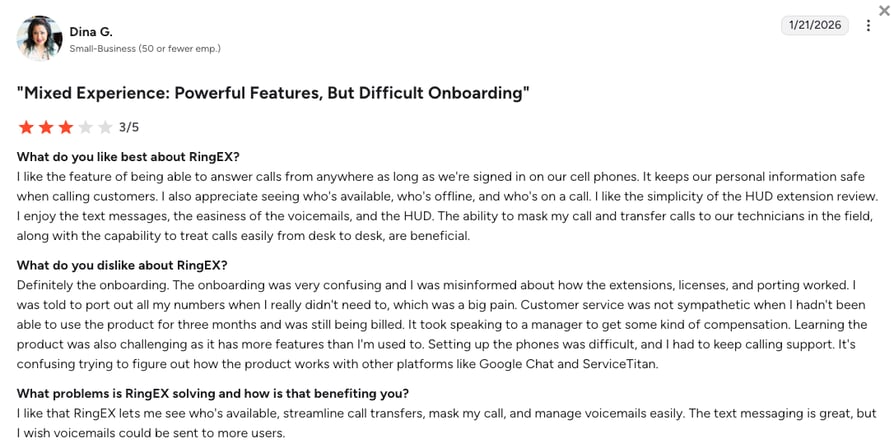
On Reddit, users mention being passed between support agents and botched number porting, and question whether the bundled suite is worth the cost.
What Is RingCentral's G2 Rating?
RingCentral is rated 0/5 on G2 from 0+ reviews. Read RingCentral reviews on G2.
RingCentral Pros and Cons From G2 and Reddit
| Pros | Cons |
|---|---|
| Phone, video and team chat in one suite | Two separate Zendesk apps (RingEX and RingCX) with different features |
| Reviewers praise its uptime and how it handles high call volumes | Admins say simple changes take too many clicks |
| RingCX adds AI Agent Assist inside Zendesk | AI features are paid add-ons |
5. Talkdesk
What Is Talkdesk?
Talkdesk is contact center software for mid-size and enterprise teams. Its Zendesk Connector runs on automations triggered by contact center events.
Who Is Talkdesk's Zendesk Integration Best For?
Best for: larger contact centers that automate Zendesk updates with recipes.
It fits operations with workforce tools, a dialer and an admin to configure each Zendesk update.
What Can Talkdesk's Zendesk Integration Do?
- Event-driven automations: contact center events create tickets, update contacts and enter data in Zendesk.
- Pre-built recipes: voicemail tickets with the recording, a ticket pop when an inbound call starts, ticket updates on disposition, and tickets when outbound calls end.
- Field mapping: Talkdesk event fields map to Zendesk ticket fields.
- Context on answer: agents see the customer's history as the call arrives, and admins set it up without code.
What Other Tools Does Talkdesk Integrate With?
Salesforce, Microsoft Dynamics 365 and ServiceNow, among 70+ integrations in the Talkdesk AppConnect marketplace.
How Much Does Talkdesk Cost With Zendesk?
In Talkdesk pricing, voice starts on Voice Essentials. Ask sales to include the Zendesk Connector and contract term in your quote.
| Plan | Price (per user/month) | Zendesk-relevant features |
|---|---|---|
| Digital Essentials | $85 | Digital channels only, no voice |
| Voice Essentials | $105 | Lowest plan with voice |
| Elite | $165 | Adds workforce and performance management |
| Industry Experience Clouds | $225 | Industry-specific packages |
Talkdesk Express, for US and Canadian businesses under 50 employees, needs no contract.
What Do Customers Say About Talkdesk on G2 and Reddit?
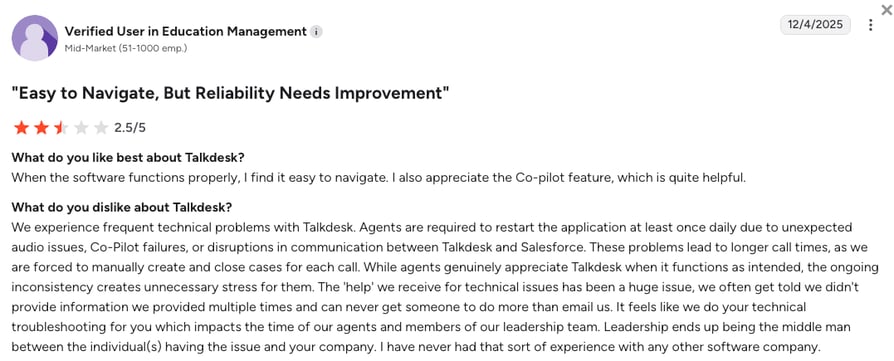
On Reddit, users see Talkdesk's pricing as simpler than Five9's but warn that extra features and custom work push the cost up. Reddit and G2 users also flag dropped connections and failed queue prioritization.
What Is Talkdesk's G2 Rating?
Talkdesk is rated 4.4/5 on G2 from 2605+ reviews. Read Talkdesk reviews on G2.
Talkdesk Pros and Cons From G2 and Reddit
| Pros | Cons |
|---|---|
| Recipes turn contact center events into Zendesk ticket updates | Highest published entry price for voice on this list |
| Operations leaders value its reporting dashboards | Users report dropped connections and failed queue prioritization |
| Pre-built industry clouds help regulated teams stay compliant | Each Zendesk update needs an admin to configure a recipe |
6. Ringover
What Is Ringover?
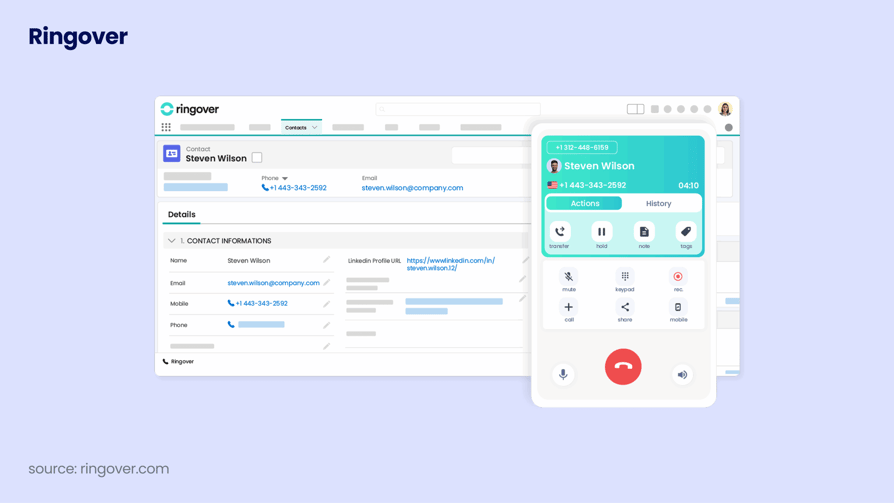
Ringover is a cloud phone system for small and mid-size teams. You switch on the Zendesk integration in the Ringover Dashboard, and an optional dialler app adds calling inside Zendesk.
Who Is Ringover's Zendesk Integration Best For?
Best for: small teams that want granular ticket rules, including missed calls.
It suits small desks that want fine control over which calls and messages become tickets.
What Can Ringover's Zendesk Integration Do?
- Ticket rules by type: choose which call and message types create tickets, and their Zendesk status.
- Missed calls with an owner: missed-call tickets, with missed IVR calls assigned to a chosen user.
- Tags that carry over: recordings in call logs, and Ringover tags that update ticket tags.
- Messaging and contacts: WhatsApp and SMS logging, contact creation and contact sync.
- Context and status: mapped Zendesk fields show in the dialler, and agent status syncs.
- AI summaries: Empower summaries and a transcript link in call logs, with an Empower license.
Talk Partner Edition is optional; turning it on improves how logs and recordings display.
What Other Tools Does Ringover Integrate With?
100+ native integrations on Business; unlimited integrations, API, webhooks and an MCP connector on Unified.
How Much Does Ringover Cost With Zendesk?
Ringover pricing: Zendesk starts on Business, with a 12-month commitment and a 3-user minimum.
| Plan | Price (billed annually) | Zendesk-relevant features |
|---|---|---|
| Talk | $19/user ($29 monthly) | No Zendesk |
| Business | $49/user ($69 monthly) | Zendesk, Power Dialer, 100+ integrations, call summaries |
| Unified | $69/user ($89 monthly) | Unlimited integrations, API, webhooks, MCP connector |
Prices exclude taxes; Campaigns cost $10 per user per month.
What Do Customers Say About Ringover on G2 and Reddit?
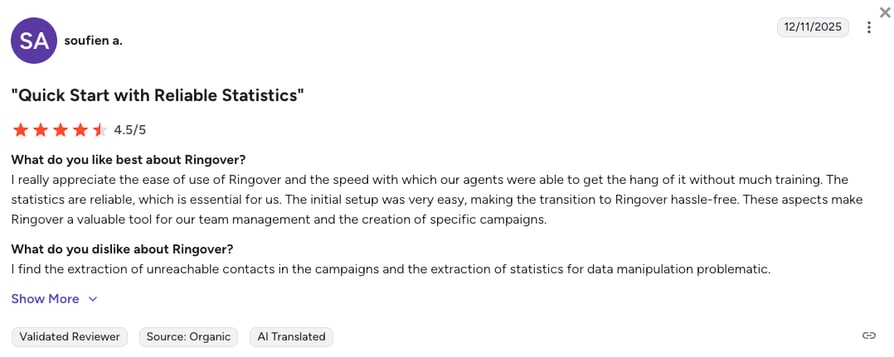
Reddit discussion of Ringover is thin. On G2, users praise fast onboarding and the built-in dialer, and some flag pricing surprises once add-ons are included.
What Is Ringover's G2 Rating?
Ringover is rated 4.6/5 on G2 from 500+ reviews. Read Ringover reviews on G2.
Ringover Pros and Cons From G2 and Reddit
| Pros | Cons |
|---|---|
| Granular ticket rules, including tickets for missed calls | Zendesk needs Business, with a 12-month commitment and a 3-user minimum |
| Fast onboarding: new agents learn the system quickly | AI summaries in Zendesk need a separate Empower license |
| Integrated Power Dialer keeps callback lists organized | Users report mobile app glitches and forced re-logins |
7. Five9
What Is Five9?
Five9 is a cloud contact center platform for large operations, known for its dialer. Its Plus Adapter for Zendesk needs a Zendesk Suite plan or Support with Talk Partner Edition.
Who Is Five9's Zendesk Integration Best For?
Best for: large contact centers that rely on predictive dialing.
It fits contact centers with dedicated admins and high outbound volume; a 10-agent desk rarely needs it.
What Can Five9's Zendesk Integration Do?
- Call data in Zendesk's format: built on Talk Partner Edition's Standard Call Object and Voice Comment, so call data shows as voice comments.
- Agent status in sync between Five9 and Zendesk.
- AI inside Zendesk: Five9 AI Agents and AI Agent Assist.
- Every outbound mode: predictive, progressive, power and preview dialing.
What Other Tools Does Five9 Integrate With?
Salesforce, Microsoft Dynamics 365, Oracle Service Cloud, ServiceNow and Oracle NetSuite.
How Much Does Five9 Cost With Zendesk?
Five9 pricing is quote-based, so ask for a quote that covers the Zendesk adapter and the dialer modes you need. On the Zendesk side, budget for a Suite plan or Support with Talk Partner Edition.
What Do Customers Say About Five9 on G2 and Reddit?
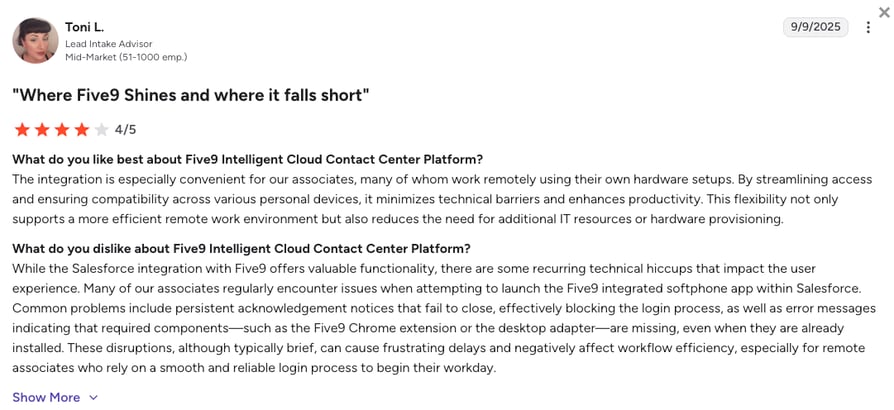
In contact center communities on Reddit, users describe Five9 as strong at raw volume, with complaints about system lag, complex interfaces and contract minimums that don't suit smaller teams.
What Is Five9's G2 Rating?
Five9 is rated 4.1/5 on G2 from 625+ reviews. Read Five9 reviews on G2.
Five9 Pros and Cons From G2 and Reddit
| Pros | Cons |
|---|---|
| Predictive, progressive, power and preview dialing in one platform | Quote-based pricing means a sales process before you see numbers |
| Call data is written as native Zendesk voice comments | Setup and configuration usually need dedicated IT help |
| Detailed reports on every agent performance metric | Heavy and costly for a small support desk |
8. 8x8
What Is 8x8?
8x8 sells 8x8 Work for unified communications and 8x8 Contact Center. One integration, 8x8 Work and Contact Center for Zendesk (version 3.1), covers both, for agents with Zendesk Talk Partner Edition seats.
Who Is 8x8's Zendesk Integration Best For?
Best for: organizations running unified communications and a contact center together.
It suits companies that want one vendor for company calling and the support contact center.
What Can 8x8's Zendesk Integration Do?
- Calls in Zendesk with a preview of contact details and past interactions before answering.
- Automatic call logging against the matching contact, with screen pop on inbound and outbound calls.
- Every channel in one place (Contact Center): calls, chats, voicemail, SMS and WhatsApp, with real-time queue status.
- Transfers: warm and cold, in the 8x8 Agent Workspace.
Limits in 8x8's own documentation
Click-to-dial isn't supported in the Zendesk integration, there's no automatic pop for creating a new user, and selecting tags in the 8x8 panel "replaces all existing Zendesk tags on the ticket." Agents also need a desk phone or the 8x8 softphone for audio.
What Other Tools Does 8x8 Integrate With?
Salesforce, HubSpot, Microsoft Dynamics, ServiceNow, Microsoft Teams and NetSuite.
How Much Does 8x8 Cost With Zendesk?
8x8 pricing is quote-based. 8x8 lists X6 or above for its Contact Center integration with Zendesk, plus Zendesk Talk Partner Edition seats for every agent who uses it.
What Do Customers Say About 8x8 on G2 and Reddit?
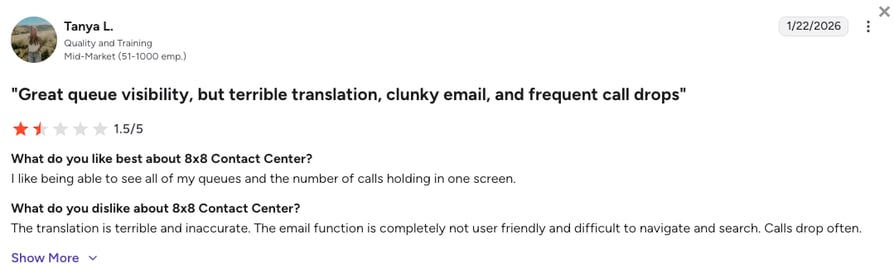
On r/sysadmin, IT leads say 8x8 support can go quiet during migrations, and that its texting and mobile app lag behind newer tools.
What Is 8x8's G2 Rating?
8x8 is rated 4.2/5 on G2 from 941+ reviews. Read 8x8 reviews on G2.
8x8 Pros and Cons From G2 and Reddit
| Pros | Cons |
|---|---|
| One vendor for company calling and the contact center | No click-to-dial in the Zendesk integration |
| Runs calling inside Microsoft Teams | Selecting tags in the 8x8 panel replaces existing Zendesk tags |
| Managers see queues and hold metrics on one screen | Reviewers find the admin portal clunky |
How to Integrate CloudTalk With Zendesk (Step-by-Step)
Setting up the CloudTalk Zendesk integration takes settings, not code. You need a Zendesk admin and matching agent emails in both tools.
- 01Connect Zendesk: in the CloudTalk Dashboard, go to Account > Integrations, add Zendesk, sign in and approve access.
- 02Set up contacts: choose whether unknown callers become Zendesk users.
- 03Choose the connected numbers: only these numbers create tickets.
- 04Set the call rules: per call type, pick a new ticket, a note or nothing, then set status, priority, assignment and per-number overrides.
- 05Set visibility: turn on "export recording and customer links as notes" and "export call notes as internal notes," because notes and recordings are public by default and Zendesk may email them.
- 06Map call data (optional): create Zendesk text or number fields, then map call attributes for Explore.
- 07Install the calling panel: add "CloudTalk for Support" from the Zendesk Marketplace for click-to-call in the toolbar.
- 08Test with real calls: inbound, outbound, missed and voicemail, checking the ticket, assignee and what the customer sees.
Tickets with no assignee?
If new tickets arrive without an assignee, the agent's email in Zendesk and CloudTalk doesn't match exactly. Fix the email and test again.
Two panel behaviors to test: agents must open the CloudTalk panel after logging in to Zendesk to receive calls, and only one CloudTalk phone is active at a time, so the Zendesk login signs agents out of the desktop app.
What Is a Zendesk VoIP Integration?
A Zendesk VoIP integration connects a cloud phone system to Zendesk Support, so agents can call from tickets and contacts and every call, voicemail and recording is logged to a ticket automatically. It's also called a Zendesk calling integration. It has two parts, a calling panel inside Zendesk and a data sync, and most of the value sits in the sync.
How Does a Zendesk Phone Integration Work?
A Zendesk phone integration does two jobs:
| Job | Where it runs | What it does |
|---|---|---|
| Calling | A panel in the Zendesk toolbar | Click a number on a ticket or contact to call, take incoming calls, and open the right record when the phone rings |
| Sync | In the background | Moves contacts between systems and turns each call into a ticket, a note on an open ticket, or nothing, with recording, notes, tags and call data |
In the Zendesk trials we've watched, the sync decides success: it takes a week of real calls to see whether the right tickets appear with the right owner.
What Is the Difference Between a Zendesk CTI and a Native Integration?
The CTI (computer telephony integration) is the phone in the toolbar. The native integration is the data sync. Most phone systems install them separately:
| Setup | What you get | What you lose |
|---|---|---|
| CTI only | Calling from Zendesk | Sync-level rules such as per-number overrides or field mapping |
| Native integration only | Calls, recordings and notes on tickets | Calling and screen pop inside Zendesk |
| Both | The full workflow | Nothing; the setup we recommend for CloudTalk |
Zendesk's name for connecting outside phone systems is Talk Partner Edition. According to Zendesk's Talk Partner Edition documentation, it "allows you to choose your own call center software and integrate it with Zendesk," with 200+ pre-built telephony integrations. Its Standard Call Object and Voice Comment APIs are how many phone systems write call data into tickets in Zendesk's own format.
Who needs Talk Partner Edition?
It's available on Customer Service Suite plans from Team up; on legacy plans without the Support Productivity Pack, each agent using a third-party voice app needs a license. Dialpad, RingCentral's RingEX app and 8x8 require it, Five9 needs a Suite plan or Support with Talk Partner Edition, Aircall needs it for agent status sync and the new ticket view, and Ringover treats it as optional.
Zendesk Talk vs. a Third-Party Phone System: Which Do You Need?
Zendesk has its own phone product. Its help center article on Talk plan types calls the plans "Zendesk Talk" (Team, Professional and Enterprise), included in Zendesk Suite plans. So first ask whether you need a third-party tool at all.
When Is Zendesk's Built-In Phone Enough?
It's a reasonable choice for small teams supporting one country, with simple routing and modest volume. There's no connector to configure.
According to Zendesk's getting started guide for voice support, inbound and outbound calls, voicemail recording and voicemail transcription (English only) are billed per minute, and numbers are charged monthly by country and type. Porting runs through Twilio: most US and Canadian numbers can be ported, other countries case by case. It also needs 50 kbit/s per call and a WebRTC browser.
When Do Teams Outgrow It?
Zendesk's built-in phone is the product we most often see Zendesk teams leave, for a more modern app, local numbers in more countries, better call quality, richer routing, dialing and AI. Here's how the two compare:
| Zendesk's built-in phone | Third-party phone system | |
|---|---|---|
| Numbers | Charged monthly by country and type; porting through Twilio, mostly guaranteed for US and Canada | Depends on the vendor; CloudTalk offers local numbers in 160+ countries |
| Routing | IVR from Suite Professional | Call flows, IVR and skill-based routing, by vendor and plan |
| Ticket rules | Native, no connector | From simple logging to rules per call type and number |
| Recordings | Voicemail recording and transcription billed per minute | Some vendors write recordings as Zendesk voice comments |
| AI and dialer | Check Zendesk's plans and add-ons | AI summaries, voice agents and power, parallel or predictive dialing, usually as add-ons |
| Price | Included in Suite plans, plus per-minute and number fees | Vendor subscription plus Zendesk plan or Talk Partner Edition |
As an alternative to Zendesk Talk, CloudTalk adds global numbers, call flows, per-call-type ticket rules and AI voice agents. For simple, one-country support, staying on Zendesk's phone is a fair call.
Why Integrate a Phone System With Zendesk? 5 Benefits for Support Teams
Integrating a phone system with Zendesk puts call context on the ticket, gives missed calls an owner and makes calls reportable. According to Salesforce's 2025 State of Service report, service teams that unify channel data in one platform are 1.4x more likely to call their AI rollout very successful than teams running siloed systems. On Zendesk desks, the silo we see most is calls that never reach the help desk.
Every Call Becomes a Ticket With Its Context
The date, duration, agent, recording, notes and tags land on the ticket without anyone typing them, so the next agent knows the customer called yesterday and what was said.
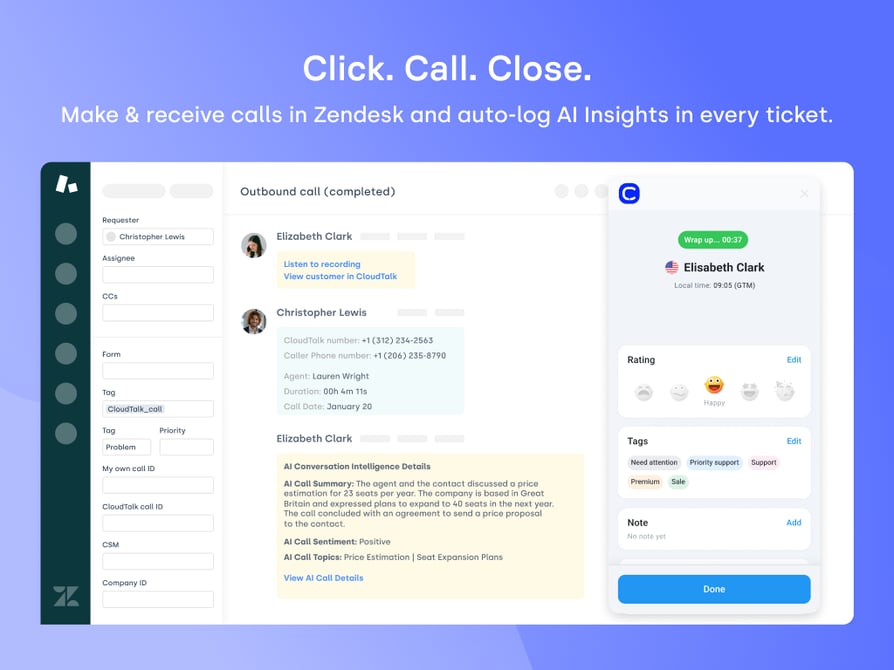
Agents See the Right Record When the Phone Rings
A screen pop opens the caller's Zendesk record before the agent says a word. Atlassian's 2025 State of Teams report found that teams waste 25% of their time just searching for answers; that covered knowledge workers in general, but support desks lose the same time.
Missed Calls and Voicemails Get an Owner
A missed call with no owner gets two callbacks or none. Turn missed calls and voicemails into tickets assigned to a user or group, so someone owns the callback; with per-number overrides, a VIP line can go to a senior group.
Real-Life Example
Yanolja, a travel and hospitality company, reduced missed calls by 30 to 40% after switching to CloudTalk.
Call Data Shows Up in Zendesk Reports
Zendesk's Talk Partner Edition documentation states the limit: Explore only reports on information associated with Zendesk tickets. CloudTalk's Custom Field Mapping writes agent, duration, wait time, disposition and five more call attributes into Zendesk fields, so Explore can report on them.
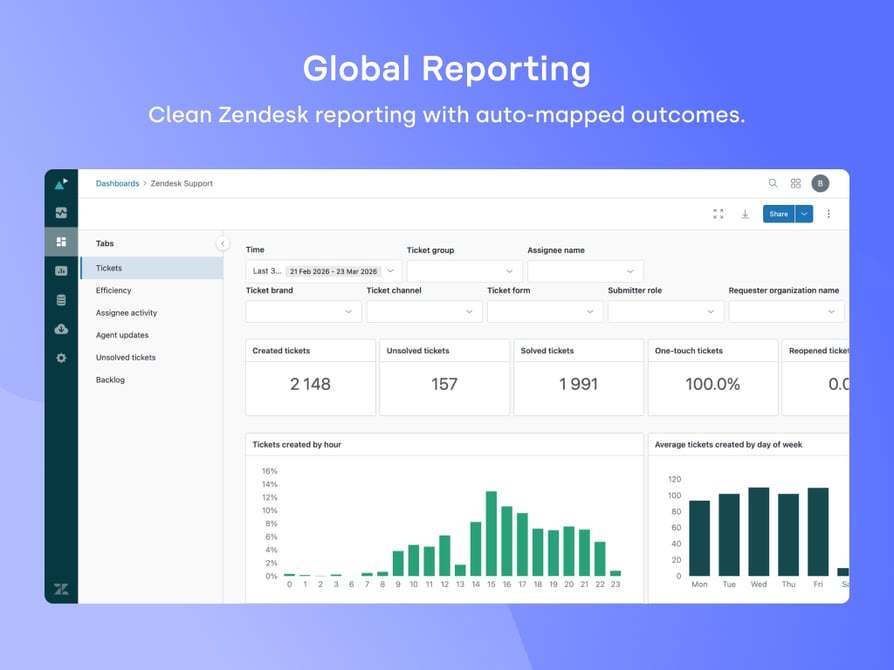
Managers Coach From Recordings and AI Summaries
Recordings inside the ticket speed up QA and call center coaching: a manager hears the call and reads the thread in one place, and an AI summary lets them skim first.
What Should a Zendesk Phone Integration Sync Automatically?
A Zendesk phone integration should sync contacts, recordings, call notes, tags and call data on its own, and create tickets only for the call types you choose. "Will this flood our queue?" is the question we hear most, and the answer depends on rules you set before go-live.
How Should Calls Become Tickets? Rules to Decide Before You Buy
| Decision | Ask the vendor |
|---|---|
| Which call types create tickets | Can I set rules separately for inbound answered, outbound answered, missed and voicemail? |
| New ticket or note on the open one | Can a call add a note to the customer's open ticket instead of opening a duplicate? |
| Ticket timing | Is the ticket created when the call is answered or when it ends? Can I choose? |
| Assignment | Is the ticket assigned to the agent who took the call? What does that depend on? |
| Missed calls and voicemails | Can I assign them to a group or user with a priority? |
| Per-number overrides | Can rules differ for brand, language and VIP lines? |
| Customer visibility | Are recordings, links and notes public or internal by default? |
| Closed tickets | What happens when a call relates to a closed ticket, since Zendesk won't add notes to it? |
What Syncs, and What to Ask
| What syncs | Ask the vendor |
|---|---|
| Contacts and multiple numbers | Are all numbers and emails synced, or only the primary one? Is there a bulk import? |
| Unknown callers | Are they created as Zendesk users? Can I switch that off? |
| Call recordings | Does the recording play in the ticket or open as a link? |
| Call data in fields | Which attributes can be mapped, since Explore only reports on ticket data? |
| AI summaries and transcripts | Comment text or fields? Can Zendesk automations use it? |
| SMS and WhatsApp | Are business SMS and WhatsApp logged, and as what? |
| Agent status | Does phone status sync with Zendesk, and which license does it need? |
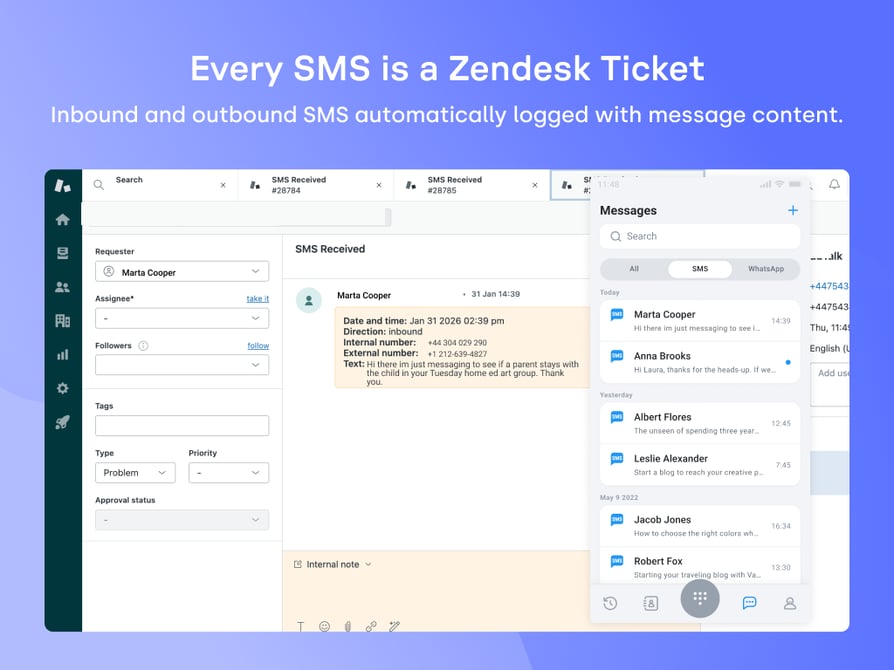
What Usually Doesn't Sync (Ask Before You Buy)
Plan around these common gaps before you sign:
- Custom contact fields and brand: many sync only names, numbers and emails.
- Deletions: removing a contact in one system often doesn't carry over, which matters for GDPR requests.
- AI output as fields: summaries often arrive as comment text that reports can't read.
- WhatsApp: some vendors log it, many don't.
- Ticket edits and the organization: changes rarely flow back to the phone system, and opening the caller's organization isn't a given.
None is a dealbreaker alone, but found after go-live, each becomes a project.
Best Zendesk Phone Integration by Team Type
The best Zendesk phone integration depends on your team: CloudTalk for most support desks, and Five9 for large contact centers built on predictive dialing.
| Team type | Pick | Alternatives |
|---|---|---|
| Support teams working calls and tickets together | CloudTalk | Aircall, Dialpad |
| Multi-brand and multi-language desks | CloudTalk | Aircall, Talkdesk |
| Large contact centers | Five9 | Talkdesk, RingCentral (RingCX) |
| Small teams and multi-country support | CloudTalk | Ringover, Dialpad |
Best for Support Teams Working Calls and Tickets Together
Pick: CloudTalk. When agents switch between calls and tickets all day, ticket rules per call type and recordings in the ticket matter most. Alternatives: Aircall opens the ticket on pickup; Dialpad writes an AI recap into a field.
Best for Multi-Brand and Multi-Language Support Desks
Pick: CloudTalk. Calls route by number dialed or IVR language through its call flow designer, and per-number rules assign tickets to a specific group. One caveat: CloudTalk doesn't set Zendesk's brand field directly; the usual approach is a custom field plus a Zendesk trigger. Alternatives: Aircall supports custom assignment rules, and Talkdesk maps event fields to ticket fields through recipes.
Best Zendesk Call Center Integration for Large Contact Centers
Pick: Five9. With dedicated admins and a predictive dialer at the center of outbound work, a contact center suite fits better. Alternatives: Talkdesk (recipes, workforce management on Elite) and RingCX. CloudTalk is built for SMB and mid-market teams, not hundreds of predictive seats.
Best for Small Teams and Multi-Country Support
Pick: CloudTalk. It offers international numbers in 160+ countries, Zendesk from Essential at $29 per user per month billed annually, and CloudTalk AI Receptionist with 50 free minutes for after-hours calls. Alternatives: Ringover Business and Dialpad Pro. Check mobile numbers and porting for every country before you buy.
Zendesk Dialer Integrations: Callbacks, Power and Parallel Dialing
A Zendesk dialer integration is a phone system's automated outbound dialer working alongside Zendesk. On a support desk, it's mostly for callbacks, proactive outreach and teams that both support and sell.
Does a Support Team Need a Dialer?
Most can skip it: click-to-call from the Zendesk panel covers callbacks from a ticket. A dialer pays off when outbound work is a list, such as missed-call callbacks, renewal reminders or surveys.
Which Zendesk Phone Systems Offer Power or Parallel Dialing?
| Tool | Dialing modes | Where it's included | Voicemail handling |
|---|---|---|---|
| CloudTalk | Power and Parallel | Add-ons; Power included in Expert | Automatic on Parallel at 2+ lines; one click in Power |
| Aircall | Power | Professional plan | Voicemail drop on Professional |
| Dialpad | Power | Support (contact center) plans, from $89 | Voicemail drop |
| RingCentral | Predictive, progressive and preview | RingCX (contact center) | Answering machine detection with an automated message |
| Talkdesk | Predictive and preview | Talkdesk Dialer | Answering machine detection on predictive campaigns |
| Ringover | Power | Business plan | Not listed |
| Five9 | Predictive, progressive, power and preview | Quote-based packages | Automatic voicemail handling |
| 8x8 | Not listed | Not listed | Not listed |
Parallel dialing (several lines per agent) is listed only by CloudTalk among these eight.
CloudTalk's AI Sales Dialer runs campaigns with scripts, scheduled callbacks and dispositions. The Power Dialer dials one number at a time; the Parallel Dialer dials several and connects the first answer. Zendesk views aren't a documented campaign source, so plan to load lists separately.
AI for Zendesk Calls: Summaries, Transcripts and Voice Agents
For a Zendesk team, the useful question about call AI is where its output lands in the ticket.
Where Does AI Call Data Land in Zendesk?
AI call data lands either as text in a ticket comment or as discrete ticket fields:
| Format | Strength | Trade-off |
|---|---|---|
| Comment text | Agents read the summary the moment they open the ticket | Explore and triggers can't act on it |
| Ticket fields | Reports, triggers, automations and views can use it | Setup work and field size limits |
How the tools handle it:
- CloudTalk: with the Conversation Intelligence add-on, summary, sentiment and topics are comment text with a link to the call; transcript text appears in the voice comment when available.
- Dialpad: the AI Recap goes into an "AI Summary" field (255 characters), plus action items.
- Aircall: AI call summary and conversation intelligence on Professional.
- Ringover: Empower summaries and a transcript link in call logs, with an Empower license.
- RingCentral (RingCX) and Five9: AI Agent Assist inside Zendesk, with real-time transcripts and coaching on RingCX.
Ask each vendor to show where AI output lands in a test ticket, and test transcription in your customers' languages.
Which AI Voice Agents Work With Zendesk?
CloudTalk and Aircall document how their AI voice agent calls log in Zendesk, and Five9 runs AI Agents within it. Gartner predicts that by 2029, agentic AI will resolve 80% of common customer service issues without human intervention, but Gartner's 2026 customer survey found that 87% of customers say companies using GenAI for service must offer a way to reach a human agent. The best AI voice agents hand off when asked and leave a ticket either way.
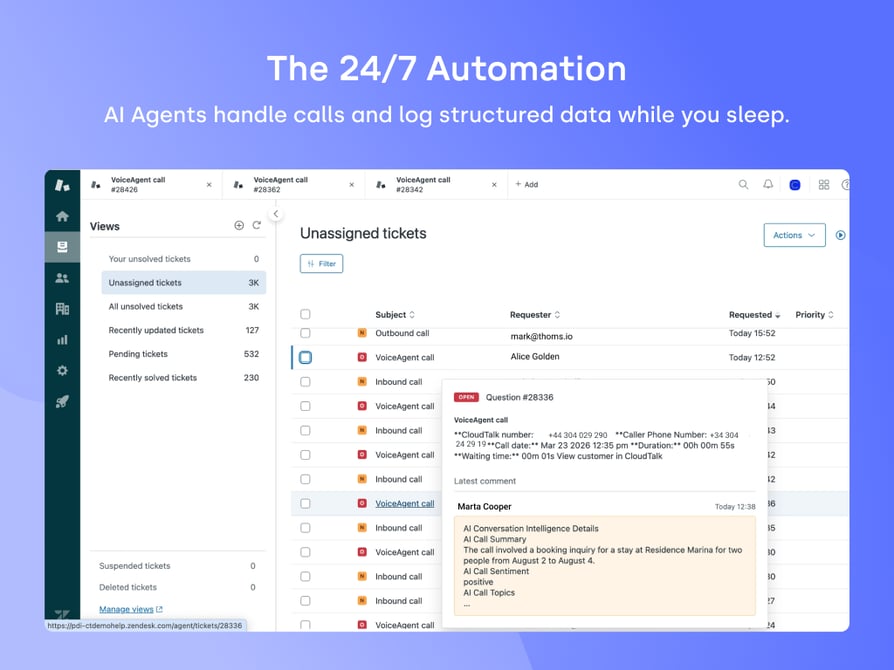
CloudTalk voice agent calls log as "VoiceAgent call" tickets with the data collected, and a Zendesk Trigger or Automation can start a voice agent call by webhook (Support Professional or above, numbers in E.164 format). A common setup answers after hours, books the callback like an AI voice agent for appointment booking and leaves a ticket for the morning shift.
Real-Life Example
Autenti, a SaaS company, had CloudTalk AI voice agents handle about 30% of its inbound support calls.
Aircall logs AI Voice Agent calls as an internal note or voice comment; RingCentral sells an AI Receptionist add-on from $39.
How Much Does a Zendesk Phone Integration Cost?
Among vendors that publish prices, a Zendesk phone integration starts at $25 to $49 per user per month billed annually, while contact center suites such as Talkdesk start at $105 for voice. As with any call center software cost estimate, the seat price leaves out the plan tier the integration needs, dialer and AI add-ons, and Zendesk's own requirements.
| Tool | Lowest plan with Zendesk | Price per user/month (annual) | Paid extras to budget | Zendesk-side requirement |
|---|---|---|---|---|
| CloudTalk | Essential | $29 | Power $15, Parallel $39, Conversation Intelligence $9 | Admin to connect; Support Professional+ for voice agent triggers |
| Aircall | Essentials | $30 (3-license min.) | Professional ($50) for Power Dialer and AI summaries | Talk Partner Edition for agent status sync |
| Dialpad | Pro | $25 | Support plans (from $89) for the Power Dialer | Talk Partner Edition |
| RingCentral | Advanced | $25 | Conversational Intelligence from $60 | Talk Partner Edition |
| Talkdesk | Voice Essentials | $105 | AI add-ons on quote | Ask sales |
| Ringover | Business | $49 (3-user min., 12 months) | Empower license for AI summaries | Talk Partner Edition optional |
| Five9 | Quote-based | Contact sales | Package-dependent | Suite plan or Support with Talk Partner Edition |
| 8x8 | X6 or above | Contact sales | Quote-based | Talk Partner Edition seats |
In our Zendesk conversations, the surprises are nearly always out-of-region calls, extra numbers and AI minutes, not the seat price. CloudTalk publishes its plan and add-on prices, so you can price the full stack before a sales call.
How to Pick the Right Zendesk VoIP Integration
To pick the right Zendesk VoIP integration, run these eight checks in a trial with real calls and real Zendesk data.
- 01Decide which calls create tickets, and when: write the rule for inbound answered, outbound answered, missed and voicemail calls.
- 02Check assignment and groups: answered calls to the right agent, missed calls and voicemails to the right group, for every brand or language line.
- 03Test what the customer sees: open the ticket as the customer would and check whether recording links and notes are public.
- 04Test what the agent sees on ring: which record opens, how fast, in which browser.
- 05Test missed calls, voicemails and unknown numbers: call from a number not in Zendesk and check for duplicate users.
- 06Check where AI output lands: comment text or a field your reports and automations can use.
- 07Check numbers and porting: local and mobile numbers per country, and how long number porting takes.
- 08Price the full stack: out-of-region calls, extra numbers, AI minutes and add-ons, plus the Zendesk plan or licenses.
A [14-day CloudTalk free trial](https://www.cloudtalk.io/signup/) is enough time to run all eight on your own tickets.
How We Chose the Best Zendesk Phone Integrations
We started with our conversations with Zendesk teams choosing or switching phone systems, then checked each tool's Zendesk documentation, pricing page and G2 rating. We scored every tool on:
- Calling and screen pop inside Zendesk
- Ticket rules, assignment and visibility
- Where AI output lands
- Contact sync, numbers and porting
- Total cost, including Zendesk licensing
- User feedback on reliability and VoIP call quality
CloudTalk is our product and ranks first; to keep that fair, we listed its limits and named where competitors fit better.
Start Turning Every Zendesk Call Into a Ticket Automatically
Pick CloudTalk if you want calls, voicemails and recordings on the right Zendesk ticket with rules you set per call type and per number, and agents dialing from the Zendesk toolbar. Shortlist Aircall or Ringover when WhatsApp has to reach your tickets, and Five9 or Talkdesk when outbound runs on a predictive dialer with hundreds of seats.
Whichever you shortlist, run the checklist above with real calls before you sign. The CloudTalk Zendesk integration page covers setup in detail.
Bring your Zendesk call rules to a live walkthrough
Sources:
- 01Gartner
- 02Salesforce
- 03Atlassian
Frequently Asked Questions About Zendesk Phone Integrations
Yes. Zendesk Talk, the built-in phone, comes with Suite plans plus per-minute usage fees, which our Zendesk Talk pricing guide breaks down. Many teams connect a third-party phone system instead.
You connect a phone system to Zendesk with two installs: the native VoIP integration that syncs data, and a calling panel app from the Zendesk Marketplace. Agent emails must match in both tools.
No, only if you set it up that way. CloudTalk lets you choose per call type: a new ticket, an internal note with the call notes on the open ticket, or nothing, with overrides per number.
Set rules per call type, such as no ticket for answered outbound calls, and connect only the numbers that need tickets. Zendesk triggers and workflow automation help, but closed tickets can't take notes.
Yes, by default. Notes and recording links are public, and Zendesk may email them. Turn on the internal-note settings to hide them; recordings from CloudTalk's call recording software still play in Zendesk.
Yes. CloudTalk creates tickets when the call ends by default, and you can switch that to when it's answered. It can't fill Zendesk fields mid-call, but call tags and notes carry over.
Yes. Custom Field Mapping writes up to 9 call attributes, such as duration and disposition, into Zendesk fields you create first. AI summary text isn't a field, so Explore can't read it; CloudTalk's own call center analytics report on calls too.
Yes, through a separate app called CloudTalk for Sales. This guide covers Zendesk Support only, and the CloudTalk Zendesk Sell integration has its own setup and sync rules.
Yes. CloudTalk voice agent calls log as "VoiceAgent call" tickets, handy for after-hours call handling. A Zendesk Trigger can start a call on Support Professional or above.
Usually, yes. Number porting works for most numbers, but it varies by country and number type, and some mobile numbers can't be ported. Check every number before you buy.