10 Key Capsule CRM Integrations for Small Businesses in 2026

SUMMARY:
We reviewed and tested 25+ Capsule CRM integrations and chose the 10 best options for small and mid-sized businesses in 2026, based on ease of setup, automation depth, CRM data sync, business use case fit, and real user feedback.
10 best Capsule CRM integrations by use case:
- 01CloudTalk —best overall for sales and support teams needing VoIP calling, automatic call logging, and real-time Capsule CRM sync
- 02Google Sheets —best for lightweight reporting, dashboards, and data exports without leaving your existing stack
- 03Microsoft Teams —best for aligning remote sales and support teams around Capsule CRM activity in real time
- 04Mailchimp —best for syncing CRM contacts into email campaigns and automating lead nurturing sequences
- 05Xero —best for connecting financial data with your CRM to track customer value and invoice history
- 06Zapier —best for no-code automation between Capsule and 8,000+ apps without any developer help
- 07HubSpot —best for aligning marketing engagement data with your Capsule CRM pipeline
- 08Lemlist —best for multichannel outreach teams that need campaign engagement synced back into Capsule records
CloudTalk is the strongest choice for most small businesses that want to connect Capsule CRM to a reliable VoIP phone system — without enterprise-level complexity.
Larger organizations with compliance requirements, advanced marketing automation, or complex ERP workflows may prefer dedicated platforms like HubSpot or Xero.

Discover how CloudTalk integrates with Capsule CRM to give your team instant call context and zero manual logging

Quick Comparison Table of the Best Capsule CRM Integrations
| Platform | Key Features | Best For | G2 Rating |
|---|---|---|---|
| CloudTalk | VoIP calling, auto call logging, click-to-call, AI conversation intelligence, CRM sync | Sales and support teams needing voice-first Capsule CRM integration | 4.4/5 |
| Google Sheets | One-click data export, field sync, pipeline dashboards | Ops and leadership teams building lightweight reports | 4.6/5 |
| Microsoft Teams | CRM activity alerts, deal notifications, cross-team collaboration | Distributed teams aligning around Capsule updates | 4.4/5 |
| Mailchimp | Two-way contact sync, segmentation, triggered email campaigns | Marketing teams nurturing leads from Capsule CRM | 4.4/5 |
| Xero | Invoice sync, payment tracking, account health visibility | Finance and sales teams needing connected financial data | 4.4/5 |
| Zapier | 8,000+ app connections, multi-step Zaps, no-code triggers | SMBs automating custom CRM workflows without developers | 4.5/5 |
| HubSpot | Marketing engagement sync, lead routing, remarketing workflows | Marketing-sales teams sharing a unified CRM source of truth | 4.4/5 |
| Lemlist | Outreach activity sync, campaign segmentation, multichannel engagement | Sales teams running personalized outreach tied to Capsule records | 4.6/5 |
What Is a Capsule CRM Integration?
A Capsule CRM integration connects Capsule with the other apps you use every day—like phone systems, email platforms, accounting tools, or helpdesks. Instead of switching tabs or copying data manually, information flows automatically between systems.
That means your sales, support, and marketing teams always work with the same customer data—no silos, no duplication. For example, an email sent in Gmail or calendar event created in Outlook instantly appears in Capsule, keeping every record up to date.
Here's what Capsule CRM integrations make possible:
- Automate workflows: trigger follow-ups, assign tasks, or update deals with Tracks or Zapier
- Sync data: keep contacts, emails, calls, and invoices consistent across connected tools
- Trigger actions: move pipeline stages, send alerts, or create support tickets automatically
One standout example is the CloudTalk + Capsule CRM integration, which allows teams to:
- Instantly identify callers and pull up Capsule records in real time
- Auto-log call notes, recordings, and tags directly into the CRM
- Connect voice data with sales and support workflows for a complete customer view
Most Capsule CRM app integrations are built using APIs, middleware like Zapier, or native connectors from Capsule's integration library—making them flexible, low-code, and easy for SMBs to set up.
How We Chose the Best Capsule CRM Integrations
To create this guide, we evaluated 25+ leading Capsule CRM integration platforms using verified user reviews, product documentation, feature comparisons, and market research.
Our evaluation covered seven key criteria:
- Integration depth: Does the tool sync bidirectionally, or just push data one way?
- Ease of setup: Can a non-technical user connect it in minutes, or does it require developer resources?
- Automation capabilities: Can it trigger actions in Capsule based on external events—and vice versa?
- Pricing clarity: Is the pricing transparent and accessible for SMBs?
- Customer support: Does the vendor offer responsive onboarding and documentation?
- Scalability: Will the integration hold up as your team grows or your stack evolves?
- User satisfaction: What do verified users on G2, Capterra, TrustRadius, Reddit, and Quora actually say about it?
We weighted real-world usability heavily — because the best Capsule CRM connector isn't the one with the most features, it's the one your team actually uses.
Why Trust Our Software Reviews?
For nearly a decade, we've helped over 30,000 professionals choose and implement better communication tools. We've reviewed 200+ products, analyzed 5,500+ verified reviews from G2 and Capterra, and drawn insights from real user discussions on platforms like Reddit or Quora.
In the past year alone, we've published 1,000+ articles, all written and reviewed by humans, for humans, to provide reliable, data-backed insights you can trust.
Top 10 Capsule CRM Integration Solutions for 2026
Capsule CRM helps teams manage contacts, deals, and tasks with simplicity—but it shines brightest when connected to the tools you already use. From phone systems and marketing platforms to accounting software and helpdesks, Capsule CRM integrations extend its value across your entire customer journey.
We've curated the 10 most impactful integrations for 2026, each selected for a specific business use case. For every tool, we'll cover what it is, how it works with Capsule, and the business challenge it helps solve—whether it's syncing calls, automating invoices, or streamlining outreach.
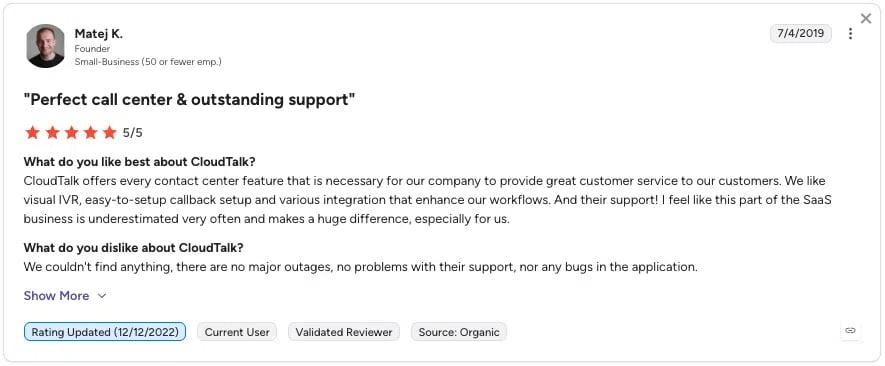
1. CloudTalk: Best VoIP and Calling Integration for Capsule CRM
What Is CloudTalk?
CloudTalk is a modern VoIP and AI-powered calling software built for sales and support teams. With the Capsule CRM CTI and VoIP integration, Capsule becomes a unified hub for customer communication—calls, notes, and customer records sync automatically, giving teams the context they need without manual updates.
CloudTalk + Capsule CRM Integration Use Case:
Set up CloudTalk + Capsule CRM call integration in minutes. Every inbound and outbound call is logged into Capsule automatically, complete with notes, tags, outcomes, and recordings. Reps see caller records instantly during calls, while managers gain full visibility for coaching and reporting.
Benefits of Integrating CloudTalk + Capsule CRM
- Unified view of calls, contacts, and deals inside Capsule
- Time saved with automatic call logging and synced records
- Personalized interactions with instant caller identification
- Better coaching through real-time monitoring and call history
What Are CloudTalk's Key Features?
- Smart & Power Dialer: Automates number sourcing and rapid dialing to boost outbound call efficiency
- Call Monitoring & Coaching: Listen, whisper, or join calls in real time
- AI Conversation Intelligence: Surface keywords, sentiment, and performance trends from calls
- Call Recording: Securely store and replay calls for training or compliance
- Click-to-Call: Dial directly from Capsule CRM with a single click
What Are CloudTalk's Plans & Pricing?
CloudTalk pricing starts at $25/user/month and offers four plans:
- Starter: $25/user/month
- Essential: $29/user/month
- Expert: $49/user/month
- Custom: Pricing available upon request
A 14-day free trial is available. No free plan.
What Are CloudTalk Pros & Cons?
| Pros | Cons |
|---|---|
| Automatic call logging saves reps hours of manual CRM updates each week | No native video conferencing tools |
| Click-to-call from Capsule records speeds up outbound dialing and reduces friction | No built-in email channel (email follow-ups require CRM or third-party integration) |
2. Google Sheets: Best Capsule CRM Integration for Lightweight Reporting
What Is Google Sheets?
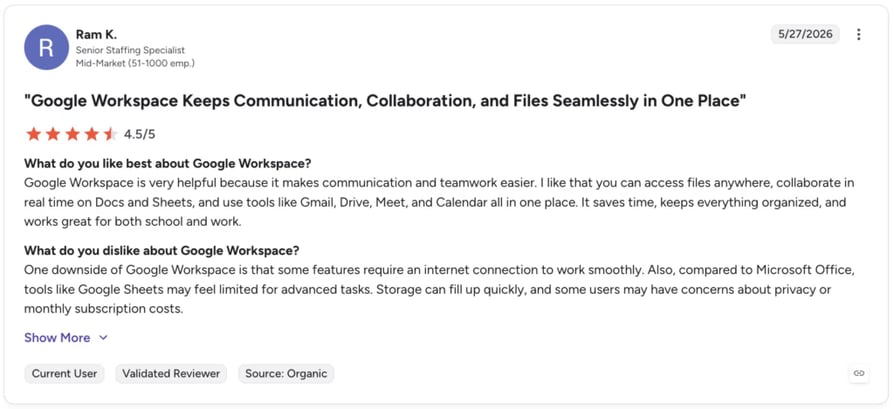
Google Sheets remains a favorite for ad hoc reporting and team collaboration. The Capsule CRM Google Sheets integration makes it easy to export contact, deal, or pipeline data into Sheets—perfect for building dashboards, sharing updates with stakeholders, or doing quick offline analysis.
Google Sheets + Capsule CRM Integration Use Case:
Export Capsule opportunities into Sheets to track conversion rates, build sales forecasts, or create lightweight dashboards for leadership. Teams can also push survey results or campaign data back into Capsule for follow-up and lead nurturing.
Benefits of Integrating Google Sheets + Capsule CRM
- Turn Capsule data into shareable dashboards for sales and support teams
- Automate reporting without the hassle of manual CSV exports
- Give ops and leadership up-to-date insights at a glance
What Are Google Sheets's Key Features?
- One-click export of Capsule data directly into Sheets
- Sync specific fields like pipeline stage, deal owner, or value
- Filter and organize records for custom team or project views
What Are Google Sheets Plans & Pricing?
Google Sheets is free with a Google Workspace account. Advanced reporting may require third-party add-ons or automation via Zapier. Google Workspace paid plans start at $6/user/month (Business Starter).
What Are Google Sheets Pros & Cons?
| Pros | Cons |
|---|---|
| Zero additional cost if your team already uses Google Workspace | Requires middleware for real-time, automated sync |
| Highly flexible for custom reporting and data pivots | Not a scalable long-term BI solution for large datasets |
3. Microsoft Teams: Best Capsule CRM Integration for Remote Team Collaboration
What Is Microsoft Teams?
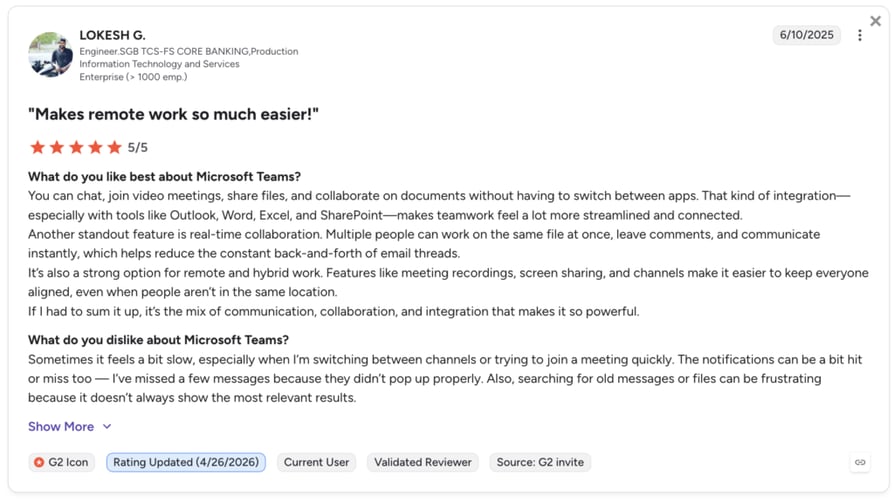
Microsoft Teams brings chat, meetings, and collaboration together in one platform. The Capsule CRM Microsoft Teams integration helps sales and support teams share updates, collaborate on deals, and keep customer activity visible without leaving their workspace.
Microsoft Teams + Capsule CRM Integration Use Case:
Automatically post Capsule CRM activity—like deal milestones, new assignments, or follow-up tasks—directly into Teams channels. Perfect for aligning remote reps, cross-functional pods, or keeping leadership updated in real time.
Benefits of Integrating Microsoft Teams + Capsule CRM
- Bring Capsule activity into your team's daily workflow
- Improve collaboration across sales, support, and operations
- Keep updates visible across teams and leadership without manual effort
- Reduce context-switching by centralizing CRM updates in Teams
What Are Microsoft Teams's Key Features?
- Auto-post pipeline updates and assignments from Capsule into Teams channels
- Share deal or contact links directly in chats for instant context
- Trigger real-time notifications via Zapier for advanced workflows
What Are Microsoft Teams Plans & Pricing?
Microsoft Teams offers three plans, with premium features included in Microsoft 365 bundles:
- Microsoft Teams Essentials: $4/user/month
- Microsoft 365 Business Basic: $6/user/month
- Microsoft 365 Business Standard: $12.50/user/month
What Are Microsoft Teams' Pros & Cons?
| Pros | Cons |
|---|---|
| Deep integration with the full Microsoft 365 suite | Slow loading times |
| Seamless communication features | Unintituive user interface |
4. Mailchimp: Best Capsule CRM Integration for Email Marketing and Lead Nurturing
What Is Mailchimp?
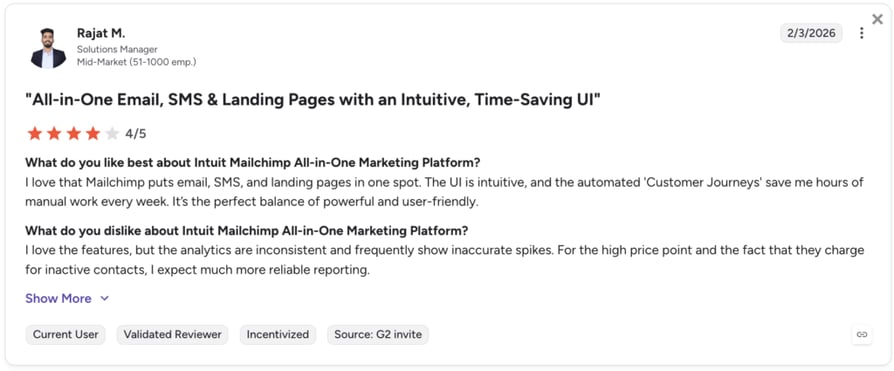
Mailchimp is a leading all-in-one email marketing platform. The Capsule CRM Mailchimp integration lets businesses sync CRM contacts and build personalized campaigns, ensuring sales and marketing teams stay aligned on lead nurturing strategies while keeping records up to date in both tools.
Capsule CRM + Mailchimp Integration Use Case:
A marketing team segments Capsule contacts into lists—such as cold, warm, and hot leads. These lists automatically sync with Mailchimp, where automated email journeys are triggered. From re-engagement campaigns to product announcements, sales reps can focus on the most engaged prospects while marketing handles the nurture flow.
Benefits of Integrating Mailchimp + Capsule CRM
- Sync Capsule audiences into Mailchimp for targeted campaigns
- Automate email sequences based on CRM data and pipeline stage
- Personalize messages using Capsule's custom fields and tags
- Improve lead conversion and maximize marketing ROI
What Are Mailchimp's Key Features?
- Two-way sync between Capsule CRM and Mailchimp lists
- Campaign performance insights linked back to Capsule contacts
- Triggered workflows tied to deal or contact activity in Capsule
- Advanced segmentation with Capsule tags, opportunities, or custom fields
What Are Mailchimp Plans & Pricing?
Mailchimp pricing starts at $0/month on the Free plan (up to 500 contacts). Paid plans start at $13/month. Advanced automation and CRM syncing typically require the Standard plan or higher.
What Are Mailchimp Pros & Cons?
| Pros | Cons |
|---|---|
| Broad template library for every campaign type | Pricing increases significantly as contact list size grows |
| Triggered workflows run without manual intervention | Steep learning curve for advanced automation setups |
5. Xero: Best Capsule CRM Integration for Financial Data Visibility
What Is Xero?
Xero is a leading cloud-based accounting platform that helps businesses manage invoicing, expenses, payroll, and financial reporting. The Capsule CRM Xero integration links customer and financial data—so sales and support teams can access invoice history, payments, and account value directly inside Capsule.
Xero + Capsule CRM Integration Use Case:
Sync invoices, payments, and expense records from Xero into Capsule CRM. This gives sales reps visibility into customer value, helps support teams track overdue invoices, and enables leadership to align financial health with pipeline growth—without relying on manual updates.
Benefits of Integrating Xero + Capsule CRM
- Centralize financial and customer data in Capsule CRM
- Give teams real-time visibility into billing and payment history
- Reduce manual reconciliation and eliminate duplicate entry
- Improve cash flow tracking alongside sales pipeline performance
What Are Xero's Key Features?
- Automatic sync of Xero invoices, expenses, and transactions into Capsule
- Link Capsule contacts with Xero records for a complete account view
- Easy reporting on customer value, overdue invoices, and revenue trends
- Seamless setup via Capsule's native integration with Xero
What Are Xero Plans & Pricing?
Xero pricing starts at $5.80/month and offers three plans:
- Starter: $5.80/month
- Standard: $10/month
- Premium: $15/month
A 30-day free trial is available. No free plan.
What Are Xero Pros & Cons?
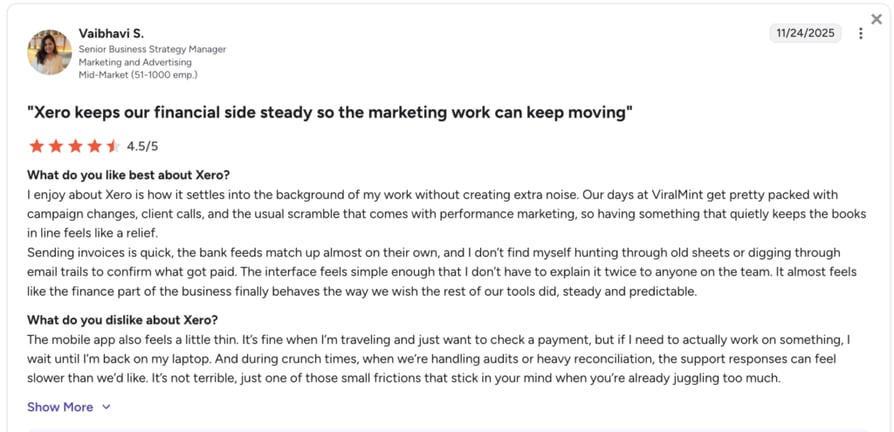
Xero holds a 4.4/5 rating on G2. Users value its clean interface and strong accounting depth, though some note the pricing is less accessible for very small businesses.
| Pros | Cons |
|---|---|
| Intuitive interface that's easy to navigate without an accounting background | Limited custom reporting options on lower-tier plans |
| Gives sales reps instant visibility into invoice status, overdue payments, and account value | Users mention delays in resolving urgent support issues |
6. Zapier: Best Capsule CRM Integration for No-Code Workflow Automation
What Is Zapier?
Zapier is the go-to platform for no-code automation, connecting Capsule CRM to over 8,000 other apps. The Capsule CRM Zapier integration helps teams build custom workflows that move leads forward automatically—without developers or complex setup.
Zapier + Capsule CRM Integration Use Case:
Trigger actions in other tools based on Capsule CRM updates—for example, send a Slack alert when a new opportunity is created, update a Google Sheet with closed deals, or create follow-up tasks in Trello when a contact moves stages. All without leaving Capsule.
Benefits of Integrating Zapier + Capsule CRM
- Automate repetitive CRM actions across connected tools
- Save reps hours by eliminating manual data entry and updates
- Customize lead and customer journeys with zero coding
- Keep pipelines moving with instant, multi-app workflows
What Are Zapier's Key Features?
- Set up "Zaps" from Capsule triggers like new opportunities, status changes, or added contacts
- Auto-sync Capsule data to apps like Slack, Gmail, or Asana
- Filter actions by pipeline stage, owner, or tags
- Build multi-step automations to streamline sales and support processes
What Are Zapier Plans & Pricing?
Zapier pricing starts at $0/month on the Free plan (basic tasks and single-step Zaps). Paid plans include:
- Professional: $19.99/month
- Team: $69/month
- Enterprise: Custom
What Are Zapier's Pros & Cons?
| Pros | Cons |
|---|---|
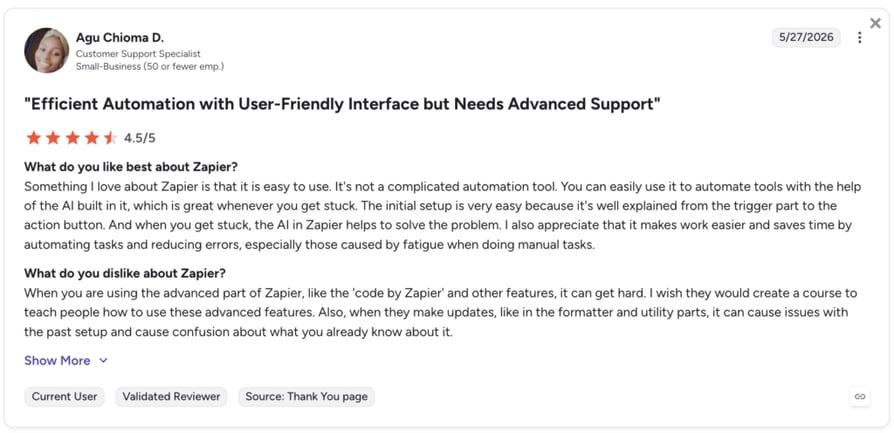
| Connects Capsule CRM to third-party apps without writing a single line of code | Task-based pricing means heavy automation usage can push costs up quickly |
| Free plan available for basic single-step automations—ideal for getting started | Steep learning curve for more advanced multi-step features |
7. HubSpot: Best Capsule CRM Integration for Marketing-Sales Alignment
What Is HubSpot?
HubSpot is a leading inbound marketing and sales platform. The Capsule CRM HubSpot integration connects marketing engagement data—like email opens, form submissions, and page views—directly into Capsule, ensuring sales teams always work with up-to-date lead insights.
HubSpot + Capsule CRM Integration Use Case:
Capsule CRM marketing cloud integrations like HubSpot sync campaign engagement into the CRM so sales reps see which leads are warming up. Marketers can also push CRM contact updates back into HubSpot for retargeting—keeping both platforms aligned and reducing missed opportunities.
Benefits of Integrating HubSpot + Capsule CRM
- Align lead generation and CRM tracking in real time
- Route qualified leads to the right rep faster
- Improve personalization with Capsule's tags and HubSpot behavior data
- Keep sales and marketing working from a shared source of truth
What Are HubSpot's Key Features?
- Map HubSpot properties (like lifecycle stage or lead score) to Capsule fields
- Push Capsule contact updates into HubSpot for remarketing campaigns
- Trigger workflows in Capsule based on HubSpot campaign actions
- Connect via Zapier for advanced, no-code automation
What Are HubSpot Plans & Pricing?
HubSpot pricing offers a free CRM plan with paid tiers depending on your team's size and needs. Paid plans start at $20/user/month (Starter).
What Are HubSpot Pros & Cons?
| Pros | Cons |
|---|---|
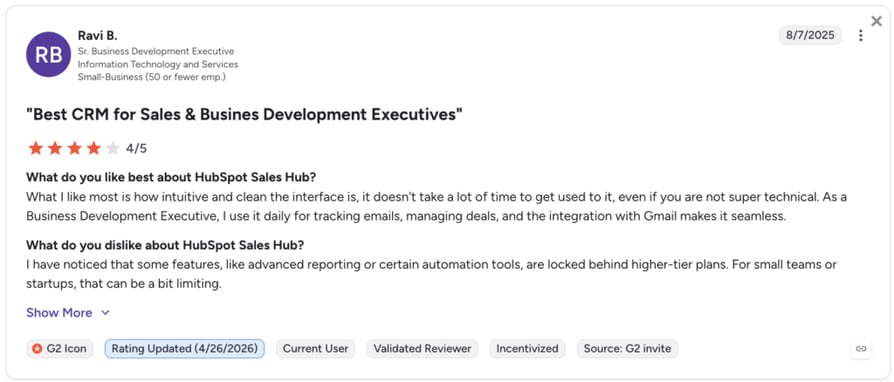
| Clean, intuitive interface with minimal ramp-up time | Costs scale steeply as you add contacts and premium features |
| Unified view of marketing and sales performance | Limited customization for advanced sales needs |
8. Lemlist: Best Capsule CRM Integration for Multichannel Sales Outreach
What Is Lemlist?
Lemlist is a sales engagement and cold outreach platform known for its personalized email, LinkedIn, and video campaigns. The Capsule CRM Lemlist integration helps sales teams manage outreach more effectively by syncing engagement activity back into Capsule—so every interaction is tied to the right contact record.
Lemlist + Capsule CRM Integration Use Case:
A sales team uses Lemlist to run multichannel outreach campaigns. When a lead opens an email or books a meeting, the activity is synced into Capsule CRM. This ensures reps know which prospects are engaged, helping them prioritize follow-ups and focus on the hottest opportunities.
Benefits of Integrating Lemlist + Capsule CRM
- Centralize outreach engagement inside Capsule CRM records
- Personalize campaigns with Capsule tags and custom fields
- Prioritize leads based on real engagement signals
- Align sales outreach with pipeline stages in Capsule
What Are Lemlist's Key Features?
- Sync Lemlist activity (opens, clicks, replies, meetings) into Capsule
- Segment outreach lists using Capsule contact data and tags
- Automate next steps in Capsule when outreach milestones are hit
- Combine with Zapier for advanced automation workflows
What Are Lemlist Plans & Pricing?
Lemlist pricing starts at $31/user/month and offers multiple tiers:
- Email: from $31/month per user
- Multichannel: from $87/month per user
- Custom / Enterprise: pricing available on request
No free plan. A free trial is available.
What Are Lemlist Pros & Cons?
Lemlist holds a 4.6/5 rating on G2. Users highlight its personalization features and multichannel outreach quality, though some flag that pricing is high for small teams.
| Pros | Cons |
|---|---|
| Intuitive interface and seamless setup process | Higher per-user pricing makes it less accessible for lean sales teams |
| Deep personalization and multi-channel sequencing in one platform | Learning curve for users new to multichannel sales sequencing |
Why Capsule CRM Integrations Make Sense: Key Benefits for 2026
Discover how Capsule CRM integration solutions streamline workflows, improve customer experience, and drive growth. Here are the key benefits:
- One source of truth across teams Integrations keep contacts, deals, calls, and invoices synced—so sales, support, and marketing all work from the same up-to-date data.
- Time-saving automation Skip manual exports or duplicate data entry. With integrations, Capsule automatically updates records, triggers workflows, and eliminates busywork.
- Smarter customer engagement By combining CRM data with tools like email marketing, VoIP, and helpdesks, teams gain full context—helping them personalize outreach and resolve issues faster.
- Scalable integrations for growing businesses Capsule's integration ecosystem adapts as you expand. From basic tools like Google Sheets to advanced platforms like Salesforce or HubSpot, Capsule grows with your stack.
- Better decision-making with connected data Integrations bring together customer, financial, and support insights—helping leaders track ROI, forecast more accurately, and make smarter business moves.
How to Choose the Right Capsule CRM Integration for Your Business
When you're deciding which Capsule CRM integration is right for your company, it pays to be strategic. Not every tool fits every workflow, and integration quality can vary. Here are six key factors to guide your choice:
Identify Your Business Needs
Start by clarifying what you want the integration to achieve. Do you need better sales pipeline visibility, more efficient support ticket handling, or automated call logging with tools like CloudTalk? Being specific about team goals ensures you pick Capsule integrations that deliver measurable ROI.
Prioritize Ease of Setup
Capsule is popular with SMBs because it's simple. Look for plug-and-play integrations or no-code options through Zapier. Avoid tools that require heavy IT resources — your sales and support teams should be able to connect apps quickly and start using them right away.
Ensure Compatibility & Scalability
Your integration should grow with your business. Capsule works well with both lightweight tools (like Google Sheets) and enterprise CRMs (like Salesforce). Check whether the integration supports real-time syncing, high data volumes, or multi-app workflows—so it won't become a bottleneck as your stack evolves.
Check Security & Compliance
Customer data is your most valuable asset. Make sure integrations adhere to standards like GDPR and SOC 2. Capsule CRM integration tools with financial solutions like Xero or ecommerce platforms like Shopify must provide encryption and secure access to keep sensitive customer and payment data protected.
Evaluate Vendor Support & Documentation
Even simple integrations sometimes need troubleshooting. Prioritize vendors that offer strong documentation, responsive support, and onboarding help. For example, CloudTalk's support makes it easy to set up and optimize the Capsule CRM integration with minimal downtime.
Assess Total Cost of Ownership
Don't just look at the subscription cost. Factor in setup, maintenance, and training. A Capsule CRM integration that saves hours of manual work each week often delivers far more value than a lower-priced but limited option. Always weigh cost against efficiency gains and growth potential.
How to Integrate Capsule CRM with Other Platforms
Capsule CRM makes integration simple with its mix of native connectors, APIs, and automation tools. Whether you're linking a phone system like CloudTalk, syncing marketing platforms like HubSpot, or connecting ecommerce systems like Shopify, Capsule ensures your data flows seamlessly—without heavy IT work.
Here are the main ways teams integrate Capsule CRM with other platforms:
- Use pre-built connectors Capsule offers a library of ready-made integrations for tools like Xero, Mailchimp, and Zendesk. These are plug-and-play setups that only take a few clicks.
- Connect via API For advanced use cases, Capsule's open API lets developers build custom workflows. This gives teams full control over syncing, scheduling, and data management.
- Leverage automation tools Capsule works with platforms like Zapier and Make. These no-code tools allow you to move data between Capsule and 8,000+ apps in real time—ideal for SMBs that want flexibility without complexity.
By combining these methods, Capsule CRM acts as both a lightweight, no-code integration solution for fast-growing teams and a customizable integration platform for businesses with more complex stacks.
Drive Growth With Tools That Truly Work Together
Disconnected tools don't just slow your team—they create blind spots in your customer journey. Missed follow-ups, duplicate data, and manual updates add friction that costs real revenue.
The good news? With the right Capsule CRM integrations, you don't need more tools or bigger teams — you need smarter connections. By unifying Capsule with platforms like CloudTalk, Mailchimp, Xero, and Zapier, your CRM becomes a true hub: every call, campaign, and invoice flows into one clear picture.
Imagine sales reps jumping on calls with instant customer context, support teams resolving tickets with full history in view, and leaders making faster decisions with connected data. That's the power of Capsule CRM working as part of a seamless stack.
The bottom line? The businesses that thrive in 2026 won't just be the ones using Capsule CRM—they'll be the ones using it integrated. Ready to see how it works in action?
Sources:
CloudTalk's Capsule CRM integration gives your team instant call context and zero manual logging.
Frequently asked questions
The best Capsule CRM integrations for most small businesses are CloudTalk (for VoIP calling and call logging), Mailchimp (for email marketing), Xero (for accounting and invoicing), Zapier (for no-code automation), and HubSpot (for marketing-sales alignment).
Yes—Capsule CRM integrates with VoIP platforms like CloudTalk, enabling automatic call logging, click-to-call from CRM records, and real-time caller identification. This makes CloudTalk the top Capsule CRM phone system integration for sales and support teams.
Capsule CRM Google Workspace integration works through native connectors for Gmail and Google Calendar. Emails and calendar events sync automatically into Capsule records—keeping contacts and activity timelines up to date without manual entry. For Google Sheets, integration typically uses Zapier or CSV exports.
CloudTalk is the best Capsule CRM phone system integration for outbound sales teams. It logs every call automatically, syncs recordings and notes into Capsule, and offers an AI Dialer to maximize call volume and boost outbound call efficiency without switching between tools.
The Capsule CRM Mailchimp integration syncs your CRM contacts directly into Mailchimp audience lists. You can segment contacts based on Capsule tags, pipeline stages, or custom fields—and then trigger automated email journeys. Campaign engagement data feeds back into Capsule, so sales reps can see which leads are warming up.
Zapier is the most flexible Capsule CRM connector for SMBs—it connects Capsule to 8,000+ apps with no coding required. For teams that want deeper automation tied to calling activity, CloudTalk's native Capsule CRM integration also automates call logging, contact syncing, and follow-up workflows out of the box.
Capsule CRM is a cloud-based CRM software that helps SMBs manage contacts, sales pipelines, and customer relationships with simplicity and flexibility.
Capsule is designed for small businesses, sales teams, and support teams that need easy-to-use tools without enterprise-level complexity.
Yes—there's a Capsule CRM Mailchimp integration that syncs audiences for targeted campaigns. Explore other ones like the Capsule CRM VoIP integration with CloudTalk for calls and CTI.
Yes—Capsule provides an open API for custom workflows. For no-code automation, you can use the Zapier + Capsule CRM integration platform.
Many Capsule CRM integration options (like Zapier or Gmail) are free or included in plans, while others (like Xero) may require paid tiers.
Capsule pricing starts with a free plan for up to 2 users, with paid plans beginning at $18/user/month.
Most Capsule CRM app integrations are plug-and-play and take minutes to set up. More advanced integrations (Salesforce, HubSpot) may take longer.
Yes—Capsule supports multiple integrations at once, from HubSpot, Salesforce, Shopify, and Asana to calling tools like CloudTalk's Capsule CRM phone integration.
Google Sheets integration is best for lightweight reporting and sharing pipeline dashboards with sales and support teams. Gmail and Google Calendar sync natively into Capsule, keeping contact timelines up to date automatically for teams working across locations.
CloudTalk is the best Capsule CRM phone system integration for outbound sales. It automatically logs every call, syncs recordings and notes into Capsule, and offers an AI Dialer to maximize call volume and boost outbound call efficiency without switching between tools.