8 Best Outreach Phone Integrations and Dialers in 2026
An Outreach phone integration connects a phone system or dialer to Outreach, the sales engagement platform, so every call is logged on the right prospect. Some run inside Outreach; others are external dialers that log each call back.
If reps must work sequence call tasks while they dial, pick a tool that runs inside Outreach or imports its call tasks. If complete call records, AI call summaries and local numbers matter more, a full phone system like CloudTalk fits better.
For a pure SDR desk, the best parallel dialer for Outreach.io is usually a dialer-first tool such as Orum or Nooks.
We compared 8 tools using our conversations with Outreach teams, vendor docs and pricing pages, Outreach's support docs and G2 ratings:
- CloudTalk (phone system): best for sales teams that want every call logged on the right Outreach prospect
- Dialpad (phone system): best for teams that want to call inside Outreach with live AI transcription
- JustCall (phone system and dialer): best for SDR teams that call, text and dial Outreach call tasks
- Orum (dialer only): best for SDR desks running AI parallel dialing on Outreach sequences
- Nooks (dialer only): best for SDR teams that want parallel dialing on Outreach call tasks
- Kixie (phone system and dialer): best for teams that want multi-line power dialing logged to Outreach
- Aircall (phone system): best for teams that want click-to-call and dispositions inside Outreach
- PhoneBurner (power dialer): best for Salesforce teams dialing due Outreach sequence call steps
Outreach Phone Integration Comparison Table: 8 Tools Side by Side
| Provider | Key Features | Best For | Starting Price | G2 Rating |
|---|---|---|---|---|
| CloudTalk | Logs back; Power and Parallel modes | Accurate call records | $25 (Starter) | 4.4/5 |
| Dialpad | Voice provider in Outreach; live AI | Calling inside Outreach | $15 plus Outreach Voice | 4.4/5 |
| JustCall | Click-to-call; imports call tasks | Calls, texts and tasks | $29 (Team) | 4.3/5 |
| Orum | AI parallel dialer; imports call tasks | Pure SDR desks | Quote | 4.6/5 |
| Nooks | Parallel dialer; imports call tasks | Parallel dialing on tasks | Quote | 4.8/5 |
| Kixie | Up to 4 lines; logs back | Multi-line power dialing | Not published | 4.8/5 |
| Aircall | Click-to-call and dispositions | Inbound plus outbound | $30 (3-licence min.) | 4.4/5 |
| PhoneBurner | Outreach app; dials due steps | Salesforce teams | $140 (Standard) | 4.7/5 |
Prices are per user per month, billed annually, for the lowest published plan. Most vendors don't say which plan includes Outreach, so confirm it on a call.
According to Salesforce's State of Sales report (seventh edition)¹, the average seller spends only 40% of their time selling. Gen Z reps sit at 35%, losing about two hours a week to manual data entry.
For an SDR team on Outreach, much of that lost time is call admin. A rep copies a number into a call screen, the call doesn't attach to the prospect, and the outcome ends up as a loose note. By Friday, Outreach and your CRM tell two different stories.
Most teams patch this with a logging checklist, a weekly clean-up or a sales dialer bolted on next to Outreach. The checklist slips on the first busy day, and some bolt-on dialers write a generic note instead of a real call record.
A good Outreach phone integration does the logging for you, on the right prospect, every time.


Why Trust Our Outreach Phone Integration Reviews?
For nearly a decade, we've helped over 30,000 professionals find and implement smarter business communication tools. We've reviewed 200+ software tools across industries, analyzed 5,500+ verified customer reviews from platforms like G2, Capterra and Trustpilot, and drawn insights from real user discussions on Reddit and Quora.
In the past year alone, we published 1,000+ articles, each one written by humans for humans. Learn how we keep our content integrity and our software review methodology.
Top 8 Outreach Phone Integrations and Dialers Reviewed
For each tool, we note whether it's a full phone system or only a dialer. CloudTalk is our product, so we held it to the same standard and wrote its limits into the entry.
1. CloudTalk
What Is CloudTalk?
CloudTalk is a cloud phone system and call center software with local numbers in 160+ countries and 99.999% uptime, used by 7,500+ companies. AI Voice Agents, Conversation Intelligence and the AI Sales Dialer sit in the same call flow.
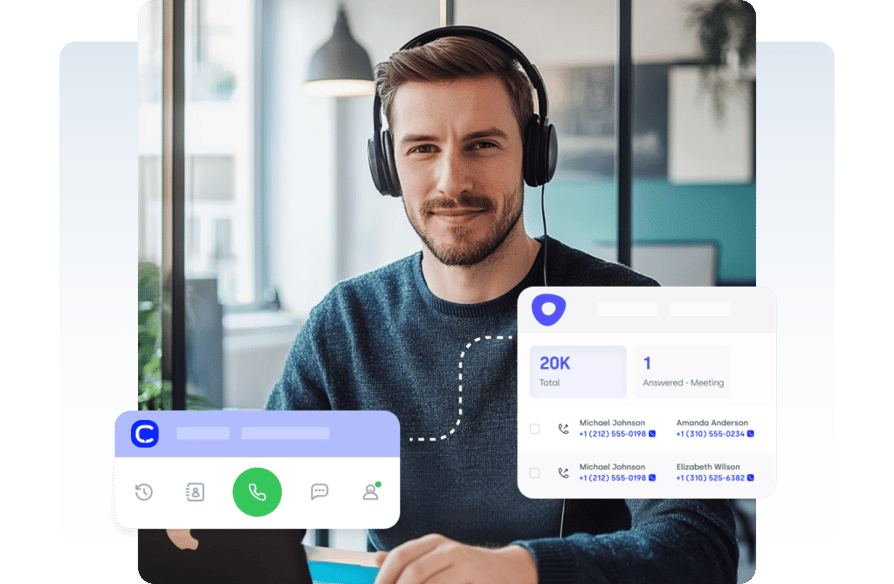
CloudTalk connects to Outreach as an external phone system: reps dial in CloudTalk's apps, and every call is logged back to Outreach.
Who Is CloudTalk's Outreach Integration Best For?
Best for: sales teams that want every call logged on the right Outreach prospect.
CloudTalk suits SDR and AE teams on a dedicated phone system, RevOps teams that report on call outcomes, and global teams that need local numbers. It also fits stacks with Salesforce or HubSpot and Gong next to Outreach.
What Can CloudTalk's Outreach Integration Do?
You connect CloudTalk to Outreach once, from the CloudTalk Dashboard. Reps then dial in CloudTalk, and each call logs back to Outreach.
- Automatic call logging: every call logs to Outreach with its duration, outcome, notes, tags and recording, including missed calls and voicemails.
- The right rep: calls are assigned to the matching Outreach user, with a default fallback when no match is found.
- Contacts in CloudTalk: Outreach contacts import into CloudTalk instantly, so reps see who's calling.
- AI call summaries: with the Conversation Intelligence Plus add-on, a custom call summary is exported to Outreach.
- Power and Parallel dialing: Power mode uses one line; Parallel mode uses 5 lines per rep by default, up to 10 on request.
- Voicemail handling: Parallel mode adds AI voicemail detection and automatic voicemail drop.
The honest limit: there's no phone inside Outreach, and CloudTalk can't take sequence call tasks into its dialer or pause sequence steps.
What Other Tools Does CloudTalk Integrate With?
- CRMs and help desks: HubSpot, Pipedrive, Zoho, Zendesk and Intercom on Essential; Salesforce on Expert.
- Sales tools: Gong sits next to Outreach in CloudTalk's integration catalog.
- Everything else: 100+ integrations, plus Zapier and the CloudTalk API.
How Much Does CloudTalk Cost With Outreach?
CloudTalk starts at $25 per user per month billed annually. According to CloudTalk's Outreach page, the Outreach integration has no extra fee on any paid plan.
| Plan | Annual / monthly | For Outreach teams |
|---|---|---|
| Starter | $25 / $34 | Core phone system and analytics |
| Essential | $29 / $39 | HubSpot, Pipedrive, Zoho, Zapier |
| Expert | $49 / $69 | Power mode, Salesforce; 3-licence min. |
| Custom | Contact Sales | Larger teams |
Add-ons are per user per month. Power mode costs $15 on Starter and Essential (included on Expert). Parallel mode costs $39 on any plan and includes Power mode.
Conversation Intelligence Basic ($9) covers transcripts, summaries, AI notes, topics and call scoring; Plus ($19) exports the custom summary to Outreach. Calls outside your plan's included region use calling credit. AI Voice Agents start free with 50 minutes.
What Are CloudTalk's Pros and Cons?
| Pros | Cons |
|---|---|
| Every call, outcome and recording in Outreach | Reps dial in CloudTalk, not Outreach |
| Local numbers in 160+ countries | No sequence call task import |
| Power and Parallel dialing | New tags need a new mapping |
What Do Customers Say About CloudTalk on G2?
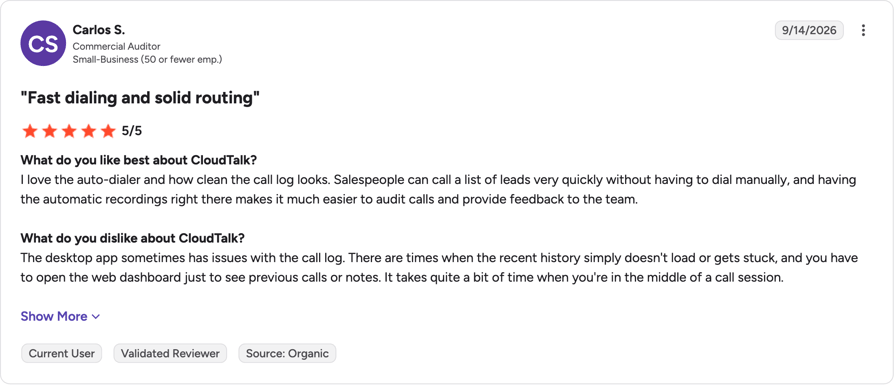
A small-business reviewer on G2 writes, "I love the auto-dialer and how clean the call log looks," and adds that automatic recordings make calls easier to audit.
The same reviewer says "the desktop app sometimes has issues with the call log." Another reviewer finds "calling international prospects is straightforward" but wants easier contact imports.
G2 rating: 4.4/5 (1961+ reviews). Read CloudTalk reviews on G2.
Test it on your own Outreach prospects with a 14-day free trial, no credit card needed.
2. Dialpad
What Is Dialpad?
Dialpad is a cloud phone system that calls itself "the AI platform for customer experience." Dialpad connects to Outreach as a voice provider, so reps call inside Outreach through the Dialpad Everywhere widget.
Who Is Dialpad's Outreach Integration Best For?
Best for: teams that want to call inside Outreach with live AI transcription.
Dialpad fits teams already on Outreach Voice. It doesn't fit Dialpad Contact Center users, whom Outreach doesn't support for this integration.
What Can Dialpad's Outreach Integration Do?
The Outreach admin picks Dialpad as the voice provider; each rep then connects under User Settings > Voice.
- Calls inside Outreach: click to call through the widget, with record, mute, transfer and hang-up controls.
- Live AI: Dialpad AI transcribes calls live and shows recommendation cards when, say, a competitor comes up.
- CRM context: details from Salesforce, HubSpot, Zendesk, G Suite or Office 365 appear during the call.
- Outreach's task flow: reps work sequence steps in Outreach; Dialpad doesn't import tasks itself.
According to Outreach's Dialpad integration FAQ, users need Outreach Voice seats and a Dialpad Talk (Connect) or Sell account.
What Other Tools Does Dialpad Integrate With?
- CRMs: Salesforce and HubSpot, shown as contact context during calls.
- Support and productivity: Zendesk, Google Workspace and Microsoft 365.
How Much Does Dialpad Cost With Outreach?
Dialpad Connect starts at $15 per user per month billed annually. Dialpad doesn't say which plan includes Outreach; Pro lists "key CRM integrations." Our guide to Dialpad pricing covers every plan.
| Plan | Annual / monthly | Notes |
|---|---|---|
| Connect Standard | $15 / $27 | Entry plan |
| Connect Pro | $25 / $35 | Key CRM integrations |
| Connect Enterprise | Quote | Large deployments |
| Sell Essentials / Advanced / Premium | $39 / $59 / $79 (monthly $49 / $70 / $95) | Sales center plans |
You also pay Outreach for the Outreach Voice seats.
What Are Dialpad's Pros and Cons?
| Pros | Cons |
|---|---|
| Calls inside Outreach | Needs Outreach Voice seats |
| Live transcription and coaching cards | No Dialpad Contact Center support |
| CRM context during calls | Leaving Outreach Voice deletes numbers after 10 days |
What Do Customers Say About Dialpad on G2?
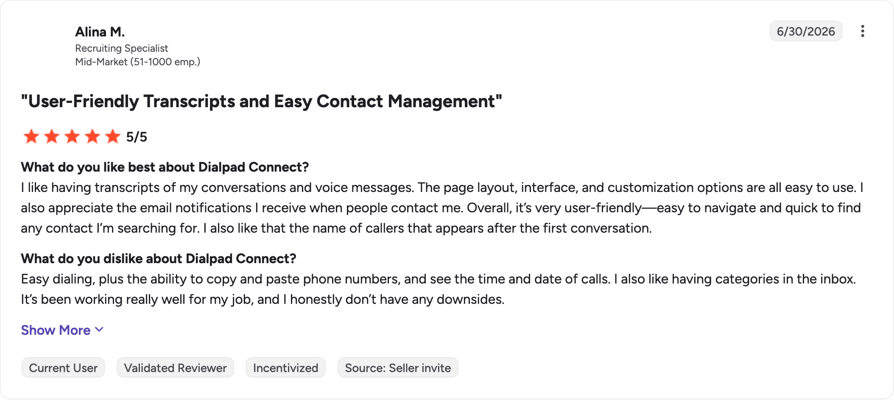
A mid-market recruiting specialist on G2 says, "I like having transcripts of my conversations and voice messages," and calls the interface easy to navigate.
Another reviewer likes the Salesforce integration but finds "the texting through Dialpad" tricky. Our roundup of Dialpad alternatives compares other options.
G2 rating: 4.4/5 (4266+ reviews). Read Dialpad reviews on G2.
3. JustCall
What Is JustCall?
JustCall is an "AI Communication Platform for Sales & Support Teams." JustCall adds click-to-call and texting inside Outreach, and its Sales Dialer can import open Outreach call tasks.
Who Is JustCall's Outreach Integration Best For?
Best for: SDR teams that call, text and dial Outreach call tasks.
JustCall is the only phone system on this list that both calls from Outreach and pulls Outreach call tasks into its own dialer, so one vendor covers calling, texting and sequence dialing.
What Can JustCall's Outreach Integration Do?
You connect it from JustCall's Integrations section by signing in to Outreach.
- Click to call and text: reps can also drop a voicemail in one click.
- Automatic logging: calls, texts and voicemails log to Outreach with outcome, purpose, notes and recording.
- Your dispositions: the Sales Dialer fetches your Outreach dispositions and call purposes.
- Call tasks in the dialer: a campaign imports open tasks from a sequence step and completes each one after the call.
- Dialing modes: power, parallel and dynamic, with JustCall's homepage citing 10-line parallel dialers.
One catch from JustCall's help center: contacts that enter the sequence step later need a re-sync.
What Other Tools Does JustCall Integrate With?
- CRMs: Salesforce and HubSpot.
- Sales engagement: Outreach, Salesloft and Apollo, named on its SalesPro plan.
- Automation: Zapier and an API.
How Much Does JustCall Cost With Outreach?
JustCall starts at $29 per user per month billed annually. Only its quote-based SalesPro plan names Outreach. See our full breakdown of JustCall pricing.
| Plan | Annual / monthly | Notes |
|---|---|---|
| Team | $29 / $39 | Entry plan |
| Pro | $49 / $69 | Mid tier |
| Pro Plus | $89 / $109 | Higher tier |
| Business | Quote | Larger teams |
| SalesPro | Quote | Multi-line dialing; names Outreach |
JustCall runs seasonal promotions, so check prices on the day you buy.
What Are JustCall's Pros and Cons?
| Pros | Cons |
|---|---|
| Calls from Outreach and imports call tasks | Outreach plan not stated publicly |
| Logs calls, texts and voicemails | New contacts need a re-sync |
| Uses your Outreach dispositions | Full dialer is quote-based |
What Do Customers Say About JustCall on G2?
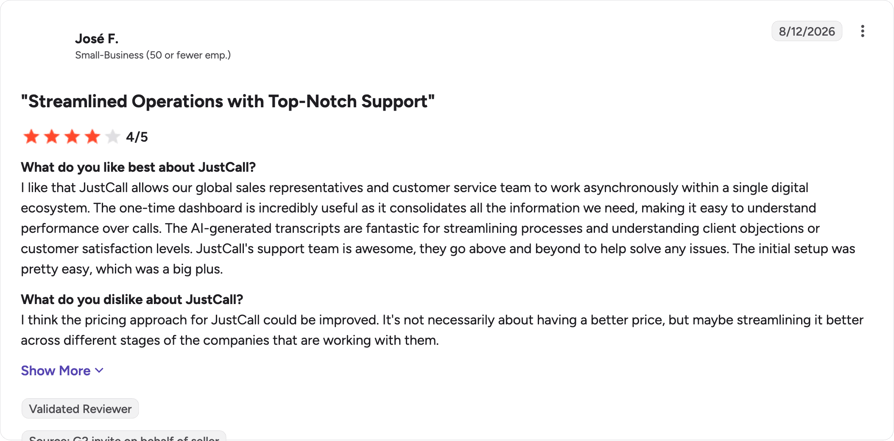
A small-business reviewer on G2 calls the AI transcripts "fantastic for streamlining processes," then adds, "I think the pricing approach for JustCall could be improved."
That matters here, since the plan that names Outreach is quote-based. Start with our JustCall alternatives guide if you're comparing.
G2 rating: 4.3/5 (2396+ reviews). Read JustCall reviews on G2.
4. Orum
What Is Orum?
Orum is an AI sales dialer, not a full phone system; it calls itself an "AI Sales Dialer With a Crew of Agents Behind Every Rep." Orum connects to Outreach through OAuth, and sequence and one-off call tasks flow straight in.
Who Is Orum's Outreach Integration Best For?
Best for: SDR desks running AI parallel dialing on Outreach sequences.
Orum is built for teams whose whole day is outbound dialing. If they also answer inbound or support calls, you'll need a phone system next to it.
What Can Orum's Outreach Integration Do?
- Sequence tasks in the dialer: sequence and one-off tasks load into Orum; tasks created in Orum sync back.
- Outcomes in Outreach: Orum maps dispositions and pushes call activity, outcomes and recordings back.
- Voicemails per step: reps pre-record voicemails that match sequence steps.
- AI parallel dialing: Orum dials several numbers at once, skips screeners and phone trees, and drops voicemail.
- Reach: its pricing FAQ says it calls the US, Canada and 160+ countries.
What Other Tools Does Orum Integrate With?
- Sales engagement: Outreach, Salesloft, Gong Engage and Apollo, per Orum's homepage FAQ.
- Your CRM: we only checked sales engagement integrations, so confirm your CRM on a demo.
How Much Does Orum Cost With Outreach?
Orum doesn't publish prices; you request a quote by package and seats, and one package shows a nine-seat minimum. The free trial is capped at 500 dials. Our Orum pricing guide covers what to expect.
What Are Orum's Pros and Cons?
| Pros | Cons |
|---|---|
| Works sequence and one-off call tasks | Dialer only, no inbound |
| Recordings and outcomes sync back | No public pricing; seat minimum |
| AI handles phone trees and voicemail | Trial capped at 500 dials |
What Do Customers Say About Orum on G2?
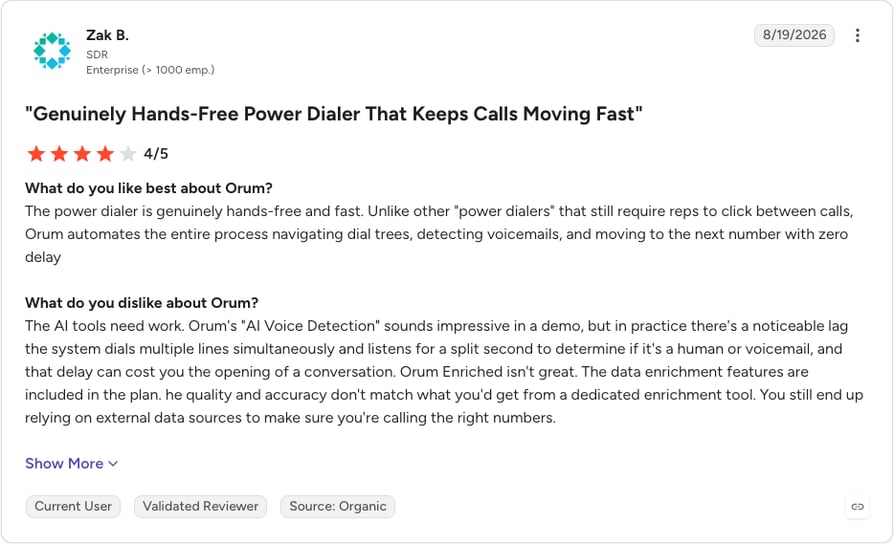
An enterprise SDR on G2 writes, "The power dialer is genuinely hands-free and fast," with no clicks between calls.
The same reviewer says AI voice detection adds lag, and "that delay can cost you the opening of a conversation." See our CloudTalk vs. Orum power dialer comparison.
G2 rating: 4.6/5 (1114+ reviews). Read Orum reviews on G2.
5. Nooks
What Is Nooks?
Nooks is a parallel dialer and sales platform that calls itself "revenue infrastructure for reps and agents." Nooks isn't a phone system: each rep connects Outreach through OAuth, and Nooks loads call tasks into its dialer just in time.
Who Is Nooks' Outreach Integration Best For?
Best for: SDR teams that want parallel dialing on Outreach call tasks.
Nooks also sells AI Sequencing, which its pricing FAQ says "fully replaces Outreach and Salesloft," so it competes with Outreach as well as plugging into it.
What Can Nooks' Outreach Integration Do?
Reps connect under Settings > Integrations > Connect Outreach.
- Call tasks in the dialer: Nooks reads tasks, sequences, sequence steps and sequence states.
- Calls logged back: against the prospect, account, sequence, disposition, call and task objects.
- Your dispositions: Nooks reads Outreach's call dispositions.
- Parallel dialing: the AI Dialer calls several numbers at once, like other multi-line dialers.
Each rep connects individually, and Nooks notes that API keys can expire.
What Other Tools Does Nooks Integrate With?
- Sales engagement: Outreach, plus Nooks' own AI Sequencing.
- Your CRM: we only checked Nooks' Outreach docs, so confirm your CRM on a demo.
How Much Does Nooks Cost With Outreach?
Nooks doesn't publish prices. Its pricing page asks you to "get in touch with the team to get a custom quote" for both the AI Dialer and AI Sequencing.
What Are Nooks' Pros and Cons?
| Pros | Cons |
|---|---|
| Works Outreach call tasks | Dialer only, no inbound |
| Documented OAuth scopes | No public pricing |
| Parallel dialing | Per-rep setup; keys can expire |
What Do Customers Say About Nooks on G2?
A reviewer on G2 likes the parallel calling: "Since the US pickup rate is very low, this feature saves a lot of time."
Another reviewer notes that "during high volume or parallel dialing, the platform can occasionally lag or hang, which interrupts the flow and wastes time."
G2 rating: 4.8/5 (1,700+ reviews). Read Nooks reviews on G2.

6. Kixie
What Is Kixie?
Kixie, sold as Kixie PowerCall, is a cloud phone system and dialer for sales teams. Kixie runs outside Outreach and logs calls, recordings and outcomes to the right lead or contact; each user connects with their own Outreach login.
Who Is Kixie's Outreach Integration Best For?
Best for: teams that want multi-line power dialing logged to Outreach.
Kixie fits small and mid-size teams that want calling, texting and a multi-line dialer in one tool. It doesn't document dialing Outreach sequence tasks.
What Can Kixie's Outreach Integration Do?
- Calls on the right record: outcomes and notes appear in Outreach as closed tasks.
- Multi-line dialing: the Multi-Line PowerDialer calls up to 4 leads at once; AI Human Voice Detection is an unpriced premium add-on.
- Workflows and tasks: call outcomes can trigger Outreach workflows, and reps can schedule Outreach tasks.
- Texting: Kixie's marketing page and help center describe text logging in Outreach differently, so test it.
What Other Tools Does Kixie Integrate With?
- Your CRM: we only checked Kixie's Outreach integration, so confirm your CRM on a demo.
How Much Does Kixie Cost With Outreach?
Kixie doesn't publish plan prices. Its pricing FAQ mentions unlimited US and Canada minutes at $30 per user per month, but not which plan includes Outreach or the multi-line dialer. Our Kixie pricing guide explains the plans and add-ons.
What Are Kixie's Pros and Cons?
| Pros | Cons |
|---|---|
| Logs calls and outcomes automatically | No published plan prices |
| Multi-line dialing (up to 4 lines) | Sequence task import undocumented |
| Calling and texting in one tool | Text logging described inconsistently |
What Do Customers Say About Kixie on G2?
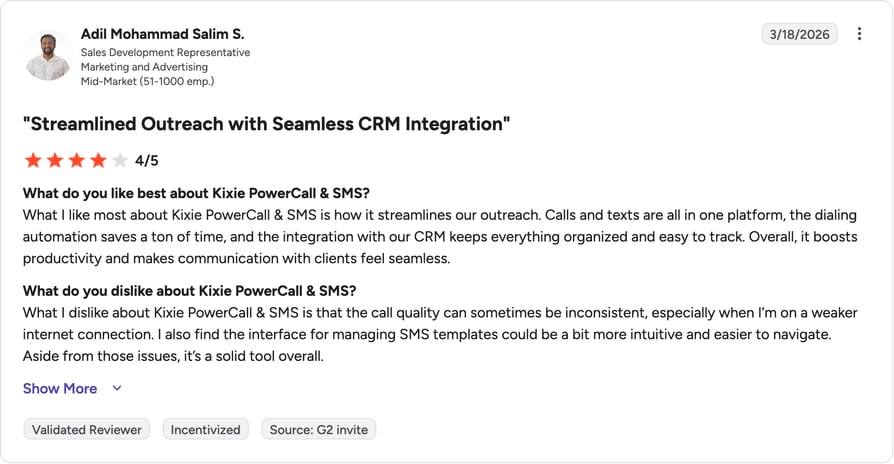
A mid-market SDR on G2 says, "Calls and texts are all in one platform, the dialing automation saves a ton of time," but finds "the call quality can sometimes be inconsistent."
Another reviewer reports "calls that drop out or do not register on HubSpot." Our list of Kixie alternatives covers other options.
G2 rating: 4.8/5 (868+ reviews). Read Kixie reviews on G2.
7. Aircall
What Is Aircall?
Aircall is a cloud phone system for sales and support teams. Aircall's Outreach integration, marked "Made by Outreach" on its listing, adds click-to-call and dispositions inside Outreach and logs calls automatically.
Who Is Aircall's Outreach Integration Best For?
Best for: teams that want click-to-call and dispositions inside Outreach.
Aircall suits teams that want one phone system for outbound and inbound. SDR desks that need a parallel dialer on Outreach sequences should look elsewhere.
What Can Aircall's Outreach Integration Do?
Set it up from the Aircall dashboard: authenticate, connect a number, then connect Outreach.
- Calls inside Outreach: click to call on contact numbers and add dispositions in Outreach.
- Detailed logs: direction, answered or missed, the Aircall line, tags, comments and a recording link.
- Inbound context: Insight Cards show caller details with a link to the Outreach Prospect or Opportunity.
- New callers: unknown callers create a new Prospect in Outreach automatically.
Aircall doesn't document a parallel dialer or call task import for Outreach.
What Other Tools Does Aircall Integrate With?
- CRMs: Salesforce, HubSpot, Pipedrive and Microsoft Dynamics.
- Support: Zendesk and Intercom.
- Developers: API and webhooks.
How Much Does Aircall Cost With Outreach?
Aircall starts at $30 per licence per month billed annually, with a 3-licence minimum, and doesn't say which plan includes Outreach. Our Aircall pricing guide covers add-ons and hidden costs.
| Plan | Billed annually | Notes |
|---|---|---|
| Essentials | $30, 3-licence min. | Core phone system |
| Professional | $50, 3-licence min. | Power Dialer, AI conversation intelligence |
| Enterprise | Quote, 25+ licences | Custom setup |
What Are Aircall's Pros and Cons?
| Pros | Cons |
|---|---|
| Click-to-call and dispositions in Outreach | 3-licence minimum |
| Detailed logs with recording link | Power Dialer only on Professional |
| Inbound context; auto-created prospects | No parallel dialer for Outreach |
What Do Customers Say About Aircall on G2?
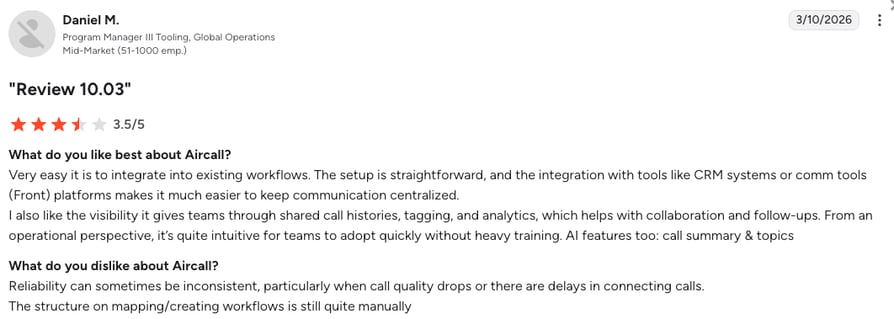
A mid-market program manager on G2 likes how "very easy it is to integrate into existing workflows," but notes, "Reliability can sometimes be inconsistent, particularly when call quality drops or there are delays in connecting calls."
Another reviewer says "it can take up to half an hour for an audio to appear." Our roundup of Aircall alternatives compares other options.
G2 rating: 4.4/5 (1691+ reviews). Read Aircall reviews on G2.
8. PhoneBurner
What Is PhoneBurner?
PhoneBurner is a power dialer with a built-in CRM for high-volume outbound teams. PhoneBurner's Outreach app lets reps dial from inside Outreach: pick a sequence and dial every contact with a call step due.
Who Is PhoneBurner's Outreach Integration Best For?
Best for: Salesforce teams dialing due Outreach sequence call steps.
The integration needs three accounts: Outreach, PhoneBurner and Salesforce. Teams without Salesforce can't use it.
What Can PhoneBurner's Outreach Integration Do?
- Sequences with call steps: the PhoneBurner icon lists them, and "start dialing" works through every contact with a step due.
- Automatic logging: call activities and dispositions log to Outreach.
- Post-call actions: a disposition can trigger follow-up emails and texts, set per call step and sequence.
- Voicemail in one click: reps drop a pre-recorded voicemail.
- Coaching: managers can listen in, whisper and barge.
If you want these calls in Salesforce too, add Calls to Outreach's CRM sync settings before the first dial session. PhoneBurner can't update past activities.
What Other Tools Does PhoneBurner Integrate With?
- CRMs: Salesforce, HubSpot, Zoho CRM and GoHighLevel.
- Other tools: Zoom and Zapier.
- Developers: an open API on Professional and Premium.
How Much Does PhoneBurner Cost With Outreach?
PhoneBurner starts at $140 per user per month billed annually, without saying which plan includes the Outreach app. Our PhoneBurner pricing guide breaks down each plan.
| Plan | Annual / monthly | Notes |
|---|---|---|
| Standard | $140 / $165 | Power dialing, custom dispositions |
| Professional | $165 / $195 | Softphone, coaching, open API |
| Premium | $183 / $215 | Number, inbound routing, AI notes, SMS |
Numbers, ARMOR spam protection and Connect Scores are paid add-ons.
What Are PhoneBurner's Pros and Cons?
| Pros | Cons |
|---|---|
| Dials due call steps inside Outreach | Requires Salesforce too |
| Dispositions trigger follow-ups | Highest seat price here |
| Unlimited power dialing | No multi-line dialing |
What Do Customers Say About PhoneBurner on G2?
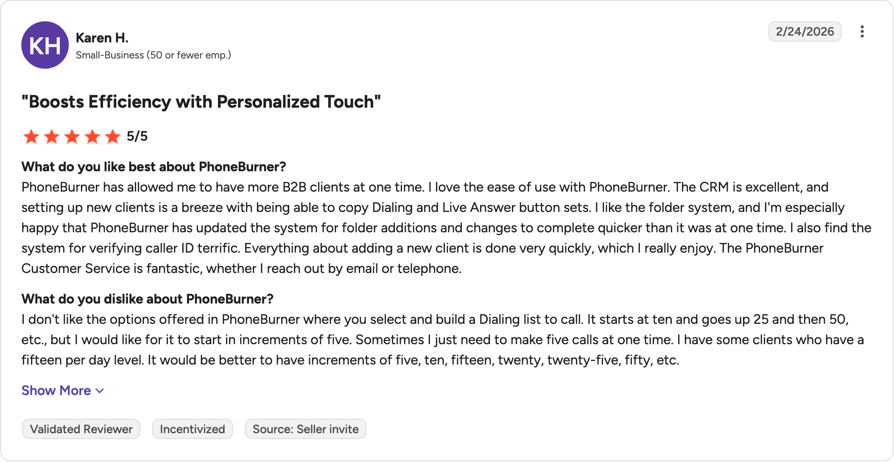
One G2 reviewer says productivity rose "by at least 60%" and adds, "We love the integration with salesforce too!!" Their gripe: "not being able to change the number I'm dialing from once a session starts."
A small-business reviewer wants smaller dialing-list increments. Our PhoneBurner alternatives guide compares cheaper options.
G2 rating: 4.7/5 (297+ reviews). Read PhoneBurner reviews on G2.
How Do You Connect CloudTalk to Outreach?
According to CloudTalk's Outreach page, the integration takes minutes to set up from the CloudTalk Dashboard, with no extra fee on any paid plan. Once connected, Outreach contacts import into CloudTalk and every call logs back to Outreach.
Before you roll it out to the whole team, run a short test:
- 01Connect it as an admin: you need admin rights in CloudTalk and in Outreach.
- 02Make a test call: call a test prospect from the CloudTalk app.
- 03Check the record in Outreach: look for the call, its outcome, notes and recording link.
- 04Check the rep: confirm the call sits under the rep who made it, not the fallback user.
- 05Test a missed call: ring a CloudTalk number, let it go unanswered and check where it lands.
What Is an Outreach Phone Integration?
An Outreach phone integration connects a phone system or dialer to Outreach, the sales engagement platform, so calls are logged as Outreach activities on the right prospect. It's also called an Outreach calling integration.
How Does Calling Connect to Outreach?
Calling reaches Outreach in one of three ways:
- A voice provider inside Outreach: Outreach's Org Voice Overview names Outreach itself, Dialpad, RingCentral or another third party.
- A click-to-call app inside Outreach: reps dial from Outreach records, as with Aircall, JustCall and PhoneBurner.
- An external tool that logs back: reps dial in another app, and calls sync to Outreach.
Zoom Phone also offers an official Outreach integration through a Chrome extension, which needs a Zoom Phone licence.
A Phone Inside Outreach or an External Dialer: What's the Difference?
A phone inside Outreach keeps reps in their sequence view; an external tool gives you more phone system or more dialer. Either way, it's a VoIP integration, so call quality depends on your network too.
| Option | Sequence tasks | Trade-off | Tools |
|---|---|---|---|
| Phone inside Outreach | Worked in Outreach | Some need Outreach Voice | Dialpad, Aircall, JustCall, PhoneBurner |
| Dialer that imports tasks | Completed in the dialer | Usually no inbound | Orum, Nooks, JustCall Sales Dialer |
| Phone system that logs back | Not touched | No task dialing | CloudTalk, Kixie |
If managers measure reps on completed sequence steps, look at the first two rows. If clean call data and inbound coverage matter more, the third can win.
Does Outreach Have Its Own Dialer?
Yes. According to Outreach's Dialer Overview, the Outreach Dialer calls from the toolbar or a prospect's number and handles logging, adding a participant, transfers, call waiting and local presence numbers.
Outreach's Sequential Dialing dials selected call tasks one after another on one line. Its setup guide says it needs Outreach Voice, an admin permission and at least two call tasks.
Outreach's Voice billing article says minutes and numbers are billed on top of the quote-based platform, per use or by subscription. Our Outreach pricing guide explains its Amplify packages.
Before you switch, note that the Org Voice Overview says leaving Outreach Voice deletes numbers bought through Outreach, and their recordings, after 10 days. Export what you need first.
Why Connect a Phone System to Outreach?
A phone system connected to Outreach removes the manual call admin teams complain about most. Here's what changes, based on what Outreach teams tell us:
- Calls log themselves: each call lands on the prospect under the rep who made it. That's the core of any VoIP CRM integration.
- Dispositions match your list: outcomes use your Outreach dispositions, so call analytics in sales reviews mean something.
- Notes write themselves: AI call summaries help only if they reach the record the next rep reads.
- More pickups: local numbers get answered more often than unknown ones.
- One call, every system: most teams want each call in the CRM and Gong too. See our guide to Salesforce VoIP integrations.

The pickup point has data behind it. Hiya's State of the Call 2026², a survey of more than 12,000 consumers in six countries, found that 86% don't answer calls from numbers they don't recognize, and 73% think businesses should identify themselves with caller ID.
CloudTalk offers local numbers in 160+ countries; availability and registration rules differ by country and number type.
Customer stories: Pipedrive logs 100% of call activity automatically across its global teams with CloudTalk, and Integrity360 tripled its SDR pickup rates.
What Should an Outreach Phone Integration Sync Automatically?
"It integrates with Outreach" can mean anything from a full call record to a single note. Take this checklist into every demo, as you would for any contact center integration, and ask to see each item live.
| What | Why it matters | Ask the vendor |
|---|---|---|
| Call records | Notes don't feed call reporting | "Is each call a call record?" |
| Dispositions | Reporting needs your own list | "Who maintains the mapping?" |
| Agent attribution | Every log needs a user | "How do you match reps?" |
| Cancelled dials | Managers want every dial | "What disposition do they get?" |
| Contacts | Duplicates break sequences | "Do you search before creating?" |
| Text messages | Tools differ, if they log SMS at all | "Do texts appear in Outreach?" |
| Recordings | Coaching needs the audio | "Is there a recording link?" |
| AI summaries | Saves note-taking | "Which add-on sends them?" |
| Call tasks | Decides sequence dialing | "Can you import and complete tasks?" |
| Sync speed | Late logs confuse reps | "What if Outreach rate-limits you?" |
What Usually Doesn't Sync (Ask Before You Buy)
- Calling inside Outreach: external phone systems and dialers usually don't place calls there.
- Sequence tasks: many tools log calls but can't import or complete tasks, or pause a sequence.
- Outreach lists as audiences: many dialers build lists from the CRM or a file instead.
- Text messages: support varies, and vendor pages can disagree with their own help center.
- Real-time sync: some integrations batch or retry writes to stay inside Outreach's API limits.
Most gaps are livable if you know about them before rollout, so get a yes or no on each.
Which Outreach Dialer Integration Fits: Auto, Power or Parallel?
For an Outreach auto dialer integration, the dialer type matters as much as how it connects. Vendors use these terms loosely, so here's how we use them.
Dialer Types Explained: Which Is Which?
| Dialer type | What it does | CloudTalk |
|---|---|---|
| Auto dialer | A campaign dials for the rep | Yes, AI Sales Dialer |
| Power (progressive) | One number at a time, next on hang-up | Power mode, one line |
| Parallel (multi-line) | Several at once, first answer connects | 5 lines; 10 on request |
| Predictive | Lines set by availability and answer rates | Not offered |
See our guides to power vs. progressive dialers and what a predictive dialer is. Outreach's Sequential Dialing works like a power dialer on its own call tasks.
Can a Dialer Work Outreach Sequences and Call Tasks?
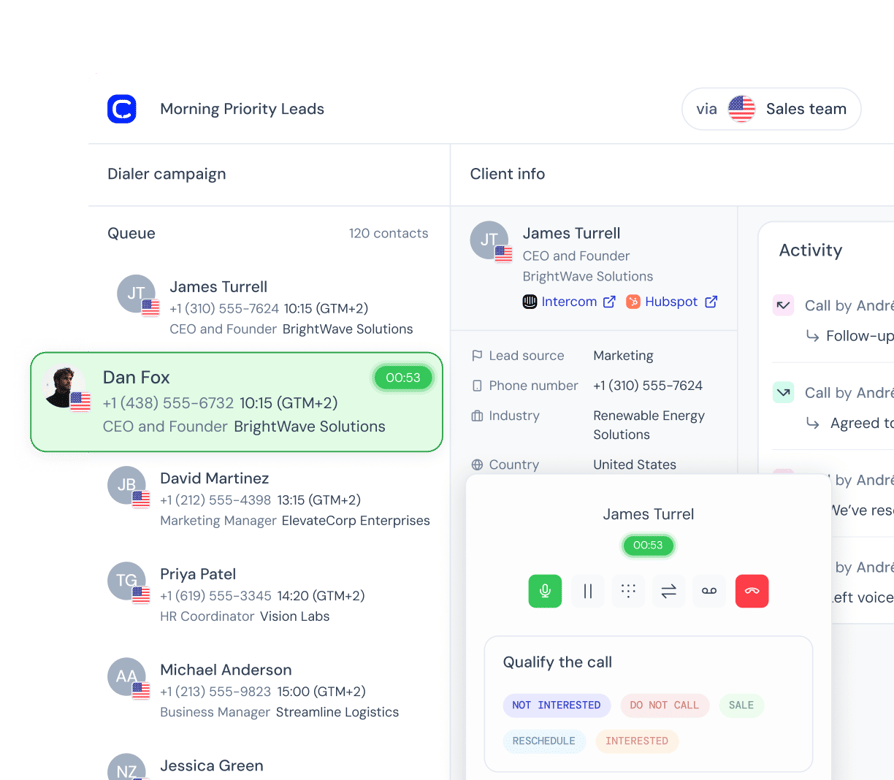
Some dialers can work Outreach call tasks: JustCall's Sales Dialer, Orum and Nooks import them, and PhoneBurner dials due call steps from its Outreach app.
CloudTalk can't. CloudTalk reps dial lists imported from a CSV or synced from a CRM, and calls log back to Outreach. Task support matters most when reps are measured on completing sequence steps on time.
What Is the Best Parallel Dialer for Outreach.io?
The best parallel dialer for Outreach.io depends on how your team works. Judge each option on six things:
- 01Inside or outside Outreach: must reps stay in Outreach's interface?
- 02Sequence fit: does the dialer import call tasks and mark them complete?
- 03A real trial: run it against your current dialer on a real list for a week.
- 04Voicemail handling: check detection, skipping and automatic drop.
- 05Local numbers: check coverage in every country you call.
- 06Total cost: add seats, minimums, add-ons and out-of-region calls.
Pure SDR desks living in sequences usually do best with Orum or Nooks; JustCall adds a full phone system.
Teams that also take inbound calls can keep everything on CloudTalk with Parallel mode and AI voicemail detection and drop. If you're new to parallel dialing, start at 3 lines and adjust.
Customer story: TripleTen LATAM (Education & EdTech) increased its contact rate by 30% with CloudTalk.
Which Tools Offer Which Dialer Modes With Outreach?
| Tool | Power | Parallel (max lines) | Predictive | Dials in Outreach | Call tasks |
|---|---|---|---|---|---|
| CloudTalk | Add-on; included on Expert | 5; 10 on request (add-on) | No | No | No |
| Dialpad | Not documented | Not documented | Not documented | Yes | In Outreach |
| JustCall | Yes | Yes (cites 10) | Listed | Click-to-call | Per step |
| Orum | Not documented | Yes (max unpublished) | No | No | Yes |
| Nooks | Not documented | Yes (max unpublished) | No | No | Yes |
| Kixie | Yes | Up to 4 | Not documented | No | Not documented |
| Aircall | On Professional | Not documented | No | Click-to-call | No evidence |
| PhoneBurner | Yes | Not advertised | No | Yes, via app | Due steps |
"Not documented" means we couldn't find it on the vendor's own Outreach integration pages, so ask on a demo.
Outreach Phone System and Call Center: When Do You Need One?
You need a separate phone system once calling stretches beyond outbound sequences. Outreach's built-in calling covers what an SDR needs during a sequence, with minutes and numbers through Outreach Voice billing.
A full phone system adds what sits outside the sequence view:
- Numbers in many countries: CloudTalk offers local numbers in 160+ countries.
- Inbound handling: IVR, call queues, ring groups and business hours.
- Recording and analytics: recording, voicemail and reporting across every team, not only SDRs.
- AI beyond the sequence: Conversation Intelligence, plus AI Voice Agents for overflow or after-hours calls.
Several teams we talk to use Outreach's calling for outbound and hit limits on number coverage once they sell in more countries.
In this guide, an "Outreach call center" means a phone system running next to Outreach, with calls logging back. CloudTalk works this way as a phone system and call center.
If inbound volume is small, Outreach's calling plus call forwarding may be enough. Once you need routing and reporting across sales and support, a separate phone system earns its seat price.
See how CloudTalk routes inbound calls from prospects who ring back after a sequence step.
Which Outreach Phone Integration Is Best for Your Team?
The best Outreach phone integration depends on where your reps dial and what else the phone has to handle.
| Team type | Pick | Alternatives |
|---|---|---|
| SDRs dialing inside Outreach | Dialpad | JustCall, Aircall, PhoneBurner |
| Disposition accuracy and AI summaries | CloudTalk | JustCall, Orum |
| Global teams needing local numbers | CloudTalk | Aircall, JustCall |
| Outreach, Salesforce and Gong stack | CloudTalk (Expert) | PhoneBurner, Dialpad |
| Pure SDR parallel dialing | Orum | Nooks, JustCall |
CloudTalk isn't the pick for dialing inside Outreach, because reps dial in CloudTalk's apps. Orum calls 160+ countries but won't give you inbound numbers, so ask Aircall and JustCall for their inventory in your markets.
For Salesforce-heavy stacks, see our list of the best dialers for Salesforce; for outbound beyond Outreach, our ranking of AI sales dialer software.
How Much Does an Outreach Phone Integration Cost?
The full cost of an Outreach phone integration is the seat price plus Outreach itself, any Outreach Voice fees, dialer and AI add-ons, and calls outside your included region.
| Tool | Lowest price | Dialer cost | Also needed |
|---|---|---|---|
| CloudTalk | $25 | Power $15; Parallel $39 | Credit for out-of-region calls |
| Dialpad | $15 | Not documented | Outreach Voice seats |
| JustCall | $29 | SalesPro (quote) | Check promotions |
| Orum | Quote | Included | Seat minimum |
| Nooks | Quote | Included | Per-rep connection |
| Kixie | Not published | Voice detection add-on | Check plan |
| Aircall | $30 | Professional ($50) | 3-licence minimum |
| PhoneBurner | $140 | Included | Salesforce account |
Then add your quote-based Outreach subscription, Outreach Voice minutes and numbers if you use them, and numbers in extra countries. Our guide on how to evaluate VoIP pricing shows how to compare.
Price and number costs decide plenty of the deals we see, so build the full-stack number first. See every CloudTalk plan and add-on before you do the math.
How Do You Pick the Right Outreach Phone Integration or Dialer?
Pick the right Outreach phone integration by testing each shortlisted tool against this checklist in a trial:
- 01Decide where reps dial: if they must work sequence tasks while dialing, shortlist in-Outreach tools and task-importing dialers.
- 02Check what gets logged: call records or notes, and how dispositions map.
- 03Test edge cases: missed calls, cancelled calls and unknown numbers.
- 04Check contacts: does the tool search before creating, and do new contacts reach your CRM?
- 05Run the dialer on a real list: for at least a week, voicemail handling included.
- 06Check numbers per country: coverage, registration and whether number porting keeps current numbers.
- 07Check the AI: where summaries land, which add-on they need, and live coaching.
- 08Price the full stack: Outreach, Outreach Voice, out-of-region calls, numbers and add-ons.
You can run this checklist in a CloudTalk trial: Expert is free for 14 days, no credit card needed.
How We Chose the Best Outreach Phone Integrations
We started from our conversations with teams that run Outreach: why they looked for a new phone system or dialer, and why they picked or rejected each option.
Then we read each vendor's Outreach integration page, help docs and pricing page, plus Outreach's support docs on its dialer, voice providers and billing.
Every tool was judged on the same criteria: calling inside Outreach, what's logged, sequence support, dialer modes (as in our guide to dialers for cold calling), contact handling, AI notes, local numbers, total cost and G2 feedback.
To keep the review fair to competitors, we wrote CloudTalk's limits into its entry, named the tools that do better where it doesn't fit, and used only vendor documentation and public pricing for competitor facts.
Frequently Asked Questions About Outreach Phone Integrations
Start Logging Every Call in Outreach the Right Way
Pick CloudTalk if you want every call, outcome and recording on the right Outreach prospect, AI call summaries through Conversation Intelligence Plus, local numbers in 160+ countries and one phone system for outbound, inbound and support.
If reps must dial inside Outreach, look at Dialpad, JustCall, Aircall or PhoneBurner. If they need to work sequence call tasks while dialing, look at Orum, Nooks or JustCall's Sales Dialer. Our guide to outbound dialers covers the wider market.
Sources:
Frequently asked questions
It depends on where reps dial. CloudTalk is best for complete call records, AI summaries and local numbers across inbound and outbound calls. Dialpad or Aircall suit calling inside Outreach; Orum or Nooks suit task dialing.
Yes. Outreach's dialer places and logs calls from a prospect record, and Sequential Dialing works through call tasks on one line, like a progressive dialer. It needs Outreach Voice, billed separately.
No. CloudTalk logs every call to Outreach but doesn't import sequence call tasks. Reps run auto dialer campaigns on CSV or CRM lists. For task dialing, look at JustCall, Orum, Nooks or PhoneBurner.
With CloudTalk, yes: the Conversation Intelligence Plus add-on exports a custom call summary to Outreach. The Basic tier adds transcripts and automatic call summaries inside CloudTalk.
A power dialer rings one number at a time and moves on when a call ends. A parallel dialer rings several at once and connects the first answer. Our parallel vs. power dialer guide covers when each fits.
Not always. Dialpad's integration needs Outreach Voice seats, as our Dialpad review notes. Tools that log calls back from outside Outreach, like CloudTalk, aren't Outreach's voice provider.
CloudTalk lists Gong in its integration catalog alongside Outreach, Salesforce and HubSpot. Orum names Gong Engage among its integrations. Our roundup of Gong integrations covers more tools.
Yes. Outreach's calling includes local presence numbers, and CloudTalk offers local numbers in 160+ countries for local presence dialing. Rules differ by country, so check each market.