8 Best Bullhorn VoIP Integrations for Recruiters (2026)
The best Bullhorn VoIP integration for most recruiting and staffing teams is the CloudTalk Bullhorn integration: every call becomes a Bullhorn Note on the matched Candidate, ClientContact or Lead, with the agent's notes, tags and a recording link, and you can run dialer campaigns from your imported Bullhorn contacts.
If your recruiters must dial straight from a Bullhorn tearsheet, look at CloudCall instead.
We compared 8 phone systems and dialers that connect to Bullhorn, using our own conversations with recruiting teams, each vendor's documentation and pricing page, and G2 ratings. The shortlist:
- CloudTalk: best for recruiting teams that want calls logged as Bullhorn Notes, tag-based campaigns and local numbers
- CloudCall: best for recruiting desks that want to call and power-dial from inside Bullhorn
- Aircall: best for teams that want a polished phone with Bullhorn note actions
- Dialpad: best for teams that want built-in AI and record creation from calls
- JustCall: best for high-volume desks that dial Bullhorn candidate lists
- Ringover: best for recruiters who log calls, SMS and WhatsApp in Bullhorn
- 8x8: best for organizations standardizing on 8x8 unified communications
- RingCentral: best for larger teams that want voice, video and messaging
Bullhorn VoIP Integration Comparison Table: 8 Phone Systems Side by Side
| Provider | Key Features | Best For | Starting Price | G2 Rating |
|---|---|---|---|---|
| CloudTalk | Calls logged as Bullhorn Notes; Power and Parallel campaigns from a contact tag; local numbers in 160+ countries | Automatic Notes and local numbers | $29 (Essential) | 4.4/5 |
| CloudCall | Calling inside Bullhorn; power dialing from tearsheets; SMS from records | Desks that dial Bullhorn lists | $24 (o1 Pro) | 3.9/5 |
| Aircall | Note action set by tag; AI summary in the note (AI package); optional SMS logging | A polished phone with note actions | $30 (3-license minimum) | 4.4/5 |
| Dialpad | Calls, notes and AI summaries logged; creates records when no match | Built-in AI | $25 (Pro, CRM integrations) | 4.4/5 |
| JustCall | Candidate list import to Sales Dialer; dispositions in the note; SMS logging | High-volume candidate dialing | $29 (Team, 2-license minimum) | 4.3/5 |
| Ringover | Calls, SMS and WhatsApp logged; Power Dialer; featured Bullhorn Marketplace partner | Multichannel recruiting | $49 (BUSINESS, 3-user minimum) | 4.6/5 |
| 8x8 | App launched from the Bullhorn dashboard; screen pop; logs unknown numbers | 8x8 unified communications shops | Quote | 4.2/5 |
| RingCentral | App Connect extension; selectable note actions; SMS logging | Voice, video and messaging in one | $25 (Advanced, CRM integrations) | 4.2/5 |
Prices are per user per month, billed annually, for the lowest plan that includes the Bullhorn integration or, where the vendor doesn't name one, the lowest plan that lists CRM integrations.
According to Hiya's State of the Call 2026 report¹, 86% of unidentified calls go unanswered. For a recruiter, that's the whole working day: a candidate sees an unfamiliar number, lets it ring, and the shortlist you promised a client by Friday slips.
The calls that do connect create a second problem. A recruiter dials from a mobile or from Microsoft Teams, the conversation goes well, and nothing reaches Bullhorn. Your pipeline report shows a quiet week, and the next recruiter calls the same candidate again.
That costs more than a line in a report. Bullhorn's 2026 GRID Talent Trends Report² found that 91% of candidates who hear from their recruiter at least weekly would keep working with that recruiter.
Most Bullhorn teams we speak with have already tried the obvious fixes. They ask recruiters to type call notes by hand, which lasts until the first busy Monday.
Or they export a candidate list to CSV, clean it and load it into a separate dialer for every campaign, which turns outreach into spreadsheet work.
Bullhorn shows up in almost every roundup of staffing agency software, so the phone system is usually the piece that needs fixing.
A proper Bullhorn VoIP integration logs each call against the right record and gives recruiters a faster way through their lists. Below, you'll see how 8 options do that and what each costs.

Win back the hours lost to call admin

Why Trust Our Bullhorn Phone Integration Reviews?
For nearly a decade, we've helped over 30,000 professionals find and implement smarter business communication tools. We've reviewed 200+ software tools across industries, analyzed 5,500+ verified customer reviews from platforms like G2, Capterra, Trustpilot and TrustRadius, and drawn insights from real user discussions on Reddit and Quora.
In the past year alone, we published 1,000+ articles, each one written by humans for humans. Learn how we keep our content integrity and our software review methodology.
The 8 Best Bullhorn VoIP Integrations in 2026
We reviewed every tool the same way: what it is, who it suits, what it logs, what it costs with Bullhorn, its pros and cons, and what G2 reviewers say. CloudTalk is our own product, so we held it to the same standard.
1. CloudTalk
What Is CloudTalk?
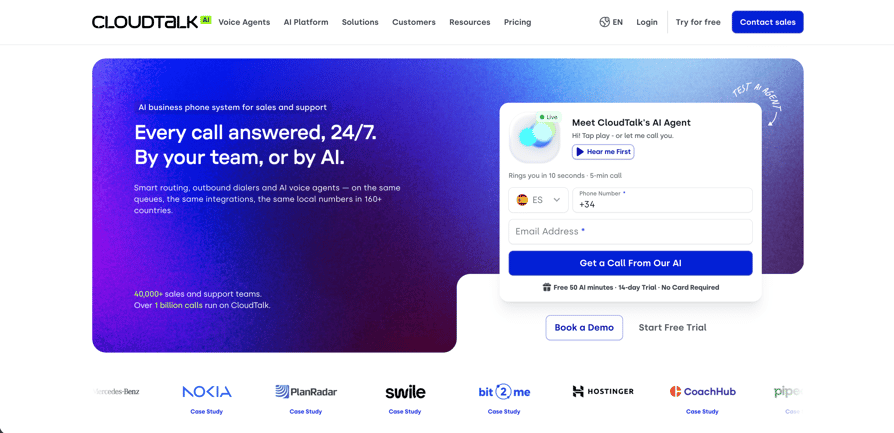
CloudTalk is cloud call center software with local numbers in 160+ countries, 99.999% uptime and AI built into the call flow: AI voice agents, Conversation Intelligence and the AI Sales Dialer.
More than 5,500 companies use CloudTalk. It connects to Bullhorn through a native integration you switch on from the CloudTalk Dashboard, plus a Click-to-Call browser extension; calls run in the CloudTalk Phone app rather than inside Bullhorn.
Who Is CloudTalk's Bullhorn Integration Best For?
CloudTalk is best for staffing agencies that want every call logged as a Bullhorn Note on the right record, teams placing candidates across several countries, and outbound recruiters happy to build campaigns from a contact tag. It's a weaker fit if your recruiters must dial straight from tearsheets.
What Can CloudTalk's Bullhorn Integration Do?
CloudTalk's connection is a native Bullhorn integration that you authorize from the Dashboard. Once it's on:
- No more typing call notes: every call becomes a Note on the matched Candidate, ClientContact or Lead, with call type, agent, both numbers, duration, date, the agent's notes and tags, and links to the recording and the CloudTalk contact.
- Notes that stay current: when an agent edits a note or tag in CloudTalk, the same Bullhorn Note updates.
- AI summaries in the Note: with the AI Conversation Intelligence add-on, a Generate with AI button writes a call summary into the call notes at wrap-up, and those notes sync to the Bullhorn Note.
- Calls on the right record: CloudTalk matches calls on Phone, Phone2, Phone3 and Mobile (plus Work Phone for Candidates) and normalizes numbers to international format.
- Contacts ready to call: Client Contacts, Leads and Candidates import when you activate the integration and refresh every 15 minutes. Sync runs one way, from Bullhorn to CloudTalk, and each imported contact carries a tag you choose.
- Campaigns from your Bullhorn contacts: the AI Sales Dialer builds an audience from that tag (or a CSV) and runs in Power mode (one line) or Parallel mode (up to 10 lines). Campaign calls log back to Bullhorn as Notes.
- Calls from any Bullhorn page: the Click-to-Call extension picks up numbers on Bullhorn pages and opens them in the CloudTalk Phone app.
- Room to grow: [100+ native integrations](https://www.cloudtalk.io/integrations/), plus Zapier, webhooks and a public API.
One honest limit: CloudTalk can't dial a Bullhorn tearsheet or saved search, and it logs every call with a fixed note type.
How Much Does CloudTalk Cost With Bullhorn?
CloudTalk's Bullhorn integration starts on the Essential plan at $29 per user per month, billed annually. Starter doesn't include integrations.
| Plan | Price (annual / monthly) | What it adds for Bullhorn teams |
|---|---|---|
| Starter | $25 / $34 | Core phone system; no Bullhorn integration |
| Essential | $29 / $39 | Bullhorn and the other native CRM, helpdesk and ATS integrations |
| Expert | $49 / $69 | Power Dialer included; minimum 3 licenses |
| Custom | Contact Sales | Tailored setup for larger teams |
Add-ons sit on top of any plan: AI Conversation Intelligence costs $9 per user per month, the Power Dialer $15 (included in Expert), the Parallel Dialer $39, and AI Voice Agents start at $99 per month for 200 minutes. Calls outside your plan's included region are billed per minute.
What Are CloudTalk's Pros and Cons?
| Pros | Cons |
|---|---|
| Calls logged automatically as Bullhorn Notes with notes, tags and a recording link | No phone inside Bullhorn: click-to-call opens the CloudTalk Phone app |
| Tag-based campaigns with Power and Parallel dialing | Can't dial a Bullhorn tearsheet or saved search; note type is fixed |
| Local numbers in 160+ countries | SMS isn't logged to Bullhorn, and contact sync is one-way |
What Do Customers Say About CloudTalk on G2?
One mid-market reviewer says CloudTalk is "easy to use, integrates well with our CRM", and a small-business reviewer points to "the accessibility for small teams".
On the downside, the first reviewer says some advanced features "can get expensive for smaller teams" and mentions occasional minor interface lag. Another reviewer wants raw transcripts on the basic plan rather than recordings alone.
G2 rating: 4.4/5 (1943+ reviews). Read CloudTalk reviews on G2.
The quickest way to see how much admin it saves your team: [run a 14-day free trial](https://www.cloudtalk.io/signup/) on your own Bullhorn records, no credit card needed.
2. CloudCall
What Is CloudCall?
CloudCall is a communication platform, now branded CloudCall o1, that "connects calls, texts, analytics, and AI powered workflows directly to your CRM and ATS", in its own words. CloudCall is a Bullhorn Marketplace partner whose features work from inside Bullhorn, with desktop, mobile and Chrome extension apps alongside.
If its contract terms don't suit you, our guide to CloudCall alternatives compares other options.
Who Is CloudCall's Bullhorn Integration Best For?
CloudCall is best for recruiting desks that live in Bullhorn tearsheets and want to call and power-dial a list without exporting it first, including teams on Bullhorn for Salesforce.
What Can CloudCall's Bullhorn Integration Do?
- Dialing without leaving Bullhorn: CloudCall says Click-to-Call and screen pops are "accessible from within your Bullhorn CRM".
- Tearsheets as call lists: Bullhorn's own partner page for CloudCall describes "power dialing from tear sheets".
- Less manual logging: auto note-taking saves calls and texts into Bullhorn or Bullhorn for Salesforce.
- Texting from the record: Click to Text and Broadcast SMS work from Bullhorn records.
- Coaching and AI: real-time coaching (monitor, whisper, barge) and AI-enhanced call summaries on Pro and above.
How Much Does CloudCall Cost With Bullhorn?
CloudCall lists CRM and ATS integration from its o1 Pro plan, at $24 per user per month billed annually. Our breakdown of CloudCall pricing covers every plan and add-on.
| Plan | Price (annual / monthly) | Bullhorn-relevant features |
|---|---|---|
| o1 Starter | $15 / $20 | No CRM or ATS integration listed |
| o1 Pro | $24 / $33 | CRM and ATS integration, AI-enhanced call summaries, coaching panel |
| o1 Advanced | $35 / $45 | Power Dialer, AI summaries with CRM sync, voicemail drop, campaign management |
CloudCall's FAQ says plans are contract-based, with seat reductions and downgrades only at renewal.
What Are CloudCall's Pros and Cons?
| Pros | Cons |
|---|---|
| Works from inside Bullhorn, including tearsheet power dialing | Power Dialer and campaigns only on o1 Advanced |
| SMS and broadcast SMS from Bullhorn records | No CRM or ATS integration on o1 Starter |
| Supports Bullhorn for Salesforce | Contract terms limit mid-term downgrades |
What Do Customers Say About CloudCall on G2?
CloudCall has a small G2 footprint next to the bigger phone systems here, so weigh each review accordingly.
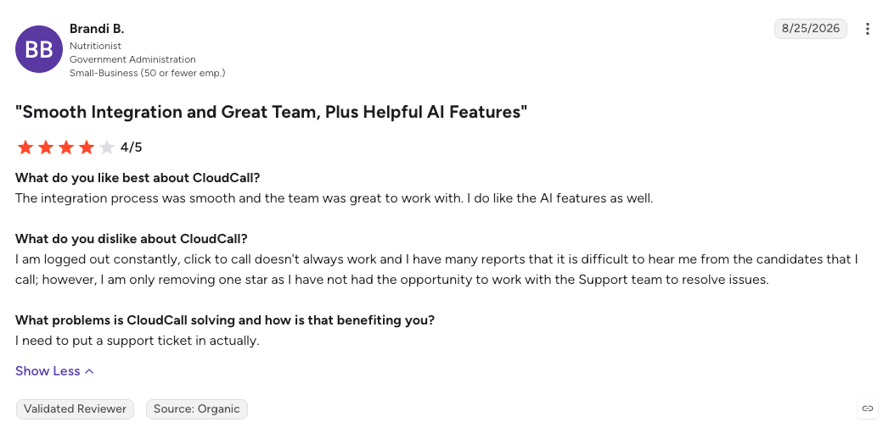
One small-business reviewer who calls candidates found that "the integration process was smooth and the team was great to work with" and liked the AI features, but reports being "logged out constantly" and that "click to call doesn't always work".
Another reviewer praises how CloudCall "integrates with our CRM and comes with a handy app" while calling weekend support a gap.
G2 rating: 3.9/5 (76 reviews). Read CloudCall reviews on G2.
3. Aircall
What Is Aircall?
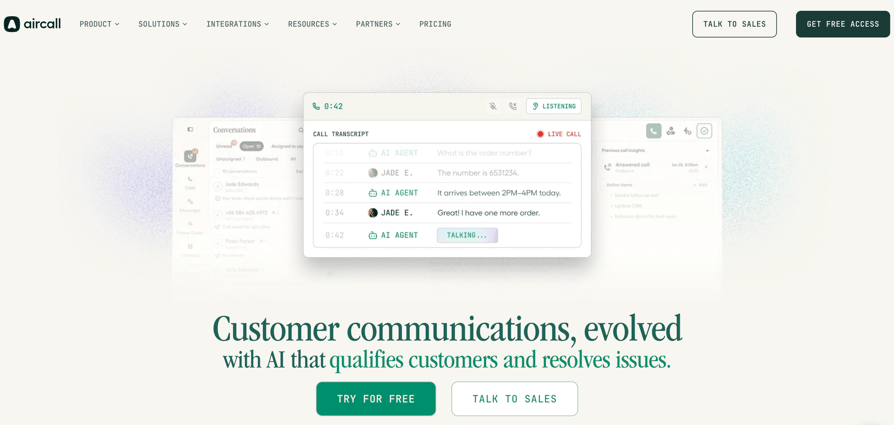
Aircall describes itself as an "AI-powered customer communications platform". Its Bullhorn v4 integration was built by AOS, which Aircall calls a certified solution partner, and it's free on every Aircall plan. Aircall is listed on the Bullhorn Marketplace, and clicking a number in Bullhorn opens the Aircall Workspace.
Teams weighing a switch can compare it in our roundup of Aircall alternatives.
Who Is Aircall's Bullhorn Integration Best For?
Aircall is best for agencies that sort Bullhorn activity by note action, for example separating business-development calls from candidate screens, and that will pay for AI summaries on Professional or the AI package.
What Can Aircall's Bullhorn Integration Do?
- Calls on the right person: call notes land on the matched Contact or Candidate, linked to the company, with agent comments, tags and a recording link.
- Note types you control: the note's Action comes from the first Aircall tag on the call, so tagging a call "BD" or "Screen" sorts it in Bullhorn.
- AI in the note: with the Aircall AI package, summaries and key topics are added to the Bullhorn note.
- Texts in the history: optional SMS logging, per message or as a 72-hour conversation.
- Context while you talk: Insight Cards show the Bullhorn name, company, owner and status during the call.
Aircall's Power Dialer on Professional imports up to 1,000 numbers, but Aircall documents no Bullhorn tearsheet import.
How Much Does Aircall Cost With Bullhorn?
Aircall starts at $30 per license per month billed annually, with a 3-license minimum, and the Bullhorn integration costs nothing extra. See our full guide to Aircall pricing for add-ons and hidden costs.
| Plan | Price (annual) | Bullhorn-relevant features |
|---|---|---|
| Essentials | $30 per license | Bullhorn integration, 250+ integrations, 50 AI Voice Agent minutes |
| Professional | $50 per license | AI call summary and conversation intelligence, Power Dialer, outbound campaigns |
What Are Aircall's Pros and Cons?
| Pros | Cons |
|---|---|
| Note action set from the first tag | 3-license minimum on every plan |
| AI summary written into the Bullhorn note (AI package) | AI summaries need Professional or the AI package |
| Bullhorn integration free on all plans | Two reviewers say recordings can take a while to appear |
What Do Customers Say About Aircall on G2?
One reviewer finds client communication straightforward with Aircall, and another says it helps them review the tracking of their prospects.
Both raise the same practical complaint. The small-business reviewer says "it takes a long time to load calls when I want to listen to them again", and the other says recordings can take up to half an hour to appear.
G2 rating: 4.4/5 (1683+ reviews). Read Aircall reviews on G2.
4. Dialpad
What Is Dialpad?
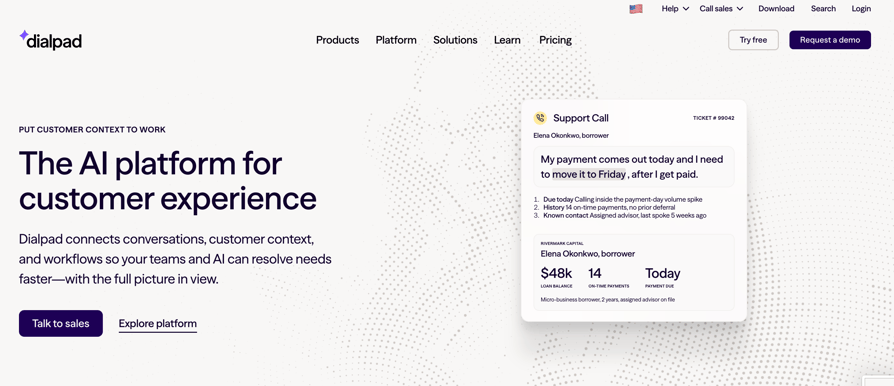
Dialpad brings AI agents, contact center, sales and business communications together, according to its own positioning; its business phone product is Dialpad Connect. Dialpad's Bullhorn integration is listed in its own app marketplace, but Dialpad isn't on the Bullhorn Marketplace.
For other options, see our guide to Dialpad alternatives.
Who Is Dialpad's Bullhorn Integration Best For?
Dialpad is best for teams that want AI summaries logged to Bullhorn without a separate note-taker, and for agencies experimenting with AI agents that talk to candidates.
What Can Dialpad's Bullhorn Integration Do?
- Matching by more than phone: Dialpad auto-matches contacts by email, name or phone number and shows Bullhorn context in its sidebar.
- New callers become records: when there's no match, Dialpad creates a Bullhorn contact, candidate or lead.
- AI notes in Bullhorn: Dialpad logs calls, notes and AI summaries to Bullhorn.
- Notes on the go: the iOS app lets recruiters take notes and trigger Bullhorn actions.
- AI agents: a separate Agentic AI integration lets Dialpad AI agents create and update candidate profiles and retrieve job data, though Dialpad notes availability depends on Bullhorn's APIs.
How Much Does Dialpad Cost With Bullhorn?
Dialpad doesn't say which plan includes Bullhorn. Its pricing page lists CRM integrations from Pro, at $25 per user per month billed annually. Our Dialpad pricing guide breaks down each tier.
| Plan | Price (annual / monthly) | Bullhorn-relevant features |
|---|---|---|
| Standard | $15 / $27 | Core phone; CRM integrations not listed |
| Pro | $25 / $35 | Key CRM integrations |
What Are Dialpad's Pros and Cons?
| Pros | Cons |
|---|---|
| Reviewers praise its AI transcription and analytics | One reviewer says transcription struggles with industry terms and accents |
| Creates Bullhorn records when a caller doesn't match | Two reviewers report texting problems |
| AI summaries logged to Bullhorn | The plan that includes Bullhorn isn't stated |
What Do Customers Say About Dialpad on G2?
One reviewer calls Dialpad "intuitive, reliable, and easy to deploy across our team", and another says its reporting tools are simple to use and praises the support team.
The first reviewer adds that transcription "can sometimes struggle with industry-specific terminology, accents, or poor audio quality" and wants more customizable integrations and reports. Two other reviewers report texting problems.
G2 rating: 4.4/5 (4216+ reviews). Read Dialpad reviews on G2.
5. JustCall
What Is JustCall?
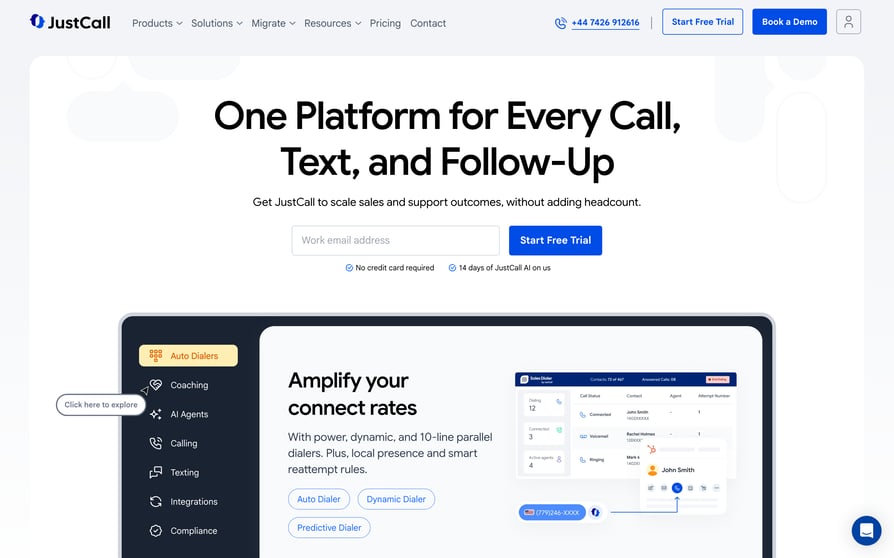
JustCall calls itself "the AI-powered phone and SMS platform built for sales and support teams". JustCall's Bullhorn integration is native, each user connects their own Bullhorn login, and JustCall isn't on the Bullhorn Marketplace.
If its tiers don't fit your team, our roundup of JustCall alternatives lists other options.
Who Is JustCall's Bullhorn Integration Best For?
JustCall is best for sales-style recruiting desks that work through long Bullhorn candidate lists and want dispositions and AI analysis written back to Bullhorn.
What Can JustCall's Bullhorn Integration Do?
JustCall's integration is available on its Team, Pro and Business plans:
- Candidates and contacts in one dialer: JustCall syncs Bullhorn Candidates and Contacts, including primary, mobile and other phone fields.
- Call or text from Bullhorn: recruiters click to call or text from Candidate and Contact records.
- A full call record: calls, missed calls, voicemails and SMS log as Bullhorn Notes with duration, agent, notes, disposition and a recording link. JustCall searches Candidates first, then Contacts.
- AI in the note: summary, transcript link and call score land in the call note.
- Candidate lists to the dialer: a Bullhorn custom action, "Send to JustCall Sales Dialer", imports Candidate lists. It works for the Candidate entity only.
How Much Does JustCall Cost With Bullhorn?
JustCall starts at $29 per user per month billed annually on Team, with a 2-license minimum. Our JustCall pricing guide covers the higher tiers in detail.
| Plan | Price (annual) | Bullhorn-relevant features |
|---|---|---|
| Team | $29 | Bullhorn and other CRM integrations |
| Pro | $49 | Power dialer, bulk SMS |
| Pro Plus | $89 | AI coaching |
| SalesPro | Custom quote | Power, Dynamic and Predictive dialing up to 10 lines |
What Are JustCall's Pros and Cons?
| Pros | Cons |
|---|---|
| Bullhorn candidate list import to the Sales Dialer | List import works for Candidates only |
| Dispositions and AI analysis in the Bullhorn note | Predictive dialing sits in separately quoted SalesPro |
| SMS logged to Bullhorn | One reviewer says small businesses get pushed toward higher tiers |
What Do Customers Say About JustCall on G2?
One reviewer says JustCall "allows our global sales representatives and customer service team to work asynchronously within a single digital ecosystem", though the same reviewer thinks its pricing approach "could be improved".
A small-business reviewer feels pushed toward the more expensive plans: "Small business who don't need your higher tier plans also deserve access to the tool."
G2 rating: 4.3/5 (2395+ reviews). Read JustCall reviews on G2.
6. Ringover
What Is Ringover?
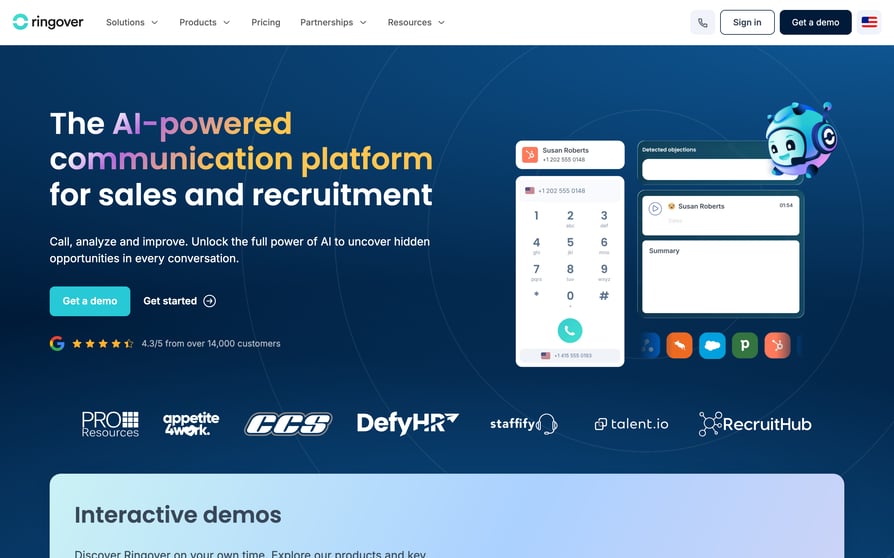
Ringover says it "consolidates all communication and collaboration tools into a single, unified platform". Ringover is a featured Bullhorn Marketplace partner, and its integration supports Bullhorn, Bullhorn Recruitment Cloud, Invenias and Bullhorn for Salesforce.
Our guide to Ringover alternatives compares it with other phone systems.
Who Is Ringover's Bullhorn Integration Best For?
Ringover is best for agencies whose candidates reply on WhatsApp as often as on the phone, and for teams that want first-time callers turned into candidate profiles.
What Can Ringover's Bullhorn Integration Do?
- One-click calling: recruiters call from Bullhorn records.
- Every channel logged: calls, SMS and WhatsApp log as Bullhorn tasks and notes with call type, notes and tags.
- New callers become candidates: Ringover creates and enriches candidate profiles for first-time callers.
- Dialer outcomes in Bullhorn: Ringover says its power dialing "syncs outcomes in Bullhorn", and its multichannel cadences log back too.
- AI notes: its AI add-on syncs transcripts, summaries, mood and keywords into Bullhorn notes.
Ringover describes the sync as two-way, and it offers local numbers from 65+ countries.
How Much Does Ringover Cost With Bullhorn?
Ringover lists native integrations from its BUSINESS plan at $49 per user per month billed annually, with a 12-month commitment and a 3-user minimum. Our Ringover pricing guide explains each plan.
| Plan | Price (annual / monthly) | Bullhorn-relevant features |
|---|---|---|
| TALK | $19 / $29 | Click-to-call; native integrations not listed |
| BUSINESS | $49 / $69 | 100+ native integrations, Power Dialer, transcription and summaries |
| UNIFIED | $69 / $89 | Omnichannel, WhatsApp |
A Campaigns add-on for calls and SMS costs $10 per user per month.
What Are Ringover's Pros and Cons?
| Pros | Cons |
|---|---|
| SMS and WhatsApp logged in Bullhorn | 12-month commitment and 3-user minimum |
| Featured Bullhorn Marketplace partner | Integrations start on BUSINESS |
| One reviewer says getting started was quick | One reviewer says automatic transcriptions often need correcting |
What Do Customers Say About Ringover on G2?
One reviewer praises "the seamless integration", though they'd have liked "more proactive support from their teams during the installation".
Another says getting started was quick, but that automatic transcriptions "lack precision and often need to be reviewed or corrected".
G2 rating: 4.6/5 (500+ reviews). Read Ringover reviews on G2.
7. 8x8
What Is 8x8?
8x8 is a unified cloud communications platform. Its Bullhorn connector, 8x8 Work for Bullhorn, is built by 8x8, launches from the Bullhorn dashboard and is listed on the Bullhorn Marketplace. The connector doesn't provide audio, so you also need an 8x8 Work extension plus a desk phone or softphone.
If you're reviewing your 8x8 contract, our guide to 8x8 alternatives compares other providers.
Who Is 8x8's Bullhorn Integration Best For?
8x8 is best for organizations that already run 8x8 as their company phone system and want Bullhorn screen pops and call logging on top of it.
What Can 8x8's Bullhorn Integration Do?
- Screen pops: inbound calls open the matching Bullhorn record.
- Click to dial: recruiters dial from Bullhorn records through the 8x8 Web Dialer.
- Notes after every call: an Add Note panel captures caller, time and duration.
- Unknown numbers covered: 8x8 logs calls for known and unknown numbers, though recruiters assign unknown or multi-match calls by hand.
- Recording on demand: recordings, transfers and multi-party calls, with recordings accessed in 8x8 Work for Desktop.
8x8 documents no dialer or list feature for Bullhorn.
How Much Does 8x8 Cost With Bullhorn?
8x8 doesn't publish list prices, so you'll need a quote for the plan and the Bullhorn connector. Our 8x8 pricing guide explains how its plans are structured.
What Are 8x8's Pros and Cons?
| Pros | Cons |
|---|---|
| Built by 8x8 and launched from the Bullhorn dashboard | Needs a separate 8x8 phone or softphone for audio |
| Logs calls even for unknown numbers | No dialer or list feature documented for Bullhorn |
| Listed on the Bullhorn Marketplace | Pricing isn't public |
What Do Customers Say About 8x8 on G2?
8x8's G2 reviews cover the wider 8x8 platform rather than the Bullhorn connector. One mid-market system administrator reviewing 8x8 Work writes that "the interface of 8x8 Work is modern and simple" and praises fast chat support, but reports "some difficulties with the Microsoft dial pad" during setup.
G2 rating: 4.2/5 (941+ reviews). Read 8x8 reviews on G2.
8. RingCentral
What Is RingCentral?
RingCentral is a business communications provider whose phone product is RingEX. RingCentral connects to Bullhorn through App Connect, a browser extension it built itself, and isn't on the Bullhorn Marketplace.
Who Is RingCentral's Bullhorn Integration Best For?
RingCentral is best for larger agencies that already run RingEX for voice, video and messaging and want Bullhorn logging, with selectable note actions, added through an extension.
What Can RingCentral's Bullhorn Integration Do?
- Dial any number on screen: click-to-dial works on any phone number in Chrome.
- Note actions you pick: App Connect reads Bullhorn's commentActionList, so recruiters choose the note action.
- Calls and texts logged: calls, SMS, fax and messages log to Bullhorn Notes, with a server-side logging option.
- New numbers handled: App Connect creates contacts for new numbers and attaches them to a "Placeholder company".
- Appointments synced: it syncs appointments for Candidates, ClientContacts or Leads, one month back and three months forward.
Because of Bullhorn's API, call pop uses "prompt to select" instead of opening every match.
How Much Does RingCentral Cost With Bullhorn?
RingCentral doesn't state which plan App Connect for Bullhorn needs. RingEX lists CRM integrations from Advanced, at $25 per user per month paid annually. Our RingCentral pricing guide covers the full plan lineup.
| Plan | Price (annual / monthly) | Bullhorn-relevant features |
|---|---|---|
| Core | $20 / $30 | CRM integrations not listed |
| Advanced | $25 / $35 | CRM integrations |
What Are RingCentral's Pros and Cons?
| Pros | Cons |
|---|---|
| Calls, messages and collaboration in one app | One reviewer says the mobile app can be slow |
| Selectable Bullhorn note actions | One reviewer says admin setup and routing took time to learn |
| One reviewer praises support and CRM integrations | Monthly SMS limits before extra charges |
What Do Customers Say About RingCentral on G2?
One RingEX reviewer likes having calls, messages and team collaboration in one place across desktop, desk phone and mobile, and another credits it with clearer call transfers and team availability.
The first reviewer also calls RingEX "a little bit expensive compared to other VoIP applications". The second says "the admin side has more options than we needed at first", and a third flags a monthly per-user text limit before extra charges.
G2 rating: RingEX is rated 4.2/5 from 1,450+ reviews. Read RingEX reviews on G2.
How to Integrate CloudTalk With Bullhorn (Step-by-Step)
Connecting CloudTalk to Bullhorn is self-service, and the CloudTalk team helps during onboarding.
Before you start, check that you have a Bullhorn user who can authorize the connection, that your CloudTalk account is on Essential or higher, and that numbers from outside your main market carry their country code in Bullhorn.
- 01In the CloudTalk Dashboard, go to Account > Integrations, find Bullhorn and click Connect Bullhorn.
- 02Sign in to Bullhorn and authorize access. You return to CloudTalk and the integration starts.
- 03Optionally, give the integration a caption and set a contact tag, for example "Bullhorn-Candidates". You'll use this tag to build campaigns later.
- 04Let the first import run. It brings in your Client Contacts, Leads and Candidates, then CloudTalk refreshes them every 15 minutes.
- 05Install the Click-to-Call browser extension so you can call from Bullhorn pages. The number opens in the CloudTalk Phone desktop app.
- 06Make a test call to a Candidate and to a Client Contact, then open each record and check the Note.
- 07To run an outbound call campaign, go to Dialer > Campaigns, choose to select contacts by tags, pick your Bullhorn tag, add agents and save.

If a call doesn't log, check that the number sits in one of the matched phone fields on the Bullhorn record and that it's in international format. Bullhorn doesn't standardize phone numbers, so inconsistent formats are the usual cause.
What Is a Bullhorn VoIP Integration?
A Bullhorn VoIP integration is a connection between a cloud phone system and Bullhorn that lets recruiters click a number to call and logs every call as a Bullhorn Note on the right Candidate, ClientContact or Lead. It's a recruiting-specific kind of VoIP CRM integration.
Better ones add dialer campaigns from Bullhorn records, AI call notes and local numbers.
How Does a Bullhorn Phone Integration Work?
A Bullhorn phone integration moves data in two directions. Contacts flow from Bullhorn into the phone system, so it knows who's calling. Calls flow back into Bullhorn as Notes, so your ATS holds the full history.
Your integration needs to match calls by phone number to all three Bullhorn record types: Candidates (the people you place), ClientContacts (hiring managers at your clients) and Leads (prospective clients your business-development team is working).
Bullhorn-Native Dialer, Marketplace App or Click-to-Call Extension: What's the Difference?
Phone tools reach Bullhorn in three ways, and the model shapes your recruiters' day.
| Option | How you call | How lists work | Examples | Trade-off |
|---|---|---|---|---|
| Bullhorn-native partner app | From inside Bullhorn | Can dial tearsheets | CloudCall | Dialer often sits on the top plan |
| Marketplace-listed integration | Click a number in Bullhorn; a separate app handles the call | Usually a list imported into the vendor's dialer | Aircall, Ringover, 8x8 | Depth varies a lot between vendors |
| Native integration plus extension, outside the Marketplace | Browser extension picks up numbers and opens a phone app | Imported contacts, tags or custom actions | CloudTalk, Dialpad, JustCall, RingCentral | Calling happens next to Bullhorn, not inside it |
A Marketplace listing tells you a vendor went through Bullhorn's partner program. It doesn't tell you what the integration logs or whether it can dial your lists, so compare the features, not the badge.
Does Bullhorn Have Built-In Calling?
Bullhorn doesn't have its own calling; it relies on telephony partners, listed in a dedicated Telephony category on its Marketplace. The phone system you pick supplies the numbers, routing, recordings, dialers and AI, while Bullhorn stays the record of who you spoke to and what happened.
Why Integrate a Phone System With Bullhorn? 5 Benefits for Recruiters
Integrating a phone system with Bullhorn fixes the three complaints recruiting teams raise most: calls made from mobiles or Teams never reach Bullhorn, numbers get flagged as spam, and building a call list means exporting and cleaning a CSV.
Every Call Becomes a Bullhorn Note
Recruiters who log calls by hand log some of them. An integration writes the Note for you, so your Bullhorn reports reflect the calls your team made.
Calls Land on the Right Candidate, Contact or Lead
A call logged to the wrong person is almost worse than no log at all, so good integrations match on several phone fields. When the same number sits on a ClientContact and a Candidate, CloudTalk's live Bullhorn lookup resolves it to the ClientContact. Keep numbers clean on both records.
Tags and Notes Stay in Sync
After a call, recruiters add context: a salary expectation, a notice period, a tag such as "Interview booked". With CloudTalk, editing that note or tag after the call updates the same Bullhorn Note, so you don't end up with two versions of the conversation.
Local Numbers Raise Pickup Rates
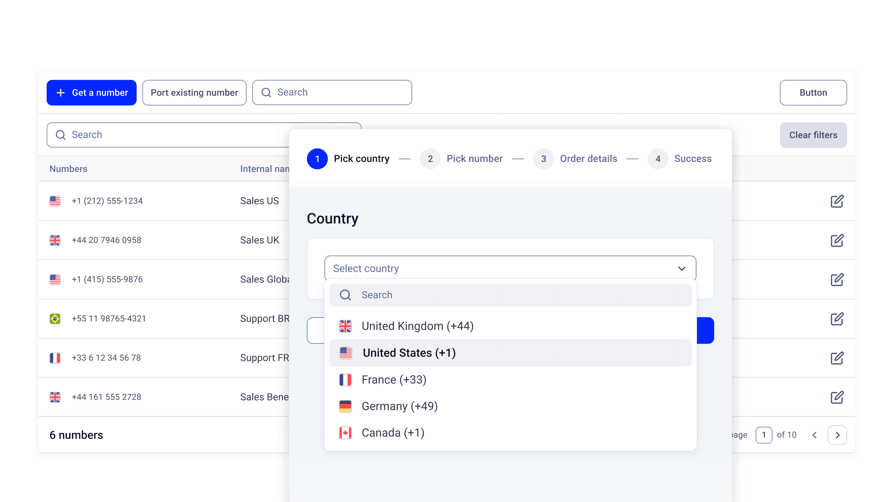
Americans now receive 9.9 unwanted calls a week, according to Hiya's State of the Call 2026 press release¹, so candidates screen unknown numbers hard. A local phone number shows them a familiar area code instead.
With CloudTalk, a team placing candidates in Germany, the UK and the US can call each market from a local number.
AI Cuts After-Call Admin
Bullhorn's 2026 GRID Industry Trends Report² found that 78% of staffing firms that grew revenue by more than 25% use AI tools embedded in their ATS. Call notes are the obvious place to start, and the AI section below shows what each vendor writes into Bullhorn.
What Should a Bullhorn Phone Integration Sync Automatically?
A Bullhorn phone integration should sync contacts in, calls out, and every edit your recruiters make afterward. Most integrations look alike on a feature page, so take this checklist into every demo:
| What | Why it matters | Ask the vendor |
|---|---|---|
| Entities imported | Candidates, ClientContacts and Leads all receive calls | Which Bullhorn entities do you import and match? |
| Sync direction and frequency | One-way keeps Bullhorn as master; new candidates need to be callable the same day | Do edits write back? How often do new records arrive? |
| Phone fields and formats | Candidates often have a mobile and a work number, and Bullhorn doesn't standardize formats | Which fields do you search, and how do you handle national formats? |
| Shared and unknown numbers | A number can sit on two records; unknown callers are often new candidates | Which record wins? Do you create a record for a new caller? |
| Note type and edits | Separates BD calls from screens; keeps post-call context | Can we choose the note type? Do edits update the Note? |
| SMS | Many candidates reply by text | Are text messages logged to Bullhorn? |
| Recordings | Call recording supports compliance and coaching | Is the recording attached or linked? |
| AI content | Summaries save after-call work | Which AI fields reach the Bullhorn Note? |
What Usually Doesn't Sync (Ask Before You Buy)
Many integrations import contacts but never change Bullhorn records. Bullhorn stores call duration in whole minutes, campaign dispositions often stay in the dialer, and deleted or merged records rarely carry over. Most integrations also ignore Bullhorn custom fields for matching.
None of these is a dealbreaker if you find out before you sign.
Bullhorn Dialer Integrations: Auto, Power, Progressive, Multi-Line and Predictive Dialers
A Bullhorn dialer integration is a dialer that pulls its call list from Bullhorn records and logs each call back. Recruiters search for a Bullhorn power dialer, a predictive dialer or a multi-line dialer, and vendors use those terms loosely.
Dialer Types Explained: Which Is Which?
| Dialer type | What it does | CloudTalk |
|---|---|---|
| Auto or sales dialer | A campaign dials contacts so recruiters don't type each number | AI Sales Dialer |
| Power or progressive dialer | One line; dials the next contact as soon as the call ends | Power mode |
| Multi-line or parallel dialer | Dials several numbers at once and connects the first person who answers | Parallel mode, up to 10 lines |
| Predictive dialer | An algorithm dials more lines than there are agents, based on expected answer rates | Not offered |
One vendor's "auto dialer" is another's "power dialer", so ask how many lines a mode dials per agent and where the list comes from.
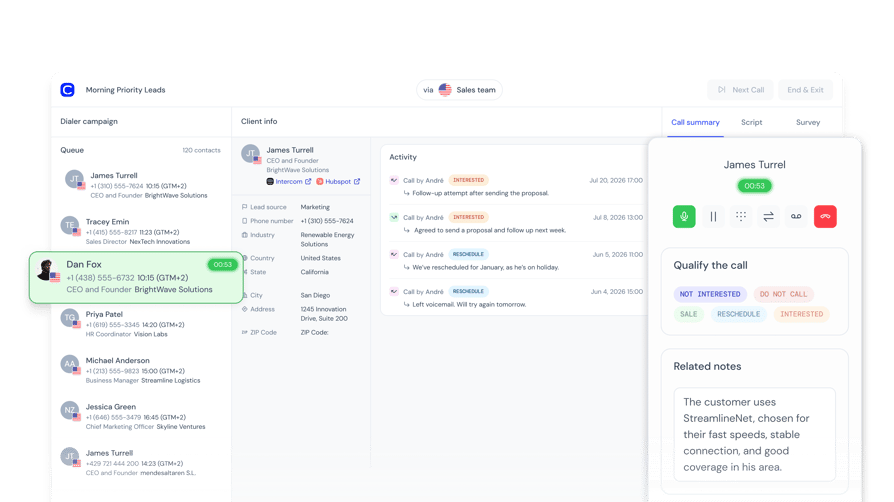
Watch: How CloudTalk's AI Sales Dialer works.
Can a Dialer Call a Bullhorn Tearsheet or Saved Search?
CloudCall can dial a Bullhorn tearsheet, according to Bullhorn's own partner page, and JustCall gets close with a custom action that sends Candidate lists to its Sales Dialer.
CloudTalk can't: its campaigns use the contact tag set during the Bullhorn import, and new contacts join the audience on the next 15-minute sync.
You can also import a CSV into CloudTalk, but a CSV doesn't update on its own, and Bullhorn exports with plus signs, spaces or slashes in phone numbers can break a spreadsheet import.
A fresh tearsheet for every role points to CloudCall. Outreach from stable groups, such as all candidates or one client segment, suits CloudTalk's tag-based campaigns.
Which Phone Systems Offer Which Dialer Modes With Bullhorn?
| Tool | Power or progressive | Multi-line | Predictive | Where the list comes from |
|---|---|---|---|---|
| CloudTalk | Yes (Power) | Yes (Parallel, up to 10 lines) | No | Contact tag from the Bullhorn import, or CSV |
| CloudCall | Yes (o1 Advanced) | Not documented | Not documented | Bullhorn tearsheets |
| Aircall | Yes (Professional) | Not documented | Not documented | Imported numbers (up to 1,000) |
| JustCall | Yes (Pro) | Yes (SalesPro, up to 10 lines) | Yes (SalesPro) | Candidate list via Bullhorn custom action |
| Ringover | Yes (BUSINESS) | Not documented | Not documented | Not documented for Bullhorn lists |
Dialpad, 8x8 and RingCentral document no dialer mode for Bullhorn lists. "Not documented" means the vendor's own pages don't say, not that the feature is missing, so ask in the demo.
With CloudTalk's Parallel mode, start at three lines and adjust once you see your answer rates. Voicemail detection and the voicemail drop feature need Parallel at two or more lines. Campaign calls log back to Bullhorn as Notes, but campaign dispositions stay in CloudTalk.
Turn an afternoon of dialing into one campaign
AI Tools That Write Call Notes to Bullhorn
AI tools that write call notes to Bullhorn come in three kinds: a phone system's built-in AI, a separate AI note-taker connected to Bullhorn, or your own build on top of call transcripts.
LinkedIn research published in January 2026³ found 93% of recruiters plan to increase their use of AI in 2026, so expect this list to keep growing.
What Gets Written to the Bullhorn Note?
What reaches the Bullhorn Note varies more than vendors admit. Aircall adds AI summaries and key topics with its AI package. JustCall adds a summary, a transcript link and a call score. Dialpad logs AI summaries, and Ringover syncs transcripts, summaries, mood and keywords.
With CloudTalk, the Bullhorn Note carries the call details plus the notes and tags your agent adds. With the AI Conversation Intelligence add-on, the agent clicks Generate with AI at wrap-up to write a summary into the call notes, so it lands in the Bullhorn Note. Topics, sentiment, AI smart notes and the call score stay in CloudTalk.
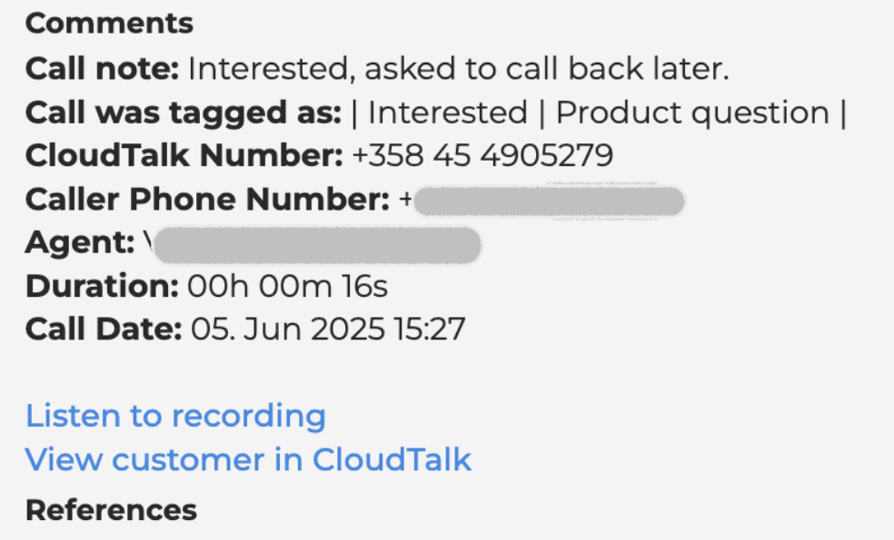
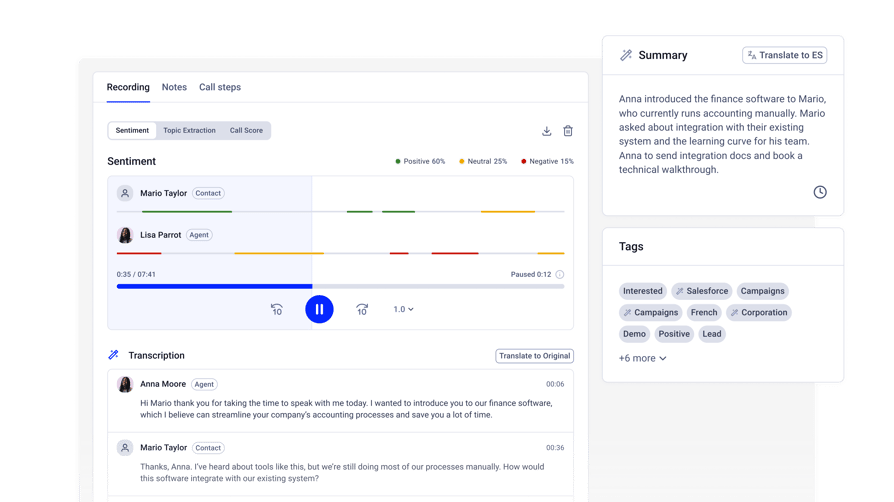
If AI text in the Bullhorn Note is a must-have, test that exact flow during your trial.
Can You Use Your Own AI Prompt for Bullhorn Call Notes?
You can't set your own AI prompt natively in CloudTalk: the summary uses CloudTalk's prompt, though you can set the summary language. For notes shaped around your own screening questions, a developer can pull full transcripts from CloudTalk's Public API and write custom notes to Bullhorn through Bullhorn's API.
None of the other vendors documents a custom-prompt option for Bullhorn notes either.
Which AI Voice Agents Work With Bullhorn?
Bullhorn's 2026 GRID Talent Trends Report² found that 92% of candidates interviewed by an AI voice agent rated the experience as good as or better than a live interview with a recruiter. That makes voice agents, such as the CloudTalk AI receptionist, worth a look for screening and after-hours calls.
CloudTalk's AI Voice Agents (an add-on from $99 per month for 200 minutes) can log their calls to Bullhorn and assign them to a user. Starting a voice agent call from a Bullhorn event, such as a new application, needs middleware like Make or Zapier.
Among the other vendors, Dialpad's Agentic AI integration lets its AI agents create and update Bullhorn candidate profiles.
Best Bullhorn Phone Integration by Team Type
The best Bullhorn phone integration depends on how your team works, so we picked one per team type, with alternatives.
Which Bullhorn Phone Integration Is Best for Staffing Agencies?
Pick CloudTalk if your priority is getting every call into Bullhorn without recruiters typing notes, plus local numbers in each market. That matters most for desks built on recruitment cold calling, where call volume makes manual logging impractical. Aircall is the alternative if you want note actions set by tag.
Customer story: Talent.io, a recruitment platform in France, eliminated daily call complaints with CloudTalk.
Which Bullhorn Integration Suits Business-Development Teams?
Salesforce's 2026 State of Sales report⁴ found the average seller spends only 40% of their time selling. CloudTalk logs every call to ClientContacts and Leads automatically. To separate BD calls from recruitment calls by note type, look at Aircall or RingCentral.
An AI voice agent for lead qualification can also screen new leads before a recruiter calls.
Customer story: Hiredly, a Malaysian recruitment and HR services company, cut deal cycles from 2 months to 2 weeks with CloudTalk.
Which Bullhorn Dialer Suits High-Volume Outbound Desks?
CloudTalk's Power and Parallel campaigns suit high-volume desks when a tag-based audience is enough. If you need a predictive dialer, JustCall offers predictive dialing through its separately quoted SalesPro product, along with Candidate list import from Bullhorn.
Which Bullhorn Integration Suits Multi-Country Placement Teams?
LinkedIn's January 2026 research³ found 66% of recruiters say qualified talent has become harder to find, which pushes many agencies to recruit across borders. CloudTalk's international numbers make it the pick here; Ringover, with local numbers from 65+ countries, is the alternative.
If your recruiters live in Microsoft Teams, compare the best phone systems for Microsoft Teams as well.
Which Tool Dials Straight From Bullhorn Lists?
CloudCall is the closest fit when dialing a fresh tearsheet from inside Bullhorn is your main workflow. Expect to be on its o1 Advanced plan for the Power Dialer; our CloudCall review covers the rest of the platform. JustCall's Candidate list import is the other route.
Which Bullhorn Phone System Suits Staffing Call Centers?
Staffing call centers handle inbound candidate calls, client callbacks and queues. CloudTalk covers IVR, call queues and skill-based routing alongside Bullhorn logging. If you're standardizing voice, video and messaging across a large company, RingCentral or 8x8 may fit your wider setup better.
How Much Does a Bullhorn VoIP Integration Cost?
A Bullhorn VoIP integration costs between $24 and $49 per user per month on the lowest plan that includes it, billed annually, for the six vendors that publish prices. Seat minimums and add-ons can move that number a lot.
| Tool | Lowest plan with Bullhorn | Price per user per month (annual) |
|---|---|---|
| CloudTalk | Essential | $29; dialer and AI are add-ons |
| CloudCall | o1 Pro | $24; Power Dialer on o1 Advanced ($35) |
| Aircall | Essentials | $30 (3-license minimum) |
| Dialpad | Pro (CRM integrations; Bullhorn plan not stated) | $25 |
| JustCall | Team | $29 (2-license minimum) |
| Ringover | BUSINESS | $49 (3-user minimum) |
| 8x8 | Not published | Quote |
| RingCentral | Advanced (CRM integrations; Bullhorn plan not stated) | $25 |
The costs that catch teams out:
- Minimum seats and contracts: Aircall and Ringover require three licenses, JustCall two, and Ringover a 12-month commitment. CloudCall limits downgrades to renewal.
- Dialer and AI add-ons: the dialer and AI summaries often cost extra or need a higher tier. CloudTalk's AI Conversation Intelligence and AI Voice Agents are always add-ons.
- Calls outside your region: CloudTalk bills them per minute, like most vendors.
- Bullhorn edition: Nextiva, a vendor outside this list, says its integration needs Bullhorn Corporate or Enterprise. None of the eight tools here states an edition requirement, but confirm with your Bullhorn account manager.
Know your real cost per recruiter before you commit: see CloudTalk plans and add-on prices.
How to Pick the Right Bullhorn VoIP Integration
Picking the right Bullhorn VoIP integration comes down to testing it on your own records. Run this checklist during your trial:
- 01Decide whether you must dial tearsheets or saved searches, or whether a contact tag or imported list is enough.
- 02Test matching with real Candidates and ClientContacts, using numbers in the formats and countries you use.
- 03Open the Note after a test call: what does it contain, and can you choose the note type?
- 04Check agent attribution and call duration in your Bullhorn reports.
- 05Find out where AI notes land and whether you can use your own prompt.
- 06Confirm country coverage for every market, including mobile numbers and porting.
- 07Price the full stack: seats, minimums, calls outside your region, and dialer or AI add-ons.
If a vendor can't answer the tearsheet, Note and AI questions clearly in the demo, you'll find the answers yourself after go-live.
How We Chose the Best Bullhorn VoIP Integrations
We started from our own conversations with recruiting teams choosing or switching phone systems for Bullhorn. Then we checked each vendor's Bullhorn documentation, its Bullhorn Marketplace status and its pricing page, and read its G2 profile.
We scored every tool on how it connects to Bullhorn, what it logs and on which records, its dialer modes, where its AI call notes land, local number coverage, total cost with Bullhorn switched on, and G2 feedback.
Because CloudTalk is our product, we listed its limits in its own entry.
Frequently Asked Questions About Bullhorn VoIP Integrations
Start Logging Every Recruiter Call in Bullhorn
For most recruiting and staffing teams, CloudTalk is the strongest fit: every call lands on the right Bullhorn record, you get local numbers in the markets you recruit in, and you can run campaigns from your Bullhorn contacts. It's the VoIP phone system built for recruitment firms on this list.
If your recruiters must dial fresh tearsheets from inside Bullhorn, CloudCall is the better match. Whichever you shortlist, test it on your own Bullhorn data before you sign.
More candidates on the phone, fewer gaps in Bullhorn
Sources:
- 01Hiya
- 02Bullhorn
- 03LinkedIn
- 04Salesforce
Frequently asked questions
For most recruiting teams, it's CloudTalk: each call becomes a Bullhorn Note, with local numbers and tag-based campaigns. CloudCall suits desks dialing tearsheets in Bullhorn; on Bullhorn for Salesforce, also weigh these Salesforce VoIP integrations.
Each call becomes a Note on the matched Candidate, ClientContact or Lead, with call type, agent, numbers, duration, notes, a recording link and call tags. Editing a note or tag in CloudTalk updates the same Note.
Not through an embedded phone. Like many click-to-call providers, CloudTalk uses a browser extension that picks up numbers on Bullhorn pages and opens the call in its Phone app. CloudCall works inside Bullhorn.
Not with CloudTalk: campaigns use a contact tag from the Bullhorn import, or a CSV. CloudCall can power-dial tearsheets, and our power dialer providers guide compares how others build lists.
No. Power and progressive dialers call one contact after another, multi-line dialers ring several at once, and a predictive dialer paces lines by algorithm. CloudTalk offers Power and Parallel modes.
CloudTalk imports Client Contacts, Leads and Candidates and matches calls on Phone, Phone2, Phone3 and Mobile, plus Work Phone for Candidates. Sync is one-way, so your staffing CRM stays the master record.
Yes, through the call notes. With CloudTalk's AI add-on, agents generate a summary into the notes at wrap-up, and notes sync to the Bullhorn Note. Topics and sentiment stay in CloudTalk.
Not natively: CloudTalk AI writes summaries with its own prompt, though you can set the language. A developer can pull transcripts from the Public API and write custom notes to Bullhorn.
Not with CloudTalk, which uses a fixed note type. Aircall sets the note action from a call's first tag, and RingCentral, covered in our RingCentral alternatives guide, lets recruiters pick it.
Usually, yes, through number porting. It depends on the country and number type, and some mobile numbers can't be ported, so check each number before you buy.