Top 12 Click-to-Call Providers in 2026 to Supercharge Your Sales & Support
TL;DR:
We tested 30+ click-to-call platforms and narrowed them down to the 12 best providers—based on dialing speed, CRM integration depth, call quality, automation, pricing transparency, and AI capabilities.
The best click-to-call provider in 2026 is CloudTalk for sales and support teams that need one-click dialing inside their CRM, AI conversation intelligence, and global coverage in 160+ countries.
Here's a fast overview of every provider in this guide:
- 01CloudTalk — best overall click-to-call solution for growing SMBs
- 02Aircall — best for mid-sized sales teams
- 03Dialpad — best for startups and remote sales teams
- 04JustCall — best for outbound sales teams running heavy SMS campaigns
- 05RingCentral — best for larger organizations that want unified voice, video, and chat
- 06Five9 — best for enterprise-grade call centers with predictive dialing needs
- 07Twilio — best for SaaS platforms and dev teams building custom calling flows
- 08Talkdesk — best for enterprise CX teams that need real-time agent assist
- 09Nextiva — best for mid-market firms that need reliable unified communications
- 10CallHippo — best for budget-conscious SMBs that need a quick setup
- 11KrispCall — best for small sales teams and startups looking for simple cloud calling
- 12Telnyx — best for developers and enterprises building voice apps from scratch
This guide also walks you through what click-to-call is, how to choose the right software, and the AI features that actually move the needle—so you pick a platform that helps your team close faster today and scales when call volume grows.
Go to CloudTalk's Click-to-Call Software Page
What Is a Click-to-Call Solution?
A click-to-call solution is a calling tool that lets users start a call by clicking directly on the phone number—on a website, CRM, helpdesk, or browser extension—without dialing it manually.
Under the hood, click-to-call software connects web interfaces with cloud telephony, so a single click triggers a VoIP call from your business number. There's no headset gymnastics, no copy-pasting numbers, and no app switching.
What businesses use click-to-call for:
- Connect with website visitors the moment they show intent
- Let reps call leads directly from CRMs like HubSpot, Salesforce, or Pipedrive
- Automate outbound dialing for sales campaigns
- Track call outcomes with built-in call analytics and reporting
Modern click-to-call providers go further than just dialing. They add CRM logging, AI summaries, smart routing, and global number coverage—turning every click into a tracked, coachable conversation.
Why Click-to-Call Matters in 2026
The global click-to-call solutions market is projected to surpass USD 53.2 billion by 20301, and the reason is simple: speed-to-lead and conversation quality directly impact revenue.
A clunky calling setup makes your brand feel outdated before the call even connects. The best click-to-call providers deliver sub-second connections, intelligent routing that hands prospects to your best closers, and CRM integration that surfaces the full customer history before your agent says hello.
Time to Stop Dialing by Hand
How We Chose the Best Click-to-Call Providers for 2026
Choosing the best click-to-call provider means looking beyond a simple "call" button. The platform needs to integrate natively with your CRM, log calls without manual effort, and scale as your outbound and support volume grows.
To build this list, we reviewed 30+ click-to-call platforms used by SMB and mid-market teams, and narrowed them down to the 12 best options for scaling sales and support. We cross-checked real user feedback on G2, Capterra, and community discussions on Reddit and Quora to see how each provider performs in everyday use.
We narrowed the shortlist using a few practical criteria:
- Click-to-call experience: dialing speed, browser extensions, in-CRM widgets
- CRM integrations: native connections that cut down on manual logging
- Sales/support productivity: dialers, call notes, voicemail drop, and automation
- Call quality and reliability: uptime, latency, and global call clarity
- Pricing transparency: predictable per-user costs and clear add-on policies
- AI capabilities: transcription, summaries, sentiment, and smart routing
The goal wasn't to pick the most famous brand names. It was to identify the click-to-call providers that genuinely help sales and support teams work faster as they scale.
Why Trust Our Software Reviews?
Over the last decade, we've helped over 30,000 professionals find and implement smarter communication tools.
We've reviewed hundreds of products, analyzed thousands of verified reviews from platforms like G2, Capterra, and Trustpilot, and drawn insights from real user discussions on Reddit and Quora.
In the past year alone, we published 1,000+ articles, all written and reviewed by humans, for humans, to provide reliable, data-backed insights you can trust. Learn how we keep our content integrity and our software review methodology.
Top Click to Call Software Compared: 12 Best Providers for 2026
| Provider | Key Features | Best For | G2 Rating |
|---|---|---|---|
| CloudTalk | Click-to-call, AI Dialer, AI conversation intelligence, 100+ CRM integrations | SMB sales/support teams scaling globally | 4.4/5 |
| Aircall | Click-to-dial, IVR, call routing, 100+ integrations | Mid-sized sales teams | 4.3/5 |
| Dialpad | AI coaching, transcription, SMS, voice + video | Startups & remote sales | 4.4/5 |
| JustCall | SMS campaigns, Power Dialer, CRM logging | Outbound sales teams | 4.3/5 |
| RingCentral | Omnichannel, voice + video, business SMS | Larger orgs & call centers | 4.1/5 |
| Five9 | AI, predictive dialer, IVR, workforce management | Enterprise-grade call centers | 4.1/5 |
| Twilio | Developer API, programmable voice, global SIP | SaaS platforms & dev teams | 4.2/5 |
| Talkdesk | Real-time agent assist, IVR, AI workflows | Enterprise CX teams | 4.4/5 |
| Nextiva | Unified comms, auto dialer, CRM integrations | Mid-market firms | 4.5/5 |
| CallHippo | Global numbers, quick setup, power dialer | Budget-conscious SMBs | 4.3/5 |
| KrispCall | Click-to-call, voicemail, unified callbox | Small sales teams & startups | 4.5/5 |
| Telnyx | VoIP API, elastic SIP trunking, global numbers | Developers & custom apps | 4.7/5 |
Now that you've seen the lineup, let's break down each provider's strengths—what they do best, who they're built for, and where they fall short.
Top 12 Click-to-Call Providers in 2026
1. CloudTalk: Best Click-to-Call Provider for Growing SMB Teams
CloudTalk is an AI-powered, cloud-based click-to-call platform built for sales and support teams that want to work smarter, scale fast, and feel local in every market they sell into.
With plans starting at $25/user/month and a 14-day free trial, CloudTalk lets reps dial leads in one click from any CRM, helpdesk, or browser tab—no manual dialing, no context switching.
What Are CloudTalk's Key Features?
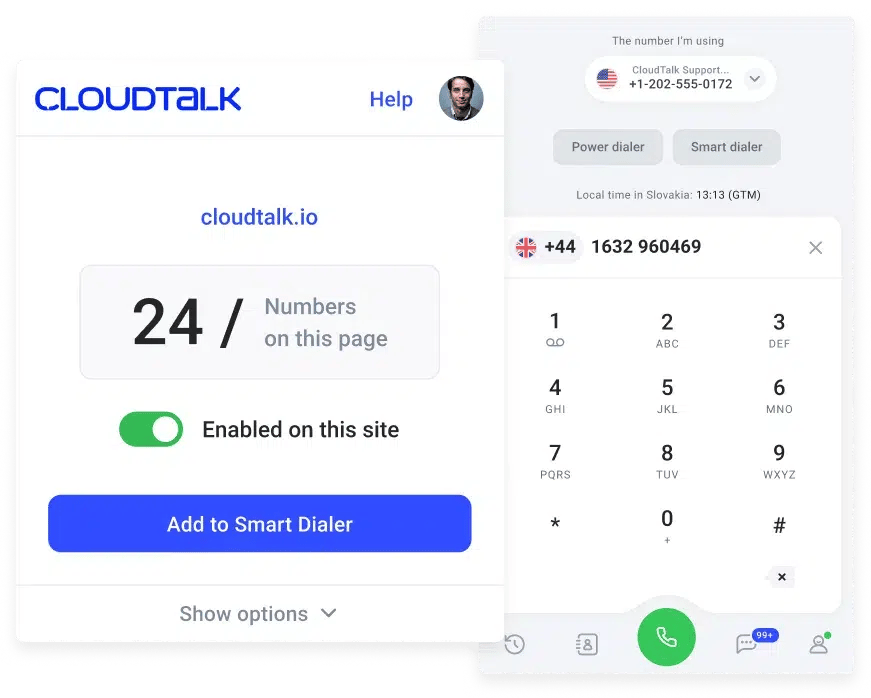
- Click-to-Call: One-click dialing from any CRM, helpdesk, or web page via browser extension—no copy-paste, no app switching.
- Conversation Intelligence: Transcribes calls, analyzes sentiment, extracts topics, and tracks talk-to-listen ratios for real-time coaching.
- Powerful Dialers: AI Sales Dialer automates outbound campaigns and helps you reach real people faster. Call one-by-one or up to 10 at once.
- Skill-Based Routing: Direct callers to the most suitable agent based on contact tags, history, or skill.
- Workflow Automation: A no-code builder that triggers CRM updates, Slack alerts, or SMS after each call.
- Multi-Level IVR: Layered call menus that route callers by intent, language, or department.
- AI Voice Agents: Handle routine queries, qualify leads, and trigger workflows so reps focus on complex calls.
Best CloudTalk Integrations
CloudTalk natively connects with 100+ tools, including HubSpot, Salesforce, Pipedrive, Intercom, Zoho, and Zendesk. Reps always have full customer context the moment a call starts.
What Is CloudTalk Pricing?
- Starter: $25/user/month
- Essential: $29/user/month
- Expert: $49/user/month
- Custom: Based on team size and feature needs
Free trial: 14 days, no credit card required.
Who Is CloudTalk Best For?
CloudTalk is ideal for SMB and mid-market sales and support teams that need CRM-native click-to-call, AI-powered insights, and global numbers in 160+ countries.
Who Shouldn't Use CloudTalk?
Solo operators with very basic calling needs may find CloudTalk's feature depth more than necessary—a simpler virtual number app might fit better.
CloudTalk Reviews
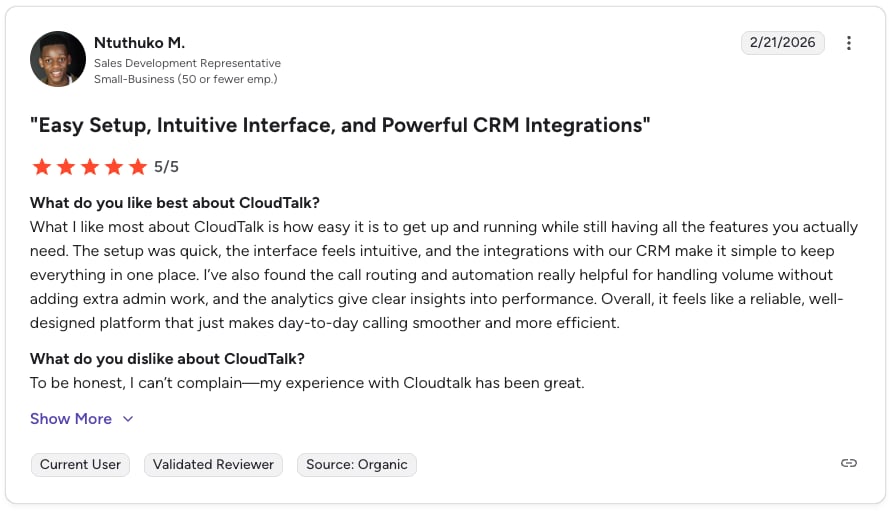
ClaudTalk users on G2 consistently highlight CloudTalk's ease of setup, clean interface, and dependable call quality across markets. Many call out the responsive support team and the depth of CRM integrations as standout differentiators.
| Pros | Cons |
|---|---|
| Easy Setup: Reps can start dialing from CRMs in minutes via the browser extension. | Lack of omnichannel capabilities (email, video conferencing, etc.) |
| Global Coverage: Local, mobile, and toll-free numbers in 160+ countries. | No support for on-premise landlines and traditional PBX |

2. Aircall: Click-to-Call for Mid-Sized Sales Teams
Aircall is a cloud-based business phone system focused on quick deployment and deep integrations with 100+ business tools. It's a familiar pick for mid-sized sales and support teams that already live inside HubSpot, Salesforce, or Intercom.
What Are Aircall's Key Features?
- Click to Dial: One-click outbound calling from any connected CRM or helpdesk.
- IVR: Interactive Voice Response menus that route callers to the right department.
- Call Routing: Distributes calls based on availability, skills, and business hours.
- Power Dialer: Automates outbound campaigns from CSV lists.
Best Aircall Integrations
- HubSpot, Salesforce, Pipedrive, Intercom, Zendesk, Slack, Microsoft Teams
What Is Aircall Pricing?
- Essentials: $40/license/month – basic calling and integrations
- Professional: $70/license/month – advanced analytics and call monitoring
- Custom: Tailored enterprise pricing
Free trial: 7 days.
Who Is Aircall Best For?
Aircall fits mid-sized sales and support teams that want plug-and-play CRM integrations and an intuitive interface without heavy IT setup.
Who Shouldn't Use Aircall?
Budget-conscious small teams may find the per-license pricing steep, and the 3-user minimum on entry plans can be a blocker for very small startups.
Aircall Reviews
Aircall G2 reviewers praise Aircall's clean UI and quick onboarding but mention occasional call quality dips and higher costs as the team grows.
| Pros | Cons |
|---|---|
| 100+ Integrations: Strong native connections across major CRMs and helpdesks. | Expensive Base Plan: Starts at $40/license, with key features locked above. |
| Intuitive UI: Reps and admins get up to speed quickly. | Limited AI: Conversation intelligence is less mature than competitors. |
3. Dialpad: Click-to-Call With AI Coaching for Remote Sales
Dialpad combines voice, video, and messaging into a single AI-first communications platform. Its real-time transcription and coaching features make it popular with remote and hybrid sales teams.
What Are Dialpad's Key Features?
- Click-to-Call: One-click outbound from CRMs and the Dialpad web app.
- AI Coaching: Real-time call suggestions and live transcription during calls.
- Transcription & Summaries: Automatic post-call recaps saved into your CRM.
- SMS: Integrated messaging from the same number.
Best Dialpad Integrations
- Salesforce, HubSpot, Zendesk, Google Workspace, Microsoft Teams, Slack
What Is Dialpad Pricing?
- Standard: $15/user/month
- Pro: $25/user/month
- Enterprise: Custom
Free trial: 14 days available.
Who Is Dialpad Best For?
Dialpad suits startups and remote sales teams that want AI-driven coaching baked into every call without needing a separate conversation intelligence tool.
Who Shouldn't Use Dialpad?
Teams that need deep international calling or strong outbound dialers may find Dialpad's outbound stack lighter than dedicated sales platforms.
Dialpad Reviews
Dialpad G2 reviewers love Dialpad's real-time transcription and clean UX but report some limitations on international SMS and meeting participant caps on lower plans.
| Pros | Cons |
|---|---|
| Native AI: Real-time transcription and coaching are built in. | International SMS: Texting outside the US/Canada is limited. |
| Modern Platform: Fast, responsive, cloud-native architecture. | Lower Tier Limits: Meeting and feature caps on entry plans. |
4. JustCall: Click-to-Call for Outbound Sales and SMS Campaigns
JustCall is a VoIP and SMS platform built for outbound sales teams. Its bulk messaging and power dialer make it a favorite for campaigns that mix calling and texting.
What Are JustCall's Key Features?
- Click-to-Call: Dial leads directly from CRMs and inboxes.
- SMS Campaigns: Bulk messaging for outreach, reminders, and follow-ups.
- Power Dialer: Automated calling sequences with CRM logging.
- CRM Integrations: Native connectors for Zoho, Salesforce, HubSpot, and Pipedrive.
Best JustCall Integrations
- HubSpot, Salesforce, Pipedrive, Zoho CRM, Intercom, Freshdesk
What Is JustCall Pricing?
- Essentials: $19/user/month
- Team: $29/user/month
- Pro: $49/user/month
- Business: Custom
Free trial: 14 days available.
Who Is JustCall Best For?
JustCall fits outbound sales teams that lean heavily on SMS campaigns combined with high-volume calling and need both in one tool.
Who Shouldn't Use JustCall?
Support-heavy teams looking for advanced inbound routing and skill-based queuing will find JustCall's inbound capabilities less developed.
JustCall Reviews
JustCall G2 reviewers praise JustCall's SMS features and outbound dialer but note that inbound flow customization is less flexible than dedicated contact center tools.
| Pros | Cons |
|---|---|
| Built-in SMS: Bulk and 1:1 messaging combined with calling. | Inbound Limitations: Routing and IVR depth lag behind contact center tools. |
| Power Dialer: Helps outbound teams crush call volume. | Support Response: Some reviewers note slower support replies. |
Recommended Reads
5. RingCentral: Click-to-Call Across Unified Communications
RingCentral brings voice, video, messaging, and contact center into one UCaaS platform—useful when click-to-call needs to live next to meetings and team chat.
What Are RingCentral's Key Features?
- Click-to-Call: Dial from web, mobile, and CRM extensions.
- Omnichannel Support: Voice, email, chat, and social in one place.
- Video + Voice: HD video conferencing alongside business calling.
- Advanced Analytics: Real-time dashboards for call and team metrics.
Best RingCentral Integrations
- Salesforce, HubSpot, Microsoft Teams, Google Workspace, Zendesk
What Is RingCentral Pricing?
- Core: $30/user/month
- Advanced: $35/user/month
- Ultra: $45/user/month
Free trial: Available on select plans.
Who Is RingCentral Best For?
RingCentral works for larger organizations and call centers that want a single platform handling calls, meetings, messaging, and contact center workflows.
Who Shouldn't Use RingCentral?
Small sales teams just looking for fast click-to-call may find RingCentral's feature breadth (and pricing tiers) more than they need.
RingCentral Reviews
RingCentral users on G2 value the all-in-one suite and 99.999% uptime SLA, but flag complex pricing and slow support escalation as common pain points.
| Pros | Cons |
|---|---|
| Comprehensive UCaaS: Voice, video, SMS, and fax in one app. | Complex Pricing: Many features sit behind higher tiers. |
| Reliability: 99.999% uptime for large organizations. | Support: Live help can be hard to reach for technical issues. |
Recommended Reads
6. Five9: Enterprise-Grade Click-to-Call for Contact Centers
Five9 is a cloud contact center platform engineered for high-volume operations. Its predictive dialer and AI-powered routing serve enterprise sales and support teams with strict SLAs.
What Are Five9's Key Features?
- Click-to-Call: Dial directly from CRM screens with full agent context.
- AI Integration: Smart routing and agent assist powered by Five9 IVA.
- Predictive Dialer: Maximizes connect rates by dialing multiple lines per agent.
- IVR: Conversational menus with self-service options.
Best Five9 Integrations
- Salesforce, ServiceNow, Microsoft Dynamics, Oracle, Zendesk
What Is Five9 Pricing?
- Digital: $149/user/month
- Core: $149/user/month
- Premium: $169/user/month
- Optimum: $199/user/month
- Ultimate: $229/user/month
Free trial: Not offered—Five9 requires a sales conversation.
Who Is Five9 Best For?
Five9 suits enterprise contact centers handling thousands of daily calls that need predictive dialing, deep workforce management, and tight CRM control.
Who Shouldn't Use Five9?
SMBs and startups will find Five9's setup heavy and its pricing well above market alternatives for similar click-to-call functionality.
Five9 Reviews
Five9 G2 reviewers respect Five9's enterprise feature set but consistently mention complex setup and premium pricing as trade-offs.
| Pros | Cons |
|---|---|
| Enterprise AI: Strong IVA and workforce management tools. | Complex Setup: Implementation requires dedicated IT support. |
| Predictive Dialer: Built for very high outbound volume. | Premium Pricing: One of the highest entry costs on this list. |
Recommended Reads
7. Twilio: Developer-First Click-to-Call APIs
Twilio is a cloud communications platform that ships programmable APIs for voice, SMS, and video. It's the go-to choice when you need to build click-to-call into your own product.
What Are Twilio's Key Features?
- Programmable Voice: Embed calling into apps with customizable flows.
- Developer API: SDKs in every major language and well-documented APIs.
- Scalable Infrastructure: Global reach with low latency and high reliability.
- Flex Contact Center: A programmable agent desktop built on top of Twilio APIs.
Best Twilio Integrations
- Salesforce, HubSpot, Zendesk, Segment, and custom-built systems
What Is Twilio Pricing?
- Pay-as-you-go: from $0.0085/min inbound and $0.014/min outbound
- Flex: from $1/hour per active user or $150/user/month
- Custom: volume-based enterprise plans
Free trial: Free credit for new accounts.
Who Is Twilio Best For?
Twilio fits SaaS companies and dev teams that need full control over the click-to-call experience and want to build it into their own product.
Who Shouldn't Use Twilio?
Non-technical sales and support teams will struggle to use Twilio directly—it's infrastructure, not an out-of-the-box dialer.
Twilio Reviews
Twilio G2 reviewers consistently call out Twilio's flexibility and reliability while noting that pricing can scale unpredictably and onboarding requires engineering effort.
| Pros | Cons |
|---|---|
| Flexible API: Build any calling flow you can imagine. | Developer Resources Needed: Not a turnkey product for ops teams. |
| Scalable Infrastructure: Global reach and high reliability. | Unpredictable Costs: Per-minute and per-API call billing can balloon. |
8. Talkdesk: Click-to-Call for Enterprise CX Teams
Talkdesk is a cloud contact center platform focused on customer experience. Its AI tools and real-time agent assist appeal to enterprise CX teams running complex support operations.
What Are Talkdesk's Key Features?
- Click-to-Call: CRM-embedded dialing with full conversation history.
- Real-Time Agent Assist: Live suggestions and knowledge surfacing during calls.
- IVR: Intent-based routing with conversational AI.
- Advanced Analytics: Customer experience scoring and performance insights.
Best Talkdesk Integrations
- Salesforce, ServiceNow, Zendesk, Microsoft Dynamics, Slack
What Is Talkdesk Pricing?
- CX Cloud Essentials: $85/user/month
- CX Cloud Elevate: $115/user/month
- CX Cloud Elite: $145/user/month
Free trial: Demo-based; no self-serve trial.
Who Is Talkdesk Best For?
Talkdesk fits enterprise CX teams that need AI agent support, deep analytics, and a polished customer experience layer on top of click-to-call.
Who Shouldn't Use Talkdesk?
Lean sales teams will find Talkdesk's CX-heavy feature set excessive and its pricing tough to justify against pure-play sales dialers.
Talkdesk Reviews
Talkdesk G2 reviewers highlight Talkdesk's AI agent assist and robust analytics, while mentioning a higher learning curve and longer implementation timelines.
| Pros | Cons |
|---|---|
| AI Agent Support: Real-time guidance keeps agents on script. | Higher Learning Curve: Admin setup takes longer than SMB tools. |
| Robust Analytics: CX scoring and detailed performance views. | Enterprise Pricing: Not ideal for budget-conscious teams. |
Recommended Reads
9. Nextiva: Click-to-Call With Unified Communications
Nextiva wraps voice, video, chat, and collaboration into one unified communications platform. Its 99.999% uptime SLA makes it popular with mid-market firms where dropped calls aren't an option.
What Are Nextiva's Key Features?
- Click-to-Call: Dial from desktop, mobile, and CRM screens.
- Unified Communications: Voice, video, SMS, and chat in one workspace.
- Auto Dialer: Automates outbound calling sequences.
- Advanced Reporting: Call metrics, performance dashboards, and SLA tracking.
Best Nextiva Integrations
- Salesforce, HubSpot, Zoho CRM, Microsoft Teams, Outlook
What Is Nextiva Pricing?
- Core: $30/user/month
- Engage: $40/user/month
- Power Suite: $60/user/month
- Enterprise: Custom
Free trial: Available on select plans.
Who Is Nextiva Best For?
Nextiva is a strong pick for mid-market firms that need reliable unified comms—law firms, clinics, and remote-first teams that can't risk dropped calls.
Who Shouldn't Use Nextiva?
Teams looking for cutting-edge AI dialers and conversation intelligence may find Nextiva's sales-focused features lighter than dedicated outbound platforms.
Nextiva Reviews
Nextiva users on G2 praise Nextiva's uptime and US-based support but mention a dated UI and longer contract terms as friction points.
| Pros | Cons |
|---|---|
| Unified Suite: Voice, video, and messaging in one app. | Clunky Interface: UI reported as dated by some users. |
| Excellent Uptime: 99.999% SLA across regions. | Rigid Contracts: Best pricing requires longer commitments. |
10. CallHippo: Budget-Friendly Click-to-Call for SMBs
CallHippo is a cloud-based virtual phone system aimed at startups and small businesses. Its quick setup and affordable plans make it a frequent pick for budget-conscious teams.
What Are CallHippo's Key Features?
- Click-to-Call: One-click dialing from CRM and browser extensions.
- Global Numbers: Local numbers in 50+ countries.
- Quick Setup: Live in minutes without IT support.
- Call Analytics: Basic dashboards covering activity, talk time, and outcomes.
Best CallHippo Integrations
- Salesforce, HubSpot, Zoho CRM, Pipedrive, Intercom, Slack
What Is CallHippo Pricing?
- Basic: $0/user/month
- Bronze: $16/user/month
- Silver: $24/user/month
- Platinum: $40/user/month
Free plan: Yes, with limited features.
Who Is CallHippo Best For?
CallHippo suits startups and SMBs that need affordable click-to-call with global numbers and basic CRM integrations—without complex setup.
Who Shouldn't Use CallHippo?
Teams that need deep AI features, advanced routing, or enterprise-grade reporting will outgrow CallHippo quickly.
CallHippo Reviews
G2 reviewers value CallHippo's pricing and ease of use but flag occasional mobile app bugs and slower support replies on lower tiers.
| Pros | Cons |
|---|---|
| Global Availability: Numbers in 50+ countries within minutes. | Customer Service: Onboarding and support can be slow. |
| Affordable Plans: Power dialer included at mid tiers. | App Stability: Occasional bugs reported on mobile. |
Recommended Reads
11. KrispCall: Click-to-Call for Startups and Small Sales Teams
KrispCall is a cloud phone system aimed at startups and small teams. It centralizes voice, SMS, and voicemail into a unified callbox, focusing on simplicity and affordability.
What Are KrispCall's Key Features?
- Click-to-Call: Dial directly from CRM tools and the web app.
- Unified Callbox: Calls, voicemails, and SMS in a single shared dashboard.
- Global Numbers: Virtual numbers in 100+ countries.
- CRM Integrations: Sync calls with HubSpot, Pipedrive, and Zoho.
Best KrispCall Integrations
- HubSpot, Pipedrive, Zoho CRM, Salesforce
What Is KrispCall Pricing?
- Essential: $15/user/month
- Standard: $40/user/month
- Enterprise: Custom
Free trial: Available on request.
Who Is KrispCall Best For?
KrispCall fits small sales teams and startups that want simple cloud calling, basic SMS, and a unified inbox without paying for enterprise features.
Who Shouldn't Use KrispCall?
Teams that need deep conversation intelligence, advanced dialers, or extensive CRM workflows will find KrispCall's feature depth limited.
KrispCall Reviews
KrispCall G2 reviewers like its simple interface and unified callbox but note fewer integrations and lighter AI features than category leaders.
| Pros | Cons |
|---|---|
| Unified Inbox: Calls, SMS, and voicemails in one shared view. | Newer Platform: Fewer integrations than industry veterans. |
| Affordable Entry: Competitive pricing for startups. | Light AI: Lacks deep conversation intelligence. |
Recommended Reads
12. Telnyx: Carrier-Grade Click-to-Call APIs for Developers
Telnyx is a carrier-grade communications platform delivering voice, messaging, and SIP trunking via APIs. It targets developers and enterprises building custom voice infrastructure from the ground up.
What Are Telnyx's Key Features?
- Programmable Voice API: Embed reliable click-to-call into custom apps.
- Elastic SIP Trunking: Scalable SIP with global reach.
- Global Numbers: Local, national, and toll-free numbers worldwide.
- Private IP Network: Owned infrastructure for low latency.
Best Telnyx Integrations
- Custom apps via API, Zapier, Salesforce, HubSpot
What Is Telnyx Pricing?
- Voice: From $0.0035/min inbound and $0.009/min outbound
- Numbers: Local and toll-free from $1/month
- Messaging: SMS from $0.0045 per message
Free trial: Free credits for new accounts.
Who Is Telnyx Best For?
Telnyx suits developers and enterprises that need carrier-grade voice with transparent per-minute pricing and want to control the full call stack.
Who Shouldn't Use Telnyx?
Non-technical sales and support teams will find Telnyx unfit out of the box—it's a building block, not a turnkey click-to-call product.
Telnyx Reviews
G2 reviewers praise Telnyx's transparent pricing, low-latency network, and developer-first approach, while noting that non-engineers will need help getting started.
| Pros | Cons |
|---|---|
| Transparent Pricing: Clear per-minute and per-message rates. | Requires Engineering: No turnkey dialer or agent app. |
| Dev-First Features: Strong SDKs and well-documented APIs. | Limited Out-of-the-Box UI: Built for custom builds, not ops teams. |

CloudTalk lets you click-to-call from any CRM, cut call times, and automate follow-ups—try it for free.
How to Choose the Right Click-to-Call Software
With so many click-to-call services available, narrow your shortlist with these five practical filters.
Prioritize Seamless Integration With Your Tools
Click-to-call software has to plug into your CRM, helpdesk, and sales tools. If reps have to switch tabs to log a call, you've already lost the productivity gain.
Best fit: CloudTalk offers native integrations with HubSpot, Salesforce, Pipedrive, Zendesk, Intercom, and many more—calls auto-log with context, every time.
Go for Fast Setup and Intuitive UX
The best click-to-call providers deploy in minutes, not weeks. Look for guided onboarding, browser extensions, and a clean interface that reps can master without training.
Best fit: CloudTalk and CallHippo both offer setups under 30 minutes for typical teams.
Match Features to Team-Specific Workflows
Sales teams want power dialers, voicemail drop, and call notes. Support teams care about IVR, skill-based routing, and ticketing handoffs. Pick a provider that matches your real workflows—not a generic feature list.
Best fit:
- Sales-heavy teams: CloudTalk, JustCall
- Support-heavy teams: CloudTalk, Talkdesk, Nextiva
Never Compromise on Call Quality
Bad audio kills deals. Look for 99.999% uptime, global server coverage, smart routing to the closest data center, and encrypted calls.
Best fit: CloudTalk and Nextiva both deliver enterprise-grade call quality with real-time diagnostics.
Demand Transparent and Flexible Pricing
Watch out for low headline prices that hide essential features behind add-ons—call recording, analytics, integrations, or international minutes. Favor providers with clear, tiered pricing and month-to-month flexibility.
Pro Tip
Why CloudTalk Stands Out Against Top Click-to-Call Providers
Click-to-call is a real revenue driver—but only when it works inside your CRM, captures call context automatically, and scales without becoming a tab-switching nightmare.
Many providers overpromise on integrations or underdeliver on call quality. The platforms that win are the ones that combine speed, simplicity, and depth—and that's where CloudTalk shines.
CloudTalk delivers reliable global coverage, one-click CRM dialing, AI-powered insights, and powerful automation built for fast-growing teams—without enterprise complexity. If you're scaling outbound sales or leveling up customer support, CloudTalk's click-to-call helps your team work smarter, not harder.
Discover the Best Click-to-Call Solution for Growing SMBs
Sources:
Frequently asked questions
The best click-to-call provider in 2026 is CloudTalk for sales and support teams that need CRM-native dialing, AI conversation intelligence, and global numbers in 160+ countries. RingCentral fits larger unified communications setups, Five9 handles enterprise contact centers, and Twilio or Telnyx are best when you're building custom voice apps.
Click-to-call is a VoIP feature that lets users start a call by clicking a button—no manual dialing required. It works inside CRMs, on websites, in helpdesk tools, and via browser extensions.
You click a call icon in your CRM, helpdesk, or app—the click-to-call software connects you instantly via VoIP, using your business number. It works across desktop, mobile, and browser.
Yes. CloudTalk offers simple, code-free click-to-call integration with major CRMs like HubSpot, Salesforce, and Pipedrive. Most setups take under 30 minutes.
Yes. With CloudTalk, calls are protected end-to-end and stored in compliance with regulations like GDPR.
A Click-to-Call API lets developers embed instant calling into apps or websites, automating outreach and improving user experience.
Click-to-call buttons cut response times, lift lead conversion, and improve customer experience by removing dialing friction. They also make call tracking and CRM logging much easier.
Website click-to-call connects visitors to your team in one click. CRM click-to-call lets your team dial leads or customers straight from the CRM record for faster outreach and automatic logging.
For small businesses, CloudTalk and CallHippo are top picks—both offer quick setup, affordable entry tiers, and native CRM integrations without requiring IT support.
No. Modern click-to-call software runs as a softphone—you can call directly from your browser with a headset or via a mobile app. No desk phones or landlines needed.