8 Best Phone Systems That Integrate With Microsoft Teams (2026)
The best Microsoft Teams phone integration depends on one decision: should Teams stay your phone, or should a dedicated phone and contact center system run its panel inside Teams? For the first, pick a Direct Routing or Operator Connect provider. For the second, the CloudTalk Microsoft Teams integration is the best fit for most sales and support teams.
Some phone systems route calls through Teams. Others run as an app inside Teams.
The 8 Microsoft Teams VoIP integrations in this guide, with how each connects:
- CloudTalk: best for sales and support teams that want a full phone system inside Teams (Teams app)
- RingCentral: best for one provider covering calling, messaging and meetings (Direct Routing or Teams app)
- 8x8: best for keeping Teams as the phone with a certified contact center (Operator Connect, Voice for Teams or app)
- Dialpad: best for built-in AI transcripts and recaps inside Teams (Direct Routing or Teams app)
- Aircall: best for small and mid-size teams wanting an Aircall phone inside Teams (Teams app)
- JustCall: best for call and SMS alerts in Teams channels (Teams app, notifications)
- Ringover: best for growing SMBs wanting a dialer and two-way presence in Teams (Teams app)
- 3CX: best for IT-led teams wanting a self-managed PBX behind Teams (Direct Routing)
We compared these 8 phone systems using our own conversations with Microsoft Teams users, each vendor's documentation and Microsoft Learn.
According to Microsoft's 2025 Work Trend Index¹, the average employee receives 153 Teams messages a day and is interrupted every two minutes by meetings, emails or chat notifications. For most of your team, Teams is the workday.
So every time a rep leaves Teams to dial and log a call elsewhere, it's one more break: a callback that slips, fewer dials, and customer history spread across three tools.
When we talk to Microsoft Teams users, most have already tried one of two fixes. Some made Teams their phone and found it short on local numbers, dialers, call analytics and AI. Others bolted on separate call center software that never talked to Teams at all.
What works is a phone system that connects to Teams the way your team needs: routing calls through Teams, or putting a full calling panel inside it. Here are the 8 best options.
Why trust our reviews? For nearly a decade, we've helped 30,000+ professionals pick business communication tools, and we've reviewed 200+ of them. CloudTalk is our own product, so we state its limits as plainly as everyone else's.
Microsoft Teams Phone Integration Comparison Table
| Provider | Best for | How it connects | What syncs to Teams | Teams integration from |
|---|---|---|---|---|
| CloudTalk | Full phone system inside Teams | Teams app | Dialpad, call history, contacts, SMS, presence | Paid plans above Starter |
| RingCentral | Calling, messaging and meetings | Direct Routing or Teams app | Dial pad, call history, presence | RingEX from $20 |
| 8x8 | Teams as the phone, certified contact center | Operator Connect, Voice for Teams or app | Numbers, native Teams calling, presence | Quote |
| Dialpad | AI transcripts and recaps | Direct Routing or Teams app | Calls, SMS, transcripts, recaps | $25 (Pro) |
| Aircall | An Aircall phone inside Teams | Teams app | Contacts, availability, channel alerts | $30 (3-license min.) |
| JustCall | Call and SMS alerts | Teams app (notifications) | Call and SMS notifications | $29 (2-license min.) |
| Ringover | Dialer and two-way presence | Teams app | Dialer, SMS, history, presence | $49 (Business, 3-user min.) |
| 3CX | Self-managed PBX behind Teams | Direct Routing | Native Teams calling | $300/year flat licence |

See CloudTalk working inside Microsoft Teams

Top 8 Microsoft Teams Phone System Integrations Reviewed
Each tool follows the same structure: what it is, who it suits, what it does in Teams, integrations, cost and reviews.
1. CloudTalk
What Is CloudTalk?
CloudTalk is a cloud phone system and call center software with virtual numbers in 160+ countries, 99.999% uptime and AI in the same call flow, used by 5,500+ companies. It connects to Teams as an app from Microsoft AppSource. Calls run on CloudTalk's own platform, not over Teams telephony.
Who Is CloudTalk's Microsoft Teams Integration Best For?
Best for: sales and support teams that live in Teams and want a full phone system inside it.
- Teams that need local numbers in several countries
- Outbound teams that need Power or Parallel dialing (run from the CloudTalk dialer app)
- Teams that pair Microsoft Teams with HubSpot, Microsoft Dynamics 365 or another CRM
- IT admins who want Azure SSO and control over who sees which numbers
It isn't the right pick if Teams has to remain your phone through Direct Routing or Operator Connect. CloudTalk offers neither.
What Can CloudTalk's Microsoft Teams Integration Do?
- Call without leaving Teams: use the dialpad in the sidebar, choose the outbound number, or call anonymously. The CloudTalk Phone desktop app has to run in the background for outbound calls.
- Review every call in place: call history and call detail show recordings, notes and tags.
- Work with contacts: search, view, edit and call internal and external contacts.
- Text customers: send and receive SMS in the Messages section.
- Keep status aligned both ways: Available maps to Online, Be Right Back and Away to Idle, Appear Offline to Offline, while the app is open in Teams.
- Sign in once: Azure SSO login, plus dark mode.
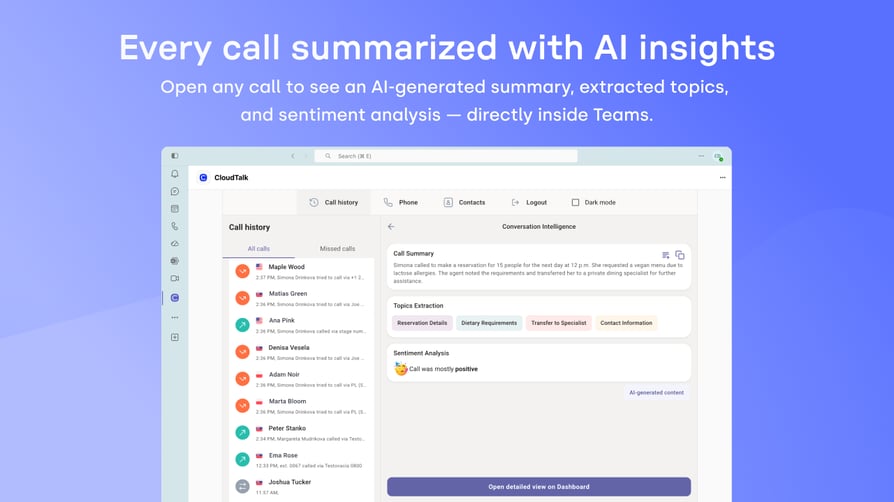
- See AI call insights (add-on): with AI Conversation Intelligence, the call detail shows an AI summary, topics and sentiment after each call.
One honest limit: CloudTalk is an app inside Teams, not Teams' phone system. Every calling user needs a CloudTalk seat, and outbound calls need the desktop app open on the same device.
What Other Tools Does CloudTalk Integrate With?
CRMs such as HubSpot, Salesforce (Expert plan), Pipedrive, Zoho CRM and Microsoft Dynamics 365, help desks such as Zendesk, Intercom, Freshdesk and Help Scout, and 100+ native CloudTalk integrations in total, plus Zapier, Make, webhooks and a public API.
How Much Does CloudTalk Cost With Microsoft Teams?
The Microsoft Teams app is on selected paid CloudTalk plans, not Starter, and every person who places or receives calls needs a seat.
| Plan | Price (annual / monthly) | What it adds for Teams users |
|---|---|---|
| Starter | $25 / $34 | Core phone system; no Microsoft Teams app |
| Essential | $29 / $39 | 100+ CRM, help desk and ATS integrations, API access |
| Expert | $49 / $69 | Salesforce, Power Dialer included; 3-user minimum |
| Custom | Contact Sales | Tailored setup for larger teams |
Add-ons: AI Conversation Intelligence $9 per user per month, Power Dialer $15 and Parallel Dialer $39. AI Voice Agents start at $99 per month for 200 minutes. Out-of-region calls are billed per minute. You keep your Microsoft 365 licences, but CloudTalk calls need no Teams Phone licence. Full details on CloudTalk pricing.
What Do Customers Say About CloudTalk on G2 and Reddit?
On Reddit, CloudTalk often comes up as a better fit after leaving Aircall, with users crediting a cleaner interface, smoother onboarding and lower starting costs.
What Is CloudTalk's G2 Rating?
CloudTalk is rated 4.4/5 on G2 from 1943+ reviews. Read CloudTalk reviews on G2.
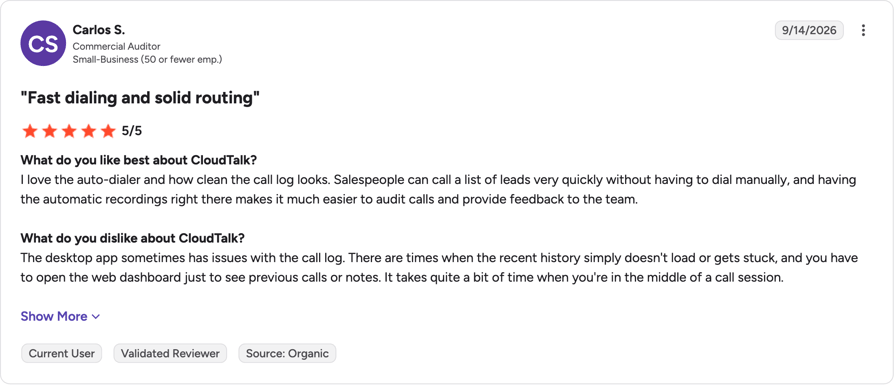
CloudTalk Pros and Cons From G2 and Reddit
| Pros | Cons |
|---|---|
| Full phone panel in Teams: dialpad, history, contacts, SMS | Every calling user needs a seat; outbound needs the desktop app |
| Reviewers praise reliable call quality, including international calls | Desktop app's recent call history sometimes fails to load |
| Recordings and analytics make call review and coaching easy | Importing large contact lists takes manual work |
2. RingCentral
What Is RingCentral?
RingCentral is a business communications provider whose RingEX product covers calling, messaging and meetings. It connects to Teams two ways: Direct Routing keeps Teams as your calling interface on RingCentral numbers, and an embedded app puts a RingCentral dial pad inside Teams. Comparing options? See our RingCentral alternative guide.
Who Is RingCentral's Microsoft Teams Integration Best For?
Best for: one provider for calling, messaging and meetings, with a Teams choice.
It fits companies that want to choose between keeping Teams as the phone or adding an app, without switching vendors.
What Can RingCentral's Microsoft Teams Integration Do?
- Native Teams calling on RingCentral numbers through Direct Routing
- An embedded RingCentral dial pad to call contacts, extensions and external numbers
- Call history inside the embedded app
- Presence sync between Teams and RingCentral, per its Direct Routing release notes
- Account-level admin tools for Direct Routing, such as resync and permission updates
What Other Tools Does RingCentral Integrate With?
RingCentral lists 330+ integrations, including Salesforce, HubSpot, Zendesk and ServiceNow, plus APIs for voice, SMS, messaging and video.
How Much Does RingCentral Cost With Microsoft Teams?
RingCentral pricing for RingEX starts at $20 per user per month billed annually.
| Plan | Price (annual / monthly) | Teams-relevant features |
|---|---|---|
| RingEX Core | $20 / $30 | Calls, meetings and chat; unlimited domestic calling |
| RingEX Advanced | $25 / $35 | Adds CRM integrations and multi-site |
| RingEX Ultra | $35 / $45 | Adds advanced insights and unlimited storage |
On Direct Routing, every Teams user who calls also needs Teams Phone licensing, according to Microsoft Learn's Direct Routing planning guide.
What Do Customers Say About RingCentral on G2 and Reddit?
On Reddit, users mention being passed between support agents and botched number porting, and question whether the bundled suite is worth the cost.
What Is RingCentral's G2 Rating?
RingEX, RingCentral's phone system, is rated 4.2/5 on G2 from 1,472 reviews. Read RingEX reviews on G2.
RingCentral Pros and Cons From G2 and Reddit
| Pros | Cons |
|---|---|
| Calls, messaging and meetings in one app | Direct Routing still needs Teams Phone licences |
| Reviewers report solid call quality and a reliable mobile app | Settings and call routing take time to configure |
| 330+ integrations, including Salesforce and HubSpot | Reporting feels basic, and cost climbs as you add users |
3. 8x8
What Is 8x8?
8x8 is a unified communications and contact center provider with the widest set of Teams routes in this list: Operator Connect, 8x8 Voice for Microsoft Teams and the 8x8 Phone App. Its contact center for Teams is certified by Microsoft under the Connect model. For other options, see our 8x8 alternative guide.
Who Is 8x8's Microsoft Teams Integration Best For?
Best for: keeping Teams as the phone, with a Microsoft-certified contact center.
Larger, more regulated teams that need a contact center Microsoft supports will care most about that certification.
What Can 8x8's Microsoft Teams Integration Do?
- Operator Connect: 8x8 is the carrier, and admins assign numbers in the Teams Admin Center
- Voice for Microsoft Teams: Teams clients register on 8x8, and 8x8 desk phones keep working if Microsoft 365 has an issue
- Presence Sync with Teams, in Voice for Teams and the 8x8 Phone App
- Certified contact center: 8x8 Contact Center for Microsoft Teams, under Microsoft's Connect model
What Other Tools Does 8x8 Integrate With?
Salesforce, HubSpot, Microsoft Dynamics, ServiceNow, Zendesk and NetSuite, with major CRM integrations on higher tiers.
How Much Does 8x8 Cost With Microsoft Teams?
8x8 pricing is quote-based; 8x8 doesn't publish prices on its site.
| Plan | Price | Teams-relevant features |
|---|---|---|
| Unified Communications | Quote | Calling, chat and video; Teams and Slack integrations |
| Contact Center | Quote | Routing, analytics, CRM and help desk integrations |
| 8x8 for Microsoft Teams | Quote | Calling and contact center built around Teams |
The Operator Connect and Voice for Teams routes also need Teams Phone licensing, as Microsoft Learn's Operator Connect planning guide confirms.
What Do Customers Say About 8x8 on G2 and Reddit?
On r/sysadmin, IT leads say 8x8 support can go quiet during migrations, and that its texting and mobile app lag behind newer tools.
What Is 8x8's G2 Rating?
8x8 is rated 4.2/5 on G2 from 941+ reviews. Read 8x8 reviews on G2.
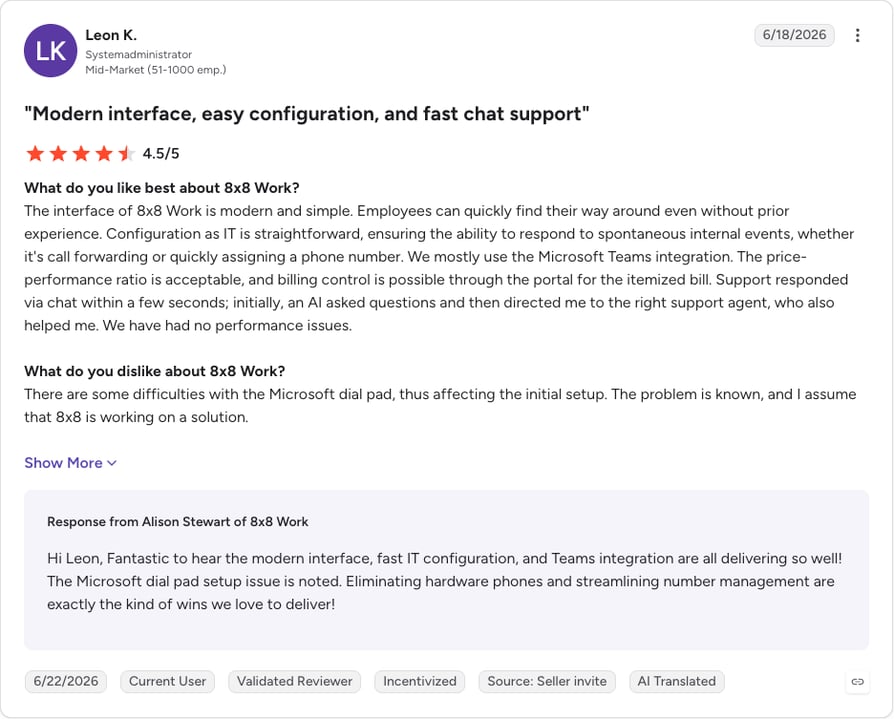
8x8 Pros and Cons From G2 and Reddit
| Pros | Cons |
|---|---|
| Three Teams routes plus a certified contact center | Pricing is quote-only |
| Reviewers praise quick number assignment and the Teams integration | A reviewer hit Microsoft dial pad issues during setup |
| Reliable uptime and clear call quality | Admin console feels inconsistent in places |
4. Dialpad
What Is Dialpad?
Dialpad is a business phone and contact center platform (Dialpad Connect, Sell and Support) with AI built into calls. It pitches its Teams integration as a way to "add an enterprise, AI-native phone system directly to your Microsoft Teams setup," through Direct Routing or a sidebar app. See our Dialpad alternative roundup for similar tools.
Who Is Dialpad's Microsoft Teams Integration Best For?
Best for: teams that want AI transcripts and recaps inside Teams.
It suits teams that care most about AI call notes. Dialpad's Professional Services team configures either setup.
What Can Dialpad's Microsoft Teams Integration Do?
- Native Teams calling on your Dialpad number through Direct Routing
- A sidebar app for calls, SMS and conversation history, with the Dialpad Everywhere widget
- Live transcripts, call recaps and sentiment tracking in either setup
- Calling and SMS/MMS in 70+ countries from inside Teams
- User sync to Microsoft 365 by email address
What Other Tools Does Dialpad Integrate With?
Salesforce, HubSpot and ServiceNow from the Pro plan, plus Google Workspace, Slack, Zapier and open APIs.
How Much Does Dialpad Cost With Microsoft Teams?
Dialpad pricing: its help center lists Teams on Connect Pro and Enterprise, and on Dialpad Sell and Support.
| Plan | Price (annual / monthly) | Teams-relevant features |
|---|---|---|
| Standard | $15 / $18 | No Teams integration listed |
| Pro | $25 / $30 | Teams integration |
| Enterprise | Contact sales | Teams integration |
On Direct Routing, each user also needs a Microsoft Teams Phone licence.
What Do Customers Say About Dialpad on G2 and Reddit?
On Reddit, support is the recurring Dialpad complaint, described as hard to reach and mostly automated, along with surprise add-on charges. The mobile app gets good marks.
What Is Dialpad's G2 Rating?
Dialpad is rated 4.4/5 on G2 from 4216+ reviews. Read Dialpad reviews on G2.
Dialpad Pros and Cons From G2 and Reddit
| Pros | Cons |
|---|---|
| Live transcripts and recaps inside Teams | Teams needs Pro or higher on Dialpad Connect |
| Intuitive layout; most users need no training | Apps can feel slow or need a refresh |
| Calls and texts from app or browser in 70+ countries | Mobile app is weaker than desktop for calls |
5. Aircall
What Is Aircall?
Aircall is a cloud phone system for small and mid-size sales and support teams. It connects to Teams as an app: an admin installs it for the organization, each user adds the Aircall Workspace app, and calls run on Aircall. For other options, see our Aircall alternative guide.
Who Is Aircall's Microsoft Teams Integration Best For?
Best for: small and mid-size teams wanting an Aircall phone inside Teams.
It fits teams that already like Aircall's phone. Note the 3-license minimum before a small rollout.
What Can Aircall's Microsoft Teams Integration Do?
- A contacts tab to search, add and call Aircall contacts, and create contacts from a Teams message
- "Call with Aircall" from a Teams message (click to dial needs the Aircall Workspace desktop app)
- Contact calling cards linking to the CRM profile
- Two-way availability sync between Teams and Aircall
- Channel notifications for missed calls, voicemails and SMS, plus shared recordings and AI call summaries
What Other Tools Does Aircall Integrate With?
Salesforce, HubSpot, Pipedrive, Microsoft Dynamics, Intercom and Shopify, among 250+ integrations, plus API and webhooks on all plans.
How Much Does Aircall Cost With Microsoft Teams?
Aircall pricing starts at $30 per license per month billed annually, with a 3-license minimum.
| Plan | Price (billed annually) | What it adds |
|---|---|---|
| Essentials | $30/license (3-license min.) | IVR, recordings, SMS, integrations and API |
| Professional | $50/license (3-license min.) | AI Assist, Power Dialer, voicemail drop |
| Enterprise | Custom | Custom setup |
AI Voice Agents start at $100 per month standalone, and AI Assist Pro costs $49 per user per month. Calls run on Aircall, and its documentation doesn't call for a Teams Phone licence.
What Do Customers Say About Aircall on G2 and Reddit?
Reddit users like how easy Aircall is to set up and use. The common complaints are choppy audio, features locked behind higher plans and slow support on billing or plan changes.
What Is Aircall's G2 Rating?
Aircall is rated 4.4/5 on G2 from 1683+ reviews. Read Aircall reviews on G2.
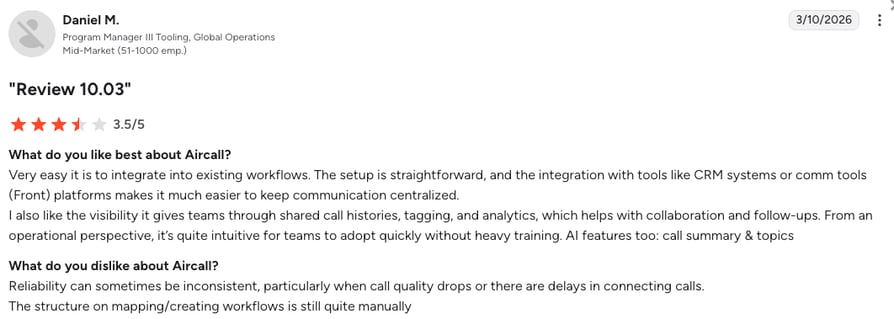
Aircall Pros and Cons From G2 and Reddit
| Pros | Cons |
|---|---|
| Calls from Teams messages, with two-way availability sync | 3-license minimum on every plan |
| Simple, user-friendly interface | Number changes through support take a while |
| Recordings plus AI summaries for reviewing calls | Reviewers report occasional audio or connection issues |
6. JustCall
What Is JustCall?
JustCall is a cloud phone and SMS platform for sales and support teams, made by SaaS Labs. Its Teams app is the thinnest of the eight: call and SMS alerts with one-click actions, not a calling panel. For a fuller panel, see our JustCall alternative guide.
Who Is JustCall's Microsoft Teams Integration Best For?
Best for: teams that want call and SMS alerts in Teams channels.
It suits teams that call in JustCall but want everyone to see missed calls, voicemails and texts where they chat.
What Can JustCall's Microsoft Teams Integration Do?
No in-Teams dialer, presence sync, Direct Routing or Operator Connect is documented. It offers:
- Call and SMS notifications in Teams channels, covering missed calls, voicemails and customer interactions
- Teammate tagging on those notifications
- One-click call or message to the customer from Teams
What Other Tools Does JustCall Integrate With?
100+ CRM integrations, with HubSpot and Pipedrive connectors, and a Salesforce CTI on the Pro plan.
How Much Does JustCall Cost With Microsoft Teams?
JustCall pricing: the Teams app needs any paid plan.
| Plan | Price (billed annually) | What it adds |
|---|---|---|
| Team | $29/user (2-license min.) | Teams app, IVR, 100+ CRM integrations |
| Pro | $49/user | Power Dialer, Salesforce CTI, bulk SMS |
| Pro Plus | $89/user | AI call summaries, scoring and coaching |
| Business | Custom | SSO, SLA, dedicated support |
Setup needs Teams web and JustCall web open in the same browser, and JustCall web doesn't support Safari.
What Do Customers Say About JustCall on G2 and Reddit?
On Reddit, JustCall users most often criticize its strict verification process and inconsistent support. On G2, ease of use is the most-praised theme, and call drops the most common complaint.
What Is JustCall's G2 Rating?
JustCall is rated 4.3/5 on G2 from 2395+ reviews. Read JustCall reviews on G2.
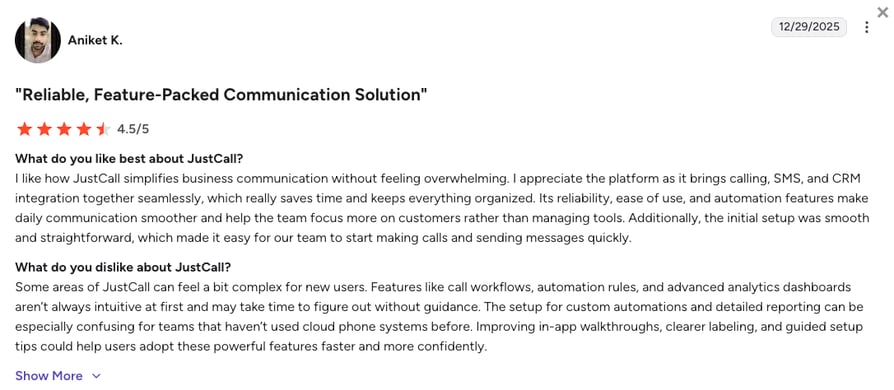
JustCall Pros and Cons From G2 and Reddit
| Pros | Cons |
|---|---|
| Keeps the whole team aware of missed calls and texts | Notifications only, no calling panel in Teams |
| Reviewers single out ease of use | Reviewers report call drops and poor call quality |
| HubSpot and Pipedrive connectors users speak well of | 2-license minimum; the Power Dialer needs Pro |
7. Ringover
What Is Ringover?
Ringover is a cloud communications platform that calls itself "designed for sales & recruitment teams." It connects to Teams as an app: a Ringover admin activates it with Microsoft admin consent, and users are mapped by email. See our Ringover alternative guide for similar tools.
Who Is Ringover's Microsoft Teams Integration Best For?
Best for: growing SMBs wanting a dialer and two-way presence in Teams.
It fits sales and recruiting teams that dial, text and check contact history from Teams. It isn't on the entry plan.
What Can Ringover's Microsoft Teams Integration Do?
- An integrated dialer with click-to-call
- Communication history per contact, covering calls and SMS
- SMS from Teams and contact sync
- Two-way presence sync between Teams and Ringover
- Teams meeting logs pulled into Ringover once users are mapped
What Other Tools Does Ringover Integrate With?
100+ native CRM and ATS integrations on Business, with unlimited integrations, API and webhooks on Unified.
How Much Does Ringover Cost With Microsoft Teams?
Ringover pricing: the Teams integration starts on Business, with a 3-user minimum and a 12-month commitment.
| Plan | Price (annual / monthly) | Teams-relevant features |
|---|---|---|
| Talk | $19 / $29 | No Teams integration |
| Business | $49 / $69 | Teams integration, Power Dialer, 100+ integrations |
| Unified | $69 / $89 | Unlimited integrations, API, webhooks |
Calls run on Ringover, and its documentation doesn't call for a Teams Phone licence.
What Do Customers Say About Ringover on G2 and Reddit?
Reddit discussion of Ringover is thin. On G2, users praise fast onboarding and the built-in dialer, and some flag pricing surprises once add-ons are included.
What Is Ringover's G2 Rating?
Ringover is rated 4.6/5 on G2 from 500+ reviews. Read Ringover reviews on G2.
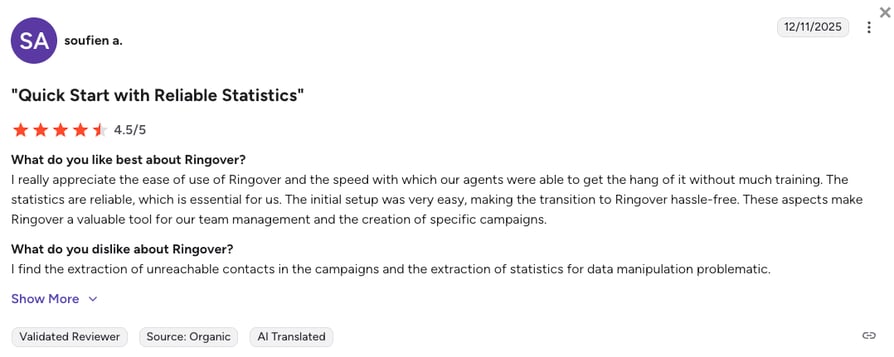
Ringover Pros and Cons From G2 and Reddit
| Pros | Cons |
|---|---|
| Two-way presence sync and Teams meeting logs | Teams needs Business: 3-user minimum, 12-month term |
| Fast onboarding; agents learn it with little training | Reviewers say transcriptions often need correcting |
| Reliable call quality and time-saving CRM integration | Salesforce setup can take weeks |
8. 3CX
What Is 3CX?
3CX is a self-managed business phone system (PBX) sold with "no monthly user pricing": you license it by simultaneous calls. It connects to Teams through Direct Routing, so Teams users call 3CX users and the public phone network through 3CX's trunks. For hosted options, see our 3CX alternative guide.
Who Is 3CX's Microsoft Teams Integration Best For?
Best for: IT-led teams wanting a self-managed PBX behind Teams.
It fits IT teams comfortable with certificates, DNS and PowerShell who prefer a flat licence over per-user fees.
What Can 3CX's Microsoft Teams Integration Do?
- Teams as the phone: users call from the Teams client they already use
- Calls between Teams users and 3CX extensions, plus the public phone network
- User sync and mapping through scripts 3CX generates
Setup is technical
You need an SSL certificate from a Microsoft-approved certificate authority, a Teams domain registered in Microsoft 365 (not *.onmicrosoft.com), a public IP and DNS, and PowerShell scripts to map users.
What Other Tools Does 3CX Integrate With?
Salesforce, HubSpot, Zoho, Pipedrive and Microsoft 365, plus many SIP providers and desk phones.
How Much Does 3CX Cost With Microsoft Teams?
3CX pricing is a flat annual licence by simultaneous calls (SC), with hosting extra.
| Licence | Price (per year) | Notes |
|---|---|---|
| 8SC BASIC / PRO / AI | $300 / $395 / $575 | Ask 3CX which edition covers Teams |
| 16SC BASIC / PRO / AI | $600 / $795 / $1,095 | Ask 3CX which edition covers Teams |
| Hosting | $295 (8SC); $450 (16SC to 24SC) | Optional, if 3CX hosts the PBX |
Every Teams user who calls through 3CX still needs a Microsoft Teams Phone licence.
What Do Customers Say About 3CX on G2 and Reddit?
On G2, ease of admin is 3CX's strongest score and quality of support its weakest. Community threads mention dropped calls and support that costs money to reach.
What Is 3CX's G2 Rating?
3CX is rated 4.4/5 on G2 from 548+ reviews. Read 3CX reviews on G2.
3CX Pros and Cons From G2 and Reddit
| Pros | Cons |
|---|---|
| Flat licence by simultaneous calls, not per user | Teams setup needs certificates, DNS and PowerShell |
| Reviewers rate its feature set highly for the price | Admin tasks feel unintuitive for non-technical staff |
| Works with many SIP providers and desk phones | Reporting is limited and often needs exports |
How to Integrate CloudTalk With Microsoft Teams (Step-by-Step)
Setting up the CloudTalk Microsoft Teams integration takes an app install and a sign-in, no telephony configuration. Most trial blockers come from Azure SSO, so start there.
Before you start, you'll need:
- A CloudTalk plan that includes the Microsoft Teams app (not Starter)
- A CloudTalk seat for every user who places or receives calls
- Azure SSO enabled in the CloudTalk Dashboard by an admin
- The CloudTalk Phone desktop app on each user's device
- 01Enable Azure SSO: in the CloudTalk Dashboard, an admin turns on Azure SSO for the account.
- 02Add the CloudTalk app in Teams: open Apps, search for "CloudTalk" and add it. It's listed as CloudTalk on Microsoft AppSource by CloudTalk, s.r.o.
- 03Sign in: open the app from the Teams sidebar and sign in with Azure SSO.
- 04Keep the desktop app running: leave the CloudTalk Phone desktop app open in the background for outbound calls; the Teams app brings it forward if minimized.
- 05Place a test call: in the dialpad, choose an outbound number (or anonymous) and call a test number.
- 06Check history and SMS: open the call detail for the recording, notes and tags, then send a test SMS from Messages.
- 07Test presence both ways: change your status in Teams, then in CloudTalk, and check the mapping with the app open in Teams.
If sign-in fails
An "Azure SSO is not enabled" error usually means the account isn't set up for Azure SSO yet, or the Entra ID email and CloudTalk email don't match. Strict Azure conditional access policies can also block sign-in, so check them with your Microsoft admin.
What Is a Microsoft Teams Phone Integration?
A Microsoft Teams phone integration connects a phone system to Microsoft Teams so people can make and take calls without leaving Teams. Either calls are routed through Teams itself (Teams is the phone), or the phone system runs as an app inside Teams (the vendor is the phone and Teams hosts its panel).
Teams Phone, Direct Routing, Operator Connect or a Teams App: What's the Difference?
Microsoft Learn's guide to PSTN connectivity options describes four ways to connect Teams Phone to the public phone network. A Teams app is a fifth option that works outside Teams telephony altogether.
Five Ways to Add Phone Calling to Microsoft Teams
| Option | How calls run | Numbers from | What you license | Best for |
|---|---|---|---|---|
| Calling Plan | Through Teams, Microsoft as operator | Microsoft | Teams Phone plus Calling Plan | Simple office calling |
| Operator Connect | Through Teams, via a certified operator | The operator | Teams Phone plus operator service | Teams as the phone, your carrier |
| Teams Phone Mobile | Through Teams, via a mobile operator | The SIM number | Teams Phone plus mobile plan | Mobile-first users |
| Direct Routing | Through Teams, via a certified SBC | Any carrier you connect | Teams Phone plus carrier and SBC | IT teams bringing a carrier or PBX |
| Teams app | On the vendor's platform | The phone system vendor | A vendor seat | A full phone system inside Teams |
Microsoft Learn's Teams Phone overview notes that "a PSTN solution is separate from a Teams Phone license," and calls between Teams users stay inside Teams. You can combine options in one tenant.
For contact centers, Microsoft certifies solutions under three models: Unify, Extend and Connect. Microsoft Learn's contact center integrations page lists 28 certified solutions and supports only those. Of our eight tools, only 8x8 is on it. CloudTalk is a Teams app.
Does Microsoft Teams Have Built-In Calling?
Yes. Calls between Teams users are built in, and Teams Phone adds calls to regular numbers once paired with a PSTN option.
Teams Phone Standard is an add-on licence with PBX features such as cloud voicemail, forwarding, transfer, auto attendants, call queues and caller ID, according to Microsoft Learn's Teams add-on licensing page. Calling Plans are a further add-on. Teams look beyond it for local numbers in many countries, dialers, call analytics and AI.
Can You Use CloudTalk Numbers With Teams Direct Routing?
No. CloudTalk works as an app inside Teams, and calls run on CloudTalk's platform. It isn't a Direct Routing or Operator Connect provider, and it doesn't connect through an SBC or SIP trunk to your Teams tenant.
It suits teams that want numbers in 160+ countries, dialers, AI and CRM integrations with a panel in Teams. If Teams must stay your phone, look at 8x8, RingCentral, Dialpad or 3CX.
Microsoft Teams Phone vs. a Third-Party Phone System: Which Do You Need?
Plenty of teams run on Teams Phone and never need anything else; others outgrow it within months.
When Is Teams Phone Enough?
Teams Phone works well for office teams with simple needs: internal calls, a few external numbers in one or a few countries, voicemail, transfers and a basic auto attendant. If nobody runs outbound campaigns or needs detailed call analytics, it's often all you need.
Microsoft backs its Calling Plan with a 99.999% reliability SLA, according to Microsoft Learn's PSTN connectivity guide. Check Microsoft's own pricing page for current licence costs.
When Do Teams Add a Contact Center Phone System?
Among Teams users we've spoken to who added a separate phone system, the reasons repeat: local and mobile numbers in several countries, an outbound dialer, call analytics, AI summaries or CRM-centered workflows.
Support teams add call routing, IVR and searchable history; outbound teams add local numbers and faster dialing. CloudTalk covers both, with a panel inside Teams.
What Does It Cost to Run a Phone System Next to Teams?
Every calling user needs a seat in the phone system, plus numbers and add-ons, on top of Microsoft licensing. If your per-user budget leaves no room for a second seat plus AI, Teams Phone alone can be the better call.
| Cost line | What you pay | Notes |
|---|---|---|
| Microsoft | Microsoft 365 / Teams licences; Teams Phone if Teams is the phone | See Microsoft's pricing page |
| Phone system | A seat per calling user, numbers, out-of-region calls, add-ons | Varies by vendor and plan |
| What you might drop | Teams Phone and Calling Plans | Only if nobody needs Teams Phone features |
Why Integrate a Phone System With Microsoft Teams? 5 Benefits
According to Atlassian's State of Teams 2025 report², teams lose 25% of their time just searching for answers. A phone system inside Teams cuts some of that, because calls, history and texts live where people already work.
Agents Call From the App They Already Use
Teams users tell us their agents don't want another window open just to dial. In CloudTalk, the dialpad lives in the Teams sidebar: agents pick the outbound number or call anonymously, while the desktop app runs in the background.
Call History, Recordings and Notes Sit Inside Teams
Before a callback, a rep wants to know what happened last time. CloudTalk's call detail in Teams shows the recording, notes and tags, and with AI Conversation Intelligence, an AI call summary, topics and sentiment.
Presence Stays in Sync
You don't want a call ringing an agent set to Away. CloudTalk syncs status both ways, so Away or Be Right Back in Teams shows as Idle in CloudTalk. One limit: the sync updates reliably only while the app is open in Teams.
SMS Lives Next to Chat
A customer who doesn't pick up often answers a text. CloudTalk's Messages section in Teams sends and receives business SMS from your CloudTalk numbers.
One Azure Sign-In for Everyone
IT admins want one login they already control. CloudTalk's Teams app signs in with Azure SSO, so users log in with the account they already have.
What Should a Microsoft Teams Phone Integration Sync Automatically?
Take this list into every demo; gaps tend to surface only after a trial starts.
How Do Calls, Presence, Contacts and SMS Work Between the Phone System and Teams?
| What | Ask the vendor |
|---|---|
| How calls are carried | Through Teams telephony or your platform? |
| Seats and licences | Does every calling user need a seat? Do we still need Teams Phone? |
| Presence | Which direction, what mapping, and when does it update? |
| History and call recording | Can we play recordings and read notes in Teams? |
| Contacts | Internal and external? Editable in Teams? |
| SMS | Can we send and receive texts in Teams? |
| Sign-in | Is SSO required? How does it handle conditional access? |
| Desktop app | What needs a desktop app open, and when? |
| Meetings | Does a Teams meeting set the user to unavailable? |
| CRM and dialer | Does CRM data show in the panel? Do campaigns run in Teams? |
What Usually Doesn't Sync (Ask Before You Buy)
In app-based integrations, these commonly stay outside Teams:
- Meeting status: a Teams meeting doesn't always set the phone system to unavailable
- CRM context: the panel may show call data but not your CRM record
- Dialer campaigns: often run in the vendor's own app
- Queues and IVR setup: usually configured in the vendor's dashboard
- Voice agents: usually run on the vendor's platform, not inside Teams
Best Microsoft Teams Phone Integration by Team Type
No single Microsoft Teams call center integration suits everyone. Our picks for five common setups:
| Team type | Pick | Alternatives |
|---|---|---|
| Sales teams in Teams and a CRM | CloudTalk | Dialpad, RingCentral |
| Support teams and small call centers | CloudTalk | Aircall, Ringover |
| Multi-country teams | CloudTalk | Dialpad |
| Teams must stay the phone | 8x8 | RingCentral, Dialpad, 3CX |
| Large contact centers | 8x8 | Microsoft-certified vendors |
Best for Sales Teams That Work in Teams and a CRM
Pick: CloudTalk. Reps call from Teams, while the AI Sales Dialer and integrations with HubSpot, Salesforce, Pipedrive and Dynamics 365 run in CloudTalk. Alternatives: Dialpad for AI recaps, RingCentral for one communications provider. CRM-first? Compare HubSpot phone integrations and Salesforce phone integrations.
Best for Support Teams and Small Call Centers
Pick: CloudTalk. It pairs IVR, skill-based routing and call queues with a Teams panel showing call history, recordings and SMS. Alternatives: Aircall for availability sync and channel alerts, Ringover for a dialer and two-way presence.
Best for Multi-Country Teams That Need Local Numbers
Pick: CloudTalk, with international numbers in 160+ countries. Check exact number types before you buy, since mobile numbers, porting and local rules vary. Alternative: Dialpad, with calling and SMS/MMS in 70+ countries from Teams.
Real-Life Example
CoachHub, a professional services and SaaS company, added 57 new international numbers on CloudTalk as it scaled global coaching.
Best for Teams That Want Teams to Stay the Phone (Direct Routing or Operator Connect)
CloudTalk isn't the pick here, because it works as an app inside Teams. Choose one of these:
- 8x8: Operator Connect or Voice for Microsoft Teams, with numbers in the Teams Admin Center
- RingCentral: Direct Routing on RingCentral numbers
- Dialpad: Direct Routing on your Dialpad number
- 3CX: Direct Routing to a self-managed PBX
On every one of these routes, each user still needs Teams Phone licensing.
Best Microsoft Teams Call Center Integration for Large Contact Centers
Pick: 8x8, the only tool here on Microsoft's certified contact center list. Microsoft's list also includes Five9, Genesys, NICE, Talkdesk and Zoom. CloudTalk isn't the fit if your contact center must be Microsoft-certified; it suits teams that want full contact center software with a panel in Teams.
Microsoft Teams Dialer Integrations: Power and Parallel Dialing
Most Teams dialer integrations give you a dialpad or click-to-call in Teams, while campaigns run somewhere else.
Can You Run Dialer Campaigns Inside Teams?
With CloudTalk, no. The Teams panel has a dialpad with outbound number selection, and campaigns run in the CloudTalk dialer app. One-off calls, callbacks and texts happen in Teams; calling blocks run in the dialer app, and both show in the Teams call history.
Which Phone Systems Offer Power or Parallel Dialing With Teams?
CloudTalk's AI Sales Dialer offers Power and Parallel dialing, not predictive, in the CloudTalk dialer app. Parallel dialing calls several numbers at once and connects the first live answer.
Dialer Options Across the 8 Teams Phone Integrations
| Tool | Dialing modes | Where it's included | Calling inside Teams |
|---|---|---|---|
| CloudTalk | Power, Parallel | Power on Expert or add-on; Parallel add-on | Dialpad; campaigns in the dialer app |
| RingCentral | Predictive, progressive, preview | RingCX contact center | Dial pad or native Teams calling |
| 8x8 | Preview, progressive, predictive | Higher contact center tiers (quote) | Native Teams calling |
| Dialpad | Power | Support plans, from $89 | Sidebar app or native Teams calling |
| Aircall | Power | Professional | Call from Teams messages |
| JustCall | Power; multi-line predictive | Pro; SalesPro (quote) | One-click call from alerts |
| Ringover | Power | Business | Dialer with click-to-call |
| 3CX | One number at a time | Call Flow Designer | Native Teams calling |
On Parallel dialing, start at 3 lines and adjust once you see your connect rate and how quickly agents pick up.
AI for Teams Calls: Summaries, Topics and Voice Agents
AI shows up in two places: notes on calls after they happen, and agents that answer or make calls.
Where Does AI Call Data Show Up in Teams?
With CloudTalk's AI Conversation Intelligence add-on, the call detail in Teams shows an AI summary, topics and sentiment, linking to the full view in the Dashboard. It appears after the call, not live.
Dialpad offers live transcripts and recaps in Teams; Aircall shares AI summaries to Teams channels.
Which AI Voice Agents Work With Teams?
CloudTalk's AI Voice Agents run on CloudTalk's platform, not inside the Teams panel. The CloudTalk AI Receptionist answers, triages and routes calls 24/7, and the AI Specialist handles tasks such as scheduling. Both are add-ons from $99 per month for 200 minutes; the AI Receptionist includes 50 free minutes in your first month.
Aircall sells AI Voice Agents from $100 per month; for others, ask how agents connect to Teams. Our best AI voice agents review compares the options.
How Much Does a Microsoft Teams Phone Integration Cost?
The seat price is only part of the bill.
Microsoft Teams Phone Integration Cost by Tool
| Tool | Lowest plan with Teams | Price | What you still pay Microsoft |
|---|---|---|---|
| CloudTalk | Above Starter (ask sales) | Above Starter (ask sales) | Microsoft 365 / Teams; no Teams Phone for CloudTalk calls |
| RingCentral | RingEX (ask sales for the Teams route) | From $20 (Core) | Teams Phone on Direct Routing |
| 8x8 | 8x8 for Microsoft Teams | Quote | Teams Phone on Operator Connect and Voice for Teams |
| Dialpad | Connect Pro (or Sell, Support) | $25 | Teams Phone on Direct Routing |
| Aircall | Essentials | $30 (3-license min.) | Microsoft 365 / Teams |
| JustCall | Team (any paid plan) | $29 (2-license min.) | Microsoft 365 / Teams |
| Ringover | Business | $49 (3-user min.) | Microsoft 365 / Teams |
| 3CX | Ask 3CX for the edition | $300/year flat, not per user | Teams Phone for every Teams user |
Beyond the seat, budget for:
- A seat for every calling user, since none of the app-based tools let admins share one
- Numbers and concurrency, priced separately from seats
- Calls outside the included region, billed per minute by CloudTalk and most vendors
- AI minutes and add-ons, such as AI Conversation Intelligence at $9 per user per month
- Microsoft licensing you keep or drop
For a wider view of seat prices, see our guide to VoIP pricing.
How Do You Pick the Right Microsoft Teams VoIP Integration?
Run these eight checks in a trial; each maps to a reason we've seen Teams users choose a phone system or walk away.
- 01Decide whether Teams must stay the phone: if yes, shortlist Direct Routing or Operator Connect providers; if a panel is fine, an app works.
- 02List your numbers and countries: check coverage and whether number porting works for the ones you keep.
- 03Count your calling users: and work out what you'll still pay Microsoft.
- 04Test sign-in with your Azure setup: including SSO and conditional access policies.
- 05Test presence in meetings and with the app closed: so you know when status updates.
- 06Test the dialer: and see where campaigns run.
- 07Check where AI summaries and recordings show up: in Teams or only in the vendor's app.
- 08Check accessibility needs: such as screen reader support, with the vendor directly.
You can run this whole checklist in a CloudTalk free trial.
How We Chose the Best Microsoft Teams Phone Integrations
We started from our conversations with Microsoft Teams users, then checked every vendor's documentation, Marketplace listing and pricing page, plus Microsoft Learn. We judged each tool on:
- How it connects to Teams (Direct Routing, Operator Connect or a Teams app)
- What it does inside Teams, and what syncs: presence, history, contacts and SMS
- Sign-in, admin control and local number coverage
- Dialers and AI
- Total cost, including Microsoft licensing
- G2 ratings and reviewer feedback
CloudTalk is our product, so we held every tool to the same template and named where CloudTalk isn't the right pick. We also draw on 5,500+ verified reviews from G2, Capterra and Trustpilot, and on Reddit and Quora discussions.
In the past year alone, we published 1,000+ articles, each written by humans for humans. Learn how we keep our content integrity and our software review methodology.
Frequently Asked Questions About Microsoft Teams Phone Integrations
Start Calling From Microsoft Teams With CloudTalk
If your sales or support team lives in Teams and needs local numbers, dialers, AI and CRM integrations, CloudTalk gives you a full phone system with a panel inside Teams. If Teams must stay your phone, a Direct Routing or Operator Connect provider such as 8x8, RingCentral, Dialpad or 3CX fits better.
Either way, test sign-in, presence and the dialer with your own team first. Weighing Teams Phone itself? See our Microsoft Teams Phone alternatives.
Plan your Microsoft Teams calling setup with our team
Sources:
- 01Microsoft (Work Trend Index)
- 02Atlassian
Frequently asked questions
Yes. Calls between Teams users are built in, carried over the internet as VoIP. To call regular numbers, you add a Teams Phone licence plus a PSTN option: a Calling Plan, Operator Connect, Teams Phone Mobile or Direct Routing. Teams add a separate phone system for local numbers in many countries, dialers, analytics or AI.
Teams Phone is Microsoft's calling licence and needs a PSTN option. Direct Routing connects any carrier through a certified SBC and a SIP trunk. Operator Connect lets a certified operator supply numbers you assign in the Teams Admin Center. With a Teams app, the vendor carries calls and Teams hosts its panel.
No. CloudTalk runs as an app inside Teams, and calls go over CloudTalk's platform, with no SBC or SIP trunk into your tenant. If Teams must stay your phone, look at 8x8, RingCentral, Dialpad or 3CX; our Microsoft Teams Phone vs RingCentral comparison shows one such setup.
Not inside Teams; it runs next to it as an app, and CloudTalk calls need no Teams Phone licence. Some teams keep Teams Phone for office calls and use CloudTalk for customer calls, the classic UCaaS vs CCaaS split. Others drop Teams Phone once nobody needs its features.
You add the CloudTalk app, sign in with Azure SSO and work from a sidebar panel: dialpad, call history with recordings, notes and tags, contacts and SMS. It works like a call center CTI panel: Teams hosts the interface and CloudTalk is the phone. Outbound calls need the desktop app running.
Yes. Everyone who places or receives calls through CloudTalk needs a seat, including people who only call from the Teams panel. Numbers and concurrency are priced separately. When comparing phone system costs, count every calling user, numbers, out-of-region calls and add-ons, on top of Microsoft 365.
The Teams app is on selected paid CloudTalk plans, and the pricing page shows it isn't on Starter, so confirm the plan with sales. You also need Azure SSO enabled and a seat per calling user. Our Microsoft Teams Phone pricing guide explains Microsoft's side of the bill.
Outbound calls from the Teams panel are placed through it. The panel is the interface, and the CloudTalk Phone desktop app is the softphone running in the background on the same device. If it's minimized, the Teams app brings it forward. Install it on every calling user's device.
Presence syncs both ways: Available to Online, Away and Be Right Back to Idle, Appear Offline to Offline. It updates reliably while the app is open in Teams. A Teams meeting doesn't always set CloudTalk to unavailable, so change your agent status in CloudTalk before meetings where you can't take calls.
Yes, once an admin enables Azure SSO in the CloudTalk Dashboard. Most failures come from SSO not being enabled, an Entra ID email that doesn't match the CloudTalk email, or strict conditional access policies. Test single sign-on (SSO) with your Microsoft admin during the trial.
Yes, with CloudTalk. Its Messages section in Teams sends and receives texts from your CloudTalk numbers. Whether a number can text depends on its type and country, so check before rollout. Our guide to VoIP texting explains how texting works on a cloud phone system.
Yes, with CloudTalk's AI Conversation Intelligence add-on at $9 per user per month. The call detail shows an AI summary, topics and sentiment analysis, linking to the full Dashboard view. The summary appears after the call, and the add-on isn't included in any plan.
Usually, by porting them, but it varies by country and number type, and some mobile numbers can't be ported. Check every number before you sign. Timing depends on your carrier and country; our guide on how long number porting takes explains what slows it down.