
Below, the 10 best Lindy AI alternatives, built for teams that actually need to call, not just automate.
TL;DR: 10 Best Alternatives to Lindy AI
CloudTalk tops this list as the only option built from the ground up as calling infrastructure, not a general AI agent platform with voice bolted on. The other nine split between workflow-automation tools (Zapier, n8n, Relevance AI) and dedicated AI voice agent platforms (Bland AI, Synthflow AI, Retell AI, Vapi, PolyAI, Voiceflow).
TL;DR: 10 Best Lindy AI Alternatives
| # | Tool | Best For | Starting Price (Annual Billing) | G2 Rating |
|---|---|---|---|---|
| 1 | CloudTalk | Global sales and support teams that need calling-grade AI without add-on surprises | $25/user/month | 4.4/5 |
| 2 | Zapier | General app-to-app workflow automation | $19.99/month (Professional) | 4.5/5 |
| 3 | n8n | Self-hosted, source-available automation for technical teams | €20/month (Starter) | 4.8/5 |
| 4 | Relevance AI | Sales/GTM teams building custom outbound and calling agents | Free tier available; paid tiers unconfirmed | 4.3/5 (conflicting sources) |
| 5 | Bland AI | Developer-built AI voice agents at scale | $0.14/minute, no platform fee (Start) | Not enough reviews (G2) |
| 6 | Synthflow AI | No-code voice AI builder for enterprise CX teams | $30,000/year (Enterprise-only) | 4.5/5 |
| 7 | Retell AI | Developer-first voice AI infrastructure with transparent component pricing | $0.07/minute+ (pay-as-you-go) | Unverified, conflicting figures |
| 8 | Vapi | Fast, flexible voice AI prototyping | Usage-based, ~$10/line/month + usage | ~4.2/5 (very few reviews) |
| 9 | PolyAI | Enterprise contact-center voice AI | ~$150,000/year (custom contract) | 5.0/5 (very few reviews) |
| 10 | Voiceflow | Designing conversational flows across voice and chat | Quote-based (self-serve tiers discontinued) | 4.6/5 |
Skip the reading. See it live.
Why Are Teams Searching for a Lindy AI Alternative?
Lindy AI holds a strong G2 rating, 4.9/5 across 171 reviews. Nice headline, but it's not the whole story. Dig into individual reviews on that same G2 page, and on Trustpilot, and a narrower set of frictions repeats: unpredictable credit consumption, billing that continues after an account is deleted, and support reviewers call dismissive.
6 Main Cons of Lindy AI That Make Businesses Look for an Alternative
- Voice is an add-on to a general platform, not its foundation. Lindy's own homepage positions it as a natural-language agent builder for admin, inbox and scheduling tasks, with calling layered on later. If your "production workload" is phone calls, that's a structural mismatch, not a gap a future update fixes. Community discussion around Lindy describes it as caught between no-code automation and true agentic AI, with real vendor lock-in risk for anyone trying to run production workloads on it.
- Credit metering makes usage hard to budget. Lindy prices seats separately from usage, and every action drains credits at a different, murky rate. One user reported burning through over 2,000 paid credits on a single agent run that got scrapped, with the balance gone before they even realized what happened. Another said the model pushes growing teams to keep buying more "Lindies" or monthly tasks just to keep pace.
- Its 100+ integrations are general connectors, not calling-native CRM sync. Lindy pushes data into a CRM (customer relationship management) system like most automation tools, but it wasn't built around live call context, two-way CRM sync, or the CTI screen-pop a calling team relies on daily.
- The "do-everything AI employee" pitch spreads Lindy thin. Between inbox management, meeting notes, scheduling and now voice, Lindy tries to cover a lot of ground. Teams that just need reliable calling end up paying for and configuring a broader platform than the job requires.
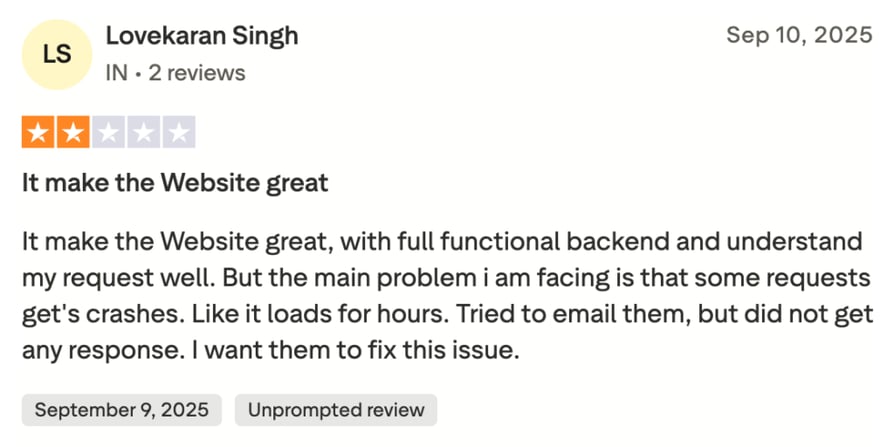
- Support gets inconsistent once something actually breaks. Lindy limits Plus, Pro and Max customers to help-center and community support; a dedicated line is Enterprise-only. One user described a recurring crash that took hours to resolve, with no reply after emailing support directly. A separate user who caught a billing error after canceling her account got the same silent treatment, detailed next.
- Billing and cancellation friction shows up directly in reviews. One user reported being charged after deleting her account entirely, and when she flagged it, support brushed it off with a casual assurance she wouldn't be charged again, never addressing how the payment went through in the first place.
What Is the Best Alternative to Lindy AI?
CloudTalk starts at $25/user/month and runs on a 99.999% uptime SLA (service-level agreement), built as global calling infrastructure rather than a general automation platform with a phone feature attached. That distinction matters most here, because the real problem is usually calling, not automation.
Why Do Teams Consider CloudTalk the Best Lindy AI Alternative?
Teams leaving Lindy for calling reasons need a platform that treats voice as the main product, not a bolt-on. CloudTalk was built around that requirement from day one: dedicated telephony infrastructure, native CRM sync, and pricing that stays predictable as usage grows.
5 Main Pros of CloudTalk and Why Businesses Switch from Lindy AI
- Call stability and visual call routing fix the voice reliability gap. CloudTalk runs on a decentralized SIP architecture with multiple backup carriers, cutting connection times by roughly a third. Its Call Flow Designer adds a visual, drag-and-drop way to handle call routing with 19 available actions and real-time edits, infrastructure a general-purpose platform like Lindy was never built to provide.
- True two-way CRM sync replaces surface-level logging. CloudTalk's native integrations with HubSpot, Salesforce, Pipedrive, Zendesk and 100+ other tools sync contact details, call history, deals, tickets and custom fields both ways, visible before, during and after every call, not just dumped into a timeline afterward.
- A 160+ country footprint removes the geographic guesswork. Local-presence dialing and international number coverage mean a small team can present a local phone presence anywhere it operates, without the credit-cost surprises of routing voice through a usage-metered general AI platform.
- Transparent, flat per-seat pricing tiers replace credit-based guesswork. Starter, Essential and Expert plans have fixed monthly prices per user. Add-ons like AI Conversation Intelligence (€9/user/month) and the AI Voice Agent (from €99/month for 200 minutes) are priced and disclosed separately, so a team knows what a busy month costs before it happens, not after.
- Live, human support is available at every plan level. Essential and above include 24/7 live support, unlike Lindy's help-center-and-community-only model below Enterprise.
See it before you commit.
How We Chose The Best Lindy AI Alternatives and Competitors
We built this list by combining our own testing with real user feedback: G2 and Capterra ratings, Trustpilot complaints, and Reddit threads where people compare these tools in their own words.
Over the past decade, our team has helped 30,000+ professionals find and implement business communication software, reviewed 200+ tools across the category, and analyzed 5,500+ verified customer reviews from G2, Capterra and Trustpilot, publishing 1,000+ articles on this basis in the past year. Read more about our content integrity and our software review methodology.
We scored every tool against six benchmarks: call stability, real-world cost, CRM deep-sync depth, global calling footprint, support responsiveness, and AI-driven productivity gains. Flashy AI features don't buy a spot on this list if a tool falls short on call stability or support, not for teams whose business depends on calls actually connecting.
The Top 10 Alternatives to Lindy AI for 2026
Lindy AI's pricing and feature set look reasonable until a team runs real call volume through it. The table below lines up Lindy AI against CloudTalk and three other tools in this guide on the criteria that matter most to a calling-first buyer.
Lindy AI vs. Top Alternatives: Side-by-Side
| Criteria | Lindy AI | CloudTalk | Zapier | Bland AI | Synthflow AI |
|---|---|---|---|---|---|
| Starting Price | $49.99/month (Plus) + usage credits | $25/user/month | $19.99/month (Professional) | $0.14/minute, $0 platform fee | $30,000/year (Enterprise only) |
| Minimum Seats | Not seat-based (workspace + credits) | 1 | 1 | Not seat-based (usage) | Enterprise contract |
| Visual Call Routing | ❌ Not a telephony feature | ✅ Call Flow Designer, 19 actions | ❌ Not a telephony feature | ✅ Pathways conversation-flow builder | ✅ No-code voice agent builder |
| Included Queue Analytics | ❌ Not offered | ✅ From Essential plan | ❌ Not applicable | ❌ Not published | Not published |
| Native Two-Way CRM Sync | ❌ General integrations only | ✅ 100+ native integrations, two-way | ❌ Zap-based, one-directional by default | ❌ Not published | Not published |
| AI Call Summaries Pricing | Included in seat, usage-metered | Add-on, €9/user/month | Not applicable | Not published | Included in contract |
| Free Trial | Not published | ✅ 14-day free trial | ✅ Free plan, 100 tasks/month | ✅ Usage-based free tier | ❌ No self-serve tier |
The Lindy AI Credit Trap
Lindy's $49.99/month Plus plan looks like an entry-level price, until real usage starts. Voice actions burn credits faster than text tasks (one Trustpilot reviewer reported burning through over 2,000 paid credits on a single misfired agent run), and there's no published per-minute rate to budget against, only a shared credit pool that resets monthly no matter how the month went.
Run steady call volume and you can exhaust that allowance before the cycle resets, forcing an upgrade to Pro ($99.99/month) or Max ($199.99/month) just to keep calls connecting. CloudTalk skips the meter entirely: you pay per seat, not per action, so a heavy calling day costs exactly what a quiet one does.
The 10 Best Lindy AI Alternatives, Ranked
1. CloudTalk: The #1 Lindy AI Alternative for Global AI Voice Calling
What is CloudTalk?
CloudTalk is global AI business calling software built for SMB growth, trusted by over 5,500 modern SMBs across 160 countries. It bundles a cloud phone system, an AI Sales Dialer, an autonomous AI Voice Agent and 100+ native CRM and helpdesk integrations into one platform, so sales and support teams get global call coverage without stitching together separate tools.
Why Is CloudTalk a Strong Lindy AI Alternative?
- Purpose-built calling infrastructure. CloudTalk's decentralized SIP architecture and multi-carrier backup network exist to keep calls connected, telephony-specific engineering a general AI agent platform never needs to build.
- A voice AI product designed for phone conversations from the start. The AI Voice Agent (CeTe) holds free-flowing two-way conversations in 60+ languages and accents at sub-800ms latency, and escalates to a human only when needed, instead of treating voice as one more channel bolted onto a text-first agent builder.
- CRM sync that goes both ways. Native integrations with HubSpot, Salesforce, Pipedrive and others sync contact records, call history and AI summaries automatically, so a call CeTe logs and later hands to a human shows up as one continuous record.
- Predictable per-seat pricing. Starter, Essential and Expert plans have fixed monthly prices, so a busy outbound month never turns into a surprise credit bill the way it can on a usage-metered platform.
- Support that does not disappear below Enterprise. 24/7 live support is included from the Essential plan up.
What Are the Pros & Cons of CloudTalk?
CloudTalk
| Pros | Cons |
|---|---|
| Call quality and international coverage across 160+ countries, a recurring theme in CloudTalk's G2 review summary | AI Voice Agent and AI Conversation Intelligence are metered add-ons, not bundled into any plan |
| Easy setup and intuitive interface for new team members, per the same summary | Advanced outbound features like Power Dialer and real-time call monitoring require the Expert plan |
| AI Call Summaries and Smart Notes cut post-call review time by roughly 50%, per CloudTalk's own estimate | No native video conferencing; teams wanting calling and video in one app need a separate tool |
What Are CloudTalk's Plans & Pricing?
- Starter: $25/user/month. Call routing basics: Automatic Call Distribution, Call Flow Designer, unlimited call queues.
- Essential: $29/user/month. Adds full IVR, skill-based routing, the public API, native CRM integrations and unlimited call recording storage.
- Expert: $49/user/month. Adds Salesforce, the Power Dialer at no extra cost, real-time call monitoring and advanced analytics.
- Custom: Contact sales, for enterprise deployments with dedicated infrastructure or compliance needs.
- The Add-On Reality Check: AI Conversation Intelligence (€9/user/month) and the AI Voice Agent (from €99/month for 200 minutes) are always separate purchases, including on Expert. Unlike Lindy's blended seat-plus-credit model, each add-on has one published price, so a switching team can calculate the real monthly cost before signing up, not after the first invoice.
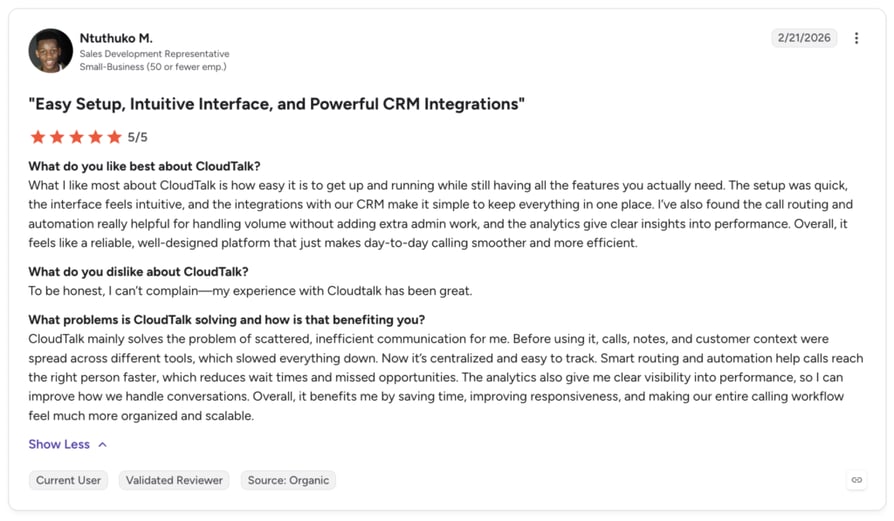
What Are CloudTalk Customers Saying?
- Reviewers consistently cite call quality and global reach as the reason they chose CloudTalk over other calling platforms.
- Onboarding speed comes up often, with new agents comfortable in the interface within days, not weeks.
- Some reviewers note that outbound-heavy features require the Expert plan, a real cost consideration for teams scaling fast.
Ready to see the difference on a real call?
2. Zapier: Best for General Workflow Automation and App Integrations
What is Zapier?
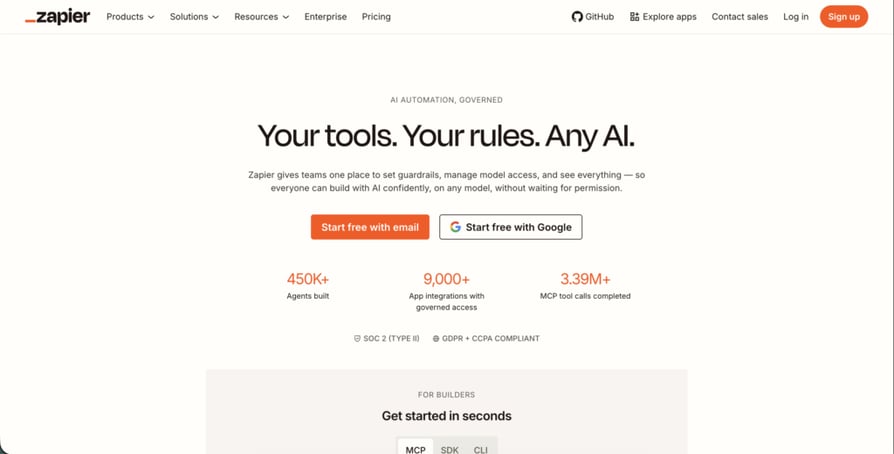
Zapier is an automation platform that connects apps through trigger-and-action workflows called Zaps, built around "AI-powered systems" on top of 2,000+ app integrations. It serves teams that need broad app-to-app automation rather than a calling-specific tool.
Why Is Zapier a Strong Lindy AI Alternative?
- The largest integration catalog in this list. With 2,000+ apps, Zapier can connect almost any tool a team already uses, well beyond Lindy's 100+.
- A genuinely free tier for testing. Teams can try multi-step workflows on the Free plan before paying anything.
- Rules-based automation is more predictable than AI-judgment automation for repetitive tasks. For workflows that don't need natural-language reasoning, a fixed trigger-and-action Zap behaves the same way every time. Teams keeping Zapier for general tasks while switching to CloudTalk for calling can connect the two directly through CloudTalk's own Zapier integrations.
What Are the Pros & Cons of Zapier?
Zapier
| Pros | Cons |
|---|---|
| Largest integration catalog in the category, a recurring theme in review summaries | Cost escalates quickly as task volume grows; some teams report jumping from ~$30/month to $300-600/month within six months |
| Free tier and low Professional entry price make it easy to trial | Rules-based only, so it cannot replicate Lindy's or CloudTalk's natural-language decision-making inside a call or workflow |
| Zapier Copilot offers AI-assisted workflow building even on the Free plan | Trustpilot rating of around 1.4/5 suggests real billing and support friction despite the strong G2 score |
What Are Zapier's Plans & Pricing?
- Free: $0/month. 100 tasks/month, two-step Zaps only.
- Professional: from $19.99/month (billed annually). Multi-step Zaps, unlimited premium apps, webhooks.
- Team: from $69/month. 25 users, shared workflows, SAML SSO.
- Enterprise: Contact sales.
- The Overage Trap: exceeding your monthly task limit doesn't pause your Zaps; Zapier keeps running them and bills the overage at 1.25x your base per-task rate, capped at 3x your plan's task limit.
What Are Zapier Customers Saying?
- Reviewers consistently cite integration breadth as the main reason they chose Zapier.
- Several reviewers describe cost growing faster than expected once workflows scale past a handful of Zaps.
- Trustpilot reviewers flag billing and refund issues more often than the G2 score would suggest.
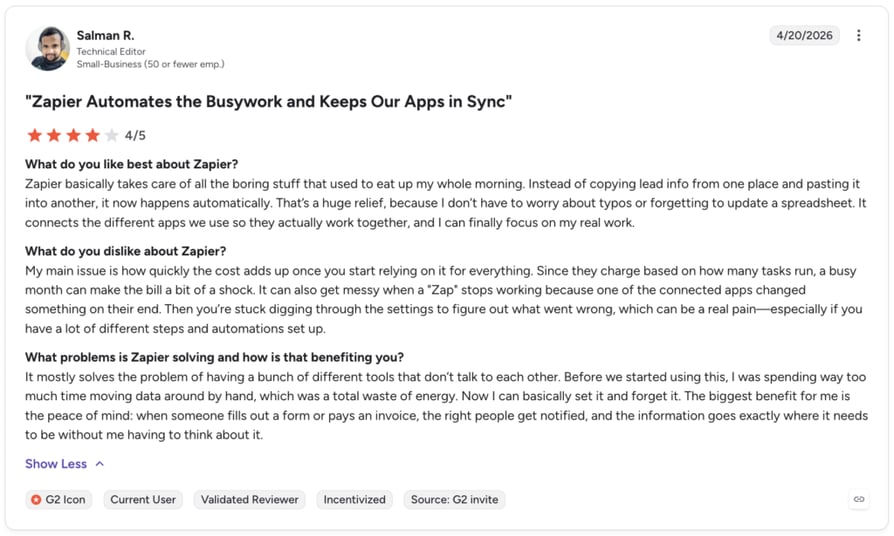
How G2 Users Rate Zapier?
4.5/5 (1,830+ reviews) on G2.
3. n8n: Best for Open-Source, Self-Hosted Workflow Automation
What is n8n?
n8n is a visual, node-based automation platform for companies that want the option to self-host workflows rather than rely exclusively on a vendor's cloud, positioned for teams under 100 employees through enterprise deployments.
Why Is n8n a Strong Lindy AI Alternative?
- Self-hosting is a real option, not just a compliance checkbox. Teams that need full control over data residency can run n8n on their own infrastructure, something Lindy's cloud-only model doesn't offer.
- Deep customization for complex branching logic. The node-based builder supports workflows well beyond simple trigger-action chains.
- AI Workflow Builder credits are bundled into paid tiers, giving teams AI-assisted workflow generation without a separate subscription, similar to the sales automation many CloudTalk customers build on CloudTalk's own API and Zapier connector.
What Are the Pros & Cons of n8n?
n8n
| Pros | Cons |
|---|---|
| Flexibility and depth of customization praised across review summaries | Steep learning curve for newcomers, especially on advanced features |
| Self-hosting option is unique in this list, valuable for regulated teams | The jump from Pro to Business is a 13x price increase (€50 to €667/month) just to unlock Git integration and SSO |
| Unlimited users on every paid tier, unlike per-seat pricing models | Priced in EUR only, adding currency-conversion friction for some buyers |
What Are n8n's Plans & Pricing?
- Starter: €20/month (billed annually). 2,500 workflow executions/month, 5 concurrent executions.
- Pro: €50/month (billed annually). 10,000 executions/month, admin roles.
- Business: €667/month (billed annually). 40,000 executions/month, self-hosted, SSO/SAML/LDAP.
- Enterprise: Contact sales.
- The Scaling Cliff: the Pro-to-Business jump is 13x the price for compliance features many growing teams need well before hitting Business tier's execution volume.
What Are n8n Customers Saying?
- Technical reviewers frequently cite the self-hosting option as the deciding factor over cloud-only competitors.
- The learning curve comes up often, particularly without an engineer dedicated to workflow maintenance.
- Several reviews mention the Business tier price jump as a barrier to adopting features like SSO.
How G2 Users Rate n8n?
4.8/5 (233+ reviews) on G2.
4. Relevance AI: Best for Building Custom AI Agents for Sales and GTM Teams
What is Relevance AI?
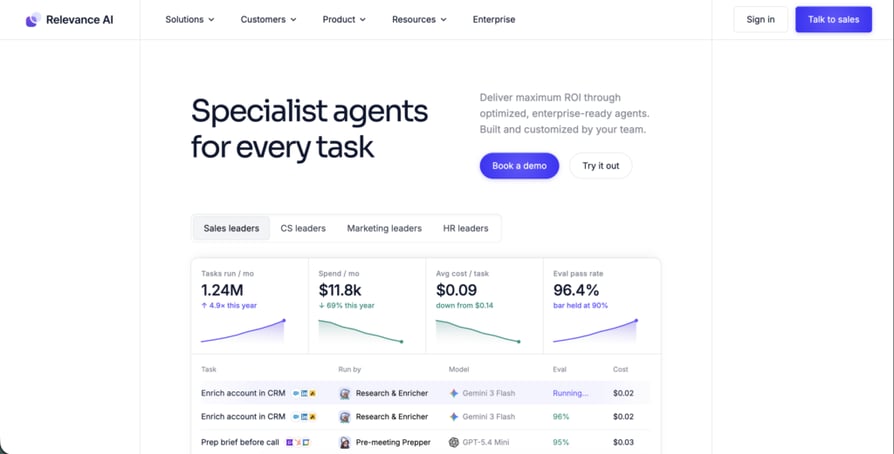
Relevance AI is a platform for building an "AI Workforce," letting sales and GTM teams assemble custom agents for outbound, enrichment, and calling and meeting workflows. It targets teams that want to design their own agents rather than use a fixed template library.
Why Is Relevance AI a Strong Lindy AI Alternative?
- Purpose-built Calling and Meeting Agents. Unlike Lindy's general-purpose builder, Relevance AI names calling and meeting workflows as a specific, supported use case on its Enterprise tier, aimed at the same AI voice agents for lead qualification workflows CloudTalk's AI Voice Agent targets.
- A free tier for early testing. Teams can start building agents before committing to a paid plan.
- 2,000+ integrations on the Enterprise tier give GTM teams room to connect calling agents to the rest of their stack.
What Are the Pros & Cons of Relevance AI?
Relevance AI
| Pros | Cons |
|---|---|
| User-friendly interface for building agents without code, a recurring review theme | Pricing complexity around credit-based usage meters is flagged repeatedly in reviews |
| Generous free tier lets teams test before paying | No-refund policy on a usage-based platform is called out as a specific risk; reviewers describe an agent loop draining a balance overnight |
| Agent Evaluations and A/B testing built into the Enterprise tier | Only the Enterprise tier's pricing is fully published; Free/Pro/Team figures require direct confirmation |
What Are Relevance AI's Plans & Pricing?
- Free: $0/month, reported at 200 Actions/month plus 1,000 one-time Vendor Credits.
- Pro/Team: reported range from $0 to $349+/month depending on scale; confirm current tiers directly before relying on this figure.
- Enterprise: Custom pricing, including unlimited agents, tools, users and 2,000+ integrations.
- The Credit Drain Risk: the dual-meter system (Actions plus Vendor Credits) combined with no-refund billing means a misconfigured agent loop can burn a month's usage allowance overnight.
What Are Relevance AI Customers Saying?
- Reviewers highlight the no-code interface as easy to pick up for building a first agent.
- Several reviews describe the credit-based pricing as difficult to predict month to month.
- The no-refund policy is a specific, repeated complaint, not a general pricing gripe.
How G2 Users Rate Relevance AI?
Reported around 4.3/5 (50+ reviews), though some secondary sources cite a conflicting 4.8/5. Confirm the current figure on G2 before treating either number as final.
5. Bland AI: Best for Developer-Built AI Voice Agents at Scale
What is Bland AI?
Bland AI is a developer-focused platform for building custom, high-volume AI voice agents through an API and webhook-first architecture, often used for cold calling and other outbound-heavy use cases. It targets engineering teams that want to build their own voice agent logic rather than use a no-code builder.
Why Is Bland AI a Strong Lindy AI Alternative?
- Published per-minute pricing, rare in a category where most AI voice vendors are fully quote-based.
- A visual conversation-flow builder (Pathways) gives developers a starting structure instead of building call logic from scratch.
- Voice cloning and knowledge base support scale up to 15 clones and 100 knowledge bases on the top tier, useful for teams running many distinct agent personas.
What Are the Pros & Cons of Bland AI?
Bland AI
| Pros | Cons |
|---|---|
| Deployment speed and webhook flexibility praised by the small pool of existing reviewers | G2 review volume is too low for a reliable rating signal |
| Transparent, published per-minute pricing tiers, unusual for this category | Independent reviews report hallucinated responses, conversational loops and unexpected hang-ups in some deployments |
| No platform fee on the entry Start tier | Real production cost adds per-call minimums and transfer fees on top of the base rate, making the advertised price harder to forecast |
What Are Bland AI's Plans & Pricing?
- Start: $0.14/minute, $0 platform fee, 10 concurrent calls, 1 voice clone.
- Build: $0.12/minute + $299/month platform fee, 5 voice clones.
- Scale: $0.11/minute + $499/month platform fee, 15 voice clones.
- Enterprise: Custom, with on-prem/VPC options.
- The Platform-Fee Trap: every attempted outbound call costs at least $0.015 even unanswered, and transferring to a human adds another $0.03–0.05/minute on top of the base rate.
What Are Bland AI Customers Saying?
- The small pool of reviewers praises fast deployment and flexibility for developers comfortable with webhooks.
- Reviewers report occasional hallucinated responses or awkward handling of unexpected conversation turns.
- The low review count itself matters; G2 flags products with this few reviews as having limited buying-insight confidence.
How G2 Users Rate Bland AI?
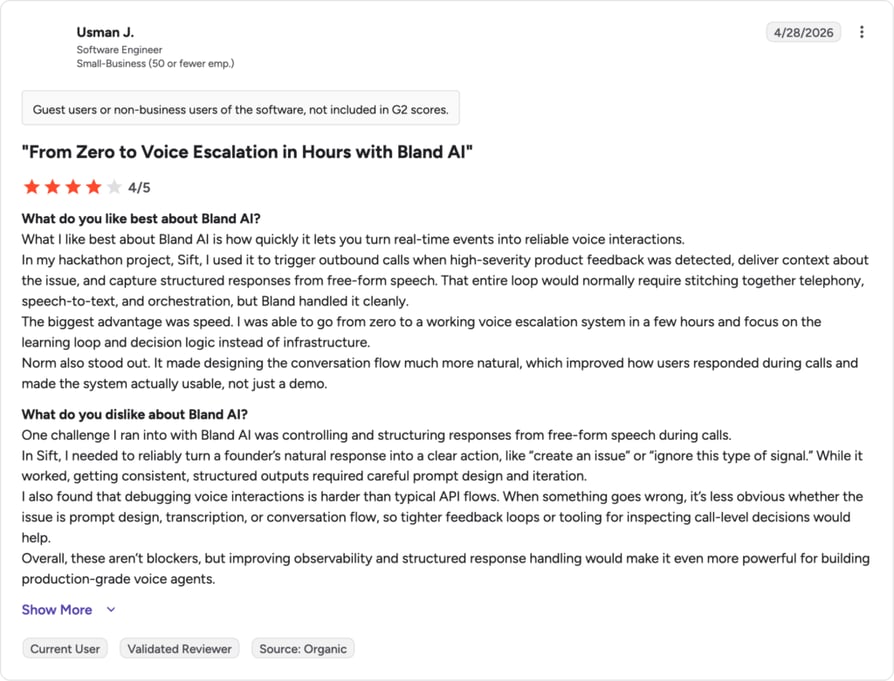
Bland AI's G2 review volume is too low for G2 to display a rating. As of May 2026, Bland AI had just 2 G2 reviews, alongside 3.0/5 on Capterra and 2.9/5 on Trustpilot, both also based on only 2 reviews. Treat any number here as a small-sample signal, not a reliable score. See G2 for current figures.
6. Synthflow AI: Best for No-Code Voice AI at Enterprise Scale
What is Synthflow?
Synthflow is a no-code voice AI builder positioned around avoiding "trial-and-error" setup, aimed at enterprise teams that want heavy onboarding and launch support rather than a self-serve tool, most often for AI call answering and receptionist-style use cases.
Why Is Synthflow a Strong Lindy AI Alternative?
- Vertical templates for named use cases including customer service, receptionist, answering service and appointment setting, ready to configure rather than build from a blank canvas.
- A public ROI calculator lets prospects model expected returns before signing a contract.
- A named case study with Freshworks, citing 65% voice automation across CX workflows on Synthflow's own pricing page.
What Are the Pros & Cons of Synthflow?
Synthflow AI
| Pros | Cons |
|---|---|
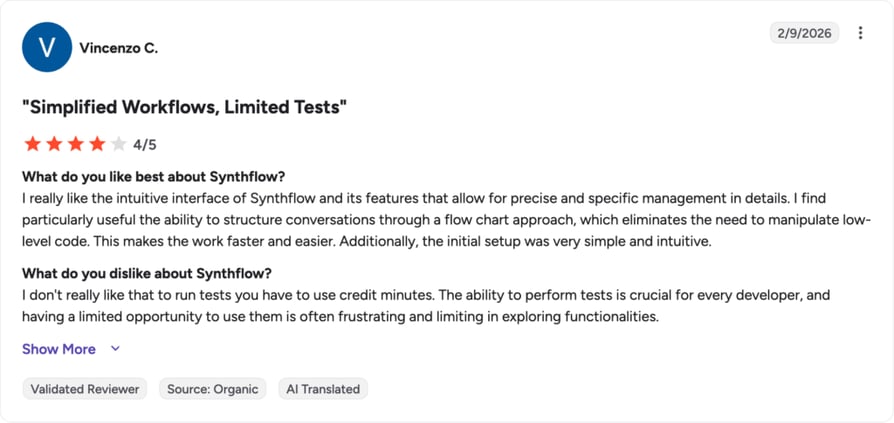
| Ease of use and fast setup is the top-mentioned review theme | Cost is the top-mentioned complaint, consistent with the $30,000/year Enterprise-only pricing floor |
| Delivers on its no-code launch promise, per the most consistent review theme | Latency spikes and awkward handling of unstructured or interruption-heavy conversations reported in review summaries |
| 1,000+ reviews on G2 per Synthflow's own site badge | No visible self-serve or lower tier; every deployment starts with a sales conversation |
What Are Synthflow's Plans & Pricing?
- Enterprise: contracts starting at $30,000/year, scoped around call volume, concurrency, telephony setup and integrations.
- The Enterprise-Only Catch: an earlier, lower-priced entry tier referenced on some third-party review sites does not appear on Synthflow's current pricing page. Treat any sub-$30,000 figure as potentially outdated.
What Are Synthflow Customers Saying?
- Reviewers most often mention ease of use and how quickly they got an agent live.
- "Expensive" is the single most-repeated complaint across review summaries.
- Some reviewers describe latency issues on calls with frequent interruptions or unstructured exchanges.
7. Retell AI: Best for Developer-First AI Voice Agent Infrastructure
What is Retell AI?
Retell AI is a component-based voice AI infrastructure platform for developers who want granular control over the stack, breaking out LLM, voice infrastructure, text-to-speech and telephony costs as separate line items rather than one blended rate, worth weighing against CloudTalk's own voice AI pricing.
Why Is Retell AI a Strong Lindy AI Alternative?
- Pricing transparency down to the component level, unusual in a category where most vendors quote one blended number.
- Broad model and voice choice, across multiple LLM providers and TTS vendors, so teams aren't locked into one stack.
- Toggleable add-on modules for knowledge bases, denoising, safety guardrails and PII removal, priced separately so teams only pay for what they use.
What Are the Pros & Cons of Retell AI?
Retell AI
| Pros | Cons |
|---|---|
| Component pricing transparency builds buyer trust, verified on their own pricing page | No single advertised rate; buyers must model each cost component to forecast a real monthly bill |
| Reviewers reportedly frame Retell as strong value against Vapi and Bland AI due to lower base rates | Premium and complex for teams that want flat, predictable per-seat pricing |
| Custom telephony support alongside Retell, Twilio and Telnyx | Published G2 review counts are unverified and inconsistent across sources |
What Are Retell AI's Plans & Pricing?
- Pay-as-you-go: $0.07 to $0.31/minute depending on configuration; roughly $0.055/min voice infrastructure plus $0.003 to $0.08/min LLM plus $0.015 to $0.04/min TTS plus telephony and add-ons.
- Enterprise: Custom, with no concurrency cap and dedicated infrastructure.
- The Advertised-Rate Gap: the headline $0.07/minute figure covers voice infrastructure only; real production cost, once LLM, TTS and telephony are added, commonly lands between $0.13 and $0.31/minute.
What Are Retell AI Customers Saying?
- Developers reportedly favor Retell over Vapi or Bland AI for its lower base rates and lack of a platform fee.
- Some reviewers describe the multi-component pricing as harder to forecast up front, though transparent once understood.
- Review-count figures circulating online are inconsistent; treat any specific number with caution until independently confirmed.
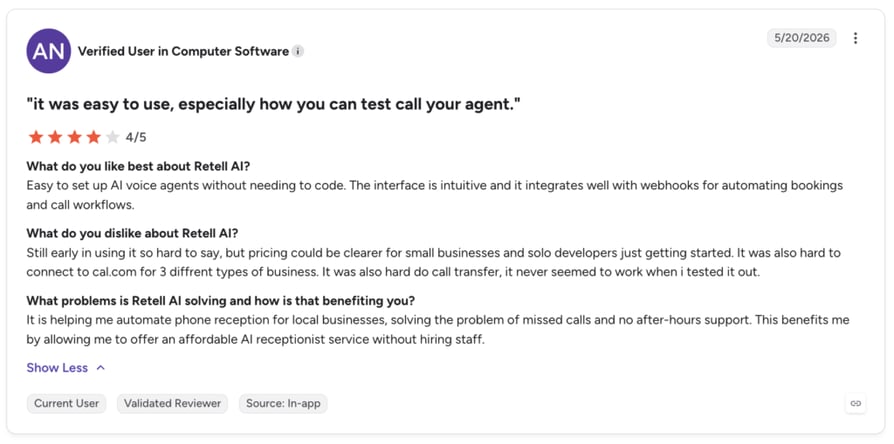
How G2 Users Rate Retell AI?
Some secondary sources cite a rating as high as 4.8/5 with an unusually large review count that appears inflated by conflating Retell's G2 seller page with its specific product listing. See the current figure directly on G2.
8. Vapi: Best for Usage-Based, Developer-Flexible Voice AI Builds
What is Vapi?
Vapi is a developer platform for building voice AI agents with usage-based pricing and no long-term commitment to start, aimed at teams that want to prototype quickly before scaling, similar to how CloudTalk customers evaluate the benefits of AI voice agents for sales and support before committing to a platform.
Why Is Vapi a Strong Lindy AI Alternative?
- No annual contract on the entry Build tier, letting teams test an idea before committing budget.
- Bring-your-own-model flexibility, so teams aren't locked into one LLM or voice provider.
- Explicit, separately priced compliance add-ons (HIPAA at $2,000/month, Zero Data Retention at $1,000/month) instead of hiding compliance costs in a base rate.
What Are the Pros & Cons of Vapi?
Vapi
| Pros | Cons |
|---|---|
| Fast time-to-first-agent; reviewers report learning the basics in about an hour | Latency inconsistency is the most cited complaint, with reviewers reporting swings from 800ms to 4–5 seconds |
| Cost flexibility for small-scale testing with no upfront commitment on the Build tier | Very low G2 review volume undermines confidence in any published rating |
| Model and voice provider choice avoids vendor lock-in | Real production budgets reportedly run $40,000 to $70,000/year once teams move past prototyping |
What Are Vapi's Plans & Pricing?
- Build: usage-based, 60+ minutes included to start, $10/line/month for concurrency, model costs passed through directly.
- Scale: annual contract, custom, with fixed platform fee and enterprise compliance options (SOC 2, HIPAA, PCI, SSO).
- The Prototype-to-Production Gap: the usage-based Build tier is inexpensive to start, but real-world production budgets run far higher once model costs, concurrency and compliance add-ons are factored in.
What Are Vapi Customers Saying?
- Reviewers frequently mention how quickly they got a working prototype live.
- Latency swings between calls are the most consistently reported frustration.
- The small number of published reviews makes any specific rating a weak signal.
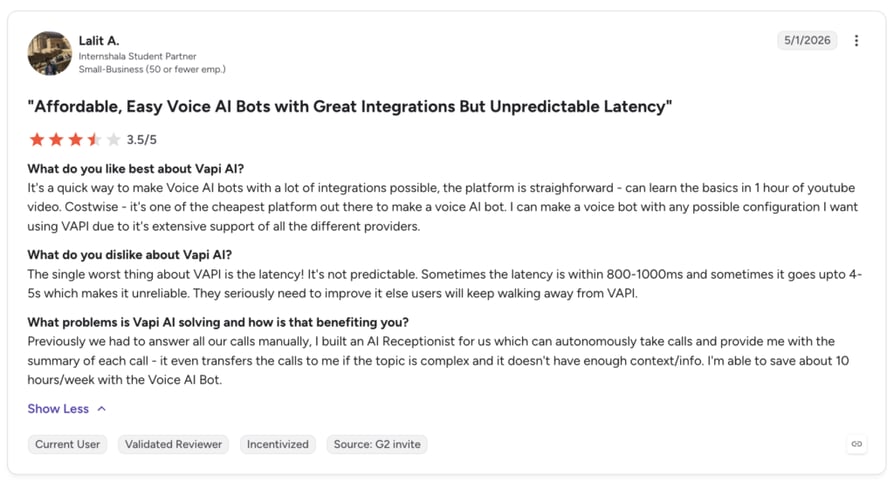
How G2 Users Rate Vapi?
Reported as low as 4.2/5 off roughly 3 reviews. See G2 for the current figure.
9. PolyAI: Best for Enterprise Contact-Center Conversational Voice AI
What is PolyAI?
PolyAI builds voice assistants for large enterprise contact centers in banking, hospitality, insurance, retail and telecom, the same category CloudTalk covers under call center software. PolyAI is positioned around handling natural, extended conversations rather than short scripted exchanges.
Why Is PolyAI a Strong Lindy AI Alternative?
- Enterprise-grade voice quality, the most consistently praised attribute across available review summaries.
- Deep vertical specialization in named industries with high call volumes and complex compliance needs.
- A sales-led deployment model with scoping and demo calls before go-live, which some enterprise buyers prefer over self-serve setup.
What Are the Pros & Cons of PolyAI?
PolyAI
| Pros | Cons |
|---|---|
| Voice quality and naturalism is the single most consistent praise point in reviews | No self-serve option and no published pricing; a six-figure commitment and sales cycle come before a team can test it |
| Deep experience in specific high-compliance verticals like banking and insurance | Occasional performance slowness noted by reviewers |
| Every deployment includes a scoping and demo process before launch | Review volume on G2 is very low, limiting confidence in the published rating |
What Are PolyAI's Plans & Pricing?
- Custom contracts: reportedly starting around $150,000/year; PolyAI does not publish pricing on its own site.
- The No-Trial Catch: there is no free tier and no self-serve signup, so a team cannot evaluate the product hands-on before entering a sales process and a six-figure annual commitment.
What Are PolyAI Customers Saying?
- Reviewers across G2 and Capterra summaries consistently single out voice naturalism as PolyAI's strongest attribute.
- A small number of reviews mention occasional slowness in more complex conversations.
- The absence of a self-serve trial is a recurring theme in how prospects describe buying.
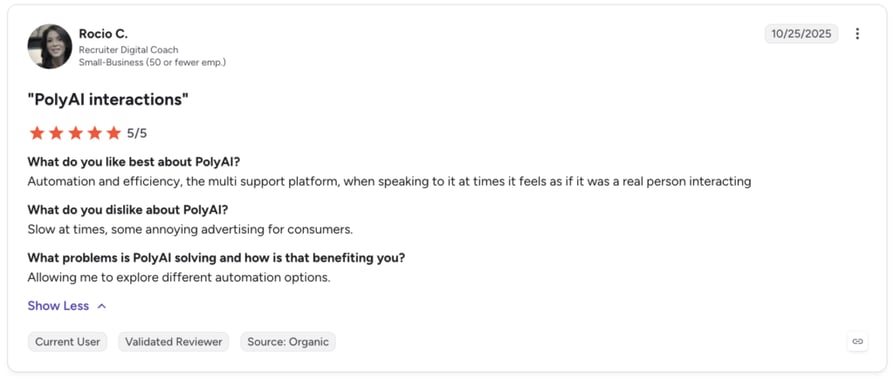
How G2 Users Rate PolyAI?
Reported at 5.0/5 based on a very small sample of roughly 12 reviews. See G2 for the current figure.
10. Voiceflow: Best for Designing Conversational AI Agent Flows Across Voice and Chat
What is Voiceflow?
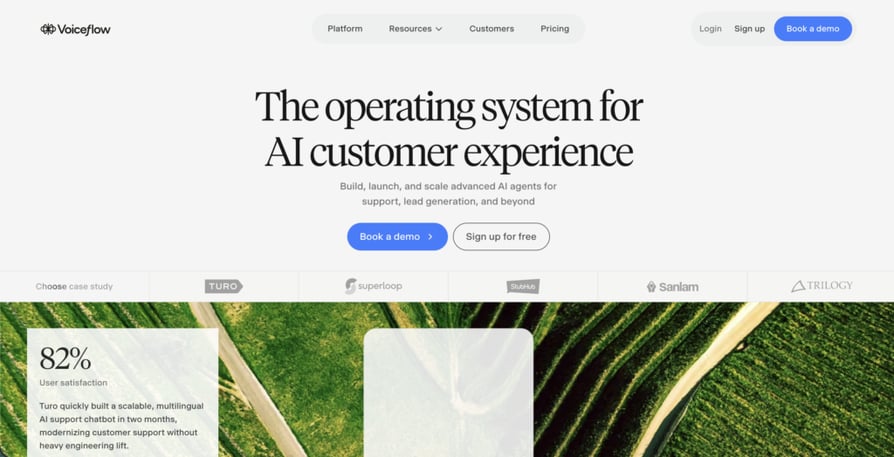
Voiceflow is a platform for building, launching and scaling AI agents across voice and chat from a single design surface, overlapping with what CloudTalk customers look for in broader AI call center technology. It also has a multi-client workspace built for agencies managing several client deployments at once.
Why Is Voiceflow a Strong Lindy AI Alternative?
- One build, two channels. Teams can design a conversation flow once and deploy it across voice and chat rather than maintaining separate logic for each.
- Multi-client workspace management, purpose-built for agencies running multiple client accounts and billing arrangements from one account.
- No model lock-in, with access to all major LLM providers or the option to bring your own.
What Are the Pros & Cons of Voiceflow?
Voiceflow
| Pros | Cons |
|---|---|
| Drag-and-drop flow builder is the most-mentioned positive in review summaries | Cost climbs quickly once more team members are added |
| Avoids model lock-in with access to all major LLM providers | The shift to a fully quote-based, demo-gated Business tier is itself a friction point |
| Named a 2026 Best Software Award winner by G2, per Voiceflow's own site | The older, publicly cited credit-based pricing structure appears outdated and no longer matches the live pricing page |
What Are Voiceflow's Plans & Pricing?
- For Agencies & Partners: usage-based billing, free trial available, no credit card required to start.
- For Businesses: fully quote-based; pricing requires a demo or a pricing request.
- The Quote-Gate Catch: third-party sites still cite an older self-serve structure around $60/month per editor, but Voiceflow's current pricing page no longer shows these numbers for Business. Confirm current pricing before comparing costs.
What Are Voiceflow Customers Saying?
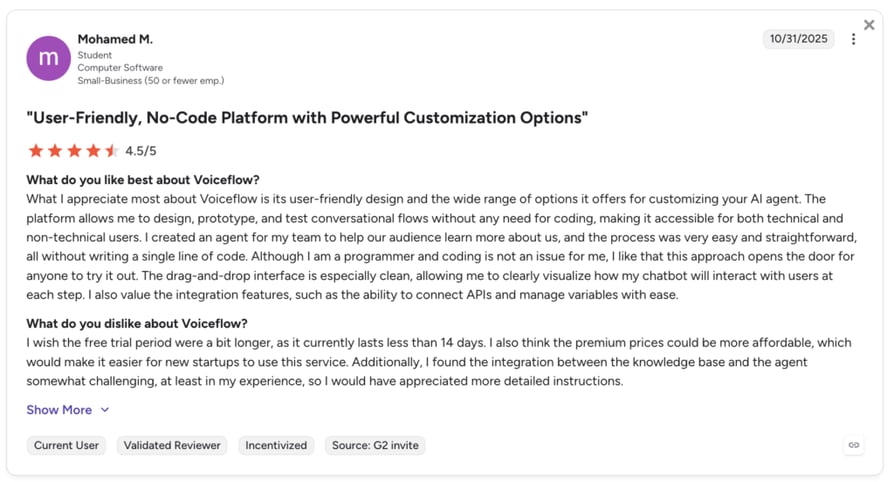
- Reviewers most often cite the visual flow builder as the easiest part of the platform to learn.
- Some reviewers describe the likely-outdated credit system as hard to predict for voice-heavy usage.
- The recent shift toward demo-gated Business pricing is mentioned as a new friction point by some prospects.
How G2 Users Rate Voiceflow?
4.6/5 (110 reviews) on G2.
What Users Are Really Saying About Lindy AI Alternatives and Competitors
What Redditors Are Saying About Lindy AI
In the r/AI_Agents thread "lindy ai alternatives - where does this actually fit?", the original poster compared Lindy to n8n, Dify and Langflow/Flowise, asking whether Lindy does "something fundamentally different" or is "mostly a more polished layer on top of workflows we already know." The top reply didn't hold back.
"Lindy sits in this weird middle ground between no-code automation and agentic AI. The risk I've seen is vendor lock-in—once you build workflows on their platform, you're not easily porting to n8n or anything self-hosted. For production use, I'd honestly lean toward building on n8n + a local LLM API."
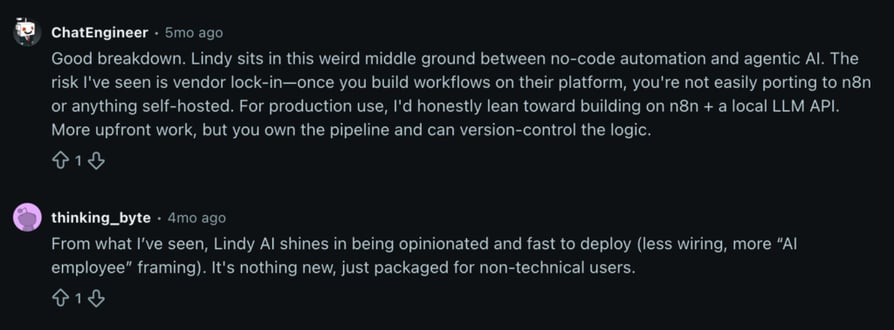
"Shines in being opinionated and fast to deploy… it's nothing new, just packaged for non-technical users."
Neither reply frames the gap in voice-specific terms. The real concern is production reliability and platform lock-in, which lines up with Lindy's positioning as a general-purpose AI employee rather than dedicated calling infrastructure.
What Verified G2 Reviewers Say About Lindy AI
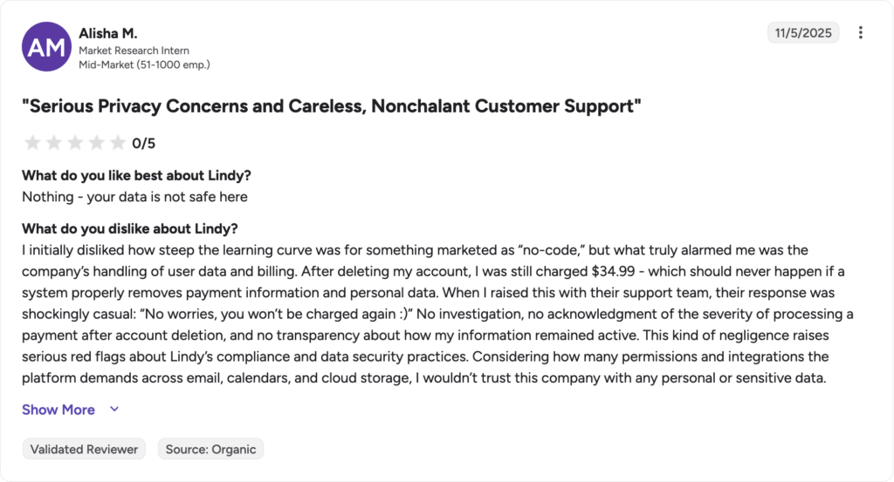
Lindy holds a genuinely strong 4.9/5 average across 171 reviews on G2 as of a May 2026 snapshot, and most individual reviews praise ease of use and setup speed. But the lower-rated reviews are specific and pointed. G2 reviewer Alisha M. (Market Research Intern, mid-market company) rated Lindy 0.5/5, describing a $34.99 charge that hit her account after she deleted it, and support's response to the error.
"After deleting my account, I was still charged $34.99 - which should never happen if a system properly removes payment information and personal data. When I raised this with their support team, their response was shockingly casual: ‘No worries, you won’t be charged again :)’ No investigation, no acknowledgment of the severity of processing a payment after account deletion…"
"Can become a limiting factor for small teams as you need more 'Lindies' or monthly tasks."
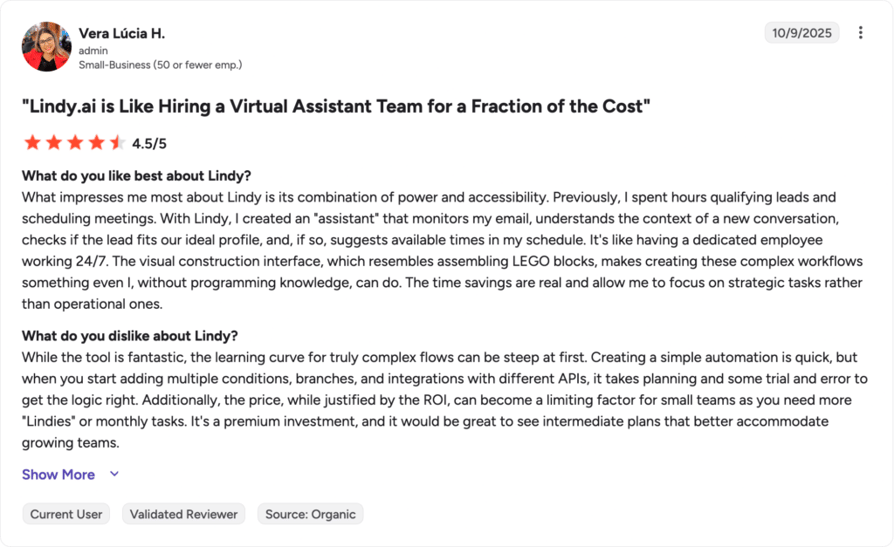
For teams weighing this kind of evidence, CloudTalk's own call quality analysis tools are built to surface reliability issues like these in real time, not after a customer complains on a review site.
What Trustpilot Reviewers Say About Lindy AI
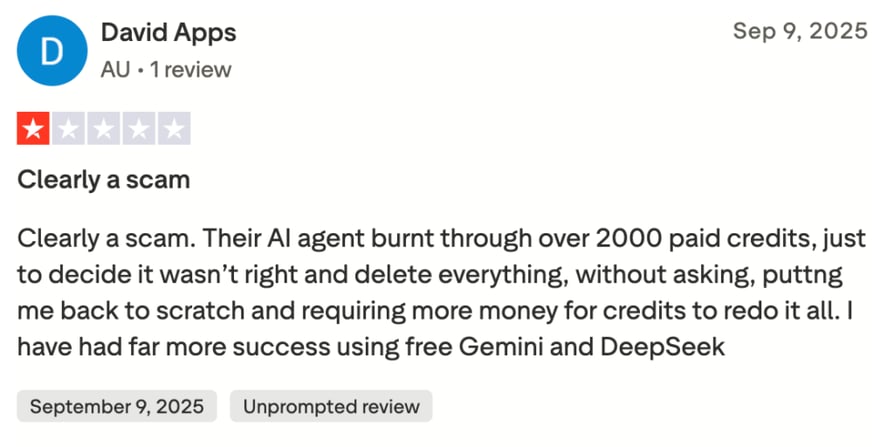
As of July 2026, Lindy sits at 1.7/5 across 36 reviews on Trustpilot, rated "Bad," matching the ~1.7/5 figure circulating in secondary sources. The distribution is heavily one-sided: 78% one-star, 8% five-star.
Their AI agent burnt through over 2,000 paid credits, just to decide it wasn't right and delete everything, without asking, putting me back to scratch and requiring more money for credits to redo it all.
How to Choose the Right Lindy AI Alternative for Your Team?
1. What Is the Best Alternative for Predictable Billing?
If unpredictable credit consumption pushed you to search for a Lindy AI alternative, CloudTalk's flat per-seat pricing removes the guesswork: you know your monthly cost before the month starts, with add-ons like AI Conversation Intelligence priced and disclosed separately.
2. Which Tool Has the Best CRM Sync for Calling Teams?
CloudTalk's native, two-way integrations with HubSpot, Salesforce and Pipedrive sync call history, recordings and AI summaries automatically, so nothing about a customer's history gets lost between calls, which matters for customer retention. Zapier and n8n move data between systems, but neither was built around live call context.
3. What's the Best Option for Voice-Heavy Outbound and Support?
This is CloudTalk's core use case: the AI Sales Dialer, local-presence dialing across 160+ countries and an AI Voice Agent built specifically for phone conversations, all on the same telephony infrastructure so a call never jumps between disconnected systems.
4. Which Is Best for a Small Team on a Tight Budget?
CloudTalk's Starter plan at $25/user/month covers real call routing without forcing a team into Lindy's credit-based model or a per-minute usage tool where costs are harder to predict at low volume.
5. Which Is Best for a Developer Team That Wants Full Infrastructure Control?
Retell AI and Vapi both offer granular, component-level control that appeals to engineers building a custom voice stack. If that same team needs a phone system the rest of the company can use daily, CloudTalk's public API and webhooks let developers extend the platform without giving up the reliability and CRM sync everyone else depends on.
6. Which Is Best for a Large Enterprise Contact Center?
PolyAI and Synthflow both target large, six-figure enterprise deployments with heavy onboarding. For most growing teams, CloudTalk's Expert plan delivers the same outbound-engine capabilities, including real-time call monitoring and advanced call scoring analytics, at a fraction of the commitment and without a mandatory sales cycle just to see pricing.
Ready to Make the Switch from Lindy AI?
Four things change the day a team moves from Lindy AI to CloudTalk: no more dropped or unstable calls, predictable billing instead of a shifting credit meter, live human support instead of a help-center queue, and every call logged and summarized in the CRM your team already uses.
None of that requires a migration project. Most teams make their first calls on CloudTalk within a day of signing up.
Book a Demo to walk through your specific calling setup with our team before you commit to anything.
Frequently Asked Questions about Lindy AI Alternatives
Frequently asked questions
CloudTalk leads for calling-first teams; Zapier and n8n cover general automation; Bland AI, Retell AI and Vapi suit developer-built voice agents. Pick based on whether you need a business phone system or general automation.
Lindy is a general-purpose AI agent builder for inbox, scheduling and admin work, with voice bolted on later. Dedicated AI call center software is built around calling from day one.
Zapier's Professional plan starts at $19.99/month; CloudTalk's Starter plan starts at $25/user/month. See full Lindy AI pricing comparisons before deciding.
CloudTalk and Zapier both onboard new users in under a day; Synthflow and PolyAI require a sales-led setup instead. A ready-made virtual phone system launches fastest for calling teams.
No. Lindy's cheapest plan is $49.99/month. CloudTalk offers a 14-day free trial, and small teams should also compare how a cloud PBX cuts setup costs.
Yes. CloudTalk's Starter plan and Zapier's Free tier both fit small teams, while Synthflow and PolyAI target enterprise budgets only. Look for cold calling software for small businesses instead.
Prioritize call stability, transparent pricing and true two-way CRM sync. Check Salesforce integrations depth specifically, since surface-level logging isn't the same as real sync.