The 10 Best NoCRM Integrations to Streamline Sales in 2026
TLDR:
- 01CloudTalk — best for native calling with conversational AI, AI Voice Agents, and call transcripts
- 02Salesforce — best for syncing contacts, pipelines, and closing data gaps with NoCRM
- 03Zapier — best for connecting NoCRM to 5,000+ apps with custom automation triggers
- 04Google Sheets — best for exporting CRM data into dashboards and team analysis
- 05Slack — best for sending lead updates and alerts to team channels in real time
- 06ActiveCampaign — best for launching email sequences directly from NoCRM deal activity
- 07Pipedrive — best for syncing NoCRM leads to deals, activities, and follow-ups
- 08Intercom — best for routing chat leads into NoCRM and triggering outreach automatically
- 09HubSpot — best for aligning lead nurturing and sales data in one integrated flow
- 10Microsoft Teams — best for sharing lead activity, meeting recaps, and CRM insights across your team
If your sales team is still juggling spreadsheets, toggling between tools, or logging activity manually—you’re burning time and losing deals.
NoCRM integrations change that. By connecting your CRM to the rest of your stack—email, VoIP, marketing tools, and automation platforms—you eliminate bottlenecks, cut down on data entry, and ensure every lead moves forward without friction.
According to McKinsey, reps spend 1.8 hours per day searching for information, costing businesses thousands in lost productivity each month 1. With the right integrations, NoCRM becomes a real-time command center—not just a place to store contacts.


What Is a NoCRM Integration?
A NoCRM integration connects your CRM with the rest of your tech stack—like email platforms, VoIP systems, sales automation tools, or marketing software. These connections allow data to sync automatically, so your team can focus on selling—not tab-switching.
Instead of manually logging updates or chasing context across tools, NoCRM integrations let everything flow in real time. That means smoother workflows, fewer errors, and a faster path to closed deals.
Here’s what they help you do:
- Automate workflows: trigger emails, assign tasks, or update records when someone takes action
- Sync data: make sure contact info, deal status, and activity history stay up to date everywhere
- Trigger actions: set off alerts, create follow-ups, or move pipeline stages based on what happens in other tools
One high-impact example is CloudTalk’s integration with NoCRM. It allows your team to:
- Auto-log calls and sync them with NoCRM records
- Trigger tasks or notes from phone conversations
- Centralize sales activity across voice, CRM, and ticketing tools
Most NoCRM integrations are available via native apps, APIs, or platforms like Zapier—so teams can launch fast, with minimal setup.
The 10 Best NoCRM Integrations to Automate Sales in 2026
NoCRM is powerful on its own—but when it’s connected to the rest of your sales stack, things really take off. From VoIP and automation to CRMs and messaging tools, these NoCRM integrations unlock speed, alignment, and action where it matters most.
Below is a quick-glance table of the 10 best software tools to integrate with NoCRM in 2026:
Integration Summary Table
| Software | Category | Why It’s Useful with NoCRM |
|---|---|---|
| CloudTalk | VoIP/AI | Native calling, conversational AI, AI Voice Agents and call transcripts |
| Salesforce | CRM | Sync contacts, pipelines, and close data gaps |
| Zapier | Automation | Connect NoCRM to 5,000+ apps with custom triggers |
| Google Sheets | Reporting | Export CRM data for dashboards and team analysis |
| Slack | Messaging | Send lead updates or alerts to channels in real time |
| ActiveCampaign | Marketing Automation | Launch email sequences from NoCRM deal activity |
| Pipedrive | CRM | Sync NoCRM leads to deals, activities, and follow-ups |
| Intercom | Messaging Platform | Route chat leads into NoCRM and trigger outreach |
| HubSpot | CRM & Marketing | Align lead nurturing and sales data in one integrated flow |
| Microsoft Teams | Collaboration Platform | Share lead activity, meeting recaps, or CRM insights |
1. CloudTalk - Best For Native Calling With Conversational AI
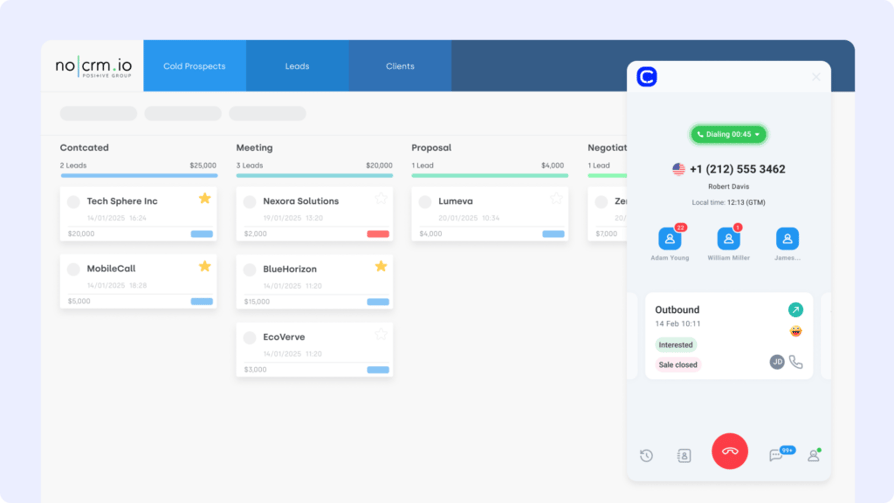
What Is CloudTalk?
CloudTalk is a modern VoIP system and an AI voice agent platform built for sales and support teams that thrive on high-volume calling. Its NoCRM integration ensures every conversation counts by logging calls, notes, and transcripts directly into your lead timelines—no switching tabs, no missed context.
Who Is CloudTalk For?
Use CloudTalk to place and receive calls directly from NoCRM, while syncing caller details, conversation summaries, and custom fields in real time.
What Are CloudTalk's Benefits?
- Keep lead records up to date without manual data entry
- Improve follow-ups with searchable call transcriptions
- Eliminate tool-hopping with built-in voice workflows
What Are CloudTalk's Key Features?
- Real-time call monitoring
- AI-Powered Conversation Intelligence
- Call recording and playback
- Sentiment Analysis
- AI Voice Agents
What Is CloudTalk's Pricing?
CloudTalk offers flexible plans tailored to business needs. With each of its plans offering more value than its competitors:
- Starter: $25/user/month
- Essential: $29/user/month
- Expert: $49/user/month
- Custom: Pricing available upon request
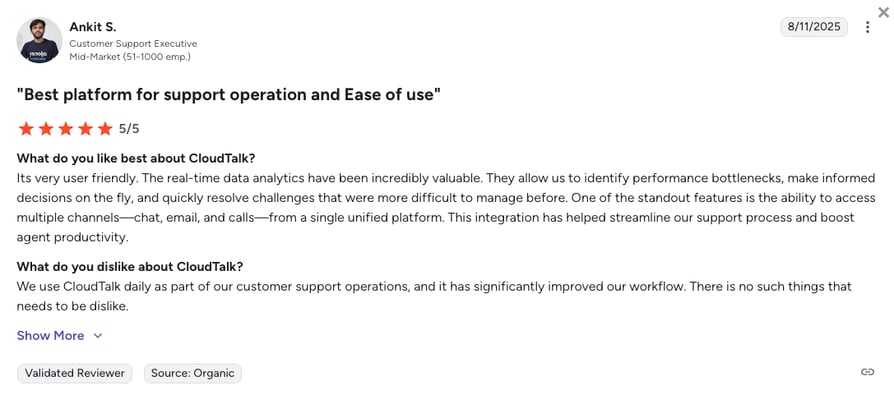
What Do Users Say About CloudTalk?
2. Salesforce (CRM) - Best For Syncing Contacts
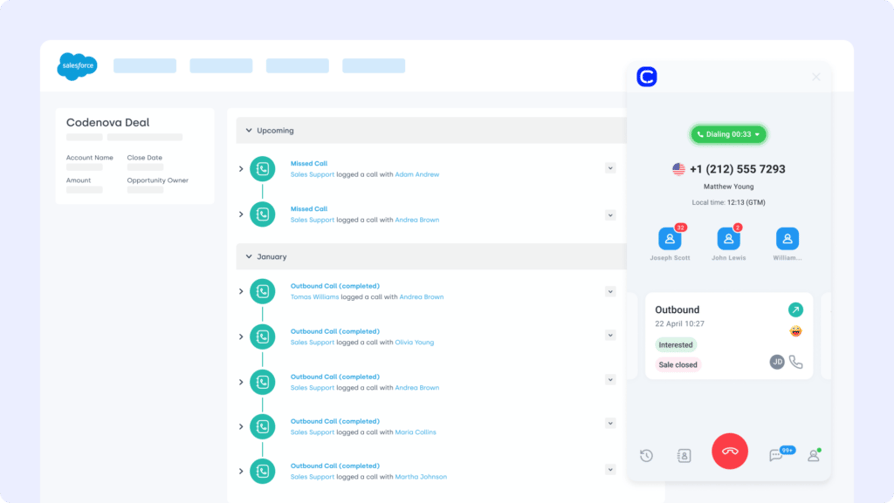
What Is Salesforce?
Salesforce is one of the most widely used CRMs—and the NoCRM Salesforce integration helps bridge the gap between pipeline-driven selling and enterprise CRM management. It syncs deal progress, contacts, and activity between both platforms without redundancy.
Who Is Salesforce For?
Automatically push lead updates, notes, and statuses from NoCRM into Salesforce to keep both platforms aligned—ideal for teams running SDRs in NoCRM and closing deals in Salesforce.
What Are Salesforce's Benefits?
- Sync lead records bi-directionally with no data loss
- Reduce CRM friction between presales and AE teams
- Track pipeline movement in both tools with full visibility
What Are Salesforce's Key Features?
- Contact and deal syncing
- Activity and status push from NoCRM to Salesforce
- Custom field mapping for lead segmentation
What Is Salesforce's Pricing?
Salesforce offers 4 pricing tiers:
- Starter Suite: $25 per user/month
- Pro Suite: $100 per user/month
- Enterprise: $175 per user/month
- Unlimited: $350 per user/month
3. Zapier (Automation Platform) - Best For Multiple NoCRM Connections
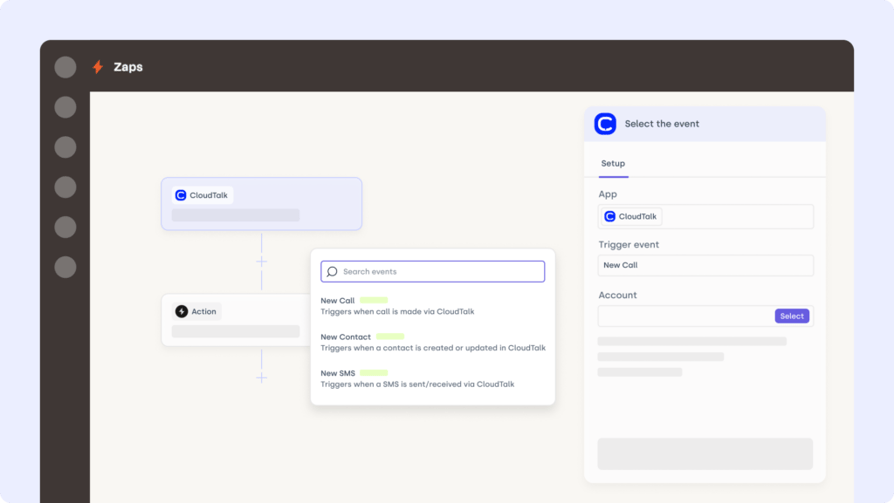
What Is Zapier?
Zapier is the go-to platform for no-code automation. The NoCRM Zapier integration connects your CRM to over 5,000 other tools—letting you build flexible workflows that move leads forward automatically.
Who Is Zapier For?
Trigger email alerts, update spreadsheets, assign tasks, or move deals based on actions in NoCRM—no coding or dev team required.
What Are Zapier's Benefits?
- Automate repetitive CRM actions across tools
- Free up reps by eliminating manual data updates
- Customize lead journeys without switching apps
What Are Zapier's Key Features?
- Set up Zaps from NoCRM triggers like status changes
- Auto-sync data to tools like Slack, Trello, or Gmail
- Filter actions by tag, owner, or pipeline stage
What Is Zapier's Pricing?
Zapier offers various pricing tiers:
- Free: $0/month
- Professional: $19.99/month
- Team: $69/month
- Enterprise: Custom
4. Google Sheets - Best For Exporting CRM Data Into Dashboards
What Is Google Sheets?
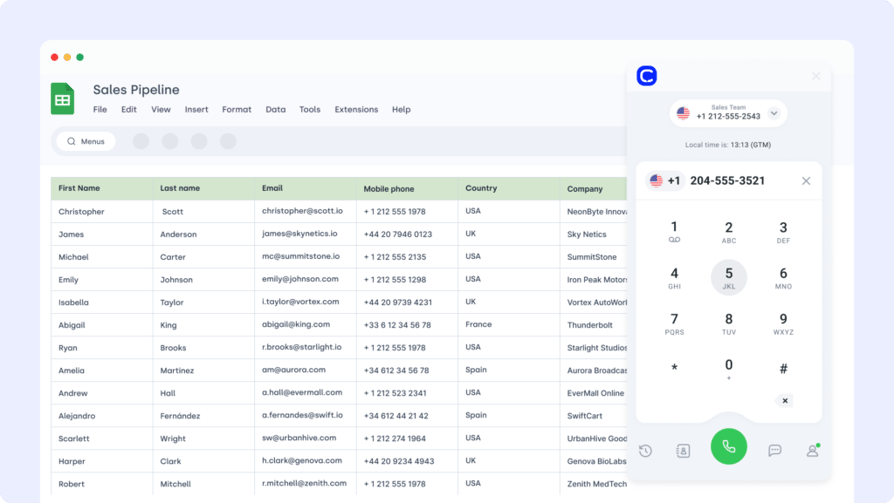
Google Sheets is still a favorite for ad hoc reporting and cross-team visibility. The NoCRM Google Sheets integration lets you export lead data in real time for custom dashboards, stakeholder updates, or offline tracking. You can also connect Facebook Lead Ads to Google Sheets to automatically collect and organize incoming leads, ensuring your CRM and reporting stay perfectly in sync.
Who Is Google Sheets For?
Schedule daily exports of leads marked “hot,” track conversion metrics, or push survey results back into NoCRM for follow-up.
What Are Google Sheets' Benefits?
- Turn NoCRM data into shareable team dashboards
- Automate reporting without CSV exports
- Enable ops and leadership to access up-to-date insights
What Are Google Sheets' Key Features?
- One-click export from NoCRM to Sheets
- Sync specific fields like stage, rep, or value
- Filterable views by pipeline or team
What Is Google Sheets' Pricing?
Free with Google Workspace. Advanced features may depend on add-ons.
5. Slack (Messaging Platform) - Best For Sending Lead Updates and Alerts
What Is Slack?
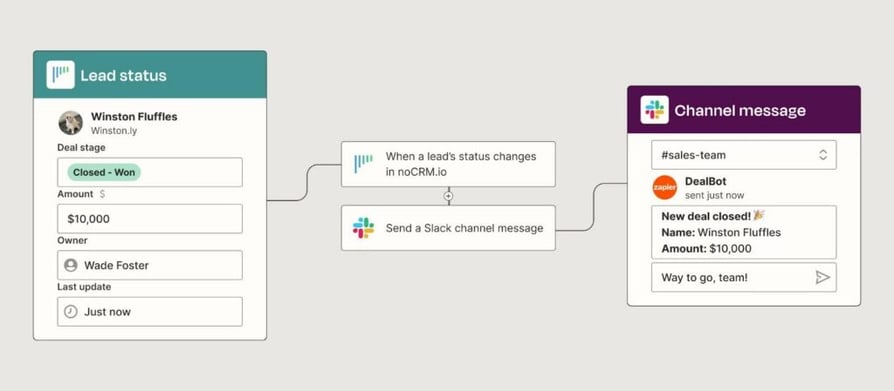
Slack keeps teams aligned in real time—and the NoCRM Slack integration makes sure lead updates, assignments, and deal progress are instantly visible where conversations happen.
Who Is Slack For?
Automatically notify reps or sales managers when a new lead is assigned, a deal moves stages, or a task is overdue—all inside relevant Slack channels.
What Are Slack's Benefits?
- Reduce lead response time with instant Slack alerts
- Improve team visibility into pipeline activity
- Cut down on status meetings with auto-notifications
What Are Slack's Key Features?
- Trigger Slack messages from NoCRM lead updates
- Customize alerts by pipeline, stage, or team
- Route updates to public or private Slack channels
What Is Slack's Pricing?
Slack offers the following plans:
- Free: $0/month
- Pro: $6.75/user/month
- Business+: $15/user/month
- Enterprise: Custom pricing
6. ActiveCampaign (Marketing Automation Platform) - Best For Launching Email Sequences
What Is ActiveCampaign?
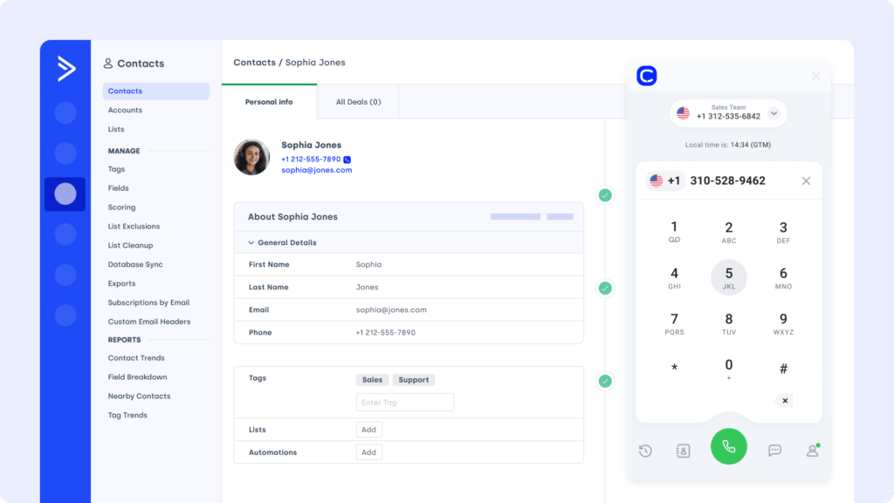
ActiveCampaign blends CRM, email marketing, and automation into one platform. The NoCRM ActiveCampaign integration helps you connect your pipeline data with real-time campaign triggers, ensuring leads are nurtured automatically.
Who Is ActiveCampaign For?
Push leads from NoCRM into ActiveCampaign lists or automations based on deal stage, rep assignment, or status updates.
What Are ActiveCampaign's Benefits?
- Align pipeline movement with email sequences
- Personalize nurture flows using real-time CRM data
- Reduce manual list-building with automated syncing
What Are ActiveCampaign's Key Features?
- Auto-segment contacts from NoCRM to ActiveCampaign
- Trigger campaigns from lead status or actions
- Pair with the NoCRM Salesforce integration to coordinate outreach
What Is ActiveCampaign's Pricing?
- Starter: $15/month
- Plus: $49/month
- Pro: $79/month
- Enterprise: $145/month
7. Pipedrive (CRM) - Best For Syncing NoCRM Leads to Deals
What Is Pipedrive?
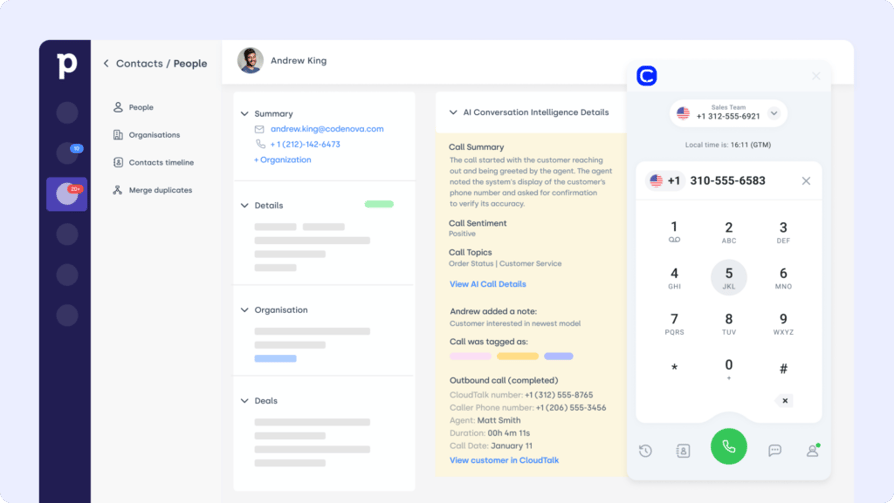
Pipedrive is a sales-centric CRM designed to help reps visualize and manage their deal flow. The NoCRM Pipedrive integration bridges the gap between lightweight lead tracking and pipeline automation.
Who Is Pipedrive For?
Sync leads and activity from NoCRM into Pipedrive stages, automate follow-ups, and align your team around one clear view of each opportunity.
What Are Pipedrive's Benefits?
- Eliminate duplicate data entry between tools
- Move deals faster with workflow triggers
- Connect the NoCRM Salesforce integration for deeper CRM visibility
What Are Pipedrive's Key Features?
- Auto-sync NoCRM leads into Pipedrive stages
- Trigger follow-ups based on deal movement
- Keep contact data and activities unified across systems
What Is Pipedrive's Pricing?
Pipedrive offers flexible plans based on team size and needs:
- Lite: $14/user/month
- Growth: $39/user/month
- Premium: $59/user/month
- Ultimate: $79/user/month
8. Intercom (Messaging Platform) - Best For Routing Chat Leads
What Is Intercom?
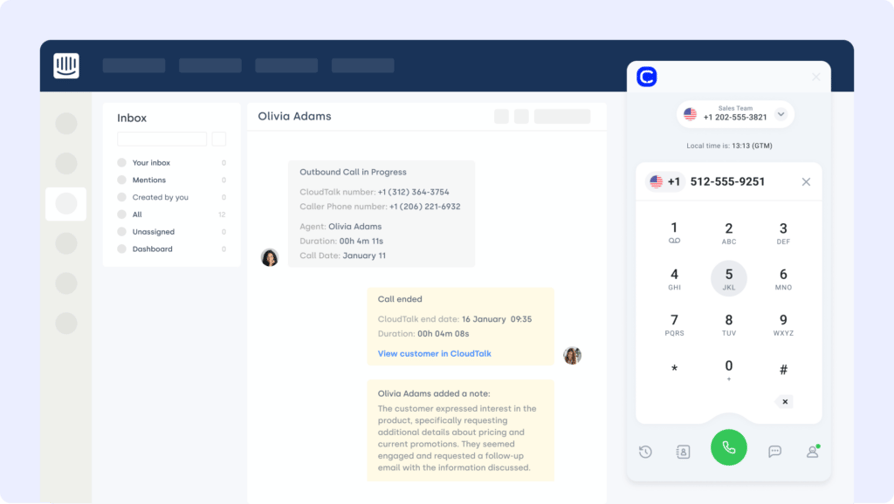
Intercom offers real-time chat, bots, and customer engagement tools. The NoCRM Intercom integration connects conversations to your sales pipeline—making sure hot leads never go cold after a chat ends.
Who Is Intercom For?
Turn Intercom chats into NoCRM leads, attach conversation context, and assign follow-ups automatically based on user behavior.
What Are Intercom's Benefits?
- Convert website chats into qualified NoCRM leads
- Eliminate copy-paste with synced message history
- Speed up handoffs between marketing and sales
What Are Intercom's Key Features?
- Auto-create leads from new Intercom users
- Sync tags, chat transcripts, and contact info
- Coordinate with the NoCRM Salesforce integration to unify your CRM stack
What Is Intercom's Pricing?
Intercom offers pricing based on solution needs:
- Essential: $29/seat/month
- Advanced: $85/seat/month
- Expert: $132/seat/month
- Fin AI Agent: From $0.99
9. HubSpot (CRM) - Best For Aligning Lead Nurturing
What Is HubSpot?
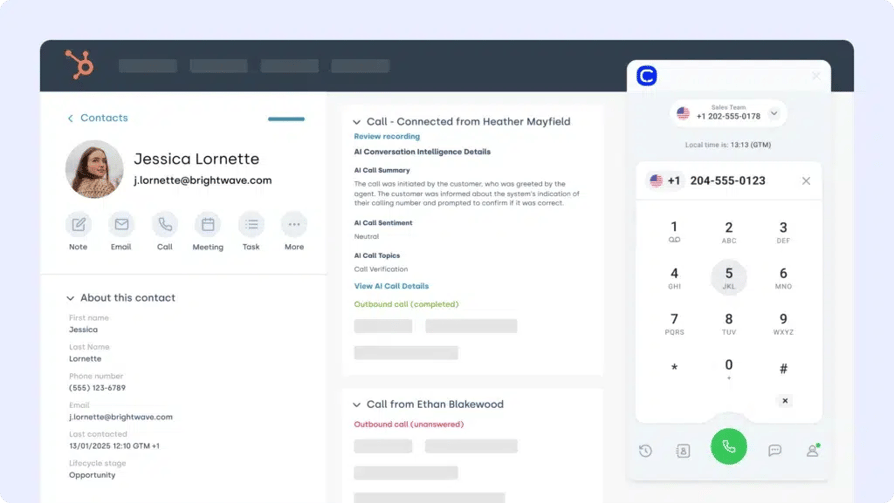
HubSpot is a popular all-in-one CRM that centralizes sales, marketing, and service workflows. The NoCRM HubSpot integration allows you to sync contact data, automate lead creation, and align deal activity across both platforms.
Who Is HubSpot For?
Automatically push new NoCRM leads into HubSpot, trigger workflows from pipeline updates, and maintain a shared view of contact engagement.
What Are HubSpot's Benefits?
- Align CRM and sales data across teams
- Reduce double entry with automated syncing
- Trigger marketing or service workflows from NoCRM
What Are HubSpot's Key Features?
- Bi-directional contact and deal sync
- Trigger HubSpot workflows from NoCRM actions
- Layer into your NoCRM Salesforce integration to unify operations
What Is HubSpot's Pricing?
HubSpot offers a free CRM plan, with paid tiers depending on your team’s size and needs.See HubSpot pricing for details.
- Free
- Starter: $7/seat/month
- Professional: $792/month
- Enterprise: $3300/month
10. Microsoft Teams - Best For Sharing Lead Activity
What Is Microsoft Teams?
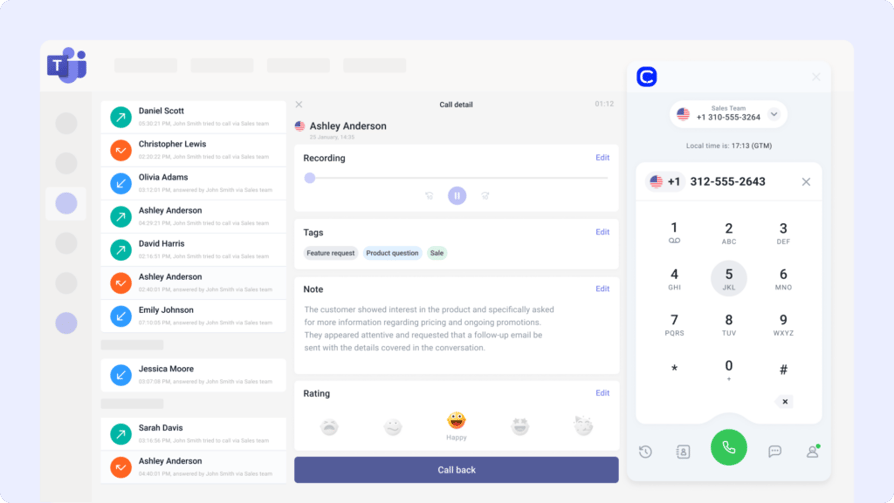
Microsoft Teams unites chat, meetings, and file sharing in one place. The NoCRM Microsoft Teams integration helps sales teams collaborate on deals, share notes, and stay updated without leaving their workspace.
Who Is Microsoft Teams For?
Post deal activity, lead notes, or next steps into Teams channels as they happen—ideal for aligning remote reps or cross-functional sales pods.
What Are Microsoft Teams' Benefits?
- Bring CRM activity into your daily workflow
- Improve sales-team collaboration and speed
- Keep updates visible across sales, ops, and leadership
What Are Microsoft Teams' Key Features?
- Auto-post lead milestones and assignments in Teams
- Embed NoCRM deal links directly in chats
- Combine with the NoCRM Salesforce integration to surface CRM updates
What Is Microsoft Teams' Pricing?
Microsoft Teams offers a free plan, with premium features available in Microsoft 365 bundles:
- Microsoft 365 Business Essentials: $4/user/month
- Microsoft 365 Business Basic: $6/user/month
- Microsoft 365 Business Standard: $12.50/user/month
What Are the Benefits of NoCRM Integration?
Integrating NoCRM with your tech stack does more than just reduce manual work—it creates a lean, focused workflow built for fast-moving sales teams. Here’s what you gain:
- Capture and Qualify Leads Instantly
Integrations let you pull leads from chats, forms, or calls directly into NoCRM—so your reps act while interest is still hot. - Keep Sales Pipelines in Sync
Automatically update deal stages, contacts, and activities across tools like HubSpot, Pipedrive, and Salesforce without toggling tabs. - Boost Rep Productivity with Automation
Trigger tasks, reminders, or campaigns from NoCRM actions—cutting out the busywork and letting reps focus on closing. - Maintain a Clean, Centralized Contact Database
Integration ensures contact records stay accurate and up to date, whether they come from email, CRM, or support tools. - Unify Sales and Support Around Shared Context
With synced timelines and notes, your team always knows who said what, when—and what to do next.
How to Choose the Right NoCRM Integration for Your Business
Tailored guidance for teams evaluating NoCRM integrations that actually drive pipeline movement, not complexity.
Identify Workflow Bottlenecks First
Before you browse features, map out where your team slows down. Is it lead intake? Follow-ups? Use a NoCRM integration solution that eliminates those friction points, not one that adds steps.
Prioritize Tools That Launch Without Developers
If an integration takes weeks to deploy, it’s not helping anyone. Choose NoCRM integration tools like CloudTalk’s NoCRM integration that connect with just a few clicks—no engineering tickets needed.
Choose Platforms That Grow with You
Your tech stack shouldn’t break when your team doubles or lead volume spikes. Pick NoCRM integration options that work across departments and channels, from inbound calling to automated email workflows.
Don't Overlook Data Security
Every tool you connect introduces a new access point. Vet NoCRM integrators for compliance features like audit logs, permission settings, and secure data handling—especially if you're handling PII or financial data.
Make Sure Support Isn’t Just a Bot
When your pipeline goes down, you need answers. Choose NoCRM integration platform providers with responsive human support—not chatbots or "we'll get back to you" tickets.
How to Integrate NoCRM with Other Platforms
NoCRM offers flexible integration paths for teams of all sizes—from solo sellers to scaling ops teams. Whether you’re syncing calls, emails, contacts, or campaign triggers, there’s a setup that fits—no dev team required.
Here’s how most NoCRM integrations work:
- Native App Integrations
Tools like CloudTalk or Pipedrive offer one-click connections directly within NoCRM. These are fast to activate and require no code. - Third-Party Automation Platforms (e.g., Zapier, Make)
Use NoCRM with Zapier to connect over 5,000 tools—automate workflows like syncing Google Sheets or triggering email campaigns in ActiveCampaign. - Custom API Integrations
For more advanced use cases, NoCRM’s robust REST API lets your dev team build bespoke integrations—ideal for edge cases or enterprise setups. - Browser Extensions and Add-ons
NoCRM also works with lightweight add-ons (like Gmail or Slack integrations) that let you create leads or log updates directly from other tools.
No matter which path you choose, the right NoCRM integration solution will cut manual work, centralize your data, and keep your pipeline moving smoothly.
Close More Deals, Not Just More Tabs
A pipeline only performs if your tools play in sync. The follow-up call. The reactivation email. The reminder that actually lands. That’s where NoCRM integrations shine—turning busywork into automation and disconnected data into action.
Whether you’re chasing leads, syncing call notes, or triggering campaigns, it’s not about more software.
It’s about making your stack move as one.
Start with the tool that brings voice, workflows, and follow-ups under one roof.
Try CloudTalk for NoCRM—and turn activity into actual revenue.
Sources:
Frequently asked questions
Yes, the NoCRM integration platform includes a robust API, ideal for building custom NoCRM automation and syncing with other tools.
Some NoCRM integrations, like Zapier, offer free tiers, while others may require paid plans depending on your chosen NoCRM integration tools.
NoCRM software starts at $12/user/month, with pricing based on features like NoCRM cti, NoCRM calling integration, and lead automation tools.
Most NoCRM app integrations take minutes via no-code tools; complex setups like NoCRM Salesforce Integration may require more time.
Yes, the NoCRM integration solution supports multiple connections—like NoCRM Pipedrive Integration, HubSpot, or VoIP platforms.