The 14 Best ActiveCampaign Integrations to Streamline Revenue in 2026

SUMMARY:
We reviewed 30+ tools that connect with ActiveCampaign and chose the 14 best ActiveCampaign integrations for 2026, based on real-world use cases, automation capabilities, ease of setup, and business impact.
14 best ActiveCampaign integrations by use case:
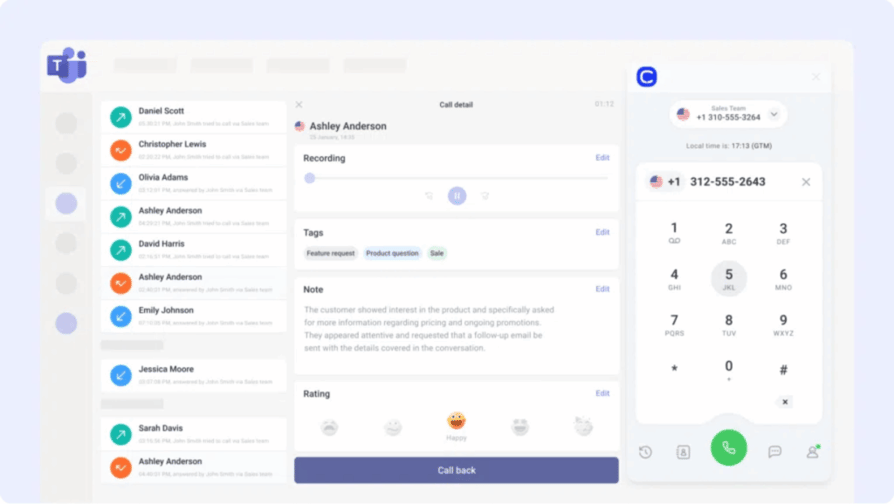
- 01CloudTalk – best ActiveCampaign phone system integration for syncing calls, AI transcripts, and follow-up automations
- 02Salesforce – best for enterprise-grade lead and lifecycle data sync
- 03Pipedrive – best for aligning deal stages with marketing automations
- 04Zoho CRM – best for unifying sales activity and campaign data on a budget
- 05Shopify – best for triggering emails from purchases and tracking LTV
- 06Zoom – best for automating webinar and meeting follow-ups
- 07HubSpot – best for sharing contacts and automations across two marketing systems
- 08Google Sheets – best for pushing campaign data into live dashboards
- 09Front – best for triggering emails from shared inbox activity
- 10LiveAgent – best for launching automations from ticket updates
- 11Zendesk – best for syncing support tickets with contact records
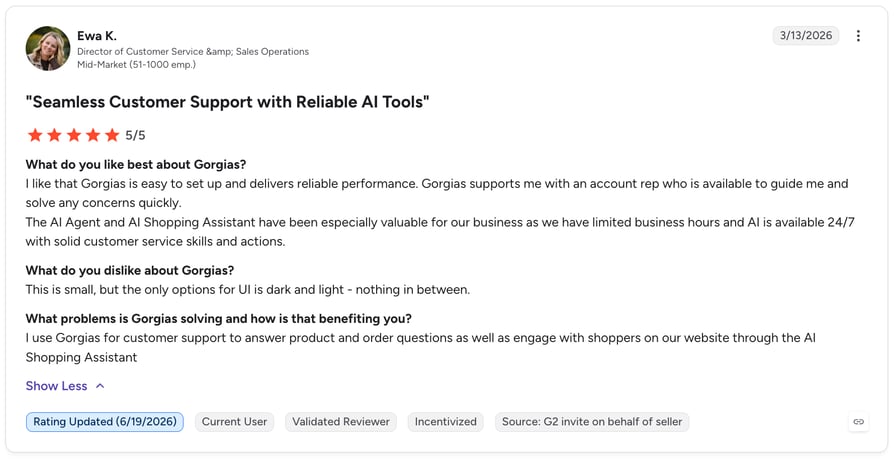
- 12Gorgias – best for ecommerce support-driven campaigns
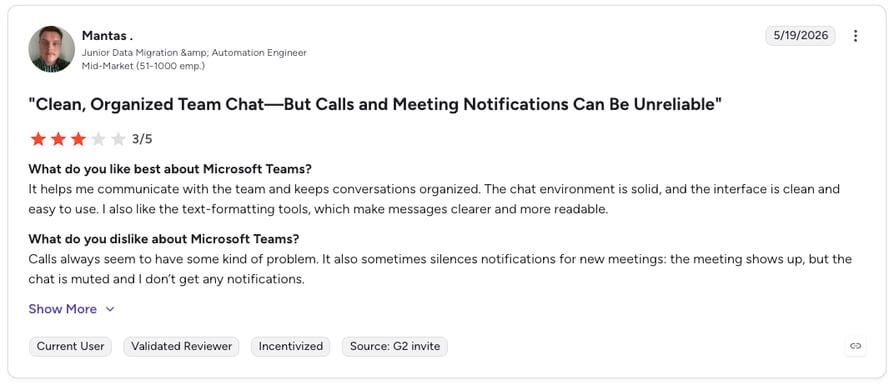
- 13Microsoft Teams – best for pushing campaign updates into team channels
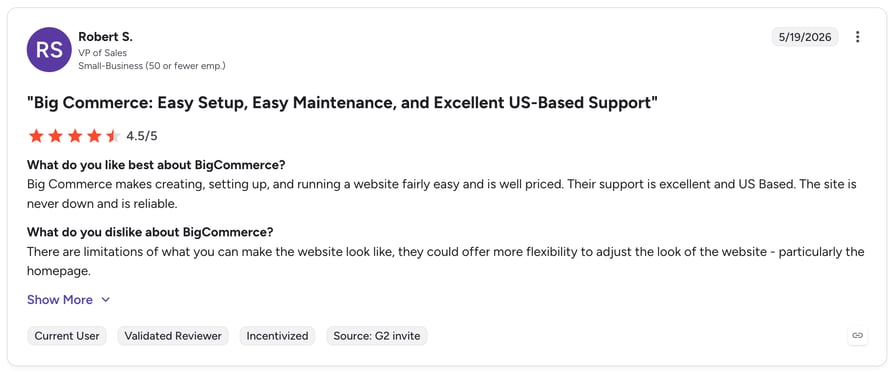
- 14BigCommerce – best for revenue-driven campaign triggers from storefront data
Automation doesn't scale your business—connected systems do.
ActiveCampaign excels at email marketing and customer journeys, but it can't handle your pipeline, call history, support tickets, or ecommerce data alone. Without integrations, key moments slip through the cracks—calls go unlogged, contacts stay outdated, and follow-ups never get triggered.
Plugging ActiveCampaign into the rest of your stack changes that. In fact, McKinsey found that knowledge workers spend nearly 20% of their day just hunting for information1—a gap smart integrations can erase entirely.
This guide spotlights the top ActiveCampaign integrations for solving common business bottlenecks—each selected for its ability to automate a specific task, reduce manual work, and keep your data flowing between platforms.
No more tab-switching. Just seamless workflows.
What Is an ActiveCampaign Integration?
An ActiveCampaign integration connects your marketing automation platform with other tools—like CRMs, calling platforms, ecommerce apps, or helpdesks—to streamline workflows and unify customer data across your stack.
Instead of exporting CSVs or juggling updates manually, integrations keep everything in sync. Contacts, tags, campaign triggers, and lifecycle events flow between tools automatically—so you can act on data the moment it happens.
Here's what they help you do:
- Automate workflows: trigger emails, assign tasks, or update records when someone takes action.
- Sync data: make sure contact info, deal status, and activity history stay up to date everywhere.
- Trigger actions: set off alerts, create follow-ups, or move pipeline stages based on what happens in other tools.
Most ActiveCampaign integrations use native apps, no-code connectors like Zapier or Make, or ActiveCampaign API integrations for custom workflows.
How Many Integrations Does ActiveCampaign Have?
If you're wondering about the ActiveCampaign number of integrations: the platform connects with 900+ apps through its marketplace, and you can browse the full ActiveCampaign native integrations list directly in its app directory—covering CRMs, ecommerce, calling, helpdesk, and analytics tools.
Beyond native apps, connectors like Zapier extend ActiveCampaign to thousands of additional tools, and the RESTful API supports fully custom builds for developer teams.
Does ActiveCampaign Integrate with VoIP and Phone Systems?
Yes. An ActiveCampaign VoIP integration connects your calling platform with your marketing automations—so every call becomes a data point that triggers the right follow-up.
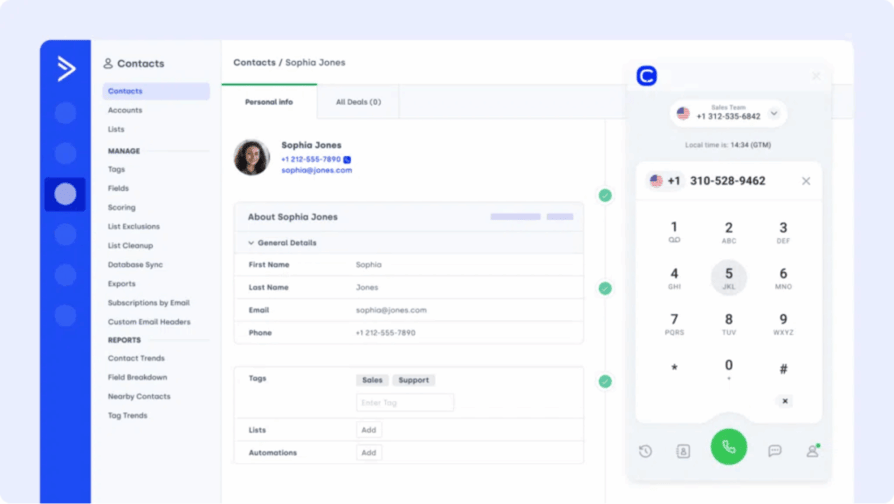
The best ActiveCampaign phone system integration is CloudTalk: it's purpose-built for ActiveCampaign call integration, syncing call outcomes, recordings, and AI transcripts into contact records in real time, and launching automations from missed or completed calls—no manual logging required.
Want ActiveCampaign to talk to your dialer, VoIP, and helpdesk?
How We Chose the Best ActiveCampaign Integrations
To create this guide, we evaluated 30+ tools that connect with ActiveCampaign using verified user reviews, product documentation, feature comparisons, and market research.
We assessed each integration across seven criteria: automation capabilities, data sync quality, ease of setup, real-world business impact, pricing transparency, customer support quality, and scalability for growing teams.
Our sources include verified reviews on G2, Capterra, and TrustRadius, alongside real user discussions on Reddit and Quora. We prioritized tools with consistent user satisfaction scores and actively updated products—not legacy platforms coasting on brand recognition.
Why Trust Our Software Reviews?
For nearly a decade, we've helped over 30,000 professionals choose and implement better communication tools. We've reviewed 200+ products, analyzed 5,500+ verified reviews from G2 and Capterra, and drawn insights from real user discussions on platforms like Reddit or Quora.
In the past year alone, we've published 1,000+ articles, all written and reviewed by humans, for humans, to provide reliable, data-backed insights you can trust.
Learn how we keep our content integrity and our software review methodology.
ActiveCampaign Integrations Comparison Table
| Software | Category | Why It's Useful with ActiveCampaign | G2 Rating |
|---|---|---|---|
| CloudTalk | VoIP + AI | Native calling, conversational AI, AI Voice Agents and call transcripts | 4.4/5 |
| Salesforce | CRM | Sync leads and lifecycle data for full-funnel visibility | 4.4/5 |
| Pipedrive | Sales CRM | Align deal stages, contact data, and automations | 4.3/5 |
| Zoho CRM | CRM | Unify sales activity and campaign data across both platforms | 4.1/5 |
| Shopify | Ecommerce Platform | Trigger emails from purchases, track LTV, and sync contacts | 4.4/5 |
| Zoom | Video Conferencing | Trigger automations from webinar sign-ups and meeting activity | 4.5/5 |
| HubSpot | CRM + Marketing | Share contacts and automate actions across both systems | 4.4/5 |
| Google Sheets | Analytics & Reporting | Push campaign or contact data to live dashboards | 4.6/5 (Workspace) |
| Front | Shared Inbox | Trigger emails based on inbox activity or SLA events | 4.7/5 |
| LiveAgent | Helpdesk Software | Launch automations from ticket updates or missed chats | 4.5/5 |
| Zendesk | Support Platform | Sync tickets and tag-based automations with contact records | 4.3/5 |
| Gorgias | Ecommerce Helpdesk | Trigger messages or updates from tickets or order events | 4.6/5 |
| Microsoft Teams | Collaboration Platform | Send campaign updates, trigger workflows, or sync notes via Teams | 4.4/5 |
| BigCommerce | Ecommerce Platform | Trigger campaigns from purchases, sync revenue data | 4.2/5 |
What Are the Best ActiveCampaign Integrations in 2026?
ActiveCampaign is powerful on its own—but when you connect it to your CRM, helpdesk, calling platform, or ecommerce stack, it becomes the control center for your entire revenue operation. Below are the top 14 ActiveCampaign integrations based on real-world workflows.
#1 CloudTalk: Best ActiveCampaign Phone System Integration for Call Automation
What Is CloudTalk?
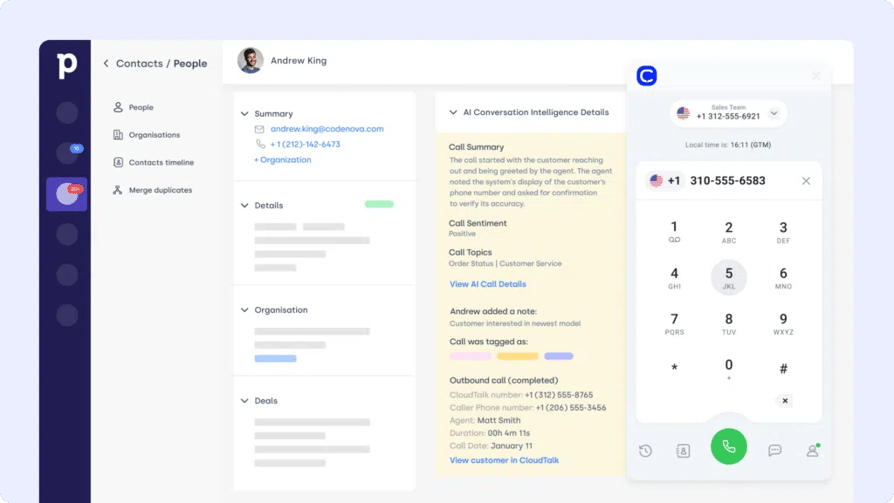
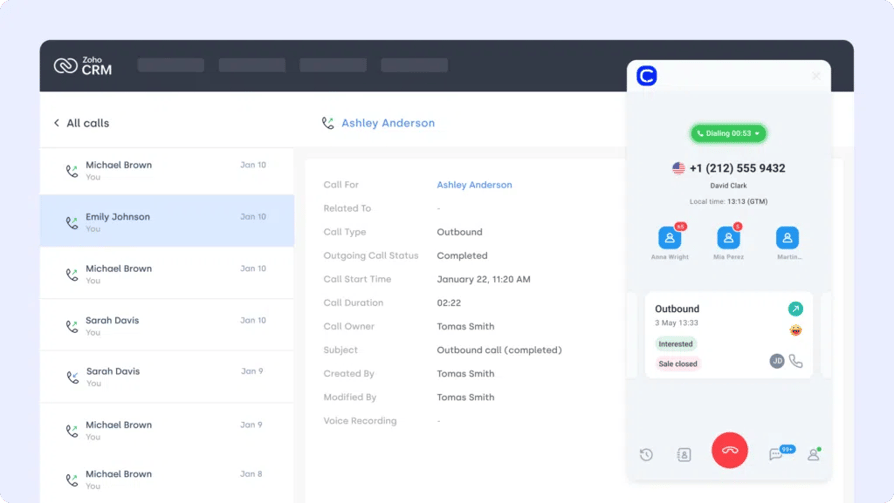
CloudTalk is a modern cloud phone system and an AI voice agent solution built for sales and support teams. Its ActiveCampaign integration connects call activity with automations—so you can trigger follow-ups, log calls, and update contacts without switching tools. It's the go-to ActiveCampaign VoIP integration for teams that live on the phone.
Why Use CloudTalk with ActiveCampaign?
Automatically sync call outcomes and contact info into ActiveCampaign, launch email sequences based on call activity, and keep sales and marketing aligned with live call context—boosting agent productivity with automated call workflows.
What Are CloudTalk's Key Features?
- Real-time call monitoring
- AI-Powered Conversation Intelligence
- Call recording and playback
- Sentiment Analysis
What Is CloudTalk's Pricing?
CloudTalk offers flexible plans tailored to business needs, with a 14-day free trial:
- Starter: $25/user/month
- Essential: $29/user/month
- Expert: $49/user/month
- Custom: Pricing available upon request
What Are G2 Users Rating CloudTalk?
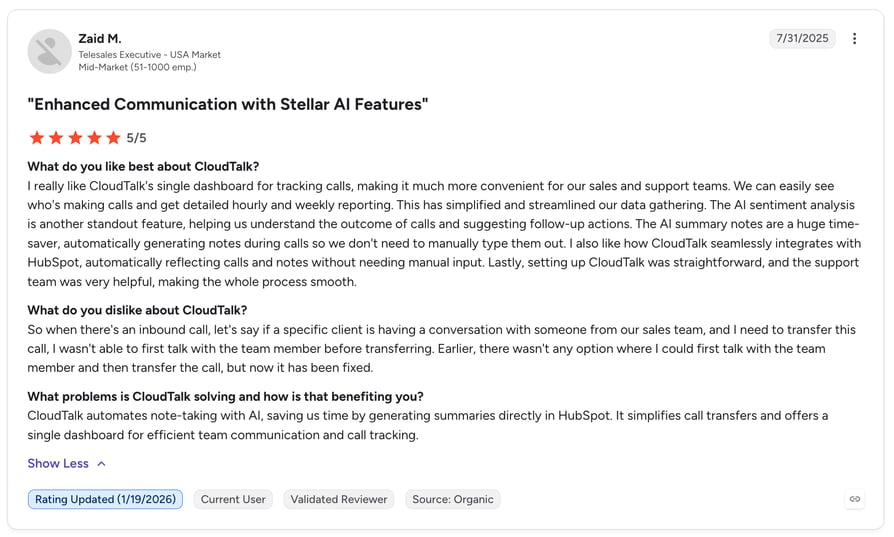
CloudTalk is rated 4.4/5 by 1,702+ verified users on G2.
What Are CloudTalk's Pros & Cons?
| Pros | Cons |
|---|---|
| Native ActiveCampaign call integration with real-time contact sync and AI transcripts | Some advanced features require higher-tier plans |
| Automations trigger instantly from missed or completed calls | As a cloud platform, it relies on a stable internet connection |


#2 Salesforce: Best Salesforce ActiveCampaign Integration for Enterprise Data Sync
What Is Salesforce?
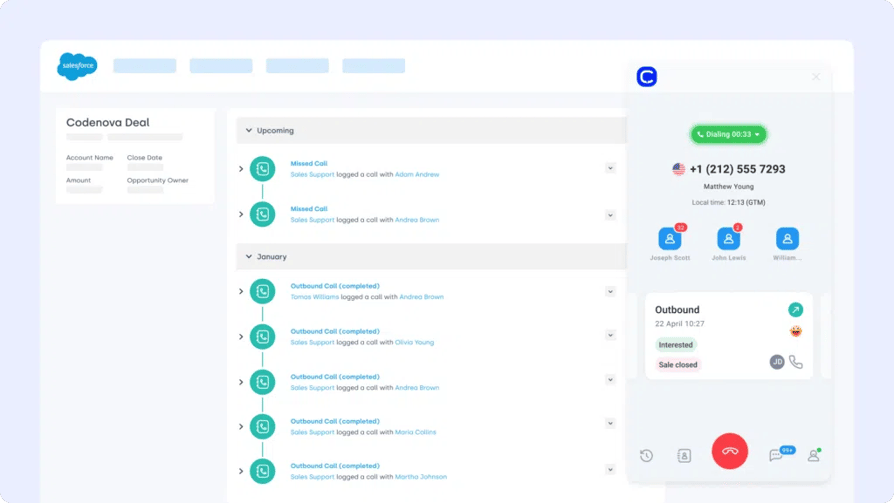
Salesforce is a top-tier CRM trusted by B2B teams worldwide. The Salesforce ActiveCampaign integration bridges your sales pipeline and marketing workflows—ensuring both platforms share lead data, activity, and customer insights.
Why Use Salesforce with ActiveCampaign?
Sync lead activity, campaign tags, and custom field data between Salesforce and ActiveCampaign to ensure lifecycle marketing is driven by real-time sales data—reducing duplicate data entry with two-way contact syncing.
What Are Salesforce's Key Features?
- Map custom fields between Salesforce and ActiveCampaign.
- Trigger campaigns based on CRM activity or stage changes.
- Keep contacts, deals, and campaigns in sync at all times.
What Is Salesforce's Pricing?
- Sales Cloud Essentials: $25 per user/month
- Sales Cloud Professional: $75 per user/month
- Sales Cloud Enterprise: $150 per user/month
- Sales Cloud Unlimited: $300 per user/month
See also our Salesforce dialer pricing guide.
What Are G2 Users Rating Salesforce?
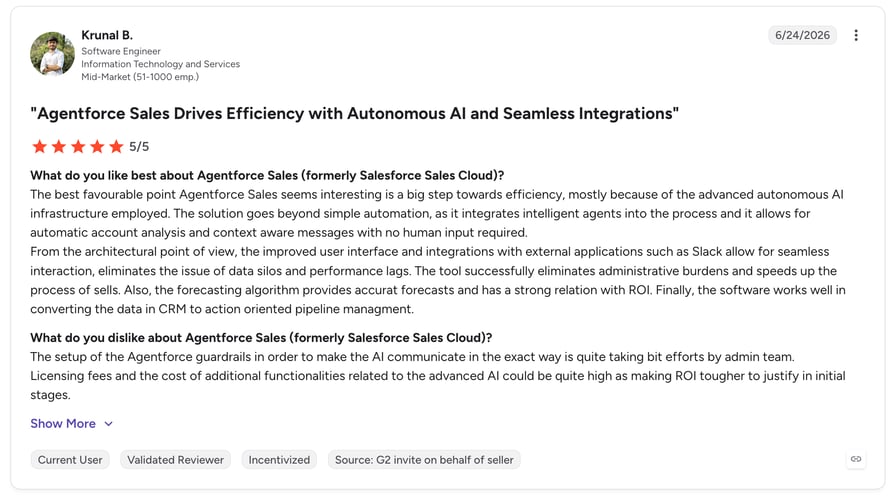
Salesforce Sales Cloud is rated 4.4/5 by more than 24,000 verified users on G2.
What Are Salesforce's Pros & Cons?
| Pros | Cons |
|---|---|
| Deeply customizable with a massive app ecosystem | Steep learning curve and setup often requires admins or consultants |
| Enterprise-grade reporting, forecasting, and pipeline visibility | High total cost of ownership beyond license fees |
#3 Pipedrive: Best ActiveCampaign Pipedrive Integration for Sales-Marketing Alignment
What Is Pipedrive?
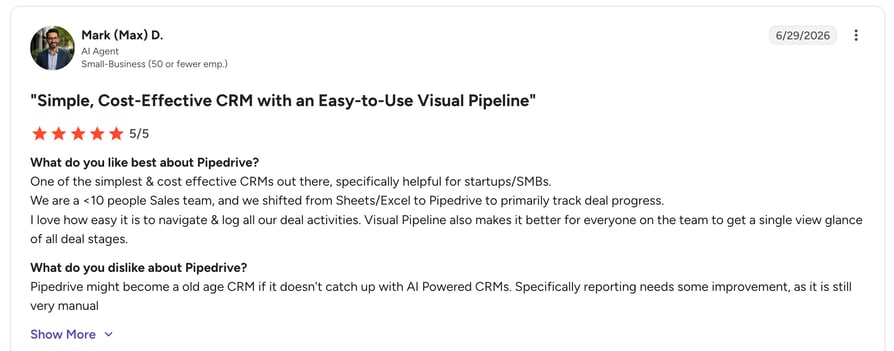
Pipedrive is a sales-focused CRM known for its visual pipeline and deal-tracking simplicity. The ActiveCampaign Pipedrive integration helps you align automations with sales stages—so every lead is nurtured based on where they are in the funnel.
Why Use Pipedrive with ActiveCampaign?
Automatically sync contacts and deal activity between both tools, and trigger emails or tasks when deals move stages or get tagged in the CRM—connecting deal progress with targeted automations.
What Are Pipedrive's Key Features?
- Two-way sync of contact and deal data.
- Launch automations from stage updates in Pipedrive.
- Map custom fields to personalize outreach.
What Is Pipedrive's Pricing?
- Essential: $14.90/user/month
- Advanced: $27.90/user/month
- Professional: $49.90/user/month
- Power & Enterprise: Custom pricing
What Are G2 Users Rating Pipedrive?
Pipedrive is rated 4.3/5 by more than 2,900 verified users on G2.
What Are Pipedrive's Pros & Cons?
| Pros | Cons |
|---|---|
| Visual, intuitive pipelines with quick onboarding | Limited customization compared to enterprise CRMs |
| Strong automation for repetitive sales tasks | Reporting depth is lighter on lower-tier plans |
#4 Zoho CRM: Best ActiveCampaign Zoho CRM Integration for Budget-Friendly Automation
What Is Zoho CRM?
Zoho CRM is a flexible platform used by small and mid-sized businesses to manage leads and workflows. The ActiveCampaign Zoho CRM integration lets you connect marketing campaigns to real-time customer data—so your automations are always one step ahead.
Why Use Zoho CRM with ActiveCampaign?
Use Zoho CRM activity—like deal creation, lead scoring, or tag changes—to trigger email sequences, contact updates, or task assignments in ActiveCampaign, eliminating busywork with no-code integration triggers.
What Are Zoho CRM's Key Features?
- Bi-directional sync of leads, deals, and tags.
- Launch automations based on CRM changes or filters.
- Align Zoho CRM workflows with email campaigns seamlessly.
What Is Zoho CRM's Pricing?
- Standard: $14/user/month
- Professional: $23/user/month
- Enterprise: $40/user/month
- Ultimate: $52/user/month
What Are G2 Users Rating Zoho CRM?
Zoho CRM is rated 4.1/5 by more than 2,700 verified users on G2.
What Are Zoho CRM's Pros & Cons?
| Pros | Cons |
|---|---|
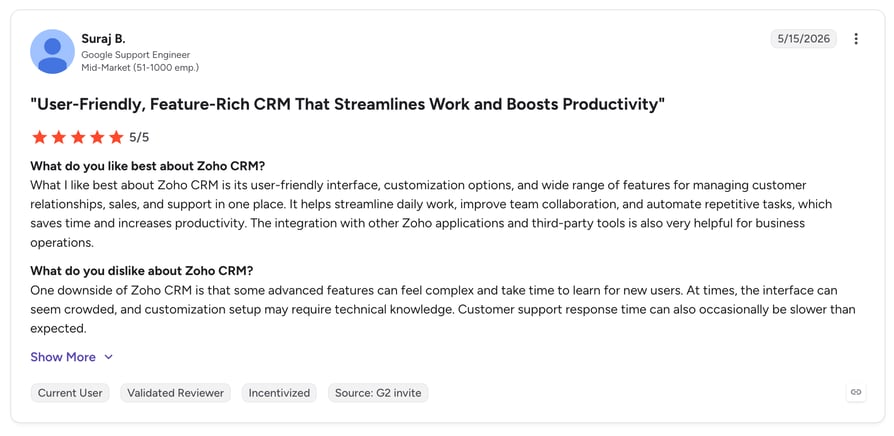
| Feature-rich and affordable, with a free plan for small teams | Customization and setup can overwhelm beginners |
| Strong ecosystem of connected Zoho apps | Customer support quality is inconsistent on lower tiers |
#5 Shopify: Best ActiveCampaign Integration for Ecommerce Personalization
What Is Shopify?
Shopify powers ecommerce for millions of merchants. The ActiveCampaign Shopify integration helps you turn purchase data into personalized marketing—automatically syncing customer info, order history, and behavior with your campaigns.
Why Use Shopify with ActiveCampaign?
Trigger email sequences, abandoned cart follow-ups, or upsell automations based on real-time Shopify purchase activity or customer tags—improving LTV with personalized, behavior-driven outreach.
What Are Shopify's Key Features?
- Auto-sync Shopify customers and orders to ActiveCampaign.
- Trigger automations from product tags, spend level, or cart status.
- Segment contacts based on purchase behavior or product type.
What Is Shopify's Pricing?
- Basic: $39/month
- Shopify: $105/month
- Advanced: $399/month
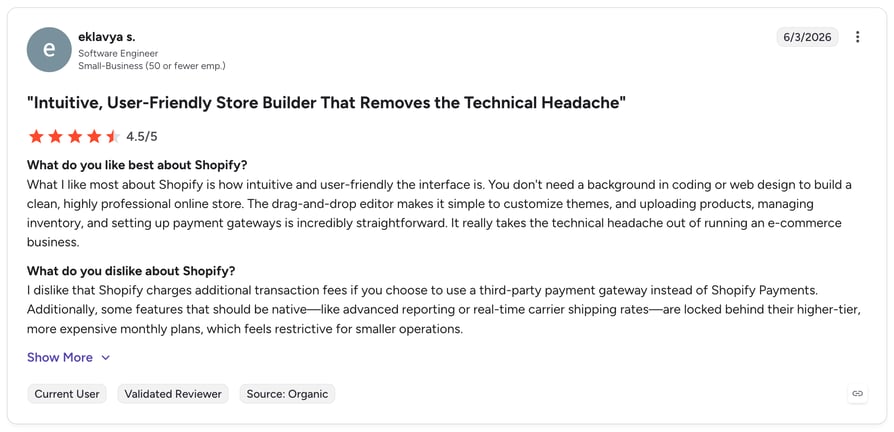
What Are G2 Users Rating Shopify?
Shopify is rated 4.4/5 by more than 4,600 verified users on G2.
What Are Shopify's Pros & Cons?
| Pros | Cons |
|---|---|
| All-in-one ecommerce platform that is easy to set up and scale | Costs add up with paid apps, premium themes, and transaction fees |
| Strong multichannel selling and integration ecosystem | Design customization is limited without development work |
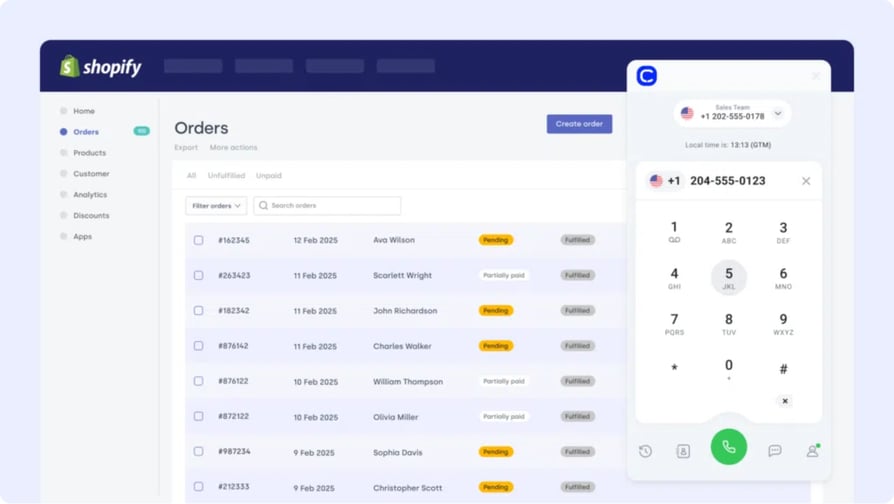
Discover the Future of Conversations
#6 Zoom: Best ActiveCampaign Zoom Integration for Webinar Follow-Ups
What Is Zoom?
Zoom is one of the world's most widely used video conferencing and webinar platforms. The ActiveCampaign Zoom integration turns meetings and webinars into automation triggers—so registrations, attendance, and no-shows all feed your marketing workflows.
Why Use Zoom with ActiveCampaign?
Sync webinar registrants into ActiveCampaign lists, tag attendees vs. no-shows automatically, and trigger tailored follow-up sequences after every session—via the native app or Zapier.
What Are Zoom's Key Features?
- Auto-add webinar registrants as ActiveCampaign contacts.
- Tag contacts by attendance status for segmented follow-ups.
- Trigger automations from meeting or webinar activity.
What Is Zoom's Pricing?
Zoom offers a free Basic plan, with paid plans starting at $13.33/user/month (billed annually). Webinar capabilities are available as paid add-ons.
What Are G2 Users Rating Zoom?
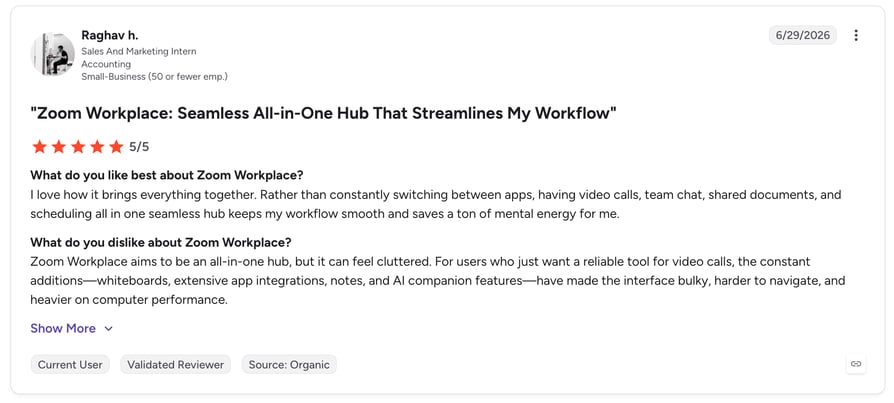
Zoom Workplace is rated 4.5/5 by more than 50,000 verified users on G2.
What Are Zoom's Pros & Cons?
| Pros | Cons |
|---|---|
| Reliable, familiar platform with strong webinar tools | Webinar features require paid add-ons |
| Easy automation triggers via native app or Zapier | Deeper CRM-style segmentation needs extra configuration |
#7 HubSpot: Best ActiveCampaign Integration for Dual CRM-Marketing Setups
What Is HubSpot?
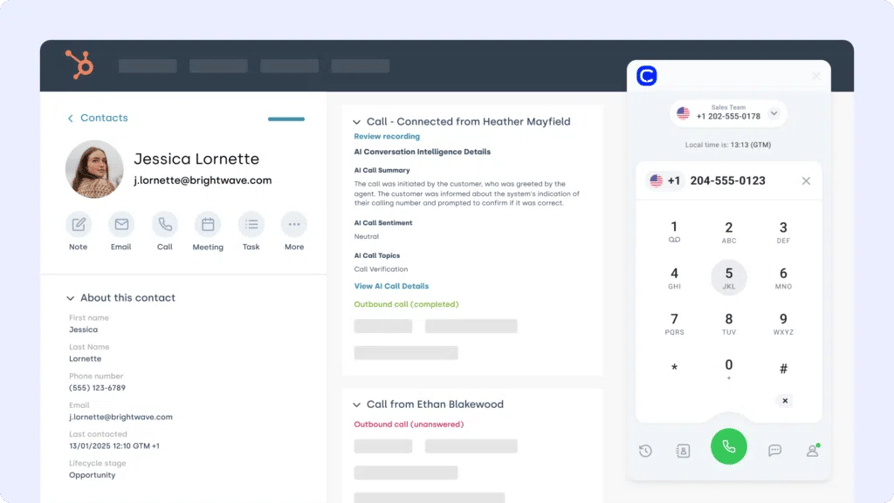
HubSpot is a powerful CRM and marketing platform. The ActiveCampaign HubSpot integration connects both tools so your campaigns reflect what's actually happening in your pipeline—no manual imports or lagging updates.
Why Use HubSpot with ActiveCampaign?
Keep HubSpot contacts, forms, and deal activity in sync with ActiveCampaign to drive real-time automations based on CRM behavior or lifecycle changes.
What Are HubSpot's Key Features?
- Sync contacts, tags, and engagement data between platforms.
- Map lifecycle stages and form responses to ActiveCampaign.
- Trigger email flows or internal tasks from HubSpot events.
What Is HubSpot's Pricing?
HubSpot offers a free CRM plan, with paid tiers depending on your team's size and needs. See HubSpot pricing for details.
What Are G2 Users Rating HubSpot?
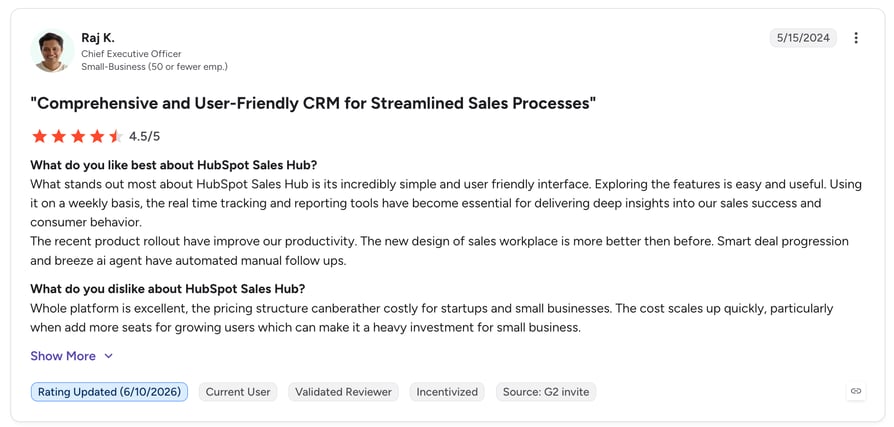
HubSpot Sales Hub is rated 4.4/5 by more than 13,500 verified users on G2.
What Are HubSpot's Pros & Cons?
| Pros | Cons |
|---|---|
| Free CRM makes it easy to start; everything lives in one platform | Costs rise quickly as you unlock higher tiers and add-ons |
| Intuitive interface with powerful workflow automation | Advanced reporting and automation are gated behind paid plans |
#8 Google Sheets: Best ActiveCampaign Integration for Live Reporting
What Is Google Sheets?
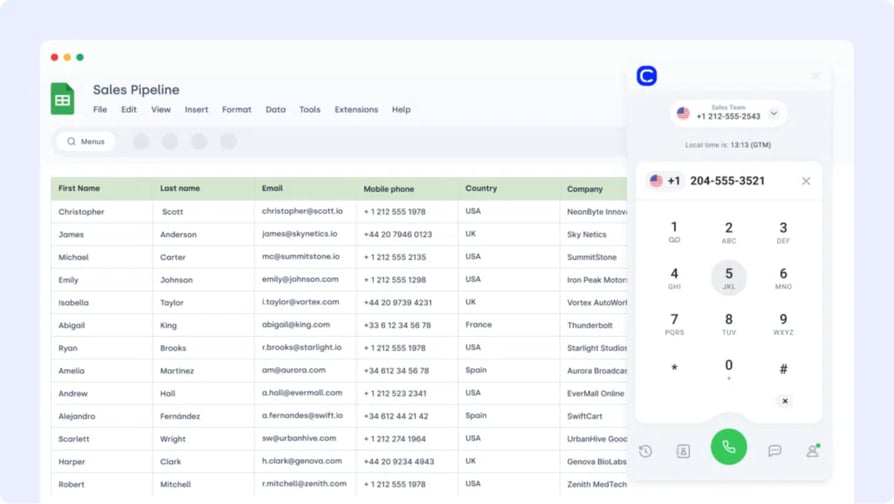
Google Sheets is a go-to tool for custom dashboards, reporting, and lightweight data ops. The ActiveCampaign Google Sheets integration makes it easy to push contact, campaign, or automation data into shareable spreadsheets.
Why Use Google Sheets with ActiveCampaign?
Export contact lists, email engagement metrics, or tag activity to Google Sheets for live team reporting or custom analysis—no manual exports required.
What Are Google Sheets' Key Features?
- Auto-export contacts, tags, or email stats to Sheets.
- Filter and format exported data by list or tag.
- Refresh reports on a schedule or trigger.
What Is Google Sheets' Pricing?
Free with Google Workspace. Advanced features may depend on add-ons.
What Are G2 Users Rating Google Sheets?
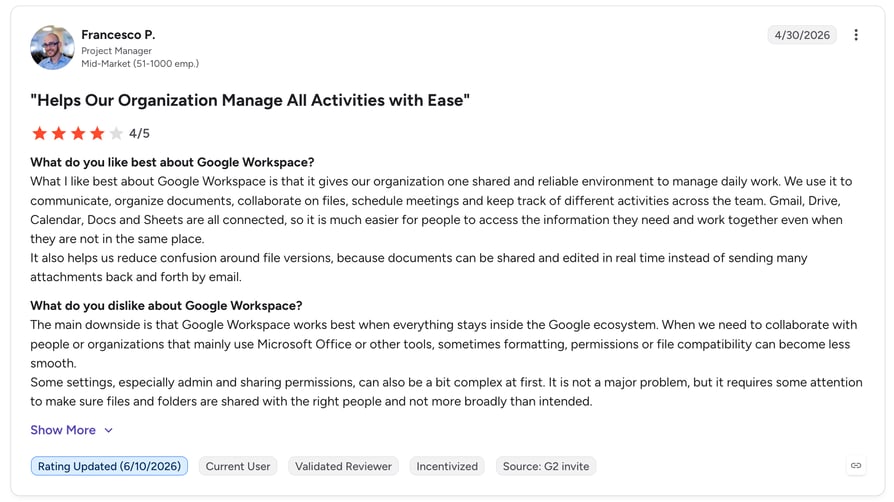
Google Sheets is part of Google Workspace, which is rated 4.6/5 by more than 42,000 verified users on G2.
What Are Google Sheets' Pros & Cons?
| Pros | Cons |
|---|---|
| Free, familiar, and easy to share across teams | Not a true BI tool—large datasets can slow it down |
| Flexible for custom dashboards and quick analysis | Automated syncs often depend on third-party connectors |
#9 Front: Best ActiveCampaign Integration for Shared Inbox Workflows
What Is Front?
Front is a collaborative inbox that blends email, chat, and CRM-style tools. The ActiveCampaign Front integration brings context into your conversations—so your outreach and support stay connected to campaign data.
Why Use Front with ActiveCampaign?
Trigger ActiveCampaign automations from Front messages or tag updates, and use conversations to inform segmentation, lead scoring, or follow-ups.
What Are Front's Key Features?
- Trigger automations based on Front mentions, replies, or tags.
- View ActiveCampaign contact data inside Front threads.
- Sync tags or campaign status across platforms.
What Is Front's Pricing?
- Starter: $19/user/month
- Growth: $59/user/month
- Scale: $99/user/month
What Are G2 Users Rating Front?
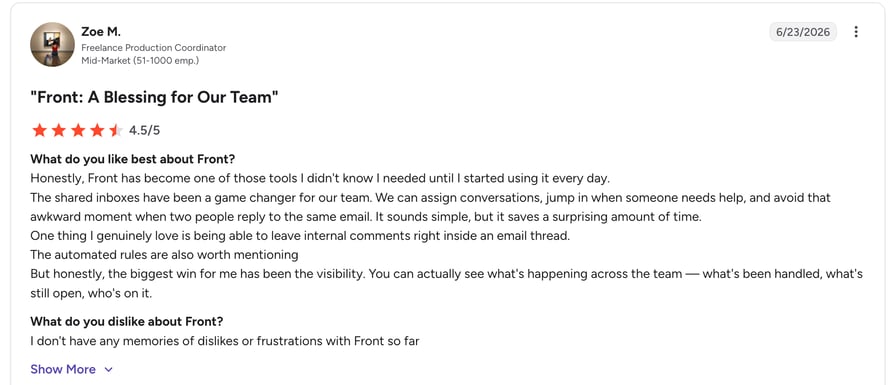
Front is rated 4.7/5 by more than 2,000 verified users on G2.
What Are Front's Pros & Cons?
| Pros | Cons |
|---|---|
| Combines email, chat, and collaboration in one clean inbox | Per-user pricing climbs quickly for larger teams |
| Strong tagging and rules for automation triggers | Advanced workflows are limited on the Starter plan |
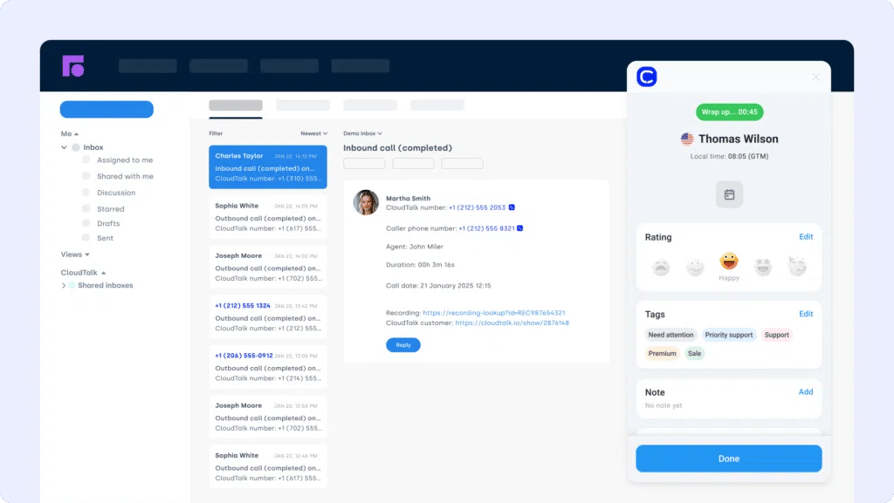
#10 LiveAgent: Best ActiveCampaign Integration for Helpdesk-Driven Campaigns
What Is LiveAgent?
LiveAgent is a multichannel support tool that unifies chat, email, and voice in one dashboard. The ActiveCampaign LiveAgent integration connects ticketing with marketing—so follow-ups and campaigns respond to support events in real time.
Why Use LiveAgent with ActiveCampaign?
Trigger automations from new tickets, SLA breaches, or customer tags—ideal for onboarding flows, re-engagement emails, or VIP escalations.
What Are LiveAgent's Key Features?
- Auto-tag contacts based on ticket fields or triggers.
- Push LiveAgent events into ActiveCampaign workflows.
- Track support activity in contact timelines.
What Is LiveAgent's Pricing?
- Small Business: $9/agent/month
- Medium Business: $29/agent/month
- Large Business: $49/agent/month
- Enterprise: $69/agent/month
What Are G2 Users Rating LiveAgent?
LiveAgent is rated 4.5/5 by more than 1,400 verified users on G2.
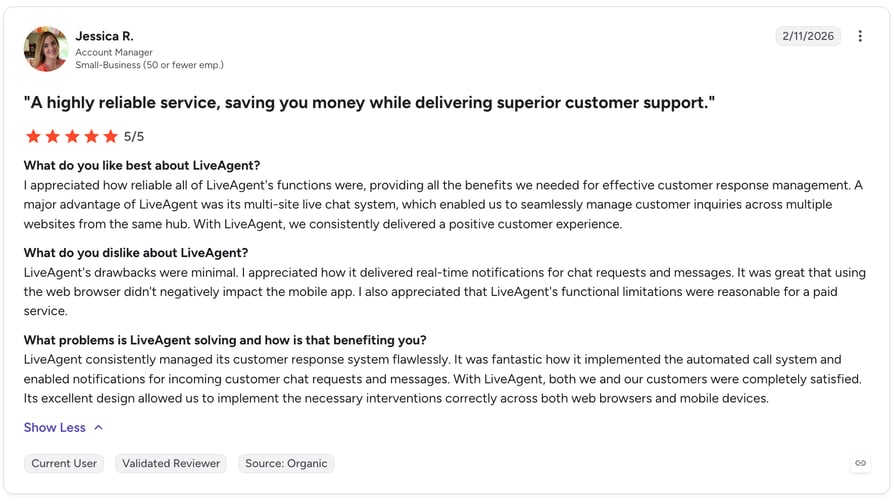
What Are LiveAgent's Pros & Cons?
| Pros | Cons |
|---|---|
| Affordable multichannel support in one dashboard | Interface feels dated compared to newer helpdesks |
| Flexible ticket rules make automation triggers easy | Some integrations require Zapier rather than native apps |

Recommended Reads
#11 Zendesk: Best ActiveCampaign Integration for Support-to-Marketing Bridges
What Is Zendesk?
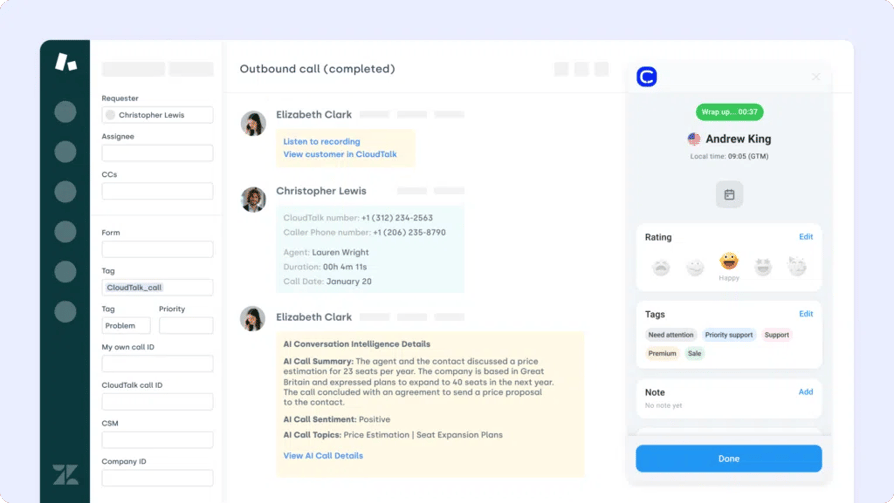
Zendesk is a robust platform for managing customer support at scale. The ActiveCampaign Zendesk integration helps teams turn ticket updates into marketing actions—creating a seamless bridge between service and lifecycle messaging.
Why Use Zendesk with ActiveCampaign?
Trigger NPS surveys, apology offers, or re-engagement emails based on ticket status, satisfaction ratings, or custom Zendesk fields.
What Are Zendesk's Key Features?
- Trigger automations from ticket tags or resolution data.
- Sync Zendesk custom fields with ActiveCampaign segments.
- Launch targeted follow-ups from support events.
What Is Zendesk's Pricing?
- Support Team: $19 per agent/month
- Support Professional: $55 per agent/month
- Support Enterprise: $115 per agent/month
What Are G2 Users Rating Zendesk?
Zendesk Support Suite is rated 4.3/5 by more than 6,000 verified users on G2.
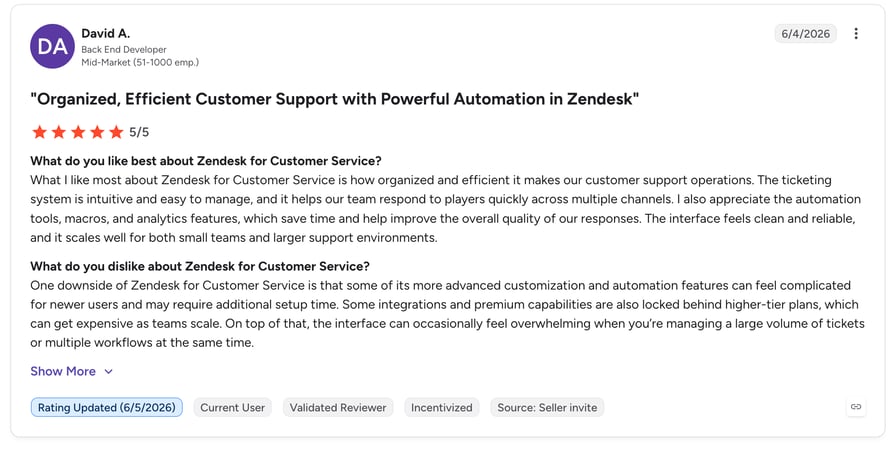
What Are Zendesk's Pros & Cons?
| Pros | Cons |
|---|---|
| Enterprise-grade ticketing with powerful reporting | Key features are locked behind pricier tiers |
| Large marketplace of third-party integrations | Setup and customization can be complex for small teams |
Recommended Reads
#12 Gorgias: Best ActiveCampaign Integration for Ecommerce Support Automation
What Is Gorgias?
Gorgias is a customer service platform built for ecommerce brands. The ActiveCampaign Gorgias integration connects support tickets with marketing workflows—so you can automate personalized follow-ups based on real-time service events.
Why Use Gorgias with ActiveCampaign?
Trigger flows based on ticket resolution, refund status, or customer type—ideal for re-engagement, satisfaction surveys, or VIP outreach.
What Are Gorgias's Key Features?
- Tag Gorgias contacts for segmented email flows.
- Trigger automations on ticket close, escalation, or feedback.
- Pass conversation context into ActiveCampaign for personalization.
What Is Gorgias's Pricing?
- Basic: $10/month + usage
- Pro: $60/month + usage
- Advanced: $900/month
What Are G2 Users Rating Gorgias?
Gorgias is rated 4.6/5 by more than 500 verified users on G2.
What Are Gorgias's Pros & Cons?
| Pros | Cons |
|---|---|
| Purpose-built for ecommerce with deep Shopify context | Usage-based pricing can spike during busy seasons |
| Strong automation for ticket-driven marketing flows | Less suited to non-ecommerce support teams |

#13 Microsoft Teams: Best ActiveCampaign Integration for Team Visibility
What Is Microsoft Teams?
Microsoft Teams is a workplace hub for chat, meetings, and cross-functional collaboration. The ActiveCampaign Microsoft Teams integration helps your teams stay aligned—by pushing campaign activity or automation triggers directly into shared channels.
Why Use Microsoft Teams with ActiveCampaign?
Get real-time Teams notifications when key contacts enter or exit a campaign, open high-value emails, or complete automations—improving coordination across sales, ops, and customer success.
What Are Microsoft Teams' Key Features?
- Push automation events to Teams channels.
- Sync campaign completions or high-intent behavior with chat alerts.
- Share contact updates or email activity instantly with your team.
What Is Microsoft Teams' Pricing?
Microsoft Teams offers a free plan, with premium features available in Microsoft 365 bundles:
- Microsoft 365 Business Basic: $6/user/month
- Microsoft 365 Business Standard: $12.50/user/month
What Are G2 Users Rating Microsoft Teams?
Microsoft Teams is rated 4.4/5 by more than 15,000 verified users on G2.
What Are Microsoft Teams' Pros & Cons?
| Pros | Cons |
|---|---|
| Free plan and deep Microsoft 365 ecosystem integration | Notification overload without careful channel setup |
| Keeps sales, ops, and CS aligned with real-time alerts | ActiveCampaign connections typically run through Zapier |
#14 BigCommerce: Best ActiveCampaign Integration for Revenue-Driven Campaigns
What Is BigCommerce?
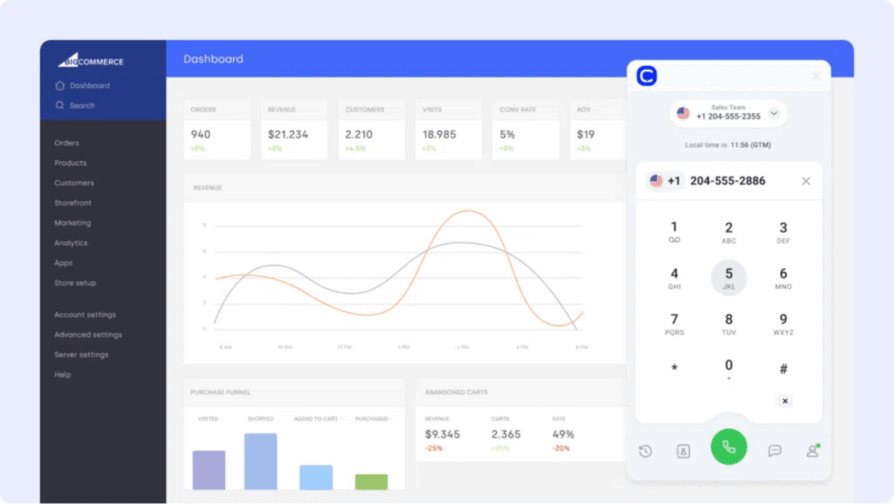
BigCommerce is a flexible ecommerce platform for growing online retailers. The ActiveCampaign BigCommerce integration bridges storefront activity with marketing automations—so you can personalize every interaction based on purchase behavior.
Why Use BigCommerce with ActiveCampaign?
Trigger emails when a customer places an order, abandons a cart, or reaches a certain purchase threshold. Sync BigCommerce data to ActiveCampaign to drive smarter segmentation and campaign timing.
What Are BigCommerce's Key Features?
- Trigger automations from purchase, return, or cart data.
- Segment contacts by order frequency or product tags.
- Sync BigCommerce customers into lists or pipelines.
What Is BigCommerce's Pricing?
- Standard: $39/month
- Plus: $105/month
- Pro: $399/month
What Are G2 Users Rating BigCommerce?
BigCommerce is rated 4.2/5 by more than 500 verified users on G2.
What Are BigCommerce's Pros & Cons?
| Pros | Cons |
|---|---|
| Strong built-in features without heavy app reliance | Smaller app marketplace than Shopify |
| No extra transaction fees with third-party payment providers | Theme and design options are more limited |
Benefits of ActiveCampaign CRM Integration
Integrating ActiveCampaign with your broader tech stack unlocks serious value across sales, marketing, support, and ops. Here's what a connected setup delivers:
- Scalable workflows without engineering resources: Most ActiveCampaign integrations are no-code, meaning you can launch and iterate without waiting on devs.
- Smarter automation across the entire customer journey: Trigger campaigns based on real actions—like calls, orders, or tickets—not just email clicks or form fills.
- Real-time data sync between departments: Keep marketing, sales, and support aligned with shared contact records, activity logs, and lead scoring.
- Faster follow-ups with less manual work: Auto-sync CRM changes, call outcomes, or ecommerce events to launch relevant messages instantly.
- More relevant campaigns and segmentation: Use real-time data—like deal stage or ticket status—to send messages that reflect exactly where a customer is.
Workflows aren't broken—they're just disconnected. Reconnect them.
How to Choose the Right ActiveCampaign Integration for Your Business
- Identify your business needs: Map out your workflow gaps first. If voice is the blocker, CloudTalk's ActiveCampaign integration is purpose-built for call automation and contact sync.
- Prioritize ease of setup: Tools that offer plug-and-play ActiveCampaign integration options—like Zapier or native apps—save time and reduce onboarding friction.
- Choose scalable integrations: Whether it's syncing 500 or 5,000 contacts, integrations like CloudTalk's VoIP for ActiveCampaign grow with your needs.
- Evaluate security and compliance: From GDPR to SOC 2, look for integration platforms that provide role-based access control and audit trails.
- Review total cost and value: Even "free" integrations can become expensive with hidden setup costs. CloudTalk's pricing is transparent and designed for real return on automation.
How to Integrate ActiveCampaign with Other Platforms
Most ActiveCampaign integrations connect through one of three methods: native apps, no-code platforms like Zapier or Make, or direct ActiveCampaign API integrations for custom workflows.
- Native apps: Tools like Salesforce, Shopify, Zoom, and CloudTalk offer built-in integrations that sync contact data, campaign triggers, and activity logs with a few clicks.
- No-code platforms: Use Zapier to connect ActiveCampaign to thousands of apps—ideal for triggering automations without writing code.
- Custom API integrations: For more advanced workflows, developers can use the ActiveCampaign API to build tailored logic between systems.
Whether you're syncing calls, pushing ecommerce data, or launching post-support campaigns, ActiveCampaign plays well with the rest of your stack—especially when paired with tools like CloudTalk.
Start Connecting ActiveCampaign to the Rest of Your Revenue Stack
Campaigns don't convert in isolation. The power of ActiveCampaign integration lies in what it unlocks—automated follow-ups, real-time contact sync, and smarter journeys built around your actual workflows.
Whether you're logging calls, syncing support tickets, or sending behavior-based emails, these integrations turn ActiveCampaign into a command center for your entire GTM team.
Ready to automate smarter? Try CloudTalk's ActiveCampaign integration and eliminate the busywork.
Source:
Frequently asked questions
CloudTalk is the best ActiveCampaign phone system integration—it syncs call outcomes, recordings, and AI transcripts into contacts in real time and triggers follow-up automations from every call.
ActiveCampaign offers 900+ apps in its marketplace, plus thousands more via Zapier and its API. Calling tools like CloudTalk's integrations connect natively for real-time contact and call sync.
The native two-way sync is best: it maps deal stages to automations so marketing reacts to Pipedrive activity instantly—nurturing leads by funnel stage without manual updates.
The native Zoom app (or Zapier) works best: it tags registrants, attendees, and no-shows automatically, then triggers tailored follow-up workflows after every webinar or meeting.
Enterprises get the best results from the native two-way sync with custom field mapping—lifecycle marketing runs on real-time Salesforce data, with campaigns triggered by CRM stage changes.