TL;DR: Yellow.ai Pricing Summary
Yellow.ai's pricing page shows no numbers, just a "Talk to Sales" button. Here's the fast breakdown of what actually drives Yellow.ai cost before you commit to a deployment.
- 01Free:$0/month, includes 1 AI agent, 2 human agent seats, and 500 chat sessions, then $0.99 per resolution in overage (confirmed on Yellow.ai's own pricing page)
- 02Enterprise:Custom quote, not publicly listed — unlimited AI agents, chat sessions, and 150+ integrations, but the price only surfaces after a sales call
- 03Full-year enterprise contracts:Estimated $10,000–$200,000+/year depending on volume, channels, and add-ons (third-party estimates, not confirmed by Yellow.ai)
- 04Hidden costs to budget for:Channel fees (WhatsApp/voice), Enterprise-tier overage terms, add-on modules (analytics, sentiment), and professional services
- 05Best alternative? CloudTalk:Transparent per-seat plans starting at $25/user/month, with no sales call required to see a number, more features, better AI capabilities, and overall more positive reviews
This guide breaks down Yellow.ai cost for every tier, tracks Yellow.ai pricing against third-party estimates, and covers where the hidden costs show up and which alternatives publish their prices upfront.
Below, you'll find what Yellow.ai's Free tier actually includes and how its quote-based Enterprise plan tends to get priced in practice. You'll also see which alternatives, including CloudTalk, offer clearer pricing for teams evaluating a conversational AI platform without a multi-week sales cycle.
Don't get caught off guard by unpredictable pricing. CloudTalk is your transparent solution.
What Pricing Plans Does Yellow.ai Offer?
Yellow.ai's pricing plans structure is intentionally simple on paper and considerably less simple once you factor in what each tier actually unlocks. There are two plans, confirmed directly on Yellow.ai's own pricing page: Free, which includes a real (if capped) set of tools before any usage charges kick in, and Enterprise, which is negotiated one customer at a time.
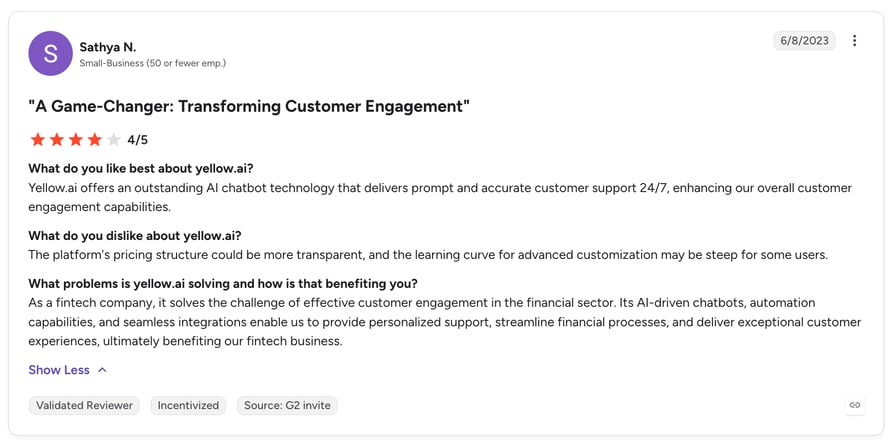
That two-tier setup is central to how Yellow.ai chatbot pricing works in practice, and it shows up in reviewer feedback too. Buyers on G2 and Capterra rate the platform well once they're set up (4.4/5 and 4.5/5 respectively), but the sentiment shifts when the conversation turns to pricing itself: reviewers on multiple platforms describe the quoting process as opaque and the overall cost as steep for what smaller teams need. We'll unpack that in more detail further down. Teams comparing this structure against other AI-driven support tools often also weigh conversation intelligence software costs, since many vendors bundle analytics and sentiment scoring as separate add-ons too.
The table below breaks down what each plan includes at a structural level.
Yellow.ai Pricing Plans at a Glance
| Plan | Price | AI Agents | Chat Sessions | Channels | Compliance |
|---|---|---|---|---|---|
| Free | $0 | 1 | 500/month included, then $0.99/resolution | Limited | Basic |
| Enterprise | Custom quote | Unlimited | Unlimited | All (35+) | SOC2 / GDPR / ISO |
What Is Yellow.ai's Free Plan?
Free is Yellow.ai's entry point and its only self-serve option: no time limit and no credit card required to start. Unlike the "unlimited seats" framing you'll see repeated in some third-party write-ups, Yellow.ai's own pricing page caps Free at 1 AI agent and 2 human agent seats. It's built for individuals and small teams who want to test bot-driven customer conversations before committing budget or talking to a salesperson.
How Much Does Yellow.ai's Free Plan Cost?
$0/month for the plan itself — that's the full Yellow.ai price for the Free tier. It's not unlimited, though: 500 chat sessions are included each month, and Yellow.ai's own pricing page now discloses the overage rate directly at $0.99 per resolution beyond that.
What's Included in Yellow.ai's Free Plan?
- 1 AI agent
- 500 chat sessions per month included, then $0.99 per resolution in overage
- 2 human agent seats
- Limited access to chat, voice, email, and SMS channels
- User360 customer profiles, capped at 1,000 records
- Campaign management: 1 active campaign, 10 templates
- Basic role-based access controls
- Limited access to the omnichannel builder, VoiceX voice AI, intelligent email agents, custom integrations, AI Copilot, and analytics dashboards
What Add-Ons Are Available for Yellow.ai's Free Plan?
None disclosed on the pricing page. The only path to more AI agents, more seats, unlimited chat sessions, full channel coverage, or deeper analytics is upgrading to Enterprise.
Who Is Yellow.ai's Free Plan Best For?
Solo builders, small support teams, and anyone piloting a bot before committing budget, a common entry point for teams exploring AI for small business workflows.
What Can You Expect from Yellow.ai's Free Plan?
For a $0 plan, it's a real product rather than a watered-down teaser, but it's tightly capped: 1 AI agent and 2 human seats limit how far a team can actually run on it. So, is Yellow.ai free? Yes, in the sense that the Free plan runs indefinitely with no credit card required — but "free" only covers the first 500 chat sessions a month before per-resolution billing kicks in.
The catch: most support or sales teams above a couple of people will hit the 2-seat cap or the 500-session ceiling within weeks of real use. Every session past that bills at $0.99 each, and there's no visible next-tier price for anything short of a full Enterprise negotiation, so the jump from free to paid comes with no published middle ground.
What Is Yellow.ai's Enterprise Plan?
Enterprise is Yellow.ai's paid tier, sold entirely through a sales-assisted process for companies that need unlimited AI agents and chat sessions, all 35+ supported channels, and full access to VoiceX voice AI, custom integrations, and analytics beyond what Free allows.
How Much Does Yellow.ai's Enterprise Plan Cost?
There's no published monthly, annual, or per-seat rate, even though the feature set itself is now fully itemized on the pricing page (unlimited agents, sessions, channels, and integrations).
Yellow.ai's own pricing page positions cost as "tailored to your business," and a number for this Yellow.ai enterprise pricing tier only surfaces after a sales conversation.
Third-party market estimates, not confirmed by Yellow.ai, put typical deployments at $3,000 to $10,000 a month, according to a market-signal analysis published by eesel.ai. Full-year enterprise contracts, including implementation, are estimated at $50,000 to $200,000 or more annually by the same source.
What's Included in Yellow.ai's Enterprise Plan?
Per Yellow.ai's own pricing page, Enterprise removes every cap Free imposes:
- Unlimited AI agents and unlimited chat sessions, with no per-resolution overage
- All 35+ supported channels, versus Free's limited channel access
- Unlimited use of VoiceX (Yellow.ai's natural voice AI), intelligent email agents, and the omnichannel agent builder, priced as part of the Yellow.ai AI agent pricing negotiation
- 150+ out-of-box integrations plus unlimited custom API integrations
- Unlimited AI Copilot, Agentic Discovery, custom dashboards, and LLM analytics, sentiment, and topic tracking
- SOC2, GDPR, and ISO-aligned role-based access controls and compliance
What Add-Ons Are Available for Yellow.ai's Enterprise Plan?
- Advanced analytics dashboards and AI sentiment-analysis modules, billed as add-ons
- Custom integration work, billed separately
- Professional services for implementation, workflow design, and team training
Who Is Yellow.ai's Enterprise Plan Best For?
Mid-market and enterprise teams that have already outgrown Free's 1-agent, 2-seat, 500-session caps and need unlimited AI agents, full channel coverage, and enterprise-grade compliance (SOC2/GDPR/ISO). The feature set scales with deal size, which is standard for enterprise-tier AI platforms.
What Can You Expect from Yellow.ai's Enterprise Plan?
It's a weaker fit for teams that want to budget precisely before committing: two companies with similar needs could land on meaningfully different invoices depending on how the negotiation goes, and neither will know that until late in the process. Even a rough published starting price, the way usage-based tools like Intercom's Fin publish a per-resolution rate, would let buyers self-qualify before booking a call. For teams whose primary channel is voice rather than chat, this is also where platforms built specifically for AI voice agents that handle call deflection tend to offer a more direct, calculable cost comparison than a blended chat-and-voice enterprise quote.
No more guessing game.
Know exactly what you're paying for with CloudTalk.
What Will Yellow.ai Actually Cost?
Because Yellow.ai doesn't publish a per-seat or per-conversation rate card, there's no way to build a precise formula the way you could for a SaaS tool with fixed Yellow.ai pricing per month. What follows are four representative team profiles, built from the ranges cited above. Treat every dollar figure here as a third-party market estimate rather than a confirmed Yellow.ai quote.
Scenario 1: The Solo Builder (Free Plan, No Upgrade Needed)
The Setup: A true solo builder testing bot automation entirely inside the Free plan's 1-agent, 2-seat, 500-session cap.
- 01The Real Constraint:1 AI agent and 2 human seats works for a true solo builder, but any second hire or second bot use case hits the ceiling immediately.
- 02The Disclosed Overage:Unlike most of this plan's history, Yellow.ai now publishes the overage rate directly: $0.99 per resolution past the included 500 sessions a month, so a busy month is at least calculable.
Recommended Setup: Free plan, 1 AI agent, 2 seats.
Annual Cost: $0/year, until you need a 3rd seat or exceed the session cap.
Scenario 2: The Growing Single-Channel Team
The Setup: A support team that has outgrown Free's seat and session caps, running one channel (chat or email) on the Enterprise tier.
- 01The Sales-Call Tax:There's no way to self-serve into this tier; every team at this stage spends time in a sales cycle just to get a number, something a published per-seat rate card would skip entirely.
- 02The Estimate Floor:eesel.ai's market-signal analysis puts the low end of a single-channel deployment at roughly $3,000/month, though Yellow.ai itself has never confirmed this figure.
Recommended Setup: Enterprise, single channel.
Annual Cost: ~$36,000/year at the low end of the estimated range.
Scenario 3: The Multi-Channel Scaling Team
The Setup: A team adding WhatsApp and/or voice on top of chat, with add-on analytics and sentiment modules layered in.
- 01The Channel-Fee Stack:WhatsApp Business API and voice-call automation both carry separate per-message or per-minute charges from the underlying channel provider, on top of the core subscription.
- 02The Add-On Layer:Advanced analytics, AI sentiment analysis, and custom integrations are billed as optional add-ons rather than bundled into the base plan, so the sticker price understates the real cost.
Recommended Setup: Enterprise, multi-channel with analytics add-ons.
Annual Cost: ~$72,000–$120,000/year at the estimated range.
Scenario 4: The Large Enterprise Deployment
The Setup: A full-scale, multi-department rollout with generative AI, professional services, and custom integrations.
- 01The Professional-Services Line:Enterprise customers commonly pay separately for implementation, workflow design, and staff training, on top of the subscription itself.
- 02The Widest Estimate Spread:eesel.ai estimates $50,000–$200,000+/year for full enterprise contracts, while oreateai.com's aggregation of Reddit discussions cites $10,000–$58,000+/year, a gap that itself signals how little is publicly confirmed.
Recommended Setup: Enterprise, multi-department, full generative-AI feature set.
Annual Cost: See range above; get an itemized quote before signing, not a single headline number.
That spread between the two enterprise-tier estimates, roughly $10,000 to $200,000 a year depending on the source, is itself worth noting. It's a wider range than you'd see on a vendor with a published rate card, and it's the direct result of Yellow.ai not disclosing pricing anywhere public. If your team needs to forecast a software budget six months out, a quote-based model like this one makes that materially harder than a per-seat plan would. If you'd rather work from exact numbers instead of a range, CloudTalk's pricing page lists every plan's per-seat rate up front.
Compare the Real Numbers Yourself
What Are Yellow.ai's Additional and Hidden Costs?
Yellow.ai hides most of its real cost inside the Enterprise negotiation, a pattern reviewers consistently flag as frustrating and one that isn't unique to Yellow.ai. Gartner's July 2026 research warns that $234 billion in enterprise software spend is at risk as vendors shift toward usage- and agent-based pricing models, and Yellow.ai's structure follows that industry pattern closely. The categories below cover where those extra charges typically appear.
Channel Fees
WhatsApp Business API and voice-call automation both carry separate per-message or per-minute charges from the underlying channel provider, billed on top of the core Yellow.ai subscription. These aren't Yellow.ai markups exactly, but they're costs a buyer comparing "Yellow.ai vs. a per-seat competitor" needs to add in before the comparison is fair.
Conversation Overage
Once a plan's session allocation is exceeded, additional charges apply. On the Free plan, Yellow.ai's own pricing page now discloses this rate directly: $0.99 per resolution beyond the included 500 sessions a month. Because pricing is usage-based, a busy month, a product launch, a support spike, can still push costs up quickly even with the rate known in advance. Enterprise's overage terms, if any, aren't publicly disclosed and would need to be confirmed in a quote.
Add-On Modules
Advanced analytics, AI sentiment analysis, and custom integrations are billed as optional add-ons rather than bundled into the core plan. For teams that want sentiment trends and integration depth alongside raw conversation counts, the sticker price on the base plan understates the real cost.
Voice Automation Costs
Voice minutes, automatic speech recognition, and text-to-speech usage each accumulate as separate cost drivers. A market analysis published by pagergpt.ai calls voice automation out specifically as one of the more expensive modules to run at volume, similar to how how much voice AI actually costs tends to hinge on per-minute usage rather than a flat module fee.
Professional Services and Implementation
Enterprise customers commonly pay separately for implementation, workflow design, and staff training, on top of the subscription itself. This is typical for enterprise conversational-AI deployments generally, not unique to Yellow.ai, but it's a real line item to budget for.
Integration and API Costs
Yellow.ai doesn't publish a per-integration cost breakdown.
Yellow.ai's Additional & Hidden Costs
| Cost Category | What Drives It | Source |
|---|---|---|
| Channel fees | WhatsApp/voice usage billed by the underlying channel provider | pagergpt.ai market analysis |
| Conversation overage | Usage beyond the Free plan's 500 included sessions, billed at $0.99/resolution | Yellow.ai's own pricing page; billing documentation |
| Add-on modules | Analytics, sentiment analysis, custom integrations | pagergpt.ai market analysis |
| Voice automation | Voice minutes, ASR, and TTS usage | pagergpt.ai market analysis |
| Professional services | Implementation, workflow design, training | pagergpt.ai; eesel.ai |
| Integrations/API | Not itemized publicly | Not disclosed |
Enough surprises. Be sure about what you're getting yourself into.
What Do Customers Say About Yellow.ai's Pricing?
Star ratings alone don't tell Yellow.ai's full pricing story. Reading G2, Trustpilot, and Capterra together surfaces recurring themes that matter more to a buyer than any single average score.
- 01Value for money:Reviewers on G2, Trustpilot, and Capterra describe Yellow.ai as "pricey compared to some other AI-powered customer service solutions." For buyers, this means budget-limited SMBs specifically flag the platform as expensive to procure and difficult to justify against expected ROI.
- 02Pricing transparency:A recurring complaint is that Yellow.ai's site displays no pricing anywhere, forcing a sales demo before any number appears. For a buyer, that means an apples-to-apples comparison against a published-rate competitor requires a multi-week sales engagement just to get to a starting point.
- 03Hidden fees during negotiation:Community discussion (aggregated secondhand, not independently verified this session) points to frustration with fees or structure surfacing only once negotiations are underway. The practical takeaway for buyers: ask for an itemized quote, not a single headline number, before signing.
- 04Support and account quality:G2 reviewers commonly cite inconsistent communication and account-team turnover. This compounds the value-for-money concern, since buyers report paying enterprise-tier prices without always getting enterprise-tier account support in return.
- 05Rating-platform spread as its own signal:G2 (4.4/5, 106 reviews) and Capterra (4.5/5, 37 reviews) skew notably higher than Trustpilot (2.9/5, "Average"). That gap is itself useful: G2 and Capterra reviewer pools lean toward larger deployments with a dedicated account team, while Trustpilot captures a broader, more critical public audience, worth weighing both when judging real-world satisfaction.
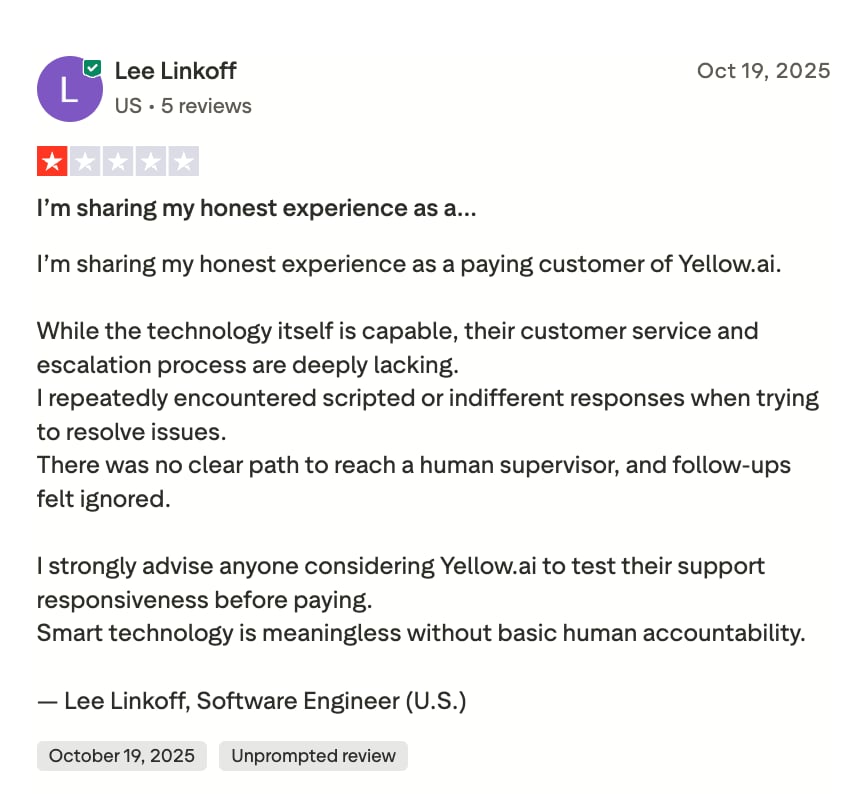
Here's a verified Yellow.ai user's review on Trustpilot:
Which Alternatives Are Better and Cheaper Than Yellow.ai?
The pressure to fix Yellow.ai's pricing opacity isn't abstract. HubSpot's State of Customer Service research found that 73% of service leaders plan to increase their AI investment across the customer journey, which means a lot of teams are shopping this exact category right now and running into the same quote-based wall.
If the appeal of Yellow.ai is AI-driven conversation automation, but the opaque pricing is the dealbreaker, these four alternatives are worth a look. CloudTalk leads because it's built specifically around voice conversations with published, per-seat pricing. The other three each solve a version of the same "at least I can calculate this before I sign" problem.
1. CloudTalk: Best for AI-Powered Voice Conversations at Transparent, Predictable Pricing
What Is CloudTalk?
CloudTalk is a global AI business calling platform built for SMB growth, trusted by 5,500+ companies across 160+ countries. Where Yellow.ai centers on chat-first bot automation, CloudTalk's core strength is voice: a cloud phone system with an AI layer for autonomous calling and post-call analysis sitting on top.
Why Is CloudTalk Better Than Yellow.ai?
- Published, per-seat pricing:CloudTalk lists Starter, Essential, and Expert plans at fixed monthly rates, so you know the number before you talk to sales, unlike Yellow.ai's fully quote-based model.
- AI features priced separately and clearly:CloudTalk's AI Voice Agent is a fully autonomous conversational AI that holds a two-way conversation with callers rather than following a rigid script, and AI Conversation Intelligence turns every recorded call into a transcript, summary, sentiment score, and action-item list. Both are add-ons with a stated starting price, not a number you have to negotiate for.
- No conversation-volume cliff:CloudTalk's plans don't force a sudden renegotiation once you cross a hidden usage threshold the way Yellow.ai's conversation cap does.
- Voice-specific infrastructure:CloudTalk runs on a multi-carrier network across 160+ countries, which matters if outbound or inbound calling (not just chat) is central to how your team works, alongside 100+ integrations into the CRM and helpdesk tools teams already use.
What Does CloudTalk Cost?
Flexible Pricing Plans to Scale with You
Compare our plans
CloudTalk Pricing vs. Yellow.ai Pricing
| CloudTalk | Yellow.ai | |
|---|---|---|
| Pricing model | Published, per-seat | Quote-based (Enterprise); free (Free plan) |
| Starting price | $25/user/month | $0 (Free plan, 500 sessions/mo then $0.99/resolution); custom quote (Enterprise) |
| AI features | Add-on with stated starting price ($99/mo) | Bundled into negotiated enterprise quote |
| Core channel | Voice-first, with chat/SMS support | Chat-first, with WhatsApp and voice add-ons |
| Free trial | 14 days, no credit card required | Free plan only (capped at 500 sessions/mo, not a time-limited trial) |
Try CloudTalk yourself - it's free.
2. Intercom (Fin AI): Best for Teams Already on Intercom Wanting Usage-Priced AI Resolution
What Is Intercom (Fin AI)?
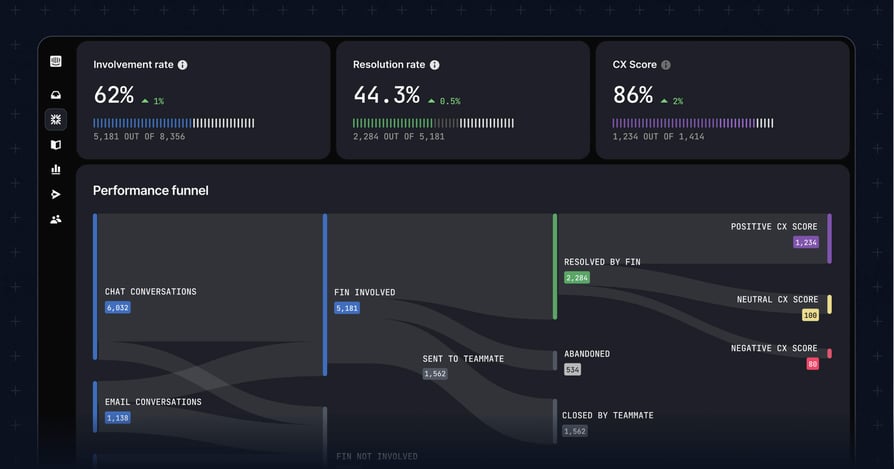
Fin is Intercom's AI agent, built to resolve customer conversations inside Intercom's existing helpdesk rather than as a standalone chatbot platform.
Why Is Fin Better Than Yellow.ai?
Fin's per-outcome pricing is publicly listed and calculable per conversation, which lets buyers model their likely monthly cost before signing anything, something Yellow.ai's opaque enterprise quoting doesn't allow.
What Does Fin Cost?
- $0.99 per resolution, procedure handoff, or disqualification
- $9.99 per qualification
- Standalone (non-Intercom-helpdesk) deployments: $49/month base fee including 50 resolutions, then $0.99 per additional resolution
- G2 rating: 4.5/5 from 3,880+ reviews on G2 (Intercom's aggregate product listing)
How Does Fin's Pricing Compare to Yellow.ai's?
A team resolving 500 conversations a month through Fin pays roughly $495 at the standard per-resolution rate, a number you can compute from the public rate card in minutes. The same volume on Yellow.ai requires a sales conversation to price at all.
3. Ada: Best for Enterprise Chat-First CX Teams Comfortable with a Negotiated Contract
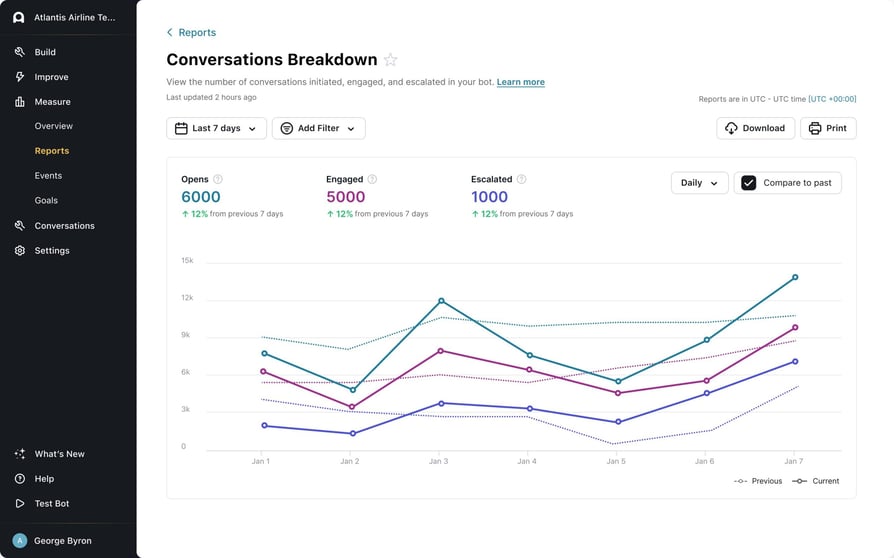
What Is Ada?
Ada is an enterprise-focused conversational AI platform aimed at large CX teams running high-volume chat support.
Why Is Ada Better Than Yellow.ai?
Ada's positioning is close to Yellow.ai's: enterprise, chat-first, sales-negotiated. But third-party deal-size data suggests a lower entry point. Vendr's marketplace data reports Ada deals starting around $30,000 a year with a median deal near $70,001 a year, versus Yellow.ai's $50,000+ estimated enterprise floor.
Ada has also moved to a conversation-based pricing model rather than Yellow.ai's blended channel-and-usage approach, which reviewers and analysts generally find easier to forecast.
What Does Ada Cost?
- Quote-based; no public rate card
- Third-party estimate (Vendr): ~$30,000/year starting point, median deal ~$70,001/year
- Complex CRM/helpdesk integrations can add $10,000–$50,000+ to implementation, per the same source
- G2 rating: 170+ reviews on G2
How Does Ada's Pricing Compare to Yellow.ai's?
Both platforms require a sales conversation to get a number, so the real difference is in the deal-size data: Ada's reported starting point sits below Yellow.ai's estimated enterprise floor, which may matter if your team is comparing two quote-based platforms rather than looking for a fully published rate card.
4. Freshworks (Freddy AI Agent): Best for Teams Wanting Session-Based AI Pricing Bundled into an Existing Helpdesk
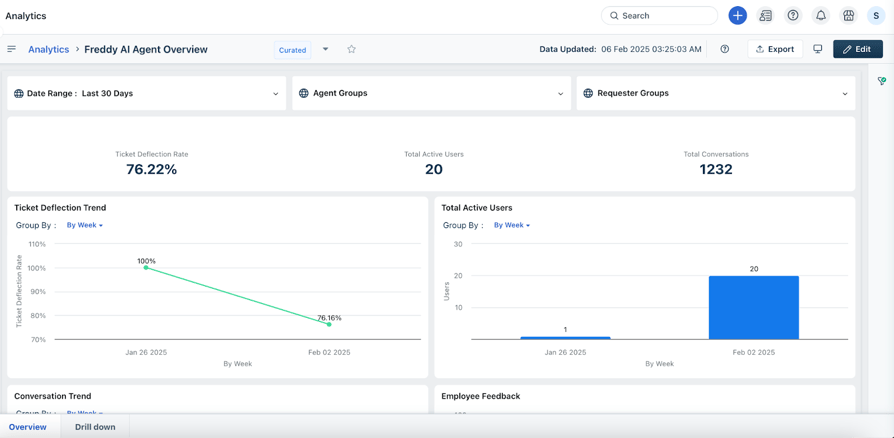
What Is Freshworks (Freddy AI Agent)?
Freddy AI Agent is Freshworks' AI layer for Freshdesk, priced per session and bundled into Freshdesk's existing per-agent plans.
Why Is Freddy AI Better Than Yellow.ai?
Freddy publishes an actual rate card, a much lower barrier to entry for SMB and mid-market teams than Yellow.ai's enterprise-only quoting model, and it plugs into Freshdesk's own published per-agent pricing rather than requiring a separate negotiation.
What Does Freddy AI Cost?
- First 500 sessions included on Freshdesk's Pro/Enterprise plans
- Then $49 per 100 email sessions (about $0.49/session)
- Roughly $0.10/session for chat
- Freddy AI Copilot: $29/agent/month, billed annually, Pro/Enterprise only
- G2 rating (Freshdesk): 4.4/5 from 3,700+ reviews on G2
How Does Freddy AI's Pricing Compare to Yellow.ai's?
A small support team processing 800 email sessions a month pays roughly $147 beyond the included 500, on top of whatever Freshdesk plan they're already running. That's a number you can get from Freshworks' public pricing page today, not after a sales call.
Tired of comparisons? Let's jump straight into action with CloudTalk.
What Are Yellow.ai's Best Features?
Pricing complaints aside, Yellow.ai's product itself has real strengths worth naming, and the category it plays in is only getting bigger. Salesforce's 2025 State of Service report found that AI already resolves 30% of customer service cases, a figure expected to reach 50% by 2027, which is exactly the kind of workload Yellow.ai and its competitors are built to absorb.
A Free Tier You Can Actually Use
- Most competitors gate their free plan behind a short trial window; Yellow.ai's Free plan is ongoing with no time limit and a real product underneath it, though it's capped at 2 human seats and 500 chat sessions a month.
AI Agent Builder Access on Every Tier
- Even the Free plan includes limited access to Yellow.ai's AI Agent Builder for handling repetitive questions, which is enough for a lot of early-stage support teams before Enterprise-level volume is needed.
Multi-Channel Reach on Paid Tiers
- All 35+ supported channels, including WhatsApp and VoiceX voice automation, unlock on Enterprise, echoing the benefits of AI voice agents for sales and support that voice-first platforms lean on too.
Built-In User360 Customer Profiles
- Even the Free plan includes User360 customer profiles (capped at 1,000 records), so agents aren't starting from a blank slate on every conversation.
What Are the Pros and Cons of Yellow.ai?
Yellow.ai's pricing comes with real trade-offs, summarized below; weighing them is common across the broader voice AI for customer service category too, not just Yellow.ai's chat-first version of it.
| Transparent Free-tier overage pricing: 500 sessions/month at $0, then a disclosed $0.99/resolution rate | No published enterprise pricing; buyers need a sales call to get any number |
| Solid G2 and Capterra ratings (4.4/5 and 4.5/5) from real deployments | Usage-based conversation overage makes monthly costs hard to predict |
| Generative-AI capabilities available on paid tiers | Multiple reviewers describe Yellow.ai as pricey relative to other AI customer-service platforms |
| Multi-channel automation (chat, WhatsApp, voice) | Trustpilot rating (2.9/5, "Average") sits well below its G2 and Capterra scores |
| Meaningful review volume for its category (100+ reviews on G2) | G2 reviewers note inconsistent account communication and account-team turnover |
We do everything better. Come try us yourself for free.
Is Yellow.ai the Right Solution for Your Team?
Yellow.ai makes sense if you're a solo builder or very small team that can live inside the Free plan's 1-agent, 2-seat, 500-session cap, or if you're an enterprise buyer with the budget and patience for a sales-negotiated contract in exchange for unlimited agents, channels, and compliance certifications. If either of those describes you, the platform's ratings on G2 and Capterra suggest genuine satisfaction once teams are set up.
It's a weaker fit if you need to budget precisely before committing, or if your team is somewhere in the middle: too big for the Free plan's 2 seats and 500 sessions a month, not big enough to justify a five- or six-figure annual Enterprise contract with an uncertain final number. That middle segment is exactly where a published-pricing alternative earns its keep.
According to Gartner's August 2025 press release, up to 40% of enterprise applications will feature task-specific AI agents by 2026, up from less than 5% in 2025. More buyers than ever are shopping this category for the first time, and most don't yet have a feel for what a fair price looks like.
For voice-first teams specifically, CloudTalk's approach to conversational AI software removes the guessing game with published per-seat pricing. For chat-first teams already inside Intercom or Freshdesk, Fin and Freddy AI both let you calculate a real monthly number from public rate cards before you talk to anyone. Ada is the closer match if you're set on an enterprise, chat-first, negotiated-contract model but want a lower reported entry point than Yellow.ai's.
Whichever direction you go, the questions to ask a sales rep before signing anything are the same: what's the conversation-volume cap, and what happens the month you exceed it? Which channels cost extra? And is there a professional-services fee that isn't in the headline number?
Recommended articles
Frequently Asked Questions about Yellow.ai Pricing
Find answers to the most common questions about Yellow.ai's pricing.
Wondering how much does Yellow.ai cost? Its Free plan is $0/month for 1 AI agent and 500 chat sessions, then $0.99 per resolution in overage. Its Enterprise plan is quote-based, with third-party estimates ranging from $3,000-$10,000+/month depending on usage and channels. See yellow.ai plans for the current tier breakdown.
Yes. Yellow.ai is an established enterprise AI platform with a 4.4/5 G2 rating (106 reviews) and 4.5/5 on Capterra, though Trustpilot rates it lower at 2.9/5.
Yes. The Free plan is $0/month, with 1 AI agent, 2 human seats, and 500 chat sessions included, then $0.99 per resolution in overage. It runs indefinitely, not as a time-limited trial.
Yellow.ai runs two tiers: a free plan capped at 1 AI agent, 2 seats, and 500 sessions/month (with $0.99/resolution overage), and a sales-negotiated Enterprise plan with unlimited agents, sessions, and channels but no public price. See yellow.ai subscription for how the upgrade path is billed.
The Free plan suits solo builders and very small teams, but its 2-seat cap means most growing support or sales teams need Enterprise, which is priced for mid-market and enterprise budgets. Small businesses may prefer AI voice agents built for SMB budgets instead.
Channel fees (WhatsApp/voice), conversation overage, add-on modules (analytics, sentiment), and professional services can all add significant cost beyond the base quote.