10 Best Outbound Calling Software for Sales Teams in 2026 – Top Tools Ranked by G2
TL;DR:
We analyzed thousands of verified G2 reviews to rank the best outbound calling software for sales teams in 2026. G2 ratings come from real, verified users—not sponsored content—making them one of the most reliable signals when comparing outbound dialers.
Top 10 outbound calling software ranked by G2:
- 01CloudTalk – best overall G2-rated outbound calling software for sales teams (4.4/5, 1,702+ reviews)
- 02Aircall – best for small teams wanting a simple, CRM-friendly cloud phone (4.4/5)
- 03JustCall – best for omnichannel outreach combining calls, SMS, and WhatsApp (4.3/5)
- 04Kixie PowerCall – best for CRM-embedded power dialing and automated SMS (4.6/5)
- 05Dialpad – best for AI-first teams on a budget (4.4/5)
- 06Salesloft – best for enterprise cadence-driven sales engagement (4.5/5)
- 07Outreach – best for complex multi-channel sequences at scale (4.3/5)
- 08PhoneBurner – best for high-volume single-line power dialing (4.7/5)
- 09Orum – best for AI parallel dialing for SDR teams (4.6/5)
- 10Five9 – best for enterprise contact centers with predictive dialing (4.1/5)
Choosing the best outbound calling software for sales teams shouldn't rely on marketing claims—it should rely on what real users say. That's why this guide ranks every tool by verified G2 reviews and ratings, so you can compare dialers on evidence, not promises.
Below, you'll find a full outbound calling software comparison for sales teams—covering features, pricing, pros and cons, G2 review counts, and how each tool stacks up against CloudTalk.
See why sales teams rate CloudTalk a G2 Leader for outbound calling.
What Is the Best G2-Backed Outbound Calling Software for Sales Teams in 2026?
CloudTalk is the best G2-backed outbound calling software for sales teams in 2026, rated 4.4/5 by 1,702+ verified users. It combines AI-powered dialers (Power, Parallel, Smart, and Preview), local numbers in 160+ countries, built-in conversation intelligence, and 100+ CRM integrations in one platform.
CloudTalk has also been recognized as a G2 outbound calling software leader for mid-market teams—a badge earned through consistent, verified peer feedback rather than paid placement.
That said, the right tool depends on your team's size, workflow, and budget. In this article, we cover the 10 top rated outbound sales calling software 2026 options—what each does best, what it costs, what real G2 reviewers say, and how each compares directly to CloudTalk.
Our Methodology: How We Chose the Best Outbound Calling Software for Sales Teams in 2026
To build this ranking of the G2 best outbound calling software 2026, we combined verified review data with hands-on product evaluation:
- G2 ratings and review volume: We prioritized tools with strong scores backed by a meaningful number of verified reviews—not five-star ratings from a handful of users.
- Outbound-specific capabilities: Dialing modes (power, parallel, predictive, preview), local presence, voicemail drop, and campaign management.
- AI and analytics: Conversation intelligence, call scoring, transcription, and coaching tools that improve outbound call center metrics.
- CRM and workflow integrations: Native connections to HubSpot, Salesforce, Pipedrive, and sales engagement stacks.
- Pricing transparency and scalability: Clear per-user pricing and plans that grow with your team.
- Cross-platform validation: We cross-checked best outbound calling software g2 capterra 2026 data to confirm consistency across review platforms.
Why Trust Our Software Reviews?
For nearly a decade, we've helped over 30,000 professionals choose and implement better communication tools. We've reviewed 200+ products, analyzed 5,500+ verified reviews from G2 and Capterra, and drawn insights from real user discussions on platforms like Reddit or Quora.
Learn how we keep our content integrity and our software review methodology.
Comparison Table: 10 Best Outbound Calling Software for Sales Teams (Based on Real G2 Reviews)
Here's a quick preview of all 10 tools before we dive into the details—including outbound calling software reviews and ratings from G2:
| Software | Best For | Key Sales Features | Starting Price | Total G2 Reviews | G2 Rating |
|---|---|---|---|---|---|
| CloudTalk | Sales teams scaling global outbound | Power, Parallel & Smart Dialers, AI conversation intelligence, 160+ country numbers | $25/user/month | 1,702+ | 4.4/5 |
| Aircall | Small teams wanting simplicity | Power dialer, click-to-dial, call monitoring, CRM integrations | $30/user/month | 1,300+ | 4.4/5 |
| JustCall | Omnichannel SMB outreach | Power & predictive dialers, SMS/WhatsApp, AI call scoring | $39/user/month | 2,000+ | 4.3/5 |
| Kixie PowerCall | CRM-driven sales dialing | Multi-line PowerDialer, local presence, automated SMS, voicemail drop | Quote-based | 1,000+ | 4.6/5 |
| Dialpad | AI-first teams on a budget | AI transcription, live coaching, power dialer, unified comms | $15/user/month | 4,000+ | 4.4/5 |
| Salesloft | Enterprise cadence workflows | Multi-step cadences, conversation intelligence, deal management | Custom | 4,200+ | 4.5/5 |
| Outreach | Complex multi-channel sequences | AI workflows, sequence A/B testing, forecasting | Custom | 3,000+ | 4.3/5 |
| PhoneBurner | High-volume power dialing | 80 contacts/hour dialing, voicemail drop, CRM sync | $149/user/month | 700+ | 4.7/5 |
| Orum | SDR teams maximizing connects | AI parallel dialing, answer detection, call library | Custom | 300+ | 4.6/5 |
| Five9 | Enterprise contact centers | Predictive dialer, workforce optimization, compliance tools | $119/user/month | 500+ | 4.1/5 |
Best Outbound Calling Software for Sales Teams: Top 10 G2 Picks
#1 CloudTalk: Best Outbound Calling Software G2 Rated for Sales Teams Overall
What Is CloudTalk?
CloudTalk is an AI-powered calling platform built for sales teams that live on outbound. It combines advanced dialers, local numbers in 160+ countries, and built-in conversation intelligence—so reps make more calls, have better conversations, and log everything automatically. It's the best outbound calling software G2 rated for mid-market sales teams, holding G2's Leader badge in outbound call tracking.
What Are CloudTalk's Key Features?
- Power, Parallel, Smart, and Preview Dialers for every outbound workflow.
- AI Conversation Intelligence: transcripts, summaries, sentiment analysis, and call scoring.
- Local Presence Dialing and spam protection to maximize answer rates.
- 100+ integrations, including HubSpot, Salesforce, and Pipedrive.
- Real-time analytics and call monitoring for coaching at scale.
What Are CloudTalk's Pros and Cons?
| Pros | Cons |
|---|---|
| Four dialing modes plus AI conversation intelligence in one platform | Advanced dialers require the Expert plan |
| Local numbers in 160+ countries with strong call quality | No native videoconferencing tools |
Who Is CloudTalk Best For?
Sales teams of 5–500 reps running high-volume outbound—especially those calling internationally, working from a CRM, and wanting AI insights without stitching together multiple tools.
How Much Does CloudTalk Cost?
- Starter: $25/user/month
- Essential: $29/user/month
- Expert: $49/user/month
- Custom: Pricing on request — all plans include a 14-day free trial
What Is CloudTalk's G2 Rating and Review Count?
CloudTalk is rated 4.4/5 by 1,702+ verified users on G2, with 1,970+ combined reviews across G2 and Capterra.
What Are Real Users Saying About CloudTalk?
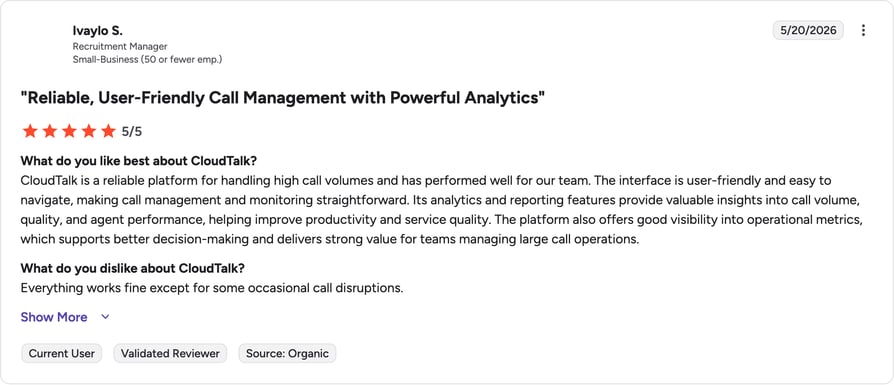
G2 reviewers consistently highlight CloudTalk's call quality, fast setup, and how the dialers and CRM sync remove manual busywork from outbound days. The most common praise themes are reliability on international calls, intuitive UI, and responsive support; the most common criticism is that some premium features sit in higher tiers.


#2 Aircall: Best for Small Sales Teams Wanting a Simple Cloud Phone
What Is Aircall?
Aircall is a cloud phone system designed for simplicity, offering fast setup, CRM integrations, and team calling features. It suits small sales teams that want a reliable phone layer without heavy configuration.
What Are Aircall's Key Features?
- Power dialer and click-to-dial from CRMs.
- Call monitoring, whispering, and tagging.
- Integrations with HubSpot, Salesforce, and Zoho.
What Are Aircall's Pros and Cons?
| Pros | Cons |
|---|---|
| Easy-to-use interface with fast onboarding | 3-user minimum and higher starting price |
| Reliable CRM integrations for activity logging | No multi-line or parallel dialer for heavy outbound |
Who Is Aircall Best For?
Small to mid-sized teams that split time between inbound and outbound and value simplicity over dialing horsepower.
How Much Does Aircall Cost?
Essentials starts at $30/user/month; Professional at $50/user/month (3-user minimum). See our Aircall pricing breakdown.
What Is Aircall's G2 Rating and Review Count?
Aircall is rated 4.4/5 by more than 1,300 verified users on G2.
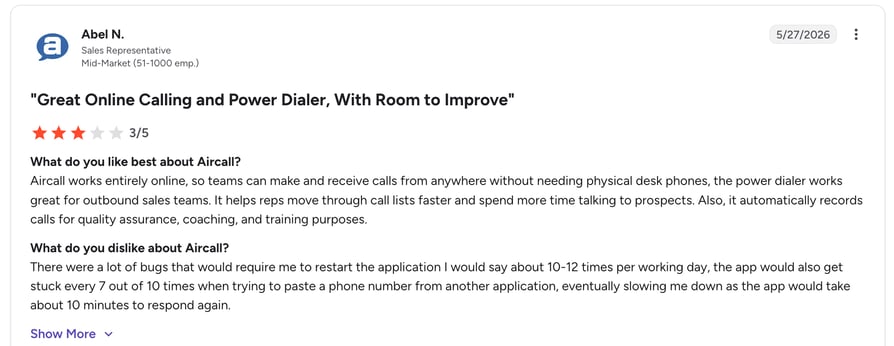
Reviewers praise Aircall's quick implementation—many report making calls within minutes of setup—and its clean CRM integrations. Criticisms center on limited outbound automation and pricing that climbs quickly for growing teams.
Aircall vs. CloudTalk
| Key Difference | Aircall | CloudTalk |
|---|---|---|
| Dialing modes | Power dialer only | Power, Parallel, Smart & Preview Dialers |
| Entry price | $30/user/month, 3-user minimum | $25/user/month, no seat minimum |
| Global coverage | 100+ countries | 160+ countries with local numbers |
| AI capabilities | AI features as paid add-on | Conversation intelligence built into plans |
#3 JustCall: Best for Omnichannel SMB Outreach
What Is JustCall?
JustCall is a cloud phone system that combines calling, SMS, and WhatsApp outreach with AI features like call scoring and note summarization—aimed at small and mid-sized outbound teams.
What Are JustCall's Key Features?
- Power, predictive, and dynamic dialers.
- Omnichannel outreach: calls, SMS, WhatsApp.
- AI call scoring and on-screen scripts.
What Are JustCall's Pros and Cons?
| Pros | Cons |
|---|---|
| Wide range of integrations plus open API | AI features cost extra ($9/user/month add-on) |
| Omnichannel outreach in one platform | Call quality can vary; local caller IDs are purchased manually |
Who Is JustCall Best For?
SMB sales teams that want calls, texts, and WhatsApp in one tool and don't need enterprise-grade dialing.
How Much Does JustCall Cost?
Team starts at $39/user/month (2-license minimum); Pro at $49/user/month. See our JustCall pricing guide.
What Is JustCall's G2 Rating?
JustCall is rated 4.3/5 by more than 2,000 verified users on G2.
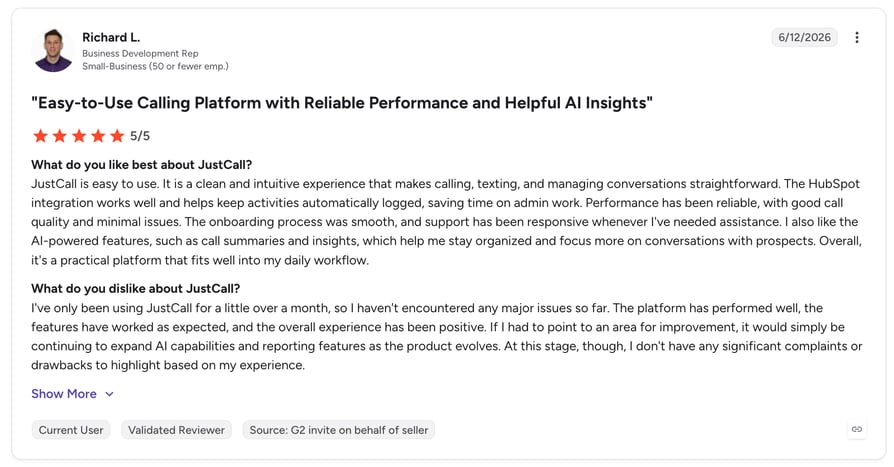
Users like the breadth of channels and automation for the price. Recurring complaints involve occasional call-quality issues and support response times during peak hours.
JustCall vs. CloudTalk
| Key Difference | JustCall | CloudTalk |
|---|---|---|
| AI features | Paid add-on ($9/user/month) | AI conversation intelligence included in plans |
| Local presence | Numbers purchased manually per area code | Automatic local presence dialing |
| Entry price | $39/user/month, 2-license minimum | $25/user/month |
| Global coverage | 70+ countries | 160+ countries |
#4 Kixie PowerCall: Best for CRM-Embedded Power Dialing
What Is Kixie PowerCall?
Kixie is a sales engagement platform centered on its PowerCall dialer—letting reps dial up to 10 lines at once directly from their CRM, with automated SMS and voicemail drop built in.
What Are Kixie's Key Features?
- Multi-line PowerDialer with human voice detection.
- Automatic local presence dialing and spam risk mitigation.
- Deep CRM integrations with HubSpot, Pipedrive, and Salesforce.
What Are Kixie's Pros and Cons?
| Pros | Cons |
|---|---|
| Robust power dialer boosts outbound efficiency | Quote-based pricing lacks transparency |
| Automated SMS improves follow-up rates | Setup and customization involve a learning curve |
Who Is Kixie Best For?
Sales-driven teams that dial off CRM lists all day and want calling plus texting automation in one tool.
How Much Does Kixie Cost?
Kixie's pricing is quote-based. See our Kixie pricing guide for typical ranges.
What Is Kixie's G2 Rating and Review Count?
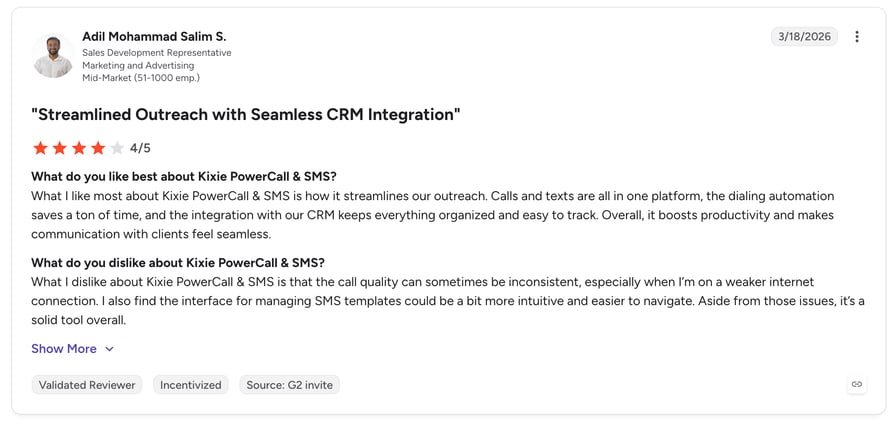
Kixie PowerCall & SMS is rated 4.6/5 by more than 1,000 verified users on G2.
Reviewers call the CRM-embedded dialing a "game changer" for speed, and consistently praise responsive chat support. The main friction points are occasional clunkiness in specific functions and pricing opacity.
Kixie vs. CloudTalk
| Key Difference | Kixie | CloudTalk |
|---|---|---|
| Pricing transparency | Quote-based only | Public plans from $25/user/month |
| Platform scope | Dialer + SMS engagement layer | Full business calling platform with IVR, routing & analytics |
| Global numbers | Primarily US-focused | 160+ countries |
| AI insights | Conversation intelligence add-on | Transcripts, sentiment & call scoring built in |
#5 Dialpad: Best AI-First Outbound Calling Software on a Budget
What Is Dialpad?
Dialpad is a unified communications platform with AI baked into its core—offering real-time transcription, live coaching, and call summaries alongside standard calling features.
What Are Dialpad's Key Features?
- AI transcription, summaries, and live agent coaching.
- Power and progressive dialing (via Dialpad Sell).
- Unified voice, video, and messaging.
What Are Dialpad's Pros and Cons?
| Pros | Cons |
|---|---|
| AI features included in base pricing | AI features restricted to specific regions and languages |
| Low entry price for unified comms | Basic call routing; outbound dialing needs the pricier Sell product |
Who Is Dialpad Best For?
Budget-conscious teams that want AI transcription and coaching in one unified comms tool—more than a dedicated outbound dialer.
How Much Does Dialpad Cost?
Standard starts at $15/user/month (billed annually); Pro at $25/user/month. Dialpad Sell (outbound-focused) is priced separately. See our Dialpad pricing guide.
What Is Dialpad's G2 Rating and Review Count?
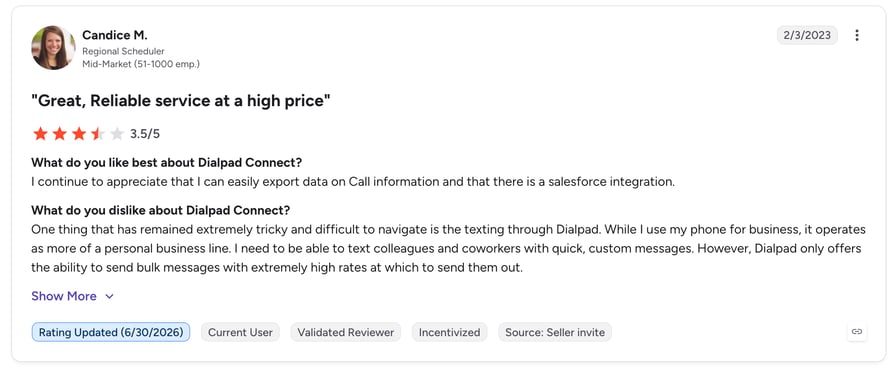
Dialpad Connect is rated 4.4/5 by more than 4,000 verified users on G2.
Users love the built-in AI—summaries and live transcription top the praise list. Common gripes include speech-to-text accuracy on niche terminology and key features gated behind higher tiers.
Dialpad vs. CloudTalk
| Key Difference | Dialpad | CloudTalk |
|---|---|---|
| Product focus | Unified comms; outbound needs separate Sell product | Outbound sales calling is the core product |
| Dialing modes | Power & progressive (in Sell) | Power, Parallel, Smart & Preview in one platform |
| International coverage | Limited; AI works in select regions | 160+ countries, multilingual AI transcription |
| Call routing | Basic routing options | Skill-based routing, IVR & call flow designer |
#6 Salesloft: Best for Enterprise Cadence-Driven Sales Engagement
What Is Salesloft?
Salesloft is an enterprise sales engagement platform built around multi-step cadences—email, calls, LinkedIn, and SMS in structured workflows—with conversation intelligence and deal management layered on top.
What Are Salesloft's Key Features?
- Best-in-class cadence builder with branching logic.
- Native conversation intelligence (recording, transcription, coaching).
- Deep Salesforce integration and deal health scoring.
What Are Salesloft's Pros and Cons?
| Pros | Cons |
|---|---|
| Strong cadence workflows with high rep adoption | No native power dialer—the dialer is a paid add-on |
| Conversation intelligence included in the platform | High total cost and complex implementation |
Who Is Salesloft Best For?
Mid-market and enterprise teams (50+ reps) with dedicated RevOps running structured, multi-channel cadences.
How Much Does Salesloft Cost?
Custom pricing—typically in the $125–165/user/month range, with the dialer priced as an add-on. See our Salesloft pricing guide.
What Is Salesloft's G2 Rating and Review Count?
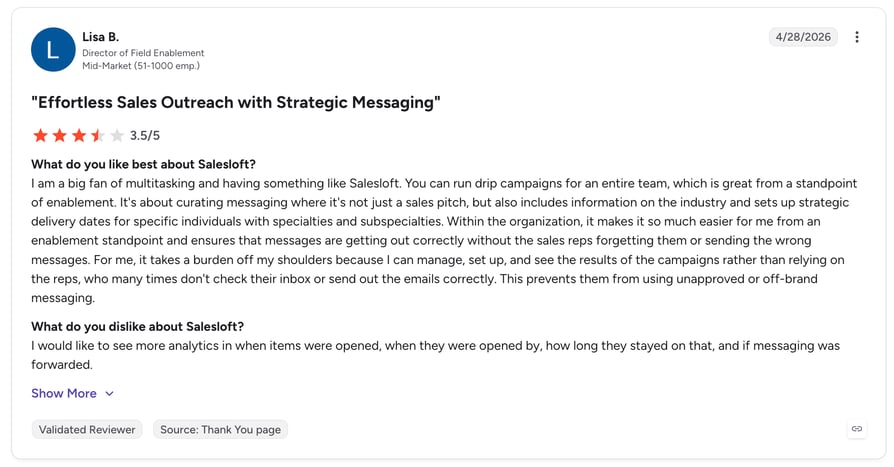
Salesloft is rated 4.5/5 by more than 4,200 verified users on G2.
Ease of use is the top praise theme across G2 reviews—reps describe cadences as "a real system instead of guessing on follow-ups." The single biggest complaint: no native power dialer, meaning you pay enterprise prices and still buy calling separately.
Salesloft vs. CloudTalk
| Key Difference | Salesloft | CloudTalk |
|---|---|---|
| Native dialer | Paid add-on, not included in plans | Four dialing modes built into the platform |
| Pricing | Custom, typically $125–165/user/month + dialer | Transparent plans from $25/user/month |
| Best-fit team size | 50+ reps with dedicated RevOps | Teams of 5–500 without heavy admin overhead |
| Implementation | $5,000–15,000 fees, weeks-long rollout | Self-serve setup, live in days |
#7 Outreach: Best for Complex Multi-Channel Sequences at Scale
What Is Outreach?
Outreach is an enterprise sales execution platform offering AI-driven workflows, sequence A/B testing, sentiment analysis, and deal forecasting—built for teams with sophisticated automation needs.
What Are Outreach's Key Features?
- AI-powered workflows with complex branching and conditional routing.
- Sequence A/B testing and sentiment analysis.
- Deal management and forecasting from actual deal data.
What Are Outreach's Pros and Cons?
| Pros | Cons |
|---|---|
| Manage email, calls, LinkedIn, and chat in one platform | Steep learning curve for new reps |
| Deepest workflow automation flexibility in the category | Setup demands heavy RevOps resources |
Who Is Outreach Best For?
Enterprise teams with complex, multi-channel sequences and the ops resources to manage deep customization.
How Much Does Outreach Cost?
Custom pricing, comparable to Salesloft ($100–175+/user/month for full functionality). See our Outreach pricing guide.
What Is Outreach's G2 Rating and Review Count?
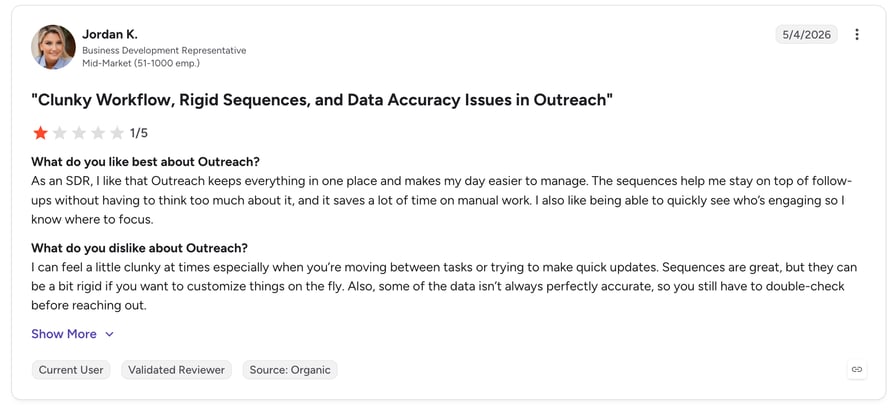
Outreach is rated 4.3/5 by more than 3,000 verified users on G2.
Reviewers value the automation depth and multi-channel control; teams with strong RevOps get the most out of it. Lower ease-of-setup scores than Salesloft reflect the platform's complexity for smaller teams.
Outreach vs. CloudTalk
| Key Difference | Outreach | CloudTalk |
|---|---|---|
| Core strength | Multi-channel sequence automation | Voice-first outbound with AI insights |
| Ease of setup | Complex; needs dedicated ops | Self-serve, live in days |
| Pricing | Custom, $100–175+/user/month | From $25/user/month, transparent tiers |
| Calling capabilities | Dialer is secondary to sequences | Power, Parallel & Smart Dialers with 160+ country numbers |
#8 PhoneBurner: Best for High-Volume Single-Line Power Dialing
What Is PhoneBurner?
PhoneBurner is a cloud power dialer built for pure outbound volume—helping reps reach up to 80 contacts per hour with voicemail drop and post-call automation.
What Are PhoneBurner's Key Features?
- Power dialing up to 80 contacts/hour with no connection delay.
- One-click voicemail drop and email follow-up.
- CRM integration with Salesforce and HubSpot.
What Are PhoneBurner's Pros and Cons?
| Pros | Cons |
|---|---|
| Dramatic boost in dials per hour | $149/user/month is steep for small teams |
| Unlimited dialing with no per-minute fees | Limited international calling and no native SMS |
Who Is PhoneBurner Best For?
US-based teams chasing raw outbound volume—think insurance, real estate, and lead-heavy SDR motions.
How Much Does PhoneBurner Cost?
Standard starts at $149/user/month; Professional at $195; Premium at $215. See our PhoneBurner pricing guide.
What Is PhoneBurner's G2 Rating and Review Count?
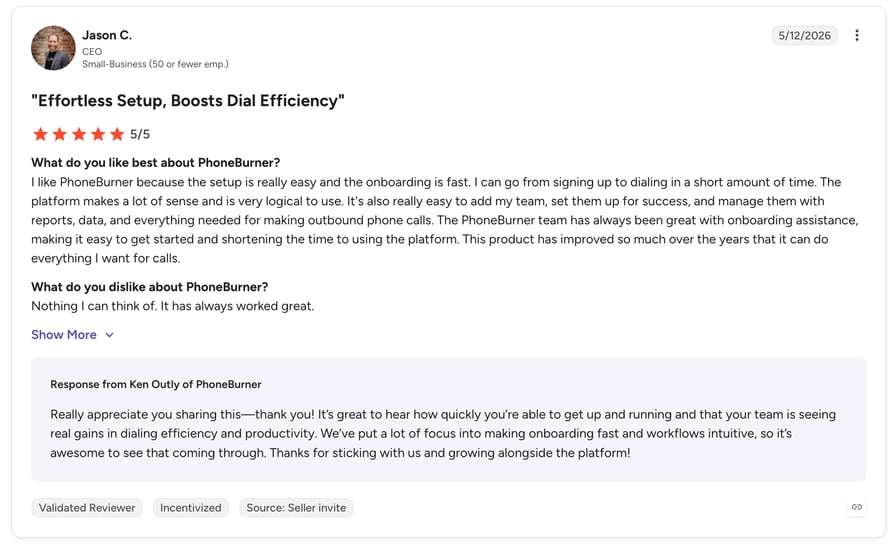
PhoneBurner is rated 4.7/5 by more than 700 verified users on G2.
Users rave about connection speed—no awkward dialing delay when prospects answer—and easy onboarding. The recurring downsides: price for individual agents and limited channels beyond voice.
PhoneBurner vs. CloudTalk
| Key Difference | PhoneBurner | CloudTalk |
|---|---|---|
| Entry price | $149/user/month | $25/user/month |
| Channels | Voice-only; no native SMS | Voice + SMS/MMS with campaign automation |
| International reach | Limited international calling | Local numbers in 160+ countries |
| AI analytics | Basic reporting | AI transcripts, sentiment & topic extraction |
#9 Orum: Best AI Parallel Dialer for SDR Teams
What Is Orum?
Orum is an AI-powered live conversation platform that dials multiple numbers in parallel, detects answering machines, and connects reps only to live prospects—built for SDR teams that measure success in conversations per hour.
What Are Orum's Key Features?
- AI parallel dialing with answer detection.
- Integrations with Salesforce, Outreach, and Salesloft.
- Call library and analytics for coaching.
What Are Orum's Pros and Cons?
| Pros | Cons |
|---|---|
| Multiplies live conversations per hour dramatically | Custom pricing is premium-tier for small teams |
| Slots neatly into existing sales engagement stacks | Dialer-only—you still need a full phone system underneath |
Who Is Orum Best For?
Dedicated SDR teams at funded startups and mid-market companies whose north-star metric is live connects per rep per day.
How Much Does Orum Cost?
Custom, quote-based pricing per user per year. See our Orum pricing guide.
What Is Orum's G2 Rating and Review Count?
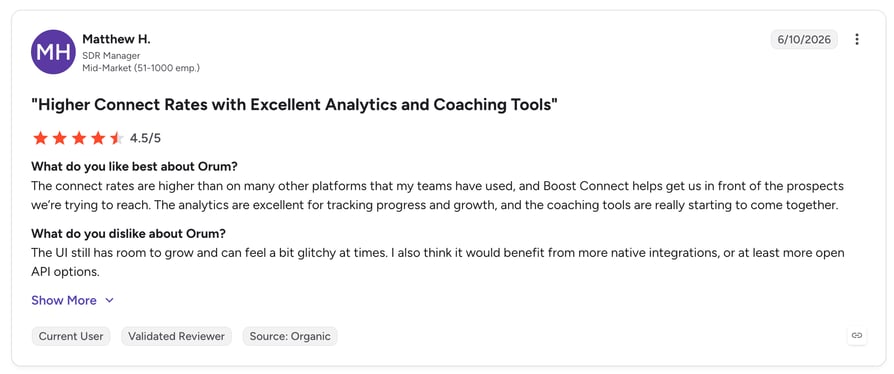
Orum is rated 4.6/5 by more than 300 verified users on G2.
SDRs report multiplying daily conversations after adopting parallel dialing. Critiques focus on cost justification for smaller teams and occasional false-positive answer detection.
Orum vs. CloudTalk
| Key Difference | Orum | CloudTalk |
|---|---|---|
| Product scope | Parallel dialer layer on top of your stack | Complete calling platform incl. Parallel Dialer |
| Pricing | Custom, premium per-seat annual contracts | From $25/user/month; Parallel Dialer add-on available |
| Inbound handling | Outbound-only | Full inbound routing, IVR & queues included |
| Numbers & coverage | Relies on your underlying telephony | Native numbers in 160+ countries |
#10 Five9: Best for Enterprise Contact Centers with Predictive Dialing
What Is Five9?
Five9 is an enterprise cloud contact center platform with sophisticated predictive dialing, workforce optimization, and compliance controls—built for large-scale outbound operations.
What Are Five9's Key Features?
- Predictive, power, progressive, and preview dialers.
- AI-driven routing and workforce optimization.
- Advanced compliance and campaign management tools.
What Are Five9's Pros and Cons?
| Pros | Cons |
|---|---|
| Enterprise-grade functionality and omnichannel routing | Significant cost barrier for smaller teams |
| Powerful predictive dialing for massive campaigns | Complex, lengthy implementation process |
Who Is Five9 Best For?
Enterprise outbound call centers running large, compliance-heavy campaigns with hundreds of agents.
How Much Does Five9 Cost?
Plans start at $119/user/month, with additional costs for advanced features. See our Five9 pricing guide.
What Is Five9's G2 Rating and Review Count?
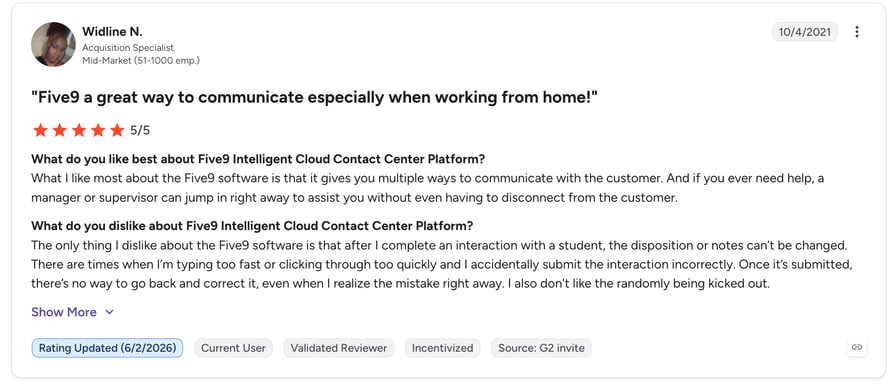
Five9 is rated 4.1/5 by more than 500 verified users on G2.
Enterprise admins value the campaign depth and reliability at scale. Smaller teams cite implementation complexity and cost as the main reasons they look elsewhere.
Five9 vs. CloudTalk
| Key Difference | Five9 | CloudTalk |
|---|---|---|
| Target customer | Enterprise contact centers (100s of agents) | SMB to mid-market sales teams |
| Entry price | $119/user/month | $25/user/month |
| Implementation | Complex, consultant-led rollout | Self-serve, live in days |
| Flexibility | Limited customization outside enterprise packages | Modular plans that scale with team size |
How to Choose the Right Outbound Calling Software for Your Sales Team?
1. Match the Dialing Mode to Your Sales Motion
High-volume SDR teams benefit from parallel or predictive dialing; relationship-driven AEs need power or preview modes. The g2 best sales calling software 2026 options offer multiple modes so your tool doesn't dictate your strategy.
2. Check CRM and Stack Integrations
Your dialer should log calls, sync contacts, and trigger workflows in HubSpot, Salesforce, or Pipedrive automatically—otherwise reps burn selling time on data entry.
3. Prioritize Answer Rates, Not Just Dial Volume
Local presence dialing, spam-label protection, and clean caller IDs decide whether prospects actually pick up. More dials mean nothing if your number shows as "Spam Likely."
4. Demand AI Analytics and Coaching Tools
Transcripts, sentiment analysis, and call scoring turn every conversation into coaching material—key drivers behind automated outbound calling performance gains.
5. Verify Compliance Controls
Look for DNC filtering, time-zone restrictions, consent management, and call recording controls to stay TCPA- and GDPR-compliant as you scale.
6. Compare Transparent Pricing Against Total Cost
Add-on dialers, per-minute fees, and implementation charges inflate "cheap" tools fast. Favor platforms with public per-user pricing and predictable scaling costs.
Not sure which dialer fits your team? Let's map it together.
Why G2 Ratings Actually Matter When Choosing Outbound Sales Calling Software
Anyone can write a landing page claiming to be the best. G2 ratings are different for four reasons:
- Reviews come from verified, real users—not sponsored content. G2 validates reviewer identity before publishing, and sponsored placements never influence product scores.
- Scores reflect actual mid-market experience at scale. Thousands of reviews across company sizes reveal how tools perform in real workflows, not curated case studies.
- Ratings factor in ease of use, support quality, and ROI—not just raw features. A tool with a huge feature list but poor adoption will show it in its G2 satisfaction scores.
- Badges like "Leader" and "High Performer" are earned, not bought. They require consistent peer feedback over time—which is why CloudTalk's G2 Leader recognition in outbound call tracking carries real weight.
Pick the Dialer Your Reps Will Actually Love
CloudTalk leads this list as the best all-around outbound calling platform—combining four dialing modes, 160+ country coverage, and built-in AI at a transparent price, backed by a 4.4/5 G2 rating.
The rest of the field shines in specific lanes: Kixie and PhoneBurner for raw dialing volume, Salesloft and Outreach for enterprise cadences, Orum for SDR parallel dialing, Dialpad for budget AI, Aircall and JustCall for SMB simplicity, and Five9 for enterprise contact centers.
Whichever direction you lean, let verified G2 reviews—not vendor promises—guide the shortlist. Then trial your top two picks with real call lists before committing.
Frequently asked questions
A business phone system handles calls; outbound calling software adds sales-specific tools—auto dialers, local presence, voicemail drop, CRM sync, and analytics that maximize dials and conversions.
As a rule of thumb, 200+ verified reviews make a rating statistically meaningful—and check review recency. CloudTalk's G2 Leader badge is backed by 1,702+ reviews.
Yes—every tool on this list connects to major CRMs. CloudTalk offers 100+ native integrations including HubSpot, Salesforce, and Pipedrive, with automatic call logging and contact sync.
A power dialer calls the next contact when a rep finishes; a progressive dialer waits until the rep confirms readiness; a predictive dialer calls multiple numbers ahead of agent availability—fastest, but with compliance risks.
Leading platforms build in DNC filtering, calling-hour limits, consent tracking, and recording controls. Review each vendor's autodialer compliance features—and configure them correctly—to stay GDPR- and TCPA-safe.
Cloud-native tools like CloudTalk go live in hours to days—pick numbers, connect your CRM, and dial. Enterprise platforms like Five9 or Salesloft can take weeks. See our outbound dialer setup guide.