How to Get A Virtual Phone Number for WhatsApp (+ 5 Top Providers)
90% of customers rate an immediate response as important when they have a support question, and almost two-thirds expect a reply within 10 minutes¹. A virtual phone number for WhatsApp helps you meet that demand while keeping your personal number private.
TL;DR
Here's how to get a WhatsApp number that isn't tied to your SIM card:
- 01Choose a provider with WhatsApp integration (e.g., CloudTalk)
- 02Log in to your provider's dashboard
- 03Select a WhatsApp-compatible number
- 04Connect to WhatsApp Business
- 05Verify and go live
To get a virtual number for WhatsApp, choose a provider whose numbers WhatsApp accepts, then register the number in the WhatsApp Business app or activate it through an official WhatsApp Business integration.
What Is a WhatsApp Virtual Number?
A WhatsApp virtual number is a virtual phone number that isn't tied to a SIM card or a single device. You rent it from a provider and use it to register WhatsApp Business, so your team can reply from computers and linked devices instead of passing one phone around.
Virtual numbers can be mobile, landline or VoIP numbers, and WhatsApp treats them differently: it doesn't support VoIP numbers, so the number type decides whether you can register. A WhatsApp virtual number is also not the same as a fake or temporary number, as the comparison below shows.
Think of a support team using one shared number. Instead of passing around one phone, every agent can log in from their own device and reply to customers under the same WhatsApp account.
This keeps responses fast and consistent and helps you separate personal and business chats. It also adds flexibility to work from anywhere and makes it easy to scale communication without extra phones or SIM cards.
How to Get a Virtual Phone Number for WhatsApp?
Getting started is easier than it sounds. Here’s the simple flow:
- 01Choose your provider:You can buy a virtual phone number for WhatsApp for business from a provider that offers WhatsApp integration, like CloudTalk. Ask which of its numbers are eligible for WhatsApp before you buy.
- 02Log in to your provider's dashboard:Sign in and open the WhatsApp settings to start the activation process.
- 03Select a WhatsApp-compatible number:Pick an eligible number, copy it, and prepare to link it to your WhatsApp Business profile.
- 04Connect to WhatsApp Business:Log in with Facebook, confirm your business details, and create your WhatsApp Business account and profile.
- 05Verify and go live:Enter the 6-digit code sent by SMS or phone call, then wait for Meta to finish verification. Once it's confirmed, your WhatsApp virtual number is ready for your team.
Can You Get a Free Virtual Number for WhatsApp?
Yes, but whether a free number is worth using depends on what you need WhatsApp for.
Here's how free numbers, cheap paid numbers, and an official business integration compare:
| Personal: free number | Personal: paid number | Business: CloudTalk WhatsApp integration | |
|---|---|---|---|
| Cost | $0 | Low monthly fee | Expert plan ($49/user/month, billed annually) |
| Passes WhatsApp verification? | Often fails | Usually, if the provider confirms WhatsApp support | Yes, activated through Meta inside CloudTalk |
| Ban risk | High | Low to medium | Low (official Meta route) |
| Who can see your messages | Anyone using the same public number | Only you | Your team, in a shared inbox |
| Keeps working long term | Rarely | Yes, while you pay | Yes |
Personal Use: Can You Get a Free Number, and What's the Risk?
Yes, you can find a virtual number for WhatsApp free online, but expect it to fail. Free numbers come from public "receive SMS online" websites, free calling and texting apps, and free trials from paid providers. These are the risks:
- The code never arrives:WhatsApp doesn't support VoIP numbers, and many free numbers are VoIP.
- Anyone can take over your account:Public numbers are shared, so anyone on the same page sees your code.
- You lose the account when the number is recycled:No new code means no login.
- WhatsApp can ban the account:Numbers used by many accounts get flagged.
The same goes for a free US number for WhatsApp from a texting app: it may work for a while, but you can lose the account at any time.
Is There a 7-Day Free Trial Number for WhatsApp?
Not from WhatsApp itself: WhatsApp doesn't issue numbers, so any 7-day free trial number for WhatsApp comes from a provider. A trial is fine for testing a provider, but your WhatsApp account is tied to the number, so if the number stops working when the trial ends, you lose the account.
Use the trial to check that the number passes verification, then switch to a number you keep. CloudTalk's 14-day trial (1 number, $5 credit, no credit card) lets you test calling and the platform; WhatsApp itself is part of the Expert plan.
Business Use: Run WhatsApp Through CloudTalk
There is no free shortcut for business WhatsApp. If a free number is recycled or banned, your customer conversations go with it.
Here's how to run WhatsApp through CloudTalk instead:
- 01Try CloudTalk free for 14 days:Test calling and the platform with 1 number and $5 credit, no credit card required. WhatsApp itself needs the Expert plan.
- 02Upgrade to the Expert plan:$49 per user/month, billed annually.
- 03Submit CloudTalk's WhatsApp pre-registration form:Have your Meta Business Manager ID ready.
- 04Get a WhatsApp-eligible number:CloudTalk provides it from its WhatsApp partner carrier.
- 05Activate it in the CloudTalk Dashboard:Go to Account > Settings > WhatsApp and follow Meta's onboarding flow.
- 06Reply from CloudTalk's Messages inbox:Answer chats next to SMS, and start new conversations with Meta-approved templates.
1. The number works inside CloudTalk only, not in the WhatsApp phone apps.
2. Meta limits new accounts to 2 phone numbers until Meta Business Verification, which you also need to send outbound templates.
3. Meta doesn't deliver marketing templates to US phone numbers. Utility templates still work.
4. WhatsApp messages are billed separately from your CloudTalk plan.
Does WhatsApp Accept Virtual Numbers?
Sometimes. WhatsApp accepts many mobile and landline virtual numbers, but its Help Center lists VoIP, toll-free, paid premium, universal access (UAN) and personal numbers as unsupported. Since 2024, it has also blocked activation of all US hosted VoIP numbers.
Mobile vs. VoIP Numbers
The best virtual phone number for WhatsApp verification is a mobile number. Landlines work on the WhatsApp Business app if you verify by phone call, while VoIP numbers usually fail, or register and then get deregistered after a few days.
Compatibility can change over time, so a number type that worked last year may not work today. Ask your provider which numbers it supports for WhatsApp before you buy.
Why WhatsApp Bans Some Numbers
WhatsApp flags numbers that look shared, recycled, or public. One number used by many accounts is the clearest signal, which is why numbers from free SMS websites get banned so often.
What to Do If the Verification Code Doesn't Arrive
- 01Wait for the timer to finish, then tap Call me to get the code by phone call instead of SMS.
- 02Don't guess the code. Too many wrong attempts lock you out for a while.
- 03Check that the number can receive SMS or calls.
- 04If it still fails, the number is likely blocked, so switch to a provider that confirms WhatsApp support.
Virtual vs. Fake vs. Temporary WhatsApp Numbers: What's the Difference?
A virtual number is a real, dedicated number you keep, while temporary and fake numbers are built to be thrown away. Here's how the three compare:
| Number type | What it is | What happens to your WhatsApp account |
|---|---|---|
| Virtual number | A real, dedicated number you rent and keep | Stays yours for as long as you keep the number |
| Temporary WhatsApp number | A number rented for a few days or a single code | Dies when the number expires |
| "Fake" WhatsApp number | A public, shared or made-up number | Anyone can read the code; high risk of takeover and bans |
A fake WhatsApp number usually means a public number from a free SMS website. Because anyone can read the codes sent to it, the account can be taken over or banned at any time.
Top Benefits of Using a WhatsApp Virtual Phone Number
Whether you’re scaling support, protecting your privacy, or speeding up sales, the right setup can transform how your team communicates. Here’s where virtual numbers make the biggest difference:
Cut Customer Service Costs With One Shared Number
Using WhatsApp for customer service moves routine questions from phone calls to chat. With one virtual number, teams can centralize communication and avoid the cost of extra lines, SIM cards or international calls.
Answer Faster With Shared Access
When your team shares access to the same WhatsApp account, messages don't pile up on one phone. Any available agent can reply, which keeps response times short and support efficient.
Protect Your Privacy and Personal Number
When you get a virtual phone number for WhatsApp, your real number stays hidden. This keeps your personal contact details private and reduces exposure to spam, especially when networking or listing your business online.
Use One Number on Several Devices or as a Second Number
The WhatsApp Business app lets you use up to four linked devices and one phone at a time, so teams can reply from different locations without passing one phone around.
A second number for WhatsApp also keeps work and personal chats apart. You can run WhatsApp and WhatsApp Business side by side on one phone, each on its own number, so customers never see your personal account.
Look More Professional and Credible
A dedicated WhatsApp virtual phone number signals that you’re serious about your business. It helps build trust with customers and lets you display a consistent brand image across all touchpoints.
Work From Anywhere, No SIM Required
With a cloud-based setup, you can use WhatsApp wherever there’s Wi-Fi. Whether you’re at the office, working remotely, or traveling abroad, your virtual number travels with you.
Build Better Work-Life Balance
Want to unplug after hours? With a virtual number just for work, you can turn on auto-replies, set availability, and avoid after-hours pings without missing important business messages.
without scaling your phone bill.
How To Set Up WhatsApp Business With a Virtual Phone Number
Step 1: Get a Virtual Phone Number for Your Business
Before you can use WhatsApp, you'll need a virtual phone number. Here's how to do it right:
- 01Choose your VoIP provider:Pick a trusted provider that confirms which of its numbers work with WhatsApp, and that offers call routing, CRM integrations and strong uptime.
- 02Create your account and verify your identity:Sign up online and upload a document (like a utility bill or business cert) to verify your business. Most verifications are done within 24 hours.
- 03Select and configure your number:Choose a local, toll-free, or international virtual number, or port your existing one. Set up greetings, IVR menus, business hours, and smart call routing.
- 04Connect your tools and start calling:Install the VoIP app on your devices, integrate with your CRM, and start making or receiving calls from any internet-connected device.
Then connect the number to WhatsApp.
Option 1: Register Your Number in the WhatsApp Business App
This works only if your provider's number passes WhatsApp verification. Many VoIP numbers are blocked, so check with your provider first. Then follow these steps:
- 01Download the WhatsApp Business App:Head to the App Store or Google Play and install the official WhatsApp Business app, not the regular version.
- 02Open the App and Accept the Terms:Tap Agree & Continue to move on to registration.
- 03Enter Your Virtual Phone Number:Select your country from the list; this fills in the correct country code. In the box on the right, enter your virtual phone number (without the leading 0), and then tap Done.
- 04Verify Your Number:WhatsApp will send you a 6-digit code by SMS or phone call. Once verified, you’re in! You can now use WhatsApp Business with your virtual number to message clients, set up auto-replies, and manage chats across devices.
Option 2: Activate WhatsApp Inside CloudTalk (for Teams)
Teams that want one number in a shared inbox can activate WhatsApp inside CloudTalk instead of the phone app:
- 01Check your plan:WhatsApp needs the Expert or Custom plan.
- 02Complete the pre-registration form:Then connect your Meta Business Manager account.
- 03Get a WhatsApp-eligible number:CloudTalk provides it from its partner carrier.
- 04Activate the number:Go to Account > Settings > WhatsApp and confirm in Meta's pop-up window.
- 05Reply from the Messages inbox:New chats appear next to your SMS conversations.
WhatsApp Business App vs. API: Which Does Your Team Need?
Here's how to get a WhatsApp Business number: register it in the free WhatsApp Business app, or connect it through an official API integration. The app suits one person on one phone; the API suits teams:
| WhatsApp Business app | Official API integration | |
|---|---|---|
| Who replies | One phone plus up to four linked devices | Your whole team, from a shared inbox |
| Replies | Manual | Manual, templates and automation |
| Customer context | Chat history on the phone | CRM context next to every chat |
| Cost | Free app | Provider plan plus messaging fees |
Business WhatsApp on the API follows three rules that the app hides from you:
- The 24-hour window:You can reply freely for 24 hours after the customer's last message. After that, only a Meta-approved template can restart the conversation (Meta).
- Templates:Utility templates cover updates such as confirmations and reminders, while marketing templates cover promotions. Meta doesn't deliver marketing templates to US phone numbers.
- Meta Business Verification:New accounts can register 2 phone numbers until Meta verifies the business, which also unlocks outbound templates.
Chats land in a shared Messages inbox alongside SMS, and agents send Meta-approved templates from the CloudTalk desktop app. It's available on the Expert plan; the CloudTalk mobile app can reply to chats but can't send templates.
What to Look For in a WhatsApp Virtual Number Provider
The best virtual number for WhatsApp comes from a provider that confirms WhatsApp works, covers the countries you need, prices clearly and supports your team. Check these four things:
WhatsApp Compatibility
Ask whether the provider confirms WhatsApp works on its numbers, and through which route: the WhatsApp phone apps or an official integration.
Country Coverage and International Numbers
For an international number for WhatsApp, check WhatsApp support per country, not just number coverage. Some number types have mixed activation success, such as toll-free numbers outside the US.
Pricing and Free Trial
The cheapest virtual number for WhatsApp isn't always the cheapest setup. Separate the number price, the plan price and the messaging fees, and check what the free trial includes.
Team Features
For a virtual number for WhatsApp Business, look for a shared inbox, CRM context, templates and analytics.
Top 5 Virtual WhatsApp Number Providers in 2026
With so many options out there, choosing the right WhatsApp virtual number provider can feel like guesswork.
We reviewed the top 5 platforms to consider in 2026, whether you're a small team or scaling fast.
Start with the quick comparison table below, or jump into the detailed breakdowns to find the best fit for your business:
| Provider | WhatsApp route | Starting price | Best for |
|---|---|---|---|
| CloudTalk | Official Business API integration on partner-carrier numbers | Starter $25/user/month (WhatsApp on Expert, $49) | Teams that run WhatsApp next to calls and SMS |
| JustCall | Official Business API on JustCall numbers | $29/user/month (2-user minimum) | Sales and support teams already on JustCall |
| Aircall | Official Business API add-on on Aircall numbers | $30/license/month + $10/seat WhatsApp add-on | Aircall teams that want one-to-one WhatsApp chats |
| 2Chat | WhatsApp Business app (QR) or official Business API | $31/month (1 agent) | Small businesses that want a number for the WhatsApp app |
| Twilio | Official Business API for developers | Pay as you go, from $0.005 per message | Developers building custom WhatsApp messaging |
1. For nearly 10 years, we’ve been helping more than 30,000 professionals with our solutions. Along the way, we’ve worked closely with experts across customer support, sales, and operations, listening to their challenges and following market trends.
2. To support better software decisions, we’ve reviewed over 200 software tools across industries. In the process, we’ve analyzed 5,500+ verified customer reviews from platforms like G2, Gartner, Capterra, and TrustRadius, plus real discussions on Reddit and Quora.
3. In the last year alone, we published over 1,000 articles, each one written by humans for humans, with care and a deep understanding of our customers’ needs. The reviews are based on trustworthy data, with one clear goal: to provide reliable insights and answers for you.
4. Learn how we keep our content integrity and our software review methodology.
#1 CloudTalk
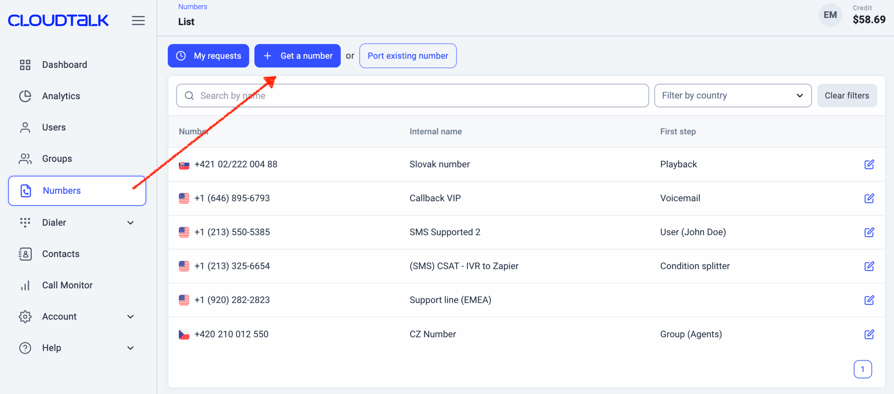
Trusted by 7,500+ businesses, CloudTalk offers an official WhatsApp integration on numbers from its WhatsApp partner carrier, backed by automation, CRM integration, and real-time analytics, all within one cloud-based platform.
Pros
- Centralizes WhatsApp messaging for teams in one shared inbox, next to calls and SMS.
- Supports automation, analytics and CRM-connected workflows.
- Numbers in 160+ countries for calling.
- Offers Meta-approved message templates for outbound messaging.
Cons
- Not all virtual numbers are eligible for WhatsApp due to Meta's VoIP restrictions.
- Meta limits account setup, number usage and outbound messaging approvals.
- CloudTalk WhatsApp numbers work inside CloudTalk only, not in the WhatsApp phone apps.
CloudTalk's Pricing
Flexible Pricing Plans to Scale with You
Compare our plans
- Prices are per user/month, billed annually.
- WhatsApp is available on the Expert and Custom plans, and you can try CloudTalk free for 14 days with 1 number and $5 credit, no credit card required.
#2 JustCall
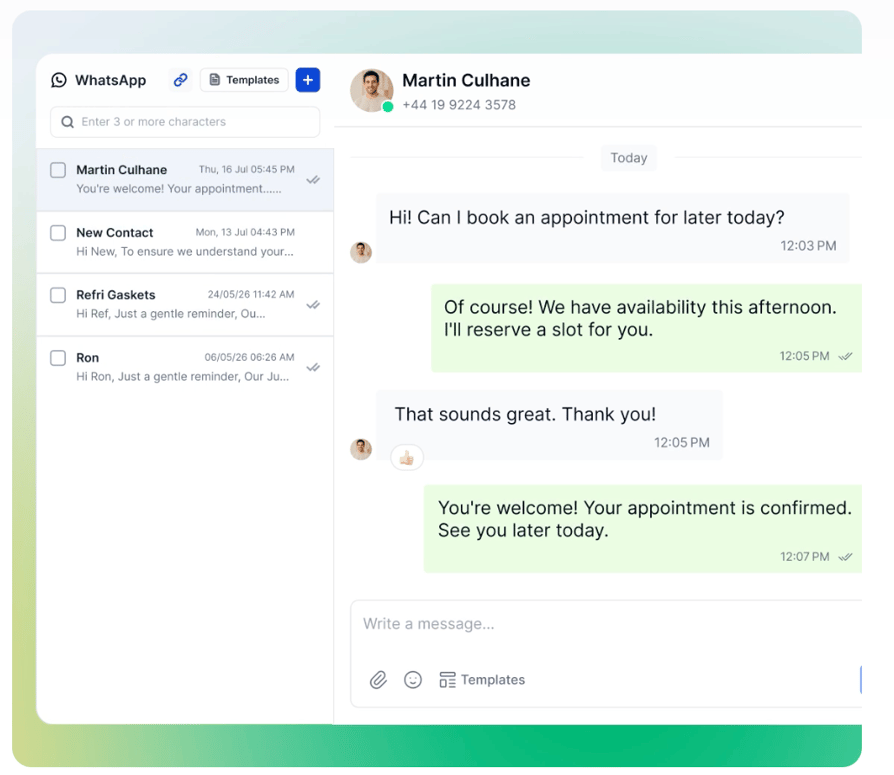
JustCall is a cloud phone system for sales and support teams with a WhatsApp inbox built on the WhatsApp Business API. You connect a JustCall number to WhatsApp through your Meta Business account and reply from the same shared inbox as SMS.
Pros
- WhatsApp inbox included from the Team plan, with no separate add-on.
- Shared inbox with chat assignment and internal notes.
- JustCall states it adds no per-message fees on top of Meta's rates.
Cons
- Only JustCall numbers can be used for WhatsApp.
- Plans need at least 2 users.
- WhatsApp country coverage isn't published.
JustCall's Pricing
- Team: $29 per user/month billed annually ($39 monthly)
- Pro: $49 per user/month billed annually ($69 monthly)
- Pro Plus: $89 per user/month billed annually ($109 monthly)
- Business and SalesPro: custom pricing
#3 Aircall
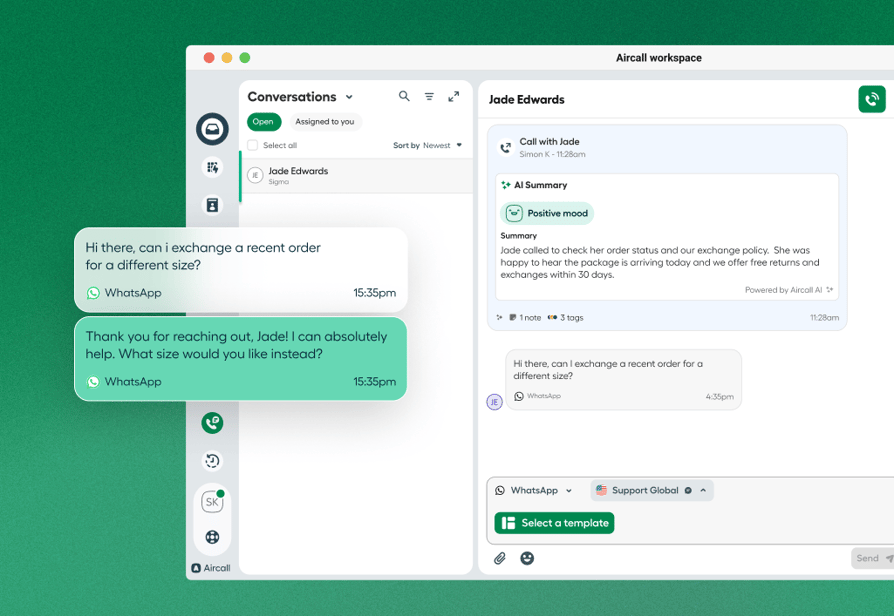
Aircall is a cloud phone system that adds WhatsApp through a paid add-on built on the WhatsApp Business Platform. You can use your existing Aircall numbers, and chats arrive in team inboxes with CRM logging.
Pros
- Works with your existing Aircall numbers.
- Team inboxes, chat assignment and branded templates.
- 1,000 free service messages per number each month.
Cons
- WhatsApp is a $10 per seat/month add-on on top of a paid plan.
- No broadcasts, bulk campaigns or chat history migration.
- Aircall adds a small usage fee on top of Meta's template rates.
Aircall's Pricing
- Essentials: $30 per license/month billed annually
- Professional: $50 per license/month billed annually
- Enterprise: custom pricing
- WhatsApp in Aircall add-on: $10 per seat/month
#4 2Chat
2Chat is a WhatsApp-focused platform and a Meta Tech Provider. It's one of the few providers that supports both routes: you can link a WhatsApp Business app number by QR code or connect through the official Business API, and it sells virtual numbers in 90+ countries.
Pros
- Most of its virtual numbers work in the WhatsApp apps and on the Business API.
- Paid plans from Basic include a US or Canadian virtual number.
- Shared inbox, chatbot builder and bulk messaging.
Cons
- Agent seats and app connections are capped per plan.
- SMS doesn't work on every number; toll-free and some national numbers are voice only.
- Some countries require ID or a local address for numbers.
2Chat's Pricing
- Single: $31/month billed annually ($40 monthly), 1 agent
- Basic: $40/month billed annually ($49 monthly), up to 3 agents
- Pro: $99/month billed annually ($120 monthly), up to 5 agents
- Enterprise: custom pricing
#5 Twilio

Twilio is a programmable communications platform for developers. You register WhatsApp senders on the WhatsApp Business Platform through Twilio's Console and build messaging, chatbots or calling into your own app.
Pros
- Use a Twilio number or bring your own number.
- Built for chatbots, AI assistants and high message volume.
- Pay-as-you-go pricing with no seats or plans.
Cons
- No built-in shared inbox; teams build one or use Twilio Flex.
- Twilio numbers can't be used in the WhatsApp phone apps.
- Needs developer resources to set up and run.
Twilio's Pricing
- WhatsApp: $0.005 per message, inbound or outbound, plus Meta's template fees
- US phone numbers: $1.15/month local, $2.15/month toll-free


Don’t Let Your Phone System Hold Back Your Conversations
In a world where customers expect instant replies and global reach, sticking with a single SIM card (or worse, a shared team phone) is a fast track to missed messages and frustrated teams.
With CloudTalk, getting a virtual phone number for WhatsApp that works across teams, tools, and time zones is easier than ever.
This is what you get:
- Official WhatsApp Business integration, set up from your dashboard
- One number for your whole team, in a shared inbox with calls and SMS
- Real-time analytics, automated workflows, and scalable support
- Calling numbers in 160+ countries; WhatsApp on partner-carrier numbers through Meta's official process
Ready to turn WhatsApp into one of your main business channels?
Sources
- HubSpot, The Live Chat Mistake That's Tanking Your Go-to-Market Strategy
Frequently Asked Questions
No. WhatsApp doesn't issue phone numbers; every account needs a number you already own that can receive a verification code by SMS or voice call. That can be a regular SIM, an eSIM, or a virtual number that passes WhatsApp verification. Businesses can get one through an official integration: CloudTalk provides WhatsApp-eligible numbers from its partner carrier and activates them through Meta on the Expert plan.
Few providers offer exactly seven days, and a trial number is risky for WhatsApp: if the number stops working when the trial ends, you lose the account. Use a trial to test a provider, then move to a number you keep. CloudTalk offers a 14-day free trial with 1 number and $5 credit, no credit card required; WhatsApp itself is part of the Expert plan.
Yes, if the number passes WhatsApp verification or is activated through an official integration. In the WhatsApp Business app, many VoIP numbers are blocked. For teams, the reliable route is an official integration: CloudTalk activates numbers from its WhatsApp partner carrier through Meta, puts chats in a shared inbox alongside SMS, and supports Meta-approved templates on the Expert plan.
A free international number for WhatsApp, or a free US number, rarely passes WhatsApp verification, so choose a provider that offers numbers in the country you need and confirms WhatsApp works on that number type. Mobile numbers pass more often than VoIP numbers. CloudTalk offers numbers in 160+ countries for calling and activates WhatsApp on partner-carrier numbers, so check eligibility for your country first.
You can use WhatsApp without a SIM card, but not without a phone number. WhatsApp needs a number that can receive a one-time verification code, so a virtual number that passes verification can replace a SIM. For business teams, CloudTalk's WhatsApp integration removes the need for a phone: agents reply from the CloudTalk desktop app.
Most phones let you run WhatsApp and WhatsApp Business side by side, each on a different number. A second number for WhatsApp can come from a second SIM, an eSIM or a virtual number that passes verification. Keep it active for as long as you use the account: if the number lapses, you can't re-verify.
Not in the phone app, which allows one phone and up to four linked devices. With an official integration, yes: CloudTalk puts one WhatsApp number in a shared inbox, so any agent can reply and every chat is logged in your CRM.
Costs have three parts: the number, the plan it sits on and any messaging fees. Personal virtual numbers that work with WhatsApp typically cost a few dollars a month. Business setups cost more because they include team features: CloudTalk's WhatsApp integration is part of the Expert plan ($49 per user/month, billed annually), with WhatsApp messages billed separately. Free numbers cost nothing but usually fail verification or get banned.