Top 10 VoIP Phone Systems for Schools in 2026
TL;DR
Choosing the right VoIP system can significantly improve how your school communicates with parents, students, and staff. Here are our top 5 recommendations based on features, scalability, and educational value:
CloudTalk - Best for AI automation and intelligent call routing.
3CX - Best for cost efficiency and flexible deployment.
GoTo Connect - Best for unified communications and large-scale coordination.
Dialpad - Best for real-time AI insights and coaching features.
Aircall - Best for deep CRM integration and outbound productivity.
Ultimately, the right choice depends on your school's unique priorities. Prioritize advanced AI if your goal is automating routine inquiries, or look for flexible, budget-friendly deployments if cost is your main concern. Large districts should focus on unified communications across multiple campuses, while schools heavily reliant on existing databases need seamless CRM integration. Assess your biggest communication bottlenecks, and let those guide your final decision.
Stop Missing Urgent Calls from Parents
Voice over Internet Protocol (VoIP) is a phone system that transmits calls over your school's internet connection rather than traditional copper landlines.
It replaces bulky, expensive on-premise hardware with a flexible cloud system. Teachers, staff, and administrators can make and receive calls from desk phones, computers, or mobile apps using the same school phone number. Unlike legacy landlines, modern VoIP telephone systems allow educators and administrative staff to stay connected across multiple campus buildings using a single, unified cloud network.
Switching to a VoIP (Voice over Internet Protocol) system isn't just a tech upgrade; it’s a strategic move to improve student safety, administrative efficiency, and parent satisfaction.
Why Should Schools Switch to VoIP Phone System?
For years, school communication was limited to a desk phone in the main office and a few scattered extensions in the teacher’s lounge. But in 2026, the "campus" has evolved. Between hybrid learning, remote administrative staff, and the need for instant emergency alerts, legacy landlines simply can't keep up.
- 01Cost savings
Education budgets are notoriously tight. VoIP eliminates expensive hardware maintenance and reduces telecom bills by up to 45%. - 02Campus-wide mobility
Teachers and staff are rarely at their desks. Softphone apps allow them to stay connected from anywhere on campus; without sharing their personal cell numbers. - 03Enhanced emergency response
Modern VoIP systems support Enhanced 911 (E911) and IP paging. If an emergency happens, first responders get exact room locations, and mass alerts can be broadcasted instantly. - 04Better parent engagement
Tools like SMS messaging and voicemail-to-email ensure parents get timely updates on school closures, events, or student behavior.
Communication drives everything. When your phone system is limited to a basic dial tone, you’re leaving productivity, visibility, and operational control on the table.
How We Choose (Our Methodology)
To support better software decisions, we’ve reviewed over 200 software tools across industries.
To narrow down this specific list of the top VoIP systems for schools, we evaluated 20+ telecommunication platforms based on strict educational criteria. We looked heavily at safeguarding compliance (FERPA/GDPR), E911 emergency paging capabilities, and budget-friendly billing models.
In the process, we’ve analyzed 5,500+ verified customer reviews from platforms like G2, Gartner, Capterra, and TrustRadius, plus real discussions on Reddit and Quora.
Why Trust our reviews
For nearly 10 years, we’ve been helping more than 30,000 professionals with our solutions. Along the way, we’ve worked closely with experts across customer support, sales, and operations to understand their daily challenges.
In the last year alone, we published over 1,000 articles; each one written by humans for humans, with care and a deep understanding of our customers’ needs.
While we are proud of the AI calling tools we build at CloudTalk, we maintain strict objectivity. The reviews above are based on trustworthy data, with one clear goal: to provide reliable answers to help your school make the right choice.
Learn more about how we maintain our content integrity and read and read more about our strict software review methodology.
Top 10 VoIP Phone Systems for Schools( 2026 Guide)
If you’re comparing VoIP phone systems, this shortlist highlights the platforms most high-growth teams and agents consider in 2026.
Side-by-Side Comparison of the Best Real Estate Phone Systems
The table below compares:
- Best-fit use cases for different real estate team structures, from solo agents to enterprise brokerages.
- Starting prices to help you align your tech stack with your operational budget.
- G2 ratings from verified sales and real estate professionals.
Comparison Table: Best VoIP Phone Systems for Schools
Provider | Best For | Key Features |
CloudTalk | Small to mid-sized schools needing AI-driven communication | AI Voice Agent, Call Flow Designer, Automatic Summaries, Workflow Automation, International Numbers |
| 3CX | Budget-focused schools needing flexible deployment | Education Discount, Simultaneous Call Billing, Omnichannel Integration, Role-Based Access |
GoTo Connect | Large institutions needing campus-wide coordination | Emergency Broadcasting, Visual Call Routing, Multichannel Collaboration, High-Capacity Video |
8x8 | Multi-campus school systems | Conversation IQ, Unified Voice/Video/Chat, Microsoft Teams Integration, Role-Based Controls |
| RingCentral | Established institutions consolidating tools | Omnichannel Support, AI Summaries, Mobile-First Design, Large-Scale Video |
| Five9 | High-volume admissions & recruitment teams | Intelligent Virtual Agents, Predictive Dialing, Agent Assist, Interaction Analytics |
| Dialpad | Tech-forward schools leveraging AI insights | AI Recaps, Sentiment Analysis, Live Speech Coaching, Google Workspace Integration |
| Aircall | CRM-centric admissions & development teams | CRM Pop-ups, Power Dialer, Shared Inbox, Call Tagging |
| Vonage | Schools wanting flexible, modular communication | AI Virtual Assistant, Business SMS, Smart Call Management, Mobile App |
| KrispCall | Small schools needing affordable modern calling | Unified Callbox, AI Transcription, Custom Greetings, Intelligent Routing |
1. CloudTalk
CloudTalk is the leading AI-powered VoIP solution for businesses that want to modernize their communication without technical complexity. It excels at managing high-volume parent inquiries and automating follow-ups, making it the top choice for growing teams and institutions.
Best for: Small to mid-sized businesses that need intelligent call routing and AI-driven insights to improve parent and staff interactions.
Key Features of CloudTalk
- AI Voice Agent: Handles 24/7 basic inquiries like school hours or event dates.
- Call Flow Designer: Drag-and-drop builder to set up IVR menus for different departments (e.g., Attendance, Admissions).
- Automatic Summaries: AI generates notes for every call, ensuring staff never miss a detail.
- International Numbers: Reach parents anywhere with local numbers in 160+ countries.
- Workflow Automation: Triggers SMS reminders for parent-teacher conferences automatically.
CloudTalk's real case-study
Alura, Brazil's largest tech education platform with millions of students and over 1,300 courses, deployed CloudTalk to fix an unreliable legacy phone system that had remote support teams fielding daily complaints from B2B clients. The biggest win was cutting daily complaints to zero, giving the customer experience team a stable, easy-to-use platform and restoring consistent communication across thousands of business accounts.
CloudTalk's pricing
- Starts at $25/user/month.
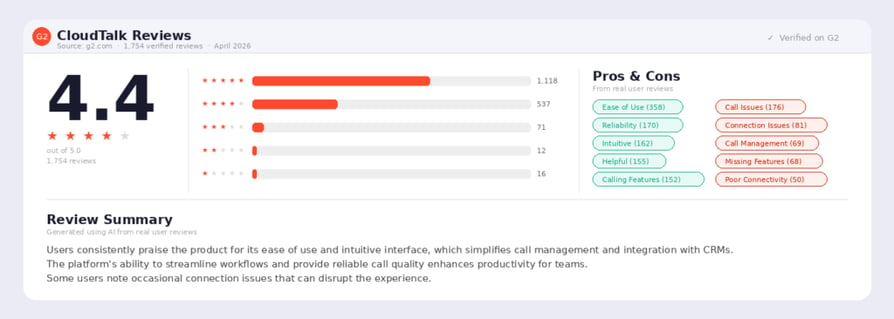
G2 Rating of CloudTalk:
- 4.4/5

Automate the Morning Attendance Rush

2. 3CX
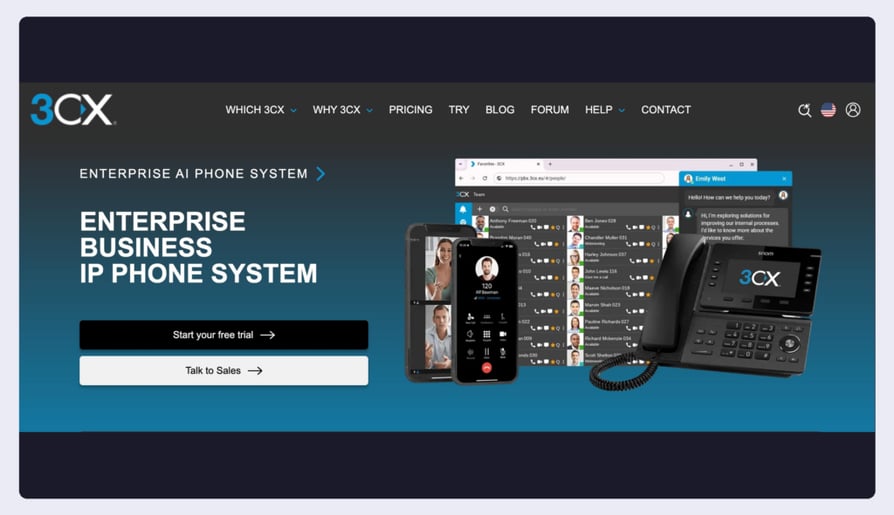
3CX offers a secure, modern PBX that helps lower telecom costs by up to 80%. It is highly flexible, allowing users to run the system in the cloud or on hardware they already own.
Best for: Teams with tight budgets that need an all-in-one platform for calls, video, and chat.
Key Features of 3CX
- Education Discount: Eligible institutions receive an exclusive 20% discount.
- Simultaneous Call Billing: Pay for call capacity, not per extension, which is much cheaper for large staffs.
- Omnichannel Integration: Connects with WhatsApp and Facebook for parent outreach.
- Safeguarding Compliance: Role-based access ensures student data stays private.
- Hybrid Learning Support: Easily bridges communication between in-class and remote staff.
3CX real case-study:
A US public school district with 13 school sites deployed 3CX after evaluating Jive and Cisco, choosing it for cost-effectiveness and safety compliance, including required analog lines for fire and security alarms. The biggest win came during a major windstorm that knocked out power across five sites: 3CX automatically rerouted calls to the analog lines, keeping emergency communication live across the district.
3CX's Pricing:
- Starts at $350/system/year (for up to 40 users).
G2 Rating of 3CX:
- 4.4/5
3. GoTo Connect
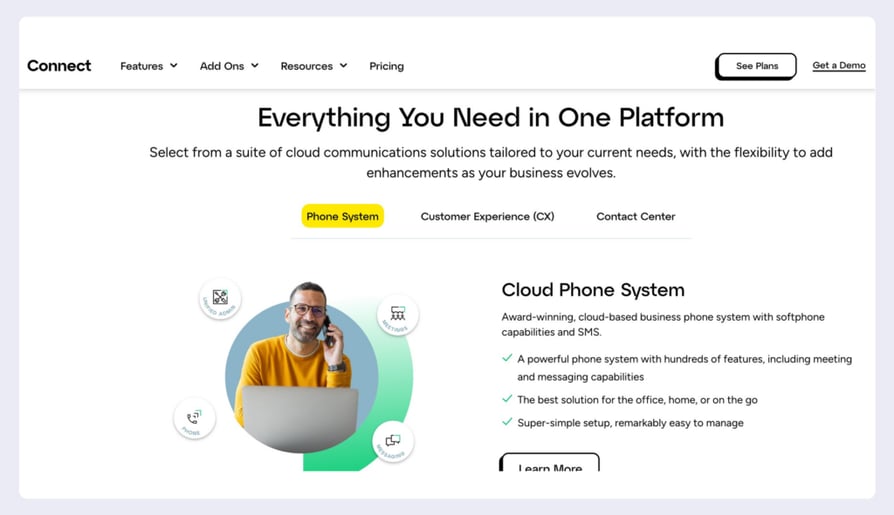
GoTo Connect brings together a powerful phone system with high-capacity video meetings (up to 250 participants), making it ideal for school-wide seminars and virtual parent meetings.
Best for: Large schools and universities that need a centralized command center for campus-wide alerts and multichannel collaboration.
Key Features of GoTo Connect
- Visual Call Routing: Intuitive queue caller board to visualize busy times.
- Emergency Broadcasting: Quickly send alerts across the entire phone network.
- Multichannel Collaboration: Includes team messaging and SMS in every plan.
- Draw Tools: Interactive tools for video meetings to aid virtual instruction.
- Global Reach: Unlimited calling to 50+ countries included.
Pricing of GoTo Connect
- Quote-based (typically $24–$29/user/month).
G2 Rating of GoTo Connect:
- 4.25/5
Protect Teacher Privacy with a Mobile App
4. 8x8
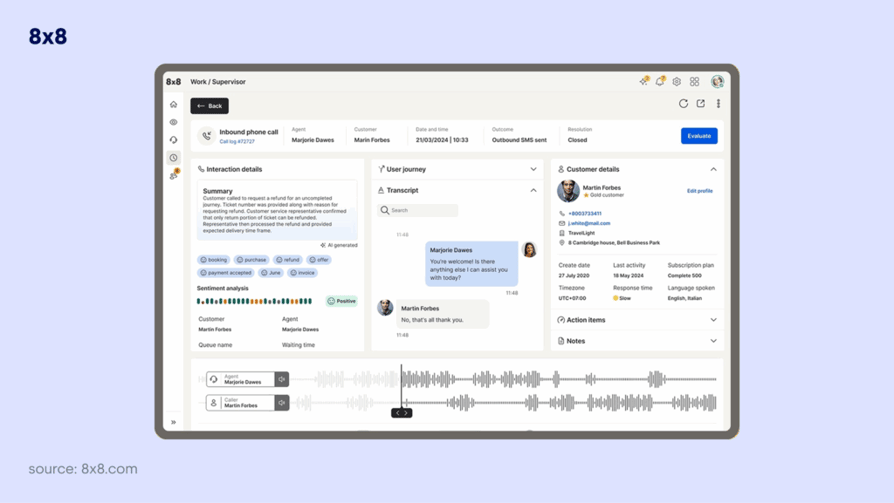
8x8 specializes in unifying communication for distributed organizations. For teams with multiple locations , it provides a single interface to manage everything from receptionist consoles to advanced AI note-taking.
Best for: Large multi-site groups or systems that need detailed data on call volumes and staff performance.
Key Features of 8x8
- Conversation IQ: AI-powered insights for coaching and staff evaluation.
- Unified UI: Voice, video, and chat in one platform for easy staff adoption.
- Custom Call Navigation: Tailor how callers move through your school's phone system.
- Microsoft Teams Integration: Connects directly to the Teams UI many schools already use.
- Role-Based Controls: Admins can easily manage permissions across different campuses.
8x8 real case-study:
Union School District, a San Jose, California district serving 5,800 students, has been an 8x8 customer since 2016, deploying 8x8 X Series across its schools. When the pandemic forced facility closures, the district's biggest win was instant mobility — staff and teachers shifted communications to the 8x8 mobile app from home, keeping parents connected through a unified system while a distance-learning program was stood up across the district.
8x8's pricing:
Quote-based (typically $24/user/month).
G2 Rating of 8x8:
- 4.2/5
5. RingCentral

RingCentral is a heavyweight in the UCaaS space, offering an extremely robust feature set that combines phone, SMS, video, and even fax for traditional administrative needs.
Best for: Established educational institutions that want to consolidate multiple communication tools into one premium platform.
Key Features of RingCentral
- Omnichannel Support: Manage voice, email, and social media inquiries in one view.
- AI Summaries: Automatically summarizes every meeting and call.
- Mobile-First Design: High-quality app experience for on-the-go staff.
- High Video Capacity: Supports large-scale video conferencing for staff training.
- Strategic Guidance: Dedicated support for larger institutions to optimize workflows.
Ringcentral real case-study:
Houston County Board of Education, which oversees 30,000 K-12 students across 37 Georgia campuses, deployed RingCentral as its work-from-anywhere communications platform. When the pandemic shifted nearly 10,000 students to distance learning, the IT team's biggest win was turning the RingCentral solution into a distributed call center overnight, setting up users and call groups from home so teachers and parents could get support through the transition.
RingCentral's pricing
- Starts at $20/user/month.
G2 Rating of RingCentral:
- 4.1/5
6. Five9
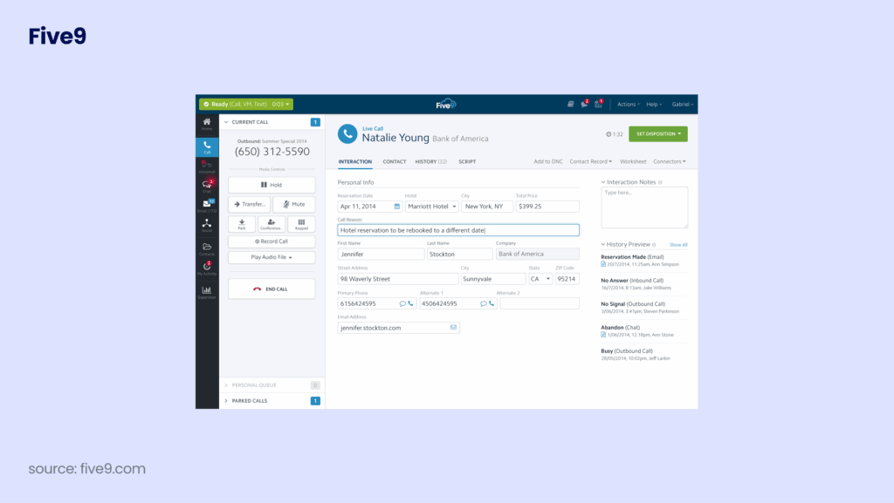
Five9 is built for high-scale environments. For teams handling thousands of prospective calls during admissions cycles, Five9 provides the automation and routing necessary to stay organized.
Best for: Large teams or institutions with intensive inbound/outbound support and recruitment needs.
Key Features of Five9
- Intelligent Virtual Agents: IVA handles routine student questions without human intervention.
- Predictive Dialing: Speeds up outbound recruitment campaigns.
- Agent Assist: Real-time guidance to help admissions officers answer complex questions.
- Interaction Analytics: Analyzes 100% of calls to identify trends in student needs.
- Blended Operations: Seamlessly switch staff between inbound support and outbound outreach.
Five9 real case-study:
Penn Foster, an accredited institution offering high school, college, and career-advancement programs to over 40,000 graduates annually, deployed Five9 to modernize its enrollment and student-support contact center. With more than 125 years of dedication to helping people lead more meaningful lives through education, Penn Foster needed a scalable cloud platform. Their biggest win was reliable vendor support, enabling consistent advisor outreach and keeping enrollment conversations on track across blended learning programs.
Five9's Pricing:
- Starts at $119/user/month.
G2 Rating of Five9:
- 4.1/5
7. Dialpad
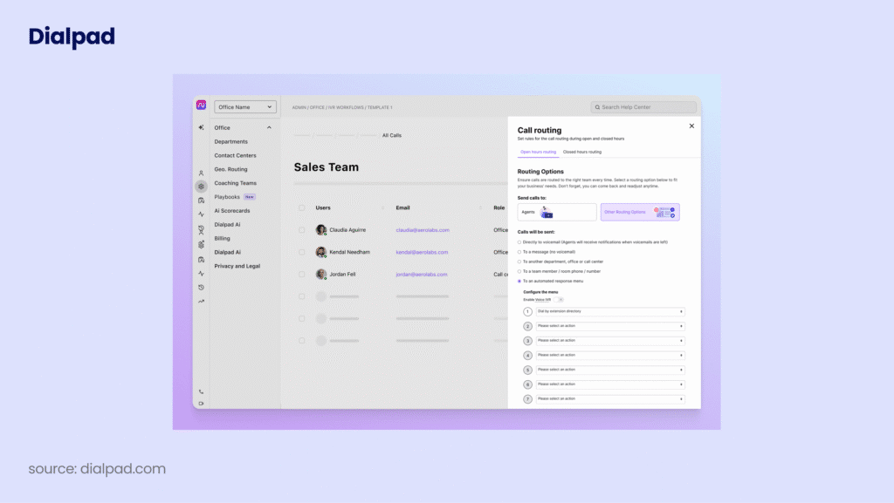
Dialpad is a modern, AI-first platform. It’s perfect for educational environments where real-time feedback and automatic documentation are essential for administrative efficiency.
Best for: Tech-forward teams that want to leverage AI for automated call transcriptions and coaching.
Key Features of Dialpad
- Ai Recaps: Generates concise summaries and action items after every call.
- Sentiment Analysis: Flags frustrated callers so supervisors can step in early.
- Unlimited Domestic Calling: Predictable costs for US/Canada calling.
- Live Speech Coaching: Real-time tips for staff to improve communication.
- Workspace Integration: Natively connects with Google Workspace for easy scheduling.
Dialpad real case-study:
Queen of All Saints School deployed Dialpad to keep faculty connected with students and parents during the shift to 100% virtual learning. The school's biggest win was giving every teacher a dedicated work number on their existing personal devices, no new hardware required. Built on Dialpad's split-cloud architecture with a 100% uptime SLA, the rollout brought much-needed stability across the school's distance-learning operations.
Dialpad's pricing:
G2 Rating of Dialpad:
- 4.4/5
8. Aircall
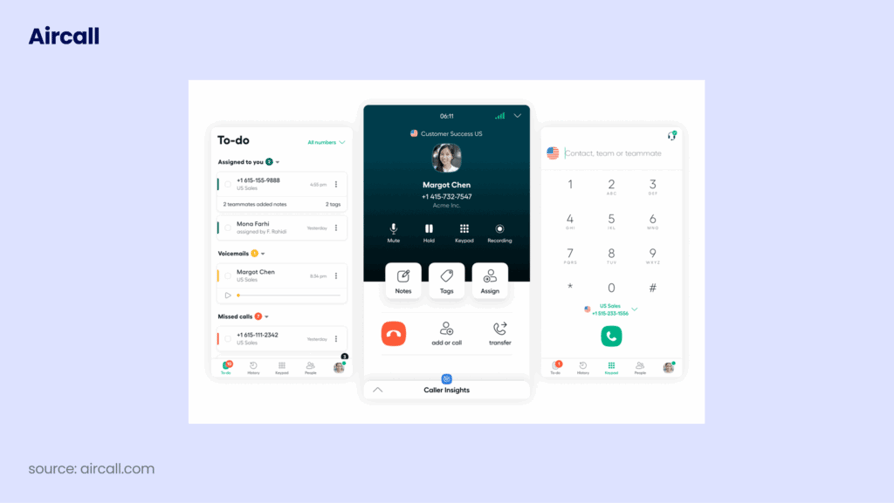
Aircall is designed for teams that live in their CRM. If your team uses tools like Salesforce or HubSpot to manage clients records, Aircall keeps all call data perfectly synced.
Best for: Admissions and development teams that need a clean, simple phone system that lives inside their current tools.
Key Features of Aircall
- CRM Pop-ups: Instantly see student/parent details when the phone rings.
- Power Dialer: Helps development offices work through alumni outreach lists fast.
- Shared Inbox: Multiple staff can manage calls and texts for a single department line.
- Call Tagging: Categorize calls (e.g., "Scholarship Info," "Housing") for better tracking.
- Quick Setup: Claim numbers and set up routing in just a few clicks.
Aircall real case-study:
Aureus Academy, Singapore's leading music school serving thousands of students across multiple locations, deployed Aircall to scale its customer support beyond a basic cloud phone system that couldn't keep up with rising call volumes. The school took support calls at different Academy locations rather than through a central contact center, and the biggest win was automatic call routing connecting parents and students to available agents instantly across all sites.
Aircall's Pricing:
- Starts at $30/user/month.
G2 Rating of Aircall:
- 4.4/5
9. Vonage
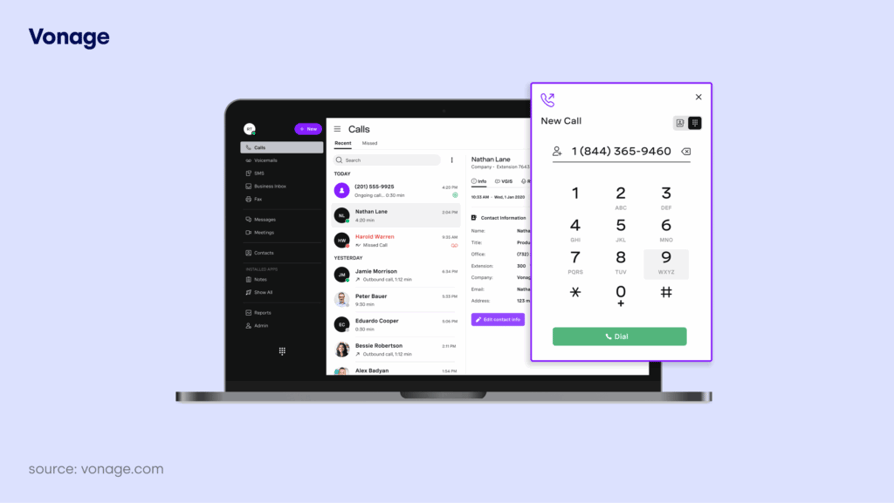
Vonage offers a modular system, allowing teams to add only the features they need. It’s particularly strong for campuses that need programmable alerts and mobile-first flexibility.
Best for: Teams that want a flexible, "build-your-own" communications stack with strong mobile support.
Key Features of Vonage:
- AI Virtual Assistant: Enhances customer service with 24/7 automated replies.
- Modular Add-ons: Pay only for the specific features (like call recording) your school needs.
- Business SMS: Send quick updates or emergency alerts to parents' mobiles.
- Smart Call Management: Screen and block unwanted calls to protect staff time.
- Mobile App: Ensures teachers can stay connected without using personal numbers.
Vonage real case-study:
PresenceLearning, a teletherapy provider serving pre-K12 students across U.S. school districts, deployed the Vonage Video API to deliver speech, occupational, and mental health therapy remotely. The biggest win was reaching rural school districts where qualified clinical professionals are scarce, with clinicians eliminating drive time between schools and districts saving on travel and hiring costs while students received consistent IEP-aligned support.
Vonage's Pricing:
- Starts at $13.99/line/month.
G2 Rating of Vonage:
- 4.3/5
10. KrispCall
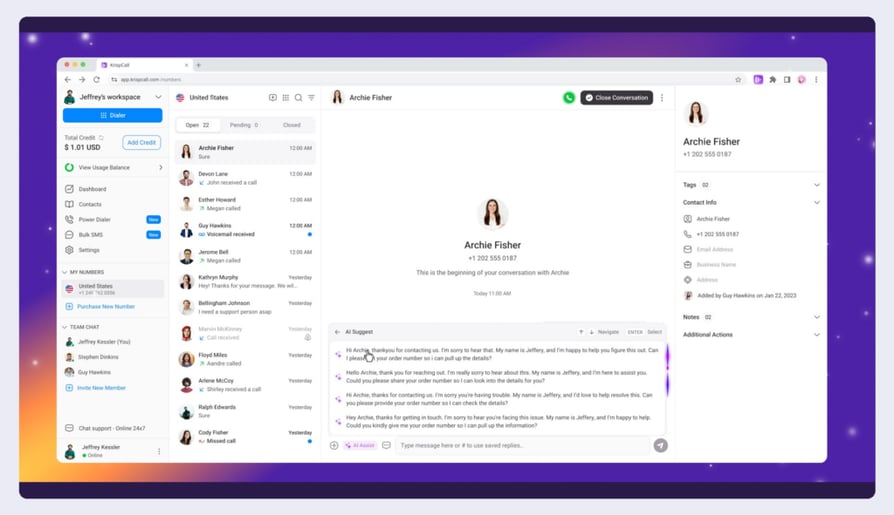
KrispCall provides an AI-powered platform that unifies voice and SMS. It’s a great entry point for smaller teams that need a professional presence without enterprise-level costs.
Best for: Small teams or single-site institutions needing a modern, affordable calling and texting solution.
Key Features of Krispcall:
- Unified Callbox: Manage multiple communication channels in one view.
- Screen Pop-ups: See caller ID and notes instantly to personalize parent calls.
- Custom Greetings: Create professional first impressions for every department.
- Intelligent Routing: Ensures calls reach the right administrator fast.
- AI Transcription: Keeps a text record of important staff/parent discussions.
Krispcall's Pricing:
- Starts at $15/user/month.
G2 Rating of Krispcall:
- 4.5/5
8 Real Use-cases how Schools Use Modern Phone Systems
1. Calling Parents from Personal Phones (Safely)
Teachers often need to call parents from home or while on a field trip. A modern phone app lets them make calls from their own cell phone, but the parent only sees the school’s official main number. The teacher’s personal phone number stays completely private.
2. Taming the Morning "Sick Call" Rush
Between 7:00 and 8:00 AM, the front office is flooded with parents reporting absences. A smart phone system routes these calls directly to an automated attendance line. The system can even transcribe the voicemails into text and email them to the front desk, saving hours of listening to messages.
3. Faster Answers for Stressed Students
During college enrollment season, phone lines are jammed. When a student calls, a modern system connects to your school's database and instantly pops their file up on the counselor's screen. The staff knows exactly who is calling and what they need before they even say "hello."
4. Instant Campus-Wide Safety Alerts
In a crisis, you need to reach every classroom immediately. Cloud phone systems connect directly to your school's existing intercoms and overhead speakers. An administrator can trigger a campus-wide lockdown or weather alert directly from their mobile app in seconds.
5. Reaching More Alumni for Fundraising
Manually dialing phone numbers for university fundraising is slow. Modern systems use "auto-dialers" that instantly call the next number on the list. If an alum doesn't answer, the caller can leave a pre-recorded voicemail with one click, letting them reach twice as many people in half the time.
Boost Alumni Donations with Smart Dialing
6. Staying Connected on "Snow Days"
When a storm closes the physical building, traditional school landlines just ring endlessly at an empty desk. Because modern systems run on the internet, your administrative staff can simply log into the school's phone system from their laptops at home, ensuring parents can still get through.
7. Helping Non-English Speaking Parents
Diverse school districts often struggle to connect parents with the right bilingual staff member. You can set up simple menus (like "Press 2 for Spanish"), and the system will automatically route the parent directly to a fluent staff member, skipping the frustrating hold times.
8. Keeping Accurate Records of Parent Calls
Conversations about disciplinary actions or special education (IEP) plans can sometimes lead to "he said, she said" disputes. Automatic call recording and text transcriptions give the school a secure, accurate record of what was discussed, protecting both your staff and your students.
Key Features to Look for in a School VoIP System
When evaluating a VoIP phone system for schools, administrators must prioritize platforms that offer reliable emergency broadcasting alongside daily administrative features.
- Interactive Voice Response (IVR): Automatically route parents to the right department; such as attendance, transportation, or billing, without tying up front desk staff.
- Enhanced 911 (E911) & IP Paging: Safety is paramount. Your system must provide exact location data to first responders and integrate with overhead paging systems for instant campus-wide alerts.
- Mobile Apps (Softphones): Teachers need to communicate with parents without giving out their personal cell phone numbers. A dedicated mobile app keeps business communications private and professional.
- Voicemail-to-Email: Staff members are rarely sitting by a desk phone. Getting voicemails delivered straight to their inbox ensures urgent parent messages are heard immediately.
- Business SMS: Text messaging has a much higher open rate than email, so a dedicated text messaging service for schools is the fastest way to reach families with urgent weather closures, event reminders, or absence notifications that shouldn't sit unread in an inbox.
How to Choose the Right VoIP for Your School
- Assess your infrastructure: VoIP relies entirely on your internet connection. Ensure your campus network has sufficient bandwidth to handle voice traffic without jitter or dropped calls.
- Evaluate compliance: If your school is subject to privacy regulations (like FERPA in the US or GDPR in Europe), make sure the provider offers secure, encrypted calling and compliant data storage.
- Check IP telephone system integrations: Your phone system should connect seamlessly with your student information system (SIS), helpdesk, or CRM to keep data centralized. Transitioning to IP telephone systems also ensures seamless integration with your existing school infrastructure, including automated attendance software and overhead IP paging.
- Look for predictable pricing: Educational budgets are strict. Avoid providers with hidden setup fees or charges for basic features like call routing or auto-attendants.
Ready to Upgrade Your School’s Communication?
Outdated phone lines frustrate parents, slow down staff, and drain your budget. Switching to a modern VoIP system ensures your campus stays connected, secure, and efficient.
If you need a reliable, budget-friendly phone system that scales from a single elementary school to a massive university campus, a platform featuring an intuitive call flow designer, automated SMS alerts, voicemail-to-email transcription, and seamless integrations is your answer.
Modernize Your Campus Communication Today
Frequently asked questions
The best phone system for a school is a cloud-based VoIP platform that combines reliable call routing, emergency broadcasting (E911), and mobile app accessibility for teachers. Top providers like CloudTalk, 3CX, and GoTo Connect are highly rated for balancing robust administrative features with strict budget and privacy requirements.
Yes. Modern VoIP systems include E911 (Enhanced 911) compliance, which transmits the exact room or building location to emergency dispatchers. They can also integrate with overhead IP paging systems to broadcast campus-wide lockdown or weather alerts.
Yes. Cloud phone systems include mobile apps (softphones) that teachers can install on their smartphones. When they call a parent through the app, the parent sees the school's official phone number, keeping the teacher's personal cell number private.
The cost of VoIP telephone systems for schools typically ranges from $15 to $35 per user per month, depending on the provider and feature set. Many platforms offer specific educational discounts or simultaneous call billing models to help school districts stay within their strict telecom budgets without sacrificing call quality.
Does VoIP save schools money?
Typically, yes. Because VoIP routes calls over your existing internet connection, schools eliminate the cost of maintaining physical PBX servers, wiring, and traditional telecom service contracts. Many schools see telecom cost reductions of up to 45%.
An IVR (Interactive Voice Response) system acts as an automated digital receptionist. It answers incoming calls and prompts parents to choose an option (e.g., "Press 1 to report an absence"). This prevents the front desk from being overwhelmed by routine calls during the morning rush.
Because IP telephone systems rely on an active internet connection, a local power or network outage will disable physical desk phones on campus. However, because the system is hosted in the cloud, inbound calls can be automatically rerouted to administrators' mobile apps or emergency voicemail boxes, ensuring parents can always reach the school.