
TL;DR: 10 Best Dialfire Alternatives
| # | Platform | Best for | Starting Price (annual billing) |
|---|---|---|---|
| 1 | CloudTalk | CRM-integrated AI outbound calling for growing sales teams | $25/user/mo |
| 2 | DialedIn CCaaS | Closest direct parity to Dialfire's predictive dialer workflow | $25/user/mo |
| 3 | Ringover | International outbound teams that need unlimited calling | $15/user/mo |
| 4 | Dialpad Sell | AI-native sales teams that want live call coaching | $39/user/mo |
| 5 | Convoso | Large BPOs running multi-line power dialing at scale | Quote-based (~$90/user/mo) |
| 6 | Five9 | Enterprise contact centers needing PCI/HIPAA-aligned compliance | $119/user/mo (50-seat min.) |
| 7 | Twilio Flex | Engineering-led teams building a custom contact center | $150/user/mo |
| 8 | VICIdial | Technical teams that want a free, self-hosted dialer | Free to self-host |
| 9 | PhoneBurner | Cold-calling agencies and reps wanting deliverability protection | $140/user/mo |
| 10 | CallTools | Small-to-mid US/Canada telemarketing teams wanting a built-in CRM | Quote-based |
Predictive dialer and outbound calling platforms have come a long way, but not all of them have matured at the same pace. Teams adopting Dialfire often run into familiar friction points: technical bugs that interrupt live campaigns, a per-minute pricing model that becomes harder to predict at scale, and CRM sync that takes real developer work instead of a native integration.
Still, every platform has a ceiling. As your call volumes grow and your workflows get more complex, it's worth knowing what else is out there. We evaluated 10 Dialfire alternatives across pricing, call quality, CRM integration depth, AI features, and, most importantly, user ratings and feedback. Here's what we found, and why CloudTalk comes out on top for most outbound sales and support teams ready to scale.
Keep reading to find out other alternatives
or simply choose the best - CloudTalk.
What Is Dialfire?
Dialfire is a cloud-based predictive dialer and outbound call center platform that lets businesses build and run calling campaigns using low-code JavaScript, a REST API, and webhook support. It is designed for technically capable teams that dial at low-to-moderate volume, are comfortable writing code to extend the platform, and want to avoid a per-seat license fee entirely.
Dialfire charges $0.0175 per minute for outbound predictive dialing and $0.0050 per minute for inbound call blending, with no monthly platform fee and no seat license. It has no native mobile app, no SMS or WhatsApp channel, and no secure line for capturing sensitive payment data, gaps that become more visible as a team's call volume and CRM needs grow.
Why Trust CloudTalk?
Why Teams Are Searching for a Dialfire Alternative?
Teams look for Dialfire alternatives when they need more reliable telephony infrastructure, transparent all-in pricing, deeper CRM integrations, or a platform with AI features and a proven track record backed by independent user reviews.
That's part of why so many switching teams start by lining up Dialfire dialer alternatives side by side rather than assuming the first result in a search is the right fit — the gap between the strongest and weakest Dialfire competitors on this list is bigger than most buyers expect.
Salesforce's 2026 State of Sales report found that sales reps already spend 60% of their time on non-selling tasks.1 A dialer that needs developer work every time a CRM record has to sync only adds to that pile, and that's precisely the argument playing out across Dialfire's own reviews.
It's also worth noting that Dialfire's independent review base is thin. It holds a respectable 4.2/5 on G2, though that rating comes from just three reviews, too small a sample to lean on by itself. Capterra tells a fuller story with 27 reviews averaging 4.8/5, and GetApp adds another 27 at 4.8/5. Read past the star ratings, though, and the same six friction points come up again and again.
If you're starting to feel that gap, you're not alone. Here's what some users have experienced so far.
What Are the Main Cons of Dialfire?
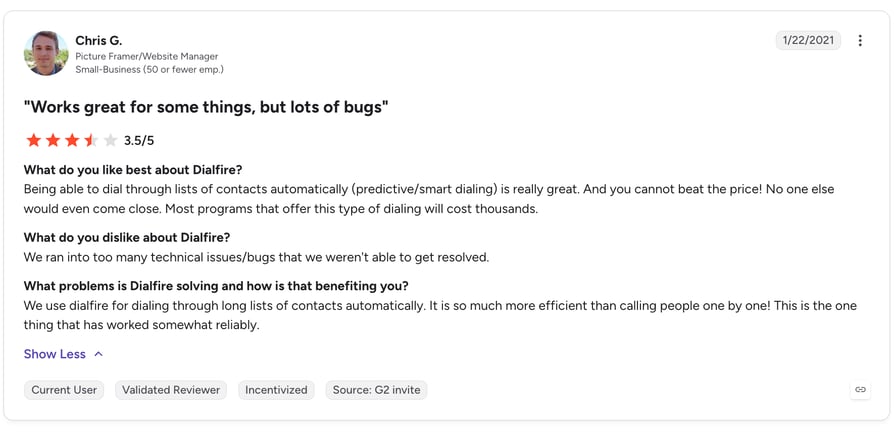
- Bugs that stall live campaigns.One G2 reviewer, Chris G., a small-business IT and operations lead, put it plainly: his team "ran into too many technical issues/bugs that we weren't able to get resolved." For a platform built to run outbound campaigns for hours at a stretch, an unresolved bug isn't a minor inconvenience. It's downtime nobody budgeted for.
- No path to secure payment capture.Dialfire has no secure line for capturing sensitive data like credit card numbers, a gap flagged in an independent pricing teardown by Prospeo.io. Any business processing recurring payments over the phone, from subscription billing to event registration, either builds a workaround or rules Dialfire out entirely.
- CRM sync that stays on the surface.Per the same Prospeo.io teardown, connecting Dialfire to Salesforce or HubSpot takes real developer and API work, and even then, every sync creates a new campaign instead of updating the one you already have running. That's a meaningfully different promise than the two-way, real-time sync most sales teams expect from a modern dialer.
- Voice-only in an omnichannel world.Dialfire has no native mobile app, no SMS, and no WhatsApp. A rep who needs to text a prospect between calls, or check a queue from their phone between meetings, has to open a second tool to do it.
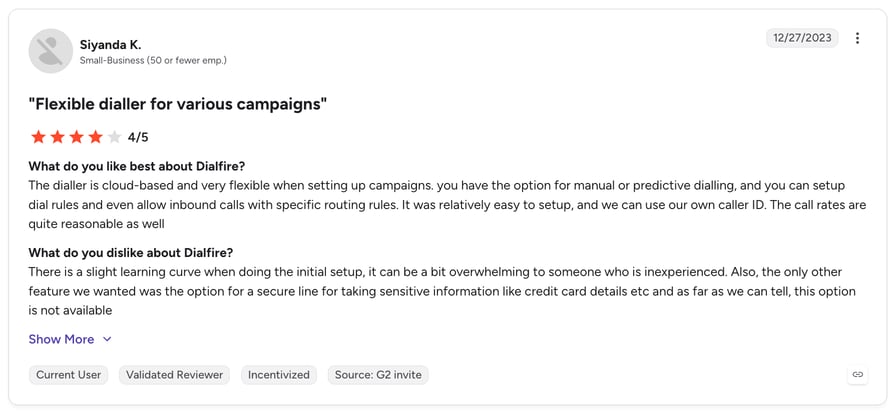
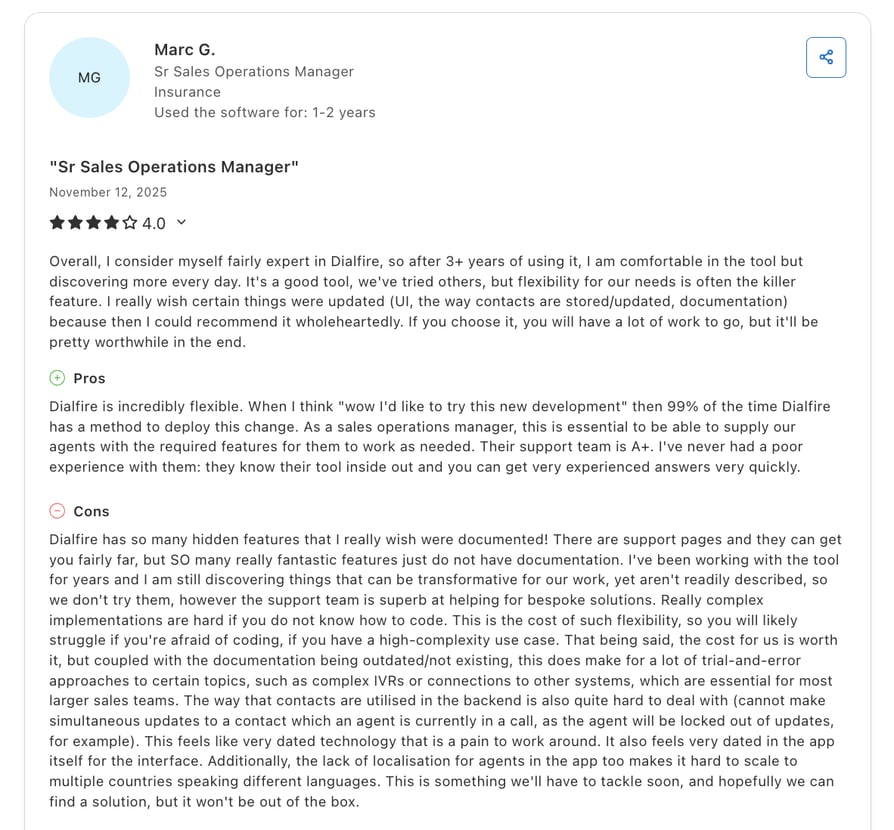
- A steep, developer-shaped learning curve.Dialfire's low-code JavaScript, REST API, and webhook support are genuinely powerful, and a Capterra reviewer, Marc G., a senior sales operations manager, said "99% of the time Dialfire has a method to deploy" whatever change his team needed. It's also exactly the problem for a team without a developer: a different G2 reviewer, Siyanda K., in small-business IT and operations, described a "slight learning curve" that "can be overwhelming to someone inexperienced."
- Per-minute pricing with no ceiling.Dialfire charges $0.0175 per minute for outbound predictive dialing and $0.0050 per minute for inbound call blending, with no monthly fee and no seat license. That's genuinely attractive at low call volume. It's also unpredictable at high volume, since nothing caps what a busy month of dialing actually costs. It's worth running through our own breakdown of how much call center software really costs before you commit to any usage-based plan.
CloudTalk vs. Dialfire: A Detailed Feature Comparison
For teams evaluating a direct alternative to Dialfire for outbound calling, the table below breaks down how both platforms compare across every decision-making criterion that matters, from pricing and infrastructure to AI capabilities and integration depth.
CloudTalk vs. Dialfire Features
| Features | CloudTalk | Dialfire |
|---|---|---|
| Starting Price | $25/user/month (annual) | $0.0175/min outbound, $0.0050/min inbound, no seat fee |
| Pricing Model | Flat per-user, no hidden API costs | Pure per-minute usage, no platform fee |
| Minimum Seats | 1 seat | None (unlimited users) |
| Free Trial | 14 days, no credit card required | Not documented |
| Telephony Infrastructure | Owned, decentralized, multi-carrier | Low-code JS/API/webhooks on top of the platform's own carrier setup |
| Call Quality | ~4.8/5 average rating, multi-carrier failover | Not documented; reviewers report unresolved bugs |
| Global Coverage | 160+ countries, local numbers included | No local presence dialing documented |
| Call Flow Designer | No-code drag-and-drop builder, 19 actions | Low-code JS/API only, no visual builder |
| AI Voice Agents | AI Receptionist & AI Specialist, inbound and outbound | Not offered |
| Conversation Intelligence | Transcripts, summaries, sentiment, topic detection, add-on | Not offered |
| Smart Dialers | Power, Smart, Parallel | Predictive dialing only, via low-code setup |
| CRM Integrations | 100+ native, two-way, incl. Salesforce, HubSpot, Pipedrive | Developer-built, one-way campaign-creation sync only |
| SMS / WhatsApp | SMS, MMS, WhatsApp inbound & outbound | Not offered |
| Analytics & Reporting | Real-time dashboards, agent & campaign level | Not documented beyond basic campaign logs |
| No-Code Setup | Fast and easy, even for non-technical people | Requires JavaScript/API/webhook development |
| G2 Rating | 4.4/5 (1941+ reviews) | 4.2/5 (3 reviews) |
| Independent Review Base | G2, Capterra, Trustpilot | G2 (3), Capterra (27), GetApp (27) |
| Support | 24/7 live support on all plans from Essential | Community/self-serve, developer-dependent troubleshooting |
Try everything CloudTalk offers for free!
What Are Users Saying About Dialfire on G2 & Capterra?
Dialfire is still a relatively young platform by review-volume standards, with just three reviews on G2 and no presence yet on some larger review aggregators. The reviews that do exist point to the same recurring themes covered above: technical bugs, a developer-shaped learning curve, and CRM sync that stays surface-level.
Dialfire G2 User Review:
Dialfire Capterra User Review:
What Is the Best Alternative to Dialfire?
Why Do Users Consider CloudTalk the Best Dialfire Alternative?
5 Main Pros of CloudTalk: Based on Real User Reviews
- Consistent Call Quality at Any VolumeCloudTalk runs on multi-carrier infrastructure across 160 countries with no dependency on third-party providers. Unlike a low-code platform that leaves call stability to whatever you build, CloudTalk manages quality monitoring directly in-platform, giving teams consistent, predictable call quality at any volume.
- Transparent, Predictable PricingCloudTalk's pricing starts at $25/user/month with basic features included. No per-minute wildcard, no ceiling-less bill that scales with call volume, what you see is what you get. That predictability matters when budgeting for a growing outbound operation.
- Outbound Tools For Higher PerformanceCloudTalk's Power Dialer and Parallel Dialer reduce manual work and help teams reach more contacts in less time, all without writing a line of code the way Dialfire's low-code setup requires.
- Smooth CRM IntegrationsCloudTalk's native connectivity with Salesforce, HubSpot, and 100+ other tools syncs call recordings, transcriptions, and outcomes automatically. That means less time wasted on manual data entry, the exact developer work Dialfire's own reviewers describe needing.
- G2 Leader In Customer SatisfactionWith 5,500+ customers around the world and a 4.4/5 G2 rating from 1941+ reviews, CloudTalk offers a far larger, more verifiable track record than Dialfire's sample of three G2 reviews.
Ready to make a switch to the better?
How We Evaluated The Best Dialfire Alternatives
Finding a genuine Dialfire alternative for outbound calling isn't as simple as Googling a list and picking the top result. Every platform markets itself as the most powerful, most affordable, and easiest to use, so we had to dig below the surface level.
We treated every candidate as a genuine contender among the alternatives to Dialfire on the market, then held the strongest Dialfire outbound call center alternatives to the same eight-point criteria below.
We spent time evaluating each platform's published pricing and feature claims, went through hundreds of verified user reviews on G2, Capterra, and Trustpilot, and cross-referenced recurring complaints and recurring praise rather than just the star average. The result is a list built on evidence, not sponsored rankings.
This guide is primarily written for outbound sales and support teams evaluating predictive dialers and VoIP providers, whether you're switching from Dialfire for the first time or comparing options before committing to a new platform.
What criteria did we use to select these Dialfire alternatives?
- 01Hands-on feature testing:We evaluated core calling, routing, and automation features directly, not just based on what's listed on each vendor's website.
- 02Pricing transparency:Advertised price vs. the real all-in cost once add-ons, minimums, and overage fees are counted. This was especially relevant given Dialfire's own pay-per-minute model has no ceiling at scale.
- 03Verified review analysis:We cross-referenced G2, Capterra, GetApp, and Trustpilot ratings, reading the actual review text rather than just the star average. Where a sample size was too small to trust on its own, as with Dialfire's 3 G2 reviews, we weighted Capterra and GetApp more heavily.
- 04International coverage and call quality:Number availability and call quality across regions, particularly for teams operating outside the US.
- 05AI and automation depth:What's genuinely included in base plans versus what requires an upgrade or a separate subscription.
- 06CRM integration quality:Native integration depth with HubSpot, Salesforce, and Pipedrive specifically, not just whether a workaround exists, but whether data syncs reliably and bidirectionally without developer intervention.
- 07Support and onboarding quality:How quickly each platform's support team responds and how long it realistically takes to go live.
- 08Migration ease from Dialfire:How straightforward it is to move existing campaigns, contacts, and integrations over, often an overlooked factor that affects switching cost and timeline.
The Top 10 Alternatives to Dialfire for 2026: Quick Comparison
Head-to-head comparison of Dialfire and the 10 best alternatives for outbound sales and support teams.
This table is the fastest way to scan the top Dialfire alternatives we tested against each other, built specifically for anyone comparing Dialfire alternatives 2026 shortlists side by side.
Dialfire Competitors Compared
| Tool | Starting Price (Billed Annually) | G2 Rating | Best For | Free Trial | Key Differentiator |
|---|---|---|---|---|---|
| CloudTalk ⭐ Editor's pick | $25/user/mo | 4.4/5 | CRM-integrated AI outbound calling for growing sales teams | 14 days | Native two-way CRM sync + AI Voice Agents on one platform |
| DialedIn CCaaS | $25/user/mo | 4.7/5 | Closest direct parity to Dialfire's predictive dialer workflow | Not documented | #1 G2-ranked support, same-day go-live |
| Ringover | $15/user/mo | 4.6/5 | International outbound teams that need unlimited calling | Not documented | AI Suite included, no separate add-on |
| Dialpad Sell | $39/user/mo | 4.4/5 | AI-native sales teams that want live call coaching | Not documented | Real-time AI coaching during live calls |
| Convoso | Quote-based (~$90/user/mo) | 4.5/5 | Large BPOs running multi-line power dialing at scale | None (custom demos only) | Vendor-reported 4x contact-rate lift |
| Five9 | $119/user/mo (50-seat min.) | 4.1/5 | Enterprise contact centers needing PCI/HIPAA-aligned compliance | Not documented | PCI/HIPAA-aligned omnichannel compliance |
| Twilio Flex | $150/user/mo | 4.1/5 | Engineering-led teams building a custom contact center | Not documented | Fully programmable CPaaS infrastructure |
| VICIdial | Free to self-host | 4.1/5 | Technical teams that want a free, self-hosted dialer | N/A (open-source) | $0 software cost, full source access |
| PhoneBurner | $140/user/mo | 4.7/5 | Cold-calling agencies and reps wanting deliverability protection | Not documented | Built-in spam/caller-ID deliverability protection |
| CallTools | Quote-based | 4.9/5 | Small-to-mid US/Canada telemarketing teams wanting a built-in CRM | Not documented | Built-in CRM, no separate tool to buy |
1. CloudTalk: The Best Dialfire Alternative for Growing Sales and Support Teams
What is CloudTalk?
CloudTalk is a cloud-based call center platform built for sales and customer support teams that need reliable, easy-to-use, and scalable voice communication without any unnecessary complexities.
Founded in 2016 and serving 5,500+ businesses worldwide, including Revolut, Mercedes-Benz, and Pipedrive, CloudTalk combines owned telephony infrastructure across 160 countries with AI-powered features like call transcription, sentiment analysis, and AI voice agents, none of which Dialfire offers natively.
Plans start at $25/user/month with no hidden API dependencies and no per-minute wildcard.
Why Is CloudTalk the Top Dialfire Alternative?
For teams evaluating a better alternative to Dialfire, CloudTalk addresses the most common friction points directly:
- Native, two-way CRM sync for 100+ tools fixes the developer-dependent setup Dialfire's own reviewers describe, syncing contacts, deals, and call data automatically instead of requiring API work for every change.
- Native iOS and Android apps with SMS and WhatsApp built in close the mobile and messaging gap Dialfire leaves open entirely.
- Predictable per-seat pricing on annual tiers replaces Dialfire's per-minute exposure, so a heavy campaign month doesn't quietly balloon the bill.
- The AI Sales Dialer add-on bundles Power and Parallel dialing modes with AI-driven voicemail detection and local presence dialing, aimed at getting reps to more live conversations per shift.
- 24/7 live support starting on Essential means a setup question gets a human response instead of a ticket sitting in a queue.
What Are CloudTalk's Key Features?
- AI Sales Dialer — Power mode for structured, one-line outreach and Parallel mode for up to 5-10 lines of high-volume prospecting, both with automatic voicemail detection and CRM-synced dispositions.
- Call Flow Designer — a visual, drag-and-drop builder for inbound routing, IVR, and callbacks, no code required.
- AI Conversation Intelligence — automatic call transcripts, summaries, sentiment, and topic detection on every call.
- AI Voice Agents — an AI Receptionist for 24/7 inbound coverage and AI Specialist agents for outbound qualification and reminders.
- Native CRM & helpdesk integrations — two-way sync across 100+ tools, including Salesforce, HubSpot, Pipedrive, and Zendesk.
- Local presence dialing — virtual numbers in 160+ countries so outbound calls display a local number to the person picking up.
- Native mobile apps — iOS and Android apps with SMS and WhatsApp built into the same workspace as voice.
- Workflow Automation Designer — rule-based automation for routing, tagging, and follow-up tasks without manual busywork.
What Are the Pros & Cons of CloudTalk?
| Pros | Cons |
|---|---|
| Owned multi-carrier infrastructure ensures consistent call quality across 160 countries | No native video-meeting product: CloudTalk is built purely for voice, video conferencing requires an external integration. |
| No coding required: the Call Flow Designer replaces Dialfire's low-code JS/API/webhook setup | No physical equipment, purely cloud-based |
| Deep, native CRM integrations that auto-log call data without manual hassle | Relies on Internet connection |
| No minimum seat requirement, scaling from solo operators to large teams | |
| 14-day free trial with full feature access, no credit card required | |
| AI Voice Agents that are easy to set up with no coding required, AI Receptionist for simple tasks & AI Specialists for outbound communication |
How does CloudTalk's AI analytics compare to Dialfire?
Dialfire has no AI layer at all. Explore the interactive demo below to see how sentiment analysis and AI call scoring work in practice on CloudTalk, and get a taste of what a Dialfire migration would actually add. CloudTalk's AI Voice Agents can also deflect routine calls before they ever reach a live agent, a layer Dialfire has no equivalent for.
How Does CloudTalk Pricing Compare to Dialfire Pricing?
Dialfire's per-minute rate looks cheap until you run real volume through it, because nothing caps the bill. Take a 10-agent outbound team averaging 6 hours of live talk time per agent per day, 22 working days a month: that's roughly $1,386/month at Dialfire's own published per-minute rate, for the exact same 10 seats a flat-rate plan would charge regardless of usage.
CloudTalk includes telephony infrastructure, AI features, and CRM integrations in every plan with no external dependencies.
Dialfire's Plans & Pricing
| Plan | Price | Seat fee | Overage |
| Outbound (predictive dialing) | $0.0175/min | None | Same per-minute rate, no cap |
| Inbound (call blending) | $0.0050/min | None | Same per-minute rate, no cap |
CloudTalk's Plans & Pricing
Flexible Pricing Plans to Scale with You
Compare our plans
What Are CloudTalk Customers Saying?
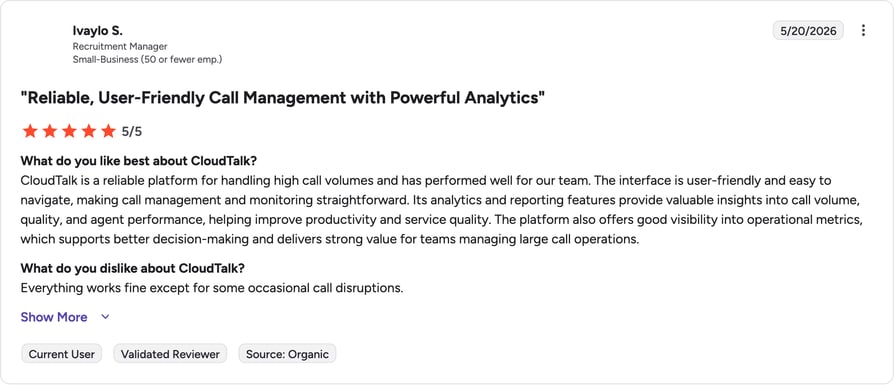
CloudTalk customers consistently highlight that the platform is easier to use and more reliable than Dialfire's low-code setup. Based on verified G2 reviews, the biggest wins are intuitive call management, seamless CRM sync, and a setup that doesn't cause technical headaches.
- Ease of Use That Saves Time: Users highlight CloudTalk's intuitive interface as one of its strongest points, noting that the platform is easy to navigate and reduces time spent on manual tasks.
- Reliable Connections, Every Call: Teams praise CloudTalk for its consistent connection quality and stable performance, a direct contrast to the bugs Dialfire reviewers flag.
- A Dashboard That Just Makes Sense: Users appreciate how clean and easy to navigate CloudTalk's interface is, making it simple to manage calls and monitor campaigns without a learning curve.
- Local Numbers That Actually Get Answered: Teams value how easy it is to obtain local numbers in 160+ countries, helping them increase pickup rates internationally.
- Smart Routing and Real-Time Analytics: Managers rely on CloudTalk's call routing and live dashboards to monitor team performance and resolve issues quickly, all in one place.
Avoid any unnecessary fees.
Switch to CloudTalk for transparent pricing and know exactly what you're paying for.
2. DialedIn CCaaS — Best for Direct Dialfire Parity and Fast Setup
What is DialedIn CCaaS?
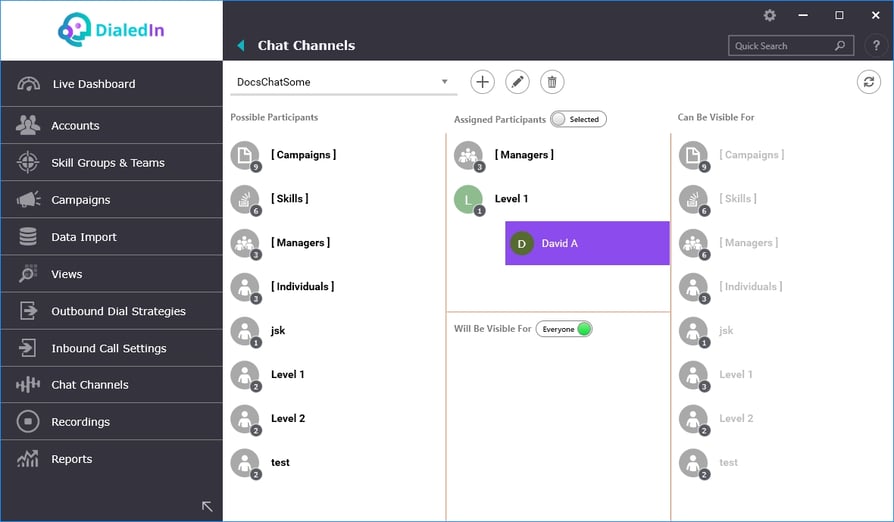
DialedIn CCaaS, formerly ChaseData and CallCenterNOW, is cloud contact center software built around predictive dialing, inbound routing, IVR, and workforce management, positioned on more than two decades of experience serving outbound and blended call centers.
Why Is DialedIn CCaaS a Strong Dialfire Alternative?
- Predictive, Preview, Progressive, and Skill-Based dialing modes cover the same core workflows Dialfire supports, so teams don't have to relearn how outbound campaigns work.
- Native integrations with Salesforce, Microsoft Dynamics, HubSpot, Zoho, Slack, Microsoft Teams, Google Workspace, and Zendesk go beyond what Dialfire ships natively.
- A same-day go-live promise and guided onboarding directly address the steep setup curve Dialfire reviewers describe.
What Are DialedIn CCaaS's Key Features?
- Four dialing modes — Predictive, Preview, Progressive, and Skill-Based, covering the same core outbound workflows as Dialfire.
- Native CRM & collaboration integrations — Salesforce, Microsoft Dynamics, HubSpot, Zoho, Slack, Microsoft Teams, Google Workspace, and Zendesk.
- Same-day go-live onboarding — guided setup gets teams live in hours, not days.
- Inbound routing & IVR — blended inbound/outbound handling on the same platform.
- Workforce management tooling — scheduling and performance tracking built in.
What Are the Pros and Cons of DialedIn CCaaS?
| Pros | Cons |
|---|---|
| 78% of its G2 reviews are 5-star, with zero 1- or 2-star ratings | Per-seat pricing on lower tiers costs more than Dialfire's usage-based model for low-volume, high-agent-count teams |
| Rated #1 on G2 for Quality of Support, Ease of Admin, and Call Monitoring | Occasional connectivity issues reported by some users |
| Fast, guided onboarding gets teams live in hours, not days | Month-to-month customers face a $495/month minimum during their first 90 days on the platform |
What Is DialedIn CCaaS's Pricing?
- Small Business: $79/user/month
- Professional: $59/user/month
- Enterprise: $39/user/month
- Enterprise Plus: $25/user/month
All four tiers billed annually. The Month-to-Month Trap: skip the annual commitment and a five-person team pays $99/user/month with a $495/month minimum for the first 90 days on the platform.
What Are Users Saying About DialedIn CCaaS?
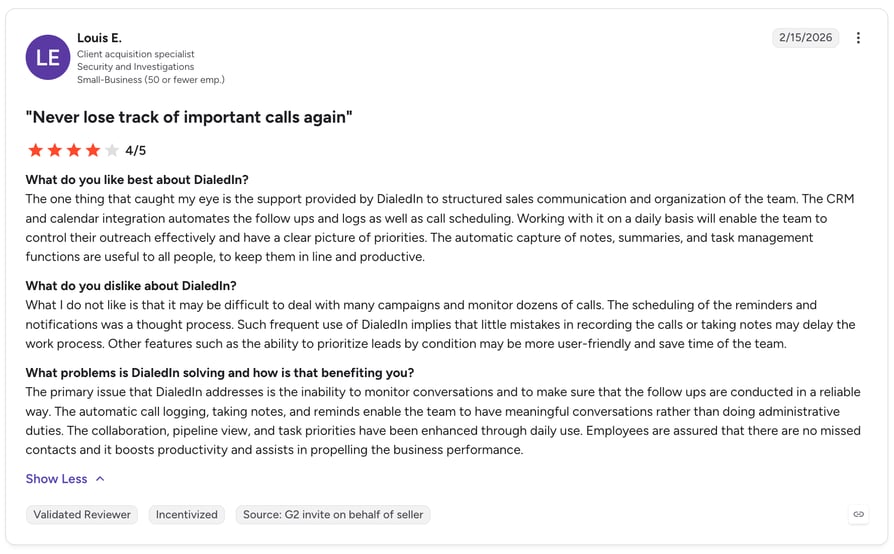
DialedIn CCaaS holds a 4.7/5 on G2 from 290+ reviews. Read DialedIn CCaaS reviews on G2.
DialedIn CCaaS vs. Dialfire
| Dialfire | DialedIn CCaaS | |
|---|---|---|
| Setup speed | Developer-shaped learning curve per reviewers | Same-day go-live with guided onboarding |
| CRM integrations | Developer/API work required for any sync | Native: Salesforce, Dynamics, HubSpot, Zoho, and more |
| Pricing model | $0.0175/min, no seat fee | $25-79/user/month (annual), per-seat |
| Support reputation | Reviewers report unresolved bugs | #1 G2-ranked for Quality of Support |
3. Ringover — Best for International Outbound Teams
What is Ringover?
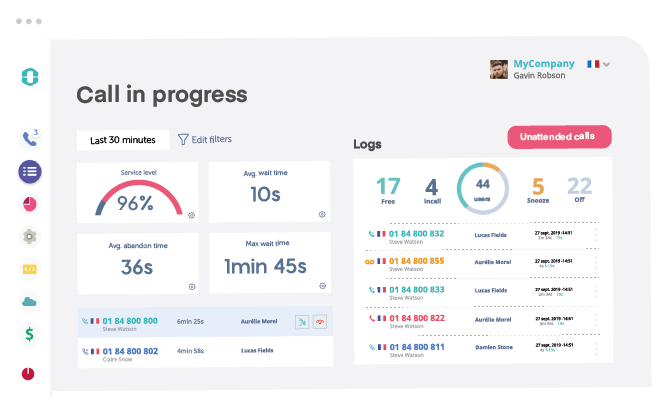
Ringover positions itself around connecting teams, clients, and partners "no matter where they are" through calling, messaging, and collaboration enriched with AI, aimed at outbound teams that call across borders.
Why Is Ringover a Strong Dialfire Alternative?
- Unlimited outbound calling bundled into its plans covers a broad set of international destinations, useful for teams that found Dialfire's per-minute international rates hard to predict.
- The built-in AI Suite, covering automatic topic detection, call analysis, call summaries, and transcription, ships without stacking a separate paid add-on tier on top.
- A large, high-scoring review base of 4.6/5 across 457+ reviews signals sustained satisfaction at meaningful scale.
What Are Ringover's Key Features?
- Unlimited outbound calling — bundled across a broad set of international destinations.
- Built-in AI Suite — automatic topic detection, call analysis, summaries, and transcription, no separate add-on tier.
- Collaboration tools — messaging and video layered onto the same calling workspace.
- Strong review volume — 4.6/5 across 457+ G2 reviews.
What Are the Pros and Cons of Ringover?
| Pros | Cons |
|---|---|
| Unlimited calling to a broad set of international destinations | The entry TALK plan requires a 12-month commitment to unlock its lowest rate |
| AI call analysis and summaries included without a steep separate add-on structure | Predictive-dialer-specific outbound campaign depth is lighter than dedicated dialers like Dialfire or Convoso |
| Strong G2 sentiment at 4.6/5 across 457+ reviews | Monthly billing costs noticeably more than the annual rate |
What Is Ringover's Pricing?
- TALK: $15/user/month (annual, 12-month commitment) or $24/user/month billed monthly
- BUSINESS: $47/user/month (annual) or $57/user/month billed monthly
- ADVANCED: Custom-based
The 12-Month Lock-In Trap: the $15 headline rate only applies with a full year committed upfront. Walk away early and the higher monthly rate applies retroactively to the time you used.
What Are Users Saying About Ringover?
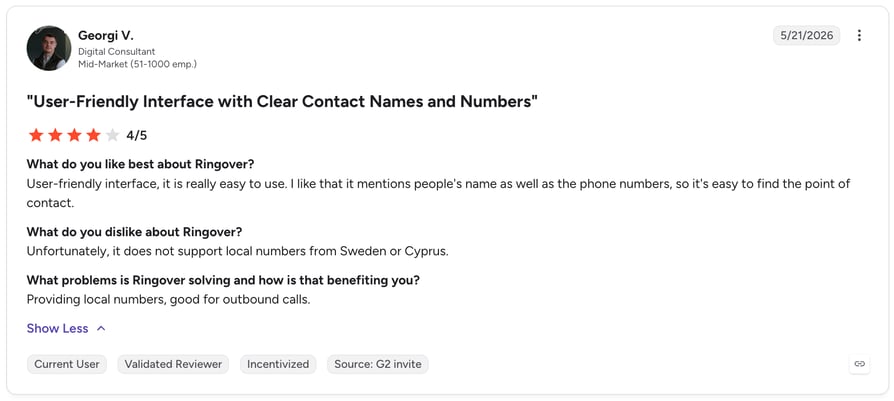
Ringover holds a 4.6/5 on G2 from 457+ reviews. Read Ringover reviews on G2.
Ringover vs. Dialfire
| Dialfire | Ringover | |
|---|---|---|
| International calling | Per-minute international rates, hard to predict | Unlimited, bundled into plan pricing |
| AI features | ❌ Not offered | AI Suite included: topic detection, summaries, transcription |
| Outbound campaign depth | Dedicated predictive-dialer campaign tooling | Lighter dialer-specific tooling than Dialfire |
| Pricing model | $0.0175/min, no seat fee, no commitment | $15-47/user/month, lowest rate needs 12-month lock-in |
4. Dialpad Sell — Best for AI-Native Sales Teams
What is Dialpad Sell?
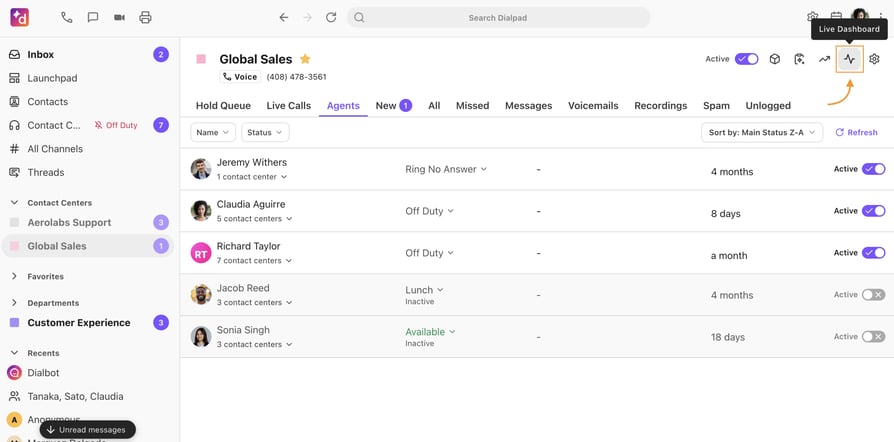
Dialpad Sell is cloud-based, AI-enabled outreach software built to help reps work a high volume of calls efficiently and close more deals, with live coaching built directly into the dialer.
Why Is Dialpad Sell a Strong Dialfire Alternative?
- Real-time AI coaching prompts during live calls is a genuine differentiator against Dialfire's post-call-only automation (Dialfire has none at all).
- A very large G2 review base of 4,690+ reviews signals broad market validation well beyond Dialfire's sample of three.
- A modern, polished interface answers the "dated" and "overwhelming" UI language that shows up repeatedly in Dialfire's own reviews.
What Are Dialpad Sell's Key Features?
- Real-time AI coaching — live prompts and battle cards surfaced during the call itself, not after.
- Very large review base — 4,690+ G2 reviews, the biggest sample on this list by a wide margin.
- Modern interface — a polished UI built for teams migrating off dated dialer software.
- Metered AI add-ons — per-minute inbound/outbound AI transcription and coaching on top of the seat license.
What Are the Pros and Cons of Dialpad Sell?
| Pros | Cons |
|---|---|
| Real-time AI coaching during live calls | Per-minute metering stacks on top of per-seat licensing, unlike Dialfire's all-in usage model |
| Very large G2 review base (4,690+) signaling broad validation | Salesforce integration is comparatively weaker, per CloudTalk's internal competitive notes |
| Modern, polished interface | Entry-tier pricing runs well above Dialfire's usage-based floor |
What Is Dialpad Sell's Pricing?
- Essentials: $39/user/month (annual) or $49/user/month (monthly)
- Advanced: $95/user/month (annual) or $110/user/month (monthly)
- Premium: $150/user/month (annual) or $170/user/month (monthly)
- Metered add-ons: $0.01/minute inbound, $0.02/minute outbound
The Metered Stacking Trap: even after paying a per-seat license, calls still meter separately, so a heavy outbound month adds a second bill on top of the subscription.
What Are Users Saying About Dialpad Sell?
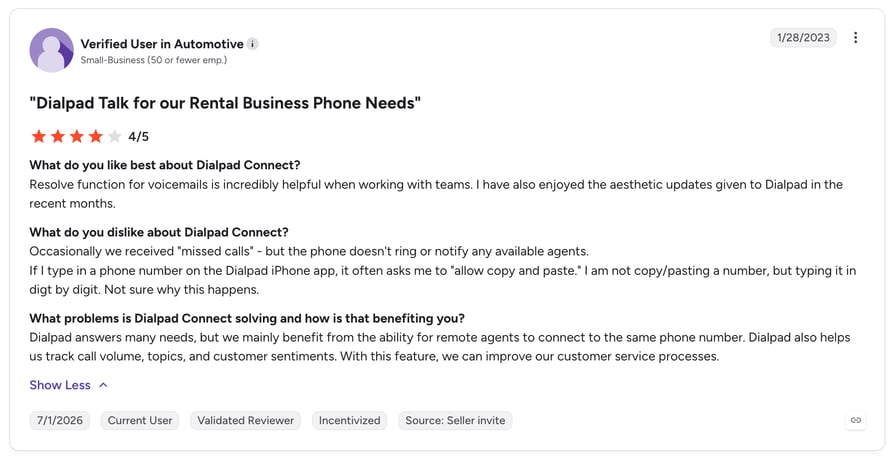
Dialpad Sell holds a 4.4/5 on G2 from 4,690+ reviews. Read Dialpad reviews on G2.
Dialpad Sell vs. Dialfire
| Dialfire | Dialpad Sell | |
|---|---|---|
| AI coaching | ❌ Not offered | Real-time AI coaching during live calls |
| Review volume | 3 reviews on G2 | 4,690+ reviews on G2 |
| Pricing structure | Pure per-minute, no seat fee | Per-seat ($39-150/mo) plus metered AI minutes |
| Salesforce integration | Developer/API work required | Native, though comparatively lighter than CloudTalk's |
5. Convoso — Best for High-Volume BPOs and Contact Centers
What is Convoso?
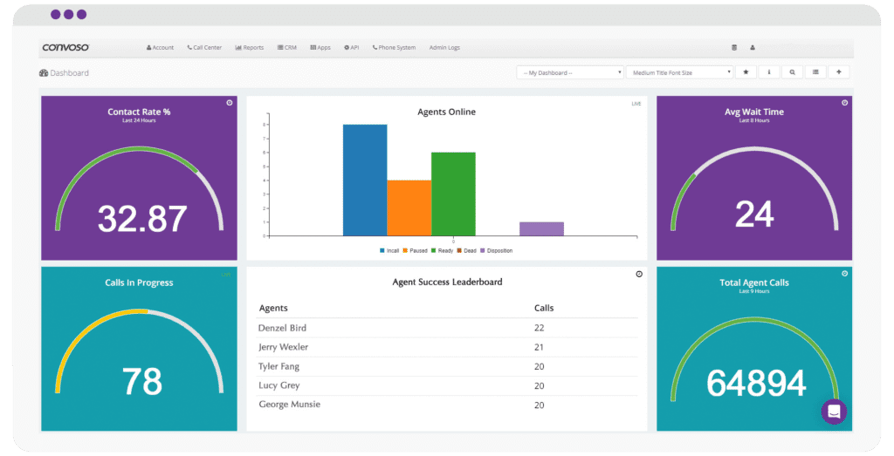
Convoso positions itself as AI-powered call center software built to boost contact rates and revenue through advanced outbound dialer technology, aimed at large BPOs and contact centers running regulated, high-volume campaigns.
Why Is Convoso a Strong Dialfire Alternative?
- Multi-line power dialing paired with intelligent number management directly targets the spam-likely and iOS call-screening flags that quietly erode contact rates on any high-volume dialer, Dialfire included.
- Purpose-built TCPA compliance tooling addresses a regulatory risk that Dialfire's feature set doesn't cover head-on.
- Convoso reports a 4x lift in contact rate and a 75% increase in conversions for its customers (vendor-reported, verify independently).
What Are Convoso's Key Features?
- Multi-line power dialing — with intelligent number management to fight spam-likely and iOS call-screening flags.
- TCPA compliance tooling — purpose-built for regulated, high-volume outbound campaigns.
- Vendor-reported contact-rate lift — 4x contact rate, 75% conversion increase (self-reported, verify independently).
- Built for BPO scale — designed around large contact centers running multiple simultaneous campaigns.
What Are the Pros and Cons of Convoso?
| Pros | Cons |
|---|---|
| Purpose-built spam and iOS call-screening mitigation | Fully quote-based pricing, with no published rate for budget planning |
| Strong reported contact-rate lift (vendor claim, verify independently) | No free trial, only live customized demos |
| Compliance tooling built for high-volume regulated outbound | Third-party estimates put entry pricing around $90/user/month, well above Dialfire's usage floor |
What Is Convoso's Pricing?
Convoso does not publish rates. Its own pricing page states that it tailors pricing "instead of offering a one-size-fits-all model." Third-party aggregators estimate a starting price around $90/user/month.
The Quote-Black-Box Trap: without a published rate card, you can't compare Convoso against Dialfire's transparent per-minute pricing until you're already in a sales conversation.
What Are Users Saying About Convoso?
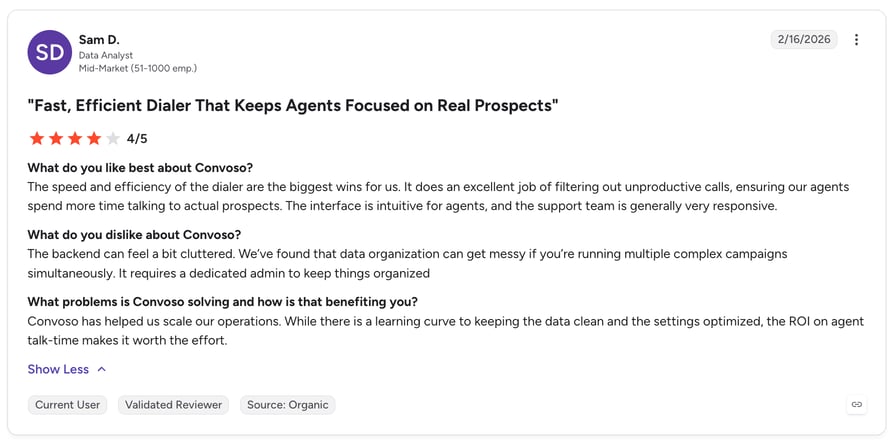
Convoso holds a 4.5/5 on G2 from 256+ reviews. Read Convoso reviews on G2.
Convoso vs. Dialfire
| Dialfire | Convoso | |
|---|---|---|
| Compliance tooling | No dedicated compliance layer | Purpose-built TCPA compliance tools |
| Contact-rate technology | No spam/caller-ID protection documented | Spam and iOS call-screening mitigation built in |
| Pricing transparency | Published $0.0175/min rate | Fully quote-based, no published rate |
| Trial availability | Usable at any volume, no minimum | No free trial, custom demos only |
6. Five9 — Best for Enterprise Compliance and Omnichannel Scale
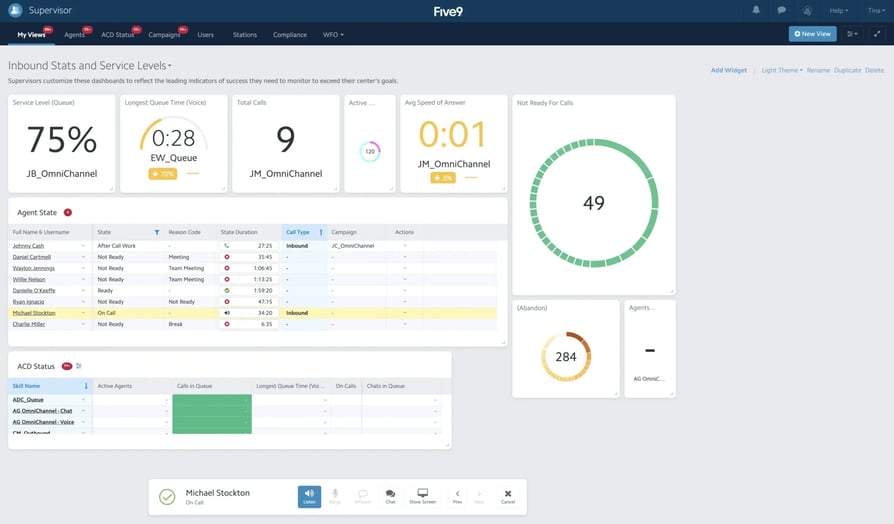
What is Five9?
Five9 delivers what it calls the most reliable cloud contact center, built to help organizations run extraordinary customer experiences at enterprise scale, with omnichannel routing well beyond voice alone.
Why Is Five9 a Strong Dialfire Alternative?
- Deep enterprise compliance, including PCI and HIPAA-aligned controls, directly fixes the missing secure payment line that rules Dialfire out for regulated industries.
- True omnichannel routing across voice, chat, email, and social goes well beyond Dialfire's voice-only footprint.
- A large, mature G2 review base of 594+ reviews validates enterprise-scale fit.
What Are Five9's Key Features?
- PCI & HIPAA-aligned compliance — secure payment capture and regulated-industry controls Dialfire doesn't offer.
- True omnichannel routing — voice, chat, email, and social in one queue.
- Enterprise-scale architecture — built for large, complex contact center deployments.
- Large, mature review base — 594+ G2 reviews at 4.1/5.
What Are the Pros and Cons of Five9?
| Pros | Cons |
|---|---|
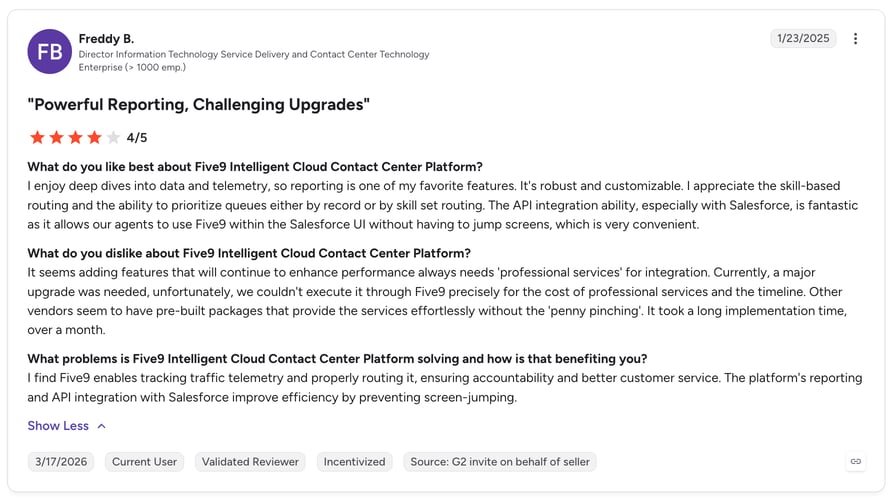
| Deep compliance posture (PCI, HIPAA-aligned) | A 50-seat minimum applies across every plan, locking out small outbound teams Dialfire happily serves |
| True omnichannel routing, not just voice | Fully-loaded costs, including implementation and overages, are reported at $300 to $600 per seat per month by industry benchmarks |
| Large, mature G2 review base validating enterprise use | The entry Digital plan doesn't include voice at all |
What Is Five9's Pricing?
- Digital: $119/user/month (50-user minimum, no voice)
- Core: $159/user/month (50-seat minimum, includes 3,000 voice/AI minutes per seat)
- Premium, Optimum, and Ultimate: custom quotes, with industry estimates ranging $175 to $250/user/month before add-ons
The 50-Seat Trap: every Five9 plan, including the entry tier, requires a 50-seat minimum. A 10-person team switching from Dialfire can't buy in at all.
What Are Users Saying About Five9?
Five9 holds a 4.1/5 on G2 from 594+ reviews. Read Five9 reviews on G2.
Five9 vs. Dialfire
| Dialfire | Five9 | |
|---|---|---|
| Compliance | No secure payment line at all | PCI/HIPAA-aligned compliance built in |
| Channel coverage | Voice-only | Omnichannel: voice, chat, email, social |
| Minimum seats | None, unlimited users | 50-seat minimum on every plan |
| Pricing | $0.0175/min, no seat fee | $119+/user/month, 50-seat floor |
7. Twilio Flex — Best for Engineering-Led, Build-Your-Own Contact Centers
What is Twilio Flex?
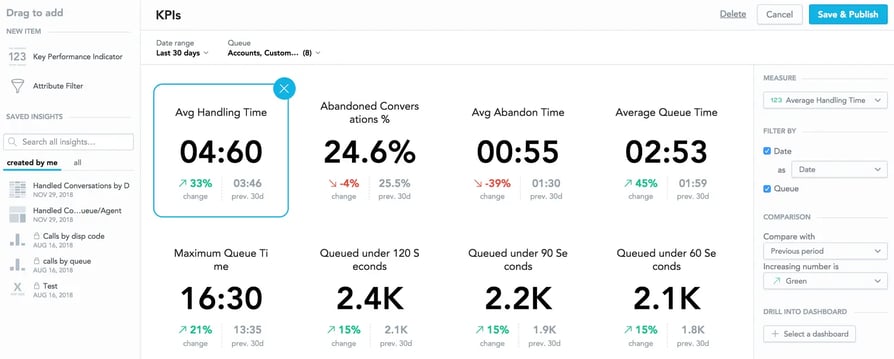
Twilio Flex is a contact center solution that embeds into a company's existing tools, unifying omnichannel communications, routing, insights, and AI on Twilio's own CPaaS infrastructure, built for teams that want to program their contact center rather than configure an off-the-shelf one.
Why Is Twilio Flex a Strong Dialfire Alternative?
- Fully programmable infrastructure gives technical teams the enterprise-scale version of what they already like about Dialfire's low-code approach.
- Deep omnichannel and CPaaS reach, including SMS, WhatsApp, and video, goes well beyond Dialfire's voice-only scope.
- Agent Copilot AI assistance adds live, in-call AI support that Dialfire doesn't offer natively.
What Are Twilio Flex's Key Features?
- Fully programmable CPaaS infrastructure — build a fully custom contact center on Twilio's own platform.
- Deep omnichannel reach — SMS, WhatsApp, and video alongside voice.
- Agent Copilot AI — live, in-call AI assistance for human reps.
- Flexible billing — flat per-user, consumption-based, or hourly active-user pricing.
What Are the Pros and Cons of Twilio Flex?
| Pros | Cons |
|---|---|
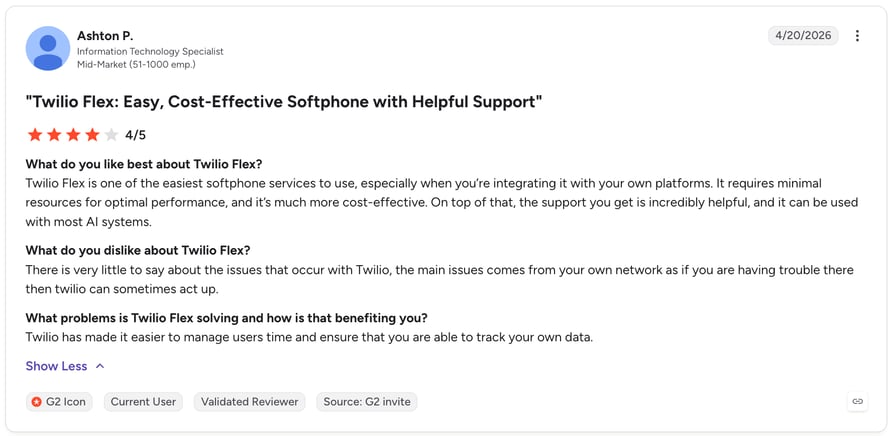
| Unmatched programmability for teams with in-house developers | Requires real developer investment and a $10,000+ professional-services budget just to launch |
| Deep omnichannel and CPaaS ecosystem beyond voice | Three different billing models plus metered AI add-ons make total cost of ownership hard to forecast |
| Agent Copilot AI assistance built on the same platform | Roughly two weeks of dedicated developer setup stand in stark contrast to Dialfire's near-instant first call |
What Is Twilio Flex's Pricing?
- Flat per-user: $150/user/month, or $1 per active-user/hour for part-time or seasonal staffing
- Consumption model: $35 per monthly active user
- Agent Copilot AI add-on: $0.035/voice minute, $0.005/digital message
- Professional services and implementation: starts at $10,000+, with roughly two weeks of dedicated developer setup
The Developer Budget Trap: the per-user price is only the starting line. Budget for a five-figure implementation project and real engineering time before Flex answers its first call.
What Are Users Saying About Twilio Flex?
Twilio Flex holds a 4.1/5 on G2 from 503+ reviews. Read Twilio Flex reviews on G2.
Twilio Flex vs. Dialfire
| Dialfire | Twilio Flex | |
|---|---|---|
| Customization depth | Low-code JS/API/webhooks | Fully programmable CPaaS infrastructure |
| Implementation cost | Near-instant first call | $10,000+ professional services, ~2 weeks setup |
| Channel reach | Voice-only | Omnichannel: SMS, WhatsApp, video |
| Billing complexity | Single per-minute rate | Three billing models plus metered AI add-ons |
8. VICIdial — Best for Technical Teams Wanting a Free, Self-Hosted Dialer
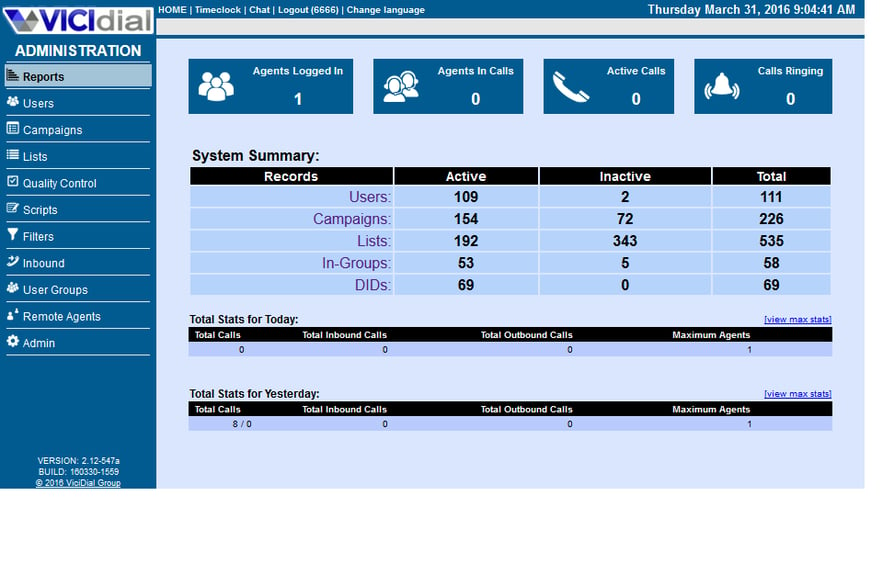
What is VICIdial?
VICIdial is an open-source software suite built to interact with the Asterisk open-source PBX system, acting as a complete inbound and outbound contact center suite, including inbound email support.
Why Is VICIdial a Strong Dialfire Alternative?
- Genuinely $0 software cost with full source access removes vendor lock-in entirely, the most extreme version of Dialfire's own pay-for-usage philosophy.
- A massive, battle-tested install base of 24,000+ production installations across 100+ countries, some running 300+ agent seats, proves the platform holds up at real scale.
- An active open-source community, with public forums, a wiki, and an issue tracker, means help doesn't depend on a single vendor's support queue.
What Are VICIdial's Key Features?
- $0 software cost — free, open-source, full source-code access.
- Runs on Asterisk PBX — a complete inbound and outbound contact center suite, including email support.
- Massive install base — 24,000+ production installs across 100+ countries.
- Active open-source community — public forums, wiki, and issue tracker.
What Are the Pros and Cons of VICIdial?
| Pros | Cons |
|---|---|
| $0 software cost with full source access | Requires a qualified sysadmin with Asterisk and Linux expertise to install, maintain, and troubleshoot |
| Massive, battle-tested install base across 100+ countries | A dated, old-fashioned interface, by reviewer accounts, that's a bigger gap than even Dialfire's own dated UI |
| Active open-source community and public issue tracker | No vendor support line exists if your sysadmin leaves or a production issue hits after hours |
What Is VICIdial's Pricing?
Free and open-source to download and self-host. The real cost sits in infrastructure and operations: a dedicated VICIdial sysadmin typically runs $65,000 to $120,000 a year in salary, or $50 to $150 an hour for contractors.
The Hidden Sysadmin Trap: free software still needs someone qualified to run it. Budget five or six figures a year in sysadmin cost before VICIdial is actually cheaper than a paid platform.
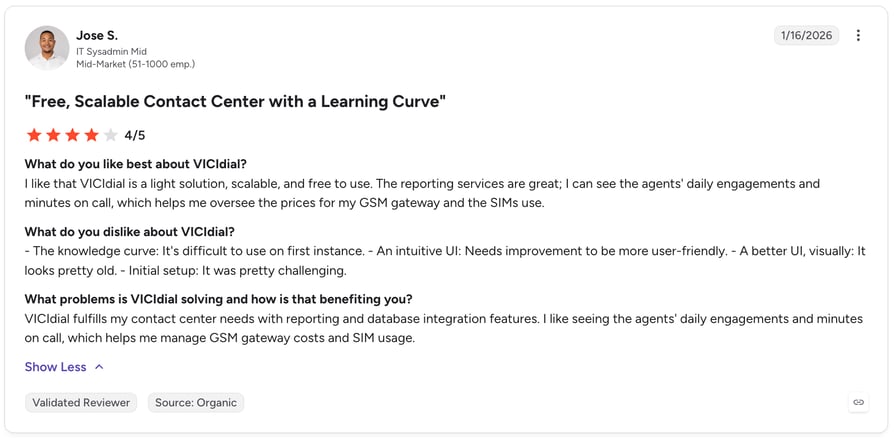
What Are Users Saying About VICIdial?
VICIdial holds a 4.1/5 on G2 from 41 reviews under its Vicidial Group seller listing. Read VICIdial reviews on G2.
VICIdial vs. Dialfire
| Dialfire | VICIdial | |
|---|---|---|
| License cost | Per-minute usage fee, no license | $0 software, full source access |
| Total cost of ownership | Pay-as-you-go, no infra overhead | $65K-$120K/year sysadmin cost typical |
| Customization | Low-code JS/API/webhooks | Full source-code access, self-hosted |
| Support model | Vendor relationship, G2/Capterra reviews | Community forums only, no vendor support line |
9. PhoneBurner — Best for Cold-Calling Agencies and Individual Reps
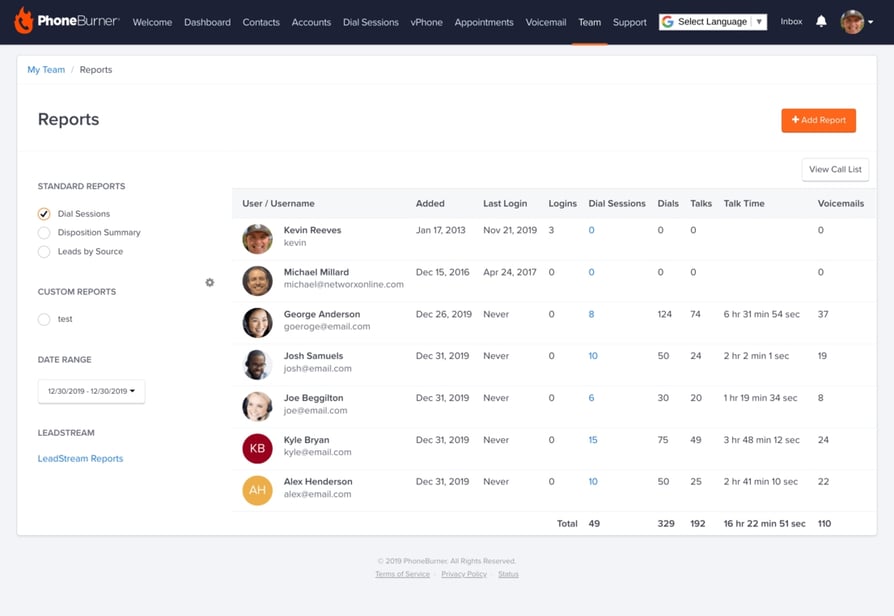
What is PhoneBurner?
PhoneBurner is sales dialer software built to help reps and agencies close more deals through fast, high-deliverability power dialing, with a particular focus on protecting outbound numbers from spam flags.
Why Is PhoneBurner a Strong Dialfire Alternative?
- Deliverability tooling protects number reputation and fights spam-likely flags, protection Dialfire doesn't offer natively.
- Strong sentiment across both G2 (4.7/5) and Capterra signals consistent satisfaction from individual reps and small cold-calling teams.
- Native Salesforce, HubSpot, and Zoho integrations plus a public API give technical teams a path Dialfire's developer-dependent setup doesn't offer as cleanly.
What Are PhoneBurner's Key Features?
- Deliverability protection — branded caller ID and spam-likely mitigation built in.
- Native CRM integrations — Salesforce, HubSpot, and Zoho, plus a public API.
- Strong review sentiment — 4.7/5 on G2 from 277+ reviews.
- No long-term contract — month-to-month available on standard plans.
What Are the Pros and Cons of PhoneBurner?
| Pros | Cons |
|---|---|
| Strong G2 sentiment (4.7/5) built specifically for cold-calling motions | Live call monitoring is gated behind the Professional tier, not included on Standard |
| Deliverability protections built in, unlike Dialfire's bare setup | SMS and inbound tools don't unlock until the Premium tier |
| Purpose-built for individual reps and small cold-calling teams | Materially more expensive per seat than Dialfire's usage-based rate for low-volume callers |
What Is PhoneBurner's Pricing?
- Standard: $140/user/month (annual) or $165/user/month (monthly), unlimited dialing, no live call monitoring
- Professional: $165/user/month (annual) or $195/user/month (monthly), adds live call monitoring
- Premium: $183/user/month (annual) or $215/user/month (monthly), adds inbound tools and SMS
Real-world cost often lands between $200 and $250 per seat per month once reputation and deliverability add-ons are included. The Feature-Gate Trap: the advertised Standard price doesn't include call monitoring or SMS.
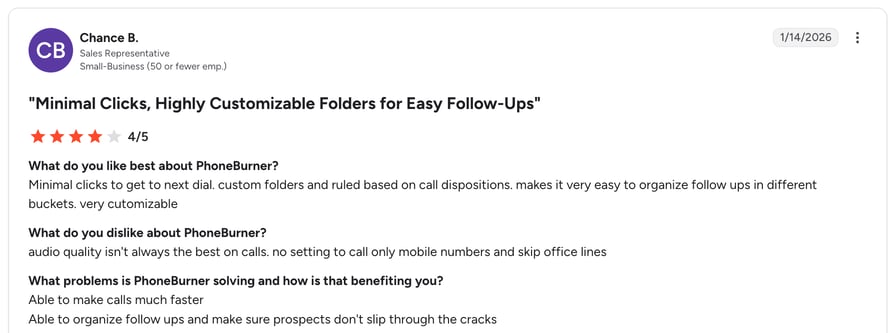
What Are Users Saying About PhoneBurner?
PhoneBurner holds a 4.7/5 on G2 from 277+ reviews. Read PhoneBurner reviews on G2.
PhoneBurner vs. Dialfire
| Dialfire | PhoneBurner | |
|---|---|---|
| Deliverability protection | None documented | Branded caller ID + spam-likely mitigation |
| CRM integrations | Developer/API work required | Native: Salesforce, HubSpot, Zoho |
| Pricing model | $0.0175/min, no seat fee | $140-215/user/month, feature-gated by tier |
| Contract terms | No commitment, pay per minute | No long-term contract on standard plans |
10. CallTools — Best for Predictive Dialing with a Built-In CRM
What is CallTools?
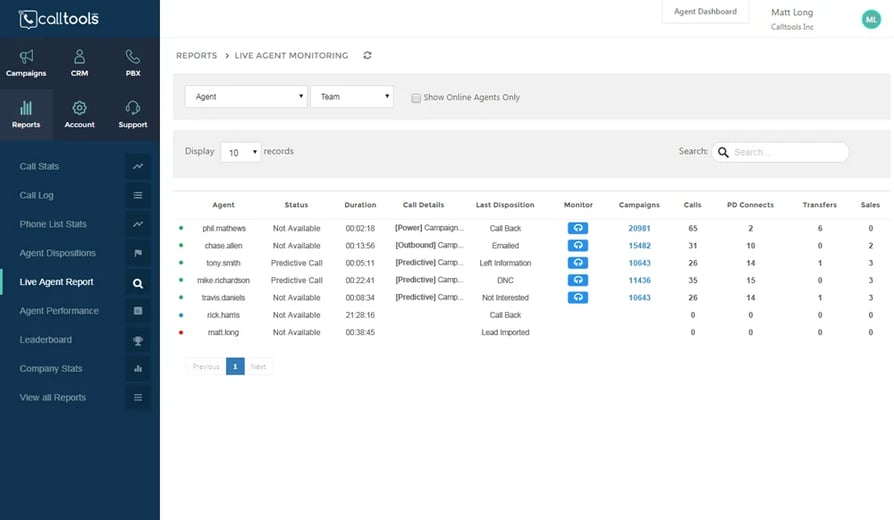
CallTools calls itself "the cloud dialer that managers trust and employees love to use," built for small-to-mid U.S. and Canada telemarketing teams and BPOs. Most dialers expect you to wire in your own CRM. CallTools skips that step and ships one already built in, alongside predictive dialing and compliance tooling for regulated campaigns.
Why Is CallTools a Strong Dialfire Alternative?
- A built-in CRM with lead management, campaign tracking, and call dispositions means a team skips buying or wiring up a separate CRM, the opposite of Dialfire's developer-dependent Salesforce and HubSpot connections.
- Predictive, Power, and Preview dialing modes support up to 10 simultaneous lines per agent, with Answering Machine Detection and adjustable call pacing.
- DNC scrubbing, timezone protection, and carrier-level caller ID reputation monitoring handle compliance risks that Dialfire's feature set doesn't address directly.
What Are CallTools's Key Features?
- Built-in CRM — lead management, campaign tracking, and call dispositions, no separate tool needed.
- Predictive/Power/Preview dialing — up to 10 simultaneous lines per agent with Answering Machine Detection.
- Compliance tooling — DNC scrubbing, timezone protection, and caller ID reputation monitoring.
- Live agent monitoring — whisper coaching and performance leaderboards for managers.
What Are the Pros and Cons of CallTools?
| Pros | Cons |
|---|---|
| Built-in CRM removes the need to buy or integrate a separate tool | No native iOS or Android app, so reps rely on a mobile browser or a third-party SIP app |
| Predictive dialer built to maximize live connects on U.S.-based outbound campaigns | Reported server latency of roughly 2.68 seconds can register a call as "Answered" before it ever bridges to an agent |
| Knowledgeable, responsive support praised across G2, Capterra, and Trustpilot alike | Opaque, quote-based pricing with hidden costs that only surface after a sales call |
What Is CallTools's Pricing?
CallTools doesn't publish a rate card. Pricing runs through an online calculator that factors in agent count, weekly call volume, and industry. Users also report added costs stacking on top of the quote, including per-message SMS fees and setup charges.
The Calculator Quote Trap: without a published rate, there's no way to compare CallTools against Dialfire's transparent per-minute pricing until a sales conversation is already underway.
What Are Users Saying About CallTools?
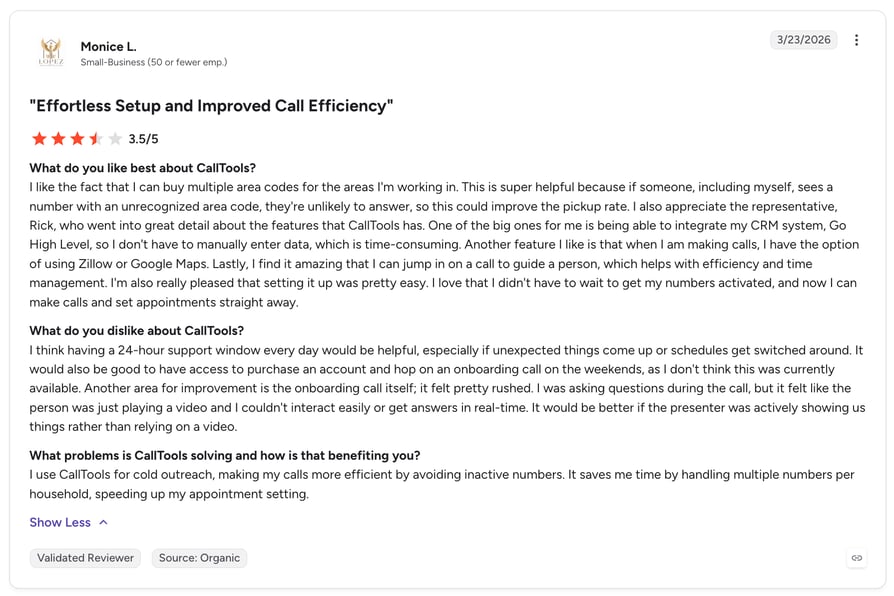
CallTools holds a 4.9/5 on G2 from 68+ reviews. Read CallTools reviews on G2.
CallTools vs. Dialfire
| Dialfire | CallTools | |
|---|---|---|
| Built-in CRM | None, needs a separate CRM + developer work | Ships with one built in |
| Compliance tooling | No dedicated compliance layer | DNC scrubbing, timezone protection, caller-ID monitoring |
| Pricing transparency | Published $0.0175/min rate | Quote-based via online calculator |
| Agent visibility | No monitoring tools documented | Live monitoring, whisper coaching, leaderboards |
Want the best? Join us!
How to Choose the Best Dialfire Alternative for Your Business
Not every Dialfire alternative will suit your specific situation. The right choice depends on how your team works today and where you plan to take it. Here are the six questions worth answering before you commit.
1. How Predictable Does Your Billing Need to Be?
- What to check:Does the platform charge per seat or per minute? Is there a ceiling on what a busy month can cost?
- Why it matters:Dialfire's per-minute rate has no ceiling; a busy campaign month can double the bill for the exact same headcount.
- Best fit:Teams that want predictable billing should prioritize CloudTalk (flat per-seat, from $25/user/month). Teams comfortable with variable, usage-based billing at low volume may still prefer Dialfire itself.
2. How Deep Does Your CRM Integration Need to Be?
- What to check:Is the integration native or does it require developer/API work? Does it sync bidirectionally, or does every sync create a new record instead of updating the one you have?
- Why it matters:Per Dialfire's own reviewers, connecting to Salesforce or HubSpot takes real developer time, and even then, a sync creates a new campaign instead of updating the existing one.
- Best fit:HubSpot- or Salesforce-heavy teams should look at CloudTalk's native, two-way sync into 100+ tools. Teams with in-house developers who don't mind the API work may still get by on Dialfire.
3. What's Your Real Budget for a Free or Open-Source Option?
- What to check:Is the software itself free, or is there a hidden infrastructure or staffing cost behind the "free" label?
- Why it matters:VICIdial's software costs $0, but a qualified sysadmin to run it typically runs $65,000 to $120,000 a year, so "free" only holds if that expertise already exists in-house.
- Best fit:Teams with a sysadmin on staff or on retainer should consider VICIdial. Teams without that expertise tend to land on CloudTalk instead, where the per-seat price already includes support.
4. Does Your Team Need Enterprise Compliance at Scale?
- What to check:Does the platform offer PCI or HIPAA-aligned compliance out of the box? Is there a minimum seat count to unlock it?
- Why it matters:Five9 offers deep compliance, but every plan requires a 50-seat minimum, which locks out smaller regulated teams entirely.
- Best fit:Large, regulated contact centers that clear the 50-seat floor should look at Five9. Smaller regulated teams often choose CloudTalk instead, which carries SOC 2, GDPR, and HIPAA-aligned compliance without an enterprise floor.
5. How International Is Your Outbound Calling?
- What to check:Does the platform bundle unlimited international calling, or does it charge per-minute rates by country the way Dialfire does?
- Why it matters:Per-minute international rates are hard to predict at scale, the same billing problem that drives most of this list's search traffic in the first place.
- Best fit:International outbound teams should consider Ringover for unlimited bundled calling, or CloudTalk for local presence dialing and virtual numbers in 160+ countries paired with deeper CRM sync.
6. Are You Running High-Volume Predictive Dialing at BPO Scale?
- What to check:Can the platform handle multi-line power dialing at scale? Is pricing transparent, or does it require a sales conversation to find out?
- Why it matters:Convoso is built for exactly this scale, but its pricing is fully quote-based with no free trial, so budgeting requires a sales call up front.
- Best fit:Large BPOs comfortable with quote-based pricing should evaluate Convoso. Teams that want the same high-volume dialing with transparent, published pricing usually shortlist CloudTalk's Expert plan instead.
Recommendation Matrix: Which Alternative Fits Your Team?
Match your team profile to the tool that fits it best, then confirm with the full breakdown above before you commit.
| Team Profile | Best-Fit Tool |
|---|---|
| Needs predictable, flat per-seat billing | CloudTalk |
| Needs native two-way Salesforce/HubSpot/Pipedrive sync | CloudTalk |
| Wants AI Voice Agents or Conversation Intelligence built in | CloudTalk |
| Has a sysadmin and wants $0 software licensing | VICIdial |
| Regulated enterprise contact center, 50+ seats | Five9 |
| International outbound team needing unlimited calling | Ringover |
| Large BPO running multi-line predictive dialing at scale | Convoso |
| Engineering-led team building a fully custom contact center | Twilio Flex |
| Cold-calling agency prioritizing deliverability protection | PhoneBurner |
| Small-to-mid team wanting predictive dialing with a built-in CRM | CallTools |
Ready to Try the Best Alternative to Dialfire?
Dialfire can work for a small team that's comfortable stitching together its own API integrations and tracking per-minute costs by hand. But for most sales and support teams, that trade-off stops paying off the moment the team grows past a handful of agents.
CloudTalk gives you the predictable pricing, native CRM sync, and built-in AI voice and analytics tools that Dialfire leaves you to build yourself, backed by a 4.4/5-star G2 rating from 1941+ reviews and 14 days to test it with your own team before you decide.
See why teams switch from Dialfire to CloudTalk.
Sources
Frequently Asked Questions About Dialfire Alternatives
Straight answers to the questions teams ask most before switching from Dialfire.
CloudTalk is the best overall alternative to Dialfire for most sales and support teams, thanks to predictable flat-rate pricing, native two-way CRM sync with 100+ tools, built-in AI Voice Agents and Conversation Intelligence, and a 4.4/5-star G2 rating from 1941+ verified reviews. It consistently ranks among the best Dialfire alternatives in independent testing, though teams with more specialized needs may prefer Ringover for unlimited international calling or Five9 for large regulated enterprises.
PhoneBurner is purpose-built for cold-calling agencies, with deliverability protection and spam-flag monitoring that Dialfire doesn't offer natively. For teams that also need native CRM sync and AI-assisted follow-up on top of cold-calling, CloudTalk is one of the more complete dialfire telemarketing software alternatives — Dialfire itself has no built-in spam-likely protection, which is a common reason cold-calling teams look elsewhere.
CloudTalk's Parallel add-on dials up to five to ten lines simultaneously and syncs natively and bidirectionally with Salesforce, so records update in place instead of creating duplicates. Among the dialfire predictive dialer alternatives on this list, it's the strongest fit for Salesforce-heavy teams specifically because the integration doesn't require custom developer work the way Dialfire's does.
The most common reasons are unpredictable per-minute billing with no ceiling, CRM integrations that require developer time and still create duplicate records instead of syncing cleanly, no mobile app, and no built-in SMS, WhatsApp, or secure payment line. Reviewers comparing best Dialfire competitors consistently cite these same four gaps as the trigger for switching.
VICIdial is the closest free alternative, since the core software is open-source and free to license. That said, running it well typically requires a qualified sysadmin, which can cost $65,000–$120,000 a year, so the "free" software isn't necessarily a free solution once you factor in the people needed to run it.
Yes. CloudTalk covers outbound and inbound calling, smart dialers, and call flow design the same way Dialfire does, then adds native CRM integrations, AI Voice Agents, and Conversation Intelligence — capabilities Dialfire either lacks or requires custom development to approximate. It's one of the more complete tools similar to Dialfire for outbound teams that also want inbound support and AI baked in, not bolted on.