


Multi-Line Phone System: Manage Thousands of Calls Without Missing a Beat
CloudTalk’s multi-line phone system lets your team handle thousands of concurrent calls with clarity, speed, and control. From high-volume sales to always-on support, we give your business the capacity to communicate at scale, without compromising quality.
- International numbers in 160+ countries
- AI Sales Dialers to speed up your outreach
- AI Voice Agents to handle your inbound and outbound calls 24/7
- Integrations with 100+ CRM, helpdesk, and support tools
Trusted by 30,000+ sales & support professionals to power more & better conversations
















Maximize Call Efficiency with a Multi-Line Telephone System
Handle Queues
with Precision
Maintain order during peak hours with advanced queue management. Multiline telephone systems let you set custom queue rules—like wait time limits and priority levels—so every caller stays informed and engaged while waiting, and no call slips away.
Route Calls
Automatically
Design efficient call flows with the drag-and-drop Call Flow Designer and guide callers with smart IVR menus. Together, they simplify high-volume call handling and ensure every call reaches the right destination.
Enhance Workflow Efficiency
Stay ahead of call surges with live dashboards and AI-powered analytics that track call volume, trends, and agent performance. Use these insights to adjust staffing, rebalance queues, and refine workflows, improving the customer and agent experience.
Why Should You Use a Multi-Line Business Phone System?
Start using CloudTalk today
HOW WE HELP
What Are the Key Features of a Multi-Line Phone System?
Launch High-Volume Outreach That Actually Converts
Traditional single-line systems limit your reps to one call at a time. With an intelligent multi-line phone system, they can reach multiple contacts simultaneously, while built-in tools help streamline workflows and boost efficiency.
- AI-Powered Dialers: Dial up to 10 numbers at once, skip unanswered calls with Answering Machine Detection, and let agents focus only on live conversations.
- Local Presence Dialing: Increase pickup rates by displaying a familiar local number, helping your agency feel closer and more trustworthy in any market.
- Workflow Automation: Automate repetitive tasks like call logging, follow-ups, or CRM updates, so everything runs in the background, without slowing you down.

Create Faster, More Reliable Support Experiences
Multi-line telephone systems allow you to manage high-volume inbound calls with more control, less effort, and a better experience for everyone on the line.
- Intelligent Call Routing: Automatically direct calls based on agents' skills, availability, or caller history to connect people faster.
- Call Flow Designer: Build custom call flows with drag-and-drop ease and use conditional logic to automate routine routing decisions.
- Interactive Voice Response (IVR): Guide callers to the right place with a smart, customizable call menu that routes inquiries quickly and improves response time.

Track, Measure, and Elevate Your Team's Performance
Every interaction tells a story. The best multi line phone system allows you to get a clearer view of what’s working, what’s not, and where to improve.
- AI Analytics: Track every agent's performance and get actionable data to improve conversations and drive smarter decisions—without digging through spreadsheets.
- Conversation Intelligence: Understand the sentiment behind every call, spot trending topics, and take action to coach more effectively, backed by data.
- Real-Time Dashboard: Monitor your team’s performance at a glance. Get live data, instant analytics, and actionable insights.
BUILT FOR SMART CALL HANDLING
The Clear Choice for Multiple Business Phone Lines: CloudTalk
There are lots of options out there. Here's why CloudTalk is the best option.

Handle Calls Efficiently No Matter the Volume
CloudTalk's multi-line phone system makes it easy to manage high call volumes from anywhere—whether they’re coming as a result of global campaigns, inbound support requests, or follow-ups triggered by your CRM. The platform keeps everything organized, routed, and visible in real time, so your team stays productive, even under pressure.
Behind the scenes, the intuitive Call Flow Designer lets you set up and adjust call logic with a simple drag-and-drop interface—so your team stays focused on conversations, not configuration.
CLOUD MULTILINE TELEPHONE SYSTEM
Enable Your Teams to Operate Around the World
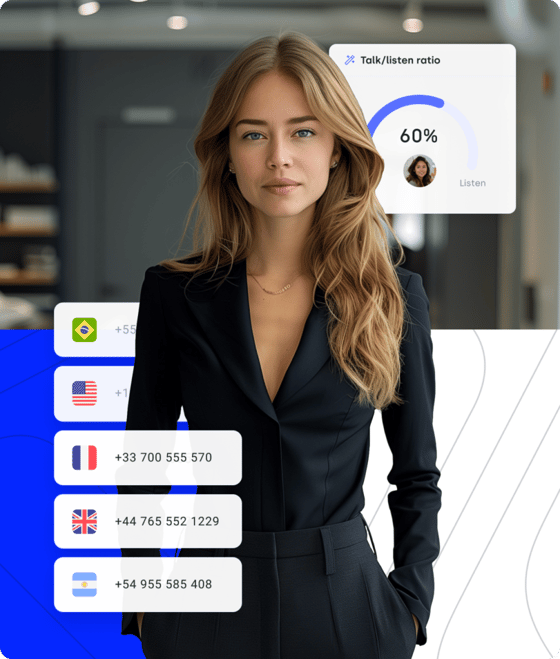
CloudTalk internet based phone system gives businesses the flexibility they need to scale quickly and serve customers everywhere. With international numbers in over 160+ countries, you can expand into new markets without the cost of physical offices in multiple locations.
Its intuitive interface and easy setup make onboarding fast, while the cloud infrastructure ensures you can add agents, teams, or regions in minutes.
The user interface is intuitive, and the setup was quick and painless. Our team members were up and running with their own phone numbers in no time. The call quality is crystal clear, and we've had no issues with dropped calls or connectivity.
Mid-Market (G2 Review)

INTEGRATED WITH YOUR SYSTEMS

Plug Your Multi-line Phone System into Your Tech Stack
CloudTalk multi-line VoIP phone system integrates with the tools your teams already rely on—CRM, helpdesk, sales engagement, and productivity platforms—so every call, ticket, and customer detail stays in perfect sync.
With integrations across 100+ business apps, agents get real-time context, automated workflows, and fewer manual tasks. The result is faster resolutions, smoother handoffs, and better customer experiences powered by a fully unified business multi-line phone system.
BUILT-IN SECURITY
Keep Every Conversation Safe and Fully Compliant
CloudTalk keeps your customer data safe through end-to-end encrypted calls, protected storage, and strict access controls that ensure only the right people see the right information.
With GDPR, HIPAA, and regional compliance standards easy to configure inside the platform, your support and sales teams can focus on customers—while CloudTalk quietly handles the security behind the scenes.


Your Smartest New Hire:
CloudTalk’s AI Voice Agent
Empower your business to operate 24/7, automate up to 80% of routine inquiries, and free your human agents to focus on more complex challenges. With CloudTalk's AI Voice Agent, you bring automation, speed, and intelligence to every customer interaction.
It handles routine calls, resolves common questions, schedules appointments, qualifies leads—and more. All with natural speech understanding to deliver fast, accurate assistance that keeps customers moving without bottlenecks.Spot coaching opportunities faster. Scale winning behaviors across your team. Turn every call into actionable intelligence without the endless review sessions.
Flexible Pricing Plans to Scale with You
Compare our plans
CloudTalk is built to simplify calling operations with reliable AI business calling
Schedule a demo today to see how CloudTalk can support your teams.
Frequently asked questions
Yes. Options include traditional on-premises systems and cloud-hosted platforms like CloudTalk, which offer greater flexibility and features.
It depends on the provider. Many VoIP systems offer unlimited inbound calls and flexible outbound plans based on your usage or subscription.
Use a centralized dashboard to view, route, transfer, and monitor all active lines in real time—no juggling devices or switching apps.
Most small businesses need 2–10 lines, depending on team size and call volume. VoIP systems let you scale easily as demand grows.
Yes. Cloud-based systems like CloudTalk require no hardware—just an internet connection and a device with a browser or app.
Calls can be rerouted to mobile phones or voicemail. Some systems, like CloudTalk, offer automatic failover or backup connectivity options.
Yes. Most providers support number porting, so you can keep your existing business number when switching to a new system.
Very secure. CloudTalk's security offers end-to-end encryption, access controls, and full compliance with regulations like HIPAA.


Hello 👋 My name is Emma. Still have questions?
Can’t find the answer you’re looking for? Please chat to our friendly team.