13 Best Customer Service Software & Tools in 2026 (By Category)
TLDR:
13 best customer service software platforms by category:
- 01CloudTalk — best call center software for phone support
- 02Zendesk — best all-in-one customer service software for mid-to-large teams
- 03Freshdesk — best value omnichannel help desk software
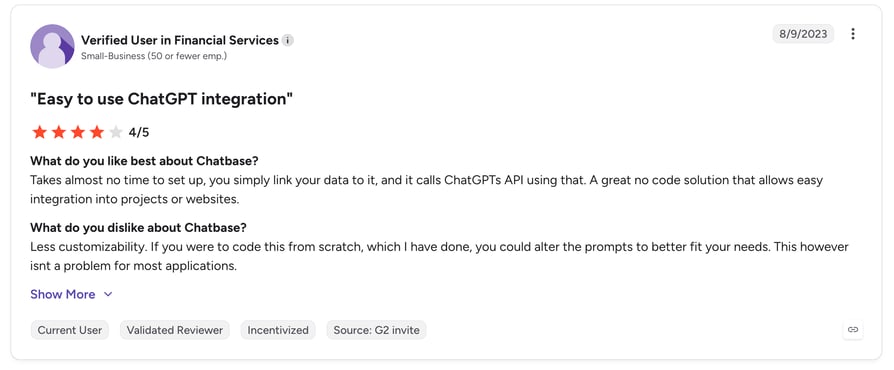
- 04Chatbase — best for no-code custom AI chatbots trained on your data
- 05Intercom — best for SaaS messaging and AI automation
- 06HubSpot Service Hub — best CRM-native customer service software
- 07LiveAgent — best omnichannel platform on a moderate budget
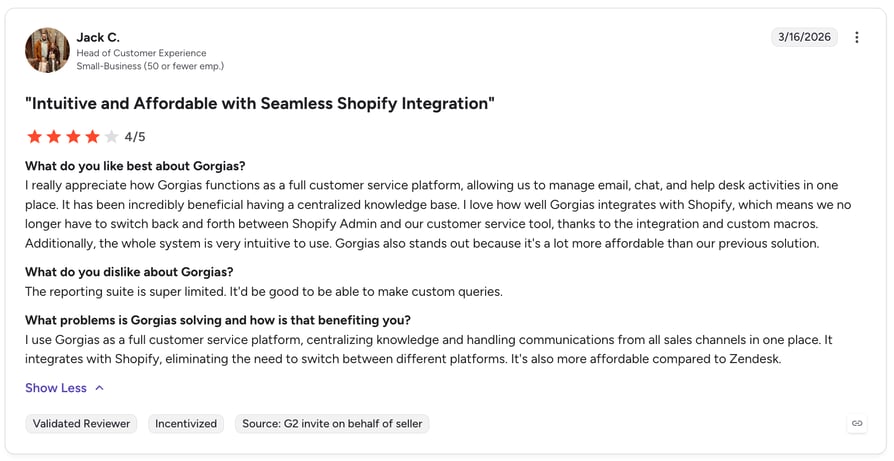
- 08Gorgias — best eCommerce customer service software for Shopify
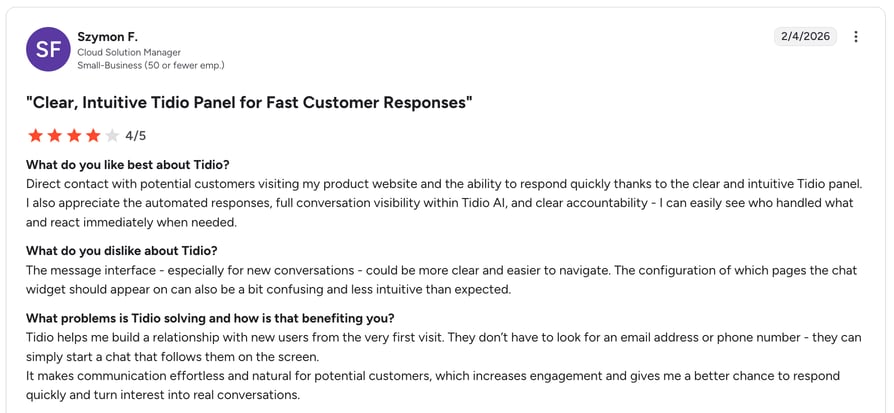
- 09Tidio — best live chat customer service app for online stores
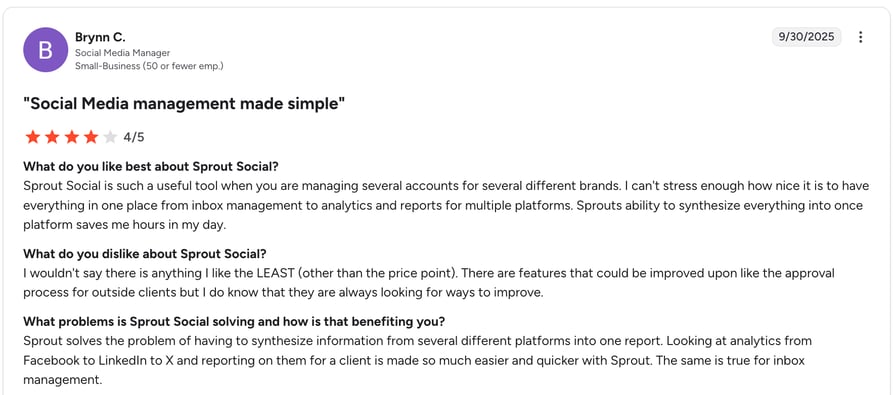
- 10Sprout Social — best social media customer service software
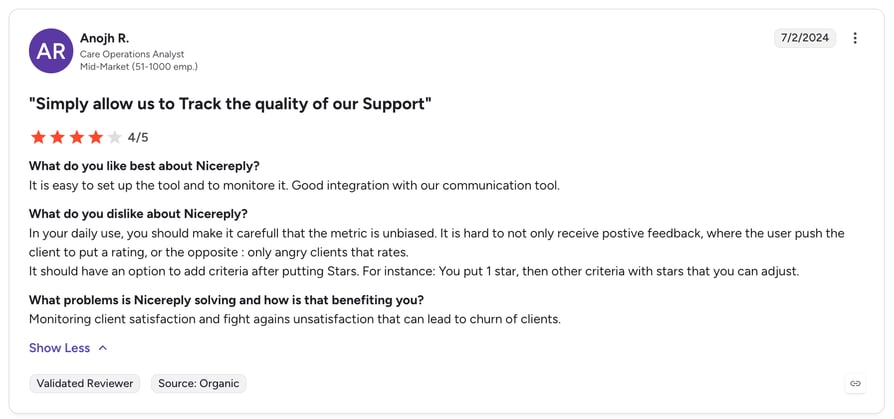
- 11Nicereply — best customer feedback tool
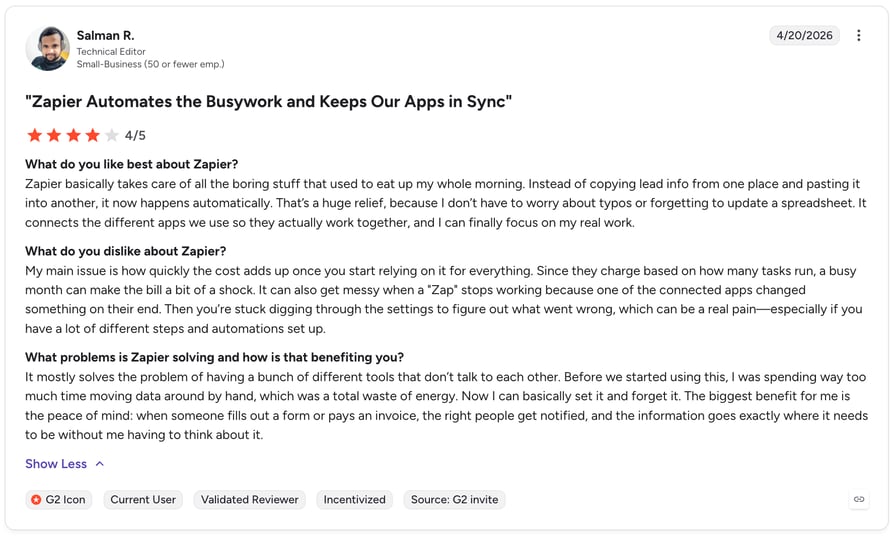
- 12Zapier — best for automating workflows across your stack
- 13Knowmax — best knowledge management software for large support teams
Your support team is only as good as the tools behind it. The wrong stack slows agents down. The right one turns one-time buyers into loyal customers.
Most support teams don't fail because of bad agents. They fail because of fragmented customer service software, missing context, and workflows that create friction instead of removing it.
This guide covers the 13 best customer service software platforms and tools available in 2026, organized by category and use case—so you can build a stack that solves your actual bottleneck, not someone else's.

Quick Comparison: Best Customer Service Software at a Glance
| Tool | Primary Use Case | Starting Price | Free Trial? |
|---|---|---|---|
| 1. CloudTalk | Call center / business phone system | From 25/user/mo | 14-day free trial |
| 2. Zendesk | All-in-one help desk + AI | From $19/agent/mo | 14-day free trial |
| 3. Freshdesk | Omnichannel help desk | Free plan; from $19/agent/mo | Free plan available |
| 4. Chatbase | Instant self-service automation | Free plan; from $32/mo | Free plan available |
| 5. Intercom | Messaging + AI chatbot | From $29/seat/mo (Essential) | 14-day free trial |
| 6. HubSpot Service Hub | CRM-native help desk | Free plan; from $15/seat/mo | Free plan available |
| 7. LiveAgent | Omnichannel ticketing | Free plan; from $15/agent/mo | 30-day free trial |
| 8. Gorgias | eCommerce support | From $10/mo (usage-based) | 7-day free trial |
| 9. Tidio | Live chat + chatbot | Free plan; from $29/mo | Free plan available |
| 10. Sprout Social | Social media customer service | $199/seat/mo (Standard) | 30-day free trial |
| 11. Nicereply | Customer feedback (CSAT/NPS/CES) | From $59/mo | 14-day free trial |
| 12. Zapier | Workflow automation | Free plan; from $19.99/mo | Free plan available |
| 13. Knowmax | Knowledge management | Contact for pricing | Demo available |
Why Trust Our Software Reviews?
For nearly 10 years, we have helped more than 30,000 professionals with communication solutions. In the process, we have reviewed over 200 software tools across industries and analyzed 5,500+ verified customer reviews from G2, Gartner, Capterra, and TrustRadius—plus real discussions on Reddit and Quora.
Reviews are based on real use cases, honest tradeoffs, and one clear goal: give you reliable insights that help you choose the right customer service software for your team.
What Is Customer Service Software?
Customer service software refers to applications that help support teams deliver faster, more consistent service across every channel. It ranges from help desk platforms and AI chatbots to call center software, knowledge bases, and customer feedback systems.
The best customer service software does three things well:
- 01Reduce resolution time: Agents find information faster and handle more volume
- 02Improve consistency: Templates, knowledge bases, and AI reduce errors
- 03Surface insights: Analytics and feedback loops show you what to fix next
Types of Customer Service Tools and Software
Before jumping into the list, here is a map of the categories this guide covers:
- Phone and call center software— inbound and outbound calls, routing, IVR, and call analytics
- Help desk and ticketing systems— centralized support from email, chat, social, and phone
- Live chat and messaging apps— real-time support on web, mobile, and business channels
- AI chatbots and virtual agents— 24/7 automation for routine queries
- Customer feedback and survey tools— measures CSAT, NPS, and CES
- CRM and customer data platforms— 360-degree view of every customer
- Workflow automation— connects tools and eliminates repetitive manual tasks
- Social media monitoring— tracks mentions and supports customers on social channels
- Knowledge management— structured content that helps agents find answers fast
The 13 Best Customer Service Software Platforms & Tools in 2026
Looking for the best customer service software to boost your team's efficiency? Whether you need call center software for phone support, a help desk for high-volume ticketing, or AI-powered tools to automate routine queries, the 13 platforms below cover every major support channel and use case.
1. CloudTalk — Best Call Center Software for Phone Support
What Is CloudTalk?
It is a cloud-based business phone system and call center software platform that handles inbound routing, outbound dialing, AI-powered call analytics, and CRM integration—all in one place.
Who Is CloudTalk Best For?
CloudTalk is best for support and sales teams that rely on phone as a primary channel.
Phone support is the highest-stakes channel in customer service. When a customer calls, they expect to reach the right agent fast, with zero need to repeat themselves. CloudTalk is built specifically for that moment.
What Are CloudTalk's Key Features?
- IVR (Interactive Voice Response)—routes callers to the right agent automatically, based on language, team, or issue type
- AI Call Summary and Call Tagging—every call is automatically summarized and labeled, so agents skip manual note-taking
- Sentiment Analysis—understand caller mood across your entire team, not just individual calls
- Real-Time Dashboard and Call Monitoring—supervisors listen in, whisper coaching, or take over live calls without interruption
- Power Dialer and Parallel Dialer—outbound teams dial faster and connect with more live prospects per hour
- 100+ CRM and help desk integrations—Salesforce, HubSpot, Zendesk, Pipedrive, Freshdesk, and more
- Local numbers in 160+ countries—support global customers without international calling barriers
How Does CloudTalk Improve Customer Service?
Agents see full customer context before the call begins. AI-powered summaries eliminate after-call admin. Managers can coach in real time without interrupting the conversation. Because every call is automatically tagged and analyzed, support leaders can spot recurring issues and fix them before they escalate.
What Is CloudTalk's Pricing?
CloudTalk offers flexible plans tailored to business needs. With each of its plans offering more value than its competitors:
- Starter: $25/user/month
- Essential: $29/user/month
- Expert: $49/user/month
- Custom: Pricing available upon request
Additionally, CloudTalk offers various AI Voice Agents plans:
- AI Receptionist: 24/7 front desk coverage for inbound calls. Answers FAQs, routes calls without phone trees, and takes messages—so no call ever goes unanswered.
- AI Specialist: Automates entire or partial workflows across support, sales, and billing. Handles multi-step requests, payment transactions, and complex issue resolution without human involvement.
- Custom: Built for high-volume teams expecting above 10,000 minutes per month. Offers bespoke workflow automation, discounted per-minute rates, and unlimited scaling tailored to your exact call volume.
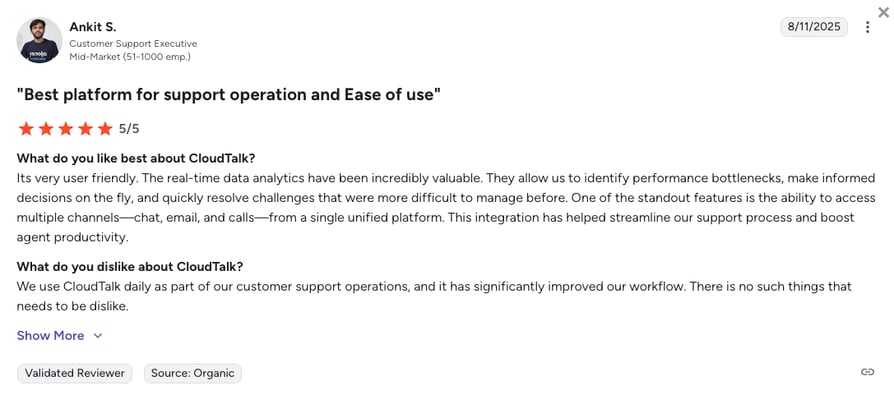
What Do Users Say About CloudTalk?
CloudTalk's G2 rating is 4.4/5 out of 5 stars, and CloudTalk has also been named G2 Spring 2026 High Performer in Contact Center Quality Assurance.
2. Zendesk — Best All-in-One Customer Service Software for Mid-to-Large Teams
What Is Zendesk?
Zendesk is an all-in-one customer service software platform that covers ticketing, AI, messaging, analytics, quality assurance, and workforce management in one system. It is the go-to for teams managing high complexity at scale.
Who Is Zendesk Best For?
Zendesk is best for mid-to-large support teams that need a deeply customizable, enterprise-grade platform. It suits organizations managing high ticket volumes across multiple channels and needing advanced AI, QA, and workforce management capabilities in a single solution. The tradeoff: it takes time to configure properly, and pricing climbs quickly as you add features.
What Are Zendesk's Key Features?
- AI agents that autonomously resolve up to 80% of routine inquiries without human involvement
- Omnichannel ticketing that consolidates email, chat, social, and phone into a single agent workspace
- Zendesk QA that automatically reviews all customer interactions and flags coaching opportunities
- Workforce Management module that forecasts staffing needs so teams are never over- or under-staffed
- Self-service help center and community forums for customer self-resolution
How Does Zendesk Improve Customer Service?
Zendesk reduces resolution time by routing tickets to the right agent automatically and using AI to handle routine queries before they reach a human. QA automation scores every interaction, so managers spend less time reviewing calls manually and more time coaching the conversations that matter.
What Is Zendesk's Pricing?
See our Zendesk Talk pricing guide.
- Support Team: €19/agent/month (paid yearly)
- Suite Team: €55/agent/month (paid yearly)
- Suite Professional: €115/agent/month (paid yearly)
- Suite Enterprise + Copilot: Custom pricing
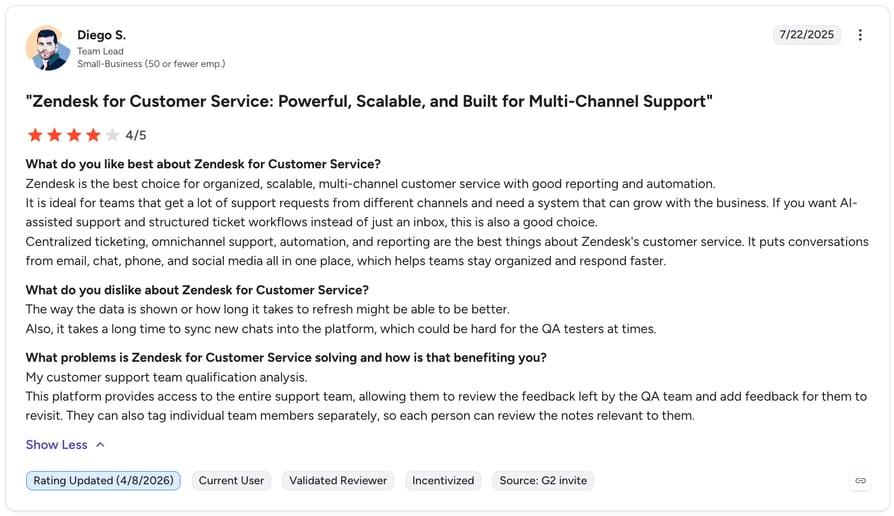
What Do Users Say About Zendesk?
Zendesk's G2 rating is 4.3 out of 5 stars.
3. Freshdesk — Best Value Omnichannel Help Desk Software
What Is Freshdesk?
Freshdesk is an omnichannel help desk platform that balances features and affordability better than most customer service software platforms in this category. A free plan is available for small teams, and paid plans remain competitive as teams scale.
Who Is Freshdesk Best For?
Freshdesk is best for growing teams that want affordable, scalable omnichannel support. It suits businesses that need strong automation, a solid knowledge base builder, and good third-party integrations without the enterprise price tag of platforms like Zendesk or Intercom.
What Are Freshdesk's Key Features?
- Collision detection that prevents two agents from working the same ticket simultaneously
- Freddy AI that suggests responses and automates ticket categorization and routing
- Customer portal that lets buyers track their own tickets and browse self-service articles
- SLA management that ensures no ticket falls through the cracks
- Omnichannel inbox covering email, chat, phone, and social in one place
How Does Freshdesk Improve Customer Service?
Freshdesk reduces manual triage with AI-powered ticket categorization and routing. Collision detection prevents duplicated effort. The customer portal deflects routine queries to self-service, reducing inbound volume before it reaches an agent.
What Is Freshdesk's Pricing?
See our Freshcaller pricing guide or explore the best Freshdesk integrations.
- Growth: €17/agent/month (billed annually)
- Pro: €52/agent/month (billed annually)
- Enterprise: €84/agent/month (billed annually)
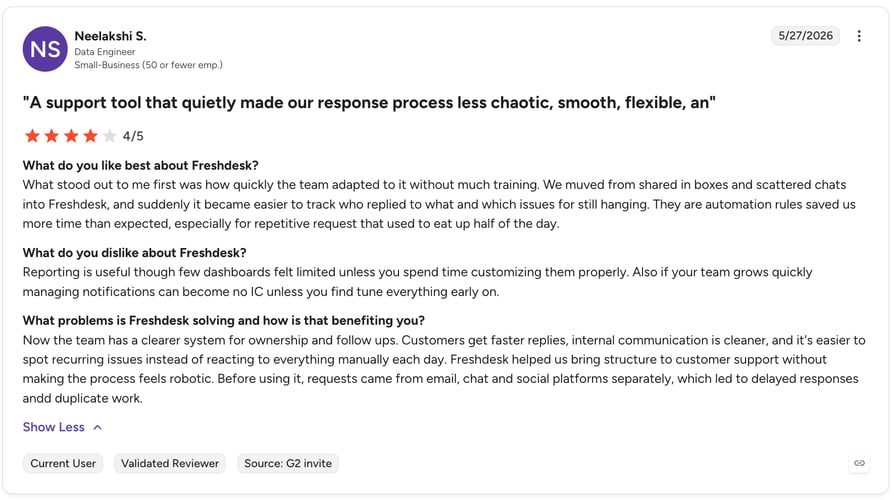
What Do Users Say About Freshdesk?
Freshdesk's G2 rating is 4.4 out of 5 stars.
4. Chatbase — Best AI Customer Support Platform for Instant Self-Service
What Is Chatbase?
Chatbase helps businesses build AI agents trained on their own knowledge base to automate customer support, qualify leads, and deliver accurate, human-like responses across websites, messaging apps, and support channels.
Who Is Chatbase Best For?
Chatbase is best for startups, SMBs, and enterprise teams—from SaaS to eCommerce—that want to deploy a custom AI chatbot in minutes without writing code or hiring developers. It suits customer support teams looking to instantly automate repetitive FAQs and capture leads by training an AI agent directly on their existing website, documentation, and knowledge base.
What Are Intercom's Key Features?
- No-code AI builder that lets you create and deploy custom AI agents using an intuitive visual interface
- Custom data training on websites, PDFs, Notion, and help centers for accurate, context-aware responses
- AI actions and workflows for capturing leads, booking appointments, and executing tasks beyond simple Q&A
- Omnichannel deployment across your website, WhatsApp, Slack, and social channels with seamless human handoff
- Advanced analytics and integrations with support for 80+ languages to track bot performance and sync with core business tools
How Does Chatbase Improve Customer Service?
Chatbase instantly turns your existing help center, website, and internal documentation into custom AI agents that deliver 24/7, context-aware support. By automatically resolving repetitive FAQs and executing routine workflows across multiple channels, it slashes response times and drastically reduces inbound ticket volume for human support teams.
What Is Chatbase's Pricing?
Free: $0/month.
Hobby: $32/month (billed annually).
Standart: $120/month (billed annually).
Pro: $400/month (billed annually).
Enterprise: custom pricing.
What Do Users Say About Chatbase?
Chatbase's G2 rating is 4.8 out of 5 stars.
5. Intercom — Best Customer Service Software for SaaS Messaging and AI Automation
What Is Intercom?
Intercom is a customer messaging and AI automation platform that meets customers inside the product, not just via email. Its Fin AI agent handles a significant portion of incoming queries without human involvement.
Who Is Intercom Best For?
Intercom is best for product-led SaaS teams that want proactive, in-product messaging and want to reduce support volume before issues arrive, not just after. It suits teams that think in funnels as much as tickets—where preventing a support request is as valuable as resolving one.
What Are Intercom's Key Features?
- Fin AI agent that resolves complex queries using your knowledge base and product data
- In-product messaging and proactive outreach that reduce inbound volume before issues escalate
- Conversation routing that automatically assigns chats to the best-fit agent or bot
- Shared inbox with powerful tagging, filtering, and team collaboration tools
- Outbound messaging for onboarding, feature announcements, and churn prevention
How Does Intercom Improve Customer Service?
Intercom reduces inbound volume by catching issues proactively—before a customer needs to reach out. Fin AI handles complex conversations using your own knowledge base, so fewer tickets reach human agents. For SaaS teams, this means lower support costs and faster time-to-value for customers.
What Is Intercom's Pricing?
See our roundup of the best Intercom integrations for more context.
Essential: $29/seat/month + from $0.99 per Fin outcome.
Advanced: $85/seat/month + from $0.99 per Fin outcome.
Expert: $132/seat/month + from $0.99 per Fin outcome.
Fin AI Agent: From $0.99 per Fin outcome, no seats required.
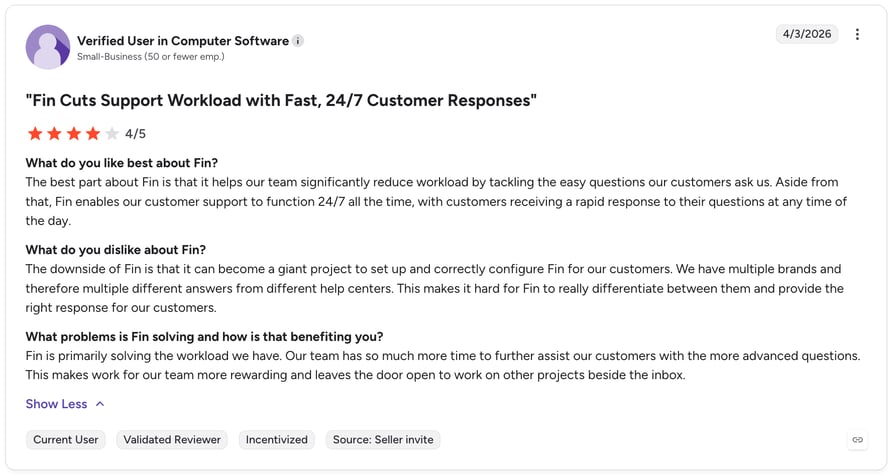
What Do Users Say About Intercom?
Intercom's G2 rating is 4.5 out of 5 stars.
6. HubSpot Service Hub — Best CRM-Native Customer Service Software
What Is HubSpot Service Hub?
HubSpot Service Hub is a CRM-native customer service software platform that connects every support ticket directly to HubSpot CRM records. Agents see the full customer lifecycle—deals, emails, calls, and support history—in one place.
Who Is HubSpot Service Hub Best For?
HubSpot Service Hub is best for customer success teams already using HubSpot CRM for sales and marketing. If your entire revenue team runs on HubSpot, Service Hub is the natural next step—eliminating the need to switch between tools to understand a customer's full history.
What Are HubSpot Service Hub's Key Features?
- Full CRM context on every ticket—deal history, email threads, and call recordings visible to every agent
- Customer portal that gives buyers a self-service hub to view their tickets and browse help articles
- AI-powered reply suggestions and knowledge base generation that speed up agent responses
- Built-in CSAT, NPS, and CES surveys directly inside the platform
- Shared inbox and live chat connected to the HubSpot CRM contact record
How Does HubSpot Service Hub Improve Customer Service?
Because Service Hub sits inside the HubSpot CRM, agents never need to switch tools to understand who they are talking to. Every ticket opens with full deal and communication history visible. Built-in feedback surveys close the loop automatically after every resolution.
What Is HubSpot Service Hub's Pricing?
See our HubSpot calling pricing guide or explore the best HubSpot phone integrations.
- Free Tools: $0 — up to 2 users, no AI support tools, no SLA features.
- Service Hub Starter: from $9/seat/month.
- Service Hub Professional: from $90/seat/month (billed annually).
- Service Hub Enterprise: from $150/seat/month (billed annually).
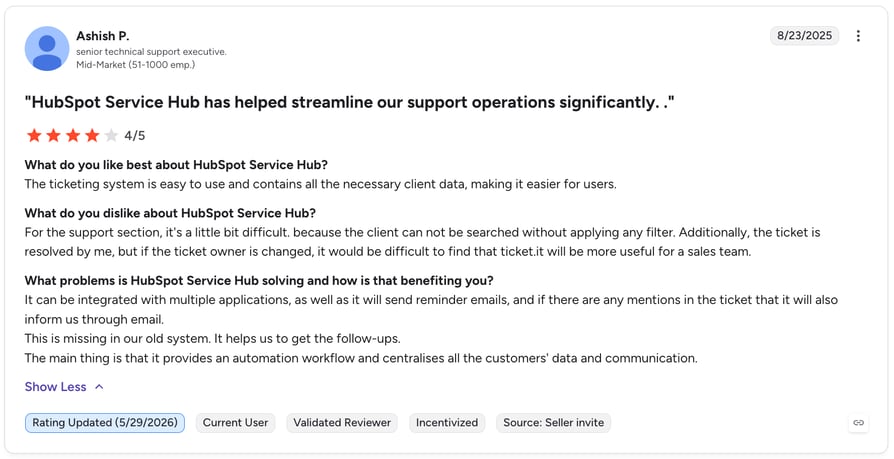
What Do Users Say About HubSpot Service Hub?
HubSpot Service Hub's G2 rating is 4.4 out of 5 stars.

Ready to upgrade your phone support? CloudTalk handles the calls that matter most.
7. LiveAgent — Best Omnichannel Customer Service Software on a Moderate Budget
What Is LiveAgent?
LiveAgent is an omnichannel customer service software platform that combines live chat, ticketing, a call center module, and a customer portal in one system. Its hybrid ticket stream follows a single customer across channels on one unified ticket.
Who Is LiveAgent Best For?
LiveAgent is best for teams managing complex, multi-touchpoint support across channels on a moderate budget. It is a strong fit for businesses that need a genuinely omnichannel platform without committing to the premium pricing of Zendesk or Intercom.
What Are LiveAgent's Key Features?
- Universal inbox that collects messages from email, social, live chat, and phone in one queue
- Hybrid ticket stream that tracks a customer across channels without losing context
- Built-in call center module with IVR, call recording, and call routing
- Gamification features that keep agent motivation high in high-volume environments
- Customer portal with a self-service knowledge base and community forum
How Does LiveAgent Improve Customer Service?
LiveAgent's hybrid ticket stream ensures that no matter which channel a customer uses—email, chat, phone, or social—the entire conversation history stays in one place. This eliminates the most common source of customer frustration: having to repeat themselves to a new agent.
What Is LiveAgent's Pricing?
Explore the best LiveAgent integrations to extend its capabilities.
- Small Business: $15/agent/month (billed annually)
- Medium Business: $29/agent/month (billed annually)
- Large Business: $49/agent/month (billed annually)
- Enterprise: $69/agent/month (billed annually)
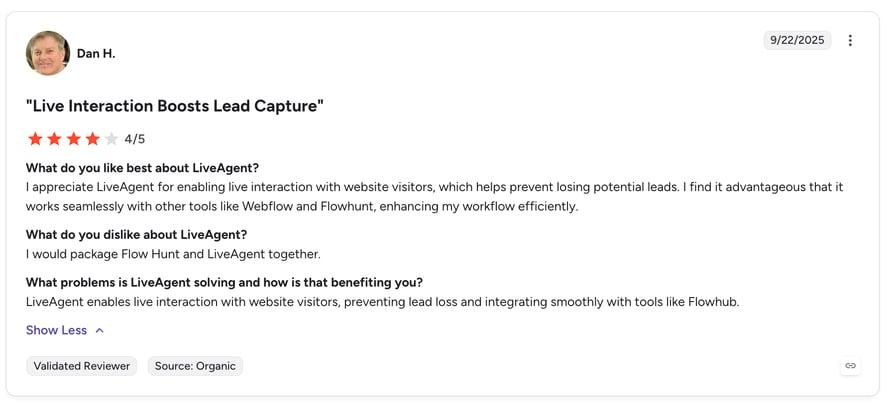
What Do Users Say About LiveAgent?
LiveAgent's G2 rating is 4.5 out of 5 stars.
8. Gorgias — Best eCommerce Customer Service Software for Shopify
What Is Gorgias?
Gorgias is the leading customer service software for eCommerce, with a Shopify integration that general-purpose help desks cannot match. Agents can issue refunds, cancel orders, and apply discount codes directly from the ticket—without ever leaving Gorgias.
Who Is Gorgias Best For?
Gorgias is best for DTC and eCommerce brands needing deep order management inside support tickets. It is a natural fit for Shopify, BigCommerce, and Magento merchants whose support volume is dominated by order status, shipping, and return queries.
What Are Gorgias's Key Features?
- Deep Shopify, BigCommerce, and Magento integrations that surface live order data inside every ticket
- Revenue tracking that shows which support conversations generate sales, not just resolve issues
- Automated macros that handle order status, shipping questions, and return requests without agent involvement
- Usage-based pricing that charges per ticket handled, not per seat
- Social media integration for handling DMs and comments from Instagram and Facebook
How Does Gorgias Improve Customer Service?
Gorgias eliminates the back-and-forth between your help desk and your store backend. Agents see live order data, shipping status, and purchase history directly inside the ticket—so they can resolve issues in a single reply instead of three. Automated macros handle the most common eCommerce queries without any human intervention.
What Is Gorgias's Pricing?
See our roundup of the best Gorgias integrations to get the most out of the platform.
- Starter: from $10/month — 50 tickets/month.
- Basic: from $50/month — 300 tickets/month.
- Pro: from $300/month — 2,000 tickets/month.
- Advanced: from $750/month — 5,000 tickets/month.
- Enterprise: custom pricing — custom ticket volume.
What Do Users Say About Gorgias?
Gorgias' G2 rating is 4.6 out of 5 stars.
9. Tidio — Best Live Chat Customer Service App for Online Stores
What Is Tidio?
Tidio is a purpose-built customer service app for online stores that adds live chat and AI-powered chatbot automation to Shopify, WooCommerce, and Wix in minutes. The free plan is genuinely useful, and the Lyro AI chatbot handles a large share of repetitive queries without any human input.
Who Is Tidio Best For?
Tidio is best for eCommerce stores that need instant live chat with chatbot automation and want to get started quickly without a complex setup. It is a strong fit for small-to-mid-sized online stores that want to convert website visitors and handle support from one lightweight tool.
What Are Tidio's Key Features?
- Lyro AI chatbot that automates up to 70% of queries using conversational AI
- Live chat widget that enables one agent to handle multiple simultaneous conversations
- Order tracking integration that pulls live shipping status directly into chat responses
- Native Shopify and WooCommerce plugins that sync customer and purchase data automatically
- Visitor tracking and proactive chat triggers based on browsing behavior
How Does Tidio Improve Customer Service?
Tidio's Lyro AI handles the most common eCommerce queries—order status, return policies, product questions—without any agent involvement. Live chat lets a single support agent manage multiple conversations simultaneously, dramatically increasing capacity without adding headcount.
What Is Tidio's Pricing?
- Starter: from $25/month
- Growth: from $50/month
- Plus: from $800/month
- Premium: Contact for pricing
What Do Users Say About Tidio?
Tidio's G2 rating is 4.6 out of 5 stars.
10. Sprout Social — Best Social Media Customer Service Software
What Is Sprout Social?
Sprout Social is a social media management platform that turns social media monitoring into a structured support workflow. It centralizes mentions, DMs, and comments from Facebook, Instagram, X, and LinkedIn into a unified Smart Inbox—with triage, assignment, and response time tracking built in.
Who Is Sprout Social Best For?
Sprout Social is best for brands handling significant support volume through social media channels. It suits marketing and support teams that need to manage customer conversations at scale across multiple social platforms without letting any message fall through the cracks.
What Are Sprout Social's Key Features?
- Smart Inbox that aggregates all social interactions across platforms in one unified queue
- Automated tagging and routing that assigns messages to the right team without manual triage
- Built-in analytics that track response time, volume, and sentiment across social channels
- Bot builder for creating automated first-response flows for common social queries
- Social listening tools that monitor brand mentions beyond direct messages and comments
How Does Sprout Social Improve Customer Service?
Sprout Social brings structure to a channel that most help desks ignore. Instead of monitoring five platforms manually, agents work from a single inbox where every message is tagged, prioritized, and assigned. Response time tracking holds teams accountable and surfaces exactly where social support breaks down.
What Is Sprout Social's Pricing?
- Standard: $199/seat/month
- Professional: $299/seat/month
- Advanced: $399/seat/month
- Enterprise: Custom pricing
What Do Users Say About Sprout Social?
Sprout Social's G2 rating is 4.4 out of 5 stars.
11. Nicereply — Best Customer Feedback Tool
What Is Nicereply?
Nicereply is a customer feedback platform that makes it easy to collect CSAT, NPS, and CES scores after every support interaction. It embeds surveys directly into email signatures or post-resolution messages—so feedback collection requires zero extra steps from the customer.
Who Is Nicereply Best For?
Nicereply is best for support teams that need structured CSAT, NPS, and CES feedback inside their existing tools without building a separate feedback system. It is a strong fit for teams already using Zendesk, Freshdesk, or HubSpot who want agent-level satisfaction reporting without switching platforms.
What Are Nicereply's Key Features?
- One-click CSAT, NPS, and CES surveys embedded directly in agent email signatures
- Agent-level and team-level reporting that identifies exactly who needs coaching
- Automatic alerts when satisfaction scores drop below a defined threshold
- Integration with 30+ help desks and communication platforms
- Customizable survey design and branding to match your company identity
How Does Nicereply Improve Customer Service?
Nicereply closes the feedback loop that most support teams leave open. By embedding one-click surveys into every interaction, it captures satisfaction data passively—without asking customers to fill in a separate form. Agent-level reporting turns that data into specific coaching conversations instead of vague performance reviews.
What Is Nicereply's Pricing?
Explore the best Nicereply integrations to connect it with your existing stack.
- Starter: $59/month
- Essential: $119/month
- Growth: $239/month
- Business: $359/month
What Do Users Say About Nicereply?
Nicereply's G2 rating is 4.5 out of 5 stars.
12. Zapier — Best for Automating Workflows Across Your Customer Service Software Stack
What Is Zapier?
Zapier is a no-code automation platform that acts as the connective tissue of a modern customer service software stack. It lets teams build automations between almost any two tools without engineering resources—instantly.
Who Is Zapier Best For?
Zapier is best for support and operations teams that want to connect tools and eliminate repetitive manual work without relying on developers. It is a strong fit for any team whose customer service software stack has gaps between tools that require manual data transfer.
What Are Zapier's Key Features?
- 7,000+ app integrations—virtually every customer service software on this list has a native Zapier integration
- Multi-step Zaps that chain multiple actions across tools from a single trigger
- Filters and conditional logic for routing automations based on specific data values
- Real-time triggers based on ticket status, form submissions, or CRM updates
- No-code interface that non-technical team members can build and manage independently
How Does Zapier Improve Customer Service?
Zapier eliminates the manual steps between tools that slow support teams down. A missed CloudTalk call can instantly create a Zendesk ticket with full call context attached. A resolved ticket can trigger a Nicereply CSAT survey. A new Freshdesk contact can sync to HubSpot CRM—all without anyone doing it manually.
What Is Zapier's Pricing?
Explore the best Zapier integrations to see what's possible with your current stack.
- Free: $0/month
- Professional: $19.99/month
- Team: $69/month
- Enterprise: Contact for pricing
What Do Users Say About Zapier?
Zapier's G2 rating is 4.5 out of 5 stars.
13. Knowmax — Best Knowledge Management Software for Large Support Teams
What Is Knowmax?
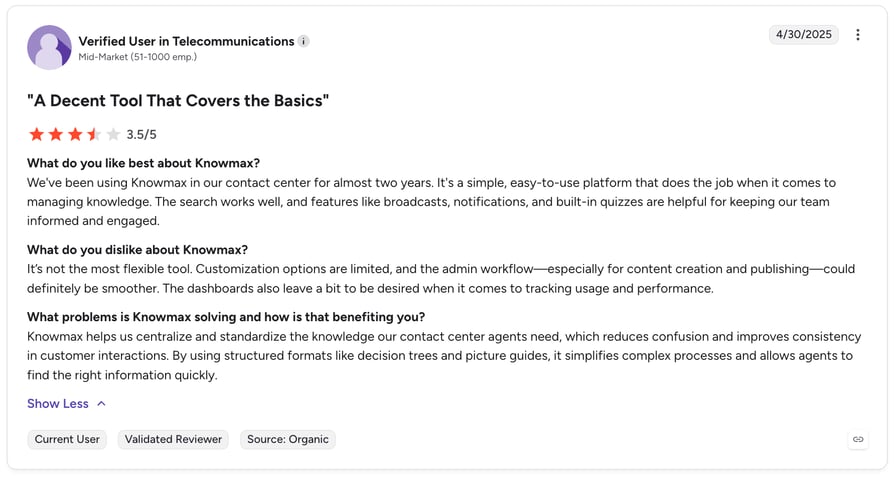
Knowmax is an AI-powered knowledge management platform built specifically for CX teams. It converts complex SOPs and policy documents into interactive decision trees and step-by-step guides—so agents find the right answer every time, without hunting through documentation.
Who Is Knowmax Best For?
Knowmax is best for enterprise support teams managing large volumes of complex, policy-driven queries where agent consistency is critical. It is particularly well-suited to industries like telecom, banking, insurance, and healthcare—where agents need to navigate detailed SOPs accurately on every call.
What Are Knowmax's Key Features?
- Decision trees that guide agents through complex troubleshooting step by step, reducing errors
- AI-powered search that surfaces relevant knowledge during live interactions in real time
- Self-service integration that deflects common queries through chatbots and customer portals
- Integration with CRM, telephony, and chat platforms for omnichannel knowledge delivery
- Content authoring tools for converting existing documentation into structured, searchable guides
How Does Knowmax Improve Customer Service?
Knowmax removes the most common cause of inconsistent service: agents making different decisions because they interpreted the same policy differently. Decision trees eliminate ambiguity by walking agents through every step of a resolution process. AI-powered search ensures the right guide surfaces at the right moment, without the agent needing to know where to look.
What Is Knowmax's Pricing?
Knowmax does not publish pricing publicly. Contact their sales team directly for a quote tailored to your team size and use case. However, users claim their pricing starts at $14.99/month with a free trial available.
What Do Users Say About Knowmax?
Knowmax's G2 rating is 4.6 out of 5 stars.
Best AI Customer Service Tools in 2026
Artificial intelligence is reshaping how support teams operate. The best AI customer service tools work in two directions: customer-facing AI handles routine queries around the clock, while agent-facing AI helps human agents work faster and make fewer mistakes.
Here are the standout AI capabilities across the platforms in this guide:
- CloudTalk AI: AI Call Summary, Sentiment Analysis, and automatic call tagging—so every phone interaction is logged and analyzed without manual input
- Zendesk AI: AI agents that autonomously resolve up to 80% of routine tickets, plus automated QA scoring across all interactions
- Intercom Fin: Conversational AI agent that resolves complex queries using your own knowledge base and product data—without scripted flows
- Freshdesk Freddy AI: Suggests responses, auto-categorizes tickets, and routes them to the right agent without manual triage
- Tidio Lyro: AI chatbot that automates up to 70% of chat queries for eCommerce stores, with zero setup beyond connecting your product data
- HubSpot AI: Reply suggestions and knowledge base generation that cut agent response time on repeat questions
Key distinction
Some AI customer service tools require extensive training and setup (Intercom Fin, Zendesk AI), while others work out-of-the-box with your existing content (Tidio Lyro, CloudTalk AI). Choose based on your team’s technical resources and the complexity of queries you want to automate.
Best Customer Service Software for Small Business
Small businesses generally need three things from customer service software: a way to handle incoming requests, a way for customers to self-serve, and a way to measure satisfaction. The good news: several platforms on this list have free plans that cover all three.
Best free customer service software for small businesses:
- Freshdesk Free: Up to 2 agents, email ticketing, and a basic knowledge base—no credit card required. Best starting point for most small teams
- Tidio Free: Live chat and basic Lyro AI chatbot for online stores. Covers real-time support without a per-seat cost
- HubSpot Service Hub Free: Shared inbox, basic ticketing, and live chat—all connected to HubSpot CRM for free
- LiveAgent Free: Email and chat support with a 7-day ticket history. Good for very early-stage teams testing multichannel support
For phone support specifically, CloudTalk starts at 25/agent/month with a 14-day free trial—making it accessible even for small teams running a lean operation. The combination of Freshdesk (help desk) + CloudTalk (phone) + Nicereply (feedback) covers all three pillars of a complete small business customer service software stack for well under $100/month per agent.
Key Benefits of Using Customer Service Software
The right customer service software changes what your support operation can do—not just how fast agents work:
- Faster response times — automated routing, AI-suggested replies, and shared inboxes cut time-to-first-response significantly
- Higher first-contact resolution — agents with full context and smart knowledge surfacing resolve issues on the first interaction, not the third
- 24/7 availability without extra headcount — AI agents and self-service tools handle routine queries overnight and on weekends
- Consistent quality at scale — templates, macros, and knowledge bases ensure every agent gives the same high-quality answer
- Data-driven improvement — feedback tools, QA software, and analytics close the loop between what customers experience and what managers act on
How to Choose the Right Customer Service Software
With hundreds of options available, the framework matters more than the list. Work through these five steps before committing:
- 01Identify your biggest bottleneck first.Is it ticket volume? Resolution time? CSAT scores? Channel coverage? Start with the pain, then find the tool.
- 02Audit your current stack.Before adding customer service software, check whether something you already pay for can do the job. Zendesk, HubSpot, and Intercom cover a lot of ground on their own.
- 03Verify integration compatibility.A tool that does not connect to your CRM or ticketing system creates more work, not less. Always confirm native integrations before signing a contract.
- 04Test with real scenarios.Every customer service software platform on this list offers a free trial or demo. Run each candidate through your actual top three support scenarios before deciding.
- 05Calculate the total cost of ownership.Per-seat pricing adds up fast. Factor in the number of users, channels included, and the cost of integrations before comparing sticker prices.
Ready to Improve Your Phone Support?
Most customer service software handles tickets. CloudTalk handles the calls—the conversations that matter most when a customer has a real problem.
AI call summaries, smart routing, real-time monitoring, and 100+ integrations. Set up in under an hour.
Frequently asked questions
Customer service software is any application that helps support teams manage, respond to, and analyze customer interactions. It includes help desk platforms, call center software, live chat tools, AI chatbots, feedback collection tools, and knowledge management systems. Most modern customer service software platforms combine several of these functions in one interface.
It depends on your primary support channel. For phone-first teams, call center software like CloudTalk is essential. For teams managing high email volume, a help desk like Zendesk or Freshdesk is the foundation. Most teams need at least three categories covered: a help desk, a knowledge base, and a feedback tool.
Small businesses generally need three things: a way to handle incoming requests (help desk or shared inbox), a way for customers to self-serve (knowledge base or FAQ), and a way to measure satisfaction (CSAT tool). Freshdesk, Tidio, and Nicereply offer free or low-cost plans that cover all three at minimal cost.
AI improves customer service in two directions. Customer-facing AI—chatbots and voice agents—handles routine queries instantly, around the clock. Agent-facing AI—reply suggestions, sentiment analysis, and call summaries—helps human agents work faster and make fewer mistakes. The best customer service software platforms in 2026 combine both.
The terms are often used interchangeably. Customer support tools typically refer to reactive tools—ticketing systems, help desks, and chat platforms that handle inbound requests. Customer service software is the broader category that includes proactive tools too, such as feedback software, knowledge bases, and communication platforms like CloudTalk.
CloudTalk handles the phone channel—inbound call routing, IVR, call recording, real-time monitoring, and AI-powered call analytics. It integrates with 100+ platforms including Zendesk, HubSpot, Salesforce, and Freshdesk, so call data flows automatically into your broader customer service software stack. For teams where phone is a primary or high-stakes channel, it is the specialist tool that general-purpose help desks do not replace.
Free plans work well for very early-stage teams with low ticket volume. Freshdesk Free, HubSpot Service Hub Free, and Tidio Free each cover the basics. But as volume grows, most teams hit limits—on agents, automations, or integrations—and need to upgrade. The smarter approach is to start free and plan your upgrade path before you hit the wall.