10 Best AI Receptionists for Real Estate in 2026: Tested & Ranked
The Short Answer:
CloudTalk is the best AI receptionist for real estate agents, combining 24/7 inbound call handling and CRM sync in one phone system. Other options include Smith.ai, Retell AI, My AI Front Desk, Ruby Receptionists, and Thoughtly, depending on whether you need AI, human answering, developer flexibility, or enterprise features.
The 10 Best AI Receptionists for Real Estate in 2026
| Provider | Best For | Starting Price | G2 Rating |
|---|---|---|---|
| CloudTalk | Inbound AI plus outbound dialing in one system | $99/month for 200 minutes | 4.4/5 |
| Smith.ai | Agents needing a live fallback | $0/month for 25 calls; $150/month for 75+ calls | 4.7/5 |
| Retell AI | Technical teams building a custom agent | $0.07-$0.31; $10 in free credits | 4.8/5 |
| My AI Front Desk (Frontdesk AI) | High-volume, appointment-based, or service businesses | $99/month for 200 minutes | 4.8/5 |
| Thoughtly | No-code teams converting inbound leads across channels | $500/month | 4.7/5 |
| Podium | Brokerages already standardized on Podium | Not publicly listed (quote-based) | 4.5/5 |
| Bland AI | High-volume automated outbound calling | $0.14/min | 4.5/5 |
| Synthflow | Midsize real estate teams | Custom pricing; enterprise contracts from $30,000 annually | 4.5/5 |
| Regal AI | B2C revenue teams running voice and SMS outreach | Consumption-based, quote-only | 4.7/5 |
| PolyAI | Enterprises wanting a done-for-you managed deployment | Enterprise, quote-based | 5/5 |
According to NAR's 2025 Home Buyers and Sellers Generational Trends Report, 95% of home buyers say responsiveness is a "very important" quality in their real estate agent— ranking it above communication skills (88%) and negotiation skills (84%).
But it is not that easy. If you're a real estate agent, you have to juggle answering calls, showing houses, meeting clients, and managing listings. So how are you supposed to answer all the calls you receive?
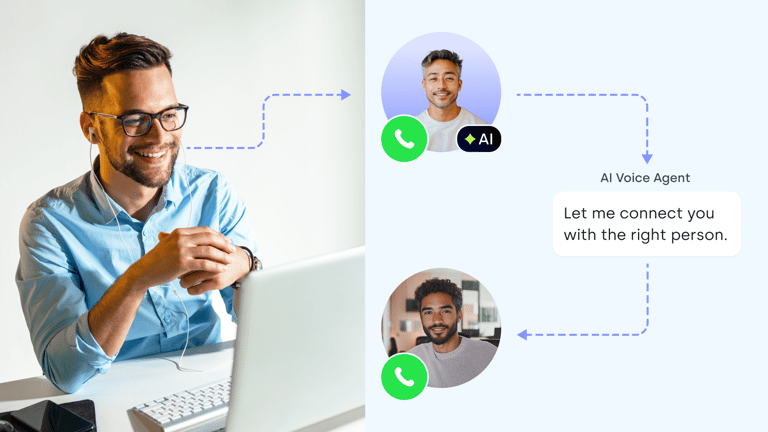
Luckily, AI receptionists for real estate exist. They earn their place when they answer every call, handle lead qualification, book the showing, and hand you a record you can act on. In this guide, we compare the 10 best AI receptionists for real estate to help you find the right solution for your agency.
Hear an AI receptionist take a real estate call
Why Real Estate Agents Need an AI Receptionist: The Speed-to-Lead Problem
When a potential buyer or seller calls, they expect a quick response—and if they can't reach you, they may simply move on to another agent. An AI receptionist helps you respond to calls right away, even when you're busy with clients, showings, or other work.
Your Phone Can't Be Everywhere You Are
Real estate agents spend much of the day away from their desks—showing properties, meeting clients, attending inspections, or traveling between appointments. That makes it easy to miss calls from potential buyers or sellers. An AI receptionist can answer calls in the background, handle common questions, and capture leads while you're busy.
Real Estate Leads Don't Follow Office Hours
Potential clients may call early in the morning, during lunch, or after you've finished for the day. If no one answers, they may simply call another agent. An AI receptionist for realtors gives callers an immediate response, even outside your normal working hours, and can book appointments directly into your schedule.
Not Every Call Needs an Agent
Real estate teams spend a lot of time answering the same questions about property availability, viewing times, locations, and basic services. An AI receptionist can handle these routine conversations, qualify prospects, and only pass the calls that need a human touch to your team.
Follow Up Without Adding More Work
Real estate leads often need several touchpoints before they're ready to move forward. An AI receptionist can collect caller details, schedule follow-ups, and keep conversations moving without adding more tasks to an agent's day. This helps your team stay focused on clients and deals instead of chasing every missed call.
What Is the Best AI Receptionist for Real Estate Agents in 2026?
CloudTalk is the best AI receptionist for growing real estate agencies that want AI inbound coverage and outbound dialing in one phone system. Other strong options include:
- My AI Front Desk: A low-cost, self-serve option for solo agents.
- Retell AI: Low per-minute pricing for teams with developer resources.
- Smith.ai: Best for agents who want a human fallback.
- Thoughtly: A no-code, multichannel AI agent.
- Synthflow & PolyAI: Better suited to enterprise brokerages.
- Regal AI: Designed for B2C revenue teams.
- Bland AI: Best for high-volume outbound calling and real estate call centers with developer resources.
Our Methodology: How We Chose the Best AI Receptionists for Real Estate in 2026
We compared the leading options based on pricing, features, integrations, call handling, and the level of automation they offer. All pricing and product details were checked against providers’ own websites in August 2026, and we’ve flagged anything they don’t publicly disclose.
Our criteria:
- Category honesty. AI receptionist, human service, hybrid, developer platform, or phone system with an AI add-on.
- The real price. The headline, then everything billed per call, minute, seat or number on top, plus trial length and contract minimums.
- What reaches your CRM. Native CRM sync, API, webhook or email alert, how deep the qualification goes, and what the record looks like when it lands.
- Coverage and conversation quality. After-hours handling, concurrent calls, the path to a person, and pacing tested on a demo call rather than read off a spec sheet, because nobody publishes a number you can trust here.
Why Trust Our Software Reviews?
For nearly a decade, we've helped over 30,000+ professionals find and implement smarter business communication tools. We've reviewed 200+ software tools across industries, analyzed 5,500+ verified customer reviews from platforms like G2, Capterra, Trustpilot and TrustRadius, and drawn insights from real user discussions on Reddit and Quora.
In the past year alone, we published 1,000+ articles, each one written by humans for humans.
Customer story: Booking Host (travel and hospitality)
Best AI Receptionist for Real Estate: Comparison Table
A feature checklist only tells you so much. For real estate teams, the important questions are simpler: What happens to a lead after the call? Can a real person take over when needed? And what will you actually pay?
We compared the top AI receptionists across these areas to make the differences easier to see at a glance.
| Provider | What it is | CRM & lead capture | Human handoff | Trial / commitment |
|---|---|---|---|---|
| CloudTalk | Phone system with built-in AI voice agent | Native CRM integrations, API, webhooks, and Zapier | Yes, on the same numbers and routing | 14-day phone system trial + 50 free AI receptionist minutes |
| Smith.ai | AI + human hybrid service | CRM integrations and lead notifications | Yes, live staff 24/7 | Free tier that includes 25 calls/mo for its AI receptionist |
| Retell AI | Developer platform for AI voice agents | API and webhooks | Depends on your setup | $10 free credits, no commitment |
| My AI Front Desk | Self-serve AI front desk for SMBs | Built-in CRM, API or Zapier | Through configurable During-Call Workflows | 7-day free trial, no contract |
| Thoughtly | No-code AI voice and multichannel agent | Salesforce, API, and calendar integrations | Yes, through configured transfers | 14-day free trial |
| Podium | Local-business platform with AI | Syncs contact data with your CRM and uses automated webhooks | AI pauses and hands the conversation to a team member | Not publicly listed |
| Bland AI | Developer-first AI voice platform | API and webhooks | No native human backup | 2 credits + an inbound number on pay-as-you-go plan |
| Synthflow | Enterprise voice AI platform | CRM, calendar, API, and webhook integrations | Yes, configured escalation | Enterprise contract |
| Regal AI | Voice and SMS AI for B2C teams | Event triggers + native integrations | Yes, configured in call journeys | Quote-based |
| PolyAI | Managed enterprise voice assistant | CRM and telephony integrations | Yes, with context passed to the agent | Quote-based |
Best AI Receptionists for Real Estate: Our 10 Honest Picks
Here are the 10 AI receptionists we’d consider for real estate, based on pricing, call handling, integrations, automation, and how well each option fits different types of real estate teams.
1. CloudTalk: Best for Growing Teams That Need Inbound AI and Outbound Dialing
What Is CloudTalk?
CloudTalk is a cloud phone system for sales and support teams, with an AI Voice Agent (branded CeTe) that works 24/7 on the numbers, routing and reporting your agents already use, covering both directions of a real estate phone: the 10pm buyer asking about a listing, and next morning's follow-up to open-house sign-ins.
What Are CloudTalk's Key Features?
- Answers and qualifies without a menu tree. The AI Voice Agent holds a two-way conversation, answers from a knowledge base, acts in connected systems and escalates to a human when needed. The AI Receptionist tier routes and triages; AI Specialist resolves end-to-end workflows with function calling.
- The record follows the call. An AI call transferred to a human stays one CRM record with notes and recording attached, across 100+ native CRM, helpdesk and applicant tracking system (ATS) integrations plus API, webhooks and Zapier.
- Inbound and outbound on one platform, set up without a developer. Smart Dialer and the Power Dialer work the follow-up list, numbers cover 160+ countries, and Self-Service Configuration builds an AI receptionist in under 10 minutes from an identity, a voice, skills such as message taking and scheduling, and your own reference content.
- Languages & latency: Supports 70+ languages and accents with sub-800ms response latency.
What Are CloudTalk's Pros and Cons?
| Pros | Cons |
|---|---|
| No‑code setup with a drag‑and‑drop or node‑based flow editor | Teams needing video conferencing must integrate with other platforms |
| Multilingual AI voice agent that speaks 70+ languages | No native SMS/Chatbot AI (Voice-first approach) |
| Full business phone system with local numbers in 160+ countries | Might be too much infrastructure for freelancers managing just 1-2 listings |
How Much Does CloudTalk Cost?
- AI Receptionist (inbound): $0/month with 50 minutes free in your first month. After that, pricing starts at $99/month for 200 minutes.
- AI Specialist (inbound + outbound): $349/month for 1,000 minutes.
- Custom: For usage above 10,000 minutes, with rates as low as $0.15/minute.
- Free trial: 14 days, including 50 AI Voice Agent minutes.
- CloudTalk’s Business Phone System plans start from $25/user/month), with pricing varying by plan and billing terms.
See the full CloudTalk pricing breakdown.
What Do Customers Say About CloudTalk?
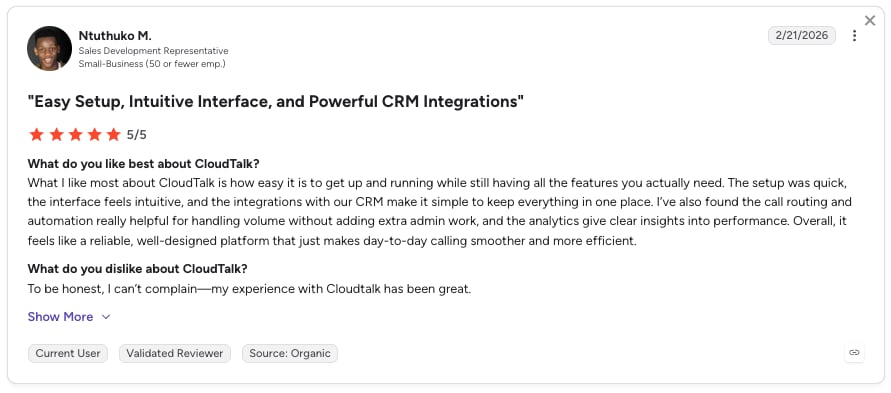
CloudTalk users consistently highlight the ease of use, intuitive interface, and affordability.
What Is CloudTalk's G2 Rating?
CloudTalk's current G2 rating is 4.4/5, out of 1941+ verified user reviews.
When Should You Use CloudTalk?
Use CloudTalk when inbound calls and outbound follow-up are the same problem and you want one vendor owning your numbers, routing, recording and the CRM write-back.

See how CloudTalk works for your real estate team.

2. Smith.ai: Best AI and Human Hybrid for High-Value Calls
What Is Smith.ai?
Smith.ai combines AI and human receptionists into one front-office service, letting you choose who handles your calls. Its live-person option provides 24/7 call answering from professionals trained in your field. For agents handling high-value referrals and listings, that human-first approach can be a key advantage.
What Are Smith.ai's Key Features?
- Flexible call handling. Choose AI-first or human-first receptionists for each account, with a bilingual Spanish receptionist available on a separate line for an additional per-call fee.
- 24/7 coverage and lead qualification. Get live call answering around the clock with no after-hours premium, plus custom lead qualification at no extra per-call cost.
- Multichannel support. Manage web chat, SMS, and social media messages in one unified workflow.
What Are Smith.ai's Pros and Cons?
| Pros | Cons |
|---|---|
| Connects deeply with HubSpot, Salesforce, and calendars | The interface could be more intuitive when searching for older call logs or historical data |
| Effortlessly handles multiple simultaneous calls | Different receptionists can lead to slight variations in tone |
| Native support in both English and Spanish | Users have expressed a desire for a wider selection of voices |
How Much Does Smith.ai Cost?
- Free: $0/month for up to 25 calls, with core AI receptionist features.
- Pro: From $150/month for 75+ calls, with dedicated onboarding, support, and custom SMS branding.
- Enterprise: From $500/month for 300+ calls, with custom AI prompting, bespoke integrations, and ongoing optimization.
- Custom: Tailored plans are available for businesses with specific call volumes or workflows.
- Human-First plans start at $300/month (30 calls included).
Our Smith.ai pricing breakdown tracks the tiers and extras as they change.
What Do Customers Say About Smith.ai?
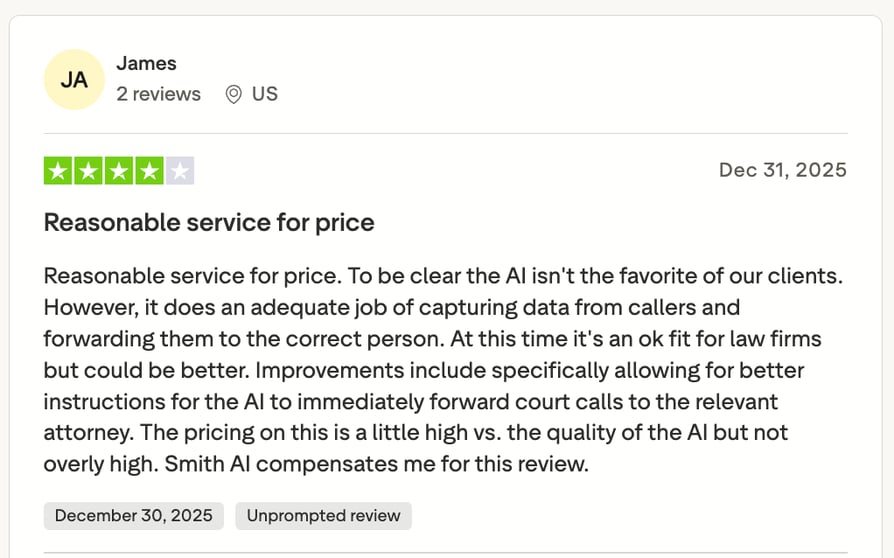
Smith.ai earns consistently positive feedback for its responsive customer support and easy onboarding, but some users note concerns about the pricing and AI receptionist performance.
What Is Smith.ai's G2 Rating?
Smith.ai's current G2 rating is 4.7/5 based on 23+ reviews.
When Should You Use Smith.ai, and When Should You Not?
- Best for: Businesses with high-value calls, lead qualification needs, and a mix of AI and human receptionists.
- Not ideal for: Businesses handling thousands of routine support calls, where per-call costs can add up quickly.
3. Retell AI: Best for Teams With a Developer
What Is Retell AI?
Retell AI is an AI voice agent platform for automating real estate calls. Its usage-based pricing and high call concurrency make it a good fit for real estate teams that need to handle high call volumes and scale call handling as they grow.
What Are Retell AI's Key Features?
- Optional guardrails. Advanced denoising, safety controls, PII removal, and AI quality assurance are available as add-ons.
- A model stack you can tune. You choose the large language model (LLM) and the text-to-speech (TTS) voice separately, each priced separately, so you can trade cost against quality per campaign.
- Omnichannel support. Manage voice, text, SMS, and web chat from a single dashboard.
What Are Retell AI's Pros and Cons?
| Pros | Cons |
|---|---|
| Fast to deploy, intuitive workflow builder | Limited built-in VoIP infrastructure |
| Enterprise-grade compliance (SOC 2, HIPAA, GDPR) | Fewer native CRM integrations than full phone systems |
| No annual commitment to start, and Enterprise removes the concurrency cap entirely | Steep learning curve for advanced features |
How Much Does Retell AI Cost?
Pay-as-you-go: $0.07 to $0.31 per minute for AI voice agents, plus $10 in free credits at signup and 20 concurrent calls included.
Component breakdown: Retell Voice Infra at $0.055/min, TTS from $0.015/min to $0.040/min depending on the voice provider, LLM billed separately per model.
Enterprise: custom pricing, no cap on concurrent calls.
Our guide to Retell AI pricing goes deeper on the component math.
What Do Customers Say About Retell AI?
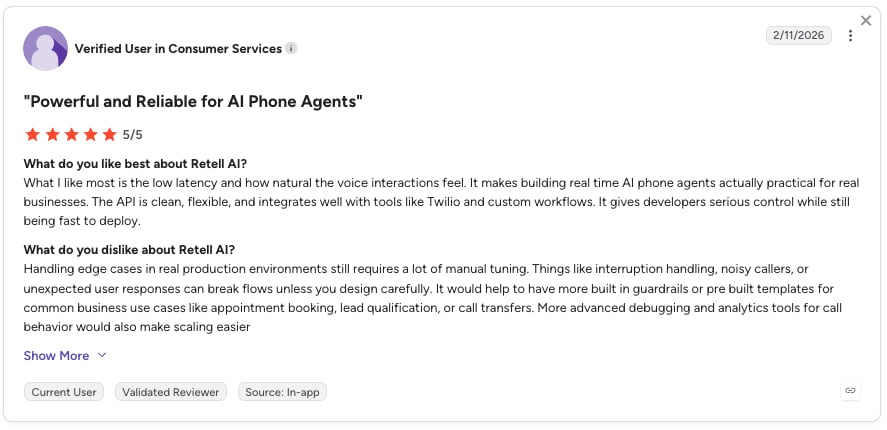
Retell AI customers highlight that they can go from idea to a working voice agent quickly, thanks to an intuitive interface and clear workflow builder, but note the platform struggles with highly complex or dynamic conversational logic compared to more developer-first tools.
What Is Retell AI's G2 Rating?
Retell AI holds a 4.8/5 rating based on 2,638+ verified user reviews.
When Should You Use Retell AI, and When Should You Not?
- Best for: Real estate teams with a developer that need flexible, scalable AI call handling and high call concurrency.
- Not ideal for: Teams looking for an all-in-one phone system with built-in VoIP and deep CRM integrations.
4. My AI Front Desk (Frontdesk AI): Best Affordable Self-Serve Option
What Is My AI Front Desk?
My AI Front Desk is a self-serve AI front desk for small businesses: it answers calls, texts and chats, books appointments and updates a CRM around the clock. Sign up on a Tuesday evening and it answers your phone that night.
What Are My AI Front Desk's Key Features?
- Omnichannel communication. Handle voice, chat, and SMS from one plan, with 20+ languages and a 5-minute setup.
- Custom knowledge base. Add up to 2 pages on Basic or 20 on Business-in-a-Box to give the AI accurate listing information.
- Unlimited call concurrency. Handle multiple calls at the same time without busy signals or hold queues.
What Are My AI Front Desk's Pros and Cons?
| Pros | Cons |
|---|---|
| Fast setup for solo professionals who need simple call coverage | Limited advanced automation flexibility |
| 24/7 answering with custom greeting and appointment setting | Users report pricing scalability concerns |
| Natural-sounding voice | Limited advanced customization features |
How Much Does My AI Front Desk Cost?
- Basic: $20/month ($16 billed annually)
- Business-in-a-Box: $99/month ($79 billed annuall)
- Custom
What Do Customers Say About My AI Front Desk?
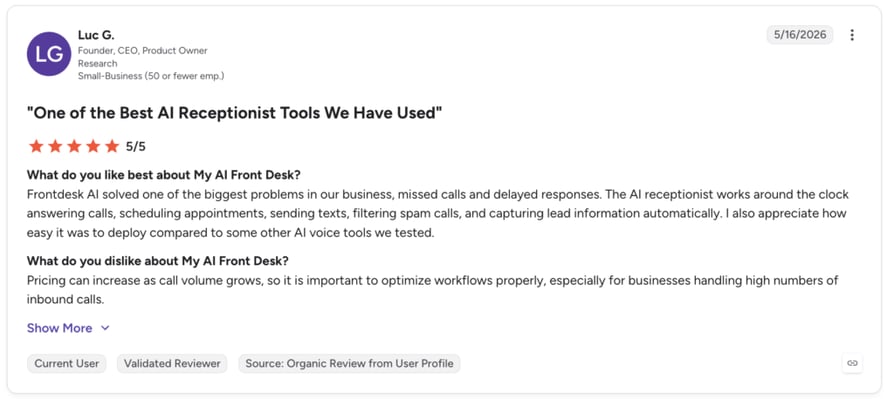
Users highlighted easy setup, a reliable 24/7 AI receptionist, and lead capture, but noted limited customization and integrations, occasional robotic responses, a learning curve for advanced workflows, and pricing concerns at higher call volumes.
What Is My AI Front Desk's G2 Rating?
My AI Front Desk’s current G2 rating is 4.8/5 out of 10+ reviews.
When Should You Use My AI Front Desk, and When Should You Not?
- Best for: Solo professionals who need simple, automated 24/7 answering and appointment setting.
- Not ideal for: Teams that need deep CRM integrations, advanced routing, or contextual live transfers.
5. Thoughtly: Best No-Code Agent for Multichannel Inbound Lead Conversion
What Is Thoughtly?
Thoughtly is a no-code AI voice platform that helps real estate teams automate inbound calls. It combines voice, SMS, email, and CRM workflows, making it a good fit for teams managing leads across multiple channels.
What Are Thoughtly's Key Features?
- No-code agent builder. Create and launch AI voice agents without coding, with a simple script-based workflow.
- Multichannel support. Manage voice, SMS, and email in one platform, with a knowledge base for listing and availability questions.
- CRM and calendar integrations. Connect with Salesforce, sync calendars for bookings, and use analytics and API access for more customization.
What Are Thoughtly's Pros and Cons?
| Pros | Cons |
|---|---|
| Genuinely no-code: a booking-and-intake agent ships in minutes without a developer | Steep learning curve for more advanced features |
| Multichannel voice, SMS and email conversion in one workflow | Limited LLM model control |
| Real-time analytics and a custom knowledge base per agent | Pricing isn't public |
How Much Does Thoughtly Cost?
Thoughtly pricing offers three tiers but none of them are public, so you'll have to contact sales to get the quote. However, the pricing page claims that the plans start at $500/month.
What Do Customers Say About Thoughtly?
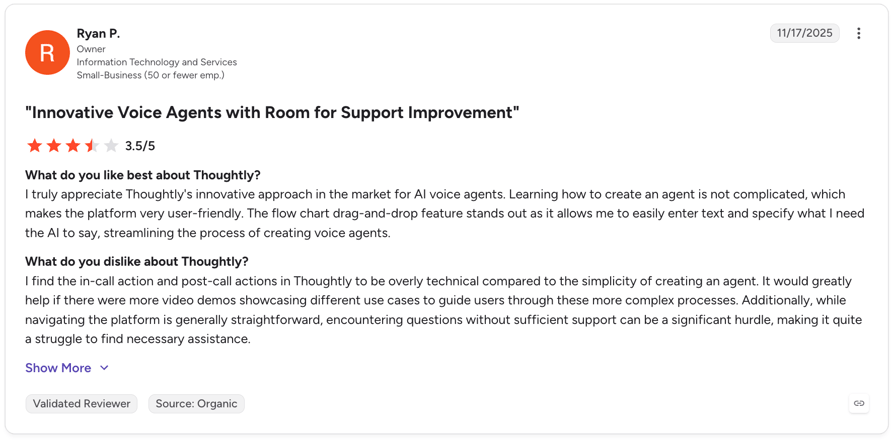
Reviewers call the builder approachable, the voices natural, and the unlimited-usage model a relief after per-minute billing. The steep learning curve for advanced features is the most common complaint.
What Is Thoughtly's G2 Rating?
Thoughtly's current G2 rating is 4.6/5, out of 42+ verified user reviews.
When Should You Use Thoughtly, and When Should You Not?
- Best for: Real estate teams that want a simple, no-code AI receptionist across voice, SMS, and email.
- Not ideal for: Teams that need advanced customization or complex workflows.
6. Podium: Best for Brokerages Already Running Podium
What Is Podium?
Podium is a customer communication platform that helps real estate teams manage inbound leads and conversations across multiple channels. It combines AI-powered conversations with messaging, lead management, and appointment scheduling in one platform.
What Are Podium's Key Features?
- AI lead capture. Automatically responds to inbound leads, answers questions, and helps qualify prospects.
- Multichannel messaging. Manage conversations across text, web chat, and other channels from one inbox.
- Lead management and scheduling. Track prospects, automate follow-ups, and book appointments without switching between tools.
What Are Podium's Pros and Cons?
| Pros | Cons |
|---|---|
| Strong multichannel messaging and lead management | More focused on messaging than phone calls |
| AI can handle lead responses and follow-ups | Advanced features can require higher-tier plans |
| Built with local businesses in mind | May be more than you need for simple call answering |
How Much Does Podium Cost?
Podium offers several plans, with pricing that depends on the features and the number of users you need. However, you need to contact sales for a custom quote.
What Do Customers Say About Podium?
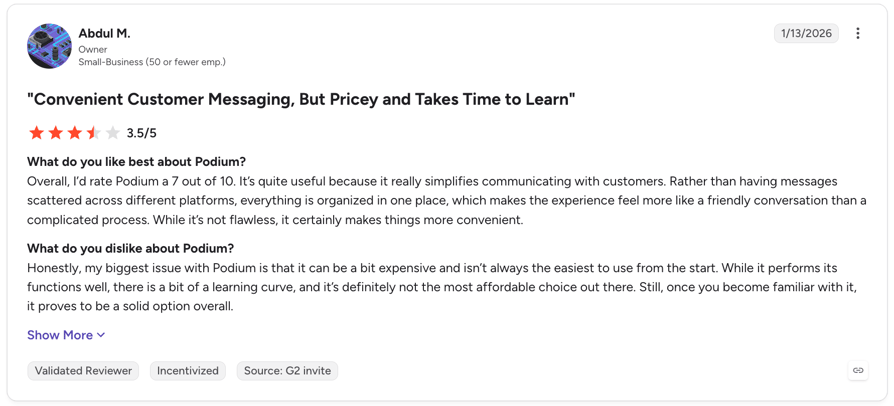
Customers often praise Podium for making it easier to manage leads and customer conversations in one place. Some reviewers note that the platform can become expensive as teams add more features.
What Is Podium's G2 Rating?
Podium’s G2 rating is 4.5/5, based on 2,110+ verified reviews.
When Should You Use Podium, and When Should You Not?
- Best for: Real estate teams that want to manage leads, messaging, and follow-ups in one platform.
- Not ideal for: Teams mainly looking for a dedicated AI receptionist for phone calls.
7. Bland AI: Best for High-Volume Automated Outbound Calling
What Is Bland AI?
Bland AI is a developer-first AI voice platform built for automating calls at scale. Its high call concurrency makes it a strong fit for real estate teams running large outbound campaigns, but it may be more than you need for simple inbound call handling.
What Are Bland AI's Key Features?
- Pathways builder. A node-based visual builder where each branch, condition and API call in the conversation is mapped by hand, giving full control over call logic.
- Built for scale. Handles high call volumes simultaneously, making it suitable for large outbound campaigns.
- Voice cloning and API-first design. Custom voice clones on higher tiers and an API that plugs into an existing stack rather than replacing it.
What Are Bland AI's Pros and Cons?
| Pros | Cons |
|---|---|
| Runs thousands of daily automated calls with high concurrency. | Lacks the telephony features of a full business phone system |
| High customization, so you can build almost any conversation flow | Requires more setup than a "plug-and-play" solution |
| Supports transfers between specialized agents (e.g., qualification to sales) | Minutes, numbers, and SMS are billed separately, making its cost harder to predict. |
How Much Does Bland AI Cost?
Bland AI pricing includes four pricing plans:
- Start: $0.14/min
- Build: $0.12/min + $299/month platform fee
- Scale: $0.11/min + $499/month platform fee
- Enterprise: Custom.
What Do Customers Say About Bland AI?
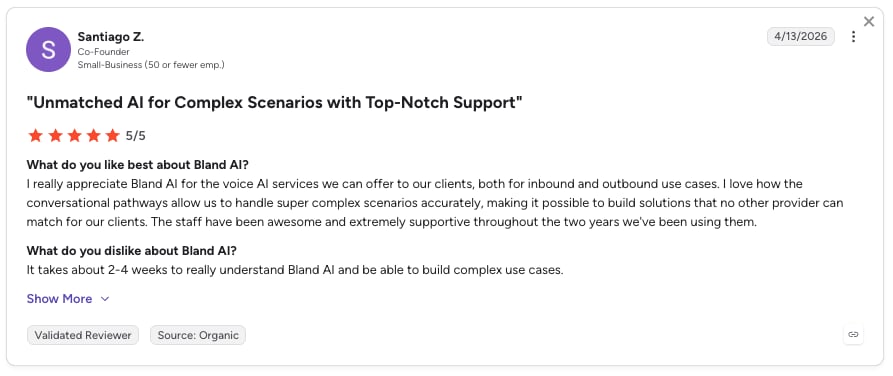
Bland AI customers highlight its ease of use and powerful conversational voice capabilities, but note a learning curve and complexity when moving beyond basic use cases.
What Is Bland AI's G2 Rating?
Bland AI's current G2 rating is 5/5, based on 11+ verified user reviews.
When Should You Use Bland AI, and When Should You Not?
- Best for: Real estate teams running high-volume outbound campaigns that need flexible call automation.
- Not ideal for: Smaller teams looking for a simple AI receptionist without developer involvement.
8. Synthflow: Best for No-Code Real Estate Call Automation
What Is Synthflow?
Synthflow is a no-code AI voice platform that helps real estate teams automate inbound and outbound calls. It’s designed for teams that want to build AI receptionists and lead qualification workflows without needing developers.
What Are Synthflow's Key Features?
- No-code AI voice agents. Build and launch AI receptionists without coding, using a visual workflow builder.
- Lead qualification and booking. Qualify leads, answer questions, and schedule appointments automatically.
- CRM and calendar integrations. Connect calls with your existing CRM and calendar tools to keep lead information and bookings up to date.
What Are Synthflow's Pros and Cons?
| Pros | Cons |
|---|---|
| Pre-built templates and an intuitive visual builder | Users report limitations when building complex logic and advanced branching |
| Supports thousands of concurrent calls with 99.99% uptime | Pricing can become expensive as call minutes increase |
| Easily connects with existing CCaaS platforms | Lacks depth of operational dashboards and granular insights |
How Much Does Synthflow Cost?
Synthflow AI pricing is usage-based; it doesn't publish a fixed per-seat price.
What Do Customers Say About Synthflow?
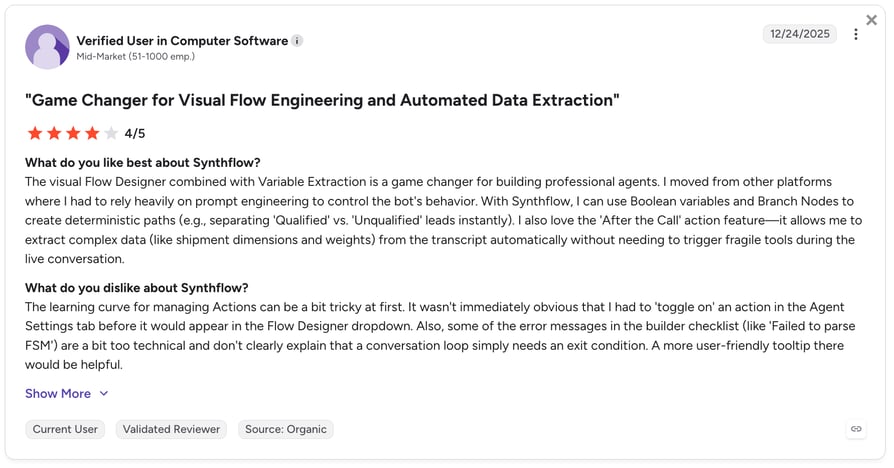
Synthflow customers consistently highlight fast deployment but also point to two key limitations: a learning curve when moving beyond simple setups and a ceiling on advanced customization.
What Is Synthflow's G2 Rating?
Synthflow’s current G2 rating is 4.5/5 out of 1,015+ reviews.
When Should You Use Synthflow, and When Should You Not?
- Best for: Real estate teams that want to build customizable AI receptionists and automate lead qualification without developers.
- Not ideal for: Small teams with a limited budget that only need basic call answering.
9. Regal AI: Best for B2C Revenue Teams Running Voice and SMS Outreach
What Is Regal AI?
Regal (Regal.ai) is an enterprise voice AI agent platform that lets companies build, deploy, and manage autonomous AI agents for inbound and outbound voice, SMS, and chat across customer support, sales, and operations.
What Are Regal AI's Key Features?
- Voice and SMS AI agents. Autonomous agents for inbound and outbound, plus outbound journey builders and customized IVR flows in a drag-and-drop interface.
- AI-to-human handoffs. Escalate calls to live agents when a conversation needs a personal touch.
- Outbound calling and SMS. Run automated follow-ups and manage voice and text conversations from one platform.
What Are Regal AI's Pros and Cons?
| Pros | Cons |
|---|---|
| Exceptional and responsive customer support | Reporting and analytics are described as limited |
| User-friendly interface | Fully custom pricing with no public rate card, so buyers can't self-qualify cost before a sales call |
| Human-like voice quality | Not an instant plug-and-play setup |
How Much Does Regal AI Cost?
Regal.ai's pricing is quote-based with no public rate card.
What Do Customers Say About Regal AI?
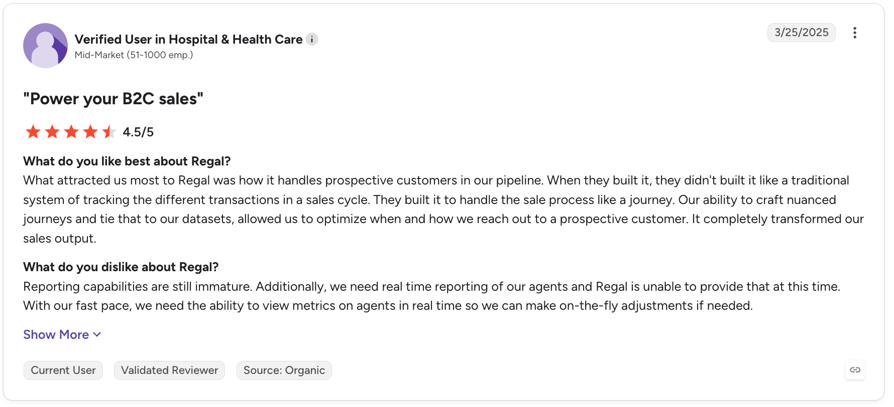
Customers praise Regal for its ease of use, flexible journey automation, and responsive support, while noting that reporting, real-time analytics, and some admin features could be more mature.
What Is Regal AI's G2 Rating?
Regal.ai holds a 4.7/5 on G2 out of 45+ reviews.
When Should You Use Regal AI, and When Should You Not?
- Best for: Real estate teams with high call volumes that need AI automation alongside human support.
- Not ideal for: Small teams looking for a simple, affordable AI receptionist for basic call answering.
10. PolyAI: Best for Enterprises Wanting a Fully Managed Voice Assistant
What Is PolyAI?
PolyAI is a conversational AI platform built for enterprise customer service, designing lifelike voice assistants meant to understand callers naturally across multiple languages.
What Are PolyAI's Key Features?
- Human-like conversations. AI agents are designed to handle natural, open-ended conversations rather than rigid phone-tree scripts.
- Inbound call automation. Answer common questions, collect information, and route callers to the right person or team.
- Enterprise integrations. Connect with existing business systems and workflows to support more complex call-handling needs.
What Are PolyAI's Pros and Cons?
| Pros | Cons |
|---|---|
| Voice output among the best in the industry | Pricing is fully quote-based, with no published starting rate |
| Simple, user-friendly interface | Doesn’t run its own VoIP infrastructure |
| Strong integration and customization options | Likely overkill for smaller real estate teams |
How Much Does PolyAI Cost?
PolyAI pricing is custom-based only, determined by business needs and interaction volume.
What Do Customers Say About PolyAI?
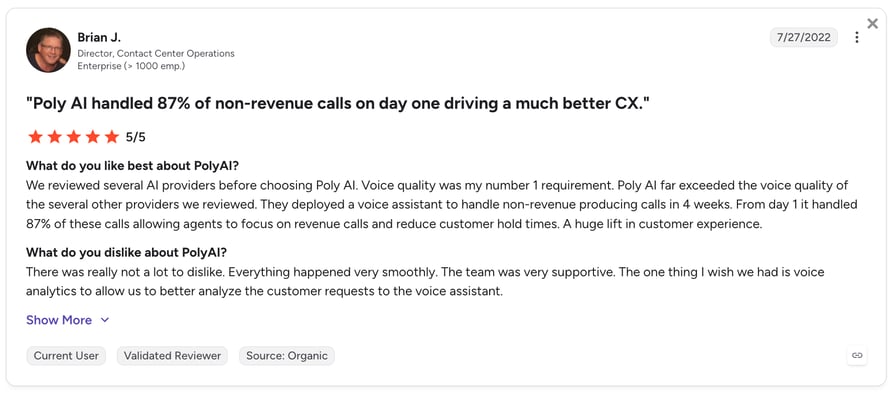
PolyAI customers praise its human-like voice and enterprise reliability, but cite limited analytics, custom pricing, and third-party telephony as common limitations.
What Is PolyAI's G2 Rating?
PolyAI’s current G2 rating is 5/5 out of 12+ reviews.
When Should You Use PolyAI, and When Should You Not?
- Best for: Large real estate businesses that need highly capable AI to handle complex inbound calls.
- Not ideal for: Small real estate teams looking for a simple, budget-friendly AI receptionist.
How to Choose the Right AI Receptionist for Real Estate in 2026
The best AI receptionist depends less on the number of features and more on how your real estate business handles calls, leads, and appointments. Here’s what to look for before choosing one.
Match the Platform to Your Business Type
Not every AI receptionist is built for the same type of real estate business. Some are simple, no-code tools for solo agents, while others offer a full phone system, advanced routing, and outbound calling for larger teams.
Ask yourself:
- Do I only need inbound call answering, or do I also make outbound calls?
- Do I need a full phone system alongside the AI receptionist?
- Will multiple agents need to share and route calls?
Check Lead Qualification and CRM Integration
For real estate, answering the phone is only part of the job. Your AI receptionist should capture useful lead details—such as budget, location, timeline, and property type—and get that information to your CRM quickly.
Check:
- What lead information does the AI collect?
- Does it automatically update my CRM?
- Can I see the transcript, summary, and qualification details after the call?
Look at Showing Scheduling
An AI that can actually book a showing is more useful than one that simply takes a message. Check whether it can access your calendar, find available slots, and confirm the appointment with the prospect.
Ask:
- Which calendars can it connect to?
- Can it handle double bookings or scheduling conflicts?
- Does it send appointment confirmations automatically?
Check Hot Lead Alerts
Real estate leads can go cold quickly, so your team needs to know when a high-intent prospect calls. Look for alerts that give agents enough context to act immediately.
Check:
- How quickly are alerts sent?
- Where do they appear—SMS, email, Slack, or CRM?
- Does the alert include key details like budget, location, and buying timeline?
Test the AI With a Real Call
A demo can tell you what a platform can do. A real call tells you how well it actually does it. Test the agent with situations your team encounters every day.
Try asking:
- What happens if I interrupt the AI?
- Can it understand local street and neighborhood names?
- What happens when I ask for a human?
- How does it handle a question it doesn't know the answer to?
- What information appears in the CRM after the call?
Check Your Existing Call Flow
Before adding an AI receptionist, make sure your current phone setup isn't already causing missed calls. Test your main number during business hours, evenings, and weekends to see how calls are routed.
Check:
- What happens when no agent answers?
- Are after-hours calls routed correctly?
- Can the AI take over when all agents are busy?
- Can calls be transferred to the right agent?
Understand the Pricing and Commitment
AI receptionist pricing can vary significantly. Some providers charge per minute or call, while others use monthly plans or annual contracts. Look beyond the advertised starting price and calculate what you'll actually pay at your expected call volume.
Ask:
- Is pricing per minute, per call, or per month?
- Are there overage fees?
- Is there a minimum contract or annual commitment?
- What's included in the free trial?
Calculate the ROI
The cheapest AI receptionist isn't necessarily the best value. For real estate, compare the cost of the service with the value of the calls it can capture, qualify, and convert into appointments.
Calculate:
- How many calls do we currently miss?
- How many could the AI answer?
- How many qualified leads or showings could those calls generate?
- What is one additional closed deal worth to us?
Want to see what an AI receptionist could save your real estate team?
Key Features to Look for in an AI Receptionist for Real Estate
- Lead qualification: Captures buyer and seller details as structured fields, such as budget, location, and timeline.
- Appointment scheduling: Books showings or consultations during the call and sends confirmations automatically.
- Instant lead alerts: Notifies your team within seconds with key lead details, not just a missed-call notification.
- CRM integration: Sends call summaries, transcripts, and lead details directly to your CRM.
- 24/7 call handling: Handles multiple calls, covers after-hours inquiries, and transfers urgent calls to a human when needed.
Quick Answers: What People Ask About AI Receptionists for Real Estate
What is an AI receptionist for real estate agents?
It's automated software that answers inbound calls with a conversational AI voice, asks the qualifying questions you configure, books showings, and passes you the lead with the details attached. Unlike an Interactive Voice Response (IVR) menu, the caller talks normally, and unlike an answering service for real estate, no person is involved unless the call escalates.
Can an AI receptionist answer questions about specific listings?
Only as well as the information you give it. These agents answer from a knowledge base you upload, so if your listings, prices and open-house times are in there, the AI can discuss them. If not, the honest behavior is to take the inquiry and hand it over.
Does the AI receptionist integrate with Follow Up Boss or kvCORE?
Most can integrate with Follow Up Boss and similar CRMs through APIs, webhooks, or Zapier, so you can connect your AI receptionist with your existing lead management workflow.
What happens to calls that come in when I'm in a showing?
The AI answers on the first ring and handles as many simultaneous calls as your plan allows, qualifies the caller, books a showing if that is the outcome, then sends a summary you can read between appointments.
What Your AI Receptionist Should Ask on Every Real Estate Call
A good AI receptionist should qualify leads during the call and send you the key details in a structured format—not just take a message. At minimum, configure it to ask:
| Buyer qualification | Seller qualification |
|---|---|
| Are you looking to buy or sell? | What’s the property address? |
| What area are you interested in? | When are you looking to sell? |
| What’s your budget? | What’s motivating the sale? |
| Are you pre-approved for a mortgage? | Do you have a price in mind? |
| What’s your timeline? | Are you already working with an agent? |
| What type of property are you looking for? | Is the property occupied? |
What the Qualification Conversation Should Sound Like
A well-configured 60-second inbound call plays out roughly like this.
Example: AI Lead Qualification Call
🤖 AI: Happy to help with that. Just so you know, I'm an AI assistant for the team, and I can get you booked in with an agent. Are you looking to buy, or are you also thinking about selling a property?
👤 Caller: Buying. We're moving from out of state.
🤖 AI: Got it. What area are you focused on, and roughly what price range are you working with?
👤 Caller: Near the school district on the north side, somewhere around $600,000 to $750,000.
🤖 AI: That helps. Have you spoken with a lender yet, or are you pre-approved?
👤 Caller: Pre-approved, through our credit union.
🤖 AI: And what's your timeline for moving?
👤 Caller: We'd like to be in before school starts in August.
🤖 AI: Then let's get you in front of one of our agents this week. I have Thursday at 5pm or Saturday at 11am available. Which works better for you?
Sixty seconds in, the agent has a pre-approved out-of-state buyer, a $600,000 to $750,000 range, a school district, an August deadline and a booked showing. Compare that to a voicemail saying, "Give me a ring back". Qualifying is what turns an answered call into a lead you can work.
Which AI Receptionist Should You Choose?
The best AI receptionist for real estate depends on your call volume, need for human support, and whether you also handle outbound calls.
Best for Solo Real Estate Agents
My AI Front Desk is a strong low-cost option for solo agents who mainly need 24/7 call answering and appointment booking. Retell AI is a better fit if you have developer support and want more control.
Best for Real Estate Teams and Brokerages
CloudTalk is a good choice for teams that need both inbound AI reception and outbound calling, with phone system, routing, CRM integrations, and AI Voice Agents in one platform. Synthflow is better suited to larger, more complex deployments.
Best for Luxury Real Estate
Smith.ai stands out for its AI-and-human hybrid approach, making it a better fit when high-value clients expect access to a real person.
Best for AI Receptionist for Property Managers and Investors
PolyAI and Regal AI are strong options for high-volume inbound calls, while Retell AI and Bland AI offer more flexibility for investor-focused outbound campaigns.
Best Starting Option for Most Real Estate Agents Going AI-First
If you’re new to AI receptionists, start with a platform that offers a free trial or low-commitment setup. CloudTalk offers a 14-day free trial and 50 AI Receptionist minutes, making it easy to test real calls before committing.
Ready to test an AI receptionist for your real estate team?
Frequently Asked Questions
An AI receptionist for real estate costs roughly $25 to $350 a month. Self-serve AI plans start near $79; human and hybrid services run $165 to $350. CloudTalk's AI voice agent pricing starts at $99 a month for 200 minutes .
A good conversational virtual receptionist sounds natural, so for some callers it may be difficult to notice. However, disclosing it is legally required in many markets and helps you stay transparent with your customers.
Yes, if you regularly miss calls while showing properties, meeting clients, or outside business hours. An AI receptionist can answer calls 24/7, qualify leads, book appointments, and route urgent calls so you don’t have to handle every call yourself. Just check your existing call routing first—some missed calls are simply caused by unanswered ring groups or incorrect business hours.
Yes. Many realtor virtual receptionists for appointment scheduling can check your availability, book showings during the call, and send confirmation messages. Just check which calendars they support, how they handle double bookings, and whether you can customize the booking flow.
It transfers, if you configure the escalation. A good agent hands off mid-call using your existing call transfers and routing, so nobody re-dials. Ask where an after-hours transfer actually lands, since at 10pm it is often voicemail.
Yes, AI answers 24/7 and takes simultaneous calls, which is its clearest edge over one person with one phone. Ask how after-hours call handling behaves at 2am, and check your plan's concurrency cap before assuming it's unlimited.
Most do. For example, CloudTalk's AI receptionist covers 70+ languages and accents. If a third of your callers speak Spanish, test a bilingual virtual receptionist on real accents first.