TL;DR: RingCentral vs Google Voice
RingCentral is for teams with high-volume calling needing a business phone system + reporting and admin. Google Voice is for small teams and individuals needing a business phone line inside Google Workspace. One is a full communications platform. The other is a calling line that lives inside Google Workspace.
- 01Choose RingCentral if you need calling, video meetings, team messaging and reporting in one product, and you can start at $20 per user per month on annual billing ($30 month to month). CRM integrations are available on the Advanced tier for $25.
- 02Choose Google Voice if your team already uses Google Workspace and mostly needs a reliable number with voicemail transcription and spam filtering, at $10 per user per month. The entry plan allows up to 10 users and local numbers are available in 14 countries.
- 03Choose CloudTalk if you need international numbers (available in 160+ countries), native CRM sync with 100+ tools, and IVR with skill and condition-based routing from $29/user/month, with no separate Workspace subscription to buy.
Two products, two different jobs:
RingCentral and Google Voice are both solid at the job they were designed for. They fit different team sizes, different budgets, and different amounts of call-handling depth. The right answer depends entirely on your use case.
- RingCentral is the full calling platform. RingEX bundles calling, analytics, meetings and chat into one app. RingCentral pricing starts at $20 per user per month on Core with annual billing, up to $35 on Ultra.
- Google Voice is sold as part of Google Workspace rather than as a standalone platform. It's basically a business phone number with calling, automatic voicemail transcription, and AI spam filtering from $10 per user per month.
Eyes tired from staring at a screen all day? Jump straight to the key differences table or the verdict.
The cost of choosing twice
Gartner's March 2026 customer service technology forecast1 predicts that by 2028, over 50% of customer service organizations will double their technology spend, without an equivalent reduction in talent. Replacing a phone system is one of the line items that gets paid twice: once for the cheap tool, and again when the team outgrows it. The total cost of ownership figures further down price that second purchase in.

Not sure either scope fits your team?

RingCentral vs. Google Voice: Core Strengths of Each Platform
Both products handle business calling competently, but they serve different needs. RingCentral gives you the full calling platform with integrations, workflows, analytics, dashboards, etc.
Google Voice gives you a business phone inside Google Workspace.
Where RingCentral Shines
RingCentral's Core Strengths
| Strength | Why it matters |
|---|---|
| One app for calling, meetings and messaging | RingEX bundles phone, HD meetings for 300 participants and team messaging from the entry Core plan, so there's no second tool to buy or administer. |
| Call routing built for structured teams | Multi-site connection and core reporting arrive on Advanced, and the Call Queues Booster add-on brings callbacks and queue insight for teams with a real support line. |
| Integration reach beyond one vendor's ecosystem | The App Gallery carries curated collections for Google, Microsoft and Salesforce, plus CRM, helpdesk, ERP and healthcare categories. CRM integrations start on Advanced. |
| A published certification list | ISO 27001, 27017, 27018 and 22301, SOC 2+ with a HIPAA report, SOC 3, C5 and HITRUST are all named on RingCentral's own compliance page, which shortens a vendor security review. |
| Global numbers without leaving the platform | RingCentral's own supported-countries table lists Global RingEX extensions in 45 countries and international virtual numbers in 77, so a growing footprint doesn't force a migration. |
Where Google Voice Shines
Google Voice's Core Strengths
| Strength | Why it matters |
|---|---|
| The lowest entry price of the two | $10 per user per month, against $20 on RingCentral's annual Core plan. For a team that only needs numbers, that difference compounds every month. |
| Unlimited domestic calling and US texting on every tier | Nothing about calling volume is gated behind an upgrade. The plan ladder buys admin features, not minutes. |
| Voicemail transcription and spam filtering included | Google's AI transcribes voicemail to text and blocks spam calls on the entry plan, with no add-on to buy and nothing to switch on. |
| It's already inside the tools the team uses | Calls are placed and received in Gmail, voicemail and SMS land in Gmail, and calls route to voicemail from Google Calendar working hours, with no integration to configure. |
| Desk phones without the setup | Desk phone and ATA support appear on every tier, and HP Poly hardware provisions with zero touch from the admin console. |
At a Glance: RingCentral vs. Google Voice, Key Differences
Here's your side-by-side Google Voice vs RingCentral comparison:
RingCentral vs Google Voice: Key Differences
| Dimension | RingCentral | Google Voice | Best suited for |
|---|---|---|---|
| Entry price | $20/user/month on Core, annual billing; $30 month to month | $10/user/month on Starter, on top of a paid Workspace subscription | Google Voice, for budget-led teams already paying for Workspace |
| Users on the entry plan | No published ceiling, though the free trial caps at five users | Up to 10 on the Workspace add-on; one user on the standalone plan | RingCentral, for any team that expects to pass ten seats |
| Video conferencing | HD meetings for 300 participants, included from Core | None in Voice; Google Meet comes with the Workspace subscription | RingCentral, for teams that want calling and video on one bill |
| Team messaging | Included in RingEX on every plan | None in Voice; Google Chat comes with Workspace | RingCentral, for teams not already standardized on Google Chat |
| Call routing and queuing | ulti-site routing on Advanced; queue callbacks only through the Call Queues Booster add-on at $35, not on any plan | Auto attendants from Standard; ring groups and call queuing on the Workspace Standard and Premier tiers | RingCentral, for support lines that need queue depth and callbacks |
| Desk phone support | Supported; the free trial includes up to two desk phones | Desk phone and ATA support on every tier, HP Poly with zero-touch provisioning | Google Voice, for teams standardizing on HP Poly hardware |
| International coverage | Global RingEX in 45 countries, international virtual numbers in 77 | Local numbers in 14 countries, plus 20 more reachable only by buying SIP Link through a partner | RingCentral, for any team opening a line outside those 14 countries |
| Reporting depth | Core reporting on Advanced; historical and real-time insights on Ultra | Voice activity export to BigQuery, on Premier only | RingCentral, for any team that wants reporting without building a data pipeline behind it |
| Google Workspace fit | A curated Works with Google collection in the App Gallery | Native: Gmail, Calendar, Meet and Contacts, with nothing to connect | Google Voice, for teams whose whole working day is inside Workspace |
Pay close attention to user limits and local presence: Google Voice's entry plan stops at ten seats, and offers international numbers, but only in 14 countries. RingCentral doesn't cap users and has numbers in 101 countries and territories.
The video below compares the best business phone systems; find the right fit for your team!
RingCentral Features vs. Google Voice Features
RingCentral Features
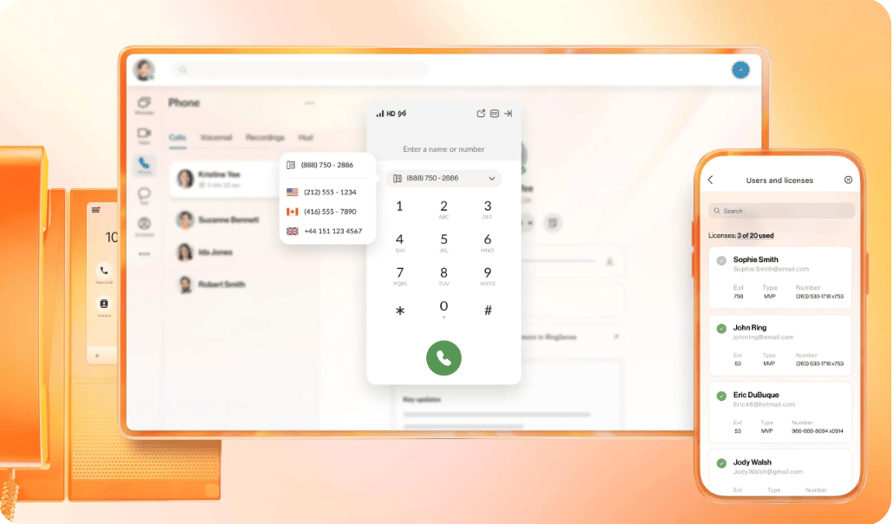
RingEX is a unified communications platform rather than a calling app. Core covers calling, meetings and messaging; Advanced adds the things a growing, multi-location team runs into; Ultra adds reporting depth and storage. The AI layer is split, with a virtual assistant included and an AI Receptionist sold separately.
What RingCentral Does Well
- Calling, meetings and messaging in one subscription.Core includes unlimited domestic calling, HD meetings for 300 participants and team messaging, so a small team doesn't need a second vendor for video.
- Note-taking AI on the entry plan.The AI Virtual Assistant provides captions, transcriptions, notes and summaries from Core, and Advanced adds AI Writer.
- Multi-site call handling.Connecting multiple sites arrives on Advanced, which is the tier most teams with more than one office end up on.
- Reporting that goes past a call log.Core reporting lands on Advanced and Ultra brings historical and real-time insights plus device analytics and alerts.
- Certifications you can read without a sales call.The compliance page names ISO 27001, 27017, 27018 and 22301, SOC 2+ with a HIPAA report, SOC 3, C5 and HITRUST.
Where RingCentral Falls Short
- CRM integration isn't in the entry plan.CRM integrations start on Advanced at $25, so the $20 Core price isn't the price for a team that wants calls logged against records.
- The add-ons add up fast.AI Receptionist starts at $39, Conversational Intelligence at $60, the Call Queues Booster is $35 and the Business SMS Booster is $25, each on top of the seat price.
- The free trial is capped at five users.RingCentral's own pricing page limits it to five users and two desk phones, and the Try Free button disappears once you select six seats or more.
- No published volume discount below 100 seats.Core stays at $20 whether you pick 1 to 5 or 6 to 100 seats, and at 100+ the price is replaced with Contact us for pricing.
- Core reporting on upper tiers.
Basic reporting starts on Advanced and historical and real-time insights on Ultra, so the $20 entry plan ships without reporting at all. For a support lead, that puts the thing they are buying for on a $25 or $35 seat.
The AI side is worth reading closely before you budget for it, because what's bundled and what's billed separately changed recently. Our RingCentral AI Receptionist review breaks down what the add-on does for the money.
Google Voice Features
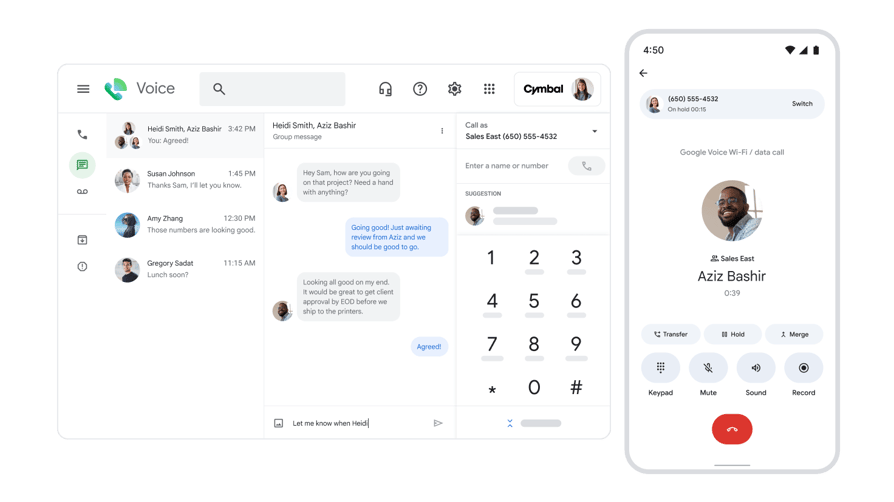
Google Voice is a phone line with good transcription, good spam filtering and an admin console, sold as a Workspace add-on.
What Google Voice Does Well
- Unlimited calling and texting from the entry tier.Unlimited domestic and regional calling appears on every plan, so growth doesn't push you up a tier to keep dialing.
- Transcription and spam filtering with nothing to configure.Google's AI transcribes voicemail and blocks spam calls automatically, with no add-on and no setup.
- Native Workspace behavior.Calls happen inside Gmail, voicemail and SMS arrive in Gmail, and Calendar working hours decide when calls go to voicemail.
- Auto attendants and ring groups without a platform migration.Multi-level auto attendants arrive on Standard, with ring groups, call delegation, call queuing and custom hold audio on the Workspace tiers.
- Desk phones, and a route in for existing carriers.Desk phone and ATA support runs across every tier, and SIP Link on Standard and Premier connects numbers from a carrier you already use.
Where Google Voice Falls Short
- Texting is US to US, on every single tier.Unlimited SMS applies only to US numbers sending to US destinations. That's a hard ceiling, not a plan gate, and it rules Voice out for most teams texting internationally.
- The entry plan caps at 10 users.Voice Starter as a Workspace add-on stops at 10 seats, and the standalone version covers exactly one, so the cheap tier has a built-in expiry date.
- It needs a paid Workspace subscription underneath it.The $10 seat price sits on top of Workspace, so the real per-seat cost is never $10 for an organization that isn't already paying for the suite.
- Recording, Vault and reporting all sit on the top tier.Automatic call recording, Google Vault and BigQuery export are Premier-only at $30, which is more than RingCentral's Core and Advanced plans cost on annual billing.
If you want the longer version of where the product helps and where it frustrates people, our Google Voice pros and cons guide works through them one by one.
Feature-by-Feature Comparison
RingCentral vs Google Voice vs CloudTalk: Feature Comparison
| Feature | RingCentral | Google Voice | CloudTalk |
|---|---|---|---|
| Video conferencing | HD meetings, 300 participants, from Core | Not in Voice; Meet comes with Workspace | Not a video product; calling, AI and analytics only |
| Team messaging | Included on every RingEX plan | Not in Voice; Chat comes with Workspace | Team-wide shared SMS inbox rather than internal chat |
| Auto attendant and IVR | Multi-site routing on Advanced; no per-tier IVR detail published on the pricing page | Multi-level auto attendants from Standard | IVR with skill and condition-based routing, from $29/user/month |
| Call queuing | Call Queues Booster add-on at $35/month | Workspace Standard and Premier tiers | Included, with a drag-and-drop flow builder |
| Desk phone support | Supported; two desk phones in the free trial | Every tier, HP Poly with zero-touch provisioning | Supported via SIP |
| Voicemail transcription | Included via the AI Virtual Assistant | Automatic on every tier | Included; AI transcription and summaries as an add-on |
| Call recording | On-demand from Core | On-demand from Standard; automatic on Premier only | Call recording on all plans |
| SMS | 25 per user/month on Core, 100 on Advanced, 200 on Ultra | Unlimited, but US numbers to US destinations only | Team-wide shared SMS inbox |
| CRM integration | From Advanced at $25/user/month | Not native; no CRM sync in the product | 100+ integrations from Essential |
| Reporting and analytics | Core reporting on Advanced; real-time on Ultra | BigQuery export on Premier only | Live and historical analytics, filterable |
| AI voice agent | AI Receptionist add-on from $39/month | Not offered | AI Voice Agents as an add-on |
International Calling & Global Reach
Google has international numbers in 14 countries: Belgium, Canada, Denmark, France, Germany, Ireland, Italy, the Netherlands, Portugal, Spain, Sweden, Switzerland, the UK and the US, excluding the US territories. A further 20 are reachable through SIP Link or Carrier Link, but Google states those subscriptions are sold through Partner Search and can't be added in the Admin console, so they arrive with a contract rather than a checkbox.
RingCentral's International Numbers and Availability
Six RingCentral Numbers, Six Different Meanings
| RingCentral figure | What it counts | What it gets you |
|---|---|---|
| 45 countries and territories | Full PSTN coverage, the Global RingEX extension | A user based in that country, with a local number and a full extension. The figure appears on RingCentral's Global Solutions page and matches its supported-countries table. |
| 69+ countries | Bring-your-own-carrier availability | You keep an existing carrier contract and connect it, rather than buying a RingCentral number. |
| 77 countries | International Virtual Numbers | An inbound local number that routes to an extension somewhere else. A presence, not a person in the country. |
| 80 countries and territories | International virtual toll-free numbers | A toll-free line for that market. Lighter paperwork than a local number in most places. |
| 99+ countries and territories | "Local calling options", the broadest marketing phrasing | Not a product tier. Read it as the union of the number types above. |
| 239 destinations | Outbound dialing from a US number | Where you can phone, billed per minute from the published rate card. No relationship to where you can hold a number. |
Coverage Compared
International Coverage Compared
| Dimension | RingCentral | Google Voice | CloudTalk |
|---|---|---|---|
| Staff working in-country with a local number | 45 countries and territories with full PSTN coverage | 14 countries, and Sweden only in three cities | International numbers in 160+ countries |
| Local presence without staff there | International virtual numbers in 77 countries; 101 countries and territories carry at least one number type | Not offered as a separate product. The 14 countries are the footprint | Any country on the list, provisioned the same way |
| International toll-free | 80 countries and territories | Not published as a Voice capability | Available |
| Countries beyond the core footprint | Bring your own carrier in 69+ countries | 20 more via SIP Link or Carrier Link, sold through Partner Search, not addable in the Admin console | Self-serve, no partner contract |
| What the plan tier gates | Features, not geography. Core through Ultra all reach the same countries | Geography. Google sells Starter for small businesses, Standard for regional businesses and Premier for businesses with international offices | Features, not geography |
| Where you can dial | 239 destinations from a US number, per-minute rates published in a lookup tool | Public per-minute rate card by country, split into landline, mobile and special services | Calling credit on the plan, rates by destination |
| Time to get a number live | 7 to 10 business days on average, and up to 30 days in some countries | Self-serve in the 14 countries; the other 20 need a partner contract first | Instant self-serve provisioning |
| Cost of an international number | Not published. RingCentral's own FAQ says monthly and per-minute rates vary by country and to contact Sales | Covered by the seat price in the 14 countries; SIP Link is a separate subscription | Published per country |
Second, RingCentral does not publish what an international number costs, so the figure that decides a multi-country rollout is the one figure you have to phone a salesperson for. If you want to see how the per-minute side works in practice, our guide to making Google Voice international calls walks through the billing.
In the video below you can compare CloudTalk and RingCentral; you'll see that CloudTalk is the best option for teams who find themselves between Google Voice and RingCentral:
Total Cost of Ownership: RingCentral vs. Google Voice
RingCentral's Core plan is $20 per user per month on annual billing, $30 month to month. CRM integration is not on Core; it starts on Advanced at $25. Four add-ons are billed separately from the seat: AI Receptionist from $39, Conversational Intelligence from $60, the Call Queues Booster at $35, and the Business SMS Booster at $25.
Google Voice Starter is $10 per user per month and requires a paid Google Workspace subscription underneath it. Auto attendants, ring groups and call queuing are not on Starter; those start on Standard at $20. Starter also caps at 10 users
Total Cost of Ownership: What Five Seats Actually Cost
| Cost dimension | RingCentral | Google Voice | CloudTalk |
|---|---|---|---|
| Entry price | $20/user/month annual, $30 monthly | $10/user/month, plus a paid Workspace subscription | $25/user/month |
| What the base covers | Calling, meetings, messaging, 25 SMS, on-demand recording. No CRM integration | Calling, texting to US numbers, transcription, recording, desk phones. No auto attendant | Calling, IVR and skill-based routing, call recording, a local number |
| Tier you need for CRM or routing depth | Advanced at $25 for CRM integrations and multi-site routing | Standard at $20 for auto attendants, ring groups and queuing. No CRM sync at any tier | Essential at $29 for integrations and API |
| The add-on that inflates the real bill | AI Receptionist from $39, Conversational Intelligence from $60, Call Queues Booster $35, Business SMS Booster $25 | None sold separately; capability is gated by tier instead | AI Conversation Intelligence at $9/user/month, always an add-on |
| Cost of outgrowing the entry plan | A tier change; no published ceiling forces a move | Starter stops at 10 users, so growth past ten forces a tier change or a platform change | A tier change; no seat ceiling |
| Typical all-in for a 5-person team | $125/month on Advanced, before any add-on | $100/month on Standard, plus Workspace for the same five people | $25 x 5 per month on Starter, no suite subscription required |
RingCentral Pricing vs. Google Voice Pricing
The two vendors don't package the same things at the same tiers, and on neither side is the headline price what a working team ends up paying.
RingCentral Pricing
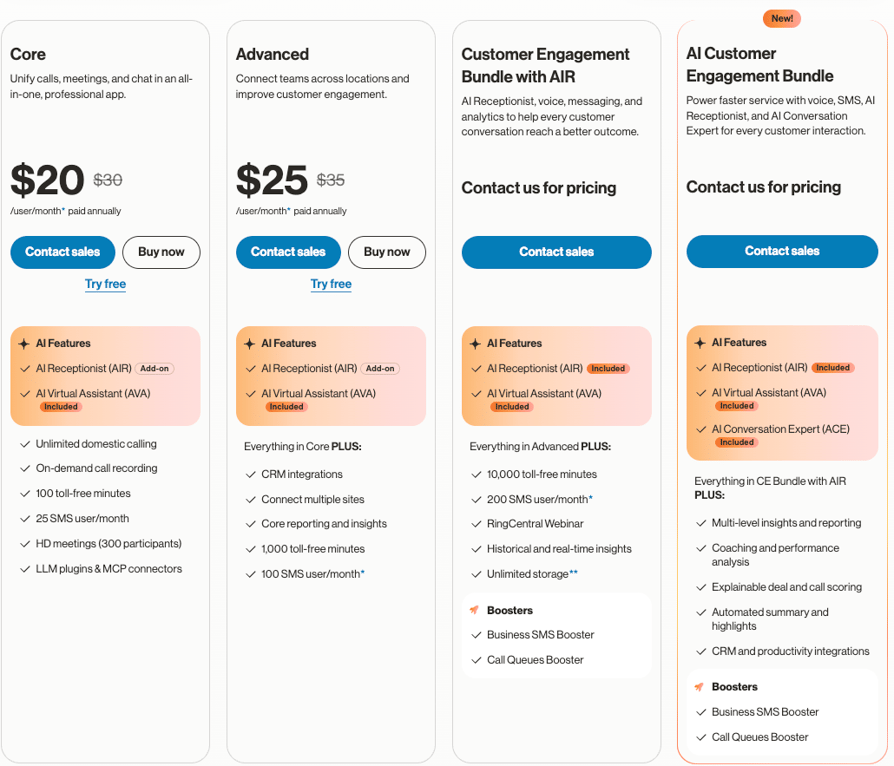
- Core, $20/user/month annual or $30 monthly.Unlimited domestic calling, on-demand call recording, 100 toll-free minutes, 25 SMS per user per month, HD meetings for 300 participants, and the AI Virtual Assistant for captions, transcriptions, notes and summaries.
- Advanced, $25/user/month annual or $35 monthly.Everything in Core plus CRM integrations, multi-site connection, core reporting and insights, 1,000 toll-free minutes, 100 SMS per user per month and AI Writer.
- Ultra, $35/user/month annual or $45 monthly.Everything in Advanced plus 10,000 toll-free minutes, 200 SMS per user per month, RingCentral Webinar, historical and real-time insights, unlimited storage and device analytics.
- Add-ons, billed on top.AI Receptionist from $39, Conversational Intelligence from $60, Call Queues Booster at $35, Business SMS Booster at $25.
- Seat tiers don't lower the price.Core is $20 at both 1 to 5 and 6 to 100 seats. At 100 or more the price is replaced by Contact us for pricing, and the free trial is limited to five users and two desk phones.
Our full RingCentral pricing guide tracks how these tiers have shifted and what each one is really worth.
Google Voice Pricing
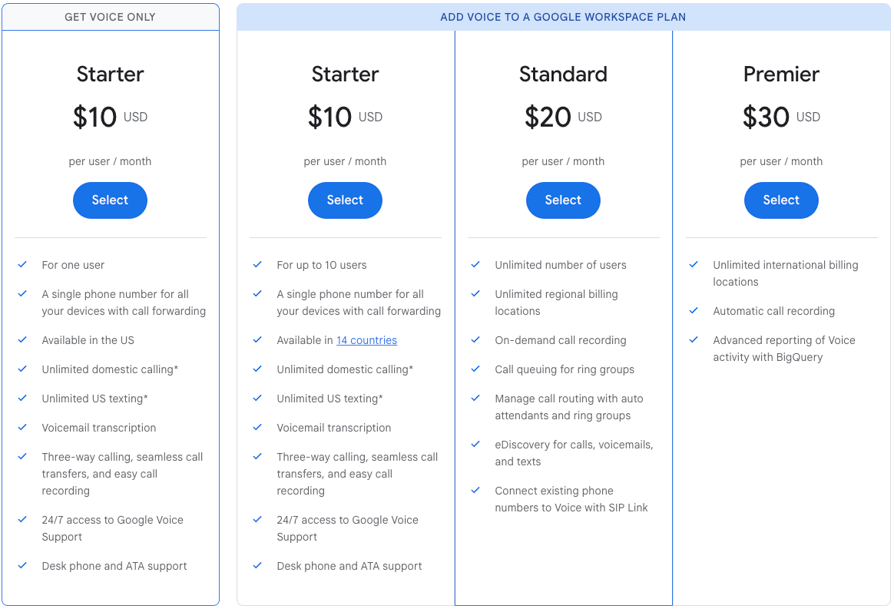
Google Voice pricing is broken into the following tiers:
- Starter, $10/user/month.Sold two ways: standalone on a personal Gmail account for exactly one user in the US, or as a Workspace add-on for up to 10 users across 14 countries. Unlimited domestic calling, unlimited US texting, voicemail transcription, three-way calling, call transfers, call recording and desk phone support.
- Standard, $20/user/month.Unlimited users and unlimited regional billing locations, plus on-demand call recording, multi-level auto attendants, ring groups, call queuing, eDiscovery and SIP Link for connecting numbers from an existing carrier.
- Premier, $30/user/month.Unlimited international billing locations, automatic call recording, numbers outside your home country, Google Vault and Voice activity export to BigQuery.
- Every tier needs a paid Google Workspace subscriptionunless you're a single user on a personal Gmail account, so the seat price is additive rather than total.
- Unlimited never means international.Unlimited calling and texting apply in available markets only, SMS is US to US on every tier, and unlimited calling explicitly excludes SIP Link traffic.
Pricing Compared Line by Line
Pricing Compared Line by Line
| Pricing dimension | RingCentral | Google Voice | CloudTalk |
|---|---|---|---|
| Entry price | $20/user/month annual, $30 monthly | $10/user/month, on top of Workspace | $25/user/month |
| Top published tier | $35/user/month on Ultra, annual | $30/user/month on Premier | $49/user/month on Expert |
| What entry includes | Calling, meetings, messaging, recording. No CRM integration | Calling, US texting, transcription, recording, desk phones. No auto attendant | Calling, workflow builder, call recording, local numbers |
| Prerequisite subscription | None | A paid Google Workspace plan, except for a single personal-Gmail user | None |
| International calling | Separate rate card | Separate rate card; excluded from unlimited on SIP Link | Calling credit on the plan, rates by destination |
| Free trial | Yes, capped at five users and two desk phones | Not published for Voice | 14 days, no credit card |
| Volume discount | None published below 100 seats | None published | Contact sales for custom pricing |
Google Voice is cheaper at the bottom, and stops being cheaper the moment you need auto attendants, more than ten seats, or a country outside its fourteen. RingCentral costs more at the bottom and holds its price shape as the team grows, provided you budget for the add-ons separately rather than treating $20 as the number.
RingCentral Integrations vs. Google Voice Integrations
RingCentral Integrations
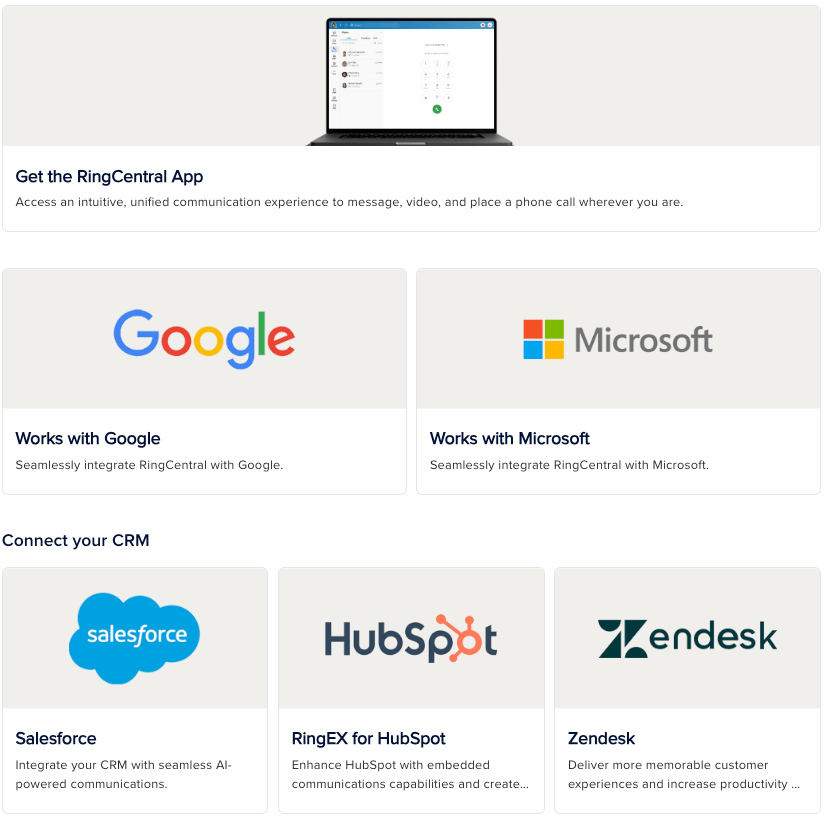
RingCentral integrates with over 500 tools and apps covering analytics, automation, bots, calendaring, collaboration, CRM, customer support, developer tools, ERP, fax, financial services, healthcare, legal, marketing automation, productivity, SMS, speech, storage and translation.
It also curates Works with Google, Works with Microsoft and Works with Salesforce collections, and carries an LLM Plugins and MCP section. CRM integrations begin on Advanced ($25/user/month), not on Core.
Google Voice Integrations
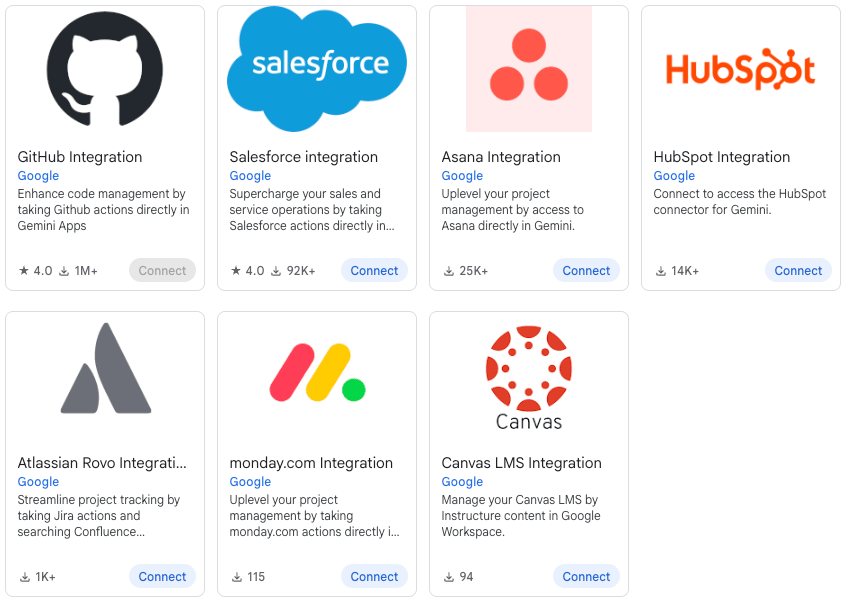
Google offers native integrations with Google Workspace products (Calendar, Meet, Gmail) and offers some crm integrations (Salesforce, HubSpot).
Integration Capability Compared
Integration Capability Compared
| Integration capability | RingCentral | Google Voice | CloudTalk |
|---|---|---|---|
| Marketplace | 500+ tools and apps (native integrations not specified) | None | 100+ integrations |
| CRM sync | From Advanced at $25/user/month | Not available at any tier | Native two-way sync, from $29/user/month |
| Google Workspace depth | A curated Works with Google collection | Native across Gmail, Calendar, Meet, Contacts and Vault | Google Workspace integration available |
| Microsoft 365 | A curated Works with Microsoft collection | Not offered | Microsoft integrations available |
| Bring your own carrier | Not published on the pages read | SIP Link and Carrier Link, on Standard and Premier | Supported via SIP |
| Developer and API access | Developer tools category plus LLM plugins and MCP connectors | No developer or calling API published for Voice | Open API and data sync from Essential |
Security & Compliance: RingCentral vs. Google Voice
RingCentral Security & Compliance
- ISO/IEC 27001, 27017 and 27018 certified, and ISO 22301 for business continuity, across RingEX and RingCX.
- SOC 2+ FINRA CSR with a HIPAA report, and a SOC 3 report, both covering RingEX.
- C5 attestation in English and German, which matters for German public-sector and regulated buyers.
- HITRUST CSF certification covering RingCentral Office and Engage, and Cyber Essentials Plus for the UK and EU service offering.
- The certificates are named publicly, but the documents route through a Trust Portal or an account manager, and a few require an access request through an Account Executive.
Google Voice Security & Compliance
- Google Voice is listed as Included Functionality under the Google Workspace HIPAA Business Associate Addendum, as of 31 August 2026, for managed users only.
- That managed-users qualifier matters: standalone Voice on a personal Gmail account sits outside the BAA, so the cheap single-user tier isn't the HIPAA-covered one.
- Voice inherits the wider Workspace security posture rather than publishing a product-level certificate list of its own, which means threat prevention, zero-trust access controls and digital sovereignty controls are configured at the Workspace level.
- Google Vault provides retention and discovery for calls, voicemails and texts, on the Premier tier only.
- eDiscovery for calls, voicemails and texts arrives a tier earlier, on Standard.
Security & Compliance Compared
Security & Compliance Compared
| Security & compliance | RingCentral | Google Voice |
|---|---|---|
| ISO/IEC 27001 | Certified, named publicly | Inherited from Google Workspace, not published per product |
| SOC 2 | SOC 2+ FINRA CSR with HIPAA report, plus SOC 3 | Inherited from Google Workspace |
| HIPAA | Covered by the SOC 2+ HIPAA report; BAA available | Included Functionality under the Workspace BAA, managed users only |
| HITRUST | CSF certified for Office and Engage | Not published for Voice |
| Regional attestations | C5 in English and German, Cyber Essentials Plus for UK and EU | Handled through Workspace digital sovereignty controls |
| Retention and discovery | Available through the platform's own controls | eDiscovery from Standard, Google Vault on Premier only |
| Getting the documents | Named publicly; documents via Trust Portal or an account manager | Workspace compliance documentation, not Voice-specific |
CloudTalk wins on Security
RingCentral certifies the phone platform; Google certifies the suite and lists Voice inside it. CloudTalk covers GDPR, SOC 2 Type II and HIPAA tooling across plans rather than gating them to a top tier, with a 99.999% uptime SLA.
Usability & Reliability: RingCentral vs. Google Voice
Usability & Reliability Compared
| Dimension | RingCentral | Google Voice |
|---|---|---|
| Setup time | Self-serve up to 100 seats, then sales | Fast; added from the Workspace Admin Console |
| Learning curve | Steeper, proportional to the feature set | Shallow; the interface is already familiar |
| Admin configuration depth | Multi-site routing, queues, device analytics | Ring groups, auto attendants, queuing on Workspace tiers |
| Pilot before you buy | Free trial capped at five users and two desk phones | No published Voice trial; trialed through Workspace |
| Scaling past the entry plan | A tier change | A tier change at 10 users, or a platform change |
| Published uptime SLA | Contractual rather than a public figure | Covered by Google Workspace service terms |
Why CloudTalk Wins Usability and Reliability:
CloudTalk's call flows are built in a drag-and-drop call flow designer with easy setup that anyone can configure, starting at $25/user/month/. Plus you can count on 24/7 support and 99.999% uptime.
Call Quality and Uptime: What Neither Vendor Publishes
Neither RingCentral's RingEX pricing page nor Google's Voice product and plan-comparison pages publish an uptime percentage. RingCentral's compliance page lists ISO 22301, the business continuity standard, which covers how a company handles disruption rather than availability on any individual call. Google publishes its Workspace service terms separately from the Voice product pages.
We found no independent head-to-head call quality benchmark for the two that could be verified at a primary source. Testing is uneven: RingCentral offers a free trial capped at five users and two desk phones, and Google publishes no trial for Voice, which is evaluated through a Google Workspace trial instead.
RingCentral Reviews vs. Google Voice Reviews on G2
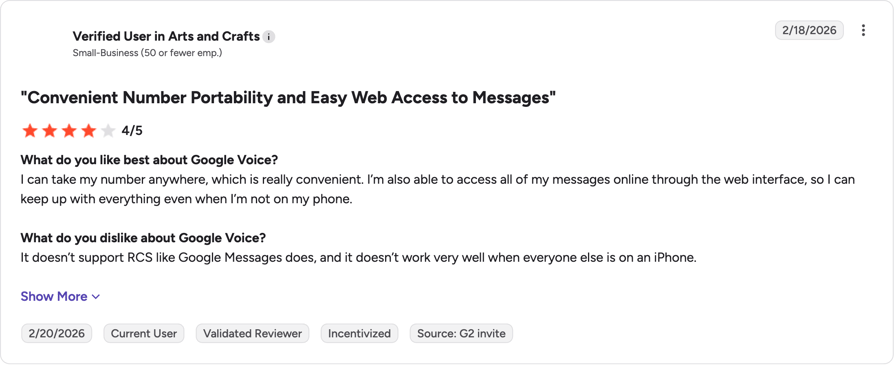
Anyone searching for RingCentral vs Google Voice reviews lands on G2 first, and it's the platform both products are listed on. One caveat before the numbers: RingCentral and Google Voice are reviewed by different populations. RingCentral is bought as a phone system and reviewed as one; Google Voice usually arrives with a Workspace subscription, so reviewers are often rating the suite experience alongside the calling. Take these scores with a grain of salt.
Ratings Compared
G2 Ratings Compared
| Review dimension | RingCentral | Google Voice |
|---|---|---|
| G2 rating | 4.2 / 5 | 4.1/5 |
| G2 review count | 1,450+ reviews on the RingEX product profile | 167 |
| Profile used | RingEX, the like-for-like UCaaS product, not the RingCentral seller page | Google Voice |
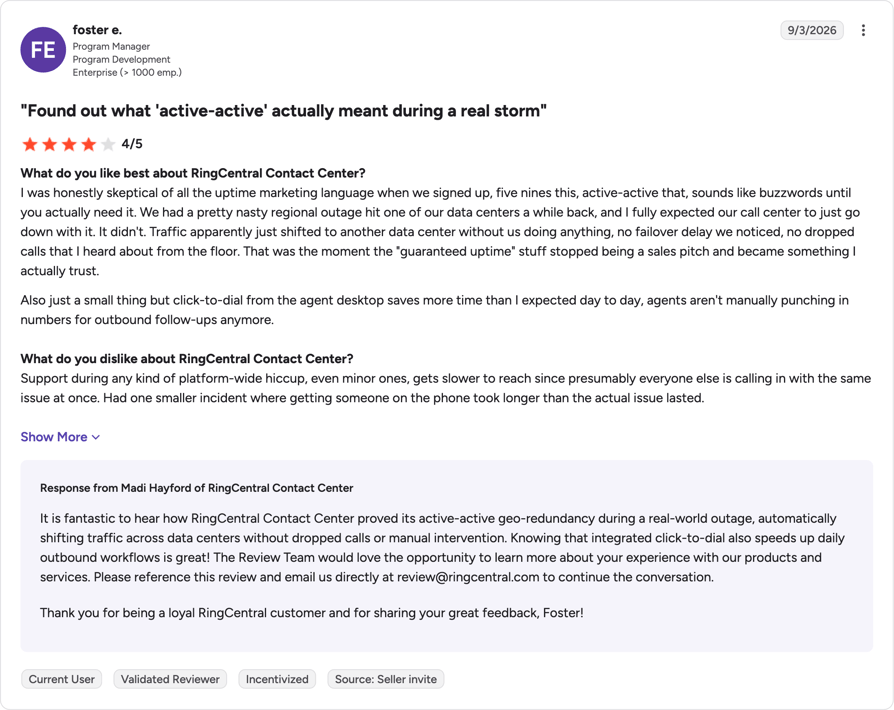
What Real Users Say About RingCentral (RingEx) On G2
On improving communication, and what it costs:
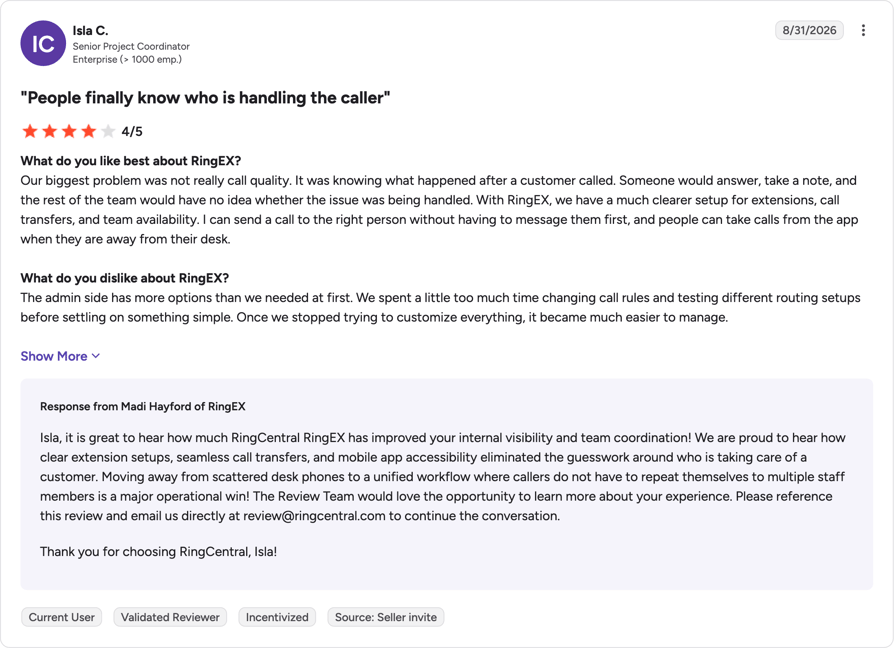
On simpler (faster) workflows and hardware requirements:
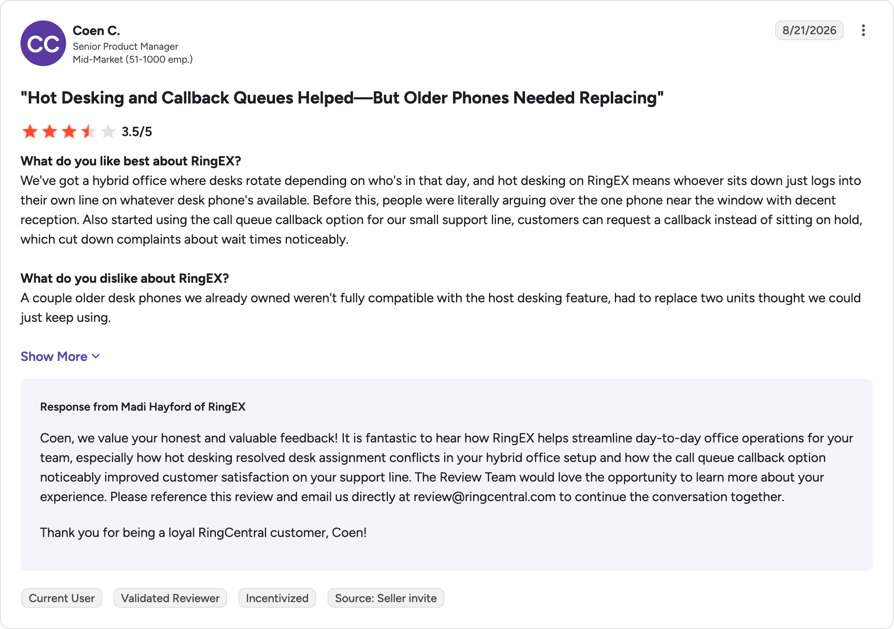
RingCentral G2 review summary
RingCentral's RingEx platform saves time on admin and cuts wait times. It also costs more and requires up-to-date hardware.
What Real Users Say About Google Voice On G2
Google Voice's review profile is different in kind, because reviewers are usually rating it as one part of a Workspace subscription rather than as a phone system they chose on its merits. Read its scores with that in mind.
On ease of use and number loss
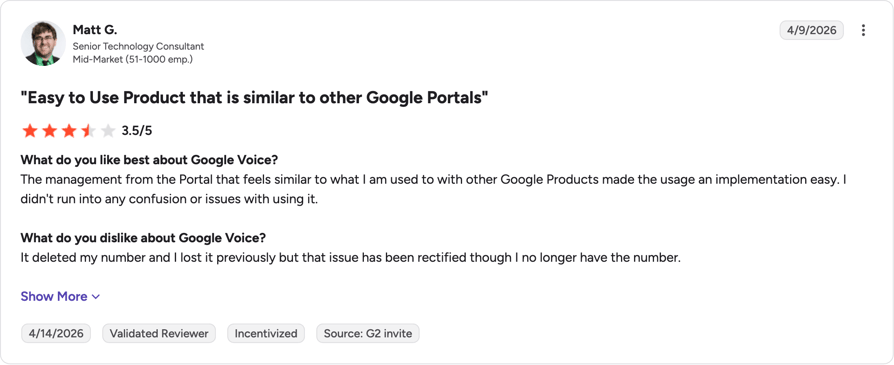
On number porting and limited users
Google Voice G2 Review Summary
Users familiar with Google WorkSpace find it easy to use, but too many users online at once creates friction.
RingCentral Reviews vs. Google Voice Reviews on Reddit & Quora
On limited international numbers and customer service:
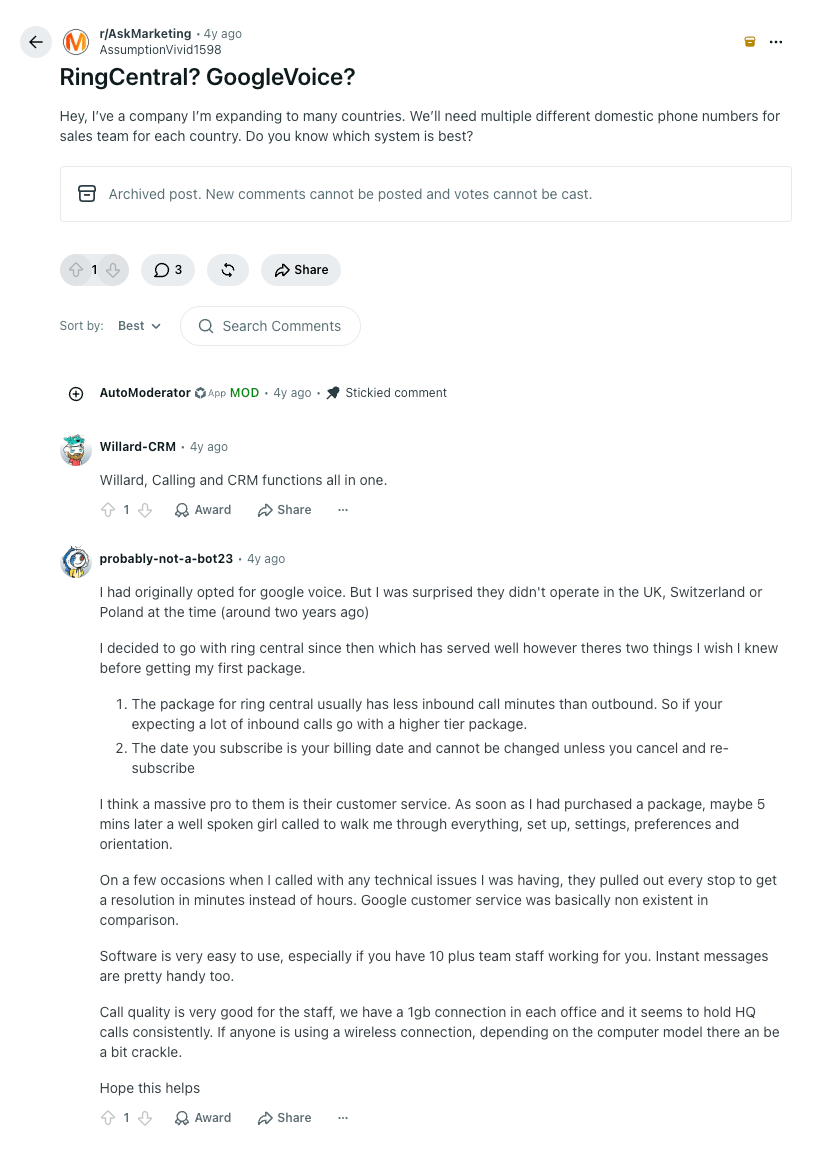
On best use case:
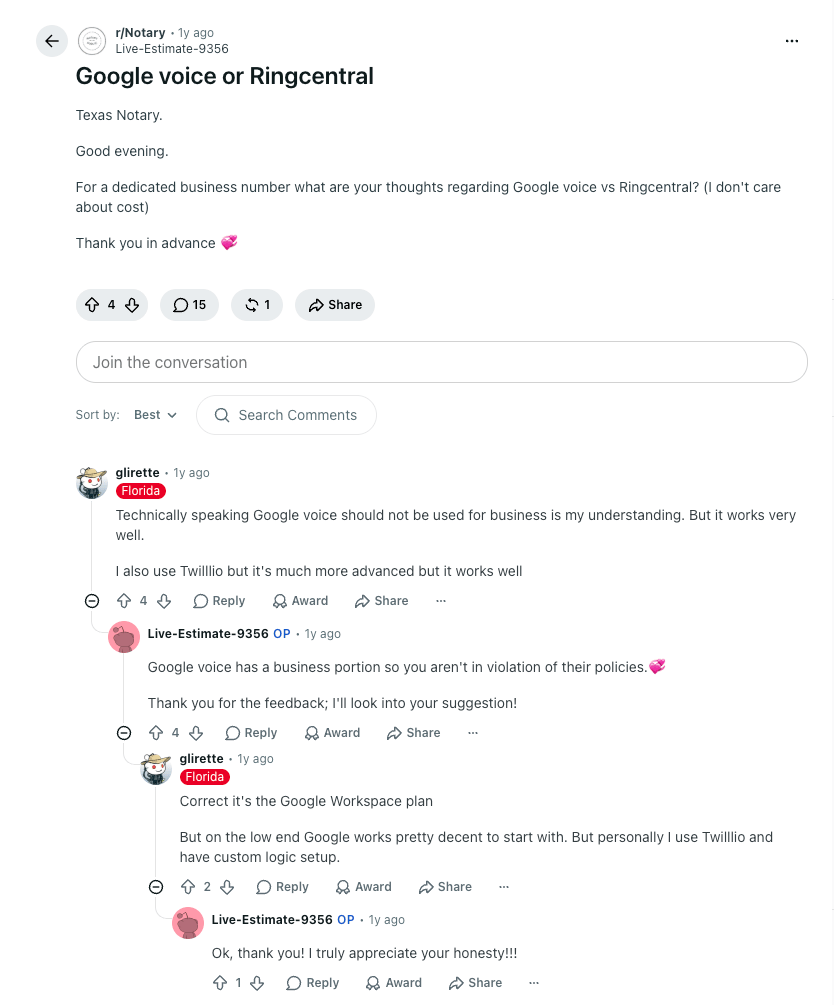
RingCentral Pros & Cons vs. Google Voice Pros & Cons
RingCentral Pros & Cons
| Pros | Cons |
|---|---|
| Calling, HD meetings for 300 and team messaging bundled from the $20 Core plan | CRM integration isn't in the entry plan; it starts on Advanced at $25 |
| AI Virtual Assistant with captions, transcription, notes and summaries included from Core | Add-ons stack quickly: $39 AI Receptionist, $60 Conversational Intelligence, $35 Call Queues Booster, $25 SMS Booster |
| Global RingEX extensions in 45 countries and international virtual numbers in 77 | The free trial is capped at five users and two desk phones, so you can't pilot at real scale |
| A publicly named certification list: ISO 27001, SOC 2+ with HIPAA report, SOC 3, C5, HITRUST | No volume discount published below 100 seats, and above that the price disappears behind sales |
| Multi-site routing, core reporting and real-time insights for teams with a support line | More configuration surface than a team that just wants numbers will ever use |
Google Voice Pros & Cons
| Pros | Cons |
|---|---|
| $10 per user per month, the lower entry price of the two by half | Texting is US numbers to US destinations only, on every tier, with no upgrade path |
| Unlimited domestic and regional calling on every tier, with no volume gate | The Starter plan caps at 10 users, so a growing team hits a wall rather than a bill |
| Automatic voicemail transcription and AI spam filtering, included and unconfigured | It requires a paid Google Workspace subscription underneath, so $10 is never the whole cost |
| Native behavior inside Gmail, Calendar, Meet and Contacts with nothing to integrate | No CRM sync at any tier, and no calling API to build one |
| Desk phone and ATA support on every tier, with zero-touch HP Poly provisioning | Local numbers in 14 countries; the next 20 need a SIP Link contract through a partner |
Google Voice's limits are fixed: 10 users on Starter, local numbers in 14 countries, and SMS from US numbers to US destinations only. RingCentral's are mostly priced: what Core withholds is available on Advanced, on Ultra, or as an add-on.
Or skip the trade-off entirely.
Which Team Fits Which Platform?
It doesn't come down to which product is better built, because on a single call both work.
Which Team Fits Which Platform
| RingCentral is the right fit for... | Google Voice is the right fit for... |
|---|---|
| Teams past ten people who need everyone on the same phone system | Teams of ten or fewer who need a business number and not much else |
| Support lines that need queues, callbacks and multi-site routing | Offices where calls reach a named person rather than a queue |
| Businesses opening a line in a country outside the 14 Google lists | Businesses operating inside the US, Canada, the UK or the eleven European countries Google covers |
| Sales teams that need calls logged against CRM records | Teams whose record of a call is a note in Gmail or Calendar |
| Organizations replacing several tools with one subscription | Organizations already paying for Workspace who want to add calling to it |
If you read down the left column and recognized your team in three or more rows, RingCentral is the safer purchase even at double the seat price. If the right column described you and you expect it to keep describing you in two years, Google Voice will do the job for a fraction of the cost.
RingCentral vs. Google Voice: The Verdict
Ten users, fourteen countries and a CRM field. Those are the three lines where RingCentral vs Google Voice for business stops being a close call. Google Voice is the better buy while a team is small, US-centric and already inside Workspace, and it stops being the better buy the moment any of those three stops being true. RingCentral costs more per seat and asks for more setup, and it's the one that still fits when the team doubles or opens a second country.
Choose RingCentral if you…
- Expect to pass ten users, which is where Google Voice's entry plan stops
- Run a support line that needs queues, callbacks or multi-site routing
- Need calls logged against CRM records, and can budget the Advanced tier at $25 to get it
- Want calling, video for 300 participants and team messaging on a single invoice
- Are opening a line in a country outside Google's 14, without a partner contract
- Need a named certification list you can hand to a security reviewer this week
Choose Google Voice if you…
- Have ten people or fewer, and a business number is the whole requirement
- Already pay for Google Workspace, so the calling seat is the only new line item
- Work inside the US, Canada, the UK or one of the eleven European countries Google lists
- Want voicemail transcription and spam filtering without configuring either
- Would rather your team learn nothing new than gain features they won't use
- Are standardizing on HP Poly desk phones and want zero-touch provisioning
When CloudTalk Is the Better Fit
CloudTalk is the right choice for a team that has outgrown Google Voice's ten-seat ceiling and its 14 countries, but doesn't want RingCentral's platform footprint or its add-on ladder. That's typically a sales or support team of ten to a hundred people that needs local numbers in 160+ countries, native two-way CRM sync from $29/user/month rather than a tier upgrade, and routing configured by the people who use it. See the head-to-head on CloudTalk vs RingCentral if that's the shortlist you're on.
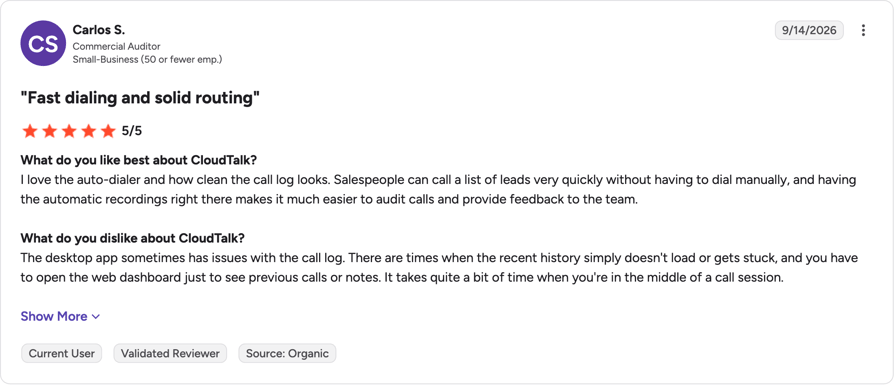
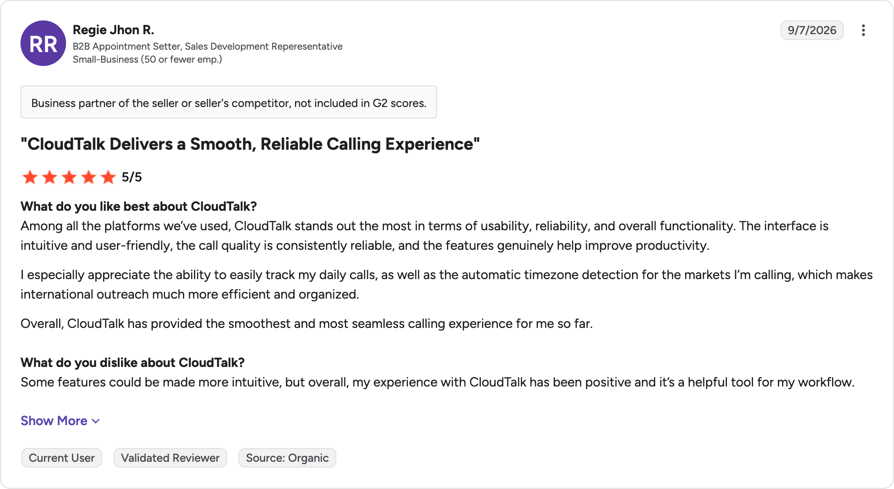
See what a middle option looks like.
Frequently Asked Questions About RingCentral vs Google Voice
Scope. RingCentral sells a communications platform: calling, HD meetings for 300 participants, team messaging, routing and reporting in one subscription from $20 per user per month on annual billing. Google Voice sells a phone line inside Google Workspace for $10 per user per month, with unlimited domestic calling, voicemail transcription and spam filtering, but no video, no team messaging and no CRM sync. Getting started differs too: getting a Google Voice number takes minutes inside Workspace. The practical difference shows up at scale, because Google Voice's entry plan stops at 10 users and RingCentral publishes no equivalent ceiling.
How much does Google Voice cost for business? $10 per user per month on Starter, against RingCentral's $20 on annual Core billing, so on the sticker price yes. It isn't like for like, though, because Google Voice needs a paid Google Workspace subscription underneath it, and the tier carrying auto attendants, ring groups and call queuing is Standard at $20. Hold both at feature parity, add Workspace to Google's side, and the gap narrows to the point where the decision is made by which features you switch on rather than by the sticker price.
Up to a point, and the point is specific. Google Voice Starter caps at 10 users as a Workspace add-on and at one user standalone, so a team growing past ten has to move to Standard at $20 or move platform. It also has no CRM sync at any tier and local numbers in only 14 countries. If growth means more seats in the same country and nothing else changes, Voice keeps up. If it means CRM logging, queues or a new market, it doesn't.
Yes. RingCentral maintains a curated Works with Google collection in its App Gallery alongside Works with Microsoft and Works with Salesforce. Worth knowing before you budget: RingCentral's pricing page places CRM integrations on the Advanced plan at $25 per user per month, not on the $20 Core plan, so integration availability depends on the tier you buy rather than on the app being listed.
RingCentral, and the reason is CRM logging. Google Voice has no native CRM sync at any tier and no calling API to build one, so call activity never lands against the record automatically. RingCentral puts CRM integrations on Advanced at $25 per user per month. If the sales requirement extends to power dialing or call scoring, both products leave gaps that a dedicated unified communications platform or a sales-focused phone system fills better.
Google Voice, comfortably. It's added from the Google Workspace Admin Console, the interface is one the team already uses daily, and number assignment, porting, ring groups and auto attendants all live in one place, which is why setting up Google Voice for business is usually a same-day job. RingCentral has more to configure because it covers more, and its free trial is capped at five users and two desk phones, which makes piloting at realistic scale awkward.
Number porting between providers is standard, and both vendors run one: Google handles it in the Voice Admin Console, and RingCentral number porting sets out what to prepare on the receiving end. Expect the usual constraints. The number has to be active, the losing account has to stay open until the port completes, and timelines vary by carrier and country, so don't cancel Google Voice the day you sign with RingCentral.
No. RingCentral is an American company, listed on the New York Stock Exchange, and its own site carries a copyright line running from 1999. It files with the US Securities and Exchange Commission as a US-listed public company, so if ownership and jurisdiction matter to your vendor review, that filing history is the record to check.
It depends which market you mean. Among RingCentral competitors in unified communications the closest rivals are 8x8, Zoom Phone, Microsoft Teams Phone, Dialpad, Nextiva and Vonage, all selling calling, meetings and messaging on one subscription. Google Voice competes from below, on price and Workspace integration rather than feature depth. Which of them counts as the best RingCentral alternative depends on whether you are replacing the calling, the meetings or the reporting.
Better depends on what Google Voice is failing at for you. If it's the 10-user ceiling on Starter, almost any dedicated business phone system clears it. If it's the 14-country limit or the absence of CRM sync, the best Google Voice alternative is a platform built for distributed sales and support rather than a Workspace add-on. Most Google Voice for business competitors compete on exactly those two limits, so shortlist against them rather than on price.
Not universally. RingCentral is better for teams past ten people, for support lines that need queues and routing, for anyone needing CRM logging, and for any market outside Google's 14 countries. Google Voice is better for small teams already inside Workspace who want a reliable number, transcription and spam filtering at half the seat price. Both do their own job well, so the question is really which job you are hiring for.
For a sales or support team that has outgrown Google Voice but doesn't need RingCentral's full platform, yes. CloudTalk provides local numbers in 160+ countries, IVR and skill-based routing from $25/user/month, native two-way CRM sync from $29, and a 99.999% uptime SLA, with no Workspace subscription required underneath. It isn't the right pick if you specifically want video conferencing and team chat on the same bill, which is where RingCentral is stronger. You can try it free for 14 days.