
CloudTalk Product Updates: What We’ve Shipped Since December (And Why You Should Care)
We’re kicking off the year by taking a quick look back at what we shipped in December and early January.
The common thread across these updates is simple: Enter data cleanly, make calls without friction, monitor what’s happening live, and trust the metrics afterward.
Here’s how we’ve been working through that flow.
1. Managing your Account (Unglamorous but important.)
Invoice downloads, right from the dashboard
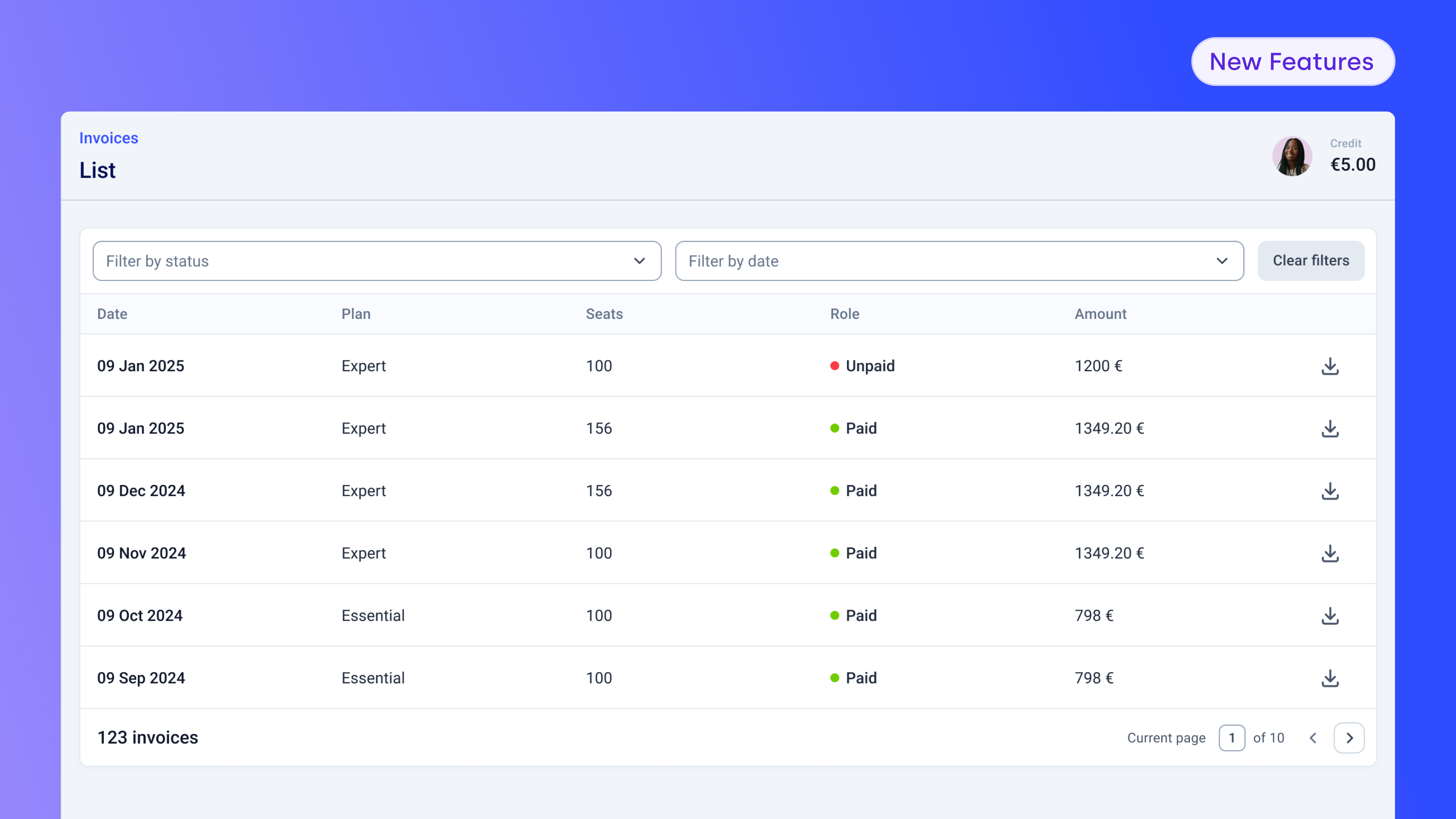
Simple, but much requested.
We know how frustrating it is to jump through hoops just to find the right invoice. Now it’s all right there in the CloudTalk dashboard.
Admins can view and download invoice PDFs for plans, add-ons, numbers, call packages, and credit top-ups, with filters to quickly find the right one by date or payment status.
2. Entering Your Data (Because everything starts with what you upload.)
Before calls happen, contacts need to exist, and not every team uses CRM integrations. CSV uploads are still a core workflow, especially for smaller teams, so we focused on making them faster, clearer, and less fragile.
More control during CSV uploads

You can now assign campaign tags (including multiple tags per contact) and set a preferred agent per contact directly during CSV upload.
Everything happens in one step. No splitting files or fixing things manually after the fact.
This is especially useful for non-integrated customers who want speed and control without extra setup.
3. Faster CSV processing for non-integrated teams
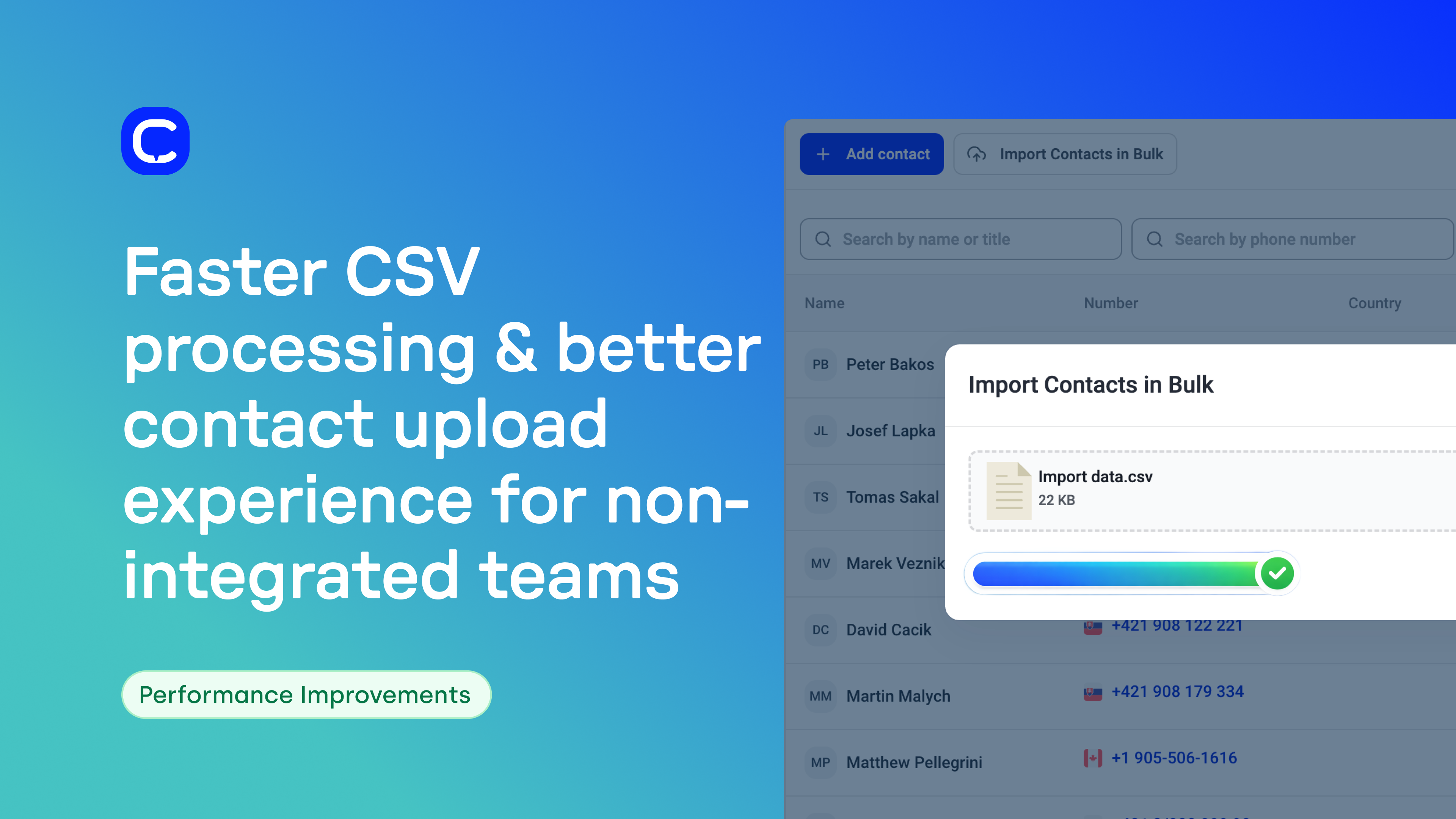
If you’re using CSV imports regularly, you’ve probably already noticed: they’re faster and smoother now.
Clearer CSV import tracking and error reporting
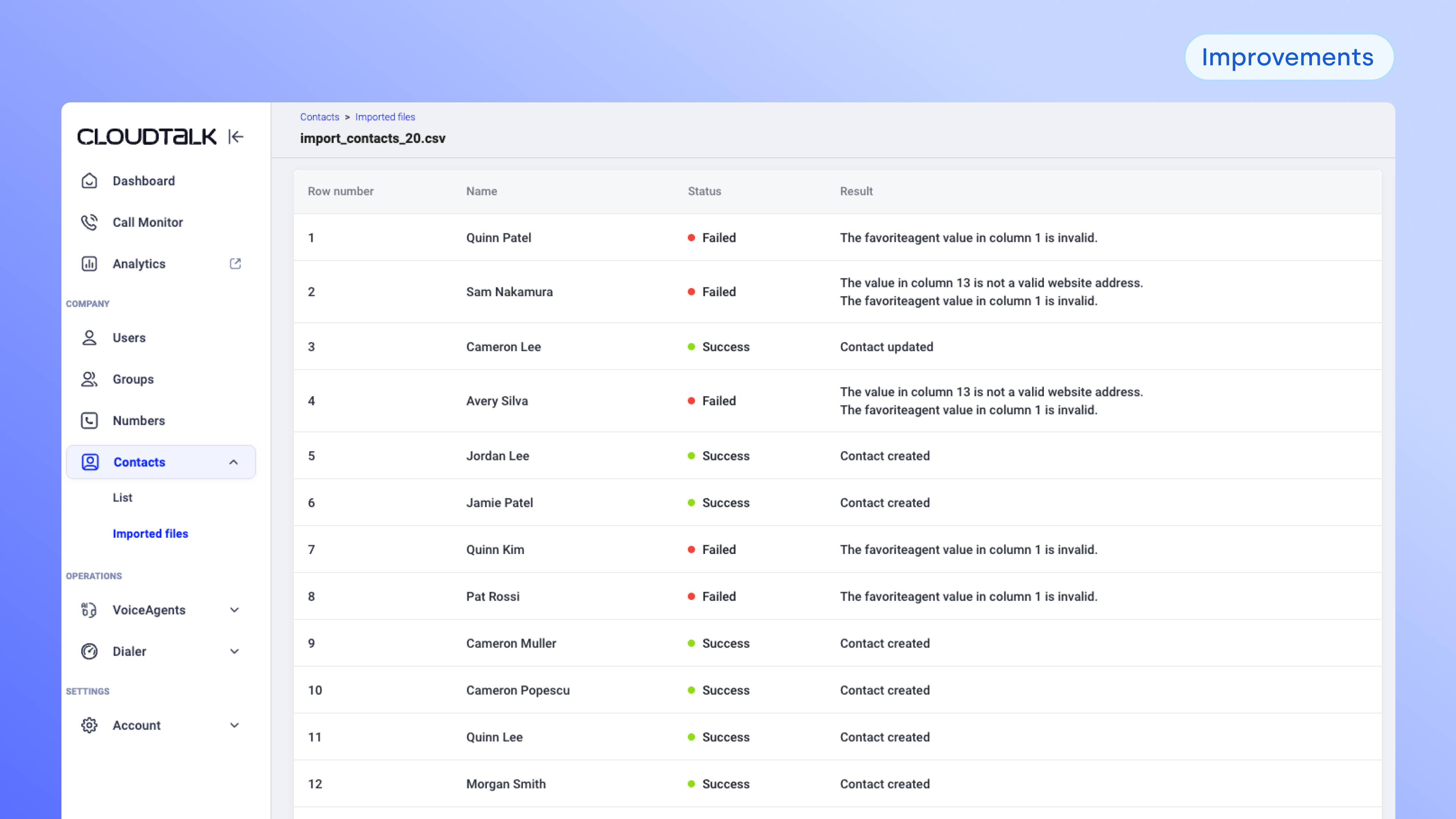
We also improved visibility into what happens after you upload a file.
You can now see a history of your CSV imports, check their status, and open detailed logs that show which records succeeded or failed—and why. Clear error messages make it easier to fix formatting issues and re-upload with confidence.
More improvements are coming, but this already removes a lot of guesswork.
4. Making Calls and Taking Action (Because work rarely ends when the call does.)
Once your data is in, the real work starts—calling, coordinating, following up, and doing it all across different devices and tools.
Calling on the go, without friction
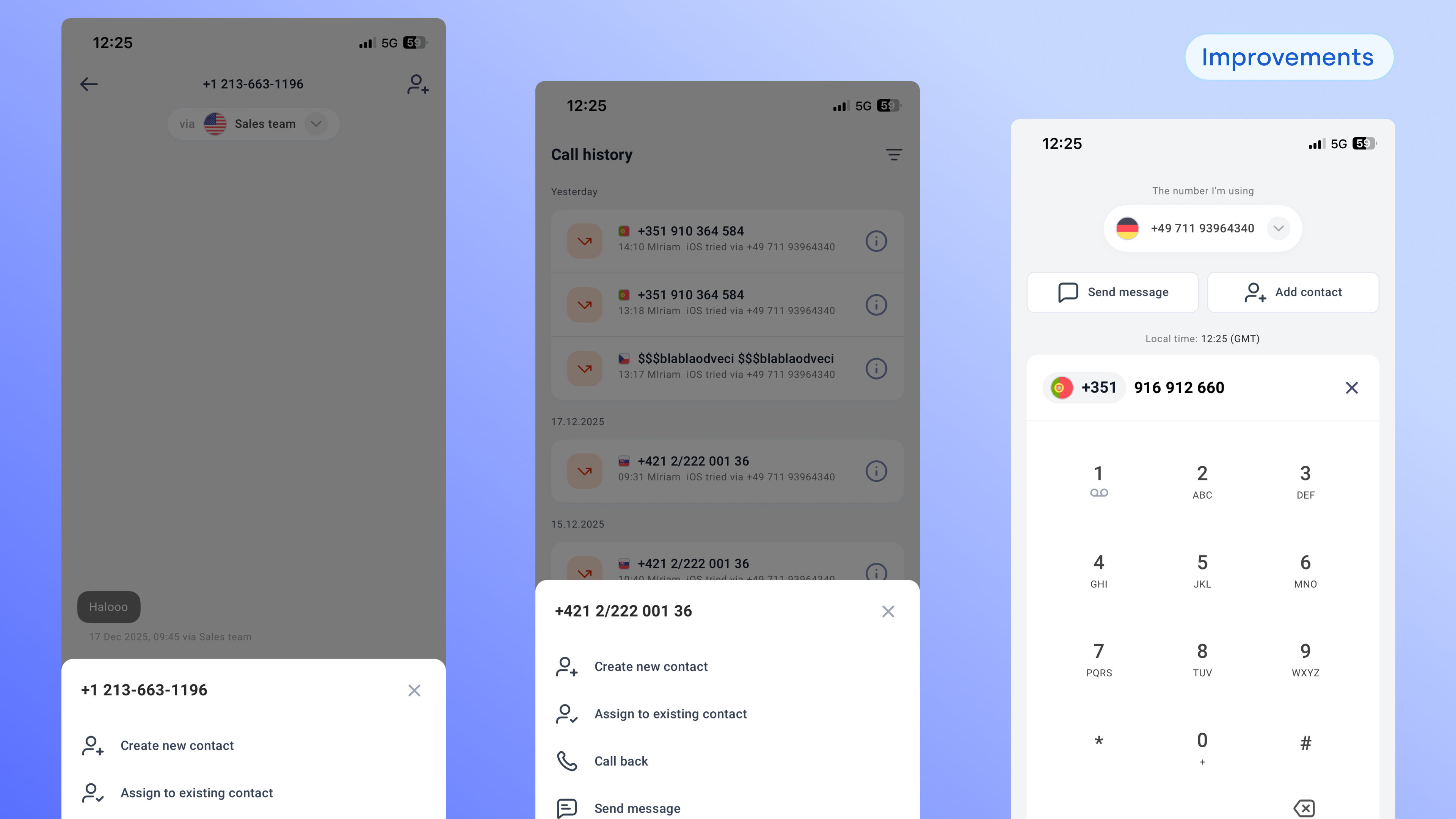
We’ve seen more teams making calls away from their desks, so we streamlined mobile workflows to match that reality.
From the dialpad or call screen, you can now send a message instantly, with the number pre-filled—perfect for quick follow-ups. We also made it easier to save unknown numbers by letting you assign them to existing contacts or create new ones directly from recent calls or message threads.
Small changes, but they add up quickly when you’re moving fast.
Smarter messaging on mobile
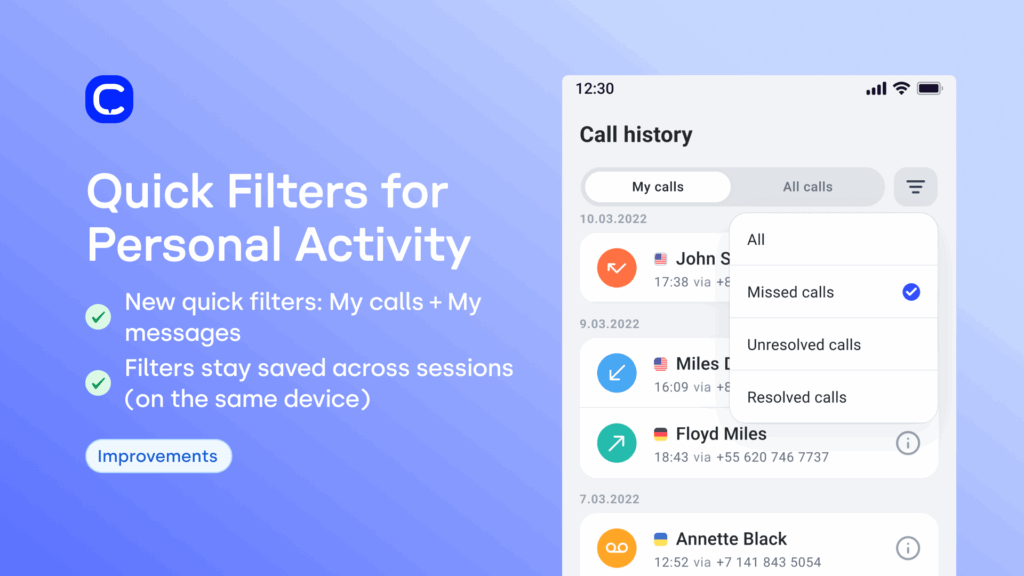
Mobile messaging also got easier to manage.
You can now:
-
Filter message threads by All or Unread
-
Filter by channel (SMS/MMS or WhatsApp)
-
See typing indicators, so teammates don’t reply at the same time
The result is smoother conversations and less stepping on each other’s toes.
Cleaner Zendesk workflows during and after the call
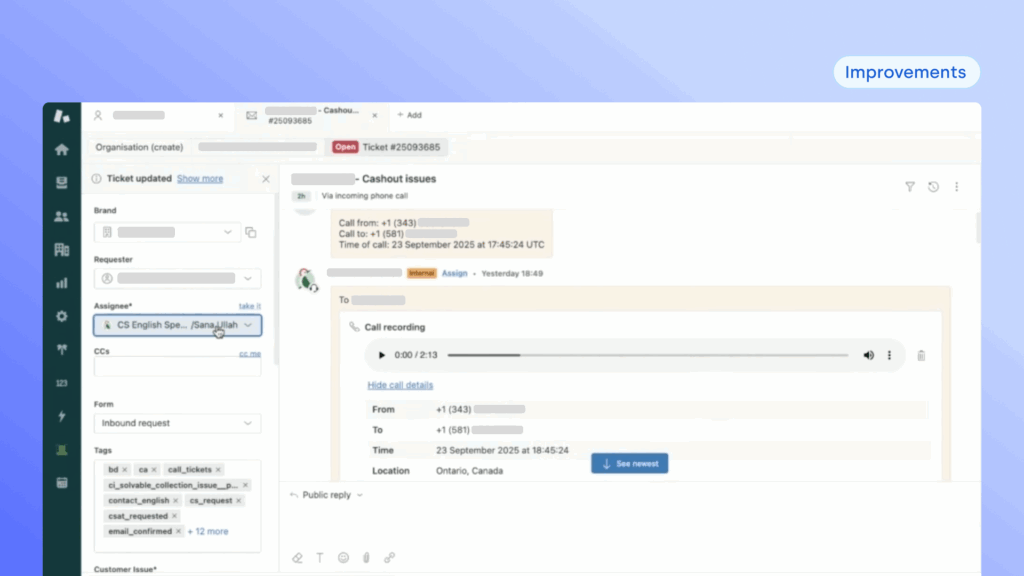
For teams working out of Zendesk, we reduced friction around call context and review.
Call exports are now consolidated into a single, complete message when a ticket is created. Tickets default to internal notes, so customers aren’t notified unless you want them to be.
And you can now play call recordings directly inside the Zendesk ticket, without switching tools or needing a CloudTalk license.
5. Monitoring what’s happening (Because supervisors don’t have the luxury of hindsight.)
When you’re managing live operations, you need visibility as things unfold, not just after the fact.
Internal calls now visible in the Real-Time Dashboard
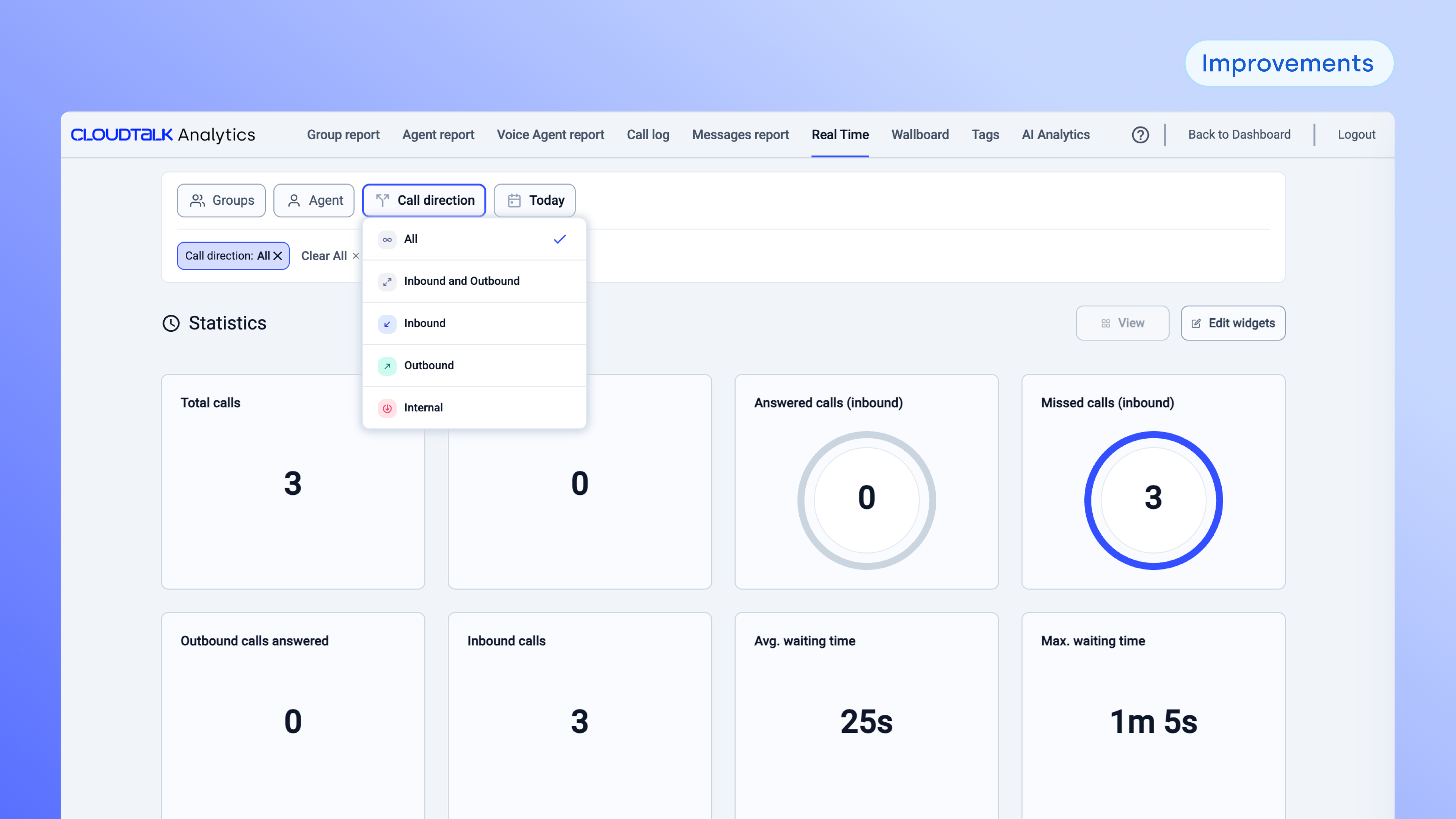
Real-time monitoring should show what’s happening right now, including the stuff that happens “between” customer calls.
Internal agent-to-agent calls now appear in the Active Calls tab of the Real-Time Dashboard, alongside inbound and outbound calls. That means supervisors get a more complete view of live activity, and nothing feels “missing” when you’re monitoring what’s happening in the moment (permissions still apply, because we’re responsible like that).
6. Measuring what happened
Idle Statuses: agent idle time, now with actual meaning
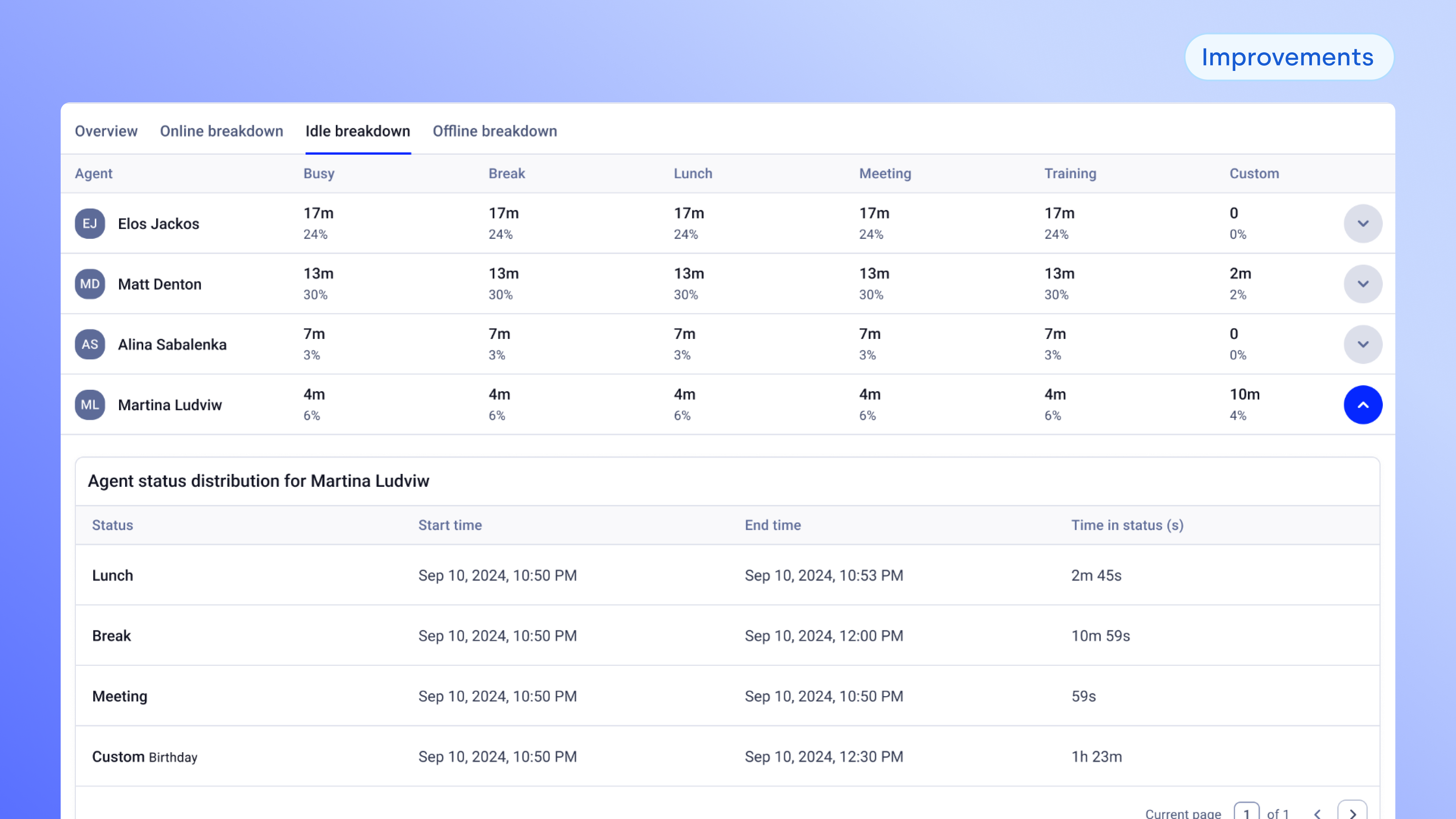
Idle time is useful… until it becomes one giant mysterious blob called “Idle.”
This update is part 1 of a broader set of improvements to status reporting and analytics accuracy.
We added a new Idle breakdown tab in the Agent Report, showing a categorized view of idle time across sub-statuses like break, lunch, meeting, and custom statuses.
You can also see the idle sub-status distribution per agent, which makes it easier to spot patterns, validate staffing assumptions, and have performance conversations based on data.
Stay tuned for more improvements in status reporting (offline and online status reporting), and in the meanwhile, enjoy this giant first step toward cleaner, more trustworthy analytics.

Organize, Call, Monitor and Measure






















