TL;DR: The Best Call Campaign Software at a Glance
The right pick still depends on your team size, call volume, and how much AI you want doing the outbound calling for you.
Here's every tool we cover, so you can jump to the one that fits:
- 01CloudTalk: best overall for SMB and mid-market outbound sales campaigns
- 02Five9: best for enterprise high-volume predictive dialing
- 03Convoso: best for high-volume lead-generation call campaigns
- 04PhoneBurner: best for no-delay power dialing
- 05Kixie: best for CRM-native speed dialing
- 06Aircall: best for easy VoIP with plug-and-play integrations
- 07JustCall: best for combined voice and SMS outreach
- 08CallHippo: best for quick-setup international outbound for SMBs
- 09Nextiva: best for an all-in-one communications platform
- 10RingCentral: best for omnichannel enterprise contact centers

See CloudTalk run a live outbound campaign

Best Call Campaign Software for Outbound Calling: Comparison Table
Here's how the top ten outbound call campaign tools stack up at a glance before we break each one down in detail.
Best Call Campaign Software for Outbound Calling
| Provider | Key Features | Best For | Starting Price | G2 Rating |
|---|---|---|---|---|
| CloudTalk | AI Sales Dialer (Power, Progressive, Parallel), local presence in 160+ countries, 100+ integrations | SMB and mid-market outbound sales campaigns | $25/user/mo | 4.4/5 |
| Five9 | Predictive dialer, blended in/outbound, WFO, AI agent assist | Enterprise high-volume contact centers | Quote-based (from ~$119/user/mo) | 4.1/5 |
| Convoso | Predictive/power dialing, AI answering-machine detection, compliance tooling | High-volume lead-gen campaigns | Quote-based | 4.5/5 |
| PhoneBurner | No-delay power dialer, voicemail drop, cadence automation | Power-dialing outbound sales | ~$149/user/mo | 4.7/5 |
| Kixie | Multi-line power dialing, local presence, deep CRM click-to-call | CRM-native sales teams | Per-user tiers | 4.8/5 |
| Aircall | Cloud calling, power dialer (higher tiers), 100+ integrations | Easy VoIP setup | ~$30/user/mo | 4.4/5 |
| JustCall | Sales dialer, SMS/MMS automation, CRM auto-logging | Voice plus SMS outreach | ~$29/user/mo | 4.3/5 |
| CallHippo | Auto/power dialer, global virtual numbers, IVR | Quick-setup international outbound | Per-user tiers | 4.5/5 |
| Nextiva | Voice, SMS, chat, built-in CRM, auto dialers | All-in-one communications | Per-user tiers | 4.5/5 |
| RingCentral | Omnichannel routing, predictive/progressive dialers, UCaaS + CCaaS | Omnichannel enterprise | RingEX ~$20–30/user/mo | 4.3/5 |
Why Your Reps Need Better Call Campaign Software
According to Salesforce's 2026 State of Sales report, which surveyed 4,050 sales professionals, reps spend just 40% of their time actually selling. The other 60% disappears into manual CRM entry, admin, and hopping between tools.
Picture how this cycle of deep existential despair must feel for your reps.
A human being—with hopes, dreams, and a college degree they are still paying off—dials a number, listens to it ring, once, twice, three times, only to be followed by the soul-crushing beep of a voicemail that hasn't been set up yet.
They hang up, log the "no answer," pick the next lead off a spreadsheet, and starts again. Multiply that by a hundred dials a day, and this is actually you've successfully bestowed upon your employees the same punishment the gods gave Sisyphus. Congratulations.
Most teams try to fix it by hiring more reps or adding an IVR menu onto an existing phone system. That adds cost and makes menus harder to navigate without addressing the real issue, which is how to make dialing more efficient and conversations more frequent.
An outbound dialer solves the actual problem. It automates the dialing, drops dead numbers and voicemails, shows a local caller ID, and syncs every outcome to your CRM so reps can focus on conversations. This time, when Sisyphus reaches the top, the rock doesn't roll back down.
In this guide, we reviewed the 10 best call campaign software tools so you can shortlist the right one and get your team back to selling.
See how CloudTalk handles high-volume outbound dialing, start free.
Hiredly (Recruitment & HR Services) cut its deal cycles from two months to two weeks and hit 100% lead follow-up after moving its outreach to CloudTalk. Read the story
What Is the Best Call Campaign Software for Outbound Calling in 2026?
The best all-round pick for 2026 is CloudTalk. It pairs a full outbound dialer with local-presence numbers across 160+ countries and native two-way sync into the CRMs sales teams already run on, which is why it earns a 4.4/5 rating from 1,702+ reviewers on G2. That said, "best" is job-specific.
Call campaign software is an outbound calling tool that automates how sales and lead-gen teams dial through a contact list. It combines dialing modes (preview, power, progressive, and parallel), caller-ID management, campaign scheduling, and CRM sync so reps spend their time in live conversations instead of dialing and logging by hand.
Enterprise call centers with predictive-dialing needs may lean toward Five9 or Convoso, while a two-person startup testing outbound might start with CallHippo. The sections below break down where each tool wins.
How We Chose the Best Call Campaign Software
We built this list around the criteria that decide whether an outbound call center campaign hits its numbers, not a feature checklist. We scored each tool on:
- Dialing capability: which modes it offers (preview, power, progressive, predictive, parallel) and how many live connects it produces per rep per day.
- CRM and integration depth: whether call outcomes sync back automatically or need manual logging.
- Compliance tooling: DNC management, consent recording, and spam-label mitigation for high-volume outbound.
- Pricing transparency: published per-seat pricing versus quote-only, and what's included versus bolted on as an add-on.
- Verified user sentiment: G2, Capterra, and Trustpilot ratings plus real Reddit and Quora threads, not vendor claims.
Why Trust Our Software Reviews?
For nearly a decade, we've helped over 30,000+ professionals find and implement smarter business communication tools. We've reviewed 200+ software tools across industries, analyzed 5,500+ verified customer reviews from platforms like G2, Capterra, and Trustpilot, and drawn insights from real user discussions on Reddit and Quora.
In the past year alone, we published 1,000+ articles, each one written by humans for humans. Learn how we keep our content integrity and our software review methodology.
The 10 Best Call Campaign Software Tools in 2026
Below is the full breakdown of each tool: what it is, its key features, pricing, pros and cons, what customers say, and when it's the right call for your outbound sales team (and when it isn't).
1. CloudTalk: Best Call Campaign Software Overall
What Is CloudTalk?
CloudTalk is the global AI business calling software built for SMB growth, trusted by 5,500+ customers. It combines a cloud phone system with an AI Sales Dialer and Conversation Intelligence, so outbound teams can run high-volume campaigns across borders from a browser, desktop, or mobile app. It's built for SMB and mid-market sales teams that live in their CRM and dial internationally.
What Are CloudTalk's Key Features?
- More live conversations per rep: the AI Sales Dialer bundles Click-to-Call, Preview, Power, Progressive, and Parallel dialing (up to 10 parallel lines) with campaign management, aimed at 80+ conversations per agent per day.
- Higher answer rates abroad: Local Presence Dialing rotates in a number local to the recipient across 160+ countries, and CloudTalk cites roughly 40% higher answer rates on local caller ID.
- Less dead air: AI voicemail detection skips answering machines and pairs with Voicemail Drop so reps leave a pre-recorded message in one click.
- Cleaner CRM data: 100+ native integrations (HubSpot, Pipedrive, Zoho, Zendesk) write call dispositions and outcomes back automatically.
What Is the Pricing of CloudTalk?
For a full breakdown of plans and add-ons, see CloudTalk pricing.
- Starter: $25/user/month, billed annually. The baseline plan in every region, with call routing and IVR.
- Essential: $29/user/month. Adds Smart Dialer, 95+ integrations, API access, and unlimited call recording storage.
- Expert: $49/user/month. Includes the Power Dialer, Salesforce, and real-time call monitoring.
- Custom: Contact Sales for enterprise SLAs and dedicated infrastructure.
- Add-ons: Power Dialer at $15/user/month (included free on Expert), Parallel Dialer at $39/user/month (an add-on even on Expert), AI Conversation Intelligence at $9/user/month, and AI Voice Agents from $99/month for 200 minutes.
What Are CloudTalk's Pros and Cons?
| Pros | Cons |
|---|---|
| Fast setup and a genuinely easy admin UI | Best outbound features are gated to the Expert plan |
| Broad international coverage (160+ countries) and strong call quality | Parallel Dialer and AI features are paid add-ons on top of any plan |
| Deep, native two-way CRM sync with campaign write-back | A minority of reviewers report occasional app or connection issues |
What Do Customers Say About CloudTalk?
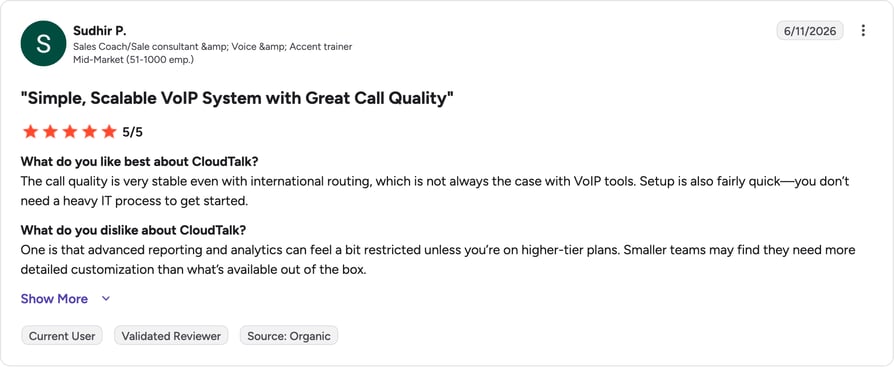
Reviewers consistently praise how quickly CloudTalk sets up and how clean the admin experience is, along with international call quality. The recurring critique is that the most advanced dialing and AI capabilities sit behind the Expert plan or paid add-ons, so total cost climbs as you scale features.
Integrity360 (Professional Services) tripled its SDR pickup rates after switching to CloudTalk. Read the story
G2 reviewers give CloudTalk 4.4/5 (1,702+ reviews).
When Should You Use CloudTalk (and When Not)?
Choose CloudTalk if you're an SMB or mid-market sales team running international outbound and you want dialing, local presence, and CRM sync in one tool. Look elsewhere if you need a full enterprise CCaaS stack with heavy inbound omnichannel routing, where a platform like Five9 or RingCentral fits better.
Test CloudTalk against your real call volume
2. Five9: Best for Enterprise High-Volume Predictive Dialing
What Is Five9?
Five9 is an AI-powered cloud contact center platform built for enterprise, high-volume operations. It handles inbound and outbound with a predictive dialer. It's aimed at large contact centers that need predictive dialing, workforce optimization, and compliance tooling in one place.
What Are Five9's Key Features?
- Dialing at scale: multiple auto-dialer modes (preview, progressive, power, predictive, and TCPA-compliant manual) for large outbound teams.
- Blended routing: inbound and outbound in one queue, with IVR and ACD.
- Enterprise oversight: advanced analytics, workforce optimization, and AI agent assist.
What Is the Pricing of Five9?
Compare tiers and hidden costs in our guide to Five9 pricing. Five9 is largely quote-based and per-seat. GetVoIP research lists tiered plans from around $119/user/month (Digital) up to ~$159+/user/month (Core, which adds voice and auto-dialing).
What Are Five9's Pros and Cons?
| Pros | Cons |
|---|---|
| Deep, mature dialer and reporting for large operations | Enterprise pricing and complexity |
| Reliable at high call volumes | Overkill and costly for SMBs (GetVoIP notes over 2x CloudTalk's entry price) |
| Strong compliance tooling | Requires a sales quote to get started |
What Do Customers Say About Five9?
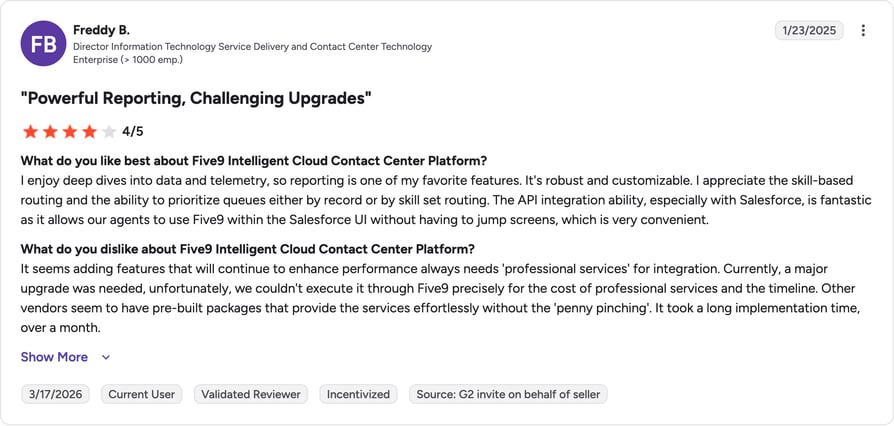
Reviewers value the platform's depth and reliability under heavy volume, and its compliance features for regulated outbound. The common complaint is complexity and cost, with smaller teams finding it heavier than they need. Trustpilot sentiment sits lower at 3.6/5 across 730 reviews.
G2 reviewers give Five9 4.1/5. (600+ reviews).
When Should You Use Five9 (and When Not)?
Pick Five9 if you run an enterprise contact center that needs predictive dialing and workforce optimization at scale. Skip it if you're an SMB looking for fast setup and transparent per-seat pricing.
3. Convoso: Best for High-Volume Lead-Generation Campaigns
What Is Convoso?
Convoso is outbound contact center software designed to lift contact and conversion rates for high-volume dialing. It centers on predictive and power dialing with AI answering-machine detection. It's built for lead-generation and outbound campaign teams that dial at serious volume.
What Are Convoso's Key Features?
- Volume dialing: predictive and power dialing with AI answering-machine detection to keep reps on live calls.
- Campaign control: list management, dynamic scripting, and real-time reporting.
- Compliance for scale: DNC and TCPA tooling for high-volume outbound.
What Is the Pricing of Convoso?
We break down its quote-only model in our guide to Convoso pricing. Pricing is quote-based and not publicly listed.
What Are Convoso's Pros and Cons?
| Pros | Cons |
|---|---|
| Strong lift in contact and conversion rates for high-volume dialing | Quote-only pricing |
| Detailed campaign management and reporting | Built for volume lead-gen, not general business calling |
| Solid compliance tooling |
What Do Customers Say About Convoso?
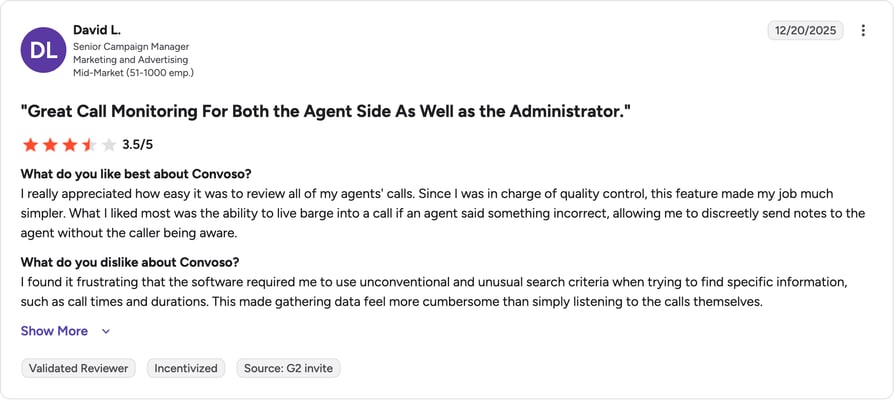
Users highlight measurable gains in contact and conversion rates once campaigns are dialed in, along with strong reporting. Reviewers note it's purpose-built for high-volume lead-gen, so it can feel like more machine than a smaller team needs. Trustpilot sits at 4.5/5 across 59 reviews.
G2 reviewers give Convoso 4.5/5. (256+ reviews).
When Should You Use Convoso (and When Not)?
Choose Convoso if you run a high-volume lead-gen operation where connect and conversion rates are the whole game. Avoid it if you want published pricing or a general-purpose business phone system.
4. PhoneBurner: Best for No-Delay Power Dialing
What Is PhoneBurner?
PhoneBurner is a power dialer and sales acceleration platform focused on landing more live conversations without the telemarketer delay. It pairs no-delay dialing with cadence automation and follow-up tools. It's built for sales teams that want a reliable power dialer above all else.
What Are PhoneBurner's Key Features?
- No connection delay: power dialing with no awkward pause when a prospect picks up, plus local ID and voicemail drop.
- Automated follow-up: cadence and workflow automation, email follow-up, and call recording.
- CRM flexibility: a built-in CRM or integration with your existing one.
What Is the Pricing of PhoneBurner?
See how its per-seat plans compare in our guide to PhoneBurner pricing. It runs on a per-user subscription, commonly listed around $149/user/month (Standard).
What Are PhoneBurner's Pros and Cons?
| Pros | Cons |
|---|---|
| No-delay power dialing praised for pace and call quality | Per-seat cost is high versus SMB VoIP tools |
| Strong ease-of-use and support themes | Power-dial focused, not a full contact center |
| High G2 satisfaction (4.7 average) | Thin Trustpilot sample |
What Do Customers Say About PhoneBurner?
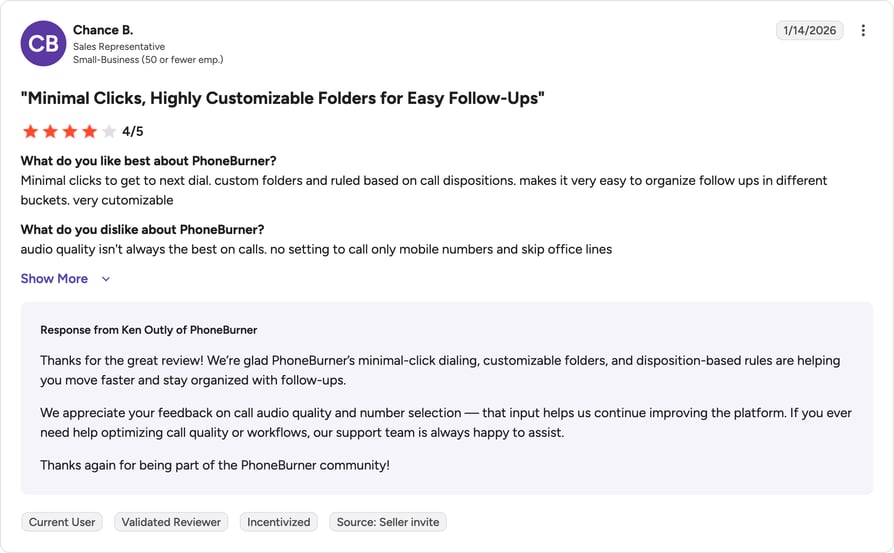
Reviewers repeatedly call out the dialing pace and clean call quality, with the no-delay connect getting specific praise. Support and ease of use score well too (Capterra sits at 4.8 across 176 reviews). The main pushback is the per-seat price relative to lighter VoIP tools.
G2 reviewers give PhoneBurner 4.7/5. (277+ reviews).
When Should You Use PhoneBurner (and When Not)?
Pick PhoneBurner if power dialing is your priority and you want a proven, no-delay experience. Look elsewhere if you need inbound routing, omnichannel, or a lower per-seat entry point.
5. Kixie: Best for CRM-Native Speed Dialing
What Is Kixie?
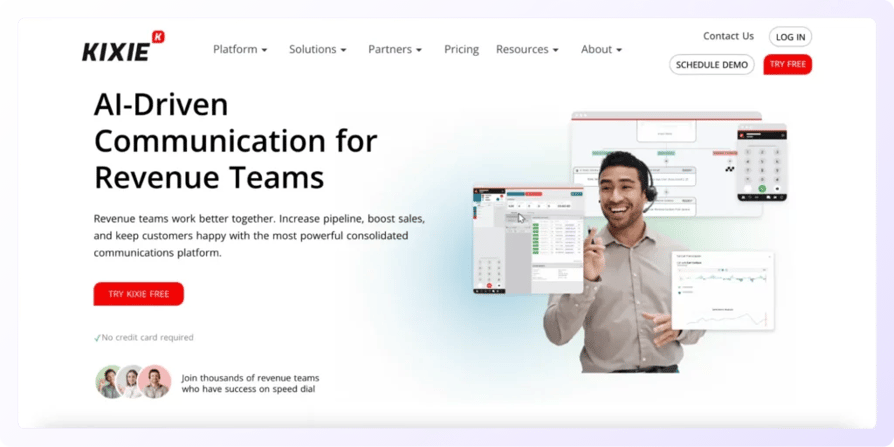
Kixie (Kixie PowerCall & SMS) is a sales engagement tool known for ultra-reliable power dialing and SMS. It's built to live inside Salesforce or HubSpot, with click-to-call and auto-logging baked in. It suits sales teams that want fast, CRM-native dialing without leaving their pipeline view.
What Are Kixie's Key Features?
- Speed dialing: power and multi-line dialing with local presence and connection boost.
- CRM-native calling: click-to-call and automatic logging inside the CRM, plus SMS automation.
- Coaching built in: call coaching, analytics, and voicemail drop.
What Is the Pricing of Kixie?
We map its tiers against the alternatives in our guide to Kixie pricing. It runs on per-user tiers from Integrated upward.
What Are Kixie's Pros and Cons?
| Pros | Cons |
|---|---|
| Very high G2 satisfaction (4.8) | Best value only when tied to a supported CRM |
| Praised for dialing speed and CRM integration | Add-ons raise the effective cost |
| Fast setup for connect-rate-driven teams | Lower Trustpilot sentiment (3.8/5) |
What Do Customers Say About Kixie?
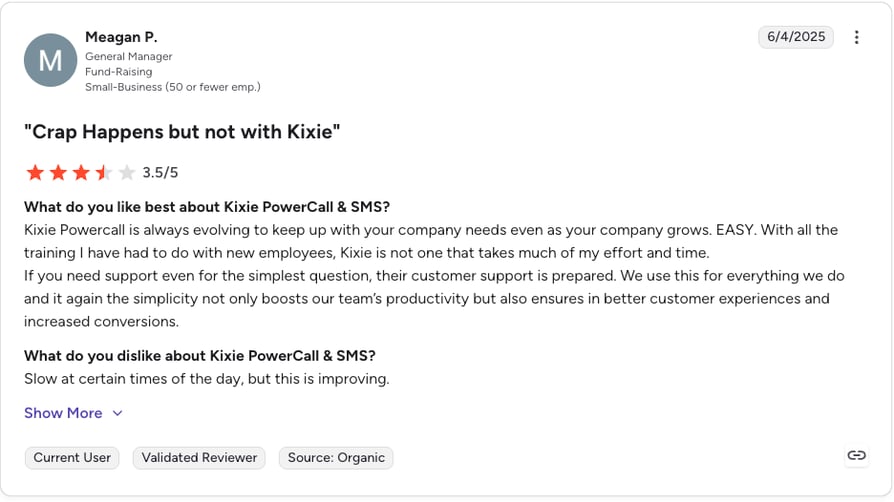
Users rate Kixie highly for dialing speed and how tightly it clips into Salesforce and HubSpot, and setup gets consistent praise. The caveat is that its value drops if you're not on a supported CRM, and add-ons can push the price up. Trustpilot sits at 3.8/5 across 86 reviews.
G2 reviewers give Kixie PowerCall 4.7/5
When Should You Use Kixie (and When Not)?
Choose Kixie if your reps live in Salesforce or HubSpot and want the fastest CRM-native dialing available. Skip it if you're not on a supported CRM or you need heavy international number coverage.
6. Aircall: Best for Easy VoIP With Plug-and-Play Integrations
What Is Aircall?
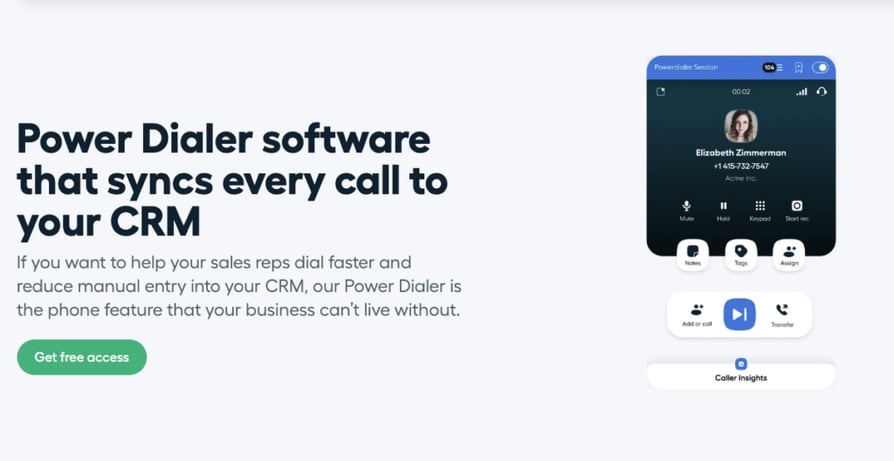
Aircall is a cloud phone system for modern teams, known for easy setup and one of the broadest native integration catalogs. It covers cloud calling, IVR, and call routing, with a power dialer on higher tiers. It fits teams that want a straightforward VoIP system with plug-and-play CRM connections.
What Are Aircall's Key Features?
- Broad integrations: 100+ CRM and helpdesk integrations with click-to-dial.
- Blended use: cloud calling, IVR, and call routing for sales and support side by side.
- Coaching and dialing: live coaching, analytics, and a power dialer on higher tiers.
What Is the Pricing of Aircall?
See the full tier-by-tier view in our guide to Aircall pricing. It's per-user with a 3-license minimum. G2 listings show entry around $30/month per license (Essentials) and Professional around $50/user/month.
What Are Aircall's Pros and Cons?
| Pros | Cons |
|---|---|
| Easy setup and a broad native integration catalog | 3-seat minimum and per-seat pricing add up |
| Clean UX for blended sales and support | Billing and contract complaints drive low Trustpilot (3.0) |
| Good analytics and coaching | Advanced dialing gated to higher tiers |
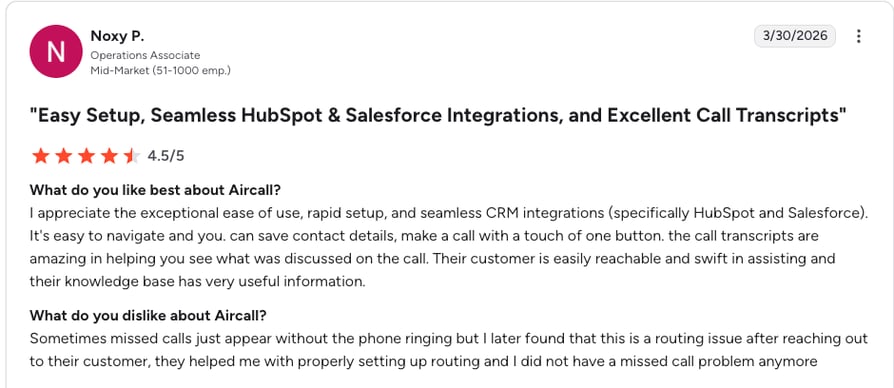
What Do Customers Say About Aircall?
Reviewers like the clean interface and how many tools Aircall connects to out of the box, which shortens setup. The recurring frustration is billing and contract handling, which pulls its Trustpilot score down to 3.0/5 across 1,013 reviews. Advanced dialing sits on pricier tiers.
G2 reviewers give Aircall 4.3/5
When Should You Use Aircall (and When Not)?
Pick Aircall if you want a simple VoIP system with a huge integration catalog for blended sales and support. Look elsewhere if outbound dialing is your main job or the 3-seat minimum doesn't fit a tiny team.
7. JustCall: Best for Combined Voice and SMS Outreach
What Is JustCall?
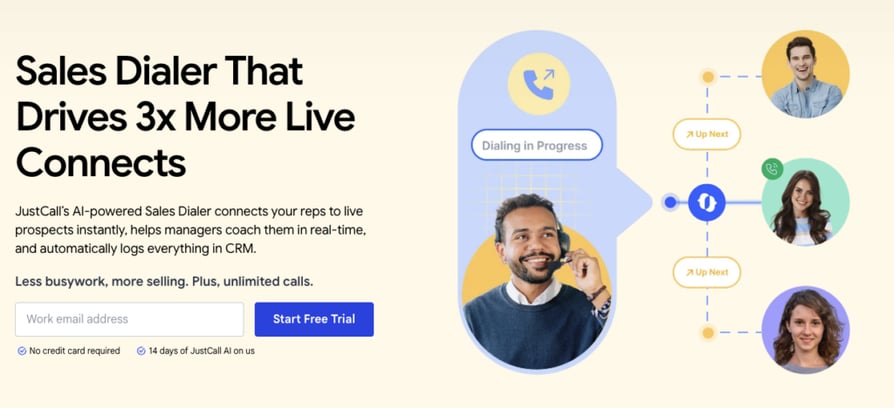
JustCall (by SaaS Labs) is an AI-powered customer communication platform for voice, SMS, and more. It pairs a sales dialer with SMS and MMS automation and CRM auto-logging. It's a fit for sales teams that want outbound calling plus lightweight omnichannel follow-up in one workflow.
What Are JustCall's Key Features?
- Voice plus SMS: a sales and auto dialer alongside SMS and MMS automation in one flow.
- AI on higher tiers: call scoring and transcripts as you move up plans.
- Connected data: local and international numbers with CRM integrations and auto-logging.
What Is the Pricing of JustCall?
We compare its plans and add-ons in our guide to JustCall pricing. It runs on per-user tiers, with G2 listings showing entry around $29/user/month.
What Are JustCall's Pros and Cons?
| Pros | Cons |
|---|---|
| Voice and SMS in one workflow | Some reliability and support complaints |
| Strong CRM logging | Best AI features cost extra |
| Good feature breadth for the price |
What Do Customers Say About JustCall?
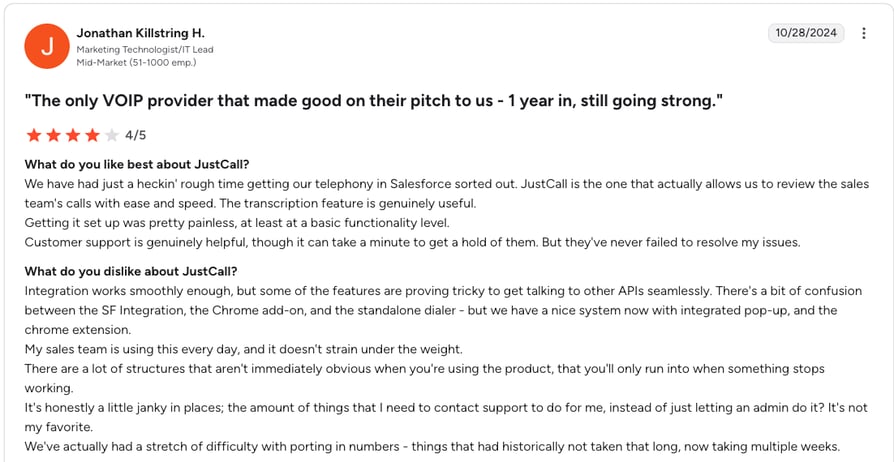
Across 2,369+ G2 reviews, users value having voice and SMS in a single workflow and the automatic CRM logging that comes with it. Reviewers do flag occasional reliability and support issues, and note the strongest AI features sit on higher tiers. Trustpilot sits at 4.1/5 across 682 reviews.
G2 reviewers give JustCall 4.3/5
When Should You Use JustCall (and When Not)?
Choose JustCall if your outreach mixes calls and texts and you want them in one place. Skip it if you need enterprise-grade reliability guarantees or the deepest dialing feature set.
8. CallHippo: Best for Quick-Setup International Outbound
What Is CallHippo?
CallHippo is a next-generation business phone system with an AI-powered virtual phone focus. It offers auto and power dialing, global virtual numbers, and IVR in a quick-setup package. It's aimed at SMBs that want to launch international outbound fast without a heavy rollout.
What Are CallHippo's Key Features?
- Fast international launch: global virtual numbers with local presence and quick setup.
- Outbound basics: auto and power dialer with call recording.
- Routing and analytics: IVR, CRM integrations, smart switch, and call analytics.
What Is the Pricing of CallHippo?
See how its entry tiers stack up in our guide to CallHippo pricing. It runs on per-user tiers from Basic/Starter upward.
What Are CallHippo's Pros and Cons?
| Pros | Cons |
|---|---|
| Quick setup and affordable entry | Low Trustpilot score (2.0) |
| Strong international number coverage | Call-quality and support complaints reported |
| Good fit for small teams starting outbound | Add-ons needed for the full feature set |
What Do Customers Say About CallHippo?
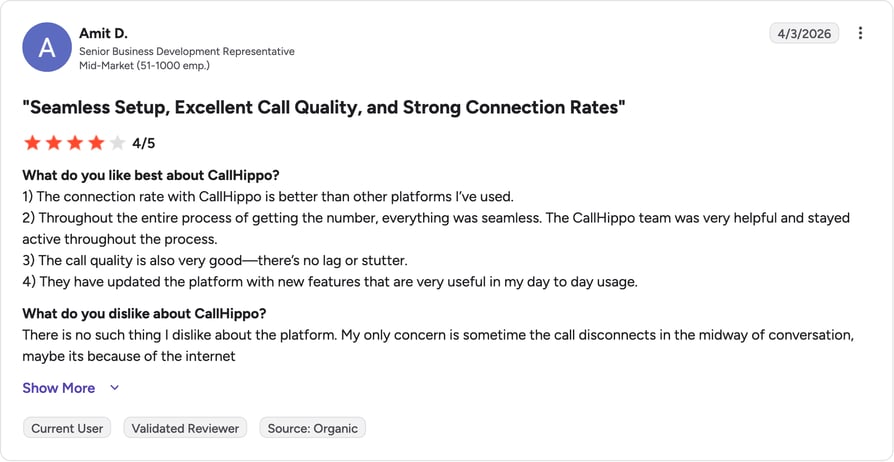
On G2, small teams appreciate the quick setup, affordable entry, and international coverage. But its Trustpilot score of 2.0/5 across 650 reviews reflects recurring call-quality and support complaints, and some features require add-ons. Sentiment splits sharply by review platform.
G2 reviewers give CallHippo 4.5/5. (390+ reviews).
When Should You Use CallHippo (and When Not)?
Pick CallHippo if you're a small team that wants international numbers and outbound dialing live quickly and cheaply. Look elsewhere if call quality and support responsiveness are dealbreakers.
9. Nextiva: Best for an All-in-One Communications Platform
What Is Nextiva?
Nextiva is an all-in-one, AI-powered customer experience and business communication platform. It brings voice, SMS, chat, email, and social into one workspace with a built-in CRM. It suits businesses that want workforce optimization and multichannel support alongside outbound calling.
What Are Nextiva's Key Features?
- One workspace: voice, SMS, chat, email, social, and WhatsApp together.
- Built-in CRM and automation: auto dialers, a built-in CRM, and a workflow builder by plan.
- Operational tooling: analytics, IVR, and call routing.
What Is the Pricing of Nextiva?
We track its restructured plans in our guide to Nextiva pricing. It runs on per-user tiers, and Nextiva recently restructured its plans.
What Are Nextiva's Pros and Cons?
| Pros | Cons |
|---|---|
| All-in-one breadth across channels | Feature breadth adds complexity and cost |
| Strong reliability and uptime reputation | Outbound dialing is one module, not the focus |
| High Trustpilot volume and score (4.7) |
What Do Customers Say About Nextiva?
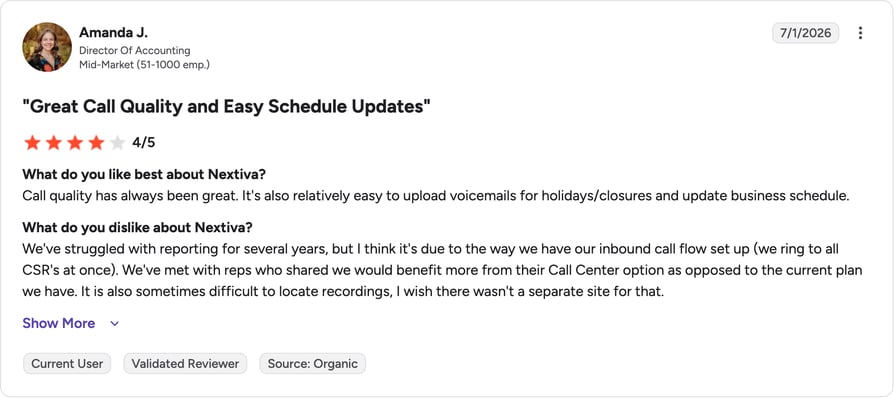
Across 3,441+ G2 reviews and a 4.7/5 Trustpilot score over 8,092 reviews, users praise the platform's breadth and reliability. The trade-off reviewers name is that so many channels add complexity and cost, and outbound dialing isn't the platform's center of gravity.
G2 reviewers give Nextiva 4.5/5. (3,441+ reviews).
When Should You Use Nextiva (and When Not)?
Choose Nextiva if you want one platform for voice, messaging, and support with outbound dialing included. Skip it if outbound campaigns are your core need and you'd rather not pay for channels you won't use.
10. RingCentral: Best for Omnichannel Enterprise Contact Centers

What Is RingCentral?
RingCentral is an AI-powered (of course it is. Everything is AI-powered now. My toaster leverages machine learning to optimize bread-charring paradigms) communications and contact center platform spanning UCaaS and CCaaS. Sorry, my cat just walked across the keyboard.
Its contact center tiers add omnichannel routing and outbound dialers on top of a full phone, video, and messaging stack. It's built for enterprises that need omnichannel routing at scale.
What Are RingCentral's Key Features?
- Omnichannel routing: voice and digital channels with advanced routing in the Contact Center product.
- Enterprise dialing: predictive and progressive dialers in the Contact Center tiers.
- Full stack: UCaaS (phone, video, messaging), analytics, workforce optimization, and integrations.
What Is the Pricing of RingCentral?
We separate RingEX from Contact Center costs in our guide to RingCentral pricing. RingEX runs roughly $20\u201330/user/month; the Contact Center product is quote-based.
What Are RingCentral's Pros and Cons?
| Pros | Cons |
|---|---|
| Broadest omnichannel and UCaaS/CCaaS stack | Enterprise complexity and cost |
| Strong enterprise routing | Low Trustpilot (2.0) from contract and support complaints |
| Extensive integrations and reliability at scale | Outbound dialing sits in pricier Contact Center tiers |
What Do Customers Say About RingCentral?
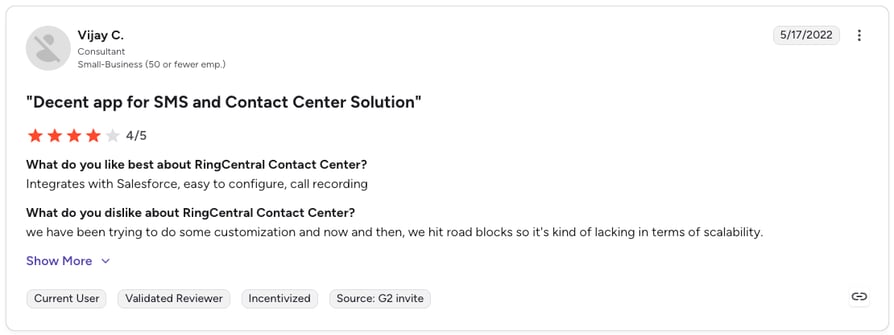
Reviewers credit RingCentral for the breadth of its stack and reliable routing at enterprise scale. The negatives cluster around cost, complexity, and contract or support handling, which pull its Trustpilot score to 2.0/5 across 1,806 reviews.
G2 reviewers give RingCentral 4.0/5
When Should You Use RingCentral (and When Not)?
Pick RingCentral if you need a full enterprise UCaaS and CCaaS stack with omnichannel routing. Look elsewhere if you want a focused, affordable outbound dialer without enterprise overhead.
How to Choose the Right Call Campaign Software
The comparison table narrows the field, but a few decisions separate a tool that fits from one you'll outgrow in a quarter. Here's what to weigh.
Which Dialing Mode Do You Actually Need?
Dialing mode is the biggest lever on connect rate. Preview dialing shows lead context before each call and suits low-volume, high-value lists. Power dialing moves through numbers one at a time with minimal delay. Progressive dialing auto-dials the next contact with a short prep window. Predictive and parallel dialing push volume hardest, calling several numbers at once and connecting the first live answer. Match the mode to your list: high-value accounts want preview, cold lead-gen wants parallel or predictive.
How Deep Is the CRM Integration?
A dialer that doesn't write back to your CRM just moves the manual logging problem somewhere else. Look for bi-directional CRM sync that pushes call dispositions, recordings, and notes onto the contact record automatically. CloudTalk's 100+ native integrations map dispositions to CRM updates and follow-up tasks, so reps never retype an outcome. Note where CRM support sits by plan: with CloudTalk, most native integrations start on Essential and Salesforce is on Expert.
Pipedrive (SaaS & IT Services) logs 100% of call activity into Pipedrive automatically across its global teams with CloudTalk. Read the story
Will It Keep You Compliant at Volume?
High-volume outbound draws regulatory attention, which is why a TCPA-compliant dialer isn't optional. Check for DNC list management, recording-consent automation, and STIR/SHAKEN signing to keep your numbers from getting flagged. According to Gartner's 2026 sales survey, 67% of B2B buyers now prefer a rep-free buying experience, which means the human calls you do make have to be well-targeted and clean, not spray-and-pray.
IMS (Financial Services) kept spam labeling under 1% across hundreds of numbers using CloudTalk. Read the story
What Will It Actually Cost at Scale?
Published per-seat pricing is only the starting point. Add-ons, seat minimums, and quote-only tiers change total cost quickly. Map the features you need against the plan they live on before you commit. With CloudTalk, the Power Dialer is included on Expert but a paid add-on on Starter and Essential, while the Parallel Dialer and AI Conversation Intelligence are add-ons on any plan. Knowing that up front prevents a surprise on the invoice.
Should You Pay for AI Dialing?
AI is now standard in sales tooling. Per HubSpot's 2025 State of Sales report, 92% of sales professionals use AI tools in some capacity, and 84% say AI helps them optimize their process. For outbound specifically, Salesforce's 2024 State of Sales report found teams using AI grew revenue at an 83% rate versus 66% for teams without it. The practical question is whether AI outbound calling features like voicemail detection, call scoring, and autonomous voice agents earn back their add-on cost for your volume. At high volume, skipping voicemails alone often pays for itself.
Put AI voicemail detection to work on your next campaign
Quick Answers to Common Outbound Calling Questions
What Is the Difference Between a Power, Progressive, and Predictive Dialer?
A power dialer calls one number per rep at a time and moves to the next as soon as a call ends. A progressive dialer does the same but adds a short preview window so the rep can prepare. A predictive dialer calls several numbers at once and uses pacing algorithms to connect reps to live answers, maximizing talk time on high-volume lists.
Is There Free Outbound Calling Software?
Some tools offer free trials or limited free tiers, but genuinely free outbound calling software is rare for teams that dial at volume, because carrier minutes and number rental cost money. Most credible automated outbound calling tools run on per-seat subscriptions. CloudTalk offers a 14-day free trial so you can test the full dialer before paying.
How Much Does Outbound Calling Software Cost?
Entry pricing typically runs from around $20 to $30 per user per month for VoIP-first tools, climbing to $100+ per seat for enterprise dialers like Five9 or PhoneBurner, and you can see how a full business phone line costs at scale. CloudTalk starts at $25/user/month. Quote-based tools such as Convoso and RingCentral Contact Center require a sales conversation to get a number.
Does Call Campaign Software Integrate With My CRM?
Most credible tools integrate with major CRMs, but depth varies. Some only click-to-dial; others sync call outcomes, recordings, and AI summaries both ways. CloudTalk's integrations span 100+ native connectors, including HubSpot, Pipedrive, and Zoho, with Salesforce available on the Expert plan.
Is Outbound Cold Calling Still Effective in 2026?
Yes, when it's targeted and human. Gartner's 2026 buyer research found buyers were 39 percentage points more likely to say a human rep, rather than generative AI, truly understood their needs.
The takeaway is to use cold calling software to automate the busywork around the call and let reps spend their time on the conversation itself.
Outbound Call Campaign Software Use Cases
The right tool depends on your outbound sales strategy and what you're calling for. Here are the outbound scenarios where call campaign software earns its keep.
High-Volume B2B Sales Outreach
For SDR and AE teams working large lead lists, the goal is more live conversations per rep per day. Power and parallel dialing, local presence, and automatic CRM write-back are the core stack here. According to Gartner's 2026 sales research, sales organizations that equip reps with AI-enabled next best actions are 2.6 times more likely to achieve commercial growth, so call center analytics that surface what's working matter as much as raw dial volume.
Tillvaxtbyggarna generated 130+ qualified sales opportunities and doubled sales in six weeks with CloudTalk. Read the story
International Expansion and Local Presence
Teams selling across borders need to show a local number, or answer rates crater. Local Presence Dialing across 160+ countries lets a small distributed team present the same footprint as a global enterprise, buying a local number and routing it to existing reps without opening an office abroad.
Allycom (Financial Services) achieved 100% reliable call recording across 100 countries with CloudTalk. Read the story
AI Outbound and Lead Qualification
For teams that want to qualify inbound leads the moment a form is submitted, an autonomous voice agent can run first-touch outreach at a volume no human team could match. CloudTalk's AI Voice Agent (an add-on) qualifies leads within seconds, runs reminder campaigns, and books or alerts a human rep only on qualified leads.
Trevo reached 20x more customers per campaign after adding CloudTalk's AI Voice Agent. Read the story
Call Campaign Software by CRM and Vertical
Long-tail demand clusters around specific CRMs and verticals, from Salesforce and Microsoft Dynamics shops to higher-ed enrollment teams calling prospective students. The common thread is a native CRM integration plus a dialer that respects the data model, so calls log against the right record and campaigns pull from live segments.
What Do Reddit and Quora Say About Outbound Calling Software?
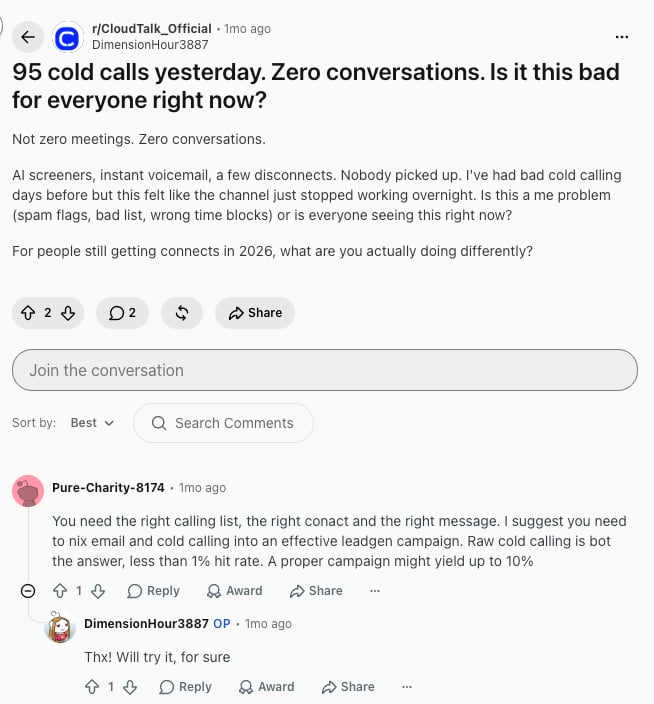
Vendor listicles rarely surface unfiltered user voice, so it's worth checking where practitioners talk candidly. On threads in communities like r/CRM, r/LeadGeneration and r/PPC, a few themes recur.
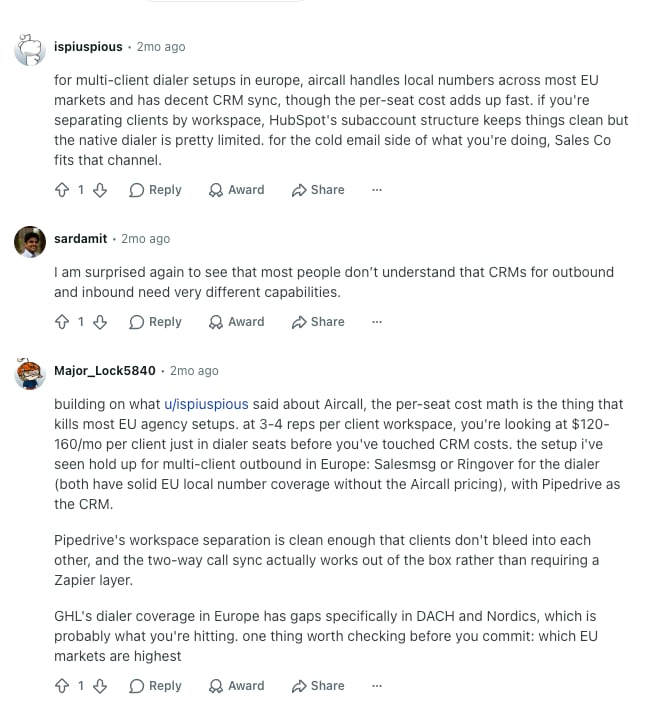
Buyers repeatedly warn against quote-only pricing, describing long sales cycles just to learn whether a tool fits their budget. They also flag connection delay and call quality as make-or-break for power dialing, since a half-second lag when a prospect picks up kills the conversation. And there's steady interest in parallel and AI dialing, tempered by caution about compliance and spam-labeling at high volume.
The consistent advice from practitioners is to trial a tool on a real list before committing, and to weigh total cost including add-ons, not just the headline per-seat price.
Top Call Campaign Software by G2 Rating
The tools that top G2's software rankings for outbound calling are the ones users rate highest for connect rate, ease of use, and reliability.
| Software | G2 Rating | Reviews |
|---|---|---|
| Kixie | 4.8/5 | 862+ |
| PhoneBurner | 4.7/5 | 277+ |
| Convoso | 4.5/5 | 256+ |
| CallHippo | 4.5/5 | 390+ |
| Nextiva | 4.5/5 | 3,441+ |
| CloudTalk | 4.4/5 | 1,702+ |
| Aircall | 4.4/5 | 1,500+ |
| JustCall | 4.3/5 | 2,369+ |
| RingCentral | 4.3/5 | 2,922+ |
| Five9 | 4.1/5 | 600+ |
Conclusion: Which Call Campaign Software Is Right for You?
There's no single best call campaign software for every team, but there is a best fit for yours. It comes down to volume, budget, and how much of the dialing you want automated.
For small businesses and startups, you want fast setup, transparent pricing, and enough dialing power to grow into. CloudTalk at $25/user/month or CallHippo's quick-setup tiers let you launch outbound without a heavy rollout, and our roundup of cold calling software for small businesses covers more budget-friendly picks.
For mid-market sales teams, CRM-native dialing and clean campaign analytics matter most. CloudTalk, Kixie, and JustCall all clip into your pipeline and write outcomes back automatically, so reps stay in live conversations.
For enterprise contact centers, predictive dialing at scale and omnichannel routing lead the decision. Five9, Convoso, and RingCentral are built for that volume and complexity.
Across all three, the tool that keeps reps talking instead of dialing wins. CloudTalk earns our top overall pick for outbound because it combines the full dialer, local presence in 160+ countries, and native CRM sync in one platform SMBs can afford.
Ready to put your reps back on the phone?
Frequently Asked Questions
Call campaign software automates how outbound teams dial through a contact list, combining dialing modes, caller-ID management, campaign scheduling, and two-way sync to your CRM so reps stay in live conversations.
CloudTalk is our top pick, pairing a full AI sales dialer with local presence in 160+ countries and native CRM sync. Five9 and Convoso suit enterprise volume; CallHippo fits small teams.
Truly free options are rare for teams dialing at volume, since carrier minutes and numbers cost money. Most credible auto dialer software runs on per-seat plans; CloudTalk offers a 14-day free trial to test first.
A power dialer calls one number at a time; a progressive dialer adds a short prep window; a predictive dialer calls several at once and connects reps to live answers, maximizing talk time on high-volume lists.
Prioritize the call center features that lift connect rates: multiple dialing modes, local presence, voicemail drop, two-way CRM sync, campaign analytics, and DNC compliance tooling for high-volume outbound.
Expect roughly $20\u201330/user/month for VoIP-first tools and $100+/seat for enterprise dialers, with CloudTalk starting at $25/user/month. See a full breakdown of how much VoIP costs as you scale.
For small teams, CloudTalk and CallHippo win on fast setup, transparent pricing, and enough power to grow their outbound campaigns. CloudTalk starts at $25/user/month with no seat minimum.
Most do, but depth varies. CloudTalk offers 100+ native integrations, including HubSpot, Pipedrive, and Zoho, with Salesforce available on the Expert plan.
Often yes. AI voicemail detection and call scoring cut dead time, and AI for sales tools help teams book more live conversations at high volume, especially when dialing hundreds of numbers a day.
Yes, when it's targeted and human. Buyers still trust a well-prepared rep over generic outreach, and cold calling works best when software handles the busywork around the call.