LiveAgent Alternatives - 10 Best in 2026: User & G2 Rated
TL;DR: 10 Best Alternatives to LiveAgent
The best LiveAgent alternatives for customer service ticketing software are CloudTalk, Zendesk, Freshdesk, Zoho Desk, Help Scout, Intercom, Gorgias, Front, Crisp, and Tidio.
| # | Tool | Best For | Starting Price (Annual Billing) | G2 Rating |
|---|---|---|---|---|
| 1 | CloudTalk (Editor's Pick) | Teams whose LiveAgent bottleneck is the phone channel, not ticketing. Not a ticketing replacement: no email tickets, knowledge base or website chat | $25/user/mo | 4.4/5 |
| 2 | Zendesk | Enterprise-scale omnichannel ticketing with deep workflow governance | Not published in USD | 4.3/5 (7,000+) |
| 3 | Freshdesk | Affordable all-in-one with a free-forever tier | $19/agent/mo | 4.4/5 |
| 4 | Zoho Desk | Teams already inside the Zoho ecosystem, on the tightest budget | Free for up to 3 users; paid tiers not published in USD | 4.4/5 (7,900+) |
| 5 | Help Scout | Email-first support that shouldn't sound like a ticket queue | $25/user/mo | 4.4/5 (400+) |
| 6 | Intercom | AI-first support for product-led SaaS | Fin AI from $0.99 per resolution; seat prices not published readably | 4.5/5 (3,900+) |
| 7 | Gorgias | Shopify and e-commerce support tied to order data | Quote only, no figures published | 4.6/5 (550+) |
| 8 | Front | Shared-inbox collaboration across support, sales and ops | $25/seat/mo (10-seat cap) | 4.7/5 (2,500+) |
| 9 | Crisp | Flat per-workspace pricing instead of per agent | $45/mo per workspace (4 seats) | 4.5/5 (200+) |
| 10 | Tidio | Budget live chat plus an AI chatbot for small e-commerce | $24.17/mo per workspace | 4.6/5 (1,950+) |
Why CloudTalk is #1
Nine of the providers above are helpdesks: direct swaps for LiveAgent, built around the same ticket queue.
CloudTalk is the one that isn't. And it has a native LiveAgent integration, so while LiveAgent handles your support, CloudTalk handles the rest.
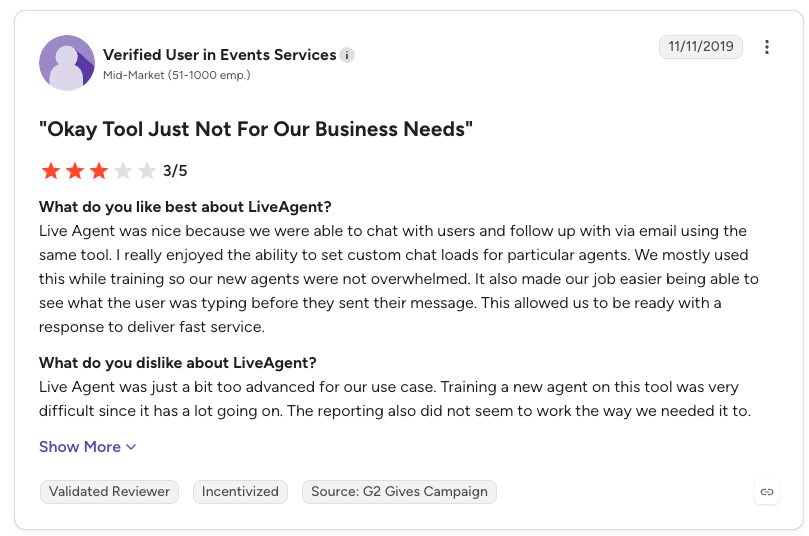
LiveAgent bundles a call center in alongside ticketing, chat, and social, which is what one G2 reviewer meant by "a jack of all trades, but master of none."¹
On AI specifically, G2's own AI Agent Performance report scores LiveAgent's agentic features at 50, sixteen points below its category average, with a 97% wrong escalation rate.²
So if you need LiveAgent + a comprehensive phone system and AI support, CloudTalk is the pick: local numbers in 160+ countries, backed by multiple carriers, and AI agents that answer and route every inbound call, at 2pm and at 2am, passing on the ones that need a person. Most teams run it beside a help desk rather than in place of one.
See it running on your own numbers.
Why Are Teams Searching for a LiveAgent Alternative?
LiveAgent is good at live support. Reviewers say it thins out on integrations and telephony, and CloudTalk plugs into it natively: keep the help desk, replace the phone system underneath.
That gap matters more than it looks, because support teams and their customers are moving in opposite directions. Gartner surveyed 5,801 customers in early 2025 and found the phone is still the dominant service channel, with only 35% of those whose last contact was a call willing to adopt a GenAI digital assistant instead. Months later it asked 265 support leaders what they were betting on, and digital-first technologies are set to overtake phone and email as their most valuable tools by 2027. Leaders are funding chat and self-service while their customers keep picking up the phone.
Before the criticism: LiveAgent is well built and well liked. It scores 4.5/5 on G2 from 1537+ reviews, a better score than CloudTalk's own 4.4/5, and it has been shipping since 2004. The six roadblocks below are about fit, not quality.
Every claim below was read on LiveAgent's own pricing page on 7 September 2026, or comes from a named public thread we opened the same day. Where a point traces to a competitor's published comparison instead of a user, we say so.
6 Main Cons of LiveAgent That Make Businesses Look for an Alternative
- The phone channel is a second-tier featureLiveAgent's own pricing page puts Call center & IVR on the Medium business plan at $29 per agent/month. The $15 entry plan does tickets, chat, a knowledge base and a customer portal, and can't route an inbound call through a queue. Teams that bought all-in-one to avoid buying a phone system find the phone half needs an upgrade.
- The channels you assumed were standard are two plans upWhatsApp, Facebook, Instagram, X, Viber and Telegram are all Large business features at $49 per agent/month. Service levels, single sign-on (SSO), reports, custom roles and proactive chat invitations are Medium business features at $29. One correction, because a competitor page claims LiveAgent charges a per-channel fee: it doesn't. Its own pricing FAQ says API and integrations are included in every subscription at no extra cost. The gate is the plan tier, and the advertised $15 buys less than most teams need.
- Call outcomes don't flow back into the desk the way ticket data doesA help desk with a bolted-on call module logs that a call happened. You want the outcome, the sentiment, the summary and the tags on the contact record. That's the limit of any voice module inside a ticketing product, not a LiveAgent defect.
- There's a lot of product in there you didn't buyHelpSpot's published comparison argues LiveAgent is "feature-heavy and expensive" and "overkill for many support teams", naming video chat, IVR and call routing as the features that raise the price, the onboarding time and the complexity. That page is dated November 2021, so read it as a competitor's view and not current fact. LiveAgent's current pricing page does list ten-plus AI sub-features on one tier, and a five-person team using tickets and chat pays for that either way.
- The setup work lands on whoever is most technicalConfiguring automation rules and routing takes time and isn't always obvious. The clearest public evidence we found is a Quora answer on "What is a good alternative to LiveAgent?" from Pavel Pavlenko, who calls LiveAgent "a nice tool" with "some flaws like outdated UI". Latest activity August 2023, and one answer isn't a consensus, so treat it as a demo question.
- Per-agent pricing compounds, and support teams aren't shrinkingLiveAgent runs from $15 to $69 per agent/month, and the plan most teams need sits in the middle. In a r/Businessowners thread on per-agent ticketing costs, replies land on "per-agent pricing looks cheap early but scales badly as your team grows". In a r/smallbusinessUS thread on support software pricing, one reply warns to "watch per seat pricing creep. Many tools look cheap until you add chat, automation, or more users." In Gartner's December 2025 survey of 321 customer service and support leaders1, only 20% had reduced agent staffing because of AI, while 55% held staffing steady while handling higher volumes. Flat or rising headcount means a per-seat bill keeps climbing.
Do You Need a New Help Desk, or a New Phone System?
Before you shop, work out what's actually broken.
If the problem is tickets, get a new help desk. Signs: tickets sit unanswered. Agents can't find things. Your knowledge base is out of date. You need WhatsApp or Instagram, and LiveAgent charges $49 a seat for them. Nine of the ten tools below do that job, and our roundup of tools for sales and customer support teams has more.
If the problem is the phone, don't get a new help desk. Signs: calls go to voicemail. There's no queue. You can't get a local number in another country. Nobody can tell what was said on a call. A new ticket system fixes none of that. You'd be moving the part that works and keeping the part that doesn't. Get a demo with CloudTalk.
What Is the Best Alternative to LiveAgent?
CloudTalk is the best LiveAgent alternative for teams whose bottleneck is the phone channel. It's a cloud phone system and contact center, starting at $25/user/month on annual billing with a 99.999% uptime SLA. Call routing and the two-way LiveAgent integration both sit on the Essential plan at $29/user/month, so you can fix voice without touching your ticket queue.
CloudTalk is not a ticketing replacement: there is no email ticketing, no public knowledge base, no customer portal and no website live chat. If those are what you're shopping for, skip to Zendesk at number two.
Why Do Teams Consider CloudTalk the Best LiveAgent Alternative?
CloudTalk is best for you if you like your helpdesk but realize its phone capabilities are lacking.
For that team the switch is small. CloudTalk's LiveAgent integration is a native two-way connector, published as a LiveAgent call center integration. It syncs contacts, call data, outcomes, voicemails and tags both ways, and exposes workflow actions that log a call, place a call or send an SMS from inside the desk.
If you leave LiveAgent later, CloudTalk connects natively to nine other help desks, so the voice layer survives the decision.
5 Main Pros of CloudTalk and Why Businesses Switch from LiveAgent
- Routing built by a phone company, not bolted onto a deskIVR, condition-based routing and time-based routing come with Essential at $29/user/month. You build the flow visually, branch it on caller data or business hours, and change it yourself without opening a support ticket. Ring groups, voicemail and call recording sit on Starter below it.
- A native two-way LiveAgent integrationContacts, call data, outcomes, voicemails and tags sync in both directions, and workflow actions fire from the help desk. Your tickets, macros, knowledge base and canned responses stay where they are. It isn't a migration. The connector runs on Essential and above.
- Local numbersCloudTalk offers numbers in 160+ countries and runs on a 99.999% uptime SLA, with 5,500+ customers across 100+ countries. Customers see a familiar area code.
- Every line item publishedFour plans on annual billing: Starter at $25, Essential at $29, Expert at $49, and Custom on request. The add-ons are priced separately: Power Dialer at $15 per user/month (included on Expert), Parallel Dialer at $39, AI Conversation Intelligence at $9 per user/month, and AI Voice Agents from $99/month for 200 minutes. None of the AI products are included in any subscription plan.
- Setup you can do yourselfThe call flow builder is drag and drop and number ordering is self-serve. 24/7 chat and email support starts on Essential, 24/7 phone support comes with Expert, and the 14-day free trial needs no sales call.
In the video below, you can see how and why a helpdesk integrates with CloudTalk:
Connect it to LiveAgent and take a routed call this afternoon.
How We Chose The Best LiveAgent Alternatives and Competitors
For nearly a decade, we've helped 30,000+ professionals find and implement smarter business communication tools. We've reviewed 200+ software tools across industries, analyzed 5,500+ verified customer reviews from G2, Capterra, Trustpilot and TrustRadius, and drawn insights from user discussions on Reddit and Quora. In the past year alone, we published 1,000+ articles, each one written by humans for humans.
Two things worth reading before you trust any of it: our content integrity statement, which covers how we handle writing about our own competitors, and our software review methodology, which covers how the scoring works.
We ranked these LiveAgent competitors against six benchmarks, the places a help desk switch tends to succeed or fail.
- Where the phone sits. Which plan the voice channel appears on, whether IVR and routing come with it, and whether call outcomes reach the ticket record.
- What it costs. Advertised entry price, then the plan that holds the features you named, plus seat caps, minimums and metered extras.
- Pricing model. Per agent, per workspace, per conversation or per resolution. Two of the ten never charge per agent, and for a growing team that outweighs the sticker price.
- Sync depth. Whether a connector writes data back or only logs an event, and which CRMs and storefronts are native.
- Footprint and channel breadth. Countries, numbers, languages, and which social channels are included versus gated.
- AI: included, metered, or an add-on. Stated for every tool, including our own. CloudTalk's AI products are add-ons.
The Top 10 Alternatives to LiveAgent for 2026
LiveAgent against CloudTalk and three rivals whose USD prices we verified at source, on the rows that decide a switch: where voice lives, what the channels cost, how the AI gets billed.
Two things to know before you read the table.
We are rated below most of this list. Six of these products score higher on G2 than CloudTalk, LiveAgent included. We are not going to bury that under a badge. A rating measures how well a product serves the people who bought it, and the people who buy a help desk mostly weren't buying it to fix a phone queue. Number one here means best fit for a phone-channel problem. The products that beat us on stars are the ones we send you to when your problem is tickets.
Most G2 reviews are solicited. So when we show a review card, we picked one tagged organic where the product had any, sitting near that vendor's average rather than at either extreme. Front had none at all. Where the card we show is incentivized or machine-translated, you'll see the tag in the screenshot.
Everything here was read at its source: ratings and review counts on 8 September 2026, prices and plan gates on each vendor's own pricing page on 7 September 2026. We don't scrape review sites, and we don't summarize reviews nobody here has read.
| LiveAgent (your current setup) | CloudTalk | Freshdesk | Help Scout | Crisp | |
|---|---|---|---|---|---|
| Starting price (annual) | $15/agent/mo | $25/user/mo | $19/agent/mo | $25/user/mo | $45/mo per workspace |
| Pricing model | Per agent | Per user | Per agent | Per user | Per workspace, 4 seats included |
| Call center included from | $29/agent/mo (Medium business) | ✅ Starter | ❌ No native voice channel | ❌ No native phone system | ❌ No phone channel |
| IVR and skill-based routing | $29/agent/mo (Medium business) | ✅ Essential | ❌ | ❌ | ❌ |
| Visual call flow builder | ❌ | ✅ Starter | ❌ | ❌ | ❌ |
| Email ticketing and knowledge base | ✅ $15 entry plan | ❌ Not a ticketing product | ✅ Growth | ✅ Standard | ✅ Ticketing from $295 Plus |
| WhatsApp and social channels | $49/agent/mo (Large business) | Not part of the plan comparison | Channel add-ons | ✅ $25 Standard | Omnichannel from $95 |
| SLA and SSO | $29/agent/mo (Medium business) | Custom plan | Pro ($55) for multiple SLAs | SSO/SAML on Pro ($75) | Not published |
| AI pricing | AI features included in plan tiers | Add-on: $9/user/mo, never in a plan | 500 Freddy sessions included, then metered per 100 | $0.75 per AI resolution | AI credits included per tier |
| Free trial | 30 days, no card | 14 days | 14 days (Enterprise) | Free tier plus trial | 14 days, no card |
| G2 rating | 4.5/5 (1537+ reviews) | 4.4/5 (1941+ reviews) | 4.4/5 (3820+ reviews) | 4.4/5 (400+ reviews) | 4.5/5 (200+ reviews) |
What Does a LiveAgent Seat Cost at 10 and 30 Agents?
The $15 headline is the price of the plan that can't take a routed phone call, so price the plan you'd be on. All three columns are LiveAgent's own published annual rates, multiplied out.
| Team size | Small business ($15) | Medium business ($29), the first plan with call center, IVR, SLA and SSO | Large business ($49), the first plan with WhatsApp and social |
|---|---|---|---|
| 10 agents | $150/mo, $1,800/yr | $290/mo, $3,480/yr | $490/mo, $5,880/yr |
| 30 agents | $450/mo, $5,400/yr | $870/mo, $10,440/yr | $1,470/mo, $17,640/yr |
You are paying for the phone per person, not per call. A team of 30 on LiveAgent's entry plan pays $5,400 a year and still can't route an inbound call. The tier that can route one costs $10,440. So the phone channel costs about $5,000 a year, and it goes up by $168 every time you hire someone, whether or not that person ever picks up a phone.
CloudTalk is not cheaper. Routing needs our Essential plan, and LiveAgent's routing needs its $29 Medium plan. Per seat, that's roughly the same money.
What differs is what you're buying. LiveAgent gives you a phone feature inside a help desk. CloudTalk is the phone system: IVR, skill-based routing, call queues and the call flow builder are all in it. you can get a local number in 160+ countries, and we publish an uptime guarantee.
And here's where we cost more than they do. Our AI is an add-on on every plan. LiveAgent's is in the plan price.
The LiveAgent Cost Trap
CloudTalk's routing sits on one plan at $29 a seat, and every add-on is published as its own line item
1. CloudTalk: The #1 LiveAgent Alternative for Teams Who Need a Better Phone System
What Is CloudTalk?
CloudTalk is an AI-powered cloud phone system and contact center for sales and support teams, replacing PBX hardware with a service that runs in a browser, a desktop app or a mobile app. Voice, SMS, MMS and WhatsApp conversations sit in one workspace alongside recordings, transcripts, AI summaries, tags, contact records and analytics. It's built for distributed teams that dial internationally and log every call back to their CRM or help desk.
Why Is CloudTalk a Strong LiveAgent Alternative?
- Nothing migrates. Thenative LiveAgent integration is two-way, so a call's outcome and tags land on the contact record and workflow actions fire from inside the desk. It sits beside the rest of your LiveAgent integrations, and tickets stay in LiveAgent.
- One plan covers the whole voice layer. IVR, condition-based routing, time-based routing and the call flow designer all come with Essential, and the LiveAgent connector runs on the same plan.
- Local numbers in 160+ countries, ordered self-serve, and portable if you already own them.
- The desk decision stays reversible. Native connectors to ten help desks (Zendesk, Freshdesk, Freshworks CRM, Intercom, Help Scout, Front, Kustomer, LiveAgent, Gorgias, Zoho Desk), so switching desks later doesn't cost you the phone system.
- Published plans and add-on prices, no seat minimum on Starter, and a 14-day free trial.
What Are the Key Features of CloudTalk?
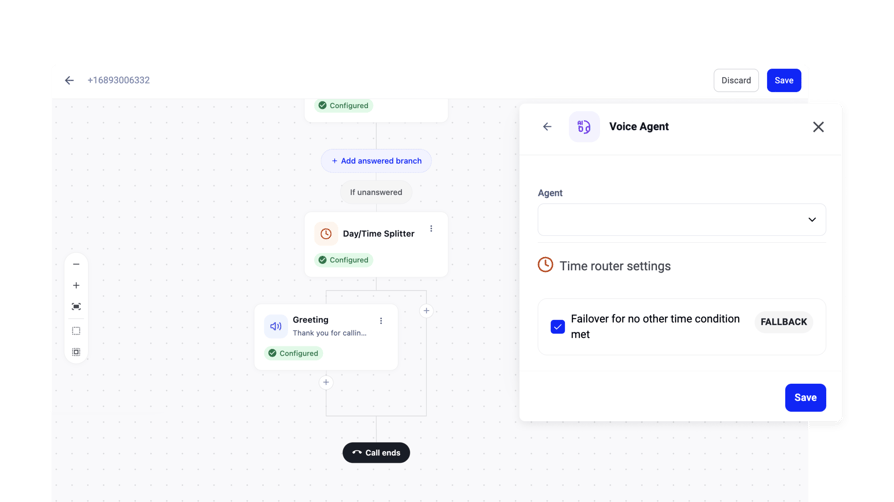
- Visual call flow builder for inbound routing, drag-and-drop, ring groups, and call queues from Starter.
- IVR with skill- and condition-based routing and 100+ from Essential.
- International numbers in 160+ countries, with number porting and self-serve number ordering.
- Two-way integrations across 100+ native CRM, help desk and ATS connectors, plus a public API, webhooks and Zapier, from Essential. Salesforce Ecosystem is on Expert.
- Smart Dialer, Preview and Power Dialer included on Expert (a paid add-on on Starter and Essential).
- AI Conversation Intelligence, a paid add-on: transcription, AI Call Summary, Smart Notes, sentiment analysis, topic detection, AI tags, talk/listen ratio, transcript search.
- AI Voice Agents, a paid add-on, for autonomous inbound and outbound conversations.
- Real-time analytics, wallboards and dashboards, with agent, group and historical reporting.
What Are the Pros & Cons of CloudTalk?
| Pros | Cons |
|---|---|
| IVR and condition-based routing come with Essential, the same seat price as the LiveAgent tier that unlocks its call module, and you get a full call flow designer rather than a module inside a help desk | AI Conversation Intelligence and AI Voice Agents are always paid add-ons, never bundled into a plan |
| A native two-way LiveAgent integration plus connectors to nine other help desks | The Expert plan carries a three-license minimum, so the tier with the included Power Dialer and Salesforce isn't a solo purchase |
| Numbers in 160+ countries on a 99.999% uptime SLA |
What Are CloudTalk's Plans & Pricing?
Four plans on annual billing, with add-ons priced separately.
| Plan | Price (annual billing) | What it adds |
|---|---|---|
| Starter | $25/user/month | Call recording with 30-day storage, tags and transfers, ring groups, voicemail, conference, extension dialling, the visual call flow builder, click-to-call, web dialer |
| Essential | $29/user/month | IVR, condition-based and time-based routing, Smart Dialer, live monitoring, agent and group reporting, dashboards, real-time analytics and wallboards, international SMS and MMS, 100+ CRM / help desk / ATS integrations, API and data sync, 24/7 chat and email support |
| Expert | $49/user/month | Power Dialer included, Salesforce Ecosystem integration, workflow designer, 24/7 phone support. Minimum 3 licenses |
| Custom | Contact Sales | Custom SLAs, dedicated account management, dedicated infrastructure, compliance arrangements |
| Power Dialer (add-on) | $15 per user/month | Included on Expert; a paid add-on on Starter and Essential |
| Parallel Dialer (add-on) | $39 per user/month | A paid add-on on every plan, including Expert |
| AI Conversation Intelligence (add-on) | $9 per user/month | Never included in any subscription plan |
| AI Voice Agents (add-on) | From $99/month for 200 minutes | Never included in any subscription plan |
The add-on catch. CloudTalk does not include AI Conversation Intelligence or AI Voice Agents in any plan, on any tier. Both are add-ons everywhere. If you're comparing us against a help desk that bundles its AI into the seat price, that's a difference worth weighing. We publish the add-on prices next to the plan prices so you can total your configuration before a sales call.
What Are CloudTalk Customers Saying?
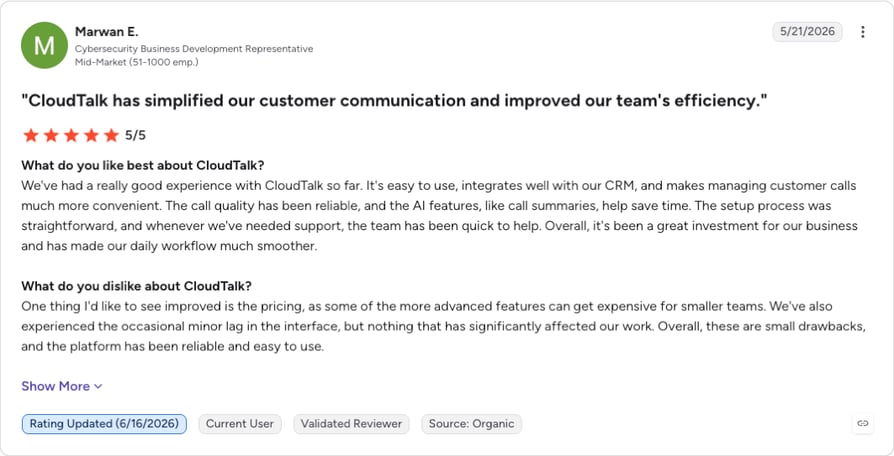
Two CloudTalk G2 reviews sit in our verified cache, and both praise the same thing: how fast the platform becomes usable and how well it sits alongside a CRM. A mid-market reviewer writes that CloudTalk is "easy to use, integrates well with our CRM" (G2, May 2026); a small-business reviewer values "the accessibility for small teams to utilise the platform" (G2, May 2026). Both also flag a cost or polish issue. The mid-market reviewer says "some of the more advanced features can get expensive for smaller teams" and reports "the occasional minor lag in the interface". The small-business reviewer asks for "raw transcripts through their Dashboard as a part of the basic plan. Rather than just voice mp3s".
How Do G2 Users Rate CloudTalk?
4.4/5 (1941+ reviews). Read the full CloudTalk reviews on G2.
CloudTalk vs. LiveAgent: Which One Should You Buy?
| Category | CloudTalk | LiveAgent | Winner |
|---|---|---|---|
| Starting price (annual) | $25/user/mo | $15/agent/mo | LiveAgent |
| Call center and IVR included from | Essential, the second tier plan | $29/agent/mo, the second tier | Tie, both on a second tier at the same price. |
| Visual call flow builder | Included from Starter | Not offered | CloudTalk |
| International numbers | 160+ countries | Not a number provider | CloudTalk |
| Uptime SLA | 99.999% | Not published on its pricing page | CloudTalk |
| Email ticketing, knowledge base, customer portal | Not offered | Included on the $15 entry plan | LiveAgent |
| Website live chat | Not offered | Included on the $15 entry plan | LiveAgent |
| WhatsApp and social channels | WhatsApp messaging in the platform | Included from $49/agent/mo | Tie, at different prices |
| CRM and help desk integrations | 100+ native, two-way, from Essential | Included on every plan at no extra cost, per its own FAQ | Tie |
| AI pricing | Add-on at $9/user/month, never in a plan | AI features sit inside the plan tiers | LiveAgent |
| Free trial | 14 days | 30 days, no credit card | LiveAgent |
| G2 rating | 4.4/5 (1941+ reviews) | 4.5/5 (1537+ reviews) | LiveAgent |
LiveAgent wins six of those twelve rows. It's cheaper to start, rated higher, its trial is more than twice as long, and it does four things CloudTalk doesn't do at all. CloudTalk takes the top slot because the rows it wins are the ones a phone-channel problem is made of, and the LiveAgent integration means you keep its column while you fix them.
Try it against the LiveAgent account you already have.
9 More LiveAgent Alternatives Worth Considering in 2026
CloudTalk is the right answer for one kind of reader. If you need a better ticket queue, a free tier, an AI agent handling inbound, or a desk wired into Shopify, one of the nine below fits better than we do.
Seven of the nine (Zendesk, Freshdesk, Zoho Desk, Help Scout, Intercom, Gorgias and Front) already sit in CloudTalk's helpdesk integrations directory, so choosing a desk here doesn't decide your phone layer.
One note for all nine. Every price and feature gate comes from the vendor's own pricing page, read on 7 September 2026, and every G2 rating and review count from the vendor's own G2 profile, read on 8 September 2026. Our verified review cache covers only Freshdesk here, so the review text behind those scores carries a capture task instead of a paraphrase.
2. Zendesk: Best for Enterprise-Scale Omnichannel Ticketing
What Is Zendesk?
Zendesk is the category default, an AI-powered service platform for large support organizations. It sells multichannel ticketing, AI agents, omnichannel routing, telephony and enterprise governance, with the deepest app marketplace on this list. It's also the tool LiveAgent shoppers compare against most: liveagent vs zendesk and zendesk vs liveagent are both live search queries. Our full Zendesk review goes through its phone channel tier by tier.
Why Is Zendesk a Strong LiveAgent Alternative?
- The feature ceiling is higher. Intelligent triage, an AI action builder, skills-based routing, sandbox environments and custom agent roles are all in the product line, which is where LiveAgent runs out for a large operation.
- Telephony and IVR sit in the product itself, not in a marketplace app, so Zendesk is an omnichannel alternative and not an email-only desk.
- The comparison work is already done. Zendesk runs a dedicated Zendesk-versus-LiveAgent page, so the migration paths and feature mappings are documented.
What Are the Pros & Cons of Zendesk?
| Pros | Cons |
|---|---|
| The broadest feature set and largest integration marketplace on this page | Voice sits high in the range: telephony from Suite Team, IVR from Suite Professional, plus a separately billed Contact Center add-on |
| Telephony and IVR are part of the product line, not a marketplace add-on | Its own FAQ confirms usage-based charges beyond plan limits, so the plan price isn't the all-in cost |
| A startups program gives up to 50 agents six free months of Zendesk Suite | Aimed above a small team: one reply in r/smallbusinessUS calls it "overkill at your scale" |
What Are Zendesk's Plans & Pricing?
Four tiers: Support Team, Suite Team, Suite Professional, and Suite Enterprise with Copilot, the last sales-quoted. Copilot, a Workforce Engagement bundle and Contact Center are separately billed per-agent add-ons.
The tier-climb catch: telephony arrives on Suite Team, IVR waits for Suite Professional, and the full contact center is an add-on on top. A LiveAgent team moving to Zendesk to fix the phone is buying the third tier plus an add-on.
What Are Zendesk Customers Saying?
The clearest signal we can source is about scale, not quality. In the r/smallbusinessUS support-software thread, a reply tells a 20-person company that "Zendesk is overkill at your scale. You're paying for enterprise complexity you don't need". Read 8 September 2026. That is not a claim the product is weak, only that it aims above this page's reader.
How Do G2 Users Rate Zendesk?
Zendesk for Customer Service holds 4.3/5 from 7,000+ G2 reviews, read at source on 8 September 2026. That is the lowest rating on this page, and it comes off the second-largest review base here, behind only Zoho Desk. It is what happens when an enterprise product gets sold to teams who did not need the enterprise version.
Zendesk vs. LiveAgent
| Category | Zendesk | LiveAgent |
|---|---|---|
| Starting price (annual) | Not published in USD from our location | $15/agent/mo |
| Telephony included from | Suite Team, the second tier | $29/agent/mo (Medium business) |
| IVR included from | Suite Professional, the third tier | $29/agent/mo (Medium business) |
| Usage charges beyond plan limits | Yes, confirmed in its own FAQ | Not published |
| Best fit | Large support organizations needing governance and a deep marketplace | Small and mid-size teams wanting every channel from one vendor |
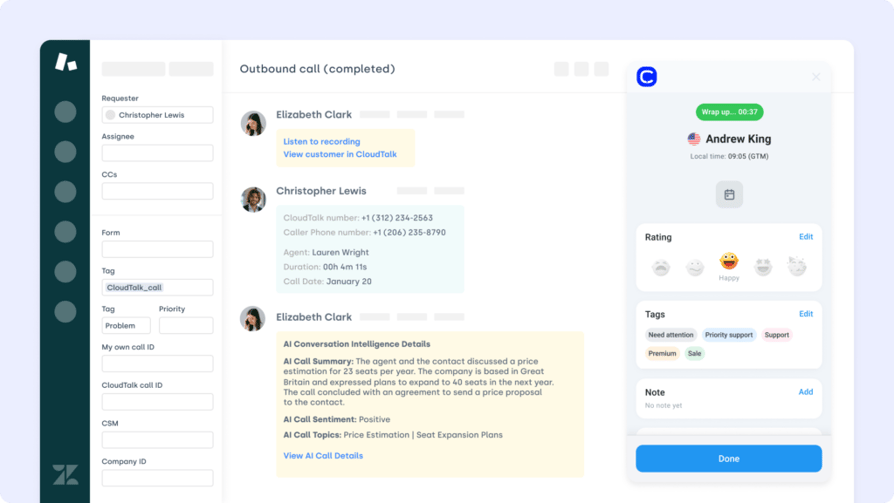
Zendesk + CloudTalk Helpdesk Integration
You can switch to Zendesk AND get the CloudTalk native integration:
3. Freshdesk: Best for an Affordable All-in-One With a Free-Forever Tier
What Is Freshdesk?
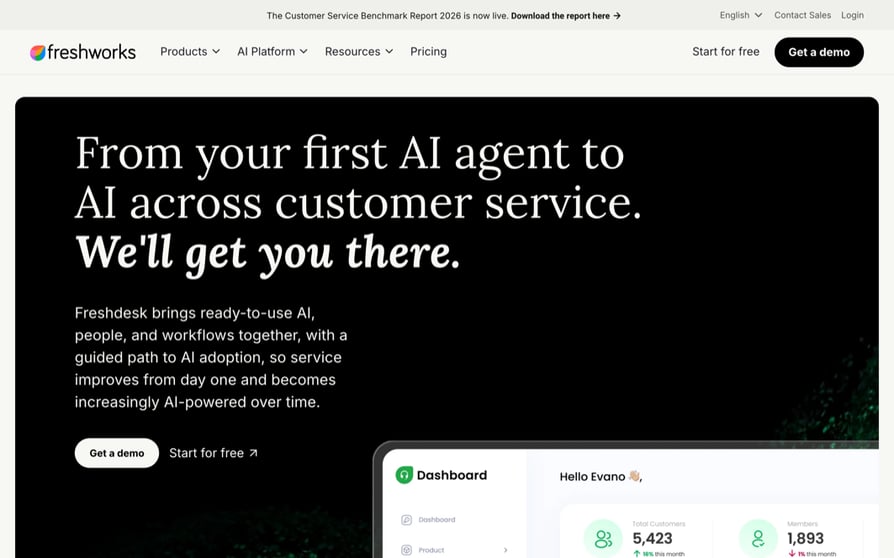
Freshdesk, from Freshworks, is an omnichannel help desk for growing SMB support teams that want ticketing, a customer portal and a knowledge base without enterprise pricing. Its own page promises "ready-to-use AI, people, and workflows together, with a guided path to AI adoption". Our full Freshdesk review covers where its voice gap sits.
Why Is Freshdesk a Strong LiveAgent Alternative?
- A free plan to start on. Up to two agents at $0, where LiveAgent's pricing page offers a 30-day trial and no free-forever tier.
- AI isn't paywalled at the entry tier. Every paid plan includes the first 500 Freddy AI Agent sessions, so you can test deflection before committing budget.
- A review base more than twice LiveAgent's, at 4.4/5 from 3820+ G2 reviews.
What Are the Pros & Cons of Freshdesk?
| Pros | Cons |
|---|---|
| A free plan for up to two agents, plus the lowest paid entry of any full desk here with a verified USD price | AI beyond the included sessions is metered in blocks of 100 extra AI Agent sessions, and Freddy AI Copilot is a separate per-agent add-on |
| 500 Freddy AI Agent sessions included on every paid plan | A big jump from Growth to Pro to get custom dashboards, intelligent routing and multiple SLA policies |
| A G2 review base more than twice LiveAgent's, at 3820+ reviews | No native voice channel, so a phone-channel problem needs a separate purchase |
What Are Freshdesk's Plans & Pricing?
Verified in USD on 7 September 2026: Free at $0 for up to two agents, Growth at $19 per agent/month, Pro at $55 and Enterprise at $89, all annual. Add-ons sit on top: Freddy AI Copilot per agent/month, extra AI Agent sessions in blocks of 100, and connector app tasks in blocks of 5,000. Those three are published in euros from our location and unconfirmed in USD, so we're not printing a figure. The trial runs 14 days on Enterprise.
The AI metering catch: 500 sessions covers a pilot, not production, and past that you're buying blocks of 100. Model your ticket volume against the block price before comparing Freshdesk's $19 with anyone else's entry plan.
What Are Freshdesk Customers Saying?
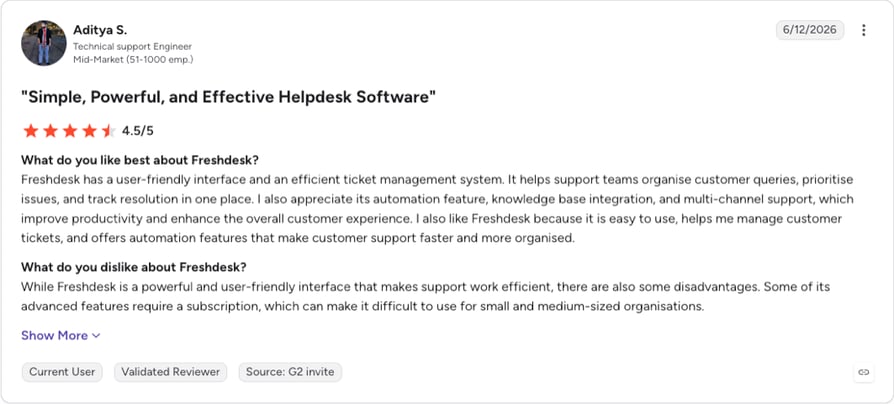
We hold Freshdesk's aggregate G2 score but not its review text, so all we can report is the sample: 4.4/5 across 3820+ reviews, more than twice LiveAgent's sample and a score level with CloudTalk's. Competitor pages raise finicky email formatting and higher-tier gating. The gating is verified on Freshdesk's own pricing page; the formatting complaint traces to no review source, so treat it as a demo question.
How Do G2 Users Rate Freshdesk?
4.4/5 (3820+ reviews).
Freshdesk vs. LiveAgent
| Category | Freshdesk | LiveAgent |
|---|---|---|
| Starting price (annual) | $19/agent/mo, plus a free tier for 2 agents | $15/agent/mo, no free tier |
| Free plan | Yes, up to 2 agents | No |
| AI in the entry plan | 500 Freddy sessions on every paid plan, then metered | AI features included in plan tiers |
| Voice channel | None native | Call center and IVR from $29/agent/mo |
| G2 rating | 4.4/5 (3820+ reviews) | 4.5/5 (1537+ reviews) |
4. Zoho Desk: Best for Teams Already Inside Zoho, on the Tightest Budget
What Is Zoho Desk?
Zoho Desk is Zoho's help desk, sold as "AI help desk software made human-simple". It's the budget end of the full-desk market, aimed at organizations already running Zoho CRM, SalesIQ or Zoho Voice, whose Zoho Voice pricing we break down separately.
Why Is Zoho Desk a Strong LiveAgent Alternative?
- The cheapest way to run a full help desk. A free-forever edition covers three user licenses, and the lowest paid tier is the least expensive full desk here.
- Voice sits lower down the ladder than Zendesk's. Telephony arrives on Professional and multi-level IVR on Enterprise, both below Zendesk's equivalent tiers.
- Migration is a funded offer. Its pricing page advertises free assisted data migration from other help desks, which lowers the cost of leaving LiveAgent.
What Are the Pros & Cons of Zoho Desk?
| Pros | Cons |
|---|---|
| A free edition for up to 3 users, plus the lowest paid entry price of any full desk here | Voice is gated: telephony needs Professional and multi-level IVR needs Enterprise |
| Free assisted data migration from other help desks, advertised on its own pricing page | Live chat requires a second Zoho product, SalesIQ, and isn't native to Desk |
| Native fit with Zoho CRM, SalesIQ and Zoho Voice if you already run them | Its own page notes local taxes are charged on top of list price, and no USD view is offered from our location |
What Are Zoho Desk's Plans & Pricing?
Five tiers: a Free Edition for up to three users, then Express, Standard, Professional and Enterprise. Professional adds telephony, Zia AI, Blueprints and round-robin assignment; Enterprise adds multi-level IVR, skill-based assignment and a multi-brand help center.
The two-product catch: matching LiveAgent's entry plan takes a second purchase. Website live chat lives in Zoho SalesIQ, not Zoho Desk, so replacing LiveAgent's chat widget means two subscriptions against one.
What Are Zoho Desk Customers Saying?
Nothing in our verified cache speaks for Zoho Desk's users. What we can report is how rivals position it: BlueTweak, HelpSpot and Ringly all profile Zoho Desk as the right pick if you already use Zoho. That's their framing, not neutral analysis, and it implies friction outside the ecosystem.
How Do G2 Users Rate Zoho Desk?
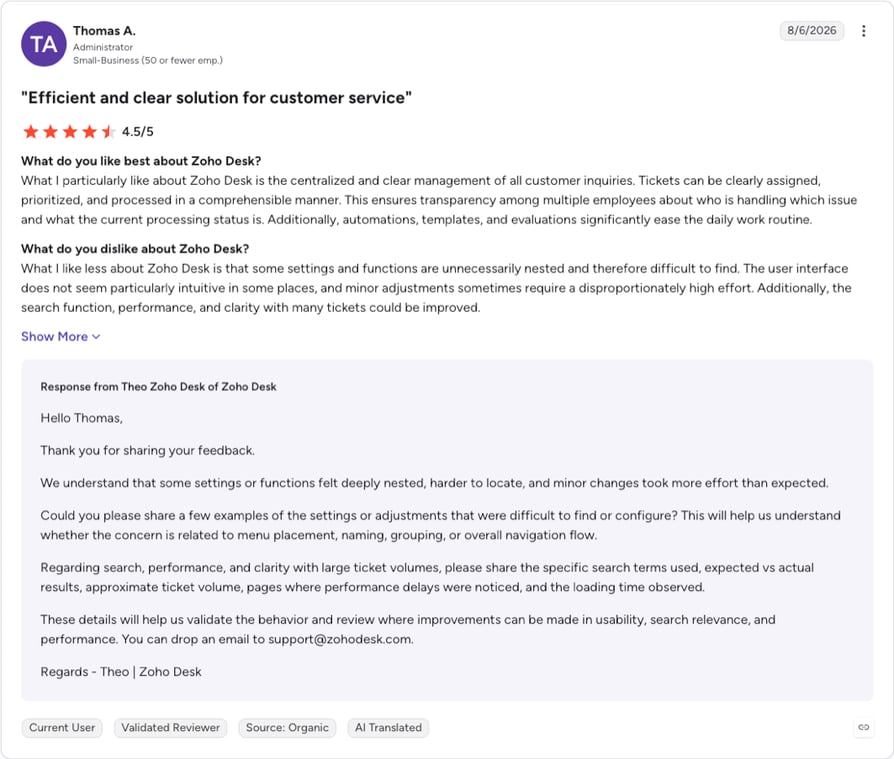
Zoho Desk holds 4.4/5 from 7,900+ G2 reviews, read at source on 8 September 2026, the biggest review base of any product here.
Zoho Desk vs. LiveAgent
| Category | Zoho Desk | LiveAgent |
|---|---|---|
| Free plan | Yes, up to 3 user licenses | No |
| Telephony included from | Professional, the fourth tier | $29/agent/mo (Medium business) |
| Multi-level IVR | Enterprise, the top tier | Included with the $29 call center module |
| Website live chat | Requires Zoho SalesIQ, a separate product | Included on the $15 entry plan |
| Migration support | Free assisted data migration advertised | Not advertised on its pricing page |
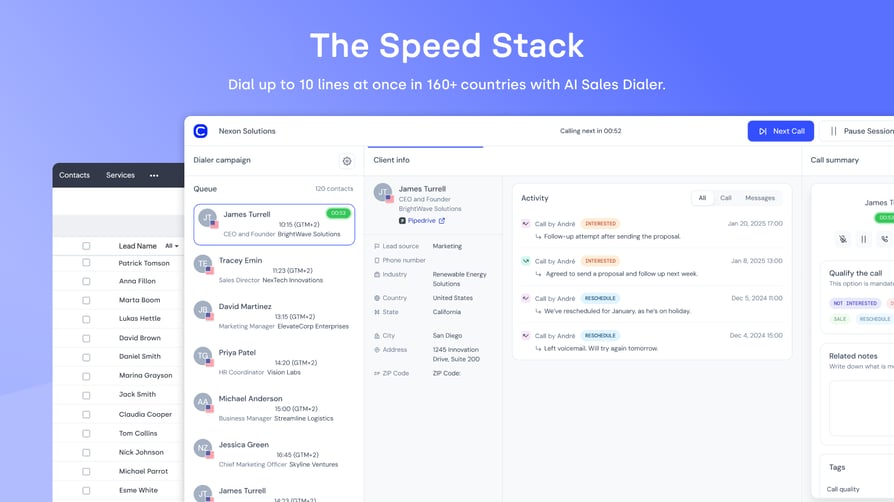
Zoho + CloudTalk Integration
Thinking about switching to Zoho? You can still integrate with CloudTalk:
5. Help Scout: Best for Email-First Support That Shouldn't Sound Like a Ticket Queue
What Is Help Scout?
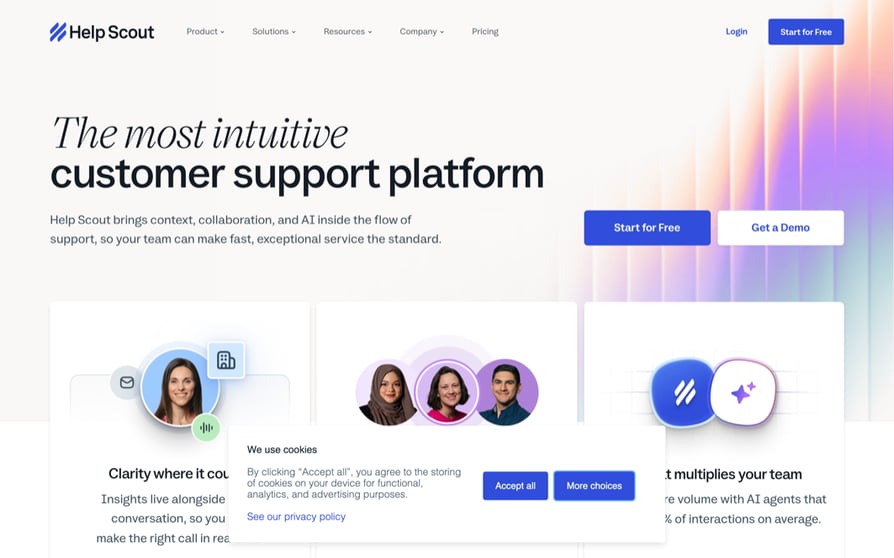
Help Scout calls itself "the most intuitive customer support platform", designed so a customer never feels assigned a ticket number. It's built for small and mid-size teams doing conversational, email-led support: shared inboxes, knowledge bases, and a light AI layer instead of a workflow engine to administer.
Why Is Help Scout a Strong LiveAgent Alternative?
- The social channels LiveAgent gates at $49 are on its $25 entry plan. WhatsApp, Instagram and Messenger are all in Standard. Both figures come from the two vendors' own pricing pages.
- AI is priced per outcome, not per seat. AI Answers costs $0.75 per resolution, so the AI bill tracks deflection, not headcount.
- Regulated support without a bespoke contract. HIPAA compliance and SSO/SAML sit on the published Pro tier, not behind an enterprise conversation.
What Are the Pros & Cons of Help Scout?
| Pros | Cons |
|---|---|
| WhatsApp, Instagram and Messenger included on the $25 Standard plan, against LiveAgent's $49 tier for the same channels | No native phone system: its own Pro plan lists "Preferred pricing on Aircall" as a perk, so voice is a third-party purchase |
| AI Answers priced per resolution at $0.75, so AI cost follows value and not seat count | SLA capability is rationed by tier: one policy on Standard, two on Plus, unlimited only on Pro |
| HIPAA compliance and SSO/SAML on the published Pro tier | AI resolutions are metered, so a high-deflection month costs more than the seat price suggests |
What Are Help Scout's Plans & Pricing?
Three tiers in USD: Standard at $25 per user/month, Plus at $45, Pro at $75, with annual billing about 16% below monthly. AI Answers is a separate pay-per-resolution add-on at $0.75 each. A free tier and a free trial are both offered.
The phone-channel catch. Help Scout's top tier includes a discount on someone else's phone system: the perk on Pro is preferred pricing on Aircall. If you're leaving LiveAgent because of voice, Help Scout doesn't solve it, and its own pricing page is the source. CloudTalk's Help Scout integration is one way to pair the desk with a voice layer instead.
What Are Help Scout Customers Saying?
Our verified cache holds nothing on Help Scout's users. The one third-party read we can attribute belongs to a rival: Helply's published comparison calls Help Scout "the easiest switch for email-first teams". That's marketing copy from a company selling against it, so it isn't evidence of sentiment.
How Do G2 Users Rate Help Scout?
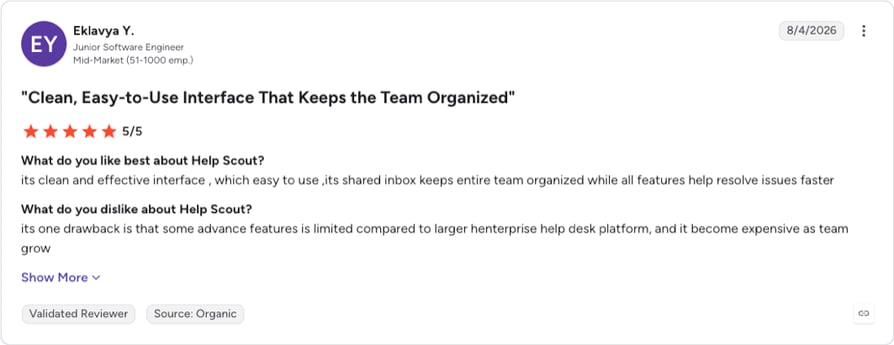
Help Scout holds 4.4/5 from 400+ G2 reviews, read at source on 8 September 2026. Only Crisp has a smaller sample here, so read the score as a strong signal from a small group rather than a broad consensus.
Help Scout vs. LiveAgent
| Category | Help Scout | LiveAgent |
|---|---|---|
| Starting price | $25/user/mo | $15/agent/mo |
| WhatsApp, Instagram, Messenger | Included on the $25 Standard plan | $49/agent/mo (Large business) |
| Phone channel | None; Pro offers preferred pricing on a third-party phone system | Call center and IVR from $29/agent/mo |
| AI pricing | $0.75 per resolution | AI features included in plan tiers |
| HIPAA and SSO | Published on the $75 Pro tier | SSO from $29/agent/mo |
6. Intercom: Best for AI-First Support in Product-Led SaaS
What Is Intercom?
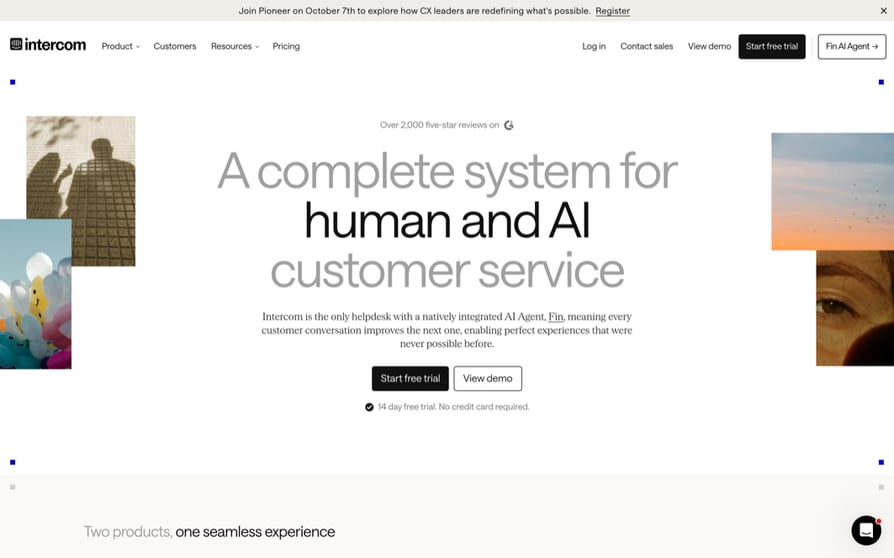
Intercom describes itself as "the only helpdesk with a natively integrated AI Agent, Fin". It's built for SaaS and product-led teams that want an AI agent resolving inbound before a human sees it, with the messenger, shared inbox and help center arranged around that.
Why Is Intercom a Strong LiveAgent Alternative?
- The AI agent is on every plan. Fin ships across the range, billed per resolved outcome from $0.99, so AI capability doesn't depend on which plan you can afford.
- You can try it without migrating. Fin can be bought standalone and pointed at an existing help desk, no seats required. Voice works the same way round: CloudTalk's Intercom integration adds the phone channel Intercom meters separately.
- Occasional users cost nothing. Free Lite seats are bundled, 20 on Advanced and 50 on Expert, taking read-only and part-time users off the per-seat bill.
What Are the Pros & Cons of Intercom?
| Pros | Cons |
|---|---|
| Fin included on every plan and priced per resolution from $0.99, instead of sold as a premium AI tier | Two stacked pricing axes, per seat plus per Fin outcome, plus metered channels and a Pro add-on from $99/month: the hardest cost to forecast here |
| Fin can run on top of an existing help desk with no seats, so you can pilot it without a migration | Voice is pay-as-you-go on a separate channel-pricing page, so telephony cost isn't visible where you'd look for it |
| Free Lite seats bundled (20 on Advanced, 50 on Expert), plus HIPAA support and SLAs on Expert | Its per-seat prices render as animated components only a human eye can read, so comparing them is manual work |
What Are Intercom's Plans & Pricing?
Three published tiers, Essential, Advanced and Expert, plus Fin billed per outcome from $0.99 and a Pro add-on from $99/month. Copilot is free for the first ten Copilot conversations per agent per month, then charged per agent. Email campaigns, SMS, WhatsApp and phone are pay-as-you-go on a separate channel-pricing page. A 35% new-customer discount on Essential was visible when we checked.
The two-meter catch: you're forecasting a seat count and a resolution count at once, and the second moves with ticket volume. Fairer than per-agent billing, and harder to budget. Ask for a modeled quote against last quarter's volume.
What Are Intercom Customers Saying?
We hold no Intercom review data. One correction, because it circulates: a competitor page on this same search result attributes the Fin AI Agent to Zendesk. Fin is Intercom's, per Intercom's own pricing page.
How Do G2 Users Rate Intercom?
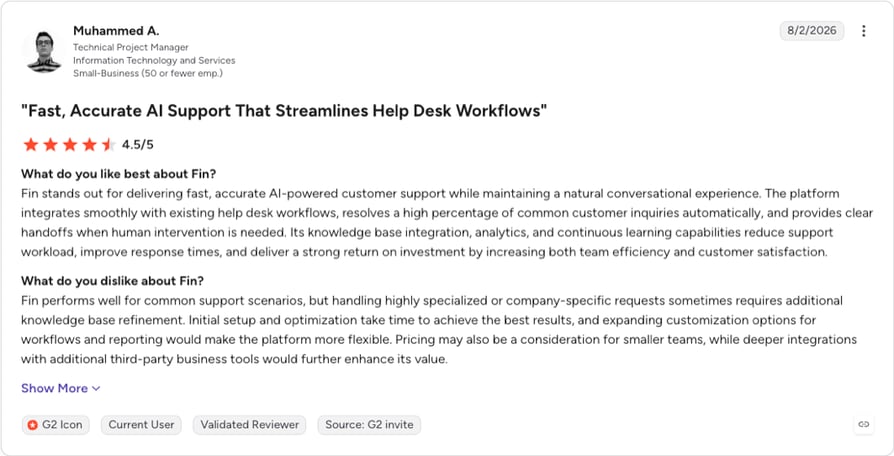
Intercom's Fin holds 4.5/5 from 3,900+ G2 reviews, read at source on 8 September 2026. Note the profile is filed under Fin, its AI product, rather than under Intercom.
Intercom vs. LiveAgent
| Category | Intercom | LiveAgent |
|---|---|---|
| Pricing model | Per seat plus per Fin resolution, plus metered channels | Per agent |
| AI agent availability | Fin on every plan, from $0.99 per resolution | AI features included in plan tiers |
| Runs on an existing help desk | Yes, Fin standalone with no seats | No |
| Voice channel | Pay-as-you-go on a separate channel-pricing page | Call center and IVR from $29/agent/mo |
| Cost predictability | Low, by design | High, and rising with headcount |
7. Gorgias: Best for Shopify and E-Commerce Support Tied to Order Data
What Is Gorgias?
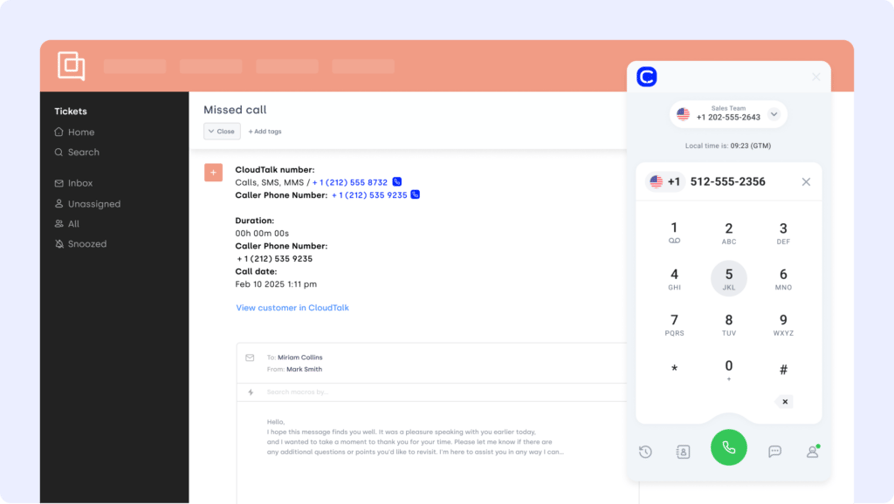
Gorgias is a help desk for online stores, built so support conversations sit next to order and revenue data. Its pricing page sells it as "Helpdesk + AI Agent. One platform. One inbox. One bill." It's aimed at Shopify, WooCommerce, BigCommerce, Magento and PrestaShop merchants.
Why Is Gorgias a Strong LiveAgent Alternative?
- It never charges per agent. The help desk is priced by monthly ticket volume, from 50 to 5,000 tickets, so adding teammates doesn't raise the bill. That's the most direct answer to LiveAgent's model on this list.
- The AI agent is on every plan and bills only on resolution, so deflection costs follow results.
- Storefront integrations are native across five named platforms, not routed through a general-purpose connector, and voice and SMS are usage-priced add-ons on any plan instead of a tier upgrade. Our roundup of Gorgias integrations covers what else connects to it.
What Are the Pros & Cons of Gorgias?
| Pros | Cons |
|---|---|
| Priced by ticket volume and never per agent, so headcount growth doesn't move the invoice | It publishes no dollar figures, so you can't compare it on cost without a sales conversation |
| AI Agent on every plan, charged only when it resolves a conversation | Volume pricing inverts the risk: a seasonal ticket spike raises the bill even when the team hasn't grown |
| Voice and SMS available as usage-priced add-ons on any plan, with no tier climb to unlock them | An e-commerce product, so it's a poor fit outside retail |
What Are Gorgias's Plans & Pricing?
Quote only, and that's a verified finding, not a gap in our research. We read Gorgias's pricing page in full on 7 September 2026: it describes the model (volume-tiered help desk, pay-per-resolution AI, usage-priced Voice and SMS add-ons) without publishing a single price.
The no-price catch: every other tier structure here can be modeled in a spreadsheet before you talk to anyone. Gorgias can't. If procurement needs a number this week, that's a constraint independent of how good the product is.
What Are Gorgias Customers Saying?
CONTENT HERE
How Do G2 Users Rate Gorgias?
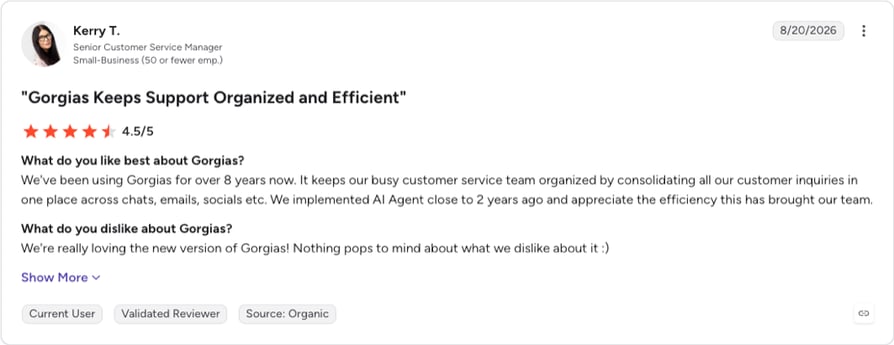
Gorgias holds 4.6/5 from 550+ G2 reviews, read at source on 8 September 2026, level with Tidio and second only to Front.
Gorgias vs. LiveAgent
| Category | Gorgias | LiveAgent |
|---|---|---|
| Pricing model | Per monthly ticket volume, never per agent | Per agent, $15 to $69 |
| Published prices | None | Yes, four tiers |
| Adding an agent | No cost impact | Adds a full seat fee |
| Voice channel | Available as a usage-priced add-on | Call center and IVR from $29/agent/mo |
| Best fit | Shopify and other storefront merchants | Any industry needing multichannel ticketing |
8. Front: Best for Shared-Inbox Collaboration Across Support, Sales and Ops
What Is Front?
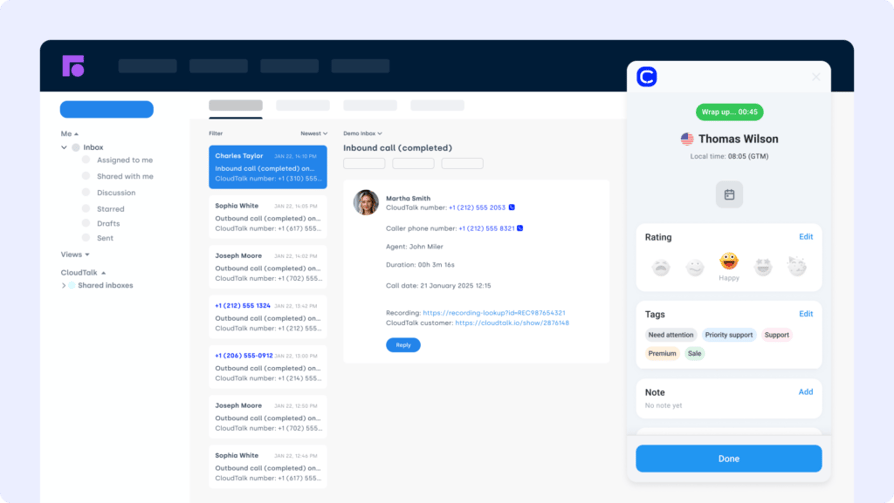
Front is built for the customer thread that more than one team has to work: "AI for simple support is everywhere. Complex customer operations demand Front." Support, account management and operations share ownership of one conversation, with AI layered on as Autopilot, Copilot, Smart QA and Smart CSAT.
Why Is Front a Strong LiveAgent Alternative?
- The only entry here designed for cross-team ownership of one thread, a job no other tool on this list claims, and our roundup of Front integrations shows what plugs into it.
- A no-code public knowledge base from the $25 Starter plan, so self-service needs no tier climb.
- SSO and SCIM arrive on the $65 Professional tier, below the equivalent gates at Zendesk and LiveAgent.
What Are the Pros & Cons of Front?
| Pros | Cons |
|---|---|
| Built for support, sales and ops to work one thread together | Hard seat caps on the lower plans: Starter tops out at 10 seats and Professional at 50, so growth forces a tier change |
| No-code public knowledge base included from the $25 Starter plan | Omnichannel isn't on the entry plan; Starter is single-channel |
| SSO and SCIM on Professional, plus AI Copilot, Smart QA and Smart CSAT included on Enterprise | The steepest per-seat ladder here, $25 to $105, with no published phone channel |
What Are Front's Plans & Pricing?
Three tiers in USD on annual billing, about 24% below monthly: Starter at $25 per seat/month for up to 10 seats, Professional at $65 for up to 50, Enterprise at $105. AI add-ons are available on Starter and Professional and included on Enterprise. A free trial is offered.
The seat-cap catch: Front is the one tool here where the plan runs out before the budget does. An 11th hire moves you off Starter regardless of what you use. For a growing team, the caps are part of the price.
What Are Front Customers Saying?
Nothing in our verified cache covers Front's users. HelpSpot and BlueTweak both profile Front in their own LiveAgent alternatives lists, which establishes it as a name in this set and says nothing about what its customers think.
How Do G2 Users Rate Front?
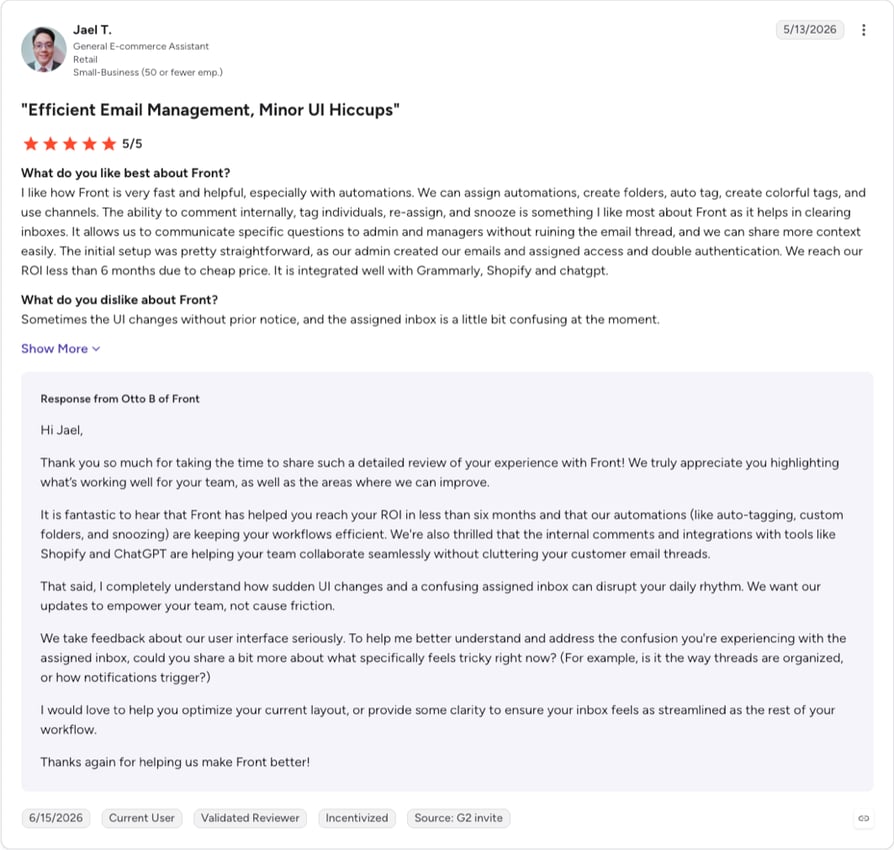
Front holds 4.7/5 from 2,500+ G2 reviews, read at source on 8 September 2026. That is the highest rating on this page. Worth knowing when you read it: every one of the ten most recent reviews on its profile is tagged Incentivized, so the score reflects a heavily solicited sample.
Front vs. LiveAgent
| Category | Front | LiveAgent |
|---|---|---|
| Starting price (annual) | $25/seat/mo | $15/agent/mo |
| Seat limits | 10 on Starter, 50 on Professional | None published |
| Omnichannel on the entry plan | No, Starter is single-channel | Tickets, chat, knowledge base and portal on the $15 plan |
| Knowledge base | No-code public KB from $25 | Included on the $15 entry plan |
| Phone channel | None published | Call center and IVR from $29/agent/mo |
9. Crisp: Best for Flat Per-Workspace Pricing Instead of Per Agent
What Is Crisp?
Crisp is an AI-first support suite built around a website chat widget and a shared inbox, sold as "the one complete suite for AI-first customer support, including Hugo", its AI agent. What makes it interesting here is the meter: Crisp charges per workspace with seats included, so the bill stops moving every time someone joins.
Why Is Crisp a Strong LiveAgent Alternative?
- Seats are bundled, not billed. Ten seats sit inside a $95 workspace, under $10 a seat against LiveAgent's $29 for the equivalent feature tier. Both figures come from the two vendors' own pricing pages.
- A free-forever plan with two seats and a live chat widget, which answers the "is there a free alternative to LiveAgent" question.
- AI credits are included at every paid tier, not sold as a separate meter on top.
What Are the Pros & Cons of Crisp?
| Pros | Cons |
|---|---|
| Flat per-workspace pricing with seats bundled, so growth doesn't move the invoice until you outgrow a tier | A ticketing system proper arrives only on the $295 Plus plan; lower tiers are inbox-based |
| A free-forever plan with 2 seats and a live chat widget | Support runs 24/5 by its own account, so there's no weekend cover, which matters if you promise 24/7 customer service |
| AI credits included at every paid tier, plus a 14-day full-feature trial with no card | No phone channel anywhere in the product or the pricing, and its own comparison page lists a 200,000-contact ceiling |
What Are Crisp's Plans & Pricing?
Four tiers, all per workspace per month in USD: Free at $0 with 2 seats, Mini at $45 with 4 seats and $5 of AI credits, Essentials at $95 with 10 seats and $25 of credits, Plus at $295 with 20+ seats and $75 of credits. The trial is 14 days, full features, no card.
The ticketing catch: if you need ticketing, the tier that has it is $295. Below that you're comparing a shared inbox against a ticketing product. Crisp suits a small team whose support is conversational and gets expensive for one that needs queues and SLAs.
What Are Crisp Customers Saying?
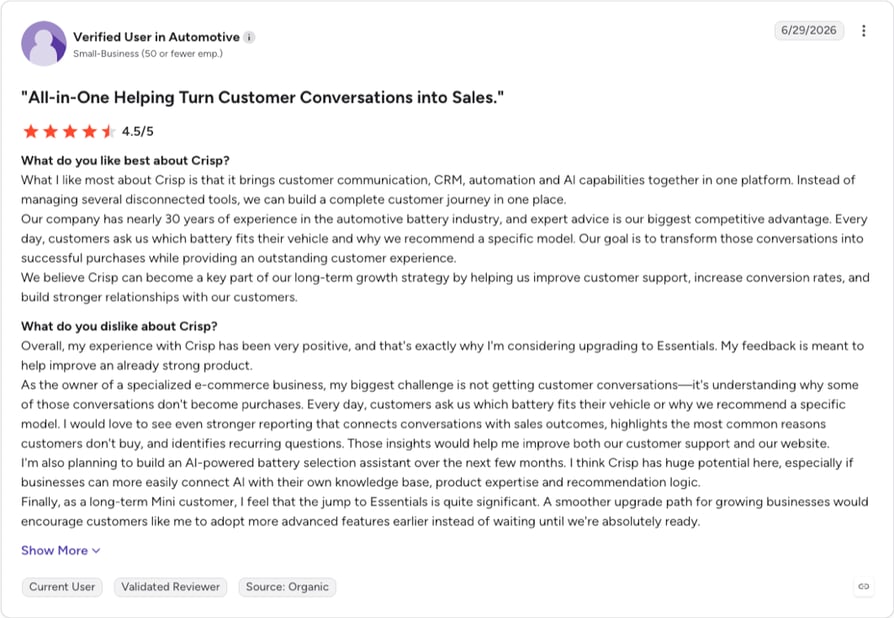
No Crisp review data sits in our verified cache. Two self-reported facts come from Crisp's own published LiveAgent comparison: support runs 24/5, and contacts are capped at 200,000 against LiveAgent's unlimited. Crisp stated both about itself, which is why they're safe to repeat. The "4.5" widget in Crisp's own footer is its own on-site figure; the G2 score below was read separately at source.
How Do G2 Users Rate Crisp?
Crisp holds 4.5/5 from 200+ G2 reviews, read at source on 8 September 2026, the smallest review base on this page.
Crisp vs. LiveAgent
| Category | Crisp | LiveAgent |
|---|---|---|
| Pricing model | Per workspace, seats included | Per agent, $15 to $69 |
| Cost of 10 seats at the omnichannel tier | $95/mo total | $290/mo at the $29 tier |
| Ticketing system | $295 Plus plan | Included on the $15 entry plan |
| Support hours | 24/5, by its own account | Not published on its pricing page |
| Free plan | Yes, 2 seats | No |
10. Tidio: Best for Budget Live Chat Plus an AI Chatbot in Small E-Commerce
What Is Tidio?
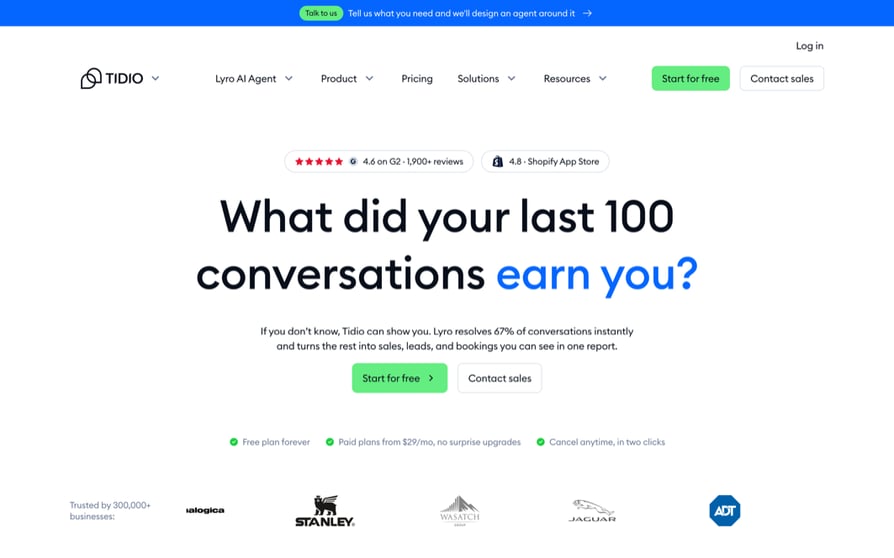
Tidio is a live chat and AI chatbot platform with a help desk attached, for small e-commerce teams whose first priority is deflecting chat volume: "more automation, less 'I hate your support'". Its AI agent, Lyro, comes bundled with the Tidio desk or bolts onto Zendesk, Salesforce or another desk.
Why Is Tidio a Strong LiveAgent Alternative?
- Priced by conversation volume, not by agent, so team size doesn't drive the bill. A different model from LiveAgent's, not a discount on the same one.
- The free plan is enough for a pilot, with 50 billable conversations, 50 one-time Lyro conversations and 100 Flows visitors, the cheapest entry point here.
- Lyro needs no migration. Put the AI agent on top of your existing desk and keep the queue where it is.
What Are the Pros & Cons of Tidio?
| Pros | Cons |
|---|---|
| Conversation-based pricing, so headcount doesn't move the invoice | Three separate meters (billable conversations, Lyro conversations, Flows visitors) tie the bill to traffic, not to anything the team controls |
| A free plan, the cheapest entry point on this page | A 7-day free trial, the shortest here, against LiveAgent's 30 days. Deflection is chat-side only, so a phone queue still needs its own call deflection |
| Lyro can be added to an existing help desk, and Tidio publishes its own G2 profile link | Chat-first by design, so ticketing depth is thinner than a full desk, and there's no phone channel |
What Are Tidio's Plans & Pricing?
Verified in USD on 7 September 2026, priced per workspace, not per agent, which matters next to a seat price. Free at $0, Starter at $24.17/month, Growth from $49.17/month, Plus from $300/month, Premium on quote. Lyro is sold standalone from $32.50/month. The trial is 7 days.
The three-meter catch: Tidio ships an on-page pricing calculator because the model needs one. Billable conversations, Lyro conversations and Flows visitors are metered separately, and all three move with site traffic. A good month for marketing is a more expensive month for support.
What Are Tidio Customers Saying?
CONTENT HERE
How Do G2 Users Rate Tidio?
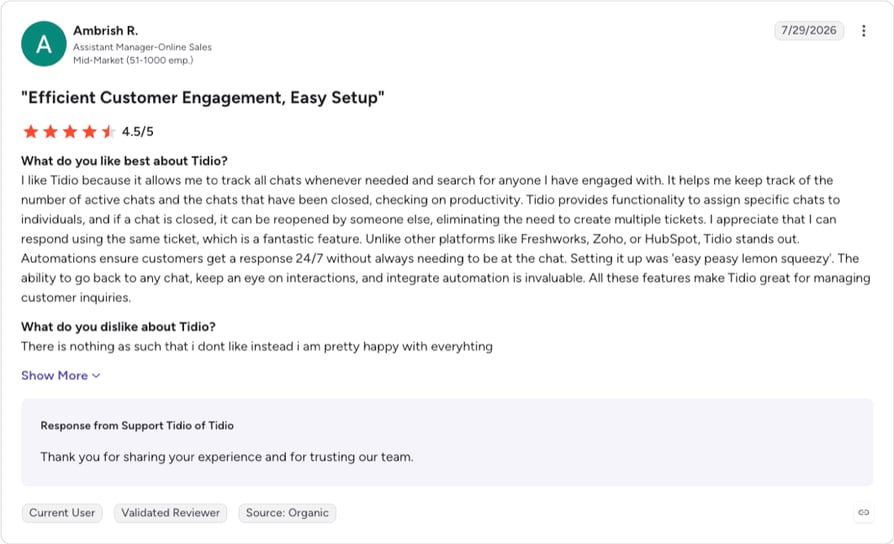
Tidio holds 4.6/5 from 1,950+ G2 reviews, read at source on 8 September 2026. Read the full Tidio reviews on G2.
Tidio vs. LiveAgent
| Category | Tidio | LiveAgent |
|---|---|---|
| Pricing model | Per workspace, metered by conversations and visitors | Per agent, $15 to $69 |
| Starting paid price | $24.17/mo per workspace | $15/agent/mo |
| Free plan | Yes, 50 billable conversations | No |
| Free trial | 7 days | 30 days, no card |
| Runs on an existing help desk | Yes, Lyro standalone from $32.50/mo | No |
What Users Are Really Saying About LiveAgent Alternatives and Competitors
One caveat before the quotes. We found no Reddit thread naming LiveAgent specifically: "live agent" is an overloaded term and the searches fill with AI-agent framework noise. So this section covers what teams say about leaving a per-seat, all-in-one help desk, not LiveAgent by name. We opened and read every thread below on 7 September 2026.
What Redditors Are Saying About Switching Help Desks
- The phone channel is the hard part. In an r/ITManagers thread on ticketing software for phone and email requests, a solo IT director at a 350-person real-estate firm centralizing requests from phone, text, Teams and email writes that integrating "with phone calls and/or text messages" is "the tricky part". He was shopping for a ticketing tool and named the phone as the blocker, which is the gap customer service phone systems are bought to close.
- Per-agent pricing is the cost complaint. The r/Businessowners thread lands on "per-agent pricing looks cheap early but scales badly as your team grows" and "per agent pricing hurts as you scale".
- The warning is about creep. In the r/smallbusinessUS thread, a 20-person team handling around 100 tickets a week gets told to "watch per seat pricing creep. Many tools look cheap until you add chat, automation, or more users". The same thread contains a "$3k monthly" Zendesk figure, which is one user's quote for their own situation and not Zendesk's price.
What Quora Users Are Asking About LiveAgent Alternatives
The most on-topic public discussion of this exact question is a Quora thread titled "What is a good alternative to LiveAgent?". The top answer, from Pavel Pavlenko, calls LiveAgent "a nice tool" with "some flaws like outdated UI" before recommending three other platforms. Seven upvotes, latest activity August 2023, one person's read. It's also the only on-topic user commentary we could verify anywhere, which tells you how thin the public discussion is.
What Verified G2 Reviewers Say About Switching From LiveAgent
Our verified cache supports the aggregate and not the anecdote: LiveAgent holds 4.5/5 from 1537+ G2 reviews, and Freshdesk holds 4.4/5 from 3820+. Both are strong scores from large samples. Individual switcher reviews are a pending capture, and we won't paraphrase them from memory.
CloudTalk vs. LiveAgent: A Detailed Feature Comparison
The twelve-row table in CloudTalk's profile settles this category by category, and the tally is closer than the title of this page suggests: LiveAgent takes six rows, CloudTalk three and three are ties. The purchase turns on which of those rows describes your week. CloudTalk's three are all voice: the visual call routing designer on the entry plan, the visual call flow builder, numbers in 160+ countries, and an uptime commitment LiveAgent doesn't publish on its pricing page. CloudTalk's three are all voice: the visual call routing designer
How to Choose the Right LiveAgent Alternative for Your Team?
1. What Is the Best LiveAgent Alternative If Your Bottleneck Is the Phone Channel?
CloudTalk, and it isn't close. Five of the nine help desks here (Freshdesk, Help Scout, Front, Crisp and Tidio) have no phone channel at all. Of the four that do, Zendesk and Zoho Desk gate telephony behind their third and fourth tiers, Gorgias sells it as a usage-priced add-on, and Intercom bills it pay-as-you-go on a separate channel-pricing page. CloudTalk puts IVR, condition-based routing and the call flow designer on Essential at $29/user/month and connects back into LiveAgent from that same plan, so the fix costs you a voice subscription instead of a migration.
Yanolja, travel and hospitality: reduced missed calls by 30–40% after switching to CloudTalk. Read the story
2. Which LiveAgent Alternative Has the Most Predictable Bill as the Team Grows?
Crisp, if your support is conversational: $95 a month covers ten seats, and hiring doesn't change it. Gorgias never charges per agent either, though it publishes no prices, so "predictable" only applies after you've been quoted. Tidio is per workspace but metered on traffic, which is predictable for headcount and not for a good marketing month. CloudTalk is still per user, so Crisp wins this one, though per-seat billing is easier to model once you know how much a phone system costs a small business.
3. Is There a Free Alternative to LiveAgent?
Four of them, at different depths. Zoho Desk's free edition covers three user licenses on a full help desk, which is the most generous. Freshdesk's free plan covers two agents. Crisp's free workspace covers two seats with a live chat widget. Tidio's free plan gives 50 billable conversations plus 50 Lyro AI conversations. LiveAgent itself has no free-forever tier on its current pricing page, only the 30-day trial.
4. Which LiveAgent Alternative Has the Best AI for Deflection?
Intercom. Fin is on every plan, billed per resolved outcome from $0.99, and it can run on top of a desk you already own. Gorgias charges for its AI agent only on resolution, the same principle. Freshdesk includes 500 Freddy sessions per paid plan and then meters in blocks of 100. Pair that with the numbers, though. In Gartner's December 2025 survey of 321 customer service and support leaders, only 20% had cut agent staffing because of AI. Buy deflection to absorb growth, not to shrink the team. Our roundup of voice AI agents for call deflection covers the same billing question on the phone side, where CloudTalk's AI Voice Agents are a paid add-on from $99/month for 200 minutes.
Autenti, SaaS and IT services: AI voice agents now handle around 30% of inbound support calls. Read the story
5. Which LiveAgent Alternative Clears an Enterprise Governance Checklist?
Zendesk, for depth: sandbox environments, custom agent roles, intelligent triage and the largest marketplace here. Help Scout is the surprise: HIPAA compliance and SSO/SAML sit on a published $75 tier, no enterprise negotiation. Intercom's Expert tier carries HIPAA support and SLAs. LiveAgent is not out of the running either: SSO, service levels and custom roles come with its $29 Medium business plan, cheaper than every alternative in this paragraph. If the checklist covers voice as well, custom SLAs and compliance arrangements sit on CloudTalk's Custom plan, alongside the rest of its enterprise call center solution.
6. Which LiveAgent Alternative Works Best If You Support Customers in Several Countries?
This is a two-purchase question, and pretending otherwise gets people to buy the wrong thing. For the desk, Zendesk and Freshdesk offer the deepest localization here, including the multilingual help centers that multilingual customer support runs on. None of the nine is a number provider: CloudTalk offers numbers in 160+ countries on a 99.999% uptime SLA, which decides whether a customer in Madrid gets a Spanish number to call back. Pick a desk on language coverage, then pick the voice layer separately.
Allycom, financial services: records calls reliably across 100 countries on CloudTalk. Read the story
The Recommendation Matrix
| If this is you | Start with | Why |
|---|---|---|
| Your queue is fine, the phone is the problem | CloudTalk | A real call flow designer, numbers in 160+ countries, and a native two-way LiveAgent integration so nothing migrates |
| You need enterprise governance and the deepest marketplace | Zendesk | Sandbox, custom roles, intelligent triage, telephony in the product line |
| You want an all-in-one on a small budget, with a free tier to test | Freshdesk | $19/agent/mo verified in USD, free plan for 2 agents, 500 AI sessions per paid plan |
| You already run Zoho, and price is the binding constraint | Zoho Desk | Free for 3 users, the lowest paid entry here, free assisted migration |
| Your support is email-led and should feel human | Help Scout | Social channels on the $25 plan, AI at $0.75 per resolution, HIPAA on Pro |
| You want AI resolving inbound before a human sees it | Intercom | Fin on every plan from $0.99 per resolution, and it runs on your existing desk |
| You run a Shopify or WooCommerce store | Gorgias | Ticket-volume pricing, native storefront integrations, voice and SMS add-ons |
| Support, sales and ops all work the same thread | Front | Cross-team thread ownership, public knowledge base from $25, SSO on Professional |
| You want the bill to stop moving when you hire | Crisp | Per workspace with seats bundled, free tier, AI credits included per tier |
| Chat deflection first, help desk second | Tidio | Conversation-based pricing, a free plan, Lyro bolts onto an existing desk |
| You want tickets, chat, a knowledge base, a portal and social from one vendor | Stay on LiveAgent | It's cheaper than most of this list, rated 4.5/5, and does four things CloudTalk doesn't |
How to Migrate From LiveAgent: A Step-by-Step Switching Guide
Migrating a help desk is less dramatic than it sounds, and the part that goes wrong is almost never the tickets. Budget two to four weeks of overlap, most of it on integrations and routing. Replacing only the voice layer takes days, because nothing moves.
1. Audit what you use. List your automation rules, routing conditions, canned responses, knowledge base articles and connected apps, then mark which fired in the last 90 days. Rebuilding configuration for a process that changed two years ago is wasted work.
2. Export the highest-volume content first. Your top 20 knowledge base articles and busiest ticket categories carry most of the value, so get them right in week one and let the long tail follow. Zoho Desk advertises free assisted data migration on its pricing page, worth asking about before you build an export script.
3. Map your integrations. This is where migrations break. Write down every CRM connection, webhook, e-commerce link and internal script that reads or writes to your desk, and confirm the equivalent exists in the destination. A missing webhook stays invisible until an order status stops updating a ticket.
4. Overlap the two platforms on purpose. Point new conversations at the new tool and let the old queue drain. Two to four weeks costs one extra month of subscription and buys you a rollback.
5. Export your performance data before closing the account. Resolution rates, first response times, CSAT and ticket volume by channel are your only baseline for judging the switch. Pull them while you still have access.
Ready to Make the Switch from LiveAgent?
Four things change when the phone layer moves to CloudTalk, and none of them require a new help desk.
- Routing on one plan, not three tiers up. IVR, condition-based and time-based routing and the call flow designer come with Essential at $29/user/month, the same plan the LiveAgent connector needs.
- One layer changes, not the stack. The native LiveAgent integration writes call data back into the desk in both directions, so tickets, macros and the knowledge base stay where they are.
- Numbers where your customers are. 160+ countries of coverage on a 99.999% uptime SLA, with self-serve ordering and number porting.
- Add-ons priced in public. Conversation Intelligence is $9 per user/month, AI Voice Agents start at $99/month for 200 minutes, the Parallel Dialer is $39 and the Power Dialer $15, or included if you sit on Expert. Nothing about the AI is bundled, on any tier.
Bring your current LiveAgent plan to the call.
Sources
- Gartner
Frequently Asked Questions about LiveAgent Alternatives
Short answers on what the alternatives cost, which ones are free, how each vendor bills its AI, and what moves when you switch. Every price is the vendor's own published figure, read on 7 September 2026.
CloudTalk is the best LiveAgent alternative when the phone channel is what broke: IVR and condition-based routing come with Essential at $29/user/month, and CloudTalk syncs back into LiveAgent rather than replacing it. If ticketing is the problem, our call center software buyer's guide scores Zendesk and Freshdesk instead.
Zoho Desk is the cheapest LiveAgent alternative: its free edition covers three user licenses, though we could verify its paid tiers only in euros. Freshdesk is cheapest in USD, $19 per agent/month with a free plan for two agents. Neither replaces small business call center software.
Intercom. Fin sits on every plan, bills from $0.99 per resolved conversation, and runs on a desk you already own. Freshdesk includes 500 Freddy sessions per paid plan, then meters in blocks of 100. Both tie the bill to outcomes, not headcount, as our guide to AI customer service explains.
Both put call routing on their second tier at roughly the same seat price. The difference is what it is. CloudTalk's Essential is a phone system with a call flow designer and numbers in 160+ countries; LiveAgent's Medium is a call module inside a help desk.The AI runs the other way: LiveAgent bundles it into plan tiers, while every CloudTalk AI product is a paid add-on.
Zendesk. Its app marketplace is the deepest here, so a named tool like Slack is likeliest to be in it. Gorgias is native to five storefront platforms and Zoho Desk to Zoho CRM. CloudTalk's call center integrations write outcomes, tags and recordings back into the desk both ways.
Yes, four. Zoho Desk's free edition covers three user licenses, Freshdesk's two agents, Crisp's two seats, and Tidio's 50 billable conversations. LiveAgent has no free tier, only a 30-day trial. Free plans cap out fast, so check how much call center software costs at your headcount.
Budget two to four weeks of overlap, most of it on integrations rather than tickets. Export your knowledge base and busiest ticket categories first, map every webhook and CRM connection, then pull your performance data. Replacing only the voice layer is faster: number porting is the only data that moves.
Three do. Crisp charges per workspace with seats bundled, so $95 covers ten seats. Gorgias prices by monthly ticket volume, and Tidio by conversations and site visitors. In each case the bill tracks traffic instead of headcount, which our guide to call center pricing models breaks down.
Only CloudTalk, which ships IVR and condition-based routing on Essential, its second tier. Zendesk gates telephony on Suite Team and IVR on Suite Professional. Zoho Desk needs Professional, then Enterprise for multi-level IVR. Gorgias and Intercom meter voice, and five desks here carry no customer service phone system. ---