

TL;DR:
We reviewed 30+ popular small business VoIP platforms and narrowed them down to the 13 best options for scaling teams—based on call handling, sales/support speed, CRM integrations, reporting, pricing clarity, and automation.
If you’re here for quick answers, here’s a fast overview of every provider in this guide:
-
01
CloudTalk — best overall VoIP calling software for growing SMBs that want efficiency, automation, CRM visibility, and smoother scaling
-
02
RingCentral — best for teams that want calling plus meetings and team chat in one app
-
03
Nextiva — best for reliability and uptime-focused teams with steady call volume
-
04
8×8 — best for businesses that need a more enterprise-style phone setup and admin control
-
05
Dialpad — best for teams that want AI features plus compliance-friendly options
-
06
Vonage — best for businesses that want a flexible, modular phone system
-
07
Ooma Office — best for simple, plug-and-play calling for small teams
-
08
Grasshopper — best for solopreneurs who want a second business line and basic calling
-
09
Freshdesk — best for internal IT/helpdesk teams that want calls tied to tickets
-
10
CallHippo — best for budget-conscious sales/support teams that want dialers and automation
-
11
KrispCall — best for teams that want voice + SMS with strong CRM integrations
-
12
Dialaxy — best for teams that want a straightforward cloud phone system with lots of built-in features
-
13
Allo — Best for Startups Looking to Streamline Customer Communication and Sales Workflows
This guide also walks you through setup, costs (including hidden fees), and the AI tools that actually save time—so you can choose a VoIP system that fits your workflow today and won’t hold you back when your call volume grows.
If your SMB still relies on landlines, you’re not competing—you’re waiting to be replaced. Today, we’ll show you how to avoid that.
In 2026, using traditional phones is like running modern software on a floppy disk: slow, rigid, and holding your business back.
The good news? VoIP phone service for small businesses is here to save you. With these modern, cloud-based phone systems for SMBs, you get AI-powered routing, CRM integrations, analytics, and even virtual agents—all without bulky hardware.
And with adoption booming—40% of North American companies will use cloud PBX by year’s end¹— now’s the time to upgrade.
We tested 30+ platforms to bring you only the top 13 small business VoIP systems that are truly worth your time.
In this guide, you’ll find a quick side-by-side comparison of the 13 best VoIPs for SMBs, tips on how to choose the right one, in-depth reviews of each provider, and our pick for the best small business VoIP solution for small businesses that aim to scale effortlessly.
Time to Ditch the Landlines
How We Chose the Best Small Business VoIP Solutions for 2026
Finding the best VoIP for small business means looking beyond basic calling capabilities to secure a platform that integrates natively with your CRM, automates tedious after-call work, and scales effortlessly as your call volume grows.
To build this list, we reviewed 30+ VoIP platforms often used by SMB to mid-market teams, and narrowed them down to the top 13 solutions for scaling small teams. We also checked real user feedback (including the G2 ratings in the table) to see how each provider performs in day-to-day sales and support work.
We narrowed the shortlist using a few practical criteria:
- Call handling: menus, queues, routing, and reliability
- Sales/support speed: dialers, call controls, and time-saving features
- Integrations: CRM connections that reduce manual logging
- Visibility: reporting that shows volume, missed calls, and team performance
- Pricing + scaling: predictable costs as you add users, numbers, and countries
- AI Automation: tools that remove repetitive work as call volume grows
The goal wasn’t to pick the most famous names. Instead, we wanted to pick VoIP providers that stay useful as your call volume, team size, and workflow complexity grow.
Why Trust Our Software Reviews?
Over the last decade, we’ve helped over 30,000 professionals find and implement smarter communication tools.
We’ve reviewed hundreds of products, analyzed thousands of verified reviews from business-relevant platforms like G2, Capterra, or Trustpilot, and drawn insights from real user discussions on forums like Reddit or Quora.
In the past year alone, we published 1,000+ articles, all written and reviewed by humans, for humans, to provide reliable, data-backed insights you can trust.Learn how we keep our content integrity and our software review methodology.
Top 13 VoIP Solutions for Small Businesses in 2026

Choosing the right VoIP for SMB is like buying a car—you wouldn’t go all in without comparing models, features, and price tags first.
That’s why we’re starting with a side-by-side look at the top VoIP systems for small businesses in 2026. You’ll see what each one does best, who it’s for, and how users rate it (G2 reviews).
After that, we’ll walk through each option in a bit more detail, helping you find the one that’s built for how your team actually works.
A Quick Overview of the 13 Best VoIP Solutions for SMBs
Platform
Key Features
Best for
G2 Rating
CloudTalk
Advanced call routing, AI voice agents & virtual receptionists, conversation intelligence, workflow automation, deep CRM integration
SMB sales/support teams scaling globally with performance visibility
RingCentral
Unified voice, video, SMS, and fax in one UCaaS platform
Distributed teams, law offices, e-commerce, consultants
4.1/5
Grasshopper
Simple virtual phone system with call forwarding and texting
Solopreneurs, contractors, consultants
3.9/5
Nextiva
Industry-leading uptime (99.999%), mobile-first design, auto-attendant
Legal/medical offices, hybrid teams, high call volume orgs
4.5/5
8×8
Enterprise-grade PBX, global reach, Microsoft Teams integration, analytics
Software teams, professional service firms needing scale
4.2/5
Dialpad
AI-enabled platform with voice, video, messaging, and HIPAA compliance
Healthcare, call centers, compliance-heavy industries
4.4/5
Vonage
Modular setup with strong admin tools and flexible global calling
Call centers, growing SMBs with multi-channel needs
4.2/5
Ooma Office
Plug-and-play setup, virtual receptionist, unlimited domestic calling
Small firms needing fast deployment and hybrid flexibility
4.2/5
Freshdesk
Native ITSM integration, auto-ticketing from calls, great for internal ops
Remote-first IT/support teams handling internal requests
4.4/5
CallHippo
Power dialers, time-aware calling, strong CRM integrations
Sales and support teams seeking smart automation on a budget
4.3/5
KrispCall
AI-powered unified platform with voice, SMS, analytics, and 100+ CRM integrations
Sales teams, customer service departments, and growing businesses needing robust analytics
4.5/5
Dialaxy
100+ automated features, global numbers, call management, SMS, and easy CRM integrations with unified cloud telephony.
Startups, SMBs, and global organizations require comprehensive cloud telephony for sales, support, and team collaboration.
4.9/5
Allo
Integrations, team collaboration tools, notifications & reminders
Startups and small teams needing to manage all of their customer interactions within the same platform
4.9/5
Now that you know what to look for—and how to choose the right VoIP solution—it’s time to see how the top contenders actually perform.
Below, we break down each platform’s strengths, showing what they do best, who they’re built for, and how they stack up on price, features, and integrations. BTW, we’ll also tell you what few would—who the particular VoIP provider isn’t a good choice for.
Think of it like trying on suits before a big event. It’s not just about the fabric, it’s about the fit, the comfort, and how well it supports your every move.
1. CloudTalk: Best Business Phone System for Growing SMB Teams
CloudTalk is an AI-powered, cloud-based VoIP solution designed specifically for SMBs. At the same time, it’s the best small business VoIP solution for sales and support teams that want to work smarter, scale quickly, and go global while feeling local.
With plans starting at $19/user/month and a 14-day free trial available, it’s perfect for SMBs that want to scale fast with powerful voice solutions that require minimal setup.
Integrations:
CloudTalk natively connects with 100+ most popular CRM integrations, including HubSpot, Salesforce, Zoho, Pipedrive, Intercom, and Zendesk. The benefit? SMB sales and support reps always have context and history right in front of them.
Why it stands out:
CloudTalk’s VoIP suite offers crystal-clear call quality, reduces call handling times by up to 70%, provides international numbers that help SMBs expand to 160+ countries, and blends advanced call management with actionable data to boost team performance at scale.
Discover the Future of Conversations
- Lite: $19/user/month (available only for NA & LATAM)
- Starter: $25/user/month
- Essential: $29/user/month
- Expert: $49/user/month
- Custom: Tailored pricing for large teams with complex needs
Best for:
CloudTalk is the top pick for outbound sales and support teams that need real-time visibility and flexibility while growing globally. And it’s the best choice for any SMB that wants to scale with AI.
Not ideal for:
It’s not the best fit for solo operators (without a team) or huge enterprises.
2. RingCentral
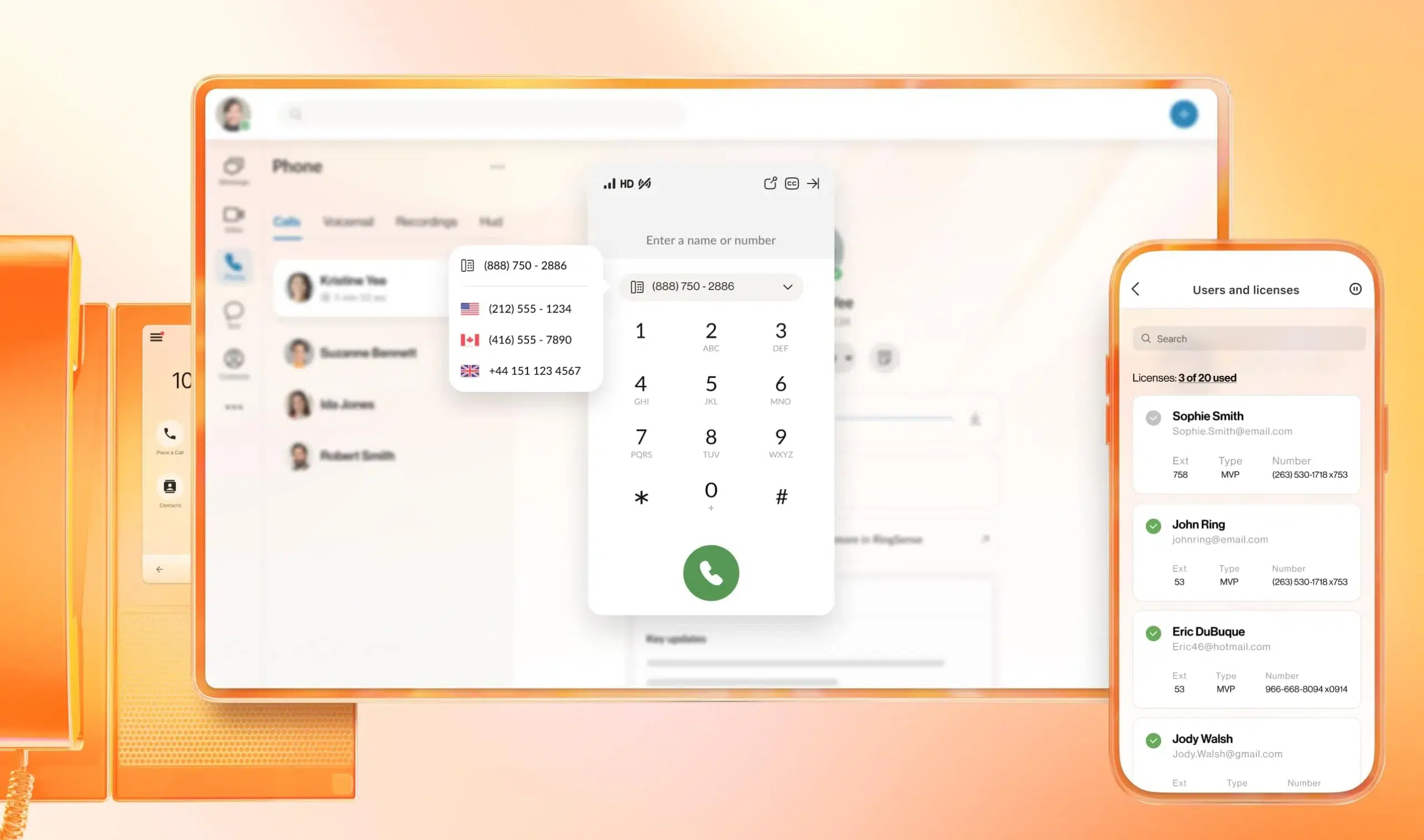
RingCentral brings together VoIP, SMS, video, and fax in one UCaaS platform that’s easy to roll out across teams. Starting at $30/user/month with a free trial available, it’s packed with features and solid support.
Integrations:
- Salesforce, HubSpot, Zendesk, Microsoft Teams, Google Workspace, Slack
Why it stands out:
Unified cloud-based communications platform with no hardware requirements
Pricing:
- Core: $30/user/month
- Advanced: $35/user/month
- Ultra: $45/user/month
Best for:
RingCentral is ideal for hybrid teams that rely on flexible, cross-channel communication without complex IT setup.
Not ideal for:
It’s a bit of overkill for teams that don’t need messaging or fax functionality alongside calling.
3. Grasshopper

Grasshopper turns your mobile or desktop into a small office VoIP system—no new hardware needed. With pricing from $29/month and a free trial available, it’s a no-fuss option for small operators.
Integrations:
- Limited native integrations; can work alongside platforms via call forwarding and virtual number usage
Why it stands out:
Transforms existing devices into a business phone system without additional hardware
Pricing:
- Solo: $29/month
- Partner: $49/month
- Small Business: $89/month
Best for:
Grasshopper is best suited for solo pros or freelancers who want a simple, professional phone presence.
Not ideal for:
Not built for scaling or teams that need advanced analytics or routing.
4. Nextiva
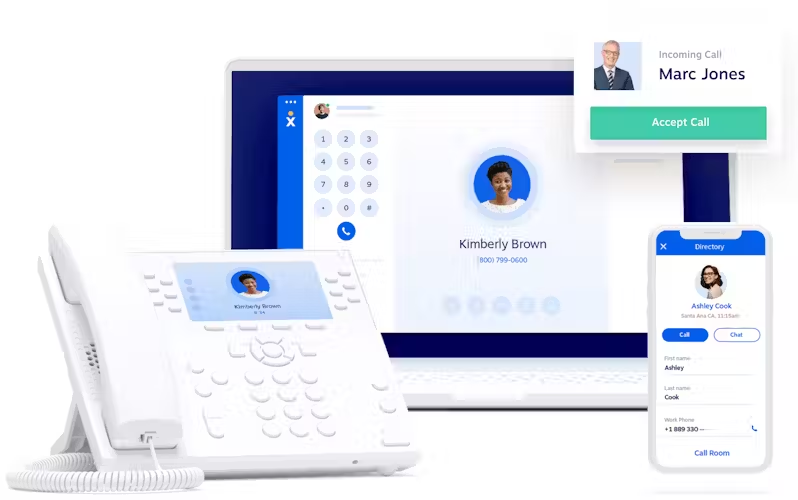
Nextiva is a stable VoIP system offering 99.999% uptime, clear voice quality, and a mobile-first design. Plans start at $30/user/month, and there’s a free trial so you can test it risk-free.
Integrations:
- Salesforce, HubSpot, Zoho CRM, Microsoft Teams, Outlook, Zendesk
Why it stands out:
99.999% uptime, crystal-clear voice quality
Pricing:
- Core: $30/user/month
- Engage: $40/user/month
- Power Suite: $60/user/month
- Enterprise: $199/user/month
Best for:
Nextiva is great for orgs that simply can’t afford dropped calls or system downtime—like law firms, clinics, or remote-first teams.
Not ideal for:
Not ideal if you’re looking for deep AI features or custom call workflows.
5. 8×8

8×8 offers a robust enterprise-grade PBX tailored to small business needs, complete with analytics and Microsoft Teams integration. Pricing is custom, but there’s a free trial to get you started.
Integrations:
- Microsoft Teams, Salesforce, HubSpot, Zendesk, Zoho CRM, ServiceNow
Why it stands out:
Enterprise-grade system with comprehensive analytics, Microsoft Teams integration
Pricing:
- Unfortunately, you have to contact sales for full pricing details
Best for:
8×8 caters to growing businesses and distributed teams that need enterprise-level analytics and global call coverage.
Not ideal for:
May not be the best fit for SMBs looking for a quick plug-and-play solution.
6. Dialpad

Dialpad mixes AI smarts with enterprise-grade compliance in a sleek interface—HIPAA and GDPR included. Prices begin at $15/user/month, and you can test-drive it with a free trial.
Integrations:
- Salesforce, HubSpot, Zendesk, Microsoft Teams, Google Workspace, Slack, Zoho CRM
Why it stands out:
AI-powered capabilities, enterprise-grade security, GDPR and HIPAA compliance
Pricing:
- Standard: $15/user/month
- Pro: $25/user/month
- Enterprise: Custom pricing
Best for:
Dialpad is a smart choice for high-volume call centers in healthcare or legal teams that need secure, AI-driven conversations.
Not ideal for:
It’s not ideal for businesses needing robust CRM syncing or call center-style features.
7. Dialaxy
Dialaxy offers a comprehensive cloud-based telephony system, which is aimed at facilitating business interactions and has more than 100 automated features. The pricing starts at $10/month with an option for scalability based on the customer base.
Integrations:
- HubSpot, Zendesk, and Zoho
Why it stands out:
Automated 100+ features and the ability to connect teams and support customers from one unified app, and responsive 24/7 customer support.
Pricing:
- Starting at $10/month as a basic plan.
- $20/month for the Plus plan
- $30/month for Pro plan
- For the enterprise plan, you have to contact the team.
Best for:
Dialaxy is ideal for startups, small businesses, and organizations with a global client base that require a comprehensive cloud telephony system.
Not ideal for:
Users who need extremely basic call forwarding without any team management, messaging, or advanced communication functionalities.
8. Vonage

Vonage’s modular system makes it easy to scale or customize your VoIP setup as your business grows. It starts at $13.99/line/month with a free trial.
Integrations:
- Salesforce, Microsoft Teams, Google Workspace, Zoho CRM, Bullhorn, Zendesk
Why it stands out:
Intuitive admin portal, flexible deployment options
Pricing:
- Mobile: $13.99/line/month
- Premium: $20.99/line/month
- Advanced: $27.99/line/month
Best for:
Vonage is best for SMBs that want a flexible setup with powerful call management and smart assistants, as well as full control over multi-channel communications.
Not ideal for:
Not recommended if you’re after a sleek, all-in-one interface or top-tier analytics.
9. Ooma Office

Ooma is all about simplicity—plug-and-play VoIP with just the right feature set for small teams. Pricing starts at $19.95/user/month, and there’s a free trial if you want to try before you commit.
delivers plug-and-play simplicity and reliability, ideal for SMBs that want to get up and running quickly without complex setups.
Integrations:
- Salesforce, Microsoft 365, Google Contacts, Office 365, ServiceNow
Why it stands out:
Quick 15-minute setup, hybrid work environment support
Pricing:
- Essentials: $19.95/user/month
- Pro: $24.95/user/month
- Pro Plus: $29.95/user/month
Best for:
Ooma is great for fast-moving businesses that need to get up and running without a tech team.
Not ideal for:
Not a match for larger organizations that want deep reporting or custom workflows.
10. Freshdesk
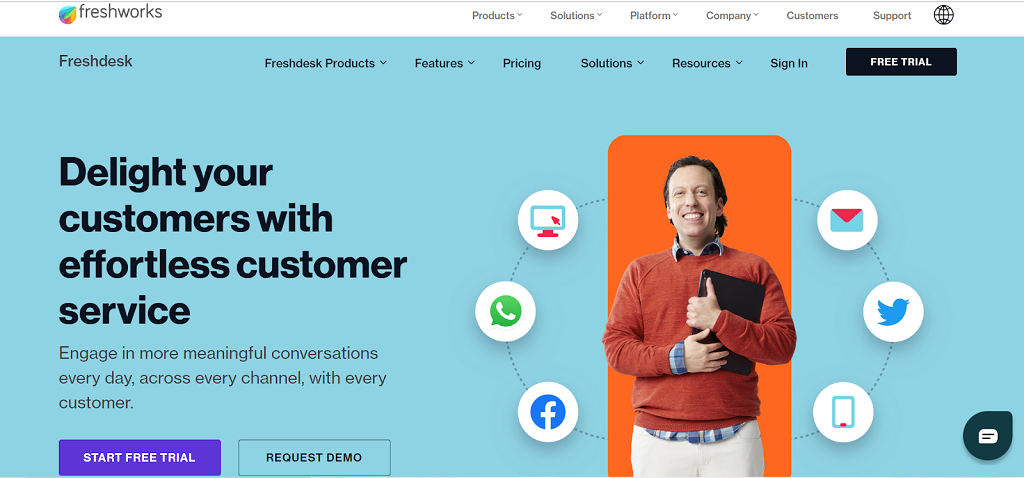
Freshdesk turns your VoIP into a help desk powerhouse—calls become tickets, tracked automatically inside Freshservice. Plans start at $0/agent/month, and there’s a free trial too.
Integrations:
- Freshservice, Slack, Microsoft Teams, Google Workspace, Jira
Why it stands out:
Integration with Freshservice platform, automatic conversion of calls to service tickets
Pricing:
- Free: $0/agent/month
- Growth: $15/agent/month
- Pro: $49/agent/month
- Enterprise: $79/agent/month
Best for:
Freshdesk is tailored for internal support teams, integrating voice into help desk workflows to streamline IT service management for remote-first orgs.
Not ideal for:
It’s not built for external-facing sales or support teams that need call center-level performance.
11. CallHippo
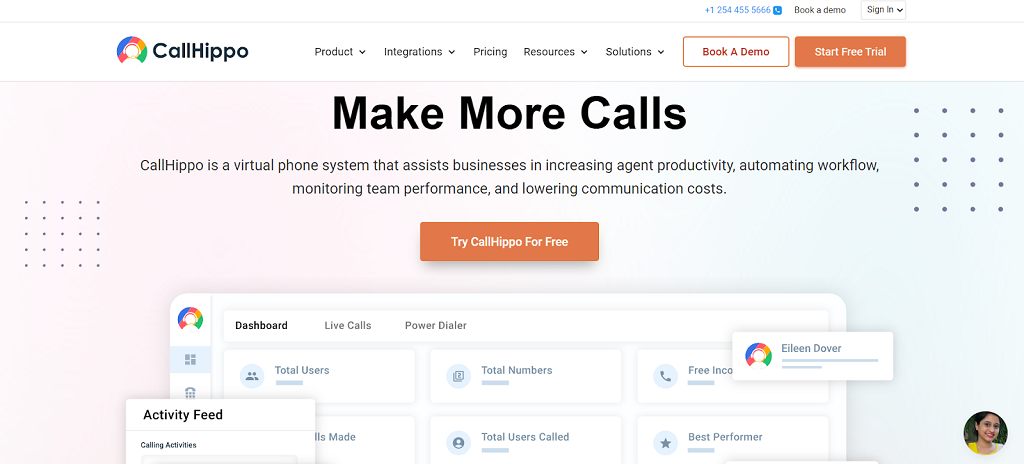
CallHippo brings automation and smart routing to the table, with global-ready power dialers and strong CRM integrations. Starts at just $0/user/month, and yes, there’s a free trial. is purpose-built for sales and support teams that live on the phone, offering advanced dialers and smart automation at highly competitive rates.
Integrations:
- Salesforce, HubSpot, Zoho CRM, Microsoft Teams, Intercom, Pipedrive, Slack
Why it stands out:
Focus on sales and support team efficiency, automation features
Pricing:
- Basic: $0/user/month
- Bronze: $16/user/month
- Silver: $24/user/month
- Platinum: $40/user/month
Best for:
CallHippo is is purpose-built for sales and support teams that live on the phone, offering advanced dialers and smart automation at highly competitive rates.
Not ideal for:
Not great for teams that need complex call routing or enterprise-level support.
12. KrispCall

KrispCall is an AI-powered business phone system that unifies voice, SMS, and analytics in one platform. With monthly pricing from $15/month and comprehensive VoIP capabilities, it’s designed for businesses seeking professional communication without the complexity.
Integrations:
- Native CRM integrations with Salesforce, HubSpot, Pipedrive, and 100+ platforms
Why it stands out:
Combines AI-driven features with extensive CRM integrations, making it ideal for sales teams and customer service operations that need detailed call analytics and automated workflows.
Pricing:
- Essential: $15/month per user
- Standard: $40/month per user
- Enterprise: Custom pricing
Best for:
KrispCall is best suited for sales teams, customer service departments, and growing businesses that need robust CRM integration and call analytics.
Not ideal for:
Basic users who only need simple calling features without CRM integration or advanced analytics.
13. Allo
Allo is a modern AI-powered phone system designed for startups and small teams that want to manage calls, SMS, and customer interactions in one platform. By combining AI-driven call intelligence with automated call handling and CRM integration, Allo helps teams save time, capture leads, and ensure no conversation slips through the cracks.
Whether your team is remote, hybrid, or scaling quickly, Allo centralizes all phone operations in a single workspace, making it easier to track conversations, manage prospects, and improve customer engagement.
Pricing:
- Free trial available for testing AI call features.
- Starter plan: $216/year (1 user max) with unlimited calls, a local number, AI summaries, and IVR.
- Business plan: $45/user/month ($32/month if billed yearly), including integrations, unlimited AI answering, SMS, and international calls.
Best for:
Startups and small teams that rely on phone communication to engage prospects, automate call handling, and capture conversation insights without juggling multiple tools.
Not ideal for:
Teams that only need basic phone functionality or do not require AI-driven call handling and CRM integrations, as Allo’s strength is in automated, AI-enhanced communication workflows.
CloudTalk lets you cut call times, boost conversions, and automate your workflows—try it for free.

What Is a Small Business VoIP System?
A small business VoIP system is a business phone system for small to medium-sized teams that uses the internet instead of landlines. Your team can call and answer on a computer, desk phone, or mobile—using the same business number. Of course, VoIP is just one piece of the puzzle, knowing how to overcome the biggest small business challenges across operations, growth, and customer management will help you make the most of these tools.
A modern VoIP phone system for small business combines enterprise-grade features like smart routing and AI transcription with straightforward, plug-and-play simplicity, ensuring your reps spend more time talking and less time dealing with tech issues.
What an SMB VoIP system usually comes with:
- Virtual phone numbers for business (local or toll-free, sometimes international)
- Apps for calling on both desktop and mobile (ideal for distributed teams)
- Call handling basics (greeting/menu, forwarding, voicemail)
- A simple admin area to add users and set hours
- Basic call stats (missed calls, answered calls)
On top of these basics, the best VoIP systems for growing teams (CloudTalk is a good example) add what small teams feel as they scale: AI automation, deep CRM logging, and clear analytics—plus crystal-clear audio, strong international reliability, and uptime as high as 99.999% so your phone lines don’t become the bottleneck.
How to Choose the Best VoIP Solution for Small Businesses in 2026?
Picking the right VoIP is like hiring the right teammate. It has to fit how your business runs today and how it’ll grow tomorrow.
The most effective VoIP solutions for small business don’t just replace your clunky landlines; they act as a central productivity engine that captures intent, reduces manual logging, and speeds up your speed-to-lead.
Maybe you’re taking 30 support calls a day now, but what happens when that number triples? The right system should scale with you, not slow you down. Here’s how to tell which one’s actually built for that.
Choose a Platform That Scales with Your Growth
As your business adds users, locations, or services, your VoIP should keep up. Favor systems with quick provisioning, no hardware lock-in, and support for multi-region routing and analytics. This shift away from rigid infrastructure highlights how advances in hardware development
and cloud technology together empower SMBs with scalable, flexible communication systems.
Best fit: CloudTalk is ideal for fast-growing teams expanding internationally, offering easy scaling across 160+ markets with international numbers, smart IVR, and performance insights.
Wanna scale fast? See how PlanRadar cut call times by 70% while expanding globally with CloudTalk.

Prioritize Transparent Pricing and Long-Term Value
Look for providers with clear, predictable pricing—no surprise fees. The best VoIP solutions offer competitive international rates, flexible billing, and plans that scale with your usage.
Best fit:
- CloudTalk delivers flexible, transparent pricing across multiple tiers—ideal for growing teams that need advanced features and international coverage without hidden fees.
- CallHippo offers some of the most budget-friendly pricing tiers with solid features for SMBs that need to stay lean while scaling.
pricing guide
Pro Tip: Check out the section below on VoIP systems cost breakdown and learn more about what to expect, including hidden costs some of the providers won’t tell you about before you commit.
Make Sure It Integrates with Your Stack
Your VoIP should plug directly into your existing workflows. Look for native integrations with CRMs, help desks, and communication tools—so your agents have everything in one place.
Best fit:
- CloudTalk stands out for seamless, native integrations with major CRMs like HubSpot, Pipedrive, and Zendesk. It’s the perfect VoIP solution for sales and support teams who need real-time context without switching tabs.
- RingCentral and Dialpad are also strong contenders, especially for hybrid teams using Microsoft 365, Slack, or Google Workspace.

Match Features to Your Daily Use Cases
Different teams need different tools. Sales reps benefit from dialers and tagging, while IT support teams need auto-ticketing and internal call logs. Align platform features with real-world usage.
Best fit:
- CloudTalk excels for sales and support teams needing AI assitance, Smart and Power Dialers, and Workflow Automation.
- Freshdesk is purpose-built for internal IT support with native ticketing and service integrations.
Test Call Quality in Real Conditions
High-quality audio is non-negotiable. Choose a platform that performs well even under network strain. Check for low latency, minimal jitter, and options to monitor quality in real time.
Best fit:
- Nextiva delivers top-tier uptime and voice clarity—perfect for legal, medical, and high-call-volume orgs that can’t risk dropped calls.
- CloudTalk provides crystal-clear call quality with real-time diagnostics, helping SMBs maintain performance even during call spikes.
Real-Life Example
Pro Tip: Avoid providers that offer everything to everyone. You don’t need enterprise tools packed with features you’ll never use—or stripped-down plans that nickel-and-dime you for essentials. Instead, look for a VoIP for SMB that evolves as your business grows, with pricing, support, and tools built for your stage.
Cost Breakdown: How Much Does a Small Business VoIP System Cost?
A VoIP phone system for a small business typically costs between $15 and $50 per user per month. Basic plans offering essential call handling generally start around $15 to $25, while advanced tiers featuring AI automation, smart power dialers, and advanced CRM integrations range from $25 to $50+. Businesses should also budget for additional variables like international calling rates, extra virtual numbers, and setup fees.
VoIP pricing looks simple…until you start building your real setup. When evaluating the true ROI of a VoIP phone service for small business, you must factor in the cost of international virtual numbers and the time saved by AI-powered automations.
What usually shapes the final price of your SMB VoIP system:
- Billing model: per user vs. per line (this can change what you pay a lot)
- Payment terms: monthly flexibility vs. annual savings (but with a longer commitment)
- Plan level: basic features vs. advanced features that save time
- Virtual VoIP Numbers: how many you need, what type (local, toll-free, national), and which countries
- Minutes: “unlimited” vs. bundles/pay-as-you-go (and what happens if you go over)
- Onboarding + support: included vs. charged separately, sometimes based on seats
pricing tip
Pro Tip: Don’t compare providers by the headline “$/user.” Compare the full setup you’ll run in 3–6 months: users + numbers + minutes + the features you’ll actually need.
Hidden Costs to Watch For
Two VoIP plans can look identical until you hit checkout or month two. The surprises usually come from one-time fees, “unlimited” fine print, global usage, and contract terms.
The most common hidden costs of VoIP systems:
- Setup/activation fees: charged upfront (sometimes hidden behind “onboarding”)
- Promo price jumps: the low price ends, then your bill quietly increases
- “Unlimited” limits: fair-use caps and overage charges when you cross them
- Global costs: international calling outside your plan, or expensive numbers in certain countries
- Porting fees: fees to move numbers in (or penalties to move out)
- Support upgrades: basic support is included, faster help costs extra
read before you bleed
The more you know: Want to really understand VoIP pricing before you commit? Check out our full guide on VoIP pricing for small businesses—it breaks down billing models, minute plans, number costs, and the fine print that drives your real monthly total. After all, isn’t it better to spend some time reading to avoid long-term budget bleeding?
AI Features to Consider in Modern VoIP Systems
“AI” can mean anything, and for some, it’s even a bit daunting.
However, for SMBs, AI automation tools are essential and significantly help reduce busywork, improve routing, and make coaching easier.
VoIP AI automation tools that make SMBs more productive:
- Call transcription & summaries: faster notes, cleaner CRM updates, fewer “what did they say?” moments.
- Topic extraction: spot repeat questions and objections so you can fix scripts and FAQs faster.
- Sentiment detection: spot frustrated or high-risk calls fast, so you can step in, escalate, or fix issues before they turn into churn.
- Smarter routing: route by intent, language, customer type, or past outcomes so the right person answers faster.
- Voice agents: use them for the calls that “waste” human time (simple follow-ups, confirmations, basic questions). They run nonstop and in parallel, so your reps can focus on the complex conversations that actually need a person.
- Virtual receptionists: use this 24/7 AI call-answering assistant to handle after-hours calls, basic triage, and routing, so you don’t miss leads or urgent issues.
- AI dialers(Power, Parallel, Smart): Power automates dialing; Parallel calls up to 10 leads at once and uses AMD to skip voicemails; Smart pulls numbers from a website or your CRM into a queue so reps can one-click dial.
scale with ai
Why Automation Matters: It’s true that CloudTalk’s AI add-ons (like AI agents, Parallel Dialer, or Conversation Intelligence) cost extra, but they’re a smart buy if you’re scaling. They remove the work that slows teams down: repetitive calls, manual notes, slow handoffs, and wasted dialing. That means more calls handled per day, fewer missed leads, and no need for extra headcount just to keep up.
CloudTalk vs. Traditional VoIP Providers
Traditional VoIP providers (like RingCentral, 8×8, Nextiva, or Vonage) often try to be a “do-it-all” business phone suite.
While legacy business VoIP providers often lock you into rigid contracts bundled with features you’ll never use, modern cloud solutions let you pay only for the tools that actively accelerate your sales and support workflows.
CloudTalk is built for sales and supportSMB teams that want to grow fast, save time, and keep every customer detail close during calls.
Where CloudTalk is a better fit for modern SMBs:
- Scaling: add people, numbers, and new countries quickly
- Smarter call handling: simple menus and queues that get callers to the right person faster
- Connected tools: calls and notes show up in your CRM automatically
- Automation: follow-ups happen automatically, so nothing gets missed
- More done per rep: dialers and AI tools help teams reach more people with less manual work
- More context: AI transcripts and summaries help reps quickly pick up where the last call left off
Where a traditional provider may fit better:
- All-in-one comms: if you mainly want calling plus meetings and team chat in one app
- Basic needs: low call volume and simple call handling
Why 4,000+ Businesses Worldwide Trust CloudTalk
More than 4,000 businesses, especially small ones aiming to scale, stick with CloudTalk because it helps them handle more calls without creating more work.
The platform brings calling, routing, and tracking into one place, so sales and support teams move faster and miss fewer opportunities.
What teams tend to value most is simple: clear visibility into missed calls and performance, smarter routing that gets callers to the right person, faster outbound with dialers, and CRM-linked workflows that cut manual logging. As they grow, they can add users, numbers, and new markets without rebuilding their setup.
think long-term
Bottom Line: If you just need a basic business phone, many business voip providers can work. If you want a voip phone system for a small business that helps sales and support teams grow without adding busywork (or extra headcount), CloudTalk is a much better long-term fit.
How to Set Up a VoIP System for Your Small Business
Setting up a small-business VoIP phone system is usually simpler than people expect. With CloudTalk, you can pick numbers, set routing, connect your CRM, and be live fast, without making it a “big IT project.”
Here’s a quick CloudTalk VoIP setup guide:
- Choose your CloudTalk plan + number of seats: Map seats to real users (sales, support, managers) so you don’t overpay from day one. Want to give it a try first? Start your free 14-day trial and see what to expect and which features you’ll need most.
- Set up your calling devices: Install CloudTalk on desktop and mobile for each teammate (and add desk phones only if you truly need them).
- Add your business virtual number: With CloudTalk, you can buy local, toll-free, mobile, or national numbers in 160+ countries.
- Create a simple call flow: Business hours → greeting/menu → ring group/queue → voicemail fallback. Keep options minimal so callers don’t get stuck. Dive into more complex flows later.
- Assign teams, rules, and ownership: Decide who answers what (sales vs. support), who gets missed calls, and what happens when no one picks up.
- Turn on the time-saving features you’ll actually use: Call recording (for QA), call tags/outcomes (for visibility), and basic automations (like follow-ups after missed calls).
- Connect your CRM: Sync contacts and enable call logging so calls, notes, and outcomes live where your team already works.
- Test like a customer would: Call from a mobile phone, go through every menu option, test transfers, and check that logs land in your CRM correctly.
- Start training your team: Cover the essentials like how to answer or transfer calls, when to tag calls, how to log outcomes, and what “good follow-up” looks like.
BUILT TO SCALE
Pro Tip: Once the basics are live, CloudTalk makes scaling painless. You can add more users or buy more numbers in minutes, add more complex call flows, and boost productivity with AI automation tools like Voice Agents, AI dialers, and Conversation Intelligence, so you can handle more calls without adding headcount.
Test Drive the Best VoIP System for Growing SMBs
Delight Customers With the Right Small Business VoIP
The global VoIP services market is projected to surpass $349.1 billion by 20342, driven by the growing demand for cost-effective communication solutions .
If you’re looking for the best VoIP for small business, focus on platforms that match how your team sells, supports, and scales.
For growing teams, a VoIP call center for small businesses, like CloudTalk, offers powerful features without enterprise bloat.
Others might prefer simpler VoIP call center solutions that do just enough, without overcomplicating your stack.Either way, choosing the right system now means you’ll be ready for whatever comes next.
Ultimately, the best VoIP service for small business is one that eliminates busywork through smart automation, integrates flawlessly with your existing tech stack, and provides crystal-clear audio quality under heavy call volumes.
Discover the Best VoIP solution for SMBs, now with a 50% discount!
Sources:







