9 Best Business VoIP Providers in Dallas, TX (2026)
SUMMARY:
CloudTalk is the best of the small business VoIP providers in Dallas, TX for most teams. Interactive voice response (IVR) and skill-based call routing are included on its entry plan, and you can start with a single license instead of buying three seats you don't need yet.
The nine providers we reviewed, and who each one suits:
- 01CloudTalk: best for Dallas-Fort Worth (DFW) sales and support teams that want local US numbers plus CRM-native calling
- 02Talkroute: best for solo operators who'd rather pay per account than per seat
- 03MightyCall: best for small US teams that want a complete phone system, not a second line
- 04Grasshopper: best for solopreneurs adding a business line to a phone they already own
- 05KrispCall: best for budget-conscious teams that need a US number now and international numbers later
- 06CallHippo: best for two-person shops that want to start at zero and grow into a dialer
- 07Ringover: best for growing DFW teams making high volumes of domestic calls
- 08Aircall: best for 10 to 50-user SMBs whose phone system has to live inside HubSpot or Salesforce
- 09Ooma Office: best for Dallas offices that still want desk phones on the wall
Best Business VoIP Providers in Dallas, TX: Comparison Table
| Provider | Key Features | Best For | Starting Price | G2 Rating |
|---|---|---|---|---|
| CloudTalk | Local numbers in 160+ countries, number porting, IVR and skill-based routing from the entry plan, 95+ integrations, AI add-ons | DFW teams that want local numbers plus CRM-native calling | $25/user/month, billed annually | 4.4/5 |
| Talkroute | Call forwarding and routing, extensions, simultaneous ring, HD video for 100 participants, desktop and mobile apps | Solo operators and micro-businesses | $19/month per account, 1 user included, $5 per extra user | 4.6/5 |
| MightyCall | Unlimited calling and texting, 3 numbers per plan, multi-level auto-attendant, integrations and API from the entry tier | Small US teams wanting a full phone system | $20/user/month, billed annually | 4.4/5 |
| Grasshopper | Local, toll-free and vanity numbers, number porting, desktop app | Solopreneurs adding a business line | $14/month, billed annually | 3.9/5 |
| KrispCall | Unified callbox, call routing, one free US number per user, free US number porting, 100+ integrations | Budget-conscious teams needing US plus international numbers | $12/user/month, billed annually | 4.5/5 |
| CallHippo | Free tier for 6 months, Local Presence caller ID, skill-based routing, 50+ integrations | Two-person shops starting from zero | $0/user/month on Basic for 6 months, then Starter from $18 | 4.4/5 |
| Ringover | Unlimited national calls, call recording plus summary and transcription on the entry plan, 100+ integrations higher up | Growing DFW sales and support teams | $15/user/month, billed annually, excluding taxes | 4.6/5 |
| Aircall | 200+ integrations, real-time transcription, call whispering and supervisor barge-in, softphone | 10 to 50-user teams built around a CRM | $30/user/month | 4.4/5 |
| Ooma Office | 100+ features, virtual receptionist, one free toll-free number, unlimited North American calling; no desk phone bundled | Dallas offices that want desk phones | $19.95/user/month | 4.5/5 |
Read the price column carefully. Talkroute is the only provider here that prices per account rather than per user, so its $19 covers one included user and every extra seat costs $5 on top. Everyone else quotes a per-seat figure, and several enforce a minimum seat count that puts the real floor at two or three times the advertised number, which is the single biggest trap in small business VoIP pricing.
Why Are Dallas SMBs Switching Business Phone Providers?
According to the Federal Communications Commission's Voice Telephone Services report1, 83.7% of US wireline business phone connections were VoIP as of June 30, 2025. That switch is finished. A Dallas office still running calls over copper is now in a shrinking minority.
It matters more here than in most markets. Per the US Census Bureau's Vintage 2025 estimates2, the five fastest-growing cities in the country are all in Texas, and four of them are Dallas-Fort Worth suburbs, led by Celina at 24.6% growth. Hiring in a market like that means adding seats monthly and opening a Fort Worth line. An old system handles neither, so calls get missed and your team starts handing out personal mobile numbers.
Most teams patch instead of replace. They bolt call forwarding onto the existing line, or point the main number at a founder's cell, and both work right up until two calls land at once. We reviewed the 9 best options below so you can pick one and know the cost before you sign.


What Is the Best Business VoIP Provider in Dallas, TX in 2026?
CloudTalk is the best business VoIP provider for most Dallas SMBs, because it puts the features a growing team needs on the plan a growing team can afford. Three specifics back that up, and each is worth checking against any other VoIP providers in Dallas, TX on your shortlist:
- Routing is on the entry plan. IVR call menus, skill-based routing and condition-based routing are available from Starter, so you don't upgrade a tier just to send sales calls to the sales team.
- One seat is enough to start. Starter and Essential have a one-license minimum. Aircall, Ringover and MightyCall all require three users before you can buy anything.
- The AI is optional and priced openly. AI Conversation Intelligence and AI Voice Agents are add-ons rather than bundled tier bait.
CloudTalk also holds 4.4/5 on G2 across 1941+ reviews, the largest review sample here. Best overall still isn't best for you, so the list below is sorted by who each tool fits.
Our Methodology: How We Chose the Best Business VoIP Providers in Dallas, TX
We built this list of business VoIP service providers in Dallas, TX around what we could verify. For every provider we read the prices, plan names, user minimums and add-on fees off the vendor's own pricing page, and recorded the date. We pulled aggregate G2 ratings and review counts so you can see the sample behind each score. We also checked whether the vendor documents US local numbers and porting on their own site. Where a page was bot-protected or rendered client-side, the field says "not verified" instead of borrowing a number from a competing listicle.
Why Trust Our Software Reviews?
For nearly a decade, we've helped 30,000+ professionals find and implement smarter business communication tools. We've reviewed 200+ software tools across industries, analyzed 5,500+ verified customer reviews from platforms like G2, Capterra, Trustpilot and TrustRadius, and drawn insights from real user discussions on Reddit and Quora. In the past year alone, we published 1,000+ articles, each one written by humans for humans. Learn how we keep our content integrity and our software review methodology.
Best Business VoIP Providers in Dallas, TX: Top 9 Honest Picks
1. CloudTalk
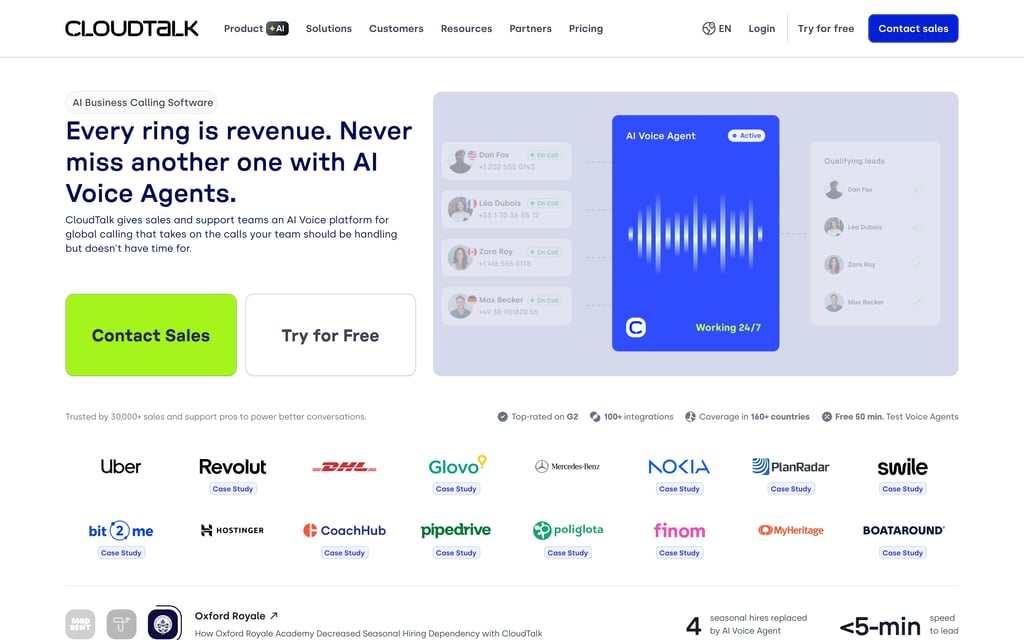
What Is CloudTalk?
CloudTalk replaces on-premise private branch exchange (PBX) hardware with a cloud-based VoIP service that sales and support teams run from a browser, a desktop app (macOS, Windows, Linux) or a mobile app (iOS, Android). Calls, SMS, MMS and WhatsApp conversations live in one workspace alongside recordings, transcripts, AI summaries, tags and analytics.
What Are CloudTalk's Key Features for Dallas SMBs?
- Local numbers without a hardware order. CloudTalk sells local numbers in 160+ countries on a multi-carrier network, and number porting brings your existing numbers in.
- Routing you can change yourself, on the cheapest plan. The Call Flow Designer is a drag-and-drop builder with 19 actions, branching logic and edits that don't interrupt live calls. IVR call menus and skill-based routing start on Starter.
- Your customer relationship management (CRM) system stops being a separate job. 95+ CRM, helpdesk and applicant tracking system (ATS) integrations plus API and data sync start on Essential, with the Salesforce Ecosystem integration on Expert.
- AI when you want it, not before. AI Conversation Intelligence turns every recorded call into a transcript, topic list, sentiment score, tags, summary and action items. It's an add-on, as are AI Voice Agents.
What Is the Pricing of CloudTalk?
- Starter: $25/user/month billed annually, one license minimum, IVR and skill-based routing included.
- Essential: $29/user/month billed annually, one license minimum. Adds the 95+ integrations, API and data sync, and Smart Dialer.
- Expert: $49/user/month billed annually, three license minimum. Power Dialer is included here.
- Custom: Contact Sales. A 14-day free trial runs before you commit, and every published tier in CloudTalk pricing is per user, with Custom the only quote-based option.
- Add-ons: Power Dialer $15/user/month billed annually (an add-on on Starter and Essential), Parallel Dialer $39/user/month, AI Conversation Intelligence $9/user/month, AI Voice Agents from $99/month for 200 minutes, Branded Caller ID from $0.07 per call.
What Are the Pros and Cons of CloudTalk?
| Pros | Cons |
|---|---|
| IVR and skill-based routing sit on Starter, so basic call routing costs no upgrade | Integrations and API access require Essential, so the cheapest plan can't sync to HubSpot or Salesforce |
| You can buy a single license on Starter or Essential, where Aircall, Ringover and MightyCall all start at three | Expert carries a three-license minimum, so the plan that includes Power Dialer is closed to a solo operator |
| Add-on pricing is published per item, so you can see what AI and dialing cost before you buy | The Salesforce Ecosystem integration is Expert-only |
What Do Customers Say About CloudTalk?
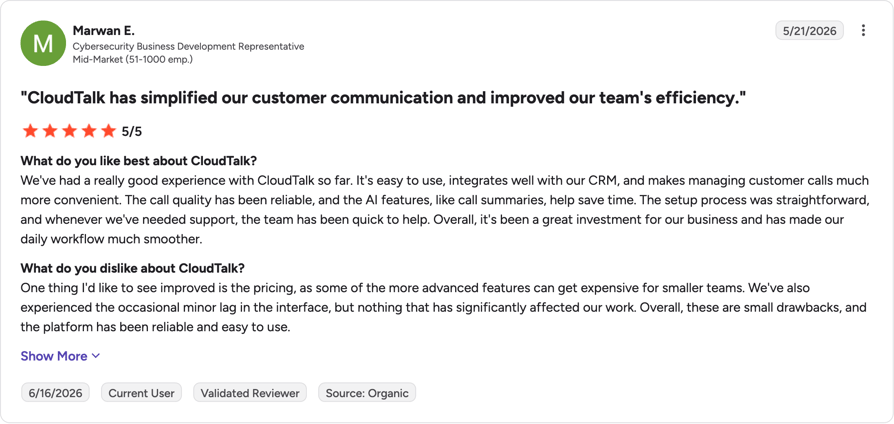
CloudTalk carries the largest review sample in this comparison, and a score built on that many reviews resists skewing. The published terms show where satisfaction splits: entry-plan buyers get real call handling rather than a stripped demo, and the friction point is the Essential upgrade, because that's where the CRM integrations live.
G2 rating: 4.4/5 (1941+ reviews). Read the CloudTalk reviews on G2.
When Should a Dallas Business Pick CloudTalk?
Pick it when calling is how you make money and you want routing, recording and analytics from day one, with the option to add a dialer or AI later without migrating. The strongest fit is a DFW team between roughly 3 and 50 seats. Look elsewhere if you need one basic line, or if your budget tops out below $20 a seat.
Customer story: LKN Strategies (Healthcare & Wellness): 40% Reduction in call abandonment rate. Read the LKN Strategies story
Test CloudTalk against your real call volume with a 14-day free trial.
2. Talkroute
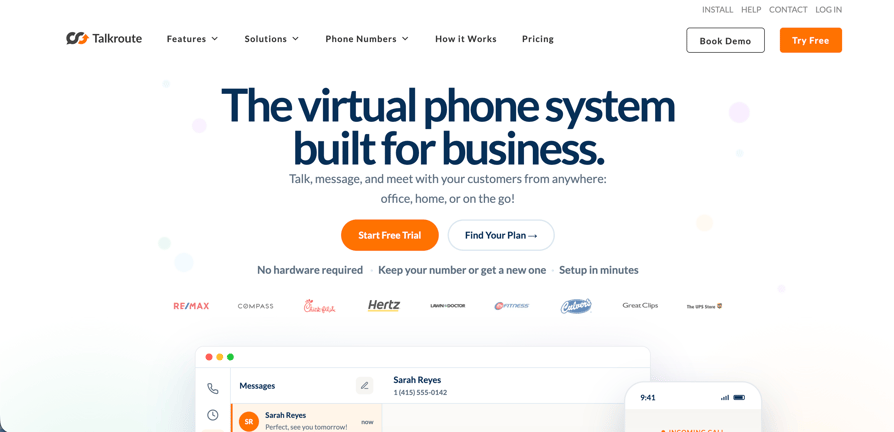
What Is Talkroute?
Talkroute calls itself "the all-in-one business phone system" and invites you to "choose a plan to get phone numbers, calling, messaging, and video for your team". The distinguishing part is the billing model: plans are priced per account with users included, not per seat.
What Are Talkroute's Key Features?
- Per-account pricing with users included. Basic bundles one user, Plus bundles three, Pro bundles ten, and extra users cost $5 each.
- Call handling without a tier upgrade. Call forwarding and routing, simultaneous ring, live call transfer and hours of operation come with the phone system, with single-digit VoIP phone extensions on Plus and multi-digit extensions on Pro.
- Video included rather than sold separately. HD video meetings for up to 100 participants come free with every Business Phone plan.
- Apps and API on every plan, across desktop, mobile and web, with 24/7 support.
What Is the Pricing of Talkroute?
- Basic: $19/month, 1 user included, $5 per additional user.
- Plus: $39/month, 3 users included, $5 per additional user.
- Pro: $59/month, 10 users included, $5 per additional user. Adds call recording, reporting and Voice Studio prompts, with a BAA available.
- Enterprise: quote-based for 20+ users, with bulk discounts.
- Add-ons: extra toll-free or local numbers at $5 per number per month. AI Receptionist is in beta and billed separately, from $39/month. Our breakdown of Talkroute pricing works through how the per-account model adds up as you hire.
What Are the Pros and Cons of Talkroute?
| Pros | Cons |
|---|---|
| Per-account pricing with users included is the cheapest realistic entry point here for a one to three-person business | Text messages are capped by tier at 500, 2,000 and 5,000 a month, which sits oddly against the unlimited-calling framing |
| Video meetings for 100 participants come with every phone plan rather than as a separate product | Call recording and reporting need the $59 Pro tier |
| No minimum user count on Basic | AI Receptionist is beta and priced on top of a phone plan |
What Do Customers Say About Talkroute?
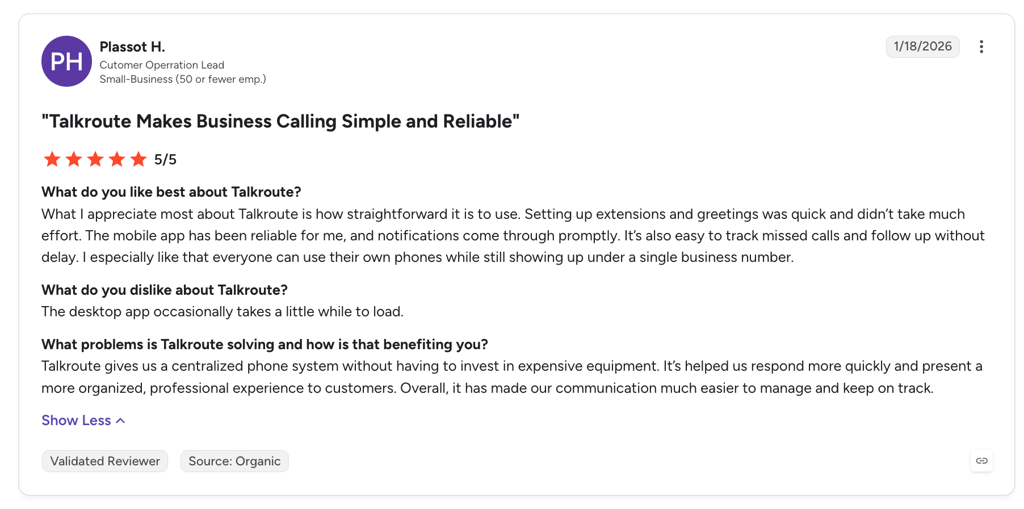
Talkroute's G2 score is high, and it rests on the smallest review sample in this article by a wide margin, so read it as a signal from a small group of happy customers rather than a market verdict. The published terms line up with that: a well-liked product for very small teams, with the caveats on message caps and Pro-tier recording.
G2 rating: 4.6/5 (44+ reviews). Read the Talkroute reviews on G2.
When Should a Dallas Business Pick Talkroute?
Pick it if you're one to three people and you want a professional main line with extensions and forwarding, without per-seat arithmetic every time you hire someone part-time. Skip it if you send a lot of texts, because the monthly caps will bite, or if you need call recording without paying for the top published tier.
3. MightyCall
What Is MightyCall?
MightyCall describes its entry tier as an "advanced business phone system" and its higher tiers as an "intelligent cloud call center" and a "call center solution powered by auto dialer". It targets US small teams that want the whole phone system in one subscription, which makes it a VoIP phone system provider in Dallas that a small business can grow into instead of bolting three tools together.
What Are MightyCall's Key Features?
- Three numbers in the box. Every plan includes 3 local or toll-free numbers, the most generous inclusion of any provider here.
- Unlimited calling and texting on the entry tier, subject to a fair-use policy.
- Integrations and API from the cheapest plan, which is unusual in this price band.
- A real dialer if you grow into it. The auto dialer appears on Power, a predictive dialer on Enterprise, and live support comes with every tier.
What Is the Pricing of MightyCall?
- Core: $20/user/month billed annually, or $25 month to month. Three-user minimum.
- Pro: $38/user/month billed annually, or $45 month to month. Three-user minimum.
- Power: $54/user/month billed annually, or $65 month to month. Three-user minimum. Includes the auto dialer.
- Enterprise: $65/user/month billed annually, or $75 month to month. Five-user minimum.
- Extras: additional phone number $5/month plus a $15 one-time activation fee. Their page states that applicable federal and state taxes and fees are added to your invoice. See our tier-by-tier read of MightyCall pricing.
What Are the Pros and Cons of MightyCall?
| Pros | Cons |
|---|---|
| Three included numbers per plan, so a main line, a sales line and a toll-free number cost nothing extra | A three-user minimum on every paid tier, and five on Enterprise, so the real Core entry cost is 3 x $20 |
| Unlimited calling and texting on the entry tier | Additional numbers carry a $15 one-time activation fee on top of $5 a month |
| Integrations and API access from the cheapest plan | The auto dialer only appears on the $54 Power tier, and taxes land on top of the advertised price |
What Do Customers Say About MightyCall?
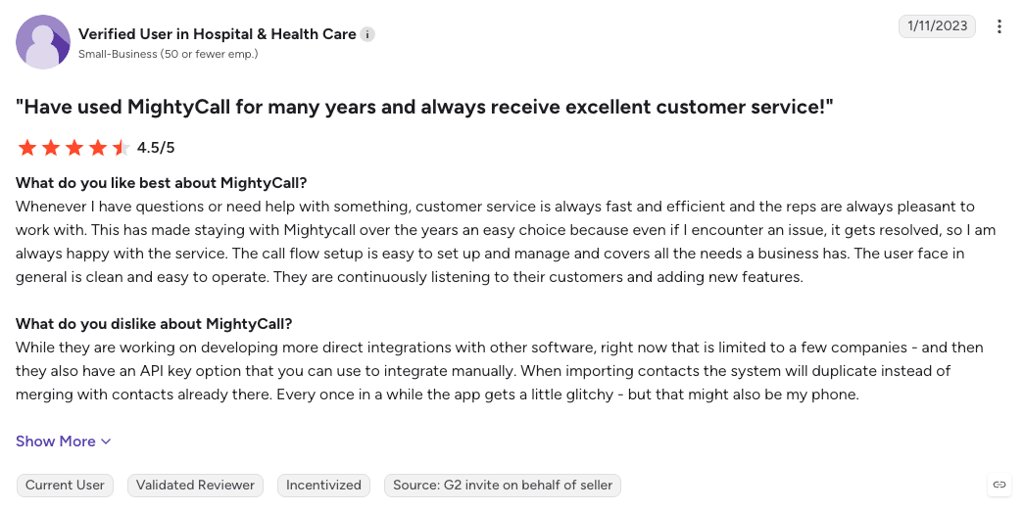
MightyCall's G2 score sits mid-pack on a moderately sized sample, so it reads as a fair account of the product. The included numbers and entry-tier integrations are good value, while the three-seat minimum and the added taxes make the first invoice bigger than the price page implies.
G2 rating: 4.4/5 (349+ reviews). Read the MightyCall reviews on G2.
When Should a Dallas Business Pick MightyCall?
Pick it if you already have at least three people, you want several numbers without per-number fees, and you like one vendor covering you from basic phone system through to an auto dialer. Skip it if you're a solo operator, since the three-seat minimum makes it one of the pricier starting points here.
4. Grasshopper
What Is Grasshopper?
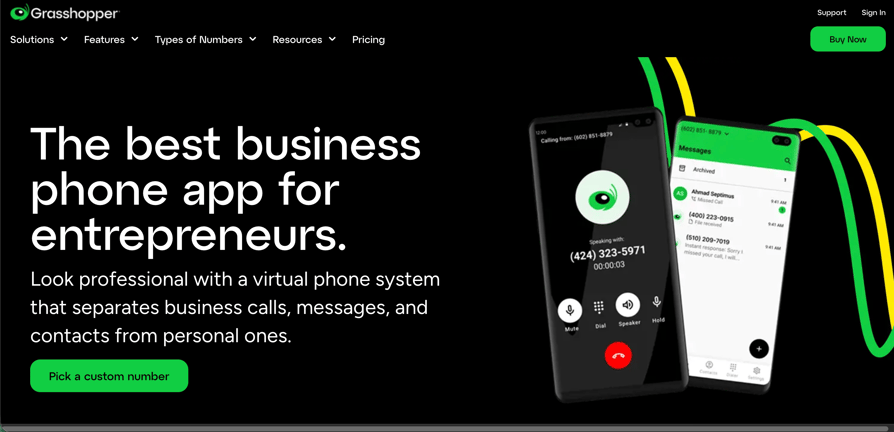
Grasshopper answers a narrow question: how do you put a real business line, with a professional greeting, on a phone you already carry? Its signup flow frames it as "pick a phone number and a plan that work for your business". It sells local, toll-free and vanity numbers, supports porting a number in, and offers a desktop app.
What Are Grasshopper's Key Features?
- Number choice up front. Local numbers by state and city, toll-free numbers and vanity numbers are first-class options in the signup flow.
- Porting is a signup step, not a support ticket, which matters if you're moving an established line.
- The lowest published entry price of any provider in this article.
Their pricing page renders client-side and returned no readable tier detail; only the starting price was verifiable. Read features off grasshopper.com/pricing by hand and add a fourth key-feature bullet above if there's something worth calling out beyond the entry tier.
What Is the Pricing of Grasshopper?
- Starting price: $14/month, billed annually, verified directly from Grasshopper's own pricing page.
- Grasshopper has historically priced per account with a set number of numbers and extensions rather than per user, so its figure isn't directly comparable to a per-seat price. Confirm the current structure before you budget against it, and check our notes on Grasshopper pricing for the plan history.
Plan names and per-tier prices above the $14 entry point, and what the $14 tier includes (number count, extension count, user count), are unconfirmed. The pricing page is JavaScript-rendered and could not be read. Do NOT publish tier prices from memory: read them off the live page by hand.
What Are the Pros and Cons of Grasshopper?
| Pros | Cons |
|---|---|
| The lowest published entry price in this article at $14/month billed annually | One of the lowest G2 ratings among the nine providers reviewed here |
| Porting an existing number, and choosing a vanity or toll-free number, are both built into the signup flow | Grasshopper doesn't publish plan detail above the entry price, so total cost is harder to model than it should be |
| Calls, texts and voicemails sit in one shared inbox the whole team can see, confirmed on Grasshopper's own features page | (see note below) |
grasshopper.com/features lists what the product does but nothing framed as a limitation; grasshopper.com/pricing is still JavaScript-rendered and unreadable. Read a real con off the site by hand and fill in the third cons cell above.
What Do Customers Say About Grasshopper?
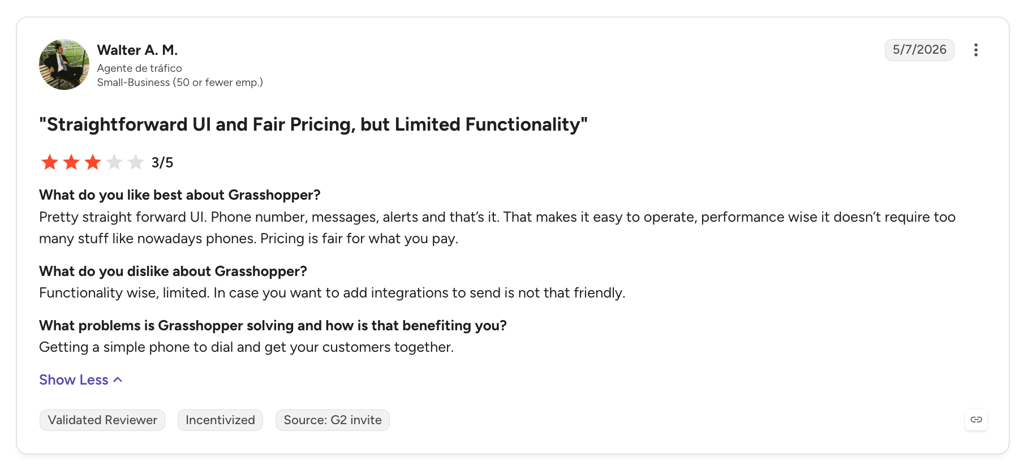
Grasshopper's aggregate G2 score is the weakest in this comparison, on a sample large enough that it isn't noise. It does one specific job, and the score fits a tool that does that job while frustrating anyone who expected more of a phone system underneath it.
G2 rating: 3.9/5 (162+ reviews). Read the Grasshopper reviews on G2.
When Should a Dallas Business Pick Grasshopper?
Pick it if you're a solopreneur or a two-person business and the goal is a professional-sounding number with a greeting and extensions, kept separate from your personal mobile. Skip it if you're building anything resembling a team phone system, because once you need queues, recording as standard and reporting, you'll be shopping again within a year.
5. KrispCall
What Is KrispCall?
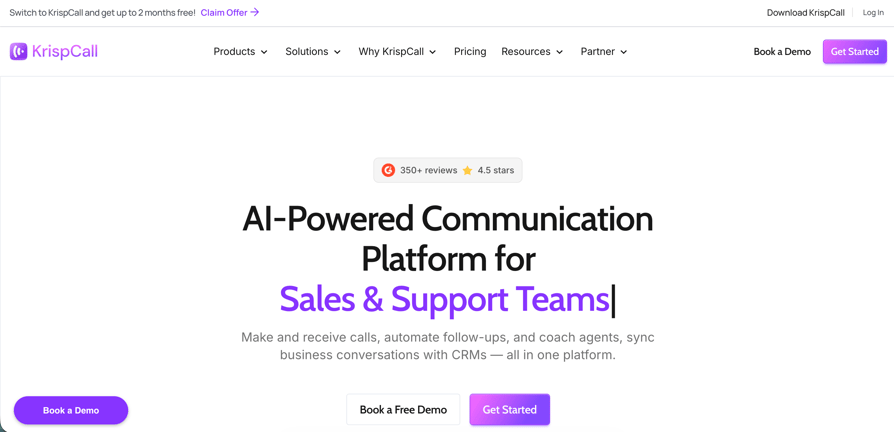
KrispCall is cloud telephony built around a "unified callbox", with tiers aimed at "solo agents, freelancers & small teams up to 5 people" and then at "growing sales teams, call centers, and BPOs scaling up to 50 users". It has the lowest verified per-user entry price in this article and the clearest published porting offer.
What Are KrispCall's Key Features?
- Free US number porting. Their pricing page states it in capitals: free number porting, free US number. Nobody else here publishes it that plainly.
- One free number per user, either a UK local or mobile number or a local number from the USA or Canada. Other countries require purchase plus carrier documentation.
- Number variety, covering local, mobile-format, toll-free and vanity numbers.
- 100+ integrations including Zapier, Zendesk, Slack and Microsoft Teams.
What Is the Pricing of KrispCall?
- Essential: $12/user/month billed annually, or $15 month to month. Annual billing saves $36 per user per year.
- Standard: $32/user/month billed annually, or $40 month to month. Annual billing saves $96 per user per year.
- Enterprise: custom, quote-based.
- Extras: a $2/month tier is referenced for certain numbers, signup includes $1 of calling and SMS credit, and a 14-day refund window is advertised.
config/internal-links.yaml has no krispcall-pricing blog post (all other eight providers have one). Either write that post and link it here, or drop the anchor text change. Do not point this anchor at krispcall.com.
What Are the Pros and Cons of KrispCall?
| Pros | Cons |
|---|---|
| $12/user/month billed annually is the lowest verified per-seat price in this comparison | Standard is a 167% jump from Essential, so the features a growing sales team needs sit behind a steep step up |
| Free US number porting, stated on their own pricing page | Numbers outside the free US, Canada and UK allowance require purchase plus carrier-specific documentation |
| One free local US or Canada number per user | Per-tier feature detail is thinner in public documentation than at most providers here |
What Do Customers Say About KrispCall?
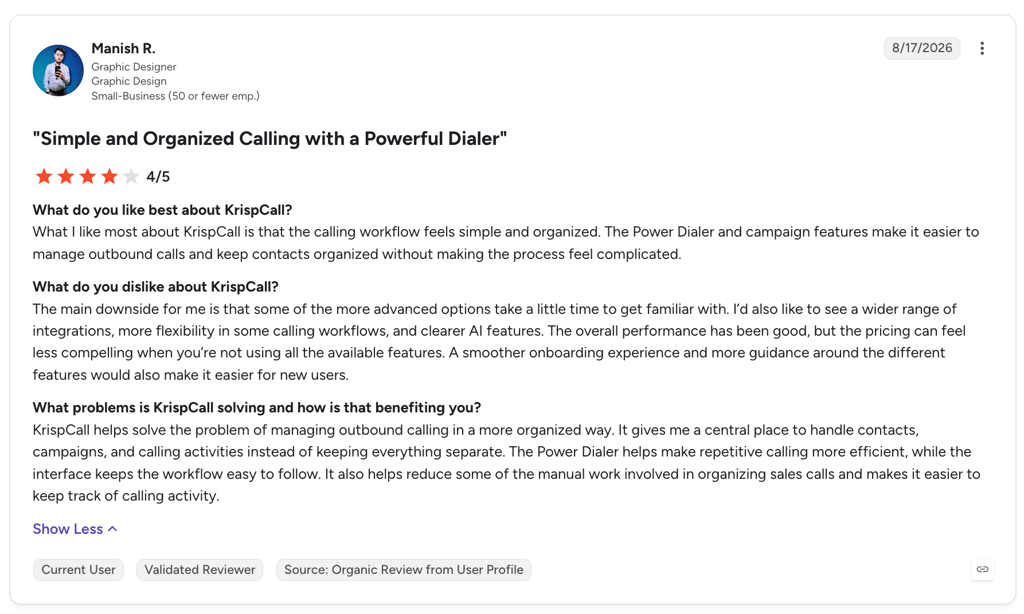
KrispCall's G2 score is solid on a mid-sized sample, which fits a product competing hard on price and getting the basics right. Two things are worth checking against your own plans: the gap between Essential and Standard is where most of the sales tooling lives, and the free-number allowance stops at three countries.
G2 rating: 4.5/5 (389+ reviews). Read the KrispCall reviews on G2.
When Should a Dallas Business Pick KrispCall?
Pick it if price is the binding constraint, you're porting an existing US number, and you want a straightforward per-seat bill with no minimum. Skip it if your team is heading past a handful of people fast, because the jump to Standard nearly triples your per-seat cost, and price the country list first if you need international VoIP numbers in volume.
6. CallHippo
What Is CallHippo?
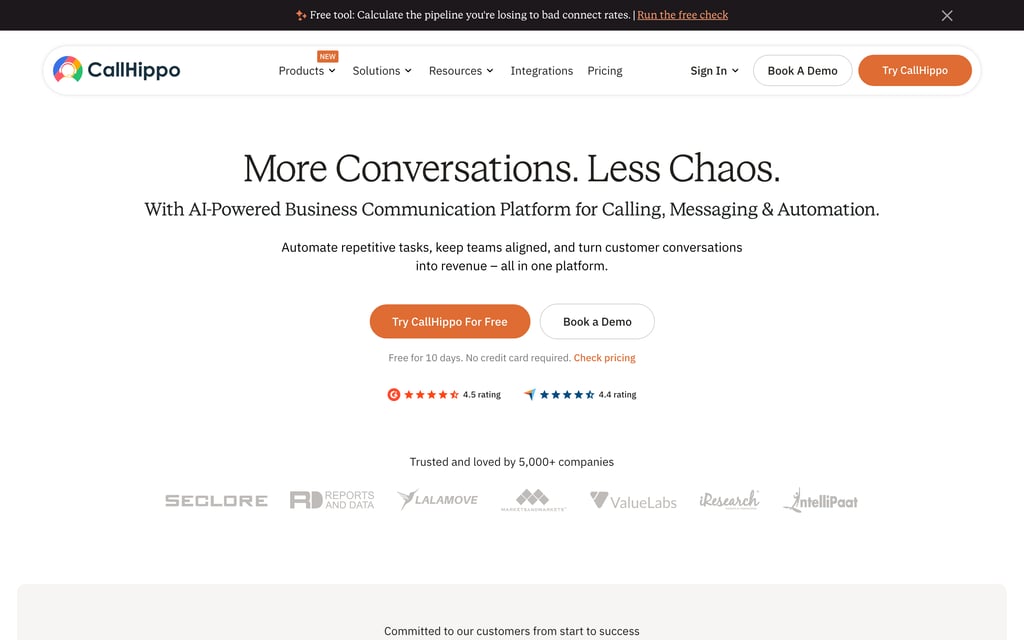
CallHippo is a cloud-based phone system with tiers positioned from "ideal for getting started" through "ideal for small businesses" and "ideal for growing businesses". It's the only provider in this article with a verified free tier, and its caller ID behaviour is the most directly useful for dialling into DFW.
What Are CallHippo's Key Features?
- A free entry tier, for six months. Basic costs $0 per user with no stated user cap, and you pay only for numbers. Sequential call handling, voicemail, SMS and MMS are included, and after six months you move to Starter.
- Local Presence caller ID automatically displays a local caller ID matching the contact's area code, which matters when you're dialling into the Metroplex from anywhere else.
- Global Connect shows the caller's timezone before you dial, alongside concurrent calls, skill-based routing and call recording.
- 50+ integrations including Zapier, Slack and webhooks, plus Parallel Dialer and outcome-based voice agents as separate products.
What Is the Pricing of CallHippo?
- Basic: $0/user/month for the first 6 months from signup, no stated user cap, pay only for numbers; CallHippo's own pricing page requires an upgrade to Starter once the 6 months end. Starter: $18/user/month, minimum two users. Professional: $30/user/month. Enterprise: custom pricing. Paid tiers carry a 10-day trial.
- Metered charges, all published on their own page: AI Copilot $10/user/month, voice-agent calling at $0.25/minute, a $20 one-time account setup fee for SMS in the US and Canada plus A2P-related charges, call recording at $0.005/minute, extra incoming minutes on standard numbers at $0.02/minute, and incoming SMS beyond fair use at $0.01 per message.
- Unlimited calling covers domestic US and Canada only. International, premium and toll-free destinations are billed separately. Our guide to CallHippo pricing totals the metered fees alongside the seat price.
What Are the Pros and Cons of CallHippo?
| Pros | Cons |
|---|---|
| A free tier for the first six months where you only pay for numbers, a real option for a two-person Dallas shop testing the waters | The metered fee list is long, so the advertised per-user price is not the whole bill |
| Local Presence caller ID matched to the called party's area code | Starter requires a two-user minimum |
| Unlimited domestic US and Canada calling on the paid plans | The Basic tier expires after six months, and CallHippo's pricing page requires moving to Starter ($18/user/month) to keep using the service |
What Do Customers Say About CallHippo?
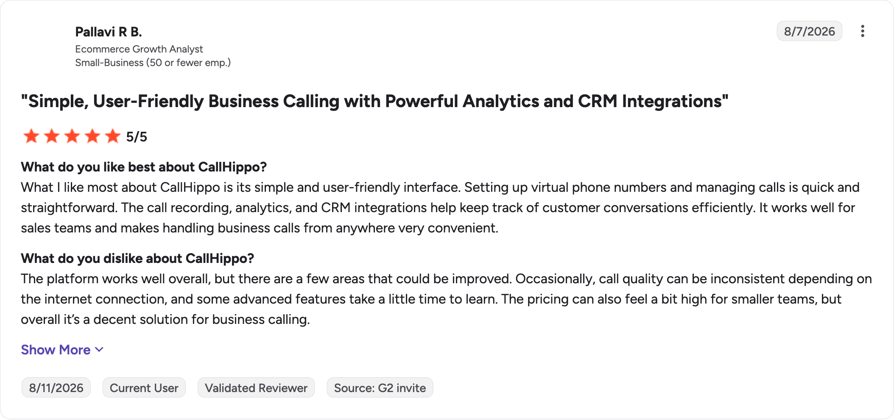
CallHippo's G2 rating holds up on a decent sample. The pricing sets up a predictable pattern: the free tier and the local-presence dialling are why people start, and the per-minute and per-message charges are why a first invoice surprises anyone who budgeted from the headline price.
G2 rating: 4.4/5 (416+ reviews). Read the CallHippo reviews on G2.
When Should a Dallas Business Pick CallHippo?
Pick it if you want to test a business number at zero subscription cost, or if outbound dialling into North Texas is the core job and local caller ID will lift your pickup rate. Skip it if you make international calls in volume, or if you need one predictable invoice each month.
7. Ringover
What Is Ringover?
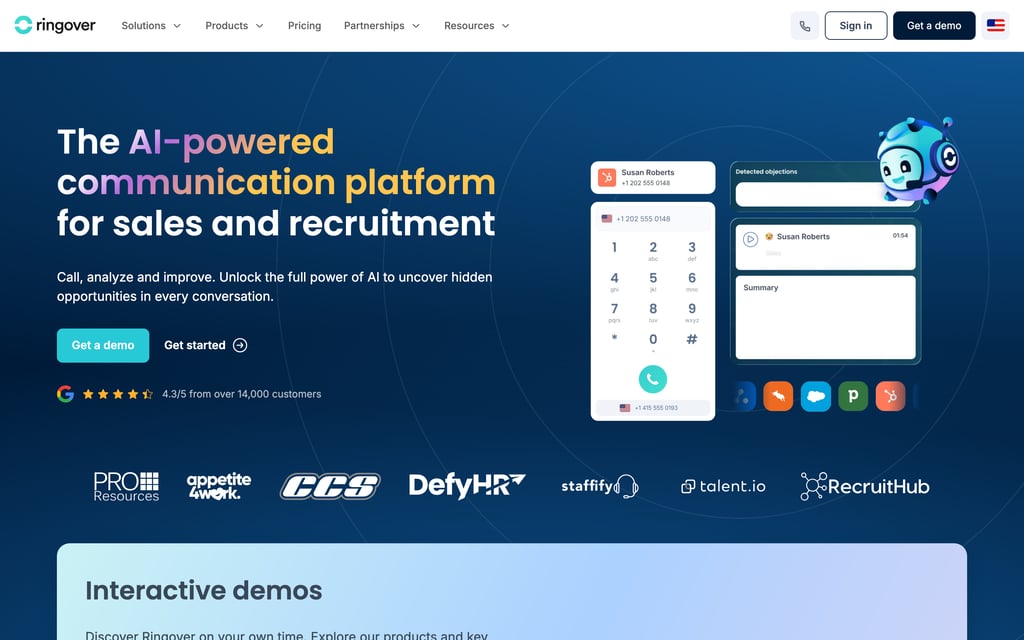
Ringover publishes two tiers: TALK, described as "simple, flexible telephony tailored to small business needs", and BUSINESS, "an AI-powered, omnichannel and fully integrated communication solution for Sales, Support and HR teams". The entry plan is unusually generous on calling and recording for the price. The contract terms are the strictest in this article.
What Are Ringover's Key Features?
- Unlimited national calls on the entry plan, alongside text messages, greetings, business hours and call logs.
- Recording, summary and transcription on TALK, plus unlimited virtual receptionist AI, rather than gated behind an AI add-on.
- BUSINESS adds the sales stack: advanced IVR with smart routing and call groups, 100+ CRM, ATS and helpdesk integrations, advanced analytics, coaching tools like double listening and whispering, and a power dialer.
- ADVANCED adds call campaigns, voicemail drop, Local Presence Dialing and SSO.
What Is the Pricing of Ringover?
- TALK: $15/user/month excluding taxes billed annually, or $24 month to month. Three users minimum and a 12-month commitment. Online purchase only.
- BUSINESS: $47/user/month excluding taxes billed annually, or $57 month to month. Three users minimum and a 12-month commitment.
- ADVANCED: custom, quote-based.
- Add-ons: Empower conversational AI $39/license/month, omnichannel messaging $29/license/month, AI Voice Agent from $0.19/minute, AI Assistant $99/website/month, Cadence $59/user/month, Team Activity Analytics $6/license/month, CRM Autofill $5/license/month. We break the tiers and add-ons down further in our guide to Ringover pricing.
What Are the Pros and Cons of Ringover?
| Pros | Cons |
|---|---|
| Unlimited national calls on the $15 entry plan, which is rare at that price | A 12-month commitment plus a three-user minimum on both published tiers, so the real entry commitment is three seats for a year |
| Call recording, summary, transcription and virtual receptionist AI on the entry tier rather than behind an AI add-on | The jump from TALK to BUSINESS runs $15 to $47 per user, and integrations, IVR and the power dialer all sit on the far side of it |
| Strong G2 rating on a large review sample | Prices are quoted excluding taxes, and several US local-number benefits are annual-plan only |
What Do Customers Say About Ringover?
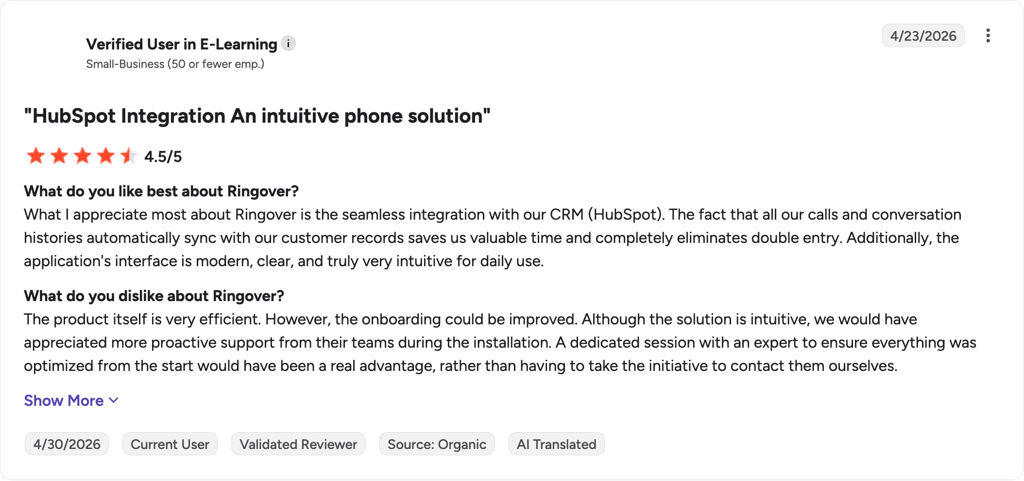
Ringover holds one of the better G2 scores here on one of the larger samples, so the product reviews well. The published terms explain where buyer regret comes from: the entry plan is excellent value if three seats for twelve months was a commitment you were making anyway, and expensive if your headcount is still moving.
G2 rating: 4.6/5 (500+ reviews). Read the Ringover reviews on G2.
Reviewer Lola V. credits the onboarding curve for that reception: "The interface is clear and intuitive, which allows a new user to get to grips with the tool very quickly, without complex training."
When Should a Dallas Business Pick Ringover?
Pick it if you have a settled team of three or more, you make heavy volumes of domestic calls, and you want recording and transcription without buying an AI add-on. Skip it if you can't sign a 12-month commitment, or if you need CRM integrations and IVR, because both live on BUSINESS.
8. Aircall
What Is Aircall?
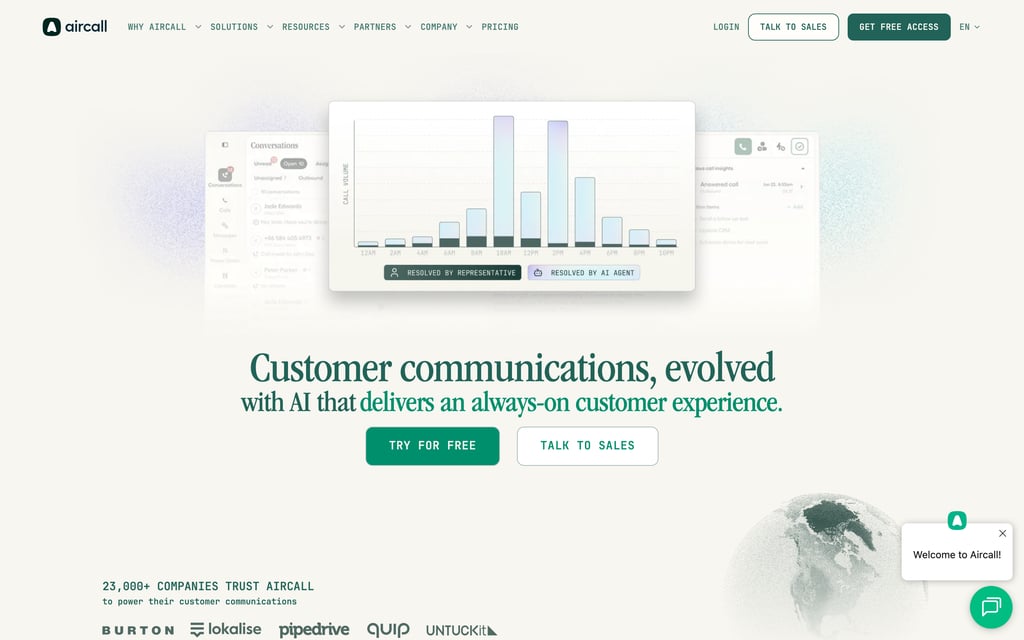
Aircall is a cloud call center and business phone system built around CRM and helpdesk integrations. The product assumption is that your phone shouldn't be a separate place your team goes: calls, notes and outcomes belong on the record in HubSpot, Salesforce or Zendesk. It's the most established brand on this list and it prices accordingly.
What Are Aircall's Key Features?
- 200+ integrations, including HubSpot, Salesforce, Zendesk, Pipedrive and Microsoft Dynamics, the deepest catalogue of any provider reviewed here.
- Essentials covers the basics well: call recording, click-to-dial, SMS and MMS, a desktop and mobile softphone, and unlimited simultaneous outbound calls.
- Professional adds the supervision layer: call whispering, warm and cold transfers, real-time transcription, and supervisor listen-in and barge-in.
- One local or toll-free number per plan, with unlimited inbound and internal calls, toll-free excluded.
What Is the Pricing of Aircall?
- Essentials: $30/user/month, minimum three users, capped at 3 teams.
- Professional: $50/user/month, minimum three users, unlimited teams.
- Custom: quote-based.
- Add-ons: AI Assist $9, AI Assist Pro $49, Analytics+ $15, WhatsApp in Aircall $10, Aircall for Salesforce Voice $30, and AI Voice Agent minute bundles at $175 for 500 minutes and $725 for 2,500 minutes. Our breakdown of Aircall pricing shows how the add-ons compound.
What Are the Pros and Cons of Aircall?
| Pros | Cons |
|---|---|
| 200+ integrations, the strongest answer here if HubSpot, Salesforce or QuickBooks is the system of record | A three-user minimum on both paid plans, putting the effective floor at $90/month |
| Real-time transcription, call whispering and supervisor barge-in on the Professional tier | Heavy add-on stacking: AI, analytics, WhatsApp and Salesforce Voice are priced separately, and AI voice minutes come in $175 and $725 bundles |
| The largest competitor review sample in this article, so its rating rests on a big base | Essentials caps you at 3 teams and lacks transfers, whispering and supervisor tools |
What Do Customers Say About Aircall?
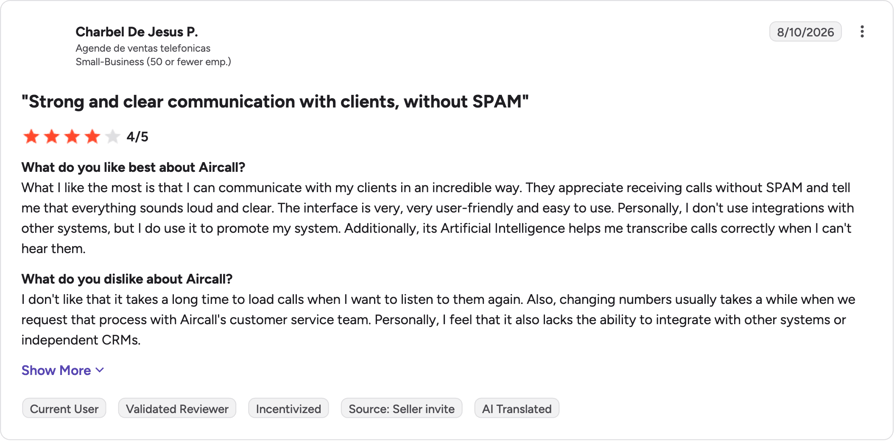
Aircall's G2 rating sits mid-pack on the largest competitor sample here, which usually points to a capable product with a consistent set of complaints. The pricing suggests what those complaints are about: the entry tier is deliberately narrow, and the total bill climbs fast once you add the AI, analytics and channel extras.
G2 rating: 4.4/5 (1677+ reviews). Read the Aircall reviews on G2.
When Should a Dallas Business Pick Aircall?
Pick it if you're roughly 10 to 50 seats, your CRM is non-negotiable, and you want supervisors coaching live calls. Skip it if you're under three people, or if you're price-sensitive: at $30 a seat with a three-seat floor before any add-ons, it's the most expensive verified starting point in this comparison.
9. Ooma Office
What Is Ooma Office?
Ooma Office is a US-based small-business phone service that still takes desk-phone hardware seriously, which is why it keeps appearing on Dallas shortlists for offices that want handsets on desks rather than an app on every laptop. Ooma keeps its own positioning short: "the phone system that helps you do more business."
What Are Ooma Office's Key Features?
- Virtual receptionist and ring groups, so calls reach the right person or department without anyone picking up first to redirect.
- A mobile app for iOS and Android, so the phone system travels with staff away from the desk.
- Desk-phone hardware you can set up yourself in about 15 minutes, no technician required, which is the differentiator if you want physical handsets in a reception area.
- Ooma Meetings adds videoconferencing with screen sharing and recording, with participant caps that scale from 10 on Essentials up to 100 on the higher tiers.
What Is the Pricing of Ooma Office?
- Essentials: $19.95/user/month, unlimited North American calling, one free toll-free number, virtual receptionist, mobile app.
- Pro: $24.95/user/month, adds the desktop app, call recording, videoconferencing for up to 25 participants and 250 texts a month.
- Pro Plus: $29.95/user/month, adds CRM integration, AI transcriptions and insights, team chat, hot desking, call queuing, and videoconferencing for up to 100 participants.
- Enterprise: custom pricing, adds SIP trunking, Microsoft Teams integration and call center features.
- All plans run month to month with no contract, and number porting is free. Ooma's own pages don't state a minimum seat count. See our full breakdown of Ooma Office pricing.
What Are the Pros and Cons of Ooma Office?
| Pros | Cons |
|---|---|
| Holds one of the stronger G2 ratings among the competitors in this article | No desk phone is bundled at any published tier, so the hardware has to be bought separately despite the hardware-friendly positioning |
| Number porting is free, and Essentials includes a toll-free number at no extra cost | CRM integration (Salesforce, HubSpot, QuickBooks Online) is locked to the top Pro Plus tier at $29.95/user/month |
| No contract on any plan, billed month to month | Texting is capped at 250 messages a month on Pro, and Essentials doesn't list a texting allowance at all |
What Do Customers Say About Ooma Office?
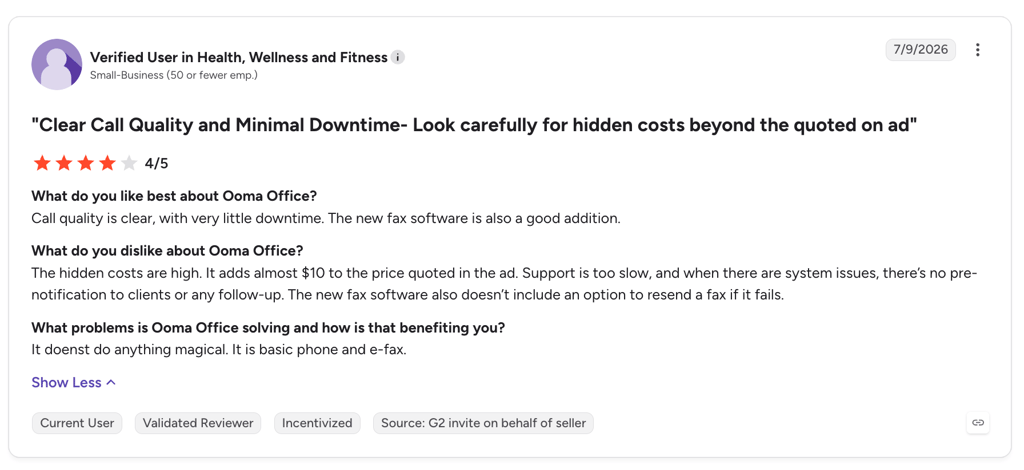
Ooma Office's G2 rating is among the strongest in this comparison, on a smaller sample than the bigger names carry. That tracks with the pros and cons above: reliable calling and free porting build goodwill, while the missing bundled hardware and the Pro Plus-gated CRM integration are the two complaints most likely to surface.
G2 rating: 4.5/5 (134+ reviews). Read the Ooma Office reviews on G2.
When Should a Dallas Business Pick Ooma Office?
Pick it if you want desk phones from a US provider and you're happy to do the price comparison on their site yourself. Skip it if you need to model total cost before you talk to anyone, or if your team is app-first and remote.
Business VoIP Feature Comparison: What Dallas SMBs Actually Get
The tables below contain only facts we read at the source, which is more than most roundups of business VoIP phone service providers in Dallas, TX will give you. The column headers are shorthand; our guide to VoIP features spells each one out.
How Do the Nine Providers Compare on Call Handling and Numbers?
| Provider | Auto-attendant / IVR | Call recording | Numbers included | US porting documented |
|---|---|---|---|---|
| CloudTalk | Call Flow Designer plus IVR call menus, skill and condition-based routing, from Starter | Yes, unlimited storage on most plans (Starter includes 1 month) | Bought per number, from 160+ countries | Yes |
| Talkroute | Call forwarding and routing, extensions, simultaneous ring, hours of operation | From the $59 Pro tier | Local and toll-free US numbers, $5 per extra number | Yes |
| MightyCall | Multi-level auto-attendant from Core | Yes | 3 local or toll-free numbers per plan | Yes |
| Grasshopper | Not verified | Not verified | Local, toll-free and vanity numbers | Yes |
| KrispCall | Call routing | Not verified | 1 free local US or Canada number per user | Yes, free for US numbers |
| CallHippo | Skill-based routing; sequential handling on the free tier | Yes, plus $0.005/minute | Pay per number, including on the free tier | Not verified |
| Ringover | Advanced IVR with smart routing, from BUSINESS | Yes, on TALK | 1 local or toll-free number on TALK | Referenced, terms not verified |
| Aircall | Not verified | Yes, on Essentials | 1 local or toll-free number per plan | Yes |
| Ooma Office | Virtual receptionist and ring groups on Essentials | Yes, from Pro | One free toll-free number on Essentials, additional numbers extra | Yes, free |
How Do They Compare on Integrations, Apps and AI?
| Provider | Integrations | Apps | Transcription and AI | SMS and MMS |
|---|---|---|---|---|
| CloudTalk | 95+ CRM, helpdesk and ATS plus API and data sync, from Essential; Salesforce Ecosystem on Expert | Browser, desktop (macOS, Windows, Linux), mobile (iOS, Android) | AI Conversation Intelligence add-on: transcription, summaries, smart notes, sentiment, tags, call scoring | International SMS and MMS plus two-way WhatsApp |
| Talkroute | Talkroute API | Desktop, mobile, web | AI Receptionist in beta, priced separately | Included, capped at 500, 2,000 or 5,000 messages a month by tier |
| MightyCall | Integrations and API from Core | Not verified | Not verified | Unlimited texting on paid tiers |
| Grasshopper | Not verified | Desktop app | Not verified | Not verified |
| KrispCall | 100+, including Zapier, Zendesk, Slack, Microsoft Teams | Not verified | AI and intelligence features listed by tier | Messaging included |
| CallHippo | 50+, including Zapier, Slack and webhooks | Not verified | AI Copilot $10/user/month; voice agents at $0.25/minute | SMS and MMS, $20 one-time US and Canada setup fee |
| Ringover | 100+ CRM, ATS and helpdesk, from BUSINESS | Not verified | Recording, summary and transcription on TALK; Empower AI $39/license/month | Texts on TALK; MMS is US and Canada only |
| Aircall | 200+, including HubSpot, Salesforce, Zendesk, Pipedrive, MS Dynamics | Desktop and mobile softphone | Real-time transcription on Professional; AI Assist from $9 | SMS and MMS on Essentials |
| Ooma Office | CRM integration (Salesforce, HubSpot, QuickBooks Online) on Pro Plus | Desktop app from Pro, mobile app on all plans | AI transcriptions and insights on Pro Plus | 250 texts/month on Pro, 1,000/month on Pro Plus |
What Can We Verify on Compliance and Security?
CloudTalk is SOC 2 Type 1 and Type 2 compliant, GDPR compliant, and HIPAA compliant as of Q1 2025. It implements the STIR/SHAKEN signing and verification protocol on outbound calls to comply with US regulations and reduce spam labelling, and it routes 911 calls directly to emergency services in the US and Canada with no prefix required. Ask every vendor on your shortlist for their current SOC 2 report and their data-processing terms in writing.
| Provider | SOC 2 | ISO 27001 | GDPR | HIPAA |
|---|---|---|---|---|
| CloudTalk | Type 1 and Type 2 | Not stated separately from SOC 2 | Yes | Yes, as of Q1 2025 |
| Aircall | Type 2 | Security program aligned with ISO 27001, not certified separately | Yes | Not stated |
| CallHippo | Type II | Generic "ISO certified" claim, not ISO 27001 by name | Yes | Yes |
| KrispCall | Not stated | Not stated | Yes | Yes |
| Talkroute | Not stated | Not stated | Not stated | Available with exceptions (no PHI over SMS, voicemail-to-email disabled); BAA on Pro plan or higher |
| MightyCall | Not stated | Not stated | Not stated | Not stated; PCI-DSS certified and implements STIR/SHAKEN |
| Ooma Office | Not stated | Not stated | Not stated | HIPAA mode available on Office Pro, with conditions (bulk recording downloads disabled, notifications stripped of attachments) |
| Ringover | Not stated | Not stated | Not stated | Not stated; publishes TLS, DTLS-SRTP and hardware security module encryption |
| Grasshopper | Not verified | Not verified | Not verified | Not verified |
Grasshopper doesn't publish a dedicated security or trust page, so its row stays unverified rather than guessed.
How to Choose the Right Business VoIP Provider for Your SMB in Dallas, TX
Nine options is a lot. These six questions narrow it fast, and they run roughly in the order they'll bite you.
How Reliable Does Your Phone System Really Need to Be?
Ask for the service-level agreement (SLA) in writing and read the credit terms, because an uptime promise with no remedy attached is marketing. CloudTalk publishes a 99.999% uptime SLA and runs a geographically distributed, decentralized SIP architecture with multiple backup carriers. Then look at your own building. A VoIP internet phone service provider in Dallas, TX can only be as reliable as the circuit underneath it, and plenty of older Metroplex office space sits on connections that were fine for email and are not fine for 12 concurrent calls. Fixing VoIP call quality after the fact is much harder than testing the circuit first.
Customer story: Doorsan (Manufacturing & Construction): 100% Uptime since switching to CloudTalk. Read the Doorsan story
Can You Get a Local Number, and Keep the One You Have?
Every provider here sells US local numbers, but none publish live inventory by area code, so confirm 214, 469 or 972 availability in the vendor's own number search before you sign. As for number porting, under FCC rules (47 CFR § 52.35), a simple port, including ports involving interconnected VoIP service, must be completed within one business day, and a non-simple port within four. That's the carrier's obligation on the port itself, not a promise about your whole migration.
Will the System Scale as Your DFW Team Grows?
US Census Bureau Vintage 2025 estimates2 put the Dallas-Fort Worth-Arlington metro at 8,477,157 people after adding 123,557 residents in a single year, the second-largest numeric gain of any US metro. Teams in that market add seats in ones and twos, not in annual planning cycles. Check the minimum seat count, whether you can add a license mid-term, and how fast you can get another VoIP number for a Fort Worth office. Business VoIP providers in Fort Worth, TX and Dallas are usually the same vendors; what changes is whether they'll sell you one more seat this week.
Customer story: Convergence (Healthcare & Wellness): 150 Nursing homes supported across the United States. Read the Convergence story
Does It Integrate With the Tools You Already Run?
If your reps have to log calls by hand, they won't. Decide whether calls need to land on the record in HubSpot, Salesforce, Zendesk or QuickBooks, then check which plan that lives on. Aircall leads on catalogue size with 200+ integrations, CloudTalk's 95+ plus API and data sync start on Essential, and Ringover's 100+ start on BUSINESS at $47 a seat. Read the tier, not the headline number, because a VoIP CRM integration you can't reach on your plan is a feature you don't have.
Customer story: Pipedrive (SaaS & IT Services): 100% call activity automatically logged into Pipedrive. Read the Pipedrive story
How Transparent Is the Pricing, and How Long Is the Contract?
Your real business phone system pricing depends on three modifiers the advertised per-seat figure hides: the minimum number of seats, the length of the commitment, and the list of metered fees. Ringover's $15 entry plan requires three users and a 12-month commitment. MightyCall's $20 requires three users, with taxes added to the invoice. Aircall's $30 requires three users, so the real floor is $90 a month.
What Support Do You Actually Get When a Call Drops?
Support quality only matters on the day something breaks, which is exactly the day you can't shop around. CloudTalk offers 24/7 multi-language support with average chat response under one minute and email response within two hours. Talkroute publishes 24/7 support, and MightyCall advertises live support on every tier with free white-glove setup. Get whatever you're told in writing, because "24/7 support" and "24/7 support that answers" are different products. If response time is the thing you're worried about, open a chat on day one of your 14-day free trial and time it yourself.
Hidden Costs of Business VoIP: Minimum Seats, Contracts and Fees
The number on the pricing page is frequently not the number on the invoice, which is what makes shortlisting business VoIP service providers in Fort Worth, TX and Dallas so frustrating. Minimum seat counts, commitment lengths and metered fees are all published, just never in the same place as the headline price.
| Provider | Minimum seats | Commitment | Verified extra fees on top of the list price |
|---|---|---|---|
| CloudTalk | 1 on Starter and Essential, 3 on Expert | Annual or monthly billing | Power Dialer $15/user/month, included on Expert; Parallel Dialer $39/user/month; AI Conversation Intelligence $9/user/month; AI Voice Agents from $99/month for 200 minutes; Branded Caller ID from $0.07 per call |
| Talkroute | None on Basic | Monthly | $5 per additional user, $5 per additional number per month |
| MightyCall | 3, or 5 on Enterprise | Annual or monthly billing | $5/month per extra number plus a $15 one-time activation fee; federal and state taxes and fees added to the invoice |
| Grasshopper | Not verified | Annual billing for the $14 rate | Not verified |
| KrispCall | None stated | Annual or monthly billing | Number fees referenced from $2/month |
| CallHippo | 2 on Starter, none on Basic | Annual or monthly billing | Basic is free for 6 months only, then Starter is required; $20 one-time SMS account setup; recording $0.005/minute; incoming overage $0.02/minute; incoming SMS beyond fair use $0.01 each; AI Copilot $10/user/month |
| Ringover | 3 | 12-month commitment | Prices quoted excluding taxes; add-ons from $5 to $99 per license per month |
| Aircall | 3 | Not verified | AI Assist $9, AI Assist Pro $49, Analytics+ $15, WhatsApp $10, Salesforce Voice $30, AI voice minute bundles at $175 and $725 |
| Ooma Office | None stated | Month to month, no contract | Additional phone numbers billed separately; CRM integration requires Pro Plus at $29.95/user/month |
Run the arithmetic for your actual headcount before you compare anything. A two-person Dallas business looking at Ringover's $15 plan is really looking at $45 a month for a year, because the third seat is mandatory. The same business on CloudTalk Starter pays for the two seats it has, and can add the Power Dialer as a $15 add-on later, or move to Expert where it's included. That gap is invisible on a pricing page and obvious on an invoice.
Quick Answers: What Dallas Businesses Ask Most About Business VoIP
Is It Cheaper to Pay Per Account or Per User?
It depends on how fast you hire. Only Talkroute prices per account in this comparison: $19 a month covers the account with one user included, and each extra user adds $5. Per-seat pricing scales the other way, so KrispCall's $12 and CloudTalk Starter's $25 both multiply by headcount. Model both at the headcount you expect in six months, not today's. Compare small-business phone plans on the total.
What Is the Minimum Number of Seats You Have to Buy?
That depends on the vendor, and it rarely appears next to the price. Aircall and MightyCall both require three users, and Ringover requires three plus a 12-month commitment. MightyCall's Enterprise tier asks for five. CallHippo's paid Starter tier needs two. Talkroute's Basic plan and CloudTalk's Starter and Essential plans start at a single license, so a two-person Dallas team pays for two seats.
Can You Try a Business VoIP System Before You Pay?
Yes, and the terms differ by vendor. CallHippo's Basic tier costs $0 per user for the first six months, so you pay only for numbers during that window, and its paid tiers carry a 10-day trial. CloudTalk runs a 14-day free trial. KrispCall advertises a 14-day refund window rather than a trial. Whichever window you get, test the mobile app on a real Dallas commute before it closes.
What Is the Best VoIP Provider for Small Businesses in Dallas?
CloudTalk, for most small teams: routing and recording work on the plan you can actually afford, and one license is enough to sign up. Solo operators will spend less with Talkroute's per-account pricing or Grasshopper's $14 entry point. If price is the only constraint, KrispCall starts at $12 per user. VoIP phone service providers in Fort Worth, TX are largely the same set, so the same logic applies.
What Goes Wrong When a Dallas Business Switches VoIP Providers?
Four things are worth checking before you sign, because each one is cheap to test in advance and expensive to discover afterwards. Run them past any VoIP telephone service provider in Fort Worth, TX or Dallas that makes your shortlist.
- Reliability blame is hard to assign. When calls drop, the vendor points at the internet connection and the ISP points at the vendor. Document your own bandwidth and jitter before migration, so you have a baseline that isn't up for debate later.
- Porting carries more risk than the switch itself. Delays, mismatched account details and a number stranded mid-move are the failure modes to plan around. Keep the old service live until the port completes, and check that the details you give the new provider match your current bill.
- Metered fees decide the real bill. Activation charges, per-number fees, taxes and metered SMS all land on top of the per-seat price, which is what the hidden-costs table above is for. Price them at your own headcount before you sign.
- The mobile app needs testing on a real commute. For a team driving between Dallas and Fort Worth half the week, a mobile softphone that drops calls when it switches from Wi-Fi to cellular is the whole product failing. Do that test during your trial, not after it.
Top Business VoIP Providers in Dallas by G2 Reviews and Ratings
CloudTalk carries the largest verified review sample in this comparison: a 4.4/5 rating across 1941+ G2 reviews. Our wider list of VoIP providers covers the vendors that didn't make the Dallas shortlist. Sample size matters as much as the score: a high rating built on a few dozen reviews tells you less than a slightly lower one built on well over a thousand.
| Provider | G2 Rating | Reviews | Full review |
|---|---|---|---|
| CloudTalk | 4.4/5 | 1941+ | CloudTalk on G2 |
| Aircall | 4.4/5 | 1677+ | Aircall on G2 |
| Ringover | 4.6/5 | 500+ | Ringover on G2 |
| CallHippo | 4.4/5 | 416+ | CallHippo on G2 |
| KrispCall | 4.5/5 | 389+ | KrispCall on G2 |
| MightyCall | 4.4/5 | 349+ | MightyCall on G2 |
| Grasshopper | 3.9/5 | 162+ | Grasshopper on G2 |
| Ooma Office | 4.5/5 | 134+ | Ooma Office on G2 |
| Talkroute | 4.6/5 | 44+ | Talkroute on G2 |
These cells resolve at CMS render time. As of the current cgv-variables.yaml snapshot (last refreshed 2026-06-26), CloudTalk's 1,710+ reviews is the largest sample of the nine by a wide margin, so no competitor currently beats it on both rating and review volume: nothing needs to be dropped today. CGVs refresh daily, so re-check the rendered table right before this goes live.
Related reading:
- Business VoIP Phone System: All You Need to Know
- How to Choose a VoIP Phone System for Small Business
- Internet-Based Phone Systems
Which Dallas VoIP Provider Fits Your Business?
The right answer depends less on which product is best and more on how many people you're buying for. Price per seat, minimum seat counts and which tier holds the integrations move the total differently at 2 users than at 40.
Which VoIP Provider Is Best for Micro-Businesses and Solopreneurs (1 to 10 Users)?
Buy on entry price and minimum seats. Talkroute at $19 per account with a user included and Grasshopper at $14 a month are the cheapest verified starting points, and CallHippo's free Basic tier costs nothing but the numbers for its first six months. If you want routing and call recording from day one without buying seats you don't have, CloudTalk Starter at $25/user/month has a one-license minimum, which most of this list doesn't. Avoid anything with a three-seat floor at this size.
Which VoIP Provider Is Best for Growing SMBs in DFW (10 to 50 Users)?
Now integrations and reporting matter more than the per-seat headline, so check which tier holds your CRM connection. On CloudTalk that connection opens up on Essential, at $29/user/month; Ringover's 100+ integrations start on BUSINESS at $47, and Aircall's 200+ start at $30. This is also the size where routing stops being optional, so confirm the IVR system and skill-based routing you need sit on the plan you're pricing, not the one above it.
Which VoIP Provider Is Best for Businesses Scaling Beyond Dallas (50+ Users)?
At this scale you're buying supervision, analytics and outbound capacity. CloudTalk Expert at $49/user/month includes Power Dialer, with Parallel Dialer and AI Conversation Intelligence available as add-ons, and AI Voice Agents on top when you want after-hours coverage without more headcount. Geography changes too: once you're hiring outside the Metroplex, the question stops being about VoIP solution providers in Fort Worth, TX specifically and becomes about a platform that can hand you numbers in whatever market you open next. CloudTalk's number inventory covers 160+ countries, so a new market is a purchase rather than a migration.
Business VoIP in Dallas, TX: Frequently Asked Questions
Sources:
Frequently asked questions
Business VoIP costs $12 to $30 per user per month for most Dallas small businesses on annual billing. Seat minimums, taxes and metered fees push the real business phone system cost higher, so price your headcount, not one seat.
Yes, you keep your 214, 469 or 972 number. Under 47 CFR § 52.35 a simple port must finish within one business day, four for a non-simple one, though how long number porting takes end to end depends on your paperwork.
Most small teams set up a VoIP system in a day: buy numbers, add users, build a call menu. Porting runs on the carrier's clock, so keep the old line live and allow a week or two before you cut it.
No. A laptop, a headset and the provider's app are enough, which is the hardphone or softphone call most Dallas SMBs now make. Desk phones still work if you want handsets in reception, and they cost extra.
You need enough upload headroom for every concurrent call, plus low jitter and packet loss. Speed alone isn't the test: a fast line with jitter still breaks calls. Measure during your busiest hour.
A cloud phone system is usually more resilient than a copper line, because calls reroute across carriers or to mobiles when one path fails. The trade-off is that it depends on your internet, where a landline didn't.
Look for IVR and call routing on a plan you can afford, local US numbers with porting, CRM integration, recording and a real mobile app. Check which tier each of those key VoIP features sits on before you sign.