TL;DR
The best call center analytics software for sales and support is CloudTalk if you want the analytics inside the phone system instead of bolted onto it — one vendor, one bill, dashboards on the same platform that places the calls. Here's the top 10 list:
- 01CloudTalk: best for SMB and mid-market teams that want call analytics built into the phone system
- 02Level AI: best for automated QA scoring across 100% of support conversations
- 03Observe.AI: best for regulated sales and support teams that need compliance monitoring built in
- 04CallMiner: best for enterprise analytics teams doing deep speech and text mining
- 05Dialpad: best for real-time, in-call AI analytics and live coaching
- 06Gong: best for revenue teams tying sales-call analytics to pipeline
- 07Verint (including Calabrio ONE): best for enterprise workforce engagement plus interaction analytics in one platform
- 08Talkdesk: best for buyers who want published per-seat contact center (CCaaS) tiers with analytics included
- 09Five9: best for high-volume outbound and inbound operations at enterprise scale
- 10NiCE CXone Mpower: best for large omnichannel operations that need the deepest analytics suite
Best Call Center Analytics Software for Sales and Support: Comparison Table
Compare the ten call center analytics tools in this guide on what each one is built for, what it costs to start, and how its own users rate it.
| Provider | Key Features | Best For | Starting Price | G2 Rating |
|---|---|---|---|---|
| 1. CloudTalk | Real-Time Analytics, Customizable Dashboards and Wallboards, Historical Reports, AI Conversation Intelligence add-on | Sales and support teams that want analytics inside the phone system | $25/user/month (Starter, billed annually) | 4.4/5 (1960+ reviews) |
| Level AI | Auto-QA scoring, intent recognition, Voice of the Customer analytics | Automated QA on 100% of support conversations | Quote-based (no public pricing page) | 4.7/5 (199 reviews) |
| Observe.AI | Automated QA, real-time agent assist, compliance monitoring | Regulated sales and support teams | Quote-based (no public pricing page) | 4.6/5 (249 reviews) |
| CallMiner | Speech and text analytics, scorecards, root-cause analysis | Deep enterprise speech and text mining | Quote-based (no public pricing page) | 4.5/5 (235 reviews) |
| Dialpad | Real-time in-call AI analytics, live coaching, performance dashboards | Live coaching during the call | From $15/user/month (Connect, billed annually) | 4.4/5 (4,800+ reviews) |
| Gong | Conversation intelligence, deal and pipeline intelligence, rep scorecards | Sales-conversation analytics tied to pipeline | Quote-based (per-user licences plus a platform fee) | 4.7/5 (6,600+ reviews) |
| Verint (incl. Calabrio ONE) | Speech and text analytics, CX Analytics, workforce engagement management | Enterprise workforce engagement management (WEM) plus interaction analytics | Quote-based (no public pricing page) | 4.4/5 (review count not published) |
| Talkdesk | Interaction Analytics, Custom Reporting with Live and Explore, Navigator routing | Published per-seat contact center (CCaaS) tiers | $85/user/month (Digital Essentials) | 4.4/5 (2,450+ reviews) |
| Five9 | Speech and text analytics, predictive routing, WEM from the Pro tier | High-volume outbound plus inbound at scale | $119/seat/month (Digital) | 4.1/5 (627+ reviews) |
| NiCE CXone Mpower | Interaction analytics across 100% of interactions, quality management, omnichannel analytics | Deepest omnichannel analytics suite | $110/agent/month (Omnichannel Suite) | 4.3/5 (1,700+ reviews) |
Why Do Sales and Support Teams Need Call Center Analytics Software?
According to McKinsey & Company's 2024 analysis of gen AI in customer care, manual call-evaluation methods typically cover less than 5% of total call volume1.
Think about what that means on a floor doing 10,000 calls a month. Every coaching conversation and every escalation to product rests on a few hundred calls somebody had time to listen to. The objection that killed last quarter's biggest deal is sitting in the other 9,500, along with the billing confusion that keeps generating repeat contacts.
Most teams try to close that gap by adding a QA analyst or building a shared sheet of hand-scored calls. You get a slightly bigger sample and a much slower feedback loop, and the majority of your conversations still go unread.
Call center analytics software attacks the problem from the other end. Instead of sampling, it transcribes and scores every conversation, then rolls the results into dashboards a sales manager or support lead can act on the same week. That's the difference between spot-checking calls and running continuous call center analysis. We reviewed 10 of the best call center analytics tools for sales and support teams. You'll see what each one costs, which side of the house it suits, and where it runs out of road.


What Is the Best Call Center Analytics Software for Sales and Support in 2026?
For most sales and support teams, the best starting point is CloudTalk: dashboards, reporting, and AI insight on the same platform that places the calls, so both sides of the house are covered without a second vendor. The specialists still earn their places — for support QA at scale, Level AI and CallMiner lead on automated scoring depth, and for sales-call analysis tied to revenue, Gong is the reference point.
What Does Call Center Analytics Software Actually Do?
Call center analytics software collects data from phone conversations and the systems around them, then turns it into metrics, transcripts, and reports. It answers three kinds of questions:
- 01What happened operationally (volume, wait times, first-call resolution),
- 02What was said inside the calls
- 03What to do about it (coaching, routing changes, product fixes)
What Are the Main Types of Call Center Analytics?
Call center analytics breaks into five types: interaction and speech analytics, voice and acoustic analytics, real-time analytics, predictive analytics, and text and omnichannel analytics. Vendors bundle them differently, which is why two products in the same category can look nothing alike in a demo.
- 01Interaction and speech analytics.Transcription plus analysis of what was said. This is the core of any call center speech analytics software, and it feeds keyword spotting, topic detection, and QA scoring.
- 02Voice and acoustic analytics.Tone, emotion, silence, and talk-over patterns instead of words. Call center voice analytics software is what catches a frustrated customer whose language stayed polite.
- 03Real-time analytics.Live queue, availability, and in-call signals. Call center real-time analysis software exists so a supervisor can intervene during the conversation instead of reading about it tomorrow.
- 04Modeling on historical interaction data to forecast volume, churn risk, or which deals are slipping.
- 05Text and omnichannel analytics.The same treatment applied to chat, email, tickets, and social, so voice insight sits alongside everything else the customer said.
How Is Call Center Analytics Different From Speech Analytics and Conversation Intelligence?
Call center analytics is the parent category, and speech analytics and conversation intelligence are two slices of it. The labels overlap, and vendors reach for whichever one is selling that year.
Contact center analytics software is the broadest term: operational metrics plus conversation content across channels. Call analytics software and speech analytics are narrower labels for the voice-only slice: mining audio and transcripts from phone conversations.
Conversation intelligence usually means speech analytics packaged for a specific team, with revenue intelligence being the sales-focused branch of it. That's why Gong and NiCE CXone can both appear on this list while solving almost nothing in common.
Salesforce's State of Service research, published in November 2025, found service teams estimate AI currently handles 30% of cases, and project that it will reach 50% by 20272. As that share grows, the analytics question shifts from "how did my agents do" to "how did my agents and my automation do together", and the tools that only read human calls will start to look partial.
Our Methodology: How We Reviewed These Call Center Analytics Providers
We built this list from vendor documentation, published pricing pages, and aggregated review themes on G2 and Trustpilot, then pressure-tested each tool against a working buyer's question: what does it tell a sales manager or a support lead on a Monday morning?
Four rules shaped the ranking. We verified every price at the vendor's own pricing page and said "quote-based" where no public price exists, instead of repeating a figure from another listicle. We treated Verint and Calabrio as one vendor, because they're one company now. CloudTalk leads the list because it's the one tool here where the analytics and the calls come from the same vendor — and because it's ours, which is why every entry below still names the tools that out-depth it. Where a tool has a real weakness in its review base, it appears in the entry.
Why Trust Our Software Reviews?
For nearly a decade, we've helped over 30,000+ professionals find and implement smarter business communication tools. We've reviewed 200+ software tools across industries, analyzed 5,500+ verified customer reviews from platforms like G2, Capterra, Trustpilot, and TrustRadius, and drawn insights from real user discussions on Reddit and Quora.
In the past year alone, we published 1,000+ articles, each one written by humans for humans. Learn how we keep our content integrity and our software review methodology.
The 10 Best Call Center Analytics Tools in 2026
1. CloudTalk
What Is CloudTalk?
CloudTalk is AI business calling software for growing SMBs: a cloud phone system built for sales and customer support teams, with call analytics and reporting shipped as part of the platform. Five of the ten tools on this list are analytics layers that sit on top of somebody else's telephony, and four are enterprise contact center suites. CloudTalk is the SMB and mid-market option where the analytics and the calls come from the same vendor.
That's a scope trade-off rather than a claim of parity. You get one vendor, one bill, and no integration project. What you don't get is the analyst-grade depth of CallMiner or Verint.
What Are CloudTalk's Key Features?
- Live visibility for supervisorsReal-Time Analytics gives a live overview of agent and group activity, with monitoring of calls and agent statuses, real-time data on call queues and availability, and visibility into call durations and waiting (available from the Essential plan).
- Dashboards shaped around your KPIsCustomizable Dashboards track specific KPIs, set visual targets, and filter by agent, team, or region; Wallboards display key metrics on large screens or via a public shareable link so leadership can monitor without consuming a seat (both on Expert).
- Reporting history that doesn't expireHistorical Reports and Analytics cover call volume, agent performance, first-call resolution, and average handle time (AHT), filterable by date, tag, and customer segment, with unlimited storage across all packages.
- Per-agent and per-team detailAgent Reporting, Group Reporting, Missed Calls Analytics, and SMS Analytics, so missed-call trends and reasons sit next to performance KPIs.
- Conversation-level AI as a paid add-onAI Conversation Intelligence adds call transcription with speaker separation, AI Call Summary, AI Smart Notes, automatic topic detection and trending topics, sentiment analysis, AI call tags with an AI-vs-Manual indicator, talk/listen ratio, transcript search, and AI Call Scoring. Every output exports to PDF or into HubSpot, Salesforce, and Pipedrive. AI Conversation Intelligence is always an add-on and is never bundled into a subscription plan.
- Sales and support kept separateThe Call Type Analytics Filter splits Conversation Intelligence configuration between support and sales, so you can filter AI analytics by call type instead of averaging two very different jobs together.
Pros and Cons of CloudTalk
| Pros | Cons |
|---|---|
| Advanced call routing, queue management, and automatic distribution rules, a top G2 review theme | Relies on Internet connection |
| CRM compatibility, with teams syncing to Salesforce and HubSpot so analytics stay attached to the record | No videoconferencing options |
| Ease of use and reliable call quality, with Trustpilot reviewers echoing clear call quality, platform stability, and simple onboarding | No hardware, fully cloud-based |
What Is the Pricing of CloudTalk?
Flexible Pricing Plans to Scale with You
Compare our plans
Add-on available:
- AI Conversation IntelligenceFull visibility into every conversation with 80% less time spent on call review: summaries, searchable transcripts, AI notes, topic extraction, talk/listen ratio, sentiment, call scoring, and PDF & CRM export. $9/user/month, billed annually
When Should You Use CloudTalk (And When Shouldn't You)?
Use CloudTalk if you're an SMB or mid-market sales or support team (or both) that wants one vendor, one bill, and no integration project. Dashboards, historical reporting, and, with the AI add-on, transcripts, sentiment, topics, and AI call scoring all sit on the same platform that places the calls. It's a particularly good fit if you also need outbound dialing, since campaign analytics and Conversation Intelligence output land in the same place.
Skip CloudTalk if you need enterprise-grade speech analytics with a dedicated analyst team, which is Verint and CallMiner territory. Also skip it if you need transcription or sentiment during the live call, where Dialpad is stronger, or if you want to keep your existing telephony and add only an analytics layer on top.
What Do CloudTalk Customers Say?
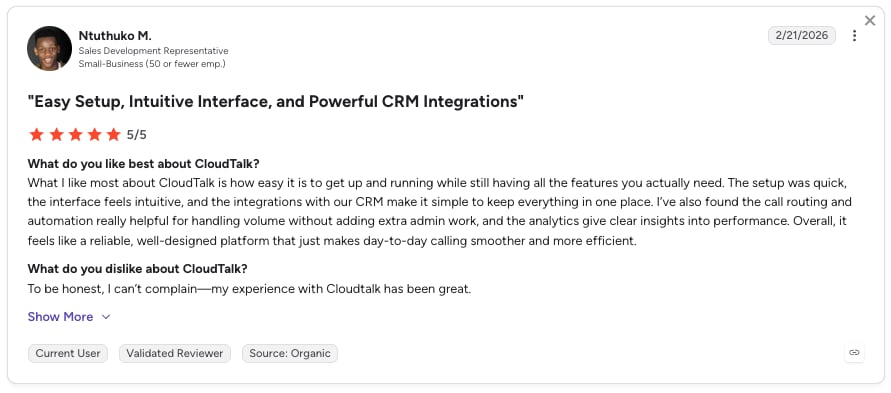
Routing and queue control dominate the positive G2 themes, usually paired with CRM sync keeping call data attached to the right record. Trustpilot reviewers tend to talk about the basics working: clear call quality, a stable platform, and onboarding that doesn't need a consultant. The critical reviews cluster around commercial friction rather than the product, with account activation, billing disputes, and unclear upgrade paths appearing more than once.
G2 rating: 4.4/5 (1960+ reviews) · Trustpilot: 4/5 from 380+ reviews
2. Level AI

What Is Level AI?
Level AI describes itself as "a customer intelligence platform that analyzes the intents and meanings expressed by customers and agents in all contact and call center interactions." It's an analytics layer, not a phone system, and it's built for support and blended teams whose QA process has become the bottleneck.
What Are Level AI's Key Features?
- QA coverage without a bigger QA teamAuto-QA and InstaScore score every conversation against a custom quality rubric instead of a manual sample.
- Insight into what customers meant, not what they typedIntent recognition with semantic intelligence classifies conversations by meaning, not by keyword matches.
- Root causes behind the themesVoice of the Customer analytics detects themes, sentiment shifts, and causes across all interactions.
- A path from score to coachingAgent coaching workflows driven by the QA scores, with reporting that blends internal and external sources.
Pros and Cons of Level AI
| Pros | Cons |
|---|---|
| Ease of use and an intuitive interface for reviewing interactions, the most consistent theme across its 199 G2 reviews (81% five-star) | Occasional accuracy problems with sentiment analysis and transcription, a recurring G2 theme |
| Strong reporting and a smooth implementation process, per G2's aggregated review themes | Data extraction is awkward at scale, with reviewers on global accounts pulling much of the data manually across many parameters |
| Actionable insights that streamline QA instead of just filling a dashboard | Evaluation notifications can get noisy |
What Is the Pricing of Level AI?
- No public pricing.Level AI doesn't publish a pricing page (the /pricing path returned a 404 when we checked), so every deal is quote-based.
- Expect a quote shaped like the rest of this category: per-seat licensing plus an implementation component.
When Should You Use Level AI (And When Shouldn't You)?
Use Level AI if you run a support or blended team, call center quality assurance is your bottleneck, and you're happy with the telephony you already have. Level AI adds analysis on top; it doesn't replace the phone system.
Skip Level AI if you need a phone system as well, you want a published price before a sales call, or transcription accuracy in a non-English-dominant environment is critical to you.
What Do Level AI Customers Say?
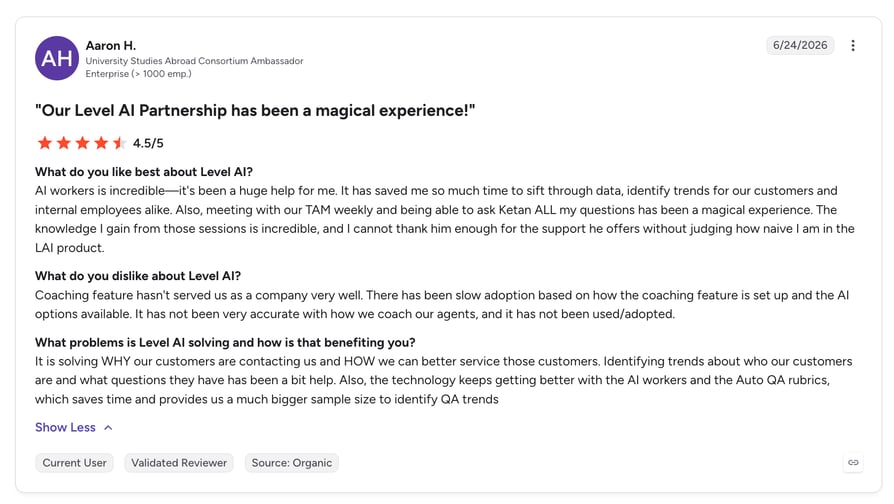
G2's aggregated themes lead with ease of use: an intuitive interface for reviewing customer interactions, and 81% of the 199 reviews sitting at five stars. The most common complaint is accuracy: sentiment and transcription results that need a human check. Reviewers running global accounts also flag that getting data out of the platform takes more manual work than they expected.
G2 rating: 4.7/5 (199 reviews)
3. Observe.AI
What Is Observe.AI?
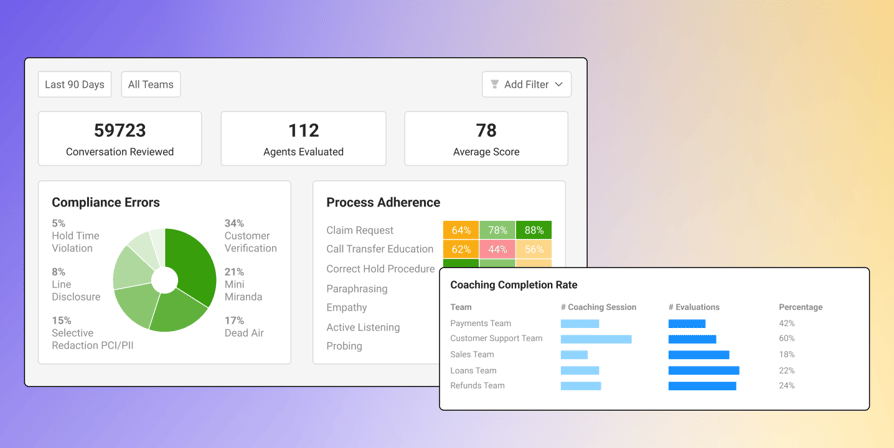
Observe.AI positions itself as an AI-native conversation intelligence platform for contact centers, pairing real-time agent assist with automated QA on every interaction. It shows up most often in regulated environments, where compliance monitoring is part of the buying requirement, not a nice-to-have.
What Are Observe.AI's Key Features?
- Scoring on everything, not a sampleAutomated QA generates quality scores on 100% of interactions.
- Help while the call is still liveReal-time agent assist surfaces coaching prompts and knowledge suggestions during the conversation.
- One view across voice and digitalConversation intelligence covers transcription, sentiment analysis, and topic or intent analysis on both.
- Compliance you can evidenceMonitoring geared to regulated industries such as healthcare and financial services.
Pros and Cons of Observe.AI
| Pros | Cons |
|---|---|
| Ease of use and powerful analytics, G2's top aggregated theme, with reviewers singling out the interface for detailed conversation analysis | Transcription accuracy complaints are a recurring G2 theme, with some reviewers stating transcriptions are inaccurate |
| Speech analytics and automated QA cut the manual effort of evaluating interactions while keeping scoring consistent | Sentiment-detection accuracy issues that can create false signals |
| Real-time coaching works in practice, not just in the demo | Setup and implementation complexity, with onboarding that isn't self-serve |
What Is the Pricing of Observe.AI?
- No public pricing.Expect the quote to carry dependencies that are hard to price up front, including implementation and the volume of interactions you want scored.
When Should You Use Observe.AI (And When Shouldn't You)?
Use Observe.AI when compliance is a hard requirement, your call volume is large enough that sampling is indefensible, and you want live assist as well as post-call analysis.
Skip Observe.AI if you're under roughly 50 agents, since the pricing model and implementation overhead don't amortize well at that size, or if you need accurate transcription in languages outside the core set.
What Do Observe.AI Customers Say?
The pattern in G2's aggregated themes is consistency: reviewers like that scoring no longer depends on which supervisor happened to listen. Real-time coaching shows up as a strength in its own right, separate from the post-call QA story. Against that, transcription and sentiment accuracy come up repeatedly, and reviewers describe onboarding as a project that needs Observe.AI's team involved.
G2 rating: 4.6/5 (249 reviews)
4. CallMiner
What Is CallMiner?
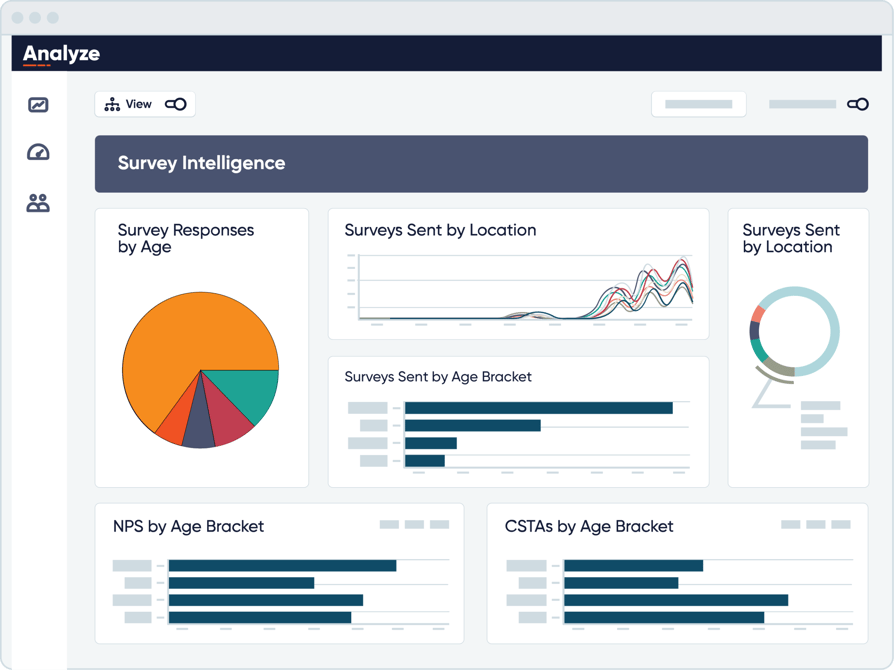
CallMiner, whose flagship product is CallMiner Eureka, is an enterprise conversation intelligence platform. It analyzes conversations across voice, chat, email, and social for sentiment, compliance risk, topics, behavioral patterns, and CX trends, and it's built for organizations with a dedicated analytics function.
What Are CallMiner's Key Features?
- Depth on the audio itselfSpeech and text analytics that auto-categorize calls, detect emotion, and surface emerging trends.
- Scorecards your QA team designsAnalyze lets teams build detailed scorecards, evaluate agents, and construct custom analytics dashboards.
- The "why" behind a trendRoot-cause analysis within conversation data.
- Coverage beyond the phoneText mining across chat, email, and social alongside voice.
Pros and Cons of CallMiner
| Pros | Cons |
|---|---|
| Enables a real shift from manual to automated QA, with G2 reviewers reporting a dramatic increase in the volume of interactions they can audit in the same time | Steep learning curve, with G2 reviewers describing the required training as time-consuming and initially hard to grasp (ease of use scores 8.4, below category peers) |
| Industry-leading speech analytics with acoustic and emotion detection, plus strong root-cause analysis | The interface gets cumbersome with many datasets or filters, and exporting large reports is slow |
| The vendor adapts the product to customer requirements and ships updates at pace, a recurring G2 theme | Premium pricing with add-ons makes internal buy-in difficult, a stated G2 con |
What Is the Pricing of CallMiner?
- No public pricing.G2 reviewers describe cost as add-on-driven, which means the platform figure you get quoted is rarely the figure you end up paying.
When Should You Use CallMiner (And When Shouldn't You)?
Use CallMiner if you have a dedicated analytics or quality assurance analyst function, high interaction volume, and compliance or fraud exposure that justifies specialist depth. Few tools go deeper.
Skip CallMiner if you have nobody to run it day to day, you need measurable value inside a quarter, or you want a price before a procurement cycle starts.
What Do CallMiner Customers Say?
The strongest theme is scale: G2 reviewers report a dramatic increase in the volume of interactions they can audit in the same amount of time. Reviewers also credit the vendor with responsiveness on feature requests. The counterweight is effort, with training time, filter-heavy interfaces, and slow large exports all recurring. Cost appears as an internal-politics problem more than a value problem.
G2 rating: 4.5/5 (235 reviews)
5. Dialpad
What Is Dialpad?
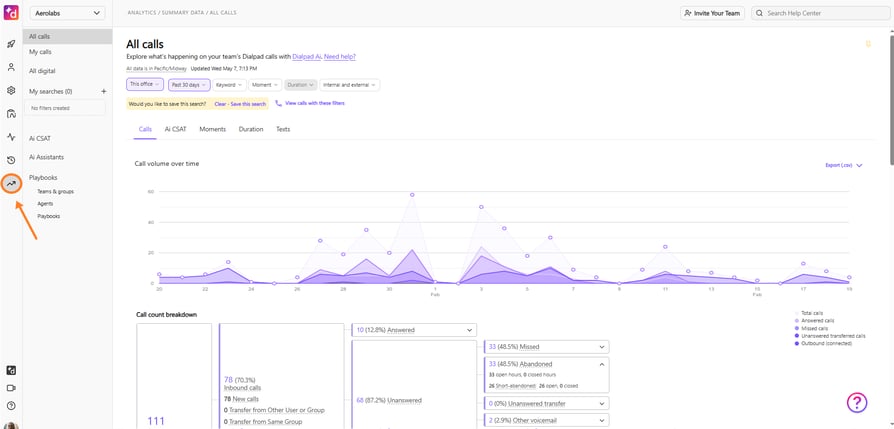
Dialpad calls itself "one platform for every conversation, workflow, and channel", an AI-powered customer communications platform spanning AI Agents, Support, Sell, and Connect. Its distinguishing claim in this category is timing: analysis while the call is happening, not after it ends.
What Are Dialpad's Key Features?
- Insight during the conversationDialpad's own pricing page describes conversational AI analytics for real-time insights.
- Supervisors who can act nowLive agent coaching and real-time assist, with handoffs between AI and human agents.
- Operational reporting alongside itCall performance, agent productivity, and customer-interaction dashboards with business intelligence tooling.
- Cleaner audio going inAlways-on voice isolation, which is a genuine strength relative to post-processing approaches.
Pros and Cons of Dialpad
| Pros | Cons |
|---|---|
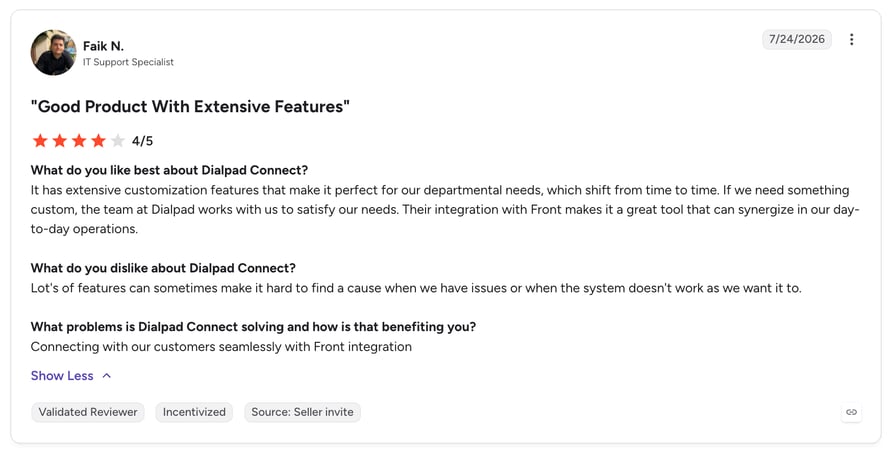
| Managing calls, messages, and support interactions in one place with AI call summaries and transcripts, the leading G2 theme | Support depth, with G2 reviewers reporting surface-level help on complex issues, variable resolution times, and unclear ticket ownership |
| A broad contact center feature set, which G2 reviewers describe as a sound and comprehensive solution | Onboarding gaps, with reviewers saying many features aren't covered during implementation and answers come slowly |
| The real-time AI updates during the call, which is rare in this list | A three-user minimum on some plans |
What Is the Pricing of Dialpad?
- 01Dialpad Support - contact center solutionFrom $80/user/month (annual)
- 02Dialpad Sell - outbound sales servicesFrom $39/user/month (annual)
- 03Dialpad Connect - calls, messages, meetingsFrom $15/user/month (annual)
When Should You Use Dialpad (And When Shouldn't You)?
Use Dialpad when live coaching and in-call intelligence are the whole point, and you want supervisors intervening during the call instead of reviewing it tomorrow.
Skip Dialpad if what you want is a deep historical analytics warehouse rather than real-time signals.
What Do Dialpad Customers Say?
Reviewers consistently like the consolidation: calls, messages, and support in one place, with summaries and transcripts attached. The real-time AI gets credit for working as advertised. The friction shows up after the sale, in implementation coverage and in support quality on complicated issues.
G2 rating: 4.4/5 (4,800+ reviews) · Trustpilot: 4.1/5 from 2,900+ reviews
6. Gong
What Is Gong?
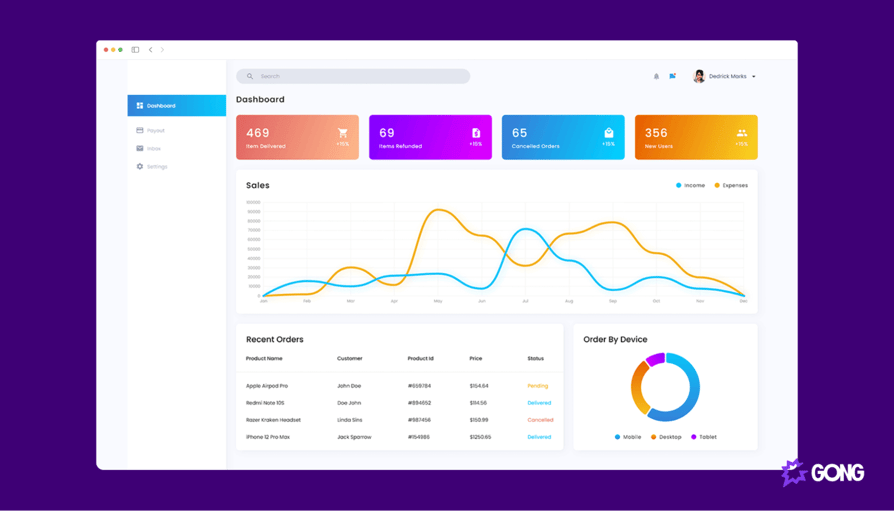
Gong is a revenue intelligence platform. It captures and analyzes customer interactions to give revenue teams visibility into deals, pipeline, and rep performance, which makes it the sales-side specialist on this list, not a contact center tool.
What Are Gong's Key Features?
- Sales calls turned into evidenceConversation intelligence with recording, transcription, and tracking of topics, competitors, and objections.
- A link between talk and pipelineDeal and pipeline intelligence showing which conversation behaviours correlate with won deals.
- Coaching without recollectionRep scorecards built from real call behaviour.
- Early warning on slipping dealsForecasting and deal-risk signals derived from interaction data.
Pros and Cons of Gong
| Pros | Cons |
|---|---|
| Best-in-category depth on sales-conversation analysis, backed by the largest and most positive review base here (6,600+ reviews at 4.7/5) | Cost is the dominant objection, to the point that an entire "Gong alternatives" category exists around teams that can't justify the platform fee plus per-user licensing |
| Deal-risk scoring and pipeline-influence analysis go beyond lighter-weight conversation intelligence tools | Implementation is heavyweight relative to lighter alternatives |
| Real-time call coaching is included | Sales-side by design, so it won't cover AHT, queue, or FCR analytics |
What Is the Pricing of Gong?
- Quote-based.Gong publishes the model but no numbers: licences are priced per user, plus a platform fee based on the number of users supported.
When Should You Use Gong (And When Shouldn't You)?
Use Gong when your analytics question is "why are we winning and losing deals, and which rep behaviours change that", and you have budget for a platform fee on top of licences.
Skip Gong if you need support or contact center operational analytics, if you're price-sensitive, or if your volume is inbound service instead of sales conversations.
What Do Gong Customers Say?
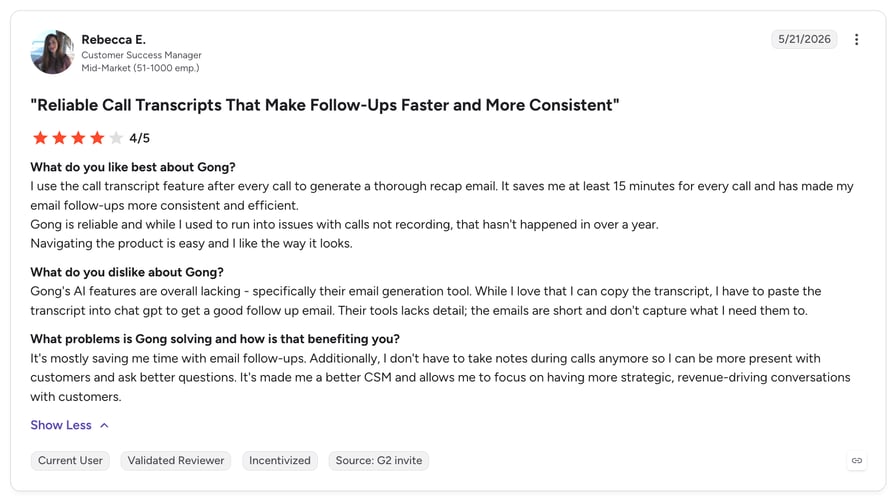
Gong has the strongest review profile of any tool here, with roughly 88% of its G2 reviews at five stars. Depth on sales-conversation analysis is the theme its reviewers keep coming back to. Price is the recurring counterpoint, and scope is the second one: Gong was never built to cover support QA, so AHT, queue, and FCR analytics aren't there.
G2 rating: 4.7/5 (6,600+ reviews)
7. Verint (Including Calabrio ONE)

What Is Verint?
Verint is a customer experience (CX) automation and workforce engagement platform, currently framed around its Open Platform, Agent Factory, Da Vinci AI, and CX Data Hub. One thing worth knowing before you shortlist: Verint and Calabrio are now one company under the single Verint name, following Thoma Bravo's take-private of Verint in January 2026 and the combined organization's announcement in February 2026. Calabrio ONE continues as a platform within Verint, and calabrio.com now redirects to Verint's workforce engagement pages.
What Are Verint's Key Features?
- Themes and risk across every interactionSpeech and text analytics transcribe and analyze interactions to surface themes, sentiment, compliance issues, and operational insight, with emotion detection and keyword spotting.
- Interaction data turned into CX insightCX Analytics, per Verint's own platform description.
- Scheduling and quality in the same placeWorkforce engagement management covering forecasting, scheduling, quality monitoring against call center QA metrics, and performance insight, historically the Calabrio ONE strength.
- A route into AI staffingAgent Factory, an orchestration environment for building and maintaining an AI-plus-human workforce.
Pros and Cons of Verint
| Pros | Cons |
|---|---|
| Advanced analytics, with emotion detection, sentiment analysis, and keyword spotting that let teams identify trends and risks quickly (G2 theme) | Transcription accuracy complaints, and difficulty getting started because the product isn't intuitive (ease of use 8.6) |
| Strong reporting and analytics capability overall (G2 theme) | Integration friction with newer phone systems, plus limits on custom settings and category functionality |
| On the Calabrio ONE side, one unified platform covering workforce management (WFM), quality monitoring, analytics, and scheduling, with forecasting and scheduling accuracy the most-praised themes | Reporting-tool complexity, slower performance on large datasets, and post-merger uncertainty as brand and roadmap consolidate through 2026 |
What Is the Pricing of Verint?
- No public pricing.Expect the quote to be shaped by which modules you take, since analytics and workforce engagement are separately scoped.
When Should You Use Verint (And When Shouldn't You)?
Use Verint if you're an enterprise support organization that needs workforce engagement and interaction analytics from one vendor, and you have the implementation capacity for an enterprise deployment.
Skip Verint if you're SMB or mid-market, you need to be live this quarter, or you want roadmap certainty while a post-merger consolidation is still in progress.
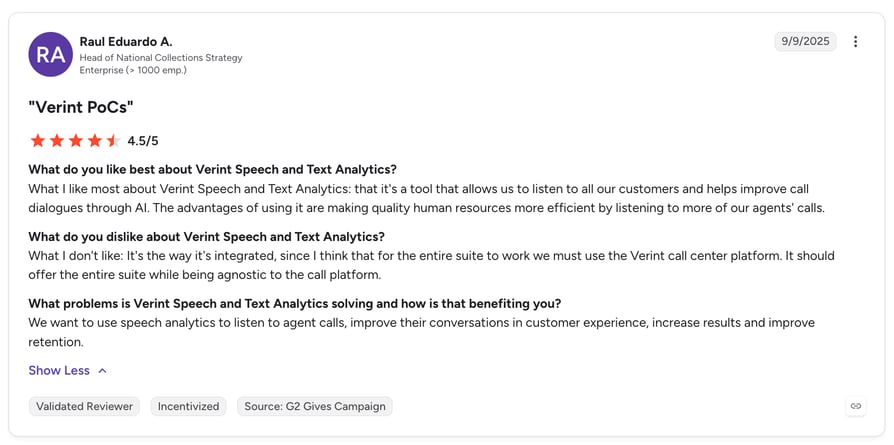
What Do Verint Customers Say?
On the analytics side, reviewers value emotion detection and keyword spotting for spotting risk early, and rate the reporting depth highly. On the Calabrio ONE side, forecasting and scheduling accuracy are the standout themes. The consistent criticisms are the learning curve, transcription accuracy, and performance on large datasets. Reviewers of both products describe getting started as the hardest part.
G2 rating: 4.4/5 for Verint, with Calabrio ONE rated 4.5/5 from 394 reviews
8. Talkdesk

What Is Talkdesk?
Talkdesk is an AI-powered cloud contact center platform sold in per-seat editions across digital and voice engagement, with industry-specific Experience Clouds on top. Among the enterprise-leaning options here, it's the one that publishes what it costs.
What Are Talkdesk's Key Features?
- Analysis across the conversation baseInteraction Analytics, with speech recognition on the voice editions.
- Reporting you can build yourselfCustom Reporting with Live and Explore dashboards, bundled from the Elite and Insights tier upward.
- Access from the entry tierDashboards, reports, and APIs are included from the entry editions.
- Vertical depthIndustry Experience Clouds for financial services, insurance, and healthcare, with sector-specific analytics.
Pros and Cons of Talkdesk
| Pros | Cons |
|---|---|
| User-friendly interface and strong AI features that streamline interactions across channels (G2 theme) | Custom reporting sits behind the $165/user/month tier, so analytics depth costs roughly twice the entry price |
| Published, predictable per-seat pricing, unusual in a category where six of these ten providers are quote-only | Industry clouds carry premium pricing at $225/user/month |
| Strong vertical specialization and fast deployment on the industry clouds | Speech recognition comes with the voice editions, so a Digital Essentials seat gets Interaction Analytics without it |
What Is the Pricing of Talkdesk?
- Digital Essentials, $85/user/month
- Voice Essentials, $105/user/month
- Elite and Insights, $165/user/month
- Industry Experience Clouds, $225/user/month
When Should You Use Talkdesk (And When Shouldn't You)?
Use Talkdesk when you want a full contact center platform with analytics included and a price you can budget from a public page, and when vertical compliance features matter.
Skip Talkdesk if you only need an analytics layer on telephony you already have, or if your budget can't reach the tier where custom reporting unlocks.
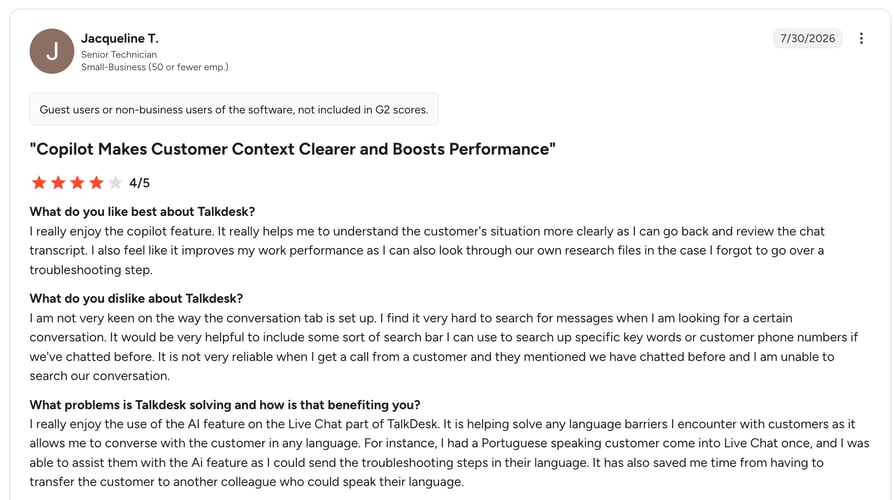
What Do Talkdesk Customers Say?
G2 reviewers describe an interface their agents pick up quickly and AI features that reduce channel-switching. Publishing prices earns Talkdesk goodwill during evaluation. What the reviews don't soften is the tiering: Custom Reporting with Live and Explore starts at $165/user/month, roughly double Digital Essentials.
G2 rating: 4.4/5 (2,450+ reviews)
9. Five9
What Is Five9?
Five9 sells the Five9 Intelligent Cloud Contact Center Platform in channel-and-AI tiers, positioned around measurable CX outcomes. It appeared on more of the ranking pages we analyzed than any other vendor, usually as the recommendation for high-volume outbound.
What Are Five9's Key Features?
- Routing informed by analysisSpeech and text analytics with predictive routing.
- Coverage across the estateInteraction analytics and AI across voice, chat, email, SMS and MMS, and social messaging.
- Staffing in the same platformWorkforce engagement management bundled from the Pro tier upward.
- Outbound at scaleThe dialing capability that drives its reputation with high-volume teams.
Pros and Cons of Five9
| Pros | Cons |
|---|---|
| Proven enterprise track record with strong analyst recognition and a comprehensive AI feature set | The lowest G2 rating of any provider on this list at 4.1/5 |
| Independently validated ROI: Forrester's Total Economic Impact study reports 212% ROI over three years3 | A higher entry price than any other published figure here, at roughly 4.8 times CloudTalk's Starter tier |
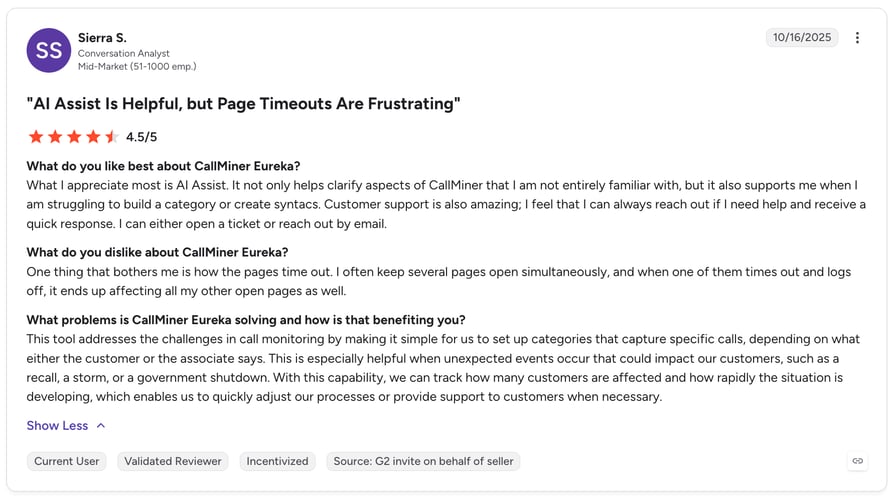
| Deep outbound capability, which is why multiple ranking pages lead with it for high-volume calling | Advanced AI and WEM tiers are quote-only, so $119 understates the cost of the analytics you'd buy, and reviewers report UI friction including page timeouts across open tabs and slow export of large reports |
What Is the Pricing of Five9?
- Digital, $119/seat/month
- Core, $159/seat/month
- Premium and Plus: upon request
- Pro: upon request
- Enterprise: upon request
When Should You Use Five9 (And When Shouldn't You)?
Use Five9 for high-volume, omnichannel, enterprise operations where outbound scale and analyst-recognized reliability outweigh cost and review sentiment.
Skip Five9 on SMB or mid-market budgets, or when your analytics needs can be met without migrating your whole contact center.
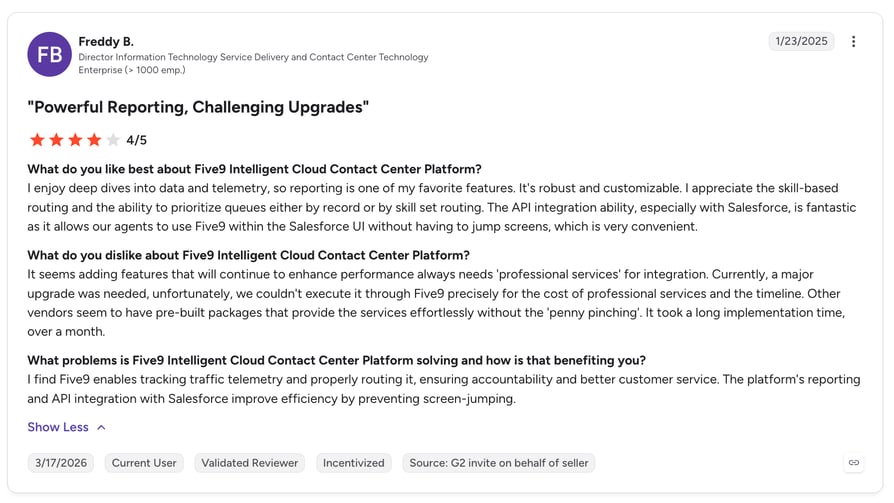
What Do Five9 Customers Say?
Five9's enterprise track record and analyst recognition carry real weight in procurement, and the AI feature set is broad. Its G2 average is still the lowest of these ten at 4.1/5, and the documented friction is interface performance and slow exports of large reports, not missing capability. One more thing to price in: the tiers that add advanced AI and workforce engagement are the ones without a published number.
G2 rating: 4.1/5 (627+ reviews) · Trustpilot: 3.6/5 from 700+ reviews
10. NiCE CXone Mpower
What Is NiCE CXone Mpower?
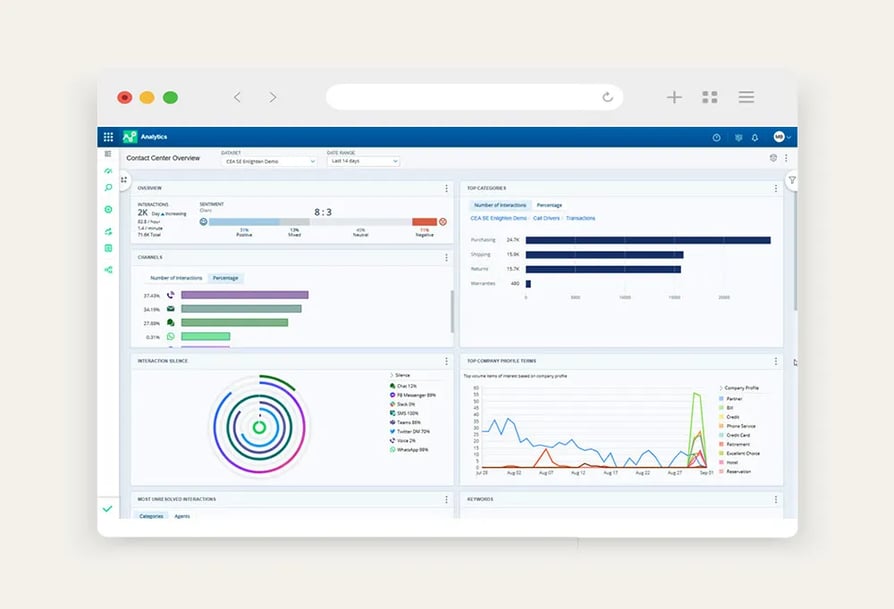
NiCE positions CXone Mpower as an end-to-end, CX-aware AI platform for customer service, spanning agentic experience automation, a unified agent workspace, and workforce engagement. It's the category's largest incumbent and has the broadest analytics surface of anything on this list.
What Are NiCE CXone Mpower's Key Features?
- Nothing left unanalyzedInteraction analytics across 100% of voice and digital interactions, with sentiment, topic, and intent analysis.
- Scoring you configureQuality management with automated, customizable scoring.
- Every channel in one modelOmnichannel analytics, the capability competing roundups most consistently credit NiCE with.
- Leadership and enablement toolingPerformance management, Copilot for Leaders, gamification, and an employee knowledge portal in the upper suites.
Pros and Cons of NiCE CXone Mpower
| Pros | Cons |
|---|---|
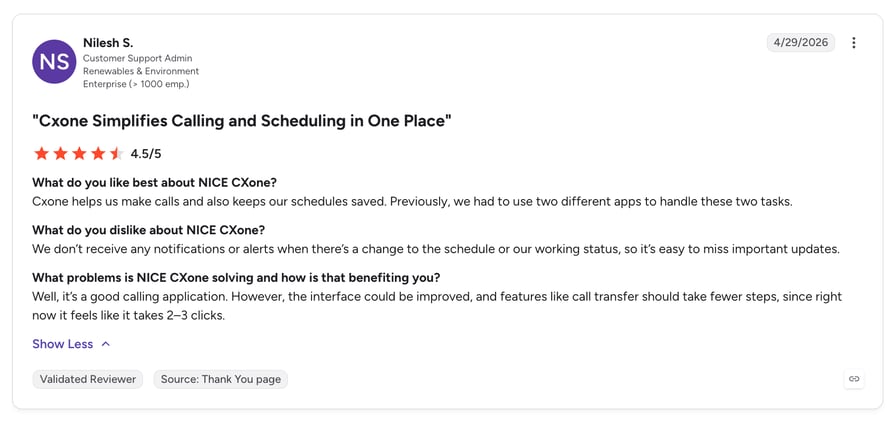
| Standout reporting, with G2 reviewers praising how efficiently they can pull calls from reports (performance analysis scores 9.2 and call monitoring 9.4) | Interface friction, with reviewers noting that routine actions like call transfer take two or three clicks and occasional delays when switching between features |
| Stable and reliable with low downtime, and it centralizes communication tools in one place (G2 themes) | Reporting could offer more customization despite the depth (G2 theme) |
| The broadest analytics-plus-WEM feature surface of any provider here | The highest published cost on this list, with per-session charges on the top tier, and an ease-of-use score of 8.7 alongside a heavyweight implementation |
What Is the Pricing of NiCE CXone Mpower?
- Omnichannel Suite, $110/agent/month.
- Essential Suite, $135/agent/month.
- Core Suite, $169/agent/month.
- Complete Suite, $209/agent/month.
- Ultimate Suite, $249/agent/month plus $0.25 per session.
When Should You Use NiCE CXone Mpower (And When Shouldn't You)?
Use NiCE CXone Mpower if you're a large omnichannel operation, analytics and workforce engagement depth is the deciding factor, and you have the budget and the implementation capacity for an enterprise platform.
Skip NiCE CXone Mpower if you're SMB or mid-market, you need fast time to value, or you can't justify $110 to $249 per agent per month against the analytics you'd use.
What Do NiCE CXone Mpower Customers Say?
Reporting is the headline strength in G2's themes, with reviewers singling out how quickly they can locate and pull specific calls. Stability gets consistent credit at scale. The complaints are about ergonomics and effort: extra clicks for routine actions, lag when switching between features, and reporting customization that G2 reviewers still want more of despite the depth.
G2 rating: 4.3/5 (1,700+ reviews)
How to Choose the Right Call Center Analytics Software
Deloitte Digital's 2026 service survey found 64% of service leaders reporting higher agent productivity and 39% reporting lower cost per contact as a result of AI4. Those outcomes aren't evenly distributed, and the difference usually comes down to buying decisions made months earlier. Six questions separate the teams that get value from the teams that get dashboards.
Sales Analytics vs. Support Analytics: What Actually Changes?
The metrics barely overlap, so a tool that's excellent for one side can be useless for the other.
On the sales side you care about talk and listen ratio, connect and conversion rates, objection and competitor mentions, and how conversation behaviour maps to pipeline. That's the raw material for using call analytics in sales reviews, and the reason call data usually has to sit next to the CRM and whatever sales email software your reps work out of. On the support side you're buying customer service analytics software, so you care about AHT, first-call resolution, CSAT, queue and abandon rates, QA scoring coverage, and contact-driver analysis that tells you why people called at all.
If you buy for both, check that the platform can separate them instead of averaging them. CloudTalk's Call Type Analytics Filter, for instance, splits Conversation Intelligence configuration between support and sales so the two reporting sets stay distinct.
Should It Replace Your Phone System or Sit on Top of It?
An analytics layer keeps your existing telephony and reads its audio; a phone system with analytics built in replaces the telephony too. This is the biggest structural fork in the category, and it's easy to miss because every vendor answers a different question well.
Five of the tools here are pure analytics layers: Level AI, Observe.AI, CallMiner, Gong, and Verint. Each assumes you keep your telephony and give it access to the audio, which is right if your phone system works and you only have an insight problem. It also means a second vendor, a second bill, and an integration to maintain. If you're replacing the phone system anyway, or you're small enough that a two-vendor stack is real overhead, a platform where the analytics ship with the calling is a simpler buy. And if reporting depth is the whole gap, something from our roundup of the best call reporting software may already cover it.
How Much of Your Call Volume Will Get Analyzed?
Every vendor says "100% of interactions", and most can technically deliver it. The practical limit is language coverage, the accuracy of the call transcription software underneath it on your accents, and whether your team trusts the output enough to act on it. McKinsey & Company's 2024 analysis of automated quality assurance estimates that a largely automated QA process reaches more than 90% accuracy, against 70% to 80% for manual scoring, while cutting QA costs by more than half. Ask for accuracy figures in your languages, not in general.
Do You Need Real-Time or Post-Call Insight?
Post-call analysis covers coaching, trend detection, and QA, which is most of the value most teams get. Real-time analysis covers supervisor intervention and live agent assist, and it costs more to build, which is why fewer tools do it well. Dialpad and Observe.AI are the strongest real-time options here. CloudTalk's Real-Time Analytics covers live queue, availability, and agent activity from the Essential plan, while its transcription and sentiment run post-call. For most supervisors, a live call center wallboard covers the in-the-moment job; live transcription is a much smaller club.
Who Will Run It After the Launch Project Ends?
The hard part starts after go-live, when somebody has to own the reports. McKinsey & Company's 2025 analysis of millions of interactions across more than 30 organizations found that 50% to 60% of customer interactions remain transactional despite significant efforts to eliminate them. A finding like that only turns into action if somebody owns call center metrics, analytics, and reporting as part of their actual job.
CallMiner and Verint reward a dedicated analyst function and punish teams without one. If nobody has this in their job description, buy the tool your supervisors can operate unaided.
What Will It Really Cost Over Three Years?
Published prices are the smaller half of the question. Six of these ten providers don't publish pricing at all, Gong adds a platform fee on top of licences, Talkdesk puts custom reporting two tiers above entry, and NiCE adds per-session charges on its top suite. Add-ons matter too: CloudTalk's AI Conversation Intelligence is $9/user/month on top of any plan, never included in one.
Our guide to how much call center software costs walks through the line items that usually show up after the quote.
Then weigh it against the upside. McKinsey & Company's 2024 quality-assurance analysis estimates gen AI in the contact center can deliver more than 50% savings in QA costs, a 25% to 30% increase in agent efficiency, and a 5% to 10% improvement in customer satisfaction. Those are the numbers to build your business case on, and they're also the numbers to hold the vendor to at renewal.
CloudTalk pricing starts at $25/user/month with historical reporting on the baseline plan. See all plans.
Quick Answers to Common Questions
What Are the Most Important Contact Center Analytics Metrics?
The most important contact center analytics metrics differ by team, and you want a list short enough to review every week. For support: average handle time, first-call resolution, abandon rate, CSAT, and QA score coverage. For sales: connect rate, conversion rate, talk and listen ratio, and objection frequency. Then add one diagnostic layer, usually contact drivers or topic trends, so you can see why the operational numbers moved. Our rundown of the most important call center KPIs is a reasonable starting shortlist.
How Does AI Improve Contact Center Analytics?
AI removes the sampling limit. Instead of a supervisor scoring a handful of calls, AI call center software transcribes and scores everything, and topic detection surfaces patterns nobody thought to look for. Deloitte Digital's 2026 service-maturity findings show 48% of companies with mature service capabilities already use agentic AI, double the 24% rate among low-maturity peers. The catch is accuracy: AI output still needs auditing against human scoring before you coach or discipline on it.
What Is the Difference Between Speech Analytics and Interaction Analytics?
Speech analytics works on voice: transcription, keyword spotting, tone, silence, and talk-over. Interaction analytics is the wider discipline, applying the same analysis to voice plus chat, email, tickets, and social, so a customer who called and then emailed shows up as one story. Vendors often sell the combined version as conversational analytics. If your volume is voice-only, speech analytics is enough. If customers reach you on four channels, interaction analytics is what stops you optimizing one channel while another degrades.
Why Do Many Call Center Analytics Implementations Fail?
Most call center analytics implementations fail for reasons that have nothing to do with the software. The data lands in a dashboard nobody owns, the QA rubric was never agreed, or the insight has no route into a coaching change or a call routing change. Deloitte Digital's 2026 Future of Service research reports that 43% of surveyed organizations believe AI will let them cut contact center costs by 30% or more within three years. The teams that get there decided in advance which decisions the analytics would change.
Can a Small Support Team Justify Call Center Analytics Software?
Yes, but not the enterprise kind. Below roughly 20 agents, quote-based platforms with implementation projects rarely pay back, while dashboards and historical reporting bundled into your small business call center software usually do. CloudTalk's Historical Reports and Analytics, covering call volume, agent performance, first-call resolution, and AHT with unlimited storage, are included from the Starter plan at $25/user/month, which is a very different commitment from a six-figure enterprise deal.
What People Say About Call Center Analytics Software on Reddit
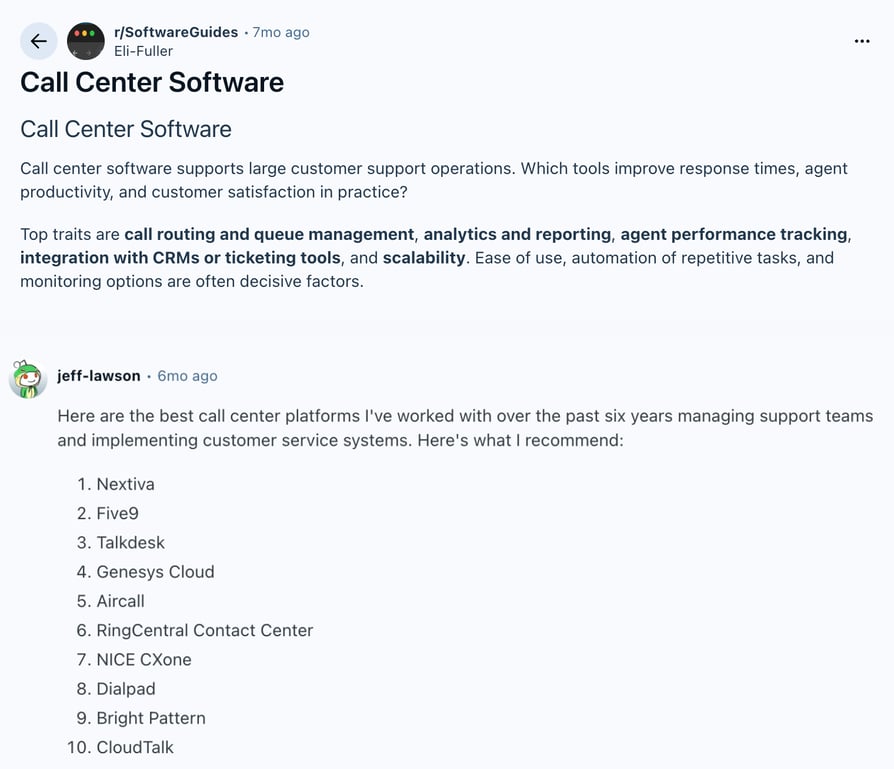
Vendor review platforms tell you what buyers will say in public. Reddit and Quora tell you what they say to peers once the contract is signed, which is where the honest notes on transcription accuracy, hidden add-on costs, and abandoned implementations tend to live. It's the layer of evidence no vendor page and no call center software buyer's guide will hand you.
Reddit discussion:
Top Call Center Analytics Software by G2 Reviews and Ratings
Ratings are only meaningful next to volume, since 4.7/5 from 199 reviews and 4.4/5 from 1960+ reviews describe different levels of evidence. The table below covers the providers where CloudTalk, whose own call center analytics and reporting ships with the phone system, holds an edge on rating, review volume, or both. Gong, Dialpad, and Talkdesk are left out because CloudTalk beats them on neither measure. Verint is out for a different reason: its review count is unconfirmed (see its entry), so there is no volume comparison to make.
| Provider | G2 Rating | G2 Reviews | Where CloudTalk Stands |
|---|---|---|---|
| CloudTalk | 4.4/5 | 1960+ | Reference row |
| Level AI | 4.7/5 | 199 | Higher rating, far fewer reviews |
| Observe.AI | 4.6/5 | 249 | Higher rating, far fewer reviews |
| CallMiner | 4.5/5 | 235 | Higher rating, far fewer reviews |
| NiCE CXone Mpower | 4.3/5 | 1,700+ | Lower rating on a comparable review base |
| Five9 | 4.1/5 | 627+ | Lower rating and fewer reviews |
The specialists rate higher and are reviewed less, which is what you'd expect from tools bought by small analytics teams. The platforms carry more reviews and more mixed sentiment, because everyone in the contact center uses them, not just the person who chose them.
Which Call Center Analytics Solution Should You Choose?
In McKinsey & Company's February 2026 survey of 440 customer care leaders, 40% of the most AI- and data-mature organizations reported significantly improved customer experience scores over the previous 12 months, against just 12% of laggards. The best contact center analytics solutions for a 500-seat operation look nothing like the right pick for a 12-person support desk. That is also why a general best call center software shortlist and an analytics shortlist rarely hold the same names. What separated the two groups in that research was scaled adoption, not tool selection: 67% of leaders had invested in foundational AI use cases at scale, compared with 16% of laggards. So weigh adoption as heavily as capability when you shortlist.
Best Call Center Analytics Software for Small Teams
Under about 20 agents, the analytics you'll open are dashboards, historical reports, and per-agent numbers, the call reporting software end of the category, and the integration tax on a specialist platform is hard to justify. CloudTalk includes the Dashboard, Historical Reports and Analytics, and Agent Reporting on Starter at $25/user/month, with Real-Time Analytics from Essential and the AI Conversation Intelligence add-on available when you want transcripts and scoring. Dialpad is worth a look if live coaching is the reason you're buying.
Best Call Center Analytics Software for Mid-Market Sales and Support Teams
At mid-market scale the answer depends on which side of the house is buying. Sales teams tying calls to pipeline should shortlist Gong, budget for the platform fee, and expect the call data to end up alongside whatever sales automation software already drives their sequences. Support teams whose QA process has broken should shortlist Level AI and Observe.AI. Teams buying for both, especially with outbound in the mix, get further with one platform: CloudTalk's Expert plan at $49/user/month adds Customizable Dashboards, Wallboards, and Agent Status, and includes Power Dialer.
Best Call Center Analytics Software for Enterprise Contact Centers
At enterprise volume the deciding factor is depth plus workforce management, and the shortlist narrows to CallMiner, Verint, NiCE CXone Mpower, and Five9. CallMiner goes deepest on speech and text mining, Verint pairs interaction analytics with the strongest workforce engagement story, NiCE has the broadest suite at the highest published cost, and Five9 leads on high-volume outbound. All four assume you have analysts to run them, an implementation team to launch them, and a call quality management process mature enough to use what they produce.
Sources:
- McKinsey & Company
- Salesforce
- Forrester
- Deloitte Digital
Frequently Asked Questions About Call Center Analytics Software
The features that matter most are historical reporting, per-agent performance data, QA scoring coverage, and contact-driver analysis. Live queue views only earn their place if supervisors act mid-shift, as these call center dashboard examples show.
Call center analytics is the broad category: operational metrics plus conversation content across channels. Speech analytics is the voice-only slice of it, built on call transcription, keyword spotting, tone, and silence.
Evaluate vendors on four things: accuracy in your languages, which plan the analytics you need actually sits on, who owns the reports after launch, and three-year cost with add-ons. Write your call center software requirements down first.
Call center analytics software runs from $25/user/month when it's bundled into a phone system, where CloudTalk's contact center pricing starts, to $249/agent/month for an enterprise suite. Six of these ten publish no price at all.
CloudTalk is the phone system, not a layer on top of one, so dashboards, historical reports, and agent KPIs come from the vendor placing the calls. It fits teams wanting one call center software for support and sales, not analyst-grade depth.