Die 12 besten Pipedrive Telefon-Integrationen für einfache CRM-Anrufe

Zusammenfassung
Als Experten für Outbound Sales haben wir über 30 führende Telefonielösungen überprüft und getestet, um Teams dabei zu unterstützen, ihre Reichweite zu beschleunigen und ihren Pipedrive-Workflow zu automatisieren.
Hier sind unsere Top 6 Pipedrive Telefon-Integrationen (von den 12, die es auf unsere Liste geschafft haben):
-
01
CloudTalk – Am besten für Zwei-Wege-Synchronisierung und KI-gestützte Anrufe
-
02
Zoom – Am besten für Teams, die bereits das Zoom-Ökosystem nutzen
-
03
Kixie – Am besten für Telefonie und SMS auf Unternehmensebene
-
04
CallHippo – Am besten für Teams mit geringem Anrufvolumen, die eine schnelle Einrichtung wünschen
-
05
JustCall – Am besten für kleine Vertriebsteams, die sich auf SMS-Workflows konzentrieren
-
06
Aircall – Am besten für mittelgroße Teams, die benutzerfreundliche Apps bevorzugen
Steigern Sie das Anrufvolumen um 122 % – verbinden Sie CloudTalk einfach mit Pipedrive


aus 1,702+ Bewertungen
Was ist Pipedrive?
Pipedrive bezeichnet sich stolz als „das erste CRM-Tool, das von Vertriebsmitarbeitern für Vertriebsmitarbeiter entwickelt wurde“, was den Fokus auf die Erfüllung der realen Anforderungen von Vertriebsprofis unterstreicht.
Es ist weithin bekannt für sein geradliniges Design, anpassbare Funktionen und umfangreiche Integrationsmöglichkeiten. Mit über 100.000 Kunden in 179 Ländern ist es eine beliebte Wahl für die Verwaltung von Vertriebspipelines.
Was ist eine Pipedrive Telefon-Integration (und wie funktioniert sie)?
Eine Pipedrive Telefon-Integration ist die Verbindung zwischen Ihrem Cloud-Telefoniesystem und Pipedrive CRM, die es Ihnen ermöglicht, Anrufe zu tätigen, SMS zu senden und jede Interaktion direkt von Ihrem Pipedrive-Dashboard aus zu verfolgen.
Stellen Sie es sich wie eine digitale Brücke vor, die die „Wand“ zwischen Ihren Gesprächen und Ihren Daten beseitigt. Anstatt Registerkarten zu wechseln oder Nummern zu kopieren und einzufügen, verwaltet Ihr Team jede Interaktion in einem einheitlichen Arbeitsbereich.
Die Integration funktioniert über einen einfachen, automatisierten Ablauf:
- Sofortige Identifizierung: Wenn ein Anruf eingeht, erkennt das System die Nummer und löst einen Call Pop mit dem Pipedrive-Profil des Anrufers, offenen Deals und der Historie aus.
- Nahtlose Ausführung: Mitarbeiter initiieren Anrufe mit einem einzigen Klick direkt von einem Kontakt oder Deal in Pipedrive, indem sie Click-to-Call nutzen, um manuelles Wählen zu vermeiden.
- Automatische Dokumentation: Sobald der Anruf beendet ist, protokolliert das Cloud-Telefoniesystem automatisch die Dauer, die Aufzeichnung und Notizen in der Pipedrive-Timeline, wodurch Ihre Pipeline ohne manuellen Aufwand auf dem neuesten Stand bleibt.
So haben wir die besten Pipedrive Telefon-Integrationen ausgewählt
Um Ihnen diesen Leitfaden zur Verfügung zu stellen, haben wir über 30 führende Anruf- und Telefonie-Integrationen verglichen, die mit Pipedrive kompatibel sind, und uns dabei auf echtes Feedback von über 2.000 Vertriebsprofis auf User Experience-Plattformen wie G2, Capterra oder TrustRadius gestützt.
Die 20 besten Pipedrive Telefon-Integrationen wurden ausgewählt aufgrund von Anruffunktionen, einfacher Einrichtung, Synchronisierungsqualität und Compliance – sowie ihrer Leistung in echten Deal-Pipelines und täglichen Vertriebs-Workflows. Wir beziehen uns auch auf aktuelle Forschungsergebnisse und Branchenstatistiken aus vertrauenswürdigen Quellen wie GrowthList oder Cognism, um sicherzustellen, dass unsere Empfehlungen datengestützt sind.
Was Sie hier finden werden:
Nur Integrationen, die echte Ergebnisse liefern, mit klaren Hinweisen, für welche Teams, Workflows und Outbound-Strategien jede am besten geeignet ist.
Warum Sie unseren Software-Bewertungen vertrauen sollten?
Seit fast einem Jahrzehnt haben wir über 30.000 Fachleuten geholfen, bessere Kommunikations- und Vertriebstools auszuwählen und zu implementieren. Wir haben über 200 Produkte überprüft, über 5.500 verifizierte Bewertungen von G2 und Capterra analysiert und Einblicke aus echten Nutzerdiskussionen auf Plattformen wie Reddit oder Quora gewonnen.
Allein im letzten Jahr haben wir über 1.000 Artikel veröffentlicht – alle von Menschen für Menschen geschrieben und geprüft – um zuverlässige, datengestützte Einblicke zu bieten, denen Sie vertrauen können.
Erfahren Sie, wie wir unsere Inhaltsintegrität und unsere Software-Review-Methodik wahren.
Die 12 besten Pipedrive Telefon-Integrationen
88 % der CRM-Nutzer möchten Kundenkontaktpunkte verfolgen*. Wenn Sie diesen Artikel lesen, gehören Sie möglicherweise dazu – da Pipedrive keine integrierten Anruffunktionen bietet.
Deshalb sind Integrationen wichtig. Die Verbindung von Pipedrive mit anderen Tools, insbesondere Telefoniesystemen, hilft Ihnen, diese Lücken zu schließen, Workflows zu optimieren und die Produktivität zu steigern. Nachfolgend finden Sie 12 Top Pipedrive CRM-Integrationen, um ein umfassenderes und effizienteres Setup zu erstellen.
Doch bevor wir uns den detaillierten Bewertungen widmen, finden Sie hier eine vergleichende Tabelle der besten Pipedrive Telefon-Integrationen:
| Anbieter | Startpreis | Hauptfunktionen | Am besten für |
|---|---|---|---|
| CloudTalk | €19/Nutzer/Monat | KI-Dialer, KI-Sprachagenten, IVR & ACD, Analysen, 160+ internationale Nummern | Wachsende KMU & skalierende Vertriebs-/Supportteams |
| Zoom | €69/Nutzer/Monat | Videomeetings, Chat, Terminplanung, Webinare | Unternehmen, die Meetings + Konferenzen benötigen |
| Kixie | Preis auf Anfrage | Power-Dialer, Voicemail-Drop, SMS-Vorlagen, CRM-Synchronisierung | SDR/BDR & CRM-zentrierte Vertriebsteams |
| CallHippo | €1/Nutzer/Monat | Anrufaufzeichnung, Tracking-Metriken, Anrufer-ID | Startups & Teams mit geringem Anrufvolumen |
| JustCall | €29/Nutzer/Monat | CRM Click-to-Call, SMS-Automatisierung, Analysen | Kleine Vertriebsteams, die Outbound skalieren |
| Aircall | €30/Nutzer/Monat | ACD, Anrufweiterleitung, Überwachung, Aufzeichnung | KMU Vertriebs- & Supportteams |
| Ring.io | €90/Nutzer/Monat | Click-to-Call, Voicemail-Automatisierung, IVR | CRM-intensive KMU |
| Ringover | €21/Nutzer/Monat | Anrufaufzeichnung, Tagging, Video, Kollaboration | KMU Vertrieb & Support |
| CircleLoop | £5/Nutzer/Monat | Überwachung, Konferenzen, CTI, Transkription | Kleine Supportteams |
| Toky | €20/Nutzer/Monat | Click-to-Call, IVR, Transkripte | All-in-One grundlegende Callcenter-Anforderungen |
| Talkdesk | €85/Nutzer/Monat | Auto-Dialer, Sprachanalysen, Routing, Dashboards | Kundenorientierte Contact Center (5+ Agenten) |
| Appy Pie Automate | €12/Monat | No-Code-Workflows, Trigger, Multi-App-Automatisierung | KMU, die Pipedrive-Workflows automatisieren |
#1 CloudTalk
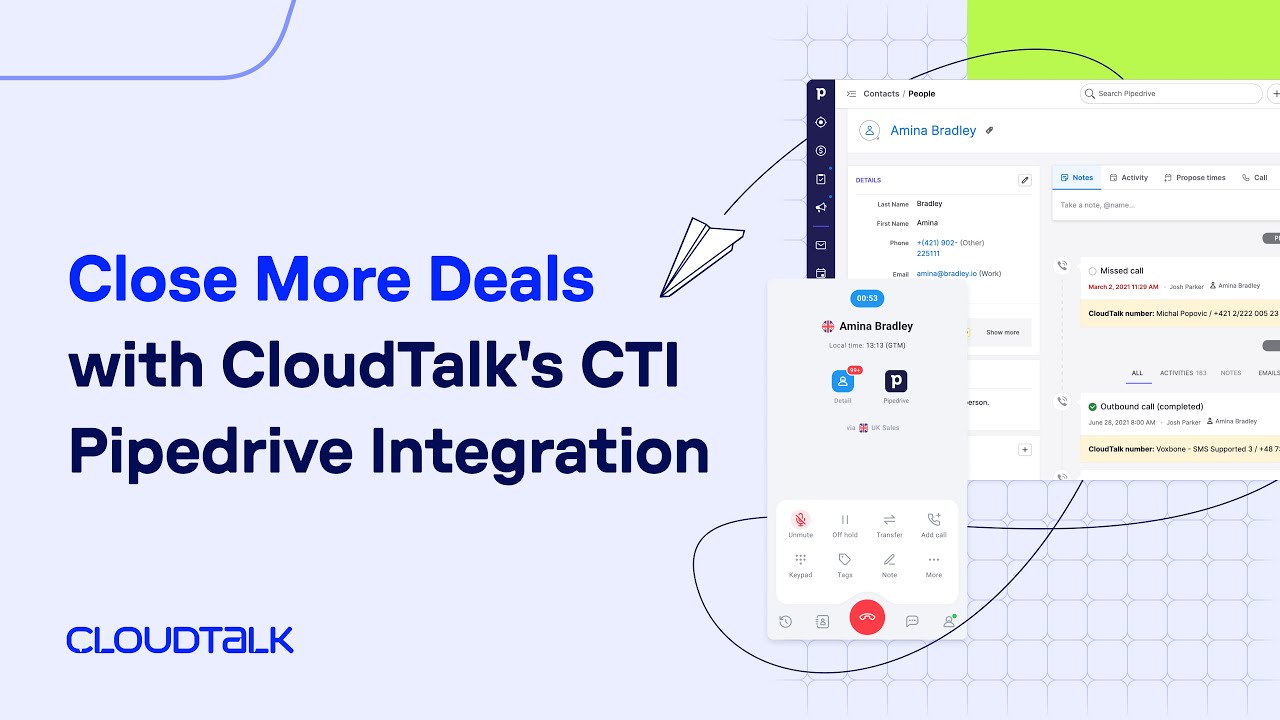
CloudTalk ist die beste Pipedrive Telefon-Integration, eine führende globale KI-gestützte Business-Telefonie-Software, die speziell für Vertriebs- und Kundensupport-Teams entwickelt wurde. CloudTalk, dem über 4.000 moderne KMU vertrauen, bietet kristallklare Anrufqualität in über 160 Ländern und hilft Teams, produktivere und wirkungsvollere Gespräche zu führen.
Mit über 70 erweiterten Callcenter-Funktionen, einschließlich KI-gestützter Tools, stattet CloudTalk Teams aus, um effektiv und professionell zu kommunizieren. Die besten Dialer, CTIs und Produktivitätstools, kombiniert mit nahtlosen Integrationen wie Pipedrive, HubSpot und anderen, helfen Unternehmen, das Anrufvolumen um bis zu 122 % zu steigern.
Am besten für: Kompatibel mit Unternehmen jeder Größe, mit Fokus auf wachsende KMU
Bewertung:
- Capterra: 4,4 / 5 – 263 Bewertungen
- G2: 4,3 / 5 – 1.158 Bewertungen
Wichtige Integrationen:
Mobile App:
- Android
- iOS
Vorteile:
- Einfache Implementierung ohne IT-Support
- Erschwingliche Preispläne (ab €19/Monat)
- Telefonnummern aus über 160 Ländern weltweit
- Umfassende Analysen mit einem Echtzeit-Dashboard
- Leistungsstarke Vertriebstools (Power und Smart Dialer)
- Ein umfassendes Anrufweiterleitungssystem nach Fähigkeiten, Agent und Anruferstatus.
„Am besten gefällt mir, dass man das Tool einfach mit jedem CRM verbinden kann. Wir arbeiten mit Pipedrive, und von dort aus ist es nur ein Klick, um unsere Kunden mit CloudTalk anzurufen. Und das Wichtigste: Es funktioniert immer.“
Nachteile:
- Keine Videokonferenzfunktionen.
Preise:
- Lite-Tarif (NAM und LATAM): €19/Nutzer/Monat, jährlich abgerechnet
- Starter-Tarif: €25/Nutzer/Monat, jährlich abgerechnet
- Essential-Tarif: €29/Nutzer/Monat, jährlich abgerechnet
- Expert-Tarif: €49/Nutzer/Monat, jährlich abgerechnet
- Individueller Tarif: Kontaktieren Sie unser Team für ein maßgeschneidertes Angebot
Kostenlose Testphase:
#2 Zoom
Wenn Sie Zoom hören, verbinden Sie es wahrscheinlich mit Meetings, Webinaren und Telefonkonferenzen. Kein Wunder. Zoom ist eines der größten virtuellen Meeting-Tools auf dem Markt. Wenn der kostenlose Tarif jedoch nicht ausreicht, sind die kostenpflichtigen Tarife mit einem hohen Preis verbunden.
Ideal für: KMU und große Unternehmen.
Bewertung:
- Capterra: 4,6 / 5 – 14.026 Bewertungen
- G2: 4,5 / 5 – 55.905 Bewertungen
Wichtige Integrationen:
- Kahoot!
- Prezi Video
- Coda
- Sesh
Mobile App:
- Android
- iOS
Vorteile:
- Unbegrenzte Einzel- und Gruppenmeetings
- Bis zu 1.000 Integrationen von Drittanbietern
- Schöne, benutzerfreundliche Oberfläche
- Nützliche Automatisierungstools wie Click-to-Call
Nachteile:
- Fehlende erweiterte Anruffunktionen (Power und Smart Dialer)
- Es fehlen einige der beliebtesten Integrationen (z. B. HubSpot CRM und Freshsales)
- Geschäftstelefonfunktionen nur in höherwertigen Tarifen enthalten
Preise:
- Essentials: €69/Nutzer/Monat
- Premium: €99/Nutzer/Monat
- Elite: €149/Nutzer/Monat
Kostenlose Testphase:
- Ja, 30 Tage

#3 Kixie
Besserer Vertrieb, einfach gemacht – so bewirbt Kixie PowerCall seine Vertriebs-Engagement-Plattform für kundenorientierte Teams. Sie steigert Ihre Vertriebsleistung durch zuverlässige Anruf- und Textfunktionen auf Unternehmensebene, Integrationen mit führenden CRM-Plattformen und intelligente Funktionen.
Ideal für: CRM-Nutzer, SDRs/BDRs und Vertriebsteams von Großunternehmen.
Bewertung:
- Capterra: 4,7 / 5 – 275 Bewertungen
- G2: 4,8 / 5 – 751 Bewertungen
Wichtige Integrationen:
- HubSpot
- Salesforce
- Zoho
- Pipedrive
- Zapier
Mobile App:
- Android
- iOS
Vorteile:
- Hilfsbereiter Support und Vertriebsmitarbeiter
- Einfacher und leicht nachverfolgbarer Dialer
- Funktioniert hervorragend mit CRM
Nachteile:
- Oberfläche kann verwirrend sein
- Keine Verfolgung von Daten aus Marketingkampagnen möglich
Preise:
Preis auf Anfrage
Kostenlose Testversion:
- Ja, 7 Tage

#4 CallHippo
CallHippo ist eine perfekte VoIP-Lösung, um Vertriebs- und Serviceteams zu effektiven Gesprächen zu befähigen. Sie ist ideal für Unternehmen mit geringem Anrufvolumen, die gerade erst anfangen. Die Software ist einfach und schnell einzurichten, im Durchschnitt dauert es nur etwa 3 Minuten.
Am besten geeignet für: Start-ups, KMU – Vertriebs- und Supportteams
Bewertung:
- Capterra: 4,4 / 5 – 602 Bewertungen
- G2: 4,4 / 5 – 325 Bewertungen
Wichtige Integrationen:
- Zoho CRM
- Pipedrive
- HubSpot
- Slack
- Salesforce
Mobile App:
- Android
- iOS
Vorteile:
- Einfache Einarbeitung
- Kostenlose Telefonnummern für über 50 Länder
- 24/7 Kundensupport
- Umfassende Wissensdatenbank
Nachteile:
- Fehlen einiger Kernfunktionen (z. B. Rufgruppen, Fax und PBX)
- Anrufaufzeichnung nur in höheren Tarifen verfügbar
Preise:
- Basic: €1/Nutzer/Monat
- Starter: €19/Nutzer/Monat
- Professional: €29/Nutzer/Monat
- Ultimate: €45/Nutzer/Monat
Kostenlose Testversion:
- Ja, 10 Tage

#5 JustCall
JustCall ist eine moderne Callcenter-Lösung, die Teams dabei unterstützen soll, effizient zu skalieren und gleichzeitig Komplexitäten zu minimieren, wie vom Anbieter angegeben. Obwohl funktionsreich, haben die niedrigeren Tarife Nutzungsbeschränkungen, weshalb es wichtig ist, Ihre Geschäftsanforderungen sorgfältig zu bewerten.
Am besten geeignet für: Kleine Unternehmen – Vertriebsteams
Bewertung:
- Capterra: 4,2 / 5 – 212 Bewertungen
- G2: 4,3 / 5 – 2,055 Bewertungen
Wichtige Integrationen:
- Salesforce
- Pipedrive
- HubSpot
- Zoho
- Zapier
Mobile App:
- Android
- iOS
Vorteile:
- Kostenloses Texten und Telefonieren
- Telemarketing-Management
- Einfach zu installieren
- Zuverlässiger Kundensupport
Nachteile:
Einige wichtige Funktionen sind nur gegen Bezahlung verfügbar. Darüber hinaus bietet die Länderabdeckung von JustCall lokale Nummern in 70 Ländern weltweit. Zum Vergleich: CloudTalk bietet Nummern in über 160 Ländern weltweit.
Preise:
- Team: €29/Nutzer/Monat
- Pro: €49/Nutzer/Monat
- Pro Plus: €89/Nutzer/Monat
- Business: Angebot basiert
Kostenlose Testversion:
- Ja, 14 Tage

Vertraut von über 4000 KMU – verkaufen Sie schneller mit CloudTalk + Pipedrive


#6 Aircall
Aircall ist eine fortschrittliche Anruflösung, die von über 15.000 Kunden genutzt wird. Sie wurde entwickelt, um Vertriebsprozesse zu beschleunigen, die Kommunikation mit potenziellen Kunden zu verbessern und mehr Abschlüsse zu erzielen. Sie können automatisch mehrere Interessenten in einer Back-to-Back-Warteschlange anrufen und wichtige Kontaktinformationen direkt in der Telefonoberfläche anzeigen lassen.
Am besten geeignet für: Kleine Unternehmen – Vertriebs- und Supportteams
Bewertung:
- Capterra: 4,3 / 5 – 427 Bewertungen
- G2: 4,3 / 5 – 1.144 Bewertungen
Wichtige Integrationen:
- ActiveCampaign
- Freshdesk
- Odoo CRM
- Alloy Automation
- Avoma
Mobile App:
- Android
- iOS
Vorteile:
- Erweiterte Automatisierung
- Benutzerfreundliche Apps
- Zuverlässiger Kundensupport
Nachteile:
Aircall fehlen einige wesentliche Videoanruffunktionen. Webinar-Hosting- und Bildschirmfreigabe-Funktionen sind auf der Plattform stark eingeschränkt, was zu einer erheblichen Frustration bei den Nutzern führen kann.
Preise:
- Essential-Plan: €30 Nutzer/Monat, jährlich abgerechnet
- Professional-Plan: €50 Nutzer/Monat, jährlich abgerechnet
- Individueller Plan: Preis auf Anfrage
Kostenlose Testphase:
Ja, 7 Tage

#7 Ring.io
Die Ring.io Anruf-App unterscheidet sich etwas von den zuvor genannten, da sie an eine der führenden CRM-Plattformen, Salesforce, Hubspot, Pipedrive, Dynamics oder Zoho, vorangepasst ist.
Am besten geeignet für: Kleine und mittelständische Unternehmen – Vertriebs- und Support-Teams
Bewertung:
- Capterra: 4,1 / 5 – 19 Bewertungen
- G2: 4,5 / 5 – 59 Bewertungen
Wichtige Integrationen:
- Salesforce
- HubSpot
- Zoho
- Pipedrive
- Zendesk Support
Mobile App:
- Android
- iOS
Vorteile:
- Nahtlose Telefonnummernverwaltung
- Effiziente Verfolgung des Follow-up-Fortschritts
- Leicht verständlich
- Zuverlässiger Kundensupport
Nachteile:
- Systemabhängige Preisgestaltung
- Sehr hoher Preis für die RingLocal-Funktion
- Gelegentliche Anrufunterbrechungen
- Die Anwendung kann fehlerhaft sein
Preise:
- Startup: €90/Nutzer/Monat
- Wachstum: €120/Nutzer/Monat
- Enterprise: €250/Nutzer/Monat
Kostenlose Testphase:
- Ja, 14 Tage

#8 Ringover
Ringover, eine cloudbasierte Telefonielösung, hilft kleinen und mittelständischen Unternehmen, intelligenter zu arbeiten. Vertriebs- und Kundensupportteams haben Zugriff auf fortschrittliche Anruf-Tools, um schneller und intelligenter zu arbeiten und ihre Effizienz zu steigern.
Am besten geeignet für: KMU – Vertriebs- und Support-Teams
Bewertung:
- Capterra: 4,6 / 5 – 499 Bewertungen
- G2: 4,6 / 5 – 163 Bewertungen
Wichtige Integrationen:
- Salesforce
- HubSpot
- Zoho CRM
- Copper
- Freshdesk
Mobile App:
- Android
- iOS
Vorteile:
- Einfach zu bedienen
- Die Möglichkeit, die Arbeit anderer Agenten zur effizienteren Einarbeitung zu verfolgen
- Kostenlose internationale Anrufe
- Die Möglichkeit, Anrufe erneut anzuhören, um bessere Agentenschulungen zu erstellen
Nachteile:
- Gelegentliche Tonverzögerung führt zu ineffizienten Gesprächen
- Gelegentliche Ausfälle
- Schlechte Tonqualität
- Der Zugriff für Techniker, Buchhalter usw. erfordert eine kostenpflichtige Lizenz
Preise:
- Smart-Plan: €21/Nutzer/Monat
- Business-Plan: €44/Nutzer/Monat
- Advanced: Individuelle Preisgestaltung
Kostenlose Testphase:
Ja, 7 Tage

#9 CircleLoop
CircleLoop ist ein VoIP-Anbieter mit Sitz in Großbritannien. Das moderne Anrufsystem bietet Desktop-, Mobil- und Webanwendungen. Es enthält auch viele nützliche Funktionen und Integrationen.
Am besten geeignet für: Kleine Unternehmen – Support-Teams
Bewertung:
- Capterra: 4,4 / 5 – 12 Bewertungen
- G2: 4,3 / 5 – 12 Bewertungen
Wichtige Integrationen:
- HubSpot
- Zoho
- Pipedrive
- Intercom
- Zapier
Mobile App:
- Android
- iOS
Vorteile:
- Erschwingliche Lösung für kleine Unternehmen
Nachteile:
- Mangelnder Kundensupport
- Fehlende Onboarding-Kanäle – keine persönliche oder Video-Anleitung
Preise:
- Pay as you Go: £5 Nutzer/Monat + MwSt., monatliche Abrechnung
- Unlimited: £15 Nutzer/Monat + MwSt., monatliche Abrechnung
Kostenlose Testversion:
- Ja, der Anbieter gibt die Dauer jedoch nicht an

#10 Toky
Toky ist ein Telefonsystem, das entwickelt wurde, um Callcenter-Agenten dabei zu helfen, Interessenten und Kunden einfacher zu kontaktieren. Das Produkt zielt darauf ab, die Kommunikation für Callcenter-Agenten zu zentralisieren und damit zu vereinfachen.
Ideal für: Unternehmen jeder Größe, die eine All-in-One-Callcenter-Lösung wünschen.
Bewertung:
- Capterra: 4,2 / 5 – 106 Bewertungen
- G2: 3,7 / 5 – 32 Bewertungen
Wichtige Integrationen:
- Salesforce
- Intercom
- Hubspot
Mobile App:
- Android
- iOS
Vorteile:
- Einfach mit anderen Tools zu integrieren
- Freundlicher Support
- Hochwertige Anrufe
Nachteile:
- Es fehlen einige Smart-Dialer-Funktionen, einschließlich eines Power-Dialers
- Das Ticket-Erstellungssystem mit Intercom kann laut Rezensenten auf G2 inkonsistent sein
Preise:
- Entrepreneur-Plan: €20/Nutzer/Monat
- Business-Plan: €25/Nutzer/Monat
- Enterprise-Plan: Preis auf Anfrage
Kostenlose Testversion:
- Ja, der Anbieter gibt die Dauer jedoch nicht an
#11 Talkdesk
Talkdesk ist seit 2011 auf dem VoIP-Markt präsent. Ihre Smart-Calling-Plattform hat die Kommunikationsfähigkeiten von über 1.800 Vertriebs- und Kundensupport-Teams durch Hightech-Automatisierung und zuverlässige Anrufqualität verbessert.
Ideal für: Kundenorientierte Unternehmen mit mindestens 5 Agenten
Bewertung:
- Capterra: 4,5 / 5 – 726 Bewertungen
- G2: 4,4 / 5 – 2.394 Bewertungen
Wichtige Integrationen:
- Salesforce
- Zendesk
- Slack
- MS Teams
- ServiceNow
- MS Dynamics
- Zoom
Mobile App:
- Android
- iOS
Nachteile:
- Die Kommunikationsfähigkeiten von Talkdesk sind begrenzt. Es ist als Callcenter-Plattform konzipiert, bietet aber nicht alles, was Unternehmen in Bezug auf Messaging und Videokonferenzen benötigen.
- Talkdesk bleibt auch im Bereich der Integration hinter anderer VoIP-Software zurück
Preise:
- Digital Essentials: €85/Nutzer/Monat
- Voice Essentials: €105/Nutzer/Monat
- Elite: €165/Nutzer/Monat
- Industry Experience Clouds: €225/Nutzer/Monat
Kostenlose Testversion:
- Ja, der Anbieter gibt die Dauer jedoch nicht an

#12 Appy Pie Automate
Appy Pie Automate ist eine leistungsstarke No-Code-Automatisierungsplattform, die es Benutzern ermöglicht, nahtlose Pipedrive-Integrationen mit über 1000 anderen Apps zu erstellen. Entwickelt für Geschäftsleute, Vertriebs- und Supportteams, eliminiert es die manuelle Dateneingabe, indem es repetitive Aufgaben wie das Aktualisieren von Deals, das Senden von Nachfassaktionen oder das Synchronisieren von Leads aus Formularen direkt in Pipedrive automatisiert.
Ideal für: Kleine bis mittelständische Unternehmen, die eine einfache Pipedrive-Automatisierung ohne Programmierung suchen
Bewertung:
- Capterra: 4.6/5 – 1390 Bewertungen
- G2: 4.7/5 – 1386 Bewertungen
Wichtige Integrationen:
- Trello
- Gmail
- Google Sheets
- Zoom
- Slack
- Mailchimp
- Salesforce
Vorteile:
- Extrem benutzerfreundliche Oberfläche, geeignet für nicht-technische Nutzer
- Unterstützt sowohl einfache als auch komplexe mehrstufige Workflows
- Automatisiert eine Vielzahl von Pipedrive CRM-Aufgaben
- Flexible Preispläne mit unbegrenzten Workflows in höheren Stufen
Nachteile:
- Einige erweiterte Funktionen (wie bedingte Logik) sind nur in Premium-Stufen verfügbar
- Die Benutzeroberfläche kann für Nutzer, die an Full-Code-Plattformen gewöhnt sind, einschränkend wirken
Preise:
- Standard: €12/Monat (jährliche Abrechnung)
- Professional: €30/Monat (jährliche Abrechnung)
- Business: €80/Monat (jährliche Abrechnung)
- Enterprise: Benutzerdefinierte Preise
Kostenlose Testversion:
Ja, eine 7-tägige kostenlose Testversion ist für alle Pläne verfügbar.
Pipedrive Anrufkosten: Was ist der tatsächliche Preis im Jahr 2026?
Bei der Budgetplanung für eine Pipedrive Anrufintegration hängen die Kosten davon ab, ob Sie bei grundlegenden Tools bleiben oder sich für erweiterte Funktionen entscheiden. Im Durchschnitt können Sie mit €18 bis €35+ pro Nutzer/Monat rechnen, je nachdem, wie tief die Automatisierung sein soll, die Sie benötigen.
Sie können Pipedrive mit einem VoIP-Telefonsystem integrieren, beginnend bei €19 pro Platz/Monat, was ein solider Einstiegspunkt ist. Mit CloudTalk ist die volle Pipedrive-Integration ab dem Essential Plan für €29/Nutzer/Monat verfügbar.
Im Gegensatz zu vielen Wettbewerbern, die ihre besten CRM-Synchronisierungsfunktionen hinter „Enterprise“-Paywalls verstecken, stellen wir sicher, dass wachsende Teams bidirektionale Synchronisierung, automatische Protokollierung und One-Click-Dialing ohne die versteckte „Integrationssteuer“ erhalten.
So wählen Sie die beste Pipedrive-Integration aus
Die Wahl der besten Telefonintegration für Pipedrive kann Ihre Vertriebs- und Support-Workflows erheblich verbessern. Hier sind wichtige Aspekte, die Sie bei Ihrer Entscheidung berücksichtigen sollten:
- Reibungslose Integration: Stellen Sie sicher, dass das Telefonsystem reibungslos mit Pipedrive integriert ist, um die automatische Synchronisierung von Anrufprotokollen, Kundendaten und Notizen zu ermöglichen. Eine gut integrierte Lösung reduziert manuelle Arbeit und hält Ihr CRM auf dem neuesten Stand.
- Benutzerfreundlichkeit: Suchen Sie nach einem Telefonsystem mit einer benutzerfreundlichen Oberfläche, die Ihr Team leicht übernehmen kann. Einfaches Onboarding und intuitive Funktionen minimieren die Einarbeitungszeit und sorgen für einen reibungsloseren Übergang.
- Anrufqualität und Zuverlässigkeit: Kristallklares Audio und eine stabile Verbindung sind unerlässlich, um Professionalität bei Kundeninteraktionen zu gewährleisten. Wählen Sie einen Anbieter, der für exzellente Anrufqualität und globale Abdeckung bekannt ist.
- Erweiterte Funktionen: Bewerten Sie die Tools, wie KI-gestützte Funktionen, Anrufaufzeichnungen, IVR-Systeme und Auto-Dialer. Diese Funktionen können die Produktivität steigern, das Kundenerlebnis verbessern und Workflows optimieren.
- Skalierbarkeit und Preise: Überlegen Sie, ob die Lösung mit Ihrem Unternehmen wachsen kann. Suchen Sie nach flexiblen Preisplänen, die Ihren aktuellen Bedürfnissen entsprechen, ohne sich auf Funktionen festzulegen, die Sie nicht nutzen werden.
Wichtige Funktionen einer Pipedrive Anrufintegration
Um Ihr CRM wirklich zu einer Umsatzmaschine zu machen, benötigen Sie Funktionen, die „Fließbandarbeit“ eliminieren und es Ihren Vertriebsmitarbeitern ermöglichen, sich auf die Person am anderen Ende der Leitung zu konzentrieren.
Hier sind die vier wesentlichen Funktionen, die den größten Unterschied in der täglichen Vertriebsleistung ausmachen:
Bidirektionale Synchronisierung (Kontakte, Aktivitäten, Deals und Notizen)
Wahre Integration bedeutet, dass Ihr CRM- und Telefonsystem als Einheit fungieren. Wenn sich die Informationen eines Leads in CloudTalk ändern, sollten sie sofort in Pipedrive aktualisiert werden – und umgekehrt. Diese „Live-Verbindung“ stellt sicher, dass Ihr Team niemals Zeit mit der Suche nach veralteten Nummern oder der doppelten Bearbeitung von Daten verschwendet. Es ist, als hätten Sie eine einzige Quelle der Wahrheit, die rund um die Uhr ohne manuelles Eingreifen aktuell bleibt.
Click-to-Call + Power Dialing aus Pipedrive
Manuelles Wählen ist ein Produktivitätskiller. Suchen Sie nach einer Integration, die eine Click-to-Call-Funktion hinzufügt, die Telefonnummern in Ihrem CRM erkennt und Ihnen ermöglicht, Anrufe in Sekundenschnelle zu starten. Um noch schneller zu sein, verwenden Sie einen Power Dialer, um Ihre Pipedrive-Lead-Listen automatisch zu durchlaufen.
Automatische Anrufprotokollierung + Links zu Anrufaufzeichnungen
Ihre Vertriebsmitarbeiter sollten sich auf das Gespräch konzentrieren, nicht auf den Papierkram. Das System sollte jeden Anruf – einschließlich Dauer, Zeitstempel und Ergebnis – automatisch direkt in die Pipedrive-Aktivitäts-Timeline protokollieren. Durch das Anhängen von Links zu Anrufaufzeichnungen an jeden Deal erstellen Sie eine vollständige „Dokumentation“, die es einfach macht, mit vollem Kontext in einen komplexen Verkauf zurückzukehren.
KI-Anrufzusammenfassungen, Coaching und Stimmungsanalyse
Moderne Vertriebsleiter können nicht jeden Anruf anhören, aber KI-Konversationsintelligenz kann es. Diese Funktion generiert automatisch prägnante Anrufzusammenfassungen und Stimmungsanalysen für jede Pipedrive-Interaktion. Anstatt zu erraten, warum ein Deal ins Stocken geraten ist, können Sie KI-transkribierte „Schmerzpunkte“ oder „Einwände“ direkt aus dem Kontaktdatensatz überprüfen, um Ihrem Team zu helfen, seine Strategie anzupassen.
Profi-Tipp:
Stellen Sie über die Sprachkommunikation hinaus sicher, dass Ihre Integration SMS unterstützt. Die Möglichkeit, einem Lead direkt aus Pipedrive eine SMS zu senden, stellt sicher, dass 100 % Ihres Kommunikationsverlaufs – nicht nur die Anrufe – an einem Ort gespeichert werden.
Vorteile der Nutzung von Pipedrive Telefonintegrationen
„Können Sie von Pipedrive aus anrufen?“ ist eine der am häufigsten gestellten Fragen auf deren Hilfecenter-Seite. Die Antwort ist nein, wenn Pipedrive das einzige Tool in Ihrem Tech-Stack ist.
Da die integrierte Pipedrive-Anruffunktion im Jahr 2022 eingestellt wurde, müssen neue Kunden Telefonanlagen von Drittanbietern integrieren, um Anrufe direkt aus dem CRM zu tätigen und zu verwalten.
Die Integration mit Telefonsystemen wie VoIP (Voice over Internet Protocol) ist eine leistungsstarke Möglichkeit, Inbound- und Outbound-Anrufe zu verbessern. Sie optimiert das Kundenbeziehungsmanagement und bietet erweiterte Funktionen, um Unternehmen dabei zu helfen, das Beste aus ihren Kundeninteraktionen herauszuholen.
Wesentliche Vorteile von Pipedrive CRM Telefonintegrationen
- Automatisiertes Lead-Management: Mit der Pipedrive CRM-Integration kann Ihr Vertriebsteam Leads leicht verfolgen, während sie sich durch den Sales Funnel bewegen. Dies stellt sicher, dass kein Lead vergessen wird, hilft Ihrem Team, immer auf dem Laufenden zu bleiben und seine Zeit dort einzusetzen, wo es am wichtigsten ist.
- Verbesserte Datenqualität: Die Integration hält Ihre Kundendaten genau und aktuell. Das bedeutet, dass Ihr Team intelligentere Entscheidungen treffen, Deals schneller abschließen und zuverlässige Aufzeichnungen führen kann, die starke, dauerhafte Kundenbeziehungen aufbauen.
- Optimierte Kommunikation: Pipedrive VoIP-Integrationen erleichtern es, mit potenziellen Kunden und Bestandskunden in Verbindung zu bleiben. Ihre Vertriebsmitarbeiter können Anfragen schneller beantworten, Gespräche verfolgen und personalisierte Erlebnisse bieten.
- Erhöhte Transparenz: Mit integrierten Telefonsystemen hat Ihr Team eine klarere Sicht auf den Vertriebsprozess. Das erleichtert es, Trends zu erkennen, Chancen aufzudecken und Engpässe zu beseitigen.
- Verbessertes Reporting: Die Integration bietet erweiterte Reporting-Funktionen, die es einfacher machen, die Vertriebsleistung zu verfolgen und wichtige Kennzahlen zu messen. Manager können den Fortschritt überwachen, Teammitglieder coachen und Strategien verfeinern, um Geschäftsziele zu erreichen.
Wie Vertriebsteams Pipedrive Anrufintegrationen nutzen
Eine Pipedrive Anrufintegration ist nicht nur ein „Telefon im Browser“. Sie beseitigt die Reibung, die eine leistungsstarke Vertriebsabteilung normalerweise verlangsamt. Anstatt mit manuellen Aufgaben zu kämpfen, konzentriert sich Ihr Team auf das Gespräch, nicht auf die Software.
SDR-Outreach & High-Volume-Prospecting
Für SDRs ist Zeit das wertvollste Gut. Wenn sie Tools wie CloudTalks Dialer verwenden, können sie bis zu 10 Nummern gleichzeitig anrufen und werden nur verbunden, wenn ein Mensch abnimmt. Mit 1,5s Voicemail-Erkennung und automatischer Protokollierung in Pipedrive können sie 80 Anrufe pro Stunde und 8x mehr Live-Gespräche ohne „Stille“ erreichen.
Vertriebs-Follow-ups + Deal-Stage-Anrufe
Für Account Executives (AEs) sind Kontext und Timing wirklich entscheidend. Wenn ein Interessent zurückruft, identifiziert die Pipedrive-Integration den Kontakt und löst einen Call Pop mit dem vollständigen Kontext des vorherigen Gesprächs und den in den Pipedrive-Notizen erfassten spezifischen Schmerzpunkten aus.
Nach dem Anruf kann der AE den Deal in die nächste Phase verschieben und eine automatisierte Follow-up-SMS auslösen – alles, ohne die Anrufoberfläche zu verlassen.
Warum Pipedrive-Teams CloudTalk wählen
CloudTalk ist eine native, automatisierungsfokussierte Erweiterung Ihres Pipedrive CRM. Es wurde entwickelt, um Sie davon abzuhalten, mit Ihren Tools zu kämpfen, damit Sie sich auf Ihre Leads konzentrieren können.
Hier ist, warum über 4,000 Unternehmen CloudTalk nutzen, um ihre Pipedrive-Vertriebsabteilung zu unterstützen:
- Native CRM-Erfahrung: Ihr Telefon lebt in Pipedrive. Jede Telefonnummer wird anklickbar, und der Dialer bleibt in Ihrem Dashboard – wodurch das „Tab-Wechseln“, das die Produktivität der Vertriebsmitarbeiter beeinträchtigt, entfällt.
- Vollständige Datenharmonie: Vergessen Sie die manuelle Eingabe. Jeder Anruf, jede Aufzeichnung und Notiz wird sofort mit Ihren Pipedrive-Deals synchronisiert. Sie können sogar automatisierte Workflows auslösen, wie das Verschieben einer Deal-Phase in dem Moment, in dem Sie auflegen.
- Für hohes Volumen gebaut: Skalieren Sie Ihre Ansprache ohne den „Enterprise“-Preisaufschlag. Nutzen Sie unseren Power Dialer, um Pipedrive-Listen automatisch zu durchwählen, eine Funktion, die die meisten Wettbewerber in ihren teuersten Plänen verstecken.
- Felsenfeste Zuverlässigkeit: Ops-Leiter wählen uns, weil unsere Synchronisierung auch unter Druck nicht zusammenbricht. Sie erhalten stabile Leistung und transparente Preise – beginnend bei nur €29/Nutzer/Monat ohne versteckte Integrationsgebühren.
„Es war die beste Lösung, die wir gefunden haben und die direkt in Pipedrive integriert ist. Anrufe werden automatisch im CRM protokolliert, und die gesamte Einrichtung ist sehr unkompliziert. Die Benutzeroberfläche ist sauber, und das Onboarding neuer Benutzer war einfach.“
CRM-Systeme liefern 245 % ROI, wenn sie richtig eingesetzt werden
Wenn ein CRM wie Pipedrive effektiv implementiert wird, wird es zu einer klugen Investition, die sich groß auszahlen kann. Es hat das Potenzial, einen ROI von über 245 % zu liefern, Unternehmen bei der Automatisierung von Aufgaben zu helfen und stärkere Kundenbeziehungen aufzubauen. Es spielt eine zentrale Rolle bei der Förderung des Erfolgs.
Aber täuschen Sie sich nicht. Um diese Ergebnisse zu erzielen, muss Ihr gewähltes CRM korrekt implementiert und von den richtigen Tools begleitet werden. Die richtige Telefonintegration für Pipedrive bringt die Dinge auf ein neues Niveau. Mit Tools wie CloudTalk können Unternehmen Kundeninteraktionen verbessern, die Datengenauigkeit erhöhen und auf erweiterte Funktionen wie Anrufverfolgung und KI-gestützte Analysen zugreifen.
Das Geheimnis, um das Beste aus Ihrem CRM herauszuholen? Wählen Sie sorgfältig aus, was Sie damit verbinden. So wie die richtige Integration Ihre Leistung verbessern kann, kann die falsche Integration Ihre Abläufe untergraben.


aus über 1,702 Bewertungen
Pipedrive mit erstklassigen Sprach- und KI-Funktionen erweitern
CloudTalk in Aktion erleben
Vertraut von führenden Marken.
Quellen:
Frequently Asked Questions
Alles, was Sie über das Produkt und die Abrechnung wissen müssen.