Summary
A knowledge base is where the AI Receptionist looks up answers. But one wrong line in there can stop a call from going anywhere. In episode 4 of Ana in the Labs, Ana and Nazarii Ovcharchyn, Senior Product Manager at CloudTalk, cover what belongs in a knowledge base, what wrecks it, and the rule that decides everything in between.
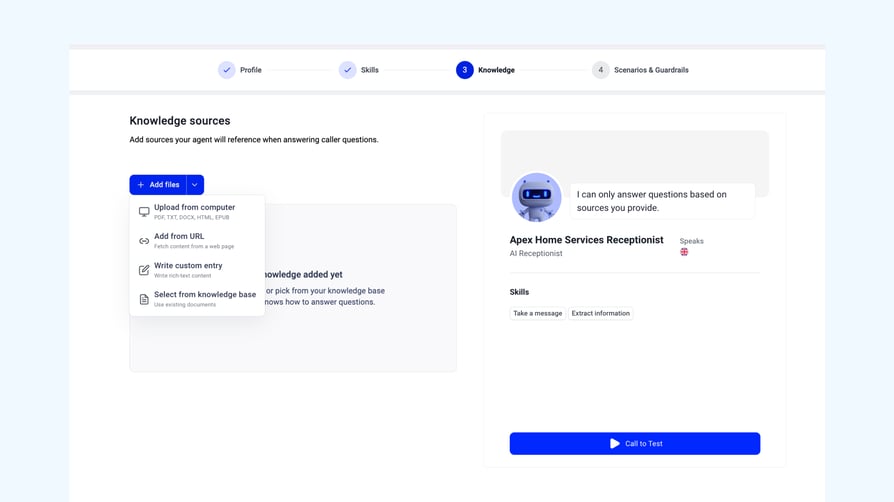
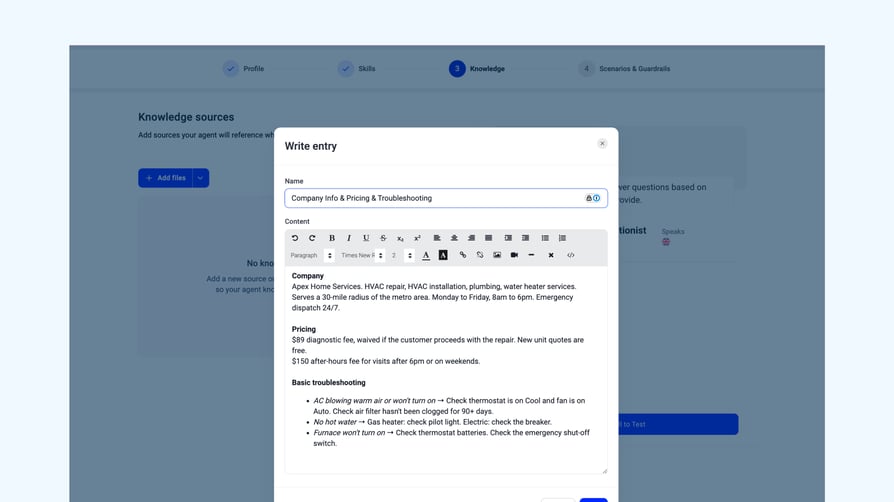
I brought my Apex Home Services setup into the call, thinking the knowledge base was done. Basic company info, a 30-mile service radius, Monday to Friday hours, emergency dispatch, and basic troubleshooting. It looked fine to me.
It wasn't fine. There was one line in there that I'd carried over from a previous lesson without thinking about it, and it was about to make my AI Receptionist do something weird.
If you're catching up, in Lesson 3, we covered Transfer to Human and Answer Questions, which is where that one line came from. This lesson is about the documentation behind all of that, what should live there, and what should stay far away from it.
This article covers what a knowledge base is, the line I had in the wrong place, why there's no file limit, but there is a limit, the part where the knowledge base updates itself, and the patterns Nazarii says wreck a knowledge base from the inside.
What a knowledge base actually is
I went in without really knowing what it was. I knew my agent needed one, so all I did was write down some basic company information and hope for the best. I couldn't have told you the difference between a knowledge base and a skill if you'd asked me.
Knowledge base is a documentation for the voice agent to work with.It's not the tools, it's not the instruments that they have, but it's literally the documentation I can look into and provide some answers.
This means that, if someone calls Apex and asks what the service radius is, the agent checks the knowledge base, finds the answer, and reads it back. The agent doesn't really do anything with knowledge, it looks something up.
That distinction matters more than I expected, because the moment I tried to bend it, things broke.
Where the AC-on-fire line should have gone
I had a line in my knowledge base that said: “if the AC is on fire, transfer to human agent.” That was from lesson 3, when we were setting up transfer rules. I'd left it in the knowledge base because it looked like information about the business.
Turns out, this is an instruction, not information. Meaning it’s not relevant for my knowledge base.
"You don't want to put this in the knowledge base because this is a particular action," Nazarii explained. "This is a skill that the voice agent has to have to be able to transfer to someone."
And the consequence of doing this is very real (if not a little scary, even). If the AC-on-fire instruction sits in the knowledge base, the agent reads it as an answer. Someone calls saying their AC is on fire, and the agent goes: "Your AC is on fire, I will transfer you to human agent." And then nothing happens. No transfer. No escalation.
"You have to be specific about putting the actions into actions and knowledge into knowledge," Nazarii said.
Anything that tells the agent to do something belongs in a skill or a scenario. The knowledge base is for things the agent looks up and reads aloud.
The limit: the voice agent's sanity
I asked whether there's a file limit. I was expecting a number, but in fact, the limit is how much information you want your voice agent to keep track of.
"I would say, the limit is the sanity of the voice agent."
Nazarii had a metaphor for this. Picture a human receptionist sitting at a desk with a pile of documents that reaches the ceiling. Someone calls asking about pricing, and the receptionist has to find the right answer in the pile. The bigger the pile, the worse the experience for everyone.
The same goes for the agent. The more files you give it, the harder it gets to retrieve the right information, because it has to check through the entire thing to find the right answer. This also means that the chance of it grabbing the wrong answer goes up with every document you add.
Don't put information that you don't want it to know. Cut the fat. Only add strong content that you want the voice agent to use on a daily basis.
If a document isn't earning its place by being used regularly, it's making everything else slower and noisier.
Knowledge bases that update themselves
I almost missed this one. Nazarii mentioned in passing that if you add a knowledge base from a URL, the system scans it daily and updates it automatically.
This was the moment I realized how much the platform is doing behind the scenes. If your business has an FAQ page or a product page that changes, you give the agent the URL once, and the knowledge base stays in sync with the website. You're not maintaining two sources of truth.
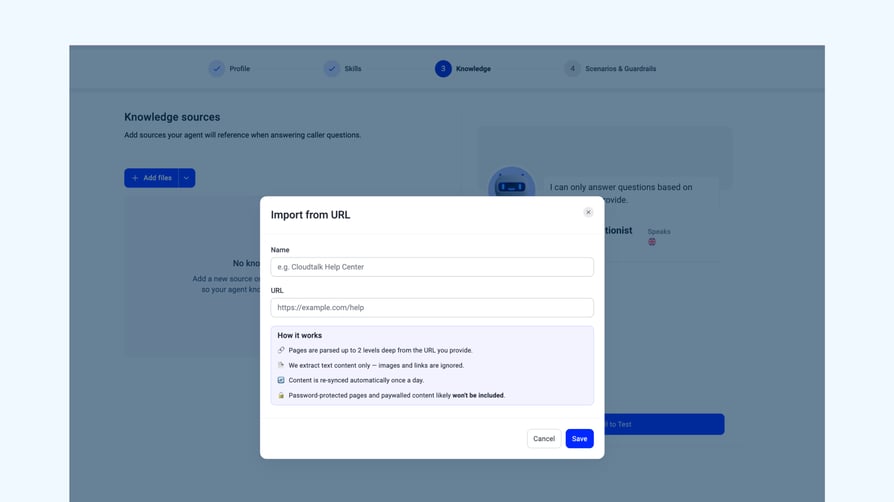
PDF uploads, custom-written entries, and URL scraping all live in the same place. You pick what works for the content. For things that change often, the URL is the move.
How to wreck a knowledge base
I asked Nazarii if it was possible to build a very, very bad knowledge base. He listed the patterns.
"I think the worst knowledge bases are the ones that mix knowledge with actions," he said. That's the AC-on-fire problem from earlier. Instructions disguised as information.
Then there's complexity. Long documents with images, fancy layouts, and tables nested inside tables. "The more complex the layout, the harder it is for the voice agent to understand what you were trying to say." The agent fills the gaps with creativity, which you don't want.
Then there's a contradiction. If two parts of the knowledge base say different things about the same question, the agent picks one with what Nazarii called "random chances." You can't predict which version a caller hears.
His closing rule was the cleanest summary of the whole lesson.
Try to keep it light, try to keep it focused, try to keep it domain specific, and try to make it sound like an answer to a question and not like a prompt or an action for the voice agent.
If you read a line in your knowledge base and it sounds like you're telling the agent what to do, move it. It belongs in a skill.
What's next
Skills, check. Knowledge Base, check. Our AI Receptionist is almost ready, and by almost, I mean there are just a couple of things we need to make sure are set up as they should.
In our next episode, we’ll discuss scenarios and guardrails and how they differ from the skills we’ve just set up.
See you there.