Top 10 Amplemarket Integrations to Boost Your Sales in 2026
SUMMARY:
We reviewed 25+ Amplemarket app integrations and chose the 10 best Amplemarket integrations for sales teams in 2026, based on data sync depth, automation capabilities, AI-powered outreach, native CRM connections, pricing transparency, and scalability.
10 best Amplemarket integrations by use case:
-
01
CloudTalk – best Amplemarket integration for sales teams scaling multi-channel outreach with AI and CRM sync
-
02
Salesforce – best for enterprise CRM sync and unified pipeline visibility
-
03
HubSpot – best for aligning sales and marketing with CRM-integrated automation
-
04
Zendesk – best for automating email cadences and outreach from a CRM
-
05
Pipedrive – best for visual deal progression and lead sync
-
06
Google Calendar – best for automating scheduling inside outreach sequences
-
07
LinkedIn Ads – best for converting paid ad leads into personalized outreach
-
08
Typeform – best for turning form submissions into qualified sales sequences
-
09
Slack – best for real-time team alerts on lead activity
-
10
Calendly – best for embedded scheduling and post-meeting workflows

Missed follow-ups = missed revenue. Let’s fix that.

What Is an Amplemarket Integration?
An Amplemarket integration connects your sales platform with CRMs, communication tools, and marketing apps—syncing data in real time so your team isn’t stuck updating records or toggling tabs. Instead, workflows run on autopilot, freeing reps to focus on what matters most: closing deals.
Here’s what they enable:
-
Data synchronization: Maintain a two-way flow of contact and activity data across platforms, so your CRM, dialer, and email tools are always up to date.
-
Workflow automation: Trigger actions—like follow-ups, task creation, or email sends—based on call activity, campaign performance, or CRM updates.
-
Customized connections: Use APIs or tools like Zapier and Albato to create custom workflows tailored to your unique sales process.
For an Amplemarket VoIP integration example, take CloudTalk: you can automate call sequences, log every interaction, and sync activity across your CRM, email, and LinkedIn—all in real time.
Imagine this: a rep clicks to call a prospect directly from Amplemarket. The call happens in CloudTalk, gets recorded and logged automatically, and triggers a follow-up email—no manual updates, no missed steps.
Stop dialing blind. Start calling with context.
Why Trust CloudTalk?
Quick Comparison Table of the Best Amplemarket Integrations in 2026
| Integration | Key Features | Use Case | Starting Price |
|---|---|---|---|
| CloudTalk | Click-to-Call, Real-Time Analytics, Call Recording, Sentiment Analysis | Multi-channel outreach with real-time calling and logging | $19/user/month (NAM & LATAM), $25/user/month (other regions) |
| Salesforce | Two-way sync, Auto-logging, Custom field mapping, Forecasting | Sync leads and activities to unify sales visibility | $25/user/month |
| HubSpot | Two-way contact sync, Workflow triggers, Engagement tracking, Reporting | Align marketing and sales with CRM-integrated automation | Free/$9 per month |
| Zendesk | CRM-triggered cadences, AI prospecting, Multi-channel outreach, Automation | Automate email cadences and outreach from CRM | $19/user/month |
| Pipedrive | Lead sync, Workflow triggers, Exclusion management, No-code setup | Automate deal progression and sync lead data | $14/user/month |
| Google Calendar | Smart booking links, Auto-sync, Pre-filled invites, Workflow logging | Automate scheduling and sync events into workflows | $7/user/month |
| LinkedIn Ads | Lead capture automation, AI Copilot, Job alerts, 300M+ DB | Convert ad leads into personalized outreach sequences | Custom (CPC $2–$6+) |
| Typeform | Lead capture automation, Triggered outreach, CRM sync, Workflow triggers | Convert form submissions into sales sequences | $28/month |
| Slack | Real-time alerts, Channel routing, Activity summaries, CRM sync | Notify teams instantly about lead activity | Free or $4.38/user/month |
| Calendly | Auto follow-ups, CRM/calendar sync, Time zone detection, Alerts | Embed scheduling and automate post-meeting workflows | Free or $10/user/month |
Top 10 Amplemarket Integrations Every Sales Team Needs in 2026
79% of leads never convert³—often due to poor follow-up, weak lead scoring, or disconnected tools. These 10 Amplemarket integration platforms are built to fix that.
The comparison table below provides a quick overview of all 10 integrations—or you can skip ahead to the in-depth reviews.
#1 CloudTalk: Best Amplemarket Integration for AI-Powered Sales Calling

What Is CloudTalk?
Trusted by 5,500+ businesses, CloudTalk is a scalable cloud-based calling platform built for sales and support teams. The CloudTalk + Amplemarket phone integration connects your voice workflows with your sales sequences—so every call is context-rich, logged automatically, and ready to trigger follow-ups.
CloudTalk’s Amplemarket Integration Best Use Cases
Streamline multi-channel outreach with real-time calling, Click-To-Call, and automatic call logging—right inside Amplemarket. Sync every touchpoint across phone, email, LinkedIn, and your CRM.
Main Benefits of CloudTalk for Amplemarket Users
-
Saves time by eliminating manual dialing and call logging
-
Increases connect rates and improves follow-up speed
-
Keeps your outreach aligned across all channels in one place
What Are the Key Features of CloudTalk’s Amplemarket Integration?
-
Instant Click-To-Call inside Amplemarket’s software
What Is the Pricing of CloudTalk?
CloudTalk offers four flexible pricing plans:
-
Lite ($19/user/month]): Only available in NAM & LATAM
-
Starter ($25/user/month])
-
Essential ($29/user/month)
-
Expert ($49/user/month)
-
Custom (Varies)
What Are CloudTalk’s Pros & Cons?
| Pros | Cons |
|---|---|
| Seamless CRM integration and automated call workflows | No native video conferencing tools available |
| Reliable call quality and intelligent call routing | No built-in email integration |
CloudTalk’s Reviews
4.4/5 on G2 – based on 1,759+ reviews

Dial faster. Log smarter. Sell better.
#2 Salesforce: Best Amplemarket Integration for Enterprise CRM Sync
What Is Salesforce?
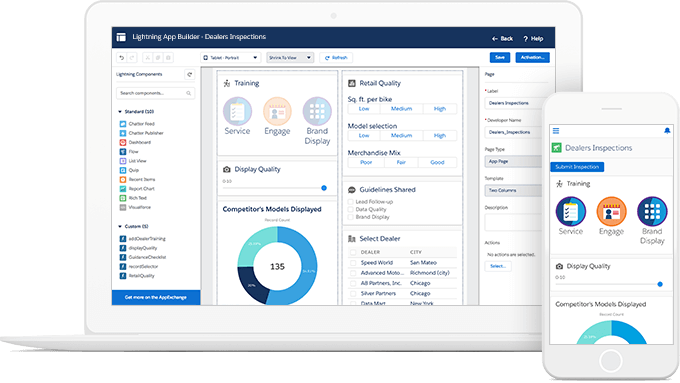
Salesforce is one of the world’s most powerful CRMs—trusted for managing complex sales pipelines, customer data, and enterprise-level automations. When integrated with Amplemarket, Salesforce becomes the central source of truth for all outreach activity, syncing leads, tasks, emails, and call data in real time.
Salesforce’s Amplemarket Integration Best Use Cases
Sync leads, contacts, and activities through Amplemarket Salesforce Integration to automate prospecting workflows, eliminate manual data entry, and ensure your CRM stays accurate in real time.
Main Benefits of Salesforce for Amplemarket Users
-
Keeps prospect records always up to date without manual input
-
Eliminates data silos and unify sales visibility across tools
-
Accelerates pipeline movement with real-time outreach tracking
What Are the Key Features of Salesforce’s Amplemarket Integration?
-
Two-way sync between Amplemarket and Salesforce
-
Auto-logging of emails, tasks, and notes
-
Custom field mapping and reporting flexibility
-
Automated reporting and forecasting
What Is the Pricing of Salesforce?
Salesforce pricing starts at $25/user/month with three core tiers:
-
Starter Suite ($25/user/month)
-
Pro Suite ($100/user/month)
-
Enterprise ($175/user/month)
What Are Salesforce’ s Pros & Cons?
| Pros | Cons |
|---|---|
| Powerful automation tools and customizable dashboards | Steep learning curve for first-time admins |
| 360-degree view of the customer journey | Pricing scales quickly for advanced features |
Salesforce’s Reviews
4.5/5 on G2 – based on 3,998+ reviews

#3 HubSpot: Best Amplemarket Integration for Sales–Marketing Alignment

What Is HubSpot?
HubSpot is a leading CRM and marketing automation platform trusted by growing teams to manage contacts, campaigns, and customer engagement in one place. Amplemarket HubSpot Integration connects your outreach data with HubSpot’s CRM and workflows—so every interaction is tracked and every campaign is smarter.
HubSpot’s Amplemarket Integration Best Use Cases
Sync contact data, email activity, and engagement outcomes between Amplemarket and HubSpot to align sales and marketing efforts. Trigger automations based on outreach behavior, and automatically keep customer records up to date.
Main Benefits of HubSpot for Amplemarket Users
-
Creates highly personalized outreach using real-time CRM data
-
Aligns sales and marketing efforts without duplicate data or effort
-
Automates follow-ups, lead nurturing, and reporting from a single source
What Are the Key Features of HubSpot’s Amplemarket Integration?
-
Two-way sync of contacts and activity between HubSpot and Amplemarket
-
Trigger email workflows based on Amplemarket outreach results
-
Trackíng lead status, campaign history, and engagement timelines
-
Centralized reporting on lead behavior across channels
What Is the Pricing of HubSpot?
HubSpot pricing offers a Free plan and four paid tiers across multiple hubs:
Customer Platform
-
Free Plan: $0/month
-
Starter Plan: from $9/month
-
Professional Plan: from $1,300/month (5 seats)
-
Enterprise Plan: from $4,700/month (7 seats)
Marketing Hub
-
Free Plan: $0/month
-
Starter Plan: from $9/month
-
Professional Plan: from $800/month (3 seats)
-
Enterprise Plan: from $3,600/month (5 seats)
Sales Hub
-
Free Plan: $0/month
-
Starter Plan: $9/month/seat
-
Professional Plan: $90/month/seat
-
Enterprise Plan: $150/month/seat
Service Hub
-
Free Plan: $0/month
-
Starter Plan: $9/month/seat
-
Professional Plan: $90/month/seat
-
Enterprise Plan: $150/month/seat
What Are HubSpot’ s Pros & Cons?
| Pros | Cons |
|---|---|
| Intuitive interface ideal for small and large teams alike | Advanced features locked behind higher tiers |
| Native CRM integration that simplifies contact management | Complex pipelines may require additional setup |
Reviews
4.4/5 on G2 – based on 13,768+ reviews

#4 Zendesk : Best Amplemarket Integration for CRM-Triggered Cadences

What Is Zendesk ?
Zendesk is a modern sales CRM designed to improve productivity, pipeline visibility, and automation for growing sales teams. When integrated with Amplemarket, it centralizes lead activity and streamlines follow-ups—keeping reps focused on closing, not updating fields.
Zendesk’s Amplemarket Integration Best Use Cases
Enhance sales prospecting and outreach efficiency by allowing sales reps to trigger personalized email cadences and automated follow-ups directly from the Zendesk CRM’s interface.
What Are the Main Benefits of Zendesk for Amplemarket Users?
-
Improves lead response times and follow-up consistency
-
Tracks outreach and lead progression in one place
-
Strengthens forecasting with real-time engagement data
What Are the Key Features of Zendesk’s Amplemarket Integration?
-
Email cadences from CRM that trigger personalized outreach directly from Zendesk
-
AI-powered prospecting to find leads based on intent signals and detailed filters
-
Multi-channel engagement across email, LinkedIn, and phone for consistent follow-up
-
Sales workflow automation to streamline repetitive tasks and sequences
What Is the Pricing of Zendesk?
Zendesk pricing starts at $19/agent/month with four plans:
-
Support Team: $19/agent/month
-
Suite Team: $55/agent/month
-
Suite Professional: $115/agent/month
-
Suite Enterprise: $169/agent/month
What Are Zendesk’ s Pros & Cons?
| Pros | Cons |
|---|---|
| Intuitive interface with centralized customer information | Limited advanced reporting compared to competitors |
| Strong email and calendar integrations | Customization options can feel restrictive |
Zendesk’s Reviews
4.3/5 on G2 – based on 6,800+ reviews

#5 Pipedrive: Best Amplemarket Integration for Visual Deal Progression

What Is Pipedrive?
Pipedrive is a visual CRM built to help sales teams manage deals, track communications, and stay organized. Integrated with Amplemarket, it gives reps real-time access to lead engagement and automates deal progression—so no opportunity falls through the cracks.
Pipedrive’s Amplemarket Integration Best Use Cases
Amplemarket Pipedrive Integration automates lead management and outbound sales outreach by syncing new leads and prospect data from Amplemarket into Pipedrive.
What Are the Main Benefits of Pipedrive for Amplemarket Users?
-
Keeps lead and deal records up to date automatically
-
Allows you to gain visibility into outreach without switching tools
-
Shortens response time and moves deals forward faster
What Are the Key Features of Pipedrive’s Amplemarket Integration?
-
Automated lead management to sync engaged contacts from Amplemarket into Pipedrive
-
Customizable workflows that trigger deals or updates based on replies or labels
-
Data sync and exclusion control to keep records clean and avoid duplicate outreach
-
Integrated reporting that combines CRM and Amplemarket data for better insights
What Is the Pricing of Pipedrive?
Pipedrive pricing starts at $14/user/month with four plans:
-
Lite Plan: $14/user/month
-
Growth Plan: $39/user/month
-
Premium Plan: $49/user/month
-
Ultimate Plan: $79/user/month
What Are Pipedrive’ s Pros & Cons?
| Pros | Cons |
|---|---|
| Clean, visual pipeline that’s easy to learn | Reporting is basic compared to enterprise CRMs |
| Excellent automation for repetitive tasks | Customization can feel limited at lower tiers |
Pipedrive’s Reviews
4.3/5 on G2 – based on 3,034+ reviews

#6 Google Calendar: Best Amplemarket Integration for Frictionless Scheduling

What Is Google Calendar?
Google Calendar is one of the most widely used scheduling tools for professionals and teams. Integrated with Amplemarket, it allows sales reps to streamline meeting booking, avoid scheduling conflicts, and automate calendar invites—without leaving their outreach flow.
Google Calendar’s Amplemarket Integration Best Use Cases
Schedule meetings with prospects, insert calendar links into email sequences, and log scheduled events in your sales pipeline. Keep reps and leads aligned—without the back-and-forth.
What Are the Main Benefits of Google Calendar for Amplemarket Users?
-
Save time by automating scheduling, outreach, and follow-ups
-
Boost engagement with perfectly timed, calendar-triggered outreach
-
Increase response rates through AI-powered, personalized communication
-
Accelerate deal cycles with synced calendars and frictionless booking
What Are the Key Features of Google Calendar’s Amplemarket Integration?
-
Smart scheduling links that let prospects book time directly from outreach emails
-
Automatic calendar sync to keep sales schedules and events up to date
-
Pre-filled meeting details that personalize invites based on the rep or campaign
-
Seamless follow-up with events logged into Amplemarket workflows automatically
What Is the Pricing of Google Calendar?
-
Starter: $7/user/month
-
Standard: $14/user/month
-
Plus: $22/user/month
-
Enterprise: Custom pricing
What Are Google Calendar’ s Pros & Cons?
| Pros | Cons |
|---|---|
| Lightning-fast search across files and events | Some advanced admin tools require higher tiers |
| Best-in-class real-time collaboration | Offline functionality is limited |
Google Calendar’s Reviews
4.6/5 on G2 – based on 47,834+ reviews

#7 LinkedIn Ads: Best Amplemarket Integration for B2B Lead Capture

What Is LinkedIn Ads?
LinkedIn Ads is a powerful platform for B2B lead generation, allowing precise targeting based on job title, company size, industry, and more. Integrated with Amplemarket, it connects ad performance with outbound sales workflows—so your team can act faster on warm leads.
LinkedIn Ads’ Amplemarket Integration Best Use Cases
Connect forms directly to Amplemarket to automate lead capture from LinkedIn ads. New leads are instantly added to personalized, multichannel outreach, saving time and boosting conversions.
What Are the Main Benefits of LinkedIn Ads for Amplemarket Users?
-
Automate lead capture from LinkedIn Ads into Amplemarket with zero manual input
-
Prioritize high-intent leads using real-time AI signals and smart scoring
-
Improve lead quality and boost conversions through enriched, personalized follow-ups
What Are the Key Features of LinkedIn Ads’ Amplemarket Integration?
-
Automated lead capture and sequencing to instantly add LinkedIn Ads leads to Amplemarket outreach
-
Duo AI Copilot that builds hyper-personalized sales sequences based on intent signals
-
Prospecting database with access to 300M+ profiles and 20M+ companies beyond LinkedIn
-
Real-time job change alerts and engagement signals across LinkedIn activity
What Is the Pricing of LinkedIn Ads?
LinkedIn Ads operates on a bidding model. Budgets are fully customizable, with costs typically ranging from:
-
CPC (Cost per Click): $2–$6+
-
CPM (Cost per 1,000 Impressions): $5.01 – $8.00+
What Are LinkedIn Ads’ Pros & Cons?
| Pros | Cons |
|---|---|
| Unmatched B2B targeting precision | CPC costs run higher than other ad platforms |
| Powerful integrations with sales platforms | Reporting capabilities can feel limited |
LinkedIn Ads’ Reviews
4/5 on G2 – based on 269+ reviews

#8 Typeform: : Best Amplemarket Integration for Inbound Lead Capture

What Is Typeform?
Typeform is a flexible form and survey builder that makes lead capture feel conversational. Integrated with Amplemarket, it helps teams convert form submissions into qualified leads and automatically trigger personalized outreach—no manual handling required.
Typeform’s Amplemarket Integration Best Use Cases
Capture leads through custom forms and automatically sync them into outreach sequences. Ideal for inbound lead capture, event signups, demo requests, and feedback loops that feed directly into your sales funnel.
What Are the Main Benefits of Typeform for Amplemarket Users?
-
Eliminate manual lead entry by syncing Typeform submissions to Amplemarket
-
Launch timely follow-ups based on form responses and lead intent
-
Personalize outreach using rich data collected from each submission
What Are the Key Features of Typeform’s Amplemarket Integration?
-
Automated lead capture to transfer Typeform responses into Amplemarket instantly
-
Sales automation that triggers personalized sequences based on form data
-
CRM and tool integration with platforms like Salesforce, Slack, and Google Sheets
-
Triggers and actions to automate follow-ups, CRM updates, and more
What Is the Pricing of Typeform?
-
Basic: $28/month
-
Plus: $56/month
-
Business: $91/month
-
Enterprise: Custom pricing
What Are Typeform’s Pros & Cons?
| Pros | Cons |
|---|---|
| Intuitive, conversational form-building experience | Advanced logic features locked behind higher plans |
| Strong native integrations with Zapier, Slack, and CRMs | Customization is limited without extra tools |
Reviews
4.5/5 on G2 – based on 903 reviews

#9 Slack: Best Amplemarket Integration for Real-Time Sales Alerts

What Is Slack?
Slack is a popular team messaging and collaboration platform that helps sales teams stay aligned in real time. Integrated with Amplemarket, Slack turns outreach activity into instant updates—so teams can act faster on lead engagement, campaign performance, and follow-up tasks.
Slack’s Amplemarket Integration Best Use Cases
Send automated updates when leads reply, open emails, or engage with your outreach. Keep sales reps, managers, and cross-functional teams in the loop without switching tools or checking dashboards.
What Are the Main Benefits of Slack for Amplemarket Users?
-
Improve speed-to-action with real-time alerts in shared channels
-
Reduce follow-up delays by notifying reps the moment a lead engages
-
Keep everyone aligned across sequences, replies, and handoffs
What Are the Key Features of Slack’s Amplemarket Integration?
-
Real-time notifications for replies, opens, clicks, and campaign milestones
-
Custom alert routing to send updates to specific reps or team channels
-
Lead activity summaries shared in Slack to track outreach performance
-
CRM sync support to connect Slack updates with systems like Salesforce or HubSpot
What Is the Pricing of Slack?
-
Free: $0/user/month
-
Pro: $4.38/user/month
-
Business+: $9/user/month
-
Enterprise Grid: Custom pricing
What Are Slack’s Pros & Cons?
| Pros | Cons |
|---|---|
| Effortless collaboration across distributed teams | Free tier has significant message history limits |
| Channel-based structure keeps conversations organized | Notifications can become overwhelming without tuning |
Slack’s Reviews
4.5/5 on G2 – based on 38,983+ reviews

#10 Calendly: Best Amplemarket Integration for Embedded Scheduling

What Is Calendly?
Calendly is a leading scheduling tool that simplifies meeting booking for sales teams and prospects alike. Integrated with Amplemarket, it enables seamless coordination by embedding scheduling links into outreach and automatically syncing booked meetings with your pipeline.
Calendly’s Amplemarket Integration Best Use Cases
Insert booking links into sequences, trigger automated follow-ups after a meeting is booked, and sync scheduled calls with your CRM—so your reps stay focused on conversations, not calendars.
What Are the Main Benefits of Calendly for Amplemarket Users?
-
Reduces booking friction with one-click scheduling in outreach
-
Shortens sales cycles by speeding up time-to-meeting
-
Keeps meetings and follow-ups fully automated and always on time
-
Improves conversion by removing back-and-forth from the scheduling process
What Are the Key Features of Calendly’s Amplemarket Integration?
-
Automatic follow-up triggers after meeting confirmation
-
CRM and calendar sync for tools like Google Calendar
-
Time zone detection to ensure smoother global scheduling
-
Real-time notifications for new meetings booked and lead activity
What Is the Pricing of Calendly?
-
Free plan
-
Standard: $10/user/month
-
Teams: $16/user/month
-
Enterprise: Custom pricing (starts at $15k/year)
What Are Calendly’s Pros & Cons?
| Pros | Cons |
|---|---|
| Top-tier scheduling widget that’s easy for prospects to use | Advanced routing requires higher-tier plans |
| Strong CRM and calendar integrations | Limited customization on the free plan |
Calendly’s Reviews
4.7/5 on G2 – based on 2,628+ reviews

Ditch tab-switching. Sync calls and CloudTalk instantly.
Why Integrate Amplemarket With Your Sales Tech Stack?
Think of Amplemarket integrations as the traffic controller for your sales tools— hey keep every lead, call, and follow-up moving in sync. Here’s what that unlocks for your team:
Free Your Team from Admin Overload
Reps today spend less than 30% of their time actually selling²—the rest goes to admin work. Amplemarket automation flips the script by handling manual tasks like follow-ups, email cadences, and CRM updates—so your team can focus on closing, not clicking.
Keep Your Tools in Perfect Sync
No more copy-paste chaos. Integrating with Salesforce, HubSpot, or Pipedrive means all your data—leads, emails, campaign results—updates instantly across platforms.
Reach out Smarter, Not Harder
With AI-powered lead enrichment, you get real-time intention signals, enriched profiles, and highly personalized outreach across email, phone, and LinkedIn. Speak to every lead like they matter.
Improve ROI by 25%
Real-time campaign optimizations based on live data can boost ROI by up to 25%². With Amplemarket integration tools, you get instant visibility into what’s working—so you can tweak messaging, timing, and targeting on the fly for better results.
Scale Without Slowing Down
Launch workflows in minutes, not days. Whether you’re adding reps or new campaigns, no-code tools like Zapier and native integrations keep your stack humming—no developers needed.
Selling’s hard enough. Disconnected tools make it worse.
How to Choose the Right Amplemarket Integration Solution for Your Business
With so many Amplemarket integration options out there, it’s easy to fall into decision paralysis. Here’s how to cut through the noise and choose the integration that actually helps your sales team work smarter—not harder:
Pinpoint What You Actually Need
Don’t start with tools—start with goals. Are you trying to fix slow follow-ups? Clean up your CRM? Automate scheduling? For fewer no-shows, Calendly’s your friend. If messy data’s the problem, a Salesforce or HubSpot sync might be the fix.
Match the Tool to the Task
Not every integration is built to do the same job. Choose based on what you need most:
-
CRM integrations: for syncing leads and logging activity
-
Communication tools: for multichannel outreach across email, phone, and LinkedIn
-
Lead gen platforms: for better targeting with enriched data
-
Internal tools like Slack or Google Sheets: for team visibility and collaboration
Don’t Let Setup Be a Setback
If you’re not rolling with a dev team, stick with no-code platforms like Zapier or Albato. They’ll have you up and running fast. If you’ve got more technical muscle, direct APIs or native integrations offer deeper control.
Test It Like You Mean It
The best way to spot a clunky integration? Use it. Before rollout, double-check that your workflows sync, your CRM updates cleanly, and nothing breaks mid-sequence. One wrong trigger can throw off an entire campaign.
Think About Your Team (Now and Later)
If you’re a small team, go for plug-and-play. If you’re scaling or already mid-market, choose integrations that support deeper analytics, automation, and routing. Your tools should grow with you—not slow you down.
Watch the Budget (and the ROI)
A Salesforce integration is powerful—but it’s not cheap. Lightweight tools like Zapier can cover most use cases for less. Focus on what gives you the most automation for the least effort.
How to Integrate Amplemarket With Your Sales Stack (Without a Headache)
Finding the right integration is one thing—plugging it in smoothly is another. But don’t worry, we’ve got you covered. Amplemarket offers several ways to connect with your tools of choice, no coding required (unless you want to):
-
Stick with native integrations for speed and simplicity: Plug into platforms like HubSpot, Salesforce, or CloudTalk for real-time sync, Click-To-Call, and automatic lead updates—no extra tools needed.
-
Use Middleware like Albato or Zapier to unlock more tools: Use Albato or Zapier to connect Amplemarket with 800+ apps (think Google Sheets, Slack, Mailchimp) and build no-code workflows in minutes.
-
Build custom workflows with API and webhooks: For advanced automation, tap into APIs or webhooks to build tailored flows—perfect for dev teams or scaling operations.
How It Usually Works
-
01
Authenticate your Amplemarket and connected tools.
-
02
Configure what data should flow—like contacts, calls, tasks.
-
03
Map fields so everything lines up across systems.
-
04
Test the flow before deployment and adjust as needed.
The Secret to Smoother Sales Calls? It’s Not More Tools
Disconnected tools slow down even the best sales teams. Missed follow-ups, outdated records, and scattered outreach don’t just waste time—they cost you deals. This guide explored the top 11 Amplemarket integrations to help you fix that.
Want to simplify your workflows, sync your data, and boost team efficiency without the tech headaches? CloudTalk’s integration with Amplemarket turns that chaos into clarity. It:
-
Enables click‑to‑call right from your sequences
-
Logs calls and outcomes automatically
-
Brings AI analytics to your call insights
-
Keeps your CRM, dialer, and workflows fully synchronized
No more juggling tabs or missing touchpoints. Just connected tools, streamlined calls, and sales that move.
Try CloudTalk and see how smooth selling can really be.
Your sales stack’s missing link? Smart calling.

Sources
Frequently asked questions