
TL;DR:
Here's a list of the best Salesloft integrations:
- 01CloudTalk — Native calling, conversational AI, AI Voice Agents, and call transcripts
- 02Salesforce — Align sales data and lifecycle stages across both platforms
- 03Pipedrive — Visualize pipeline stages and trigger Salesloft actions
- 04Zoho CRM — Keep leads, notes, and activities aligned with engagement data
- 05Shopify — Trigger outreach based on store activity and customer behavior
- 06HubSpot — Share contact data, tags, and lifecycle changes
- 07Google Sheets — Export Salesloft activity for real-time dashboards
- 08Front — Sync Salesloft with email replies, tags, and internal comments
- 09LiveAgent — Trigger campaigns from ticket updates or escalations
- 10Zendesk — Launch automated outreach based on support tickets or CSAT ratings
Salesloft is built to help teams prospect, dial, and close at scale. But when it's not connected to your CRM, helpdesk, or ecommerce stack, key signals fall through the cracks. Follow-ups get delayed. Pipeline data goes stale. Calls and campaigns drift out of sync.
That's where the right Salesloft integration can change the game.
According to McKinsey, knowledge workers spend nearly 20% of their day just searching for information—a gap you can close with better platform alignment 1.
In this guide, we've handpicked 10 Salesloft integrations that solve real workflow problems. Whether it's syncing leads with your CRM, triggering emails based on support events, or logging call outcomes in real time, each tool was selected for its direct impact on sales efficiency.
We’ve handpicked 10 Salesloft integrations that solve real workflow problems. Whether it’s syncing leads with your CRM, triggering emails based on support events, or logging call outcomes in real time, each tool was selected for its direct impact on sales efficiency.


What Is a Salesloft Integration?
A Salesloft integration connects your sales engagement platform with other tools—like CRMs, dialers, helpdesks, or ecommerce apps—to unify workflows and automate tasks across systems.
Instead of manually logging calls or copying contact info, integrations keep everything in sync. Emails, calls, and tasks can trigger actions in your CRM, while customer data flows back into Salesloft for smarter sequences.
Here's what Salesloft integrations typically do:
- Automate workflows: trigger emails, assign tasks, or update records when someone takes action
- Sync data: make sure contact info, deal status, and activity history stay up to date everywhere
- Trigger actions: set off alerts, create follow-ups, or move pipeline stages based on what happens in other tools
One example is the CloudTalk + Salesloft integration, which lets teams:
- Make and receive calls directly from Salesloft
- Auto-log conversations with full contact context
- Trigger follow-ups based on call outcomes or missed connections
Most integrations are powered by native apps, APIs, or no-code connectors like Zapier.
The 10 Best Salesloft Integrations to Supercharge Your Sales Workflows in 2026
Salesloft is built for high-performance outreach—but it gets even more powerful when connected to the rest of your stack. Whether you're syncing lead data, logging calls, or triggering follow-ups across platforms, the right Salesloft integrations can transform how your team sells.
Below, you'll find a curated list of the top 10 tools that integrate with Salesloft. Each one is matched to a specific use case—from CRM alignment to ecommerce automation—so you can scale smarter.
Best Salesloft Integrations
| Software | Category | Why It's Useful with Salesloft |
|---|---|---|
| CloudTalk | VoIP/AI | Native calling, conversational AI, AI Voice Agents and call transcripts |
| HubSpot | CRM | Share contact data, tags, and lifecycle changes |
| Salesforce | CRM | Align sales data and lifecycle stages across both platforms |
| Google Sheets | Analytics/Reporting | Export Salesloft activity for real-time dashboards |
| Pipedrive | CRM | Visualize pipeline stages and trigger Salesloft actions |
| Front | Shared Inbox | Sync Salesloft with email replies, tags, and internal comments |
| Zoho CRM | CRM | Keep leads, notes, and activities aligned with engagement data |
| Shopify | Ecommerce Platform | Trigger outreach based on store activity and customer behavior |
| LiveAgent | Helpdesk | Trigger campaigns from ticket updates or escalations |
| Zendesk | Support Platform | Launch automated outreach based on support tickets or CSAT ratings |
1. CloudTalk — Best for AI-Powered Calling & Sales Cadence Automation
What Is CloudTalk?
CloudTalk is a cloud-based phone system for outbound sales teams that thrive on voice. Its Salesloft integration embeds calling features right into your sequences—so reps can dial, log, and follow up without switching tools.
Who Is CloudTalk Best For?
Connect CloudTalk to Salesloft to auto-log calls, sync contact activity, and trigger cadence actions based on voice outcomes—all inside one platform.
What Are CloudTalk's Benefits?
- Boost call efficiency with real-time voice logging
- Eliminate tab-switching during outbound calling
- Use call data to trigger next steps in cadences
What Are CloudTalk's Key Features?
- Real-time call monitoring
- AI-Powered Conversation Intelligence
- Call recording and playback
- Call tagging
- Sentiment Analysis
- AI Voice Agents
What Is CloudTalk's Pricing?
Flexible Pricing Plans to Scale with You
Compare our plans
CloudTalk offers flexible plans tailored to business needs. With each of its plans offering more value than its competitors:
- Starter: $25/user/month
- Essential: $29/user/month
- Expert: $49/user/month
- Custom: Pricing available upon request
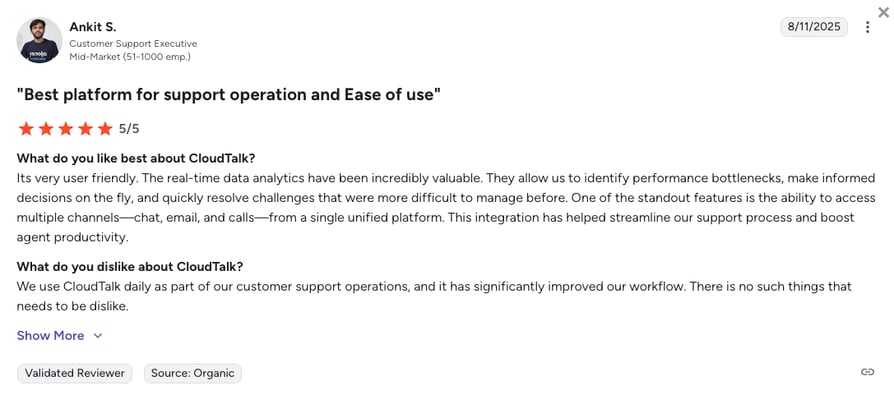
What Do Users Say About CloudTalk?
2. Salesforce — Best for Enterprise CRM & Full-Funnel Pipeline Visibility
What Is Salesforce?
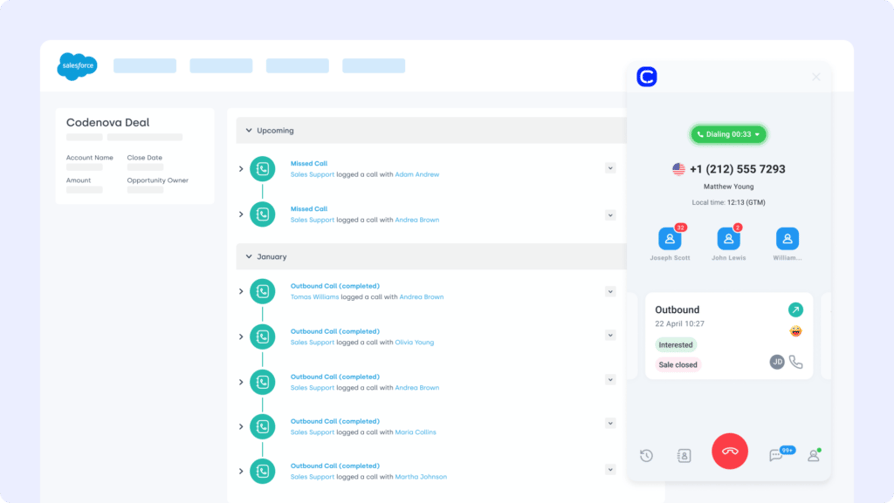
Salesforce is the go-to CRM for tracking pipeline and forecasting revenue. The Salesloft Salesforce integration creates a two-way sync between your sales engagement and your customer records.
Who Is Salesforce Best For?
Log Salesloft activities like calls, emails, and tasks into Salesforce automatically—so reps don't waste time double-entering data.
What Are Salesforce's Benefits?
- Keep CRM and sales engagement aligned
- Improve visibility across the entire funnel
- Trigger Salesloft cadences from Salesforce stages
What Are Salesforce's Key Features?
- Bi-directional sync for contacts, tasks, and notes
- Custom field mapping between both systems
- Timeline logging for all Salesloft touchpoints
What Is Salesforce's Pricing?
- Starter Suite: $25/user/month
- Pro Suite: $100/user/month
- Enterprise: $175/user/month
- Unlimited: $350/user/month
Salesforce dialer pricing guide
3. Pipedrive — Best for Linking Cadence Activity to Visual Sales Pipelines
What Is Pipedrive?
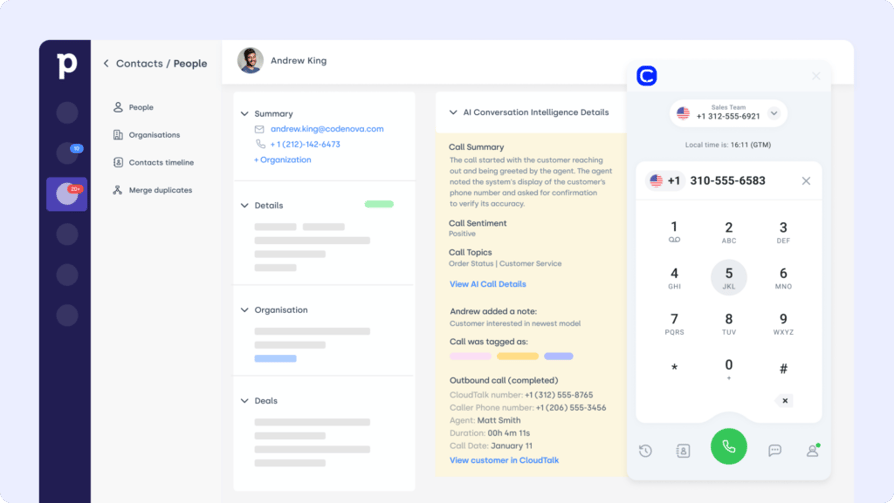
Pipedrive is a pipeline-centric CRM that gives reps full control of their deals. The Salesloft Pipedrive integration ensures that every call, email, or task in your cadence reflects directly in your CRM pipeline.
Who Is Pipedrive Best For?
Auto-sync leads and deal updates between Pipedrive and Salesloft, so your reps can work cadences and pipelines in sync—no manual updates needed.
What Are Pipedrive's Benefits?
- Trigger Salesloft cadences from pipeline stages
- Keep contact and deal info current in both tools
- Reduce data entry and increase CRM accuracy
What Are Pipedrive's Key Features?
- Sync Salesloft activity into Pipedrive timelines
- Trigger automations based on Pipedrive deal stages
- Bi-directional syncing for contacts and tasks
What Is Pipedrive's Pricing?
The prices displayed are billed annually - monthly pricing differs.
- Lite: $14/user/month
- Growth: $39/user/month
- Premium: $59/user/month
- Ultimate: $79/user/month
4. Zoho CRM — Best for Affordable CRM Sync & Lead Lifecycle Management
What Is Zoho?
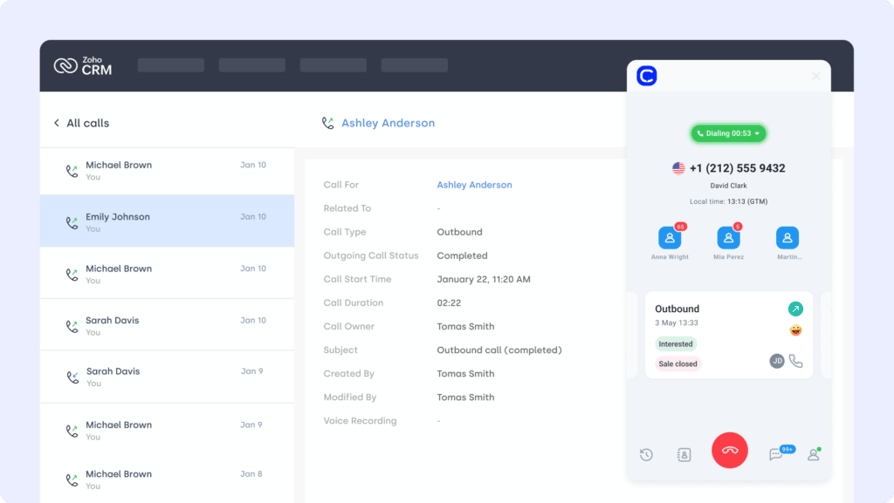
Zoho CRM helps small and mid-sized teams manage sales and service workflows in one place. The Salesloft Zoho CRM integration connects your cadence activity with lead tracking and lifecycle management.
Who Is Zoho Best For?
Push Salesloft emails, calls, and outcomes directly into Zoho CRM to automate lead scoring, trigger next steps, and keep your records up to date.
What Are Zoho's Benefits?
- Use Salesloft data to fuel Zoho workflows
- Maintain a unified view of customer touchpoints
- Enable smarter lead routing and prioritization
What Are Zoho's Key Features?
- Sync Salesloft activity logs into Zoho records
- Trigger Zoho CRM automations based on Salesloft outcomes
- Centralized contact updates and engagement timelines
What Is Zoho's Pricing?
- Standard: $14/user/month
- Professional: $23/user/month
- Enterprise: $40/user/month
- Ultimate: $52/user/month
5. Shopify — Best for Triggering Outreach Based on Ecommerce Behavior
What Is Shopify?
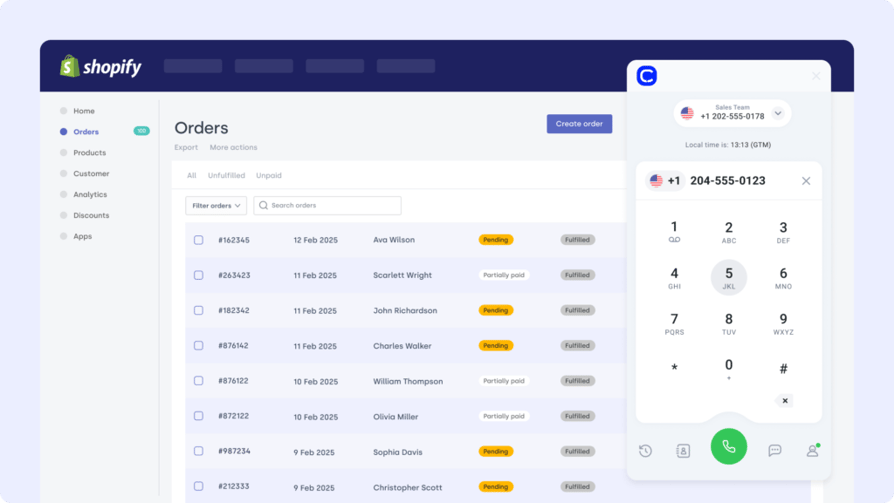
Shopify powers millions of ecommerce storefronts. The Salesloft Shopify integration bridges customer behavior with outbound engagement—helping sales teams follow up on high-intent activity in real time.
Who Is Shopify Best For?
Automatically sync Shopify orders and customer tags to Salesloft to trigger personalized outreach—like reorders, VIP offers, or post-purchase check-ins.
What Are Shopify's Benefits?
- Trigger cadences based on Shopify activity
- Personalize outreach using purchase history
- Convert customers with tailored follow-up
What Are Shopify's Key Features?
- Auto-sync customer tags and revenue data to Salesloft
- Launch sequences based on cart value, items, or behavior
- Integrate Shopify events into Salesloft workflows
What Is Shopify's Pricing?
- Basic: $39/month
- Grow: $105/month
- Advanced: $399/month
6. HubSpot — Best for Connecting Cadences to Marketing & Lifecycle Data
What Is HubSpot?
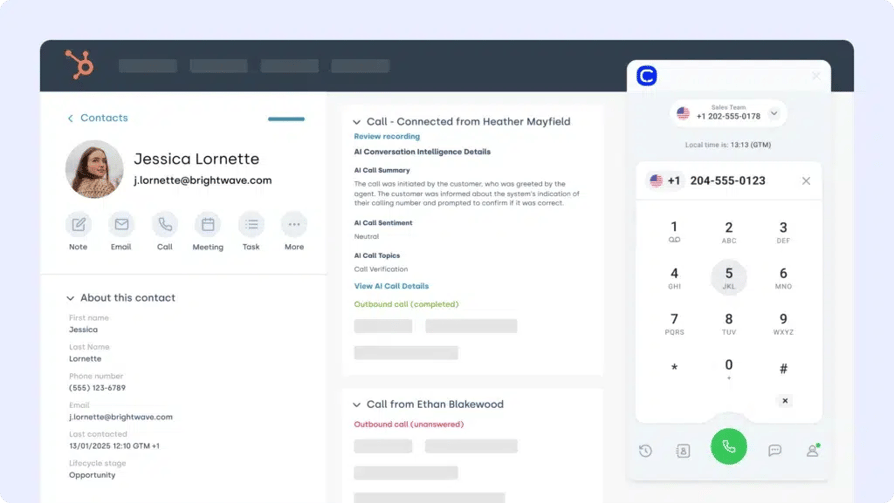
HubSpot connects your marketing, sales, and service data in one platform. The Salesloft HubSpot integration helps bridge outreach cadences with lifecycle data—so every rep knows exactly where the contact stands.
Who Is HubSpot Best For?
Use HubSpot lifecycle stages and contact engagement to trigger targeted cadences in Salesloft, then sync outcomes back to HubSpot for attribution.
What Are HubSpot's Benefits?
- Sync lead scoring and engagement history
- Trigger cadences from HubSpot field updates
- Keep both systems aligned for cleaner reporting
What Are HubSpot's Key Features?
- Bi-directional sync of contact and activity data
- Trigger Salesloft sequences from HubSpot form fills
- Track Salesloft touchpoints inside HubSpot timelines
What Is HubSpot's Pricing?
HubSpot offers a free CRM plan, with paid tiers depending on your team's size and needs. See HubSpot pricing for details.
- Free
- Starter: $7/seat/month
- Professional: $792/month
- Enterprise: $3,300/month
7. Google Sheets — Best for Real-Time Sales Dashboards & Activity Reporting
What Is Google Sheets?
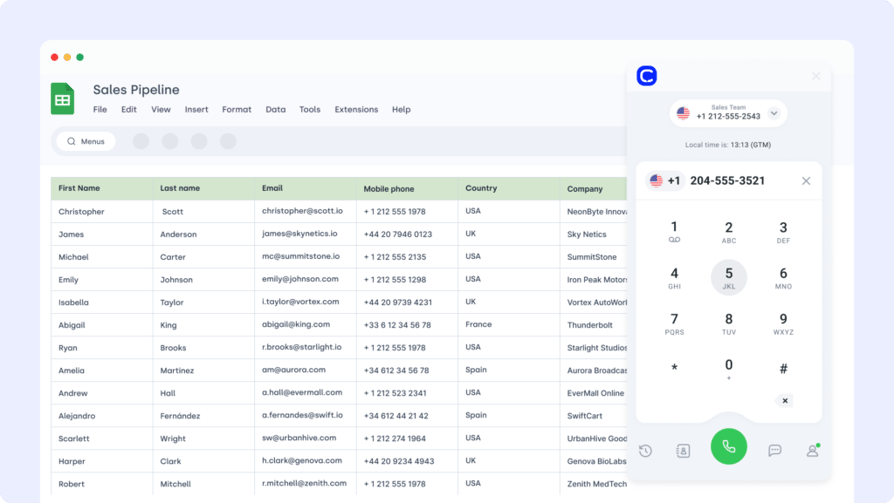
Google Sheets is a go-to tool for building lightweight sales dashboards and reports. The Salesloft Google Sheets integration makes it easy to export cadence performance, call data, or engagement metrics for deeper analysis.
Who Is Google Sheets Best For?
Automatically sync Salesloft activity—like call outcomes or email replies—into Sheets to track performance, forecast pipeline movement, or share results with stakeholders.
What Are Google Sheets' Benefits?
- Eliminate manual data exports
- Create real-time sales performance dashboards
- Enable team-wide visibility without CRM access
What Are Google Sheets' Key Features?
- Auto-export contacts, tags, or email stats to Sheets
- Filter and format exported data by list or tag
- Refresh reports on a schedule or trigger
What Is Google Sheets' Pricing?
Free with Google Workspace. Advanced features may depend on add-ons.
8. Front — Best for Turning Inbox Conversations into Salesloft Actions
What Is Front?
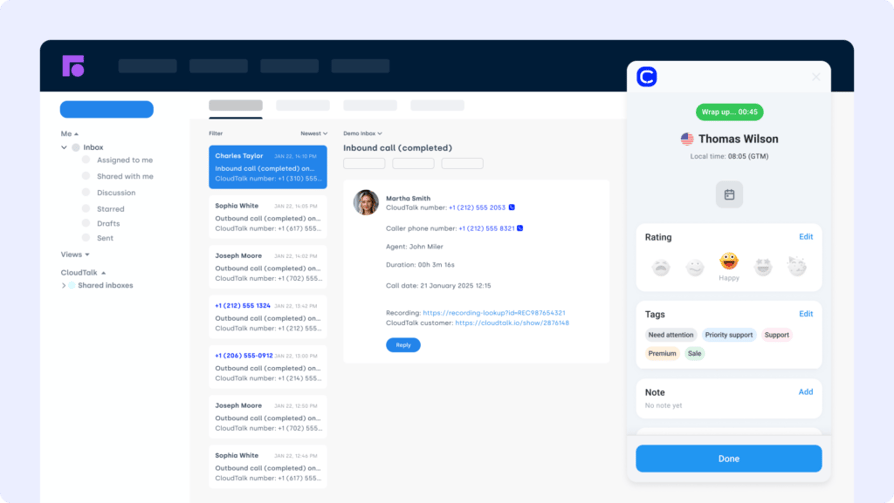
Front is a shared inbox platform that blends email, chat, and collaboration. The Salesloft Front integration helps teams route conversations into cadences—closing the loop between inbound messages and outbound sales activity.
Who Is Front Best For?
Turn Front replies, tags, or mentions into Salesloft actions—like assigning reps, triggering follow-ups, or logging activity into contact records.
What Are Front's Benefits?
- Seamlessly convert inbox activity into sales actions
- Keep cadences and customer conversations aligned
- Speed up follow-ups by linking shared inbox to Salesloft
What Are Front's Key Features?
- Trigger Salesloft cadences from Front tags or rules
- Sync replies and notes into Salesloft contact timelines
- Centralized view of communication and outbound tasks
What Is Front's Pricing?
- Starter: $25/seat/month
- Professional: $65/seat/month
- Enterprise: $105/seat/month
9. LiveAgent — Best for Triggering Sales Cadences from Support Ticket Events
What Is LiveAgent?
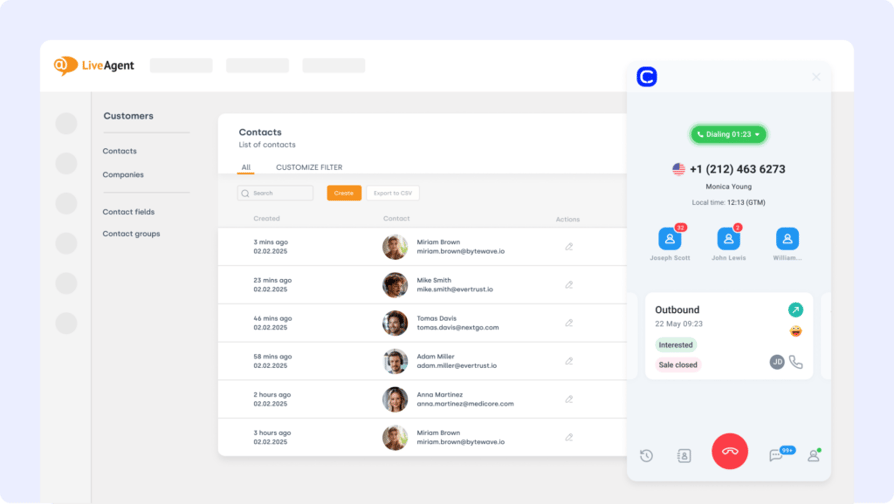
LiveAgent is a multichannel support platform that unifies chat, email, and ticketing. The Salesloft LiveAgent integration brings customer service insights into your sales workflow—so reps can act fast when issues arise.
Who Is LiveAgent Best For?
Trigger Salesloft cadences when tickets are opened, escalated, or resolved in LiveAgent—ideal for recovery emails, upsell timing, or customer check-ins.
What Are LiveAgent's Benefits?
- Align support signals with sales follow-up
- Personalize outreach based on recent service interactions
- Keep account execs in the loop on open issues
What Are LiveAgent's Key Features?
- Trigger sequences based on ticket status or priority
- Log LiveAgent ticket data into Salesloft timelines
- Route contacts based on service outcomes
What Is LiveAgent's Pricing?
- Small Business: $15/agent/month
- Medium Business: $29/agent/month
- Large Business: $49/agent/month
- Enterprise: $69/agent/month
Recommended Reads
10. Zendesk — Best for Launching Outreach Based on CSAT Scores & Ticket Resolutions
What Is Zendesk?
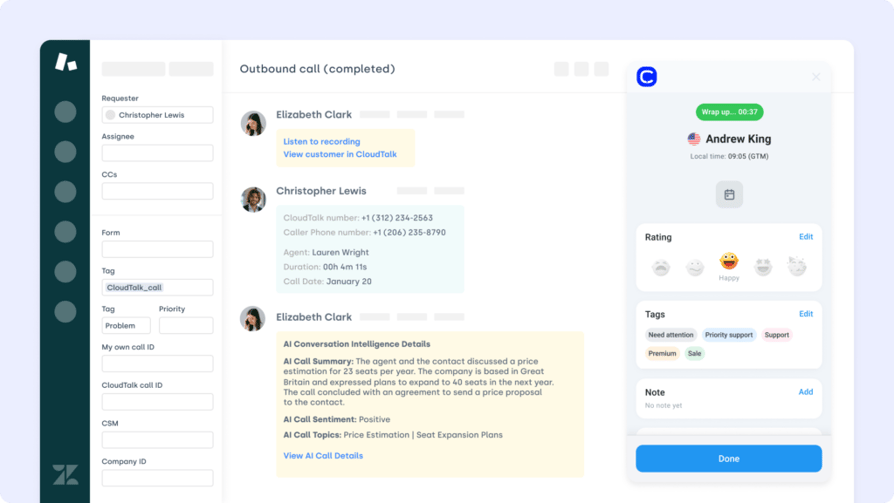
Zendesk helps support teams manage and resolve tickets at scale. The Salesloft Zendesk integration enables sales to react faster to customer issues—connecting support data to the cadence flow.
Who Is Zendesk Best For?
Create targeted follow-ups in Salesloft based on ticket resolution, CSAT scores, or escalations logged in Zendesk.
What Are Zendesk's Benefits?
- Launch sales recovery or upsell cadences post-ticket
- Get full customer context before outreach
- Improve retention with timely, proactive messaging
What Are Zendesk's Key Features?
- Sync ticket status and CSAT data into Salesloft
- Trigger follow-ups based on support outcomes
- Link support history to rep dashboards for context
What Is Zendesk's Pricing?
- Support Team: $19/agent/month
- Suite Team: $55/agent/month
- Suite Professional: $115/agent/month
- Suite Enterprise + Copilot: Custom pricing
Recommended Reads
What Are the Benefits of Salesloft Integration?
Integrating Salesloft with the rest of your sales stack doesn't just make things smoother—it transforms your team's ability to move faster, personalize outreach, and close more deals with less effort. Here's what you unlock:
- Accelerated Follow-Ups
Automatically trigger cadences based on actions in your CRM, helpdesk, or ecommerce tool—so reps never miss their moment to respond. - Cleaner, Unified Data
Keep contact records, activity logs, and deal stages perfectly in sync across platforms, reducing manual entry and eliminating version conflicts. - Context-Rich Engagement
Give reps access to full customer history—support tickets, orders, call notes—so every email or call lands with relevance. - Smarter Automation
Use integrations to launch workflows, assign leads, or update statuses without rep involvement—freeing up more time to sell. - Cross-Functional Visibility
Connect Salesloft with tools your marketing, support, and ops teams already use—ensuring alignment at every stage of the buyer journey.
How to Choose the Right Salesloft Integration for Your Business
Not all integrations are created equal. Before connecting Salesloft to the rest of your stack, here are a few smart criteria to consider:
- 01Identify Your Business NeedsStart by clarifying what you need from a Salesloft integration. Are you trying to automate follow-ups, sync CRM data, or improve pipeline visibility? Your objectives will determine the right tool—whether it's Salesforce for enterprise CRM alignment or CloudTalk for call tracking.
- 02Prioritize Ease of SetupSome integrations work out-of-the-box, while others require API know-how or third-party middleware. If your team lacks technical bandwidth, opt for integrations that offer native setup or are available via platforms like Zapier.
- 03Evaluate Cost vs. ValueBefore committing, compare licensing fees, usage limits, and onboarding requirements. A Salesloft integration that saves your team hours of manual work may justify a higher price point if it boosts conversion rates or lead response time.
- 04Look for Scalable OptionsChoose Salesloft integration tools that grow with you. Whether you're scaling your SDR team or expanding to new markets, you'll want platforms that support advanced automation, multiple teams, and global compliance.
- 05Check for Support & ReviewsBefore you integrate, explore documentation quality, customer support responsiveness, and real-world feedback. Sites that offer Salesloft app reviews can help you avoid tools that break under pressure.
How to Set Up a Salesloft Integration with Other Platforms
Salesloft makes it easy to connect with the rest of your tech stack—whether through native integrations, middleware like Zapier, or direct API access.
Here's how to get started:
- 01Check the Salesloft Integration DirectoryBrowse the Salesloft Marketplace to find prebuilt integrations with CRMs, dialers, helpdesks, and analytics tools.
- 02Connect from Inside SalesloftFor supported apps (like Salesforce or HubSpot), you can authenticate directly within Salesloft by navigating to Settings > Integrations.
- 03Use Zapier or MiddlewareFor custom workflows or unsupported tools, use platforms like Zapier to create "Zaps" that trigger actions across systems.
- 04Explore the API for Custom Builds:If you need a fully custom connection, use the Salesloft API to develop and maintain your own integration tailored to your use.
Regardless of method, most integrations are designed to sync contact data, trigger cadences, and log rep activity—so your workflows stay automated and aligned.
Don't Let Great Leads Slip Through the Cracks
A killer cadence is worthless if your data's stuck in another tab.
Salesloft integrations are your backstage pass to a frictionless sales machine—where calls, tickets, orders, and CRM updates flow in perfect sync. No missed follow-ups. No outdated contacts. No juggling tools while deals go cold.
When your dialer talks to your CRM, when your helpdesk nudges your cadence, when your ecommerce store triggers outreach automatically—sales stops being reactive and starts being unstoppable.
Plug in. Power up. And turn every workflow into a win.
Sources:
Frequently asked questions
Yes, the Salesloft integration platform offers robust API access for building custom workflows between apps and CRMs.
Yes, the Salesloft HubSpot integration syncs contacts, lifecycle stages, and triggers cadences from HubSpot activity.
Some native Salesloft integrations are included, but advanced features or third-party apps may require paid plans or add-ons.
Most Salesloft app integration setups take minutes, especially for prebuilt tools like Salesforce or Google Sheets.
Absolutely—Salesloft supports multiple integrations across CRMs, calling tools, and marketing platforms for unified workflows.
Salesloft software pricing starts around $125/user/month, depending on plan tier and integration needs.
No, Salesloft isn't a CRM—it's a sales engagement tool that connects with CRMs like Pipedrive and Zoho for complete workflows.